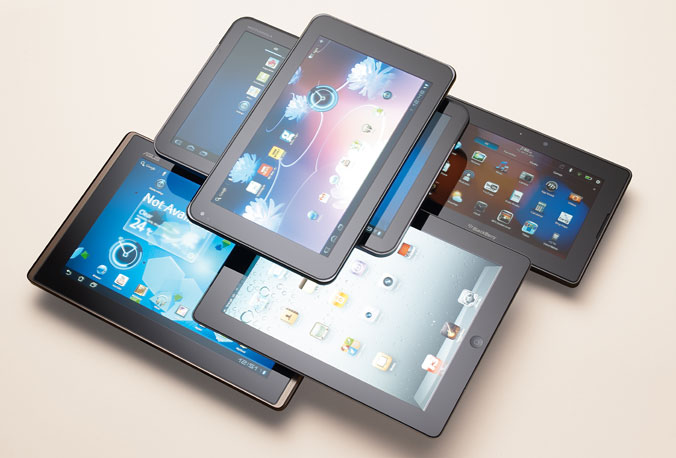
A couple of weeks ago we wrote a quick list of affordable laptops that you can buy in 2015, and I think this is the perfect time for a round-up for the top tablets that are available right now!
Whether you’re on a budget, or you want to throw money at retailers, you’ve come to the right place.
In an era where everyone has to get their information as soon as, possible people tend to buy a device that won’t suit their needs. You don’t just go out and buy a tablet, or a smartphone, you do some research before, read a couple of reviews, and settle on one that you think it’s best for you – don’t impulse-buy devices just because you love how they are designed; sure, it does matter, but in the long run, you want a tablet that won’t need to be recharged 2 times a day.
The Top Tablets #1 Microsoft Surface 3

Is Microsoft’s third iteration of its Surface line good? Well this reviewer thinks so. It seems like Microsoft has learned from past mistakes, and it’s starting to listen more and more to consumers. It’s a hybrid actually, but the team behind the Surface 3 has developed it with tablet specifications in mind – but this doesn’t mean that it won’t work pretty great as a low-end laptop.
The display is its strong point – a beautiful bright, and crisp glossy IPS display will have no problems on a sunny day, and it makes surfing the web outside a pleasure. The Windows tablet is 10.8-inches in size, and at 1920 x 1200 pixel-resolution it allows the user to enjoy movie marathons without a problem – there is no issue with viewing angles, so you don’t need to worry sitting in bed all day and binge watching Netflix series.
The display is incredibly responsive, and offering a full 10-point multi-touch you can rest assured that it’s going to be as easy as pie surfing the web, and playing video-games.
If you’re an avid traveller – whether it is business related, or pleasure, you definitely need a variety of ports. The Surface 3 sports a MiniDisplay port, a micro SD card reader, headset jack, a cover port, and a micro-USB charging port. Unfortunately it doesn’t have a USB Type-C port, and Microsoft has decided to go with a USB 3.0, but maybe they’ll jump on the band wagon with their next installment.

If you’re tired of looking at the small screen, you can also connect your device to a big HD TV using its HDMI port.
The detachable-keyboard is kinda sluggish, and I have had some problems with it, but nothing serious. Although, if you’re not used to typing, you’ll find it a little bit frustrating. The keys are narrowed, and this makes them feel more cramped, but at least the trackpad is decent.
The Microsoft tablet, pardon me, hybrid, will come with a built-in Windows 8.1, go figure, and you’ll have the possibility of upgrading your OS to Windows 10 for free when the time comes.
- Specs
– Quad Core Intel Atom x7-78700 processor with 2MB Cache, 1.6GHz turbo boost to 2.4GHz
– Integrated Intel HD Graphics
– 4 GB of RAM
– 128 GB of flash memory
Pretty great considering it’s about $500. You’ll definitely not use it to play GTA V, or the just released Witcher 3: Wild Hunt, but you don’t buy a hybrid for gaming, you buy it because it’s super portable, and because the battery will last you long enough to fulfil your day to day tasks.
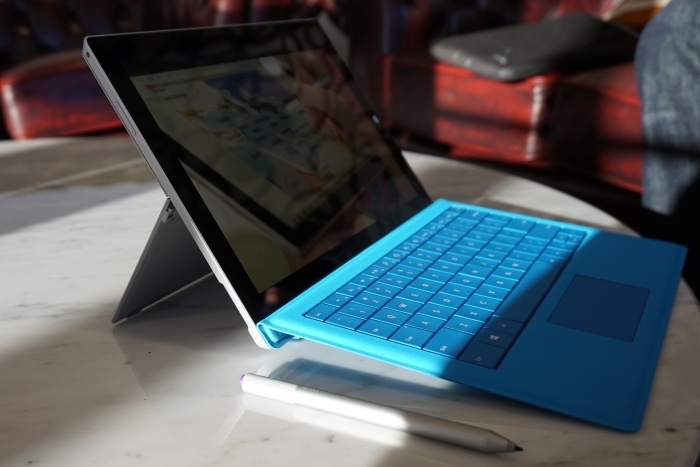
This isn’t to say that you can’t play out-dated video-games. I installed Team Fortress 2 to see if I can make it work, and what do you know? It played smooth at 30 fps with all the graphics settings set on low. Sure, it looks kinda ugly, but yet again, you don’t buy a hybrid for gaming – at least, not yet.
Talking about battery life, I managed to squeeze almost 10 hours out of it, meaning that if you use it all day, you will have to recharge it before you go to sleep.
I’m all for super-thin devices, but what about some love for battery longevity?
Anyway, the Surface 3 has two cameras. The rear facing 8-megapixel camera has autofocus, and its quality output is more than enough for Facebook shares. Its front facing camera is set at 3.5-megapixels. It’s okay’ish for Skype and such, but I wouldn’t praise it being the best camera on the market.

The tablet computer has built-in speakers that are loud enough if you plan on watching movies without using headphones.
I’ve seen it in stores for the low price of $500.
- Pros
– Top-notch display
– Quality build
– Super-portable
- Cons
– Uncomfortable keyboard
– Low storage space
– Mediocre front-facing camera
The Top Tablets #2 Dell Venue 8 700

If you’re looking for cheap tablets, then you should consider looking into the Dell Venue 8 700. It’s $400, and guess what? It’s the titled holder for the World’s Thinnest Tablet, but there is more to it than just its title – beautiful design, and great performance output from a device so cheap.
Even though it’s considered the world’s thinnest tablet you should know that its challenger, the Samsung Galaxy Tab S 8.4, is marginally thicker.
Design-wise Dell deserves some applause – I don’t really know why I love it so much, but something speaks to me when I’m looking at it, or holding it.
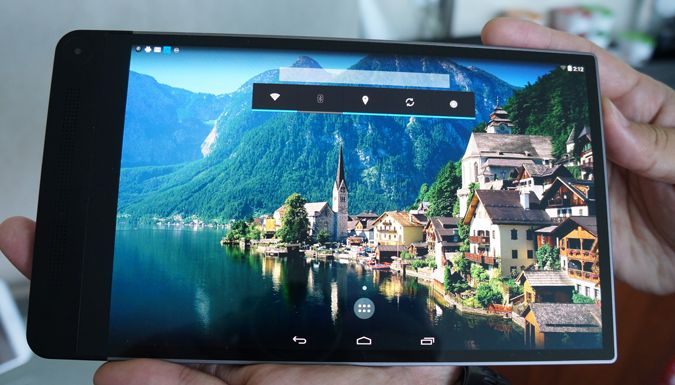
The Dell tablet sports a 8.4-inch OLED display that can output a 2560 x 1600 resolution at 361 ppi – seriously not bad, and it overpasses the previous discussed Surface 3 hybrid.
Dell’s edge-to-edge display is quite a marvel on their part, and I seriously can’t understand why the tablet is priced at just $400. There must be something wrong with it. What’s the catch? Fortunately there isn’t really one. Although it sports a 361 ppi, when you try to use it during a sunny day you’ll have some issues with it, but readability is still over the average rankings.

It features Intel’s Sensing Assist, but you may want to turn it off because it can suck your battery dry – Sensing Assist wakes the device from its dormant state when it senses motion, but it isn’t that great. Let’s say you want to move the tablet from point A in your bedroom to point B in the kitchen for whatever reason. You don’t want it to turn on just because you change its place in the house.
It runs a stable version of Android 4.4 KitKat, and you can upgrade its software to 5.0 Lollipop. It will still run smoothly – no problems in this department.
Although the majority of tablets on the market have moved to Qualcomm Snapdragon processors, Dell still uses Intel as its primary chip-maker.
- Specs
– Intel Atom Z3580 quad-core 2.3 GHz 64-bit processor
– Imagination PowerVR G6430 graphics chip
– 2 GB of RAM
– 16 GB of storage space
Don’t leave just yet! Yeah, it had 16 GB of storage, and the tablet’s user will most likely have 10 GB available, but you can add up to 512 GB of extra storage through its micro SD slot.
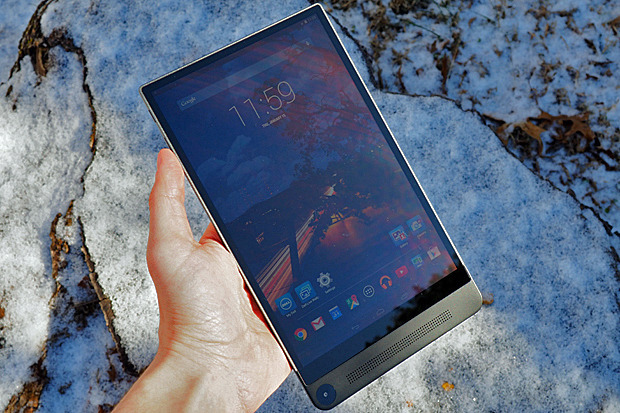
It’s not the best tablet on the market if you take performance into consideration, but for $400 the quad-core 2.3 GHz processor paired with that GPU, and 2 GB of RAM is more than decent. I can give you this, 2 GB of RAM is fairly low considering that the majority of tablets sport 3 GB or more, but it does its job well, and you won’t see any performance issues like lag, or sluggish surfing.
Now its battery life falls a little bit short, and it can only last up to 9 hours, but that’s because Dell sacrifices a couple of things in order to make it super-portable and super-thin.
I have said this countless times over to my friends – stop using your tablet to take pictures, it just looks ridiculous. More so, if you plan on going to a concert, for the love of whatever you think is holy don’t be that guy who takes pictures using his tablet – last time I went to an event, someone from the crowd threw a beer at the doofus with the tablet. He deserved it!
Now, you got 4 cameras, and they take advantage of Intel’s new RealSense Snapshot Depth Camera technology. The rear facing camera stands at 8-megapixels, but it’s surrounded by two other 720p shooters. The front facing camera sports a 2-megapixel output, and I don’t really recomend it for Skyping.
I found myself obstructing the cameras with my big hands, so be warned. If you have clumsy big sausages for fingers like me, you’ll have some issues taking that perfect photo.
I’ve seen it in stores for the low price of $400.
- Pros
– Beautiful display, and its ppi is just astounding
– Pretty great camera
– Super-thin
- Cons
– A little bit slower than other tablets on the market
– Really low storage space
The Top Tablets #3 Sony Xperia Z3
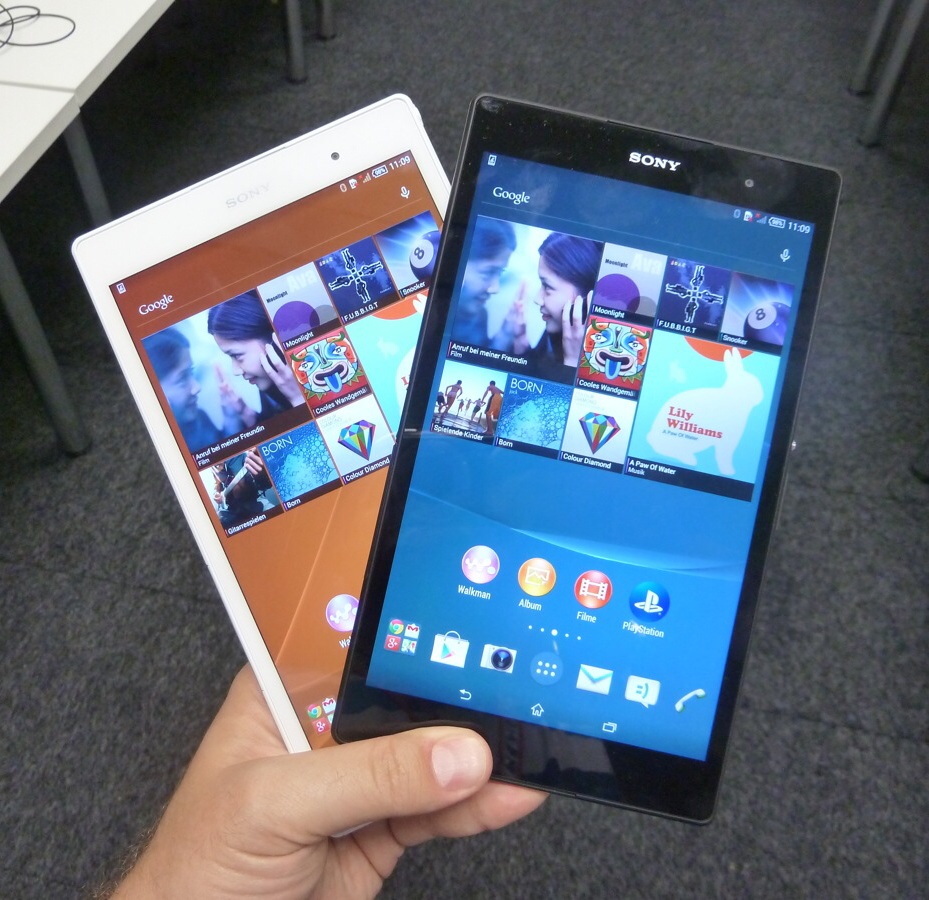
At first touch the Sony Xperia Z3 looks, and feels like a 2013 device, but that’s just because Sony thinks it should push down our throat their somewhat out-dated design. It costs about $600, and for this price you may be swoon by a certain Samsung Galaxy tablet – the 8.4 S model. But before you make your final decision, you should know that the Xperia Z3 has some aces in its sleeve.
One of the device’s selling points is that you can hold it easily in one hand – it makes the perfect tablet for kids too. Secondly, it’s waterproof, so no need to worry about taking your tablet with you to the local pool, and coming back home heartbroken – it uses rubber seals on all of its ports, except for its headphone jack, which is already specially treated.
I just love how it looks, and because it’s so thin and small – not the smallest though; it can fit easily in your backpack, or purse.
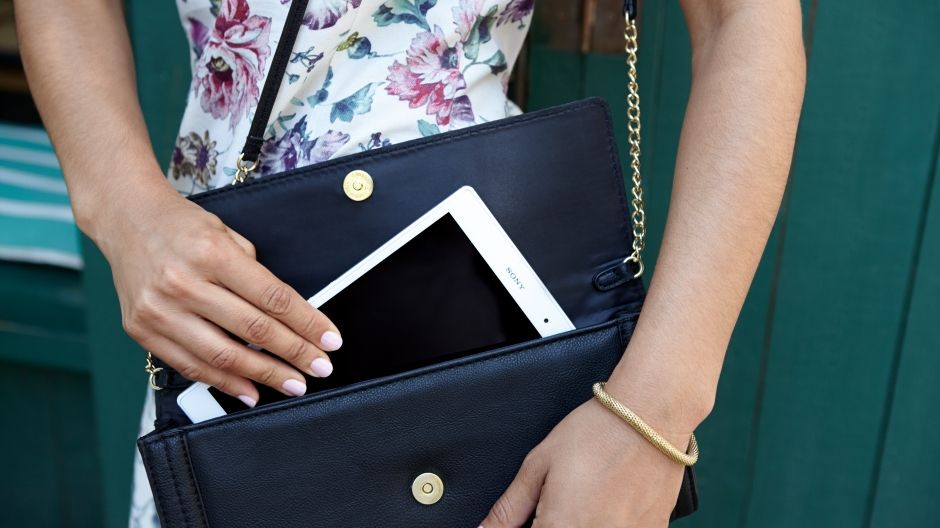
To me, its design inspires high-tech, more than the covered in aluminium iPad Mini 3. Even though it’s entirely made out of plastic it’s the good kind, not the cheap and tacky one. It also feels good to the touch – better than the Nexus 9 if you want a comparison.
There are some little bits of metal here and there, especially on its corners – probably to save it from utter destruction if mister clumsy hands over here drops it. I haven’t performed this test, so please don’t throw your tablet at the wall.
The 8-inch LCD screen stands at 1920 x 1200 resolution, but it’s really not that crisp, and clear like others at the same price range. It suffers from poor viewing angles, and I don’t recommend you using it on a sunny day in the park – readability is really low, and you’ll just annoy the living hell out of yourself trying to find that perfect place with shade.
The Android tablet comes with a built-in 4.4 KitKat, but you can easily upgrade it to 5.0 Lollipop.
- Specs
– Qualcomm MSM8974AB Snapdragon 801 Quad-core processor 2.5 GHz Krait 400
– Quad-core 2.5 GHz Krait 400 graphic chipset
– 3 GB of RAM
– 16 GB of storage space
You can add more storage space by adding a micro SD card up to 128 GB.
More RAM, and a better processor than the previously discussed Dell Venue 8 700 doesn’t make it the best tablet, but you surely won’t experience lag, or any performance issues.

The top-shelf processor, paired a quad-core graphic chipset, and 3 GB of RAM makes it a beast when it comes to gaming, and the 1080p screen is stands tall, even though is not the best one.
Before they launched it, Sony was praising themselves that the Xperia Z3 will last about 15 hours. I almost immediately started to ridicule them and send them letters with only Liar, Liar pants on fire written in the body. Gee, can you imagine how humiliated I was after I tested it, and figured that it can last more than what they’ve stated? Almost 16 hours of battery-life time make it one hell of a behemoth.
Its 8-megapixel rear facing camera matches the quality its challengers can output, and it actually shoots pretty great photos come to think of it. I wouldn’t frame any of them, and nor would I go out of my way to show them to my friends, but for Instagram, Facebook, and Twitter is more than enough.

The secondary camera is a measly 2.2-megapixel unit – as I said before, don’t expect high quality Skype video calls.
The actual selling point for this device is the fact that it supports PS4 remote play. A very limited number of Android devices support PS4 Share Play, thus making it one hell of a device for gamers if you have a PS4. You can easily connect a DualShock 4 controller to the tablet, and just stay in bed all day long playing Call of Duty, and telling your enemies, or team-mates about how many sexual relations you’ve had with their mothers.
I’ve seen it in stores for the low price of $600.
- Pros
– Superb battery life
– PS4 Share Play
– Super-thin and super-portable
- Cons
– Its screen is not that great
– Somewhat out-dated design
– Horrible secondary camera
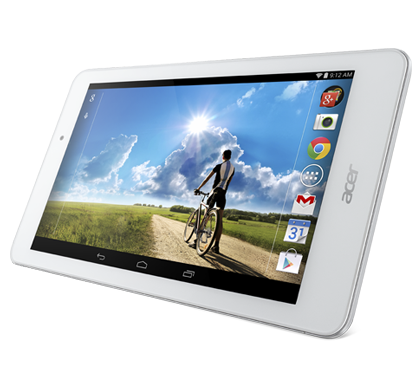
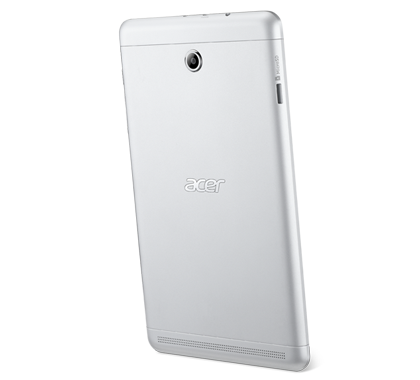
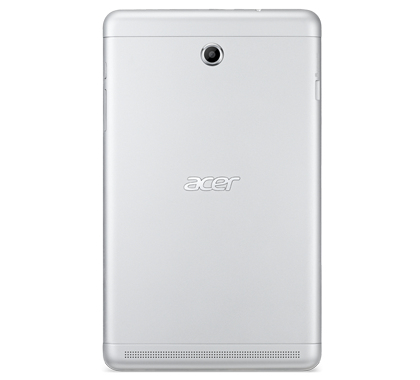
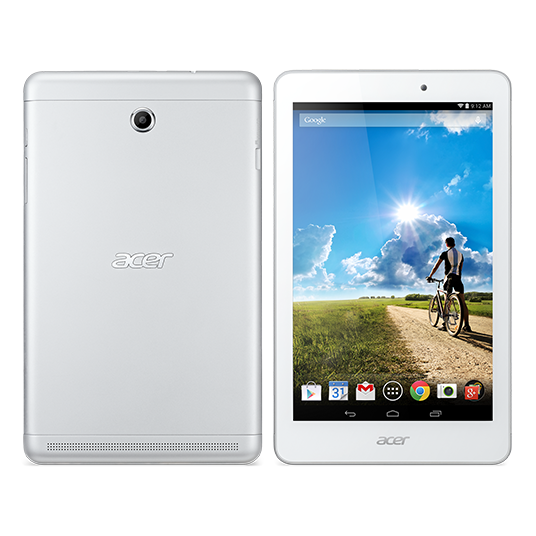
The Top Tablets #4 Acer Iconia W4
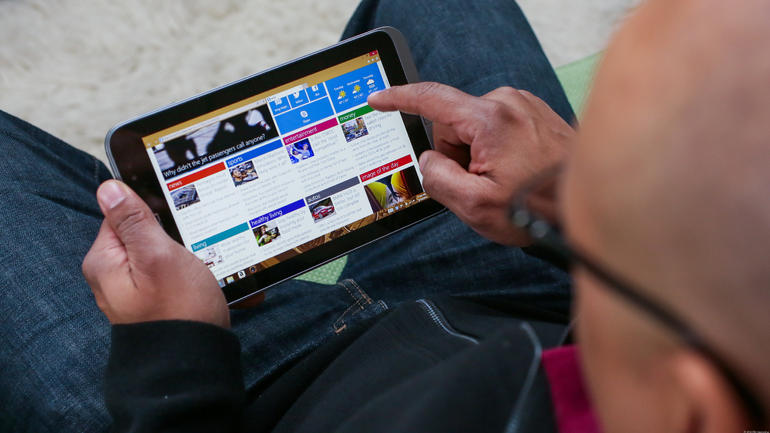
One of the cheapest tablets for sale – and I think I’ve even found it in the Walmart tablets section; the Acer Iconia W4 is set at an astonishing low price of $350!
Sure, there are different models that offer more storage space, but the entry level one is a must-buy.
Last year’s W3 was the first 8-inch device to feature Windows 8.1, but it it didn’t do it good – actually it was kinda’ horrible if you think about it. Grainy low quality display, and a low performance processor managed to offer a poor experience.
The Iconia W4 has polished all of its older brother’s failures, and it made major improvements in key areas where W3 fell short.
Some think of it as highly evolved, but I really don’t applaud it that much. Sure, it learned from past mistakes, but has it seriously improved that much in order to fight in the tablet pits? I don’t think so.
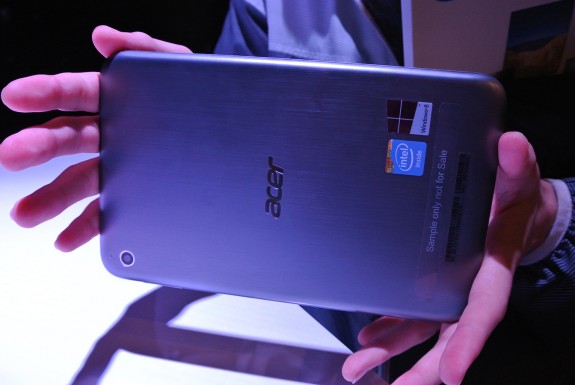
Don’t get me wrong, I think it’s pretty great, and at $350 if you have never experience a high-end tablet before, you should definitely buy it. More so, you should definitely buy it if you’re looking for budget tablets.
The Ace Iconia W4 received mixed to positive tablet reviews mostly because it was launched at the right time, at the right price. It features a 1280 x 800 pixel resolution on the 8-inch device – it didn’t receive the award for best tablet of 2014 that’s for certain. It’s a tried and test resolution that seems to work for Acer. I, for one, don’t really like it that much – maybe because I’m accustomed to high-end devices.
At 186 ppi it falls behind the average tablet, and the display just doesn’t cut it – don’t plan on using your device outside. Readability is inexistent.
- Specs
– Intel Atom Z3740 Quad-core processor 1.33 GHz
– Intel HD Graphics
– 2 GB of RAM
– Standard Edition comes with 32 GB of storage
You can’t add any more storage space, but the built-in storage is actually a SSD, and it works pretty fast.
You definitely won’t be using it for HD gaming, but it can run almost anything on the store. You’re going to have some minor performance issues because it only features 2 GB of RAM, and the processor even though it works on 4 cores it doesn’t make up for its speed – 1.33 GHz is really low.
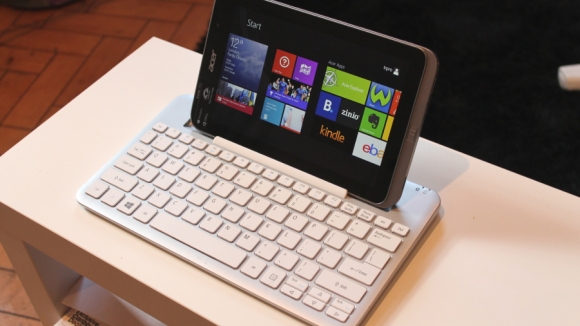
I’ve experienced lag after opening up more than 4 apps – it eventually lead the tablet to freeze, and I had to restart it. Didn’t liked it one bit.
I tried to install a couple of games on it, to see if the device can at least start them. Skyrim was my first choice – I know, I was reaching for the sky, but guess what? At the lowest settings, and resolution it run at 15 fps. It’s unplayable I know, but it surprised me. Afterwards I decided to have a little bit more confidence in the little Iconia so I installed Left4Dead. Pleasantly surprised that it reached a peak of 20 fps, but when multiple zombies flooded the screen it went down to 10. It was an enjoyable experience until the undead horde attacked.
The last one that I tried out was Valve’s Counter-Strike: Source – 20-25 fps on average, but if a flash-bang, or a grenade goes off near you, you’re dead – not from the damage, but from the screen freezing instantly. You could try to play with bots, but no on-line play, unless you want your team to constantly yell at you.
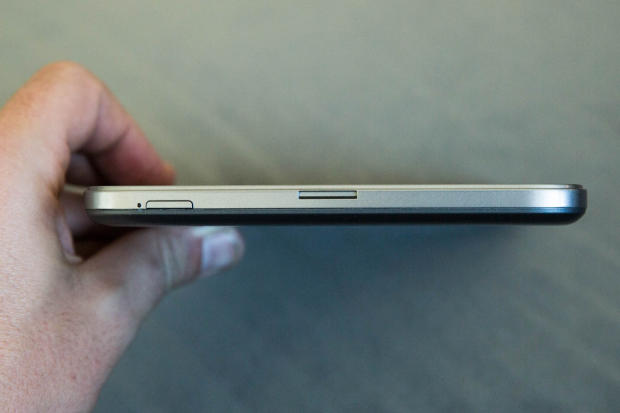
Acer said that the W4 will last up to 10 hours of usage – I proved them wrong. It completely died after almost 8 hours and 30 minutes. Not much, and it ranks on the same level with other average tablets.
Iconia W4’s rear primary camera is actually great – even if it stands at 5-megapixel. It may be sub-par to what you’re used to, but don’t let the low number unit fool you. In the right settings it takes some awesome photos – crisp, and well-saturated images. It does have its issues in low light conditions.
It can also take video footage at 1080p at 30 fps – not bad young one.
The secondary front-facing camera is another story though. Lowering the number to two, the small camera unit can only be used for Skype video calls, and even then it will output low quality.
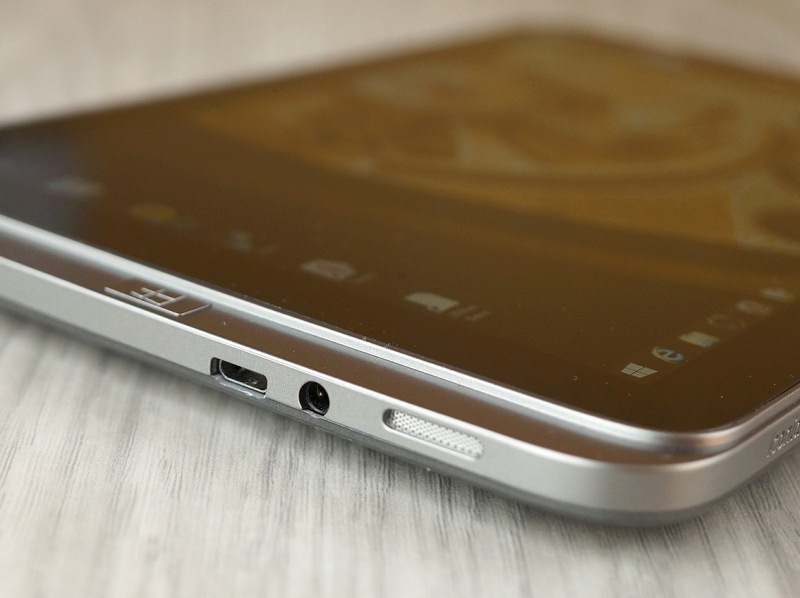
Why am I even recommending or adding it to our list? Fair and simple. It’s the best entry-level tablet, and at $350 it’s one of the cheapest devices.
I’ve seen it in stores for the low price of $350.
- Pros
– Low price
– Windows 8 tablet
- Cons
– Performance issues
– Low resolution
– Horrible secondary camera
The Top Tablets #5 Asus Memo Pad HD 7

This Asus tablet has a MSRP of $120, and by partnering with Google, Asus went from unreliable tablet manufacturer to the de-facto leader in the small tablets market. Low price, awesome capabilities, and world-wide availability made the Memo Pad HD 7 one of the best 2014 tablets.
You may think of me as an insane man, but I really do love this so-called Google tablet. What’s to hate?
It weighs just about 302 grams, and the 7-inch IPS LCD screen outputs a 1280 x 800 resolution at 216 ppi – more than the Acer Iconia W4 which is almost three time its price.
The tablet is made out of slippery plastic – it was constantly dropping out of my hand in the first day, or so; luckily I’m quite a bright man, and figured the issues as soon as I put my hands on it. Slippery plastic means cheap plastic, which eventually leads to a horrible slimy feeling. In order to not utterly destroy your device, I highly recommend you grip the tablet with both of your hands.

Moving on to the 7-inch IPS LCD screen – it’s crisp, and sharp, and you can try to use it on a sunny day. Since it has 216 ppi you’ll be able to read off of your device, but at the same time, you’ll be struggling with it. Find a shade covered bench, and you’ll have no problems. The colours seem to favour a yellow-ish tint, but there are no major complaints that I know of.
It has Android 4.2 Jelly Bean built-in, and you can upgrade it to 4.2.2 – don’t expect KitKat or Lollipop because it ain’t gonna happen.

You won’t be able to play the latest things available on the store. Hell, you won’t be able to play the majority of cool things, but there are still plenty of old games and apps for you to enjoy. Facebook will work super slow; Messenger, and WhatsApp will annoy you each time you try to text someone.
- Specs
– Mediatek MT8125 Quad-core processor 1.2 GHz Cortex-A7
– PowerVR SGX544 graphics
– 1 GB of RAM
– 16 GB of storage space
You can add more storage space by adding a micro SD card up to 32 GB.
The 1.2 GHz quad-core Mediatek processor is uhm, not that good. Even though Mediatek is known for their ways of revolutionizing the industry, they also build low-end procs. Pair it with only 1 GB of RAM and you’ve signed your own death-wish. Lag will be present all the time, so be patient young grasshopper, because good things may come to those who wait.
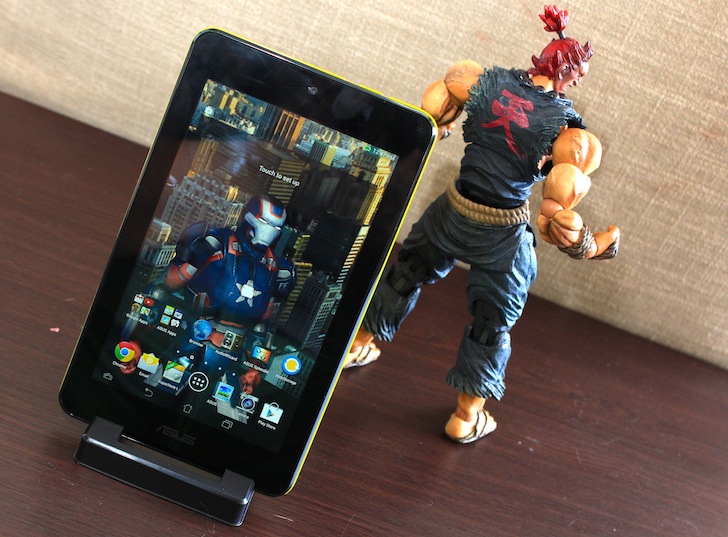
Use the Memo Pad with care – not only it can slip out of your hands, but it takes a little while to start apps, games, and surf the web.
Do you know the surprising thing? It didn’t freeze once. Yes, it lagged, and yes, I got really annoyed trying to use Facebook, Reddit, and other apps, but it didn’t once freeze. Sure, it closed the app because it wasn’t responding any more, but I didn’t even have the chance of realizing this, and the error was immediately prompted telling me to close the app.
I’m not saying this is an extraordinary thing, but it ain’t a bad thing either.
It has a small 15Wh capacity battery that will keep your device alive for about 10 hours. It seriously isn’t that bad considering it’s only $120. You can watch about 4 to 5 movies on a long flight, and because it has a standard micro USB port you can recharge it almost anywhere you please.

The Memo Pad’s primary camera is a 5-megapixel unit, but unfortunately it doesn’t take good photos, hell it doesn’t even take mediocre ones. It outputs low quality images, and don’t think for a second that the secondary camera is better. The 1.2-megapixel front-facing camera is a laughable unit – you can’t use it for anything, it’s just there for the sake of existing.
I’ve seen it in stores for the low price of $120.
- Pros
– Super-low price
– Sharp screen
– All the things considering, it has a great battery-life
- Cons
– Performance issues
– Horrible primary, and secondary camera
– Low storage space
Image Source: 1, 2, 3, 4, 5, 6, 7, 8, 9, 10, 11, 12, 13, 14, 15, 16, 17, 18, 19, 20, 21, 22, 23