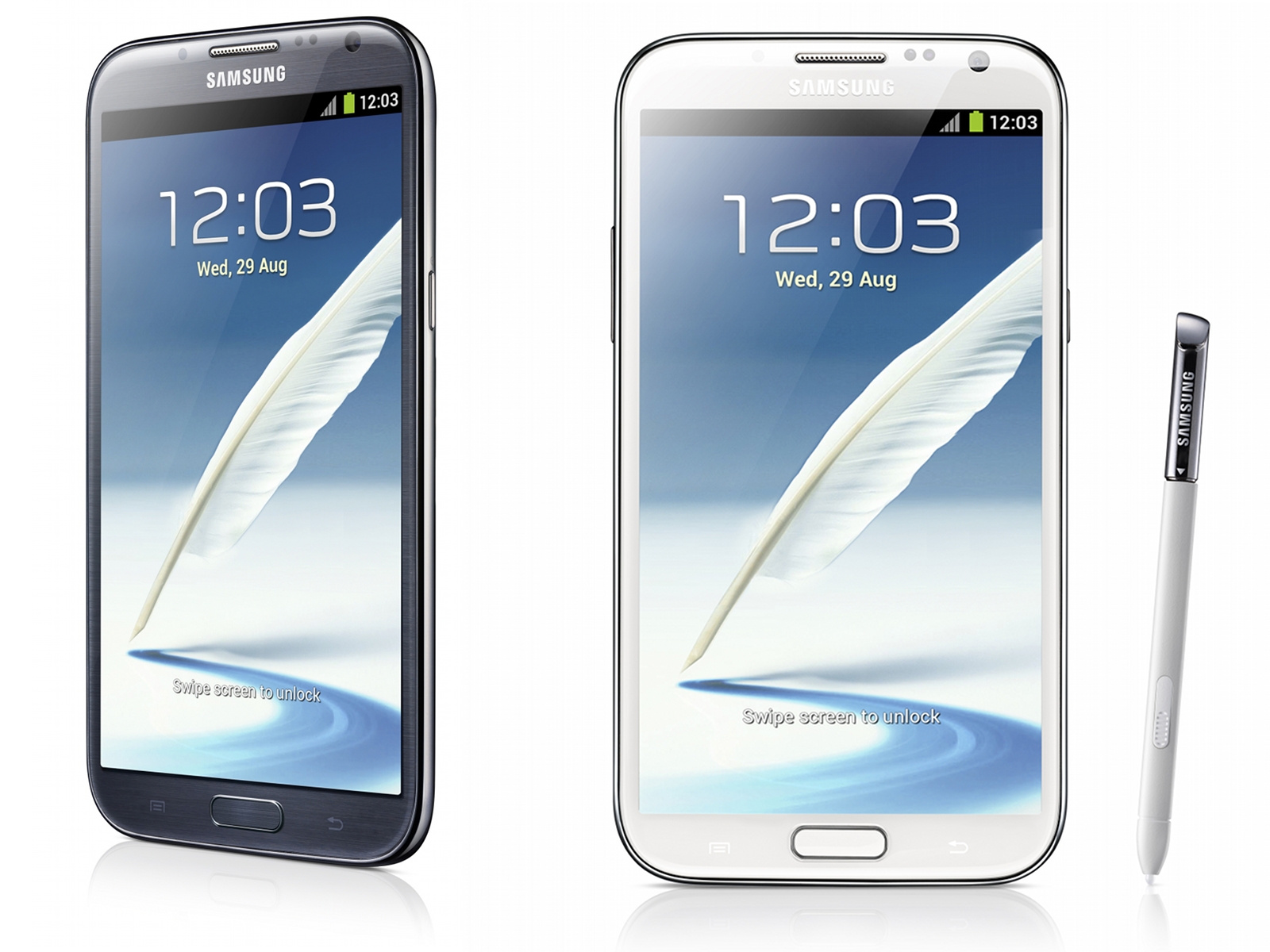
Image source: anandtech.com
Even though there isn’t an official release date for the Android 5.0 Lollipop update for the Samsung Galaxy Note 2, we do know that it will eventually see the light of day. And with this in mind, we decided to analyze some of the more frequent Samsung Galaxy Note 2 problems and provide some possible fixes that will improve the performance of the device before a potential upgrade to Android Lollipop.
In 2012 Samsung announced its second generation of the Galaxy Note, and that device was at a time one of the most powerful smartphones on the market. The Samsung Galaxy Note 2 is now being replaced by its newer versions called the Galaxy Note 4 and its older brother, the Galaxy Note 3.
When the Galaxy Note 2 was originally launched it came with the Android 4.1 Jelly Bean. Over the time, Samsung upgraded the operating system to 4.3 Jelly Bean and the 4.4 KitKat. Now, most people are using the Android 4.4.2 KitKat on this device.
Many of its users are currently having a very stable experience on the smartphone but there are some who encounter issues with the aging device. Samsung has released various enhancements and bug fixes to stabilize it but there are still several people who complain about the problems they have with Android KitKat on the Galaxy Note 2.
Knowing this, we analyze some of the problems we’ve encountered with the device and will provide you with some potential fixes for them. Even though these fixes are intended for smartphones running KitKat, they should also work for Android Jelly Bean Galaxy Note 2 devices.
Galaxy Note 2 Battery Life Issues
Battery life problems are very common issues for most smartphones that run Android. Over the time we’ve seen a lot of complaints about Galaxy Note 2 battery life problems. Even though we can’t give you a certain fix, we can give you some tips on how you can improve the battery life on the Note 2.
Most of the times, these kinds of problems are due to third-party apps. We’ve seen numerous apps that are unintentionally draining the battery life on some devices and they could also be doing the same thing on your Galaxy Note 2. We recommend that you boot your device in safe mode before attempting to fix these issues.
The Safe Mode will turn off any third-party apps and will allow you to isolate the problematic apps. This is a very boring process but it’s a very good way to find out which app causes battery life problems.
This is how you boot your device in safe mode:
1. When the device is booting you will see the model name on the display
2. Once the logo animation starts, press the menu button
3. A ‘Safe Mode’ text will appear at the bottom of the screen if you’ve successfully entered Safe Mode
If this doesn’t work there are more ways in which you can try to fix these issues. For starters, we suggest that you restart your Note 2 to see whether or not this fixes the battery life problems. Rebooting your device will clear the cache and kill services that might drain the battery life. This is a very simple fix that has worked for us and many other users.
If these problems continue, try turning off Air View, GPS, Bluetooth, NFC or any other somewhat unnecessary functions. This could also have a positive outcome on your battery life. Live wallpapers may also impact the battery life and switching to a static one could help.
Galaxy Note 2 Performance Issues
As the device got older, there were more and more complaints about it being laggy and slow. Numerous Samsung Galaxy Note 2 users said they experienced poor performance after they upgraded to Android 4.4 KitKat. However, this isn’t very surprising considering how old the device is.
Even though there is no miraculous cure for these problems, there are some fixes that will improve the performance on older Galaxy Notes. The first possible fix is a process that clears the cache partition. In order to clear the cache partition, follow these easy steps:
1. Turn off the Galaxy Note 2
2. Press and hold together the Volume Down, Power and Home buttons until it will vibrate
3. Release them the moment the Samsung logo appears on the screen
4. Tap the Volume Down button until you reach Wipe Cache Partition. Select this by using the power switch
5. Wait until the process is completed
6. Reboot the device
If this fix doesn’t work, we also suggest you stop using live wallpapers as they are known to impact the device’s performance negatively. You can also try switching NFC off. Turning NFC off has proven to fix these issues and we recommend that you do so. You can also try disabling S-Voice which can be found in the settings.
If things are really bad on your device, we also recommend disabling the animations. You can do so by accessing the settings. People who experience Samsung Galaxy Note 2 performance problems can also disable some unnecessary apps in the Application Manager.
Galaxy Note 2 Charging Issues
It seems that charging issues are plaguing the Galaxy Note 2, but this doesn’t really surprise us. Numerous older Galaxy smartphones have showed the same issues in the past.
You should make sure that you use the original charger that came with your device when you purchased it but if that doesn’t work you should try using a different charger that has the same voltage as the original one. If nothing works, try getting rid of the wall charger in favor of a USB cable. Plug the device into a computer and see if it helps in any way. Charging with a USB cable takes more time but it could potentially save you of a few headaches and some money.
And, as usual, if none of these fixes work try rebooting your smartphone.
Galaxy Note 2 Bluetooth Issues
Another common issue on the Galaxy Note 2 is the Bluetooth. If your device has problems with the Bluetooth we have several suggestions that may be able to fix this. However, like all other fixes, we can’t guarantee that this will work on your smartphone.
First, turn the Bluetooth off and then back on. To do so, go into Settings and then to the Bluetooth and toggle the feature off and after a few moments back on. If this doesn’t fix the issue try forgetting the connection. Forget all connections to Bluetooth devices that are problematic. After you complete this step, reconnect your Bluetooth device to the Note 2.
People that can’t connect to a car with their Bluetooth should check the manual of the car. There’s always a way in which you can reset the Bluetooth connection. Once the connection has been forgotten by your smartphone and the Bluetooth on the car has been reset, try reconnecting it and see if that helped. This method has been successful for many users.
If this fix doesn’t work, we suggest you boot the device in Safe Mode. This will let you check which app is causing the issues.
Galaxy Note 2 App Issues
The users who are dealing with a change in the performance of an app have some ways in which they could potentially improve the performance of the application. First, you should check for an update of the app. A compatibility update or bug fix may fix the problem with the app.
If this doesn’t work, try to reinstall the app. Delete the app and then install it again. This has fixed the performance with apps in the past and should be taken into consideration if an app starts to behave poorly. However, if the problem persists, we suggest that you contact the developer and inform him of the problem you’re having. This will help the developer identify the issue and fix it.
We’ve also experienced some problems with the Messenger app on the device. This stock app regularly crashes on some devices. First, try to reboot your smartphone. If this doesn’t work, however, you can try and use an alternative app that is more stable than the stock one.
You can also try to clear the cache of the app. To do so go to Settings tap More and then Application Manager. Tap on All and go to the Messenger app and then tap Clear Cache. If other apps have the same problem, we suggest you do the same thing to all of them.
Fix Galaxy Note 2 Problems
If you don’t succeed in fixing your device with none of these solutions, try considering a factory reset. However, keep in mind that this deletes everything on your device and you will have to make a backup of your files before doing this.
In order of resetting your device to factory settings go to Settings, then Accounts, then Backup Options and tap on Backup and Reset. From there, you can finally select Factory Data Reset.
If you still aren’t able to fix the issues with your Galaxy Note 2, you should contact your service provider or Samsung.
