Argyll Free Press

Growing News Network

Wednesday, December 31, 2025
Log in
  • Business
  • Finance
  • Sports
  • Tech & Science
    • HP Envy 4500 Review
    • LG Optimus 170 Review
    • iPod Touch 6th Generation Review
    • HTC One M8 Accessories Set-up
    • Surrealist Games You Must Play
    • Hisense Sero 8 Review
    • Dell Latitude e7440 Review
    • HP Laserjet 1536dnf mfp Review
    • Garmin Fenix 2 Review
    • Skype Vs Viber
    • Best Video Conferencing Software
    • Sony mdr 1r Headphones Review
    • Canon Rebel t3i Review
    • Sennheiser Momentum 2-0 Review
  • Travel
  • Headlines
  • Health
  • United States

Review for Apple iOS 8.1.2: The Good and the Bad

December 21, 2014 By Roxanne Briean Leave a Comment

The latest operating system update that was launched by mobile phone producer Apple, to compliment and accompany the release of the much expected iPhone 6 brought quite a few changes to the way your iOS works, though it did not end up being a long shot away from its predecessor visually.

If you’re still holding onto your iOS 7 or earlier versions of the iOS 8 and not sure whether you should make the change or not, I’m going to give you a broader overview of what to expect from the new operating system, iOs 8.1.2 update included.

Quick Overview: How the 8.1.2 Came to Be

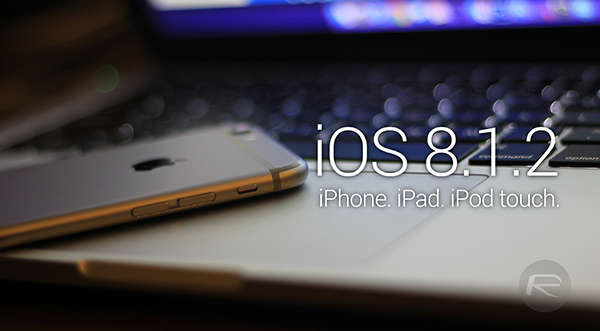
iOS 8 introduced some impressive new settings for camera such as time-lapse straight on your phone, a capture timer, burst mode on front facing camera on the iPhone 5s and panorama for iPad Air and iPad mini with retina display.
Review for Apple iOS 8.1.2: The Good and the Bad

Image Source: https://www.redmondpie.com/

Photo editing potential also got some attention, giving you a lot more options when trying to tweak your snaps on the go, before uploading them to your social media website of choice. To people who are not that well versed in the ways of Photoshop and other editors (or not versed at all, like I am), this is the easy way out if you’re just looking for some light edits to make your colors sharper, highlight specific areas of your photo and so on.

Other notable improvements brought by the new iOS were adding continuity and perfect synchronizing of all of your Apple devices via the iCloud. All of your documents can be stored in your iCloud Drive and accessed from any of your devices at the exact point you left off, uploads of edits and changes being made continuously across all of your devices automatically.

The QuickType keyboard became a thing too, adding predictive typing personalized to your writing style, customized in coordination with the recipient and the application you are using.

The first time I opened up the messaging app on my iPhone 5s post the update, I did not pay much attention to this new feature since I never really was a fan of automatic keyboards, to me being more of a nuisance and chain-of-thought-breaking rather than useful.

But after several chats all across my apps, I started noticing in the corner of my eye some very familiar words and expressions that are not officially part of the dictionary but knew that I myself use often.

Quick Overview for the New Operating System

While I speak for myself that even despite the very intuitive nature of the QuickType software, I’m still going to type things the hard way, I would lie if I said I don’t sneak in a few words from the feature every now and then, especially when operating the phone one-handed.

Another feature that I sincerely wondered what was taking so long on being incorporated by the iOS was the health app – an application that is only available for the iPhone and iPod, but not yet made functional on tablets.
Review for Apple iOS 8.1.2: The Good and the Bad

Image Source: https://www.redmondpie.com/

This does exactly what you would expect from it, measuring distances you walk, helping you keep track of calorie intake, cholesterol levels, and every other nutrition, vitals, sleep, fitness and body measurements you would ever need to stay in control of your health.

The app itself does not measure all of the above automatically and will actually require manual input or auxiliary applications that measure them for you, but it still remains a very flexible tool to keep watch over the state of your health.

All these came along with many other minor changes and optimizations to make the latest iOS function as smoothly as possible on all popular iPhone and iPad models. But just like it is with every single major iOS update, the system shines on the newest device releases, yet tends to have issues on previous ones.

The subsequent updates to the iOS (8.0.1, 8.0.2, 8.1, 8.1.1 and ultimately iOs 8.1.2) have attempted to target most bugs and issues that pop up when using the operating system on older devices, but some issues present on the iPhone 6 as well.

For this very reason, I will try to give you a broad overview of what the latest updates bring us on both the iPhone 6 and older models respectively.

iOS 8 for iPhone 5/5s

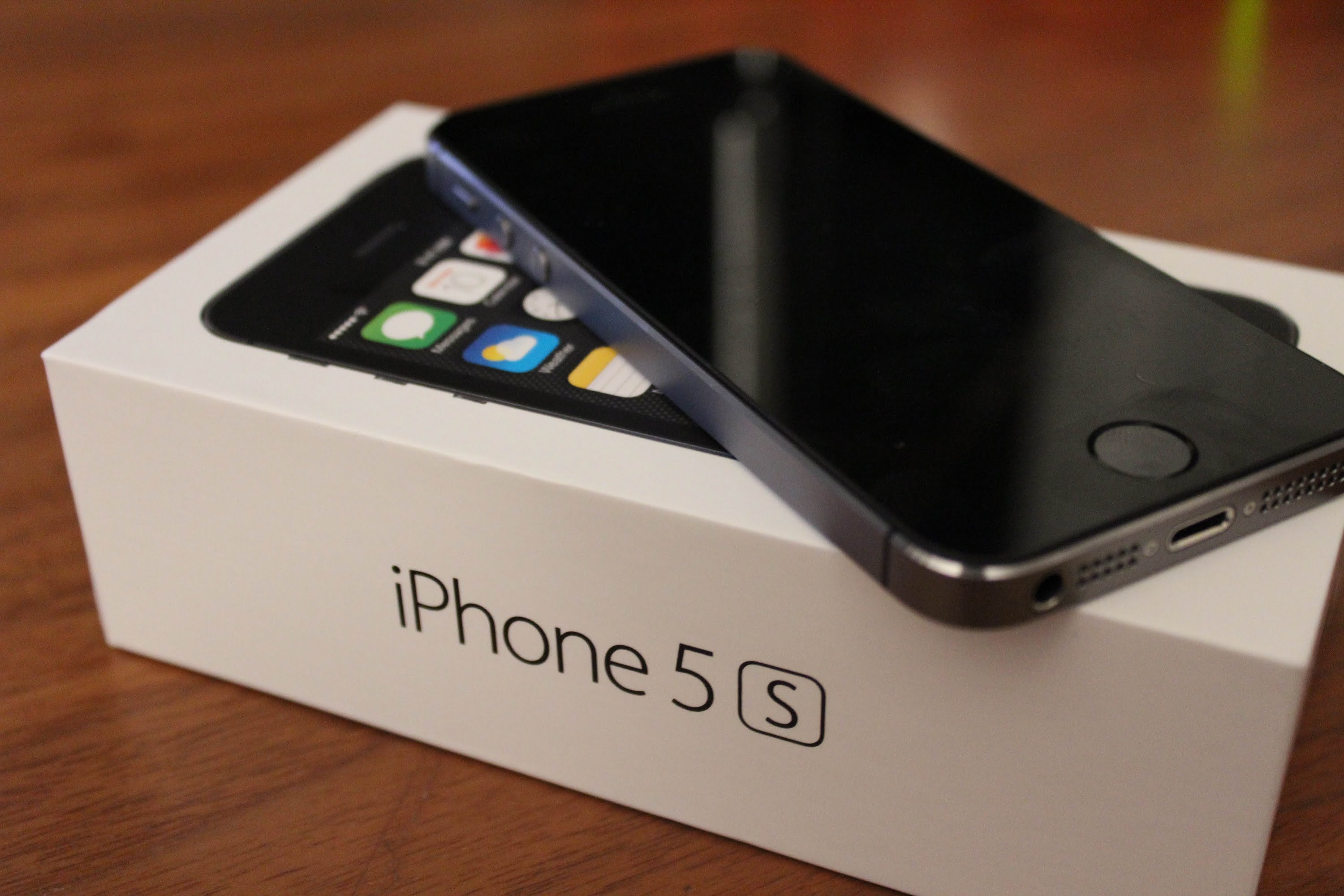
Personally, I haven’t upgraded to the iPhone 6 yet, still holding onto my iPhone 5s simply out of personal preference and slight reluctance towards the big display belief.

The upgrade to iOS 8 was a bit of a headache however and made me consider simply switching to the iPhone 6 just to not have to deal with all the issues that popped up in the first weeks of usage.
Review for Apple iOS 8.1.2: The Good and the Bad

Image Source: ytimg

However, after a long time of having to survive through with random app crashes, screen rotation occasionally refusing to work, freezes, home screen getting stuck on semi-transparent look after swiping to unlock, purchased ringtones vanishing, worrying battery drain, not being able to zoom out of folders and many other tiny, yet nagging issues that my iPhone 5s underwent, things seem to have started to calm down with the latest iOS 8.1.2 update.

Now do keep in mind that these issues did happen to me on a relatively old and packed iPhone 5s (as old as a 5s can get), so that might have had something to do with it as well.

iPhone 6 users have not reported most if not any of these issues as concerns to their new devices so chances are the circumstances that my phone was in when I upgraded iOS were probably the worst combination you could get.

Some things are still a bit sluggish even with the improvements brought to the operating system and the effort the company has put into stabilizing the iOS for older versions that were constructed to work at slightly different parameters than the new, more performant ones.

So if you are already running a version of the iOS 8, the latest iOS 8.1.2 patch appears to be a downright blessing for models 5s and below – the patch is definitely getting a yay.

If you’re still running the iOS 7, missing out on some of the new features might turn out to be better than running in head first into the issues that still seem to be plaguing the device here and there.

From that perspective, if you feel that you can’t handle a few bugs here and there on your iPhone 4/4s/5/5s or cannot spare the time to deal with them until further fixes and optimizations make their way live to your phone via patches, I’m going to have to give the iOS 8 along with the 8.1.2 patch a nay. Save yourself a headache and stick with the stable iOS 7 for now. The goodies on the iOS 8 can wait until a more stable version.
Review for Apple iOS 8.1.2: The Good and the Bad

Image Source: gizmag

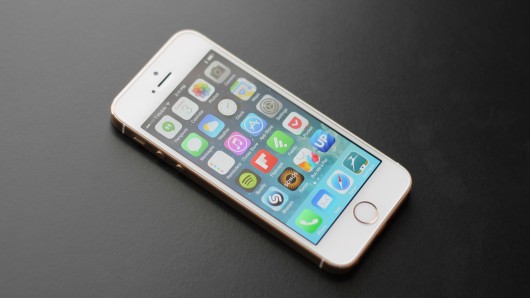
Prior to upgrading to the iOS 8, I made the mistake of not even researching a bit on what I was going to get with the new operating system. I even got it relatively late in comparison to its original launch date due to lacking the necessary space every time I tried to update and despite using 4 Cloud services and numerous hard disks to store all of my data.

I really did not get to it, especially since the update was asking for a considerable amount of space on my 16 GB model, space that I really could not clear up without either removing some of my music or giving up the easily accessible photos and videos on my phone.

So by all means, cleaning up your phone and being prepared for the update is sincerely a very good idea. With all the changes and possible challenges your iPhone 5/5s might be struggling through, not knowing what is coming your way will prove detrimental to your iPhone experience.

If you don’t feel you are prepared for the transition, give the iOS 8.1.2 a nay for now. The changes may not look much from a visual perspective, but at the core of things the new iOS is far from its predecessor.
ios-8-1-logo

Lastly, if for whatever reason you are currently in possession of a jailbroken iOS 8 version, experience and feedback from users who chose to jailbreak their devices seems to be verging on the positive. If you are in the same bucket and feel that your iOS is not giving you much trouble and performance is not dwindling, updating to the iOS 8.1.2 really is not necessary.

Considering that updating your iOS will remove your jailbreak in most situations, take it the nay way and leave things the way they are for now.

Alternatively, if you are ready to put up with a few problems the iOS 8 will give you and are considering jailbreaking, updating to the 8.1.2 would be a timely change right about now since the Taig 8.1.2 jailbreak has already been revealed and released. You would benefit from both the fixes the latest patch has brought and concomitantly enjoy the possibilities of jailbroken devices.

For this reason, the update will get a yay despite a 8.1.3 update being currently planned by Apple. There is no ETA on the next patch however, which means that even if you make the change now, you will be looking at a hefty amount of time for you to spend with your jailbroken iOS 8.1.2 before the new version removes your Taig version.

iOS 8 for iPhone 6 and iPhone 6 Plus

If you are one of the lucky iPhone 6 users who did not have to go through all of the above and even started off your experience with the iOS 8 straight away, you probably are relatively content with your device.

Surely, the iPhone 6 models were not completely immune to the problems that the new iOS posed. The landscape not working was not an issue plaguing the older models alone and seems to have created some trouble and turmoil for iPhone 6 users just as well.
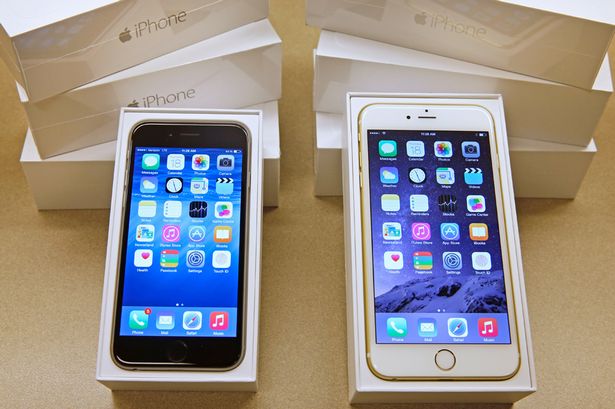
Review for Apple iOS 8.1.2: The Good and the Bad

Image Source: irishmirror

The landscape view was added to the iPhone 6 Plus with the iOS 8, and quickly got followed by tweaks and fixes to its functionality in later patches. With the latest, all landscape view-related issues seem to have finally vanished and your iPhone 6/6 Plus should be flashing its green lights towards the update. Yay.

One of the most harrowing and panic or frustration inducing problems that the iOS 8 came up with was the infamous ringtone bug where people who had downloaded ringtones from the iTunes store in the past woke up one day with the nowhere to be found. For no reason whatsoever.

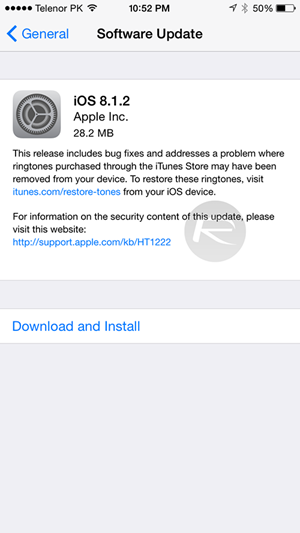
No changes had been made to the phone, no new installations, no modifications done via iTunes. The tones would simply disappear off the face of the planet. The 20 MB 8.1.2 update seems to be focusing on this fix, and installing the patch will allow you to recover your missing ringtones by heading to Apple’s website and restore them to your device as soon as possible.

Alternatively, even if you haven’t purchased any ringtones but are planning to, go ahead and grab the update before you do to avoid having to put up with this and straight out enjoy the yay that the iOS 8.1.2 gets once again.

Performance of iOS8 on iPads

The iOS 8 only made it to iPad Air 2 and iPad Mini 3 starting with the 8.1 version. The fact that Apple did not rush the release for their tablets seems to have been a good thing for most iPad users reported little to no issues with the new iOS. The most positive feedback the 8.1.2 patch got from tablet owners was that it does feel like an improvement over the 8.1.1 version.
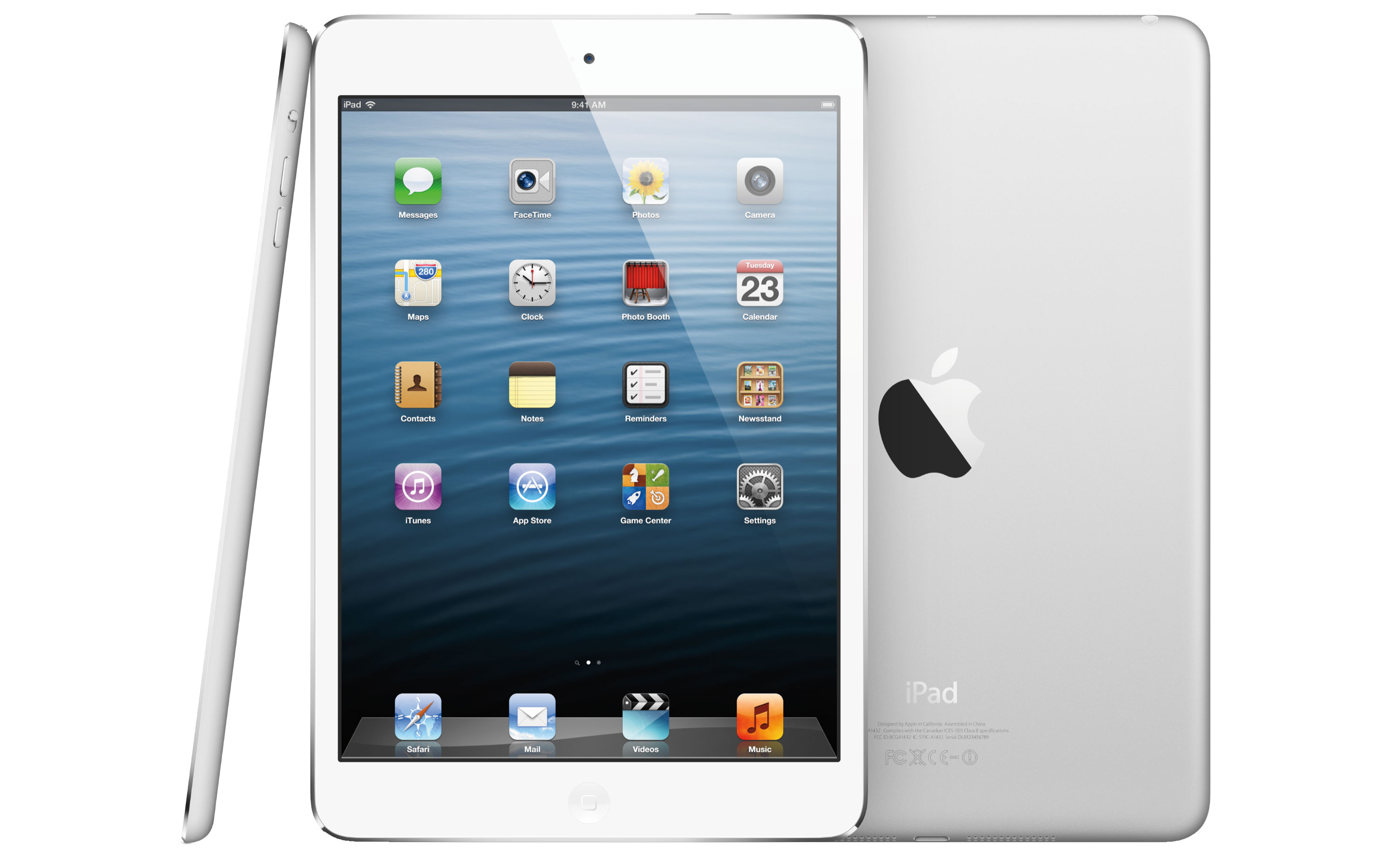
Review for Apple iOS 8.1.2: The Good and the Bad

Image Source: toucharcade

The worst feedback consisted of some iPad users saying that they felt close to no difference following the update. So by all means, there really isn’t much more to say here, is there? Oh, you’re right, there is – yay!

Conclusion

The iOS 8 appears to behave like a difficult mistress would in most, older Apple devices. If we were to simply make a count of the yays and nays we’ve given to the latest software update provided by the company, the conclusion is crystal clear.

  • If you own an iPhone 5s or below and are still running an iOS 7 version, stick to it.
  • If you own an iPhone 5s or below and have already installed an early version of iOS 8, you’d be better off upgrading now as 8.1.2 seems to be the most stable variant of the new operating system.
  • If you own an iPhone 6 or iPhone 6 Plus, updating to iOS 8.1.2 will solve a number of issues you might have had before.
  • Jailbroken devices will lose their break upon update, but Taig has recently released a 8.1.2 jailbreak so you might as well grab it while it’s hot.
  • iPads remain mostly neutral to the changes so updating will do just fine.
Filed Under: Tech & Science Tagged With: Apple ios 8.1.2, iOS 8.1.2, ios 8.1.2 news, ios 8.1.2 review, ios 8.1.2 update, ios 8.1.2 yes or no

Apple iOS 8.1.2 Update – What’s Apple Up to Now?

December 12, 2014 By Roxanne Briean Leave a Comment

Apple has sold around 500 million iPhones, since the release of the original iPhone in 2007, which officially makes the iPhone the most popular phone in history. Smartphone users are usually divided in two: Android users and iOS users. You cannot really like both, because they’re very different, so clashes between the two groups have been going on for 5 years, or so.

But not matter what operating system you use, there will be bugs, there will be issues and there will be annoyances. Because there is no perfection, especially when it comes to operating systems. Still, if you were to ask any tech-savvy person, they will tell you that, as a rule, iOS is a bit more stable and bug-free than Android. Apple is releasing updates almost every other month, and while sometimes, an update isn’t really needed, other times, they are imperative.ios logo

Two days ago, Apple released an update to their iOS, called iOS 8.1.2. The decision to release this now took many by surprise, as it was quite unexpected. Today, we’re going to analyze this decision to launch a new  iOS update, we’re going to take a look at what the update implies and we’ll see the issues iOS has dealt with in the recent past.

iOS is believed by many to be the best operating system for smartphones in the world. As mentioned earlier, when compared to Android, iOS gets no viruses, less bugs and system crashes. Android proponents argue that Android is much more customizable and personal. But in the end, it all comes down to personal preferences, really! Saying that one is simply better than the other, is not going to help anyone.

Apple’s iOS and iPhone

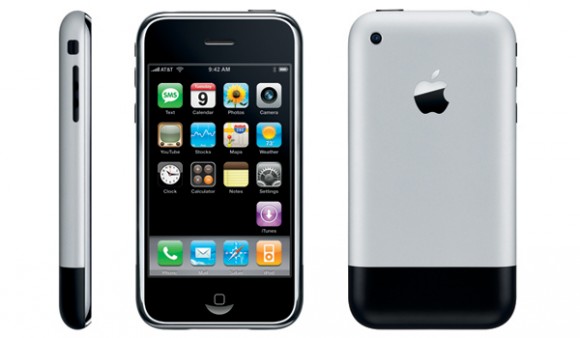
The first iPhone was launched in 2007, but Steve Jobs started planning the iPhone in 2005. The original iPhone was launched in June 2007 and the first iOS was announced on January 9, 2007 and released with the original iPhone. It was a smartphone operating system like the world hadn’t seen before. Keep in mind that the first version of Android was released in 2008 and before the iOS, there was Symbian and other clumsy operating systems that worked great for non-smartphones.

iphone 1

Apple really did invent the smartphone operating system and because of that, many people consider Apple to have a clear advantage over Android. iOS shaped the way we perceive smartphones and it will continue to do so until something better comes along.

Life after iOS 8.0

But let’s return to more recent iOSs. Out of all the versions of iOS put forth by apple, iOS 7.0 has to be one of the most successful ones. It had a fairly uneventful life, it did its job right, had minimal bugs and issues and people were even happy with it. But then came iOS 8.0, iPhone 6 and iPhone 6 Plus to stir things up. Maybe it was the fact that the launch of the iOS was quite hurried because of the pressure put on it by the new iPhones, maybe they should have worked more on it, but iOS 8.0 had a plethora of issues and people in general weren’t happy with it at all. Little did they know that the update meant to fix all those issues would be the biggest fail in the history of Apple.

Ever since Apple launched their new iPhones, the iPhone 6 and the iPhone 6 Plus, in the fall of 2014, they have had a string of unfortunate mishaps that have begun to chip away at the shiny Apple armor. First came Bendgate, the scandal about the iPhones that would bend in back pockets and then the now infamous iOS 8.0.1 fail.

The iOS 8.0.1 update went so horribly wrong, that many people were left unable to use their phones. The most complains had to do with dropped calls and TouchID fingerprint malfunctioning. Wondering just how many people were affected by the faulty iOS 8.0.1 update? Apple revealed the numbers and they are quite staggering: 40,000 iPhones had issues following the update.

After some serious, but swift, consideration Apple decided to pull the iOS 8.0.1 update. It was something Apple had never done before, launch an update and then only hours later, pull it off the market. Not only that, but before removing the update, Apple told their customers not to update. So many people found it hard to believe that Apple would do such a thing, that it issued a statement to confirm that they had indeed pulled iOS 8.0.1:

We have received reports of an issue with the iOS 8.0.1 update. We are actively investigating these reports and will provide information as quickly as we can. In the meantime we have pulled back the iOS 8.0.1 update.

The next day after they pulled the iOS 8.0.1 update, Apple released a new update, iOS 8.0.2. Many have joked that Apple engineers pulled an all-nighter, but we don’t think it’s a joke at all. We believe that some heads rolled at Apple and most did crazy overtime hours. Apple released this following statement along with their iOS update:

iOS 8.0.2 is now available for users, it fixes an issue that affected iPhone 6 and iPhone 6 Plus users who downloaded iOS 8.0.1, and includes improvements and bug fixes originally in iOS 8.0.1. We apologize for inconveniencing the iPhone 6 and iPhone 6 Plus users who were impacted by the bug in iOS 8.0.1.

Apple Pay and iOS 8.1

After the waters were called down by iOS 8.0.2, Apple released iOS 8.1. The most important update that came with this new operating system, aside from the fixes of bugs and various other tweaks, was the much anticipated Apple Pay. The company had been advertising this new service for quite a while, so when it was finally here, there was some serious buzz around it.

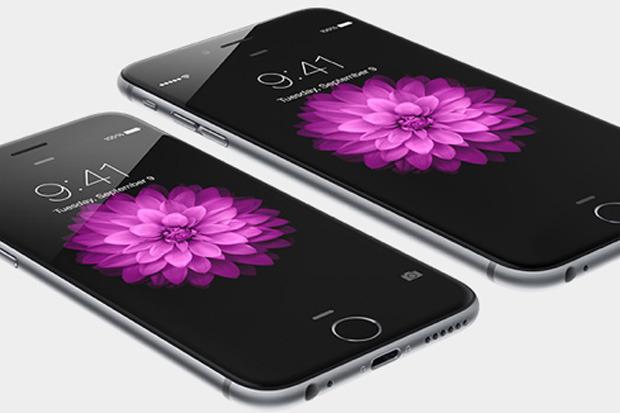
Unfortunately, Apple Pay only works on iPhone 6 and iPhone 6 Plus because the service uses the dedicated secure chip and NFC (Near Field Communication) connectivity to communicate with retailers. These two iPhone models also have a secure element that will store credit card information on the smartphone. In addition, they have a device account number, that is unique to each iPhone and that is going to add to the security of your information. With Apple Pay, your credit card information is completely safe!

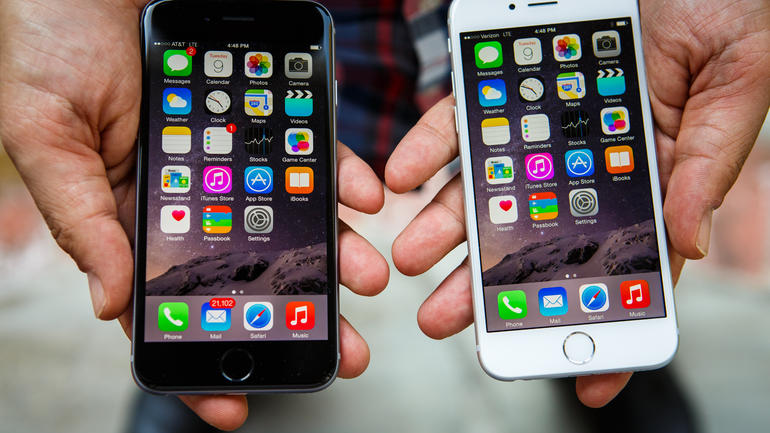
iphone 6 and iphone 6 plus

Apple Pay supports credit cards and debit cards from MasterCard, Visa and American Express, issued by banks including the Bank of America, Citi, Chase, Capital One and Wells Fargo. Did you know that these banks make up 83% of credit card purchase volume inside the United States?

Another very important update that came with iOS 8.1 was the return of the classic Camera Roll. Apple decided to remove the feature without any notice when it introduced iOS 8, but hey had received so many complaints about it, that they decided it was wise to listen to their clients and have the feature return.

The Latest Apple iOS Update – iOS 8.1.2

At the beginning of this week, Apple released their latest iOS Update, the iOS 8.1.2. The update is a small one, around 20MB, but that cannot really tell us anything about the changes that will happen to your smartphone, once you download it. iOS 8.1.2 is available for iPhone 4s, iPhone 5, 5C and 5S, iPhone 6 and iPhone 6 Plus and all versions of iPad Air and iPad Mini.

Even though the iOS 8.1.2 update has only been on the market for a few days, some iPhone users have already started complaining. The main complaints dealt with battery life issues, installation problems, messages issues, the usual range of Wi-Fi problems and problems with front-facing camera and email, but there is no big issue so far. Not one that would require another less-than timely update.

No iOS release was ever perfect; in fact, if it were, there would not have been any need to improve it and update it. The bottom line is, however, that iOS 8.1.2 is not ridden with issues. It does, have some, but not many. For example, if you have an iPhone 5 and have updated to the new iOS 8.1.2, then you might notice a decrease in performance, but that really doesn’t have anything to do with the update itself, but with the fact that updates are optimized for the latest model of phone, and the older your phone is, the weaker its configuration gets and the worse the operating system performs.

We strongly advise all iPhone users to simply stop updating at some point, preferably right before iOS 9, which will most likely slow down your iPhone 5 quite a lot. Apple doesn’t allow all of its iPhone to upgrade to the latest operating system and this is exactly why, because the tech specs simply can’t handle it. But this is also a way to compel people to upgrade their phones.

iOS 8.1.2 Jailbreak

One more thing you need to keep in mind if you’re planning to stay with iOS 8.1.2 is the fact that you can jailbreak the update. It’s highly uncommon for Apple to release an update to its operating system that can be immediately jailbroken. Usually, when Apple release an update, hackers go back to the drawing board and start coming up with hacks for the new update, but this time that won’t happen because iOS 8.1.2 can be jail broken with the exact same tools as the previous version. We don’t know if Apple did this on purpose, or it was an oversight (quite a large one, might we add), but if you would like your latest iOS to be jailbroken, you can do that!

How to Downgrade to iOS 8.1.1 from iOS 8.1.2

As we mentioned earlier, Apple released their new operating system, the iOS 8.1.2, earlier this week and the main reason why they released it without much notice was to fix a serious issue that affected purchased ringtones. Many iPhone users who bought ringtones from App Store, found that they couldn’t use them if they switched their devices. This caused Apple to speed up the release of their iOS 8.1.2 ahead of its time.

As always, for a very limited period of time (until Apple stops singing it), Apple gives people the option to downgrade if they are not happy with the new operating system. Because even if the iOS 8.1.1 was flawed for some people, it worked perfectly for others. Even if iOS 8.1.2 offers bug fixes for many people, it also comes with bugs and flaws for others.

Next, we will tell you how you can downgrade to iOS 8.1.1 if you’re not happy with the new iOS 8.1.2. If you want to downgrade to iOS 8.1.1, then we recommend you do it as soon as possible, because it’s going to be impossible to do it in a week or so. Then, you will never be able to downgrade. It’s something that has worked for Apple for years and we think they’ll never permanently put the possibility for downgrade on the table.

Let’s begin! To downgrade you need to know that you can’t just open iTunes and downgrade from there. The first thing you need to do is to back up our device because downgrading will erase everything from your iPhone of iPad.

xerxes-1708-033

Next, you will need to head over to this website and then download the iPSW iOS 8.1.1 for the iOS device you have. We warn you that the files are pretty big, so depending on your internet connection it could take from anywhere from 3 minutes to a few good hours to download it.

Once the file is in your computer, you need to connect your iOS device to your computer and then open iTunes. Head over to the device’s summary page and then, if you’re using Windows, hold down the Shift key on your keyboard and the Option/Alt key if you’re using a Mac. When you click Restore, you need to be holding the key down. This will allow you to browse to find the iPSW file, which iTunes will use to start and complete the restore iOS 8.1.1 process on your iPhone or iPad.

After the installation process is complete, your iPhone or iPad will be running the old iOS 8.1.1! How you proceed after this is entirely your business, but we do recommend that you restore your backup by going to iTunes and click on Restore Backup. Depending on how much you had on your device, the whole process of restore will take around 2 to 20 minutes. Once that is done, you’ll be operating your device as you were before the iOS 8.1.2 update.

We suggest you do the downgrade only if you are experiencing some major issues with the updated iOS 8.1.2. Otherwise, you’re just wasting your time with the downgrade. Also, you could wait for the mysterious iOS 8.2 major update which is believed to be approaching with fast steps.

iOS 8.2 – What and When?

Yes, the iOS 8.2 is coming and hopefully it will bring with it less bugs than we’ve seen with iOS 8.1.0, iOS 8.1.1 and now the iOS 8.1.2. There is no denying that iOS 8 has been causing more issues than all of the previous versions of iOS and many hope that this will change with the release of iOS 8.2.

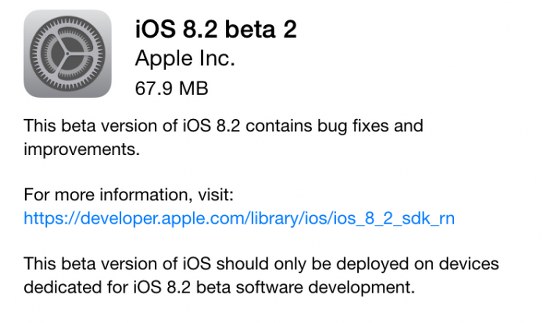
ios 8.2 beta

On Wednesday, Apple released the beta version of the iOS 8.2 to developers. This release saw the implementation of additional support for the WatchKit SDK and it fixed a number of issues related to languages. A beta version of any operating system is first released to developers for testing, in case you needed things cleared out.

If you, like the majority of Apple lovers, are not a developer, then you’re going to have to wait just a little longer, before you can download the new iOS 8.2 for your iPhone and iPad. But if you’re a developer and you’re lucky enough to have gotten your hands on the new update, then we wish you good luck on developing your app for the Apple Watch. Because this is what WatchKit does; with the new iOS 8.2, we should expect plenty of new apps made especially for the Apple Watch.

With the new iOS 8.2 beta, Siri now supports Singapore English and more information about international languages should be made available soon. If you are an Apple developer, then you can download the iOS 8.2 beta via the Apple Developer Center or as an over-the-air update.

Have you experienced any problems with iOS 8.1.1? Did you update to iOS 8.1.2? What do you think about it? Are you planning to downgrade or upgrade? Drop us a line and tell us about it!

Filed Under: Tech & Science Tagged With: Apple, Apple Pay, iOS 8.1.1, iOS 8.1.2, iOS 8.1.2 jailbreak, iOS update, iphone 6, iphone 6 Plus

Subscribe to Blog via Email

Enter your email address to subscribe to this blog and receive notifications of new posts by email.

Join 10 other subscribers

Recent Articles

police handcuffs man

German Man Probed In Poisoning That Killed 21 Employees Since 2000

June 29, 2018 By Kenneth Scott Leave a Comment

Chicken wings bar

Intoxicated South Carolina Man Punches Waitress Who Refused to Serve Him Alcohol

June 29, 2018 By Karen Jackson Leave a Comment

gaming

New Zealand gamer Who Flew Halfway Across The World for Virginia Teen Gets Shots By Her Mother

June 28, 2018 By Cristopher Hall Leave a Comment

party

Former Virginia Tech Freshman Sentenced to 50 Years in Prison for Stabbing a Girl to Death

June 28, 2018 By Roxanne Briean Leave a Comment

bonfire

British Couple Sentenced to Life in Prison for Torturing and Murdering French Nanny

June 27, 2018 By Deborah Campbell Leave a Comment

pay phone

Texas Father of Girl Disappeared in the 80s Ignored by Authorities

June 26, 2018 By Cristopher Hall Leave a Comment

bottled water

San Francisco Woman Threatened to Call Police on Girl Who Sold Ice Water for Disneyland Trip

June 25, 2018 By Roxanne Briean Leave a Comment

Maplewood Park

Missouri Man Robbed by Date and Accomplice in Park

June 22, 2018 By Nancy Young Leave a Comment

coding

New York Man Sentenced in Cyberstalking Former Girlfriend, Mailing Drugs to Her Dorm

June 22, 2018 By Deborah Campbell Leave a Comment

headphones

Bose Poised to Launch Sleepbuds, In-Ear Headphones That Help You Sleep

June 21, 2018 By Nancy Young Leave a Comment

Police light

Intoxicated Female Driver in Custody for Pulling Arresting Officer by the Hair

June 21, 2018 By Kenneth Scott Leave a Comment

kitchen

Restaurant Manager Arrested and Charged in Shooting Death of Co-Worker over Negative Yelp Reviews

June 20, 2018 By Karen Jackson Leave a Comment

plastic container

Pennsylvania Couple Charged in Violent Death of Infant Discovered Buried in Cat Litter

June 19, 2018 By Cristopher Hall Leave a Comment

tailpipe

Minnesota Teen Gets Head Stuck In Oversized Tailpipe Winstock Music Festival

June 18, 2018 By Karen Jackson Leave a Comment

Pages

  • About Us
  • Contact us
  • Privacy Policy
  • Privacy Policy GDPR
  • Staff
  • Terms and Conditions

Recent Posts

  • German Man Probed In Poisoning That Killed 21 Employees Since 2000 June 29, 2018
  • Intoxicated South Carolina Man Punches Waitress Who Refused to Serve Him Alcohol June 29, 2018
  • New Zealand gamer Who Flew Halfway Across The World for Virginia Teen Gets Shots By Her Mother June 28, 2018
  • Former Virginia Tech Freshman Sentenced to 50 Years in Prison for Stabbing a Girl to Death June 28, 2018
  • British Couple Sentenced to Life in Prison for Torturing and Murdering French Nanny June 27, 2018
  • Texas Father of Girl Disappeared in the 80s Ignored by Authorities June 26, 2018
  • San Francisco Woman Threatened to Call Police on Girl Who Sold Ice Water for Disneyland Trip June 25, 2018

Categories

  • Business
  • Entertainment
  • Finance
  • Headlines
  • Health
  • Life
  • Nature
  • Science
  • Sports
  • Tech & Science
  • Travel
  • Uncategorized
  • United States
  • World

Copyright © 2025 ArgyllFreePress.com
About · Privacy Policy · Terms of Use · Contact