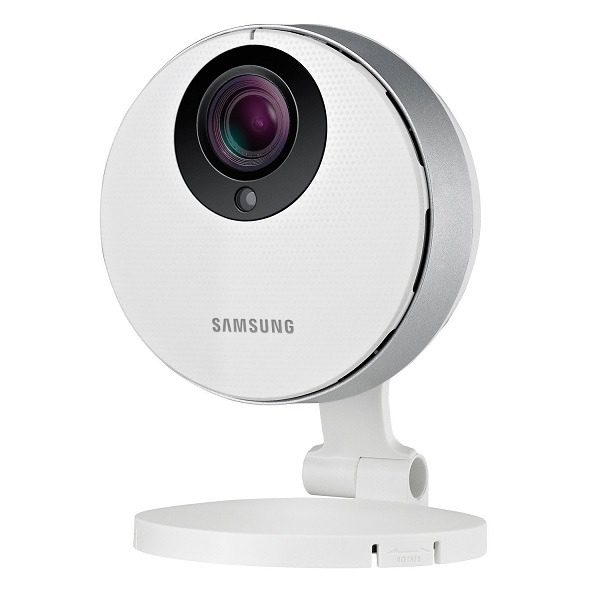
The advancement of consumer technology is taking a steep hike upwards as it begins focusing on so much more than just smartphones, tablets and particularly clever television sets. Even if they’re all closely tied together and the concept of smart homes has never been closer to becoming a common reality than it is now, security is not one of the first things you think of when considering gadgetry.
The Samsung SmartCam HD Pro is here to prove that by making use of all these commonly employed concepts behind touchscreen smartphones, motion detectors and even advanced microphones can truly be of benefit in more than just entertainment. Coming as a wireless camera that you can use as a security tool, a monitor for various types of surveillance and much more, the Samsung SmartCam HD Pro can easily be considered one of the best alternatives of this type out there.
Featuring plenty of game-winning hardware capabilities such as 1080p video and night vision, the Samsung SmartCam HD Pro excels when used as a security camera for your home, but can also be employed as a baby monitor or audio recording device.
Pros:
- Great design
- Easy to use
- Customizable selective video capture
- 1080p video quality
- Night vision
Cons:
- No Cloud storage option
- Certain features can only be used via the smartphone app
- Questionable desktop application
- cannot perform as well as professional surveillance equipment
Samsung SmartCam HD Pro Design
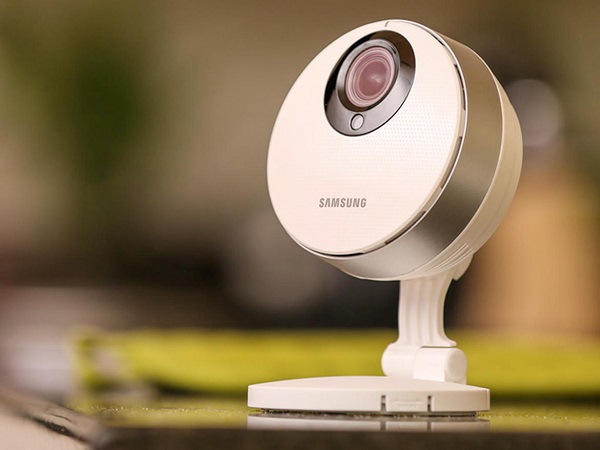
The Samsung SmartCam HD Pro starts off on the right foot by adopting a great design. With dimensions of 4.7 x 3.3 x 3.1 inches and negligible weight, the camera is circular, sleek, small and discreet. The exterior is made of mostly plastic, but thanks to the metallic-looking finish on the outer edge, the SmartCam ends up as one of the most aesthetically pleasing options to go for.
It is connected to an all-plastic stand around the back that allows you to connect the camera to a number of surfaces, regardless of orientation. The stand itself allows you to tilt the camera to a near 360 degree angle – either backward or forward – allowing you to get a perfect view of the room you wish to set it up in.
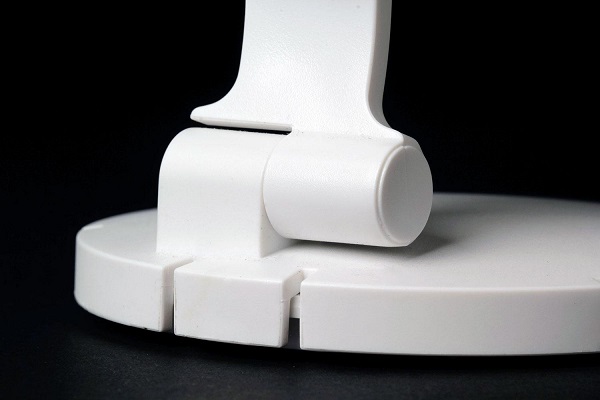
The stand allows connecting the camera to vertical surfaces such as walls either via the double-sided adhesive tape that is provided in the package, or via screws if you’re willing or able to drill holes in the preferred position.
The face of the camera features the Samsung logo at the bottom, while the rather large camera sensor is situated at the top. All around the 1080p camera sensor there are 10 infrared LEDs that are meant to enable night vision for the device. Right below the sensor you will be able to notice a smaller LED; this one is a luminance sensor that will improve vision in low-lit environments.
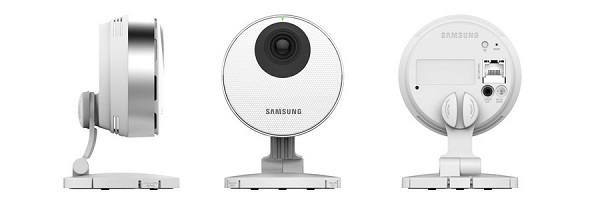
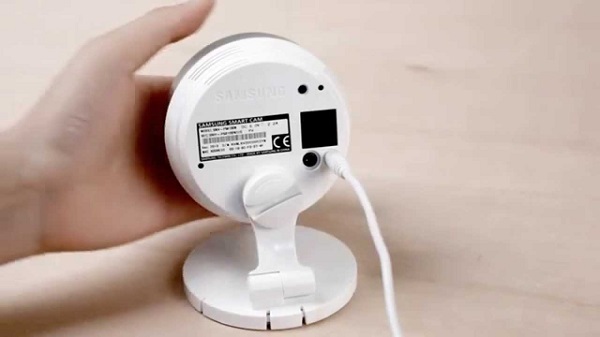
Turn the camera upside down and you’ll actually be able to find a microSD card slot for extra storage. This is not something you find often on home security cameras, but it will provide you with at least one means of storing recorded video, seeing that Cloud storage is sadly not adopted by the Samsung security camera. If you wish to find an upside in that, I guess the fact that most security camera cloud services require a monthly/yearly subscription that can take you up to $100 for 1 year is what you’re looking for.
Samsung SmartCam HD Pro Features
The Samsung SmartCam HD Pro features a diagonal field of view of 128 degrees. It doesn’t exceed nor fall behind other cameras of the competition in that perspective, most going between an average 125 to 130 degrees. Depending on the positioning of your security camera, you will most likely be able to set it up in order to get an ample view of an entire room.
The aspect that the Samsung WiFi camera – or IP (Internet Protocol) camera – succeeds in shining at is the quality of its video. Having been granted a 1/2.8 inch CMOS sensor, it will guarantee that both recorded and live footage is smooth and lag-free. Naturally, there may be a slight difference being sensed depending on the type of internet connection being used. In that sense, if you’re trying to view the live video feed on 3G, you will certainly notice a huge difference than using your home’s 5.0 GHz Wi-Fi connection. So it’s wise to remember that the video quality may differ when using lower-speed connections. You can stream video to your desktop in as much as 1080p at 30 frames per second and to your mobile device in 720p.
As a security camera, the Samsung SmartCam HD Pro offers a wide variety of features that give you full transparency of your home. To begin with, the camera can be set to rely on particular motion detection zones. That is particularly useful if you have pets or fans you leave on for example. That way, your camera won’t recognize particular zones as threats when motion is detected. Similarly, you can select up to 3 zones for targeted motion detection to let the camera know to focus on them in particular. This is all done through a simple drag motion on your touchscreen or default drag and select with your mouse on a desktop or laptop.
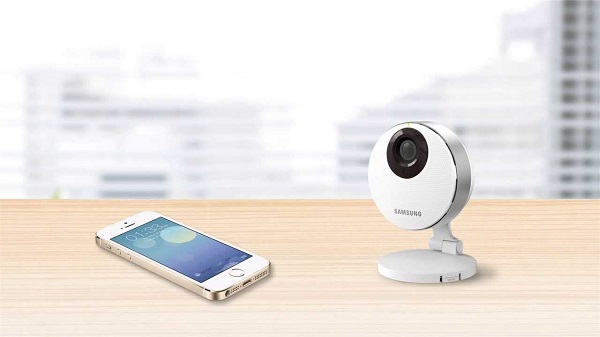
Thanks to the 10 infrared LEDs, vision is not a problem regardless of the time of day. As a further improvement to that, the camera also features WRD (Wide Dynamic Range) technology, which is meant to improve backlit images while the Samsung Light Enhancer that is incorporated in it helps brighten and clear up dark or grainy video.
As I previously mentioned, the Samsung SmartCam HD Pro is proficient on the side of audio too. Featuring a two-way capability thanks to the microphone and speaker that were added in its construction, the camera will be able to provide you with more than just mute video. You can use it to both hear what is happening on the other side, as well as talk to anyone there. Because of that, the Samsung SmartCam can easily be used as a baby monitor or a camera that you use for your front door. Then again, the downside would be the fact that this feature seems to only be usable with a smartphone and not with any kind of computer for an unknown reason.
The one feature where the Samsung SmartCam HD Pro won’t prove to be particularly capable and a bit of an annoyance is the fact that it can’t be programmed to turn on or off at specific times. Instead, the camera will literally just stay on continuously. As long as you’ve put in a microSD card in the slot, the recording can be turned on and let on indefinitely. When the card maxes out on space, the camera will start deleting earlier recordings to make space for newer ones.
Notifications are probably the most useful part of it all. You can set your camera up to send you a push notification directly to your mobile phone if it detects motion or audio when it shouldn’t. You can scroll through the sensitivity settings for both motion and audio to ensure that no false events will have you alerted.
As a baby monitor, the Samsung Smart Camera comes equipped with pre-installed MIDI music tracks which you can turn on and use as lullabies for your little one. You’ll find Brahms, Over the Rainbow and Brahms Orgel as song options.
Samsung SmartCam HD Pro Setup & Performance
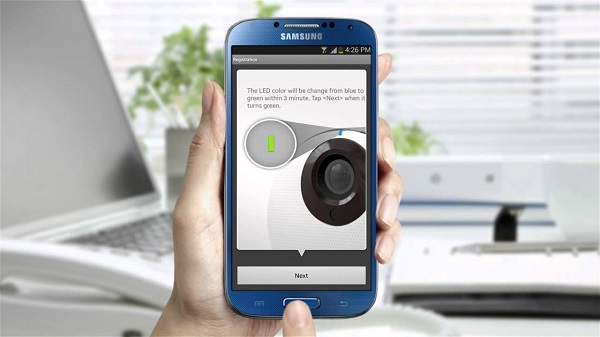
You can pair your Samsung SmartCam HD Pro to either your phone or tablet as well as a PC. The setup process slightly differs from mobile devices to computers but it’s nearly just as easy on both.
When setting the camera up through your smartphone, all you need to do is to download the free Samsung SmartCam app for either iOS or Android and let yourself be taken through the easy to use, step by step installation wizard after you’ve created your account. Provided your Wi-Fi is on and that your phone is connected to it, everything should be pretty self-explanatory.
When trying to set the camera up through a desktop or laptop, you will need to visit the Samsung SmartCam official website www.samsungsmartcam.com and tap on the green Starting SmartCam button to begin. The camera will use a browser plug-in which you need to install to be able to continue the setup process. Now the only difference will be the fact that you need to use the Ethernet cable that comes in the package to connect your camera to the internet.
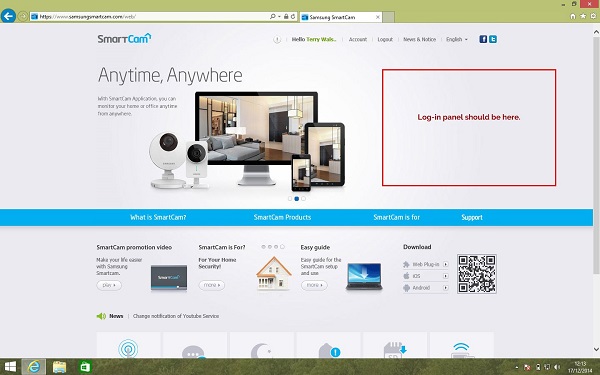
Frankly, if it wasn’t for the finicky plug-in that I had to install on my PC in order to get things started, everything would’ve been perfectly painless. But you can just go ahead and blame that on my personal bias against anything related to browser plug-ins, add-ons, third-party toolbars and so on. Otherwise, the setup process went perfectly smooth on both Wi-Fi and Ethernet, the camera picking up on both of my connections – 2.4 and 5.0 GHz one.
Samsung SmartCam HD Pro App & Control
All of your control over the camera is done through the mobile app or via the desktop plug-in/web viewer. Here is where you’ll be able to stream live video through as well, while every recording will stay on the microSD card.
As soon as you’ve logged in into your app and to your camera (yes, you basically require 2 login stages), you’ll be immediately taken to the live footage of your camera. If you own more cameras and you wish to view a different one, you’ll have to log in to the new one instead. All of the buttons below represent a different setting and function.
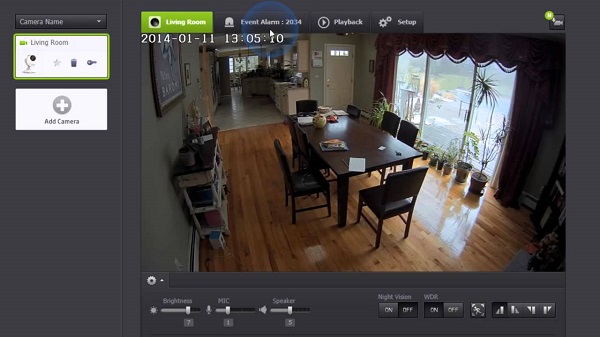
That way, you’ll get controls over manual recording which you can turn on or off directly from your phone, taking a snapshot of what is currently being recorded by the camera, using the two-way push-to-talk feature, switching from low to high quality video, the baby monitor music button, brightness slider, perspective change if more than a camera is connected, motion zone selection and the voice recording option.
Every other feature that the camera is capable of can be found by hitting the back or main menu button, where you’ll find a list of your recently recorded events such as motion or audio detection, reviewing any recorded video by selecting the date and time of when you want to start watching and the camera settings. These include speaker and mic volume, night vision, WDR, display date, the status of the LED, firmware version details and so on.
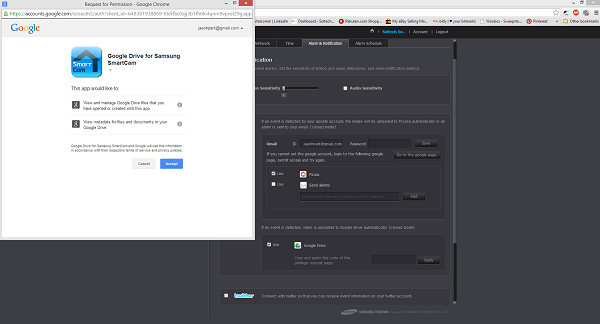
All in all, the Samsung SmartCam HD Pro is definitely capable as a security camera, but not particularly efficient at anything else. While the video quality, the luminosity levels and night vision are great things to be able to tinker with, I still feel that Cloud services would’ve come in handy more than a microSD card does. If, hypothetically speaking, the camera itself gets stolen once there’s a break-in and you weren’t on spot to take screenshots as it was happening, your recorded content is literally gone forever as it’s only been recorded on the SD card. That’s one aspect that makes the Samsung SmartCam a questionable option for dire situations.
Samsung SmartCam HD Pro Verdict
In the end, the Samsung SmartCam HD Pro is the kind of camera I would heartily recommend for basic home surveillance because – at least for its price group – it does wonderfully when you just need to keep an eye on your home when you’re away. Considering you can, at any time, take a look at what’s going on at home with your smartphone and immediately take a snapshot of it as soon as you’re alerted is a great thing to have if you want to react fast.
The video quality is absolutely great regardless of lighting conditions and even allows you to zoom in on particular focus zones easily or select focus areas like safes or particular doors. However, if you require a more professional surveillance piece of equipment, the Samsung wireless security camera is not exactly cut out for that role due to the mentioned limitations. But you can probably already tell that as the camera is listed for only $155 on Amazon and most professional security cameras will normally exceed hundreds.
