Argyll Free Press

Growing News Network

Saturday, February 14, 2026
Log in
  • Business
  • Finance
  • Sports
  • Tech & Science
    • HP Envy 4500 Review
    • LG Optimus 170 Review
    • iPod Touch 6th Generation Review
    • HTC One M8 Accessories Set-up
    • Surrealist Games You Must Play
    • Hisense Sero 8 Review
    • Dell Latitude e7440 Review
    • HP Laserjet 1536dnf mfp Review
    • Garmin Fenix 2 Review
    • Skype Vs Viber
    • Best Video Conferencing Software
    • Sony mdr 1r Headphones Review
    • Canon Rebel t3i Review
    • Sennheiser Momentum 2-0 Review
  • Travel
  • Headlines
  • Health
  • United States

New Olympus Mirrorless Camera To Roll Out In September

August 25, 2015 By Michael Turner Leave a Comment

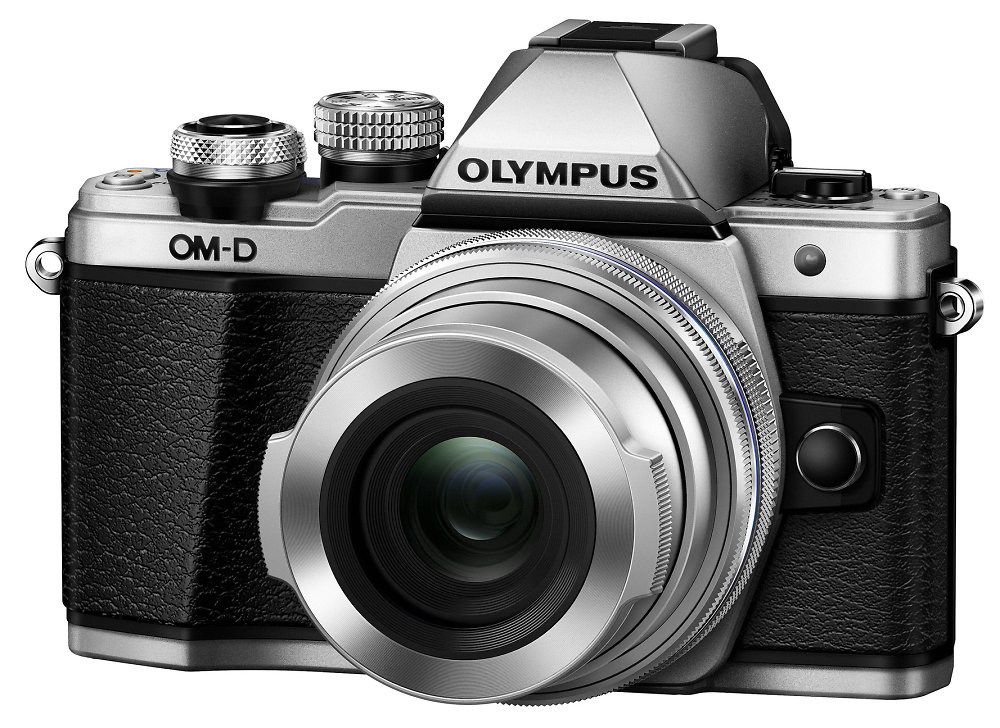
New Olympus Mirrorless Camera

The new Olympus mirrorless camera takes most of its features from its predecessor, Olympus Om-D EM-10, adding a bunch of cool stuff to make it one of the best entry cameras out there. And, of course, we can’t forget the boost it got on the design front.

What’s new with the Olympus OM-D E-M10 Mark II? Olympus added the 5 axis sensor shift stabilization that is usually found in high end cameras. This can improve your photos’ sharpness, colors and keep blurriness at bar. The 5 axis sensor is without a precedent among entry level cameras, so it’s safe to say Olympus might have just paved the way to better and more competitive beginner photo devices.

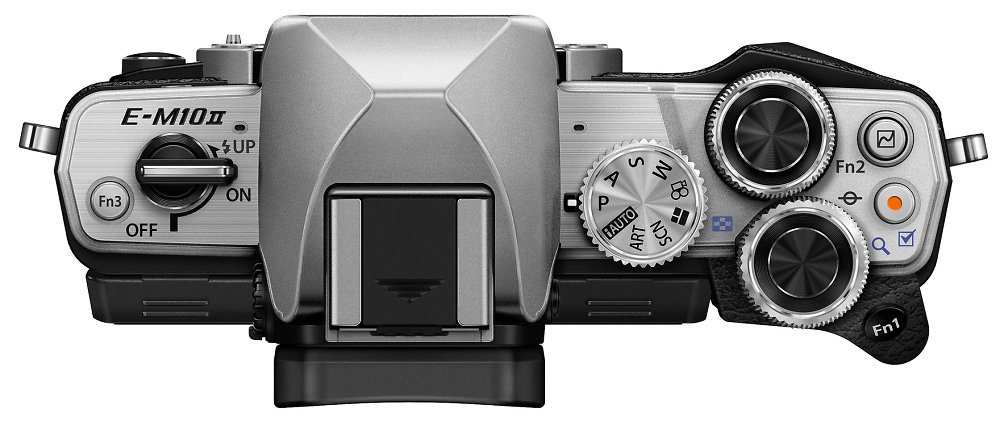
Unlike the earlier version, the new Olympus mirrorless camera has an improved viewfinder, boasting a 2.36 million dot OLED display. Olympus also tinkered with the controls, and they added dual dials as well as a programmable function key. They are all easy to reach when your face is up against the device.
New Olympus Mirrorless Camera

The Mark II seems to have also improved its autofocus that can now capture 8.5 shots per second. Meantime, the contrast-detection AF system will adjust with each shot. You can also use the three inch touchscreen like a trackpad for selecting your autofocus point. The shutter speed varies between 1/4000 of a second and one minute.

The new Olympus mirrorless camera has ISO settings that can reach up to 25,600. It also has a one of a kind Composite feature which enables you to expose two different areas of the scene in different ways.

Olympus OM-D E-M10 Mark II has built in WiFI capability and you can even download a control app on your smartphone. This allows you to play around with the exposure, shoot remotely, experiment with different photo filters and even geotag your shots.

Even though you can’t film 4K videos with the new Olympus mirrorless camera, it does allow users to try out 4K time lapse mode. This means the camera will take a string of still images which will then be converted in a movie, as a time lapse. The video mode best resolution is 1080p, with 24, 30 or 60fps.
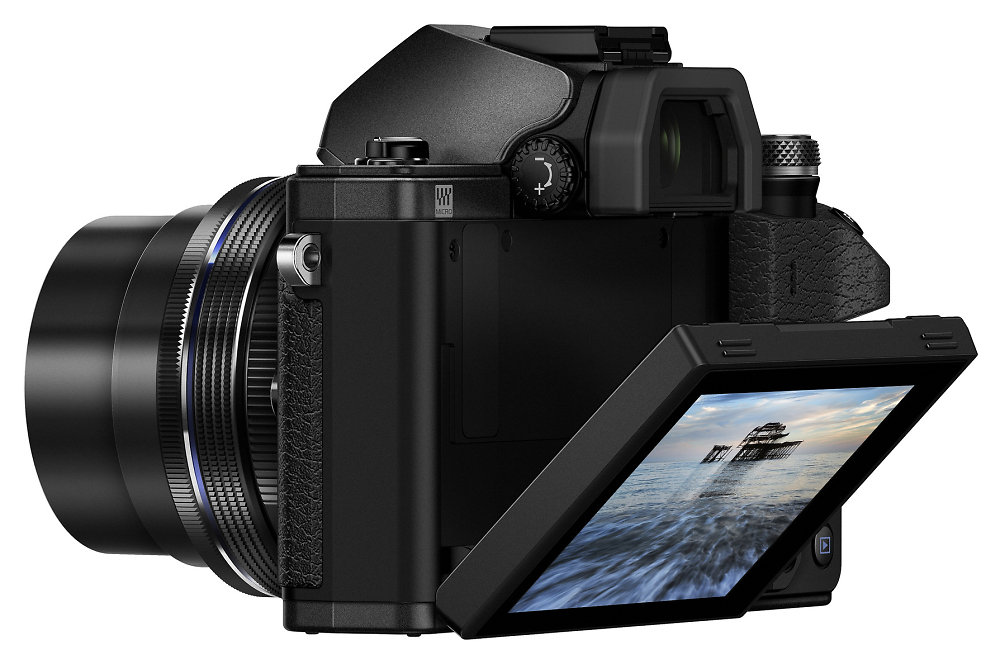
New Olympus Mirrorless Camera

Although it looks like a tiny camera, the new Mark II doesn’t make you feel you’re using an entry level camera.The magnesium alloy frame makes it look sturdier, despite its size. The various buttons and knobs allow for swift adjustments.

The new Olympus mirrorless camera will roll out in September and might prove out to be a serious competitor for the Alpha a6000 by Sony. The Mark II body will sell at $700, but if you’d like a kit including a 14-42mm lens, you’ll have to pay $900.

Image sources 1, 2, 3

Filed Under: Headlines Tagged With: entry level camera, mirrorless, olympus

Robot Lawn Mower? We’re listening

August 14, 2015 By Michael Turner Leave a Comment

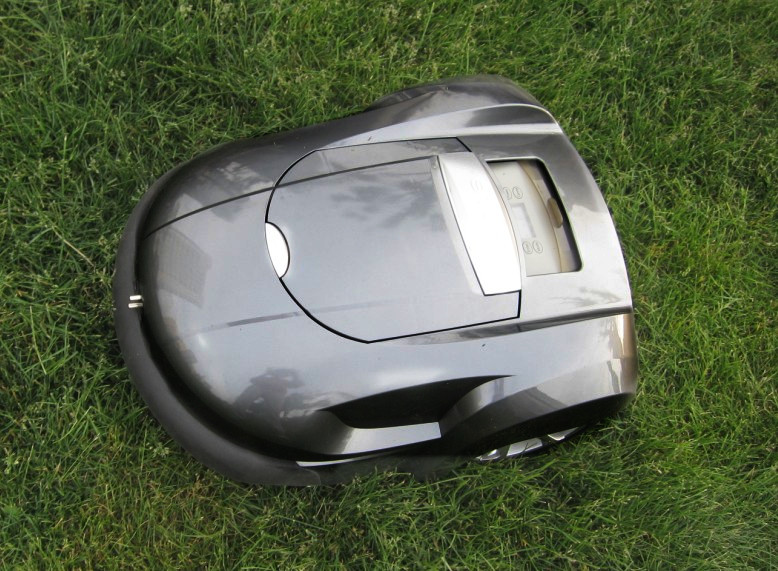
Robot Lawn Mower? We're listening

To the disappointment of children everywhere earning their allowance from lawn mowing, the Federal Communications Commission has just given its approval for a Robot Lawn Mower. iRobot are preparing to launch a lawn mower that could be coming to a garden near you sooner than you expected.

Lawn mowers manufacturers have been trying to come up with automatic robotic devices for tending your gardens. But unlike their competitors’ previous attempts, iRobot claims their lawn mower won’t need any underground fences or complicated setups. The other robotic mowers require a perimeter wire and a charging station, which can be quite a hassle.

The Federal Communications Commission’s green light will now allow the lawn mower manufacturer that is famous for its automated Roomba household vacuum, to continue with their developments.

While we’re still in the dark about how the robot lawn mower will work, a report claims it will rely on stakes in the ground which will be connected wirelessly in order to map out the area you want to mow.

Robot Lawn Mower? We're listening

iRobot’s stake design needed a waiver from the regulatory commission, since it was believed the device would interfere with their radios signals that would use the same frequency range.

While the Federal Communications Commission doesn’t usually allow operations of “fixed outdoor infrastructure” that transmit low radio signals without a licence, iRobot’s device managed to get their seal of approval.

Even though the National Radio Astronomy Observatory claimed the signal of the robot lawn mower could interfere with their telescopes, the Federal Communications Commission stood by iRobot on this one, pointing out that the device’s limitations couldn’t affect the astronomers’ work.

iRobot pointed out that the needed beacons would only be set out during mowing season and will communicate only with the robot lawn mower. They will be around two feet tall and four to nine stakes will be more than enough for the average consumer.

Robot Lawn Mower? We're listening

A great advantage this device brings to the table is that it’s safer and environmentally friendly, since it doesn’t need gasoline to manicure your lawn. Not to mention they would be of great help to elders or disabled users and would free people from this tedious chore.

With robots already helping out around the house with vacuuming, washing and dusting, we’re all ready to welcome outdoor gadgets like the robot lawn mower as a more practical solution for groomed lawns.

Image sources 1, 2, 3

Filed Under: Headlines Tagged With: iRobot, lawn mower, robot

Are There Uber Phantom Cars On The App?

July 30, 2015 By Michael Turner Leave a Comment

Uber Phantom Cars

Two researchers from Data & Society claim that Uber phantom cars show up on the app and confuse users. Alex Rosenblat and Luke Stark are pointing and shaking their heads at Uber, calling it “deceptive”.

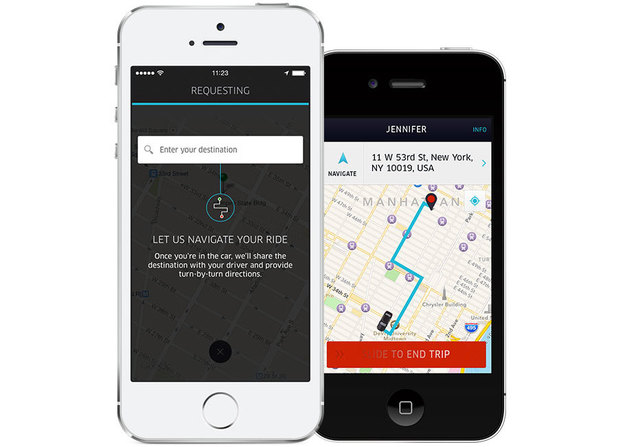
Based on allegations from both drivers and passengers, the two concluded that the app displays vehicles that are seemingly very close to the passengers, and yet the estimated arrival time displayed sometimes exceeds 15 minutes.

According to a customer support agent, the Uber phantom cars are actually partners who are looking for fares. The agent went even further with his explanation, stating that the non existent vehicles should be seen as a “visual effect” and not a real time location of the drivers that are currently in the area.

On the other hand, Uber UK completely contradicts the customer support agent’s allegations, claiming, instead, that the cars are real, but noting that they might occasionally lag behind real time.

Uber Phantom Cars

A spokesperson claimed that Uber’s main focus is to display an accurate number of cars and locations. However, because of latency, this is not always possible. The spokesperson also added that the Uber app only shows eight cars that are the closest to the passenger, so as not to cover the phone’s screen in cars.

What is more, it would appear that (in theory, at least) the app conceals the exact location of vehicles until the taxi ride is requested, in an attempt to keep the drivers safe.

No Uber spokespersons or representatives have yet addressed the other allegations of the writer from Data & Society. Rosenblat also made a comment on Uber’s latest price increases that usually spike during periods of high demand, claiming Uber phantom cars play a role in the scheme.

While Uber maintains it doesn’t inflate the number of cars shown on the app, the study performed by Motherboard showed that, in fact, the app’s map sometimes fails to correlate with reality, leading to user confusion and deception.

Uber Phantom Cars

The Uber app is available in a version for drivers to find clients and another version for users to find taxis. The latter version can be deceptive and display Uber phantom cars. This can be easier to notice in a more remote area than in a crowded location where you have to wait less for a ride.

Uber, founded in 2009, is now available in more than 300 cities worldwide, generating revenues of almost $10 billion yearly. While the phantom cars on their app can be intended to encourage more users to book an Uber, latency and lagging can’t be entirely dismissed as possible factors.

Image sources 1, 2, 3

Filed Under: Headlines Tagged With: phantom cars, uber, uber app

Yahoo Launched a Mobile Messaging App on iTunes

July 20, 2015 By Michael Turner Leave a Comment

Yahoo

Punk isn’t dead, neither is Yahoo.

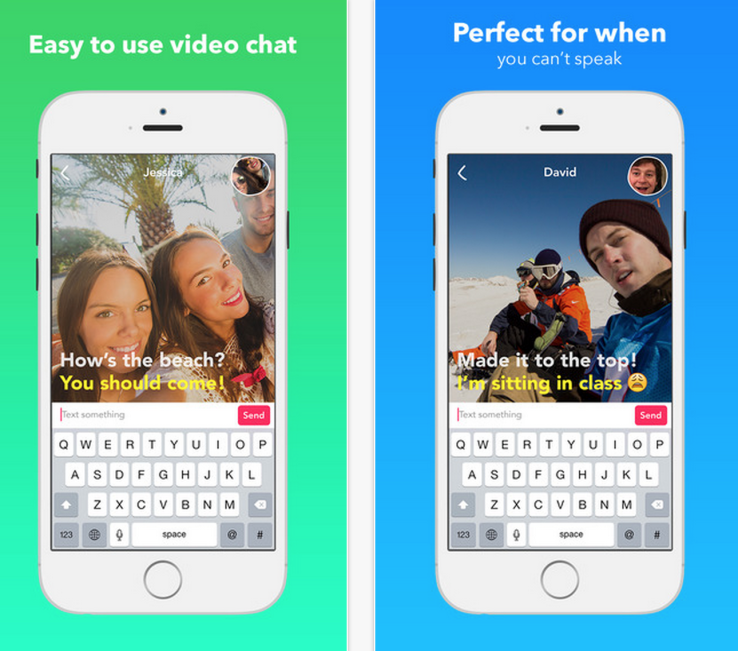
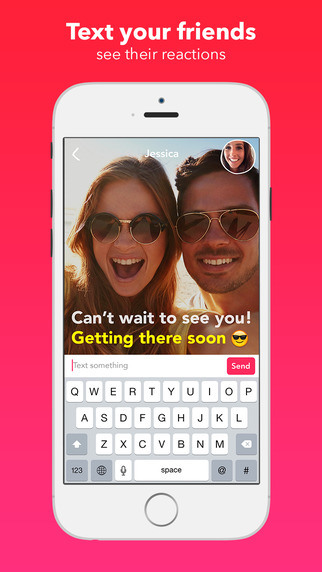
Yahoo launched earlier this month a brand new mobile messaging app for iOS – it debuted on the Hong Kong iTunes App Store. You can find it by searching Yahoo Livetext – Video Messenger.

Yahoo is trying to rekindle a lost flame. With Facebook and its messenger app gaining a lot of popularity in the past couple of years; fine, all of the popularity, Yahoo is now trying to sway some users to their side.

In order to do so, Yahoo needs to bring something new to the table. It’s hard to compete with the behemoth status that Facebook has acquired, and the younger, but with a lot to prove, WhatsApp.

The new mobile messaging app sticks to the high-quality standard that Facebook introduced, and it adds a couple of new, really welcomed, features like an unique way to send video messages – but without audio. Basically, they are gifs.

This old, but new way of communicating with your friends adds the human factor, and makes the experience more enjoyable, some even might  say unique. TechCrunch tried to contact Yahoo regarding their new mobile messaging app, but they got a standard reply – ” We’re always experimenting with new product experiences that delight our users. We have nothing further to share at this time.”

As far as we know, this isn’t the first, and it may not be the last form of the company’s video messaging app. The California-based company has been working on this little project for several years, and it has scraped a lot of finished apps. We might just be witnessing a passing-by app.

Yahoo mobile messaging app

Seeing that the app has debuted on the Hong Kong App Store, we might be inclined to think that it’s here to stay, but don’t get your hopes high. We’re talking about Yahoo here.

But this isn’t to say that Yahoo isn’t improving each year – the company has been searching for talents across the world to join their teams, and at this point, they have bolstered their squadrons immensely. The only thing that stands as a challenge now is how they implement their strategies.

Yahoo launches a new app

Subsequently, the company has removed their older Yahoo app from the store, and a Yahoo spokesperson noted on their Yahoo Answers forum that – ” The Messenger app was removed from the appstore as it has not been updated in quite a long time. We would rather our name be related to fully functional new technology, instead of old and outdated apps. Look for an announcement from us about a new Messenger client coming soon. “

Their new app is targeted to a younger demo, clearly – just look at the demo that FaceTime tries to please. Unlikely that Yahoo will be a prime competitor for FaceTime, Skype, Facebook Messenger, WhatsApp or Viber.

Image Source: 1, 2, 3, 4

Filed Under: Headlines Tagged With: mobile app, Yahoo, Yahoo app, Yahoo mobile app

GoPro Unveils Hero4, Their Tinniest Camera Yet

July 7, 2015 By Michael Turner 2 Comments

GoPro Hero4 Session

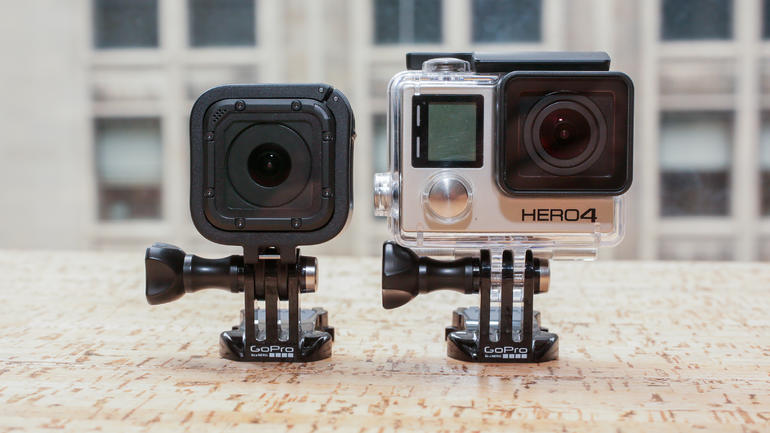
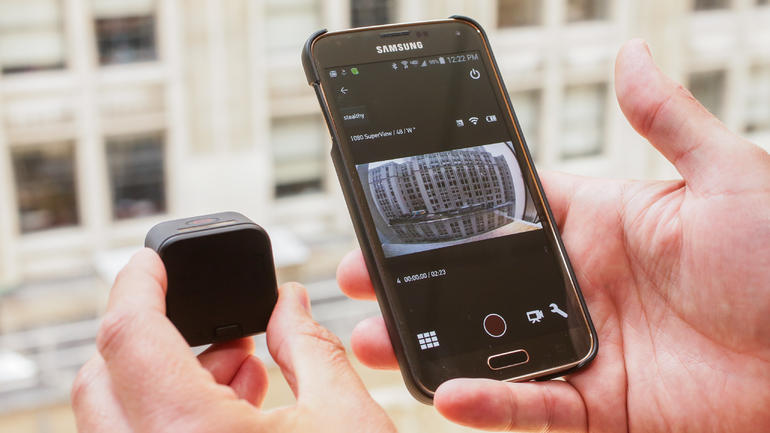
It isn’t news that GoPro is trying to innovate constantly, but their new GoPro Hero 4 is the darnedest camera yet – super tiny, and quite affordable!

The Hero4 Session is going to be available for purchase starting this July the 12th, for the price of $399 – it’s almost the same price as previous models.

The sport camera maker’s Hero4 Session will weigh about 2.6 ounces, that’s about 73 grams for you metric users. That’s about 0.3 ounces less than what their tinniest camera weighs – the Hero4 Silver weighs about 2.9 ounces.

The California-based company has noted that their new camera won’t need an additional waterproof case, because it’s already built to resist up to 33 feet under water.

GoPro Hero4 Session Wateproof

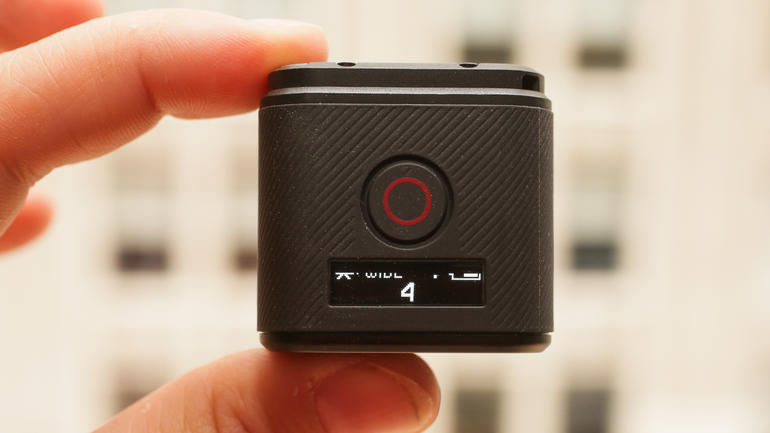
The company has noted that their new camera will also be way easier to use – I didn’t thought that was even possible. You have one button to put on the camera, and start recording. That’s super efficient when you’re planning on taking a quick video – hey, time is of the essence when you’re trying to be an artist, and capturing that perfect shot will make your video stand out.

Investors don’t seem to be scared if GoPro can keep it’s growth pace, although we’ve seen a reduction of 81 cents per share, and down to $50.94. Last October it was about $90.

GoPro Hero4 Session

If you’re planning on capturing The Loch Ness monster, this little waterproof Hero4 might be the one for you.

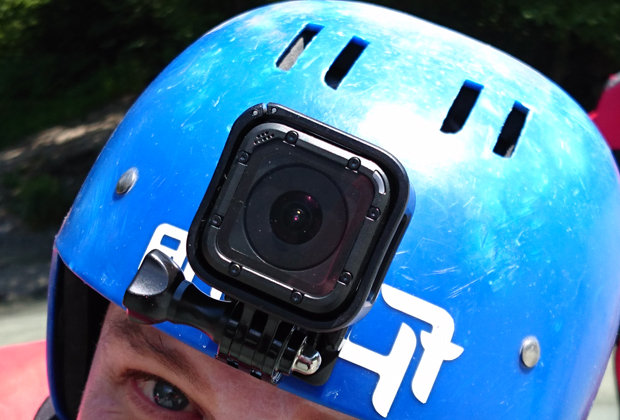
As we are accustomed to, GoPro’s new camera can be worn as a helmet cam, so you base jumpers can capture your favourite experiences.

Also, the new trend regarding selfie sticks – Hero4 can be used as one, but just don’t do it a Disney park, because you’ll get kicked out. The Star Wars franchise owners have banned the usage of the selfie stick on their perimeter because of safety reasons.

Disney spokeperson Kim Prunty has stated that the company – ” […] strives to provide a great experience for the entire family and unfortunately selfie sticks have become a growing safety concern for both our guests and cast.”

GoPro Hero4 Session

But I digress.

Hero4 is witnessing some competition from Polaroid that sells it’s Cube camera for about $100 – that’s way cheaper than what GoPro’s Hero4 Session is, and it has almost all of its functionality. Also from Xiaomi’s Yi which sells under $100 – price may differ from retailer to retailer.

GoPro Hero4 Session

But why pick the GoPro Hero4? That’s easy. Quality over quantity. The California-based camera maker is known around the world for their top-notch products. I would rather pay a buck more and have something that will last me a life time, than pay for something cheaper that will break in a year or two.

What do you think? Is GoPro’s new camera worth it? Or are you sticking with your old one? Tell us in the comments section below!

Image Source: 1, 2, 3, 4, 5

Filed Under: Headlines Tagged With: GoPro, GoPro Hero4, GoPro Hero4 Session, Hero4, Hero4 Session

Best Laser Printers of 2015 – Monochrome Edition!

June 25, 2015 By Michael Turner Leave a Comment

The Best Monochrome Laser Printers

If you’ve got a lot of text to print, and you need it printed fast, then you should probably look for a monochrome laser printer. Who thought that in 2015 a mono printer would be so crucial for businesses?

What is a monochrome laser printer?

A monochrome laser printer prints only black, and white, using only a black tone cartridge – small businesses, and enterprises alike get the most use out of them, but that doesn’t mean it won’t be helpful if you’re working from home, or you’re planning on printing a ton of essays.

Well, without further ado, I present you this year’s round-up of the best laser printers available – affordable too!

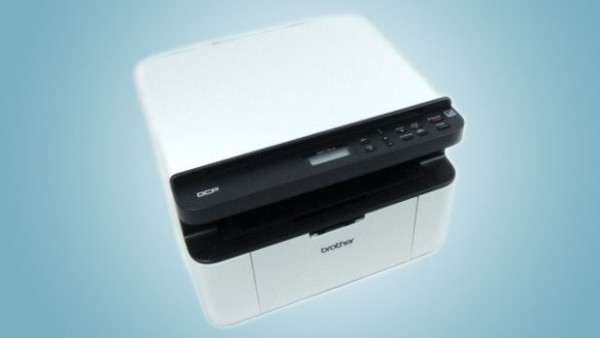
Best Laser Printers #1   Brother DCP-1510

The Best Laser Printers - Brother DCP-1510

The Brother DCP-1510 may have been marketed towards small businesses, but its limitations say otherwise. It’s still the best small laser printer for study groups, and students.

It ain’t even that expensive. It costs about $185, but I’ve seen it at the low price of $150.

The Brother DCP-1510 is part of the laser printers trio that Brother just released – quick, affordable, inexpensive prints. Does it merit the great value for money statement? I think so, and here’s why.

It’s not really that heavy – weighing 7 kg, this  means that you can carry it around from office to office, dorm to dorm, study group to study group without crippling your back. Also, it won’t occupy all of your desk, because it measures 385 x 340 x 255 mm – you can fit it in a corner, and print your heart out!

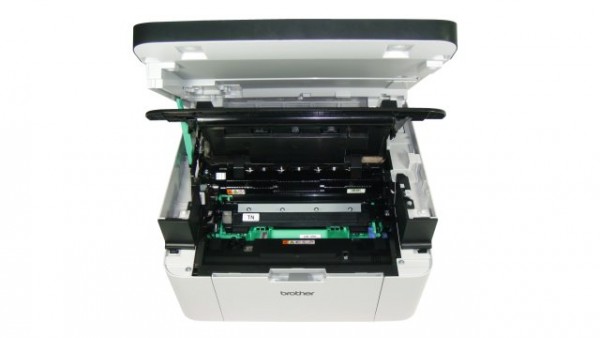
The Best Laser Printers - Brother DCP-1510

Unfortunately, it doesn’t have a WiFI or Ethernet connection, and if you’re looking for laser printers that have those features, I suggest you scroll down and read the next reviews. It can connect through a USB 2.0 port to a single PC.

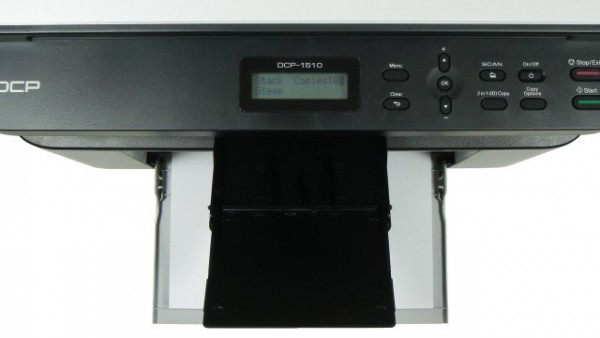
Brother focuses on simplicity, and speed for their DCP-1510 model, and with that price-tag don’t expect the laser printer of your dreams. It doesn’t even have a middle feeder tray, and it only features the standard 150 paper tray at the bottom.

The whole printer feels like it’s made out of sturdy material, but the scanner cover isn’t made out of the same cloth, and you should be careful while manoeuvring it – if you get mad at something, don’t take it out on your printer, or you’ll regret it in an instant.

The Best Laser Printers - Brother DCP-1510

This Brother black and white laser printer has a control panel, but it isn’t riddled with options – just your  basic needs. The 2-in-1 ID copying isn’t an ideal feature that I want to see on a printer, but the team over at Brother thought it might be a great addition that will entice students in buying it.

It can print, or copy 20 pages per minute, and the printing quality is great, but not exceptional. Graphics, and images are quite sharp, but you can notice the paler tone. Still, pretty great for monochrome laser printers.

It has 16 MB of standard memory, and it can print up to a maximum resolution of 2400 x 600 dpi.

Although it ain’t the best laser printer for a small business, it’s one of the best for students – affordable, and it can be easily carried to the next study group!

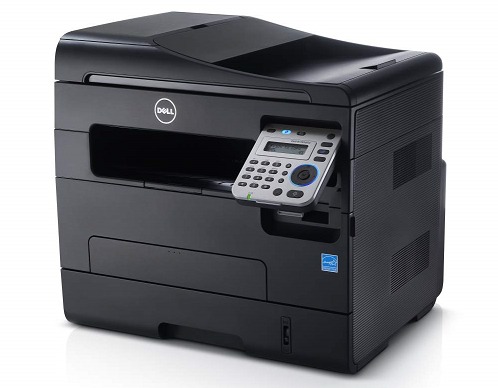
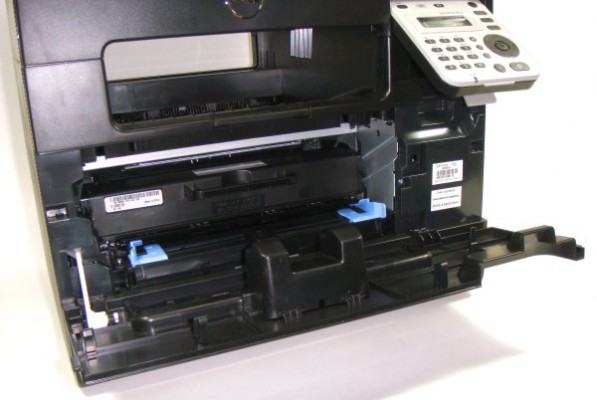
Best Laser Printers #2 Dell B1265dfw

The Best Laser Printers - Dell B1265dfw

The Dell B1265dfw is a little bit more expensive that the previously discussed Brother laser printer, but it does have more features. The Dell B1265dfw costs about $280.

Considered the best home office laser printer, the Dell B1265dfw weighs about 11.1 kg, and measures 406 x 338 x 384 mm. The Dell laser printer doesn’t stop at being just monochrome, and it has some multifunctionality features too.

It features an all black industrial design, and it can blend into any background. Easily unnoticeable more so, because when you put it to work, the noise it makes isn’t annoying, nor disruptive – I kinda’ find it soothing, and remembering me of that one time that I went to the beach when I was a kid.

The Best Laser Printers - Dell B1265dfw

Although it’s mainly marketed towards small business owners, it can be your very own personal laser printer – it’s not that expensive, and it can print, copy, scan, and fax without problems. Well, the thing is that it’s targeted at low output users, and although it would be more than enough for an average day, if you encounter heavy workload, it might become a little bit of a nuisance.

It has a basic 250-sheet paper tray at the bottom, and a single sheet feeder tray for more special kinds of media, and a 40-page ADF on top.

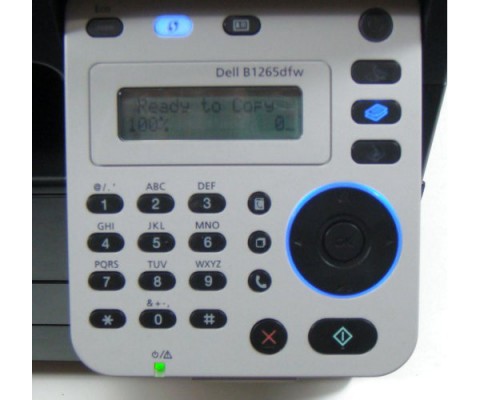
Now, unlike the previously discussed Brother laser printer, the Dell is a triple threat connectivity wise – it features a USB 2.0 port, 11n WiFi, and Ethernet on-board! Its software is easily installable, and Dell has made it even more easier to connect to a WiFi spot by including a WPS button on the control panel.

It supports mobile devices, and cloud printing, but you won’t find an USB port for flash drives, or a memory card slot.

The Best Laser Printers - Dell B1265dfw

Now, regarding the control panel. It ain’t that high-tech, but it’s better than what we’ve encountered so far – that doesn’t say much, to be honest. You can find the control panel on the right of the laser printer, and even a fool can use it because it’s highly intuitive.

Not many laser printers at this price range can print 26 pages per minute like the Dell, and printing quality is pretty great. Printed images are quite dark, and scanned pictures have a blue tint.

The maximum printing resolution is 1200 x 1200 dpi – which, in this reviewer’s opinion is more than enough. It also has 128 MB of standard memory.

All things considering, it’s a borderline cheap black and white printer.

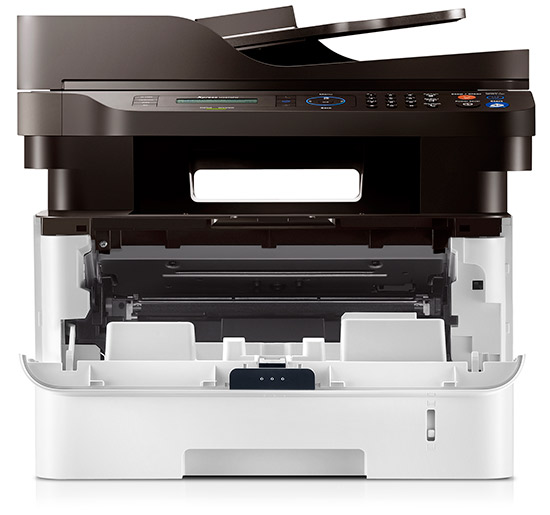
Best Laser Printers #3 Samsung Xpress M2875FW

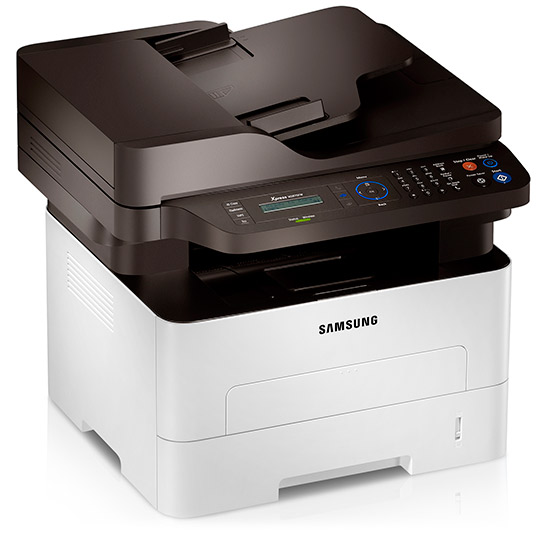
The Best Laser Printers - Samsung Xpress M2875FW

I’ll try not be biased here, because the Samsung Xpress M2875FW is my device of choice, and I consider it one of the best laser printers on the market at this moment – not only because I own it, but because it’s made out of sturdy high-quality materials, it’s reliable, and super fast.

The Samsung Xpress M2875FW costs $330 – and slowly, we are moving towards the mid range monochrome laser printers, and leaving the affordable tier behind.

Other tech reviewers consider this Samsung printer as the best small office laser printer, and it totally merits its status – it weighs about 11.3 kg, and it measures 401 x 362 x 367mm.

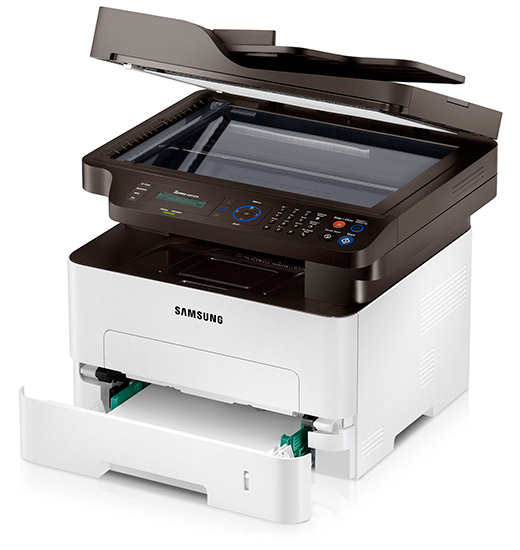
The Best Laser Printers - Samsung Xpress M2875FW

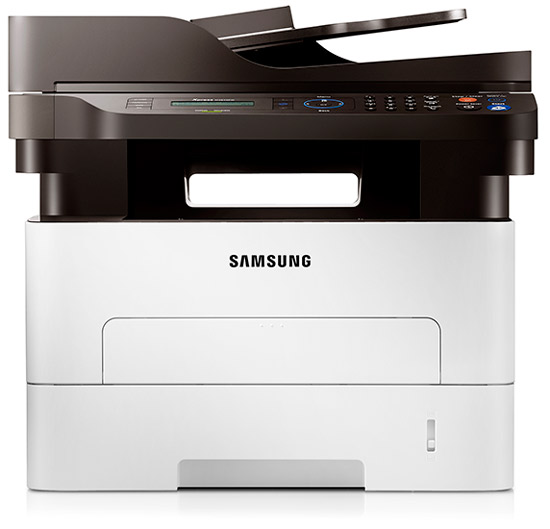
Design wise, it might stand out because the top half is black, and the bottom half is white – the top half also sports the control panel, which, when I first tried out, was way more hard to play with than I originally thought.

It features all of the elements a top-notch multifunctional laser printer should have and adds – print, copy, scan, and of course, fax. High quality results at 28 pages per minute. The only thing that I found highly annoying about the Samsung printer is the fact that although it is designed to hold up to 250 sheets of A4, you need to extend the tray out the back of the unit to do so. Why would you implement such a horrible thing? The majority of laser printers don’t require you to do so.

The Best Laser Printers - Samsung Xpress M2875FW

Connectivity wise, it’s pretty great. It has an USB 2.0 port, Ethernet connection, and it features Wireless 802.11 b/g/n. It also has WiFi Direct, and my Samsung S6 discovered the Samsung printer in one second. Haven’t tried it with other mobile devices, but other tech reviewers haven’t encountered issues with older smartphones, or tablets.

The 600 MHz processor, paired with 128 MB of standard memory makes the printer output 28 pages per minute, and sheets with graphics embedded can be printed up to 24 pages per minute – duplex versions stand at 12 pages per minute.

The Best Laser Printers - Samsung Xpress M2875FW

The default brightness setting might be too dark for your taste, I know it’s for mine, but you can change it in the options menu – whether it is from the control panel, or from your software of choice.

Regarding the control panel, at first I had a couple of problems with discovering how to actually use it, but after a few days I caught the jest of it.

Unlike previously discussed laser printers, the Samsung one has a great printing resolution – it stands at 4800 x 600 dpi

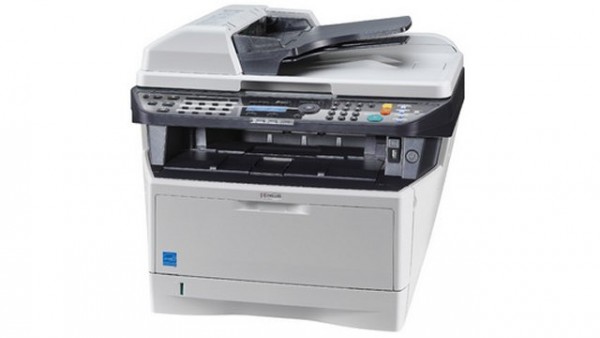
Best Laser Printers #4 Kyocera Ecosys M2030dn

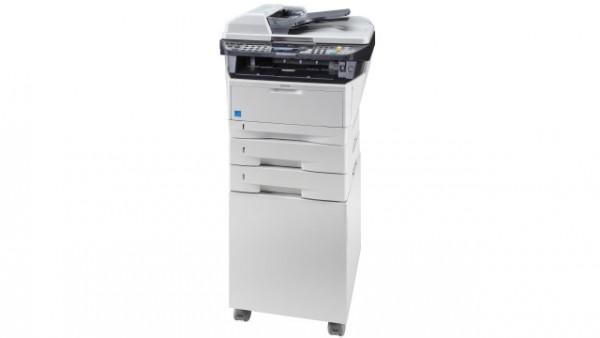
The Best Laser Printers - Kyocera Ecosys M2030dn

So long affordable laser printers, welcome mid-range laser printers! The Kyocera Ecosys costs about $670 – which some of you might consider way too much to spend. I fully agree, but it’s one of the top laser printers that don’t require you to mortgage your house.

If you’re willing to pay this much for a laser printer, you expect the best quality prints. Kyocera doesn’t disappoint in that area – prints are exceptional, but printing isn’t that fast compared to what you can find for this kind of money.

The Kyocera laser printer is marketed towards small-to-medium businesses – if you’re thinking of buying this for home use it might be overkill. Here’s why.

The Best Laser Printers - Kyocera Ecosys M2030dn

This mid-range performer weighs about 18 kg, which makes it kinda hefty. Measuring at 494 x 430 x 448 mm, and with a colour design that ranges from cream to grey, it will most likely blend in the background.

You might think that at about $700 this laser printer will feature out of this world speeds. 30 pages per minute may top what we’ve discussed until now, but I was expecting a little bit more for this price. Manufacturers didn’t improve this model as much as we thought, and it features a 667 MHz processor, a 512 MB standard memory and it can output a maximum printing resolution of 1800 x 600 dpi.

The Best Laser Printers - Kyocera Ecosys M2030dn

Even though it ca print at a maximum res of 1800 x 600 dpi, the prints are high quality, and more important, this laser printer is one of the most reliable printers on the market – failure rate is almost nonexistent.

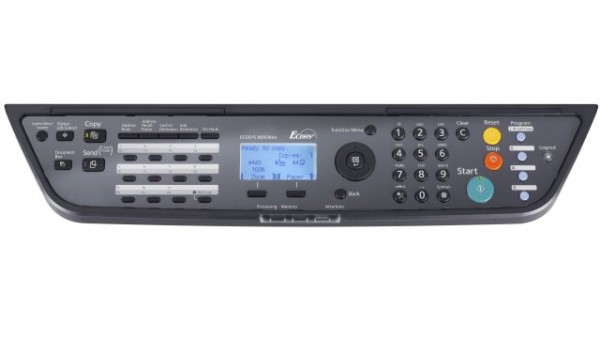
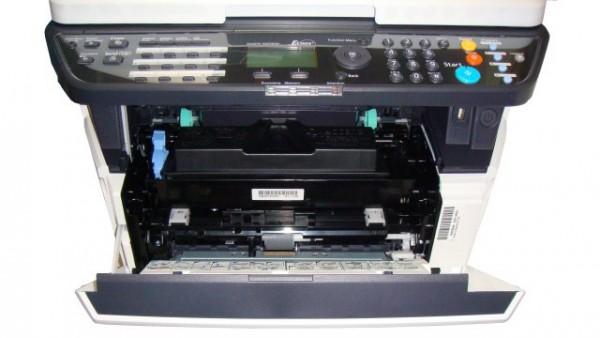
Its control panel has some buttons built-in that may require some reading beforehand – the manual is quite explicative, but it will require some time to get all the things right. I didn’t quite understand how I could forward images to PC folders, FTP servers, via email and TWAIN, but that may be because I skimmed the whole manual.

It’s worth mentioning that it does have a USB port 2.0, USB Host Ethernet connectivity, but it doesn’t have wireless. What it does include is a nice slot for an SD-card, and a slot for an optional print server.

The Best Laser Printers - Kyocera Ecosys M2030dn

The control panel also doesn’t feature touch screen, but it doesn’t pose as a serious issue. I’m quite fond of physical buttons, rather than using touch screens. The elephant in the room is that I do indeed have giant sausage fingers!

Image print quality was not what I was hoping for – it is indeed great, but not excellent.

Best Laser Printers #5 Xerox WorkCentre 3615

The Best Laser Printers - Xerox WorkCentre 3615

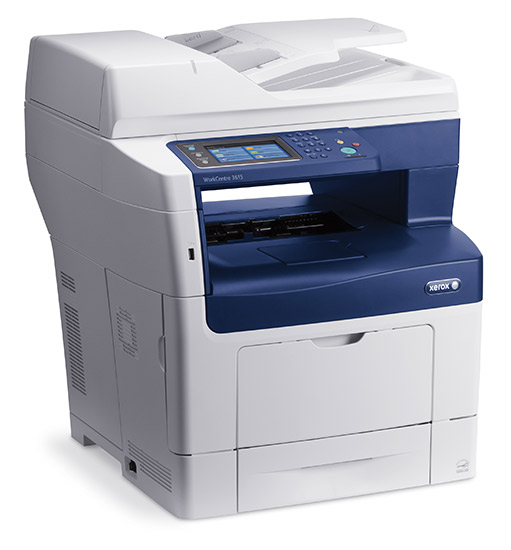
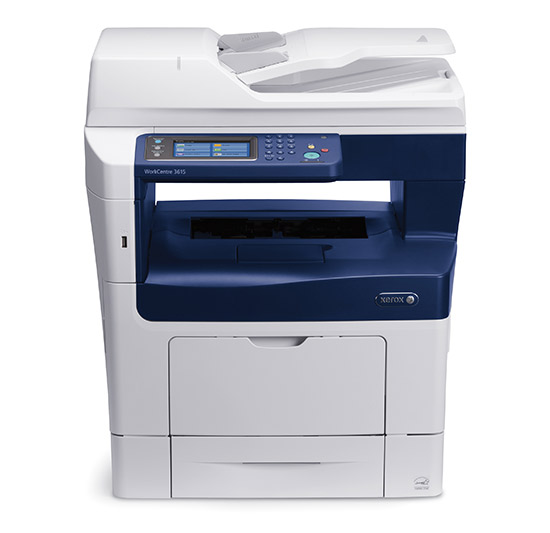
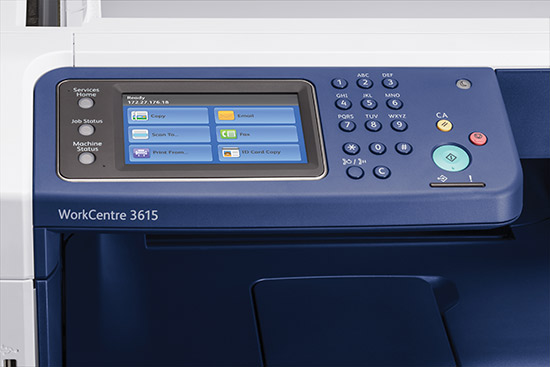
The Xerox WorkCentre 3615 is one heck of a laser printer, but it will cost you an arm and a leg – $1000!

Yup, $1000 for a monochrome laser printer – it definitely isn’t for study groups, nor for your little home business. It’s marketed towards medium-sized businesses!

This mono laser printer has all the multifunctionality features – and add to that the ability to print, copy, fax, and of course, scan.

It’s heavy weighing at 21.5 k, and it measures 495 x 492 mm – it occupies a relative small space, but it depends on your workplace. The WorkCentre 3615, design wise, sports the traditional blue, and cream colours that Xerox is known for.

The Best Laser Printers - Xerox WorkCentre 3615

A 60 sheet ADF can be found on top of the printer, and the main input tray can hold up to 550 sheets. You can expand its capacity further with three more tray, thus resulting in a capacity of 2350 sheets.

Its control panel features a top-shelf touch-screen which is exceptionally bright, and clear. The Xerox WorkCentre 3615 has an USB 2.0 port, Ethernet connectivity, and also WiFi – which is optional.

This beast of a laser printer can print 45 pages per minute which makes it the fastest laser printer in our round-up.

The Best Laser Printers - Xerox WorkCentre 3615

There’s isn’t that much to say regarding the quality of prints – they are exceptional, and printed images feature a sharp contrast, which of course, you can tweak in the options menu.

Depending on what you require, you can change its settings quite easily.

It has a 525 MHz processor, and 1 GB standard memory. It features a max printing resolution of 1200 x 1200 dpi.

Image Source: 1, 2, 3, 4, 5, 6, 7, 8, 9, 10, 11, 12, 13, 14, 15, 16, 17

Filed Under: Headlines Tagged With: Best Laser Printers, Best Monochrome Laser Printers, Laser Printers, Monochrome Laser Printers, Monochrome Printers

Dota 2 Reborn Is Now Open For Beta Testing

June 20, 2015 By Michael Turner Leave a Comment

Dota 2 Reborn

As Valve promised, Dota 2 Reborn is now open for beta, and you can jump in on the fun straight away. Be warned, this weekend everyone will try it out, and most likely you’ll encounter connection issues. Don’t yell at Valve just yet. Dota 2 Reborn isn’t just your ordinary reshaping of the UI, it’s actually a completely whole new game  – they can even name it Dota 3, and get away with it, because that’s what it actually is!

Seven months ago Valve announced that Dota fans will get a big surprise – we weren’t expecting something the likes of this!

” Today we are announcing the Dota 2 Reborn beta, which brings with it a new interface, new engine, and Custom Games. Everything in the dashboard has been redesigned utilizing a new UI framework and the engine that powers the game has been fully replaced. “writes a Valve spokesperson. 

Dota 2 Reborn

To get your dose of Dota 2 Reborn you need to install Dota 2 – which is free on Steam; and go to the Reborn tab to download it.

You won’t lose anything by installing and playing the new Dota 2 Reborn – both versions will share your MMR, match history, cosmetic items, and friends. You can’t play ranked games though, because developers want to test and improve the fundamentals first. You don’t want a botched ranked game that will stick with you for ever, right?

Dota 2 Reborn runs on Valve’s brand new Source 2 game engine – which is known for giving the modding community all the possibilities to create user-generated content.

Dota 2 Reborn

Dota 2 Reborn has a stunning new UI – it feels invigorating to see that Valve keeps true to its Dota roots. The majority of Dota 2 players have played, and loved the Warcraft 3 Dota map, and when they play the game, they want to feel its essence.

The Dota 2 community is known for being elitist – the same goes for the LOL community; so don’t get infuriated that easily if you encounter flamers. Just keep on playing, and mute them. This weekend will be hard on everyone, but just remember that you’re playing it to have fun, not yell at random internet strangers for messing up a play. I swear to God, sometime it feels like I’m bleeding in shark infested waters – one little drop and pow, all of them jump on me.

Dota 2 Reborn

But our main problem won’t be annoying wannabe pro gamers that scrutinize your every move. It will be the damned Connectivity Issue! Remember, Dota 2 Reborn is in its beta stage at the moment, and more often than not, you’ll encounter lag, disconnections, or simply not connecting at all.

I’m going to test the field this weekend, hopefully I’ll make it out alive. How about you? We’ll we see each other in a match? If so, please don’t hurt me.

What’s your take on this? Dota 2 Reborn – Good, or Bad?

Image Source: 1, 2, 3, 4

Filed Under: Headlines Tagged With: Dota, Dota 2, Dota 2 Reborn, Dota 2 Reborn beta, Steam, Valve

The Best External Hard Drive On The Market – A Quick List!

June 18, 2015 By Michael Turner Leave a Comment

The Best External Hard Drive

Doesn’t matter if you make a living working from home, or at a big corp, having your data backed up is a must. I have countless stories to tell you about how I lost my precious work which I slaved for countless days without end, but let’s not recall my stupidity – I was young, and foolish, didn’t quite cared about this whole backing your data up thing.

Now I consider myself a grown-up, and grown-ups take care of themselves, right? Well, I’m not going to tell you that you need to learn how to properly cook chicken, or how to pack your bags, I’m here to tell you that you need an external hard drive if you don’t want to have a mental breakdown at some point in your life.

As the title suggests, this is going to be an external hard drive round-up – with a few solid state drives worth mentioning. For about $150 you can get one of the best external hard drives on the market, and if you choose to cough up more cash you can even get an external solid state drive – which is unmeasurably superior to the traditional hard drives.

Without further ado, I present you the best external hard drives for any budget. Whether you’re using it for gaming, or just backing up your data, it’s going to do its job exceptionally well.

Seagate Backup Plus Slim 2 TB

The best external hard drive - Seagate Backup Plus Slim 2 TB External Hard Drive

When it comes down to hard drives you can always consider looking at Seagate products. Their Seagate Backup Plus Slim costs $150, and it has a capacity of 2 TB.

It’s pocket-size, and can fit in your back-pack without problems, it also sports a pretty coolio design if you care for that stuff – I for one think that design in hard drives is a waste of resources, but that’s a discussion we’ll have some other time.

Now, the Seagate Backup Plus Slim isn’t the best external hard drive that you can buy, but it’s one of the cheapest ones that features a 2 TB capacity.

As soon as you get the external backup drive in your hands you’ll notice how the painted aluminium top panel shines a little bit – you can get it in red, black, blue, and even silver. Measuring 0.5 by 4.5 by 3 inches (HWD) and weighing 6 ounces it will absolutely fit your front pocket – even though, I really don’t see why you would keep it there.

The best external hard drive - Seagate Backup Plus Slim 2 TB External Hard Drive

The drive supports USB 3.0 via a detachable 18-inch cable, which I consider a little bit short. All the new laptops have 3.0 ports, so you don’t need to worry about compatibility issues.

One of the most awesome things about this external hard drive is that Seagate packs it with an installer for its Dashboard program, which makes syncing your data from your PC, or Mac feel like a warm Summer breeze. It doesn’t back up automatically program and operating system files, so you need to do so manually.

Another great functionality that Seagate added is the possibility of syncing your data from your Android, or iOS device using WiFi or the cloud. Just download the free app from the store, and set it up. It’s no rocket science, actually, it’s highly intuitive.

The best external hard drive - Seagate Backup Plus Slim 2 TB External Hard Drive

You should know that the Seagate Backup Plus Slim 2 TB external hard drive has a rotation speed of only 5400 RPM, which can be a deal breaker to some. It copied a 1.5 GB folder in about 15 seconds. It’s not the fastest external hard drive, but it does its job rather well.

As a fair warning, some users have encountered problems with their device. As far as I know Seagate has recalled a couple of batches, and it has announced that it was due to some factory incidents. Some users have encountered loose wires inside of their hard drive.

It comes with a two year warranty.

  • Pros

– Super small, and super portable

– Affordable external hard drive

  • Cons

– It only has a rotation speed of 5400 RPM

– Users have encountered loose wires

Monster Digital 1 TB Overdrive

The best external hard drive - Monster Digital 1 TB Overdrive

The Monster Digital 1 TB Overdrive is one of the most reliable external solid state drives on the market. It does cost about $760, and I’ve seen it in some retail shops for about $1000 too.

Even at $760, this external solid state drive is quite expensive for my taste, and it only has 1 TB. But it has a Thunderbolt cable which is physically impossible to lose – and a Thunderbolt flash drive is always welcome in my book.

It measures 0.59 by 3.5 by 5.25 inches (HWD), and it weighs about 7 ounces which makes it pocket-size, and portable. No worries here that it will cramp up your back while carrying it.

The best external hard drive - Monster Digital 1 TB Overdrive

It has an aluminium body, and it’s a perfect pair to any Apple MacBook that you might be using – more so considering the fact that some MacBook’s come with a meager 65 GB flash drive. It doesn’t come in a variety of colours, so you have to get accustomed to the silver external solid state drive. It’s considered the best ssd drive for Mac.

There’s no USB 3.0 port or cable which might be a huge problem if you your device doesn’t have a Thunderbolt port. Also, the Thunderbolt permanently attached cable is really short – I seriously don’t know what manufacturers are thinking. It’s like they don’t even own a PC.

You can overlook its port variety – which is non-existent; because the Monster Digital 1 TB OverDrive can copy a 1.5 GB folder in about 3 seconds. Yup, 3 seconds! It’s one of the fastest solid state drives on the market – for about $1000, it’s a good thing it is, because nobody would buy it otherwise.

The best external hard drive - Monster Digital 1 TB Overdrive

It comes with a three year warranty, and also with a three year free data recovery service. The latter is quite an awesome deal considering the fact that a professional recovery service costs about $100.

  • Pros

– Pocket-sized, it can be carried anywhere without posing a problem

– Super-fast

  • Cons

– Only a Thunderbolt port, which is really short

– Super expensive

– No USB 3.0 port

Western Digital My Passport Pro

The best external hard drive Western Digital My Passport Pro

Another company that has its positions cemented as one of the best external hard drive manufacturers on the market. The Western Digital My Passport Pro device isn’t known for being the best portable external hard drive, because it’s seriously bulky. You can carry it in your backpack, and it won’t be a strain to your back, but you’ll definitely feel it.

It’s on the cheap side – it costs about $350, but I’ve seen it at $450 too, so be careful when you choose your retailer.

It offers a huge capacity of 4 TB – something which I consider more than enough for the average Joe. If you’re rendering high-quality video you should be looking for a solid state drive, or at least an external hard drive that offers more than 10 TB – there’s one from G-Technology that offers 18 TB, but it costs about $3000. Also, NewEgg has a 48 TB Rack consisting of 8x 6 TB pieces that might satisfy your needs if you’re looking for overkill, but it costs $6000.

Now let’s get back to My Passport Pro – it’s super spacious, and I definitely recommend it because it features a Thunderbolt port, and it also has a rotation speed of 7200 RPM.

The best external hard drive Western Digital My Passport Pro

It’s much thicker than your average external hard drive – it’s about two inches tall, and it weighs about 1.56 pounds. Yeah, it’s portable, and if you put it on your coffee table it won’t crumble under its weight, but it’s worth noting that there are other smaller, and thinner external hard drives on the market.

As I said before, I love it because it has a Thunderbolt cable – I don’t love the fact that it’s permanently attached to the external hard drive, but I guess I’m sort of weird in that way. I have to warn you that the Thunderbolt cable is super short.

The best external hard drive Western Digital My Passport Pro

When you buy a Thunderbolt external hard drive, you buy it with speed in mind, and in this department the Western Digital device doesn’t disappoint. It took it 6 seconds to copy a 1.5 GB folder.

I consider it one of the best external hard drives, it’s super reliable, and in my experience I haven’t encountered any issues with it – also, forums aren’t riddled with complaints that their Western Digital external hard drive just failed on them. It’s always recommended to do a quick Google search about issues, and why not, go to their official support forum, and see what complaints there are.

The best external hard drive Western Digital My Passport Pro

The Western Digital My Passport Pro external hard drive is primary aimed at those who need a budget drive for stocking HD video, and clips. If you wish to buy it for gaming take notice that you would better do with a SSD.

It has a three year warranty.

  • Pros

– Huge capacity that consists of 4 TB

– Speedy

– Thunderbolt port

  • Cons

– Bulky

Seagate Backup Plus Desktop Drive

The best external hard drive - Seagate Backup Plus Desktop Drive

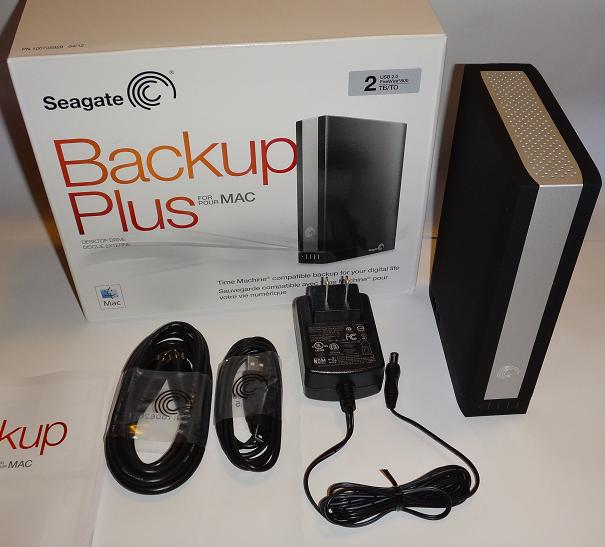
I love me some Seagate products. This external hard drive comes with a 5 TB capacity, and it only costs about $220 – although I’ve seen it at the low price of $150.

This isn’t the best hard drive for gaming because it only has a rotation speed of 5400 RPM, but if you’re to use it to stock your pictures, mp3s, and vacation videos it’s going to this its job more than fine.

It’s made out of a black polycarbonate, and it has three perforated holes to satisfy its cooling needs. It has the Seagate logo moulded at the front, and at the back you can find the USB 3.0 port, and the jack for the AC adapter – which is included with your purchase. Unfortunately, it doesn’t have a Thunderbolt port, but I’ll let this slide because it features a 5 TB capacity for only $150!

The best external hard drive - Seagate Backup Plus Desktop Drive

It measures about 1.75 by 4.75 by 7 inches (HWD) – not the smallest portable external hard drive on the market.

It comes as a already formatted NTFS hard drive which makes it super easy to drag and drop whatever you want to back-up – or you can reformat it by yourself so you can use Time Machine.

As I mentioned before, Seagate packs almost all of its products with a Dashboard installer which makes syncing super easy – although it won’t synch up your program or operating system files. It also features a free Android, and iOS app that you can download from your desire OS store. By using the app you can sync files from your social network, or basically just from your phone, with just one push of a button.

Also, you can set up your Dashboard to check Flickr, or Facebook accounts, and sync up photos, and videos – it automatically downloads all the new stuff if you set it up to do so.

The best external hard drive - Seagate Backup Plus Desktop Drive

It took about 19 seconds to copy our 1.5 GB test folder. I, for one, don’t consider this a major issue, but if you’re looking for a high-speed external hard-drive, I’m sorry to tell you, but this isn’t the droid you’re looking for. It does its job well, and I can honestly name it the most reliable external hard drive on the market, but that’s about it.

It comes with a two year warranty – all of the cheapest external hard drives come with only a meager two year warranty.

This 5 terabyte external hard-drive is what I’m currently using at the moment, and I’m more than happy with what it outputs.

  • Pros

– Huge capacity that consists of 5 TB

– Affordable

– Dashboard Software

  • Cons

– Bulky

– Slow

LaCie Fuel

The best external hard drive - LaCie Fuel

Another budget external hard drive – this one costs $200, but I’ve seen it at $180 as well.

Because it has a built-in WiFi, it can significantly increase your smartphone storage. Its capacity consists of 1 TB – although it may seem low, all of the features compensate for the lack of space.

Measuring 4.5 by 4.5 by 0.9 inches (HWD), the LaCie Fuel external hard drive features quite the design, which makes me think of some gadget out of a Bond movie.

Its chassis is built out of black-grey polycarbonate, sporting a bright orange corner – for the hipster inside you.

LaCie Fuel

Even if you are a FLAC fan, it will take some time to fill up your LaCie Fuel external hard drive – it can hold up to 100,000 320kbps songs, or a few hundred movies.

You can easily drag and drop files to the external hard drive to copy them, and because LaCie Fuel is such a good guy it uses the same apps as the Seagate Wireless Plus thus making it compatible with Android, iOS and the Kindle format. It can be easily paired to the Seagate Media Sync app that searches your tablet, or smartphone for files that it can back-up.

It has a USB 3.0 port, and a detachable cable. But, because it has a rotation speed of 5400 I seriously don’t recommend it for gaming.

The best thing about the Fuel external hard drive is that you can basically make it a WiFi router. A friend of mine is a proud owner of the LaCiel Fuel external hard drive – and when I say proud, I really mean it, he can’t stop talking about how awesome it is. Mark, if you read this, please shut up, you’re becoming really annoying.

LaCie Fuel

You can also password protect it while it’s serving you as a WiFi router, and you can turn the option off without problems.

The device claims to last up to 10 hours, and it’s super easy to recharge using its included AC adapter. On the other hand, my buddy claims that it can last up to 8 hour and 40 minutes – it’s not bad, but it’s worth mentioning.

It comes with a two year warranty.

  • Pros

– Affordable

– You can use it as a Wi-Fi router

– Can last up to almost hours

– It has an AC adapter included

  • Cons

– Not that reliable

– It only has a USB 3.0 port

Image Source: 1, 2, 3, 4, 5, 6, 7, 8, 9, 10, 11, 12, 13, 14, 15, 16, 17

Filed Under: Headlines Tagged With: external hard drive, External Hard Drives, External Solid State Drive, Hard Drive, Solid Sate Drives, Solid State Drive, The Best External Hard Drives, The Best Solid State Drives

13 New Minidrones from Parrot to Take Control of the Sky!

June 13, 2015 By Michael Turner Leave a Comment

Parrot Airborne

Parrot just announced that they are building 13 new inexpensive minidrones that will take control of the sky, land and, get this, the sea!

We already knew that drones, and minidrones alike, can tackle the blue sky, and the green land, but Parrot amazes us with the new addition – drones in the water medium!

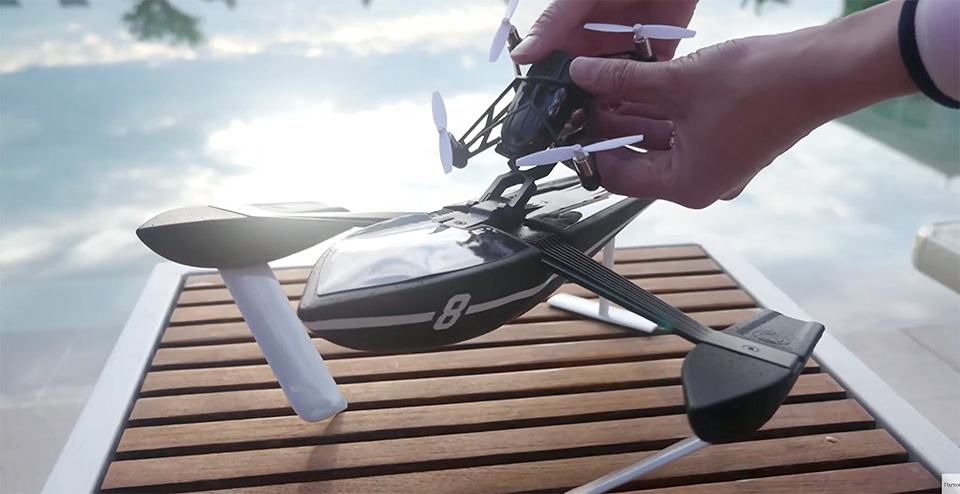
They’re building a new hybrid UAV/Boat that is going to be called the Hydrofoil Drone – the product line will be accompanied by a couple of new Jumping drones, and a new model for their Airborne drone.

Quite strange that Parrot announced these new toys only on their official French website, but c’est la vie I guess.

The new top-notch, and seriously awesomely looking drones will cost no more than €200, that’s about $225, and they will be officially unveiled on July the 2nd at a London-based event. Until them, Parrot lets us drool over their videos, and press images.

Let’s start talking about their new addition, the Hydrofoil Drone – the most interesting of the bunch actually. Its build upon one of their Airborne models. If you want to use it on water, just clip it to the boat and voilà, you can wreak havoc at the local pool. Once you fire it up, it flips to its vertical position and the fun begins. Take a look just down below how easy it is.

It’s super easy to control using your smartphone of choice, and once you get the hang of it, you can reach speeds around 6mph and just lollygag around calm water for about 7 minutes or so. You can avoid obstacles, and change your course quite easily, because it has a front camera that streams directly to your smartphone.

Parrot’s Hydrofoil drone will cost about $190 making it one of the cheapest, and better looking drones on the market.

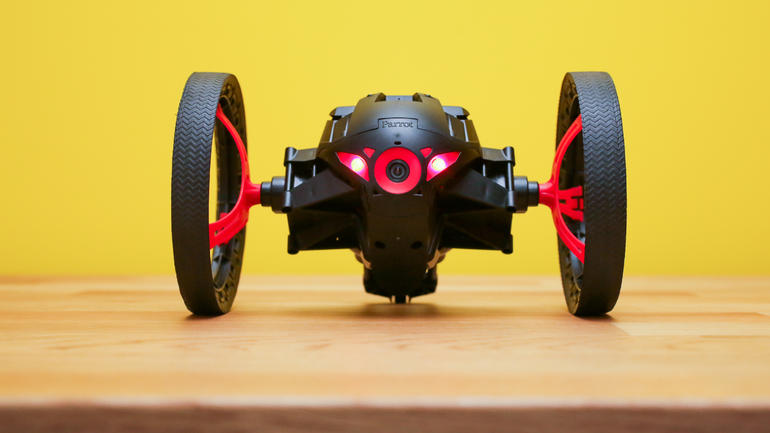
Even though the Hydrofoil drones look awesome, wait until you see these jumping babies!

I’m just going to call this now – sometime in the near future someone will strap a bomb or some kind of explosive to Diesel, or Buzz, and they will get these mind blastingly awesome toys banned.

Look at how these little cute minidrones jump! You can even scare the living hell out of your friends using its tiny built-in speaker.

Someone should definitely develop some sort of laser tag game using Parrot’s jumping minidrones!

Parrot Jumping Minidrone

Parrot Jumping Sumo

These two-wheeled 32-inch jumping remote-controlled cars will cost about $220 a pop.

Parrot has yet to announce an official release date for the US, but I wouldn’t be worried if I were you. The US is its main demographic target, and I’m 100 percent sure that shipping will be available for the states.

Image Source: 1, 2

Filed Under: Headlines Tagged With: Airborne drones, Drones, Hydrofoil drone, Minidrones, Parrot, Parrot Jumping minidrones, Parrot Minidrones

GoPro is Building a Spherical Camera Rig for Virtual Reality

May 28, 2015 By Michael Turner Leave a Comment

GoPro

I was beginning to wonder when GoPro would announce to the world that they too are tackling virtual reality – in some way or another.

This doesn’t come as a surprise at all, and it really seems the logical thing to do when you’re known as one of the industry’s best camera manufacturers.

Not only virtual reality, but also drones. These two things are in the company’s sights. The spherical camera rig that they just announced will be built with virtual reality usage in mind, and another model is being built to offer the best view possible when mounted on drones.

GoPro CEO Nick Woodman announced these two thrilling projects at the Code conference during an interview. Just imagine the interviewer’s face – Oh, so, you’re going to revolutionize the industry once again?

I would have had the biggest beaming grin on my face after hearing the news.

GoPro Spherical Camera Rig

We already knew that GoPro was aiming at building a spherical camera, because they announced it last month when they also bought Kolor – a virtual reality company that is known for bundling up footage to offer the supreme VR experience. The hints were there, and as I said before, this comes as no surprise.

Take a look at the footage released last month. Remember that you can rotate the view!

That was just extraordinary. For a man that is really really scared of heights, GoPro is letting me experience something that I couldn’t have done all by myself.

The six-camera spherical array will be available for purchase later this year, and the GoPro Quadcopter will be released sometime in 2016 – there is no official date at this moment. There are rumours that the GoPro done will cost something between $500 and $1000.

I would definitely buy a Quadcopter from GoPro so I could use it to take some fabulous footage, but for $1000 – worst case scenario – I would rather take a trip to Italy, and experience beauty with my own eyes.

What are your plans? Do you have any intention in buying these new toys?

Image Source: 1, 2

Filed Under: Headlines Tagged With: Drone, Drones, GoPro, GoPro Quadcopter drone, Spherical Camera Rig, virtual reality

  • « Previous Page
  • 1
  • …
  • 14
  • 15
  • 16
  • 17
  • 18
  • …
  • 26
  • Next Page »

Subscribe to Blog via Email

Enter your email address to subscribe to this blog and receive notifications of new posts by email.

Join 11 other subscribers

Recent Articles

police handcuffs man

German Man Probed In Poisoning That Killed 21 Employees Since 2000

June 29, 2018 By Kenneth Scott Leave a Comment

Chicken wings bar

Intoxicated South Carolina Man Punches Waitress Who Refused to Serve Him Alcohol

June 29, 2018 By Karen Jackson Leave a Comment

gaming

New Zealand gamer Who Flew Halfway Across The World for Virginia Teen Gets Shots By Her Mother

June 28, 2018 By Cristopher Hall Leave a Comment

party

Former Virginia Tech Freshman Sentenced to 50 Years in Prison for Stabbing a Girl to Death

June 28, 2018 By Roxanne Briean Leave a Comment

bonfire

British Couple Sentenced to Life in Prison for Torturing and Murdering French Nanny

June 27, 2018 By Deborah Campbell Leave a Comment

pay phone

Texas Father of Girl Disappeared in the 80s Ignored by Authorities

June 26, 2018 By Cristopher Hall Leave a Comment

bottled water

San Francisco Woman Threatened to Call Police on Girl Who Sold Ice Water for Disneyland Trip

June 25, 2018 By Roxanne Briean Leave a Comment

Maplewood Park

Missouri Man Robbed by Date and Accomplice in Park

June 22, 2018 By Nancy Young Leave a Comment

coding

New York Man Sentenced in Cyberstalking Former Girlfriend, Mailing Drugs to Her Dorm

June 22, 2018 By Deborah Campbell Leave a Comment

headphones

Bose Poised to Launch Sleepbuds, In-Ear Headphones That Help You Sleep

June 21, 2018 By Nancy Young Leave a Comment

Police light

Intoxicated Female Driver in Custody for Pulling Arresting Officer by the Hair

June 21, 2018 By Kenneth Scott Leave a Comment

kitchen

Restaurant Manager Arrested and Charged in Shooting Death of Co-Worker over Negative Yelp Reviews

June 20, 2018 By Karen Jackson Leave a Comment

plastic container

Pennsylvania Couple Charged in Violent Death of Infant Discovered Buried in Cat Litter

June 19, 2018 By Cristopher Hall Leave a Comment

tailpipe

Minnesota Teen Gets Head Stuck In Oversized Tailpipe Winstock Music Festival

June 18, 2018 By Karen Jackson Leave a Comment

Pages

  • About Us
  • Contact us
  • Privacy Policy
  • Privacy Policy GDPR
  • Staff
  • Terms and Conditions

Recent Posts

  • German Man Probed In Poisoning That Killed 21 Employees Since 2000 June 29, 2018
  • Intoxicated South Carolina Man Punches Waitress Who Refused to Serve Him Alcohol June 29, 2018
  • New Zealand gamer Who Flew Halfway Across The World for Virginia Teen Gets Shots By Her Mother June 28, 2018
  • Former Virginia Tech Freshman Sentenced to 50 Years in Prison for Stabbing a Girl to Death June 28, 2018
  • British Couple Sentenced to Life in Prison for Torturing and Murdering French Nanny June 27, 2018
  • Texas Father of Girl Disappeared in the 80s Ignored by Authorities June 26, 2018
  • San Francisco Woman Threatened to Call Police on Girl Who Sold Ice Water for Disneyland Trip June 25, 2018

Categories

  • Business
  • Entertainment
  • Finance
  • Headlines
  • Health
  • Life
  • Nature
  • Science
  • Sports
  • Tech & Science
  • Travel
  • Uncategorized
  • United States
  • World

Copyright © 2026 ArgyllFreePress.com
About · Privacy Policy · Terms of Use · Contact