Argyll Free Press

Growing News Network

Saturday, February 14, 2026
Log in
  • Business
  • Finance
  • Sports
  • Tech & Science
    • HP Envy 4500 Review
    • LG Optimus 170 Review
    • iPod Touch 6th Generation Review
    • HTC One M8 Accessories Set-up
    • Surrealist Games You Must Play
    • Hisense Sero 8 Review
    • Dell Latitude e7440 Review
    • HP Laserjet 1536dnf mfp Review
    • Garmin Fenix 2 Review
    • Skype Vs Viber
    • Best Video Conferencing Software
    • Sony mdr 1r Headphones Review
    • Canon Rebel t3i Review
    • Sennheiser Momentum 2-0 Review
  • Travel
  • Headlines
  • Health
  • United States

The Top Tablets That You Can Buy Right Now!

May 21, 2015 By Michael Turner Leave a Comment

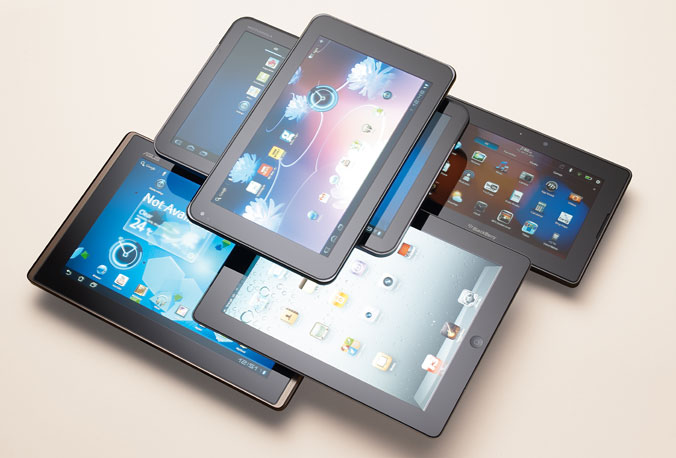
The Top Tablets Available Right Now

A couple of weeks ago we wrote a quick list of affordable laptops that you can buy in 2015, and I think this is the perfect time for a round-up for the top tablets that are available right now!

Whether you’re on a budget, or you want to throw money at retailers, you’ve come to the right place.

In an era where everyone has to get their information as soon as, possible people tend to buy a device that won’t suit their needs. You don’t just go out and buy a tablet, or a smartphone, you do some research before, read a couple of reviews, and settle on one that you think it’s best for you – don’t impulse-buy devices just because you love how they are designed; sure, it does matter, but in the long run, you want a tablet that won’t need to be recharged 2 times a day.

The Top Tablets #1 Microsoft Surface 3

The Top Tablets #1 Microsoft Surface 3

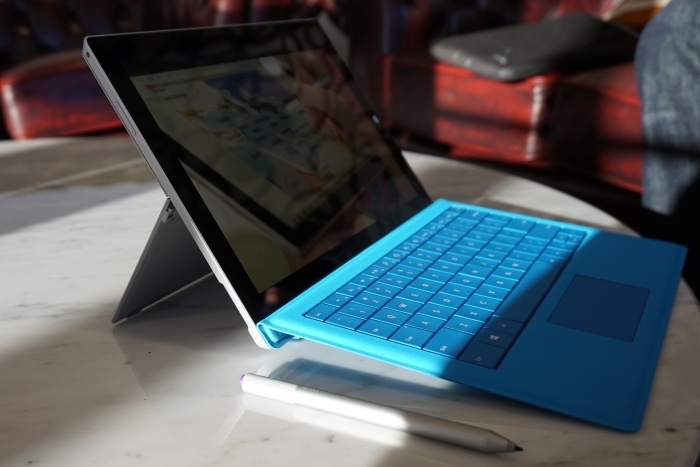
Is Microsoft’s third iteration of its Surface line good? Well this reviewer thinks so. It seems like Microsoft has learned from past mistakes, and it’s starting to listen more and more to consumers. It’s a hybrid actually, but the team behind the Surface 3 has developed it with tablet specifications in mind – but this doesn’t mean that it won’t work pretty great as a low-end laptop.

The display is its strong point – a beautiful bright, and crisp glossy IPS display will have no problems on a sunny day, and it makes surfing the web outside a pleasure. The Windows tablet is 10.8-inches in size, and at 1920 x 1200 pixel-resolution it allows the user to enjoy movie marathons without a problem – there is no issue with viewing angles, so you don’t need to worry sitting in bed all day and binge watching Netflix series.

The display is incredibly responsive, and offering a full 10-point multi-touch you can rest assured that it’s going to be as easy as pie surfing the web, and playing video-games.

If you’re an avid traveller –  whether it is business related, or pleasure, you definitely need a variety of ports. The Surface 3 sports a MiniDisplay port, a micro SD card reader, headset jack, a cover port, and a micro-USB charging port. Unfortunately it doesn’t have a USB Type-C port, and Microsoft has decided to go with a USB 3.0, but maybe they’ll jump on the band wagon with their next installment.

The Top Tablets #1 Microsoft Surface 3

If you’re tired of looking at the small screen, you can also connect your device to a big HD TV using its HDMI port.

The detachable-keyboard is kinda sluggish, and I have had some problems with it, but nothing serious. Although, if you’re not used to typing, you’ll find it a little bit frustrating. The keys are narrowed, and this makes them feel more cramped, but at least the trackpad is decent.

The Microsoft tablet, pardon me, hybrid, will come with a built-in Windows 8.1, go figure, and you’ll have the possibility of upgrading your OS to Windows 10 for free when the time comes.

  • Specs

– Quad Core Intel Atom x7-78700 processor with 2MB Cache, 1.6GHz turbo boost to 2.4GHz

– Integrated Intel HD Graphics

– 4 GB of RAM

– 128 GB of flash memory

Pretty great considering it’s about $500. You’ll definitely not use it to play GTA V, or the just released Witcher 3: Wild Hunt, but you don’t buy a hybrid for gaming, you buy it because it’s super portable, and because the battery will last you long enough to fulfil your day to day tasks.
The Top Tablets #1 Microsoft Surface 3

This isn’t to say that you can’t play out-dated video-games. I installed Team Fortress 2 to see if I can make it work, and what do you know? It played smooth at 30 fps with all the graphics settings set on low. Sure, it looks kinda ugly, but yet again, you don’t buy a hybrid for gaming – at least, not yet.

Talking about battery life, I managed to squeeze almost 10 hours out of it, meaning that if you use it all day, you will have to recharge it before you go to sleep.

I’m all for super-thin devices, but what about some love for battery longevity?

Anyway, the Surface 3 has two cameras. The rear facing 8-megapixel camera has autofocus, and its quality output is more than enough for Facebook shares. Its front facing camera is set at 3.5-megapixels. It’s okay’ish for Skype and such, but I wouldn’t praise it being the best camera on the market.

The Top Tablets #1 Microsoft Surface 3

The tablet computer has built-in speakers that are loud enough if you plan on watching movies without using headphones.

I’ve seen it in stores for the low price of $500.

  • Pros

– Top-notch display

– Quality build

– Super-portable

  • Cons

– Uncomfortable keyboard

– Low storage space

– Mediocre front-facing camera

The Top Tablets #2       Dell Venue 8 700

The Top Tablets #1 Dell Venue 8 700

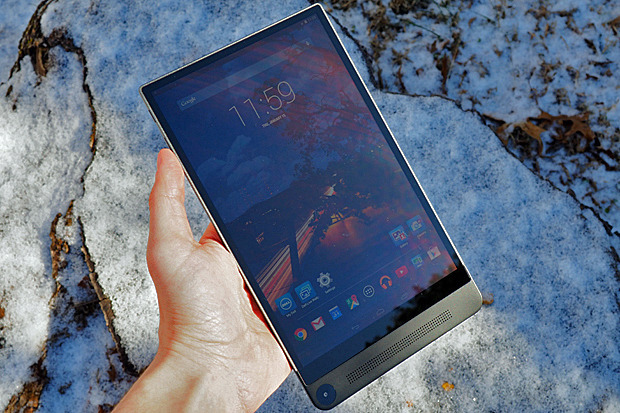
If you’re looking for cheap tablets, then you should consider looking into the Dell Venue 8 700. It’s $400, and guess what? It’s the titled holder for the World’s Thinnest Tablet, but there is more to it than just its title – beautiful design, and great performance output from a device so cheap.

Even though it’s considered the world’s thinnest tablet you should know that its challenger, the Samsung Galaxy Tab S 8.4, is marginally thicker.

Design-wise Dell deserves some applause – I don’t really know why I love it so much, but something speaks to me when I’m looking at it, or holding it.

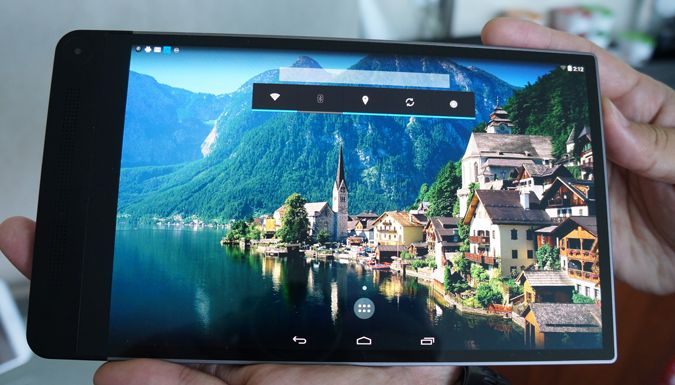
The Dell tablet sports a 8.4-inch OLED display that can output a 2560 x 1600 resolution at 361 ppi – seriously not bad, and it overpasses the previous discussed Surface 3 hybrid.

Dell’s edge-to-edge display is quite a marvel on their part, and I seriously can’t understand why the tablet is priced at just $400. There must be something wrong with it. What’s the catch? Fortunately there isn’t really one. Although it sports a 361 ppi, when you try to use it during a sunny day you’ll have some issues with it, but readability is still over the average rankings.

The Top Tablets #2 Dell Venue 8 700

It features Intel’s Sensing Assist, but you may want to turn it off because it can suck your battery dry – Sensing Assist wakes the device from its dormant state when it senses motion, but it isn’t that great. Let’s say you want to move the tablet from point A in your bedroom to point B in the kitchen for whatever reason. You don’t want it to turn on just because you change its place in the house.

It runs a stable version of Android 4.4 KitKat, and you can upgrade its software to 5.0 Lollipop. It will still run smoothly – no problems in this department.

Although the majority of tablets on the market have moved to Qualcomm Snapdragon processors, Dell still uses Intel as its primary chip-maker.

  • Specs

– Intel Atom Z3580 quad-core 2.3 GHz 64-bit processor

– Imagination PowerVR G6430 graphics chip

– 2 GB of RAM

– 16 GB of storage space

Don’t leave just yet! Yeah, it had 16 GB of storage, and the tablet’s user will most likely have 10 GB available, but you can add up to 512 GB of extra storage through its micro SD slot.
The Top Tablets #2 Dell Venue 8 700

It’s not the best tablet on the market if you take performance into consideration, but for $400 the quad-core 2.3 GHz processor paired with that GPU, and 2 GB of RAM is more than decent. I can give you this, 2 GB of RAM is fairly low considering that the majority of tablets sport 3 GB or more, but it does its job well, and you won’t see any performance issues like lag, or sluggish surfing.

Now its battery life falls a little bit short, and it can only last up to 9 hours, but that’s because Dell sacrifices a couple of things in order to make it super-portable and super-thin.

I have said this countless times over to my friends – stop using your tablet to take pictures, it just looks ridiculous. More so, if you plan on going to a concert, for the love of whatever you think is holy don’t be that guy who takes pictures using his tablet – last time I went to an event, someone from the crowd threw a beer at the doofus with the tablet. He deserved it!
The Top Tablets #2 Dell Venue 8 700

Now, you got 4 cameras, and they take advantage of Intel’s new RealSense Snapshot Depth Camera technology. The rear facing camera stands at 8-megapixels, but it’s surrounded by two other 720p shooters. The front facing camera sports a 2-megapixel output, and I don’t really recomend it for Skyping.

I found myself obstructing the cameras with my big hands, so be warned. If you have clumsy big sausages for fingers like me, you’ll have some issues taking that perfect photo.

I’ve seen it in stores for the low price of $400.

  • Pros

– Beautiful display, and its ppi is just astounding

– Pretty great camera

– Super-thin 

  • Cons

– A little bit slower than other tablets on the market

– Really low storage space

The Top Tablets #3         Sony Xperia Z3  
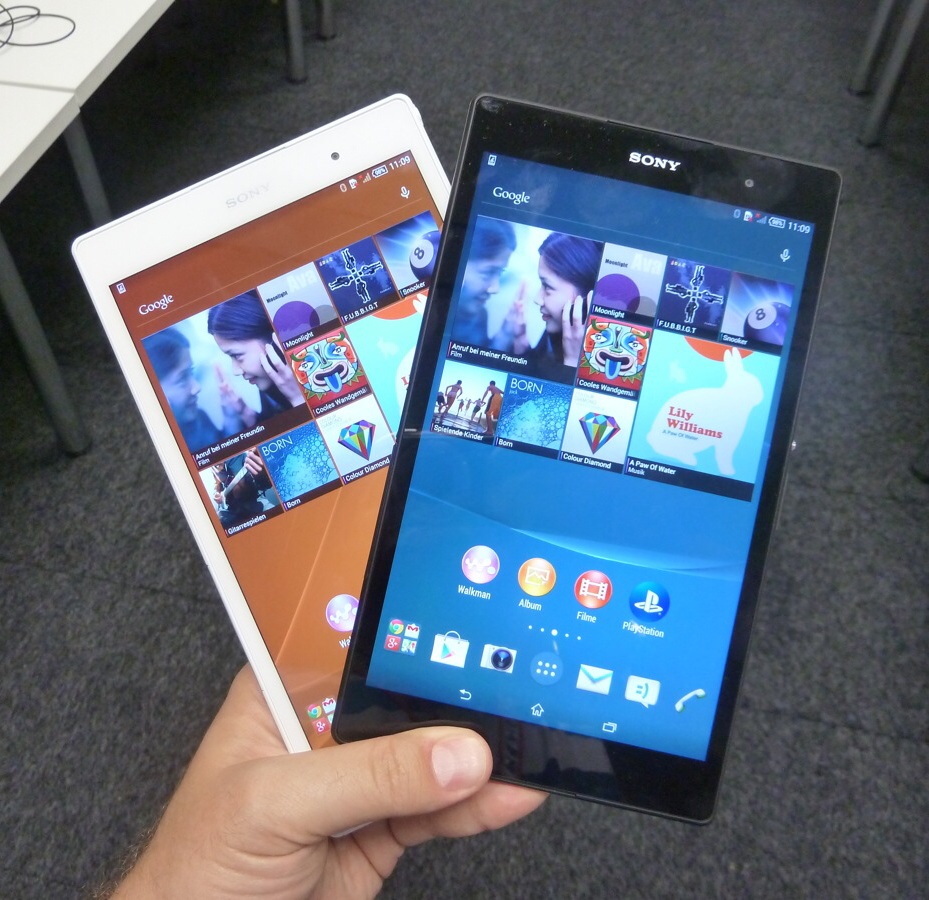
The Top Tablets #3 Sony Xperia Z3

At first touch the Sony Xperia Z3 looks, and feels like a 2013 device, but that’s just because Sony thinks it should push down our throat their somewhat out-dated design. It costs about $600, and for this price you may be swoon by a certain Samsung Galaxy tablet – the 8.4 S model. But before you make your final decision, you should know that the Xperia Z3 has some aces in its sleeve.

One of the device’s selling points is that you can hold it easily in one hand – it makes the perfect tablet for kids too. Secondly, it’s waterproof, so no need to worry about taking your tablet with you to the local pool, and coming back home heartbroken – it uses rubber seals on all of its ports, except for its headphone jack, which is already specially treated.

I just love how it looks, and because it’s so thin and small – not the smallest though; it can fit easily in your backpack, or purse.

The Top Tablets #3 Sony Xperia Z3

To me, its design inspires high-tech, more than the covered in aluminium iPad Mini 3. Even though it’s entirely made out of plastic it’s the good kind, not the cheap and tacky one. It also feels good to the touch – better than the Nexus 9 if you want a comparison.

There are some little bits of metal here and there, especially on its corners – probably to save it from utter destruction if mister clumsy hands over here drops it. I haven’t performed this test, so please don’t throw your tablet at the wall.

The 8-inch LCD screen stands at 1920 x  1200 resolution, but it’s really not that crisp, and clear like others at the same price range. It suffers from poor viewing angles, and I don’t recommend you using it on a sunny day in the park – readability is really low, and you’ll just annoy the living hell out of yourself trying to find that perfect place with shade.

The Android tablet comes with a built-in 4.4 KitKat, but you can easily upgrade it to 5.0 Lollipop.

  • Specs

– Qualcomm MSM8974AB Snapdragon 801 Quad-core processor 2.5 GHz Krait 400

– Quad-core 2.5 GHz Krait 400 graphic chipset

– 3 GB of RAM

– 16 GB of storage space

You can add more storage space by adding a micro SD card up to 128 GB.

More RAM, and a better processor than the previously discussed Dell Venue 8 700 doesn’t make it the best tablet, but you surely won’t experience lag, or any performance issues.

The Top Tablets #3 Sony Xperia Z3

The top-shelf processor, paired a quad-core graphic chipset, and 3 GB of RAM makes it a beast when it comes to gaming, and the 1080p screen is stands tall, even though is not the best one.

Before they launched it, Sony was praising themselves that the Xperia Z3 will last about 15 hours. I almost immediately started to ridicule them and send them letters with only Liar, Liar pants on fire written in the body. Gee, can you imagine how humiliated I was after I tested it, and figured that it can last more than what they’ve stated? Almost 16 hours of battery-life time make it one hell of a behemoth.

Its 8-megapixel rear facing camera matches the quality its challengers can output, and it actually shoots pretty great photos come to think of it. I wouldn’t frame any of them, and nor would I go out of my way to show them to my friends, but for Instagram, Facebook, and Twitter is more than enough.

The Top Tablets #3 Sony Xperia Z3

The secondary camera is a measly 2.2-megapixel unit – as I said before, don’t expect high quality Skype video calls.

The actual selling point for this device is the fact that it supports PS4 remote play. A very limited number of Android devices support PS4 Share Play, thus making it one hell of a device for gamers if you have a PS4. You can easily connect a DualShock 4 controller to the tablet, and just stay in bed all day long playing Call of Duty, and telling your enemies, or team-mates about how many sexual relations you’ve had with their mothers.

I’ve seen it in stores for the low price of $600.

  • Pros

– Superb battery life

– PS4 Share Play

– Super-thin and super-portable

  • Cons

– Its screen is not that great

– Somewhat out-dated design

– Horrible secondary camera

The Top Tablets #4         Acer Iconia W4
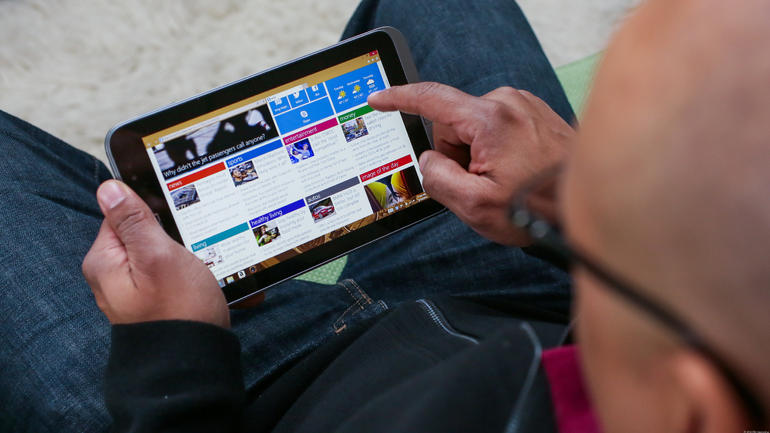
The Top Tablets #4 Acer Iconia W4

One of the cheapest tablets for sale – and I think I’ve even found it in the Walmart tablets section; the Acer Iconia W4 is set at an astonishing low price of $350!

Sure, there are different models that offer more storage space, but the entry level one is a must-buy.

Last year’s W3 was the first 8-inch device to feature Windows 8.1, but it it didn’t do it good – actually it was kinda’ horrible if you think about it. Grainy low quality display, and a low performance processor managed to offer a poor experience.

The Iconia W4 has polished all of its older brother’s failures, and it made major improvements in key areas where W3 fell short.

Some think of it as highly evolved, but I really don’t applaud it that much. Sure, it learned from past mistakes, but has it seriously improved that much in order to fight in the tablet pits? I don’t think so.
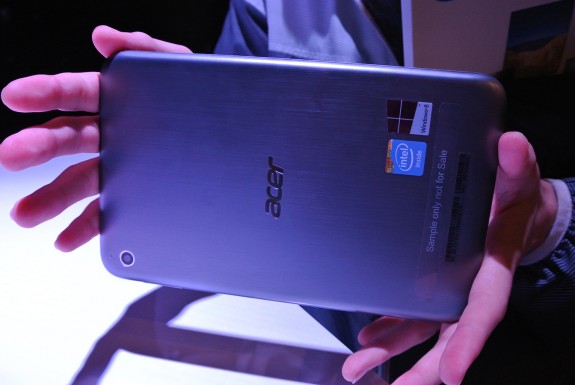
The Top Tablets #4 Acer Iconia W4

Don’t get me wrong, I think it’s pretty great, and at $350 if you have never experience a high-end tablet before, you should definitely buy it. More so, you should definitely buy it if you’re looking for budget tablets.

The Ace Iconia W4 received mixed to positive tablet reviews mostly because it was launched at the right time, at the right price. It features a 1280 x 800 pixel resolution on the 8-inch device – it didn’t receive the award for best tablet of 2014 that’s for certain. It’s a tried and test resolution that seems to work for Acer. I, for one, don’t really like it that much – maybe because I’m accustomed to high-end devices.

At 186 ppi it falls behind the average tablet, and the display just doesn’t cut it – don’t plan on using your device outside. Readability is inexistent.

  • Specs

– Intel Atom Z3740 Quad-core processor 1.33 GHz

– Intel HD Graphics

– 2 GB of RAM

– Standard Edition comes with 32 GB of storage

You can’t add any more storage space, but the built-in storage is actually a SSD, and it works pretty fast.

You definitely won’t be using it for HD gaming, but it can run almost anything on the store. You’re going to have some minor performance issues because it only features 2 GB of RAM, and the processor even though it works on 4 cores it doesn’t make up for its speed – 1.33 GHz is really low.
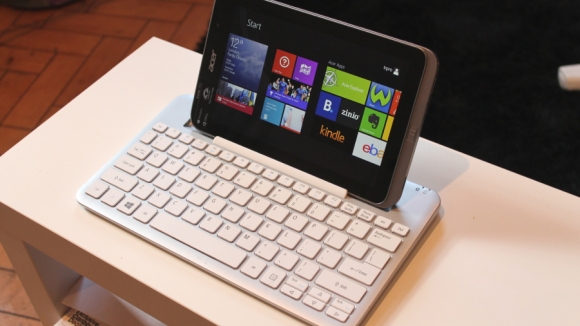
The Top Tablets #4 Acer Iconia W4

I’ve experienced lag after opening up more than 4 apps – it eventually lead the tablet to freeze, and I had to restart it. Didn’t liked it one bit.

I tried to install a couple of games on it, to see if the device can at least start them. Skyrim was my first choice – I know, I was reaching for the sky, but guess what? At the lowest settings, and resolution it run at 15 fps. It’s unplayable I know, but it surprised me. Afterwards I decided to have a little bit more confidence in the little Iconia so I installed Left4Dead. Pleasantly surprised that it reached a peak of 20 fps, but when multiple zombies flooded the screen it went down to 10. It was an enjoyable experience until the undead horde attacked.

The last one that I tried out was Valve’s Counter-Strike: Source – 20-25 fps on average, but if a flash-bang, or a grenade goes off near you, you’re dead – not from the damage, but from the screen freezing instantly. You could try to play with bots, but no on-line play, unless you want your team to constantly yell at you.
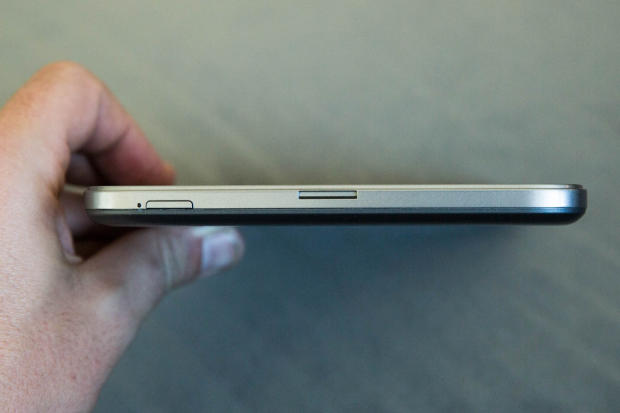
The Top Tablets #4 Acer Iconia W4

Acer said that the W4 will last up to 10 hours of usage – I proved them wrong. It completely died after almost 8 hours and 30 minutes. Not much, and it ranks on the same level with other average tablets.

Iconia W4’s rear primary camera is actually great – even if it stands at 5-megapixel. It may be sub-par to what you’re used to, but don’t let the low number unit fool you. In the right settings it takes some awesome photos – crisp, and well-saturated images. It does have its issues in low light conditions.

It can also take video footage at 1080p at 30 fps – not bad young one.

The secondary front-facing camera is another story though. Lowering the number to two, the small camera unit can only be used for Skype video calls, and even then it will output low quality.
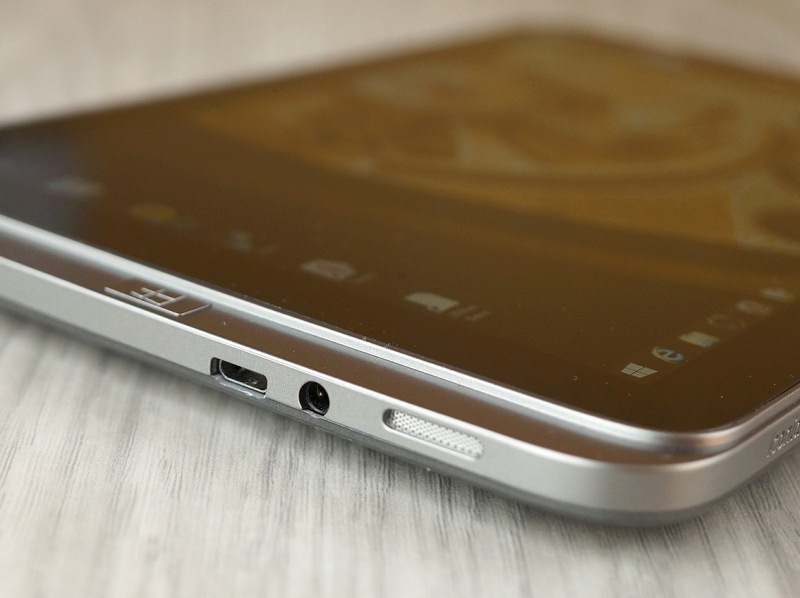
The Top Tablets #4 Acer Iconia W4

Why am I even recommending or adding it to our list? Fair and simple. It’s the best entry-level tablet, and at $350 it’s one of the cheapest devices.

I’ve seen it in stores for the low price of $350.

  • Pros

– Low price

– Windows 8 tablet

  • Cons

– Performance issues

– Low resolution

– Horrible secondary camera

The Top Tablets #5           Asus Memo Pad HD 7

The Top Tablets #5 Asus Memo Pad HD 7

This Asus tablet has a MSRP of $120, and by partnering with Google, Asus went from unreliable tablet manufacturer to the de-facto leader in the small tablets market. Low price, awesome capabilities, and world-wide availability made the Memo Pad HD 7 one of the best 2014 tablets.

You may think of me as an insane man, but I really do love this so-called Google tablet. What’s to hate?

It weighs just about 302 grams, and the 7-inch IPS LCD screen outputs a 1280 x 800 resolution at 216 ppi – more than the Acer Iconia W4 which is almost three time its price.

The tablet is made out of slippery plastic – it was constantly dropping out of my hand in the first day, or so; luckily I’m quite a bright man, and figured the issues as soon as I put my hands on it. Slippery plastic means cheap plastic, which eventually leads to a horrible slimy feeling. In order to not utterly destroy your device, I highly recommend you grip the tablet with both of your hands.

The Top Tablets #5 Asus Memo Pad HD 7

Moving on to the 7-inch IPS LCD screen – it’s crisp, and sharp, and you can try to use it on a sunny day. Since it has 216 ppi you’ll be able to read off of your device, but at the same time, you’ll be struggling with it. Find a shade covered bench, and you’ll have no problems. The colours seem to favour a yellow-ish tint, but there are no major complaints that I know of.

It has Android 4.2 Jelly Bean built-in, and you can upgrade it to 4.2.2 – don’t expect KitKat or Lollipop because it ain’t gonna happen.

The Top Tablets #5 Asus Memo Pad HD 7

You won’t be able to play the latest things available on the store. Hell, you won’t be able to play the majority of cool things, but there are still plenty of old games and apps for you to enjoy. Facebook will work super slow; Messenger, and WhatsApp will annoy you each time you try to text someone.

  • Specs

– Mediatek MT8125 Quad-core processor 1.2 GHz Cortex-A7

– PowerVR SGX544 graphics

– 1 GB of RAM

– 16 GB of storage space

You can add more storage space by adding a micro SD card up to 32 GB.

The 1.2 GHz quad-core Mediatek processor is uhm, not that good. Even though Mediatek is known for their ways of revolutionizing the industry, they also build low-end procs. Pair it with only 1 GB of RAM and you’ve signed your own death-wish. Lag will be present all the time, so be patient young grasshopper, because good things may come to those who wait.
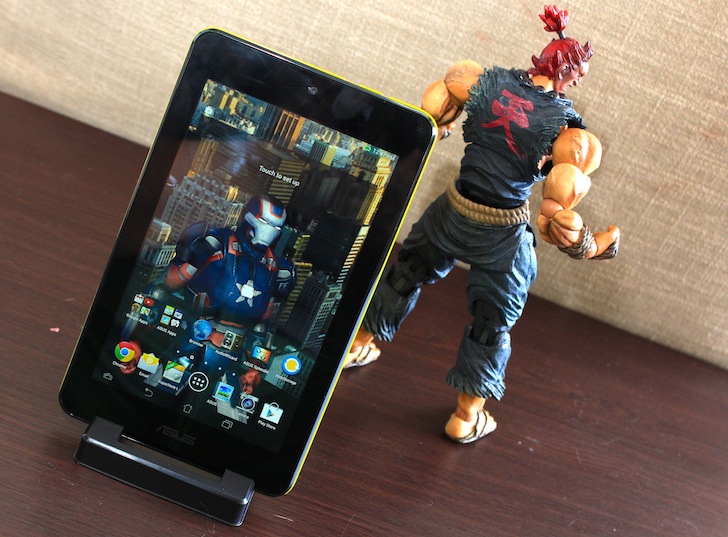
The Top Tablets #5 Asus Memo Pad HD 7

Use the Memo Pad with care – not only it can slip out of your hands, but it takes a little while to start apps, games, and surf the web.

Do you know the surprising thing? It didn’t freeze once. Yes, it lagged, and yes, I got really annoyed trying to use Facebook, Reddit, and other apps, but it didn’t once freeze. Sure, it closed the app because it wasn’t responding any more, but I didn’t even have the chance of realizing this, and the error was immediately prompted telling me to close the app.

I’m not saying this is an extraordinary thing, but it ain’t a bad thing either.

It has a small 15Wh capacity battery that will keep your device alive for about 10 hours. It seriously isn’t that bad considering it’s only $120. You can watch about 4 to 5 movies on a long flight, and because it has a standard micro USB port you can recharge it almost anywhere you please.

The Top Tablets #5 Asus Memo Pad HD 7

The Memo Pad’s primary camera is a 5-megapixel unit, but unfortunately it doesn’t take good photos, hell it doesn’t even take mediocre ones. It outputs low quality images, and don’t think for a second that the secondary camera is better. The 1.2-megapixel front-facing camera is a laughable unit – you can’t use it for anything, it’s just there for the sake of existing.

I’ve seen it in stores for the low price of $120.

  • Pros

– Super-low price

– Sharp screen

– All the things considering, it has a great battery-life

  • Cons

– Performance issues

– Horrible primary, and secondary camera

– Low storage space

Image Source: 1, 2, 3, 4, 5, 6, 7, 8, 9, 10, 11, 12, 13, 14, 15, 16, 17, 18, 19, 20, 21, 22, 23

Filed Under: Headlines Tagged With: acer, Android Tablets, asus, Dell, microsoft, sony, Top Tablets, Windows tablets

Google has Started a Cloud War!

May 20, 2015 By Michael Turner Leave a Comment

Cloud Computing

The cloud wars are real, and they are being fought on common ground – or at least, that’s what Google hopes!

Google has just cut down on prices for its Compute Engine by 30 percent, and has made Amazon, its primary challenger, re-consider their strategies.

The big G has also introduce a new a new Preemptible Virtual Machine – it’s able to deliver short-term computing capacity at a low, and fixed price. If Amazon doesn’t change its tactics immediately, they will most likely lose a ton of clients to Google.

The Google Cloud Platform Blog states that – ” Compared to other public cloud providers, Google Cloud Platform is now 40 percent less expensive for many workloads. Starting today, we are reducing prices of all Google Compute Engine Instance types as well as introducing a new class of preemptible virtual machines that deliver short-term capacity for a very low, fixed cost.”

This means that in the US a standard instance will be 20 percent cheaper, and a micro-instance will be 30 percent less. Europe, and Asia haven’t received the same treatment yet, and the price reduction will come in the near future, maybe even next month.

Google Cloud Computing

Google states that their clients have the upper-hand when it comes down to saving money – they will be paying 40 percent less than what other individuals are paying using a competitors services wink wink Amazon.

Microsoft, and Amazon are most likely to counter Google’s offer, so be patient and don’t move just yet from a service to another. Most analysts think that the services will get even more cheaper in the years to come, eventually leading to it being completely free.

Now, Google introduced their Preemptible Virtual Machines, that cost $0.015, and they are 70 percent cheaper than their non-preemptible siblings. But there is a catch to this. Google doesn’t guarantee that their VM’s will run continuously. This shouldn’t pose as a problem, because you use them only in a cluster, and if one drops, the cluster won’t suffer – also, you’ll receive a notification 30 seconds prior to it going offline.

Image Source: 1, 2

Filed Under: Headlines Tagged With: Amazon, Cloud Computing, Google, microsoft, Virtual Machines

Here are the Top Announcements Made at Microsoft’s Build

May 4, 2015 By Michael Turner 1 Comment

Microsoft's Build was one of the greatest events of 2015

Microsoft’s Build was exceptional this year. Android apps on Windows Phone, a new browser called Edge, and the awesomely jaw-dropping HoloLens. I can say without a doubt that 2015 was, is, and will be a great year for Microsoft.

Just in case you missed the conference, you can watch all the sessions on their official website.

Let’s start with…

  • Android Apps On Windows Phone

Microsoft's Build had some love for Windows Phone users

It has been rumoured for a long time now that Windows will support iOS and Android apps. The apps won’t translate directly to the Windows-based device, but developers have made it easier for those who wish to do so, by releasing a number of tools for app creators.

Windows Phone has struggled in the market – a device without Android apps, or iOS apps isn’t that popular nowadays; but now, with Microsoft’s intention of making Windows-based devices the home for universal apps, Windows Phone will be like a diamond in the rough, waiting for developers to shape it into a beautiful gem.

  • Windows Phone Equals Windows PC

Microsoft's Build detailed Windows 10 Continuum

One of the biggest announcements that was made at Microsoft’s Build was Windows 10 Continuum – sounds future’ish, right?

This is Microsoft’s big plan to turn your ordinary phone into a personal computer. Besides getting a free upgrade to Windows 10, Microsoft’s new OS will have some cool new features too. Yes, you can scale it down so it is mobile friendly, but that isn’t the only awesome thing. You can even up-scale your mobile device, keeping the capabilities of your personal computer, to the big screen without a hitch.

Continuum stands for continuing everything you were doing like searching for a place on maps, reading an article, watching a video, or even playing a game – on the big screen!

  •  Goodbye Internet Explorer, Hello Edge!

Microsoft's Build presented the new browser called Edge

Internet Explorer was really great in its time, but not wanting to evolve like Chrome, Firefox, Safari, and even Opera – I hate Opera – has made it one unstable little fiend. But no more, says Microsoft.

Project Spartan was kept under a closed lid for a couple of months, and finally they have announced what’s it really about – a new browser called Edge. A browser that isn’t going to crash because I opened another tab? Well, that’s a step up!

It will be on par with Chrome, and Firefox not only because it will feature a new architecture, but the Edge will also feature Cortana, and it will support browser extensions.

  • HoloLens, or ” The Story About the Boy Who Decided to Never Leave His House Again!”

Microsoft's Build HoloLens is just pure magic

Although it is a work in progress virtual gear headset, it doesn’t seem to be all that buggy. Watch a little bit of their on-stage demo, and tell me that you don’t want that awesome toy for yourself. You can scale everything. Fancy cooking dinner, but also watching the latest Game of Thrones episode? No biggie. Scale the media player on the wall in front of you. Not in the mood of getting out of the bed to read the newspaper? No problem, scale articles in the ceiling so you can lay in bed all day.

When they say that you can scale everything, I hope that they mean it. I want to scale the dog to humongous proportions, not only because I want to scare my friends when they try out my HoloLens device, but who wouldn’t want a huge dog?

Plaster apps on your walls, make those apps follow your around, create your own virtual environment. The downside is that you’ll live in your own bubble, without decorating anything in your home, but if that’s the price we have to pay for advanced technology, then so be it!

  • Some Love for DirectX 12

Microsoft's Build, and Square Enix, presented some footage featuring DirectX 12

Although nothing major was presented at Microsoft’s Build this year regarding gaming, Square Enix showcased a demo featuring DirectX 12, and it was superb. The clip, titled Witch Chapter 0 [cry], can be seen on Youtube.

Those look like real tears, and more so, that women looks so real it’s kinda’ scary. The rig that pushed the graphics to the max in the presentation consists of a four GPUs that were capable of presenting 63 million polygons – that includes the whole environment.


That’s about it. There are some other announcements, but they weren’t so big. The not so important, but stil great announcements at Microsoft’s Build were:

– Azure Learning platform which is a machine that constantly learns and improves itself;

– Surface Hub, a 4k, 84-inch tablet, mounted smart table;

– Microsoft wants 1 billion devices with Windows 10 – a respectable goal, or a child’s dream?


The most important announcement that wasn’t made at this year’s Build was the release date of Windows 10. It’s still a mystery to all of us.


Image Source: 0, 1, 2, 3, 4, 5, 6


Filed Under: Headlines Tagged With: HoloLens, Microsoft Build 2015, windows 10, windows phone

A Quick List of Affordable Laptops

April 21, 2015 By Michael Turner Leave a Comment

Variety of Affordable Laptops to choose from

Whether you’re a student, a stay at home mom or just looking for affordable laptops you’ve come to the right place!

It’s not easy scouring the internet and reading review after review, searching for the most okay laptop that also fits in your budget. Some of us have taken to searching in stores, meddling with its physical state before deciding on whether we want to buy it or not, but I am also aware of the fact that we don’t all have this luxury – the luxury of free time.

Let’s break the ice with:

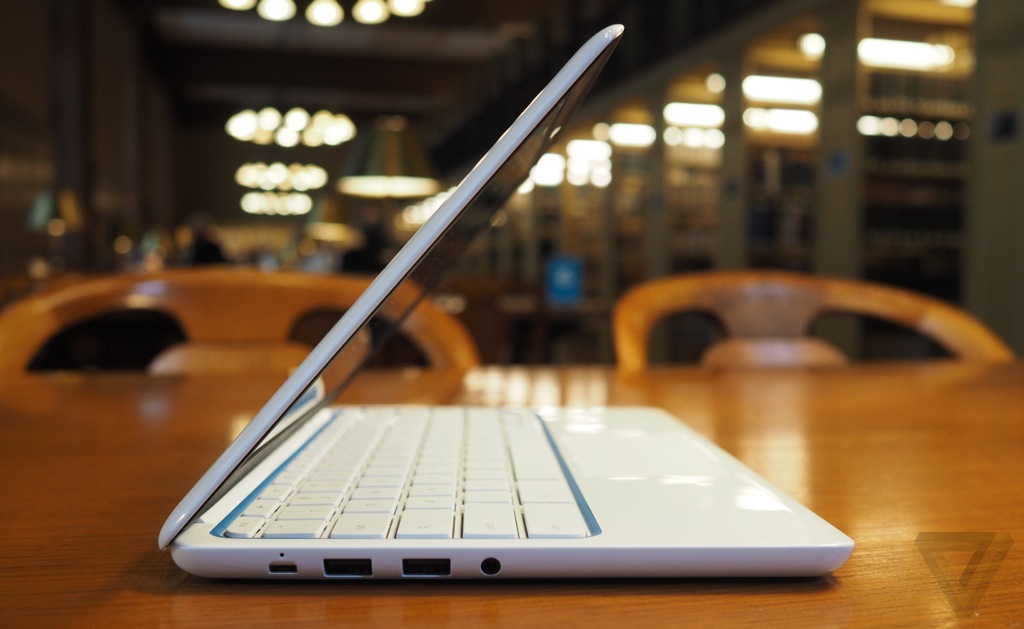
Affordable Laptops #1 – HP Chromebook 11 

HP Chromebook design
HP Chromebook 11 screen

It goes for $299, and it’s already available in stores – so no need to wait for it to be released. It sports a slim and stylish design, with an 11-inch IPS display that stands at a resolution of 1366×768 – and it makes the Chromebook feel like a premium laptop.

The killer feature that I want to start this mini review with is that HP has built into its laptop a 4G LTE modem that frees it from the tight grip, and limitations, of WiFi coverage. It’s shocking that not all laptops come bundled with the 4G LTE modem, and its more shocking that we don’t see a trend starting. A shame really.

Moving on, the Chromebook is built from a magnesium alloy frame clad enveloped in glossy white plastic. It doesn’t look tacky, or cheap, but when you put your hands on it you can feel the low quality builds – it’s not a deal breaker, but it’s something worth noting. You can also have it in blue, red, yellow and green, but to be honest, white is more good looking.

The keyboard is slightly smaller due to the laptop being small in size, but the keys aren’t cramped together, and you can easily type all day without stressing yourself. Because it uses Chrome OS, you’ll see Chrome specific keys function keys on the top of the keyboard – a dedicated search key where caps lock used to be, and of course no Windows key. The multitouch trackpad doesn’t excel in any way, and if you used a trackpad before, there’s nothing new to it – this doesn’t mean it’s faulty, or falls down in this department, it’s quite a nifty piece that keeps the laptop feeling premium.

It makes use of a great, and unique feature that involves the power charger – it uses a microUSB connector like the majority of smartphones and tablets. Besides the power charger port, it is also equipped with 2 USB 2.0 ports, a 2-in-1 microphone and headphone jack and that’s about it. No, unfortunately it doesn’t have a HDMI port, but the microUSB connector supports SlimPort and you can use an adapter to output HDMI.

Chromebooks usually don’t have much local storage – this one has only about 16GB – but it comes paired with 100GB of free space on Google Drive.

Performance wise it’s fitted with a 1.7GHz dual-core ARM Samsung Exynos 5250 processor, 2 GB of RAM.

  • Pros

Battery life that consists of 10 hours.

4G LTE capabilities

Great IPS display

Cool design

  • Cons

Low port selection

Not too much local storage – 16GB

Affordable Laptops #2 – Acer Chromebook C720P-2600

Acer C720P 2600 Chromebook
Acer C720P 2600 Chromebook touch screen
Acer C720P 2600 Chromebook size

The MSRP price puts it at $299, but the lowest price I’ve seen it sell was about $310 – not that big of a difference, but when you’re on a budget everything counts.

Made out of a polycarbonate chassis, and sporting a similar style like the previous discussed Chromebook 11, it stands out as a sleek design laptop that you can’t be ashamed with. The keyboard ain’t really that bad – it’s easy and comfortable; and the trackpad isn’t small, but it isn’t what you’re most likely used to on flag-ship devices.

Sporting a 11.6-inch, 1366×768 resolution, and a 10-point touch screen, it feels like a new kind of beast comparing it to its predecessors. You don’t have to worry about not seeing the screen while using the laptop in a darkened room, nor one filled with light, because glare control is fully present, and blended with the system’s IPS screen makes it a hard foe to keep down.

Regarding local storage, you don’t have much – only 32GB. But you can add more storage by adding an SD card – although I don’t recommend keeping it plugged throughout the day, because users have reported problems with it. The card slot is poorly made, and the SD card will stick out of your laptop making it a huge inconvenience. You get 100GB of free storage place on Google Drive – but it’s only free for your first two years.

Port wise you get 1 USB 2.0, 1 USB 3.0, a HDMI port, and that’s about it. Nothing else in this department.

I can’t say I’m excited about it’s performance capabilities, but for $299 I don’t expect much. A Haswell-based Intel Celeron 2955U processor, and 2GB of DDR3L RAM. Its just perfect for surfing the web, and you can also watch 720p and 1080p movies without a hitch.

Battery life isn’t really that great, and it can only last you about 7 hours and 30 minutes.

  • Pros

Quick boot time

Great anti-glare display

Weighs under 3 pounds

  • Cons

No 4G/LTE option

Low battery life

SD card sticks annoyingly out of the laptop

Affordable Laptops #3 – HP Stream 13

HP Stream 13 design
HP Stream 13 size
HP Stream 13 keyboard

HP’s laptop is being sold at the shockingly low price of $229, and it’s meant to compete with Chromebooks. It’s a perfect choice for those who can’t stand browser based laptops, and want something on that price range – it fully supports Windows 8.1.

It weighs about 3.3 pounds, and measuring about 0.77 by 13.25 by 9 inches, it perfectly fits your airplane, or bus tray, making it even more desirable.

Its design is quite handsome, but you can clearly distinguish it as a cheaper laptop, even though at first touch the plastic feels of a higher quality. The standard model sports, what HP loves to call, Horizon Blue – it also comes in Orchid Magenta. The one-piece touchpad is fully responsive, and the keyboard is pretty great constructed and it won’t bring you to the brink of throwing it out the window like some cheaper models have the tendency to do – also a tendency to bring out our hidden rage.

The 13.3-inch display handles a 1366×768 resolution and its just enough for usage in a normal lit room. I have encountered a couple of minor problems when the room had more than average lighting, and also some viewing angles are just awkward, and narrow – would not recommend watching movie marathons on it, unless you keep it near you.

The IPS screen is the the same one as the Chromebook 11, but somehow, while watching the screen from its sides or too far vertically speaking, the colors seem washed out or just simply put dark – of course, the text isn’t that fine and smooth.

Its tiny speakers are kind of low quality to be honest. They are good if you are in a slightly small room, but don’t expect anything to be heard if there are people talking in the room.

Storage space isn’t overwhelming and it stands at 32GB – but don’t fret, you can add more storage space by using a USB drive, or the system’s microSD card slot. If that doesn’t say anything to you, wait until you hear this. HP offers 1TB of online cloud storage with Microsoft’s OneDrive – available for free only in the first year. Besides having a microSD card slot it also sports a HDMI port, a headset jack, two USB 2.0 ports, and single USB 3.0.

HP’s laptop isn’t the best high-performance laptop out there, but it does its job well. A 2.16GHz Intel Celeron N2480 processor with integrated Intel HD graphics isn’t something gamers want to hear, but the system’s SSD helps things run more faster, and better.

Battery life is somewhat on the margins of greatness – 9 hours and 9 minutes.

  • Pros

Really cheap for what it offers

Kinda great battery life

Free 1 TB OneDrive storage for a year

  • Cons

Viewing angles are somewhat of a deal breaker

Tiny speakers that are simply not enough

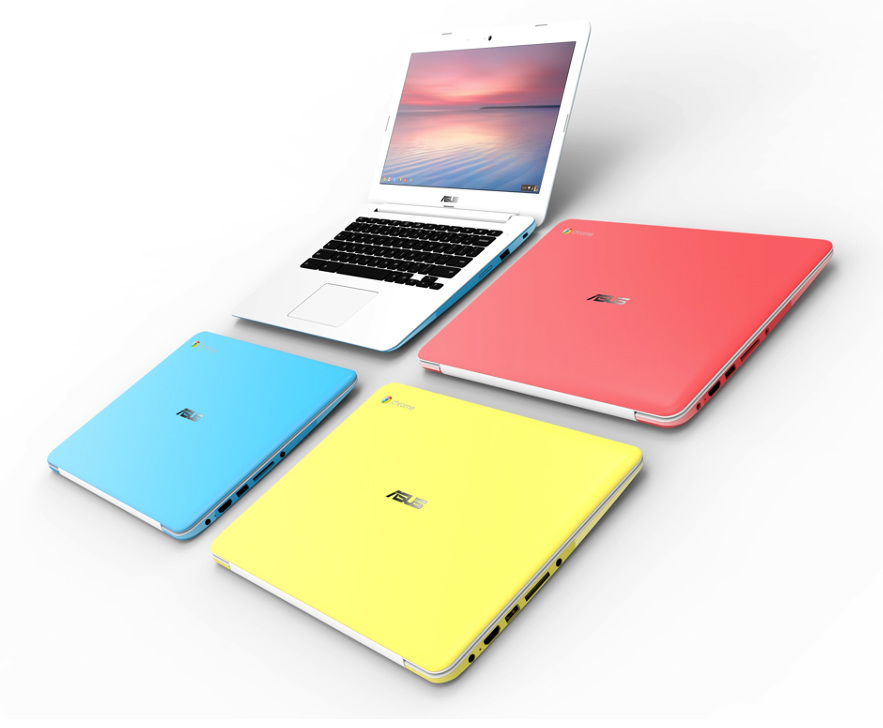
Affordable Laptops #4 – Asus Chromebook C300

Various models
Asus Chromebook C300 design
Asus Chromebook C300 various colours

The MSRP price puts it at $249, but I’ve seen it at the low price of $199. It has a larger screen than the Chromebook 11, but with almost the same performance capabilities.

The 13-inch laptop sports a quite beautiful and nice textured design, enveloping the polycarbonate top lid and keyboard deck. Unfortunately the plastic looks cheap, and it shines giving it a tacky look, but if you don’t mind this factor, then by all means it’s kinda great.

Let’s talk ports. You get a HDMI port, headset jack, AC power adapter, SD card reader, single USB 2.0 port, or USB 3.0 port.

Keyboard isn’t half bad either, and it feels comfortable typing hours on it, and the touchpad supports multitouch – two fingers swipes aren’t problematic, and the touchpad does its job well.

Google offers are also include with your purchase. Free two year subscription to 100GB of storage on Google Drive, and and a 60-Day Google Play All Access subscription.

Cloud storage is a must when we’re talking about Chromebook. It’s local storage is a measly 16GB – you can add more storage with a SD Card though.

The 13-inch Asus Chromebook has a resolution of 1366×768. Even though the LCD display is top notch, it doesn’t reach the standards of an IPS screen. Trying to see what’s going on on the screen from the sides, or even vertically, isn’t going to accomplish you anything.

Performance wise it comes with an Intel Celeron N2830 dual-core processor with Intel HD Graphics, and 2GB of RAM. Not at all for gaming, but browser based games run smoothly.

Battery life is really great – 11 hours of pure joy surfing the interwebz, watching movies, listening to music, or just playing Angry Birds.

  • Pros

Pretty large screen for a Chromebook

Great battery life

Comfortable keyboard and touchpad

  • Cons

The plastic looks tacky and cheap

Can’t add more RAM to the existing 2GB

Affordable Laptops #5 – Acer Aspire E3-111-C1BW

Acer Aspire E3-111-C1BW design
Acer Aspire E3-111-C1BW keyboard
Acer Aspire E3-111-C1BW screen

Selling at $300, this Acer Aspire is one of the best laptops that supports Windows at the $200-$400 price range – that is dominated by Chromebooks. It has a really great design, and colour scheme that some people will absolutely love, while others will hate.

Acer calls the colours Rhodonite Pink – it would scream pink out of it lungs, if it had any. This is one major problem with the laptop. While it has been proven that some shoppers are quite fond of strong colors like Pink, others seems to run away. I for one fall in the latter part of the group – it’s not just the fact that I can’t stand pink because I see it as really tacky; it’s because I would rather prefer white, a cyan-blue, or a dark-red laptop.

The plastic laptop weighs about 2.84 pounds making it super easy to pick and go – more so if you live a hectic day to day life.

It has a 11.6-inch display that holds a resolution of 1366×768. It’s not that great to be honest, as it doesn’t even have a touch screen, but at this price, it’s pretty okay. The speakers on the Acer while do providing a mediocre quality, output low volume and absolutely no bass whatsoever.

Surprisingly the keyboard is really great, and your fingers won’t go numb typing away that report that is due in 2 hours – and it also looks apart combined with the Rhodonite Pink. The touchpad is quite big 4.1 inches across – and it also fully supports Windows 8.1 gestures.

It comes packed with 3 USB ports – 1 USB 3.0, and 2 USB 2.0; a SD card reader, an HDMI-out port, and a 2-in-1  headphone, and microphone jack. Also, you have a Kensington lock slot.

Now, regarding its storage space it is the big daddy of this round-up. It has a 500GB hard drive, at 5,400 rpm. Even though Acer bundles in a couple of software, you won’t feel like storage space is taken away from you – you’ll get 30 day trials for McAfee LiveSafe Security Suite and Microsoft Office 365, also apps like Amazon Kindle Reader, Netflix, HuluPlus, AccuWeather. Plus a collection of game samples from WildTangent.

Now if we take a look at its performance capabilities the Acer Aspire E3 offers an Intel Celeron N2930 processor and 4GB of RAM. Like all budget laptops, this one ain’t for gaming, but it does good if you want to write a paper on it, watch a movie, stream something, and surf the internet. But you’ll indeed notice that it’s technical capabilities are lacking – slow performance all around will most likely frustrate you to smithereens.

Battery life ranks up to 5 hours – yikes!

  • Pros

Some people love Rhodonite Pink, and the laptop’s design

Tiny size that can fit anything

  • Cons

Some people definitely hate Rhodonite Pink, and the laptop’s design

Low battery life

Weak performance

No touch screen

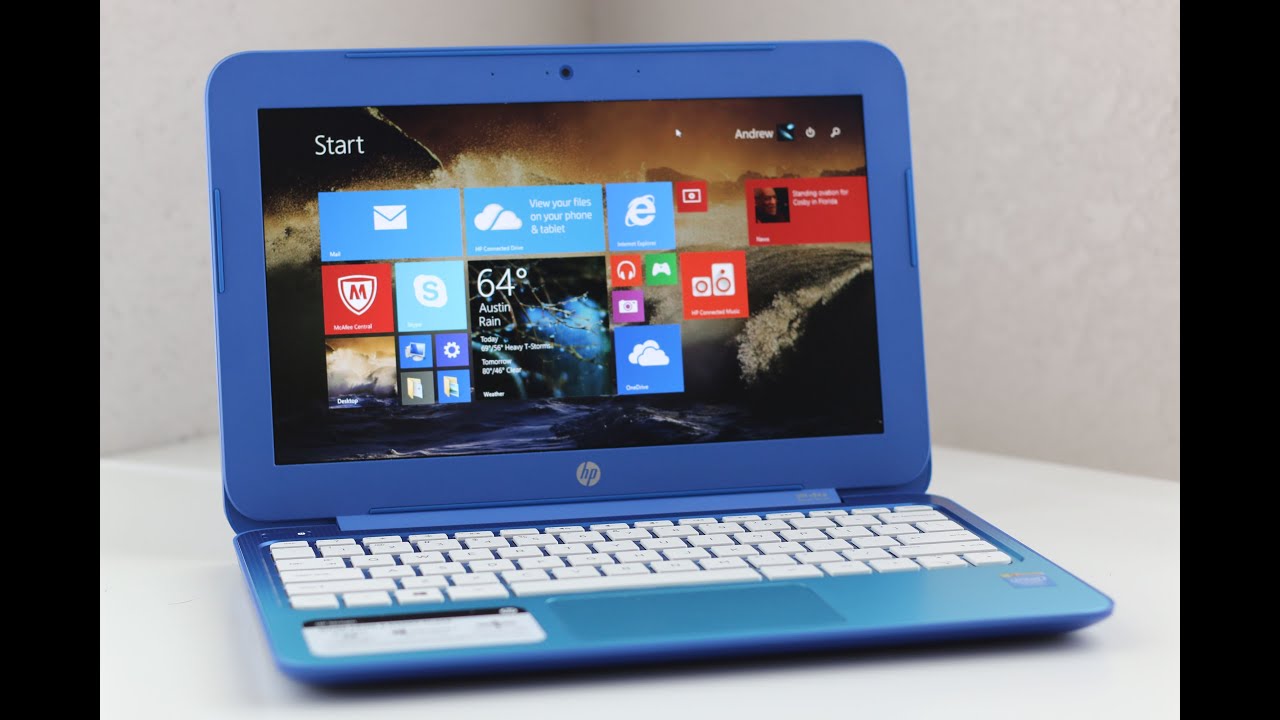
Affordable Laptops #6 – HP Stream 11

HP Stream 11 closed
HP Stream 11 screen
HP Stream open

At #3 we talked about the HP Stream 13 and its capabilities. Now it’s time for the Stream 11.

Cheaper than its larger brother, the HP Stream 11 is selling for about $175.

It’s another laptop designed specifically to compete with Chromebooks – but unfortunately it falls short in almost every category.

The plastic body screams I’m cheap, buy me for one hour tonight – because that’s probably how much it will take you to try it out, then feel regret and never make eye contact with devices ever again. The standard Orchid Magenta colour is just shockingly ugly on the low quality plastic. It’s somehow similar to the previous Acer we talked about, but without any of its redeeming qualities. Luckily, you can get it in Horizon Blue.

The sound quality of its speakers is somewhat decent – probably due to the fact of the sound being enhanced with DTS Studio Sound. The volume won’t be enough even when watching a movie. This means that listening to music through the laptop’s speakers is out of the question. If I were to give it a rating, I would give it 2 stars out of 5.

Keyboard is exactly like its older brother, but somewhere in the production line, the touchpad was left out, and didn’t get the same treatment. It’s way too over-sensitive, and anything that approaches its edges will make it go berserk and swipe like crazy, and open apps that you had no intention of starting them up in the first place. Turning off edge swipes in the Synaptics control panel will alleviate the problem, but you shouldn’t be doing this at all – you bought a product for its features, not to turn them off due to crazy bugs. You don’t see them in the HP Stream 13, and we hope that with some sort of driver update, the touchpad will work normally.

Don’t expect variety regarding ports, they are fairly basic, like the laptop’s entirety. So we have 2 USB ports – USB 2.0, and USB 3.0; an HDMI port, a headset jack, the power connector and an SD card slot.

Local storage consists of a shy 32GB SSD, and it tries to win you over with its cloud storage offers. 1TB of Microsoft OneDrive cloud storage that will be available for free in the first year.

The HP Stream 11 also comes bundled with free apps for you to enjoy – one free year of Office 365 Personal, Netflix, Skype, and other HP branded apps like HP Connected Drive, HP Connected Photo, and of course HP Connected Music. Everything is connected at HP – even their simplicity in picking names.

The only great thing that seems to come out of this whole ordeal is that it runs Windows 8.1. Now, I said that it runs it. I didn’t specify that it works good, it just works.

Now performance wise, it is fitted with a 2.16GHz Intel Celeron N2840 processor, and 2 GB of memory. Not much. These are borderline low specs.

Now, battery life is incredible – ranks 9 hours and 30 minutes of runtime.

  • Pros

Runs Windows 8.1

Great battery life

  • Cons

Lacks performance, and lags when surfing webpages

Buggy touchpad

Feels cheap and tacky; not only due to its Rhodonite Pink


Affordable Laptops #7 – Toshiba Satellite Radius 11


Toshiba Satellite Radius 11 modes
Toshiba Satellite Radius 11 size
Toshiba Satellite Radius 11 tablet mode

The last entry in our quick list of affordable laptops will be held by the Toshiba Satellite Radius 11. Lowest price $330.

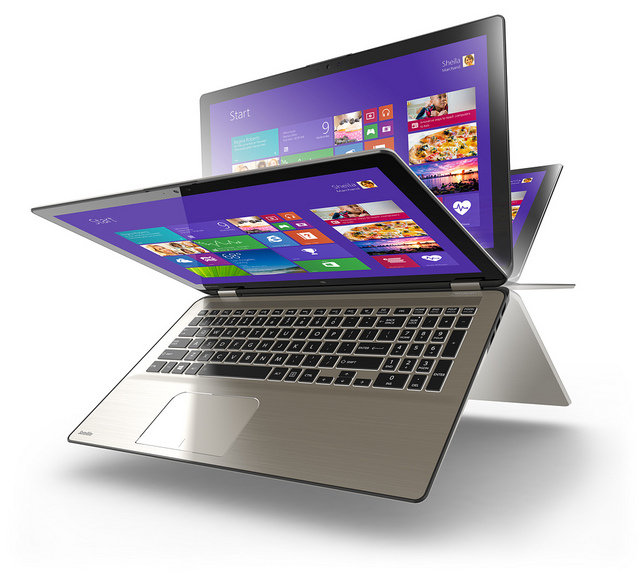
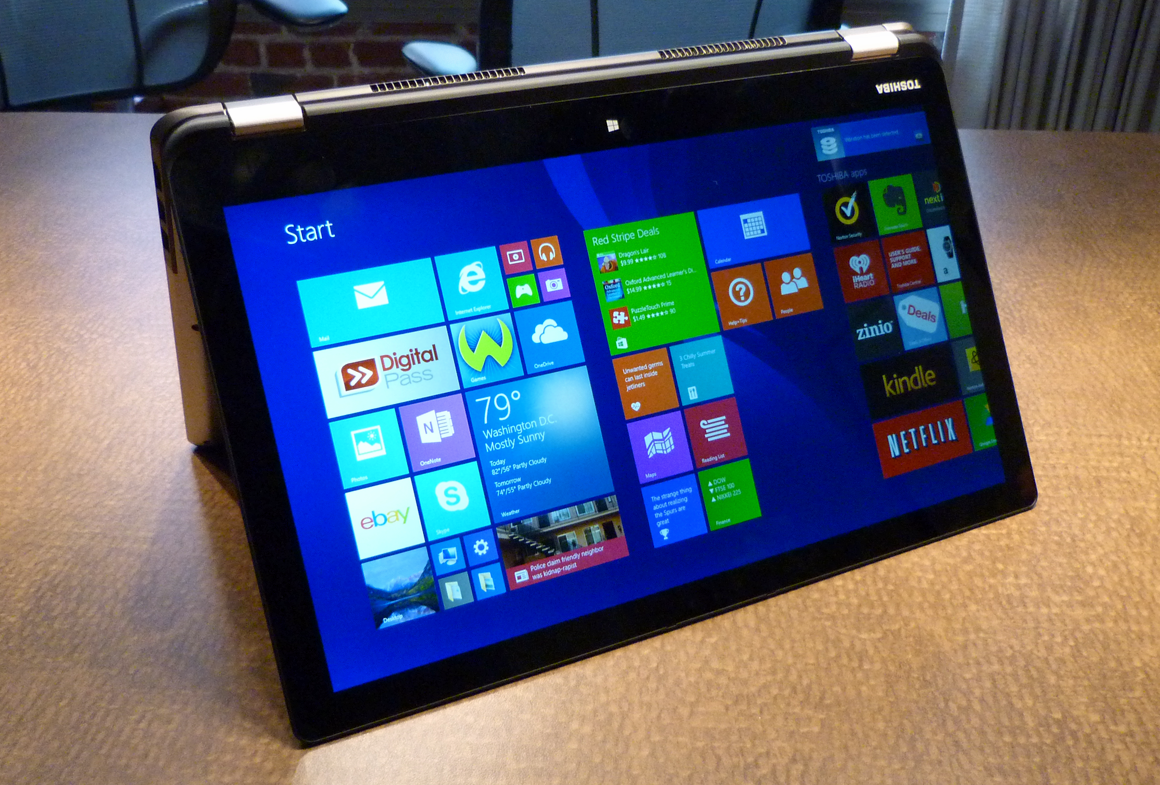
It’s not just a laptop, it’s a hybrid – meaning that it can also turn into a tablet at your will. Its Toshiba’s way of making themselves known in the hybrid market – a place dominated by Lenovo, and Asus.

The 2-in-1 design looks crisp and premium. You have 4 modes in which you can use the device – Laptop, Tablet, Tabletop meaning its folded flat, Presentation when it’s propped up like a tent, and Audience when the touch screen shown with keyboard is folded back as a base. Weighing at 2.9 pounds, you won’t have problems carrying it around, and using its 4 modes.

The 11.6-inch screen holds up a resolution of 1366×768 – nothing special if you ask me, but it’s worth noting that it will keep it in Laptop and Tablet mode. It also offers 10-finger touch support and edge-to-edge glass.

The keyboard is comfortable but there is no backlight available – it can be a pain for those who don’t know a keyboard, but it’s definitely not a deal breaker.

It comes outfitted with a USB 2.0 port and a headset jack, along with a Kensington lock slot and physical buttons for volume control, a full-size HDMI-out port, a USB 3.0 port, and an SD card slot, a power connector and an ON/OFF button.

Storage wise, you can also call it one of the top dogs in the list. It boasts a 500GB HDD. Toshiba pre-installs several apps for your enjoyment, of course. 30-day trials of McAfee Live Safe 2014 and Microsoft Office 365, Adobe Reader, Google Drive, Amazon Kindle reader, retail apps like Amazon, and Ebay, Netflix, Hulu Plus, Spotify, iHeart Radio, and sample games from WildTangent.

It does rather well in the performance department with an Intel Celeron N2840 processor and 4GB of RAM. But take this with a grain of salt – it has performance issues, but they are nothing compared with what you can find at this price range.

Battery life doesn’t shine. It doesn’t shine at all. It only lasts up to 5 hours and 10 minutes.

  • Pros

Hybrid laptop for $330

Variety regarding ports

More than enough storage space

  • Cons

Really short battery life

A ton of pre-installed apps


Hopefully you’ll manage to buy a device that will make you happy. If you have something in mind, whether it is a question regarding one of the devices in our affordable laptops list, or one device that didn’t made the list, feel free to post in the comments section below.


Image Source: 1, 2, 3, 4, 5, 6, 7, 8, 9, 10, 11, 12, 13, 14, 15, 16, 17, 18, 19, 20, 21, 22

Filed Under: Headlines Tagged With: Acer Aspire E3-111-C1BW, Acer Chromebook C720P-2600, Affordable Laptops, Asus Chromebook C300, HP Chromebook 11, HP Stream 11, HP Stream 13, Toshiba Satellite Radius 11

MacBook Pro Retina 2015 Review

April 14, 2015 By Michael Turner Leave a Comment

2015 model

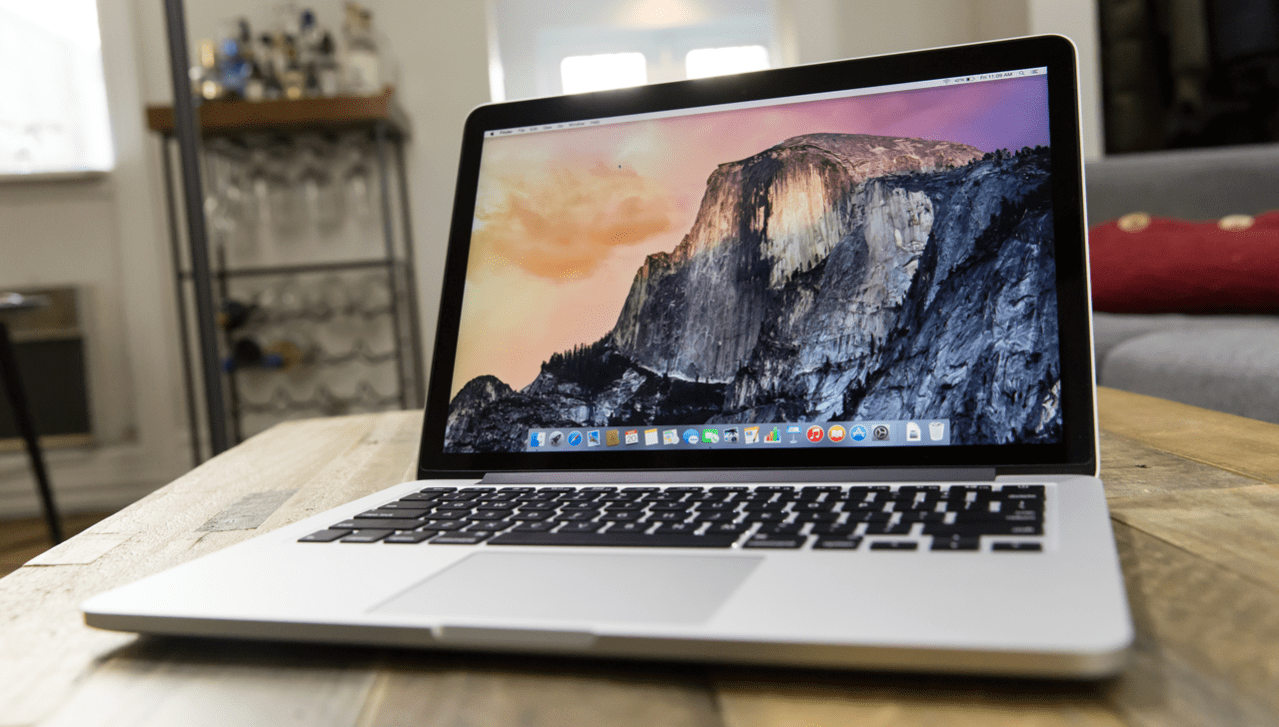
The new MacBook Pro Retina seems to be exactly like the 2013 model – but don’t let the design trick you.

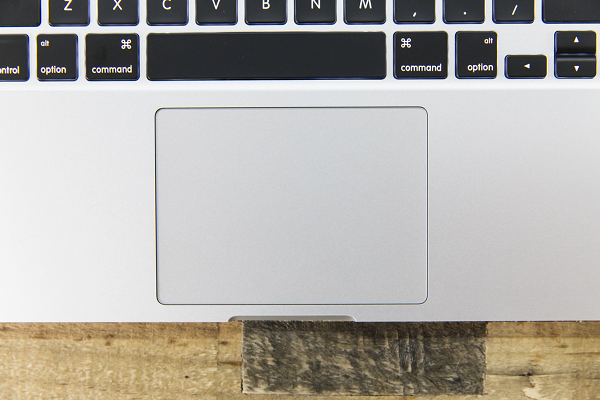
For starters, it’s still sporting a 13-inch display, and its design basically looks the same, but it feels different. Probably due to the fact that Apple has changed the touch pad on their new device – it’s a new technology that is trying to make our lives easier by navigating without a mouse. The Force Touch Pad, complemented by a feature called Force Click, is based on something Apple likes to call – Taptic Engine; which produces a rather intriguing tactile feedback so the user has a better understanding on what’s happening on the screen.

The new MacBook Pro Retina is faster that its predecessor, has a longer battery life, a beautiful screen that is perfect for movie marathons – it doesn’t make you feel sluggish after staying in front of it for 5 hours; and a new redesigned, super comfortable keyboard.

2015 Model

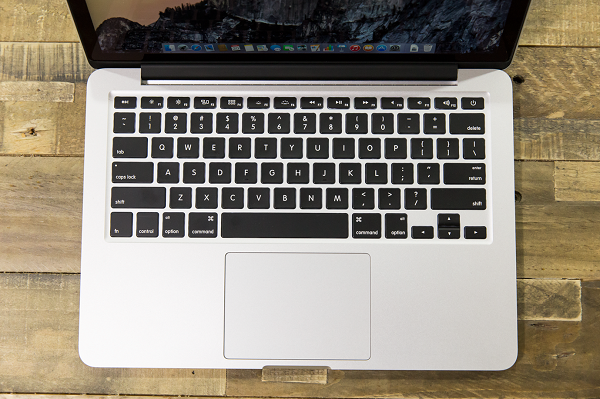
If you’re a tech aficionado like me, you have most definitely tried the MacBook in Apple’s store before deciding if you truly want to buy it – or until employees begged you to go home. It’s built out of exactly the same materials that its predecessors were built. It’s made out of aluminium, and this time it’s a bit heavier than the last model – from 3.46 pounds to 3.48 pounds, or for you metric users 1,56 kg to 1,57 kg. All of it envelopes a beautiful display that stands out at 2560×1600, and the keyboards that have the perfect spacing between them.

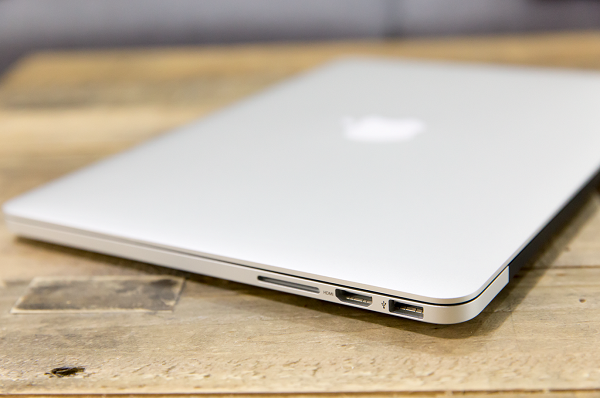
As it were expected, Apple built in the same ports that we are accustomed to – two USB 3.0 connections, a HDMI port, two Thunderbolt 2 ports, a headphone jack, and of course an SD card slot. No, there’s no love for the standardized USB Type-C port – it boggles the mind, but at least this model is also scratch-proof.

The all new Force Touch Pad

Apple is taking risks this year. First off they stated that only clients who make an appointment would be able to buy their new smart watch – and it paid off – and now you find out that they completely changed the touch pad. Why change it if it ain’t broken? Everybody loved the last one – users, and reviewers had absolutely no problem with it.

Touch Pad 1

The Force Touch Pad isn’t awful, it isn’t even mediocre, it’s actually pretty great, but there are some features that just don’t warrant a change. It can let you fast forward at 60x the normal speed if you hard press down on the skip button in QuickTime, you can search for word definitions, or Wikipedia previews by using Force Click, and of course you can annotate in Mail and Preview. The only really great thing that has come from this is the fact that in the near future developers can build features into third-party apps as well – not only Mac built-in apps.

The Taptic Engine can be a deal breaker

Apple has spent quite a lot of time redesigning their touch pad, and coming up with the Taptic Engine. There are no moving parts to the mechanism, and Apple’s engineers trick you into thinking that you are actually clicking something, but nothing depresses. Veterans of the MacBook will feel awkward using the new touch pad, and if you are a computer addict like me, then you’ll sense the change immediately – and it won’t go away for a long time. New users don’t have anything to worry about – yes, it doesn’t feel like your normal touch pad, but, like I said before, it’s not bad, it’s a pretty good change.

Taptic Engine

I don’t think that Apple’s gamble will pay off this time. Yes, these are cool features, but when are you going to use them? It’s much more easier to just open a new tab and Google search, instead of using Force Click to pop up the definition and Wiki preview. Are there millions of users out there that use fast forward at warp speed in Quicktime? Have they all complained about the fact that it takes them 10 seconds to find what they were looking for? – instead of 9 using the hard-press on skip.

The new MacBook Pro Retina will be paired with Intel’s fifth generation Core processors named Broadwell. It has a nice ring to it, somewhere on the lines of what I would expect to see in a James Bond movie – Mission Broadwell, or commonly known in spy communities as The Life Ender. But don’t worry, Intel isn’t going to end your life with its new tech – mostly your social life. Apple’s new device will make you choose between Core i5 and i7 chips – but only dual cores. Intel will be releasing its new Broadwell quad cores this summer.

Benchmark Tests

2015 Model

Although its weapons of choice is a high performance 2.7GHz Core i5 processor and 8GB of RAM, it doesn’t make a big difference comparing it to the last model. Here are OS X benchmark tests from Geekbench and Xbench for Apple’s different models:


  • 13-inch MacBook Pro with Retina display (early 2015, 2.7GHz Core i5, Intel Iris 6100):

GeekBench: 6,293 (32-bit) / 7,062 (64-bit); Xbench: 487; Battery life: 11:21;


  • 13-inch MacBook Pro with Retina display (late 2013, 2.4GHz Core i5, Intel Iris graphics)

GeekBench: 6,288 (32-bit); Xbench: 428; Battery life: 11:20;


  • 13-inch MacBook Air (mid 2013, 1.3GHz Core i5, Intel HD Graphics 5000)

GeekBench: 6,021 (32-bit); Xbench: 304; Battery life: 12:51;


  • 13-inch MacBook Pro with Retina display (late 2012, 2.5GHz Core i5, Intel HD Graphics 4000)

GeekBench: 6,812 (32-bit); Xbench: 378; Battery life: 6:07;


As you can see, there’s not a huge difference between older models – except the 32-bit 2012 model. The only worthwhile difference that I can say is really notable is the battery life. Sacrificing an hour and a half for a slight increase in performance isn’t what I am really looking for.

2015 Model

Gaming wise, it was tested with the same game as the 2013 model  – Batman: Arkham City – and it’s frame rate increased from 32 fps to 33 fps. An incredible minor change that nobody can sense it.

But let’s not just focus on processor benchmarks, or gaming capabilities, let’s talk about disk speeds. Apple has stated that their new PCIe-based SSDs are twice as fast as the first ones they ever used – and it can reach speeds of 1.6 GB/s and max sequential write speeds of 1.5 GB/s. That’s a huge improvement from the last model, and more so, it really stands tall amongst its peers – I don’t think I have recently tested a model that can pump up those disk speeds.

It took also me about 15 seconds to reach the login screen – not bad at all!

Battery Life hasn’t changed that much

Apple has stated that if you use the MacBook Pro Retina for web surfing it will last you up to 10 hours, and up to 12 hours of continuous video playback. Dana Wollman of Engadget has reported logging in 11 hours and 23 minutes of ” […] video looping test, using an episode of Breaking Bad purchased through iTunes.”. It’s on the margins Apple has stated.
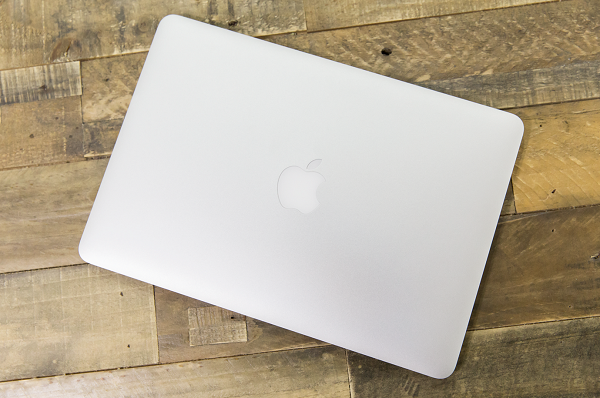
2015 Model

Although 11 hours and 23 minutes really fairs well in terms of battery life, it’s somehow disappointing comparing it to the 2013 13-inch MacBook Air model that can last up to almost 13 hours. I always hoped that with the passing of years technology will focus more and more on battery life expectancy rather than high-performance. It’s a good thing that technologically speaking we have more performance driven devices accessible on the go, but I wouldn’t feel ashamed with a 24 hour battery life using Intel’s 2010 processors.
Different models, different prices

The 13-inch Retina display MacBook Pro can start from $1,299 with a 2.7GHz fifth-generation Intel Core i5 processor, Intel Iris Graphics 6100, 8GB of RAM and a 128GB PCIe-based solid-state drive. But you can choose to upgrade the standard laptop to a 2.9GHz Core i5 processor for $1,399, or you can dig deep down in your pockets and find another $300 if you want a 3.1GHz Core i7 CPU. Not happy with the RAM they are offering? You can double it to 16GB for $200. Need more storage for those HD movies? No problem – you can choose from a 256GB model that will cost $1,499, and a 512GB SSD for $1,799. There is also a 1TB option for $500, but it’s only available for the $1,799 model as an upsell.

Kinda expensive isn’t it? Well, before you settle down and buy it on impulse, check out the competition first. It will only take you a few minutes, and it’s just down below.

The competition

  • Dell XPS 13

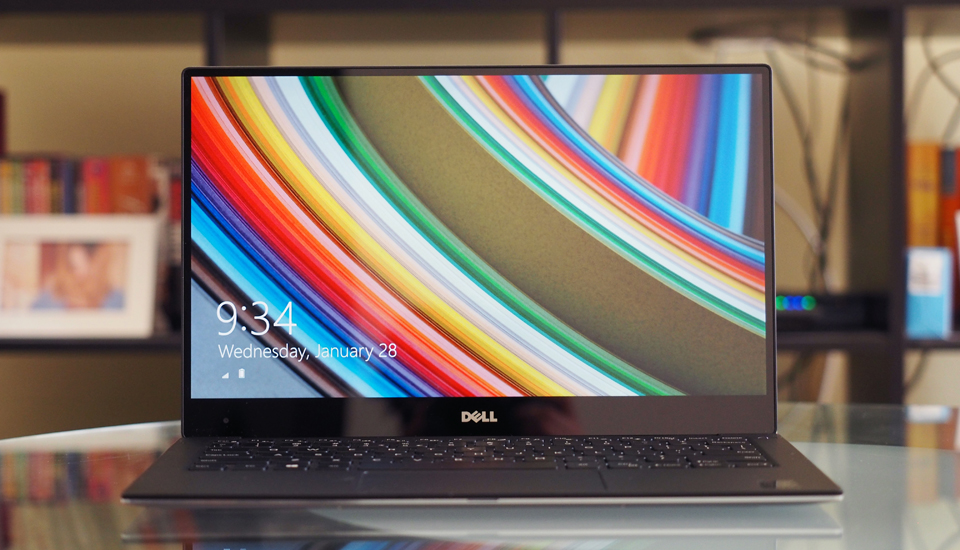
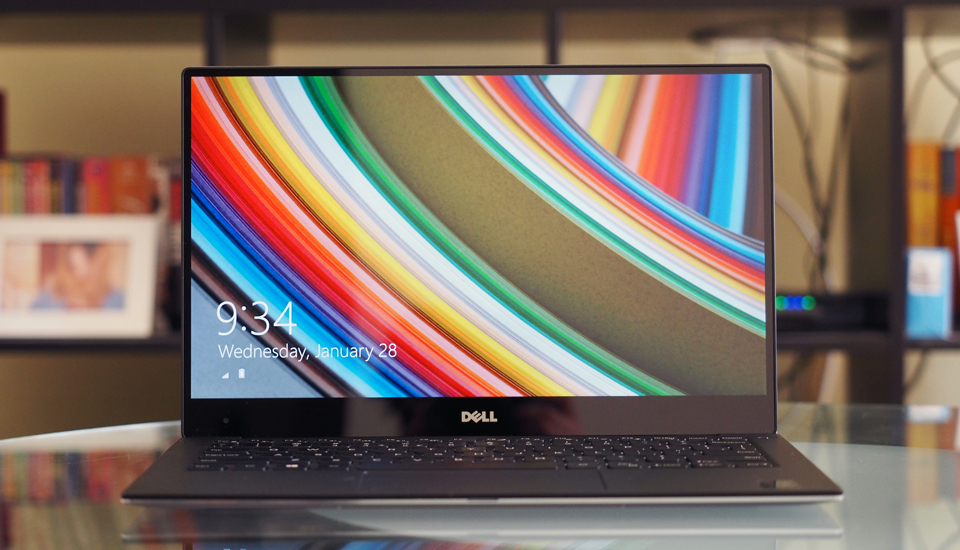
Like the MacBook Pro Retina, it also sports a 13-inch display – and it has ranked as a finalist in 2015’s Best of CES awards. It weighs about 2.6 pounds, that is 1.1 kg, and the design is one you would be accustomed to Dell’s previous models of Ultrabooks. On the edges you can find a Mini DisplayPort, a headphone jack, one of two USB 3.0 connections, and of course the power socket. That’s just the left side, on the right side you have a Kensington lock slot, a full-sized SD card reader and the second USB 3.0 socket.

The only downside seems to be that it doesn’t have an HDMI port – I for one use it a lot, for presentations or just connecting my laptop to a big screen so I can watch a movie.

2015 Model

Battery life consists of 8 hours – not much if you ask me.

For a 13-inch display it can pump up a 1080p resolution, that goes up to 3200×1800. But if you are planning on having it with a touch screen so you can profit off of it’s superb display and resolution you’ll need to cough up $1,300 instead of the standard price of $800. It also comes bundled with Intel’s fifth-generation Core CPU code-named Broadwell – a dual-core 2.2GHz Core i5-5200U CPU and 8GB of RAM for the $1,300 model, but don’t fret, the standard one is almost as good.

$800 for the basic model that consists of an Intel Core i3-5010U Broadwell processor, 4GB of RAM, a 128GB SSD, Intel HD 5500 Graphics and a matte 1920×1080 screen which I think is more than enough for everyone. But you can upgrade it to i5, even i7, more RAM, more storage – the high-performance, top of the line model, will make you unburden yourself of about $1,900. Definitely worth it!

  •  HP Spectre x360

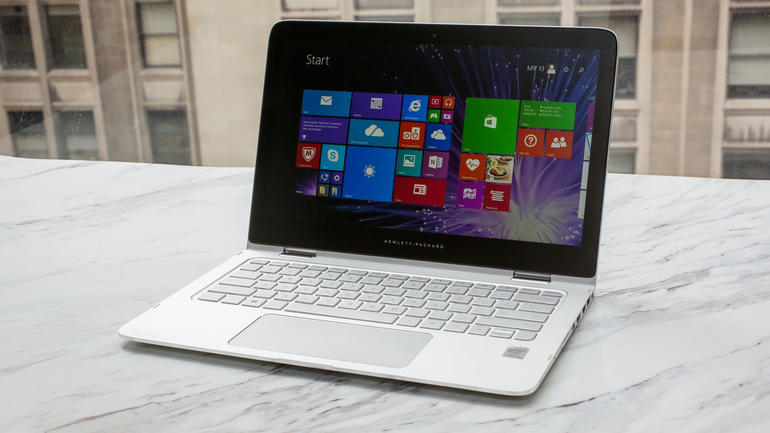
It starts at $900, and even though it has Hewlett-Packard’s name on it, it was built from scratch with the help of Microsoft’s engineers. The windows team was closely collaborating with HP on optimizing everything – from the fan noise, to how comfortable the keyboard should be. The Spectre is HP’s flagship notebook at this moment.

It weights about 3.26 pounds, that is 1.47 kg and its casing consists of a unibody CNC-machined aluminium frame. For a 13-inch laptop it’s just perfect.

2015 model

On the edges you’ll find three USB 3.0 connections, an HDMI socket, a Mini DisplayPort, an SD card slot, a headphone jack and a volume rocker – designed specifically for tablet mode. One nice little thing that is nice to have is the Ethernet and HDMI-to-VGA adapters – they are sold separately by HP for $30 a piece.

The standard model comes with a rich and beautiful 1080p display, but you can choose to upgrade it up to 2560×1440 for a few hundred dollars – it also comes packed with a nice touch screen.

HP has stated that the battery will last up to 12 hours and 30 minutes – but it will depend on its configuration.

2015 Model

The entry level model is $900, and for that kind of money you will get a Core i5-5200U processor, 4GB of RAM and a 1080p touch screen. This is the only version that can be customized – you can double the RAM for $50, add a Quad HD screen for $100,  upgrade the processor to a dual-core i7 processor for $150, and even change the 128GB standard storage space for a 256GB, and 512GB disks – $50, to $200.

The $1,150 model also has the 1920×1080 display but its technical capabilities are stronger – Core i7 CPU, 8GB of memory and 256GB of disk space.

Their high-performance model will cost you $1,400 for a better higher-res 2560×1440 screen and a 512GB SSD – it has the same processor and RAM as the mid-level model.

The Conclusion

Although is MacBook Pro Retina is the most expensive laptop on the market offering the same technical capabilities like the Dell XPS 13, and the HP Spectre x360, when you buy an Apple laptop you buy it for the simplicity and quality that it stands for. I’m pretty happy with using the new MacBook Pro Retina, but I also have other laptops that I work on, or game on. In the end it depends on your taste – and if you are sick with Windows’ OS.


Image Source: 1, 2, 3, 4, 5, 6, 7, 8, 9, 10

Filed Under: Headlines Tagged With: Apple's MacBook Pro Retina, Apple's New MacBook Pro Retina, MacBook Pro Retina, MacBook Pro Retina 13-inch, MacBook Pro Retina 13-inch 2015, MacBook Pro Retina 2015

Possible Twitch Data Breach, Company Advises Users to Change Passwords

March 25, 2015 By Michael Turner Leave a Comment

TwitchIt was announced by Twitch that there has been a possible data breach and that users should change their passwords to avoid any data theft.

Twitch is a platform that allows gamers to live stream all of their games over the internet. It was introduced in June 2011 and it focuses on video gaming. It also broadcasts e-sports competitions and other gaming-related events. Twitch is now owned by Amazon, after it purchased the platform in 2014 for a whopping $970 million.

Twitch officials have revealed that the company’s servers might have been hacked and content, such as user’s private information may have been stolen by hackers. Included in that private information are also credit card numbers and credit card expiry dates. Because of this major security breach, Twitch is advising all of its users to change their passwords as soon as possible.

Twitch has explained that it expired all the passwords and stream keys, for the safety of its users and it has linked all of the user accounts to Twitter and YouTube. The next time users are going to try to log in, they are going to be prompted to change their passwords.

Twitch has also sent out mails to all the users who the company think might have been affected by the hack. In the email, the company says hackers may have stolen the user’s email address, the IP address of the last device used, the username and the last four digits of the users’ credit cards and expiration date. The first and last name, home address, phone number and birthday may also have been pilfered.

Twitch highlighted in the email sent to users that they do not process, nor store full credit or debit card information, so the number of the card is safe.

Twitch has not yet revealed how it managed to find the potential hack and the company also refused to estimate how many users have been affected by the security breach.

A little bit over one million of Twitch users stream their games online over the platform. An estimated number of 100 million people from around world are tuning in to watch these livestreams, it was revealed by Twitch in its 2014 annual report.

In terms of peak Internet traffic, Twitch is the fourth biggest website in the world, behind Netflix, Google and Apple. If the security breach did indeed happen, then there is a potential threat that could affect millions of people all over the world.

It was just last week that Twitch went offline for several hours. A spokesperson for the company revealed that the shutdown was due to an internal tech issue and it was in no way related to the hack.

Filed Under: Tech & Science Tagged With: Company Advises Users to Change Passwords, Possible Twitch Data Breach, twitch, twitch hack, twitch information hack, twitch security breach

YouTube Introduces Trim Video Feature for Android Users

February 28, 2015 By Michael Turner Leave a Comment

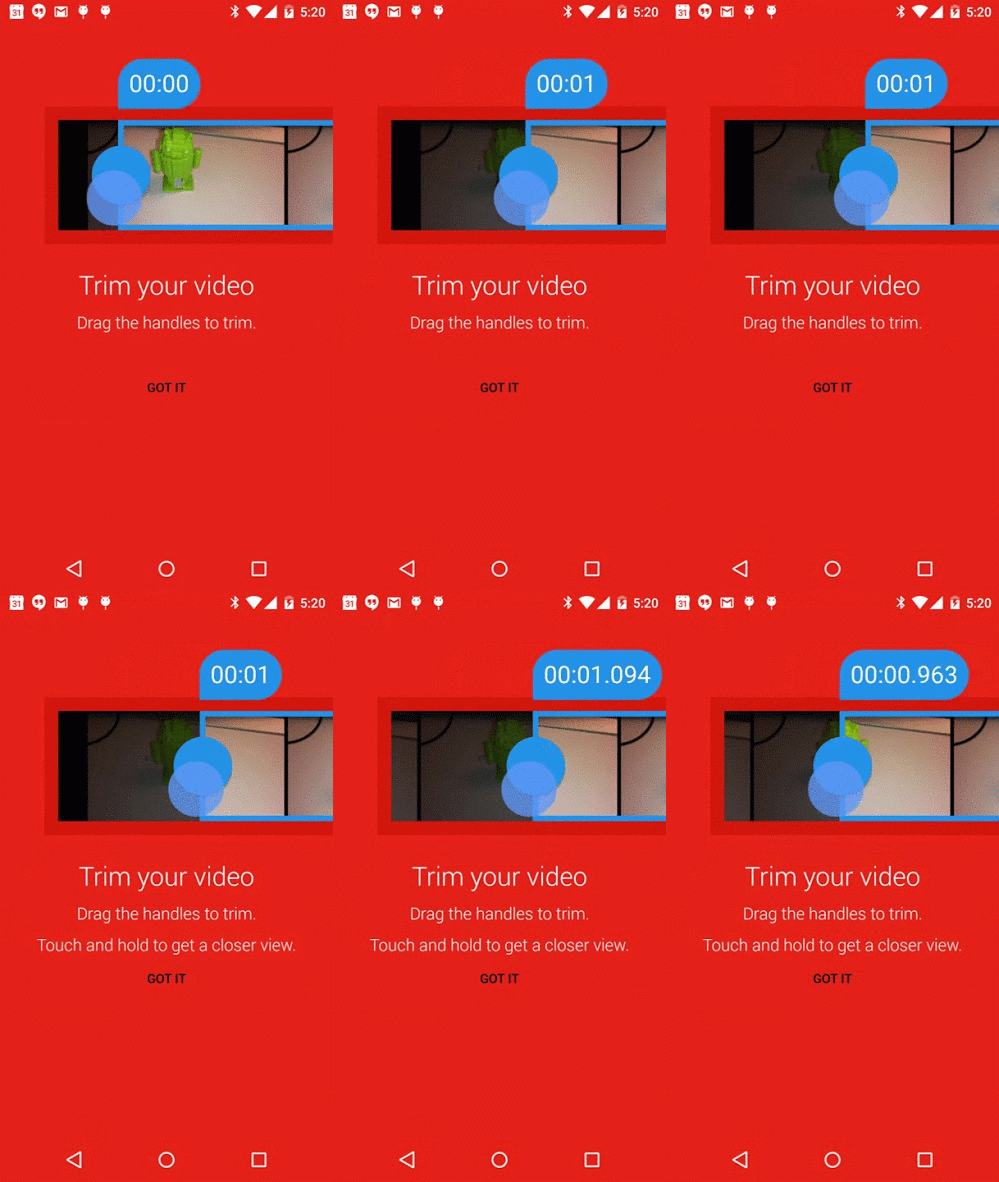
Trim Video FeatureA new trim video feature introduced by YouTube has just made video uploading that much easier for Android smartphone users. By editing a lengthy video and trimming out excess footage, users can now simply upload the essential portions of their footage to YouTube.

This most recent feature has been provided to Android users paired up with inline video preview, so that users can have a better understanding of the video they intend on sharing. YouTube has made the announcement on Friday, noting that the two features could become quite necessary especially for users wanting to keep up with the times. Many Android users would wish to quickly upload their precious footage to YouTube, however, lengthy videos often take up much too long so they ultimately back out.

But the website’s team has found a way to solve that issue. When filming important moments, such as baseball matches, little funny cats, a baby’s first steps or the possible next YouTube sensation, always remember that users don’t want to see the long moments of excess footage before the precise moment when the action is taking place. So this snipping tool is exactly what Android users need: they first trim those portion of the video they wish to share and then review the material in order to make sure that they share exactly what they intended to.

This new feature allows the smartphone user to select two key points of the video: the beginning and the ending, much as any other trimming tool currently available. However, the app also allows its users to view their video frame by frame, so that they can precisely capture the starting and ending point. When selecting the specific frames, all users have to do is to touch their screen and hold down the frame they wish to select.

One pre-requisite, however, is that the video which is about to be uploaded be shot in portrait mode.

The application can be downloaded from Google’s Play Store.
Image Source: 9to5google

Filed Under: Tech & Science

Samsung Galaxy S6 Is Believed To Have Intelligent Cameras And Wraparound Display

February 16, 2015 By Michael Turner Leave a Comment

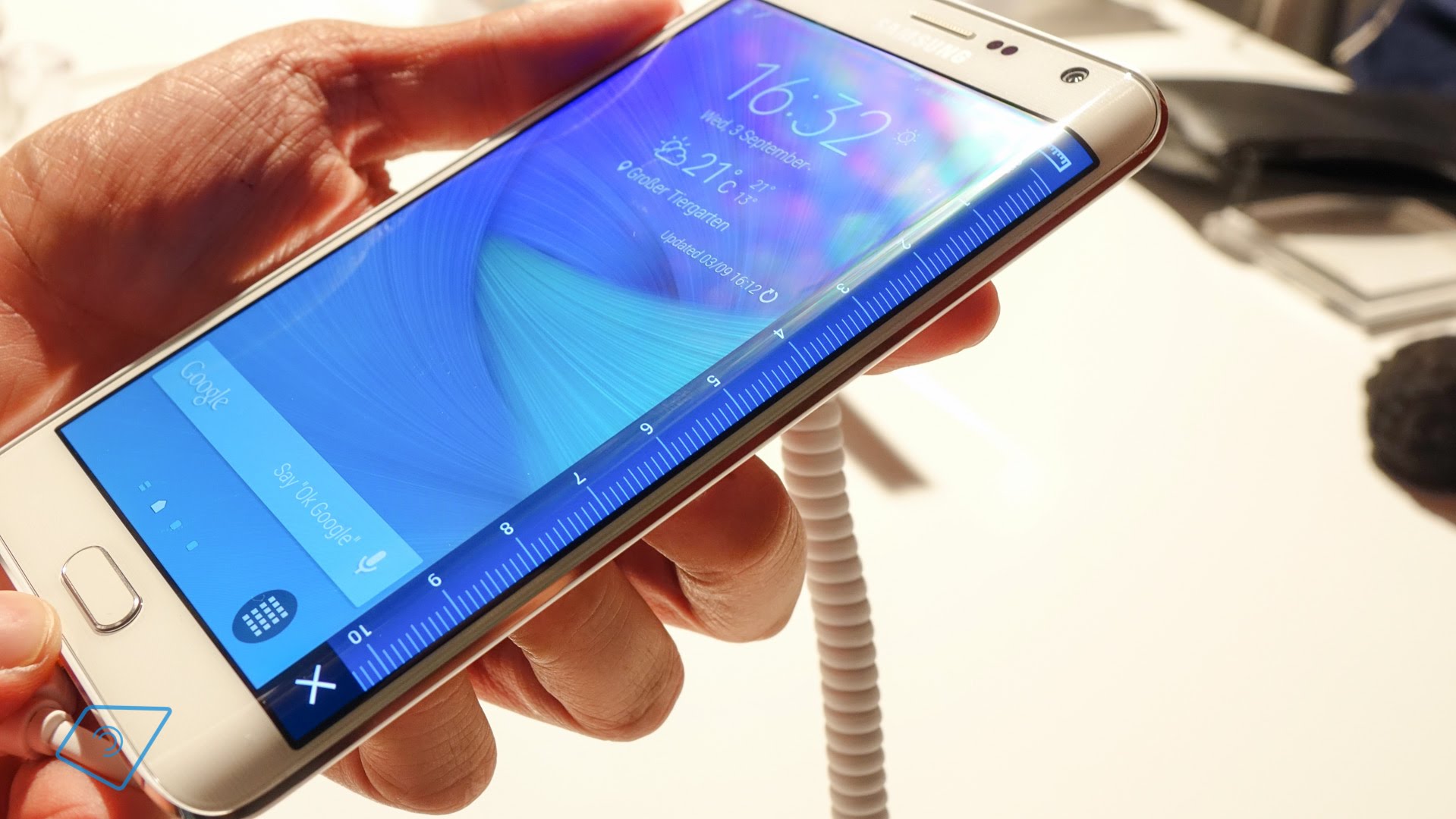
samsung-galaxy-note-edge-britischer-haendler-bestaetigt-hoeheren-preis-tabtech-de

Samsung might be this years revelation when it comes to smartphones. Samsung Galaxy S6 is believed to have intelligent cameras and wraparound display. The company wont be releasing just one model, but two.

It seems that Samsung will be releasing two versions of Samsung Galaxy S6 smart phones, next month. The exterior of both of the phones are rumored  to have full metal bodies a Samsung Exynos 7420 processor and a screen of 5.1 inches. One of the versions of Galaxy S6 is supposed to have a display that curves down the both sides of the screen while the other version should have a frontal facing display.

Last year, the company released Galaxy Note Edge, the first Samsung device owning a multiple sided screen. The Note Edge has a display of 5.6 inches and the screen stretches down towards the right side. That screen can be used for interactions  with app shortcuts and notifications from a different angle.

At the beginning of this month, Samsung published by mistake on their web site, support pages for Galaxy S6 (SM-G920X) and for S6 Edge(SM-G925X). The support pages didn’t incorporate any pictures or specifications. Even so, the support pages confirmed the sources of Bloomberg that two versions of the phone will be released.

More on the hardware of the future phones, the Galaxy S6 smart phones are expected to have 3GB RAM, a camera of 20 megapixels, close to 128 GB of storage and a display of 2K. When referring to software, Samsung seems to have returned to Touch Wizz Android skin, and the apps from the Galaxy S6 and Galaxy S6 Edge. Most probable, users will be able to eliminate the software apps of Samsung, that they do not need or wish on their phones.

MORE CAMERA SPECIFICATIONS

The previous year, Samsung integrated very powerful  cameras of 16 megapixels on the back and 2 megapixels on the frontal cameras for the Galaxy S5, this means that the Galaxy S6 will surely own improved camera specifications. Sources from SamMobile.com, have managed to get their hands on a prototype of Galaxy S6 and declared that it was fitted with a rear camera of 20 megapixels with optical image stabilization and a frontal camera of 5 megapixels. The backside camera would take pictures in 20MP at resolutions of (5952×3348), also 15MP (4464×3348), 11MP (3344×3344), to 8MP (3264×2448), but also 6MP (3264×1836) and 2.4MP (2048×1152).

According to SamMobile, the frontal camera should be the same as the one made for the Galaxy A series. Also, they added that Samsung is using APISs, which appeared with Android 5.0 Lollipop to attempt a “Pro” mode. This specification will allow users to choose from three focus modes, including one that is manual and can be found in apps such Manual Camera. In this manner users will manage to save RAW images and have control on the shutter speeds.

Lets not forget that, what SamMobile saw was a prototype and for the final version Samsung might have given up the 20 megapixels camera, depending on the price range and the ability to mass produce the needed quantities.

DongHoon Jang, the senior vice president of Samsung and head of the Camera R&D Group form IT&Mobile Communications, a detailed blog post regarding the progress of their smart phone cameras.

He stated that they are meticulously evaluating every single facet of the smart phone cameras by taking more than 10,000 pictures in every lighting environment possible. The same work and dedication has been put into creating the cameras to be released for the 2015 flagship model. The phones will be very intelligent and it will do all the thinking for their owners, letting them take astonishing pictures no matter what the conditions are, and worrying about nothing but pressing the shutter button.

Most likely, Samsung will present both of their new devices, at the Mobile World Congress event taking place in Barcelona, Spain, on the 1st of March.  When sending the press invitations to the event in March, Samsung has given a subtle hint about wraparound screens.
Image Source: tabtech

Filed Under: Tech & Science Tagged With: samsung galaxi s6 5 megapixels front camera, samsung galaxy s6 20 megapixels camera, samsung galaxy s6 release, samsung galaxy s6 rumours

Security Companies suspect a governments hand in major new malware ‘Regin’

November 25, 2014 By Michael Turner Leave a Comment

Security Companies

Researchers have uncovered a highly-advanced, “top-tier” piece of malware that has targeted governments, businesses, and national infrastructure and is believed to have been created by a nation-state.

The malware, called “Regin,” was revealed in a blog post by software security company Symantec on Nov. 23. It has been used “in systematic spying campaigns against a range of targets” since at least 2008, and potentially as early as 2006.

The software exhibits “a degree of technical competence rarely seen,” and this sophistication has led Symantec to predict that its creator is likely a nation-state. Regin probably took months or even years to develop, the researchers said.

Customizable and almost impossible to detect due to its encrypted “multi-stage” nature, Regin usually targets governments, research institutes, infrastructure operators, and businesses, but it has also attacked individuals. “Attacks on telecoms companies appear to be designed to gain access to calls routed through their infrastructure,” Symantec reports.

The malware has also been adapted to infiltrate the systems of airlines and energy companies, and is capable of logging keystrokes, copying files off hard drives, accessing webcams, and monitoring network traffic.

Malware experts have already drawn parallels with Stuxnet, weaponized malware that degraded Iran’s nuclear capabilities in 2010 and is believed to have been created by Israel and the United States. Symantec, which discovered Stuxnet, suggested that the significance of Regin may be even greater, calling it “one of the main cyberespionage tools used by a nation state.”

Unlike Stuxnet, there is no sign that Regin was designed to damage computer systems. Its purposes appears to be purely to discretely surveil targets, leaving almost no trace of its presence.

One hint as to its origins comes from its targets: Of the 100 known infections, 52 percent originated in Saudi Arabia and Russia. Other infection sources include Mexico, India, Iran, Pakistan, Ireland and Afghanistan. Regin has not yet been detected in either China or the U.S.


Filed Under: Tech & Science

Motorola DROID Turbo Releasing This October, Images Leaked

September 24, 2014 By Michael Turner Leave a Comment

In August, rumors sparked about the new Motorola DROID appeared for Verizon Wireless.  After that several other detailed rumors begin to emerge. Although we are not aware of the complete information but this week some a few new photos have leaked of the new DROID Turbo. These pictures gave some insight about the upcoming device.

Last month, Motorola launched two brand new smartphones and a new smartwatch. The company is not yet tired and started working on new devices. After the release of Moto X and Moto G, rumors associated with the release of Verizon DROID Turbo came into view. The device will probably give a tough competition to iPhone 6 and Samsung Galaxy S5.

Motorola especially united with Verizon to offer an extraordinary deal for DROID smartphones. As per the most recent rumors and speculations Motorola will unveil DROID Turbo that will replace the DROID ultra of the previous year. Following are the latest leaked photos of the product.

Filed Under: Tech & Science

  • « Previous Page
  • 1
  • …
  • 15
  • 16
  • 17
  • 18
  • 19
  • …
  • 26
  • Next Page »

Subscribe to Blog via Email

Enter your email address to subscribe to this blog and receive notifications of new posts by email.

Join 11 other subscribers

Recent Articles

police handcuffs man

German Man Probed In Poisoning That Killed 21 Employees Since 2000

June 29, 2018 By Kenneth Scott Leave a Comment

Chicken wings bar

Intoxicated South Carolina Man Punches Waitress Who Refused to Serve Him Alcohol

June 29, 2018 By Karen Jackson Leave a Comment

gaming

New Zealand gamer Who Flew Halfway Across The World for Virginia Teen Gets Shots By Her Mother

June 28, 2018 By Cristopher Hall Leave a Comment

party

Former Virginia Tech Freshman Sentenced to 50 Years in Prison for Stabbing a Girl to Death

June 28, 2018 By Roxanne Briean Leave a Comment

bonfire

British Couple Sentenced to Life in Prison for Torturing and Murdering French Nanny

June 27, 2018 By Deborah Campbell Leave a Comment

pay phone

Texas Father of Girl Disappeared in the 80s Ignored by Authorities

June 26, 2018 By Cristopher Hall Leave a Comment

bottled water

San Francisco Woman Threatened to Call Police on Girl Who Sold Ice Water for Disneyland Trip

June 25, 2018 By Roxanne Briean Leave a Comment

Maplewood Park

Missouri Man Robbed by Date and Accomplice in Park

June 22, 2018 By Nancy Young Leave a Comment

coding

New York Man Sentenced in Cyberstalking Former Girlfriend, Mailing Drugs to Her Dorm

June 22, 2018 By Deborah Campbell Leave a Comment

headphones

Bose Poised to Launch Sleepbuds, In-Ear Headphones That Help You Sleep

June 21, 2018 By Nancy Young Leave a Comment

Police light

Intoxicated Female Driver in Custody for Pulling Arresting Officer by the Hair

June 21, 2018 By Kenneth Scott Leave a Comment

kitchen

Restaurant Manager Arrested and Charged in Shooting Death of Co-Worker over Negative Yelp Reviews

June 20, 2018 By Karen Jackson Leave a Comment

plastic container

Pennsylvania Couple Charged in Violent Death of Infant Discovered Buried in Cat Litter

June 19, 2018 By Cristopher Hall Leave a Comment

tailpipe

Minnesota Teen Gets Head Stuck In Oversized Tailpipe Winstock Music Festival

June 18, 2018 By Karen Jackson Leave a Comment

Pages

  • About Us
  • Contact us
  • Privacy Policy
  • Privacy Policy GDPR
  • Staff
  • Terms and Conditions

Recent Posts

  • German Man Probed In Poisoning That Killed 21 Employees Since 2000 June 29, 2018
  • Intoxicated South Carolina Man Punches Waitress Who Refused to Serve Him Alcohol June 29, 2018
  • New Zealand gamer Who Flew Halfway Across The World for Virginia Teen Gets Shots By Her Mother June 28, 2018
  • Former Virginia Tech Freshman Sentenced to 50 Years in Prison for Stabbing a Girl to Death June 28, 2018
  • British Couple Sentenced to Life in Prison for Torturing and Murdering French Nanny June 27, 2018
  • Texas Father of Girl Disappeared in the 80s Ignored by Authorities June 26, 2018
  • San Francisco Woman Threatened to Call Police on Girl Who Sold Ice Water for Disneyland Trip June 25, 2018

Categories

  • Business
  • Entertainment
  • Finance
  • Headlines
  • Health
  • Life
  • Nature
  • Science
  • Sports
  • Tech & Science
  • Travel
  • Uncategorized
  • United States
  • World

Copyright © 2026 ArgyllFreePress.com
About · Privacy Policy · Terms of Use · Contact