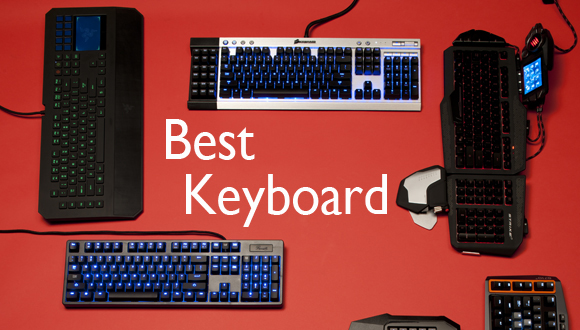
Whether you are a gamer, or someone who writes a lot, you need a great keyboard that won’t strain your fingers – comfortable padding perhaps, or even a touch-pad to make you feel more modern, and also one of those fancy wireless keyboards.
But where to start? Where can one buy the keyboard that suits his every needs? Well, I rounded up some of the best ones available on the market. Let’s see what I’ve come up with.
- Orée Board 2
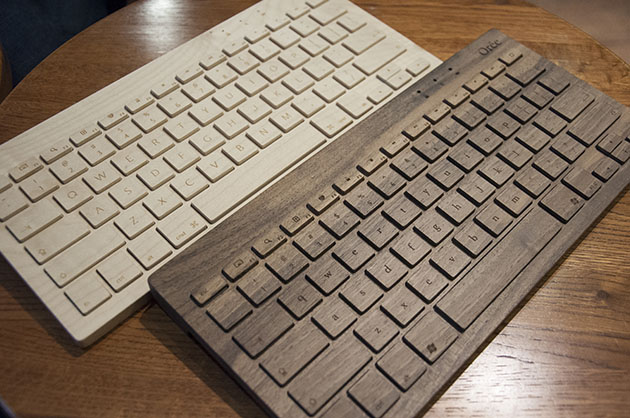
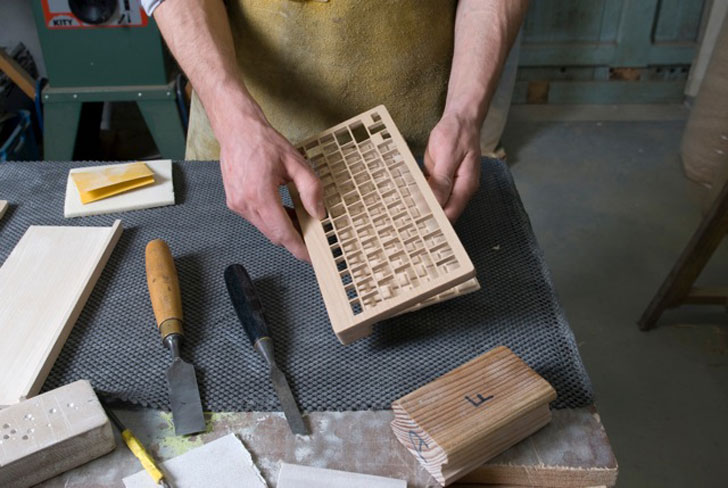
I don’t want to call it a keyboard for hipsters, but it’s just that thing. It’s entirely made out of wood – hand-crafted in southern France by artisans using only the finest natural materials. It’s just beautiful, and the wood feels incredible – it gave me goosebumps the first time I typed on an Orée Board.
It’s modelled after Apple’s Wireless Keyboard, and you can choose what kind of wood you want your new toy to be built out of – dark walnut, light maple or wild cherry.
Also you can choose from various key layouts from US, UK, German, Canadian English, Canadian French, and Swiss.
Your board can be designed specifically for your needs, just tell the artisans what OS, or device you’re going to pair your new board with and they’ll do the work – tablets, smartphones, for Mac, or Windows.
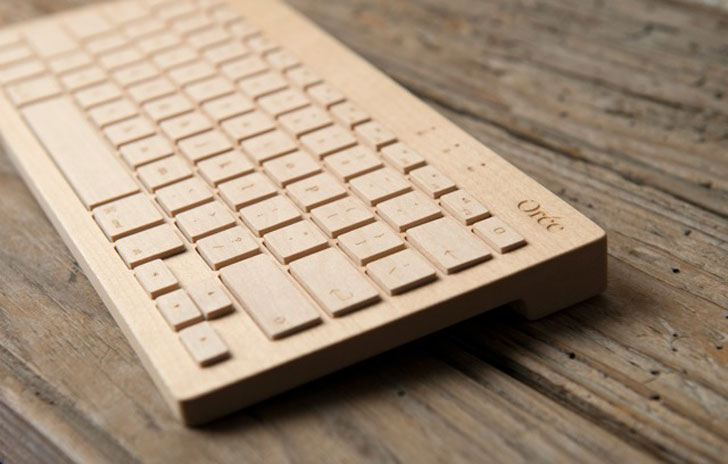
Its light maple version weighs around 400 grams, and with no rubber underneath to hold it down on the desk I had some problems while I typed away a huge article; also my words-per-minute score has drastically fallen. It’s super comfortable and it feels like your sitting in God’s garden, caressing his trees, but because it keeps moving around on my desk it’s a bit hard to be efficient., and also because the board didn’t quite translate well what I was typing. I had problems with W’s and the spacebar – sometimes they would appear on the screen, and other times I had to press the buttons a couple of times.
Connectivity issues are a thing, unfortunately. It connects via Bluetooth and it has the latest BroadCom BT 3.0 chipset, but it didn’t want to wake my PC from sleep, and I had to use the mouse. It loses connectivity randomly during its use.
It’s a great keyboard, but there are better ones out there.
It costs about $230!
Score – 7/10
- Cherry G84-4100
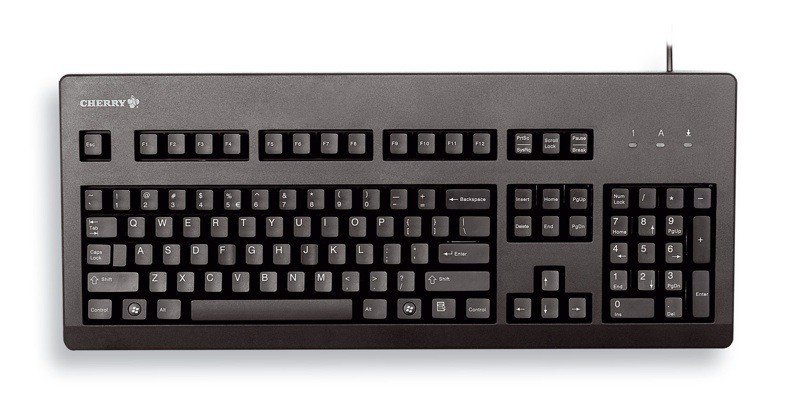
The Cherry G84, or how I like to call it The Petite Giant, is a compact, and cheap board, but don’t let the price tag fool you – it’s pretty great.
Following the notebook trend, small keyboards are just adorable, but it’s hard to find one that it doesn’t fell like it was made for ants. You can hold it in your coat’s pocket – well, a large coat that has large pockets. Weighing at about 400 grams with its cable, the Cherry is really durable, and the plastic it’s built from, although it feels kinda cheap, it ain’t hard on the eyes.
It comes in two colour – light vintage grey, and pure black.
If you’re planning on getting this sweet baby of a board for fast typing think again – its creator, ZF Electronics, managed to cram the whole board with every single key you would need, but remember that it’s a compact keyboard, and at 315 x 190 mm, you’re going to have a hard time typing that essay in an hour.
If you have small rabbit hands the Cherry is a really great option – and you can make some space on the board if you don’t want Windows specific keys.
It costs about $80!
Score – 8/10
- Logitech Washable Keyboard K310

The perfect board for those clumsy enough to spill their morning coffee on their desk. The title says it – it’s a washable keyboard. Don’t believe me? Take a look at their promo clip.
As you can see, it doesn’t matter if you are a piggy at the desk and your soaked in ketch-up freedom fries fall on the board, just dip it in water, put it out to dry and voilà, it’s like new!
Unfortunately, while all of this sounds great, the end-product is somewhat of a disappointment. The keys are set too wide apart, making it difficult for those of us who rely on touch-to-type, instead of look-to-type, and after a few hours you’ll definitely need a brake to put your fingers to rest – preferably holding a Piña-colada near the pool.
The keys feel comfortable enough, but even after a week’s use I didn’t get used to its lay-out, and I made constant typos – nd i tink of miself as a greyt tipist.

The selling point is that the K310 is washable, and I think we all have experienced that moment in our life when we looked down at our board, and realized we accidentally made it suitable for life to thrive. But here comes the downside. After you wash it you need to put it out to dry for at least 8 hours. If it’s the only keyboard you have, tough luck, because you’ll have to put it out to dry overnight.
It costs about $60!
Score – 7/10
- Diatec Filco Majestouch Ninja Tenkeyless
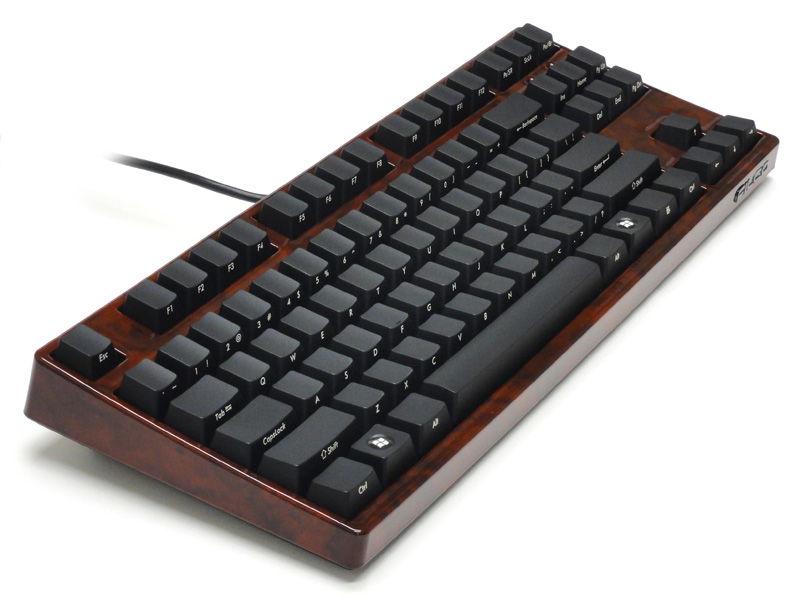
No, it’s not the villain from the next Teenage Mutant Ninja Turtles, it’s just your ordinary board.
It’s shorter than your average board because it lacks the 0-9 numbers – using numbers is so overrated!
But the Diatec Filco Majestouch Ninja Tenkeyless, which I will refer to from now on as Bob, is somewhat special. Why is Bob so special you my ask? Well, if you look at it directly from above you’ll see unmarked keys. It’s not for the untrained eye, and it’s designed for those touch-oriented nerds among us that have mapped the board onto their brain – I must admit, I am one of those nerds.
Keys are marked on its edges – some say its better this way because you can lay back on your chair and see the letters better. I say it’s a cheap way to not laser imprint your keys.
It enters the heavyweight championship by weighing almost 1 kg – you better not fake-attack someone with your board, because you may end up killing said person. It’s built from great quality materials, and your board will last you a really long time.
Bob is super comfortable, and you can type at him all day long without straining your fingers. And because Bob is so overweight you know he’ll just stand there on your desk without moving an inch.
My typing accuracy didn’t suffer one bit while using Bob, actually it improved slightly.
It costs about $230!
Score – 9/10
- SteelSeries Apex
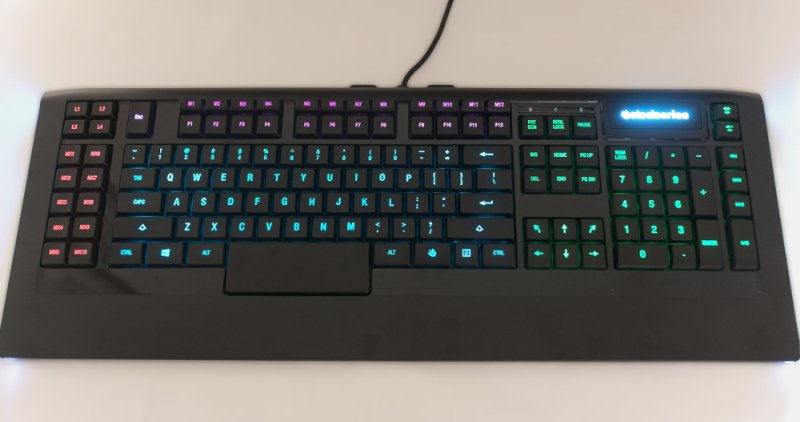
This one is designed specifically for gamers – good looking, and great quality keys make this a must if you plan on pulling an over-night gaming session!
Size isn’t an issue for gamers, and Apex didn’t cares anyway, because it’s one huge board. It will take control of your desk, and it will assert its dominance not only through its sheer size, but with its beautiful design also. Multicoloured light zones, and macros are just waiting for you to set them special commands.
Low and flat layout, with super comfortable keys make the Apex one of the fastest keyboards around – the spacebar is also candy bar sized.
The first thing that I noticed while typing away at this beautiful beast is colours coming from my finger tips. It’s a little bit annoying at first if you’re not used to this sort of keyboard, They are specifically designed to set up your macros and to have a better visual cue of where they are. You can choose your favourite colour, and don’t be worried that SteelSeries might have missed your preferred choice, because it features a palette of 16.8 million colours!

A gamer would look for the option to fully customize his board, and to save different profiles for, of course, different things. And yup, you can do just this. Set the board however you like then save profiles for Web Surfing, Counter Strike: Global Offensive, World of Warcraft, League of Legends, Call of Duty and so on.
It’s one of the best gaming boards that I have ever used.
It costs $80!
Score – 8/10
Now you may choose the best keyboard based on design, efficiency, how comfortable it is, whether it is for gaming or just to show off at the office.
Tell us what’s your ideal tool in the comments section below.
Image Source: 1, 2, 3, 4, 5, 6, 7, 8, 9, 10