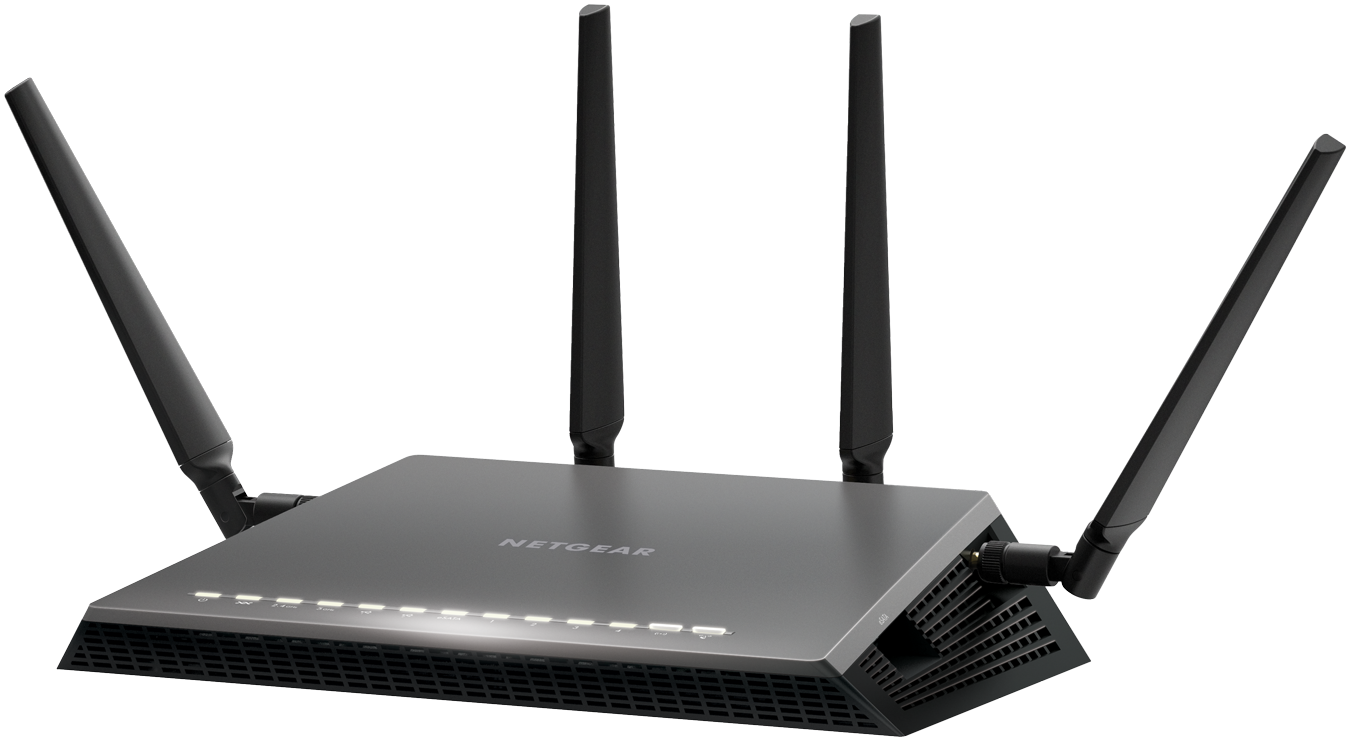
From manufacturer Netgear comes a router that aspires to be much more than the consumer market has seen before in this respect. With the addition of the Netgear NightHawk X45 D7800 router, which contains some impressive hardware and specs in the four-antenna box, we actually have to stop and ask ourselves if this router is not, by any chance, too good for its own good.
The reason behind that is that the technology employed in its construction earns results way better than most consumer computers and devices can actually handle – thus only taking advantage of the router’s power partially. And not in the most impressive percentage either. Because of that, one must ask themselves if the same performance they get with the Netgear NightHawk X45 D7800 couldn’t easily be achieved by means of another, less expensive router.
Depending on the type services your ISP provides as well as the devices you’d be using it on, chances are you’ll have to wait until one or two computer upgrades are done in order for you to enjoy this router’s full, high-speed 5 GHz rates.
Netgear NightHawk X4S D7800 Design

The times when the router was literally the most aesthetically displeasing portion of your desk are long gone. Lately, manufacturers have been paying a little more attention to this aspect as well so you’re not forced to hide away your routers behind extra layers of walls or shelves that would end up taking a toll on the overall performance.
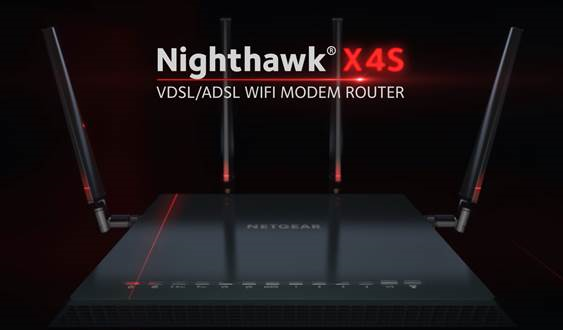
The Netgear NightHawk X4S D7800 is one the best examples in that regard: with a black matte finish, sharp angles and an irregular shape design, the router is made to both look professional and ensure an ergonomic build for its users. The bottom of the router is padded with patches of rubberized material to prevent it from slipping on smooth surfaces and maintaining stability.
The front of the Netgear NightHawk X4S D7800 features 13 LEDs associated with different connectivity features of the router, letting you know which of its functions are currently active – power, Ethernet cables connected and so on. While under normal circumstances they shouldn’t be a problem, in the case that you find them unnerving or distracting, you can turn most of them off using a switch button on the back of the router, thus allowing you to only maintain the power button on at all times and remove the flickering issue.
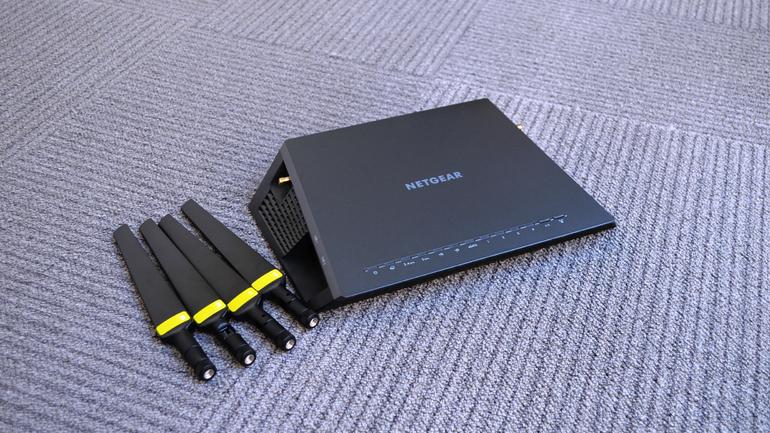
The Netgear NightHawk X4S D7800 router’s power is complimented by the four external antennas. One on each side of the device and two protruding from the back. They can be tilted vertically up to 360 degrees – occasionally limited by construction of course – but not sideways. Considering that the Netgear NightHawk X4S D7800 is a considerably large device – measuring 285 x 185 x 50 mm and a hefty 840 grams in weight, so finding a good location to place it without restricting some of its signal might prove difficult.
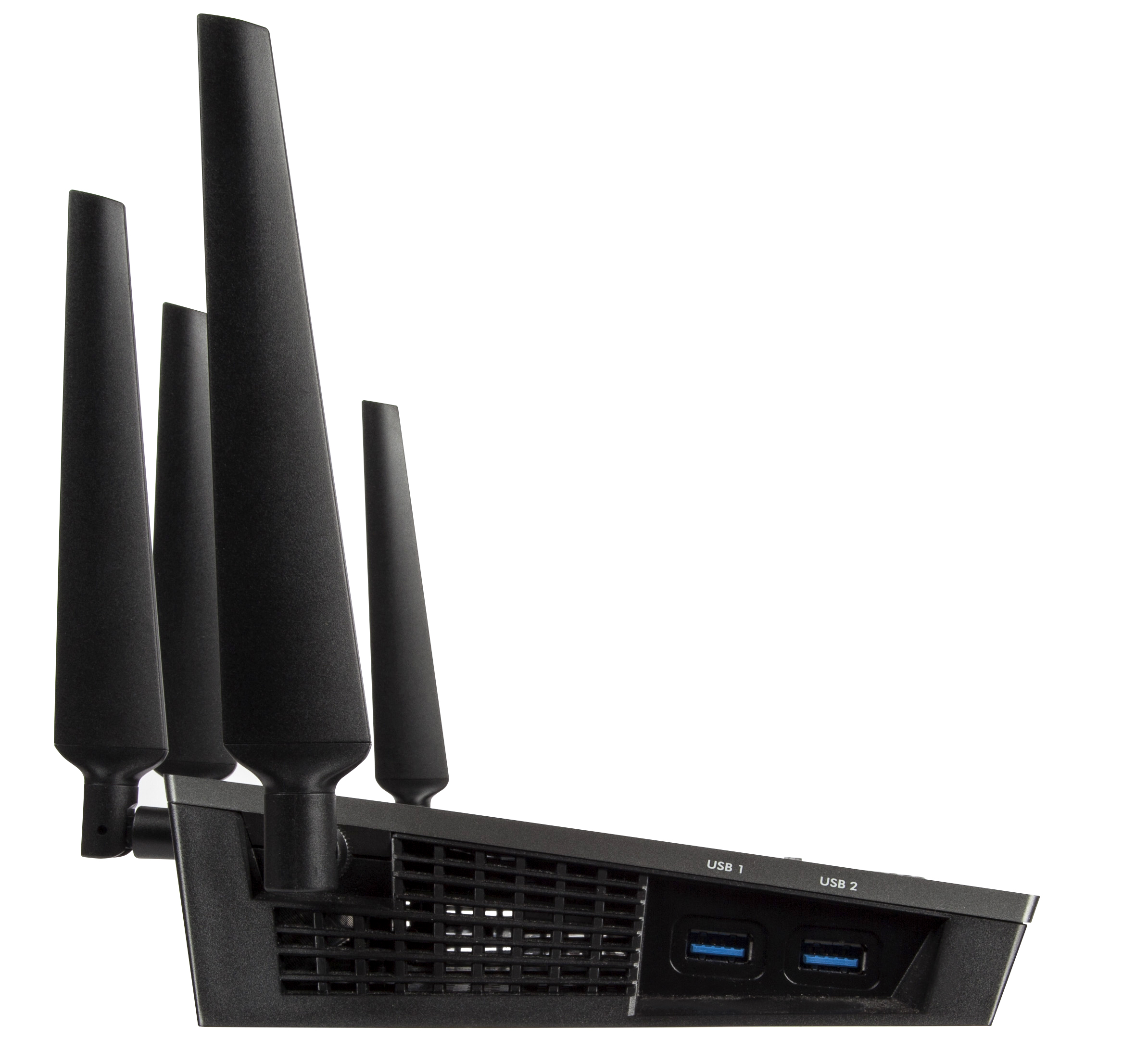
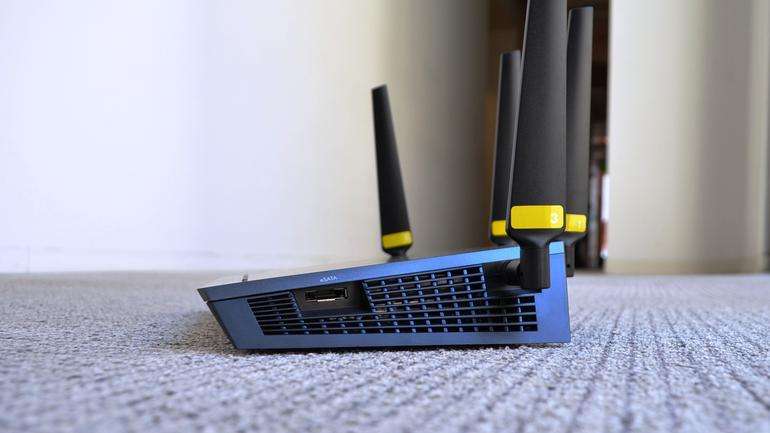
There is a number of ports you will be able to find on this model of the Netgear NightHawk. The left hand side feature two USB 3.0 ports that can be used to stream data via external hard disks, memory sticks or other sources of storage that can connect via USB. On the opposite side lies an eSATA port – a hybrid of an external serial ATA and a universal serial bus port – which can be used as an alternative.
The rear of the Netgear NightHawk X4S D7800 hosts the LED switch that we mentioned earlier, a small reset button that you can only access by using a thing tool to press it, the power socket as well as a dedicated power button to turn the device on or off, the five 10 / 100 / 1000 Ethernet ports – 4 LAN and 1 WAN.
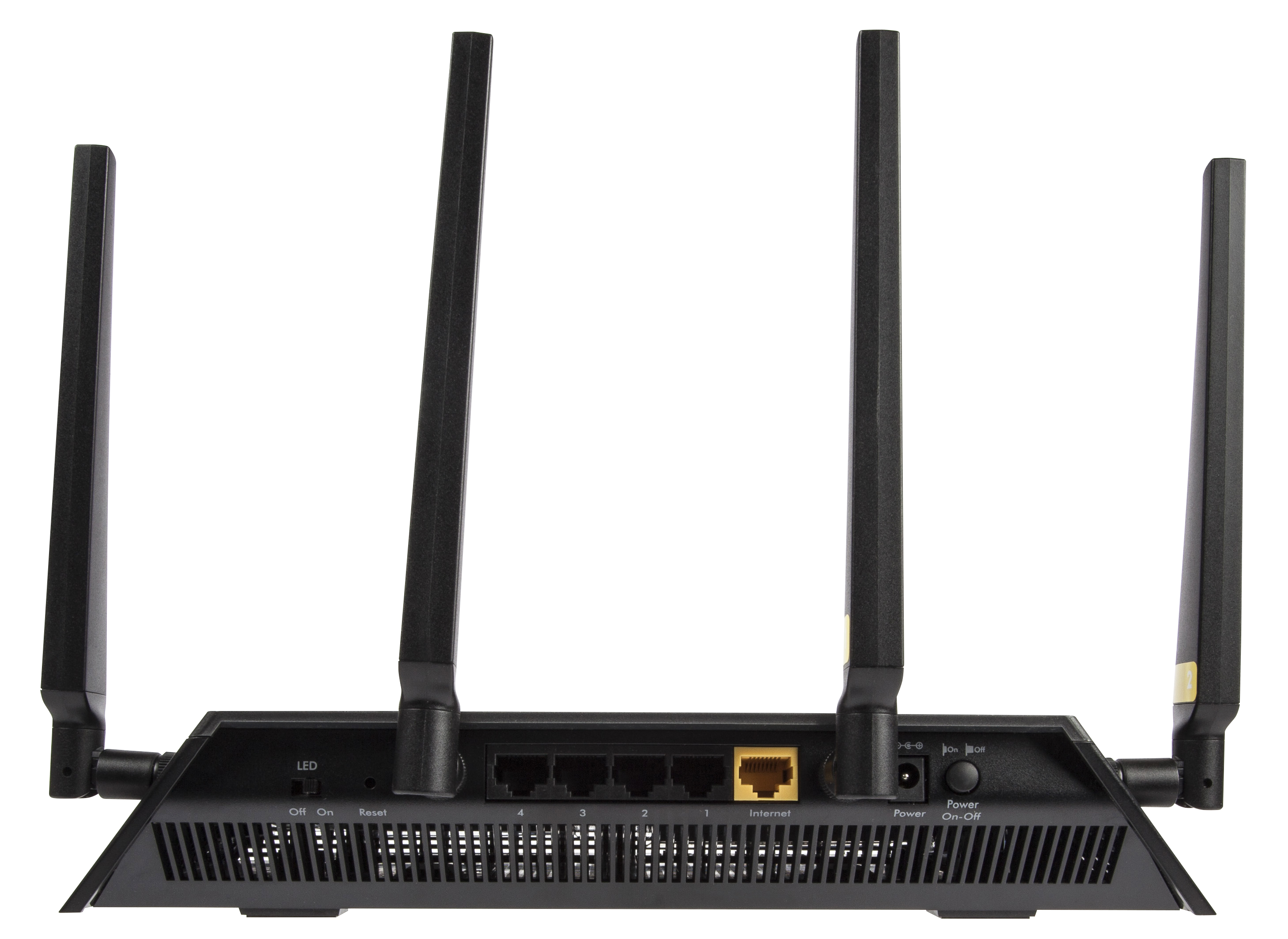
All of the hardware packed inside is kept cool via the vented sides – all around the sides of the X4S router, there are vents stretching from one edge to another, only leaving whole physical parts where the ports or buttons are located. This is a great addition to not only the design of the router but its performance too, considering it has quite a fair amount of hardware that can, with time, overheat, subjecting the device to a lower performing power and even some damage or wearing out over time.
Netgear NightHawk X4S D7800 Setup & Software
There are two methods of setting up your new Netgear NightHawk X4S. One is, naturally via your browser of choice, the other one – and the overall better variant – via the router’s native software, the Netgear Genie.

If you choose to do it the good old classic way, by entering the IP address into the browser address bar, you are greeted by a “strictly necessary” type of interface that you can do your basic setup in: creating your wireless home network, setting up a name and password, etcetera can all be done from here just as well but otherwise, you’ll be fairly limited.
However, the advisable method of getting everything set up and in place is via its dedicated wizard software. As soon as you connect the X4S to a computer for the first time, you will be prompted to follow through a few, mostly automated steps that will ensure you’ve connected the device correctly, that the router is receiving the signal correctly and possible issues when the setup is unsuccessful. In this phase you will also be offered to install the Netgear Genie – a program that can be installed on both your desktop and laptop – Windows or Mac, as well as your mobile devices. The app can be downloaded for free via App Store, Google Play and Amazon Appstore.
While the Netgear Genie application serves more than just a few Netgear products, with a wide range of functionalities depending on device, for your Netgear NightHawk X4S D7800 router you gain all the control you would ever need over you home network.
On your Home screen you get to see an overview of your router’s current activity – internet connection strength, status of your Wi-Fi signal, a shortcut to your router settings, a representative mapping of your currently network setup (including devices currently connected, intermediary devices or other third party signal boosters), the parental control feature as well as Netgear’s very own ReadySHARE. While most of the features found in the program are pretty much self-explanatory, there are some things that you can do with the Netgear Genie software that is not as transparent.
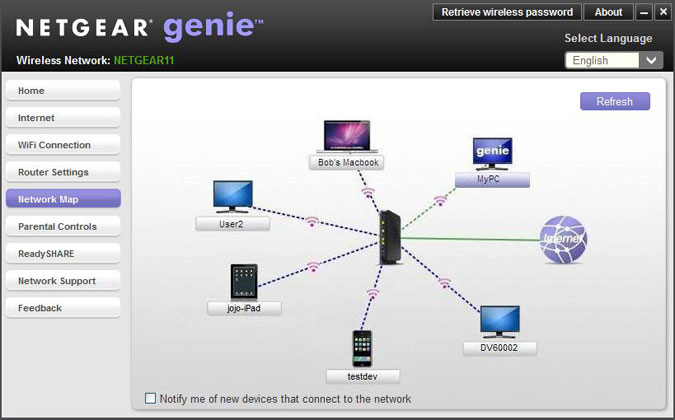
Enabling and using QoS (Quality of Service) for your Netgear NightHawk X4S D7800 router can be done via the genie as well. More specifically, you can set up bandwidth priorities for various services you will use; for example, you can prioritize video streaming bandwidth usage over content downloading if you want to never lose quality of your gaming stream over other network demands that are made in the same home. While you can manually set up all of your QoS preferences, it is set to prioritize video streaming and gaming by default.
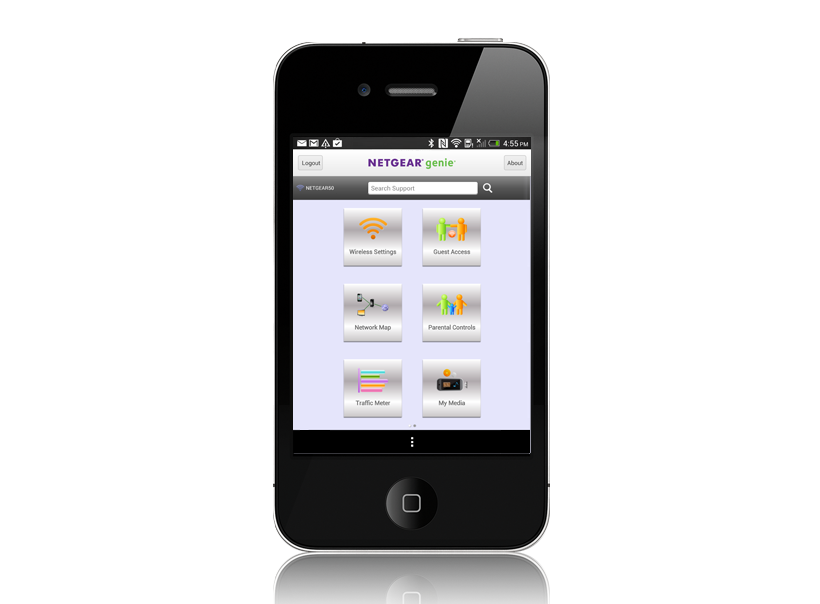
The Network Genie also offers a highly intuitive troubleshooting system that allows you to verify any potential communication issues you might be having between your router and connected devices, complimented by many types of solutions that the software will provide you in order to deal with more basic issues.
Netgear NightHawk X4S D7800 Technical Specifications
In essence, the reason the Netgear NightHawk X4S D7800 router really exceeds the standards that your average device sets is the fact that it’s a simultaneous dual-band build that uses the 802.11ac Wi-Fi technology. The two bands – a 5 GHz and a 2.4 GHz, promise to offer up to 1,733 and 800 Mbps respectively to a total of 2.53 Gbps maximum speed. Again, this is a maximum value and may differ on different builds and computer or device specs. The numbers translate into download speeds of 216 Mbps and 100 Mbps respectively, summing up a total of 316 megabytes per second at a given moment.
In addition to its AC2600 WiFi Router role, one of the greatest aspects of the Netgear NightHawk X4S D7800 is the fact that it’s capable of being used as a DSL modem too, and it’s compatible with VDSL, VDSL2, ADSL, ADSL2 and ADSL2+. This means that most of the time you may not even need the model kit provided by your ISL, and instead just use the X4S.
Another centric technology that you’ll find in the Netgear NightHawk X4S D7800 is the MU-MIMO – more explicitly Multi-user Multiple-input and Multiple-output. This is responsible with allowing more than one device communicate with the router at the same time, without hindering the single each one receives in turn. It’s also known as space-division multiple access because the technology separates users that transmit at the same time and/or frequency by using their different spatial signatures. From one perspective, using many devices with this router becomes its greatest upside if you lack the hardware to make the best of it. Instead of focusing its entire power into one device, you can instead make use of a great portion of its power on several.
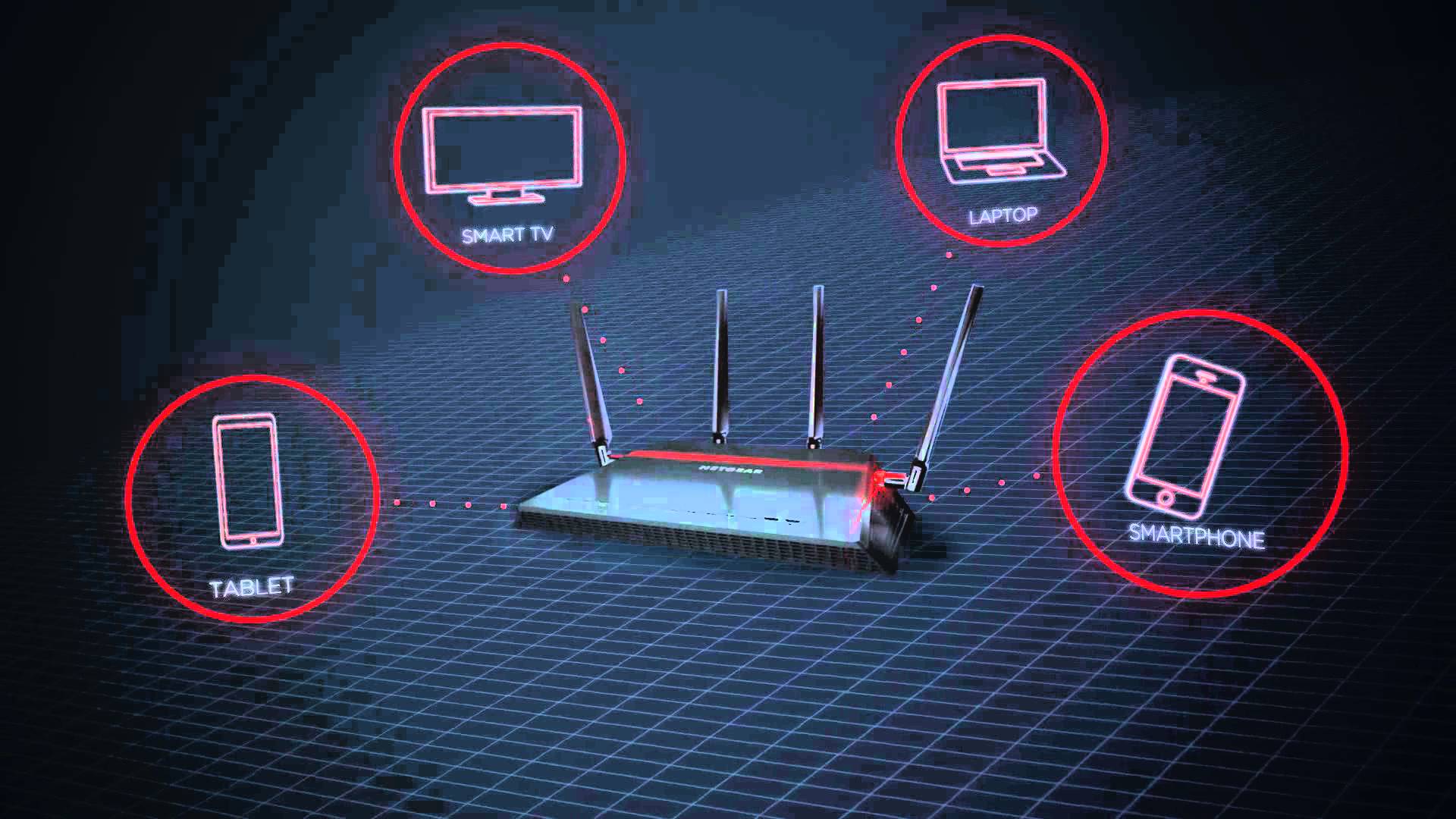
The new IEEE Wi-FI 802.11ac generation came with the Beamforming+ technology that allows the router to send radio signals in the direction of the device that accesses it in order to create a stronger and more reliable wireless communication. This reduces a fair amount of lag and stuttering that may occasionally occur in Wi-Fi signals due to external factors, and also ultimately provides a longer range of action.
While during normal usage you won’t really be even noticing its use or functionality, the Netgear NightHawk X4S D7800 incorporates a dual-core 1.4 GHz processor. In the basic function of routing, you won’t be noticing any difference between this and a lower-performing processor as usually, your internet connection size will be limiting the amount of data you can send and receive a long time before the router’s CPU can do so.
The RAM memory however, is slightly more important as it allows the router to use it to convert data from Ethernet to DSL and hold packets while it performs the conversion – so the 512 MB of RAM memory that the Netgear NightHawk X4S D7800 offers are particularly useful and even more speed-oriented. The RAM is complimented by an additional 128 NB of Flash Memory.
Netgear NightHawk X4S D7800 Features & Performance
There seems to be a considerable focus on network performance when it comes to video and gaming streaming when it comes to the Netgear NightHawk X4S D7800. Considering it has default optimizations to detect and improve the quality of this particular type of activity will considerably be an interesting feat for individuals who use or plan to use streaming services such as Twitch or Hitbox. Thanks to the MU-MIMO technology, you shouldn’t experience any hindrance in stream smoothness even when the network is being solicited somewhere else.
There is a particularly interesting feature that the Netgear NightHawk X4S D7800 offers regarding sharing. By using the USB and eSATA ports on either side of the router, you can send data to the devices connected to it throughout your home in order to stream various types of media directly from the source.
When connected through the ReadySHARE feature of the X4S router, you can use any wireless printers directly from your mobile devices such as mobile phones and tablets. The ReadySHARE Vault – an auxiliary service offered – is a free software that allows you to automatically backup your PC to an USB hard drive that you connect to the router.
In terms of performance, any numbers you might be getting will depend on both the internet speed your ISP provides as well as the Wi-Fi – or alternatively Ethernet cards – your hardware contains. Using 3 different types of laptops and devices may, in turn, earn you 3 different sets of results. With that note out of the way, let’s move onto some basic tests that have been run on the Netgear NightHawk X4S D7800.
The numbers that we got on the 5 GHz band as opposed to the 2.4 GHz counterpart differed a great amount. Disregarding the usual decrease in speed and performance that all routers experience as you’re nearing the end of their maximum range, the download speed was approximately 5 times lower at close range and about 8 times lower at long range.
Running some speed tests when situated right next to the router by using the 5 GHz band kept a stable 70 to 80 Mbps speed on the test K55 gen Asus laptop. Moving a couple of rooms away and the signal wasn’t exceeding an average of 55 Mbps. Given the rather modest specs of the laptop used and the maximum 216 Mbps speed that the Netgear NightHawk X4S D7800 is capable of on paper, that is a considerably good result. Towards the very far end of the apartment where the signal was becoming intermittent, we still got peaks of 10 Mbps.
The 2.4 GHz band connectivity doesn’t stand out in comparison to a great number of routers on the market – and more specifically models that are part of a much lower price category. At a 15 Mbps speed at close range and an unflattering 4-5 MBps average at long range, devices that are not compatible with the 5 GHz bands will not benefit greatly from the huge potential of this outstanding router.
Regardless, when and if possible, using the internet by connecting your device directly through LAN port cables will usually provide much better results in a great number of devices. There is also the USB networking variant which turned out to be relatively strong and even come close to the speeds that the 5 GHz band test got.
Netgear NightHawk X4S D7800 Verdict
All things considered, the Netgear NightHawk X4S D7800 is a particularly powerful device that is very likely to even exceed the power that your hardware and devices can hold. Depending on the type of activity you undergo in your home, you can either opt for the X4S in favor of its features and optimizations for various types of uses, or sacrifice the extra capabilities and choose a cheaper mid-range router.
The fact that its performance on the 2.4 GHz band at long range are less than satisfactory, you should take into heavy consideration what type of device you would be needing the internet signal on. If your home or location where you wish to use the router is spacious and you don’t have a central point to place the router in, it’s for the best if you look into alternatives.
If your devices are capable of using 5 GHz, the speeds, ranges and possibilities expand exponentially, and the Netgear NightHawk X4S D7800 remains a router that you will most likely be using for a long time, probably improving at the same time as you start upgrading your hardware.
You can purchase the Netgear NightHawk X4S D7800 for $270 from various retailers – both online and in tech equipment stores.
