Argyll Free Press

Growing News Network

Saturday, February 14, 2026
Log in
  • Business
  • Finance
  • Sports
  • Tech & Science
    • HP Envy 4500 Review
    • LG Optimus 170 Review
    • iPod Touch 6th Generation Review
    • HTC One M8 Accessories Set-up
    • Surrealist Games You Must Play
    • Hisense Sero 8 Review
    • Dell Latitude e7440 Review
    • HP Laserjet 1536dnf mfp Review
    • Garmin Fenix 2 Review
    • Skype Vs Viber
    • Best Video Conferencing Software
    • Sony mdr 1r Headphones Review
    • Canon Rebel t3i Review
    • Sennheiser Momentum 2-0 Review
  • Travel
  • Headlines
  • Health
  • United States

Lollipop Update for Sony Xperia Z Coming Soon

March 14, 2015 By Roxanne Briean 1 Comment

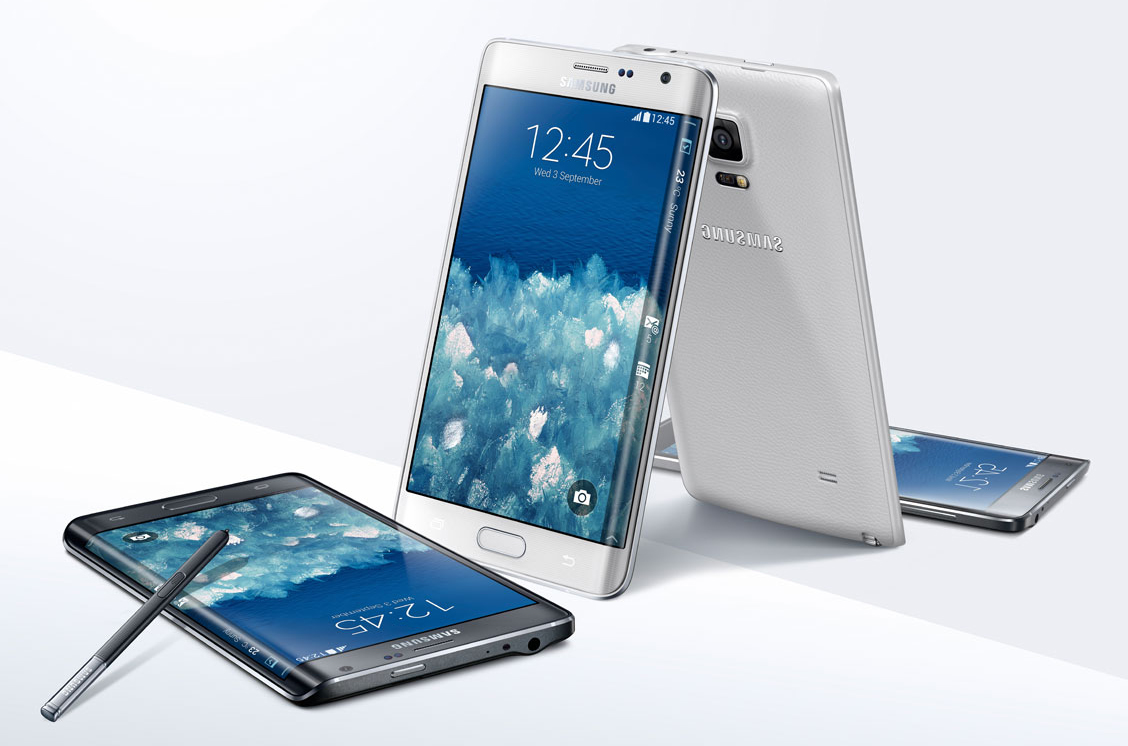
People who own Sony smartphones other than the Xperia Z series may be restless because the long awaited Android 5.0 Lollipop won’t be coming to their phones. However, the Lollipop update for the Sony Xperia Z line will be coming very soon. Those who own the Xperia Z2, Xperia Z3 Compact and the Xperia Z3 in the United States will receive the Android 5.0 Lollipop update sometime in March, this year.

This information comes from the R&D team of the company in India, which has leaked the information to an online publication. The publication managed to get a hold on Sony’s schedule of update release and it is dated March 8.
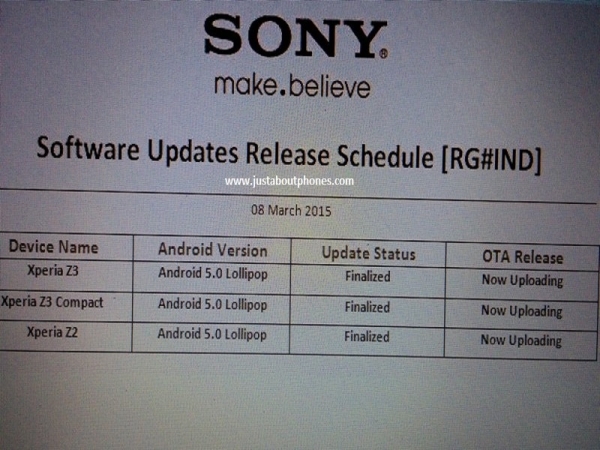
Lollipop Update for Sony Xperia Z

The schedule reveals that the Xperia Z2, Xperia Z3 Compact and Xperia Z3 have the Android 5.0 update status finalized. The OTA panel shows that the update is currently uploading. This means that we can safely assume that the Andoird 5.0 Lollipop is currently being loaded on Sony’s servers and the release is quite imminent.

The team has also shared that the size of the update for the Sony Xperia Z2 will be 517.86MB and for the Xperia Z3 will be 630.23MB. The update is scheduled to come pretty soon for users that own Xperia Z devices and they will get to take advantage of great enhancements and new features.

The official Sony Mobile Indonesia Facebook page shows that Xperia Z devices in that region will get the Lollipop update after week 12, which means post March 16. Sony also revealed some new features such as multi-user support, better screen lock, optimal storage and intelligent user interface. These features will be available when the Android 5.0 Lollipop will make its way to Xperia Z devices. People who own these kinds of devices will also get the ability to move apps from the internal storage to the SD card.

This update is said to be 1.2GB large and take around 20 minutes to install.

Some other Xperia devices that are believed to benefit from the Android 5.0 Lollipop update, other than the Xperia Z2, Xperia Z3 Compact and Xperia Z3, include the Xperia ZR, Xperia Z, Xperia Tablet Z, Xperia Z1 Compact, Xperia Z1, Xperia ZL and Xperia Z Ultra.

Xperia owners who will get the Lollipop update will need to make sure they have at least 50 percent battery life left on their device and at least 640MB free storage space before downloading the software update.

So there you have it. The Lollipop update for Sony Xperia Z devices is coming very soon.

Image source: 1
Filed Under: Tech & Science Tagged With: android lollipop, android lollipop update, android lollipop update sony, lollipop update for sony xperia z, lollipop update sony, lollipop update sony xperia z, sony lollipop, sony lollipop update, sony update, sony xperia z, sony xperia z lollipop, xperia lollipop update, xperia z, xperia z lollipop update

Settings to Change on the Nexus 6

March 14, 2015 By Roxanne Briean Leave a Comment

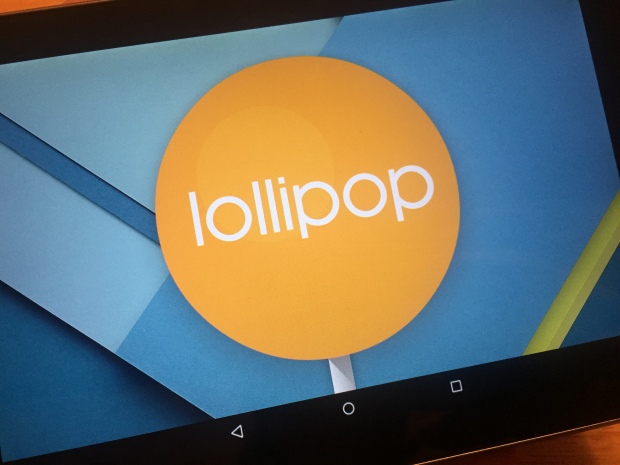
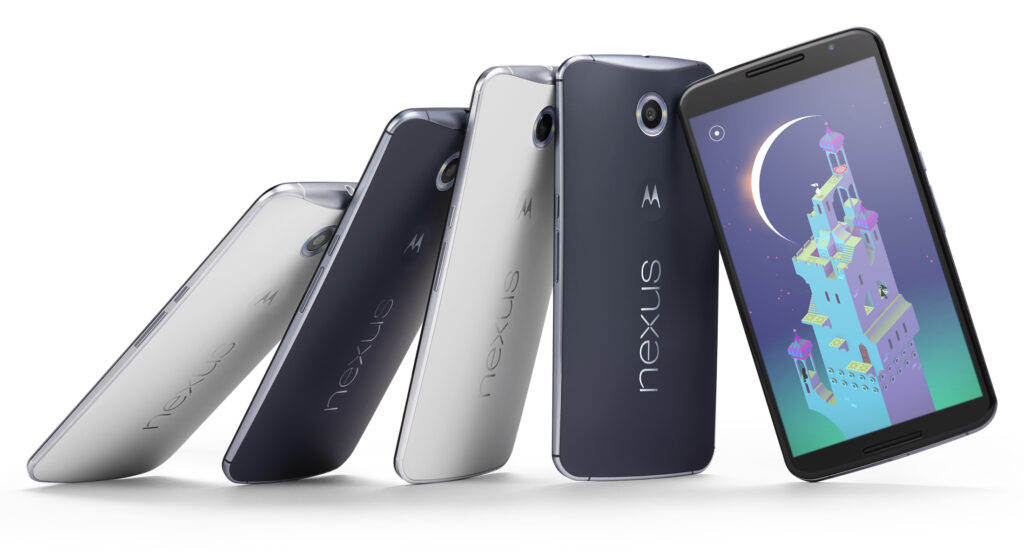
Google finally announced late last year its new smartphone called the Nexus 6 along with the Nexus 9 tablet, Android 5.0 Lollipop and the Nexus Player. While Lollipop and the new smartphone do have a lot to offer we present to you some settings to change in the Nexus 6.

There are numerous reasons to get a Nexus 6 instead of an iPhone or a Samsung Galaxy S5, especially hardware wise. There are also some software, features and settings that also make this quite an impressive smartphone. Here are some settings to change on the Nexus 6.

These settings can really improve the battery life, experience and will help you take full advantage of your new Nexus 6. Increasing the font on the phone, enabling the battery saver setting and adding some additional security are only a few of the numerous settings you can change on the Motorola-made Nexus 6.

Google announced yesterday that the new Android 5.1 Lollipop will be coming to the Nexus 6. While our Nexus 6 isn’t running the latest software, the device will do so in the near future. It’s highly unlikely that the settings and options we present to you will change so there’s no need to panic. With that being said, let’s dive right in.

The Nexus 6 has a great 2K 6 inch display that everyone will love. You can really enjoy watching a movie on the huge screen and because of the dual speakers on the front of the device. Not to mention that this is the first Nexus that comes with great battery life. While there definitely are numerous things you can love about the device, there are some that may be improved on it.

Settings to Change on the Nexus 6

Font size

The large display of the Nexus 6 combined with the very high resolution of 2,560 x 1,440 means that the text may appear small to some people. Even though every graphic and line is clear and crisp, some people will still find that the text is a little too small for the screen. But thankfully, there is a way to change the font size on the Nexus 6 and it doesn’t even require any effort.

Inside the app browser, go to Settings or swipe two fingers downward on the screen then select the settings menu. After you select it, tap on Display. Search for a setting called Fonts and tap on it. There you will find four different options to choose from: Huge, Large, Normal (this one is the default) and Small. While most people tend to use Normal, the Large one may suit you better.

Disable the emergency broadcast alerts

It’s true that this isn’t the most in your face feature available on the new smartphone, but when you have to deal with it, it can get a little annoying. I’m talking about the emergency broadcast alerts, of course. This will make your phone start an alarm out of nowhere, in full volume, regardless of what settings you use. Most of the times, this is to alert you of severe weather conditions, Amber alerts or other broadcasts sent out by your city or state.

You may want to keep some of them enabled just for emergencies, but they tend to be very loud and annoying so make sure you disable the ones that you don’t want to have anything to do with.

Go into Settings and tap on More, then on Emergency broadcasts. From this menu simply deselect all the ones you don’t need. I left the Extreme alerts still turned on but I’ve turned off all of the rest, mostly because I don’t want my phone to scare me half to death when I least expect it. Make sure you also deactivate the vibration option as it will vibrate for a long time and very loud, at full power.

Enable battery saver mode

The huge display on the new smartphone is the biggest battery killer. Even though the Nexus 6 has a 3,220 mAh battery and a Turbo Charge feature that allows you to use the phone for 6 hours with only a 15 minute charge, sometimes this is simply not enough. Google added a Battery Saver option in the Android Lollipop and you’ll definitely want to turn this on from time to time.

Go into Settings, then Battery at the bottom, tap on the three dots on the right of the upper part of the screen and tap on Battery Saver. Even though this isn’t a setting that you should use permanently, it does come in handy occasionally. The Battery Saver option kills background data and lowers the brightness of the screen to give you more battery life.

It’s true that you won’t be allowed to do most things but your Nexus will last for a very long time and you will be able to make phone calls or send texts. It’s a very useful feature that you should be aware of. Make it enable itself when your battery reaches 15% and it will automatically do so, giving you enough battery life when you absolutely need it.

Security

Android is great for syncing your Gmail account and other features but it generally lacks one important thing: security. You can set up a pattern lock or a passcode in under one minute which will protect your smartphone against strangers in the event that you lose it or that it’s stolen. Android 5.1 even brings a new security feature that’s called device protection. When this feature is enabled, even after a factory reset, your phone won’t be able to be used unless your Google account is signed in. This being said, you will want to secure your smartphone.

Slide the notification bar down and go to settings then Security, Screen Lock and from that select PIN, Password or Pattern.

In this menu there’s also an option called “Owner info” that will appear on the lockscreen. You can add your phone number, Facebook account or any other information. Be sure to fill in some information that will help you get your phone back in case an honest person finds it.

There are two more useful security options that you should be aware of. Go to the Google Play Store and enable the password protection for in-app purchases in the settings menu. This will make sure that you won’t get billed with app purchases in case you lose your phone. Also, your kids won’t be able to make purchases without your permission. Go to the Android Device Manager and prepare your smartphone for the services. By doing this, you will be allowed to lock, call and erase the data on your phone in case you lose it or it’s stolen.

Many people should think about securing their devices, but most of them don’t. This is the first thing you need to make sure when using a new device and the Nexus 6 is no exception.

Disable ambient light

A cool feature on the Moto X and many Motorola smartphones called Active Display (Moto Display) is the ability of the phone to pulse off and on with information and notifications. This was also added to the Nexus 6 but it was renamed Ambient Display. The phone knows when you pick it up and will give you a black and white screen with recent notifications and it’ll turn itself off shortly after. While this is a great feature, a single tap of the screen will fully light it up and you’ll often pocket dial people and will cause your screen to be on when you don’t need it which will drain the battery.

The feature is pretty cool in theory but it was one of the first features I turned off on the Nexus 6. Slide the notification bar down and tap the settings button. Go to Display and you will find the setting there. Tap on the Ambient Display option and you will turn it off. That’s the only thing you need to do to get rid of the feature.

This is a great feature and I really like it but Google should update this to be more precise or I’ll always keep it turned off.

Change default text messenger app

The default text messenger app was changed to Hangouts ever since Android KitKat. The new Nexus 6 also uses the Hangouts app as the default one but you may want to change this. You will be happy to know that you can actually do this.

To change the default app head to Settings and then More. Tap on the Default SMS option and you will see all the apps that are installed on your device. I personally like Textra SMS but feel free to use whatever you want if the stock one isn’t to your liking.

This is all that you have to do to change the default text messenger app.

Conclusion

There are numerous options, features and settings you can change on the Nexus 6 running on Android Lollipop. A few other features you might be interested in are the Do Not Disturb Notification options, the Smart Lock option and several other new ones in the Lollipop operating system.

The Nexus 6 is certainly a great device but everyone has different needs and you will have to play around with its settings to see what works for you. This was our list of settings to change on the Nexus 6.

Image source: 1

Filed Under: Tech & Science Tagged With: android lollipop, change nexus 6 settings, Google, Google Nexus 6, improve nexus 6, lollipop, Nexus 6, nexus 6 settings, settings on the nexus 6, settings to change on the nexus 6

Samsung Galaxy Lollipop Update Details

February 6, 2015 By Roxanne Briean Leave a Comment

android-lollipop-update

Image source: geek.com

The roll out of the Samsung Galaxy Lollipop update is rapidly expanding and there are some new details regarding the Galaxy Note 3, Galaxy Note 4 and the Galaxy S5. We’ll analyze what the Galaxy phones users should know about the Android 5.0 Lollipop update and its date of release.

The Lollipop update for Samsung’s Galaxy smartphones has started off very slow. Samsung started to roll out the update in December; however, they only made it available for a single version in just one region of the world. This kind of strategy is quite typical of the South Korean company. Samsung rolls out its updates slowly so that there is enough time for it to fix possible issues with the software.

In the past month we’ve seen Samsung start to make progress with the Lollipop release and the company also started offering updates for the Galaxy Note 3 and the Galaxy S4. They are currently isolated but we expect the updates to follow in the footsteps of the Samsung Galaxy S5.

People all over the world who use Samsung Galaxy smartphones and tablets are impatiently waiting for their devices to receive an update to the Android 5.0 Lollipop. Samsung and its partners have started to issue more details that allow us to have a better view on what to expect from the Lollipop update on numerous devices.

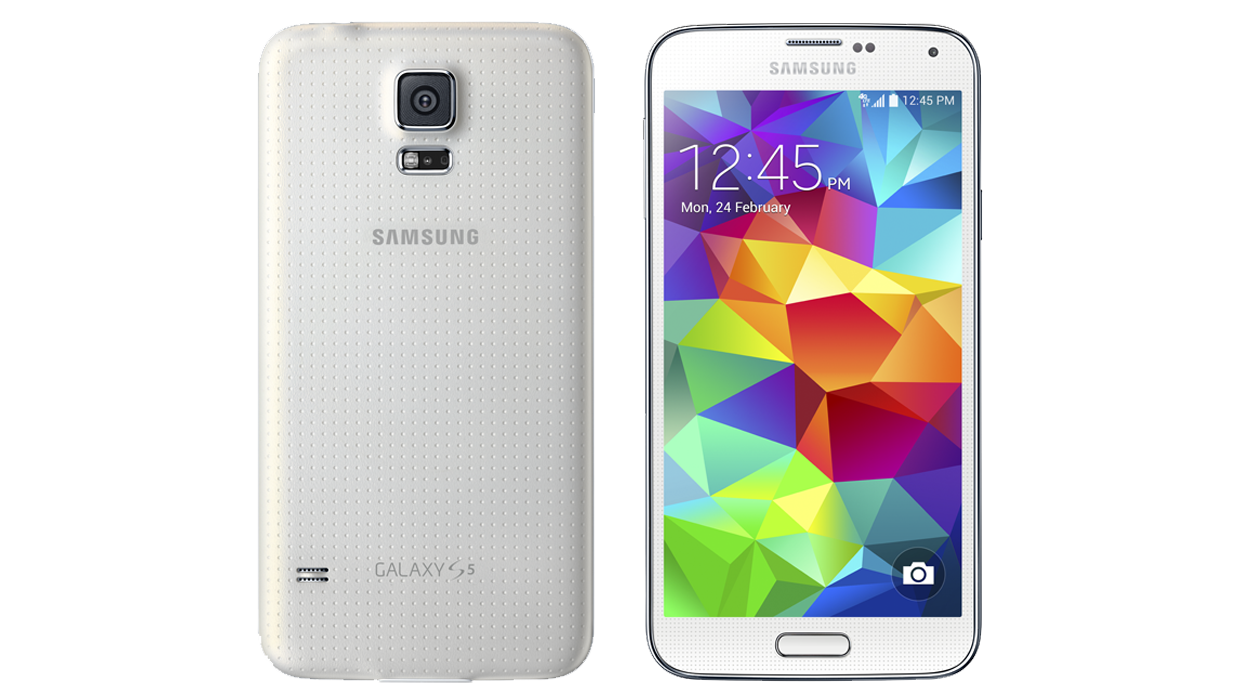
Galaxy S5 Android Lollipop Update

samsung-galaxy-s5

Image source: t-mobile.com

This is the first Samsung device that received the Lollipop update and in the past couple of weeks there has been quite a significant progress with the update that makes us believe that February will probably be a very busy month for the South Korean company’s Galaxy S series.

In the United States, the only available update is the Verizon Galaxy S5 one which features numerous new enhancements and functions. Verizon isn’t particularly known for being fast with Android updates so this was quite a shock.

There will likely be more updates this February from numerous other carriers. However, Samsung is known for slowly rolling out Android updates and some of the carriers will most likely lag behind others.

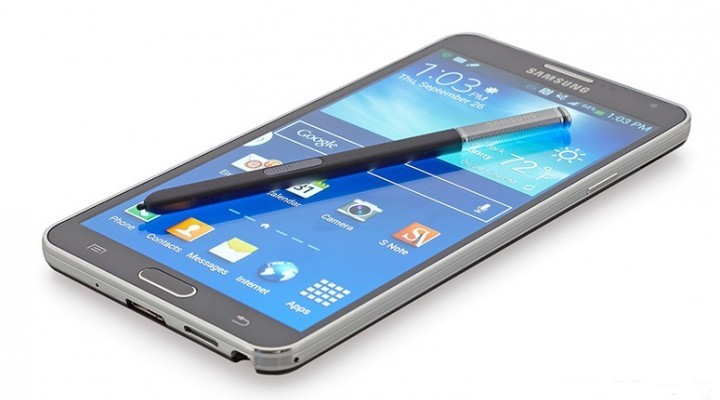
Galaxy Note 4 Android Lollipop Update

samsung-galaxy-note-4

Image source: geek.com

The fact that an Android Lollipop update hasn’t yet started to roll out for this device comes quite as a shock, seeing how it is one of Samsung’s flagship devices. Some believe that the delay is due to the fact that the Note 4 is the only smartphone that supports the Gear VR and the company is currently tweaking the code of the update. We can’t tell you exactly how long it will take for Samsung to finally roll out the update but we’re quite certain that it is closer and closer to a release date.

We’ve noticed that Samsung started to update its manuals of the Note 4 to show the unreleased software. Even though these manuals don’t offer an official release date, it’s clear that the company plans to make the update available quite soon.

Samsung is still sticking to the early 2015 release date of the Lollipop update for its Galaxy Note 4 and that’s what users should be expecting.

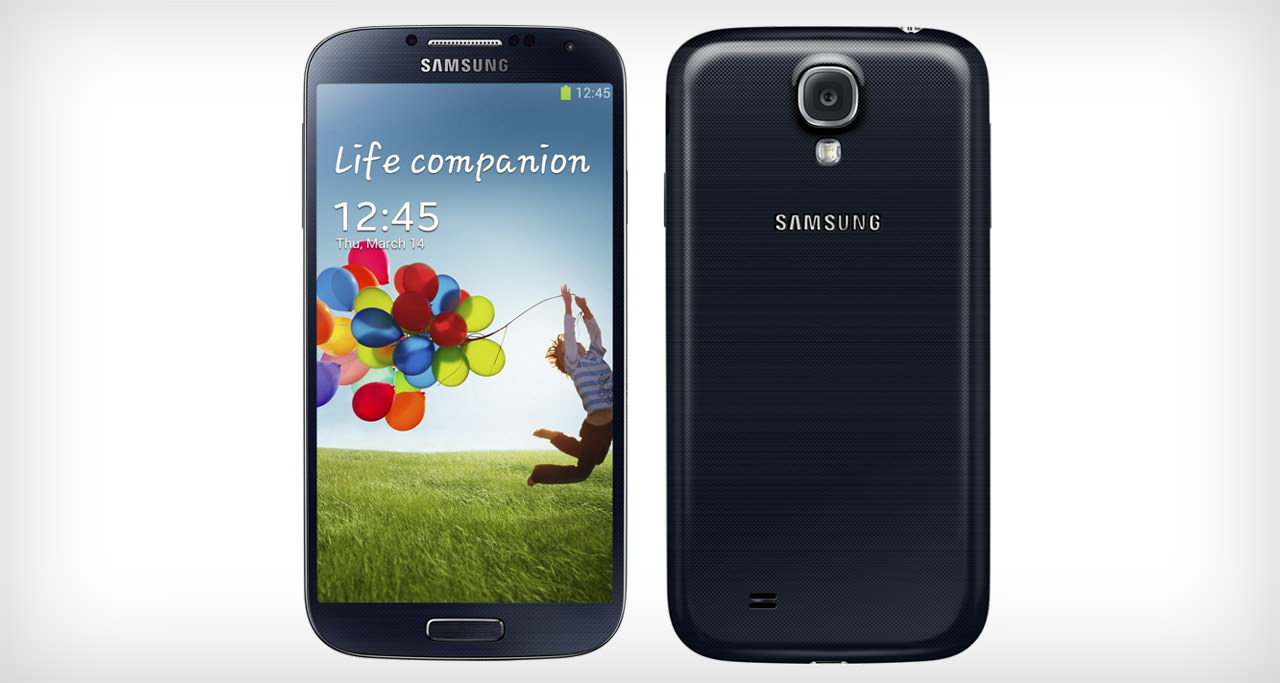
Galaxy S4 Android Lollipop Update

samsung-galaxy-s4

Image source: androidbeat.com

Samsung started to roll out the Lollipop update for the Galaxy S4 late last month. This is quite surprising seeing how the smartphone is nearly two years old. But this doesn’t bother any S4 users.

The update is currently available in Russia and we aren’t sure when and where the next update will be offered by Samsung as the company is very unpredictable when it comes to its software updates.

The Samsung Galaxy S4 update is pretty huge, at around 1GB. The size of the Lollipop update has forced Samsung into giving up some of its pre-loaded software. The version of the update is Android 5.0.1, which will probably be the same on other smartphones in the future.

We don’t recommend average and novice Android users to install unofficial software, despite it being available.

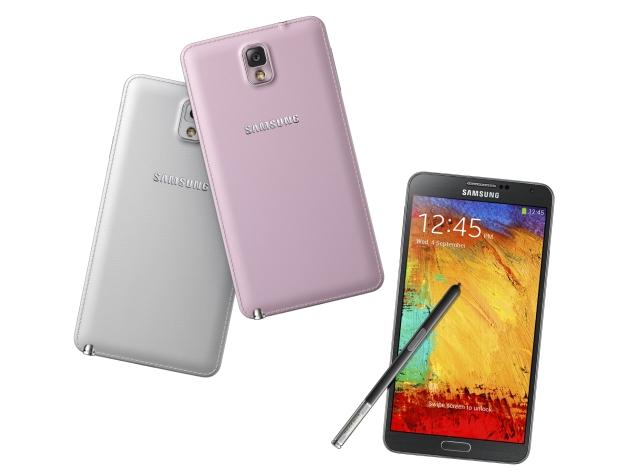
Galaxy Note 3 Android Lollipop Update

samsung-galaxy-note-3

Image source: ndtv.com

Just like the Galaxy S4, the Galaxy Note 3 Lollipop update is only available in Russia at the moment. The company is obviously using the customers in Russia as lab rats to see if the update is all set for a worldwide launch. If the company decides that it is ready for more users we will see the update within the next weeks or so.

Sprint is currently working on an update but it not the Android 5.0.1 update but the 5.0. There is nothing else confirmed at the time but the carrier is probably going to make it available after it’s done working on the S5.

If Sprint is working on an update for the device this means that other carriers are possibly doing the same thing. We don’t have an exact release date for the United States but it looks like mobile carriers are busy progressing and we expect the update to see the light of day in the very near future.

Galaxy Note Edge Android Lollipop Update

samsung-galaxy-note-edge

Image source: dailytech.com

Unlike other devices from Samsung this update hasn’t been confirmed for early 2015. However, there was a leak earlier this week featuring the Galaxy Note Edge Lollipop update.

The leak is an official Samsung build and has been made available by XDA-Developers. While it most likely isn’t the final build, it is possible that the update is very close to what Samsung plans to eventually roll out. However, users that wish to install the update on their devices should be very careful.

Other Samsung Galaxy Android Lollipop Updates

There haven’t been any other major actions taken by Samsung recently. Samsung did confirm Android 5.0 Lollipop updates for the Galaxy S5 Mini, the Galaxy Note 2 and the Galaxy Alpha. However, none of them have made progress recently and these devices are most likely not as important for Samsung as others.

We should begin seeing information about the Android Lollipop update for older and lesser used tablets and Galaxy smartphones really soon. This will probably happen the moment some of the more important devices will get their updates.

Filed Under: Tech & Science Tagged With: android 5.0, android lollipop, android lollipop samsung, android lollipop update samsung, galaxy android lollipop, galaxy lollipop, galaxy lollipop update, galaxy note 3 lollipop, galaxy note 3 lollipop update, galaxy note 4 lollipop, galaxy note edge lollipop, galaxy s4 lollipop, galaxy s4 lollipop update, galaxy s5 lollipop, lollipop, note 3 lollipop update, samsung lollipop update

Android Lollipop on Nexus 7 2012 Impressions

January 22, 2015 By Nancy Young Leave a Comment

android-lollipop-nexus-7-4

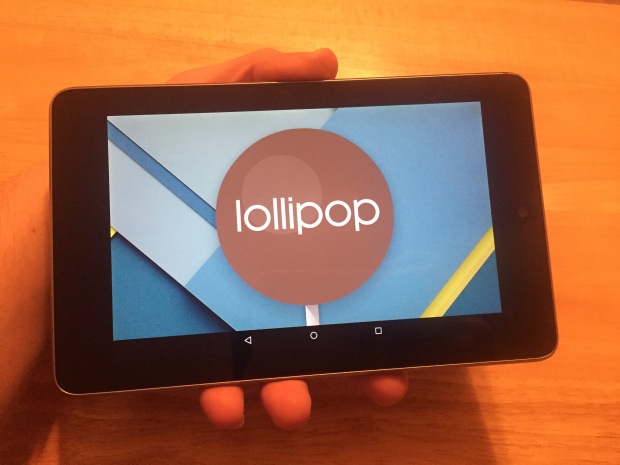
After a very long wait we finally installed the Android Lollipop on Nexus 7 and tested the latest operating system from Google on an older device to see just how well it performs. We installed the update on the 2012 version of the Nexus 7 tablet. The update installed rather quickly on the device and we started testing its performance in no time on this older tablet to see if it performs as well as the 2013 Nexus 7.

Even though the software update Android 5.0 Lollipop started being available since November, the new operating system wasn’t accessible on the Nexus until now. We spent an entire weekend with the new software testing it on the 2012 Nexus 7 and now we can tell you how it performs.

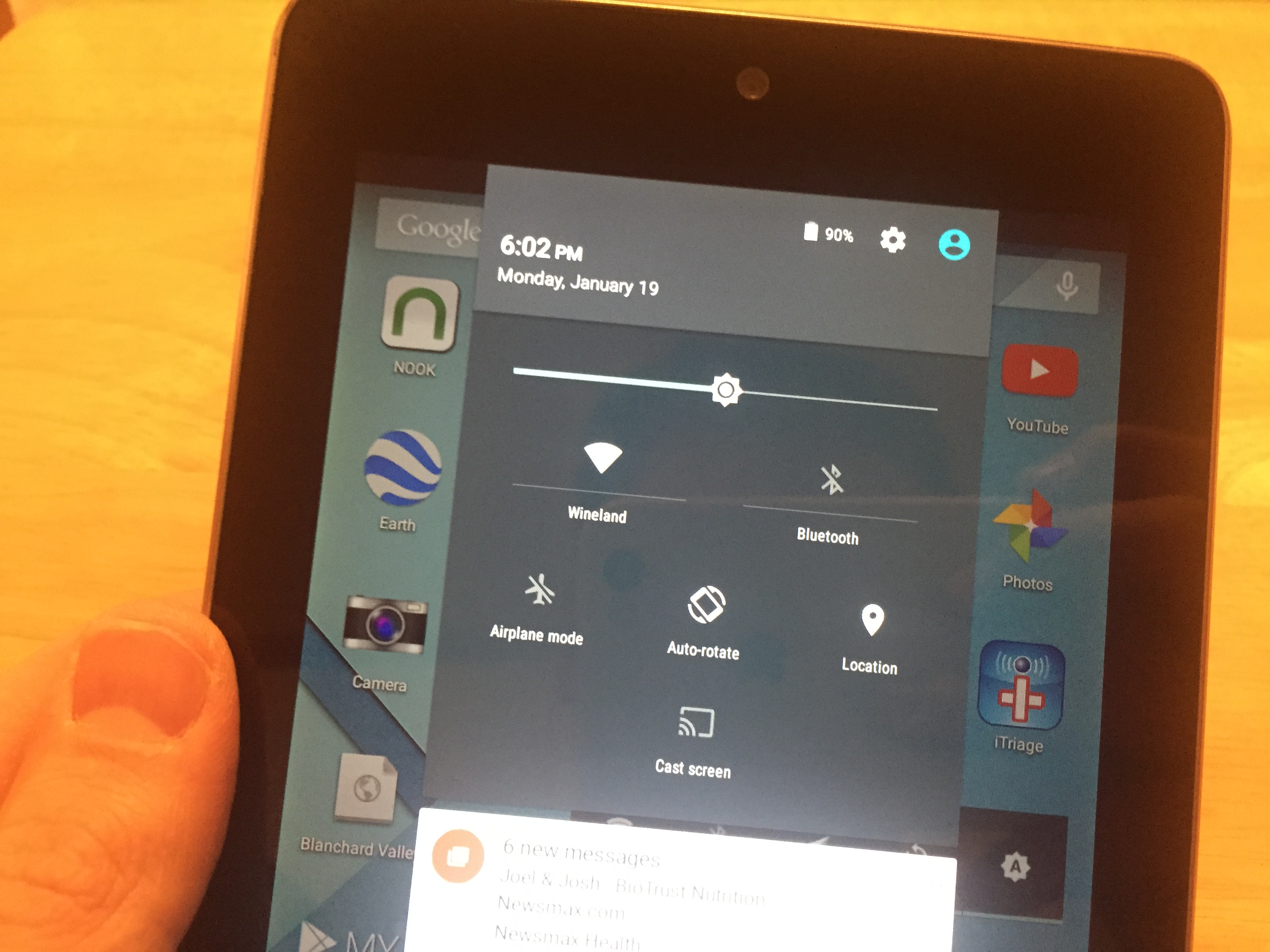
Google redesigned their Android operating system, giving it a new menu for multitasking, a new lock screen and many bug fixes and changes to the notifications. This is a pretty big update and gives an entirely new feel to people who are upgrading from the 4.4 KitKat.

Users of the new operating system have embraced the new design and the changes in the Android core. The new operating system looks amazing, we’ll tell you that. The new design is very sleek and other than being a newer, prettier face on old software, it also improves functionality and adds more features.

We’re testing the new Lollipop 5.0.2 instead of the original 5.0 because Google claims that numerous bugs from the initial release were identified and fixed.

After having spent some time with the 5.0.2 update, we can detail our experience with it and help other owners of the 2012 Nexus 7 tablet in their decision of updating to this version or sticking to the older Android 4.4 KitKat.

android-lollipop-nexus-7-1

Installation

Installation was a very easy task. It only took around 20 to 30 minutes until completion. However, be aware that you cannot use the tablet while the update is taking place.

Even though updates may cause issues, we did not encounter any problems during installation. The update finished quite quickly along all the updates for the apps and before we knew it the device booted to the home screen.

Speed

The performance of the Lollipop 5.0.2 on the older Nexus 7 is not exactly the best. It is a little slower and when compared to the KitKat, the animations aren’t always as smooth.

The performance improved noticeably after using the device for two days and a couple of restarts. This is the first thing you should do if you consider that your device is a lot slower than it was on the Android KitKat.

Apps

After the update to Lollipop 5.0.2, every app that we tested performed very well and the only problem we encountered was with a website that was using an older certificate of security that Chrome didn’t like. We had to enable a password on the tablet and not accept a security update install to access the website.

Google Play Movies, Google Chrome and other apps we depend on work just as well as they did before the update.

Battery Life

It’s still pretty early to tell you exactly how well the test on the battery went but we didn’t notice any difference since the update. The device holds its charge just as well, even when not being used for half a day. There are no worries concerning battery life so far.

Connectivity

android-lollipop-nexus-7-2

Problems with Bluetooth or Wi-Fi are the most common ones after installing a major update. The 2012 Nexus 7 still connects to the Wi-Fi networks without any issues after installing the Android 5.0.2 Lollipop including a personal hotspot and a home network. Bluetooth didn’t show any problems, either.

Issues

The Android 5.0.2 update fixed some issues of the initial launch and the Help Forum on the Nexus website is filled with topics regarding problems that have been dealt with since the original launch of the 5.0 Lollipop operating system.

Even though some bugs affect the Android 5.0.2 Lollipop and it is not without its problems, the only issues we encountered so far were with that particular website and Google Chrome itself. The Lollipop operating system and the Nexus 7 were not problematic at all, in our opinion.

We hope that a future update will improve the speed of the new operating system on the older Nexus 7 but this is not a bug, per se, as much as a result of using older hardware with new software.

android-lollipop-nexus-7-3

Is Android 5.0.2 Lollipop worth installing on the Nexus 7 2012?

If you have any problems with the older KitKat or want the new features offered by Lollipop, then you can install it without having to worry about major problems. However, for most users, this is an update that is worth waiting on in order to address and improve more issues.

That being said, the performance of the Android 5.0.2 Lollipop on the older Nexus 7 is a little erratic. There are several lags affecting actions of the screen after buttons are pressed that vary from frustrating to acceptable. We’re not certain why these issues are present at the moment but they tend to be annoying.

While it is possible to downgrade back to the older Android KitKat, it’s not a very pleasant process and most users will prefer not to go through it. However, it’s still pretty calming to know that you can go back if the Lollipop performs really badly on your device.

It’s probably worth waiting for a couple of more days in order to see if Google will launch another update for the Nexus 2012 regarding the Android Lollipop upgrade.

It has been said that Android 5.1 Lollipop will launch early in 2015 but you shouldn’t get your hopes up and it’s still uncertain whether the new update will address all issues regarding the 5.0.2 release, if any. But be sure that if some problems persist, Google will most likely release an update to fix the issues before they launch their new major release. If they don’t fix the issues, however, we may be stuck on relying on solutions from third parties.

Images source: gottabemobile.com

Filed Under: Tech & Science Tagged With: android 5, android 5.0.2 lollipop, android 5.0.2 on nexus 7 2012, android lollipop, android lollipop nexus 7, lollipop on nexus 7 2012, nexus 7, nexus 7 2012, nexus 7 2012 lollipop

Android Lollipop Look Available through Google Now Update

January 15, 2015 By Nancy Young Leave a Comment

Android Lollipop

People are currently waiting patiently for the new Android 5.0 Lollipop update to roll-out, but what they did not know is the fact that you can enjoy a similar look through the updated versions of Google Now Launcher and Google Search app.

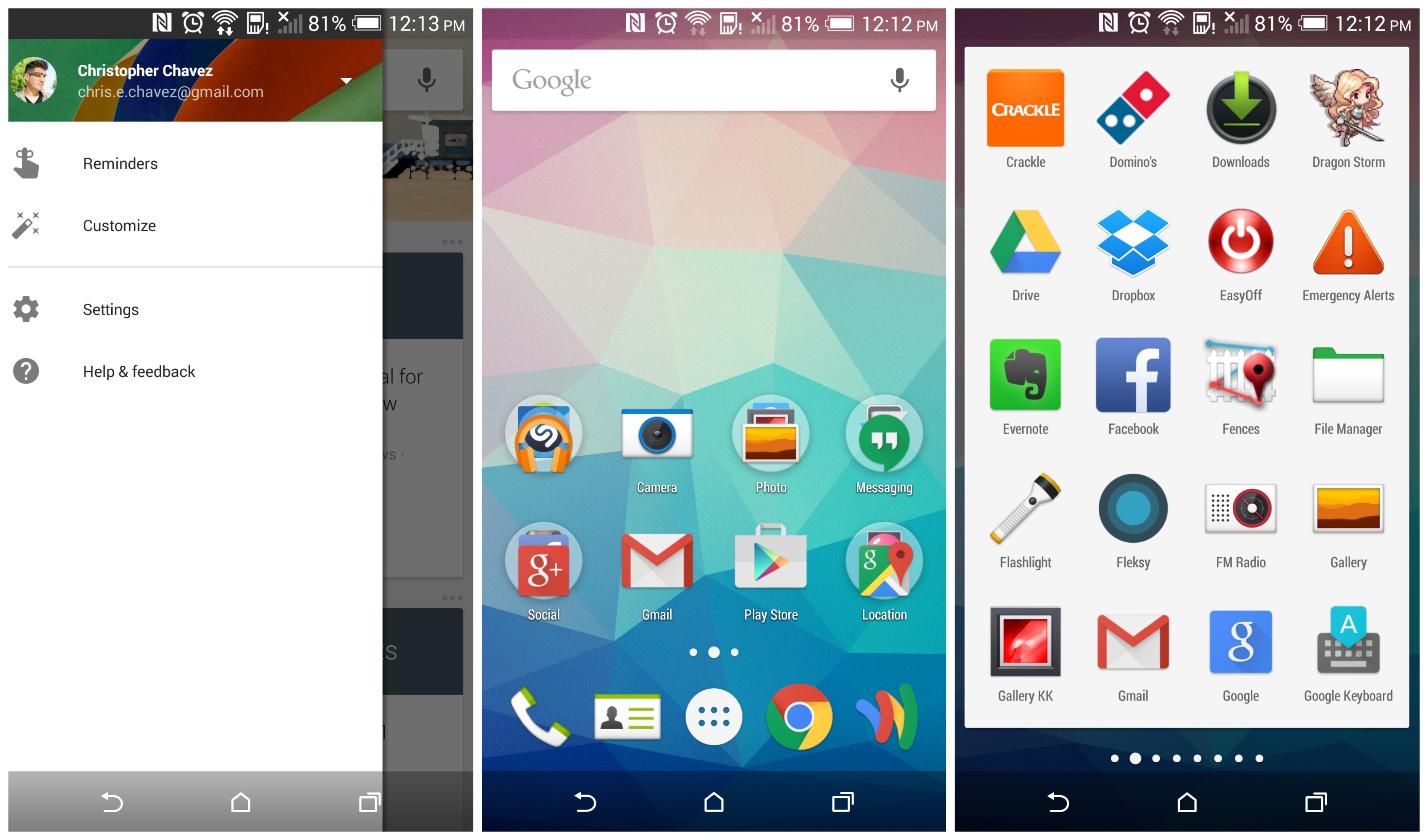
Through these updates, Google brings the Lollipop look to any device that runs Android 4.1 to Android 4.4 for users who want to take a glance at how Android Lollipop looks like.

Rumors about Google working on their own private launcher have started back in February of last year and the launcher is set to take over your homescreen. The app was actually released in August 2014 and it has now been updated, borrowing the design style of the new Android 5.0 Lollipop.

Google Now Launcher and Google Search App

Google Now Launcher is not currently able to replace the stock launcher from HTCS, LG, Samsung or others and puts a customized experience front and center by Google. This brings to the table a new app tray, different icons, the Google Now feature – swipe to the left and many more. The Google Search app and Google Launcher are strongly tied together so both of them have received updated version with more features and better design, this week.

By installing both of these apps now, you will automatically get the Android 5.0 look. This is also a new thing since prior to these updates, both Google Now Launcher and Google Search app were set to be installed in the version of Android you had on your smartphone.

You do not have to wait and you do not have to upgrade your phone to see hoe Lollipop looks and feels like. What more can you ask for?

Once you have downloaded and installed the latest versions of both Google Now Launcher and Google Search apps you simply have to press your home button and enjoy the new look on your smartphone. The new Google Now Launcher interface is meant to bring Android 5.0 Lollipop a bit closer to all of Android users, if you are running an Android 4.1 version of the operating system or higher.Android Lollipop

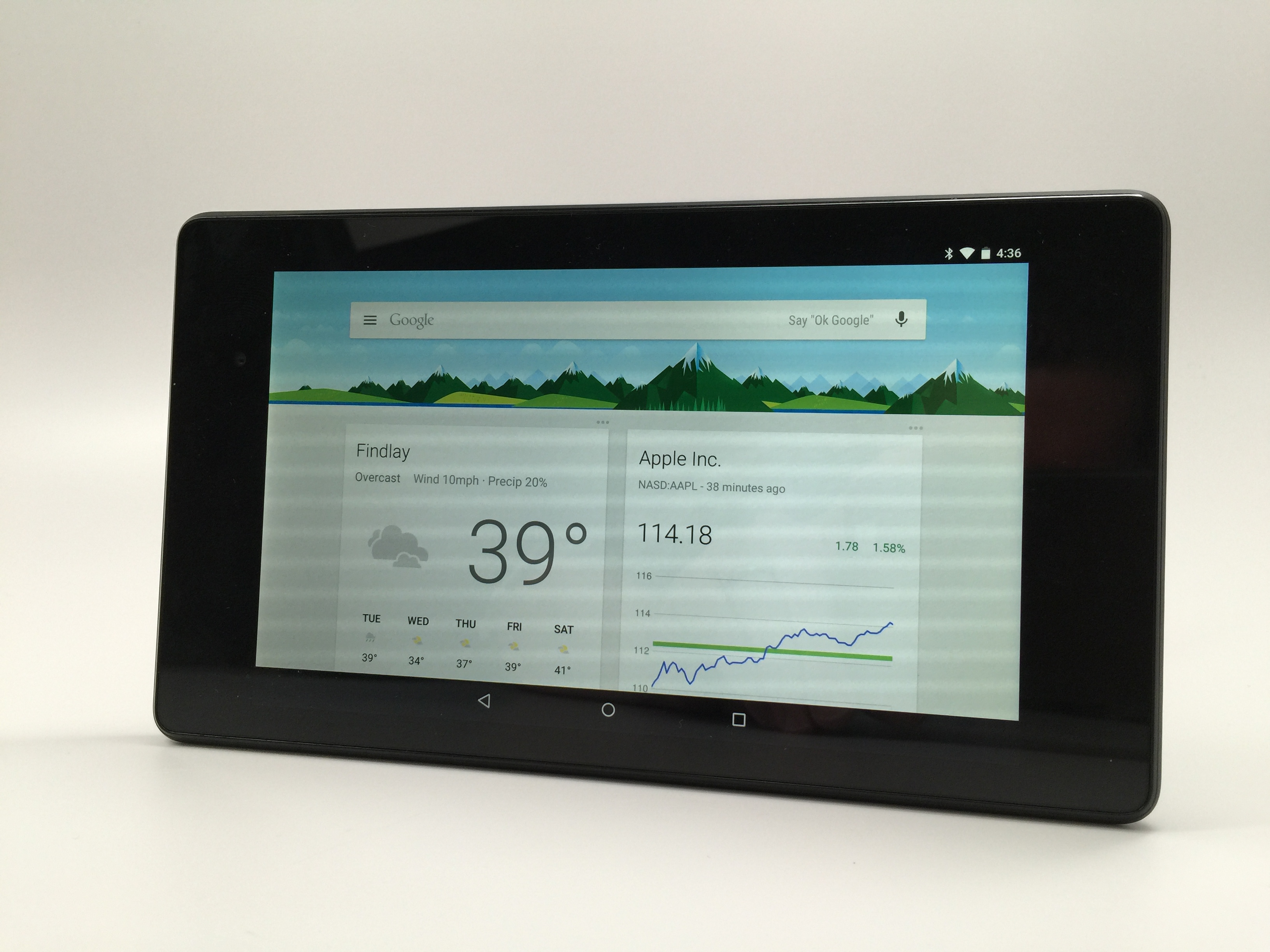
Through this update you will have the all-white look of the Google Search bar, “Ok, Google Now” hotwords for devices capable of hands-free controls through voice and even some cool new animations available only with Lollipop.

Google Now Launcher is certainly not the only Launcher available on Google Play but it is surely the one you will want to take on a spin today. With the new slide-out settings panel, an improved popup for voice control when you would much rather use your voice than typing and many other neat updates, Google Now Launcher is the Launcher you need to download and check out.

HTC and Motorola are currently the two companies that have started introducing Android 5.0 Lollipop to their devices on a much larger scale than their competitors, LG and Samsung. However, all of these companies are taking their times to offer the updated version of the operating system with their own touch.

Google has already started putting on Android 5.0 Lollipop on their Nexus tablets and handsets so if you want to update the current version of Android on your Nexus 5, 7 or 10, you will be able to, soon enough. The announcement was made by Google on Twitter,

“#AndroidLollipop rollout has started and will soon be available on most #Nexus devices. Dessert is served.”

However, as 9to5Google noted,

“The update is rolling out over-the-air to Google’s main line-up of Nexus devices, including the Nexus 5, 7 (both generations, but not LTE/3G versions yet), and 10, while rollout for LTE/3G models of the Nexus 7 as well as the Nexus 4 will be coming at some point in the near future.”

One of the best things that Lollipop brings to the table is the ability to silence, adjust or customize what notifications can get through to you. Many notifications and notification sounds are really annoying but with the new Android 5.0, you can choose which of these notifications you actually want to receive and when something important comes up, you can actually respond straight from your lockscreen.

Lollipop also promises extended battery life, coming with a battery saver feature which is set to extend your device’s battery life for up to 90 minutes. If you do not know how much longer will your battery last, simply check whatever time you have left based on your current level of battery drain.

Google explain that they tried to make the new interface as user friendly as possible, making it more tangible and with a much more fluid look.

LG, Samsung, HTC and Motorola

LG was the first one to introduce Android 5.0 Lollipop to its LG G3 users, in Poland. Dr. Jong-Seok Park, CEO and President of LG said:

“LG is absolutely committed to giving our customers the best mobile experiences available and bringing Android Lollipop to G3 owners as soon as possible is a top priority.”

It actually appears like LG’s G3 will have Android 5.0 faster than Google’s Nexus 4 and Nexus 5. Everyone thought these guys are well behind their competitors but it looks like they’ve still got some aces up their sleeves.

Android 5.0 Lollipop is currently available for Samsung in Poland and in the UK for Galaxy S5 owners. Sam Mobile reports:

“This is the first time the Korean giant has delivered a major Android software upgrade in such a short period of time, only 31 days – Google dropped final Lollipop code to AOSP on November 4th. Currently, the new software upgrade is only available in Poland, however, it should start appearing in other European countries shortly.”

Although LG was the first to introduce Lollipop on its device in Poland, Samsung is still the leader of the pack, managing to bring forward the new operating system 31 days after they have received the source code from Google (they have received it on the 4th of November).

Android Lollipop

Image Credits

The update is expected on HTC starting with February as the company announced they would finish integrating the updates on their devices 90 days after receiving the code from Google.

Motorola has not currently made any release date public but it is working on first updating the Moto G and Moto E devices.

Filed Under: Uncategorized Tagged With: Android 5.0 Lollipop, android lollipop, Google Now Launcher, Google Search App, Update

Android Updates Including Android 5.0.2 Lollipop Update for Nexus

January 5, 2015 By Deborah Campbell 28 Comments

Google released an update to their Android Lollipop operating system, Android 5.0.2 for Nexus 7 Wi-Fi 2012 edition users. The update is meant to fix some major bugs, but the reviews so far haven’t been very favorable. Today, we’re going to take a look at the Android 5.0.2 Lollipop update for Nexus and we’re going to reveal what Android users should expect from the new Lollipop update.

android 5.0.2

Android Lollipop

Google revealed their new operating system, Android 5.0 Lollipop on June 25, 2014 during the Google I/O and became available to the masses over-the-air at the end of the previous year, on November 12, 2014 for Google Nexus and Google Play edition devices. The operating system update for Google Nexus included the following devices: Nexus 4, Nexus 5, Nexus 6, Nexus 9 and Nexus 10. Naturally, Lollipop saw many improvements to the Android OS, but also delivered quite a few bugs and problems.

The first update for Lollipop, Android 5.0.1, came soon after the initial launch and it was made available for Nexus, 4, Nexus 5, Nexus 6, Nexus 7 (2013 edition), Nexus 9 and Nexus 10. Unfortunately, the update was not available for users of Nexus 7 2012 Wi-Fi edition.

Android 5.0.2 Update for Nexus

Now, Google has released another update to their operating system, Android 5.0.2 Lollipop, and it’s only available for the Nexus 7 Wi-Fi 2012 version. It appears that Google wanted to make amends for those users, but this very specific update left many other users, such as the Nexus 7 3G 2012 ones, quite frustrated. They’re still using Kit Kat and they’re not very happy about it.

The thing is that this update might just be a very targeted update, for the Nexus 7 Wi-Fi 2012 model only. There is still no news about other devices, so before you get any more excited than you already are, keep this in mind and rejoice only if you’re a proud Nexus 7 2012 owner. Also, Nexus 7 2013 edition doesn’t seem to be getting the Android 5.0.2 update any time soon.

All this fragmentation between updates is going to make Android lose some of its users. The fact that there is no universal availability of Android 5.0 Lollipop in 2015 is something most users find unacceptable.

The update rollout is coming at a snail’s pace, but it is coming, so keep an eye out for it or for Google’s announcement. Aside from design changes, expect major bug fixes, such as battery drain. Tech blog, Naked Security, revealed that:

Google recently confirmed a fix for the memory issues causing app crashes on Android 5.0 Lollipop. The company says that the fix has been approved for a future Android update though the company did not say what the update might entail. It’s possible that we’ll see it arrive with an Android 5.0.3 update or we could see it arrive with the rumored Android 5.1 update. Nothing is confirmed and it could take months for Google to roll out a fix.

Lollipop Massive Memory Leak

Many of those folks who did manage to get an update to their Android are now complaining of bugs. More bugs than anyone ever imagined, unfortunately. As mentioned above, the Nexus 7 2012 version didn’t get a 5.0.1 update, but a 5.0.2 one, which means that the vast majority of Android users are still using Android 5.0.1. The bug that seems to be really wreaking havoc in Android these days is a software bug that affects RAM memory. The operating system causes memory to simply leak; for example, when you are running 5 apps at the same time, your phone is going to decide at one point that it is at a critical point and that it is running too many apps and it is going to close some apps just to free up some resources.

No matter how much memory your smartphone or tablet has, if you are running Android 5.0.1 there is a chance that your system will run out of memory, which is never a great thing to be around.

This is by far the most annoying and common bug that Android 5.0.1 has offered the world so far. Android 5.0.2 didn’t fix anything because it wasn’t a targeted update, but Google is expected to release Android 5.0.3 Lollipop any time soon.

Tech blog, Naked Security, revealed:

The thread on the issue tracker is hard to follow as there are lots of complaints and there is lots of general unhappiness, but little in the way of official comments from Google or Android developers. However it does now seem that Google has agreed that this is a bug, and that it has been fixed in the source code.

Until something is done to help all those affected by the bug, nothing is going to change, apparently:

What that means is that the latest source code used to build Android doesn’t leak memory. However that doesn’t actually help affected users at the moment. The next step is for Google to make a new release of Android, probably Android 5.0.3 Lollipop, with this and other bug fixes. However there is no news on when that will be. Let’s hope it will be soon.

Until the new Android 5.0.3 update comes along, all you can do is wait patiently and try not to get annoyed by the whole situation. If you’re experiencing a memory leak and nothing seems to help, then we suggest you file an official complaint with Android and wait for them to reply and maybe give you a few pointers on the issue.

Have you experienced any issues with Android 5.0.1 or Android 5.0.2? Drop us a line in the comment section below and tell us about your experience.

Filed Under: Uncategorized Tagged With: android 5.0.2, android lollipop, nexus 7 android update

Subscribe to Blog via Email

Enter your email address to subscribe to this blog and receive notifications of new posts by email.

Join 11 other subscribers

Recent Articles

police handcuffs man

German Man Probed In Poisoning That Killed 21 Employees Since 2000

June 29, 2018 By Kenneth Scott Leave a Comment

Chicken wings bar

Intoxicated South Carolina Man Punches Waitress Who Refused to Serve Him Alcohol

June 29, 2018 By Karen Jackson Leave a Comment

gaming

New Zealand gamer Who Flew Halfway Across The World for Virginia Teen Gets Shots By Her Mother

June 28, 2018 By Cristopher Hall Leave a Comment

party

Former Virginia Tech Freshman Sentenced to 50 Years in Prison for Stabbing a Girl to Death

June 28, 2018 By Roxanne Briean Leave a Comment

bonfire

British Couple Sentenced to Life in Prison for Torturing and Murdering French Nanny

June 27, 2018 By Deborah Campbell Leave a Comment

pay phone

Texas Father of Girl Disappeared in the 80s Ignored by Authorities

June 26, 2018 By Cristopher Hall Leave a Comment

bottled water

San Francisco Woman Threatened to Call Police on Girl Who Sold Ice Water for Disneyland Trip

June 25, 2018 By Roxanne Briean Leave a Comment

Maplewood Park

Missouri Man Robbed by Date and Accomplice in Park

June 22, 2018 By Nancy Young Leave a Comment

coding

New York Man Sentenced in Cyberstalking Former Girlfriend, Mailing Drugs to Her Dorm

June 22, 2018 By Deborah Campbell Leave a Comment

headphones

Bose Poised to Launch Sleepbuds, In-Ear Headphones That Help You Sleep

June 21, 2018 By Nancy Young Leave a Comment

Police light

Intoxicated Female Driver in Custody for Pulling Arresting Officer by the Hair

June 21, 2018 By Kenneth Scott Leave a Comment

kitchen

Restaurant Manager Arrested and Charged in Shooting Death of Co-Worker over Negative Yelp Reviews

June 20, 2018 By Karen Jackson Leave a Comment

plastic container

Pennsylvania Couple Charged in Violent Death of Infant Discovered Buried in Cat Litter

June 19, 2018 By Cristopher Hall Leave a Comment

tailpipe

Minnesota Teen Gets Head Stuck In Oversized Tailpipe Winstock Music Festival

June 18, 2018 By Karen Jackson Leave a Comment

Pages

  • About Us
  • Contact us
  • Privacy Policy
  • Privacy Policy GDPR
  • Staff
  • Terms and Conditions

Recent Posts

  • German Man Probed In Poisoning That Killed 21 Employees Since 2000 June 29, 2018
  • Intoxicated South Carolina Man Punches Waitress Who Refused to Serve Him Alcohol June 29, 2018
  • New Zealand gamer Who Flew Halfway Across The World for Virginia Teen Gets Shots By Her Mother June 28, 2018
  • Former Virginia Tech Freshman Sentenced to 50 Years in Prison for Stabbing a Girl to Death June 28, 2018
  • British Couple Sentenced to Life in Prison for Torturing and Murdering French Nanny June 27, 2018
  • Texas Father of Girl Disappeared in the 80s Ignored by Authorities June 26, 2018
  • San Francisco Woman Threatened to Call Police on Girl Who Sold Ice Water for Disneyland Trip June 25, 2018

Categories

  • Business
  • Entertainment
  • Finance
  • Headlines
  • Health
  • Life
  • Nature
  • Science
  • Sports
  • Tech & Science
  • Travel
  • Uncategorized
  • United States
  • World

Copyright © 2026 ArgyllFreePress.com
About · Privacy Policy · Terms of Use · Contact