Argyll Free Press

Growing News Network

Thursday, April 23, 2026
Log in
  • Business
  • Finance
  • Sports
  • Tech & Science
    • HP Envy 4500 Review
    • LG Optimus 170 Review
    • iPod Touch 6th Generation Review
    • HTC One M8 Accessories Set-up
    • Surrealist Games You Must Play
    • Hisense Sero 8 Review
    • Dell Latitude e7440 Review
    • HP Laserjet 1536dnf mfp Review
    • Garmin Fenix 2 Review
    • Skype Vs Viber
    • Best Video Conferencing Software
    • Sony mdr 1r Headphones Review
    • Canon Rebel t3i Review
    • Sennheiser Momentum 2-0 Review
  • Travel
  • Headlines
  • Health
  • United States

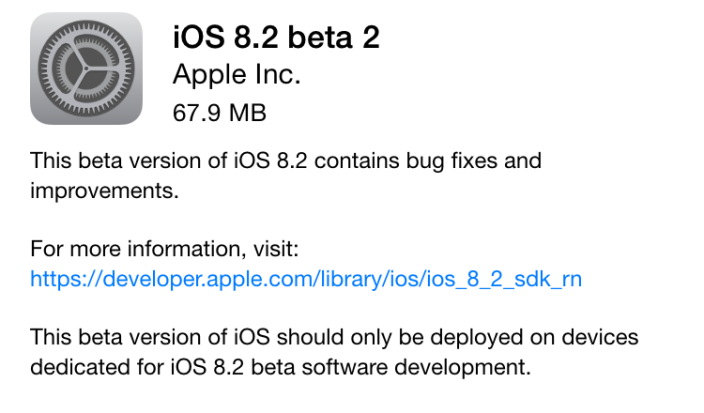
Fifth Beta Build for the iOS 8.2 Released

February 2, 2015 By Roxanne Briean Leave a Comment

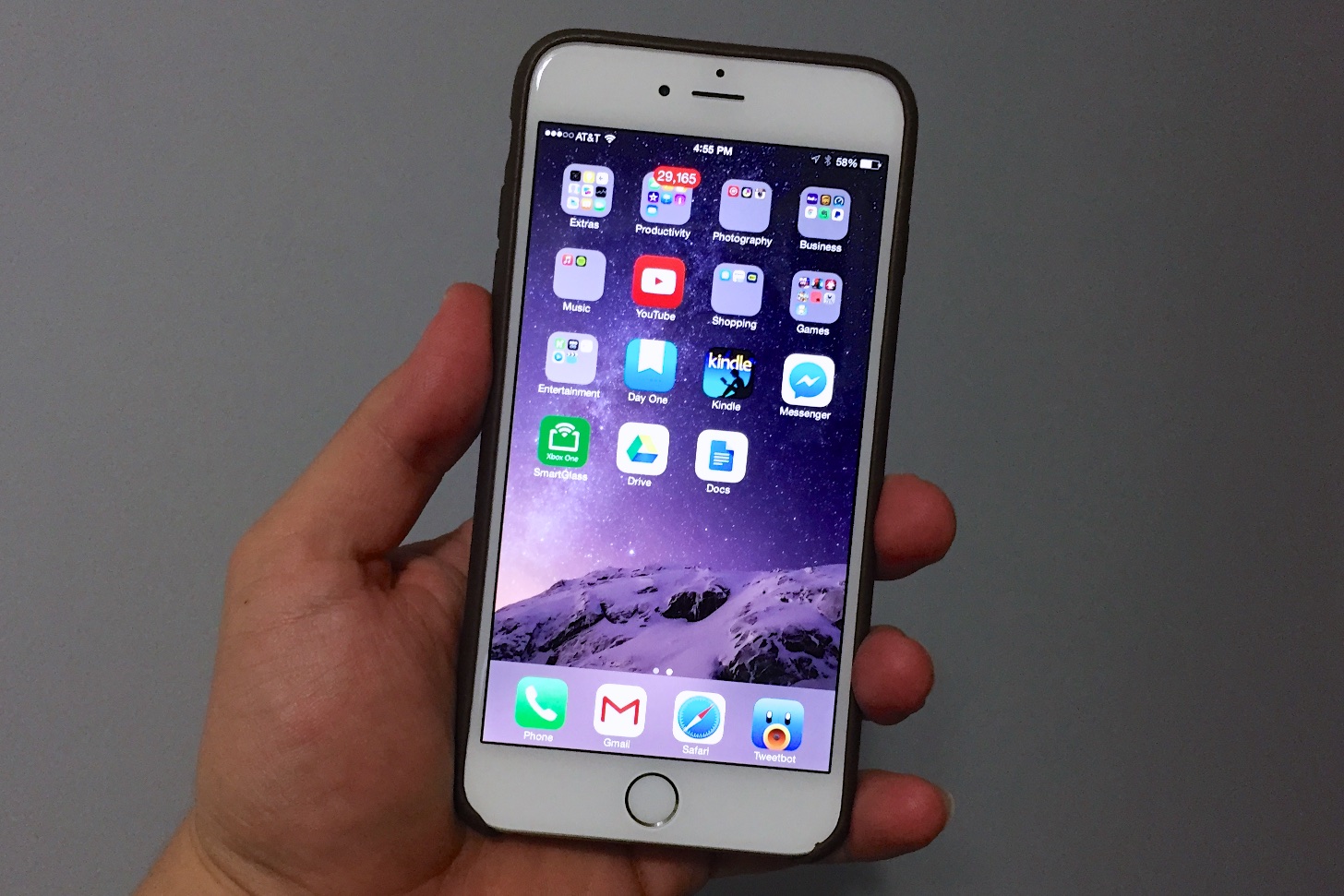
img_0380-e1418234598941

Apple is taking its sweet time with releasing the next in line patch to the iOS 8: the greatly anticipated iOS 8.2 update. While this is not the only focus of the update, the greatest thing about 8.2 is the preliminary preparation it’s undergoing to ease the launch of the Apple Watch onto the market and complimenting its functionalities, while ensuring the device is operating properly under the new operating system version.

The Apple Watch is the first new major product to make its way out since the iPad and excitement in regards to its release is up to par with the rarity of such an event.

When it comes to iOS 8, there has been a serious number of issues regarding it ever since its release. While the newest models of the iPhone family – more specifically iPhone 6 and iPhone 6 Plus – have only been hindered or slightly held back by several bugs which got fixed later nonetheless through the released updates and subsequent patches.

Older models of the iPhone however sadly took the brunt of the iOS 8; because of that, the operating system’s rate of adoption proved to be the slowest ever in iOS history. The adoption rate somewhat increased following the 8.1.3 update, bringing it to an approximate 70% worldwide on all compatible devices as we speak.

The list of devices that are compatible with iOS 8 is any iPhone ranging from iPhone 4S and above, iPad Air, Air 2, mini, mini 2, mini 3, iPad 2, 3rd generation iPad and fifth generation iPod Touch. Considering the iOS 8 came packed with the new iPhone 6 and 6 Plus respectively, 70% is still a low percentage of coverage. Come iOS 8.2 however, a lot of faults in the original operating system are hoped to be resolved and thus have the platform gain more popularity than it so far has.

There’s no known launch date for the iOS 8.2 as of now, but taking Apple’s pattern of releasing updates – even just patches, not necessarily full, brand-new operating system upgrades – we could still be looking at a lengthier wait as the company normally takes its time with the beta and testing processes before the final version makes it out to devices. However, several rumors suggest that the iOS 8.2 update is expected to arrive sometime in March, but nothing has been confirmed by the official statements of the company.

iOS 8.2 Known Features

Obviously, the most important one is iconic for the release itself – support for the upcoming Apple Watch. While there is no dedicated Apple Watch application as of yet, or at least not one available for beta testing or other users, there are strong hints that one is in development for the product. In the latest beta version, the Bluetooth settings menu includes additional messages and features apparently dedicated to Apple Watch.

One of the messages explicitly sends the user to download and use the Apple Watch app in order to be able to pair and sync your iPhone to the Apple Watch. That, along with the release of the WatchKit software development that gives developers the ability to create applications for the upcoming Apple Watch are the main focus of the 8.2 update.

But that’s not where the patch ends. A series of fixes is expected to come with it as well, most likely focusing on improving performance and the well-known Bluetooth, Wi-Fi and battery issues. Patch notes have been unusually secretive in regards to the exact changes that are being pushed to resolve these issues and there are chances that we won’t be getting any literal, written form of them until the actual release.

Hopefully however, iPhone 4S and iPad 2 running iOS 8 will be getting a strong look at; although recent patches – e.g. 8.1.x ones – have tangibly made an attempt at fixing performance issues on older models and things are not as bad as they used to be for non iPhone 6 users, the operating system is still a far way off from being smooth on said devices.

So if you’re looking towards purchasing an Apple Watch later this year, when it’s planned to hit the stores, the iOS 8.2 will be there to your assistance. The device was announced at Apple’s iPhone 6 event and is supposedly a release that will redefine the iOS in a sense. If you’ve seen any photos of the Apple Watch, you probably have noticed the dial that adorns the device on its right hand side edge.

That is no fashion statement meant to make the Apple Watch resemble an actual watch; instead of being there just for the kicks of it, the dial – named by Apple the “digital crown” – is a functional feature that will allow you to zoom in and out when viewing different types of content, replacing the classic two-finger pinch that we’ve grown accustomed to on smartphones and other handheld devices that incorporate a touchscreen. The digital crown can also be pressed, taking you back to the home screen as a result, just like the home button on the iPhone normally would.

All of these features will, naturally, attract iOS changes themselves but given the fact that we’re not looking at a whole new operating system altogether, the update will still keep its general feel in place. Most of the ways things work on the current version will be applicable just as well on the Apple Watch, such as swiping in different directions to get different kinds of information – music, calendar, notes, utilities and everything else.

The Apple Watch will be released with three types of models, each model coming in two sizes. There is a regular Apple Watch, an Apple Watch Sport and an Apple Watch Edition. Given the expected functionalities of the Sport version, the iHealth app seems that it will be getting several tweaks itself to make best use of your device when working out and keeping an eye on your day to day activity.

Along with the various models that you will be able to choose from if you’re looking at purchasing the Apple Watch come six different types of straps you can select from to go with your device – differing in size or material, you’ll be able to pick from either thin or thicker leather straps, stainless steel ones, with a few different clasps for them as well.

There is not much amount of news on the prices of the Apple Watches: apparently prices will begin at $350 for entry level watches and will be going as high as thousands of dollars for the rumored 18-karat gold built Apple Watch Edition.
Filed Under: Tech & Science Tagged With: 2, Apple iOS 8.2, Apple operating system, fifth beta build iOS 8.2, iOs 8.2, news about iOS 8

iPhone, iPad iOS 8.1.1 Update: What you Need to do Before Updating to iOS 8.1.1

November 23, 2014 By Roxanne Briean Leave a Comment

A little over a month ago, iOS released the 8.1 update for its users. This update came after customers complained about the numerous bugs and glitches on iOS 8.0. For Apple customers, iOS 8.1 was like a breath of fresh air which resolved nearly all usability and app problems. It also introduced several interesting features such as Apple Pay. Camera Roll, one of the most cherished features of iOS 7 was also reintroduced.


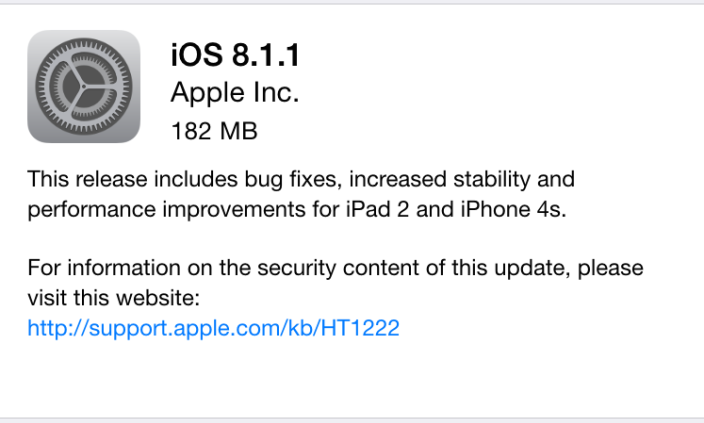
Yesterday, November 17, Apple announced its latest update for iOS 8.1, the 8.1.1 update. Unlike the previous update, this one is more or less a usability update which is designed to resolve remaining stability issues. If you are still having problems with the operating system, this update may be incremental for you.iOS-81.1

Although Apple usually posts a list of specific bug and updates fixes, it decided not to do it this time. However, they announced that the main objective of iOS 8.1.1 is to increase performance for older models: the iPhone 4S and the iPad 2. These two gray-beards were hit pretty hard by previous iOS updates and we are very happy to see that Apple is showing some love for older models that are still performing well. If you own iPhone 4S, 5, 5C, 5S, 6 or 6 Plus, the 5th Generation iPod Touch or iPad 2 and above you should definitely consider installing the new operating system.

iOS 8.1.1 Impressions & Performance

In the following article we would like to share several steps that you should make before installing this major update. You should never blindly install iOS updates that you know nothing about. Waiting one or two weeks might give you enough time to report potential bugs. This way you will know what you’re getting into beforehand.

ios8.1.1

In the last couple of months Apple has been releasing update after update in order to curb complaints and issues derived from the iOS 8.0 update. Even if iOS 8.0.1, iOS 8.0.2 and iOS 8.1 came with good fixes and several interesting features, they also brought about several bugs of their own. iPhone 4s and iPad 2 were the devices that suffered the most in the aftermath of these updates, but with the iOS 8.1.1, Apple is trying to boost performance of the two. We’ve installed iOS 8.1.1 on our iPad 2 device, and it works beautifully. We haven’t encountered any bugs or issues, the performance was incredible, and apps work consistently.

We strongly believe that you should update to iOS 8.1.1, especially if you are experiencing bugs and issues with your devices. Updating will make it easier for you to receive the latest features from Apple. Nevertheless, if you want to jailbreak your device you should definitely not update to 8.1.1 because it will not work with the jailbreaking software.

For those in search of a permanent fix for their iPhone issues, we encourage the installation of 8.1.1. It may not be the ultimate relief, because bugs may be reported in the future, but it is a step towards a better operating system. However, before you rush into installing the new iOS, you should make a few preparations.

1. Clean up your Device Prior to Installation

Do you regularly clean up your iPhone device? You should know that this could significantly boost the performance and battery life of your device. We are positive that, over the past few months, you have downloaded many applications, photos and music that you don’t really need. Now is a perfect time to get rid of the files that you are not using. The extra space you create will definitely come in handy once you install the iOS 8.1.1 update.

You should definitely clean up some storage space if you own a 16GB iPhone or iPad, because installing the operating system Over-the-Air will require a lot of free space. We also expect a lot of uninformed Apple users to cause a lot of ruckus over this issue, even if the company announced that Over-the-Air will take up a lot of storage space. A rule of thumb would be to clean up iPhones and iPads as often as possible in order to enhance performance, but if you don’t do this, you should at least have a major clean-up before every operating system update.

2. Charge your Device Prior to Installation

As we already mentioned, the installation requires at least 50% of battery power. This detail may not seem very important, but we urge you to charge your phone to full, to ensure that you avoid issues. You can also perform the installation with your phone charged into a power source. Battery level requirements depend on the age and performance of your device.

iOS-8.1.1-release-on-the-way-b

3. Update to the Latest Version of iTunes

If it’s the first time updating/downloading iOS 8 updates you should know that the latest version of iTunes is imperative. So before you begin installation, you should remember to update your iTunes. There are two ways of doing this. You can download the latest version for Windows, OS X etc. of iTunes from Apple’s website. You could also manually check for an iTunes update by accessign iTunes – Check for Updates. Windows users can check for updates within iTunes in the Help tab. If you own a Mac you can check updates on the Mac Store.

4. Discuss with your IT Team

Countless of business people use their Apple devices for work, mainly because iOS offers great apps for financial, organizational and accounting activities. We strongly recommend you to discuss with your IT department prior to installation, to make sure that the new operating system will not cause problems for your work. During the first iOS 8 update, tons of enterprises ran into serious problems that compromised their business goals. Worst case scenario, the IT team will tell you to hold off the installation until they gather more intelligence about the new operating system.

5. Update Important Apps

In a previous article we mentioned that some apps may be malfunctioning because they have not been correctly updated for iOS 8, therefore, they are not compatible. App developers, especially third-party developers, have been doing an excellent job in resolving bugs and issues with iOS 8 compatibility. Many bugs were resolved with iOS 8.1, and we expect that the 8.1.1 update will eradicate any remaining problems.

early-iOS-8.1-IPhone-6-Plus-Review-2

However, to make sure that all updates run smoothly you must update all your apps. In the past, it was possible for users to alleviate some of the issues caused by iOS 8.0 by updating their apps to the latest, bug-proof versions. It would be a wise move to update all your apps before installing iOS 8.1.1. This way, the transition between operating systems will run smoother.

How to install iOS 8.1.1 with iTunes

Although OTA has a convenient installation process, it takes a long time to complete, especially if you have a slow internet connection. Have you updated to the latest version of iTunes? Then you can begin the installation process. Click on iTunes in the menu bar then click on “Check for updates”. Now you have to focus on your device. The following steps will help you update to iOS 8.1.1:

  • Step #1: Connect your Apple device to the computer with a USB cable and wait for iTunes to recognize it.
  • Step #2: Click on the device button on the left of your iTunes Store button, in the top right corner of iTunes.
  • Step #3: You don’t have to hold down the Option key or the Shift key to check for updates. If the iOS 8.1.1 update is available it will be downloaded and updated on your device automatically.
  • Step #4: Once you receive the pop-up message that informs you about the update, click Download and Update. Make sure it says that iOS 8.1.1 is the latest version.
  • Step #5: If the iOS 8.1.1 update was not automatically available you need to download the firmware files appropriate for your device.
  • Step #6: After you click on the update you will be asked to Agree to the terms and conditions of Apple.
  • Step #7: By clicking “Agree” iTunes will be prompted to begin downloading the firmware file. The software will automatically download, process, extract, prepare and install the update.
  • Note: whatever you do, do not disconnect your device until the installation is complete. It will reboot several times during installation. When the installation is complete you will see the welcome screen with “Hello!”.

How to Install iOS 8.1.1 Over-the-Air (OTA)

The OTA installation process is quite simple. Make sure you plug in your device to prevent your battery from draining during the process. Depending on the version of your operating system, and the speed of your internet connection, it will take between several minutes and an hour to update and install. We strongly recommend you to connect through Wi-Fi to avoid extra-fees after installation.

To begin the process go to your General Settings > Software Update tab. If you are connected to the internet your device will automatically inform you about the iOs 8.1.1 software update. Click on “download” and wait for it to complete. Tap “install” and wait for the process to complete. Your device will continue to download updates and software and notify you when it is done. Then you must go back to Settings > General > Software Update and tap on Install now to Install the now downloaded iOS update file.


Filed Under: Tech & Science Tagged With: Apple iOS 8.1.1 update, Apple operating system, Apple updates, iOs 8.1.1 update, what you need to know about iOS 8.1.1

Subscribe to Blog via Email

Enter your email address to subscribe to this blog and receive notifications of new posts by email.

Join 11 other subscribers

Recent Articles

police handcuffs man

German Man Probed In Poisoning That Killed 21 Employees Since 2000

June 29, 2018 By Kenneth Scott Leave a Comment

Chicken wings bar

Intoxicated South Carolina Man Punches Waitress Who Refused to Serve Him Alcohol

June 29, 2018 By Karen Jackson Leave a Comment

gaming

New Zealand gamer Who Flew Halfway Across The World for Virginia Teen Gets Shots By Her Mother

June 28, 2018 By Cristopher Hall Leave a Comment

party

Former Virginia Tech Freshman Sentenced to 50 Years in Prison for Stabbing a Girl to Death

June 28, 2018 By Roxanne Briean Leave a Comment

bonfire

British Couple Sentenced to Life in Prison for Torturing and Murdering French Nanny

June 27, 2018 By Deborah Campbell Leave a Comment

pay phone

Texas Father of Girl Disappeared in the 80s Ignored by Authorities

June 26, 2018 By Cristopher Hall Leave a Comment

bottled water

San Francisco Woman Threatened to Call Police on Girl Who Sold Ice Water for Disneyland Trip

June 25, 2018 By Roxanne Briean Leave a Comment

Maplewood Park

Missouri Man Robbed by Date and Accomplice in Park

June 22, 2018 By Nancy Young Leave a Comment

coding

New York Man Sentenced in Cyberstalking Former Girlfriend, Mailing Drugs to Her Dorm

June 22, 2018 By Deborah Campbell Leave a Comment

headphones

Bose Poised to Launch Sleepbuds, In-Ear Headphones That Help You Sleep

June 21, 2018 By Nancy Young Leave a Comment

Police light

Intoxicated Female Driver in Custody for Pulling Arresting Officer by the Hair

June 21, 2018 By Kenneth Scott Leave a Comment

kitchen

Restaurant Manager Arrested and Charged in Shooting Death of Co-Worker over Negative Yelp Reviews

June 20, 2018 By Karen Jackson Leave a Comment

plastic container

Pennsylvania Couple Charged in Violent Death of Infant Discovered Buried in Cat Litter

June 19, 2018 By Cristopher Hall Leave a Comment

tailpipe

Minnesota Teen Gets Head Stuck In Oversized Tailpipe Winstock Music Festival

June 18, 2018 By Karen Jackson Leave a Comment

Pages

  • About Us
  • Contact us
  • Privacy Policy
  • Privacy Policy GDPR
  • Staff
  • Terms and Conditions

Recent Posts

  • German Man Probed In Poisoning That Killed 21 Employees Since 2000 June 29, 2018
  • Intoxicated South Carolina Man Punches Waitress Who Refused to Serve Him Alcohol June 29, 2018
  • New Zealand gamer Who Flew Halfway Across The World for Virginia Teen Gets Shots By Her Mother June 28, 2018
  • Former Virginia Tech Freshman Sentenced to 50 Years in Prison for Stabbing a Girl to Death June 28, 2018
  • British Couple Sentenced to Life in Prison for Torturing and Murdering French Nanny June 27, 2018
  • Texas Father of Girl Disappeared in the 80s Ignored by Authorities June 26, 2018
  • San Francisco Woman Threatened to Call Police on Girl Who Sold Ice Water for Disneyland Trip June 25, 2018

Categories

  • Business
  • Entertainment
  • Finance
  • Headlines
  • Health
  • Life
  • Nature
  • Science
  • Sports
  • Tech & Science
  • Travel
  • Uncategorized
  • United States
  • World

Copyright © 2026 ArgyllFreePress.com
About · Privacy Policy · Terms of Use · Contact