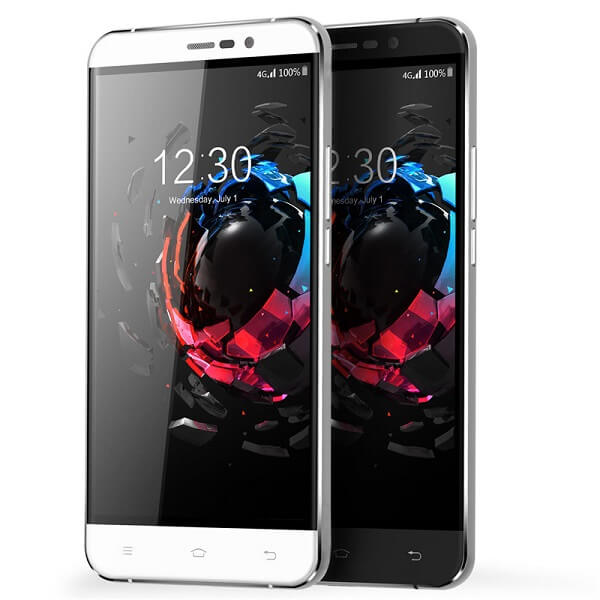
Coming from the Chinese manufacturer that is not quite the first when you think about Chinese smartphones, the Umi Hammer S is a highly affordable, wallet-friendly phablet that is made to capture a few gazes in the Western market. For its price class, the Umi Hammer S is a relatively charming piece of technology – at least aesthetically. Manufacturer has claimed that the way it’s built makes it virtually unbreakable. However, considering that it’s one of the very few smartphones or phablets that actually feature a removable battery and a detachable back, I am just a very tiny bit skeptical.
Regardless, what the UMI Hammer S tries to achieve is to mix as much performance they can into a phablet that is visually pleasing for the Western market without being attached to an overzealous price. The result? Well, the experiment was a success. However, in terms of comparing this phablet with high-end devices on the market that, the results are not very joyful: while the UMI Hammer S is a pretty-looking device that doesn’t divulge its shockingly low price, the hardware is nowhere near the one found in its competitors.
Depending on what your expectations out of a phablet are and what you would be using it on, there’s no telling whether the UMI Hammer S will make the cut or not. In order to make up your mind, here’s a list of everything we feel like it’s important to mention in regards to this aspiring budget phablet.
UMI Hammer S Design
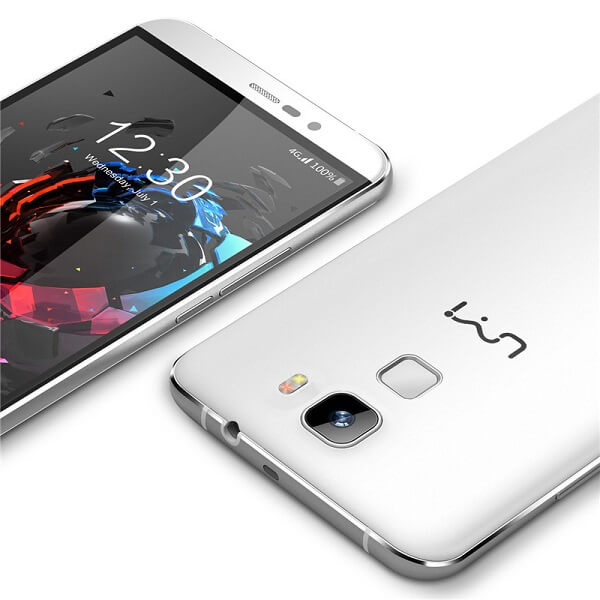
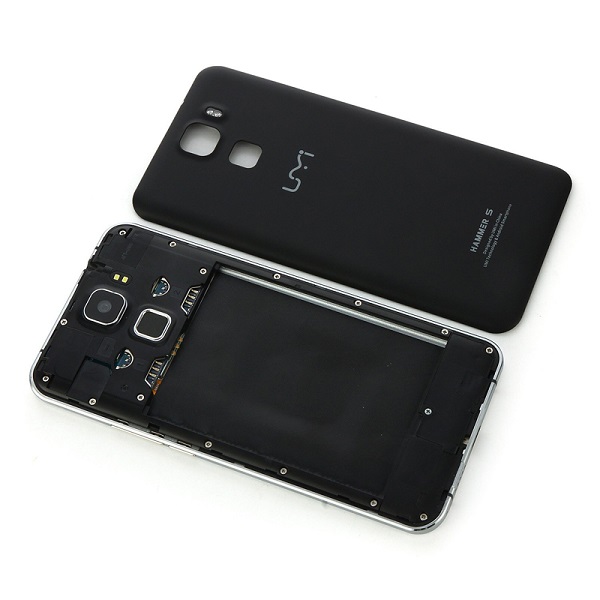
If we were to judge the UMI Hammer S based on design alone, chances are he would turn out to be an outstanding and definite winner; at least on first look. Sadly the body is not made of the more common aluminum alloy that is usually found in most top-end devices on the market right now. It does display portions of it that are metallic – the chassis of the phone is made of aluminum but considering the phone does not feature a unibody that can’t be opened, its back cover is unfortunately made of plastic. By removing the back cover you can gain access to the removable 3,200 mAh battery, two micro-SIM slots and a microSD card slot – a relatively unorthodox choice for the SD card given standards nowadays.
The phone is currently only available in two variants: black or white. In terms of overall size, the UMI hammer S is 154 x 77.4 x 8.5 mm, rating it as a minimally sized phablet (5.5 inches and above) but packing a much thicker design that your usual smartphone. This aspect may prove to be bothersome for some users as it gives the phone a relatively chunky and bulky feel at times. In addition to the 200 grams that the phone weighs, it may feel a little strange for you if you’re accustomed to the overly slim and light design of companies the like of Apple or Samsung.
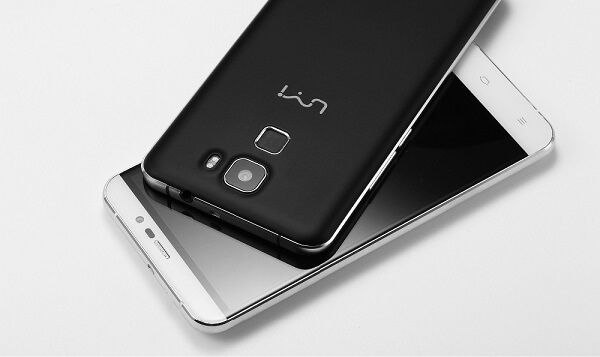
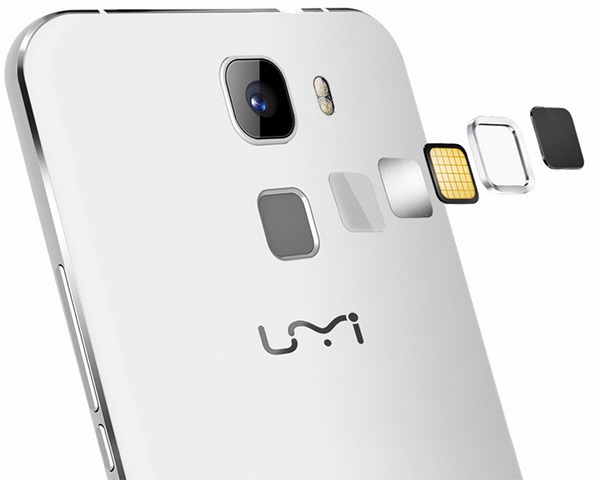
So while the front and the edges of the phone look adequately sleek, the back of the phone is a slight disappointment as it loses some of its aesthetic credibility. Regardless, it’s not as bad as it sounds as the UMI Hammer S has at least employed the most recent trend that we’ve been spotting on more than one device. Started by another Chinese company, Huawei, the decision to start placing fingerprint readers on the back of their respective devices can be noticed in case of the Hammer S as well.
The company logo is a little lower on the back case, while the camera sensor and LED flash slightly protrude on the area above the fingerprint reader. Under no circumstance as upsetting as the Nexus 6P that has an entire strip jutting out of the design of the phone, but still there. While I doubt that there is any direct danger to the glass of the camera scratching or breaking, it’s most likely more susceptible to damage than the 100% incorporated versions of sensors. There is a distinguishable space between the sensor itself and the metallic frame going all around it which makes it a little unsettling as it removes a degree of the phone’s compactness.
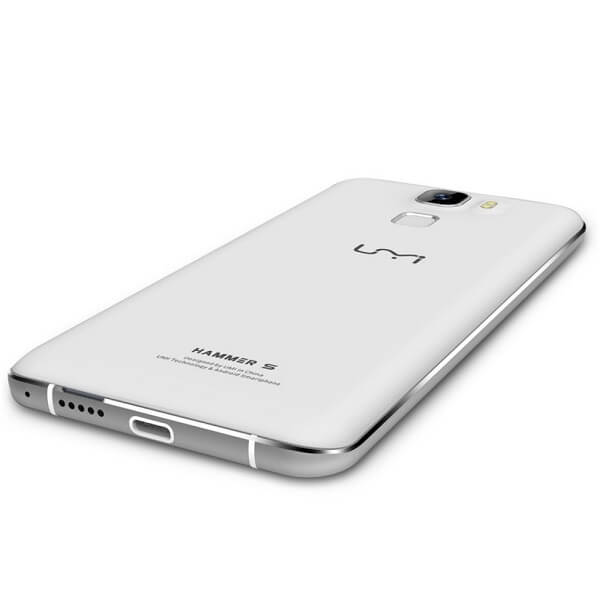
Nevertheless, the metallic chassis of the phone is nicely distinguished by the slim strip going all around the phone, only interrupted by the two sets of antenna lines – colored white for the white variant of the phone, and black for the darker alternative. The display is tugged into this frame, once again leaving some noticeable gaps where the two parts join.
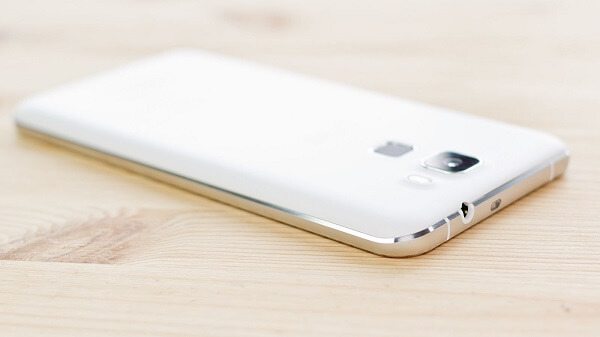
The overall placement of ports and the speakers for example do resemble the design Apple had originally applied to their iPhone 6. The bottom of the UMI Hammer S displays a Type-C USB charger, something that we’re still not seeing on a regular basis in many of the recent and present releases in matters of smartphones and phablets. The Hammer S is probably one of the first phones to make use of this new type of chargers, and most likely the first low-budget phablet of the Type-C USB family.
A little to the right of the charging port, you can see a perforated strip of hole speakers, also slightly resembling iPhone 6’s design, albeit much smaller than its counterpart. While the right hand side of the phone covers the power button and the volume rocket to nobody’s surprise, the top is host to something a little more unusual. Beside the 3.5 mm headphone jack, right in the center of the top edge lies an infrared blaster. While there is a hefty amount of technology that can otherwise allow you to control your home electronics via your phone, the UMI Hammer S decided to do it the good old fashioned way: by giving the phone an IR blaster in order for it to be capable of turning into a remote by default, no other third party applications or software being needed.
As a last note before we move onto the next section of our review, the screen tries to stand out a little by displaying slightly curved edges – not as prominent like they were in the Galaxy Note 4 Edge for example. Instead, it’s just an accent of curved glass that makes the phone look even classier.
UMI Hammer S Display
At 5.5 inches, the UMI Hammer S only just barely makes it into the phablet territory, 5.5” being the minimum display size that can qualify smartphones as phablet. While the display doesn’t seem to lack in the vividness of colors and a decent viewing angle, it’s less than impressive in all other aspects.
The developers have opted for an LCD IPS display covered by a layer of 2.5D curved glass. That makes up for a great color realism and vibrant hues all across your display. It comes however, with a poorer ability to display contrast – meaning blacks are not true and brightness doesn’t go amazingly high up.
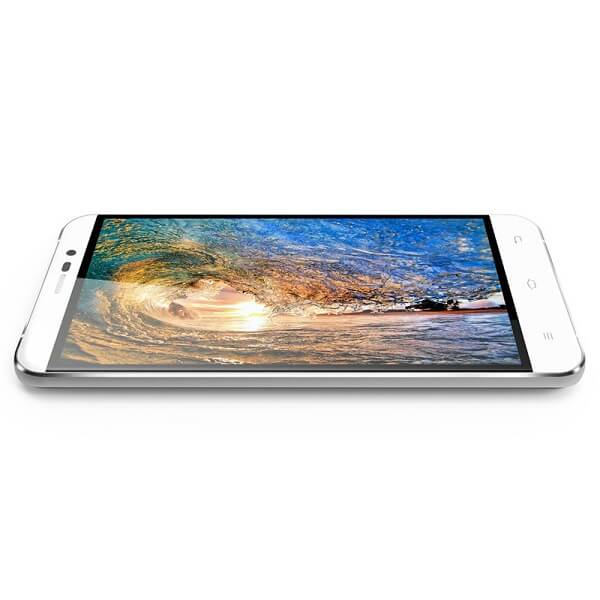
The aspect where the UMI Hammer 5 falls behind terribly is the resolution that the screen is capable of. At only 1280 x 720 resolution, the display only manages to score an anticlimactic 267 ppi pixel density. Because of that, colors might not be able to make up for the fuzziness look of the images. The 720p display feels really underwhelming when placed next to the competition models, but that’s a factor for you to decide the importance of.
One aspect that some users have noticed and reported is the level of responsiveness that the display seems to be capable of; many individuals are reporting a slightly slow touch response level, enough for it to be noticeable that writing a text will take you longer on the Hammer S Display in comparison to other phones and phablets. By no means does this imply that the screen is unresponsive: it is simply an issue of how fast one is able to access and maneuver the phone via the touch screen. It’s not something you’ll be able to quantify that well using a stop watch, however. If anything, typing long texts may feel different because of it, but you won’t be able to find many other signs.
UMI Hammer S Hardware & Performance
I’m a little curious as to where all that thickness and weight of the UMI Hammer S come from. Considering that plastic and aluminum do not make up for the heaviest materials in the world, I’d be inclined to believe that that extra weight is caused by hardware. To some extent, that is true: considering the UMI Hammer S does not host the newest, slimmest and thinnest components out there, some extra bulk reminiscent of some time ago is there. Packed inside it there is a quad-core processor, 2 GB of RAM, a dedicated GPU and 16 GB of storage.
The quad core processor is made up a single quad-core unit: a MediaTek MY673 64bit that can max out at 1.3 GHz. Because of it, the phone is capable of connecting to 4G LTE platforms, thanks to the power of the CPU. This particular core processing unit comes with its own integrated graphics in form of ARM Mali – 720 graphics. That GPU will unfortunately run older games without many problems, however becoming relatively problematic when it comes to newer and more graphic-intensive ones.
However, the Mali-T20 graphics processing unit manages to keep itself level enough to allow 1080p Full HD video recording and playback at 30 frames per second. In addition, the 2 GB of RAM memory do not come up to the likes of high end setups that usually feature 3 or even 4. But the subject of mobile phone RAM memory has been heavily debated in terms of how relevant it really is when performing usual tasks. Turns out that unless you’re subjecting your phablet to activities that are either extremely heavy on graphics or when you run multiple processes at the same time – usually taking a toll on the performance of the phone from one point onwards. Otherwise, RAM memory should not be regarded as a centric point of hardware packed in smartphones as there are very few types of applications that will put your memory under stress.
While the amount of storage space that the UMI Hammer S provides by default is far from satisfactory (16 GB), thankfully it supports the micro-SD alternative. However, you can only add up an additional 64 GB worth of space this way, making things better but not great still.
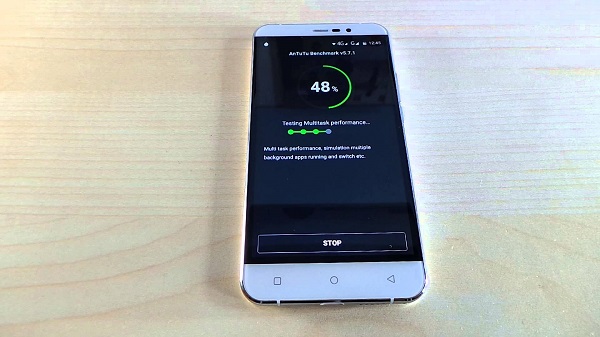
Were we to truly base our review on the benchmarks scores the UMI Hammer S managed to get, it would not gain too many fans. With a 1,346 score in Geekbench and 20061 in AnTuTu benchmarks, you might think the phone is not capable of much. However, in day to day use, the Hammer S seemed to hold itself pretty well – unless you stressed it out with graphic-intensive applications.
UMI Hammer S Camera
The camera on the UMI Hammer S unfortunately does not exceed average status. With a rear camera that advertises itself to have 13 megapixels, things are a little different than they seem. In fact, the camera is an 8 megapixel Sony IMX168 one instead that uses software-based tweaks that take it up to 13 MP. And in this situation “up to” is a more than accurate, necessary statement because the zoom value differs depending on things such as the format you want to shoot in: 4:3, 16:10, 16:9 and so on.
The photos taken with the UMI Hammer S rear camera are adequately vivid and crisp, with a noticeable decrease in quality when you zoom in, that being marked as the moment when the photo starts gathering a considerable amount of fuzziness. If there’s anything rather upsetting from the Hammer S camera, it’s the fact that it has no image stabilization meaning that you’ll not only take a long time to boot up the camera (that’s just how it is) but setting up to take a photo will be a more tedious process. If there’s anything that’s bad about the camera is its dwindling power when it comes to shooting in low-lit environments, earning you photos very rich in noise.
If there’s anything that’s good, it’s the software side of everything. While the feature that allows the phone to automatically capture a photo when it detects a particular gesture is a pretty fun thing to have, I understand why most individuals won’t jump up and down at the prospect. All of the post-processing that you can normally do to your own photos on most smartphones is here too, on top of a huge number of shooting modes that you can choose from, including something that seems very similar to the iPhone 6S’s GIF functionality.
In case selfies and voice conferences are not missing in your life, the developers have included a front-facing camera too: 3.2 megapixels, f/2.2 aperture and 1.12um pixels await for you on the front camera, for your daily needs.
To wrap up everything there is to know about the cameras displayed on the UMI Hammer S, the camera is by no means bad. It offers you what a normal camera would, without really adding any personal input or other improvements. All in all, it’s just a regular, decent camera that will get the job done but not manage to impress you with anything.
UMI Hammer S Software & Features
This will be a great thing for Android fans: the UMI Hammer S runs the Android 5.1 Lollipop OS. Surely, it’s not the stock interface version, but it’s not that far off either. UMI have only put their own personal imprint on the Android operating system in terms of skinning – the phablet being host to UMI’s own RootJoy interface. For someone who is accustomed to Android, navigating the system won’t be difficult at all, with only very few changes scattered here and there.
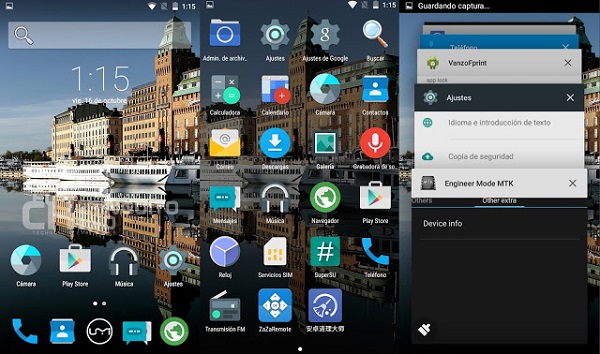
However, there are aspects of the OS that some Android users might miss, especially with no news of a 6.0 Marshmallow update coming anytime soon. For example, there’s no Google Now or other default Google Apps; while that may sound worrying, rest assured to know that most can be downloaded and installed from the Google Play store.
There is a unique feature that the UMI Hammer S comes with, although not something that we haven’t heard of before. Known as “Smart Wake” gesture commands, they allow you to quickly boot up various apps of your phone – the music player, the camera and so on.
As soon as you turn on and setup your phone, you’ll be greeted by UMI’s own default applications for the browser, file manager, messages, music and so on, and the unique SuperCleaner app. This is yet another unique aspect of the phone that is a new and improved way of managing your memory usage, giving you a lot more control over the apps that you have installed and booting at startup
UMI Hammer S Battery & Verdict
The battery of the UMI Hammer S is definitely one of the better aspects of what this budget phablet has to give. At 3200 mAh, the battery included is considerably larger and more powerful that what we normally find in your regular smartphones. With a full charge, you will get about a day of activity on average use; intensive use however, will still earn you marginally longer than other comparable phones, and that’s considering plenty of screen activity uptime or demanding apps being run. The fact that the battery is removable and behind an easily detachable door is both a win and a loss. It’s a loss because that way the interior of your phone is not as well protected from various external factors that your phone might be exposed to (for example, accidental water damage). However, it’s also a win considering swapping out your battery is much easier – whether it needs replacing or whether you like practicing running with spares.
Last but not least, considering it is – surprisingly – bestowed with the new Type-C USB charger, the charging times of your battery will turn out to be much shorter than the microUSB variant that most of us are used to.
To wrap up, the UMI Hammer S is an interesting one. I can’t say that it’s proficient in anything in particular nor does it bring anything new to the market. However, considering its price class, it incorporates much more than you would expect a budget phone to carry in its case – a fingerprint reader and Type-C charging are only a very small portion of it. Hardware-wise it doesn’t really compete with any other higher end phablets, but it does come with a highly compatible and optimizable Android OS.
Whether you should purchase the UMI Hammer S or not falls purely within your judgement of what you expect from a phablet and how much of it this particular one would suffice for.
You can purchase the UMI Hammer S for $129.99 from various online retailers.
