Argyll Free Press

Growing News Network

Wednesday, December 31, 2025
Log in
  • Business
  • Finance
  • Sports
  • Tech & Science
    • HP Envy 4500 Review
    • LG Optimus 170 Review
    • iPod Touch 6th Generation Review
    • HTC One M8 Accessories Set-up
    • Surrealist Games You Must Play
    • Hisense Sero 8 Review
    • Dell Latitude e7440 Review
    • HP Laserjet 1536dnf mfp Review
    • Garmin Fenix 2 Review
    • Skype Vs Viber
    • Best Video Conferencing Software
    • Sony mdr 1r Headphones Review
    • Canon Rebel t3i Review
    • Sennheiser Momentum 2-0 Review
  • Travel
  • Headlines
  • Health
  • United States

Apple’s Issues With Storage May Be A Thing Of The Past

June 30, 2015 By Roxanne Briean Leave a Comment

Apple CEO Tim Cook

Apple’s issues with storage may be a thing of the past, thanks to Samsung.

9to5Mac cites as source KoreanTimes, which state that Apple is in negotiations with Samsung – they want the South-Korean company to build them a crucial component for their new iPhone product line. Rumours have it that Apple wants to ditch Toshiba, SK hynix and SanDisk, and go with Samsung as their only storage component manufacturer.

Their iPhone 6, and iPhone 6 Plus smartphones come with a standard 16 GB storage, and some consider this to be way too small for what you can do with a device in 2015. By the time the new iPhone comes out, 16 GB of storage may not be enough for what the average Joe needs. More so, operating systems may increase in size in the near future.
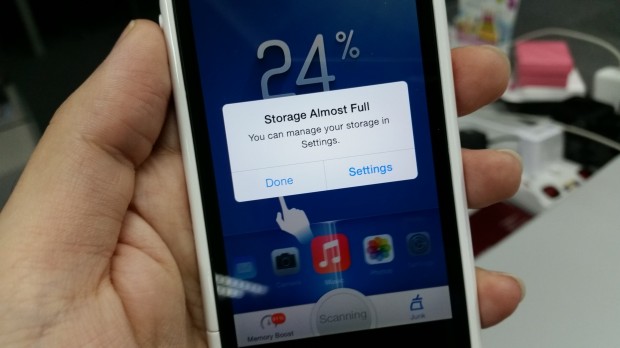
Apple's iPhone 6 16 GB struggles with storage space

Apple wants to stay ahead of problems that might arise in the (near)future.

We already know that Samsung is in Apple’s good grace, because they will reprise their role as chip makers for the California-based company, but their relationship might turn another leaf.

Apple’s standard iPhone 6 model comes with a built-in storage of 16 GB – users can choose upwards to 32 GB, 64 GB, and 128 GB.

Apple might scratch off completely the 16 GB model, thus making Apple aficionados pay more buck for a standard model – which rumours have it will stand at 32 GB.

In 2014, photo app Ice Cream reports that  iPhone 6 16 GB users run out of storage space too often. Apple is listening to its community, and considers that – ” The belief is more and more as we use iCloud services for documents and our photos and videos and music, that perhaps the most price-conscious customers are able to live in an environment where they don’t need gobs of local storage because these services are lightening the load. “ says  Phil Schiller, the company’s head of marketing.
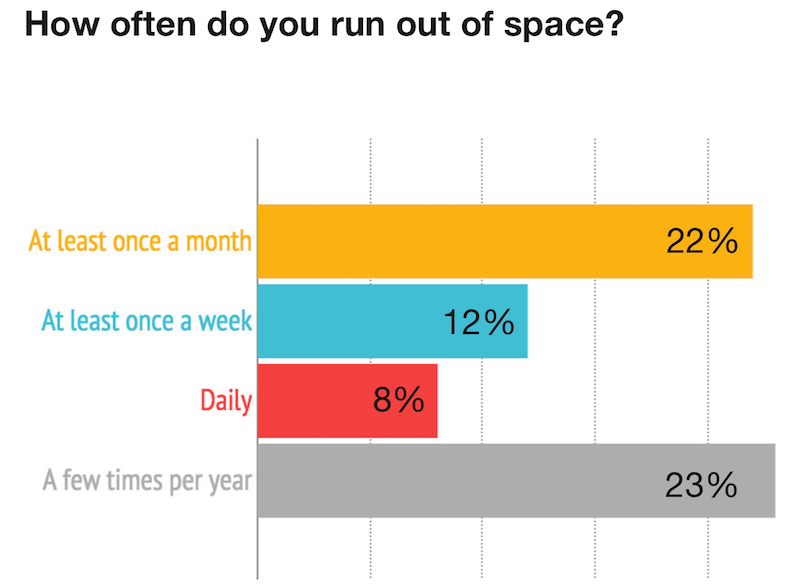
Apple iPhone 6 16 GB storage graph

IceCream / Ondevice Research 2014

If the rumours are true, Apple is shifting its focus on storage space for its new iPhone device, and they consider this a big deal, even though they seriously don’t show it. Apple is trying to make iCloud services popular, but it’s aware of the fact that not everyone is keen on jumping on the bandwagon which is currently dominated by Amazon, Google, and Microsoft.

Also, as a side note, Apple is considering that the iPhone 5C’s 8 GB of storage space is incredibly small, and it might interrupt its line pretty soon – only for it to come out with 16 GBs, and even 32 GBs.

Apple will most likely announce something official this Fall, as the company is known not to respond to rumours.

What do you think? Good, or bad decision on Apple’s side? Would you pay more for a standard model that has double the storage space that the current iPhone 6 has?
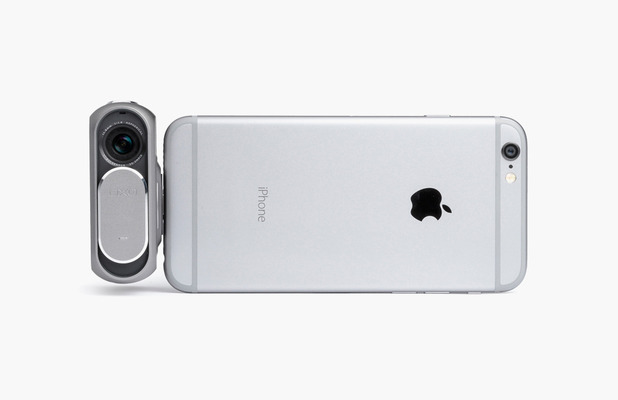

Image Source: 1, 2, 3

Filed Under: Headlines Tagged With: Apple, iPhone, samsung, storage component

The DxO One Turns Your iPhone Into a DSLR

June 19, 2015 By Nancy Young Leave a Comment

DxO One Camera

The DxO One is an awesome add-on that can make your iPhone shoot DSLR-quality photographs.

We all take a ton of pictures on a monthly basis – whether we’re taking pics of our loved ones, or just quickly snapping something funny that you’ve witnessed on your daily commute. At the current moment, we don’t need to worry that our pics will be pixelated, and indescribable because the market is saturated with devices that offer average camera units.

But none of the smartphones on the market can output a DSLR-quality photo.

DxO One pic sample

Shot with a DxO One camera

Here’s where the DxO One comes in handy. It’s due to be released this Fall, and the digital image processing company that is behind the DxO One states that it’s going to be pocket-sized, and it’s going to connect easily to your iPhone, or iPad device – you pair them using your Lightning connector.

Basically, the DxO One uses your iPhone, or iPad, as a viewfinder. The company is promising DSLR-quality photos, but this won’t come cheap. The DxO One is going to cost $599. Yikes! That’s quite expensive. The company states that their little pocket friendly camera will compete with full-sized mirrorless cameras.

Here’s another sample of the quality that it can output:

DxO One Camera

Shot with a DxO One camera

The camera is super light weighing at about 3.8-ounces, and measuring 2.65-inches tall. The cherry on top is its camera unit that features a 20.2 megapixel sensor, and because it’s paired with an f/1.8 lens, it can compete with 32mm-equivalent lens’.

The DxO One is going to come with its very own Apple app. You can use it to change the ISO, and the aperture, as well as swivelling the camera when it’s connected to your iPhone, or iPad, in order to take photos from different perspectives. Don’t forget those awesome DSLR-quality selfies. Also, you can shoot video at 1080p.

Shot with a DxO One camera

Shot with a DxO One camera

The photos you take are stored on DxO One’s microSD card, but you can easily transfer them to your device of choice.

If you jump on the bandwagon and pre-order the DxO One now, you can get the company’s very own image processing software for free.

Now, the DxO One doesn’t have a flash of its own, and it will use your iPhone’s, or iPad’s flash, but the company noted that the camera will work perfectly in a low light setting. I haven’t tested it yet, and all we have are these photos that the company has released. They look pretty good, but it isn’t the first time a company has lied to sell their product.

Image Source: 1, 2, 3, 4

Filed Under: Headlines Tagged With: Apple, DxO One, DxO One Camera, iPad, iPhone

iPhone 6s Display Rumors

March 18, 2015 By Roxanne Briean Leave a Comment

iPhone 6s Display Rumors

iPhone 6s rumors are beginning to surface and several details regarding the iPhone 6s display have already started to make their way on the Internet.

The new Apple smartphone saw the biggest upgrade regarding its screen, increasing its size from a 4-inch display to the current 5.5-inch one present on the iPhone 6 Plus and the 4.7-inch display on the iPhone 6. Despite this change in size, the screen uses the same LCD found in previous models, meaning that consumers are pretty excited about a possible change in technology in the new iPhone 6s.

Here are some exciting iPhone 6s display rumors.

iPhones were always built with great displays and were one of the first smartphones to have high resolutions, ever since the iPhone 4 which launched in 2010. Since that model, Apple offered the Retina display in all its phones, the biggest one being the 1080p Full HD one inside the iPhone 6 Plus.

Now it seems like things are about to get even more exciting as a lot of rumors are regarding the display inside Apple’s next generation phone.

OLED Technology

There are rumors that Apple will use an OLED display inside the iPhone 6s. It’s a known fact that OLED displays are better than LCD ones but they cost more to make. Time will only tell how the price of the new iPhone 6s will be affected by the possible use of an OLED display.

OLED displays use a technology that allows each pixel on the screen to be built with an organic material that lights up when electrical current passes through it. This means that OLED displays (Organic Light-Emitting Diode) don’t need any backlighting and thus are a lot lighter and thinner than traditional LCD ones. This also means that OLED displays can be curved and bent, which will allow Apple to experiment with numerous designs.

This kind of technology is more popular nowadays and many TVs use OLED screens as well as some smartphones. That being said, it’s still a new technology and it’s understandable that Apple waited a bit before using it in its iPhones. However, this might be the perfect time for Apple to use this screen inside the iPhone 6s.

iPhone 6s Force Touch

Many people claim that this technology included in Apple Watch will also be used inside the new iPhone.

Force Touch on the Apple Watch lets users trigger actions depending on how much pressure they apply to the screen. For example, a light tap can be used to select an item, while a heavy press can display a menu or a set of options. It’s pretty similar with how a right and left click function on a mouse and it wouldn’t be surprising if Apple decides to use this technology in its new smartphone.

A similar technology was revealed earlier this week in the new MacBook. The laptop’s trackpad was improved upon and even though it’s manufactured out of glass, it’s now pressure sensitive which will allow the user to click anywhere on its surface. Up until now, the user could have only clicked from one side on the trackpad.

This technology is used by Apple for what it calls “force clicks” which, for example, will let users click harder on an address inside the Mail app to get a location of said address. Apple also showed how you can use it inside Finder to get a preview of what a folder contains.

It looks like Apple is expanding this new technology to be used inside different devices and it wouldn’t come as a surprise if it will also make its way onto the new iPhone 6s.

Glasses Free 3D

To be fair, this is pretty far-fetched, but it’s not entirely impossible. There have been rumors that the next generation iPhone will feature a glasses-free 3D display.

The new report claims that this kind of technology can’t be used with the display found in the iPhone 6, which means that an entirely different screen must be used in order to take advantage of it. It’s unlikely that Apple will redesign the iPhone this year and it’s safe to assume that if in fact a glasses-free 3D technology will be used inside the iPhone, it won’t be used until 2016 when the iPhone 7 will be released.

A 3D screen is possible but if the Amazon Fire Phone has taught us something is that consumers aren’t all that excited about this kind of technology. The Amazon Fire Phone wasn’t such a great hit.

It’s a rumor that has to be taken lightly but Apple did experiment a bit with 3D with the Parallax Effect option present in iOS7 and iOS8. The Parallax Effect gives the illusion that the display is 3D and it was first introduced in Apple’s iOS 7 and was eventually used in iOS 8 as well.

It seems a bit odd that Apple would wish to put this technology inside its iPhone, seeing how consumers aren’t all that keen on it. However, the company is known to improve upon technologies in such a way that they become unique and useful to the user. That being said, it’s not completely crazy to expect a next generation iPhone to come with a glasses-free 3D display.

So there you have it. This was our list of iPhone 6s display rumors. Only time will tell if Apple will indeed use any of these inside its new smartphone or not.

Image source: 1

Filed Under: Tech & Science Tagged With: Apple, iPhone, iphone 6s, iphone 6s display, iphone 6s display rumors, iphone 6s new display, iphone 6s new features, iphone 6s new screen, iphone 6s rumors, iphone 6s screen, rumors iphone 6s

7 Best Smartphones Worth Buying in 2015

January 13, 2015 By Roxanne Briean Leave a Comment

This is our review of the best smartphones currently on market. Keep in mind that these are the opinions of people who use them; we just made a list of the most common positive and negative aspects about these devices.

We made this list in order to give you some information about smartphones before deciding which one to buy.

1. HTC One M8

htc-one-m8

Image source: htc.com

In our research, most people have rated this device with a 4 or a 5 out of a possible 5. The result, therefore, is averaged at 4.5. This smartphone performs amazingly well in some areas such as design but not so great in others such as the resolution of the camera.

One of the first things that come to mind when you see the M8 is that it’s extremely beautiful and has a solid and great metal casing. This is one of the reasons it is appreciated by its users and is what makes this smartphone stand out from the crowd.

The M8’s battery life is said to be better than the previous generation and most people who use the device seem to be happy with it even though there are some people that say the battery life could have been even better. Almost everyone is happy with the specs of the M8, software, display and performance and users tend to believe its price is quite reasonable. Another great feature is that the mobile phone supports a 128GB memory card.

The 4MP camera takes rather good pictures in darker environments and performs well with appropriate lighting. However, the low resolution is not something to be ignored and everybody agrees that it’s one of the lowest points in the M8.

The BoomSound speakers are also an important known feature of the HTC One mobile phones and it is certainly something that no other smartphone can beat at the moment. Even though almost everyone is pleased by the sound quality coming from the speakers, not all users are happy of how big they are.

Some people see the M8, however, as a step back in design quality from the M7 and argue that the smartphone would have been a lot better if it had more than 16GB internal storage.

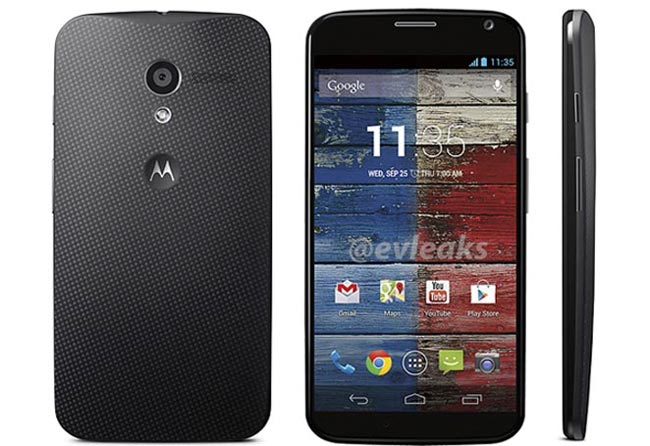
2. Motorola Moto X

motorola-moto-x

Image source: geeky-gadgets.com

The Motorola Moto X has some features that make it great and was able to score 4.6 out of 5.

It seems that one of the most appreciated features of the Moto X is its rendition of Android OS that seems to be very close to stock. This helps the performance, as well. Even though the processor found in this smartphone is a little old, a lot of people are happy with its performance and how the smartphone can handle almost everything without any form of lag.

Another appreciated fact about the Moto X is its design and how comfortable it is in the hand. Because it has a 4.7 inch screen, the Moto X can be held without problems in just one hand and people also seem to like the AMOLED display.

Even though the Moto X was pretty expensive when it came out last year, this year the device can be pretty affordable.

The quality of the camera, however, seems to be the biggest problem, according to users of the Moto X. The camera that is found on the Moto X is not the same quality as the cameras found on different competitors. Also, the battery life seems to be a little disappointing and another downside is the fact that the device doesn’t support microSD and doesn’t have much storage space.

Some users from certain countries also criticized that the Moto Maker isn’t available in their locations.

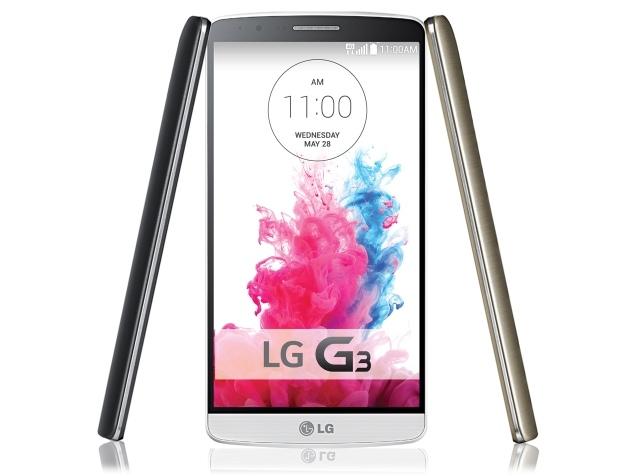
3. LG G3

lg-g3

Image source: ndtv.com

Even though it didn’t score as high as others, the LG G3 is still a pretty important smartphone. The LG G3 scored 4.3 out of 5. Even though the phone is appreciated in most of the cases, it does have some quirks that some people do not enjoy.

One of the most talked about features of the LG G3 is its display of 1440p which looks amazing. People who own the device also seem to be happy about the performance and specs of the LG G3. Many users seem to like the phone’s design and describe it as being compact as the device has very thin bezels. The camera also seems to be good although there are certain issues affecting it also.

The biggest complaint regarding the G3 is its battery life. The resolution of the display in combination with the GPU that sometimes can’t really handle it very efficiently makes the battery life quite short. The resolution of the display seems to make many complain that the device gets rather hot when watching videos or playing games.

The camera doesn’t snap great quality photos in darker environments and one other flaw seems to be the fact that it is rather slow to react. Some like the features offered on the LG G3 but some people feel they are somewhat heavy and unpolished.

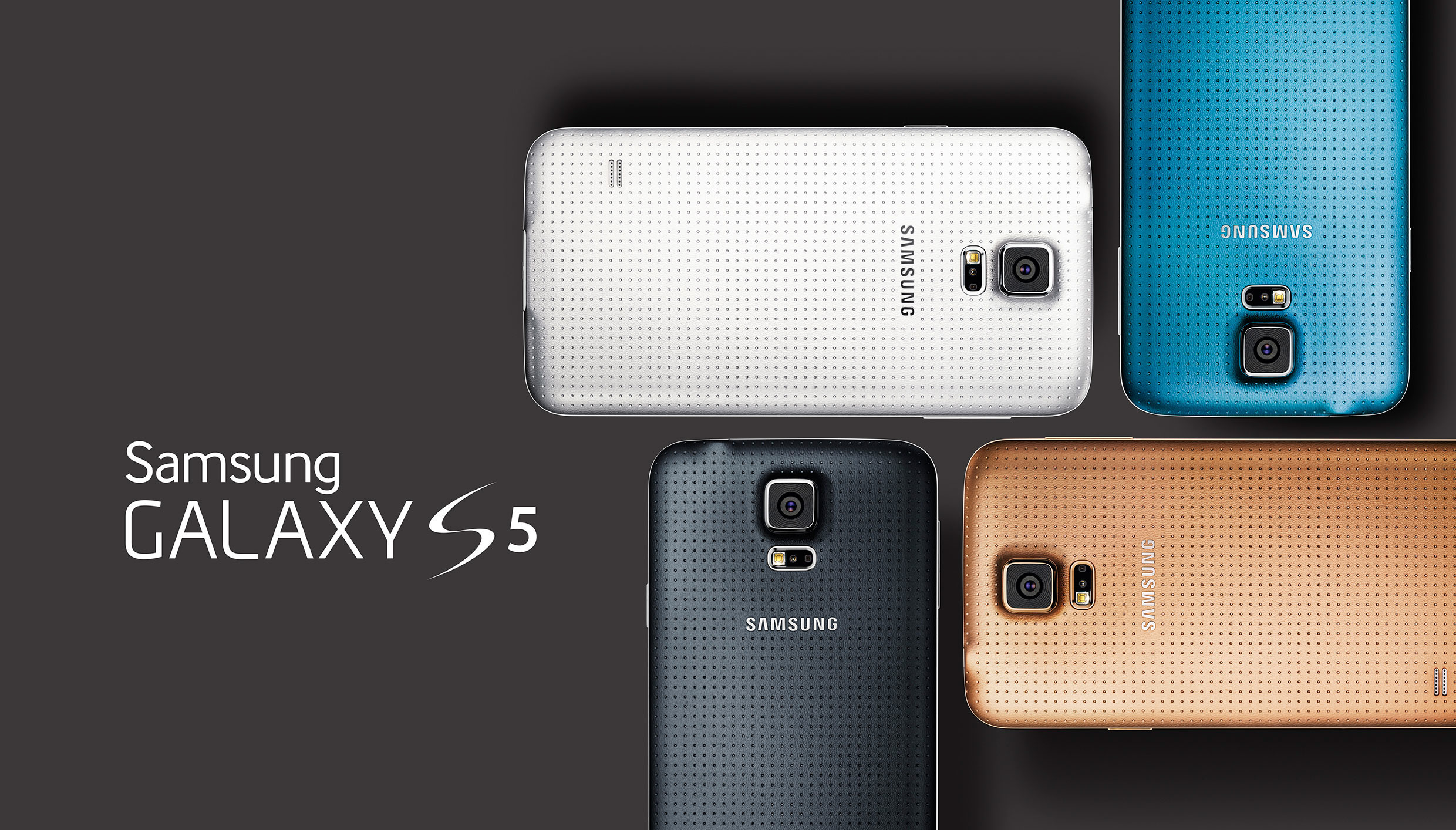
4. Samsung Galaxy S5

samsung-galaxy-s5

Image source: loadthegame.com

The Samsung Galaxy S5 has received a score of 3.9 out of a possible 5. This seems to be one of the most controversial smartphones out there. Some people seem to hate the device while others seem to love a couple of features on it and hate others and some just plain love everything about it.

Most users seem to appreciate the battery life of the Samsung Galaxy S5 and the display. The screen is said to work very well both outdoors and indoors. Compared to previous generations, the camera seems to have improved a lot and many people are happy that Samsung worked on it. People seem to really like that the device is waterproof, also.

However, it’s not all roses and one of the most complained about feature is the interface called TouchWiz. People also seem to be unhappy with the software Samsung decided to cram into the device as it really slows the smartphone down, even though the Samsung Galaxy S5 had some of the best specs when it initially launched. The software may also lead the device to overheat even when used just for the basic things. Also, some of the Galaxy S5’s features don’t work as they are intended to such as the fingerprint scanner and IR blaster.

Some users really like the design of the Samsung Galaxy S5 but some think the design is quite boring and old.

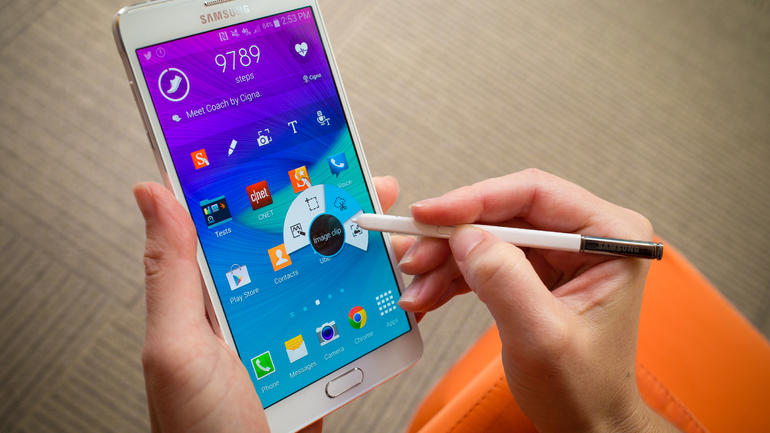
5. Samsung Galaxy Note 4

samsung-galaxy-note-4

Image source: cbsistatic.com

The Samsung Galaxy Notes are usually well received and the Samsung Galaxy Note 4 got a score of 4.5 out of 5.

The most important Note 4 features are the display that boasts a quad-HD resolution of 2,560 x 1,440 and is Super AMOLED, the S Pen and great performance. Owners of the Note 4 claim that the S Pen is more natural to use and better than the one found on previous generations.

Cameras found on Samsung smartphones are good most of the times but it look like Samsung outdid themselves with the Note 4 camera. Most users were surprised with the quality of the camera which makes the gap between DSLRs and smartphone cameras seem a lot smaller. The battery life is also great with some users reporting that it even lasts for a couple of days when the device is moderately used.

Even though Samsung smartphones don’t have the best build materials some users say that the Note 4 is a lot better than previous generations.

The biggest down point of the device is the interface known as TouchWiz which has been described as being heavy. The Note 4 also comes with a lot of preinstalled software that eat up both storage space and RAM. Some users wish that Samsung would have put 64GB of storage in their phablet so they would have more space for apps. The 4K recordings the device is capable of doing can also fill pretty fast the internal storage on the device.

Another low point is the price of the device but users are willing to pay the extra money for the device.

6. iPhone 6

iphone-6

Image source: wordpress.com

Even though it’s probably the most known smartphone in the world and is produced by one of the most important tech company the iPhone 6 only received a score of 3.3 out of 5. Some people love the device because of how easy the iPhone 6 can be used and some people hate it because it doesn’t have very powerful features.

The most important point in favor of the smartphone is the camera. The camera was already great in previous generations but Apple outdid itself with the camera found in the iPhone 6. Many users love the quality of the screen and how well the device performs. The Touch ID also seems to be one of the best features on the device not just because it is a great fingerprint scanner but because it does what it’s built to do, when compared with other such devices that have the same feature. The design of the iPhone 6 seems to have gone down a little since the 5s but the device feels great in the hand and is very thin.

Many users don’t enjoy the restriction Apple imposes on its devices and because they are forced into using iTunes, software that is hated universally. As for hardware, the iPhone 6 doesn’t really lack but some people are disappointed and angry that Apple still decided to put only 1GB of RAM in the smartphone.

The camera protrusion from the rest of the body is also an annoyance for many users, despite the phone looking quite good. Some users also say that the battery life could be better and others wish the iPhone 6, like the iPhone 6 plus would have optical image stabilization and a 1080p display.

7. iPhone 6 Plus

iphone-6-plus

Image source: engadget.com

The iPhone 6 Plus received an even lower score than its brother, of just 3.2 out of 5. The main reason for this seems to be its size.

The favorite features found on the iPhone 6 Plus are the camera, how slim the device is, a wide variety of apps to choose from, the slow motion video capabilities and the performance of the CPU. The optical image stabilization also seems to be appreciated by the users of the smartphone as well as the 1080p display.

Many issues still plague the device, however, such as the bugs in iOS 8, a very limited app store and restricted functionality. The biggest problem with the device seems to be the size which many people have said that makes the device really uncomfortable to hold. It could have been easier to hold if Apple would have put smaller bezels on the iPhone 6 Plus. Some users dislike the fact that Apple uses its proprietary hardware and software and hate the charger for not being standard.

There you have it. This was our list of the best smartphones out there. We hope we helped you in making a decision of which smartphone to buy.

Filed Under: Tech & Science Tagged With: android phones, best android phone, best smartphones, htc one, Htc one m8, iPhone, iphone 6, iphone 6 Plus, lg g3, moto x, motorola moto x, samsung, samsung galaxy, samsung galaxy note, samsung galaxy note 4, samsunt galaxy s5

Jailbreak iPhone 6, 5S and iPads with iOS 8 or iOS 8.1

November 20, 2014 By Karen Jackson 1 Comment

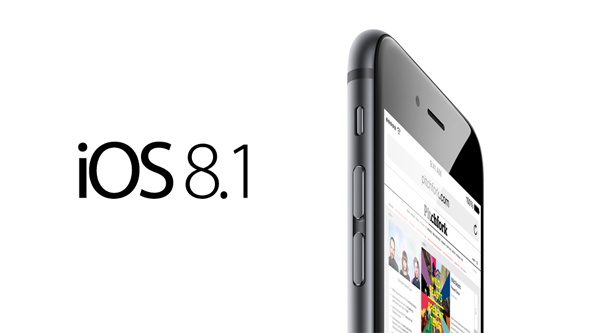
There has been a lot of heated discussion on the topic of Apple’s iOS 8 operating system. Since it was first released, customers complained that the OS has a lot of glitches and bugs. According to statistics, only 56% of Apple clients have upgraded to the 8.0 version of the OS, and over 40% of devices remain on iOS 7. The good news is that iOS 8.1 was recently released, and it provides with significantly better functionality.

We have already tackled the importance of upgrading to iOS 8.1 in a previous article. The conclusion was that the iOS gets more advanced every year and by not upgrading it you are missing out on a lot of nifty features.

According to recent news, the company actually rolled out the iOS 8.1.1 update on Monday for iPhones iPods and iPads. A word of advice for those with Pangu8 jailbreak in mind: stay away from this update as it will bug your device.

jailbreak-ios-8-1

Today we would like to tackle the subject of jailbreaking for iOS 8.0 and 8.1 devices. But first, what does jailbreaking mean?

Jailbreaking is the process of circumventing Apple’s security measures in iOS to install tweaks, hacks, and mods that aren’t allowed in the App Store. The U.S. Library of Congress has ruled that it is now illegal for you to unlock your smartphone if it was bought after January 26th, 2013.

Not everyone can afford to purchase all of Apple’s apps. This is where jailbreaking becomes useful. We have prepared for you an extensive tutorial that will help you jailbreak iPhones and iPads. As a disclaimer, we would like to mention that jailbreaking your device will void your warranty. You can easily restore your phone to its previous settings by uninstalling everything with iTunes. So if you decide that you want to go back to the non-jailbreak state of your phone, you can do that quickly.

For those of you who are prepared to take the risks –waking up with a 500$ doorstop- here is a great tutorial that will help you jailbreak your device.

Getting Started

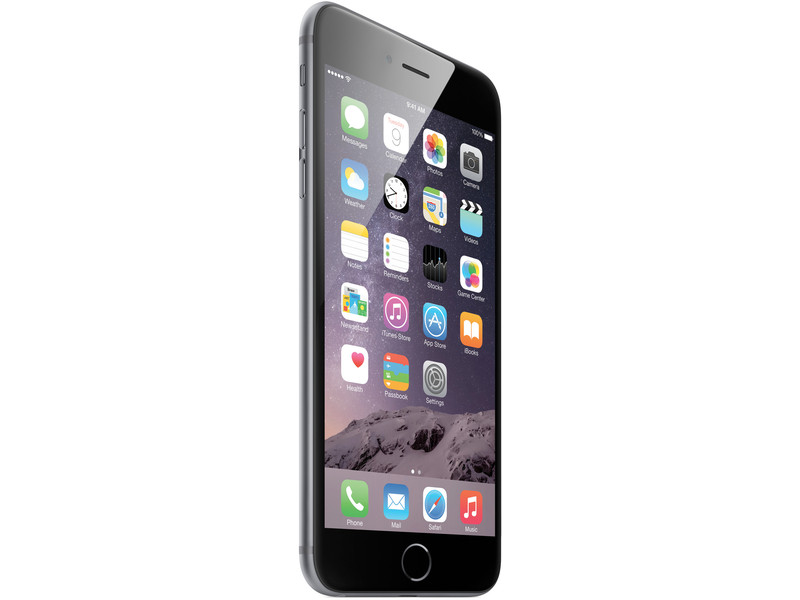
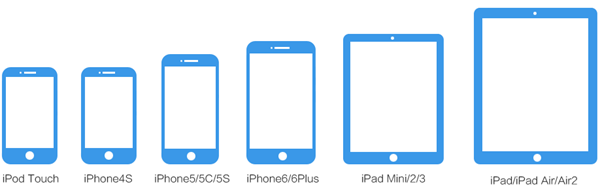
You will obviously need an iOS device (anything that runs on iOS 8 or 8.1 will be perfect – this includes iPhone 6, 6 Plus, iPad Air 2 and iPad mini 3), and a Windows/Linux computer. At the moment, there is no naitive Mac jailbreak tool for iOS 8. The first thing you have to do is to install iTunes on your computer. If you don’t have it you can simply download it from the official page of Apple. Next, you must plug-in your iOS device and make sure that iTunes recognizes it.

iOS-81-iPhone-6

What You’ll Need:

  • Lates version of Pangu software
  • Latest version of iTunes

Before you start, you should create a back-up of your iPhone/iPad, just to be safe. Although the process differs from that of iOS7, the steps are relatively easy to follow and safe. Backing up or restoring to factory settings will also remove unwanted apps that might disrupt your jailbreaking process.

Pangu81

Once you have completed all these steps you are ready to jail-break your iOS 8 device. The Pangu team is relatively new to the jailbreaking scene, but it has successfully managed to create a tool that will help users jailbreak their untethered iPhone 6, 6 plus, 5c, 5s, 5, 4s, all iPads and the iPod touch 5. At first, they created a tool in Chinese, available only on Windows which did not include Cydia. Saurik updated it Cydia for iOS8 but it required manual installation.

Finally, the 1.1.0 version of Pangu was released. It includes English language and bundled Cydia. Hop on over to Pangu’s official website, and hit the ‘download’ button for the software’s latest system. If you already have a device that was jailbroken with Pangu8, you have to update to the latest untether package (more on this subject later in the article).

Jailbreaking your iOS 8.0 – 8.1 Device

You are now ready to begin the jailbreaking software.

  1. Once you have downloaded Pangu8 from the official website you have to track down your file and ‘run as administrator’. If you downloaded the latest version you should see instructions in English.
  2. Wait several minutes for Pangu8 to recognize your device and click on “Start Jailbreak” – the blue button in the middle. Right now, all you can do is to sit tightly, grab a cup of coffee and wait. It will probably take a few minutes for the process to complete.
  3. If the tool stops without jailbreaking, your button will become blue again and you have to try again. Assuming that everything worked well, your iDevice will reboot.
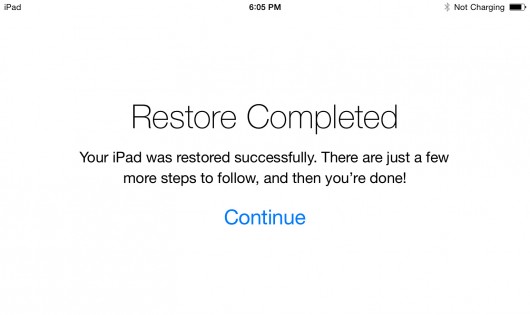
  4. You will be taken through Apple’s initial setup. Upon rebooting you should see the following message:

jailbreak-iphone-6-iphone-6-plus-ios-8-5

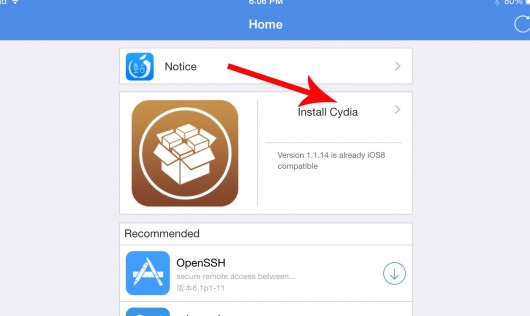
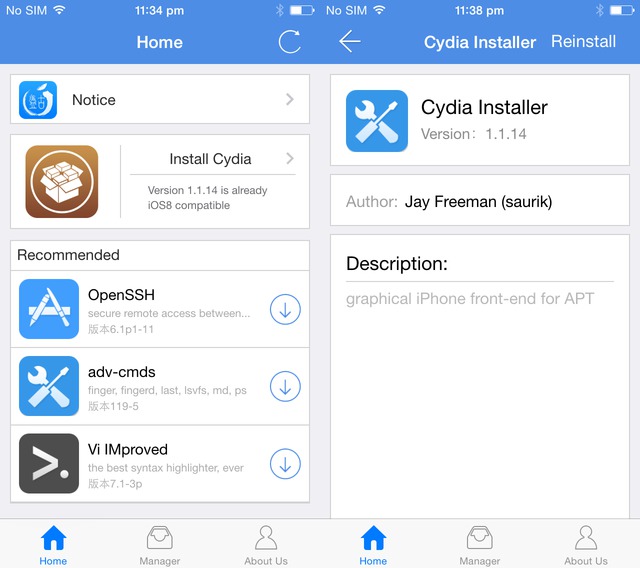
  1. Once you are in your menu again you have to track down your Pangu app icon (as displayed in the image below). Open it and click on “Install Cydia”. Cydia is basically an app store for jailbreak iPhone tweaks.jailbreak-iphone-6-iphone-6-plus-ios-8-7
  1. After you hit install, and the software is finished with the process, you will be prompted that the device will ‘respring’ (a respring is a soft reboot). Upon rebooting you will see the Cydia icon on your home screen.
  1. Click on it and let it do what it has to do (it will probably display the message “preparing filesystem” for several minutes). After it finishes, open Cydia again and you are ready to go.

ios-8-ios-8-1-untethered-jailbreak-how-jailbreak-ios-8-x-using-pangu-v1-2-1-update-cydia

That’s it! You have successfully managed to jailbreak your iPhone device.

You will now be able to install third-party applications, themes, utilities, mods and tweaks that are usually not authorized by Apple. In other words, you will be able to improve and enhance your device beyond the limitations of what Apple allows. Although jailbreaking is not illegal, it will violate the End User License Agreement (EULA), and your warranty will become void.

How to Un-jailbreak your iO8 Device

Let’s say you decide that jailbreaking isn’t for you after all. What can you do? It’s actually quite simple. The following steps should help you restore the device to its previous settings:

  1. Connect your Apple device to iTunes (on a Mac or Windows).
  2. Cancel any auto-syncing, if it starts.
  3. Hold your home button and power/sleep buttons pressed at the same time.
  4. Wait 10 seconds like this, then continue pressing the power/sleep button for 5 seconds. After that, you can let go of the phone.
  5. If you respected steps 3 and 4, the device of the screen should go black and iTunes will give you an option to restore it.
  6. Follow the steps on iTunes to download the latest version of iOS for your device.

.7. Restore your back-up.

iOS 8 and Above Jailbreak iPhone Tweaks and Apps

Since the iOS 8.1 update rolled-out Apple users have been asking themselves if there is any point in jailbreaking anymore. The truth is that Apple has added many interesting features that were not previously available on iPhones and iPads. Nevertheless, there are still several tweaks and apps that you should definitely consider using on a jailbroken phone. Here are a some of them:

  1. HideMe8

awjsafdtgqtuyyxjjvbe

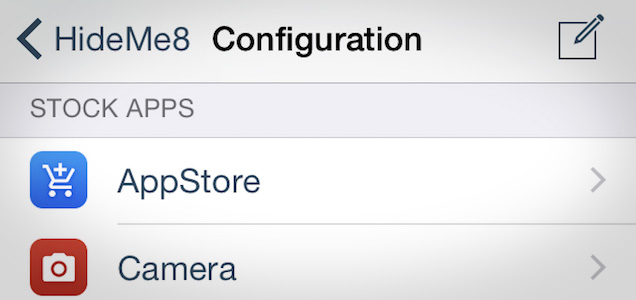
For those of you who want to get rid of several iOS 8 interface elements, HideMe8 is the perfect tool. With it you can customize many things such as badges, apps, date text etc. You can also modify screen elements, the Control Center and many more. HideMe8 is one of the most advance customization tools for jailbroken devices.

More About HideMe8: click here

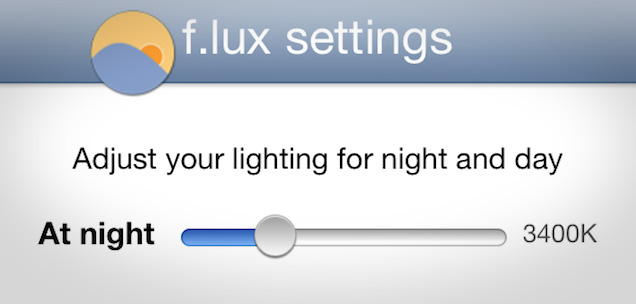
  1. F.lux

hq80nu2hwogxcbprwlvt

Another app that you might enjoy is F.lux. This nifty tool has been around since iOS 7 and it works perfectly well on iOS 8 as well. What it does is adjust your lighting for night and day. iOS devices change screen temperature based on time of day (it’s warmer at night to make it easier to read).

“Each evenining at sunset, f.lux warms up the colors of your phone. At dawn, F.lux returns your phone to daylight colors.

More info about F.lux: click here

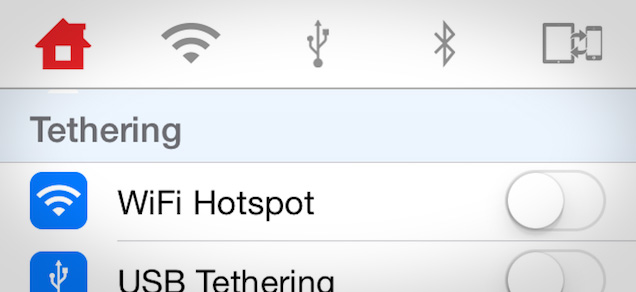
  1. MyWi

z8p8lrryvhrv54t13d70

MyWi quickly adds tethering for your iOS device irrespective of whether or not you are paying for it through your carrier. The app costs 20 dollars, but considering that most carriers charge twice as much monthly, it is well worth its price.

More info about MyWi: click here

  1. iFile

If you’ve ever used Android devices you are probably already familiar with EsFileExplorer. iFile is siminar to it. This file manager for iOS will enable you to view files, unzip them, edit text files, import music and many more. It’s a lot more than what it seems at a glance.

More info about iFile: click here

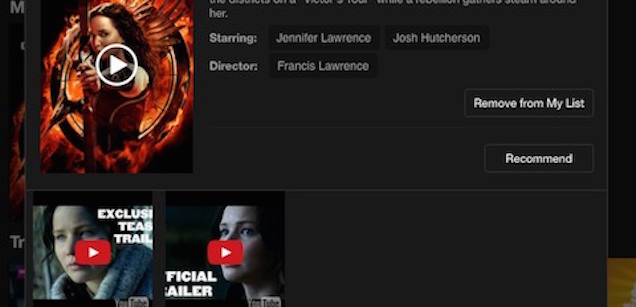
  1. Netflix ++

emutftelwmqkvb4rpmll

Netflix++ is one of the best movie streaming services out there. With Netflix++ you can view trailers for your favorite movies before viewing it. This will make browsing for great movies a lot easier.

More info about Netflix ++: click here

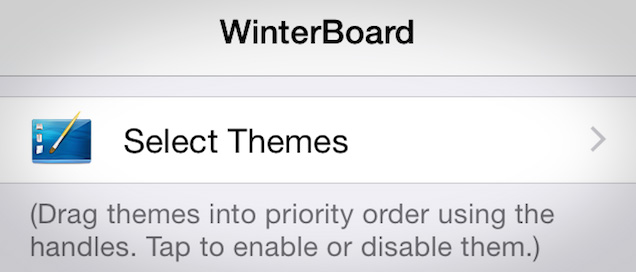
  1. Winterboard

w9mxo7qnwuraoxtjvrdd

Winterboard is without a doubt one of the best ways to customize the look of a iOS device. The problem is that there is not a stable iOS 8 version of it yet (it will be released shortly). Among the customization features we will mention adding personalized images, themes, icons and more. To install it you have to open Cydia and download the app. Restart your phone and download a theme of your choosing.

If it is given to you in a .theme folder you will have to install an iPhone explorer and copy it in your computer (/library/themes). Open your Winterboard app, tap select themes and play around with the appearance of your phone.

  1. Activator

u5dpc31qj4uufn9s5rgc

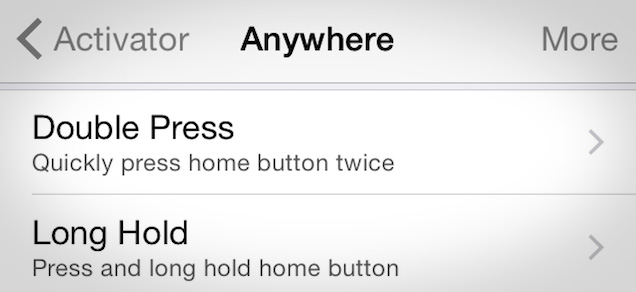
This is one of the most cherished tweaks for jailbreak iphones. With it you can assign custom actions and gestures to your swipes. For example, if you want to automatically open an app you can assign a gesture to it. There is no limit to what this tool can do for you.

More info about Activator: click here

  1. Slide2Kill8

ybfcpzcjkbetojbwvwqq

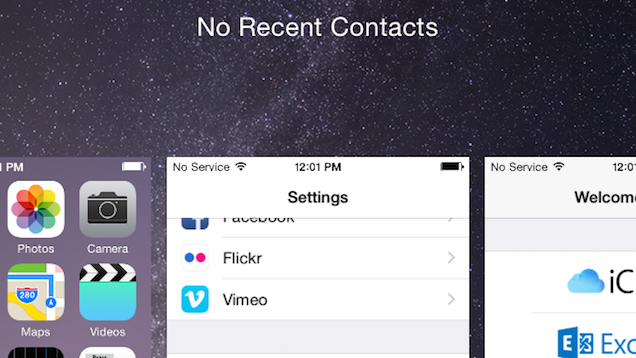
Another tweak that you might enjoy is Slide2Kill8. It makes closing and managing apps as simple as swiping the screen. Everybody knows that multiple apps are app killers, but Slide2Kill8 will help you manage them easily.

More info about Slide2Kill8: click here

Other interesting iOS8 Jailbreak iPhone apps/tweaks: Aeternum, Asos, CyDelete8, Dotter, Instagram++, NoLiveClock, SendDelay, TransparentVolume8, Apex2, Aria, Backuplt, Bridge, InstaLauncher, NC Customizer, PdaNet, SleekPhone, Snapper, TetherStatus, UIRotation8, Protube HD.

With this we will conclude the Jailbreak tutorial for iOS8 Devices on Windows. There is a special tutorial for Mac users, to run a virtual Windows install. Whatever you do, make sure that you have a back-up available for your device. Although there have been very few cases of bugs reported, you don’t want to lose all of your data for nothing. For further questions feel free to contact us!

Filed Under: Tech & Science Tagged With: iPad, iPhone, iphone iOS 8.1 jailbreak, iPhone iOS 8.1.1, iphone jailbreaking, Jailbreak, jailbreak iphone, jailbreaking tips

Subscribe to Blog via Email

Enter your email address to subscribe to this blog and receive notifications of new posts by email.

Join 10 other subscribers

Recent Articles

police handcuffs man

German Man Probed In Poisoning That Killed 21 Employees Since 2000

June 29, 2018 By Kenneth Scott Leave a Comment

Chicken wings bar

Intoxicated South Carolina Man Punches Waitress Who Refused to Serve Him Alcohol

June 29, 2018 By Karen Jackson Leave a Comment

gaming

New Zealand gamer Who Flew Halfway Across The World for Virginia Teen Gets Shots By Her Mother

June 28, 2018 By Cristopher Hall Leave a Comment

party

Former Virginia Tech Freshman Sentenced to 50 Years in Prison for Stabbing a Girl to Death

June 28, 2018 By Roxanne Briean Leave a Comment

bonfire

British Couple Sentenced to Life in Prison for Torturing and Murdering French Nanny

June 27, 2018 By Deborah Campbell Leave a Comment

pay phone

Texas Father of Girl Disappeared in the 80s Ignored by Authorities

June 26, 2018 By Cristopher Hall Leave a Comment

bottled water

San Francisco Woman Threatened to Call Police on Girl Who Sold Ice Water for Disneyland Trip

June 25, 2018 By Roxanne Briean Leave a Comment

Maplewood Park

Missouri Man Robbed by Date and Accomplice in Park

June 22, 2018 By Nancy Young Leave a Comment

coding

New York Man Sentenced in Cyberstalking Former Girlfriend, Mailing Drugs to Her Dorm

June 22, 2018 By Deborah Campbell Leave a Comment

headphones

Bose Poised to Launch Sleepbuds, In-Ear Headphones That Help You Sleep

June 21, 2018 By Nancy Young Leave a Comment

Police light

Intoxicated Female Driver in Custody for Pulling Arresting Officer by the Hair

June 21, 2018 By Kenneth Scott Leave a Comment

kitchen

Restaurant Manager Arrested and Charged in Shooting Death of Co-Worker over Negative Yelp Reviews

June 20, 2018 By Karen Jackson Leave a Comment

plastic container

Pennsylvania Couple Charged in Violent Death of Infant Discovered Buried in Cat Litter

June 19, 2018 By Cristopher Hall Leave a Comment

tailpipe

Minnesota Teen Gets Head Stuck In Oversized Tailpipe Winstock Music Festival

June 18, 2018 By Karen Jackson Leave a Comment

Pages

  • About Us
  • Contact us
  • Privacy Policy
  • Privacy Policy GDPR
  • Staff
  • Terms and Conditions

Recent Posts

  • German Man Probed In Poisoning That Killed 21 Employees Since 2000 June 29, 2018
  • Intoxicated South Carolina Man Punches Waitress Who Refused to Serve Him Alcohol June 29, 2018
  • New Zealand gamer Who Flew Halfway Across The World for Virginia Teen Gets Shots By Her Mother June 28, 2018
  • Former Virginia Tech Freshman Sentenced to 50 Years in Prison for Stabbing a Girl to Death June 28, 2018
  • British Couple Sentenced to Life in Prison for Torturing and Murdering French Nanny June 27, 2018
  • Texas Father of Girl Disappeared in the 80s Ignored by Authorities June 26, 2018
  • San Francisco Woman Threatened to Call Police on Girl Who Sold Ice Water for Disneyland Trip June 25, 2018

Categories

  • Business
  • Entertainment
  • Finance
  • Headlines
  • Health
  • Life
  • Nature
  • Science
  • Sports
  • Tech & Science
  • Travel
  • Uncategorized
  • United States
  • World

Copyright © 2025 ArgyllFreePress.com
About · Privacy Policy · Terms of Use · Contact