If you own small business or are an individual, leading photo editing software may be a bit out of your price range but you most likely still need to edit your images for websites or just for offline use.
The following photo editing software are our favorite tools for editing photos that are just as capable of editing images by adding filters and effects as more expensive and “brand-name” software. Many of them are also available for free and the rest of them are pretty affordable.
We’ve gathered 10 of the best photo editing software out there. Our list includes several software that are usable in your web browser so they don’t require any installation on your computer and can be used anywhere and anytime.
If you are trying to figure out which software you want to use we made your job a little easier by putting together a list of our personal favorite photo editing software. So without further ado, here are our favorite software available for free or for very little money.
1. Fotor
Fotor was launched in 2012 and is a very easy to use and powerful tool for editing photos. You can quickly adjust brightness, saturation, lighting, sharpness, contrast and many more with the help of numerous tools available in the software.
Fotor can alter how your pictures look with effects built into the photo editing software such as color splash, tilt-shift, mosaic, blur, stickers and Lomo. The software also has a number of photo retouching features such as tools for blemish removal, photo reshaping, skin smoothing and more.
It has a very extensive library of professional features and a very tidy and user friendly interface that will let you quickly edit all your images.
Fotor is available on Android, iOS, Windows and MacOS.
Price: Free
2. Pixlr
Pixlr is available on the web, mobile systems and desktop ones. It allows you to accurately control all aspects in the process of editing your images.
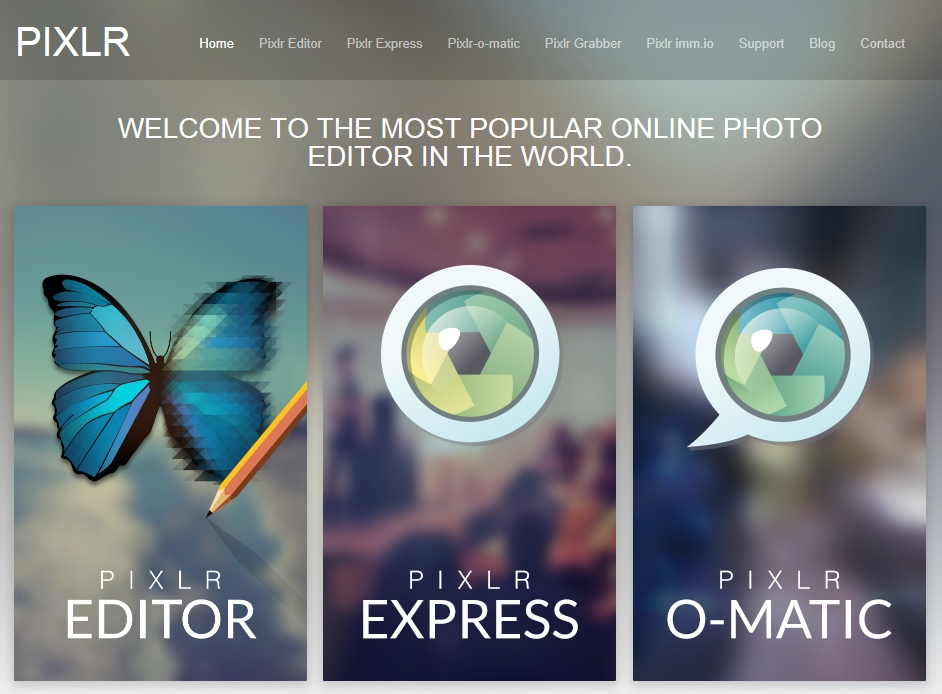
Pixlr can be used to edit your images any way you like with the use of effects like halftone, dapple and crosshatch and offers hundreds of borders, overlays and unique stickers. It has well known blending modes with overlays and double exposures and also masks that will allow you to control even better the editing process. Pixlr can be used to apply radial or linear masks on images and you can edit photos offline as well as online.
Pixlr Express is also available on Android and iOS and is a great tool you can use to easily fine tune, crop and rotate any image on your mobile phone or tablet.
Price: Free, Pixlr Membership $14.99/year
3. BeFunky
BeFunky is a great photo editing software that lets the user resize, crop, add frame and can be easily used to adjust the brightness, color, contrast, sharpness and saturation of a photo.
The tools available in the software include clone, reduction of red eyes, blemish fix and a lot more. There are literally hundreds of effects in the photo editing software that you can choose from to improve your photos in any way you want. You can use the software to edit images stored on your computer or on Flickr, Facebook, Picasa or Photobucket as well as taking a new picture with the use of your webcam.
BeFunky is available on mobile devices for Android and iOS and the apps let you easily edit your images on the move. The Gallery has numerous images in categories such as nature and style that can very well inspire you.
Price: Free, Professional $99.95/year
4. Online Photo Editor
You can quickly improve or edit images right in your web browser with the use of the Free Online Image Editor website. Enter the address of an image online or upload a photo stored on your computer to quickly and easily rotate, sharpen and resize your image.
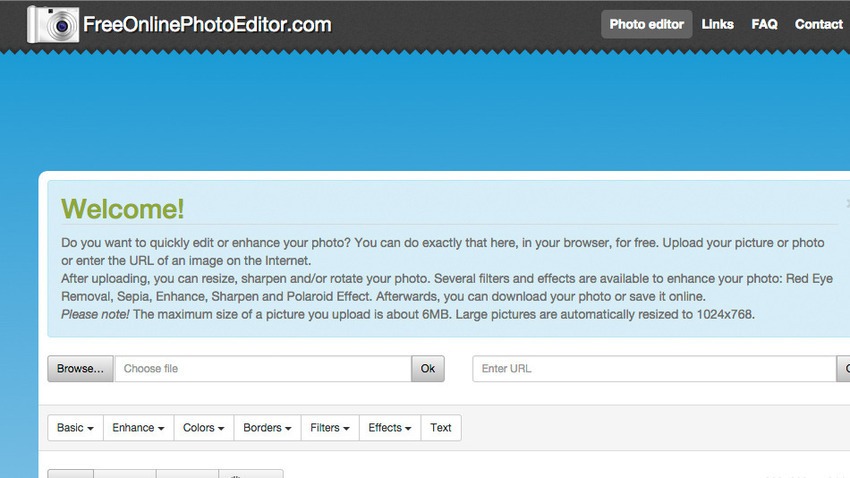
The Free Online Photo Editor offers numerous filters such as Lomo, Polaroid, sepia, tilt shift and vintage and also has editing tools like crop, blur, contrast, brightness, sharpness and red eye removal. You can also add text to your image which you can rotate and change color and size.
When you finish editing your image you can save the result as PDF, GIF, JPG and PNG. The Free Online Photo Editor also lets you print your result or email it.
Price: Free
5. Adobe Photoshop Express
The Adobe Photoshop Express is an editing application based on Flash that is available online or on Android, iOS and Windows.

You can use the application to make your photos look beautiful and offers a series of options including quick fixes, creative enhancements and corrections along several more advanced effects. Adobe Photoshop Express has a lot of user friendly features and tools such as rotate, crop, auto correct, saturation, exposure and red eye removal.
Together with allowing you to make adjustments on your images, Photoshop Express also lets you add numerous effects like hue, pixelate, tint, black and white, distort and sketch. It’s one of the best photo editing software for quick and easy image editing.
Price: Free
6. LunaPic
LunaPic is an online photo editing software that lets you upload images stored on your computer or use images from Dropbox, Facebook and Picasa and save the results on Tumblr, Imgur or send them to an email address. The software doesn’t use Java, Flash or any other plug-in you need to install to make the software work. It boasts a large variety of effects and tools you can use to create some very beautiful images.

The moment you import a file into the software you can make use of standard tools like paint, zoom, draw, rotate, crop and gradient to change how your images look. LunaPic can also be used to create animations, add effects to your animation and change the speed of the loop and removing or adding frames to it.
Price: Free
7. FotoFlexer
FotoFlexer is an online photo editing software that is pretty advanced and complex. You can edit images stored on your computer or from online web pages such as Flickr, Facebook or Photobucket.

Together with standard editing tools like flip, resize, red eye removal and crop there are numerous more complex tools such as morph, curves, cutout, recolor, scissors and smart resize. FotoFlexer’s interface is split up into several tabs that contain eight to 20 different effects that allow you to fix mistakes made on the image, add borders and save the result in either PNG or JPG when you are done editing the image.
FotoFlexer is also available on Android, free to try which will allow you to edit your photos on your mobile device.
Price: Free
8. Ribbet
Ribbet is an online photo editing software that provides free storage on the cloud for all the images you add and edit. Because Ribbet works inside a web browser, there is no need for any installation of software even though you can choose to install a Chrome browser app, Facebook app or Toolbar.
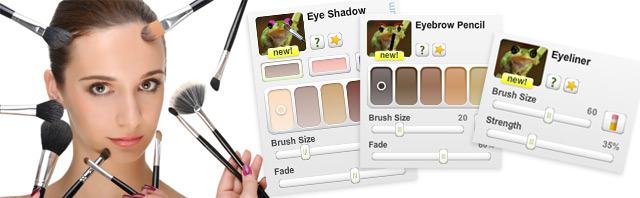
The history of your edits is stored and you can undo, delete elements or move them around the image, add text and components to your images imported via webcams, social media networks or from any web address.
Ribbet allows you to quickly fix your images with just a click and adjust them with the use of more advanced controls along more basic ones such as filters, effects, rotate, resize and crop. You can also add the editing software into your own application or website by making use of the Ribbet API without the need for any registration or API key.
Price: Free
9. Picadilo
This is an online photo editing software that features a variety of tools that include a number of effects, text, selections, brushes and a lot more.
The moment you upload an image into Picadilo you can use the photo editing software to retouch, crop, resize, add filters and text to the image and even surround the image with borders and frames. Picadilo offers more than a hundred fonts, 19 tools for retouching, 140 stickers and 40 effects. Picadilo has more than enough features that you can use to quickly and easily edit your images. You can modify the exposure on your image which is particularly useful for very dark images or very bright ones. Especially useful is also the Magnify tool which you can use to zoom any portion of your image.
Picadilo lets you put captions onto your images and send your photos directly to Facebook or print the image from within the web browser.
Price: Free
10. GIMP
I think everybody working with images has heard of the Photoshop alternative called GIMP. GIMP is a very versatile photo editing software that lets you personalize the view of the application and its behavior to best suit your preferences.
In the widget theme you can edit the icon sizes, the spacing of widgets and change colors. You can also customize the sets of tools contained in the photo editing software. The user interface is split into docks that you can pile and has full screen function that makes it a lot easier and better to view your image.
Enhancements to the image are done very easy with healing and cloning tools, batch processing, distortion correction and numerous others. GIMP is a very comprehensive and expandable photo editing software that has a very well designed complex interface used for scripting that allows everything from basic tasks to very advanced manipulations of your image to be completed with ease.
Price: Free
So there you have, these were our favorite free or cheap photo editing software. We hope our list made your job of choosing a better and cheaper photo editing software a lot easier.
Image Credits: Photo 1, Photo 2, Photo 3, Photo 4, Photo 5, Photo 6, Photo 7, Photo 8, Photo 9, Photo 10
