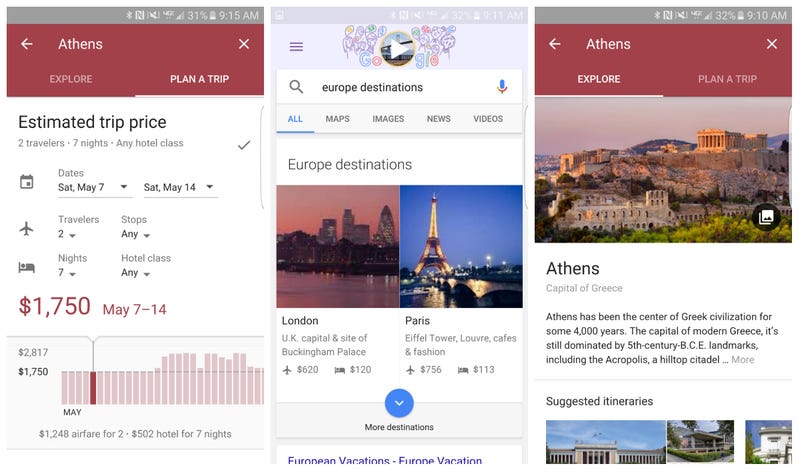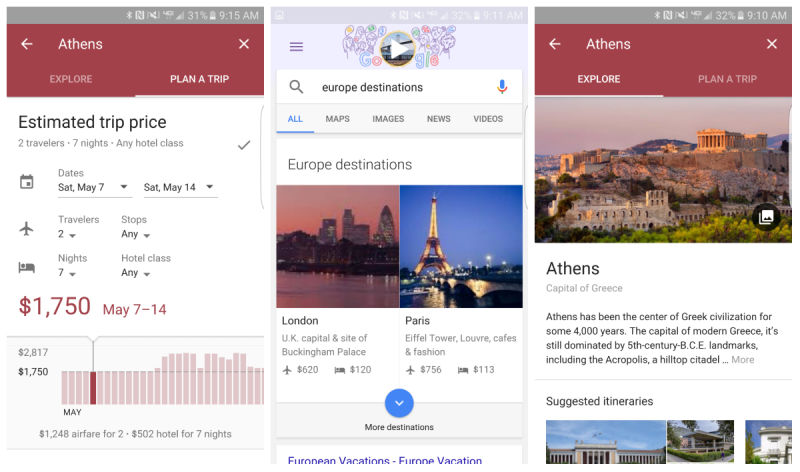
The new Destination feature that is now part of Google can help anyone plan a business trip or a vacation with a minimal amount of effort on your end. And it’s all baked into Google too, making it easy for you to find destinations, find out flight and hotel prices and much more without any other necessary downloads or other apps. Its only downside is the fact that it’s only available on mobile alone.
Destinations is a very nifty tool that offers you instant information on your particular queries, allowing you to compare data on the go and help you make your choices on a well-documented basis. Places to go, costs of doing so, places to stay and flight information are all pieces of data the feature will provide you when you use it.
But the Destinations feature may not seem that easy to access as it has no direct widget or button to tap in order to be taken to it. Instead, the method you can access it is, as a matter of fact, even more intuitive. By adding the word ‘destination’ or ‘vacation’ to the end of a query, after you’ve specified a location will return you all the available options it has found. Afterwards, the feature provides you with several filters that you can use to refine your search. Flexible dates, ratings, prices and so on.
Selecting a location will provide you with an entire series of images and information regarding it: popular tourist sites, national holidays and events that you may be interested in.
Afterwards, by tapping on the ‘Explore’ button, you can find even more information that you may find relevant to you. Things such as weather conditions for the selected period, finding out when the destination of your choice is most popular based on the information that other users have provided. After the initial parameters have been chosen, the feature will allow you to ‘Plan a trip’, listing you the rates and prices for flights and hotels for the next half a year. Or your preferred date of choice, if you list it. Swiping left and right through the estimated trip price menu will display the fluctuation of how much it would cost you to visit your chosen country over a prolonged amount of time.
Lastly, once everything is good and decided, you can actually go ahead and book a flight from within the feature. The app refers to the airline’s own website to purchase your airplane tickets. Reservations can’t be made directly from Google Destinations, but you will be forwarded to the reservations center site.
Image Source: 1