Argyll Free Press

Growing News Network

Tuesday, January 20, 2026
Log in
  • Business
  • Finance
  • Sports
  • Tech & Science
    • HP Envy 4500 Review
    • LG Optimus 170 Review
    • iPod Touch 6th Generation Review
    • HTC One M8 Accessories Set-up
    • Surrealist Games You Must Play
    • Hisense Sero 8 Review
    • Dell Latitude e7440 Review
    • HP Laserjet 1536dnf mfp Review
    • Garmin Fenix 2 Review
    • Skype Vs Viber
    • Best Video Conferencing Software
    • Sony mdr 1r Headphones Review
    • Canon Rebel t3i Review
    • Sennheiser Momentum 2-0 Review
  • Travel
  • Headlines
  • Health
  • United States

One Day PlayStation and Xbox May Truly Coexist

March 17, 2016 By Roxanne Briean Leave a Comment

cross-platform gaming

One factor that game developers and hardware manufacturers have yet to achieve in the world of video games has been cross-platform gaming. While it was planned multiple times by various companies, very few titles that were capable of that ever truly came to fruition. One sadly failed example of cross-platform gaming was Microsoft’s Fable Legends that was supposed to be released along with Lionhead Studios for PC and Xbox One this year; the announcement that the game development had been cancelled came this month.

Meanwhile, a popular title of casual online play, Rocket League, is rising like a tidal wave and not only preparing cross-platform play, but also scheduled to make a retail release sometime later this year. Similarly, a couple of other examples have waded their way out of the platform-exclusive trap and became available via multiple means – Tom Clancy’s The Division and Street Fighter V.

Regardless, this is an abysmally low number of titles in a world where every year brings hundreds of new games, and only very few exclusives to one particular platform (e.g. Bloodborne was released for PlayStation 4 only). So while plenty of titles out there have a well-designed multiplayer system and mechanics, many may end up being squandered over the lack of cross-play between PC, Xbox and PlayStation.

A recent discussion with Sony Executive Adam Boyes at the Game Developers Conference reveals some of the plans and possibilities in this regard. When asked about this, Boyes first brought up the already existent examples such as Dust 514 and the aforementioned Street Fighter V, along with the way Diablo 3 and Grand Theft Auto V players may import character from Xbox 360 onto the PlayStation 4.

Boyes mentioned that in what Sony’s PSN is concerned, they have always been open about making it a possibility. However, it would appear that the main barrier in making this happen at the current time are not Sony and Microsoft, respectively, when it comes to consoles. Instead, Boyes said that it falls down to the support that game developers are willing to offer in this direction.

According to him, if game developers decide to throw a bone in the cross-platform multiplayer capability direction, both PSN and Xbox Live would most likely support it, as there’s little to no technical difficulty in making this happen. Similarly, Xbox indie developer director Chris Charla announced earlier this week that Xbox One is also opening its doors towards the cross-platform multiplayer prospect.

Image Source: 1
Filed Under: Tech & Science Tagged With: cross-platform gaming, PlayStation 4, PSN, Xbox Live, Xbox One

9 Great Things About the New Xbox One Experience

November 23, 2015 By Roxanne Briean 2 Comments

New Xbox One Experience Xbox One

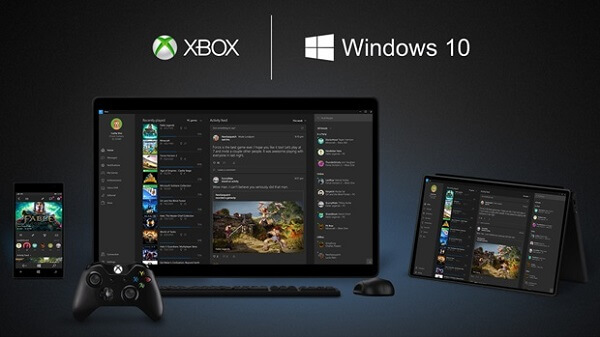
One of the most exciting updates that we’ve been waiting for on our Xbox One consoles is finally here: the fabled upgrade to Windows 10 has made it live and thankfully, it’s full of great things. Most likely, even skeptics will find one or two things to be enthusiastic about regarding this interface change. Now to clarify, the Xbox One will not be running Windows 10 per se, but instead a new and improved dashboard that is powered by the Windows 10 software – originally showcased in a beta version back at E3 in 2015.

There are a lot of things to discuss regarding this new dashboard; it brings numerous improvements to navigation as well as an obvious knack for performance. Also known as New Xbox One Experience, it’s great to look at it and realize just what a long way the dashboard has gone; and considering this is only the beginning of a long series of improvements that will be coming to it in the next months, Xbox One owners should rejoice.

Features don’t run short on it either. In addition to the superior functionality of the new dashboard, there’s a multitude of benefits console gamers will be getting with it – one that we find a dire need to mention straight from the start being the compatibility with older Xbox 360 games. But there’s much more than that cooked into the new interface and we’ve compiled a list of some that we found the most useful to know about beforehand.

1. An easily accessible visual heaven.

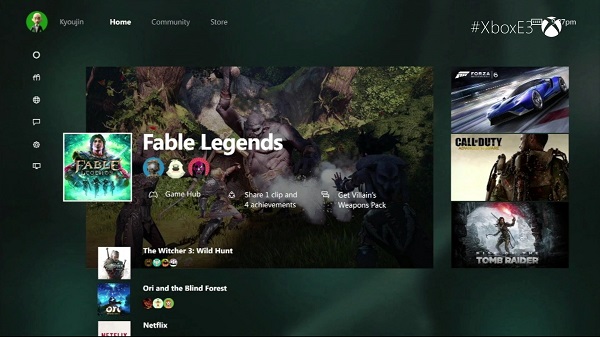
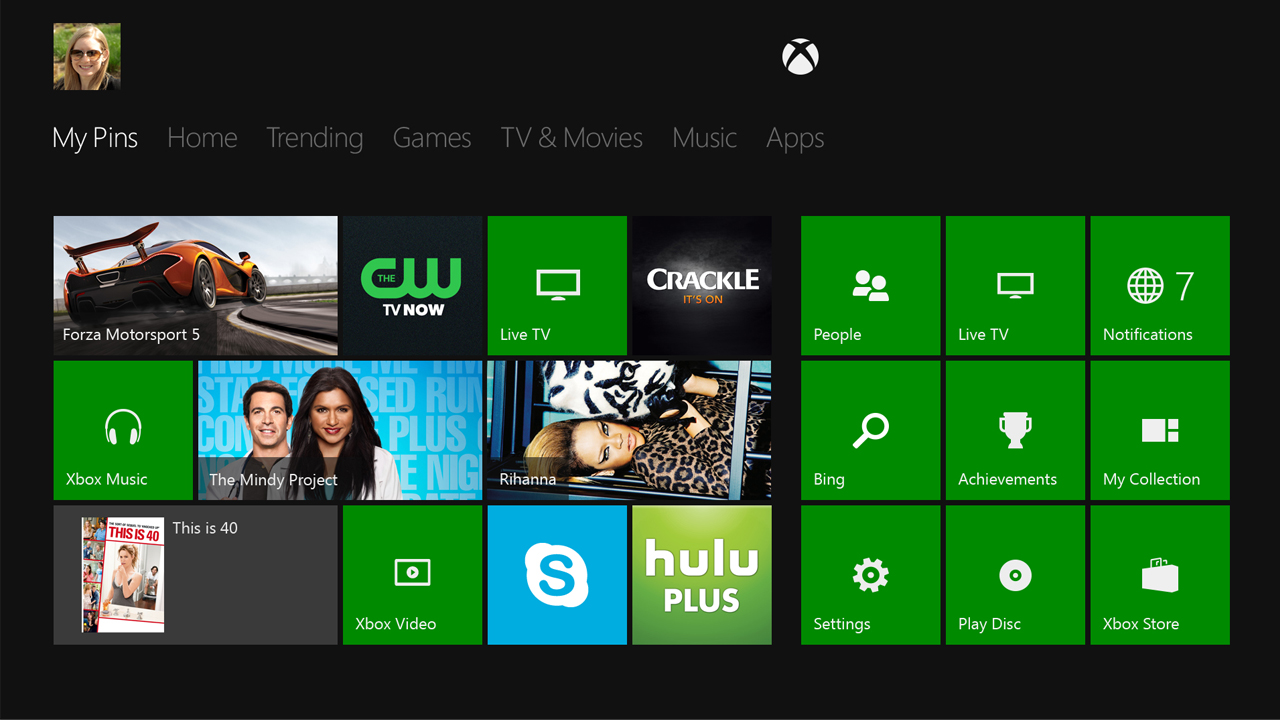
The user interface of the Xbox was never the aspect that you looked at and said “yeah, this is the best thing about it”. As a matter of fact – and I speak from personal experience here – I found the Xbox 360 UI relatively complicated and unnecessarily confusing, at least in comparison to its PlayStation counterpart. This is surely not the case here: as soon as you turn your Xbox on, you are greeted by the Home Page where you’ll find quick access links to your recently accessed content. There are separate windows to the Community, OneGuide and the Store at the top of your screen, while the left side is home to your options, friends and much more.

New Xbox One Experience UI

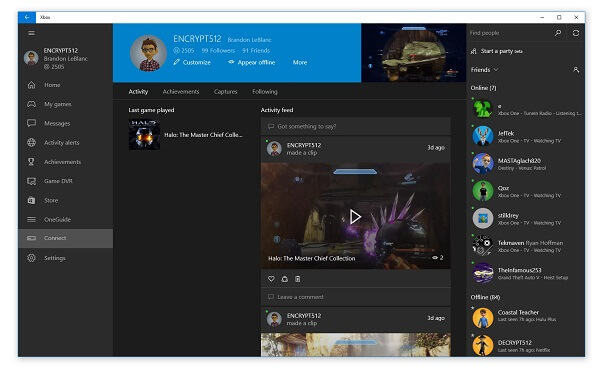
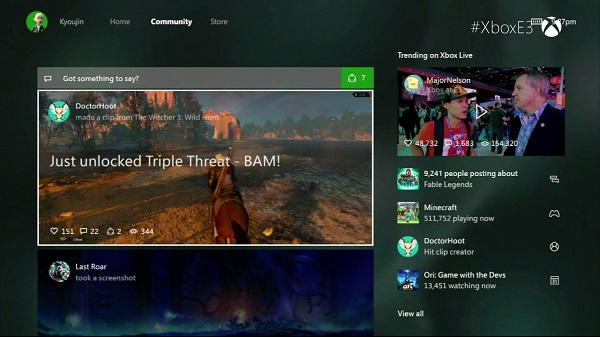
Home screen. Accessing any of your recent games via the home screen takes you to its personal hub of information: generic information about the game, a feed tab where you can find any sort of news regarding the game. Afterwards, there is an achievements tab where you can find unlocked titles as well as what else is left for you to do, plus personal stats such as Enemies Killed, Game Progress, Time Played and so on. Lastly, you will find a Friends tab where you can not only find out who else plays your game of choice but their progress in it as well, and a final tab named “Captures” where you’ll find everything you have recorded and immortalized so far in that particular game – be it image or video.

Pins and shortcuts. What easier way to access your content than by having a nice list of shortcuts added and bound to your controller’s RT? After you’ve set up your list of favorites that might not show up on your recent activity, you can easily access your entire list of games and services you think you will use more often by a simple tap of your right trigger directly from the home screen. You can set up a maximum of 28 pins for quicker access and a quick LT tap will bring you back up to the home screen.

Where are my settings? Everything regarding your Xbox One’s settings, friends and chats are now comfortably placed on the side panel, right underneath your profile name and picture on the home screen. Opening it will take you directly to your friends list, party creation interface, chats, notifications as well as a clean and simple menu to your settings. This way you can also access a great number of applications on your console, such as the media player, Microsoft Edge, OneGuide and the general Achievements panel. You don’t even have to try very hard to get to it such as using the D-Pad until you’ve scrolled through everything else until you get to the side and so on: all you need to do is do a double tap on the Xbox logo button of your controller.

2. OneGuide on the New Xbox One Experience – Streaming and TV in one place.

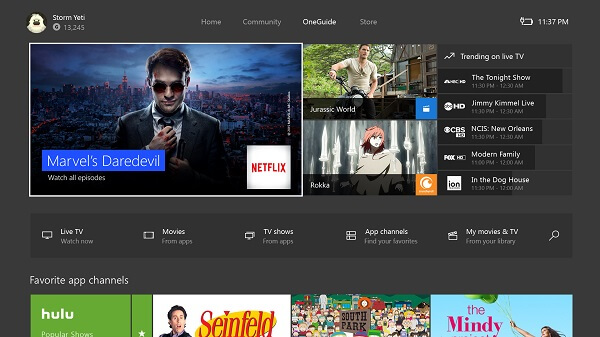
Considering we have already divulged one way of accessing the OneGuide interface, I’ll start by saying that the new and improved app is now smoothly incorporated into the system, and not separate as it was before. By tapping RB twice from the home screen, you’ll be taken straight to OneGuide – the place where you can find all of your streaming services, as well as a direct link to anything you may have recorded yourself. There is a considerable number of services that you can use to watch TV shows or movies, starting with YouTube and ending with Netflix.

New Xbox One Experience UI

Scrolling down a little will take you to a list of recommended content such as various channels and genres, displaying the icons of their respective top hits. The great news about it is that you get to customize these recommended selections so you don’t have to navigate through entire rows of comedies if you’ll be using the Xbox One to watch science fiction movies.

3. The store is within a button tap. Well, three taps.

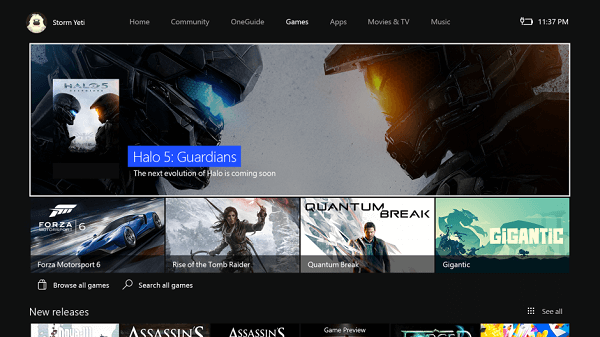
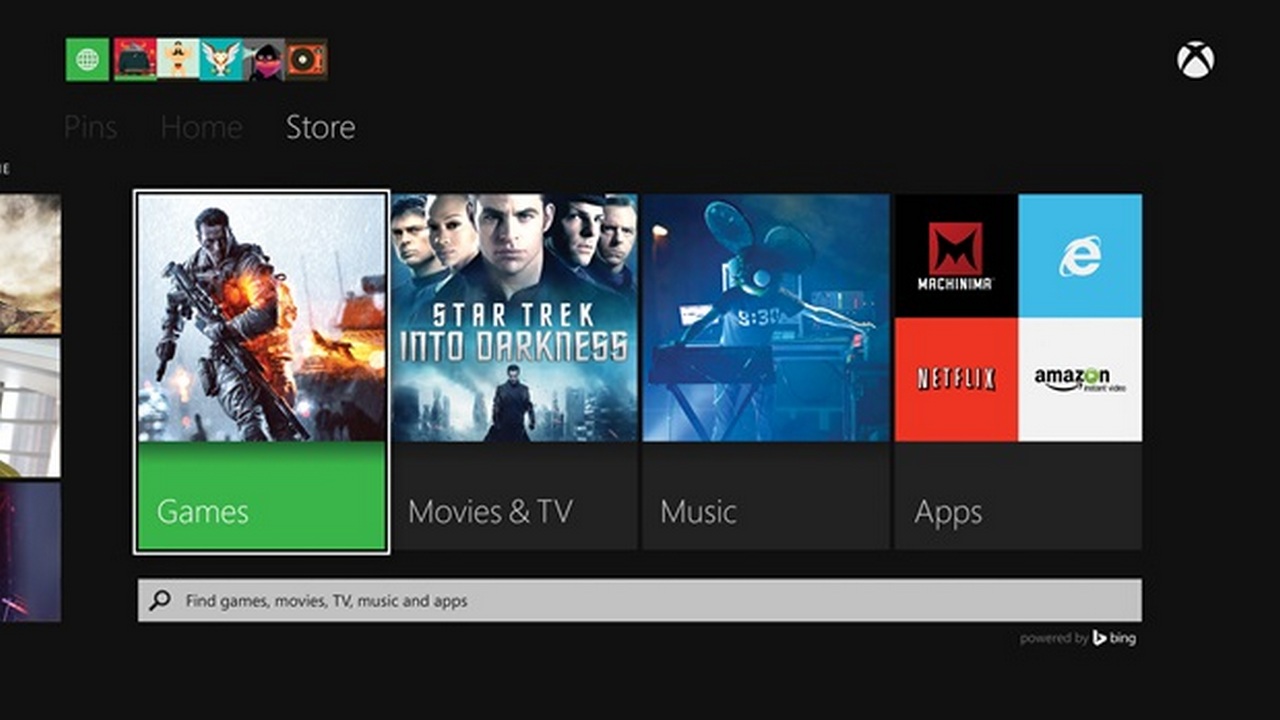
The OneGuide is not the only part of the New Xbox One Experience that got a major makeover. In order to not make things too difficult, you can access it by tapping RB three times in order to reach an extensive list of games, apps, music, movies and TV shows which you can purchase directly from here.

New Xbox One Experience Store Interface

The games section is separated into recommended, new releases, top-rated and genres. There is a “Browse All” option that will allow you to browse more than just games – expansions, add-ons, subscriptions and a box where you can enter codes already in your possession can be found here too, making your navigation as easy as possible.

4. Backwards compatibility, at last.

The most painful part of upgrading from an Xbox 360 to an Xbox One was the extremely limited number of titles you got to play with it when it first came out; especially at the cost of giving up the games you used to play on 360. Sure, maybe some of you only purchased an Xbox One because of exclusive titles such as Halo 5: Guardians, hoping that more content wasn’t a long way away from being released on it while you kept returning to the 360 for everything else. That, and waiting for remasters of older series on the new console is a thing of the past. Now, if anyone wishes to truly argue that one console is better than the other in the never-ending argument of Xbox vs PlayStation, the former has one huge advantage over the latter.

New Xbox One Experience 360 Compatibility

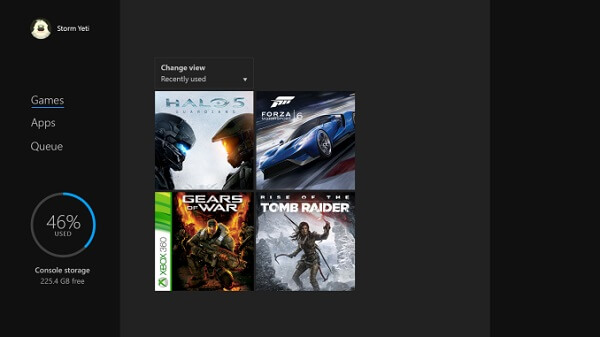
The way it’s all done is via an Xbox 360 emulator inbuilt into the software that comes online as soon as you insert a compatible Xbox 360 DVD into the tray. Any 360 titles that you may have attached to your account will show up in your library directly, branded by an Xbox 360 logo strip on its left side.

The best part of it all is the fact that you won’t even have to give up on your Xbox One’s features when you play older games – as you get full access to most of the great features X1 has to offer even with 360 titles. There is, however, a limited amount of things you won’t be able to enjoy – such as recording videos or taking screenshots of it. Still, it is a relatively small price to pay considering we can probably put our 360s on the shelf now.

5. Console fans unite with PC gamers.

For any of the non-exclusive titles out there that own a PC version as well, say hi to your friends directly off of your Xbox even if they’re playing off of their desktops. Currently, there is only one such titles that has been announced – and the first of its kind – that you’ll be able to enjoy with your PC gamer friends: Fable: Legends.

 New Xbox One Experience Via Various Platforms

6. The talking secret of New Xbox One Experience.

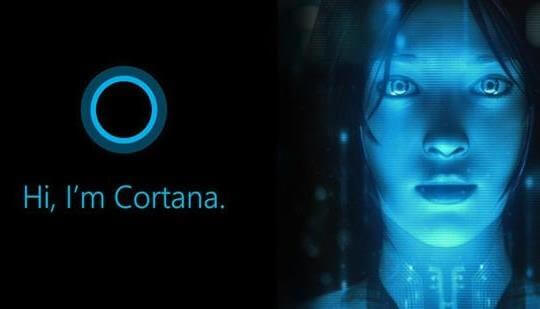
Originally accidentally found on the New Xbox One Experience interface, Cortana made a shocking appearance without any clear, previous mentions by the developers other than “it will happen sometime in the future”. When a few users stumbled upon what looked and felt like an alpha version of Cortana implemented in their Xbox One, developers finally started giving us some more information about it.

New Xbox One Experience Cortana

While accessing her nowadays cannot be done without employing some rather unclear tricks (scrolling up in your settings menu while tapping A several times), Cortana will become a reality to Xbox One Kinect users and Xbox One headsets alike. However, just like the mobile device Cortana, it will be controlled via voice recognition systems and not gestures as you would expect. With her assistance, you’ll be able to not only quickly access your games and apps, but use various other verbal commands too such as information queries.

7. Play from anywhere in your house.

If your couch is not your favorite spot to roll your games from anymore, nobody can stop you from playing your Xbox titles off of another device. Because of the new definition that streaming is given by the New Xbox One Experience, you can now play your exclusive titles off your any other device that runs Windows 10. If you’re running the new Windows version on your computer for example, you can sync it to your Xbox via the console interface or the other way around – wirelessly too.

New Xbox One Experience Streaming to PC

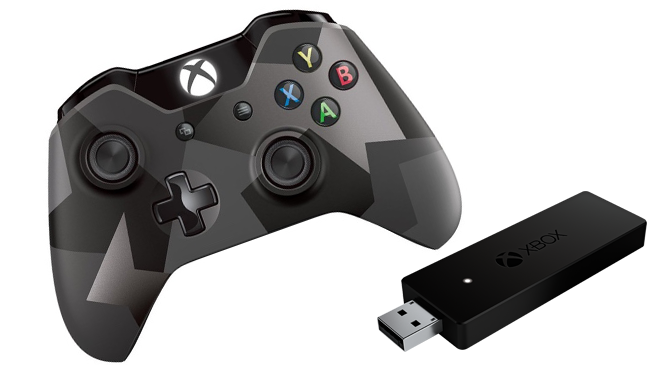
Sure, by using a cable to connect the two will provide you the better experience, but if your setup allows it, you can do it without its aid just as well. All you’ll need afterwards is for you to connect a wired Xbox controller to your PC. The company has already released a wireless USB adapter which you can use to connect either your Xbox 360 or Xbox One controllers to your PC – without the need for you to purchase a separate one meant for desktops and laptops alone.

8. The perks of DirectX 12 on the New Xbox One Experience.

Yup, that’s right, the latest DirectX is supported by the hardware of your Xbox One and you’ll be able to start making use of it with the DirectX 12 compatible games that are being released. You get plenty of perks by making use of the DirectX 12 – such as using Asynchronous shaders which are meant to improve the speed of graphic rendering of post-processing effects to a high degree. Thanks to DX12 you’ll also finally be able to make use of your Xbox One’s 32 MB of eSRAM – meant to optimize and reduce memory bandwidth usage, boosting the performance of your system.

New Xbox One Experience DX12

There is a certain improvement being cooked up for the graphic performance of your games. The DirectX 12 comes with some considerable solutions for the resolution issues some games may have had so far. Last but not least, thanks to the DirectX 12 that the New Xbox One Experience brings, everything will be made smoother and faster overall – not limited to your games, but extended to the navigation speed in the user interface too.

9. Keep proof of and mark your most epic moments.

Something that I have mentioned so far, but without elaborating on it – the New Xbox One Experience allows you to immortalize your fondest moments of your gaming sessions by not only taking screenshots but also downright recording your game as you play. Done via the Upload Studio, an application that requires 1 GB of storage space that anyone can get regardless of whether they have an Xbox Live Gold subscription or not, you can afterwards start editing the footage that you recorded. And because the New Xbox One Experience is a community-oriented interface, you’ll be able to share your recordings to your friends or followers, as well as even upload it to your SkyDrive account, accessible off of your PC.

New Xbox One Experience Screenshot

There’s no denying that the New Xbox One Experience is one packed with plenty of things to get excited about. The user interface that is New Xbox One Experience is finally not a drag to use, performance is expected to hike up a fair bit with the help of DX12 and considering this isn’t even its final form, that makes it even more enticing.

Image Source: 1, 2, 3, 4, 5, 6, 7, 8, 9, 10

Filed Under: Headlines Tagged With: new xbox one experience, Xbox One, xbox one compatibility, xbox one interface upgrade, xbox one ui upgrade, xbox one windows 10

Goodbye USB Cable, Welcome Xbox One PC Wireless Adapter

October 12, 2015 By Roxanne Briean Leave a Comment

Xbox One PC wireless adapter costs $25

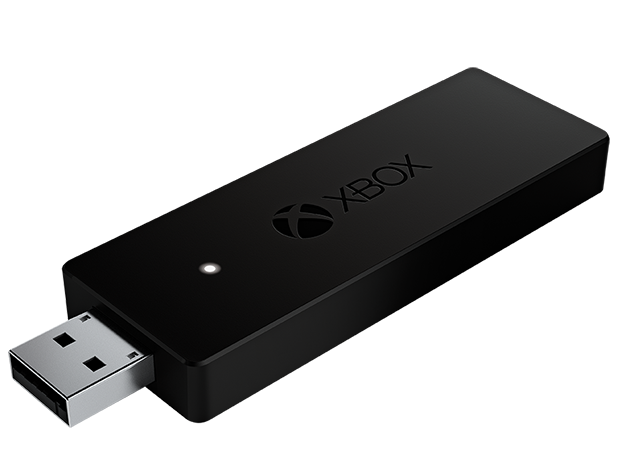
It’s time to say farewell to the USB cable and give a warm welcome to the Xbox One PC wireless adapter for Windows. However, not every kind of Windows. The dongle will only work on Windows 10.

Every gamer understands this – wireless is way better than wired. Yes, you do lose the constant power juice, but you get to add more points in convenience and comfortable gaming sessions. It should go without mention that going wireless also makes your room look more tidy-up, and you don’t have to worry that your roommate could trip and drag cables across the room – I’m looking at you Michael.

PC gamers didn’t really have a choice to go wireless with the Microsoft Xbox One controller. It was wired or nothing at all. Microsoft is hoping gamers will take full advantage of their new Windows 10 OS. A feat previous versions of Windows can’t uphold – the ability to make the Xbox One controller wireless.

But this doesn’t come at small price. The Xbox One PC Wireless Adapter will cost $25 and it will be available for purchase starting the 20th of October. A hefty price considering that the gamepad costs $60 alone. This puts it at $85 if you plan to purchase them both at the same time. This is assuming that you plan to buy a different one for your living room or work gaming sessions. That is, if you don’t mind just walking with one controller from point A to point B.

Xbox One PC wireless adapter is set to launch on the 20th of October

Microsoft doesn’t seem to specify if the dongle works with other versions of Windows i.e. Windows Vista, Windows 7 or Windows 8/8.1. Is there anyone out there that still uses Windows XP for uhm, anything?

We all get it that Microsoft is trying to push more units of Windows 10 – whether they are free or not; and more Xbox One exposure, but it could really be a nasty move if they don’t plan on giving some support to aforementioned Windows users.

I’m quite curious. If Microsoft does indeed limit their new dongle to work solely on Windows 10, will a community made app surface enabling the dongle to work on other Windows OSes? If that does happen, then Microsoft could face a humongous consumer backlash. You see, why not make it available for the entire Windows spectrum if the dongle is more than capable?

Yet, we at AFP suspect that Microsoft isn’t that keen to support older versions of Windows.

When the time comes, you can buy your Xbox One PC wireless adapter from the official Xbox.com store.

What are you planning to get your game on with the new Xbox One PC wireless adapter? I know that I’ll be preparing for Star Wars: Battlefront by playing some Battlefield and the likes. I’ll probably swoop into The Witcher 3 because I’m still stuck in Skellige even though I clock more than 150 hours of game time.

Image Source: 1, 2

Filed Under: Headlines Tagged With: windows 10, Wireless Adapter, Xbox, Xbox One, Xbox One Controller

Sony Announced a New 1 TB PlayStation 4

June 22, 2015 By Roxanne Briean Leave a Comment

PlayStation 4

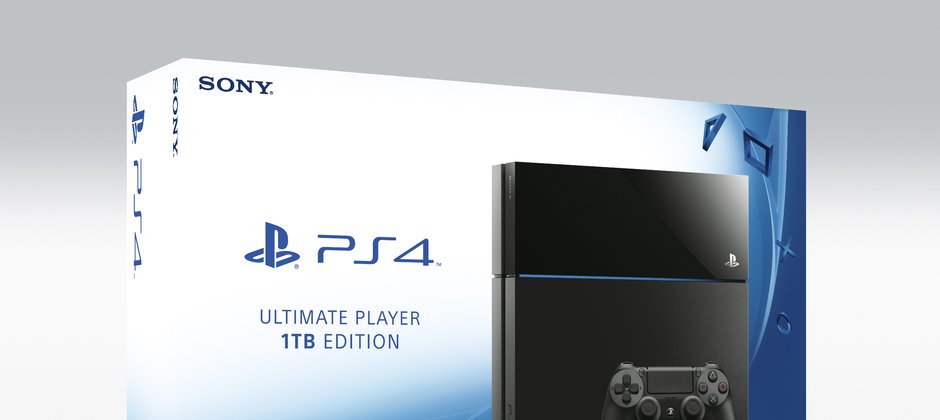
Sony’s just announced a new model for their console – it’s going to be called PlayStation 4 Ultimate Player 1 TB Edition.

Sony acknowledges that the downloadable content market is growing more and more with each passing year, and the company wants to take the bulls by its horns while the bull isn’t all grown up. The Japanese company is going to release their PlayStation 4 1 TB Edition next month – doubling its original capacity.

The PlayStation 4 1 TB Edition is going to be available at the end of this month for those residing in Japan. European, and US gamers will have the possibility of buying the newer model on the 15th of July. At the current moment, nobody knows how much it will cost, nor if it’s going to be bundled with an additional controller, or a Sony exclusive game.

PlayStation 4

Microsoft announced last week that an Xbox One 1 TB Edition is in the works and it will feature their new Xbox One killer controller. This is Sony’s counter attack to the growing fan-base for Xbox one – reports state that the Xbox One will sell like crazy this X-Mass. Why? Well, because Xbox One will feature backwards compatibility, and a string of AAA titles will also hit Microsoft’s console.

Xbox 360 users will most likely shift towards the next generation consoles, says Microsoft executive Aaron Greenberg – ” A lot of people have been waiting for the next Halo; a lot of people have been waiting for Gears; a lot of people have been waiting for backwards compatibility.”

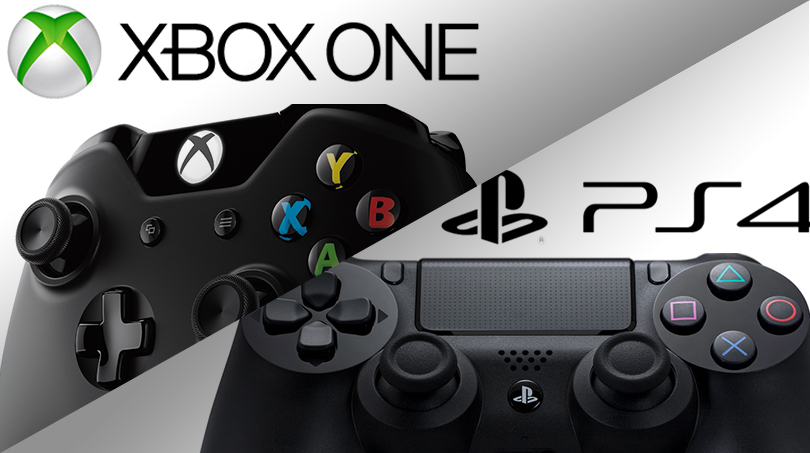
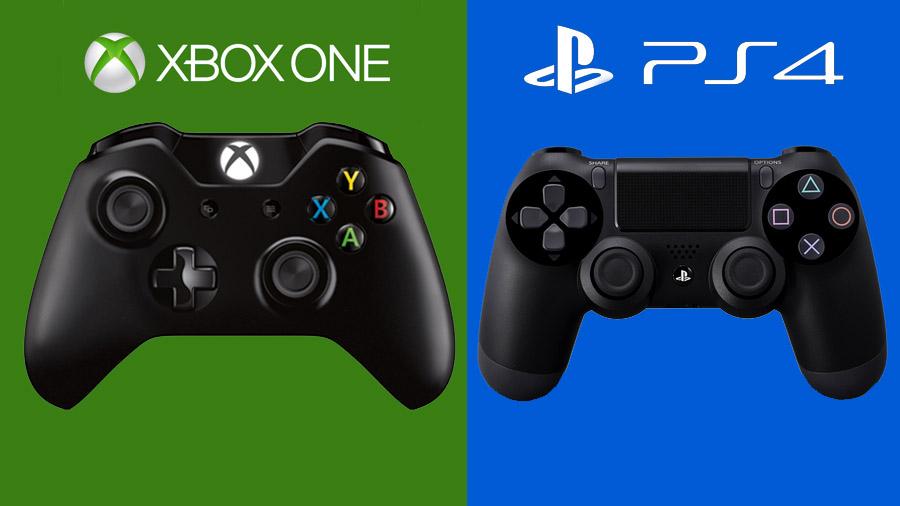
PlayStation 4 Controller versus Xbox One Controller

Sony doesn’t have a thrilling line-up for this holiday – No Man’s Sky is known to be released at the end of 2015, but Sony has lost it’s timed exclusivity deal, and the open-world virtually infinite space exploration game will be released on the PC at the same time.

But Sony’s new model for their PlayStation 4 product line will feature a reduction in power consumption – the Ultimate Player 1 TB Edition will use 8 percent less power than the 500GB version.

Here’s the official video announcement from Sony.

If you didn’t jump on the next gen console bandwagon already, this might be the perfect time to do so. You only have to choose between a Sony PlayStation 4, and a Microsoft Xbox One. Take a look at what exclusive titles stir your curiosity, and decide. You don’t want to miss this period – it’s the best time to be a gamer, and this year’s E3 event is a statement that gaming can only get better.

I’m a happy owner of both the Xbox One, and PlayStation 4. I highly recommend you buy both of them, but if you can’t, I’m more inclined to tell you that Sony has better exclusives, while Microsoft has a better controller.

Image Source: 1, 2, 3


Filed Under: Headlines Tagged With: microsoft, PlayStation 4, PlayStation 4 Ultimate Player 1 TB Edition, sony, Sony PlayStation 4, Sony PlayStation 4 1 TB Edition, Xbox One

Oculus Rift and Microsoft Have Announced Their Partnership

June 14, 2015 By Karen Jackson 1 Comment

Oculus Rift forms an alliance with Microsoft

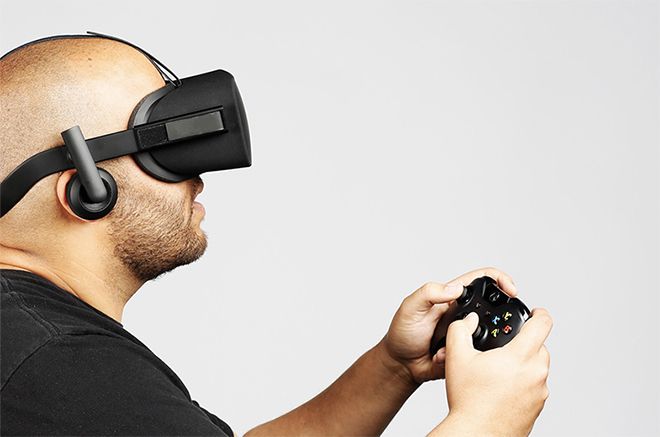
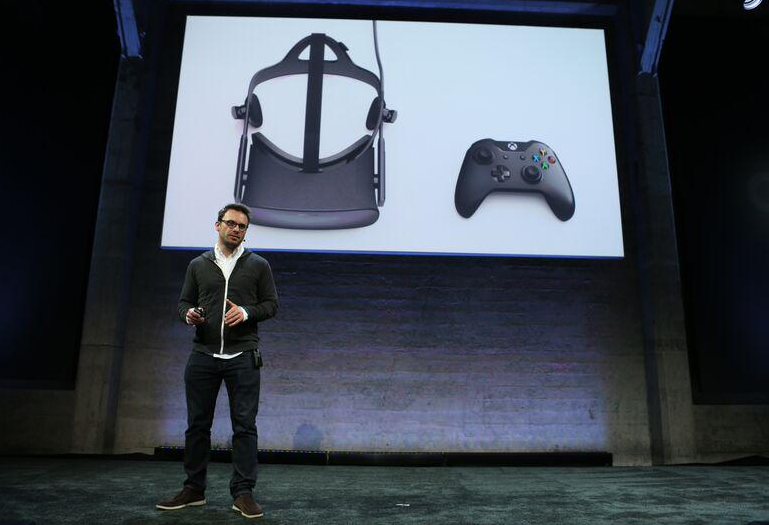
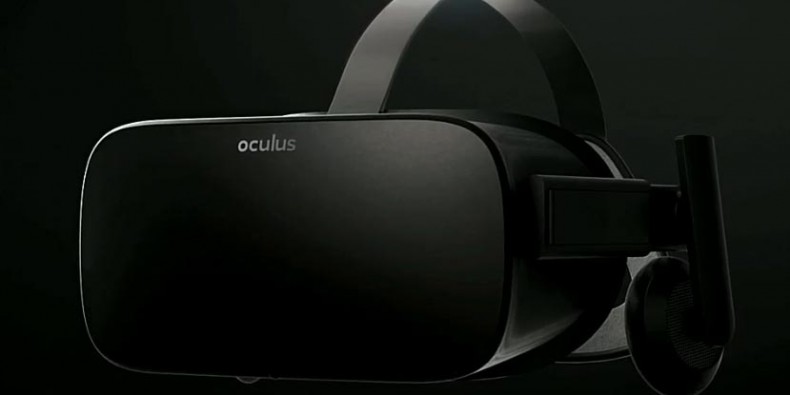
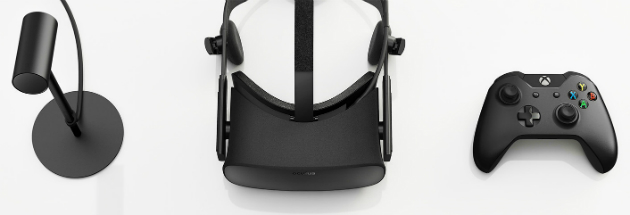
The internet is in an uproar. Oculus Rift has just announced their partnership with Microsoft. More exactly, their virtual reality headset will come paired with an Xbox One controller.

Oculus CEO Brendan Iribe also announced that their Oculus Rift device will fully support Windows 10, and its users will be able to play Xbox One games directly inside their, er, heads via Xbox-to-Windows streaming.

It is unknown at the moment what other services Microsoft will provide for the Facebook-owned virtual reality device.

Microsoft’s Head of Xbox Phil Spencer sported a huge grin on his face when it was time to take to the stage and announce their unlikely partnership. But even though the internet hates it, for whatever reason, I seriously applaud their entrepreneur spirit.

Oculus Rift forms an alliance with Microsoft

It makes sense, doesn’t it? It’s a way to counter attack Sony’s Project Morpheus, and who would be better to do so than one of the most known virtual reality headsets on the planet. Oculus Rift has a super-high brand recognition – mostly because it was the first that tackled this trend, and partly because Facebook acquired it and made everyone wonder how Zuckerberg will tackle social media in the VR medium.

Oculus Rift is already built, and it’s in the polishing process – can’t say the exact same thing about Project Morpheus; we have no clue what Sony’s up to.

It’s a pure win-win situation for Microsoft. They don’t have to maintain the VR hardware, they only have to make their software compatible, and easy to use. Unlike Sony, who will most likely adopt the same thing for their VR headset. Sony needs to develop its product first, and then tackle compatibility issues that it may encounter. Or maybe Sony will shock as all, and when the time comes it will have all its problems fixed.

Oculus Rift

Whether the trend will ship towards augmented reality, or it will stay in the VR medium, Microsoft is more than prepared. The big M has enough time, and resources to focus on their HoloLens project and not worry about Oculus – which big daddy Facebook can easily take care of by opening its deep pockets. Some say that they are filled with gold, and others warn that they are drenched in tears of social media users from around the globe.

This might also be Microsoft’s chance of winning the console wars. Its Xbox, and Xbox 360 were gold, but when you talk about next gen consoles, PlayStation 4 is the reigning king.

Oculus Rift

Oculus Rift is also offering up to $10 million to help indie developers build games for their VR headset. I think they’re off to a tremendous head start, and Sony might just release their VR headset in time to barely taste the dust.

Image Source: 1, 2, 3, 4

Filed Under: Headlines Tagged With: Facebok-owned Oculus Rift, microsoft, Oculus Rift, virtual reality, Xbox, Xbox One

1 TB Xbox One with New Controller Will Be Available Soon

June 8, 2015 By Roxanne Briean Leave a Comment

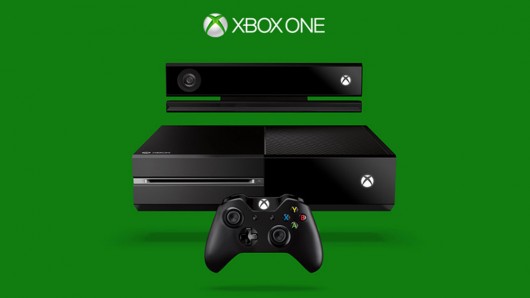
Xbox One Console

I was minding my own business this morning, just surfing on Amazon, searching for God knows what, when all of a sudden, I found this placeholder page for a 1 TB Xbox One bundle!

The Xbox One bundle consists of Microsoft’s newly designed fabulous controller, 1 TB of storage space, and Halo: The Master Chief Collection – all for $400!

Wowser!

400 bucks for those goodies? Sign me up, dear Amazon!

There’s no additional info on the page, not even a photo. What we do know is that the Xbox One bundle will launch on the 15th of June. A date that coincides with Microsoft’s E3 conference – maybe we’ll see the big M release additional information about their Xbox One bundle then. At the moment, a spokeperson for Microsoft has only this to say – ” We’re gearing up for an exciting E3 where we’ll showcase more games and experiences. We have nothing further to share at this time.”

Hmm, okay, we’ll roll with it I guess. It’s not a long wait until the 15th, so be patient young grasshopper!

Xbox One Console

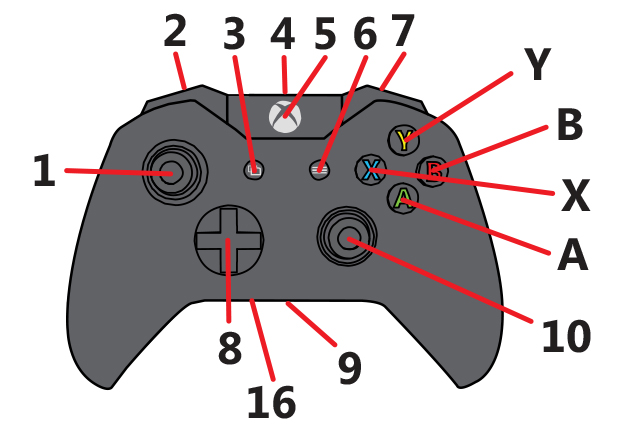
Last year, Microsoft launched an Xbox One Bundle that included 1 TB of storage space, and  it was a branded Call of Duty console. It didn’t include a Kinect, and it was sold at $500. This new listing also doesn’t include a Kinect, but it’s $100 cheaper, and it features their newly designed controller – which includes a built-in 3.5mm headset port. It’s a highly anticipated addition.

Now, if you already bought an Xbox One Stereo Headset Adapter, this new controller will only anger you that Microsoft didn’t add the port in the first place – the adapter costs about $25. I know, it’s not much, but why throw away money?

You can read more about Microsoft’s newly designed Xbox One controller on their official support page.

Xbox One controller

Be warned, that the new controller will only support 3.5mm audio devices – the majority of headphones use 3.5mm, but there are some that choose a different path. Don’t ask me why, because I don’t know. Manufacturers seem to build them differently just because they feel like it. Xbox One isn’t the only one to suffer from this plague, and PlayStation 4 gamers also have to endure this issue – just you know, before you sharpen your pitchfork, and light up your torch, Microsoft can’t control this.

As a comparison, a 500 GB Xbox One with Kinect normally sells for $500, and without it for $400. I highly recommend this bundle, and I think It’s a must-buy for those who have put off buying a next gen console until now.

What are your thoughts on the new Xbox One controller? Is it worth buying? Or you’ll stick to the adapter? Tell us in the comments section below!

Image Source: 1, 2, 3

Filed Under: Headlines Tagged With: 1 TB Xbox One, microsoft, Newly Designed Controller, Xbox One, Xbox One Bundle
PS4 and Xbox One Games that are Coming Out in June!

May 25, 2015 By Roxanne Briean 2 Comments

PS4 and Xbox One Games

May, and June are always going to be filled with the best game releases for PS4 and Xbox One. Why so? Because  the end of Spring brings the rise of Summer which  is the perfect time to waste countless hours in front of your favourite console. E3 is just around the corner, but before you jump on the hype-train, let’s see what our Summer is going to be filled with – PS4 and Xbox One games of course!

PS4 and Xbox One Games Galore!

The Escapists

The Escapists - PS4 only game

Quickly, count how many paces there are from your cell to the entrance to the kitchen, now check out at what intervals do patrols come, and who they are – some are more unaware of their surroundings than others. Got all of it? Okay then, now focus on stealthily stealing keys, and materials so you can finally escape and hear the chirping noise of birds once again.

The Escapists has made its début on PC earlier this year, and we have long awaited a console version. You’re a convict, and your only goal is to escape this filthy horrible jail. Plot, and execute your plan, but be careful, because one tiny little mistake, one miscalculated thing will throw you back in your cold cage.

It received mixed to positive reviews – fans on gaming forums call it highly addictive, but with a couple of annoying bugs; hopefully, they have fixed them for the console version.

  • Available on PS4 and Xbox One!
  • Release date: June 2

Deception IV: The Nightmare Princess

Deception IV The Nightmare Princess is a PS4 only game

The strategy puzzle-action video-game follows up the 2014 release of Blood Ties. The new iteration introduces a new character named Valgyrie, with whom you can set up traps, and bash your enemies with swift, and powerful kicks. You will take control of the Nightmare Princess Valgyrie who has only one objective – to save her father from from the Devil’s imprisonment.

The last one, Blood Ties, was positively received by critics, and fans alike – Famitsu even ranked the game at 34/40.

  • Available only on the PS4
  • Release date: June 14

The Elder Scrolls Online: Tamriel Unlimited

The Elder Scrolls Online Tamriel Unlimited is a PS4 and an Xbox One game

I’m a big geek when it comes down to The Elder Scrolls – especially when you put it in an MMO setting. It was about time we gamers received this beautiful gem for our consoles.

You can be an Argonian, Dunmer, Nord, Altmer, Bosmer, Khajiit, Breton, Orc, Redguard and even an Imperial – regardless of what you choose, your adventure will be your own. Mold your quest carefully, it’s not wise to upset other adventures, or factions.

Tamriel Unlimited adds to the 100+ hours that consist of the main story with more to do once you pop level 50, and more boss fights.

  • Available on PS4 and Xbox One!
  • Release date: June 9

Lego Jurassic World

Lego Jurassic World is a PS4 and an Xbox One game

We all knew that this was coming since a new Jurassic Park movie was announced. I have complete confidence in the team behind Lego video-games – they will make a really fun, and funny game. It’s designed for children, but that doesn’t mean an adult can have the time of his life playing it. Although, I was really hoping for a dark, and gritty Jurassic World game – a fps with RPG elements; something on the lines of Fallout.

The video-game will encompass the story lines of all the Jurassic Park movies – and also the upcoming one.

  • Available on PS4 and Xbox One!
  • Release date: June 12

PayDay 2: Crimewave Edition

PayDay 2: Crimewave Edition is a PS4 and an Xbox One game

Really digging the trend that PayDay, and GTA V are making popular – heists!

GTA V did an awesome job with heists – if you’ve got a proper team you’ll get a ton of rewards, and have an excellent gaming experience on the long run. Use random people, and expect only ragers, and leavers.

PayDay2: Crimewave Edition takes everything good from the heist trend, and bundles it up in one game. You, and three other players carry out heists in the Washington D.C. area. Practice with little convenience stores, and then gradually move towards big banks – don’t bite more than you can chew, or you’ll get your head blown off.

Better graphics, more content, and all the DLC’s from PayDay 2 will be available with the Crimewave Edition!

  • Available on PS4 and Xbox One!
  • Release date: June 16

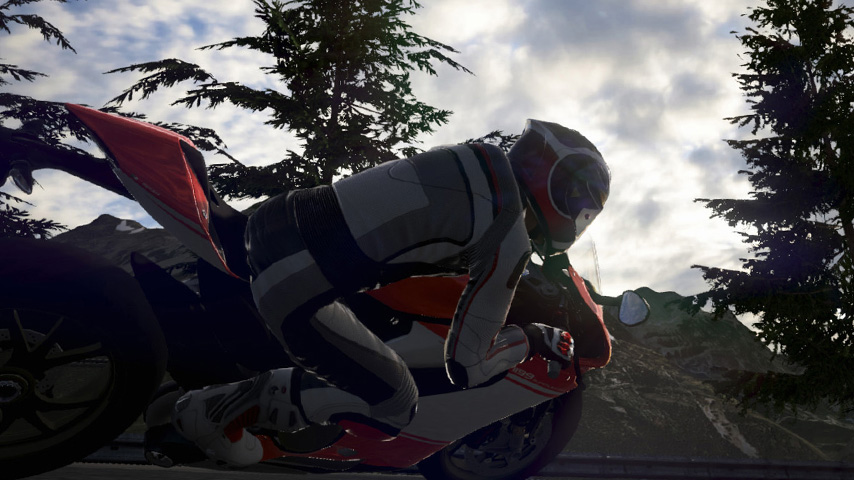
Ride

Ride is a PS4 and an Xbox One game

Motorcycle fans haven’t received that much love in the past years, but Ride wants to set this right. With over 100 bikes to choose from the best manufacturers on the planet, Ride provides an excellent motorcycle simulator. Superbikes, Supersports, Naked, and Historical bikes – you name it, and the video-game has it.

Fully customize your motorcycle, and rider while you prepare for the race.

By the way, Ride has some superb circuits that will drop your jaw, so take care not to lose track of the race, and end up last.

  • Available on PS4 and Xbox One!
  • Release date: June 23

Batman: Arkham Knight

Batman Arkham Knight is a PS4 and a Xbox One game

I’ve been waiting for this since I finished Origins. It’s the last installment in the series – no, I’m not crying, I’m just chopping some onions over here.

Battle ScareCrow and his posse which includes Two-Face, Penguin, and Harley Quinn – and other villains that we don’t know about. I can’t wait to bash Penguin’s face – I seriously hate that little smug man; he always thinks he can out-rich, and outwit Bruce Man, ah, Bat Wayne, ah damn it.

For the first time in the franchise, players will take control of the Batmobile. Expect only the best gameplay, and story from the critically acclaimed Arkham series.

  • Available on PS4 and Xbox One!
  • Release date: June 23

Devil May Cry 4: Special Edition

Devil May Cry 4: Special Edition is a PS4 and an Xbox One game

I’m quite a big fan of the series, and I’m still hoping that they will bring back the anime – God, I loved it to death; still can’t manage to understand why they cancelled it.

The Special Edition will be a blast from the past by adding three bonus playable characters like Vergil of Devil May Cry 3, Trish from Devil May Cry 2, and Lady who will be making her début.

The story revolves around Nero, a demon-hunter, and Dante, the reason we’re in love with the franchise, as they fight through hordes of demons in the game’s iconic stylish combat that involves guns, swords, demon powers, and more guns. Did I mention guns?

  • Available on PS4 and Xbox One!
  • Release date: June 23

Image Source: 1, 2, 3, 4, 5, 6, 7, 8, 9

Filed Under: Headlines Tagged With: Batman: Akrham City, Deception IV, PS4, PS4 and Xbox One Games, PS4 and Xbox One Games in June, The Escapists, Xbox One

Review for Xbox One with Kinect

December 29, 2014 By Roxanne Briean Leave a Comment

Each and every single day, gaming companies work on how to improve the overall gaming experience. Even if it seems like only a couple of years ago kids, teenagers and adults alike were looking for a console that provides a good functionality, times have now changed, so a lot of stuff must be taken into consideration before purchasing the best gaming console.

One of the most important facts that you need to think about before buying any gaming console is how are you going to use it. If you are looking for a basic gaming experience with nothing too complicated or advanced technology, then the Xbox One is probably your best choice. However, if you want a full gaming experience and an interaction between you and your console, choose the Xbox One with Kinect sensor.

xbox one with kinect

Image Credits

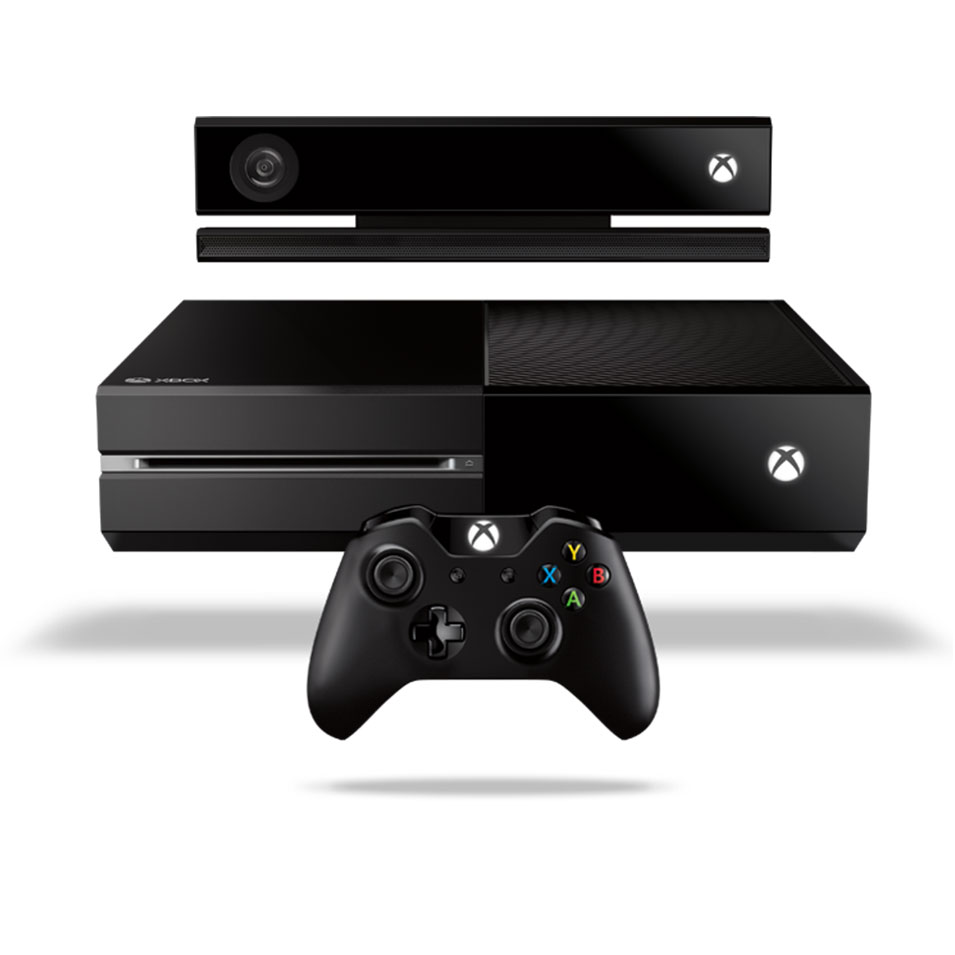
Xbox One with Kinect may seem the same as the first Xbox One since its looks have not changed, but that is only made to deceive you. Microsoft announced that they are going to interact more with their customers and until now, they kept their word offering a series of updates meant to broaden and deepen the gaming experience with the Xbox One Entertainment.

The console

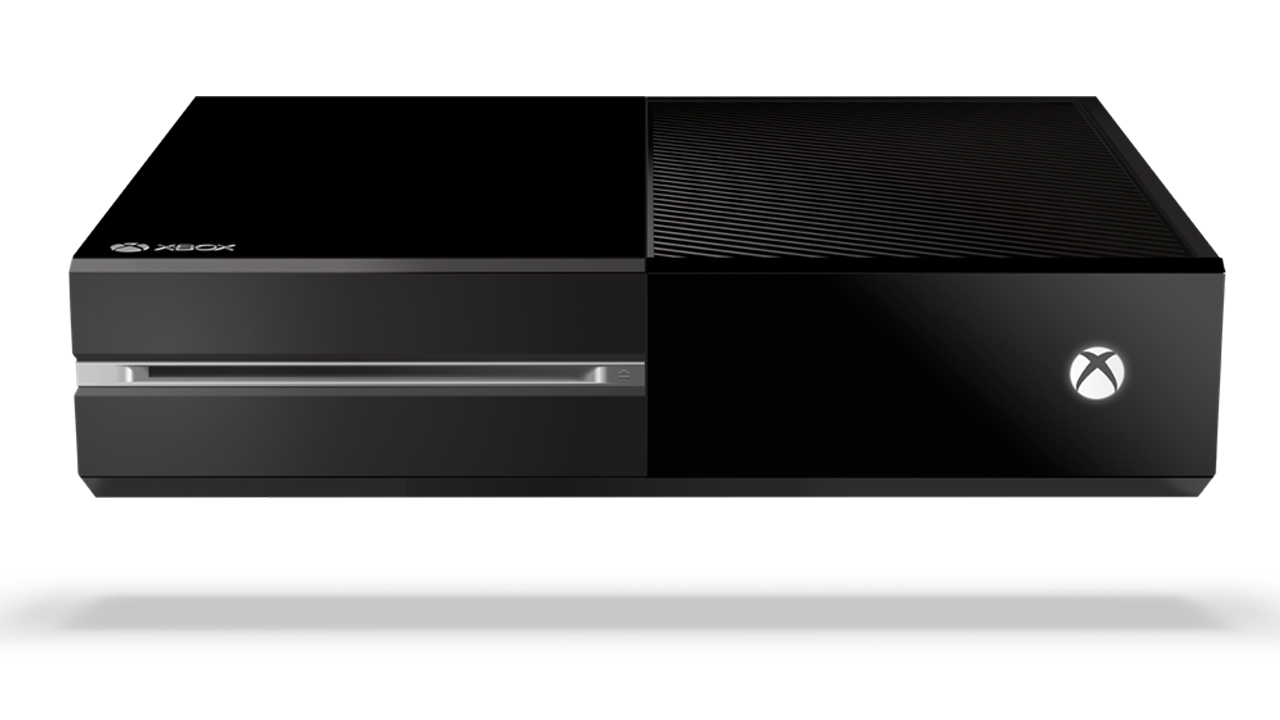
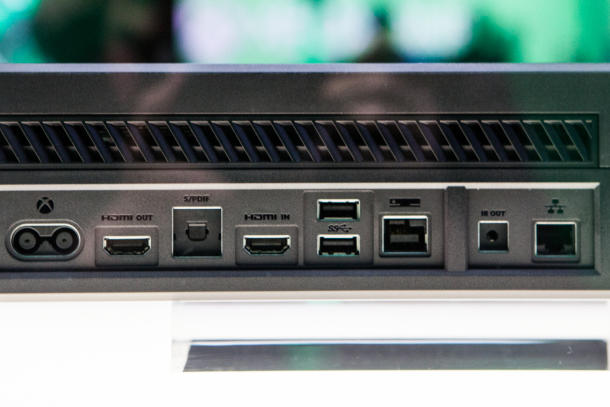
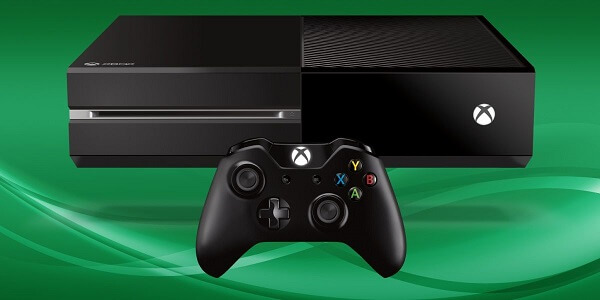
Well, the console itself has somewhat of a bulky design, with glossy panels, black vents and some silver accents from place to place. It measures 13.1″ x 10.8″ x 3.25” and it has several ports such as USB 3.0, HDMI, Ethernet or IR Out. When it comes to what the console is actually capable off, it comes pretty close to its biggest competitor, PlayStation 4 some of the most notable differences between the two being the Xbox’s lack of Bluetooth, the difference between the Xbox’s RAM of 8GB DDR3 and the PS4’S 8GB GDDR5 memory and the fact that you cannot replace the hard drive of an Xbox One.

xbox one with kinect

Image Credits

However, even though the Xbox has no Bluetooth connection, the controller uses a different technology to communicate with the gaming console and you can add up to two USB 3.0 flash drives to supplement storage space. Through the HDMI ports you can control the console from your laptop or connect it to your TV. Although the console is capable of running beautiful games at really high resolution, it is still quiet and fast. You can easily be tricked from its design that it’s just a piece of technology dated at least 20 years ago, but don’t be deceived, there’s a beast lying under that case.

xbox one with kinect

Image Credits

The differences in graphics between Xbox One and PS4 are not that noticeable, especially if you don’t have an eye for it or you don’t see them running at the same time. Although you might tend to believe all the criticism around the internet, don’t conclude anything until you have tried playing on both consoles. You would be surprised on how many people are actually choosing a console just because of the brand and not because of the gaming experience.

If the only thing that keeps you back from purchasing the Xbox One is the fact that you feel reluctant on paying $500 for a gaming console, remember that it is not just a gaming console, it is a full blown look into the future.

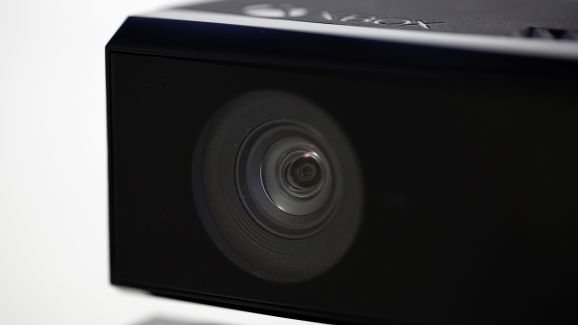
Xbox One and Kinect 2.0

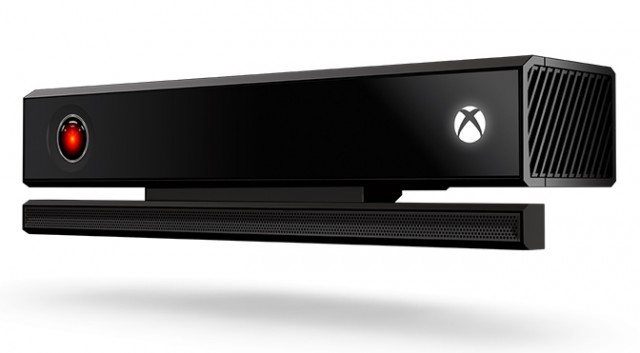
Kinect was first envisioned by Microsoft as a way to expand their customers above the level of hardcore or casual gamers. By using a webcam peripheral, they tried to introduce the idea of control through gestures and speech since 2010, when it was first released.

xbox one with kinect

Image Credits

Although many gamers do not agree with the idea of Kinect on Xbox One simply because it adds $100 to the price of the console, this was not the idea behind Kinect in the first place. Gamers will always be gamers and will always value graphics, control and response time way more than the ability to have a machine that recognizes your voice. However, when you are a casual gamer and want a gaming console that can also blend into your living room, Xbox One with Kinect 2.0 is definitely what you are searching for.

A series of voice commands are available and Kinect even allows you to record and save other people’s voices so that when they are around, the console can bring up some of their TV or gaming preferences.

You can start up your Xbox as soon as you get home without even lifting a finger, just by opening your mouth and saying “Xbox, on”. Commanding a console has never been easier and the interaction between users and the console is what Kinect is truly about.

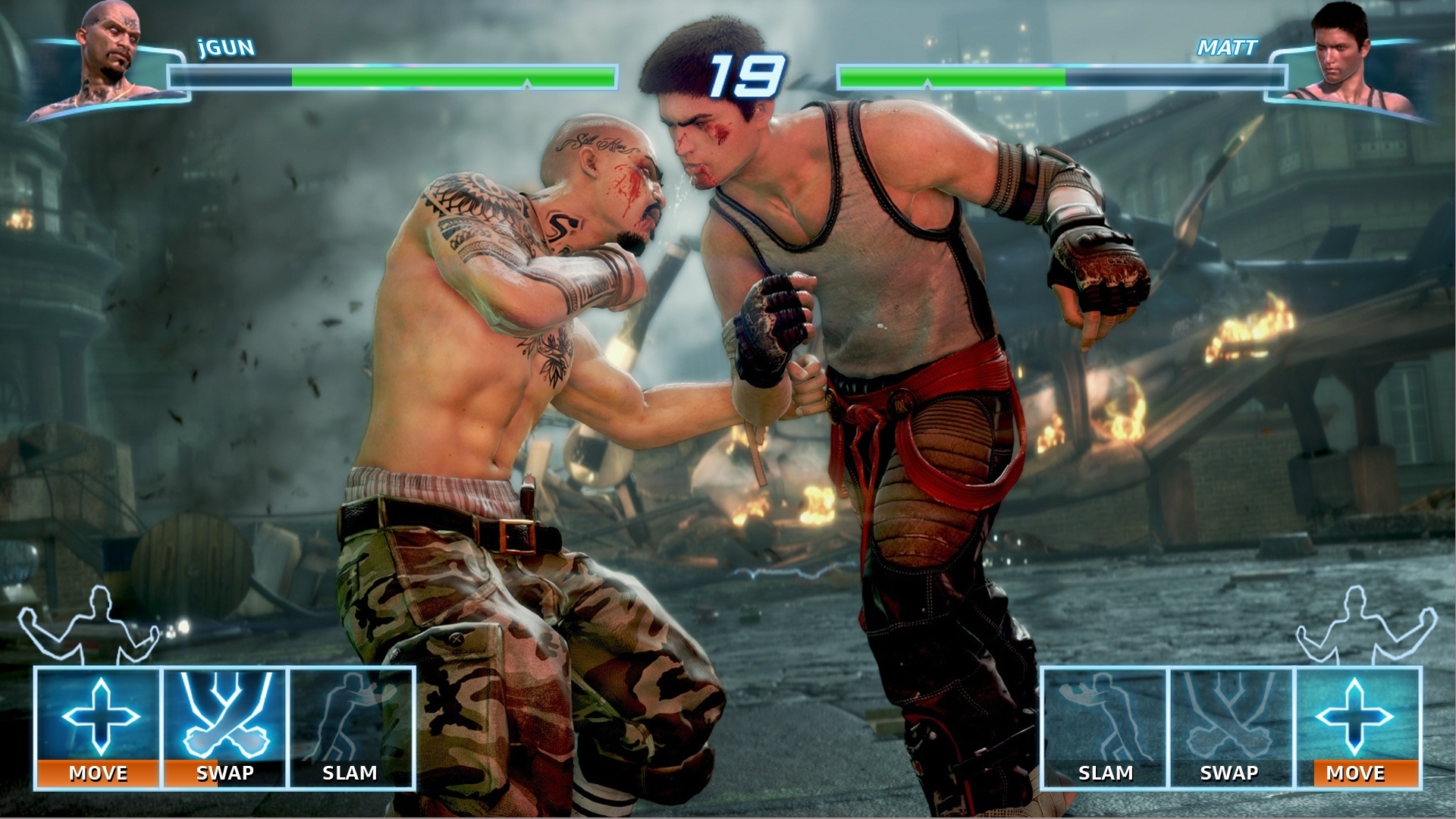
When it comes to gaming, Kinect 2.0 might seem a bit slow and bulky. The different hand gestures that you have to use are not that easy recognizable and they don’t really enhance the gaming experience. This is a whole lot of a different story if you are actually playing games that involve gestures or movements and there are even several games available that you cannot play without Kinect, such as Kinect Sports Rivals or Fighter Within.

xbox one with kinect

Image Credits

Kinect 2.0 is fairly easy to install and it only takes about 10 minutes to do it. At the beginning, you will introduce your face to the system and it truly works wonders on recognizing you through glasses or facial hair so don’t worry about changing your style every once in a while. A sound check will also be conducted for the system to make sure it can hear you over the sound of the TV.

As for Kinect’s microphone, it does not have troubles hearing you over the sound of the TV but the situation changes if you have a lot of people chit chatting around you so make sure you do not have a lot of people around you when you talk to the system. If at any time you find it difficult to use voice commands or the system does not recognize what you are saying, you can easily switch to your controller, without having to tell the system to stop listening or making it aware of the switch.

Xbox one with Kinect 2.0 is meant for people who want to mix up a great gaming experience with social media and upgraded technology by allowing your system to either hear or see you or even react to your presence in the room and this is what makes the $100 difference In price between Xbox One with or without Kinect.


xbox one with kinectImage Credits

Even though there is a lot of room left for improvement especially when it comes to the overall gaming experience, Kinect is surely something you need to check out by yourself before making a decision. Odds are that you will either hate it or fall in love with it at the first sight. There is nothing in between.

You can choose to either buy the Xbox One with the Kinect 2.0 or buy Kinect separately if you already own the gaming console.

Gamepad

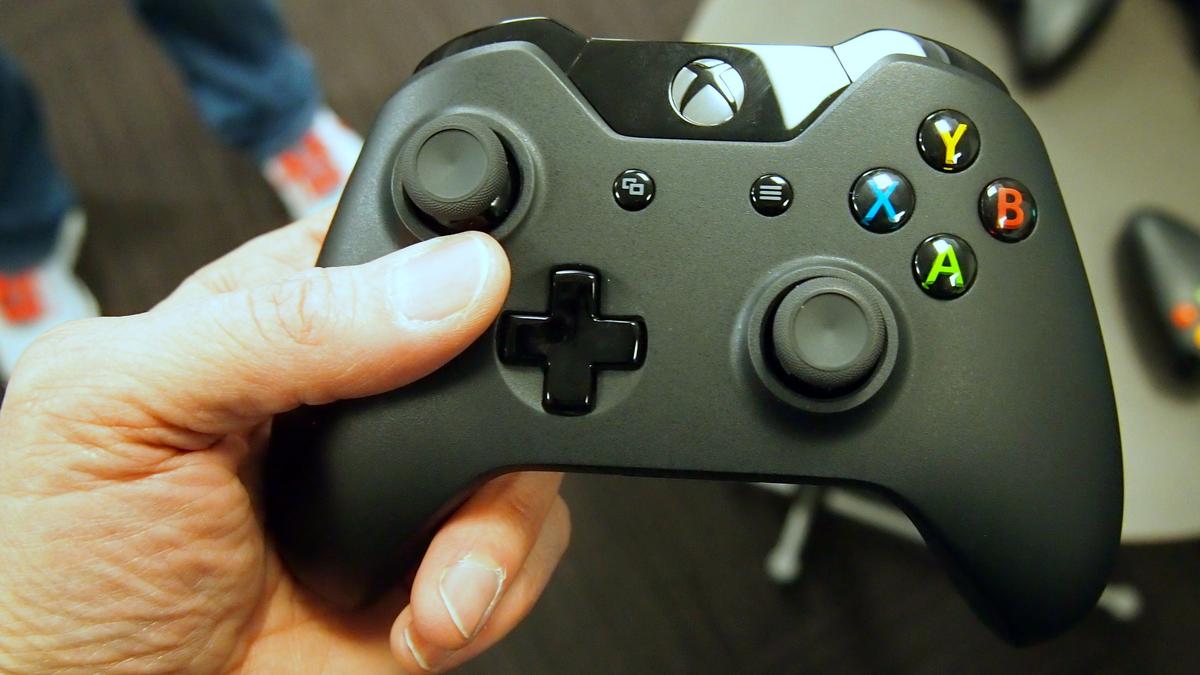
The controller available for the Xbox One with Kinect 2.0 is fairly similar to Xbox 360’s controller, so if you enjoy that one you will probably fall even harder for the new one.

xbox one with kinect

Image Credits

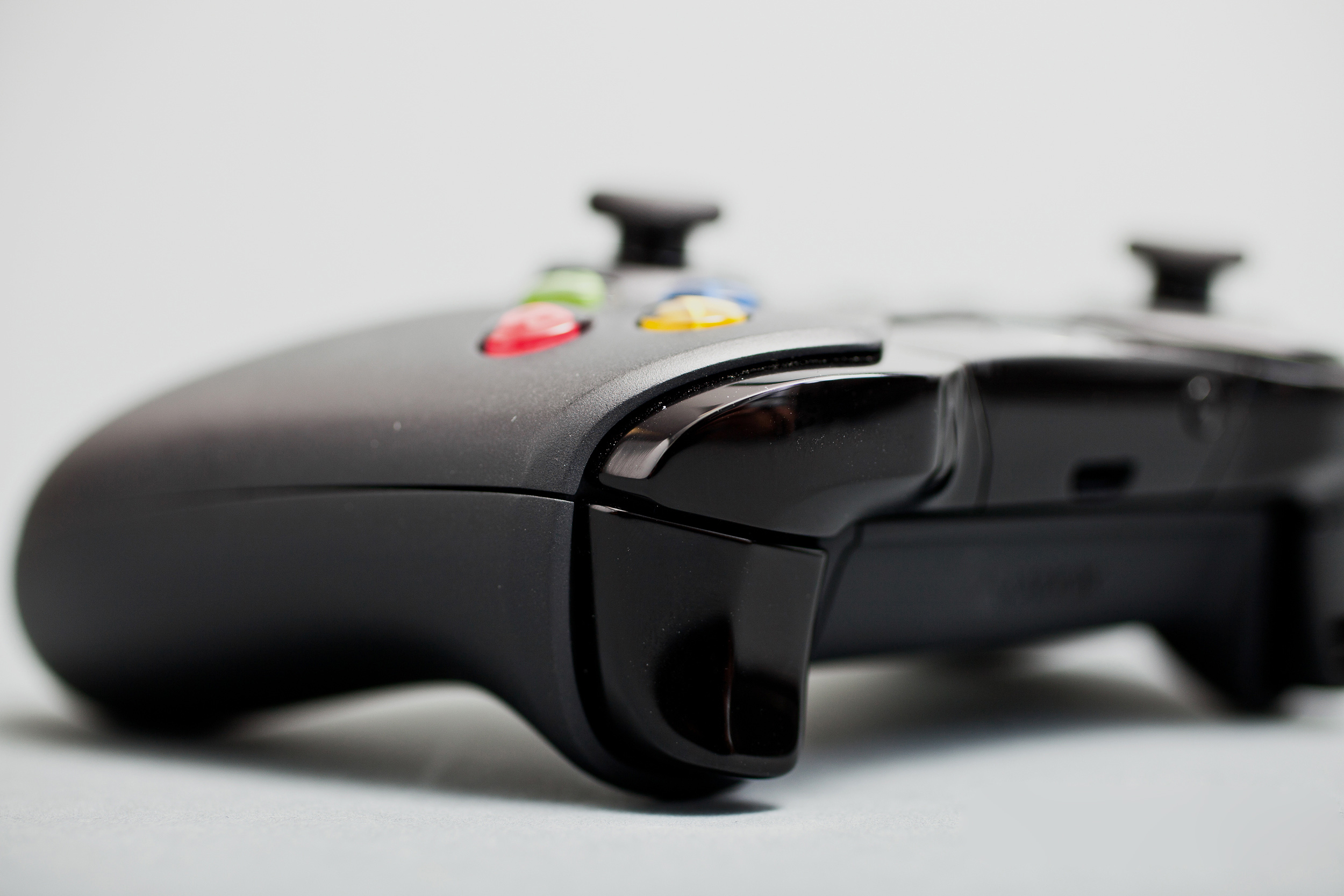
Similarities can be found as soon as you lay eyes on the new controller, since the shape and the placement of the buttons are still pretty much the same. However, many improvements have been made to the new gamepad making it look more appealing and adding new triggers. The precision of the buttons and analog sticks has been improved as well. If you were struggling with the thumbsticks on the Xbox 360’s gamepad, be happy to learn that they have been offered a new look on the Xbox One’s controller. An additional rubber rim is meant to keep your thumb locked into place even if you are in the blaze of fantastic but very engaging game.

xbox one with kinect

Image Credits

One of the downsides of the new gamepad is the fact that you need to buy a different headset if you want to listen to game audio while chatting. Another one is the stiffness of the new shoulder buttons, which is very noticeable especially if you use them repeatedly.

User interaction with the interface

When it comes to the interface of the new Xbox One with Kinect, many influences from the App-like interface of Windows 8 can be spotted. There are loads of information and cool stuff lying around but you will most certainly have difficulties on finding all of them. After a while of continuous searching and digging though, you will not find it difficult anymore.

xbox one with kinect

Image Credits

This is the moment when Kinect 2.0 starts to shine, as the interface is way more manageable with the help of the camera and microphone. Voice commands are pretty fast and the response time of the console is kept to a minimum.

After a beloved gaming session you can use your console to watch Live TV, share, view or upload different media files from both internal or external hard drives, find out real time detailed stats about your favorite sport teams or even stream TV shows or movies online through some of the most popular services such as Netflix, Crunchy roll or Hulu Plus.

xbox one with kinect

Image Credits

However, you will find yourself struggling with the accuracy of the words coming out of your mouth, and that won’t happen only once. When the system actually works and recognizes your voice and what you are saying right from the start, it’s marvelous. You are able to start up your system and start gaming or watching TV in no time by simply saying a couple of words but when you don’t say the right words or you don’t say them accurate enough, that’s when the real fun starts. It’s already pretty funny that we are able to speak to electronics, imagine how funny it is for other people to see you all frustrated and angry on a console.

Keep your cool though and don’t let a piece of machinery tell you what you can say and what you cannot. Also try practicing in front of the mirror, maybe that can help as well.

After a year of updates and introducing new feature, Xbox One is finally on the right track to becoming the best all in one device for your living room. Microsoft is continuously working on how to make users stop bothering about how other consoles work or what they do better and focus on what Xbox has still left to offer.

After taking into consideration all of these facts, Xbox One with Kinect 2.0 is an ultimate gaming experience but not actually focused on the gaming part. It is still able to run games amazingly and it still is one of the best gaming consoles out there, but Microsoft is not all about the gaming anymore, but about upgrading the current technology. Be prepared to take a look into the future and for some machine-human interaction in the comfort of your own living room.


Filed Under: Tech & Science Tagged With: Kinect 2.0, Kinect and Xbox One, Xbox One, Xbox One gamepad, Xbox One review, Xbox One with Kinect 2.0, Xbox One with Kinect review

Subscribe to Blog via Email

Enter your email address to subscribe to this blog and receive notifications of new posts by email.

Join 10 other subscribers

Recent Articles

police handcuffs man

German Man Probed In Poisoning That Killed 21 Employees Since 2000
June 29, 2018 By Kenneth Scott Leave a Comment

Chicken wings bar

Intoxicated South Carolina Man Punches Waitress Who Refused to Serve Him Alcohol

June 29, 2018 By Karen Jackson Leave a Comment

gaming

New Zealand gamer Who Flew Halfway Across The World for Virginia Teen Gets Shots By Her Mother

June 28, 2018 By Cristopher Hall Leave a Comment

party

Former Virginia Tech Freshman Sentenced to 50 Years in Prison for Stabbing a Girl to Death

June 28, 2018 By Roxanne Briean Leave a Comment

bonfire

British Couple Sentenced to Life in Prison for Torturing and Murdering French Nanny

June 27, 2018 By Deborah Campbell Leave a Comment

pay phone

Texas Father of Girl Disappeared in the 80s Ignored by Authorities

June 26, 2018 By Cristopher Hall Leave a Comment

bottled water

San Francisco Woman Threatened to Call Police on Girl Who Sold Ice Water for Disneyland Trip

June 25, 2018 By Roxanne Briean Leave a Comment

Maplewood Park

Missouri Man Robbed by Date and Accomplice in Park

June 22, 2018 By Nancy Young Leave a Comment

coding

New York Man Sentenced in Cyberstalking Former Girlfriend, Mailing Drugs to Her Dorm

June 22, 2018 By Deborah Campbell Leave a Comment

headphones

Bose Poised to Launch Sleepbuds, In-Ear Headphones That Help You Sleep

June 21, 2018 By Nancy Young Leave a Comment

Police light

Intoxicated Female Driver in Custody for Pulling Arresting Officer by the Hair

June 21, 2018 By Kenneth Scott Leave a Comment

kitchen

Restaurant Manager Arrested and Charged in Shooting Death of Co-Worker over Negative Yelp Reviews

June 20, 2018 By Karen Jackson Leave a Comment

plastic container

Pennsylvania Couple Charged in Violent Death of Infant Discovered Buried in Cat Litter

June 19, 2018 By Cristopher Hall Leave a Comment

tailpipe

Minnesota Teen Gets Head Stuck In Oversized Tailpipe Winstock Music Festival

June 18, 2018 By Karen Jackson Leave a Comment

Pages

  • About Us
  • Contact us
  • Privacy Policy
  • Privacy Policy GDPR
  • Staff
  • Terms and Conditions

Recent Posts

  • German Man Probed In Poisoning That Killed 21 Employees Since 2000 June 29, 2018
  • Intoxicated South Carolina Man Punches Waitress Who Refused to Serve Him Alcohol June 29, 2018
  • New Zealand gamer Who Flew Halfway Across The World for Virginia Teen Gets Shots By Her Mother June 28, 2018
  • Former Virginia Tech Freshman Sentenced to 50 Years in Prison for Stabbing a Girl to Death June 28, 2018
  • British Couple Sentenced to Life in Prison for Torturing and Murdering French Nanny June 27, 2018
  • Texas Father of Girl Disappeared in the 80s Ignored by Authorities June 26, 2018
  • San Francisco Woman Threatened to Call Police on Girl Who Sold Ice Water for Disneyland Trip June 25, 2018

Categories

  • Business
  • Entertainment
  • Finance
  • Headlines
  • Health
  • Life
  • Nature
  • Science
  • Sports
  • Tech & Science
  • Travel
  • Uncategorized
  • United States
  • World

Copyright © 2026 ArgyllFreePress.com
About · Privacy Policy · Terms of Use · Contact