Argyll Free Press

Growing News Network

Monday, February 2, 2026
Log in
  • Business
  • Finance
  • Sports
  • Tech & Science
    • HP Envy 4500 Review
    • LG Optimus 170 Review
    • iPod Touch 6th Generation Review
    • HTC One M8 Accessories Set-up
    • Surrealist Games You Must Play
    • Hisense Sero 8 Review
    • Dell Latitude e7440 Review
    • HP Laserjet 1536dnf mfp Review
    • Garmin Fenix 2 Review
    • Skype Vs Viber
    • Best Video Conferencing Software
    • Sony mdr 1r Headphones Review
    • Canon Rebel t3i Review
    • Sennheiser Momentum 2-0 Review
  • Travel
  • Headlines
  • Health
  • United States

iPhone 7 Rumor Roundup: Most Exciting News & Release Date

December 7, 2014 By Roxanne Briean Leave a Comment

It may seem a bit premature to be talking about the next iPhone, considering that the iPhone 6 has barely been released, but you would be surprised at the amount of rumors that have surfaced about the next iPhone 7. At the moment, there are several speculations regarding the next features, specs, design details and release date of the iPhone 7. One of the biggest question right now is what exactly will the name of the next iPhone be.

Judging by Apple’s release patterns for the 4 and 5 models we could assume that the next iPhone will be the iPhone 6s, not the iPhone 7. However, some specialists suggest that Apple is thinking about dropping the ‘S’ name convention, mostly because it is perceived negatively by the public. In general, S devices were seen as not 100% new. In most situations, they were variations of the older model that set the stage for the future iPhone.

We have decided to create a iPhone 7 rumor roundup of the most exciting new features. Some of them were expected on the iPhone 6, and others have been floating around for years. Who knows, maybe Apple will be unveiling them with the next iPhone 7. Before we begin, we would ask you to take this rumors with a grain of salt, because some concepts might be a little too futuristic to be feasible. All in all, predictions are exciting, and the fact that customers are already interested in the features of the next iPhone demonstrates their interest in these devices.
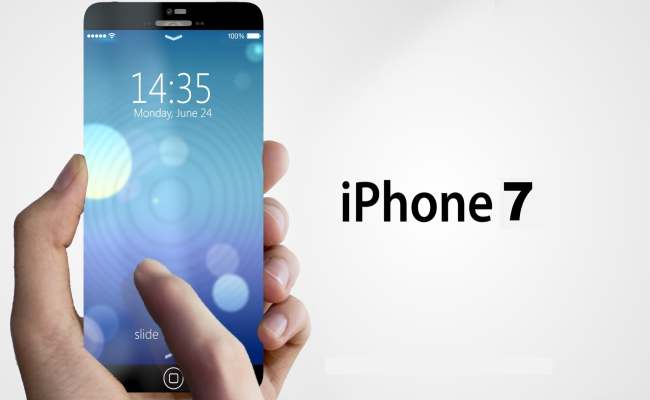
Iphone-7
Here are the 10 Most Exciting iPhone 7 Rumors for 2015:

1. The Next Gen iPhone Could Enjoy the Biggest Camera Jump in History

As you may already know, Apple wasn’t quick to upgrade camera features, especially in terms of MP value, for the last few models. We have strong reasons to believe that the iPhone 6 Plus, or the iPhone 7, will enjoy advanced camera capabilities. Industry experts refer to this change as the “biggest camera jump ever”.

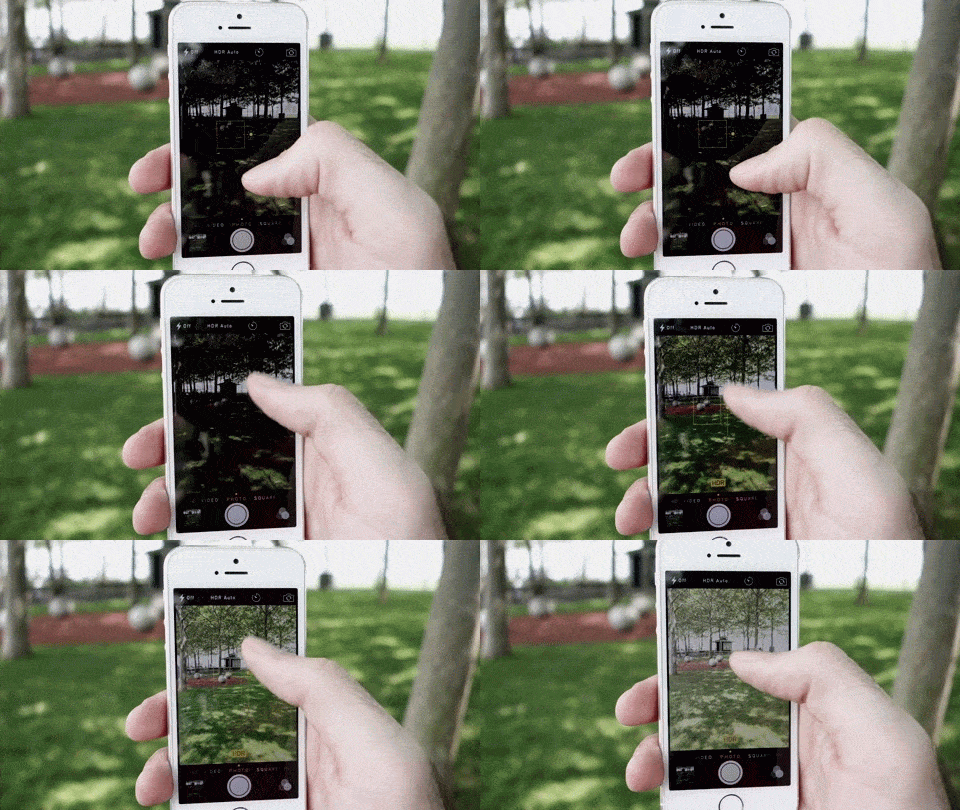
This could very well be more than a rumor, because in the latest episode of “The Talk Show”, a podcast, John Gruber said that Apple is currently working on a strange ‘two-lens system’ which may enable the iPhone to create DSLR quality images. Since the inception of the iPhone 4S, back in 2011, Apple has been working with a five-element lens design for the rear camera.
xbf

“The specific thing I heard is that next year’s camera might be the biggest camera jump ever,” iDownloadBlog quoted Gruber as saying. “I don’t even know what sense this makes, but I’ve heard that it’s some kind of weird two-lens system where the back camera uses two lenses and it somehow takes it up into DSLR quality imagery.”

Apple’s CMOS sensors have always been supplied by Sony, but this may change in the future. Although Gruber did not talk about the supplier for Apple’s next iPhone, there is a connection between the two. The announcement follows a declaration made by Sony, which reveals a new smartphone camera sensor. It seems that the Japanese manufacturer will be sporting a 21-megapixel Exmor RS IMX230 sensor that is capable of shooting 4K resolution videos with HDR image technology.

In addition to this, MacRumors, one of the most credible sources for Apple information & rumors, has recently reported that the new image sensor will begin shipping in April 2015. It is probably intended for the next generation of iPhones and iPads.

Another fact that may hint to the veridicity of this rumor was reported in Taiwan’s Economic Daily News. According to their headline, Apple is ‘actively’ working on creating an ecosystem of 3D hardware and software for future generations of devices. 

10+ MP camera & Swappable Lenses for the iPhone 7

All the 4S, 5C, 5S, 6 and 6 Plus models sport an 8MP camera. That isn’t much of an advancement megapixel-wise. Nevertheless, although the devices have not received additional pixels over the years, camera software has been improved. New models of Apple’s flagship have better filters, image clarity and stabilization features. At the moment, paperwork for Apple’s swapable lenses are being drawn. We can only hope that the next camera will not protrude from the body, as it does on the iPhone 6.

2. The iPhone 7 May Feature Sidewall Display
iPhone-6-side-screen-concept

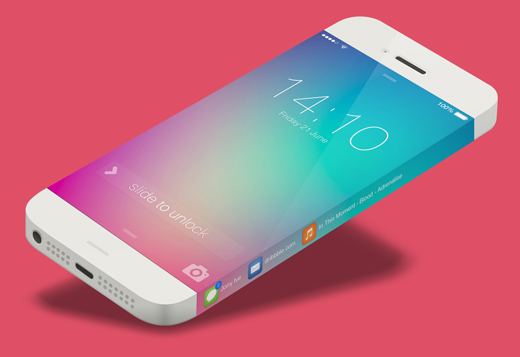
The Galaxy Note Edge may be the first smart-phone to have a unique display (with a shortcut menu on the right), but it may not be the only one for long. The slimmer, lighter & rounder design of the iPhone 6 might not be carried over to the iPhone 7. As a matter of fact, Apple might decide to go with a new design for the iPhone 7, something they call “sidewall display”.

According to recent news, Apple has just published a patent related to displays that extend to the sides of the device. These extra areas of display also have touch sensitive capabilities that unlock quick-access functionalities such as caller ID, settings, music player, messaging etc.

3. There is Talk About a Reversible USB Charger

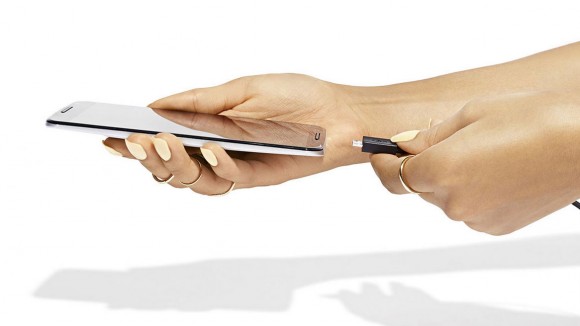
Back in August 2014, rumors about a new type of USB charger for the iPhone began. They talked about the USB being part of the charger, and the charger being reversible, just like the lightning connector is. In the video below you can check out , what is believed to be the new charger. It shows an adapter that can be plugged in to the adapter both ways.

4. New Unlocking Feature: Facial Recognition 

Many consumers are already waiting for the next iPhone 7 to be released. It seems that the phone’s release date is approaching faster than expected. There are several nifty features already scheduled to be included in the new device, but one of the most interesting ones is facial recognition, instead of finger recognition, for unlocking phones.

We may not know exactly how this will work, but one thing is for certain: Apple is stepping up its game and bringing new and interesting features to its next device. With facial recognition it will be impossible for outsiders to access your phone’s data. In an age where privacy has become a luxury, a feature like this will be extremely appreciated.

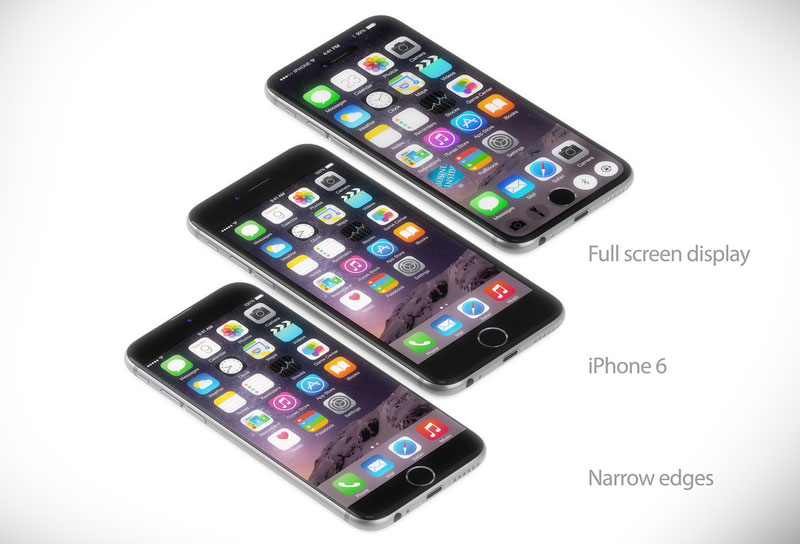
5. Glasses-Free 3D Display

One of the most exciting rumors for the iPhone 7 (or whatever it will be called) has to do with the 3D display. It seems that the next-generation technology will include 3D capabilities without users having to use 3D glasses. Granted, this rumor comes from a shady source that has provided with a few inaccurate Apple rumors in the past, but we have reason to believe that it may be possible.
iphone-7-concept-3

According to the Taiwan’s Economic Daily News, the iPhone 7 might sport a 3D display feature similar to what we have already seen on the Amazon Fire phone. The only problem is that the Amazon Fire didn’t perform as well as expected. Therefore, Apple should make sure that the 3D display they promote is something truly unique. Apple has already released a 3D display technology of sorts for the iOS 7 and iOS 8. It is called the Parallax Effect feature that creates an illusion of 3D screens. Nevertheless, this feature is nothing more than a gyroscope and accelerometer that generate an illusion of a 3D space.

Although consumers weren’t very excited about the Fire’s 3D capabilities, Apple is known to take mediocre technologies and transforming them into unique must-haves.

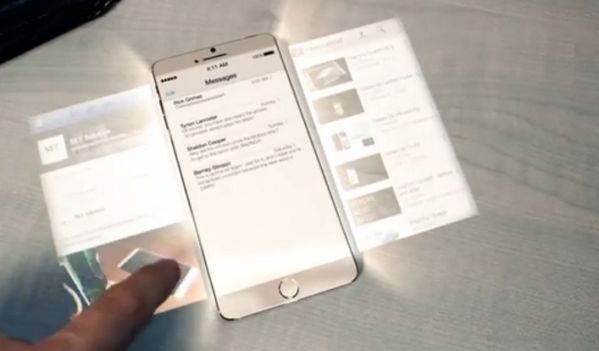
6. Holographic Projections for the Screen

This is one of the most exciting features discussed about for the new iPhone 7. As you can see from the concept art published by @crave, many people believe that the iPhone is capable of generating holographic projections. This would create a lot of screen space for avid users. Many users hoped to see this future on the last iPhone 6, but they were dissapointed. This doesn’t mean that the next iPhone can’t incorporate something like this.
BiYiuSmCIAAWKGx

Nevertheless, this is a hyper-realistic feature that may not become reality for the next generation iPhone. Maybe it will be possible in two or three years. We still find it extremely exciting.

7. Solar Cells for the iPhone 7

Proper use of renewable energy sources & protecting the environment is important nowadays, so you shouldn’t be surprised if Apple tries to do its part for the environment. There is an extremely interesting rumor about batteries with solar power. Because the iPhone 6 has sapphire glass, it may be possible for future models with the same type of glass to use it as a solar collector (granted that minor adjustments are made).

The idea is simple: solar cells attached to the body or display could recharge the phone during the day. All you have to do is place your smart-phone under sunlight. Mobile solar-charging kits are already a reality, so it wouldn’t be that far-fetched to expect something similar from Apple.

8. The Next iPhone Might be Waterproof

There is already a plethora of waterproof smart-phones available on the market, so we wouldn’t be surprised if the next generation iPhone also sports waterproof capabilities. Many smart-phones, like the Sony Xperia, have received IP67 standards certification, which means that they can be submerged at depths over one meter for more than 30 minutes.

This does not mean that they can survive in extreme situation, but it opens up new opportunities for underwater photography and videos. The iPhone 6 is far from being waterproof. As a matter of fact, it performs miserably in this department. There are several technologies available that may help you protect the phone from water (example: hydrophobic materials), but they do not make the phone waterproof. We are confident that Apple will incorporate some level of waterproof technology in in its next-generation smart-phones.

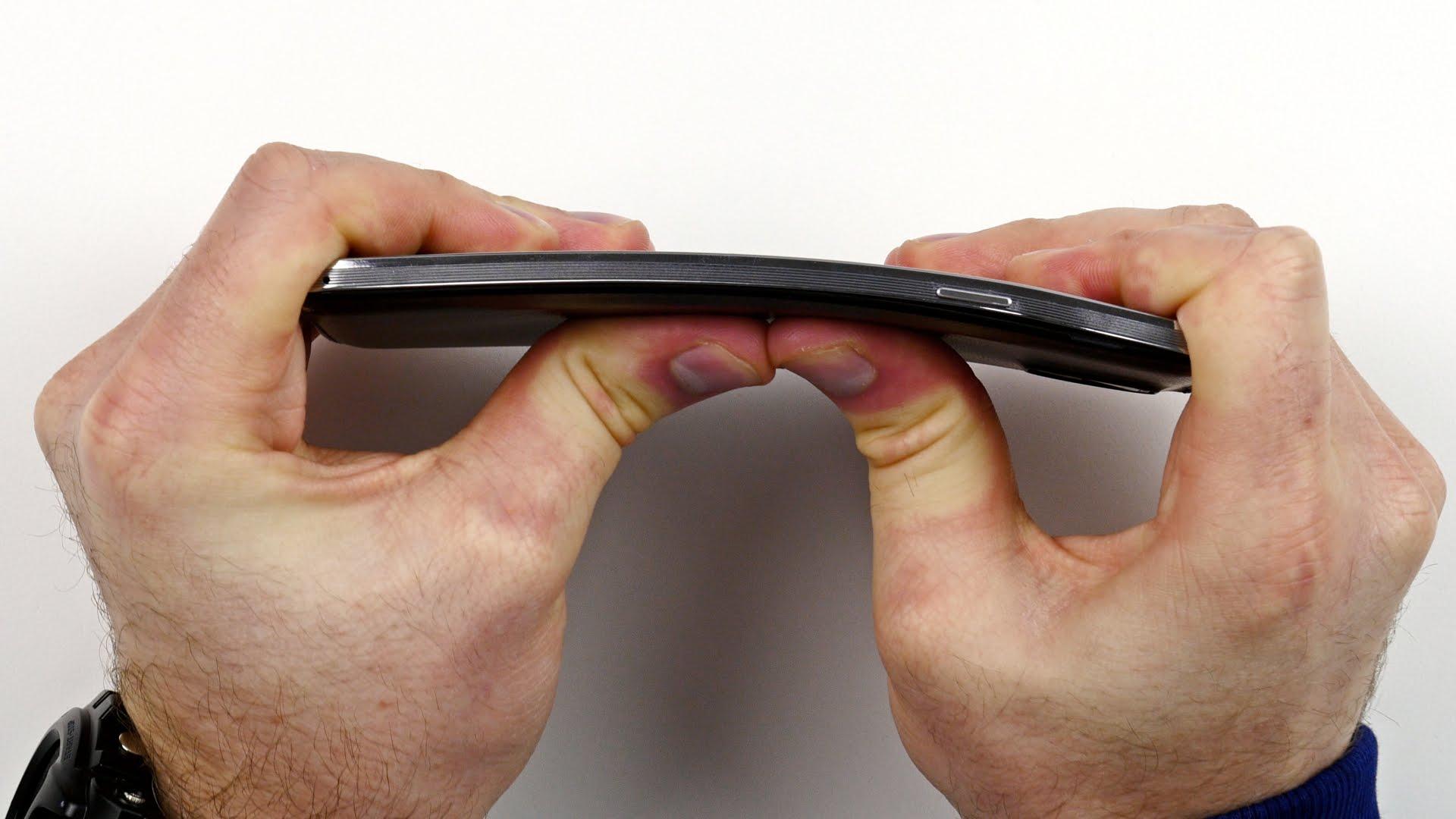
9. An Intentionally Bendable iPhone?

You have probably heard about the iPhone 6, huge, ‘Bendgate’ scandal. If you haven’t, you can check it out in the video below. There was actually one MacRumors forum user who said that his iPhone bent after only 18 hours in his pocket. Apple has had serious problems due to this scandal.
that-bendable-iphone-6-screen-isn-t-a-feature-update

Sadly, even if the iPhone 6 and 6s have performed remarkably well after drop text and torture test videos, they still have a bending problem. As a response to the reported ‘bending’ problems, Apple said that only 9 users experienced serious problems. They offered to replace the affected units which are under warranty, upon visual inspection.

But how does this affect the next iPhone 7? Apple might have a golden opportunity from this. It is clear that the iPhone 6 wasn’t meant to bend, but what if they make a phone that bends on purpose, to take the form of pants or bags, but which have the property of regaining initial form during usage? That would be something truly innovative.

10. iPhone 7 Rumored Release Date

If Apple remains true to its tradition, the iPhone 7 will be released around the time of September 2015. Even if the phone is available faster, it will probably held back until this period, before Christmas, to encourage more sales. This represents a sound marketing strategy for the company: it creates just enough rumors before release, and more than enough hype upon release to entice sales.

This concludes our rumor round-up for iPhone 7 smart-phones. If we find out more we will make sure to notify you.
Filed Under: Headlines Tagged With: apple news, iPhone 7, iphone 7 information, iphone 7 rumors, iphone 7 speculation

Samsung Galaxy 4.4.4 KitKat and 5.0 Lollipop Rumors

December 4, 2014 By Roxanne Briean Leave a Comment

Samsung Galaxy S5 may not be the newest smart-phone on the market, but it is undoubtedly one of the most powerful Android flagships of the moment.  As a matter of fact, it can easily hold its own against newer models on the Android market. The only problem right now is the fact that Samsung seems to be lagging behind other companies in terms of OS updates.

For example, older Nexus models have already received Android 5.0 Lollipop, while Samsung devices are still waiting for an update on KitKat 4.4. To offer you a better picture of the timeline, we should tell you that the Android 4.4.4 KitKat update for Samsung Galaxy S5 was announced at around the same time as the Android 5.0 Lollipop release. In other words, while other devices already had KitKat and were waiting for Lollipop, Samsung Galaxy S5 had yet to receive KitKat.

eanj3pdvkrspfsanjhns

Android KitKat 4.4.4, the major bug fix update for the previous KitKat operating system, started rolling out in June for Google. In the meanwhile, Samsung is still rolling out 4.4.2 and 4.4.4 updates for select phones and tablets. There will probably be a long wait for Lollipop, considering that Samsung has, only recently, started to roll out the Android 4.4.4 KitKat update from carriers like Sprint.

Sprint is the second carrier in the United State to deliver Android 4.4.4 KitKat for its users. On November 19 and after several weeks of testing, the carrier announced that the new update is finally stable enough to be released to the public. In general, Sprint releases smaller Android OS updates in stages, but considering that 4.4.4 is an incremental upgrade, we are expecting it to be available a bit faster.

Verizon was the first carrier to offer the OS for Samsung Galaxy S5. Android regularly releases small updates for its operating system, in order to solve bugs and security issues. However, KitKat 4.4.4 was a huge update, which came with several interesting features. The new Android 4.4.4 KitKat will also offer international Wi-Fi calling features and an icon for HD voice. The build number for this update is G900PVPU1ANK4. Sprint customers should already be on the receiving end of Kitkat 4.4.4, through a notification. If you have yet to be notified about the update, you should check for it manually from your settings.

samsung-galaxy-core-line-1-3

Assuming that you already have access to the update, we urge you to set aside approximately 15 minutes for the process. The Samsung Galaxy S5 update announcement follows in the footsteps of others. For example, AT&T also announced, earlier this month, that the Galaxy S4 will also be receiving the KitKat 4.4.4, which will fix bugs and add interesting new features for owners, including Samsung Knox 2.0. Another carrier worth mentioning, T-Mobile, also declared that Android 4.4.4 will be available for the Note 10.1 2014 edition, and it will come with IPv6 improvements as well as a new download booster.

Android Lollipop 5.0 to Arrive for Samsung Devices in December

These updates may seem less important, considering that Android Lollipop is already out, but they should be of interest for Samsung users. Although Samsung & carriers are still struggling to release Android 4.4.4 KitKat for Galaxy S5 devices, their focus has shifted to Lollipop 5.0. As a matter of fact, credible sources claim that the Lollipop update will be released not in March, not even in January, but in December. This could make for a great Christmas present for tech enthusiasts. Considering that other competitors are already pushing Android 5.0 Lollipop updates on their devices, we can assume that it is only a matter of time until the world’s largest Android smart-phone manufacturers also makes its move.

Android-storia

The company has yet to release any official statements about its plans for the future, but this doesn’t mean that it won’t be making a move by the end of the year. We can safely assume that Samsung is taking the ‘slow and steady’ road. The company started rolling out its Android 4.4 KitKat update way back in January 2014. We are at the end of November, and deployments for KitKat are still going strong. The first device to be updated was the Samsung Galaxy Note 3. We are confident that Samsung will quickly move past KitKat, and begin deployment of Android 5.0 Lollipop.

Select Nexus devices are already using the new Android update, which seem to bring major improvements. It will definitely be a major update for Samsung devices as well. One thing we know for certain, considering the plethora of rumors surfacing on the internet, is the fact that Lollipop will become a reality for Samsung users before the year has passed. Let’s take a look at some of the most interesting rumors and news for Samsung Galaxy Note 3, S5, S4 OS updates.

Please take these rumors with a grain of salt, because Samsung has yet to release any official statements regarding its future plans. These rumors come from specialists and analysts in the smart-phone industry. Even if Samsung is planning on releasing Lollipop 5.0 this year, the testing process can always encounter hiccups and be setback with several days or weeks. In other words, try not to get too excited, because nothing is set in stone.

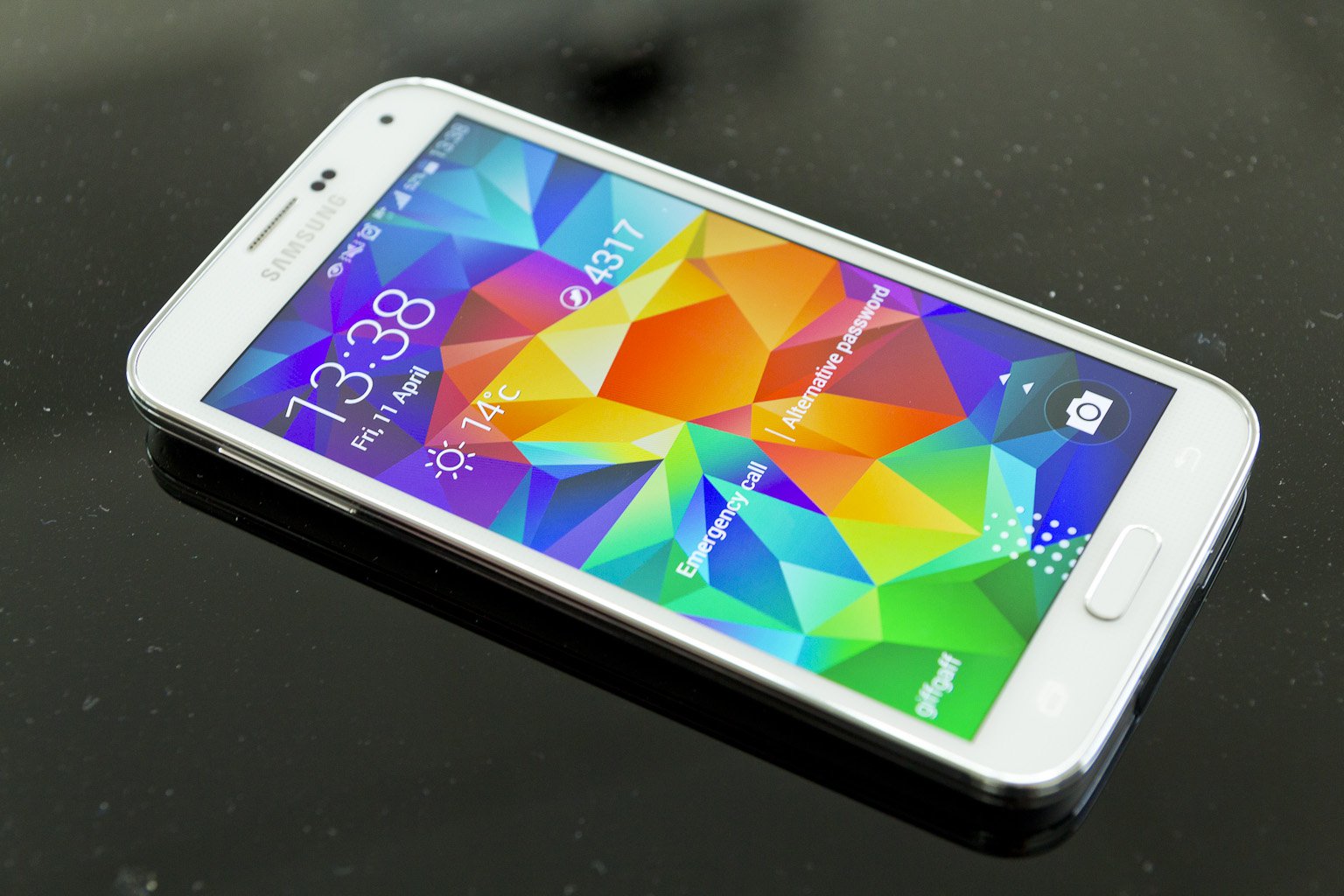
Samsung_Galaxy_S5_lock_screen

Carriers have also refrained from making any official statements that would confirm the release of Android Lollipop 5.0 or other specific details. In general, carriers are the first to give information about future OS updates, but this doesn’t mean that Samsung isn’t advancing its plans for December.

One word of advice for all the Samsung users out there would be to update their phones from Android 4.3 Jelly Bean, to KitKat, in order to prepare for future releases.

Samsung Galaxy S5, S4 & Note 3 Will Skip KitKat 4.4.4

We have to admit that releases of KitKat 4.4.4 for devices such as Galaxy S5, Galaxy S4 and Note 3 have been very slow. However, credible sources claim that Samsung is not interested in providing this update, seeing as it will jump from 4.4.2 KitKat directly to 5.0 Lollipop. Considering that the new Android update is already up for various flagships, skipping directly to it seems like the sensible decision for Samsung.

The company has actually tweeted, on November 4, that it will make the jump directly (https://twitter.com/SamMobiles/status/529755067252232192)

Lollipop 5.0 is Already Up and Running for Several Samsung Devices

The latest Android OS update is already up and running on several Samsung devices (but it is not publicly available). Just do a quick YouTube search for hands-on reviews on the subject, and you will find plenty of examples.  So why is Samsung always rolling out updates so slowly compared to other companies? Samsung represents the hallmark of all Android devices. That’s because it always takes a unique approach on Android releases. It will never offer the exact same experience of Android as other companies. The main reason why Lollipop 5.0 will take longer to release to the public, for Samsung devices, is because developers are still working with the UI and other features.

Many users have complained about the standard appearance of Lollipop 5.0 (some even comparing the UI to a ‘hideous circus), but as you can see from the video below, Samsung has managed to transform Lollipop into a sophisticated UI. Wireless features are still not available for Lollipop on Samsung and it might take a while until this is resolved. There are several other problems that need fixing. Hopefully, they will be resolved by the end of the year. It is a well-known fact that Android updates tend to wreak havoc on most Samsung devices, so clients must be patient until the company remedies them.

Samsung Galaxy S5 is Already Testing Lollipop 5.0

Last week, carrier Sprint announced that it is testing Android Lollipop on the Samsung Galaxy S5 device. A User Agent String on the carrier’s website makes it clear that the Lollipop 5.0 version was listed for the SM-G900P, the technical reference for Galaxy S5. In other words, the carrier is actively involved in optimizing new Android content for its flagship.

Some said that Lollipop will be released for Samsung devices by the end of November, but that didn’t happen. However, a release for December-January would make a lot of sense, given Samsung’s penchant for releasing Galaxy S and Note updates at around the same time.

Android-storia

SamMobile, a leading expert in the Samsung smart-phone industry, released several previews for the Lollipop. It clearly displayed the progress of the software through its development stages. The final leak reported that there is not yet enough progress to make the update public. According to the website, the change lies in “new icons in Toolbox, which allows quick access to a few functions from anywhere on the phone.”

Several other video leaks indicate the fact that Android Lollipop 5.0 offers smoother performance and more fluid movement on the screen. Nevertheless, this may also be an indication of the fact that they used new phones, with not to many apps and mileage on them.

If you really can’t wait for the update, and have a Samsung Galaxy S5, simply go to your Setting tab, and “About Phone” and you will find the latest update for your smart-phone. This is only available for Verizon and Sprint users. If you don’t see any update, it’s just a matter of days until it becomes available.

Roll Out Status of Android 4.4.4 KitKat

While we wait for the release of Lollipop 5.0, let’s take a look at the status of KitKat for carriers such as AT&T, T-Mobile, Verizon and Sprint:

  • Samsung Galaxy S3, S4 and S5: although some carriers are struggling to release KitKat for Samsung devices, they are not rolling out the latest version. At the moment, users have to stick to the 4.4.2 version, and it seems that Samsung prefers to wait for the release of 5.0 Lollipop for its major flagships.
  • Samsung Galaxy Note 2 and Note 3: The same situation is true for Note devices. Sure, this may result in a longer wait for clients, but the personalized operating system should perform better than the standard version made available for other smart-phones, such as Nexus. Note 3 and S4 users should receive the Lollipop update, automatically, in the first months of 2015.

KitKat

If you are beyond excited to test out the new OS on Galaxy S5 variants (SM-G9001, Sm-0900F and SM-G900M with more to follow), head to the XDA Developers forum. From here you can test the latest working version of Lollipop that is currently under development. There are several bugs to consider, like the NFC and camera, but other features seem functional.

To sum up, Android KitKat 4.4.4 is currently rolling out for Sprint on Galaxy S5. The S5 has already leapfrogged the 4.4.2 version and went directly to 4.4.3. The update was announced on September 23, but several customers have yet to gain access to it. Also, OTA installation is on its way, which will make the installation process a lot easier. T-Mobile and AT&T will probably not even be bothering with the 4.4.4 Kitkat update, and jump directly to Lollipop. We will keep you posted.


Filed Under: Tech & Science Tagged With: Android update OS, KitKat 4.4.4 update, Lollipop 5.0, Lollipop update, Samsung Galaxy s5 android

iPhone, iPad iOS 8.1.1 Update: What you Need to do Before Updating to iOS 8.1.1

November 23, 2014 By Roxanne Briean Leave a Comment

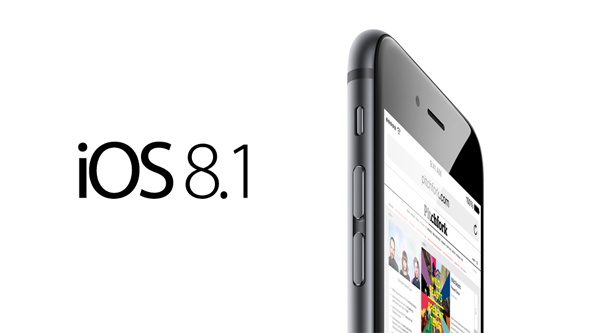
A little over a month ago, iOS released the 8.1 update for its users. This update came after customers complained about the numerous bugs and glitches on iOS 8.0. For Apple customers, iOS 8.1 was like a breath of fresh air which resolved nearly all usability and app problems. It also introduced several interesting features such as Apple Pay. Camera Roll, one of the most cherished features of iOS 7 was also reintroduced.


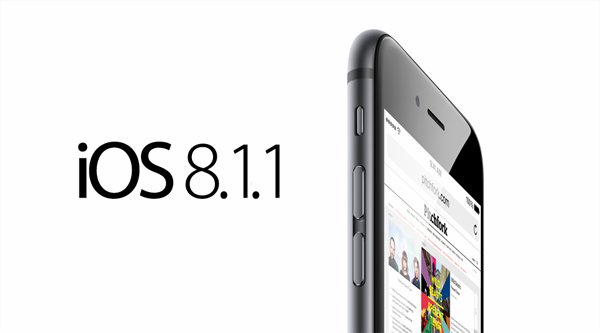
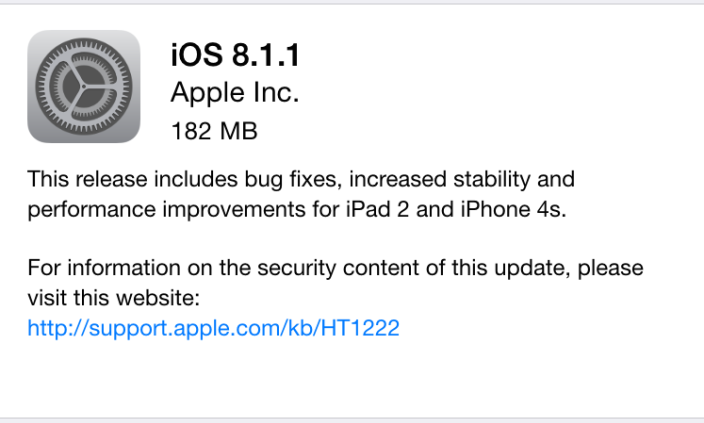
Yesterday, November 17, Apple announced its latest update for iOS 8.1, the 8.1.1 update. Unlike the previous update, this one is more or less a usability update which is designed to resolve remaining stability issues. If you are still having problems with the operating system, this update may be incremental for you.iOS-81.1

Although Apple usually posts a list of specific bug and updates fixes, it decided not to do it this time. However, they announced that the main objective of iOS 8.1.1 is to increase performance for older models: the iPhone 4S and the iPad 2. These two gray-beards were hit pretty hard by previous iOS updates and we are very happy to see that Apple is showing some love for older models that are still performing well. If you own iPhone 4S, 5, 5C, 5S, 6 or 6 Plus, the 5th Generation iPod Touch or iPad 2 and above you should definitely consider installing the new operating system.

iOS 8.1.1 Impressions & Performance

In the following article we would like to share several steps that you should make before installing this major update. You should never blindly install iOS updates that you know nothing about. Waiting one or two weeks might give you enough time to report potential bugs. This way you will know what you’re getting into beforehand.

ios8.1.1

In the last couple of months Apple has been releasing update after update in order to curb complaints and issues derived from the iOS 8.0 update. Even if iOS 8.0.1, iOS 8.0.2 and iOS 8.1 came with good fixes and several interesting features, they also brought about several bugs of their own. iPhone 4s and iPad 2 were the devices that suffered the most in the aftermath of these updates, but with the iOS 8.1.1, Apple is trying to boost performance of the two. We’ve installed iOS 8.1.1 on our iPad 2 device, and it works beautifully. We haven’t encountered any bugs or issues, the performance was incredible, and apps work consistently.

We strongly believe that you should update to iOS 8.1.1, especially if you are experiencing bugs and issues with your devices. Updating will make it easier for you to receive the latest features from Apple. Nevertheless, if you want to jailbreak your device you should definitely not update to 8.1.1 because it will not work with the jailbreaking software.

For those in search of a permanent fix for their iPhone issues, we encourage the installation of 8.1.1. It may not be the ultimate relief, because bugs may be reported in the future, but it is a step towards a better operating system. However, before you rush into installing the new iOS, you should make a few preparations.

1. Clean up your Device Prior to Installation

Do you regularly clean up your iPhone device? You should know that this could significantly boost the performance and battery life of your device. We are positive that, over the past few months, you have downloaded many applications, photos and music that you don’t really need. Now is a perfect time to get rid of the files that you are not using. The extra space you create will definitely come in handy once you install the iOS 8.1.1 update.

You should definitely clean up some storage space if you own a 16GB iPhone or iPad, because installing the operating system Over-the-Air will require a lot of free space. We also expect a lot of uninformed Apple users to cause a lot of ruckus over this issue, even if the company announced that Over-the-Air will take up a lot of storage space. A rule of thumb would be to clean up iPhones and iPads as often as possible in order to enhance performance, but if you don’t do this, you should at least have a major clean-up before every operating system update.

2. Charge your Device Prior to Installation

As we already mentioned, the installation requires at least 50% of battery power. This detail may not seem very important, but we urge you to charge your phone to full, to ensure that you avoid issues. You can also perform the installation with your phone charged into a power source. Battery level requirements depend on the age and performance of your device.

iOS-8.1.1-release-on-the-way-b

3. Update to the Latest Version of iTunes

If it’s the first time updating/downloading iOS 8 updates you should know that the latest version of iTunes is imperative. So before you begin installation, you should remember to update your iTunes. There are two ways of doing this. You can download the latest version for Windows, OS X etc. of iTunes from Apple’s website. You could also manually check for an iTunes update by accessign iTunes – Check for Updates. Windows users can check for updates within iTunes in the Help tab. If you own a Mac you can check updates on the Mac Store.

4. Discuss with your IT Team

Countless of business people use their Apple devices for work, mainly because iOS offers great apps for financial, organizational and accounting activities. We strongly recommend you to discuss with your IT department prior to installation, to make sure that the new operating system will not cause problems for your work. During the first iOS 8 update, tons of enterprises ran into serious problems that compromised their business goals. Worst case scenario, the IT team will tell you to hold off the installation until they gather more intelligence about the new operating system.

5. Update Important Apps

In a previous article we mentioned that some apps may be malfunctioning because they have not been correctly updated for iOS 8, therefore, they are not compatible. App developers, especially third-party developers, have been doing an excellent job in resolving bugs and issues with iOS 8 compatibility. Many bugs were resolved with iOS 8.1, and we expect that the 8.1.1 update will eradicate any remaining problems.

early-iOS-8.1-IPhone-6-Plus-Review-2

However, to make sure that all updates run smoothly you must update all your apps. In the past, it was possible for users to alleviate some of the issues caused by iOS 8.0 by updating their apps to the latest, bug-proof versions. It would be a wise move to update all your apps before installing iOS 8.1.1. This way, the transition between operating systems will run smoother.

How to install iOS 8.1.1 with iTunes

Although OTA has a convenient installation process, it takes a long time to complete, especially if you have a slow internet connection. Have you updated to the latest version of iTunes? Then you can begin the installation process. Click on iTunes in the menu bar then click on “Check for updates”. Now you have to focus on your device. The following steps will help you update to iOS 8.1.1:

  • Step #1: Connect your Apple device to the computer with a USB cable and wait for iTunes to recognize it.
  • Step #2: Click on the device button on the left of your iTunes Store button, in the top right corner of iTunes.
  • Step #3: You don’t have to hold down the Option key or the Shift key to check for updates. If the iOS 8.1.1 update is available it will be downloaded and updated on your device automatically.
  • Step #4: Once you receive the pop-up message that informs you about the update, click Download and Update. Make sure it says that iOS 8.1.1 is the latest version.
  • Step #5: If the iOS 8.1.1 update was not automatically available you need to download the firmware files appropriate for your device.
  • Step #6: After you click on the update you will be asked to Agree to the terms and conditions of Apple.
  • Step #7: By clicking “Agree” iTunes will be prompted to begin downloading the firmware file. The software will automatically download, process, extract, prepare and install the update.
  • Note: whatever you do, do not disconnect your device until the installation is complete. It will reboot several times during installation. When the installation is complete you will see the welcome screen with “Hello!”.

How to Install iOS 8.1.1 Over-the-Air (OTA)

The OTA installation process is quite simple. Make sure you plug in your device to prevent your battery from draining during the process. Depending on the version of your operating system, and the speed of your internet connection, it will take between several minutes and an hour to update and install. We strongly recommend you to connect through Wi-Fi to avoid extra-fees after installation.

To begin the process go to your General Settings > Software Update tab. If you are connected to the internet your device will automatically inform you about the iOs 8.1.1 software update. Click on “download” and wait for it to complete. Tap “install” and wait for the process to complete. Your device will continue to download updates and software and notify you when it is done. Then you must go back to Settings > General > Software Update and tap on Install now to Install the now downloaded iOS update file.


Filed Under: Tech & Science Tagged With: Apple iOS 8.1.1 update, Apple operating system, Apple updates, iOs 8.1.1 update, what you need to know about iOS 8.1.1

Nexus 6 Features Review: Design, Camera, Battery: Google’s Best Android Phone

November 20, 2014 By Roxanne Briean 1 Comment

The wait is finally over. As we are nearing the end of a year that has been particularly eventful in the area of mobile device hypes, Android lovers can rejoice with one of the most awaited launches – the powerhouse that is Google Nexus 6.

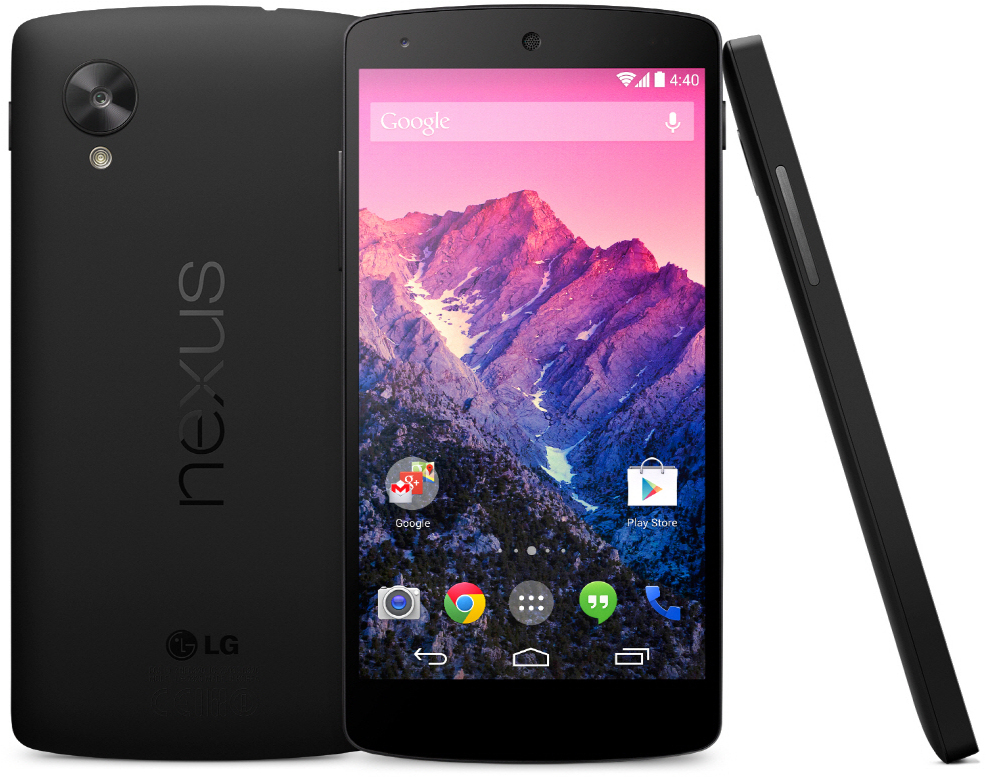
As it is no surprise to the well-versed of the mobile world, the newest Nexus launch – in essence Moto X’s bigger, sleeker brother – is the first one to sport the latest Android 5.0 Lollipop operating system and has officially leapt out of the trend set by the previous Nexus devices.

It’s huge, it’s powerful, and the first smart device pertaining to the Nexus family to have also been built to be water resistant, which will be a quiet relief for most of us. Take note however, that “water resistant” is not the same as “waterproof”, so refraining from taking your phone for a swim might be a good call.

The Qualcomm Snapdragon 2.7 GHz Quad-Core processor and 3 gigabytes of RAM are beautifully contained in a 0.4 inch slim device with a shameless display of no less than 6 inches; well, alright, 5.96”. It comes in either the 32 GB or 64 GB versions, sadly with no possibility of adding any memory card to it.

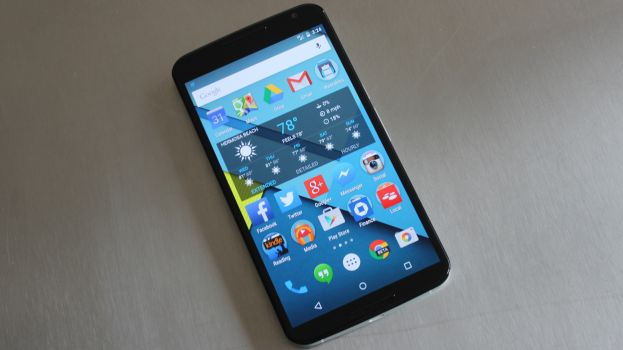
nexus-6-review-phone-623-80

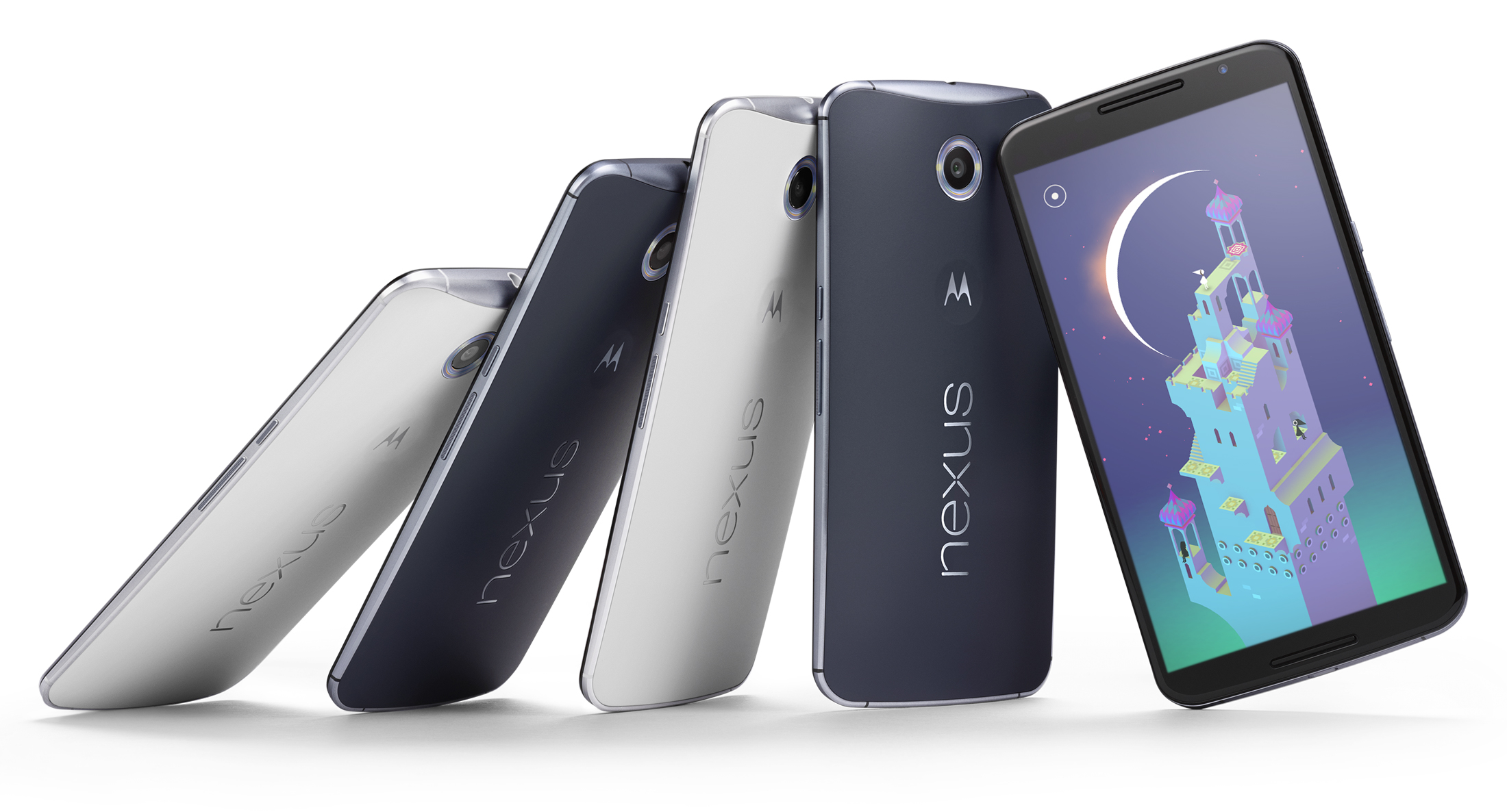
This Midnight Blue or Cloud White wonder however, surprises us with the price that it has been listed at: $649 for the 32 GB version, or alternatively $699 for the 64 GB, undoubtedly a courageous jump up from its predecessor’s price on launch ($349). The ambitious design definitely takes the Nexus 6 out of the modest class of mobile devices and sets it to battle the biggest names in the industry. Sure, it’s got a lot to say for itself, no doubt, but let’s see if the spiked up price can justify itself through the features it provides.

Full Specs:

  • CPU: 2.7GHz Qualcomm® Snapdragon™ 805 with quad-core CPU (APQ 8084-AB), Adreno 420 GPU
  • Memory (RAM): 3 GB
  • Storage (ROM): 32 GB & 64 GB
  • Dimensions: Height: 159.3mm ( 6.27 inches); Width: 83.0 mm ( 3.15 inches); Curve: 3.8-10.1mm (0.15-0.39 inches)
  • Weight: 184 grams (6.49 ounces)
  • Display: 5.96” AMOLED, 1440×2560, 16:9 aspect ratio, 493 ppi, Corning® Gorilla Glass® 3
  • Battery: 3220 mAh; Mixed usage up to 24 hours; Qi Wireless charging support
  • Water Resistant: Yes
  • Rear Camera: 13 MP IMX 214 Image Sensor, f/2.0 aperture, Optical Image Stabilization, Ring flash with dual LEDs, 4K UHD video capture 2160p (4K) UHD, 1080p HD and 720p HD video capture modes (30fps) 4X digital zoom, HDR+, Panorama, PhotoSphere and Lens Blur​
  • Front Camera: 2 MP
  • SIM Card: Nano-SIM
  • Connectivity: Micro USB, 3.5mm headset jack; Bluetooth version 4.1 LE; Wi-Fi 802.11ac 2×2 (MIMO)
  • Speakers: Dual Front Facing Stereo Speakers
  • Video Capture: 1080p HD and 2160p Ultra HD Video, 30fps (MPEG4, H.264)
  • NFC: Yes

Nexus 6 Design

The shockingly huge device stands out as soon as it is taken out of the box. As mentioned before, the Nexus 6 will immediately remind you of Moto X, both in shape and looks. The edge-to-edge display presents a glass insert molding with 2.5D curved glass – the best choice for all of your swiping needs and a perfect fit represented through slightly rounded glass edges around the device screen, perfectly integrating into the side metal frame.

The hard plastic back of the Nexus 6 adopts the familiar Moto class curve, making the phone comfortable to hold and fit in the palm of your hand. Surely, the mere size of the phone might make handling it two-handed a more effective way of doing it, but the materials used for the outer layer of the phone prevent slipping and ensure minimal smudging.

n6-moreeverything-1600

Outside of that, the design of the phone is simple and effective: the volume and power buttons rest on the right-hand side of the edge, the latter presenting a textured surface to easily differentiate itself from the former and prevent slipping when keeping it held down.

The top of the phone is home to the headphone jack, comfortably placed for your hands-free experience and the insert slot of the nano-SIM. The charging socket is a comfortable micro-USB, further supporting the ultra-thin model design of the device.

Nexus 6 Display

What is a 6-inch display without more impressive numbers to match? The Nexus 6 surely has a few things to show off with. With a more-than-decent 493 pixels per inch and 2560 x 1440 resolution, it matches most high-end LG and Samsung devices, permitting you to enjoy games and videos alike in vivid colors and 1080p HD quality.

We will admit that we’ve never been particular fans of ‘phablets’, because they are difficult to use with one hand. However, the multitude of features packed in the Nexus 6 justify the size of the device. The multi-touch display fares exceptionally well even in sunlight and doesn’t fade or blur out to the eye when the device is angled.

As a combination of utility and efficient power usage, the display does light up on partial brightness when the phone is picked up and is protected with Corning Gorilla Glass 3, making it resistant to damage without having to trade on thinness.

Is the Nexus 6 too Large?

Some will say yes, while others will answer no. That’s because it ultimately depends on personal preference. If you’ve never held a smart-phone in your life you will become accustomed to the Nexus 6 with great difficulty. On the other hand, phablet enthusiasts will quickly adjust to the Nexus 6.

Also, it seems that huge devices are the latest trend nowadays (see Apple’s iPhone 6 models and Samsung’s Note line-up). We are happy that the selection extends to the Nexus 6 as well.

Camera

The rear camera is respecting itself with no less than 13 megapixels and up to a resolution of 4128 x 3096 pixels and a circular dual-LED flash meant to light up the entire area photographed uniformly. The upgrade from previous Nexus models is easily tangible in quality and a powerful zoom that will capture details with surprising accuracy and a keen fluency in video recording at the same time, at a 2160p quality with 30 frames per second.

The application accompanying the camera does not present any new, state-of-the-art particularities but will provide sufficient editing tools for a regular mobile device, a strong panorama tool and HDR capabilities.

Nexus6-Press-03-580-90

The front camera does limit itself to 1080p quality and 2 megapixels, but in terms of its regular usage, it’s still one of the strongest out there and will provide excellent video conferences, albeit grainier and more darkened when used in low lit environments.

Both cameras do however present the optical image stabilization technology and with the help of plenty editing tools available on the App Store, your Nexus 6 can easily replace a regular camera in most situations.

Nexus 6 Performance

The powerful Quad-core 2.7 GHz Snapdragon processor and 3 gigs of RAM memory, along with the dedicated Adreno 420 GPU certainly do the work and bring the device closely to the specifications of a tablet.

Unmistakably, the effort that Motorola put into this particular device brings it up to par with the most powerful mobile phones on the market right now – more specifically the Samsung Galaxy Note 4, iPhone 6 Plus and Samsung Galaxy S5 – ranking second in the Geekbench 3 benchmarking test with a score that once again nearly places it in tablet territory.

screen-shot-2014-10-03-at-12-40-21-pm

Navigation through the system is incredibly fluid, Android v5.0 Lollipop also helping out in the matter. Nexus 6 can easily run multiple applications at the same time with minimal, if any slowdown of the system, performance marginally suffering when the device is either very low on battery or nearing a full HDD – which after all is understandable for every single gadget and piece of technology out there in 2014, not just mobile devices.

The multitasking capability of the phone is made easier to explore through the familiar Recent Applications functionality and does not seem to hiccup even when put to a stress test.

In terms of connectivity, Nexus 6 has been given everything you would ever expect from a new-generation mobile device: 4G capability – including the long-term evolution (LTE) technology – dual-band Wi-Fi, Hotspot capability, GPS, Bluetooth and even the practical and on-the-go near field communication feature; the receivers are solid and thus interference reduced to a minimum.

Lastly, the device is equipped with sensors such as accelerometer, gyro, proximity, compass and a barometer to enhance the mobile experience wherever you are.

Nexus 6 Interface

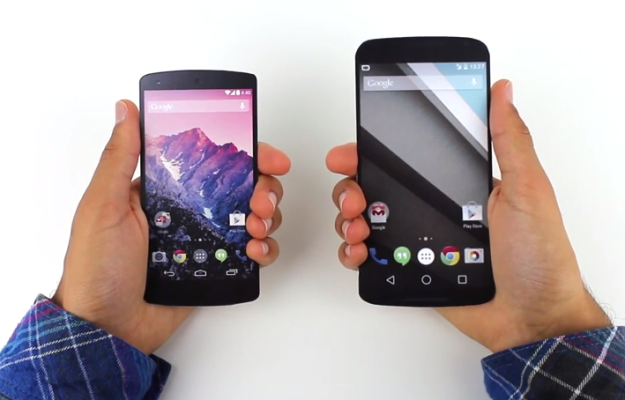
With the addition of the Android v5.0 Lollipop OS, the user interface of the Nexus 6 has kept its basic functionalities that we are all accustomed to, while giving the system a refreshed, less loaded feel. The new look sported by the latest Nexus prodigy goes under the name of Material Design, with a few modifications that we greatly enjoyed.

The interface has been slightly altered to give it a more tridimensional look, featuring shadows and ambient lights, while maintaining a flat design look for the menu itself. The functionality of the lock screen has been revamped, now presenting a drop-down like menu for the notifications, replacing the hidden swipe-down function of older Android OS versions, thus making important information easily accessible without even having to unlock your phone.

google-nexus-5-by-lg

The new notification system is highly customizable in regards to the type of alerts you want your phone to prioritize, means of notifying and even muting said notifications for pre-determined periods of time.

Quick Settings are easily accessible by typing the keyword of what you are looking for, and many other clumps of information have been finally made easier to view rather than being forced to navigate through multiple sub-menus to find out your current memory or network usage.

Certainly, this is mostly on behalf of the new operating system that comes with the device, but the specs of the device run in perfect tandem and are subject to improvements and optimizations via the constant updates that Google does not hesitate to deliver. They are onto a new approach to interacting with your mobile device and Nexus 6 is a living proof.

Nexus 6 Battery

Nexus 6 is equipped with a 3220 mAh battery that stands out through overall battery life but still will encounter medium amount of time you can spend happily tapping away at your mobile phone before you will have to look for a power socket. The battery is however sealed away in the phone and cannot be removed and/or changed, unlike almost all of the Android predecessors. The operating system has put emphasis on battery optimization itself and has so far received highly positive feedback.

We kept the best for the last. Qualcomm has come up with a very clever piece of technology, which luckily is included in this device. They call it QuickCharge 2.0 and basically allow you to ensure at least 6 hours of battery life in only 15 minutes of charging using the special adaptor.

This charger comes included in the package so no additional expenses for this nifty gadget are even necessary. So if you expect yourself to be heavily using your phone, keeping this portable charger with you can turn out to be quite the life saver.

Nexus 6 Verdict

Though it was originally rumored that the Nexus lineage was going to come to an end after the Nexus 5 launch, reality turned out to be quite the opposite, Motorola surprising us with what turned out to be a top competitor for high-end devices on the market right now.

The price of this miracle worker may be worrisome for some, but in the end it still falls short in comparison to other devices of same statistics and capability. For those who are worried about device size, Google promises that one week with the 5.96-inch display will help users adjust and never want to go back to a smaller device. Ultimately, it falls down to personal preference and expectations from the phone that will follow you around for a while.

nexus-6-review-phone-623-80

In our opinion, everything about the Nexus 6 is better than previous models. Its predecessors, the Nexus 5 and 4, were designed with usability and affordability in mind. Motorola decided to step up its game and provide with a smart-phone that could easily compete with other high-end models on the market. It succeeded beautifully.

So as a last note, here’s a list of pros and cons we could gather after a close look over everything that the Nexus 6 has to offer.

Pros:

  • Sleek design and maneuverability;
  • High-end hardware specifications;
  • Excellent display for media and applications;
  • Fast-charging technology;
  • Superior camera capabilities;
  • The first host of the new and improved Android v5.0 Lollipop OS

Cons:

  • The price range that it falls into is not as accessible as Nexus fans are accustomed to;
  • The size can prove to be a disadvantage as well;
  • Changes to functionalities might prove to be harder to deal with in the beginning;
  • Battery life is better than predecessors but still average.

This concludes our review of the Nexus 6. Do you own such a device? Have you had the chance to play around with it? We would love to hear your impressions about it in the comment box below.

Filed Under: Tech & Science Tagged With: Google, Google Nexus 6, Nexus 6, Nexus 6 review, Review

Galaxy Note 4 vs. Samsung Galaxy Note Edge: Features, Price, Camera Comparison

November 19, 2014 By Roxanne Briean Leave a Comment

Samsung has always had an innovative vision of the electronic future. In September, the company announced a couple of new products. While they emphasized on the new features of the Samsung Galaxy Note 4, they also revealed a revolutionary new phablet, the Samsung Galaxy Note Edge, which would become available in limited edition. The Samsung Galaxy Note 4, was released to the public starting with October.

At the moment it is available with most U.S. and European carriers. The Note Edge was released on 14 November for most U.S. carriers and it is expected to become available in Europe and Australia starting with November 28.

The defining standard for high-end smart-phones is excellent display quality, performance and power. Samsung’s devices have always benefited from top-notch components. With the Galaxy Note series, Samsung has established a new segment on the market, that of 5-inch screen phones. These gadgets are designed to offer a more enjoyable experience for browsing, texting and multimedia apps. The Note 3 from Samsung was extremely successful, and we are confident that the Samsung Note 4 and Note Edge will be equally appreciated by the public.

Galaxy-Note-4

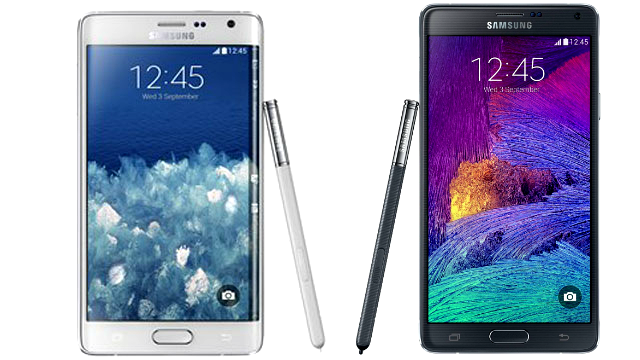
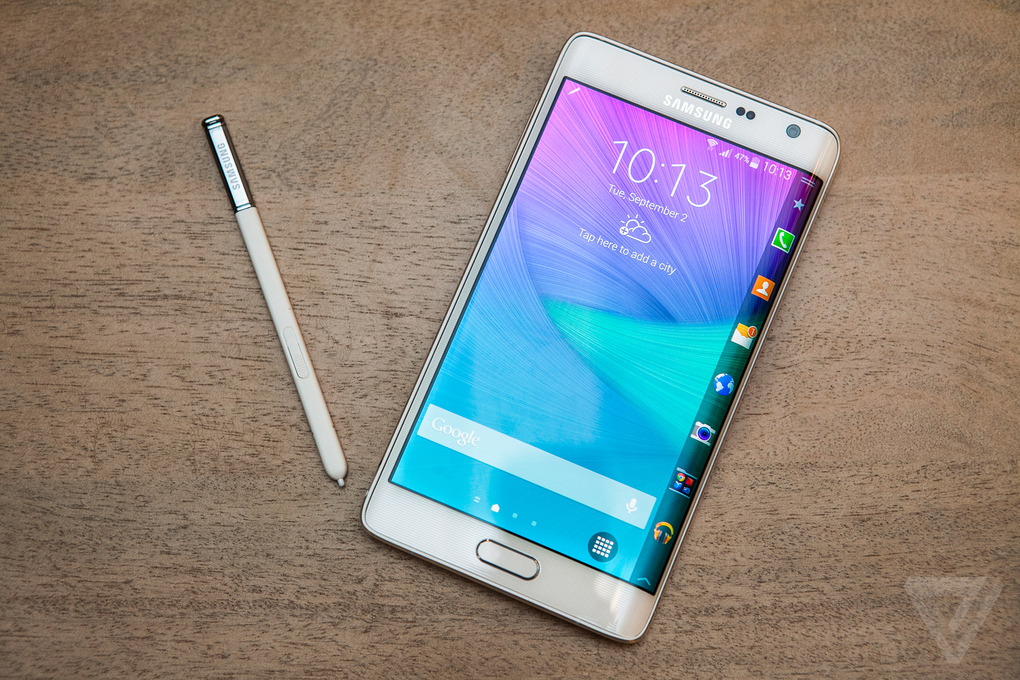
The Note 4 and Note Edge do not disappoint. As a matter of fact, they have very similar specs. The main difference between the two is this: while the Samsung Note 4 preserves the traditional appearance of smart-phones, the Note edge has a bent and wrap-around screen with a quick access menu for notifications and apps. We would like to take a closer look at these devices, and compare their main feature. In order to do this, we will first compare their specs, then analyze each device separately.

Samsung Explains its Choice of Design

The first thing you will notice about the Note edge is the fact that it’s an unusual device. The wrap-around screen has been the subject of much heated debate. Many specialists argued that it would shatter quickly, or that the shortcut bar wasn’t reason enough to adopt this design. Samsung has always been the ‘luck of the draw’ type of company. They were not afraid to experiment with unusual designs which they were not 100% would be successful. On the other side of the barricade, Apple is waiting to jump on the bandwagon. We wouldn’t be surprised if Apple would also adopt a wrap-around screen if the Note Edge becomes successful.

Samsung has actually shed some light on its design choices:

It was a matter of the overall design concept of the Galaxy Note 4. If its predecessor was about being ‘classic’, the Galaxy Note 4 is more about being ‘modern sleek’ with an emphasis on the urban vibe. With the implementation of metal frame with diamond cuts, the designers wanted to take a more simple approach which aligns with the ‘modern sleek’ design concept. Therefore, the Galaxy Note 4 has fewer decorative design factors, and the stitch on the back was one of them.

Specification Comparison for the Note 4 and Note Edge


General  Samsung Note 4 Samsung Note Edge
Alternate names
Dimensions (mm) 153.50 x 78.60 x 8.50 151.30 x 82.40 x 8.30
Weight (g) 176.00 174.00
Battery capacity (mAh) 3220 3000
Removable battery Yes No
SAR value NA NA

Display

Screen size (inches) 5.70 5.60
Touchscreen type Capacitive Capacitive
Resolution 1440×2560 pixels 1440×2560 pixels
PPI 515 NA
Colors 16M 16M

Hardware

Processor 2.7GHz  quad-core 2.7GHz   quad-core
Processor make Qualcomm Snapdragon 805 Qualcomm Snapdragon 805
RAM 3GB 3GB
Internal storage 32GB 32GB
Expandable storage type microSD – 64 GB microSD – 64 GB

Camera

Rear camera 16-megapixel 16-megapixel
Flash Yes Yes
Front camera 3.7-megapixel 3.7-megapixel

Software

Operating System Android 4.4 Android 4.4
Java support Yes Yes
Browser supports Flash No Yes

Connectivity

Wi-Fi standards supported 802.11 a/ b/ g/ n/ ac 802.11 a/ b/ g/ n/ ac
GPS Yes Yes
Bluetooth Yes, v 4.10 Yes, v 4.10
NFC Yes Yes
Infrared Yes Yes
DLNA No No
Wi-Fi Direct Yes No
MHL Out Yes Yes
HDMI No No
Headphones 3.5mm 3.5mm
FM No No
USB Micro-USB Micro-USB
Charging via Micro-USB Yes Yes
Proprietary charging connector No No
Proprietary data connector No No
Number of SIMs 1 1
SIM Type Micro-SIM Micro-SIM
GSM/ CDMA GSM GSM
3G Yes Yes

Sensors

Compass/ Magnetometer Yes Yes
Proximity sensor Yes Yes
Accelerometer Yes Yes
Ambient light sensor Yes Yes
Gyroscope Yes Yes
Barometer Yes Yes
Temperature sensor No No


1. Samsung Galaxy Note 4 Overview

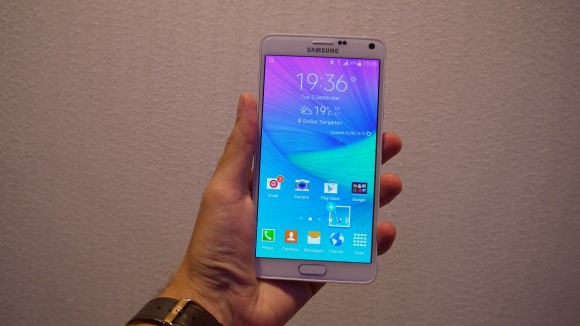
The Samsung Galaxy Note 4 perfectly embodies the design and performance philosophies of Samsung Galaxy Alpha. This means that it has a metallic frame around the screen, and a durable plastic casing on the back, which should ensure perfect adherence with the hands. Surprisingly enough, the Samsung Galaxy Note 4 is smaller than the Note 3 because its frame was downsized but the screen remained at the same size: 5.7-inches.

You are probably already familiar with the SuperAMOLED technology, but you will be happy to know that the new Samsung has a QHD 2560×1440 pixel resolution. Pixel-per-inch density for the screen is 515. Like all high-end Samsung smart-phones, the Note 4 is equipped with 2.5 D Gorilla Glass 3. This means that it has slightly bent edges that ensure proper usability. Irrespective of model, the Note 4 phablet will have 3GB of RAM and 32 GB internal memory storage. In other words, Samsung’s Galaxy Note 4 is more than equipped to handle any type of Android content and multimedia app.note-4-review-3-534x620

As far as hardware is concerned, there are two models available for the Galaxy Note. One of them has the Qualcomm Snapdragon 805 Chipset with a quad-core Krait 450, 2.7 Ghz processor and Adreno 420 graphics. The second option comes with an Exynos 5433 which benefits from 2 quad-core processors: a quad-core Cortex A57 1.9Ghz processor with Mali-T760 graphics, or a quad-core Cortex A53 1.3GHz processor with Mali-T760 graphics.

The 16MP photo camera has also received an important upgrade: it now has optical image stabilization, which will ensure better image quality for dynamic subjects. It is also possible to record HD videos in 4K 2160 and 30FPS format. The funny part is that Samsung actually tweaked the front camera specifically for selfies. Enthusiasts will now enjoy a 3.7MP front-camera with improved light and special functions for selfies.

Samsung Note 4 is the perfect tool for business people, journalists and tech enthusiasts because it features many useful tools like the Snap Note, which allows you to scan, edit and email documents. You can also use the pen to write down important information. Journalists will definitely enjoy the three microphones which were designed to tone down background noise during audio recordings. Lastly, the slightly better battery version (3220 mAh) should offer at least two days of autonomy, a lot more than that of other high-end smart-phones on the market.

Is Samsung Galaxy Note 4 Worth Buying?

note-4-review-2-620x463

We would rush to say ‘yes’, but each buyers should weigh the pros and cons of such a device. The Note 4 is indeed a high-end smart-phone which promises unparalleled performance, but it will probably also come at an outrageous price (U.S. carriers are selling it for 800-1000 dollars free of contract). We strongly advise you to go hands-on with it before deciding to buy it. All in all, Samsung Note 4 lives up to the expectations imposed by its predecessor. If you aren’t willing to purchase it yet, you might want to wait for the Note 3 upgrade.

The Good: Incredible specs, beautiful design, balanced price considering its features. A perfect successor to the Note 3.

The Bad: None so far

Now let’s take a look at the Samsung Galaxy Note Edge.

2. Samsung Galaxy Note Edge Overview

Before we address the features, we have to take a closer look at the screen. Why did Samsung go for this design with its Note Edge? The most important question is why was the shortcut bar placed on the right side and not the left? Here’s what Samsung says:

The main focus of the designers was to provide the analog feeling. When flipping through the pages of a book or note, many people flip it right to left, right being the initial contact point. […] Since people generally tend to read from the left to right, the designers thought it would be the right decision to place the Edge Screen on the right side.

Galaxy-Note-Edge-main1

Consumers are still on the fence when it comes to the Samsung Galaxy Note Edge, but this is probably because the device is extremely different from what they were used to. We have played around with it, and besides the fact that it is extremely beautiful and efficient, the device is also sturdy. The soft back was a serious design consideration for the company. It appears that it will allow consumers to swap the battery between the Note 4 and Note Edge. In addition to this, the choice for leather is meant to create a smoother sensation for the handsets.

As far as hardware and specs are concerned, the Note Edge is extremely similar to the Note 4. The screen is 2560×1600 (which means 160 pixels wider than the Note 4). The bent screen increases the phablet’s width with 4mm.

Since the top-of-the-line model sports the same features as the Note 4, we would like to take a closer look at its innovative features. The first thing you should know about the Edge is the fact that it favors righties, unlike other smart-phones which work well for both categories of users.

Apps on the Side

The so-called ‘edge screen’ is home to several interesting apps. First we have your store favorite apps, which are extremely similar to the Windows Taskbar or OS X Dock. This is basically your shortcut go-to place for fast processes. You can easily place up to two app bars with 20 programs. Here are a few other interesting uses of the edge screen:

samsung-unpacked-galaxy-note-edge-6_2040_verge_super_wide

  • Displaying widgets: Much like the updates which appear on the top-left side of the screen on Android smart-phones, the edge screen is home to updates and ticker-style news from websites, emails, social networks etc.

3038441-inline-edge-apps

  • Several utilities: The note edge sports interesting tools such as a countdown timer, stopwatch, ruler, flashlight etc.
  • Streamline interfaces: you can use the edge screen to take photos (the camera’s shutter button appears tucked along the edge). Features like this open more screens pace for you.

3038441-inline-edge-camera

  • Alarm Clock & Games: you can enjoy several basic games with the edge screen. Also, if you are laying the phone flat on the nightstand it will display the time on its edge, very dimly.

3038441-inline-edgeruler

  • Social networks: the edge screen can be used to view notifications on social platforms.

3038441-inline-edgephone

The best news is that Samsung is providing third-party developers with tools that will enable them to add new features to the edge screen. This will lead to more creative uses of this innovative device.

The Good: The Galaxy Note Edge is a triumph of novel design which seamlessly incorporates an asymmetrical shape in a brand-new phablet. The specs are among the best on the market right now.

The Bad: This device is costly. It is actually among the most expensive phablets on the market right now. In addition to this, it has yet to be proven how well the gadget handles drops and shocks.

Samsung Galaxy Note Edge & Note 4: Which one should I choose?

It all boils down to personal preference. The Note edge represents a bold move for Samsung, and it might not be very well received by the public. This is the main reason why the Note 4 retains the traditional design and is expected to maintain the south-Korean producer in tops. All in all, if you are not constricted by your budget and if you do not mind larger phones (keep in mind that we are talking about phables, not smart-phones), you should definitely experiment with the Note Edge.

Once again, we urge you to go hands on with the device before deciding to buy it. The screen is the main reason why the Edge is more expensive than the Note 4 as well. We hope that this research will help you with your decision.

GalaxyNote4_3-580-90

Free Stuff for Note 4 and Note Edge Buyers:

Samsung has always offered great freebies with its premium smart-phones, and this time is no exception. The company has finally detailed its Gift package for the Note Edge and Note 4. Let’s take a look at all the cool features that you will be receiving if you decide to purchase one of the high-end Note phablets:

  • Dropbox: 50 GB of storage space for 2 years for new users free
  • Diddeo and AmpliTube LE: free unlocked features
  • Audible: 3 month subscription
  • Wall Street Journal: 6 month subscription
  • NYTimes – Breaking news: 12 week subscription
  • Bloomberg Businessweek+ : one year subscription
  • OnLine: 3 month subscription
  • SketchBook for Galaxy: free professional-grade drawing software
  • 100% Games: 3.250 free gems in Dungeon Hunter 4 game
  • Paypal: access to special deals for online stores. You can save 50$ or more
  • Life360 & Workout Trainer: 6-month subscriptions
  • Tripadvisor: exclusive functions
  • Hancom Office 2014 & ArtRage free
  • RealPlayer Clout: 6 month premium membership
  • More

Keep in mind that the offers do not come pre-installed. You will have to install them from the Samsung app store in order to activate your offers.

Galaxy Note Edge & Note 4 U.S. Prices

Both devices are available for purchase in the United States. Let’s take a look at the offers made by the most influential carries in the states:

  • S Cellular Galaxy Note price: 299.99$ on-contract, 770.16$ off-contract
  • S Cellular Galaxy Note Edge: the carrier isn’t selling the Note Edge yet
  • Verizon Galaxy Note price: 99$ on-contract, 700$ off-contract
  • Verizon Galaxy Note Edge: 99$ on-contract, 946.00$ off-contract
  • T-Mobile Galaxy Note price: 750$ off-contract
  • T-Mobile Galaxy Note Edge: 870$ off-contract
  • AT&T Galaxy Note price: 99$ on-contract, 826$ off-contract
  • AT&T Galaxy Note Edge: 99$ on-contract, 946.00$ off-contract

In conclusion, both devices are expensive but that’s to be expected considering that they sport top-of-the-line features and designs. We hope that the Edge screen will become popular and we are eager to see how the audience will receive it. Stay tuned for more information about smart-phones and phablets!


Filed Under: Tech & Science, Uncategorized Tagged With: comparison of samsung galaxy notes, samsung galaxy note, samsung galaxy note 4, samsung galaxy note edge, samsung note 4 vs note edge, tech news

iOS 8.1 Update on iPad Mini 2 Performance: To Install or not to Install?

November 14, 2014 By Roxanne Briean Leave a Comment

Statistics show that only 56% of iPad and iPhone users have upgraded their devices to the iOS 8 operating system. This news is extremely confounding, especially considering that Apple has rolled out the iOS 8.1 version on October 20. iOS 8.1 contains several stability improvements and several fixes, but owners are worried that the new and ‘improved’ operating system will not work as well as the iOS7.

As a matter of fact, several reviews say that iOS8 and iOS 8.1 are disappointing compared to the earlier versions of the operating system.

iOS 8.1 on iPad Mini

Over 40% of devices remain on iOS7, which is considered by many the best operating system for smart-phones. iPhone owners probably feel that the iOS 8.0.1 caused more problems than it solved. Among other issues, it seems that phones lost mobile signals and fingerprint Touch ID scanner was unusable. For several weeks, developers and engineers worked on the system to remove bugs and fix problems. In mid-October, Apple finally announced the release of iOS 8.1, which managed to remove some of the biggest problems, but failed to get rid of them all.

“We apologize for inconveniencing you if you were affected by the bug in iOS 8.0.1″ – Apple on its support page

Although the company has had a bad start with its latest operating system and customers are still skeptical about the 8.1 version, reports show that the latest version has not had any severe problems yet. Apple believes that users can rest easy and ‘set about moving forward’.

We were extremely interested in testing the latest operating system for Apple on the iPad mini 2. After having used iOS 8.1 for a couple of weeks we are ready to give you a clear answers on an extremely important question: Is it worth upgrading the iPad mini 2 to iOS 8.1? 

Countless of iPad and iPhone users are conflicted. They are still unsure whether or not they wish to upgrade their devices to the latest operating system. If you waited until now to decide, you probably made the right choice. In general iOS problems are resolved two to four weeks after initial release. In other words, even if you are experiencing small issues with your devices, they will be quickly resolved.

On the other hand, if you have yet to upgrade your iPad Mini 2 to the latest operating system, we hope that the following review will help you decide. Here’s a quick look at all the features and functions available on the iPad mini 2 with iOS 8.2.

iOS 8.1 Initial Review & Disclaimer

iOS 8.1 on iPad Mini

We have spent a generous amount of time testing and reviewing Apple’s latest operating system. Until now it has performed decently. However, we wish to note that behavior of devices and features may vary from person to person according to device mileage and model. In addition to this, each gadget is unique if you take into consideration apps installed, usage of internet, handling etc. You should definitely take into consideration these aspects before reaching a final decision. However, if you decide to upgrade to iOS 8.1, there are a few things you should do before you begin:

  • Back-up your data: It is always a good idea to backup data from your devices. This is not because an operating system is flawed, simply because you don’t know what will happen during installation. Store all your photos and data on a cloud platform or laptop.
  • Make sure your device is compatible: Only several devices can be upgraded to iOS 8.1. They include iPhone 4S and above, iPad Mini and above, iPod Touch (fifth generation), iPad 2 and above.
  • Upgrade with iTunes: The best way to update is by using iTunes. This way you will dramatically reduce the amount of storage required for update. Before you begin installation make sure that you have the latest version of iTunes installed.

Why You Should Update to iOS 8.1 

iOS 8.1 on iPad Mini

Apple’s iOS 8.1 may not be a perfect operating system right now, but it’s better to update than others. Assuming that you have already updated to iOS8.0.1 or iOS 8.0.2, you should definitely upgrade to version 8.1 to eradicate bugs.

If you decided to stick with iOS7, it is still a good idea to upgrade, otherwise you will remain stuck on old features. It is always a good idea to update your device in order to be fully protected from malware and security holes. The return of Camera roll and Apple Pay may also sway you into updating to the 8.1 version.

Review of iOS 8.1 on iPad Mini 2

There are a few key aspects that you should take into consideration when evaluating the performance of an operating system. We are referring to connectivity Wi-fi & Bluetooth, bugs & issues, battery life, overall speed and performance of applications. Let’s discuss each aspect separately.

Battery Life of iPad Mini 2 with iOS 8.1 

We’ve been using two iPad Mini 2 tablets in parallel. One of them has iOS 7.1.2 and the other uses iOS 8.1. There are no notable differences between the performance of these two devices. In general, you will get a full day of battery if you are switching between Wi-Fi and LTE. Wi-Fi is set as the primary connection, because LTE has a habit of sucking battery life dry on most devices.

There aren’t any massive battery changes between updates. Mobile Apple devices have always performed well. If your iPad Mini 2 remains in standby for several hours, it will not lose any battery at all. All in all, iOS updates were never meant to solve any battery issues of iPhones and iPads. In general, battery problems are associated with applications and opened tasks. As long as you don’t have too many apps running you will have no problems with battery life.

Bugs and Issues of the iPad Mini 2 with iOS 8.1 

iPhone-6-no-service-iOS-8.0.1

It is true that the iOS 8.0.1 and 8.0.2 updates had severe problems. The good news is that most of them have been resolved with the 8.1 update. We haven’t experienced any issues while using the iPad Mini 2. In general, glitches and bugs occur on iPhones. The keyboard has never disappeared and the screen was never stuck in landscape mode, as reported on several websites.

However, this doesn’t mean that problems won’t appear. As we already mentioned, each device is different. Some bugs remain dormant and emerge when users least expect them. If anything happens you should definitely consult Apple’s bug fix page for iOS 8.1.

App Performance on iPad Mini 2 with iOS 8.1 

Too many apps may significantly shorten you battery life. At the same time, bad apps may negatively impact your experience with iOS 8.1. As we already mentioned, the new operating system bugs have been reported, mostly, on iPhone 5 and iPhone 6. iPads generally perform well with iOS 8.0.1 and iOS 8.1. Reviewers have reported that they have had very solid experiences with the new OS on their iPads.

For example, Facebook and Netflix have always been problematic apps on iPhone. The latest Apple upgrade is testament to the advancements made by developers. We frequently use Twitter, Facebook, Netflix, Instagram, Chrome, Youtube and Google Hangouts on our iPad mini 2 devices and we have never encounters issues.

The key is to make sure that you have automatic updates turned on. If you have just upgraded to iOS 8.1 you definitely have to update your apps as well, because they will probably experience compatibility issues. Once you have updated your apps, you shouldn’t encounter any more problems.

Connectivity on iPad Mini 2 with iOS 8.1 

There have been several complaints regarding Wi-Fi and Bluetooth performance across iOS 8 devices. While they may have been true, the vast majority of them have been resolved in 8.1. Developers were extra careful to solve any connectivity issues because they know important it is for Apple users to have access to the internet.

LTE connectivity works beautifully on iPad Mini 2: pages load quickly and signal can be found in the unlikeliest of places. As far as Wi-Fi is concerned, the connection remains fast and stable. In some instances, Bluetooth behaved bizarrely on iOS 8.0.2, but this was usually because devices are incompatible. Regardless of the reason for bugs, they have been resolved in iOS 8.1.

Speed & Performance on iPad Mini 2 with iOS 8.1 

ipad_mini_vs_airWhile the new operating system operates well on the iPad Mini 2, we noticed several issues on its larger sibling, the iPad air. In several instances, the iPad air performed sluggishly, while the iPad mini 2’s transitions were fast and fluid. Nevertheless, lag issues may not have anything to do with the operating system. Overall performance is satisfactory. All in all, performance on the iOS 8.1 on iPad Mini 2 is consistent with all the other operating systems.

Interesting Features on iOS 8.1

Now that we’ve covered the performance features of iOS 8.1 on iPad Mini 2, let’s take a look at several features that you should definitely take into account before upgrading.

Without a doubt the best news is the return of Photo Roll. Photo Roll is one of the operating system’s most used features. It was removed in 8.0, and re-implemented in iOS 8.1. Thank god!

Considering that there is a mobile payment war going on between retailing companies right now (companies are trying to decide if bar-code payments or mobile payment systems such asApple pay will pave the way for electronic purchases), we will assume that you have probably already heard about Apple Pay. Apple Pay is currently not available on iPad Mini but we have reasons to believe that it will be implemented soon.

Another feature that you might enjoy is the iCloud Photo Library as well as the ability to send and receive SMS/MMS messages from the iPad and Mac.

Wrapping Up…

We must admit that the new operating system has experienced several hiccups along the road, but it is currently performing beautifully on the iPad mini 2. You should upgrade your mini tablet knowing that you will preserve the unparalleled performance of iOS7 while also receiving iOS 8’s awesome new features.

There is honestly not a very big difference between iOS 8.1 and iOS 7.1.2 (besides the new features). The iPad mini 2 is one of the few devices that were designed to perform seamlessly regardless of OS.

iPad Mini 2 review (3)-580-100

You Don’t Need to Install iOS 8.1 Now

We believe that iOS 8.1 performs very well across most Apple devices. We also feel the need to inform you that you don’t need to install the update right now. First of all, you should know that it isn’t possible to downgrade from iOS8 to iOS7. In addition to this, iOS 8.1.1 will be released in the near future. If you are still concerned about iOS 8.1. you can wait for the 8.1.1. update to roll out.

iOS 8.1 Installation 

As noted above, the installation process for iOS 8.1 on iPad Mini 2 is extremely simple if you choose to do it with the help of iTunes. In order to complete the installation process successfully you will require a stable and secure internet connection. The process should take around 15-20 minutes on good internet connection. You will also have to wait a bit for updates and unexpected issues.

If you happen to run into any issues, although we believe that will not be the case, you should contact the Apple team or check for bug fixes on support forums.

Filed Under: Tech & Science

Note Edge Release Date: Launch on AT&T, Verizon, T-Mobile in Mid-November

November 13, 2014 By Roxanne Briean Leave a Comment

Rumors of Samsung’s latest high-end phablet have been circulating the internet and generating quite a buzz. Smart-phone enthusiasts are eagerly waiting to get their hands on, what may very well be, one of the best and most eccentric devices of 2014. A couple of months ago, at the stage of Berlin, Germany, Samsung announced several new products.

The team put a spotlight on their Galaxy Note 4, which was already released in October. However, techies were more interested in the Samsung Galaxy Note Edge, a device which has many features in common with the Note 4. The main difference is the fact that this device comes with a curved display.

Galaxy-Note-Edge-main1

In general, it is easy to figure out how Samsung launches happen: Apple steps on the stage to announce its latest iPhone, and a few months later a new Samsung flagship is also announced. In this scenario, the Samsung Galaxy note 4 has cleared the path for The Galaxy S6 and Note Edge devices.

The device has already been released in Korea and Japan, but releases for Australia, India, Russia, China, the UK and the United States are still pending.

On November 10, Samsung and its U.S. carrier partners confirmed that a limited number of Galaxy Note Edge devices will be released for buyers in the United States. Various carriers have started to announce their release dates for the Galaxy Note Edge, and we will provide them to you below. Dates vary slightly, but the bottom line is that most Edge phablets will become available starting mid-November. As you can probably also expect from a high-end phablet, the Edge is also extremely expensive. The question on everyone’s mind is if it is really worth the money & the wait. Let’s take a closer look at its specifications before diving into release dates.

Galaxy Note Edge Features & Specifications

In the September presentation, Samsung described the Note Edge as a ‘limited edition concept phone’. Several tech reviewers said that it could be an interesting choice for individuals looking to upgrade to a high-end smartphone.

386029d8-cffe-4a6a-8d16-338ce55e1794

As far as specs are concerned, the Samsung Galaxy Note Edge features an interesting S Pen stylus, a strong 2.7 GHz Quad-Core SnapDragon 805, Quad HD resolution, 3GB of RAM and the brand new 4.4.4 KitKat version of Android (with Samsung Touchwiz). In addition to this, the device will also be equipped with a 16MP camera with Optical Image Stabilization, and an extremely powerful battery. All of these features are neatly packed in a thin 8.3mm frame with curved display.

The superb Super AMOLED display gadget is already available in South Korea and Japan, but Americans will soon be able to get their own from carriers such as AT&T, Sprint, T-Mobile, Verizon and U.S. Cellular.

What is unusual about this release is the fact that it will be available in ‘limited’ amount. In general, Samsung gadgets are mass produced and very easy to find. This was not the case with the Edge. That is probably because it is a limited concept, and the manufacturer’s idea is to not make it mainstream. In other words, only buyers with serious cash on them will be able to enjoy the ‘deluxe’ version of Samsung devices.

Official U.S. Release Dates for the Galaxy Note Edge 

note-edgeSome of the largest carriers in the United States have already made their release dates public. However, if you were planning on rushing to one of the stores on the date of the release, we must advise you to change plans because most devices have already been pre-ordered and it is very possible for stocks to be depleted on the first day of launch. The best course of action would be to tune in to Samsung’s official store and pre-order a device of your own for the desired carrier.

For example, the Galaxy Note Edge is already visible in the AT&T Online store, but there is a footnote which mentions that the device will only be available for purchase starting November 14. As a matter of fact, most carriers will start selling the Galaxy Note Edge starting November 14. More details about release dates and payment plans are available below:

T-Mobile US Release:

T-Mobile was one of the first companies to announce that it will be offering the Galaxy Note 4 and Galaxy Note Edge in its stores. The latter will be available starting November 14th with a payment plan of 36.25$ per month for 24 months, or approximately 800$ off-contract. It is also possible to pre-order your Note Edge by submitting your request on the official page.

US Cellular Release:

US Cellular, the country’s fifth-largest carrier confirmed with TechRadar that it will also be providing the edged Galaxy Note Edge starting with November. The Note 4 arrived in October, and Edge devices will be made available “as soon as possible”. We believe that the release will not happen at a key date for the United States: November 14. It is very likely that US Cellular will only have the gadget on stock at around November 29th – Black Friday.

Although the company has yet to give a specific date, they mentioned that it will be released “after the holidays”. It is now possible to pre-order the Note Edge device for US Cellular from Samsung’s official store.

Sprint US Release:

An official announcement from Sprint confirmed that the company will be offering both Note devices, as well as the Gear VR. On Friday, the carrier confirmed that Note Edge will be available in stores starting November 14 for a 35$ contract for two years.

“Samsung Galaxy Note Edge is a beautiful device and its unique design challenges the notion of what most of us think a smartphone should look like. Only Sprint brings our customers the best value in Wireless with the Sprint Family Share pack offering up to 10 lines of service for just 100$ or the Sprint 60$ unlimited plan.

We make it easy to enjoy all this device has to offer, especially the wrap-around Edge screen.” – Doug Kaufman, director of strategy at Spring

In general Verizon & At&T have similar prices, so we assume that an off-contract Galaxy Note 4 will be priced somewhere between 850 and 940 dollars.

AT&T US Release:

In its last press-releases, AT&T confirmed that its shops would carry both Galaxy Note 4 and Galaxy Note Edge starting with November 7. AT&T was the first company to release the Galaxy Note Edge. The exact phrase used when referring to the availability of the Edge was “on display” – whatever that means. We were right in assuming that the device would only be available in ‘select’ AT&T stores. If you want to purchase it from the online website, you will have to wait one more day, as orders will only become available starting November 14.

Verizon US Release:

brag

Verizon wasn’t to eager to announce whether or not it will be carrying the latest Samsung models. In the end, a spokesperson confirmed with TechRader that Big Red will also be selling the Edge and the Note 4, together with Samsung’s Circle Gear and the new Gear VR headset.

Although the Circle Gear and the Note 4 are already available on the online store, the Edge has yet to make an appearance. In a recent tweet, the carrier announced that the device will be “coming soon”, but they did not refer to a specific date.

With this information in mind, we can only imagine that tomorrow’s US release will be extremely limited. Also, you shouldn’t expect discounted prices for what Samsung has referred to as a premium device. Considering that there are so many pre-orders already filled, it may be possible for stores to run out of devices before the end of the day. 

We already know that Samsung has had a hard time keeping retailers and carriers stocked with Galaxy Note 4 devices. Reports actually show that white models are in hot demand. Even Amazon and Best Buy have sold out all their Note 4 models.

Galaxy Note Edge Available at Best Buy

sssss

One of the company’s largest online retailers will also be offering the brand new device very soon. As a matter of fact, the Edge has already made it on the company’s website. White and black models, unlocked, are available at absurd price-tags: nearly 1.159$ a pop.

Best Buy Galaxy Note Edge purchase link

Don’t be surprised if the same thing happens with the Note Edge. If you are planning on purchasing the device tomorrow you must call one of the companies ahead to confirm your presence.

The American market will undoubtedly be stocked with sufficient Edge and Note 4 smart-phones because this is a critical time for Samsung and other retailers. The holidays are nearly upon us, so the worst case scenario would be that carriers like US Cellular will roll out their Edges at the beginning of December.

Other Official Release Dates for the Galaxy Note Edge 

Moving away from the American Continent we have several other countries of interest that have also announced their Samsung Galaxy Note Edge release date. We already know that Japanwas the first country to gain access to this device on both carriers: KDDI and NTT Docomo. However, while the black Note Edge is available on store shelves, the White Galaxy Note Edge has yet to make an appearance.

It seems that both carriers are having trouble stocking themselves with white models. Interested buyers should keep an eye out for news releases made by the company.

The second country to receive the Edge was Korea, Samsung’s home territory. SK Telecom and KT are both offering it in white and black. The device was priced at 1.067.000 South Korean Won, which is the equivalent to 1000$ in U.S. currency.

Galaxy Note Edge Coming to the UK

Samsung-Galaxy-Note-4-vs-Samsung-Galaxy-Note-Edge-header

Pre-orders for this device have started in September. It seems that the Note Edge will become available for pre-order in the United Kingdom Starting November 14. It will be purchasable starting November 28.

Citing an official Samsung statement:

Samsung can confirm that the UK is one of the markets that has been chosen to range the Galaxy Note Edge.

The device will be available to buy from selected retailers from Friday 28th November, with the option to pre-order from Samsung eStore and Carphone Warehouse on Friday 14th November.

Although there is no information regarding the price of the device, specialists believe that it will be around 640 pounds (the equivalent of 1022$), based on pre-order listings.

Samsung Galaxy Note Edge Release Date for China

Considering that China is one of the world’s largest smart-phone markets, it would have been a surprise if it didn’t receive the Samsung Note Edge device. Although the official date has not been confirmed, it is only a matter of time until the country gains access to the latest Samsung device. The Edge has already received certification for the Chinese Market.

According to a Weibo post from a China mobile employee, the phablet will be extremely expensive, compared to other markets. It seems that China Mobile is planning on charging 7.000 Yuan for one Edge (which is approximately 1.139$).

Samsung Galaxy Note Edge Release Datefor Russia

Russia is another important market for Samsung. A reputable tech website confirmed that the company is planning on releasing its latest Galaxy Note Edge in Russia “by the end of the year”. This means that it will probably become available at the end of November – Start of December.

The Russian market will probably charge the highest price for Samsung’s device. Approximately 49.999 rubles, which is the equivalent of 1.221 American dollars will be charged for it.

Samsung Galaxy Note Edge in Canada, India and Australia

samsung-galaxy-note-edge-product-photos13

Australia is another country that will gain quick access to the latest phablet by Samsung. Although the release date was scheduled for November 5, it was delayed until November 12th, the first time. Samsung announced that shipping of new devices will be further pushed back to November 25.

Samsung’s official statement:

“Samsung Electronics Australia has revies the on sale date for the Galaxy Note 4 to Wednsdeday November 5 and the Galaxy Note Edge to Wednesday November 12. Pre-orders will be available from Wednesday October 15. We apologize for any inconvenience this may have cause our customers.” 

India and Canada are the last countries to receive the new device. Although release has been confirmed for India last week, the company did not specify any details on when exactly it will happen. All we know is that by the end of the year, the world’s biggest markets will have released the Galaxy Note Edge. Canada carriers declared that they will be selling the new gadgets at the beginning of 2015.

Other retailers across Europe are also announcing that they will be carrying the new phablet (example: Germany retailers). Samsung is leaving the door open for wider European launches, but it must first provide sufficient models for the larger international markets.

Lastly, the Samsung Galaxy Note Edge will not be available in any new colors. The only model options are standard white and black.

Stay tuned for more information about the Samsung Galaxy Note Edge release dates.

Filed Under: Tech & Science

Molecular Structure of Water at Gold Electrode Unearthed For the First Time

October 26, 2014 By Roxanne Briean Leave a Comment

Whenever a solid is dipped in liquid, the liquid next to the object is molecularly unlike than the bulk of the liquid. If the surface is charged, this dissimilarity can increase even further. In the past it was difficult to understand the molecular structure of the solid-liquid interface. However this is exactly what has been achieved by the researchers at the DOE/Lawrence Berkeley National Laboratory.

Researchers have been able to observe the molecular structure of liquid water at gold surface in varying charging conditions. The discovery was published in a recent edition of the journal Science. The discovery will have immense potential and will help researchers understand a variety of biological phenomenon.

Miquel Salmeron, a senior scientist in Berkeley Lab’s Materials Sciences Division (MSD) and professor in UC Berkeley’s Materials Science and Engineering Department said, “At an electrode surface, the build-up of electrical charge, driven by a potential difference (or voltage), produces a strong electric field that drives molecular rearrangements in the electrolyte next to the electrode.”

To determine the arrangement of the molecules next to the electrode surface the researchers used x-ray spectroscopy to probe the interface. The problem was that the XAS technique required the process to be carried out in vacuum and this caused the liquid to evaporate. To get over this problem the researchers made use of a very thin x-ray transparent window in the order of 100 nm, or a tenth of a micrometer with a thin coating of Gold. With this arrangement, the team was able to exposé the water molecules to x-ray without any risk of it getting evaporated.

It was critical for the researchers to determine which part of the current was caused by the x-rays or battery. To achieve this researchers “pulsed the incoming x-rays from the synchrotron at a known frequency,” which enabled the researchers to segregate the current. The experiment enabled the team to achieve absorption vs. x-ray energy curves (spectra) that explained how water molecules within the nanometers of the gold surface absorbed the X-ray. Finally employing a supercomputer the researchers conducted simulations of the gold-water interface. The x-ray absorption spectra of the predicted structures were calculated.

David Prendergast, a staff scientist in the Molecular Foundry and researcher in the Joint Center for Energy Storage Research (JCESR) explained, “These are first-principles calculations. We don’t dictate the chemistry: we just choose what atomic elements are present and how many atoms. That’s it. The chemistry is a result of the calculation. The main thing we know about the gold electrode surface from the x-ray absorption spectra: how many water molecules are tilted one way or another, and if their hydrogen bonds are broken or not. Water next to the electrode has a different molecular structure than it would in the absence of the electrode.”


Filed Under: Tech & Science

Two Factor Authentication in iCloud- Steps, Guide and Precautions

September 24, 2014 By Roxanne Briean Leave a Comment

Apple lately added two factor authentications in order to increase the security of the customers’ iCloud account. It will let users to protect their backups of iPhone and iPads with something better than a password. Therefore, it is a suitable time to enable two factor authentication.

These measures have been taken after hackers attacked the celebrities account and leaked some of their personal photos. People begin to worry about their iCloud accounts shortly after this incident. Thus, Apple made an expansion in the security of the iCloud accounts through two-factor authentication.

We will tell you the entire procedure to enable it on your Apple iCloud account.

Two Factor Authentication:

Users should have some knowledge about the performance and working of this feature before updating it.

Two factor authentication is a comparatively latest method of securing several web accounts of users by means of more than a single password. It requires a normal password along with a confirmation code and will send it to users’ devices like smartphones or iPads. All the users who have enabled two factor authentication on their accounts want these two codes to get access to their iCloud accounts.

It is certainly a more safe and sound way to use iCloud since from now on the hacker will need various things to slip into your iCloud account. It would make a really difficult task for hackers to steal your precious data from iCloud.


Fortunately, the company has launched this two factor authentication for users’ iCloud account.

How to Set Up iCould Two-Factor Authentication:

Initially, you are required to log into your Apple ID account through applied.apple.com and then click onManage your Apple ID. You would be able to log in from there by using identification.

As soon as you are logged in click on Password and Security that is present on the left side of the sidebar. There you are required to answer a few security questions to get an entry in this section. These questions are the ones which users set when they sign up for an Apple ID.


After you give answers to all these security questions, you will view a page from where you can start the process of two factor authentication. The company named it “Two-Step Verification” as there are some other names for this feature as well.

The page will give you a short introduction about the working of two factor authentication when you click on Get Started. Users can then and there end up the process if he read something which they do not want to set on his iCloud account.

However, if you wish to carry on the process, then Click Continue.


Apple will ask you to give three days time for the set up of two factor authentication. It sounds really annoying, but it acts like a real road block for hackers.  Therefore, if you want to get benefit from this service then you have to wait till three days.


When these three days passed by then go back and follow the same process of Logging in and Get started.

The foremost thing is to add your phone number which can receive the verification SMS text messages.  It is not essential to give your personal iPhone number for this step. You can also enter the number of your close friend or any family member.

Afterwards, you will get a confirmation code on that number which you will have to enter on the website. After that the website will include your phone number in the list of customers.


It is pretty noteworthy that the iOS devices which have already Find My Phone app are permitted to be used as a trusted device with two factor authentication.

Then click Continue and from there you can verify every single iOS device you own. One more time, clickContinue togo to the next stage of the setup.

Subsequently, print out or write down the given Recovery Key. Then Apple will ask you to re-type it in order to confirm that you have copied it somewhere safely.


Click Confirm to enter into the next phase.

The final thing is to agree with the terms and condition of two factor authentication to get advantage from this service. Insert a mark on the box present at the side of condition and then click Enable two step verification.


Then the screen will inform you that you have successfully enabled the feature Click Done to complete the process.

Filed Under: Tech & Science

Apple Watch VS Pebble Watch: Comparison

September 16, 2014 By Roxanne Briean Leave a Comment

Recently, Apple has made quite a remarkable entry in the market of SmartWatch with its brand new iWatch. On the other hand, Pebble Technology Corporation launched its Pebble Smartwatch and new Pebble Steel. Therefore, the company is really looking forward to the future.

The Pebble Smart Watch released as a $10 Million Kickstar campaign, which means funding of nearly $100,000.  The campaign was considered as the second highest funded campaign in the history of KickStarter. The company has launched an upgraded version of this watch known as Pebble Steel. Pebble is a smart watch which is connected with the phone.

Design of Apple watch and Pebble Watch:


Pebble’s first SmartWatch was not that stylish therefore next year the company launched a newer model with amazing design. Pebble Steel has a metal design along with two bands, one manufactured with steel and the other with black leather. Pebble Steel seems relatively better than the original Pebble Smarrtwach. However, it still cannot compete with the design of iWatch that Apple flaunted on the 9th of September.

Apple intended to ship two sizes with several colors and designs. This kind of variety will certainly attract a lot of buyers. On the other hand, Pebble is successful in appealing man and women who have large wrists. People who look for function more than the style will surely find Pebble SmartWatch and Pebble Steel more alluring.

Whereas, Apple Watch is pretty large and thick for the people who have small wrists. But still the design of Apple is way better than both the smart watches of Pebble.

The Apple Watch still seems bulky and thick for people with petite wrists. However, the smaller watch design will fit better than either Pebble design.

Apple offers three versions in more than two sizes along with various colors and materials.

  1. Stainless Steel
  2. Silver Aluminum
  3. 18-Karat Yellow Gold
  4. Space Black Stainless Steel
  5. Space Gray Aluminum
  6. 18-Karat Rose Gold

Besides these six material designs Apple provided multiple watch bands

These band styles will positively go with the material of the watch.

  1. Link Bracelet
  2. Sport Band
  3. Leather Loop
  4. Classic Buckle
  5. Modern Buckle
  6. Milanese Loop

Apple has released a new way rather than the conventional one of fastening the watch. Instead of pinning the user merely have to slide in strap into the exact place.

The company has introduced three styles of Watches: the basic Apple Watch, the Watch Sport and Watch Edition. It signifies that buyers have a wide choice of 18 different models. In Contrast, Pebbles offers only a steel watch and the original SmartWatch. The Pebble presented the original design with some vivid colors and named it as FreshHotFly.
The original and new Pebble follows the traditional way of connecting the bands. Therefore, the user can mix and match with any other conventional watch band they have that means user have an endless possibility in Pebble.

The Apple Watch buyer will merely get the one that Apple offers due to its proprietary connector.  Although third- parties are planning to design new bands for Apple Watch but the company has not given them permission yet.

Both the watches are quite different in terms of control keys. The Pebbles comes with a button on each side which allow user to scroll screen roll move up/down. Whereas, the Apple Watch includes a touch screen and the digital crown, a scroll wheel and button on the side of the watch.

Battery life of Apple and Pebble Watch:

Pebble provides at least three days and maximum seven days battery life. As far as the battery life of Apple is concerned, People are still unaware of it.

Functionality:
The fundamental function of the two watches is quite similar. Both of them can connect with a phone and inform you about your notification on the watch as well. In short, wearers would not have to look into their phone during exercise, driving or working. It will give a silent alert to the user on his wrist instead of the ring on his phone.

The two watches allow the user to install apps which expand the function of the watch. Pebble offers more apps on the Pebble store as compared to the Apple since it is in the market for a year. Therefore, do not expect Apple to present you a large number of apps because it is new.

The Pebble and Apple watch give users the opportunity to change watch faces.  The Pebble store is full of pebble’s watch faces, whereas Apple will also ship the Apple watch with several faces.

Both the companies allowed the developers to manufacture new watch faces. However, the colors vary since the Pebble only uses black and white e-ink display, while the Apple Watch uses a color display.

Apple pay is a new service of Apple that will definitely alter the technique through which people pay for their goods.  Apple has included this feature in Apple Watch as well. Pebble doesn’t contain any feature that allows users to pay with the help of their watch. Apple has offered this feature both in iPhone and Apple Watch.

Furthermore, Apple introduced a feature through which Apple wearers can interact with each other directly from the watch. It will permit users to reply to the text message and even communicate with the help of drawings and vibrations. Pebble Store contains numerous apps which will send stock responses on text, but still it would not let wearer reply through drawing and vibrations. Moreover, the wearers of Apple watch would be able to talk by means of the watch, a feature which pebble doesn’t have.

Both the two companies Apple and Pebble offer fitness tracking in watches. However, Apple has also included a heart rate monitor that has sensors placed on the back of the watch. In addition, users can also share the heart rate with other users through the watch. On the other hand, Pebble depends on third party apps for the majority of its fitness tracking features.

Apple Watch and Pebble on Compatibility
It is very easy to compare the two watches. Pebble runs on both iPhone and Android. The Pebble app can function on any iPhone or iPad that works on iOS 6 or later. The Android app work on Android Phone which runs on 4.0 or higher Android version.

The Apple watch merely works on iPhone 5 or any other latest model of iPhone. People who have Android Phone or previous models of iPhone cannot use an Apple Watch.  Therefore, they have to choose Pebble if they do not own an iPhone.

Cost of Apple and Pebble Watch:
As far as the price is concerned, the vote goes with Pebble. Apple announced that the Apple Watch will come at a price of $349 that will certainly be very heavy on the pockets. Whereas, Pebble original smart watch or the new Pebble SmartWatch comes at a reasonable price of $150. Even the price of pebble costs is less than the cheapest Watch of Apple.

However, Apple has not declared the entire price list of its watches which means some of them definitely cost more than $349.

The buyers with limited budgets would prefer with any one of the 8 Pebble Smartwatch or spurge $100 for the Steel one.

Apple is not planning to ship Apple Watch before 2015; therefore people cannot decide which watch is better. The people who cannot wait until 2015 can get hold of Pebble Smartwatch or Pebble Steel watch through the official page of the company. Several other retailers are also offering the new Pebble SmartWatch.

The people who are more concerned about their fitness should have a look at the fitness feature of Apple watch. For Android phone users this watch is useless, therefore they have limited choices.

Filed Under: Tech & Science

  • « Previous Page
  • 1
  • …
  • 51
  • 52
  • 53
  • 54
  • 55
  • …
  • 59
  • Next Page »

Subscribe to Blog via Email

Enter your email address to subscribe to this blog and receive notifications of new posts by email.

Join 10 other subscribers

Recent Articles

police handcuffs man

German Man Probed In Poisoning That Killed 21 Employees Since 2000

June 29, 2018 By Kenneth Scott Leave a Comment

Chicken wings bar

Intoxicated South Carolina Man Punches Waitress Who Refused to Serve Him Alcohol

June 29, 2018 By Karen Jackson Leave a Comment

gaming

New Zealand gamer Who Flew Halfway Across The World for Virginia Teen Gets Shots By Her Mother

June 28, 2018 By Cristopher Hall Leave a Comment

party

Former Virginia Tech Freshman Sentenced to 50 Years in Prison for Stabbing a Girl to Death

June 28, 2018 By Roxanne Briean Leave a Comment

bonfire

British Couple Sentenced to Life in Prison for Torturing and Murdering French Nanny

June 27, 2018 By Deborah Campbell Leave a Comment

pay phone

Texas Father of Girl Disappeared in the 80s Ignored by Authorities

June 26, 2018 By Cristopher Hall Leave a Comment

bottled water

San Francisco Woman Threatened to Call Police on Girl Who Sold Ice Water for Disneyland Trip

June 25, 2018 By Roxanne Briean Leave a Comment

Maplewood Park

Missouri Man Robbed by Date and Accomplice in Park

June 22, 2018 By Nancy Young Leave a Comment

coding

New York Man Sentenced in Cyberstalking Former Girlfriend, Mailing Drugs to Her Dorm

June 22, 2018 By Deborah Campbell Leave a Comment

headphones

Bose Poised to Launch Sleepbuds, In-Ear Headphones That Help You Sleep

June 21, 2018 By Nancy Young Leave a Comment

Police light

Intoxicated Female Driver in Custody for Pulling Arresting Officer by the Hair

June 21, 2018 By Kenneth Scott Leave a Comment

kitchen

Restaurant Manager Arrested and Charged in Shooting Death of Co-Worker over Negative Yelp Reviews

June 20, 2018 By Karen Jackson Leave a Comment

plastic container

Pennsylvania Couple Charged in Violent Death of Infant Discovered Buried in Cat Litter

June 19, 2018 By Cristopher Hall Leave a Comment

tailpipe

Minnesota Teen Gets Head Stuck In Oversized Tailpipe Winstock Music Festival

June 18, 2018 By Karen Jackson Leave a Comment

Pages

  • About Us
  • Contact us
  • Privacy Policy
  • Privacy Policy GDPR
  • Staff
  • Terms and Conditions

Recent Posts

  • German Man Probed In Poisoning That Killed 21 Employees Since 2000 June 29, 2018
  • Intoxicated South Carolina Man Punches Waitress Who Refused to Serve Him Alcohol June 29, 2018
  • New Zealand gamer Who Flew Halfway Across The World for Virginia Teen Gets Shots By Her Mother June 28, 2018
  • Former Virginia Tech Freshman Sentenced to 50 Years in Prison for Stabbing a Girl to Death June 28, 2018
  • British Couple Sentenced to Life in Prison for Torturing and Murdering French Nanny June 27, 2018
  • Texas Father of Girl Disappeared in the 80s Ignored by Authorities June 26, 2018
  • San Francisco Woman Threatened to Call Police on Girl Who Sold Ice Water for Disneyland Trip June 25, 2018

Categories

  • Business
  • Entertainment
  • Finance
  • Headlines
  • Health
  • Life
  • Nature
  • Science
  • Sports
  • Tech & Science
  • Travel
  • Uncategorized
  • United States
  • World

Copyright © 2026 ArgyllFreePress.com
About · Privacy Policy · Terms of Use · Contact