Argyll Free Press

Growing News Network

Thursday, April 30, 2026
Log in
  • Business
  • Finance
  • Sports
  • Tech & Science
    • HP Envy 4500 Review
    • LG Optimus 170 Review
    • iPod Touch 6th Generation Review
    • HTC One M8 Accessories Set-up
    • Surrealist Games You Must Play
    • Hisense Sero 8 Review
    • Dell Latitude e7440 Review
    • HP Laserjet 1536dnf mfp Review
    • Garmin Fenix 2 Review
    • Skype Vs Viber
    • Best Video Conferencing Software
    • Sony mdr 1r Headphones Review
    • Canon Rebel t3i Review
    • Sennheiser Momentum 2-0 Review
  • Travel
  • Headlines
  • Health
  • United States

Best Noise Cancelling Headphones: Immersion at Its Best

December 8, 2015 By Karen Jackson 1 Comment

Best Noise Cancelling Headphones Top

Whether you’re simply looking for some peace and quiet, whether you want to stay in your world tune everything else out or find yourself in a crowded, noisy place while you’re trying to work, one can’t get enough of noise cancellation to keep things flowing and not let the external factors stop you.

Noise cancellation in headphones is a very often misunderstood or misinterpreted concept. More often than you’d think it is mistaken with noise isolation, which albeit isn’t very different, it’s hardly identical. Both concepts have a relatively similar purpose but fulfill it in different ways.

Noise cancellation is s build-oriented method of reducing the outside noise that may hinder your musical or cinematic experience that bases its entire mechanism on capturing and analyzing the incoming noise, then processing it and creating an inverted set of waves being emitted into the headphones in order to cancel out the effect altogether. Naturally, the amount of noise cancellation done is equal to the amount of noise recognized by the microphone; thus, noises such as car engines or drills for example could get blocked out, while things such as a person speaking may not be as effective.

Noise isolation on the other hand is only a physical method of stopping outside noise by simply having the earphones act as a barrier that protects you from outside noise. That basically relies on how well a pair of headphones can cover your ear; in case of overhead headphones they can muffle a great amount of the outside noise while in-ear headphones rely on how well they can seal your ear canal, and that depends on both the build of the headset as well as the shape of your ear. So two different people can find the same pair of headphones to bring good noise isolation while another would not.

Now that we’ve introduced you to the concepts of how you can make listening to music, watching movies or playing video games a truly immersive experience, here’s our very own list of top 10 best noise cancelling headphones we’ve found out on the market, in no particular order to speak of.

  1. Bose QuietComfort 25
  2. Sennheiser Momentum Wireless
  3. Creative Sound Blaster EVO ZxR
  4. Plantronics BackBeat Pro
  5. Philips Fidelio NC1
  6. Parrot Zik 2.0
  7. Sony MDR-ZX770BN
  8. PSB M4U 2
  9. Beats by Dr. Dre Studio
  10. Definitive Technology Symphony 1

Extra: Bose QuietComfort 20i

Best Noise Cancelling Headphones #1: Bose QuietComfort 25
Best Noise Cancelling Headphones #1

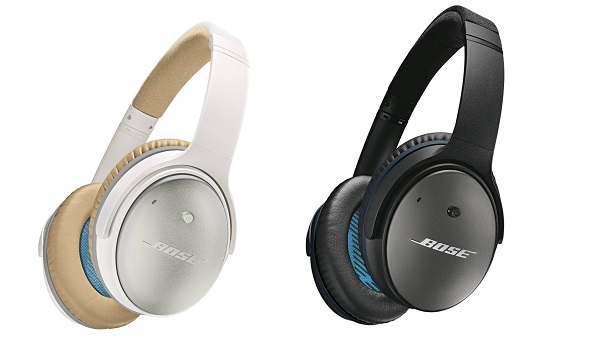
Bose seems to have established itself as one of the best headphone manufacturers out there and the QuietComfort 25 are probably the epitome of noise cancelling headsets. Coming as an upgrade to the previous QuietComfort 15, the 25 model is also powered by batteries that permit the device to enable a new and improved noise cancelling circuitry in the first place.

The great news is, however, that even without batteries, the headphones will continue to function but without the NC component. Still, even without the noise cancellation, the Bose earphones are particularly amazing in many other aspects; the sound quality has been given a lift too, making the sound a lot more dynamic and clear.

The offside, however – and that is the case with most best noise cancelling headphones – is their spiky price tag: around $300 for a pair.

Best Noise Cancelling Headphones #2: Sennheiser Momentum (Wired or Wireless)
Best Noise Cancelling Headphones #2

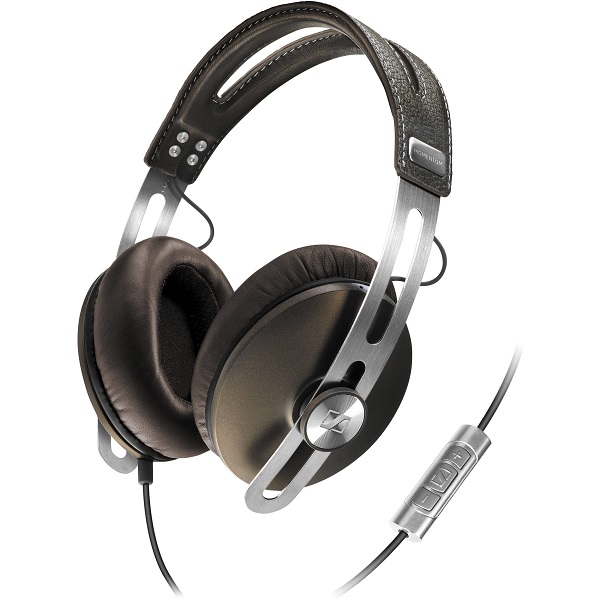
Under no circumstance a new addition to the Bluetooth noise cancelling headphone market, but the Sennheiser remains a solid choice in terms of NC headphones even if technology has taken a few more steps and became a little more advanced in the meantime. They come in two variants, wired and wireless, but both models are equipped with noise-cancellation technology.

The only downside of the entire ordeal is that similarly to many other NC headphones, the noise cancellation is there to stay and has no way of being turned off. That is, in case you were expecting to get that amount of freedom. On top of everything, the Sennheiser Momentum is also equipped with integrated dual mics that allow you to use the headphones with your mobile for example.

The price may shock some when they see it on the Sennheiser web page: $500. However, you can find them for around $250 on Amazon.

Best Noise Cancelling Headphones #3: Creative Sound Blaster EVO ZxR
Best Noise Cancelling Headphones #3

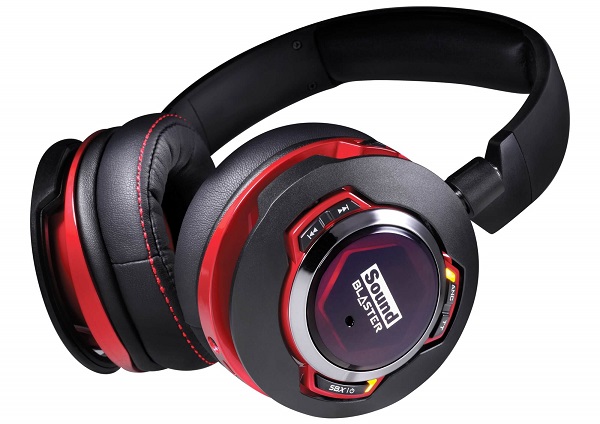
As soon as you throw this pair of headphones a glance you’ll be able to tell what the targeted public for this product was: gamers, cinephiles, young and dynamic individuals. Regardless, the Creative Sound Blaster EVO ZxR pair of headphones is more so advertised to be proficient when it comes to music. With an outstanding design to speak of, they’re NFC and Bluetooth capable, meaning you can use them wirelessly with a number of devices.

On top of that you can connect them to your computer or music player of choice through either the 3.5 mm jack or the microUSB cable. Unlike the Sennheiser Momentum, the noise cancelling option can be temporarily paused, lowering the volume of your music and letting sounds from the outside go through so you don’t have to take off the headset if you’re trying to talk to someone.

The default retail price you can get the Creative Sound Blaster EVO ZxR for is $299. However, if you purchase them through creative.com, you can grab yourself a pair for $185.99 only.

Best Noise Cancelling Headphones #4: Plantronics Backbeat Pro
Best Noise Cancelling Headphones #4

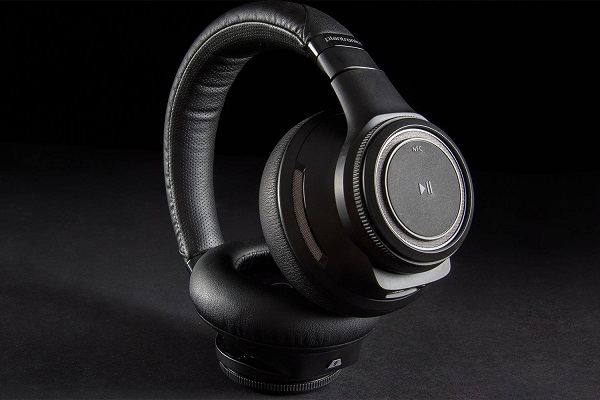
Coming as a complete opposite to the youthful design of the Creative Sound B laster EVO ZxR, the Plantronics Backbeat Pro attempt to be as minimal and quietly elegant as they can. Designed mostly for office use, the BackBeat Pro are not particularly warm weather friendly; but pack an immense amount of features in them to make up for it. The design is clever, incorporating track control and volume in elements of the headphones you wouldn’t even think were hiding utility controls.

There is an inbuilt microphone that will allow you to use the headphones for taking calls as well and they’re smart enough to know that you’ve put them down – this will pause the music until you put them back on your head. The Plantronics Backbeat Pro also have the OpenMic mode that pushes the music into the background and pauses noise cancellation in order for you to not have to take the headset off.

The price tag on them is still relatively high, but you’re probably used to it by now: you can get the Plantronics Backbeat Pro for $249.99.

Best Noise Cancelling Headphones #5: Philips Fidelio NC1
Best Noise Cancelling Headphones #5

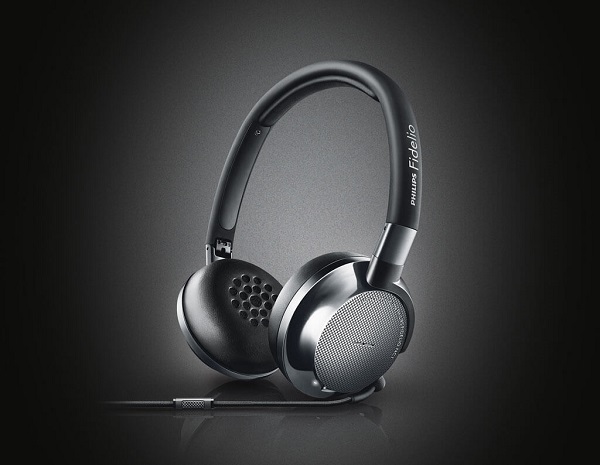
What was once one of the most renowned electronics company in the world still makes high quality devices and equipment. The Philips Fidelio NC1 is a great example of on-ear headphones that employ the noise cancelling technology, even if it’s far from the proficiency of the NC you can find on the Bose QuietComfort 25. Designed to be sturdy without adding all the bulk that some headsets end up displaying, the Philips Fidelio NC1 are easily foldable and even come with their own secure case for you to pack them in.

The headphones will continue working after you’ve run out of battery, but will have its noise cancellation system turned off instead. The sound they provide is amazingly bright and clear – this will make a great impression on short term, but may become tiring after a while. The Philiphs Fidelio NC1 feature a microphone too, so your usage of the pair can extend outside of just listening to music, especially given the 30 hours of guaranteed playback battery life.

You can purchase the Philips Fidelio NC1 for $300 directly from the manufacturer’s website or in various retail electronics store.

Best Noise Cancelling Headphones #6: Parrot Zik 2.0
Best Noise Cancelling Headphones #6

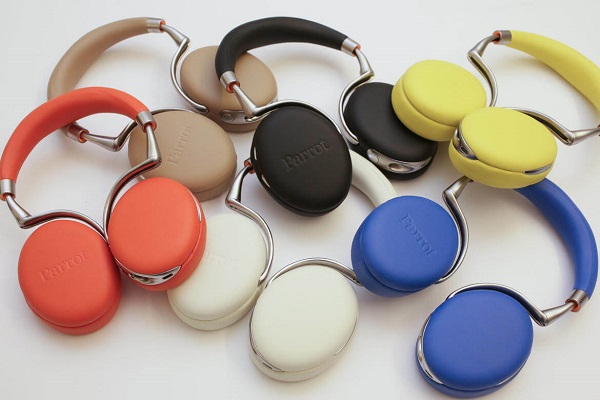
We continue our list of the best noise cancelling headphones of this year with something that stands out. The playful Parrot Zik 2.0 active noise cancelling headphones come with a number of great features and a very eye-catching design. And color palette. A definite upgrade over their predecessors, the Parrot Zik 2.0 headphones have gone through an intense process of improving more than just its capability of cancelling out outside noise.

There are many ways and reasons for which this pair of headphones is outstanding; the wireless audio streaming capability is one of them for example. More or less related to the way they were designed, but I found that the touch-sensitive controls placed on the right ear piece made things especially nifty and easy to handle. As a note, this is one of the very few pairs of headphones that still allow manual battery replacing; most don’t even include a removable battery pack so we can conclude that that’s a relative plus. Especially given the fact that the battery life is not as impressive to begin with.

The price of the Parrot Zik 2.0 noise cancelling headphones however is what most individuals will find to be a worrisome con: no less than $400 for one pair.

Best Noise Cancelling Headphones #7: Sony MDR-ZX770BN
Best Noise Cancelling Headphones #7

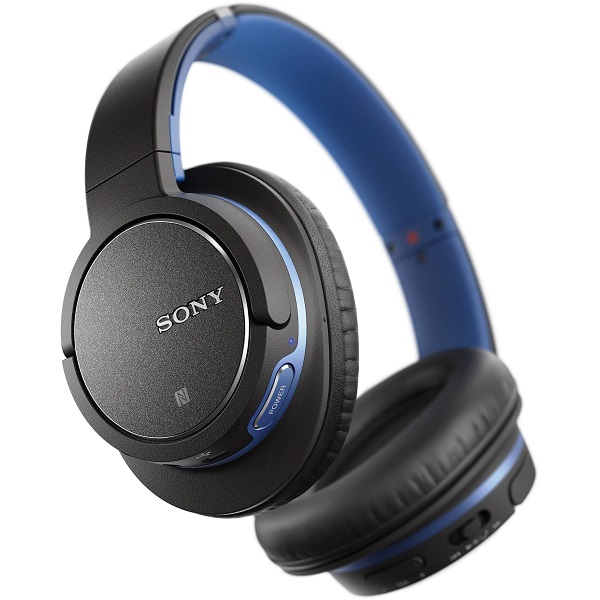
Unlike so many other models of the Sony headphones, we finally have here a model that doesn’t need 3 different iterations to cover great audio playback, Bluetooth and noise cancelling such as the previously reviewed Sony MDR-1R. Together with few other models from the Sony MDR family, the Sony MDR-ZX770BN noise cancelling headphones make up the entry-level and midrange Sony headphone list. As a plus, the headphones can be used both wirelessly and through Bluetooth, meaning that you won’t be hindered from making use of them on your flights – where Bluetooth is not allowed.

You can’t and shouldn’t expect the same level of quality that you find in the best noise cancelling headphones, but this model still manages to handle itself well. For some, the design may feel a little bland and unsatisfactory given all the more aesthetically pleasing models out there that manage to pull off a more premium feel. The most important downside of the Sony MDR-ZX770BN is most likely the battery life – it can only last for as long as 13 hours of playback time with noise cancelling and Bluetooth turned on.

The price is a little lower than the ones listed on here so far: $230. However, there are many online retailers that offer a considerable discount on the pair, giving you the chance to grab a pair for as low as $150.

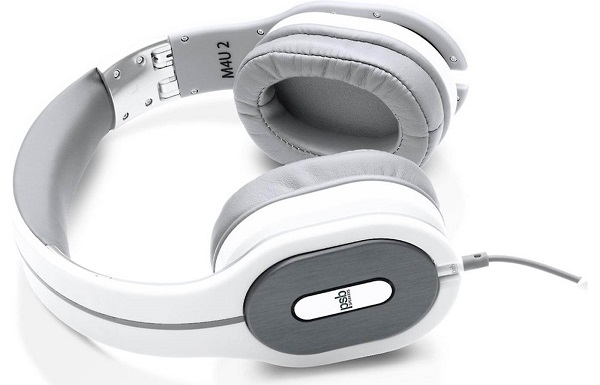
Best Noise Cancelling Headphones #8: PSB M4U 2
Best Noise Cancelling Headphones #8

The PSB M4U 2 headphones are a real looker; at least in my opinion, someone else could be feeling the exact opposite simply because while they are pretty different in design, they may seem rigid and stiff for other people. This pair of noise cancelling headphones could be listed towards the top of the list when it comes to NC alone. But on top of that, you’ll be finding an outstanding sound quality packed in them as well: anything regarding instrumental separation, detail and dynamics of sound is solid. Though they may not look like it, they actually offer a great deal of comfort thanks to the surprisingly light build and the gyro suspension system that was used in the frame.

Thanks to it, you can swivel the ear cups in basically any direction until you get your perfect fit on. There’s also a great number of features packed into these headphones – some hold real utility while others are more “fun” than anything else. For example, the noise cancelling button found on the side of one of the ear cups allows you to turn NC on, off or to play the exact sounds that would be cancelled by the noise cancellation, were it turned on. I don’t see any reason I would ever use that other than being in awe at how amazing the noise cancellation technology is.

The PSB M4U2 headphones fall into the average to high price category as they will cost you $299 from most retailers.

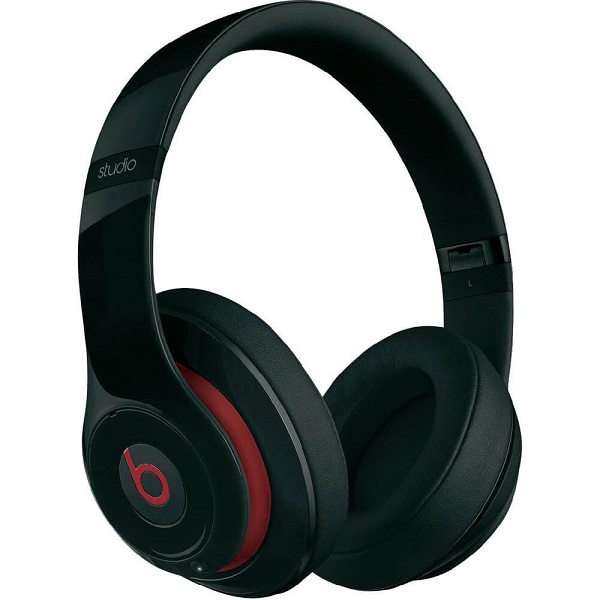
Best Noise Cancelling Headphones #9: Beats by Dr. Dre Studio 2.0
Best Noise Cancelling Headphones #9

Don’t be fooled by the fact that the Beats headphones are listed 9th in our list as it’s in no way representative of what the set can achieve. The extremely popular Beats headphones have been around for a pretty long time and yet still manage to hold their weight in face of newer models altogether. After all, they’re popular for a reason. They feature a 20-hour lifetime rechargeable battery that won’t give you too much trouble.

In terms of design, this is probably one of the best choices you could ever make as the headphones display an outstanding collection of smooth surfaces and pleasing curves; together with the 3 colors that they come in (black, white and red), they are really something that you can show off. The Beats feature dual-mode Adaptive Noise Cancelling technology (the original Beats were one of the first pairs of headphones to employ it while we’re on the subject) that can be turned on and off manually and works when both wired or not.

The second version of the Beats by Dr. Dre Studio (2.0) will cost you $299, directly from the manufacturer. If you feel like that is too much to spend on a pair of noise cancelling headphones, however, you can still refer to the original version of the Beats – currently priced at $179.99 instead.

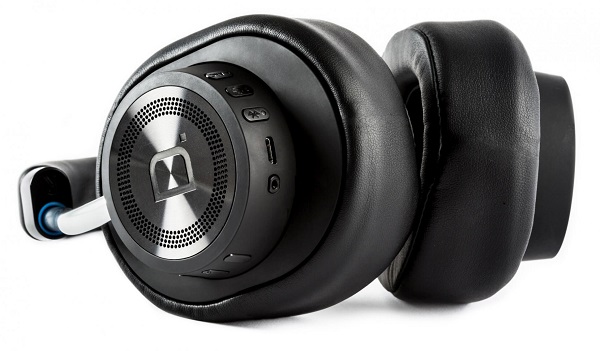
Best Noise Cancelling Headphones #10: Definitive Technology Symphony 1
Best Noise Cancelling Headphones #10

While it would be a blatant lie to say that the Definitive Technology Symphony 1 headphones don’t come with an absolutely elegant design, it would also be an overstatement that everyone would like them. This particular pair of noise cancelling headphones looks a tiny bit too bulky from the front, but otherwise inspire sturdiness and an extremely solid design.

The controls and plug sockets are all neatly tucked and hidden from view underneath and on the back of the right ear; that accounts for volume and track control, pairing, power, a microUSB and everything else you would ever wish for are found here. The active noise cancellation technology employed in the Definitive Technology Symphony 1 headphones is not absolute top notch, but it will help you tune out most of the outside noises whether you use them wirelessly or not. The sound quality is excellent, at least when it comes to lows and mids – the highs suffer the tiniest amount.

The price matches the quality in them, however. The manufacturer lists these noise cancelling headphones at the price of $399.

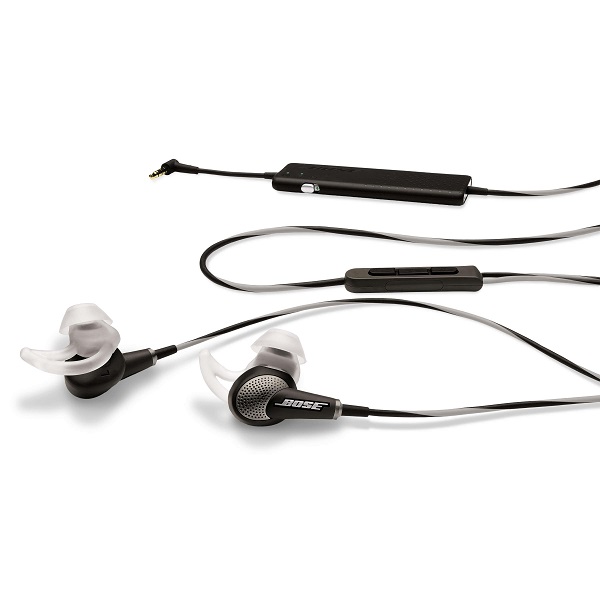
Best Noise Cancelling Headphones Extra Mention: Bose QuietComfort 20i
Best Noise Cancelling Headphones Extra Mention

Considering we’ve only covered circumaural (over the head) headphones throughout our entire list, I thought to offer at least 1 option for those who prefer earbuds instead. With very little room for doubt, one – if not the best noise cancelling headphones that come in the shape of earbuds we’ve found are the Bose QuietComfort 20i. That may, however, have something to do with the fact that you can’t find that many companies who have adopted the noise cancellation technology in in-ear headphones.

In the absence of a larger battery slot that would normally keep the headphones and the ANC system up and running, the Bose QuietComfort 20i battery is hidden into a slim add-on placed on the wire, accompanied by a small on/off button. They are also gifted with an on-wire remote control with 3 buttons that will work with most iOS and Android devices and their very own microphone.

The price that they come at is particularly spicy, especially when it comes to in-ear headphones; at $400, they even exceed most of the over the head pairs we’ve listen in here.
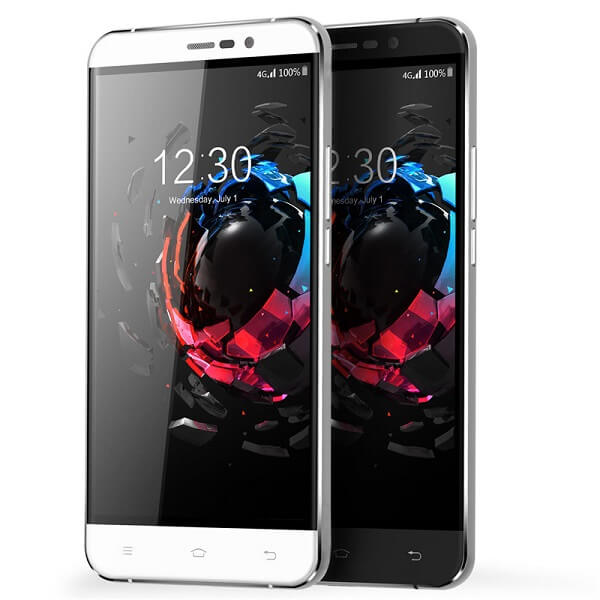
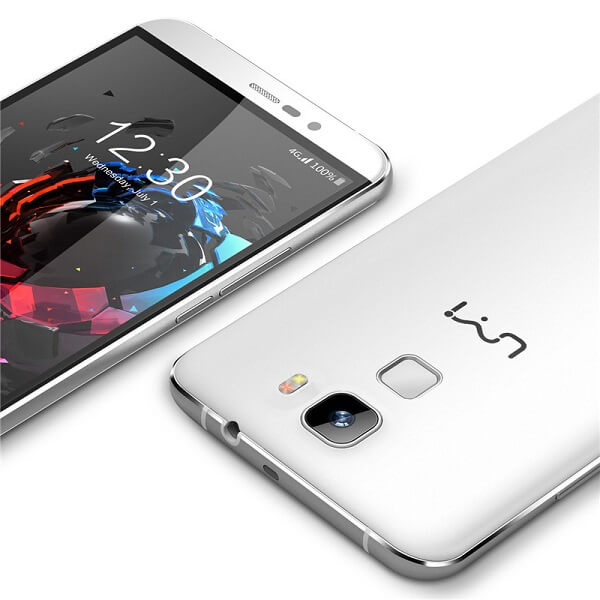
Image Source: 1, 2, 3, 4, 5, 6, 7, 8, 9, 10, 11, 12

Filed Under: Headlines Tagged With: best noise cancelling headphones, noise cancelling headphones, noise cancelling headsets, top noise cancelling headphones

UMI Hammer S Review – A Phablet That Anyone Can Afford

November 18, 2015 By Karen Jackson Leave a Comment

UMI Hammer S Phablet

Coming from the Chinese manufacturer that is not quite the first when you think about Chinese smartphones, the Umi Hammer S is a highly affordable, wallet-friendly phablet that is made to capture a few gazes in the Western market. For its price class, the Umi Hammer S is a relatively charming piece of technology – at least aesthetically. Manufacturer has claimed that the way it’s built makes it virtually unbreakable. However, considering that it’s one of the very few smartphones or phablets that actually feature a removable battery and a detachable back, I am just a very tiny bit skeptical.

Regardless, what the UMI Hammer S tries to achieve is to mix as much performance they can into a phablet that is visually pleasing for the Western market without being attached to an overzealous price. The result? Well, the experiment was a success. However, in terms of comparing this phablet with high-end devices on the market that, the results are not very joyful: while the UMI Hammer S is a pretty-looking device that doesn’t divulge its shockingly low price, the hardware is nowhere near the one found in its competitors.

Depending on what your expectations out of a phablet are and what you would be using it on, there’s no telling whether the UMI Hammer S will make the cut or not. In order to make up your mind, here’s a list of everything we feel like it’s important to mention in regards to this aspiring budget phablet.

UMI Hammer S Design

UMI Hammer S Back and Front

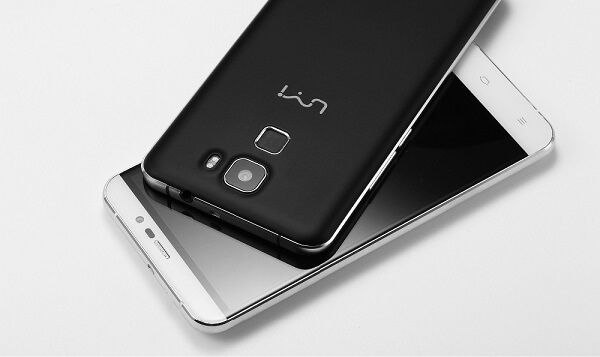
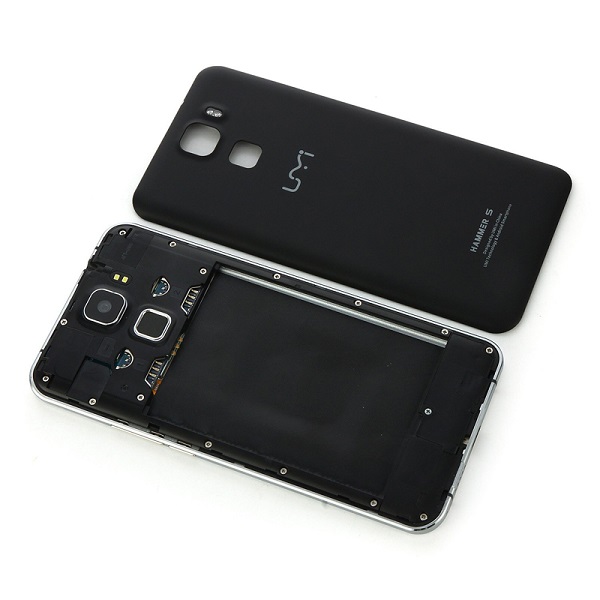
If we were to judge the UMI Hammer S based on design alone, chances are he would turn out to be an outstanding and definite winner; at least on first look. Sadly the body is not made of the more common aluminum alloy that is usually found in most top-end devices on the market right now. It does display portions of it that are metallic – the chassis of the phone is made of aluminum but considering the phone does not feature a unibody that can’t be opened, its back cover is unfortunately made of plastic. By removing the back cover you can gain access to the removable 3,200 mAh battery, two micro-SIM slots and a microSD card slot – a relatively unorthodox choice for the SD card given standards nowadays.

The phone is currently only available in two variants: black or white. In terms of overall size, the UMI hammer S is 154 x 77.4 x 8.5 mm, rating it as a minimally sized phablet (5.5 inches and above) but packing a much thicker design that your usual smartphone. This aspect may prove to be bothersome for some users as it gives the phone a relatively chunky and bulky feel at times. In addition to the 200 grams that the phone weighs, it may feel a little strange for you if you’re accustomed to the overly slim and light design of companies the like of Apple or Samsung.

UMI Hammer S Black & White

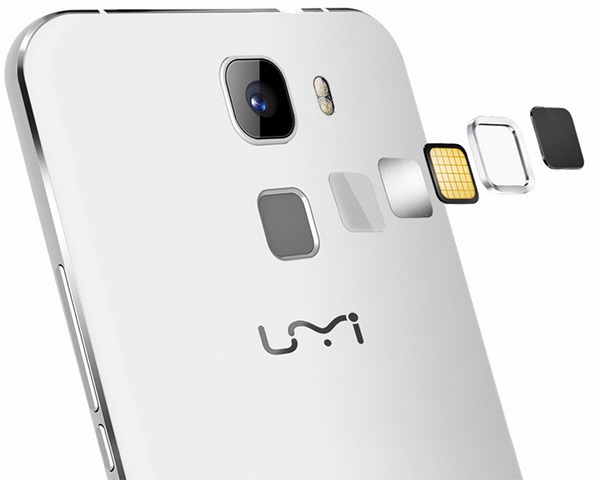
So while the front and the edges of the phone look adequately sleek, the back of the phone is a slight disappointment as it loses some of its aesthetic credibility. Regardless, it’s not as bad as it sounds as the UMI Hammer S has at least employed the most recent trend that we’ve been spotting on more than one device. Started by another Chinese company, Huawei, the decision to start placing fingerprint readers on the back of their respective devices can be noticed in case of the Hammer S as well.

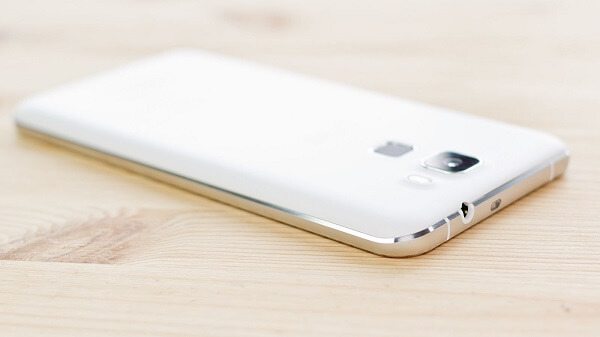
The company logo is a little lower on the back case, while the camera sensor and LED flash slightly protrude on the area above the fingerprint reader. Under no circumstance as upsetting as the Nexus 6P that has an entire strip jutting out of the design of the phone, but still there. While I doubt that there is any direct danger to the glass of the camera scratching or breaking, it’s most likely more susceptible to damage than the 100% incorporated versions of sensors. There is a distinguishable space between the sensor itself and the metallic frame going all around it which makes it a little unsettling as it removes a degree of the phone’s compactness.

UMI Hammer S Back

Nevertheless, the metallic chassis of the phone is nicely distinguished by the slim strip going all around the phone, only interrupted by the two sets of antenna lines – colored white for the white variant of the phone, and black for the darker alternative. The display is tugged into this frame, once again leaving some noticeable gaps where the two parts join.

UMI Hammer S Antenna Lines

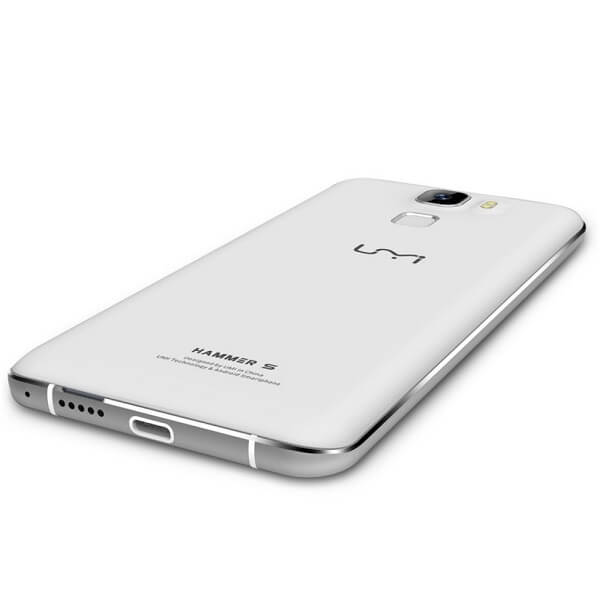
The overall placement of ports and the speakers for example do resemble the design Apple had originally applied to their iPhone 6. The bottom of the UMI Hammer S displays a Type-C USB charger, something that we’re still not seeing on a regular basis in many of the recent and present releases in matters of smartphones and phablets. The Hammer S is probably one of the first phones to make use of this new type of chargers, and most likely the first low-budget phablet of the Type-C USB family.

A little to the right of the charging port, you can see a perforated strip of hole speakers, also slightly resembling iPhone 6’s design, albeit much smaller than its counterpart. While the right hand side of the phone covers the power button and the volume rocket to nobody’s surprise, the top is host to something a little more unusual. Beside the 3.5 mm headphone jack, right in the center of the top edge lies an infrared blaster. While there is a hefty amount of technology that can otherwise allow you to control your home electronics via your phone, the UMI Hammer S decided to do it the good old fashioned way: by giving the phone an IR blaster in order for it to be capable of turning into a remote by default, no other third party applications or software being needed.

As a last note before we move onto the next section of our review, the screen tries to stand out a little by displaying slightly curved edges – not as prominent like they were in the Galaxy Note 4 Edge for example. Instead, it’s just an accent of curved glass that makes the phone look even classier.

UMI Hammer S Display

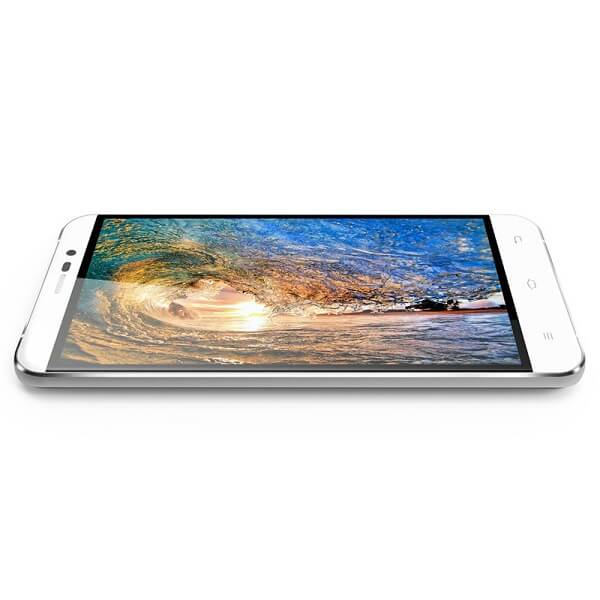
At 5.5 inches, the UMI Hammer S only just barely makes it into the phablet territory, 5.5” being the minimum display size that can qualify smartphones as phablet. While the display doesn’t seem to lack in the vividness of colors and a decent viewing angle, it’s less than impressive in all other aspects.

The developers have opted for an LCD IPS display covered by a layer of 2.5D curved glass. That makes up for a great color realism and vibrant hues all across your display. It comes however, with a poorer ability to display contrast – meaning blacks are not true and brightness doesn’t go amazingly high up.

UMI Hammer S Screen

The aspect where the UMI Hammer 5 falls behind terribly is the resolution that the screen is capable of. At only 1280 x 720 resolution, the display only manages to score an anticlimactic 267 ppi pixel density. Because of that, colors might not be able to make up for the fuzziness look of the images. The 720p display feels really underwhelming when placed next to the competition models, but that’s a factor for you to decide the importance of.

One aspect that some users have noticed and reported is the level of responsiveness that the display seems to be capable of; many individuals are reporting a slightly slow touch response level, enough for it to be noticeable that writing a text will take you longer on the Hammer S Display in comparison to other phones and phablets. By no means does this imply that the screen is unresponsive: it is simply an issue of how fast one is able to access and maneuver the phone via the touch screen. It’s not something you’ll be able to quantify that well using a stop watch, however. If anything, typing long texts may feel different because of it, but you won’t be able to find many other signs.

UMI Hammer S Hardware & Performance

I’m a little curious as to where all that thickness and weight of the UMI Hammer S come from. Considering that plastic and aluminum do not make up for the heaviest materials in the world, I’d be inclined to believe that that extra weight is caused by hardware. To some extent, that is true: considering the UMI Hammer S does not host the newest, slimmest and thinnest components out there, some extra bulk reminiscent of some time ago is there. Packed inside it there is a quad-core processor, 2 GB of RAM, a dedicated GPU and 16 GB of storage.
UMI Hammer S Specifications

The quad core processor is made up a single quad-core unit: a MediaTek MY673 64bit that can max out at 1.3 GHz. Because of it, the phone is capable of connecting to 4G LTE platforms, thanks to the power of the CPU. This particular core processing unit comes with its own integrated graphics in form of ARM Mali – 720 graphics. That GPU will unfortunately run older games without many problems, however becoming relatively problematic when it comes to newer and more graphic-intensive ones.

However, the Mali-T20 graphics processing unit manages to keep itself level enough to allow 1080p Full HD video recording and playback at 30 frames per second. In addition, the 2 GB of RAM memory do not come up to the likes of high end setups that usually feature 3 or even 4. But the subject of mobile phone RAM memory has been heavily debated in terms of how relevant it really is when performing usual tasks. Turns out that unless you’re subjecting your phablet to activities that are either extremely heavy on graphics or when you run multiple processes at the same time – usually taking a toll on the performance of the phone from one point onwards. Otherwise, RAM memory should not be regarded as a centric point of hardware packed in smartphones as there are very few types of applications that will put your memory under stress.

While the amount of storage space that the UMI Hammer S provides by default is far from satisfactory (16 GB), thankfully it supports the micro-SD alternative. However, you can only add up an additional 64 GB worth of space this way, making things better but not great still.

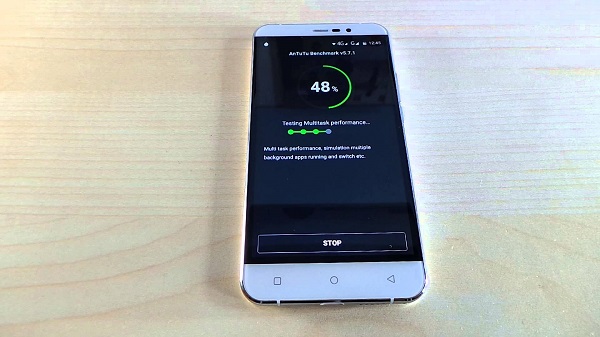
Were we to truly base our review on the benchmarks scores the UMI Hammer S managed to get, it would not gain too many fans. With a 1,346 score in Geekbench and 20061 in AnTuTu benchmarks, you might think the phone is not capable of much. However, in day to day use, the Hammer S seemed to hold itself pretty well – unless you stressed it out with graphic-intensive applications.

UMI Hammer S Camera

The camera on the UMI Hammer S unfortunately does not exceed average status. With a rear camera that advertises itself to have 13 megapixels, things are a little different than they seem. In fact, the camera is an 8 megapixel Sony IMX168 one instead that uses software-based tweaks that take it up to 13 MP. And in this situation “up to” is a more than accurate, necessary statement because the zoom value differs depending on things such as the format you want to shoot in: 4:3, 16:10, 16:9 and so on.

UMI Hammer S Camera and Fingerprint Reader

The photos taken with the UMI Hammer S rear camera are adequately vivid and crisp, with a noticeable decrease in quality when you zoom in, that being marked as the moment when the photo starts gathering a considerable amount of fuzziness. If there’s anything rather upsetting from the Hammer S camera, it’s the fact that it has no image stabilization meaning that you’ll not only take a long time to boot up the camera (that’s just how it is) but setting up to take a photo will be a more tedious process. If there’s anything that’s bad about the camera is its dwindling power when it comes to shooting in low-lit environments, earning you photos very rich in noise.

If there’s anything that’s good, it’s the software side of everything. While the feature that allows the phone to automatically capture a photo when it detects a particular gesture is a pretty fun thing to have, I understand why most individuals won’t jump up and down at the prospect. All of the post-processing that you can normally do to your own photos on most smartphones is here too, on top of a huge number of shooting modes that you can choose from, including something that seems very similar to the iPhone 6S’s GIF functionality.

In case selfies and voice conferences are not missing in your life, the developers have included a front-facing camera too: 3.2 megapixels, f/2.2 aperture and 1.12um pixels await for you on the front camera, for your daily needs.

To wrap up everything there is to know about the cameras displayed on the UMI Hammer S, the camera is by no means bad. It offers you what a normal camera would, without really adding any personal input or other improvements. All in all, it’s just a regular, decent camera that will get the job done but not manage to impress you with anything.

UMI Hammer S Software & Features

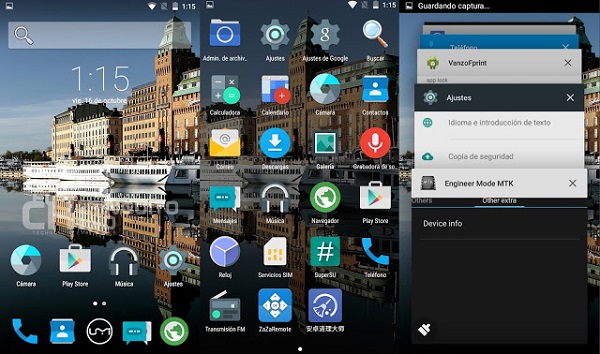
This will be a great thing for Android fans: the UMI Hammer S runs the Android 5.1 Lollipop OS. Surely, it’s not the stock interface version, but it’s not that far off either. UMI have only put their own personal imprint on the Android operating system in terms of skinning – the phablet being host to UMI’s own RootJoy interface. For someone who is accustomed to Android, navigating the system won’t be difficult at all, with only very few changes scattered here and there.

UMI Hammer S OS

However, there are aspects of the OS that some Android users might miss, especially with no news of a 6.0 Marshmallow update coming anytime soon. For example, there’s no Google Now or other default Google Apps; while that may sound worrying, rest assured to know that most can be downloaded and installed from the Google Play store.

There is a unique feature that the UMI Hammer S comes with, although not something that we haven’t heard of before. Known as “Smart Wake” gesture commands, they allow you to quickly boot up various apps of your phone – the music player, the camera and so on.

As soon as you turn on and setup your phone, you’ll be greeted by UMI’s own default applications for the browser, file manager, messages, music and so on, and the unique SuperCleaner app. This is yet another unique aspect of the phone that is a new and improved way of managing your memory usage, giving you a lot more control over the apps that you have installed and booting at startup

UMI Hammer S Battery & Verdict

The battery of the UMI Hammer S is definitely one of the better aspects of what this budget phablet has to give. At 3200 mAh, the battery included is considerably larger and more powerful that what we normally find in your regular smartphones. With a full charge, you will get about a day of activity on average use; intensive use however, will still earn you marginally longer than other comparable phones, and that’s considering plenty of screen activity uptime or demanding apps being run. The fact that the battery is removable and behind an easily detachable door is both a win and a loss. It’s a loss because that way the interior of your phone is not as well protected from various external factors that your phone might be exposed to (for example, accidental water damage). However, it’s also a win considering swapping out your battery is much easier – whether it needs replacing or whether you like practicing running with spares.

UMI Hammer S Battery Compartment

Last but not least, considering it is – surprisingly – bestowed with the new Type-C USB charger, the charging times of your battery will turn out to be much shorter than the microUSB variant that most of us are used to.

To wrap up, the UMI Hammer S is an interesting one. I can’t say that it’s proficient in anything in particular nor does it bring anything new to the market. However, considering its price class, it incorporates much more than you would expect a budget phone to carry in its case – a fingerprint reader and Type-C charging are only a very small portion of it. Hardware-wise it doesn’t really compete with any other higher end phablets, but it does come with a highly compatible and optimizable Android OS.

Whether you should purchase the UMI Hammer S or not falls purely within your judgement of what you expect from a phablet and how much of it this particular one would suffice for.

You can purchase the UMI Hammer S for $129.99 from various online retailers.

Image Source: 1, 2, 3, 4, 5, 6, 7, 8, 9, 10

Filed Under: Headlines Tagged With: budget phablet, chinese phablet, hammer s phablet, low cost phablet, umi hammer s

Microsoft OneNote adds Video Embeds and iPhone feats

November 14, 2015 By Karen Jackson 2 Comments

Microsoft OneNote adds Video Embeds and iPhone feats

It’s November and this means a massive cycle of updates from Microsoft. Yesterday, as in Thursday, the big M pushed a plethora of new features to its OneNote software across a broad  variety of platforms.

Basically, Microsoft OneNote adds video embeds, new iPhone features and more!

Those who use OneNote Online and OneNote for iOS have the chance to record audio directly into a note from either the web or your usual mobile app. This feature was already available for both the Mac and Windows OneNote app.

However, implementations aren’t similar. If you choose to record or play back audio in a note on an iPhone, or any other iOS-capable product, it blocks everything else on the screen. Meaning, you can use the phone solely for those two actions until you press stop.

OneNote Online is limited to only record audio in 90 seconds portions. This is more than acceptable if you want to record short snippets of somebody’s speech, clearly not sufficient for recording an entire one-hour long lecture.

Unfortunately, neither the OneNote Online or OneNote for iOS are capable of linking notes to positions within the text. It’s a little bit disappointing considering the fact that the Windows and Mac desktop apps can easily do so. Microsoft has noted that it has big plans for iOS – meaning, it wants to improve features and bring new ones. I’m quite hopeful that my iPhone will see improved audio recording, but with no launch date in sight, I’ll just stick to my Android mistress.

Those of us that use the Windows desktop version of OneNote 2016 now have the option to embed videos directly from the web straight into notes – with one simple click of a button called Insert Online Video. Pretty straightforward, right?

The prompted box takes URLs only from Vimeo, YouTube and Office Mix. Sorry, no love for PornHub apparently.

Microsoft is looking to bring this feature to its other platforms – Mac, Android, iOS and its specially designed mobile app for Windows 10. Also, to OneNote Online, which seems to get the short end of the stick every single time.

iPhone 6S and 6S Plus owners have an unique feature designed just for Apple’s OS platform. By using the 3D Touch feature, users can quickly access OneNote’s note creation tools.

By hard pressing down on the OneNote icon, a menu will materialize and users can choose between – recently accessed notes, new photo note and new note.

Microsoft is directly competing with search engine behemoth Google and Evernote. The three are struggling to gain the title of – Best place for ideas and thoughts.

Do you think Microsoft can do it? Or does Google and Evernote have better chances?

Image Source: 1

Filed Under: Headlines Tagged With: microsoft, OneNote for iOs, OneNote Online

BlackBerry Priv Review: A Guide to Being Different

November 11, 2015 By Karen Jackson 7 Comments

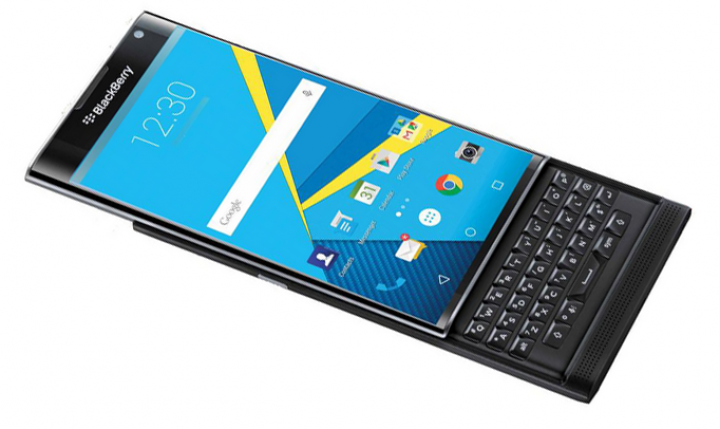
BlackBerry Priv Overview

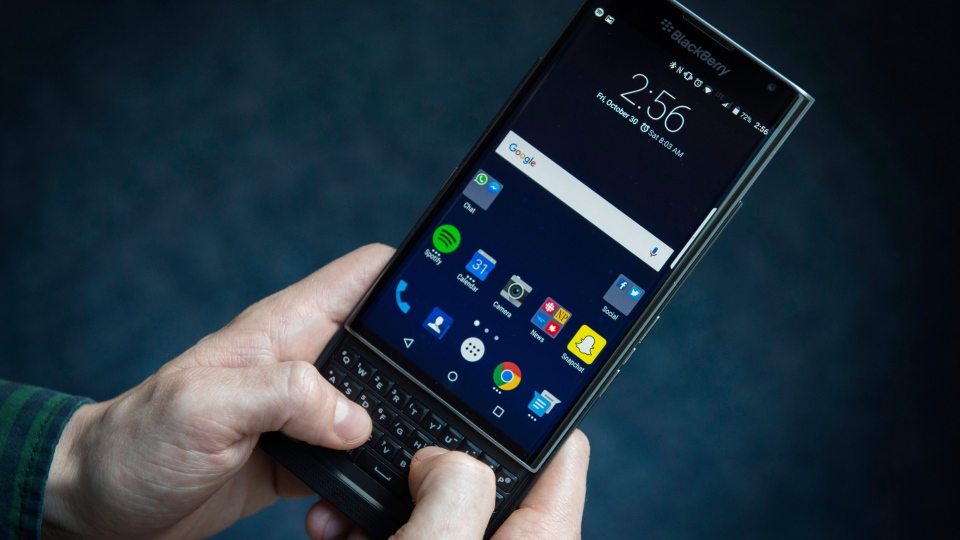
When it comes to the world of smartphones, BlackBerry is one of the names that most of us have forgotten. Even if once we called ourselves devotes BlackBerry fans when the phones made by the company filled a niche segment of the market none other did, most individuals have since moved on from the QWERTY phone to other things. Now, after countless of attempts to return in the business with something at least comparable to what people normally aim for, but without giving up its trademark features, BlackBerry Priv might have finally just nailed it.

It really feels like BlackBerry really managed to make something that is more than just a bunch of forced features into a desperate attempt to breach into the market. The Priv is a pretty impressive mixture of things that may appeal to more than just a few people. To list a few, the BlackBerry Priv is a 3 in 1 kind of smartphone: it includes a slide up model that hides a QWERTY keyboard below it, without sacrificing the existence of a touchscreen. On top of that, it is the first of its kind to feature an Android operating system, a satisfying and refreshing thing in a long line of BlackBerry OS featuring phones.

There’s a lot of things worth praising about the BlackBerry Priv. The class of users it targets however is not your regular state of the art smart phone user; in that extent, the Priv is not able to hold its own ground that well. However, for a former BlackBerry user that was disappointed by the falling behind of that type of phone and finding themselves forced into giving up the keyboard in favor or other phones, Priv is back – new and highly improved.

Ultimately, the BlackBerry Priv is a phone targeted at a more limited sector of the market. On one hand you get the BlackBerry fans who finally have a smartphone that caught up with today’s standards and delivers a full keyboard experience as well as a highly responsive touchscreen. On the other hand, the BlackBerry Priv remains a phone that maintains privacy and security as their main focus, aiming at the business, corporate and work phone market.

BlackBerry Priv Design

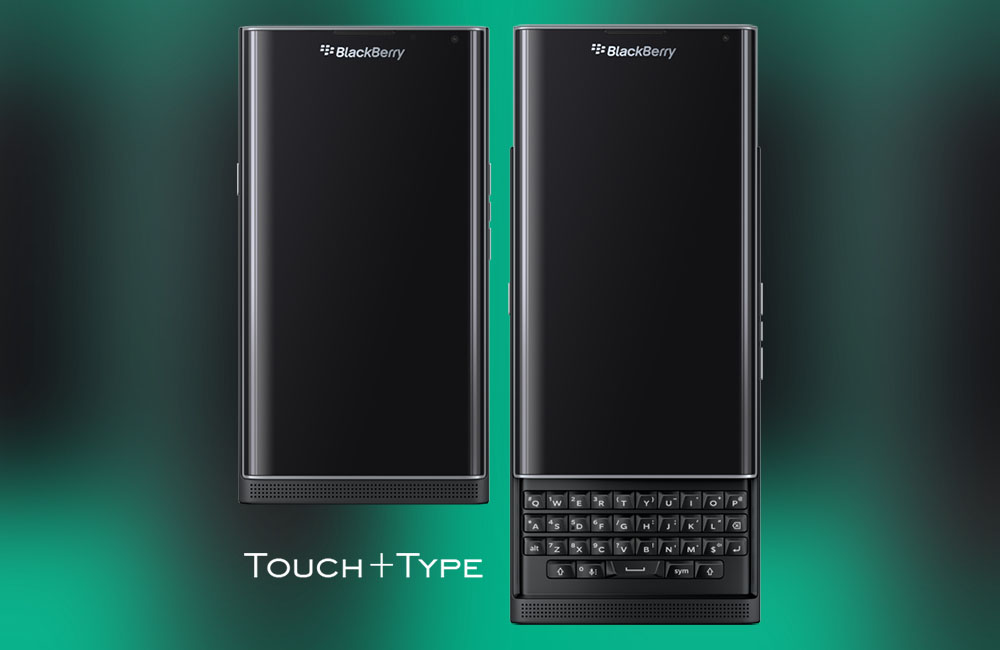
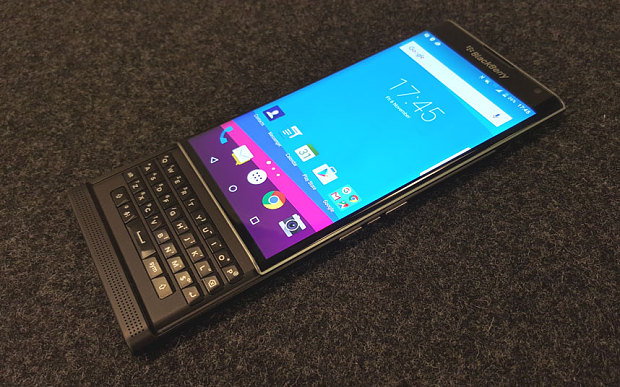
Where to start? It’s an overstatement to go ahead and say that the BlackBerry Priv revolutionizes the design of smartphones worldwide. It doesn’t, as a matter of fact all it does is implement older trends of building phones into a refreshing and sleek style. Taking a first glance at it may actually only elicit some disappointment from the Android and Apple-savvy, as it looks rather bulky and rugged if you compare it to the iPhone 6 or the smooth and curvy edges of the Samsung Galaxy S6. The build is quickly explained however, as you slide up the seemingly immobile touchscreen part to reveal the good old BlackBerry keyboard – also modified since its last few iterations.

BlackBerry Priv Extension

BlackBerry Priv Angles

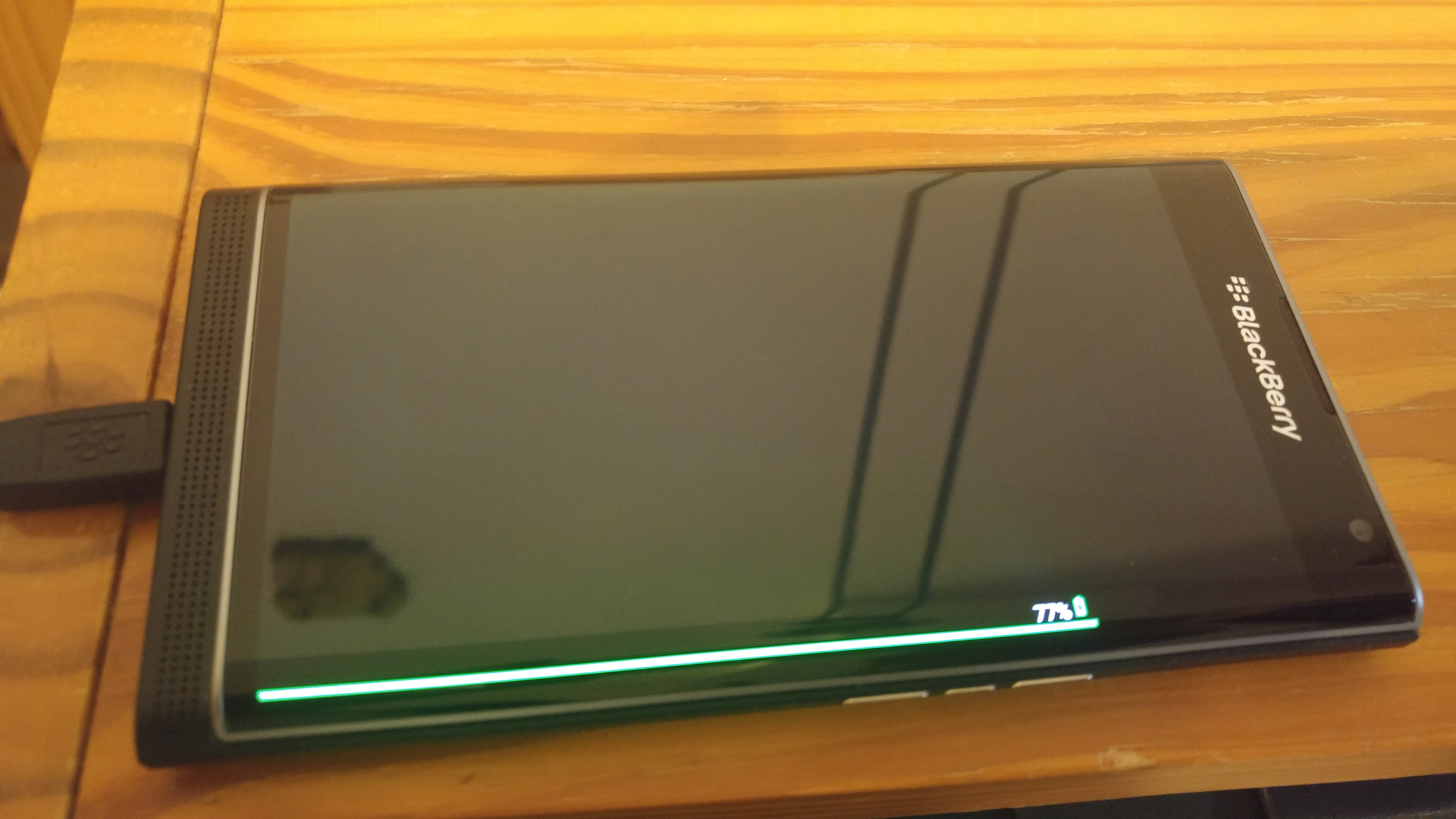
The BlackBerry Priv features a beautifully designed display with curved edges – very reminiscent of the Samsung Galaxy Note 4 Edge construction – one of the first devices that featured the curved edge screen technology. However, in Priv’s case, the curved edge does not serve any other purpose than aesthetic: there is no functionality attached to that side of the screen like we found in the Galaxy Note 4 Edge, except the small mention that there is a battery indicator that pops up when charging the phone and a productivity app. However, the entire build of the phone feels really well thought out. All the pieces that make up the Priv are neatly tugged together and give the phone a very solid feel.

For its overall size – more specifically 147 mm in height and 77.2 mm in width, the BlackBerry Priv is not your thinnest smartphone in the shed. At 9.4 mm thickness, most of that extra bulk is caused by the unmistakable presence of the capacitive 4-row touch keyboard. The weight suffers a fair amount too – at 192 grams, it’s averaging 10 to 15% more than you can normally find in the latest phablets that also use aluminum in their construction. When you slide up the screen in order to type, the weight switches a fair amount onto the top half while you attempt to use the keyboard on the lower half – this may make the phone feel a little strange to hold, especially as you move your thumb around for various keys. Additionally, the height of the phone goes up to 184 mm – a little strange the first time you see it, but easy to get accustomed to.

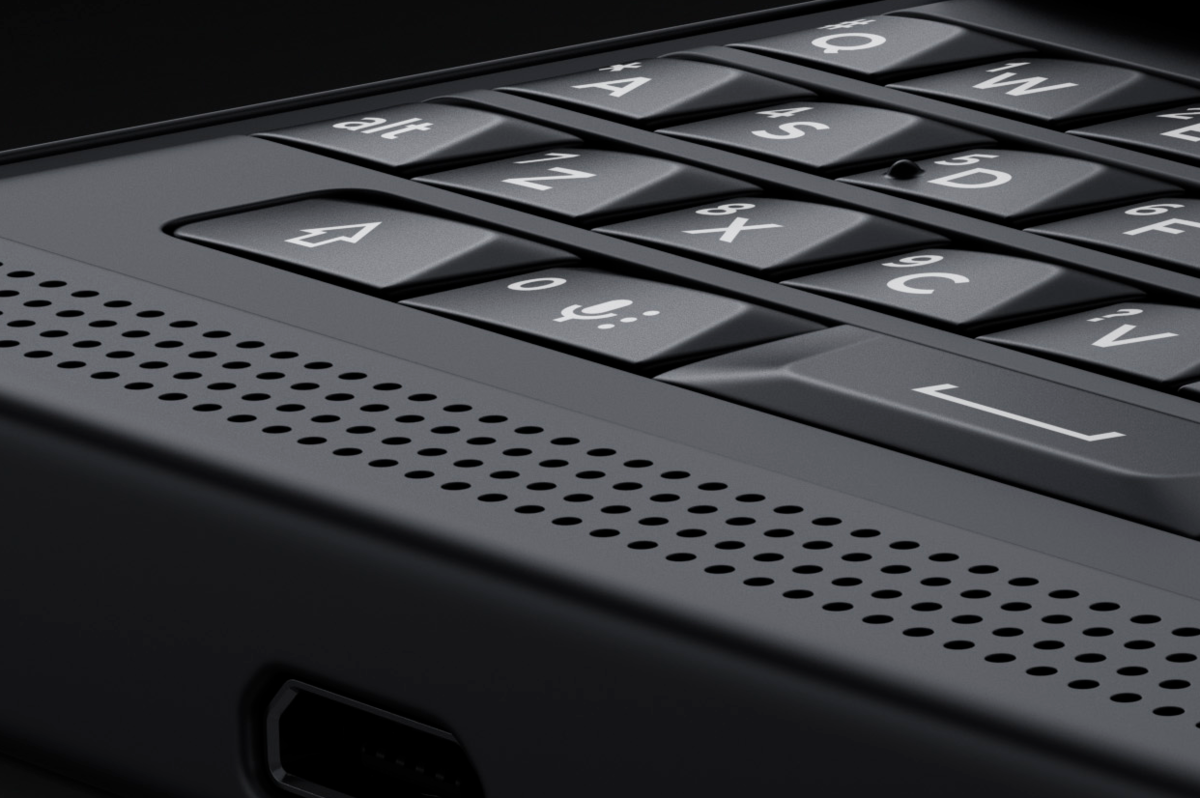
It’s vital that we dissect the fate of the new BlackBerry keyboard a little. While it may look like it, it’s very much different from the ones we have seen in older BlackBerry phones. The capacitive keyboard that first made an attempt at breaking through with the rather odd release that was the BlackBerry Passport specializes in more than just serving as your typical QWERTY. You can, as a matter of fact, use it as a touchpad as well, easing the navigation and giving you another way of using the cursor – a downright blessing considering clunky features such as having to tap right inside the word you’re trying to edit on a regular smartphone; I’m sure I speak for everyone when I say that just deleting the entire word and rewriting is the less frustrating way of doing it on a touchscreen.

BlackBerry Priv Keyboard

However, it’s to be noted that if you haven’t ever used a phone keyboard before or haven’t used one for a long time, you might have a hard time getting accustomed to it. The keys are very small and very close together, making it relatively difficult to use without ever misclicking. However, it’s a well-known fact that a full keyboard makes typing much easier overall and incomparable next to touchscreen typing: nothing can replace physical feedback to your button presses. Use it in full-touchscreen mode only, and you’ve got a comfortable 5.4” display phone, pleasant to hold even if the edges are thicker than you’d want for it to be perfect to hold.

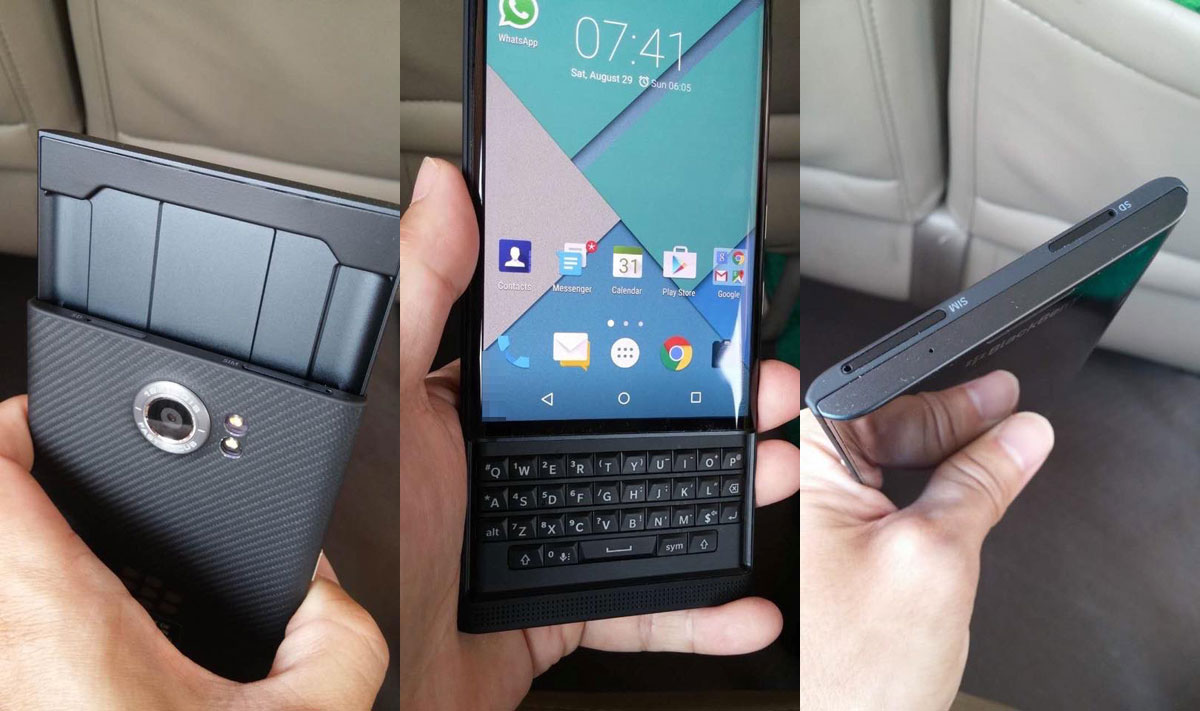
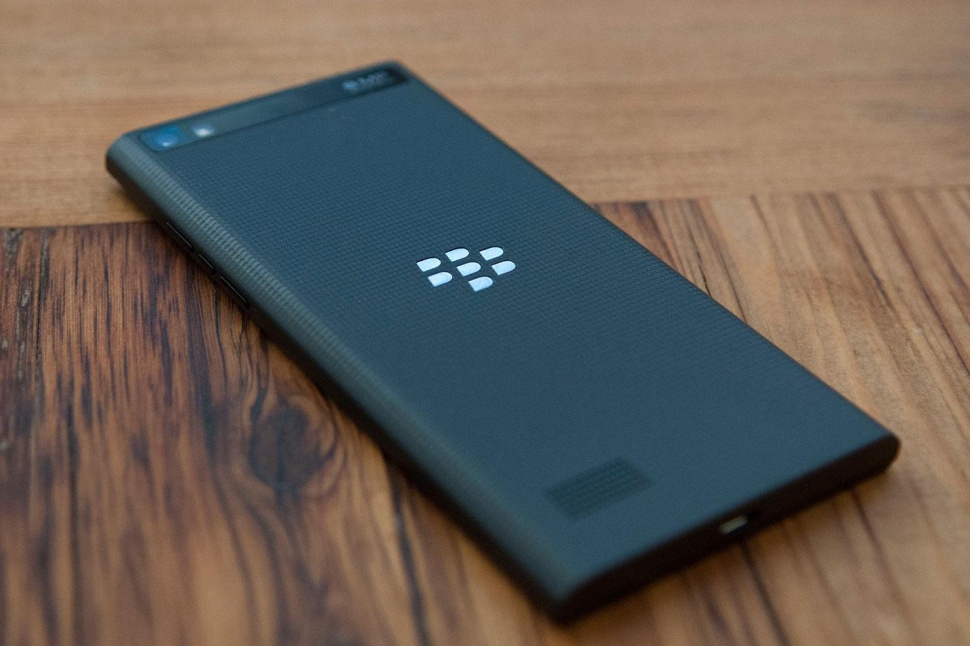
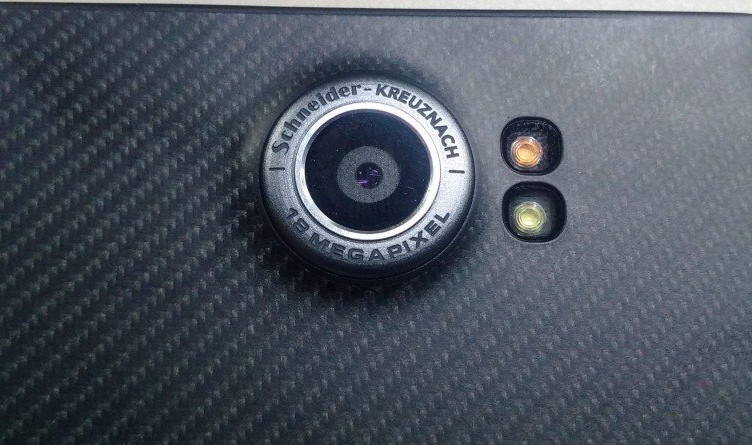
The woven carbon fiber back reminds us of BlackBerry classic models right away: as usual, the BlackBerry logo adorns the beautiful design of the back cover, along with the camera sensor peeking out with its dual led flashes right to the side. While the material used on the back helps with the grip of the phone in an elegant and sleep manner, the fact that the sensor is physically sticking out may be perceived aesthetically displeasing for some. Its edge is metallic and engraved with the brand name and may be subjected to scratches and some damage over time.

BlackBerry Priv Back

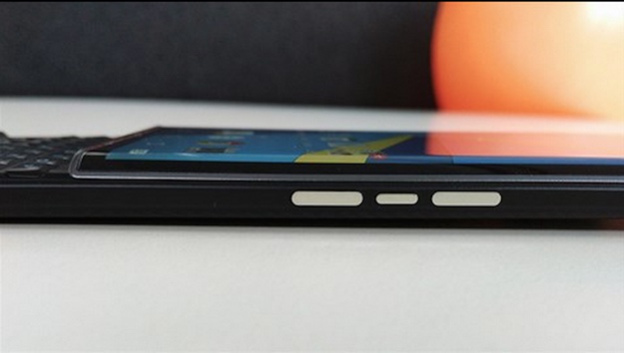
BlackBerry Priv Side View

The button placement all around the phone feels very tidy. On the left hand side you can find a single power button; the right hand side features 3 different buttons: the topmost and bottom buttons control the volume, while the one placed in the middle is a mute button. The bottom edge of the phone is home to the Type C USB charging port as well as your regular 3.5 mm headphone jack and the top of the phone – peculiar placing truth be told – is where you’ll find the microSD slot and the nano-SIM tray. The speakers of the phone are neatly placed on the bottom of the front face – right below the display when it’s covering the keyboard.

BlackBerry Priv Speakers

There’s a distinct complaint that many users have made to the physical functionalities of the BlackBerry Priv; one of the most commonly heard ones is the lack of a fingerprint reader – something that most newest smartphones employ as a method to secure both your data and your privacy. BlackBerry developers however do not consider fingerprint detection as the best way to keep your smartphone protected and instead choose to focus on other aspects of security – data encryption and a different unlocking algorhythm that implies a picture password – you have to drag the number of your choice on a randomized grid. The grid changes with every unlocking of the phone so movement recognition or fingerprints and smudges on the screen won’t do if someone tries to access your data.

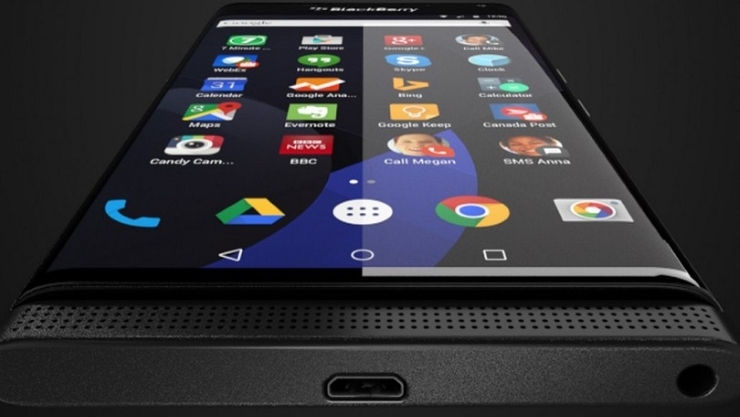
BlackBerry Priv Display

By all means, the screen that the BlackBerry Priv employs is simply amazing; at least judging by previous standards set by the company. At a size of 5.4 inches, the AMOLED capacitive touchscreen is covered by a layer of Corning Gorilla Glass 4 – protecting it from smudges and scratches. As previously noted, the curved edge screen technology is employed in the Priv as well but here it mostly serves a design purpose, giving the phone a splendid look if not for anything else.

The display makes an effort at allowing you a great amount of interactivity with the software by making use of a multi touch feature: up to 10 fingers can be used to make up for a variety of commands that make your navigation smooth and work possible straight off your smartphone.

BlackBerry Priv Screen

Given the 2560 x 1440 resolution that the display presents, it makes up for 540 ppi pixel density: that is not only amazingly high, but actually comes in close or even exceeds the numbers we’ve seen in high-end devices out there. To only list a few, think of the flagship phablets such as Apple iPhone 6S Plus (401 ppi), Samsung Galaxy S6 Edge (577 ppi), OnePlus 2 (401 ppi), Samsung Galaxy Note 5 (518 ppi). Such a high score in resolution and pixels per inch mean that your phone will not be limited to work alone, even if it’s meant as an aid in that direction. Working on it will feel precise and clear, especially when dealing with blocks of text, and you’ll easily be able to make use of it for more casual use in your past times just as well.

The designers have remained loyal to the AMOLED build – not as proficient as the newer LCD screens employed in some devices but still a contender when it comes to high-quality imagery. The colors are vibrant and vivid, standing out thanks to the true blacks native to AMOLED displays and do not tax the battery life as much. However, there is some degree of realism lost when looking at the hues of colors – while they do not lack in richness, they will take a few steps away from real colors; you can mostly notice this when viewing photos you’ve taken of outdoor sceneries for example. Brightness levels are decently high, but lose some ground in face of some, if not most flagship devices.

BlackBerry Priv Specs & Performance

Given that the BlackBerry Priv is pretty much meant for work use, it’s got a lot of powerful hardware to speak of, making it suitable for various types of activities – both work related and leisure. The specs it features are not the latest or newest on the market, but can still pack the metaphorical punch. The Priv features a hexa-core Qualcomm MSM8992 Snapdragon 808 processor, 3 GB of RAM memory and a dedicated Adreno 418 GPU. To wrap the package up, BlackBerry has also put a default 32 GB of storage space in there too – extendable by up to 200 GB via the microSD slot.

The Snapdragon 808 processor chip is now nearly a year and a half old but only succeeded by the 810 version. The CPU is made up of two separate processors – a dual core 1.8 GHz Cortex-A57 and a quad-core 1.44 GHz Cortex-A53. If work is your only concern, then this power pack is nearly an overkill – being more than enough for any document and report editing or e-mail related necessities. Nevertheless, the processor responds relatively well to tasks of other nature as well: you can easily use it for any of your entertainment needs such as enjoying various types of media.

Along with the processor, the 3 GB of RAM memory compliments your activity by adding considerable amounts of multitasking capability and a high performing device even when put under stress with heavier applications. 3 GB makes up for an on par piece of hardware with most of the other top end smartphones on the market. Only a very small number of flagship devices feature 4 GB memory cards at this date.

While this is an aspect that not many individuals will be interested in if they plan on using the BlackBerry Priv for work alone, the presence of a dedicated graphics processing unit is a great addition when you want to use any graphic-heavy applications. If your work does not involve them, you will still get a great smartphone that you can enjoy when off duty too – anything like smartphone 3D games, watching movies in HD and whatnot will be possible with the Priv. Regardless, it will show signs of difficulty when attempting to run particularly new apps such as late 2015 or future productions.

The phone doesn’t come in more than one variant – you can only get it with a base 32 GB of storage space. While that should suffice for your needs in theory, any additional need of space can be satisfied by making use of a microSD card as large as 200 GB.

In terms of performance, the BlackBerry Priv seems to be doing worse on paper than it feels like in reality for some reason. Considering that the benchmarking scores placed it a long way away from devices that were comparable in price, the time we’ve spent playing around with it showed close to no hiccup whatsoever. The only time when it felt like the phone was not keeping up and downright slowing down wasn’t any different than the times most phones do: when it was heating up or put up to stress tests.

Heating up is already becoming a relatively normal thing on large display smartphones when it does not exceed normal limits. Considering the hardware packed inside is nearing the power our computers and laptops had several years ago but without the cooling system to go with it, even if the construction is different, your Priv will heat up when you use it for demanding apps or for a very long time. It’s mostly noticeable when playing games, watching videos on YouTube for a long time or using complex apps that make use of features such as GPS. Naturally, using mobile data over Wi-Fi does increase the effect a tiny bit too.

BlackBerry Priv Software & OS

While some former BlackBerry users may frown on it and others will welcome the switch, the Priv has given up on the BlackBerry OS 10 in favor of the Android OS v5.1.1 Lollipop, naturally adapted to include native apps and features of BlackBerry phones. The operating system present on the BlackBerry Priv is not your regular stock Android and instead skinned and built to serve the very purposes the phone was originally intended to aim at.

BlackBerry Priv Android OS

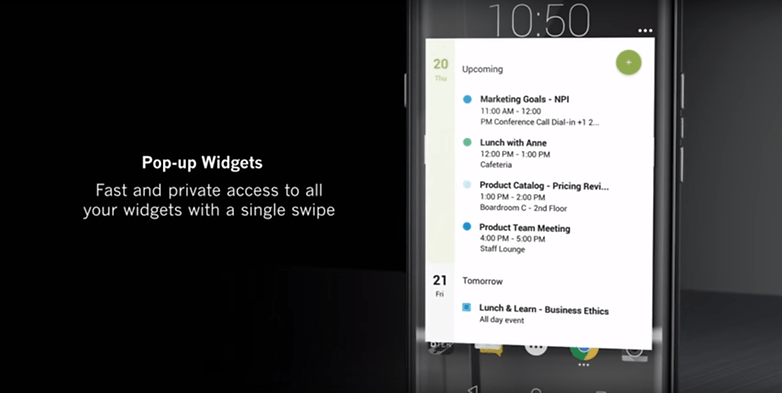
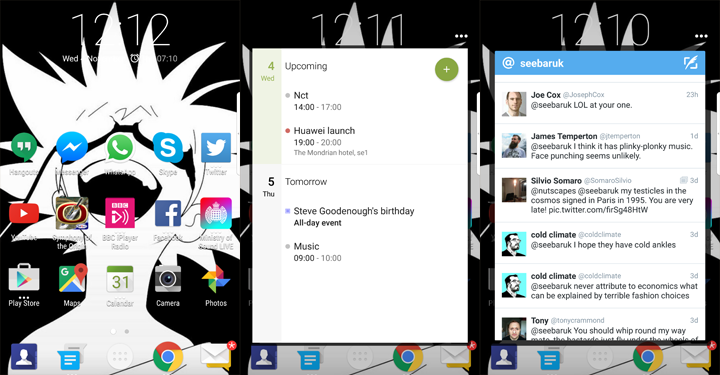
The most distinct change that any Android user will immediately notice is the existence of pop-up widgets; different from the purpose that regular widgets have on your more usual Android phones, the pop-up widgets remove the amount of clutter you would normally end up with on your screen. Instead of stacking up on all the “functionalities” that inherently slow up the performance of your phone overall, the pop-up widgets only come up when requested with a simple swipe over an app icon on the home screen. Instead of having an entire half of your screen covered by the information, you can immediately bring it up from just one small icon.

BlackBerry Priv remains loyal to what it originally intended to deliver to its users: privacy, hence the name of the phone in the first place. The developers have included a series of DTEK privacy controls that makes this particular smartphone a favorite for work and businesses. The DTEK controls give you a way of securing and monitoring your phone by letting you know exactly whether the apps you are using are accessing your location, microphone, any of the data stored on your Priv and so on. You can directly limit the amount of access you wish to give various applications directly from a general dashboard, and whenever the program detects potentially unsafe activity from another software, it will provide you with recommendations on what you can do to limit it. Overall, the DTEK privacy controls will allow you to know exactly what is happening on your phone, when, and how to keep it in check.

BlackBerry Priv Widgets

Google Now makes its presence felt on the BlackBerry Priv too – one of the newest features on the Android systems that basically allow you to get information about anything you are doing at a given moment, as if you were Googling it. And the greatest part of it all is that you will have access to Google Play – so the source of your apps is limitless.

Lastly, for former BlackBerry users: thankfully, the BlackBerry Hub has been implemented on this iteration of the Android OS too. That means that all types of communication services are all gathered in one place, giving you an easy method of keeping track of everything you need to. Emails, texts and various social media service messages can be found in the Hub, and you can filter them according to a series of factors. And the best part of it is that depending on the type of messaging you are attempting to use – e-mails for example – you can get a load of formatting options you may, otherwise, not find unless you were using a program such as Word.

BlackBerry Priv Software

BlackBerry Priv Camera

The rear of the Priv features an 18 megapixel camera – while that may sound impressive on paper, it doesn’t even come close to a professional image capturing device. It’s unquestionably better than anything we’ve ever seen on a BlackBerry before, but barely manages to be up to par with most cameras you can find on high-end devices.

BlackBerry Priv Dual Tone LED Flash

The photos that this camera allows you to take look decent on first look thanks to the dual tone LED flash and the phase detect auto-focus feature; on a closer inspection however, you’ll realize that they lose a great deal of their quality when zoomed up to full resolution. All of the software editing and shooting options are there however, counting touch focus, face detection, HDR and shotting panoramas as only a few of them. The camera fares a little better in terms of video shooting – surprisingly. It allows shooting in 2160p at 30 frames per second and 1080p at 60 frames per second respectively.

The front facing camera is faring marginally worse. The BlackBerry Priv is surely not your best candidate for selfies. It’s more than obvious this aspect was not a focus of the designers when they planned out the phone; and why would it since it is mostly targeted at professional use. The 2 megapixels won’t produce stunning images, but will be a modest “enough” for video conferencing for example. If selfies are really your concern however, one fun and useful feature that the Priv offers you is a selfie panorama mode – allowing you to take wide shots that your entire group will fit in.

BlackBerry Priv Battery & Verdict

One aspect that so many potential users will be extremely pleased to hear about is the 3410 mAh battery that’s packed inside the Priv. It’s an incredibly powerful pack that should make up for the fact that the battery is not removable. The tests we’ve run on the battery life are more than pleasing: with a moderate to high type of usage – that includes a lot of social media app usage, 3 to 4 hours on average of web browsing and even around 30 minutes of watching videos only took the phone down from a full charge to ~25% over a 12 hour span. With a less intensive type of activity on the BlackBerry Priv (that includes document editing for example since it consumes considerably less resources) and taking several calls during the day won’t even take you below 50% battery usage – lasting as long as about 36 hours until the charge is fully depleted.

BlackBerry Priv Charging

And because charging is done using a Type-C USB charger that is now one of the latest and highly performant you can get for a handheld device, charging will normally take a lot less than you’re used to.

Overall, the BlackBerry Priv is certainly not to be trifled with – it offers an incredibly sleek-looking professional smartphone that has not forsaken its roots and principles. For work-related purposes, you can hardly get any better alternative – by the looks of it, the Priv may end up leading this niche of the market. For anything else, you get an above-average phone that comes with the perk of a physical keyboard – if you’re the kind of person who prefers written communication over calling. The BlackBerry Priv doesn’t come in particularly cheap however – $844.99 at full retail price with no provider contracts.

Image Source: 1, 2, 3, 4, 5, 6, 7, 8, 9, 10, 11, 12, 13

Update 11/13/2015: The BlackBerry Priv uses a MicroUSB and not a Type-C USB Charger.

Filed Under: Headlines Tagged With: blackberry android, blackberry android phone, blackberry priv, blackberry priv review, blackberry smartphone

Tesco Hudl 2 Review – An Affordable Bundle

November 5, 2015 By Karen Jackson Leave a Comment

Tesco Hudl 2 Tablet Review

By no means a particularly recent launch in matters of tablets, the Tesco Hudl 2 can still make the top purchase lists for at least one reason: a good quality to price ratio. While it is in no way a powerhouse and a collection of all the state of the art components, even going by 2014 standards (as the Tesco Hudl release date was October 2014), its only goal was to appeal to the market with a budget tablet that can run an Android operating system and still be worth its price.

The Hudl 2 comes from a vaguely odd and unexpected producer: none other than the British supermarket chain Tesco. It’s not even the first of its kind as it’s preceded by an earlier iteration of the series – the Hudl 1 – which despite the original suspicion and reticence customers had shown towards a Tesco produced gadget, ended up as the little tablet that could.

There’s a lot to praise about the Tesco Hudl 2 tablet, especially given the price that it comes at. Unlike most of the “professional” tablets out there, the Hudl 2 is genuinely directed at family use – not only integrating an easy to use interface but also featuring a number of child safety measures.

So, on we go with the Tesco Hudl tablet review.

Tesco Hudl Design

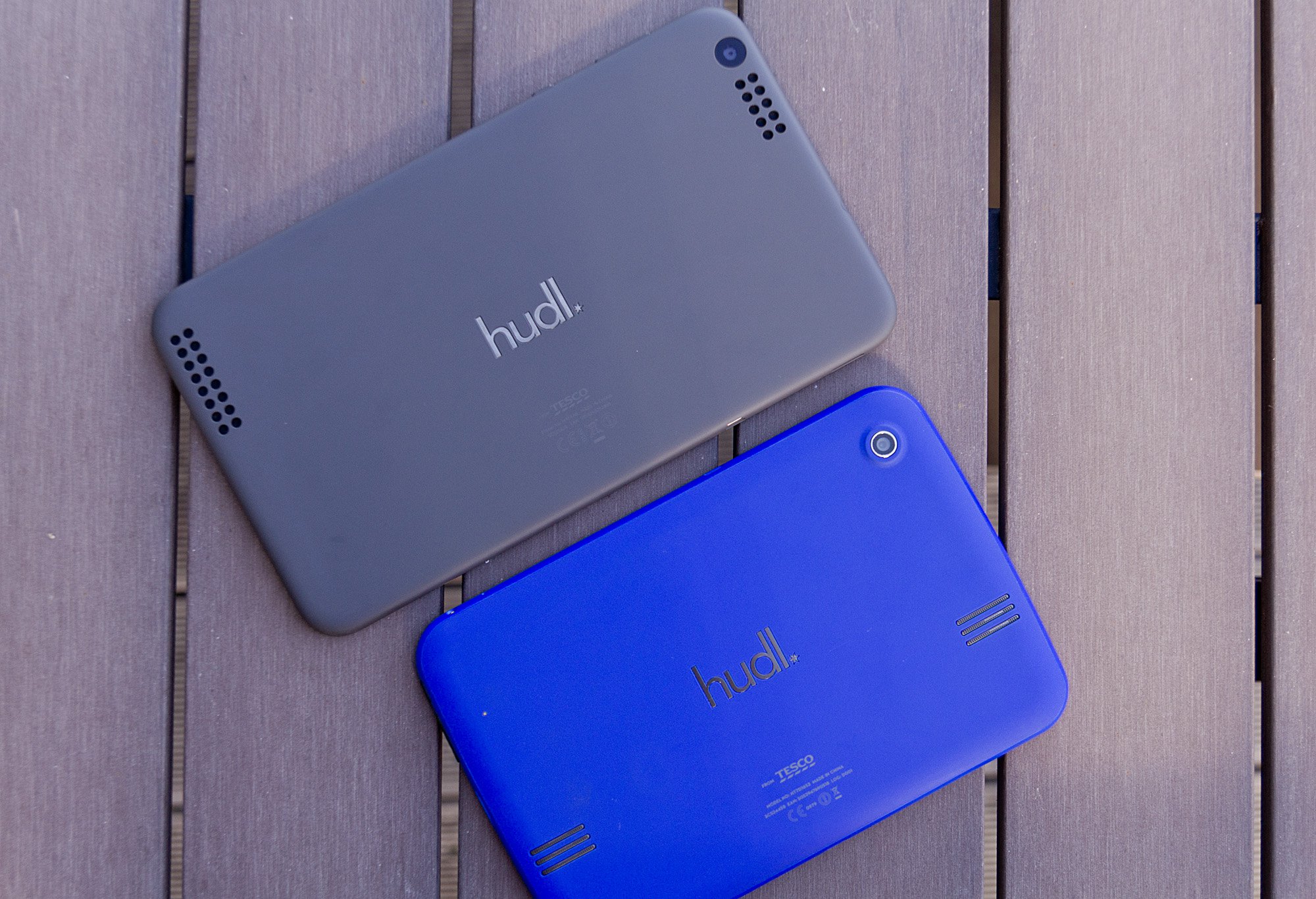
Tesco Hudl 2 Tablet Variants

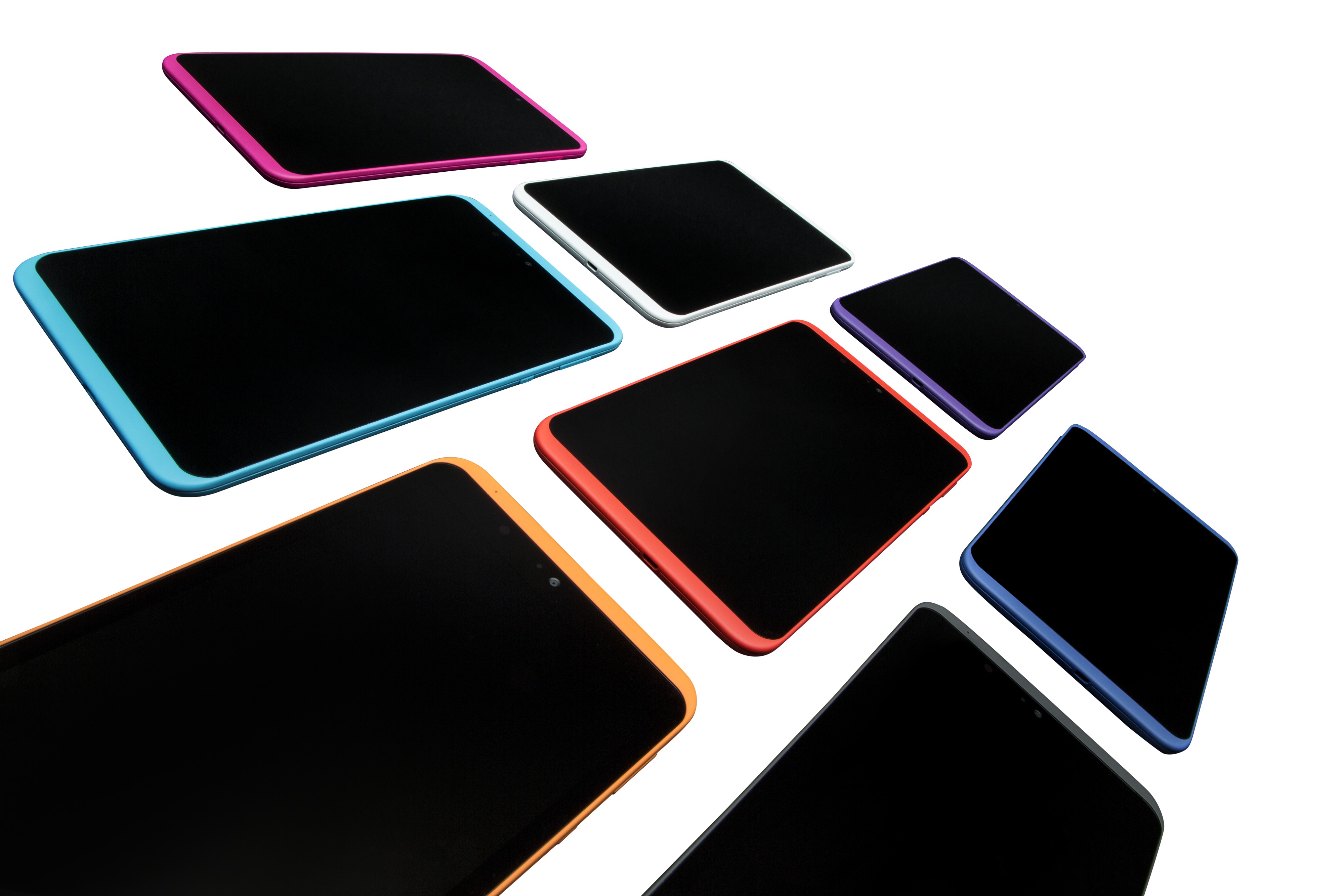
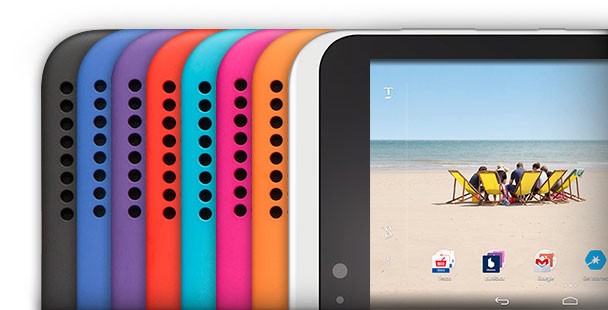
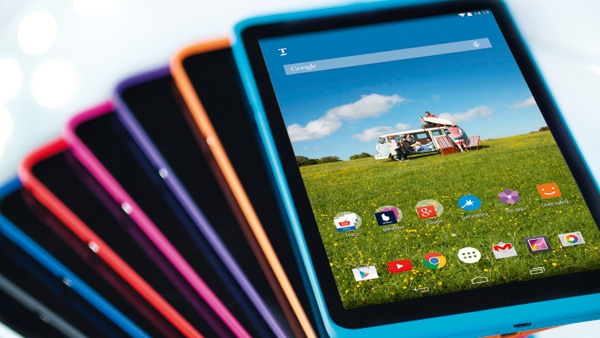
There’s a very distinctive look to the Tesco Hudl 2. The designers have taken a leap from the colors that you’d normally be accustomed to when it comes to gadgetry: if you thought the iPhone 5C was a wild way to go in terms of color palette, the Hudl 2 is the wildest piece in the store. You can get this tablet in no less than 8 color variations: white, orange, magenta, turquoise, red, purple, blue and black. And I would do a major injustice to the tablet if I didn’t mention that it’s a very attractive looking one.

Sure, it may not make the Apple visual designers cower in fear of a contender, but for its price class the Tesco Hudl 2 is pretty much a sight for sore eyes. In terms of format, the Hudl 2 is much larger and definitely classier than its predecessor, measuring 224 x 128 x 9 mm. Having grown a whole 1.3 inches in display, it is not only larger but slimmer and sleeker than the Hudl 1. Regardless, it is still 9mm thick – almost 3 mm more than the iPad Air 2 and more than 4 mm thicker than the Samsung Galaxy Tab S2 – only as a comparison.

Tesco Hudl 2 Color Variants

The aspect ratio seems to have changed for the better as well, now opting for a 16:9 one over the previous 16:10. That only means that landscape viewing is now better on the Hudl 2 – making it a joy to watch movies and other forms of media directly on it. It has, however, gained a bit in weight – 410 grams to be exact. That’s only 40 extra grams in comparison to the Hudl 1, but a hefty 145 grams more than the Samsung Galaxy Tab S2.

Regardless, in realistic terms that’s no reason to be concerned. The overall construction is most effective when held with both hands, things becoming a little more difficult – yet not impossible – when attempting to hold it single-handedly. In fact, thanks to the plastic material that was used on the tablet’s back, holding it turns out to be quite pleasant and easy to do. The tablet is fully covered in said material with the mere exception of the display – that is neatly tugged into the frame, stretching nearly corner to corner.

Tesco Hudl 2 comparison to Hudl 1

The plastic build however does come with a few downsides. One of the most worrisome of issues is the fact that plastic bends; that is very much noticeable in the Tesco Hudl 2 as it may risk some permanent damage when held under too much pressure. On the upside is the fact that a more rubbery build makes the tablet a little better in terms of being child-proof and resistant to minor impact.

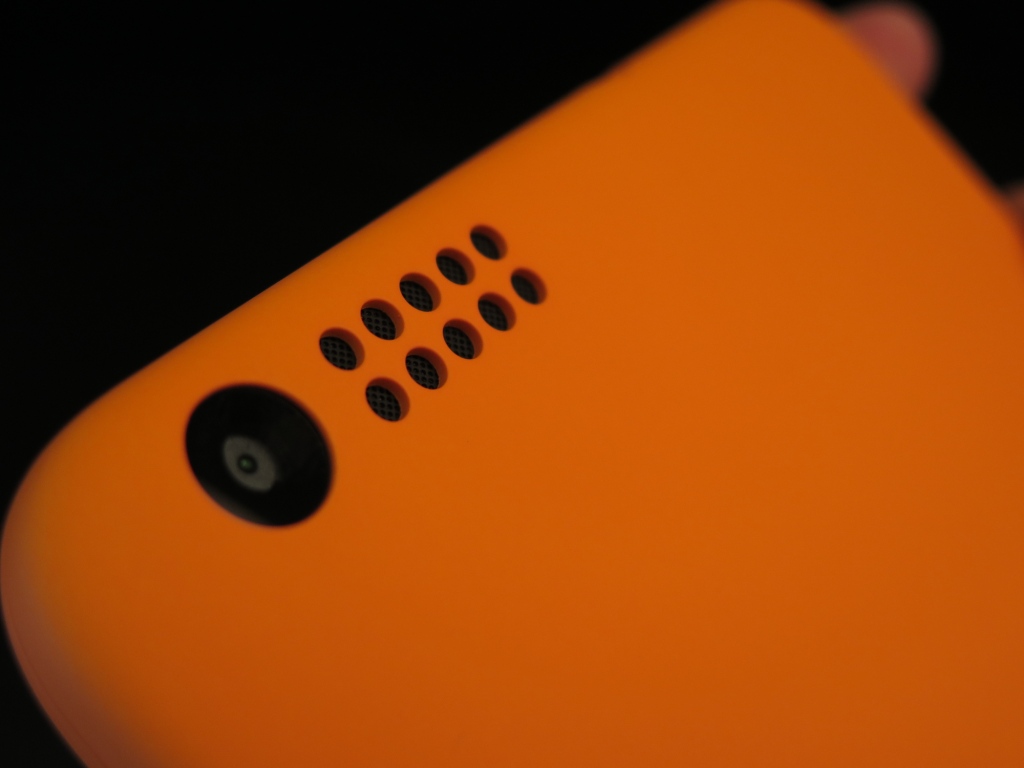
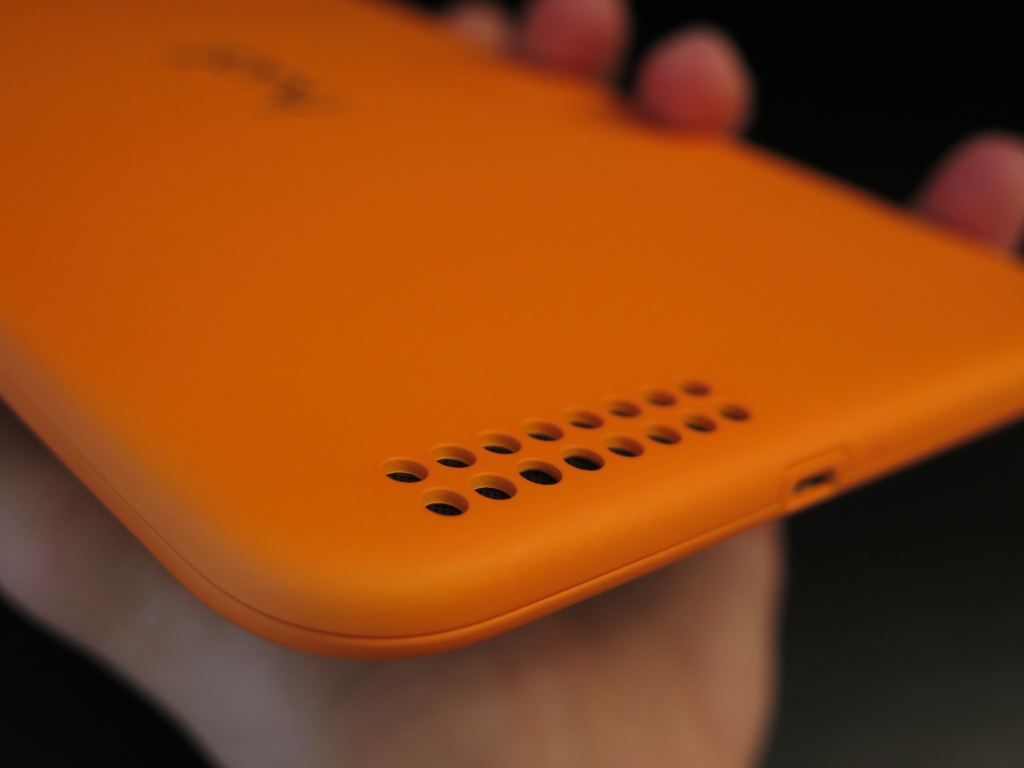
The back of the Tesco Hudl 2 is home to a series of speakers: a larger one situated closer to the bottom edge and a smaller one right next to the camera. Both of them feature tidily drilled holes – a design that looks much better, if not a little too blatantly obvious. You’d think that the large holes made for a better sound quality but the ultimate effect is really just something that would have looked better with a punctured design instead. The back is also adorned with the tablet name logo, embossed and polished into the mold in the very center, along with the serial number a little lower on the back.

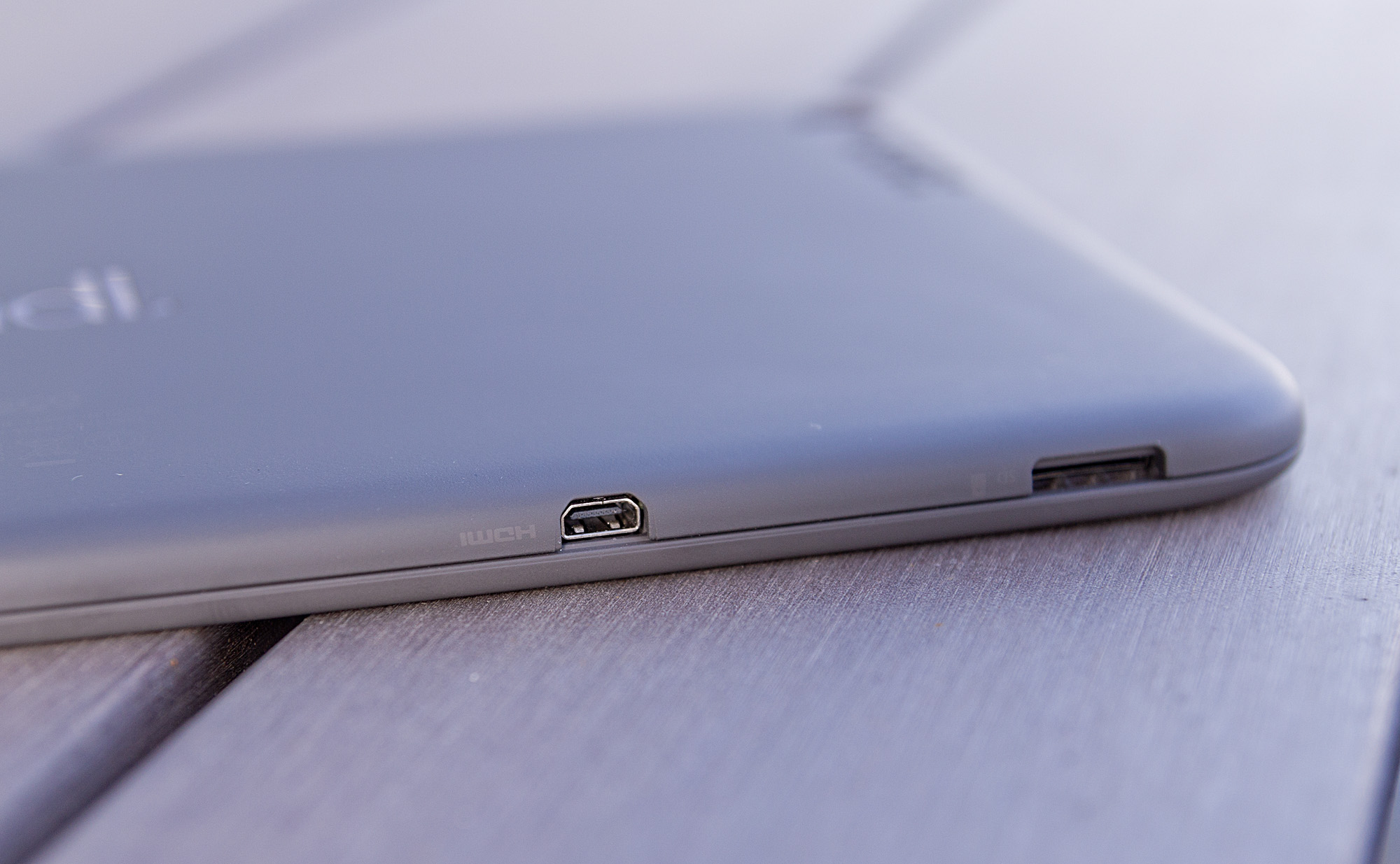
The edges of the Hudl 2 are home to the power button and volume rocker on the right hand side, along with several ports scattered around the other sides. Firstly, charging is done through the micro USB – found on the bottom edge. In addition, the Hudl 2 comes with a micro SD card slot that can take up to 48 GB of extra storage space in addition to the inbuilt amount.  The left edge of the tablet is where you can find a standard 3.5 mm headphone port.

Tesco Hudl 2 microHDMI and microSD

There is also a detail that you don’t find on every tablet on the market: the Tesco Hudl 2 has been bestowed with a micro HDMI port – allowing you to view whatever is on your tablet’s screen on a bigger, HD TV instead. Hilariously enough though, the micro HDMI cable does not come with the tablet – you will have to purchase it separately.

Tesco Hudl Display

The screen of the Tesco Hudl 2 is one of the largest hype-inducing features it comes with. The reason? The major overhaul of the screen quality. The Hudl 2 display aims for no less than a Full HD 1920 x 1200 ISP LCD build that brings the new model justice. In comparison to the previous iteration of the Hudl tablet, this one is exponentially better in a number of aspects. The mentioned resolution into an 8.3 inch display translates into 265 ppi pixel density. That makes for an amazingly sharp image rendering that goes a long way in comparison to the Hudl 1.

Tesco Hudl 2 Screen

There are several ways in which the Hudl 2 does fall behind in terms of display. First and foremost, the IPS choice for the screen is not as performant as an AMOLED counterpart would be. In that concern, colors tend to be a little less vibrant and rich. Brightness can only take you so far and ends up being moderate even on high settings. Because of that, there is a tangible impact on the contrast levels that the tablet is ultimately capable of.

On the upside, the viewing angles do not suffer with the IPS display at all – images and videos can be viewed from any angle without losing clarity. The Hudl 2 fares particularly well in any light condition too – both sunlight and artificial light without losing much, if any of the quality of the display.

If you weigh everything in balance with the price that the Tesco Hudl 2 tablet comes at, the ratio is extremely high – there are not many other devices that could pack up so much at such a low price class.

Tesco Hudl Specification & Performance

To begin with, the Tesco Hudl 2 is not meant to be the kind of tablet that will rock the latest full HD, 3D games at the highest quality in a perfectly smooth manner. Instead, its target public is families along with other types of activities – such as watching movies, storing your photographs, less demanding games that you can enjoy with your small ones and so on.

Taking that into consideration, the Tesco Hudl 2 packs an Intel Atom quad-core processor that can go up to 1.83 GHz. It’s not even remotely close to the octa core type of hardware that we’ve started seeing in the flagship tablets on the market today, but if you stop to think about it a little, you’ll realize it’s not sub-par at all. Falling behind the Nexus 7’s Snapdragon by a small degree, the Intel processor is worth every cent of your money.

The memory is the one thing where I believe Tesco could’ve stuffed a little more in. Then again, this tablet is a 2014 release after all – 3 GB of RAM memory was the most you could even get at that time and for some prices to match. The Hudl 2 only has 2 GB worth of memory; while you’d think that’s not nearly enough, a little pragmatism will prove you otherwise. In our tests, the tablet handled itself extremely well, no matter how many apps we’d run at a time and how demanding they were. Navigating through the operating system was a breeze and switching between apps suffered little to no detectable delay.

Something that has not occurred on our model but has been experienced by other people using the Tesco Hudl 2 is the fact that the startup process may not launch very occasionally. Similarly, the device sometimes refuses to turn off; in both cases a system reset is necessary. It’s not clear whether this is a software conflict or a physical one, but does not seem to be a long-term concern as there are no other implications to speak of.

The Intel z3735D chipset integrated into the tablet is responsible of the graphics rendering of the tablet too. That means that no dedicated GPU will be handling your games and heavier apps – that might be a bit of a disappointment for a number of users; the tablet is certainly lagging behind when put up to stress tests through the latest games. And while it might not prove it can pack that big of a punch together with the Intel processor, you can actually enjoy a great amount of games with no stutter, lag, framerate drop or other hiccups.

The one aspect that may not appeal to many users but which is, unfortunately, inherent to all mobile devices out there is that the Hudl 2 tends to overheat when stressed out with graphic-intensive applications. In the absence of a dedicated GPU to handle difficult graphic rendering of videos and games alike, the chipset ends up being stressed more than it should – thus increasing the device’s temperature and consequently resulting in slightly lower performance.

As a final note, the default hard disk storage space is a very disappointing 16 GB. No other variants and no chances to upgrade. And on top of that, you might be a little disappointed to find that a great amount of that base storage space will be taken by your operating system and user interface (report go as far as saying that about 6 GB of your precious space might be clogged by must-have apps and operating system). On the bright side however, the Tesco Hudl 2 does incorporate the micro SD card slot that can prove to be an absolute lifesaver for storing your data and keeping your device clean for any app you might want to get and use.

Tesco Hudl 2 Software & features

A great relief for potential buyers out there is that the Tesco Hudl 2 comes with pre-installed Android 4.4.2 KitKat version. It’s a relief because it’s fully optimized and perfectly compatible with an Android operating system. It’s not that much of a reason to be excited that the OS cannot be upgraded to newer versions nor shows signs of that being possible in the near future. While we’re waiting for the Android M to show up on the horizons for our mobile devices, chances are the little Tesco Hudl 2 tablet might not even see sight of the Lollipop 5.0 update anytime soon.

However, given its potential chance at success, Tesco might consider allowing an upgrade sometime.

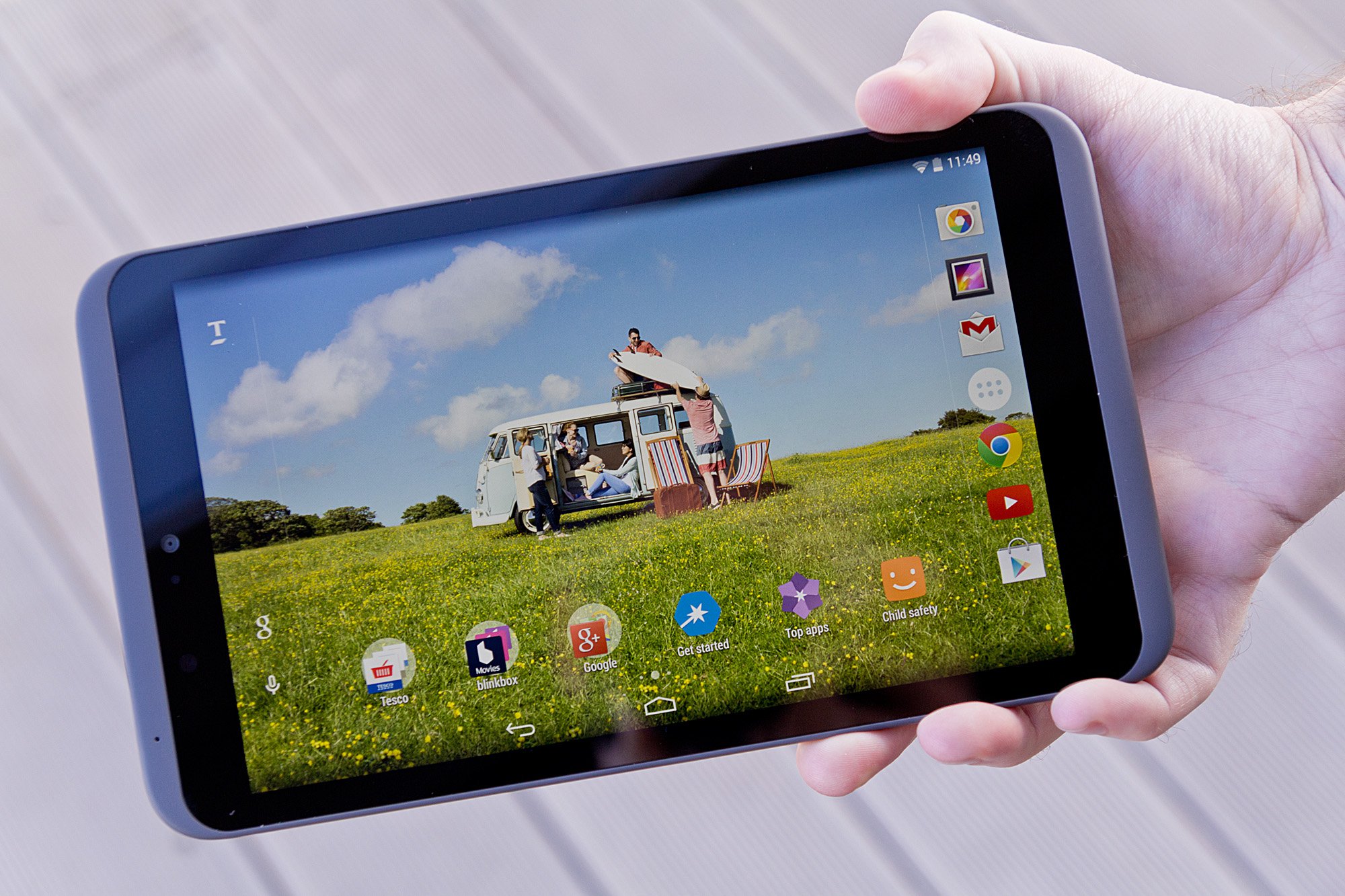
Tesco Hudl 2 Main Screen

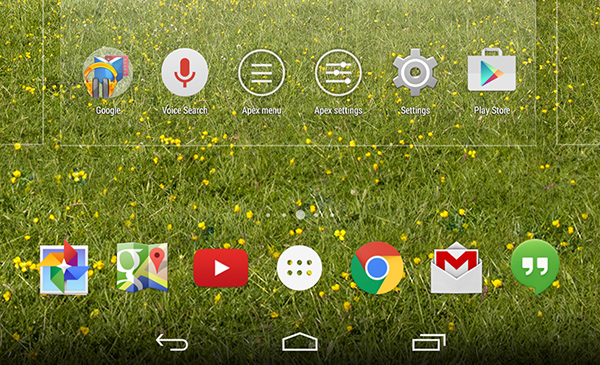
Similarly to how Internet Explorer is a limb that’s downright impossible to detach from Windows, so is Hudl 2’s My Tesco launcher. Basically, by using an Android foundation, Tesco has snuck its own software variant into the tablet to highlight their own brand. Luckily, similarly to how you can turn your back on IE and never use it again after you’ve hit the download button on Chrome or Firefox, you can do the same with your Hudl Launcher – simply download and install another one and make it default and disable the Tesco variant.

In terms of interactivity, the Tesco Launcher is sadly a little lackluster in performance and only seems to drag the device down if anything. It may prove to be occasionally laggy or making your swipes stutter marginally. Outside of that, you will be able to find everything you would ever wish for from an Android device: all of the native apps are there or downloadable through the Google Play store. Along with the default Android apps, you will find an entire collection of Tesco-related ones – such as Tesco Direct, Tesco Photo or Tesco Bank.

For people who are not used to the Android system or this type of devices however, the Tesco Launcher does an amazing job of introducing you to its world through an extremely user friendly and step-by-step setup of your system and settings, teaching you how to make use of it as you go. The interface is particularly bright and cheery, making it a very inviting interface for anyone – well-versed in everything that is technology or not.

The operating system does not differ from the KitKat we’ve grown accustomed to on other devices: you can pull down the notification tab by a downward swipe from the top left, add or remove widgets by holding down onto the screen, access your settings directly by swiping down from the top right. In essence, it’s everything you would expect from your stock Android interface.

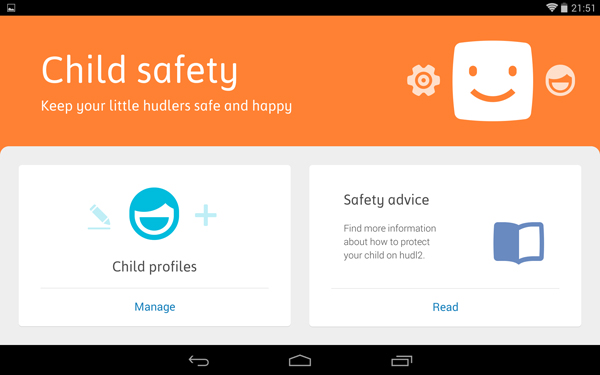
Also worth mentioning is the Tesco Hudl’s Child Safety feature that allows you to create different user profiles that come with a default safety feature for different age intervals: <5, 5 – 8, 8 – 11 and so on, each coming with a predefined set of restrictions and conditions that browsing and accessing various parts of the tablet depends on. That way, you can easily switch between your profile and your child’s and let him or her make use of it just as well without risking exposure to harmful or inappropriate content. Another feature of the Child Safety system is the fact that you can use parental controls such as time limit – only allowing a particular profile to make use of the tablet between specified time periods.

Tesco Hudl 2 Child Safety Feature

Tesco Hudl 2 Camera & Sound

I keep feeling compelled to compare this variant of the Hudl tablet to the previous in order to really give it the credit it deserves. On paper, the Tesco Hudl 2 camera is anything but satisfactory: with only a 5 megapixel sensor on the rear camera and the 1.2 megapixel front facing camera, it doesn’t feel like you’ll be using it for anything too soon.

Tesco Hudl 2 Rear Camera

Truth be told, you are most likely better off using your mobile phone camera any day, any time. But finding yourself in the situation where your smartphone won’t do, the Hudl 2 camera is not that underwhelming. Your photos won’t make it to the next photography exposition but they won’t turn out that bad either. There’s a major improvement brought to the camera’s focus – at least for the rear camera, but colors could do with a few more ounces of vibrancy and better defined contrasts.

On the bright side however, the cameras are accompanied by a number of great new modes to shoot in as well as a high degree of post-editing that you can do. It also supports video shooting in up to 1080p HD format with the rear camera and 720p with the front one (that also accounting for video conferencing as well) but the post-editing is inexistent and the image is relatively grainy.

Last but not least, there are a few mentions regarding the in-built speakers of the Tesco Hudl 2. Firstly, they are proudly self-announced as Dolby-powered stereo speakers that will honestly impress you much more than most other tablets – some of the most powerful ones included in the count. This addition really enhances your movie watching and enjoying your favorite games a huge deal. The Dolby speakers really deliver on Hudl’s primary dedicated usage – families. Audio is impressively immersive and detailed, but may start losing some degree of its quality when turned all the way up.

Tesco Hudl 2 Bottom Speakers

Tesco Hudl 2 Battery

The ads and papers state that the Tesco Hudl 2 will last you up to 8 hours of usage. Something that is native to any kind of device that has ever existed, battery life depends on a series of circumstances. The way in which you use your tablet is one of them – your battery could very well last even more than 8 hours with mild to low usage such as periodically checking your mail, typing a message and checking your Twitter. Otherwise, the battery could last even less than 4 hours when you subject the Hudl 2 to intensive game playing or movie watching – especially when transmitted to a TV through the micro-HDMI port.

Overall, the Tesco Hudl 2 should keep you going for a day of normal usage. A blatant downside of the battery is its lack of optimization through the operating system – there is no power saving option to speak of. The fact that there’s no turbo charging option either doesn’t make things at all better. As a matter of fact you may come to realize that charging the tablet is considerably slow.

Tesco Hudl 2 Verdict

In order to actually give the Tesco Hudl 2 a final grade and a decisive verdict, one has to weight their expectations when it comes to tablets. The tablet comes at the abysmal price of $199 – you probably cannot find a cheaper option. The quality that it packs in the 200 bucks is astounding however and definitely worth getting if you have that amount to spare.

You can easily consider this tablet the perfect gift for Christmas, especially given the Tesco promotional prices that you can get it for if you find yourself abroad in the United Kingdom – directly purchasable from Tesco supermarkets at various offers and different percentages taken off when you do your shopping there.

Image Source: 1, 2, 3, 4, 5, 6, 7, 8, 9, 10

Filed Under: Headlines Tagged With: hudl 2 review, hudl 2 tablet, hudl tablet, tesco hudl, tesco hudl 2, tesco tablet

The Extraordinary Haier Asia R2-D2 Fridge

November 2, 2015 By Karen Jackson Leave a Comment

The Haier Asia R2-D2 fridge can move, bleep, rotate his head and hold beverages.

If it looks like R2-D2, moves like R2-D2 and bleeps like R2-D2, it must be … a fridge? That’s right. Because some really cool nerds at Haier Asia (of Japan), who also happen to be engineers and inventors, have fulfilled one of each adult Star Wars fan’s fantasy, by creating this wonderful 2 in 1 product, which gives you the excuse to buy those extra (fancy) beers because “these are the only way to keep R2-D2 from being empty inside”. Who could possibly counter-argument THAT?

The Haier Asia R2-D2 fridge was created in collaboration with Disney in anticipation of the “Star Wars: The Force Awakens” movie that is set to launch in less then two months. This shows once again how cool Disney can be when they really commit to something, as they seem to be doing with this latest Star Wars installment.

The fridge itself is a faithful replica of the beloved life-saving, C3PO tempering robot character, complete with rotating head, blinking LEDs and even the trademark bleeps by which it communicated in the movie though, sadly, the real-life version does not have a mind-blowing artificial intelligence algorithm allowing him to have actual conversations with a human.

But, I’m sure you’ll agree, it compensates for this by having a feature that the original R2-D2 didn’t have: it’s belly is actually a fridge. So, if a curious fan would like to open his hatch to see the circuits inside or to perform maintenance, he/she would have the very pleasant surprise of finding some cold beverages waiting there instead.

And, if you use the remote control so thoughtfully conceived and provided, the Haier Asia R2-D2 fridge can even move towards your location, making those refreshments extremely at-hand. Just remember to charge it each night.

However, the Dark Side of The Force probably managed to get their insidious hands in the whole business, because the price is currently more than 8,200 $ (without shipping, taxes etc.), or 998,000 yen to be exact. A bit short of the costs of a Death-star, true, but quite a lot if you’re an impoverished rebel.

The release date for this R2-D2 fridge has been stated to be sometime in December or the beginning of 2016 at the latest by Aqua (a sub division of Haier Asia), but is yet to be firmly determined. There is a high probability that they will be pushing for December, though because the release of “Star Wars: the Force Awakens” also takes place in that month, so it would make sense as a marketing strategy.

And seeing that they made a great trailer for this much-beloved little robot, it looks like marketing and strategy are not unfamiliar concepts to them.

So, until your home is complete with a Haier Asia R2-D2 fridge, may The Force be with you!

Image source: 1.

Filed Under: Headlines Tagged With: Aqua, Haier Asia, Haier Asia R2-D2 fridge., R2-D2, R2-D2 fridge, R2-D2 robot

Fitbit Tracker 10 Second Hack Raises Major Concerns

October 22, 2015 By Karen Jackson Leave a Comment

The Fitbit tracker 10 second hack causes concerns.

It looks like the unchallenged dominant position and popularity of the Fitbit company on the market might be jeopardized as major and justified concerns arise regarding their product.

I’m talking about the (supposed) Fitbit tracker 10 second hack that took place at the Hacktivity Conference in Budapest on 9-10 October this year.

That’s right, Fitbit’s fitness tracker was apparently hacked in just 10 seconds. But “fortunately” for the company, this hack was publicly announced  and performed in a well intentioned manner by a security researcher working at Fortinet, named Axelle Apvrille, who did this specifically to warn the company (and especially its users).

She used the fitness tracker’s open Bluetooth connection to send data packets to the tracker, which could then be transmitted to the computer that the user had connected the tracker to, as the day’s activities are synced.

Though she didn’t infect the device she demonstrated on with an actual, real piece of malware or virus, she claimed that the payload she could send was sufficiently large to do so (17 bytes), despite being quite small compared to today’s data storage and transfer capabilities.

So, in short, she had the freedom to send whatever she wanted to the tracker and then to the computer with no obstacle whatsoever in her way, except for the before-mentioned (sufficient) size limit.

Guillaume Lovet, a senior manager at FortiGuard, part of Fortinet, also confirmed the hack, telling CBS News that Apvrille had managed to show “that the Fitbit firmware has vulnerabilities that allowed her to plant arbitrary bytes into the Fitbit, those bytes then being, ‘reflected’ to a computer talking to a Fitbit.”

Now imagine how much more shocking it would have been to users if these vulnerabilities giving unstoppable access to strangers were announced via actual malicious hacks, as opposed to Apvrille’s gracious intervention.

Especially since, probably the most intriguing point she made, due to its security risks deriving from the Bluetooth connection and a hack taking such a small amount of time, it means that your Fitbit could be easily hacked by anyone in your vicinity, say someone who knows where you stop for a drink of water when you go out to run, or just a good-reflexes, speedy hacker that notices your Fitbit while sitting on a bench near you when you take a brief rest.

Another fun part? Apvrille said that she can also manipulate the data on the Fitbit itself (like your distance covered or number of steps taken). So if you get a hacker troll, he might mess with this data to ruin your feel-good vibe just for fun.

Axelle Apvrille will present Fitbit findings again this Thursday at the Hack.lu event in Luxembourg.

However, Fitbit disputes Apvrille’s claims.

Image source: 1.

Filed Under: Headlines Tagged With: Fitbit, Fitbit tracker, Fitbit tracker 10 second hack, Fitbit tracker hack, Fitbit tracker security risks

Porsche Ditches Android Auto Over CarPlay

October 7, 2015 By Karen Jackson Leave a Comment

Porsche Ditches Android Auto and chooses in its stead Apple's CarPlay

Porsche ditches Android Auto and choose Apple’s CarPlay instead due to some privacy concerns. Porsche unveiled the many features that their 2017 911 model will pack, but unfortunately for Google, Android Auto isn’t one of them.

Motor Trend reports that Porsche didn’t opt out of Android Auto because of technological reasons. The 2017 911 won’t feature Google’s AA because of ethical reasons. Its massively upgraded PC system can easily run it as well as Apple’s CarPlay.

Motor Trend continues by stating that if Porsche would have went through with Google, they would have been obligated to hand over valuable data such as engine revs, oil and coolant temp, throttle position, vehicle speed and other significant information. This basically means that Google would have been allowed to read the complete OBD2, which is the on-board diagnostic dump.

Also, offering so much information to a multi-billion dollar company that is currently developing their own car isn’t really a good idea. Simply put, Porsche doesn’t want their secret sauce to be leaked to another future competitor.

Porsche Ditches Android Auto Over Apple CarPlay for its new 2017 911 model

Porsche 2017 911 interior

Yet, Apple doesn’t need the on-board diagnostic dump, it just wants  to know if CarPlay is in use while the car is moving.

So, Porsche ditches Android Auto because Google wants to be some sort of helicopter parent.

However, Google comes with a rebuttal and denies that it collects so much data from Android Auto enabled vehicles. The company told PCMag that they take privacy very seriously and they don’t grab data as the Motor Trend articles claims. Google notes that they offer the user a chance to opt in to share the information, because doing so will improve the Android Auto experience – a more accurate navigation via the car’s GPS and if the system is hands-free, or not, when in Drive mode.

Porsche Ditches Android Auto Over CarPlay because of privacy reasons

2017 911 Porsche concept

Google follows by saying that sharing the GPS location with the driver’s smartphone can save power juice and it’s more accurate. AA requires to know if the user’s car is in drive or park for obvious safety reasons. Also, if it’s night or day in order to better optimize the vehicle’s screen for viewing.

This isn’t the first time these issues come to light. During the Summer, Reuters showcased that the majority of auto manufacturers aren’t that keen to share valuable data of your travels with Google and Apple solely because both companies are trying to break into the auto industry. This means that it will cost everyone a lot of money because two tech giants want to take a chunk of the auto-moto pie.

Apple and Google cars are coming. When, we don’t know. What we do know is that they will definitely change the industry.

Image Source: 1, 2, 3

Filed Under: Headlines Tagged With: Android Auto, CarPlay, Google, Porsche

BigDelta 3D Printer Can Build an Entire House Out of Clay

September 27, 2015 By Karen Jackson Leave a Comment

The BigDelta 3D printer can build a house entirely out of clay

Considered the world’s largest 3D printer, BigDelta can build an entire house out of clay. The perfect eco-friendly, low-cost solution to combat society’s problem with homelessness.

Installing spikes to keep homeless people away from certain city-areas isn’t a rational solution. In fact, it’s as stupid as it gets. We aren’t living in a cartoon were villains have wacky catch-phrases and even wackier plans to take over the world.

We are real human beings that need to treat one another with the respect we deserve.

The BigDelta 3D printer has been unveiled by the Italian collective called WASP, which stands for World’s Advanced Saving Project. BigDelta can basically create affordable mud huts in one continuous process.

Thanks to 3D printing, we have all the tools at our disposal in order to make things easier for people across the world – whether it is through a variety of prosthetics, heart valves, and now homes for the less fortunate among us.

The BigDelta 3D printer uses mud, dirt, water and natural fibers to build houses

The BigDelta 3D printer is a humongous machine that uses clay materials to build a house that takes inspiration from traditional architecture. It employs widely-used construction methods, and the 12 meter high machine looks like something from an Asimov book.

United Nations have announced that by 2013 approximately four billion people will require low-cost housing. This means that four billion people will have an income of under $3,000 by 2013. This is a scary thought.

WASP says that these kind of devices, pointing at the BigDelta 3D printer, prove to be a better alternative than the current method of constructing buildings i.e. let’s put a stop to pollution-heavy and high-cost building methods.

The BigDelta 3D printer uses dirt, natural fibers, water, clay and mud to construct a house. This equates to a better environment friendly machine – the consequences of building using cement are dire, and too few people understand this.

The distinctive house shapes the BigDelta 3D printer can create, seen at a much smaller scale

Better yet, clay houses don’t require that much maintenance and once set up, they can last for years. Homeowners just need to add a thin layer of clay over the external surface every five years.

It uses the same mechanism as your average 3D printer, but, of course, at a much larger scale. It looks quite imposing with all of those ginormous frames, but WASP notes that it’s lightweight. It’s also easily assembled and it can be ready for transportation in no time.

The BigDelta 3D printer is a revolutionary machine and if it gets the necessary funding, we could very well see the end of homelessness as we know it.

There’s another alternative though. A Chinese company has developed a new process that consists of separately assembling 3D printed parts to make a dwelling. The costs go under $5000.

Image Source: 1, 2, 3

Filed Under: Headlines Tagged With: 3D Printer, 3D Printers, BigDelta, BigDelta 3D Printer, WASP

Facebook Mentions and Live Available for Verified Profiles

September 11, 2015 By Karen Jackson Leave a Comment

Facebook Mentions is Now Avaialble

Facebook Mentions and Live are now available for verified profiles. Facebook’s new features are aimed at journalists and the social media behemoth wants reporters to use their new tools.

Basically, Facebook gives journalists the ability to stream live on Facebook.

In a statement today, the company notes that experts, journalists and other influencers, who are verified, now have access to Facebook Mentions – an app which was formerly available only to a select few celebrities.

Q&A sessions, live breaking news reports, behind the scenes and countless other possibilities for free, Facebook notes.

Vadim Lavrusik, the company’s product manager for Facebook Mentions, notes that they want people to use Facebook for news-gathering and to better connect readers with journalists.

Facebook’s new app lets its user monitor what people have to say about them. The app offers the ability to easily follow certain topics of interest, observe what’s trending on Facebook, and choose with whom to share their content.

Anyone can apply for Facebook Mentions, but the company notes that only those who qualify will be approved to use their app. However, nobody knows the criteria for approval. Facebook will most likely release a guideline for applying to Mentions in the near future.

Yet, livestreaming isn’t that popular. Sure, in Silicon Valley it’s the hot new trend that everyone goes crazy about, but for the rest of the world – radio silence.

Facebook has the perfect platform to make livestreaming possible. With their 1.5 billion monthly users, they are in an unique position to make this happen. Frankly, they are the only ones who can do it.

Facebook Mentions user Ricky Gervais

Ricky Gervais, a prominent Facebook Mentions user.

The time is ripe for livestreaming.

Twitter acquired livestreaming service Periscope earlier this year and YouTube is taking it more seriously now with their YouTube Gaming side. Twitch is a different kind of beast in this scenario.

Ricky Gervais, a beloved comedian and extrovert, has used Facebook Mentions to give viewers a sneak peak of his life, a behind the scenes VIP pass if you like. He seems to enjoy his popularity and the exposure he gets. What extrovert wouldn’t?

But, do we really want Fox News livestreaming their ignorant journalism? What does this imply for the average Joe? Is Facebook going to transform into a news riddled platform, or it will somewhat divide itself in the near future?

Real time coverage of news sounds great, but we all know how media twists and turns every little thing. If you can do something, it doesn’t necessarily mean that you should do it.

We’ll keep a close eye on Facebook Mentions and we won’t sugarcoat what problems there are bound to happen.

Image Source: 1, 2

Filed Under: Headlines Tagged With: Facebook, Facebook Live, Facebook Mentions, Livestreaming

  • « Previous Page
  • 1
  • …
  • 17
  • 18
  • 19
  • 20
  • 21
  • …
  • 38
  • Next Page »

Subscribe to Blog via Email

Enter your email address to subscribe to this blog and receive notifications of new posts by email.

Join 11 other subscribers

Recent Articles

police handcuffs man

German Man Probed In Poisoning That Killed 21 Employees Since 2000

June 29, 2018 By Kenneth Scott Leave a Comment

Chicken wings bar

Intoxicated South Carolina Man Punches Waitress Who Refused to Serve Him Alcohol

June 29, 2018 By Karen Jackson Leave a Comment

gaming

New Zealand gamer Who Flew Halfway Across The World for Virginia Teen Gets Shots By Her Mother

June 28, 2018 By Cristopher Hall Leave a Comment

party

Former Virginia Tech Freshman Sentenced to 50 Years in Prison for Stabbing a Girl to Death

June 28, 2018 By Roxanne Briean Leave a Comment

bonfire

British Couple Sentenced to Life in Prison for Torturing and Murdering French Nanny

June 27, 2018 By Deborah Campbell Leave a Comment

pay phone

Texas Father of Girl Disappeared in the 80s Ignored by Authorities

June 26, 2018 By Cristopher Hall Leave a Comment

bottled water

San Francisco Woman Threatened to Call Police on Girl Who Sold Ice Water for Disneyland Trip

June 25, 2018 By Roxanne Briean Leave a Comment

Maplewood Park

Missouri Man Robbed by Date and Accomplice in Park

June 22, 2018 By Nancy Young Leave a Comment

coding

New York Man Sentenced in Cyberstalking Former Girlfriend, Mailing Drugs to Her Dorm

June 22, 2018 By Deborah Campbell Leave a Comment

headphones

Bose Poised to Launch Sleepbuds, In-Ear Headphones That Help You Sleep

June 21, 2018 By Nancy Young Leave a Comment

Police light

Intoxicated Female Driver in Custody for Pulling Arresting Officer by the Hair

June 21, 2018 By Kenneth Scott Leave a Comment

kitchen

Restaurant Manager Arrested and Charged in Shooting Death of Co-Worker over Negative Yelp Reviews

June 20, 2018 By Karen Jackson Leave a Comment

plastic container

Pennsylvania Couple Charged in Violent Death of Infant Discovered Buried in Cat Litter

June 19, 2018 By Cristopher Hall Leave a Comment

tailpipe

Minnesota Teen Gets Head Stuck In Oversized Tailpipe Winstock Music Festival

June 18, 2018 By Karen Jackson Leave a Comment

Pages

  • About Us
  • Contact us
  • Privacy Policy
  • Privacy Policy GDPR
  • Staff
  • Terms and Conditions

Recent Posts

  • German Man Probed In Poisoning That Killed 21 Employees Since 2000 June 29, 2018
  • Intoxicated South Carolina Man Punches Waitress Who Refused to Serve Him Alcohol June 29, 2018
  • New Zealand gamer Who Flew Halfway Across The World for Virginia Teen Gets Shots By Her Mother June 28, 2018
  • Former Virginia Tech Freshman Sentenced to 50 Years in Prison for Stabbing a Girl to Death June 28, 2018
  • British Couple Sentenced to Life in Prison for Torturing and Murdering French Nanny June 27, 2018
  • Texas Father of Girl Disappeared in the 80s Ignored by Authorities June 26, 2018
  • San Francisco Woman Threatened to Call Police on Girl Who Sold Ice Water for Disneyland Trip June 25, 2018

Categories

  • Business
  • Entertainment
  • Finance
  • Headlines
  • Health
  • Life
  • Nature
  • Science
  • Sports
  • Tech & Science
  • Travel
  • Uncategorized
  • United States
  • World

Copyright © 2026 ArgyllFreePress.com
About · Privacy Policy · Terms of Use · Contact