Argyll Free Press

Growing News Network

Tuesday, January 20, 2026
Log in
  • Business
  • Finance
  • Sports
  • Tech & Science
    • HP Envy 4500 Review
    • LG Optimus 170 Review
    • iPod Touch 6th Generation Review
    • HTC One M8 Accessories Set-up
    • Surrealist Games You Must Play
    • Hisense Sero 8 Review
    • Dell Latitude e7440 Review
    • HP Laserjet 1536dnf mfp Review
    • Garmin Fenix 2 Review
    • Skype Vs Viber
    • Best Video Conferencing Software
    • Sony mdr 1r Headphones Review
    • Canon Rebel t3i Review
    • Sennheiser Momentum 2-0 Review
  • Travel
  • Headlines
  • Health
  • United States

Apple Watch Discount May Mean the Successor Is Underway

February 15, 2016 By Kenneth Scott Leave a Comment

Apple Watch Discount May Mean the Successor Is Underway

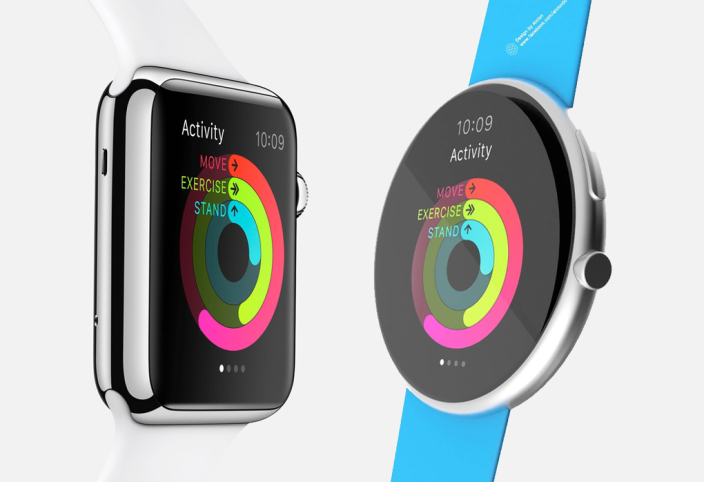
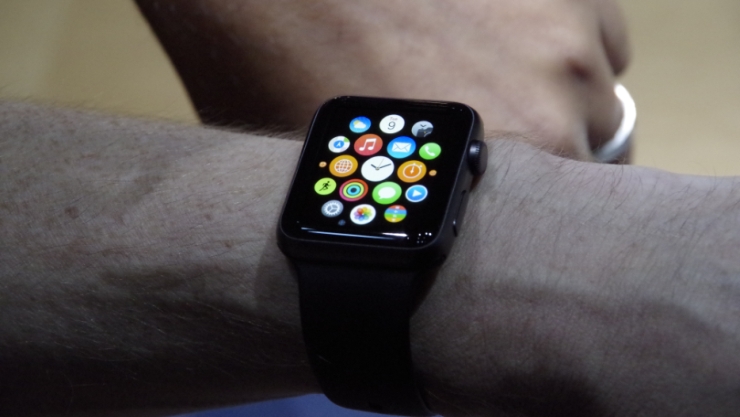
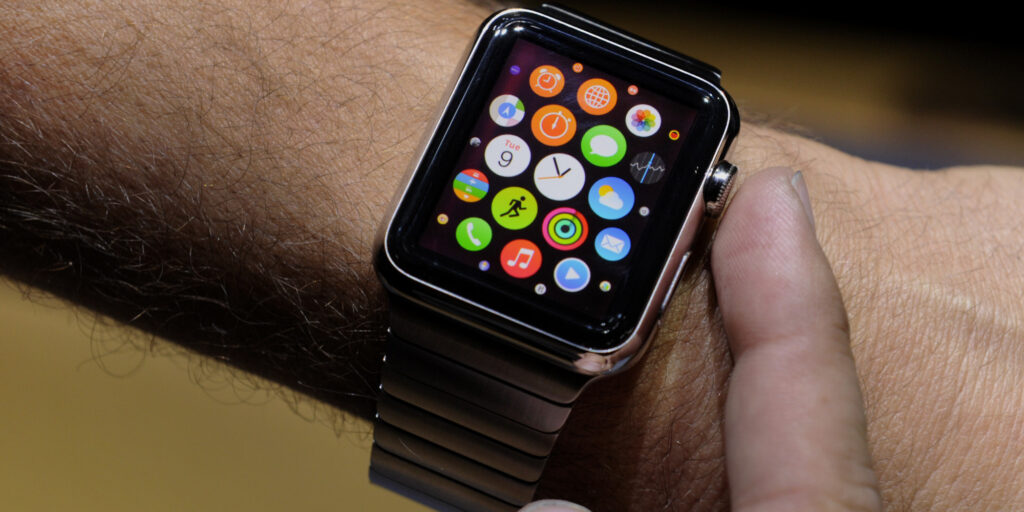
Whether it’s simply wishful thinking or a hope come true, a recent Apple Watch discount may mean the successor is underway. The only rumored second generation of Apple Watch is a bit of a mystery to everyone as there’s hardly any information about it, but certain sources insist that it’s a possibility. With an official “unveiling” event that Apple will hold next month and the knowledge that the second iteration of the Apple Watch is due to be released this year, it’s normal to suspect it.

But with literally no news regarding an Apple Watch 2, leaked or otherwise, it’s hard to believe the device would really make an appearance in any of the announcements due in March. The only detail that people are basing their beliefs on is the simple fact that recently, many major retailers seem to have discounted the Apple Watch by as much as $100.

This is a very well-known trend in the technology world that usually occurs when there’s a newer model of the particular gadget right around the corner. Take the Galaxy S7 for instance: more details about it are due to be revealed to the public on February 21st and meanwhile the Galaxy S6 is seeing a lot of interest from buyers as it has gone down in price with a lot of retailers.

However, chances are very slim that we will be hearing anything about the second Apple Watch that soon. The official website still lists the watch at $349 and $399 for the two regular versions, and it seems that the discount is only available in third party stores such as Best Buy, Target, B&H and so on.

It has been rumored that the March event will finally lift the curtains on devices such as the iPhone 5se and the iPad Air 3, devices that have been waited for far too long – an iPhone 6 spec smartphone that comes in iPhone 5 size and the next generation of the iPad tablet. The only mention of the Apple Watch in terms of event announcements was a new series of band options.

Rumored for some of them to have been made in collaboration with Tommy Hilfiger and include an entire selection of classy and fashionable leather bands, a new selection of colors for the sports band and a space black version of the Milanese Loop.

While there are a few sources suggesting that we may be seeing an Apple Watch S, the only real way we will find out is by waiting until March 15th.

Image Source: 1
Filed Under: Tech & Science Tagged With: Apple Event March 15th, apple watch, Apple Watch 2, apple watch rumors

The Apple Watch Hermes Collection is Now Available

October 6, 2015 By Deborah Campbell Leave a Comment

The Apple Watch Hermes Collection is Now Available

The Apple Watch Hermes collection is now available and it ranges from $1,100 to $1,500 – it comes with Hermes-infused colors, bands and clock faces.

Apple’s new Watch collection was announced in September during the big iPhone 6s event. The Apple Watch Hermes collection is now available in select Apple and Hermes stores. Locations include Los Angeles, Toronto, Miami, New York, San Francisco and several other cities in Asia and Europe.

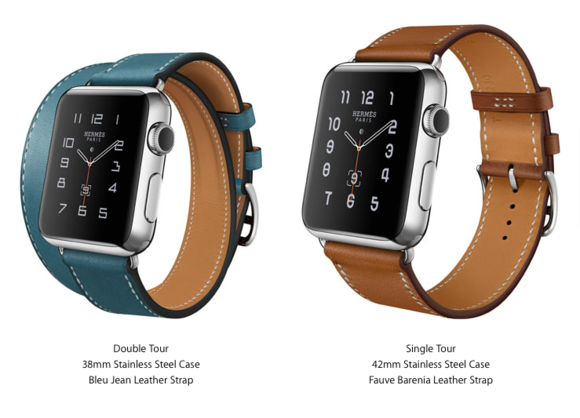
Depending on the style of the band and how big you want it to be, the Hermes collection will vary in price. The special French-designed Watch comes in three completely different styles and five exquisite colours – this leads to ten different looks to choose from.

Apple’s new collection will showcase three new leather band designs. Cuff, who is the bulkier of the bunch is inspired by equestrian fixtures, notes Apple. Single Tour follows the same equestrian style and Apple says that the buckle resembles the one found on the straps of a horse’s girth. The last design is the Double Tour, which is exactly what you’re thinking of – you can wrap the band two times around your wrist.

Size really matters when it comes to Apple Watch.

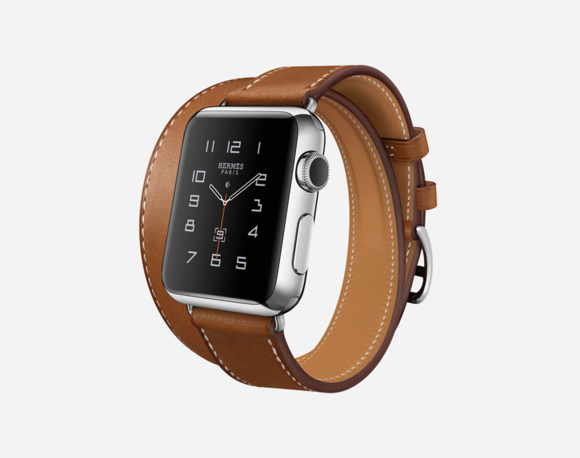
The Apple Watch Hermes Collection features the Double Tour Model

The Double Tour Model

Take the 38mm Double Tour – it comes in four colours such as Brown – Fauve, Grey – Etain, Light Brown – Capucine and Blue – Bleu Jean.

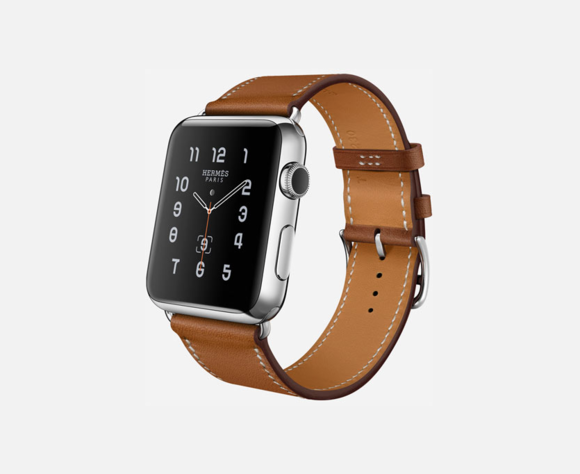
The Apple Watch Hermes Collection showcases the Single Tour model.

The Single Tour Model

The 38mm Hermes-designed Single Tour can be bought in Fauve, Capucine, Black – Noir, while the bigger 42mm model of Single Tour is only available in Fauve and Noir.

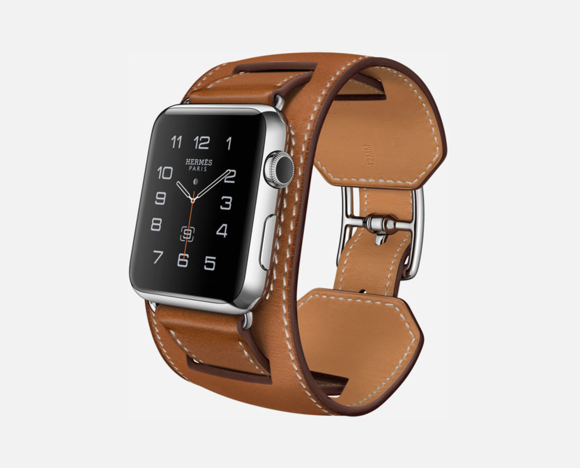
The Apple Watch Hermes Collection showcases the bulkiest model, called The Cuff.

The Cuff Model

The last one of the bunch, and the bulkiest one too, is The Cuff. It’s available only in 42mm sizes with a Brown strap. It’s also the most expensive Hermes-Apple Watch model you can buy – it costs $1,500.

According to sources close to Apple and Hermes, their alliance has started way before Apple announced their first Watch iteration. All of the smartwatches included in the Apple Watch Hermes Collection have special new clock faces designed by the luxury brand, as well as their logo stapled on the back.

Worth noting is that this is the first time Apple has allowed so much material branding from an outsider on one of their products. We kinda figured that 2015 and 2016 will be the cornerstone for Apple, but we didn’t thought that they are keen on redesigning themselves so fast.

In all fairness, the Hermes branding is done in traditional Apple style – keeping everything simple and elegant.

Target will be selling the Apple Watch starting with the 25th of October, but it won’t have the new Hermes collection in store. At least, not for now.

Hermes brings more elegance and a certain style to Apple’s smartwatch don’t you think?

Image Source: 1, 2, 3, 4

Filed Under: Headlines Tagged With: Apple, apple watch, Hermes, Smart Watch, Smartwatches

The Metamorphosis Of The Luxury Apple Watch

August 4, 2015 By Cristopher Hall Leave a Comment

The Metamorphosis Of The Luxury Apple Watch
After the release of the Apple Watch in April 2015, iOS users were left wondering at the accessory’s usefulness, with impressions falling in one of the two following categories: “extremely cool” or “not worth it”. And now, under the signature of a high end brand, the Apple Watch gets a face lift and becomes the luxury Apple Watch.

With the Apple Watch selling for ten thousand dollars and some users complaining about the looks and feels, one timepiece manufacturer thought “Carpe diem!” and seized the opportunity to spin the situation in his advantage. We’re talking about Nico Gerard who has just launched its newest line, the Skyview Pinnacle.

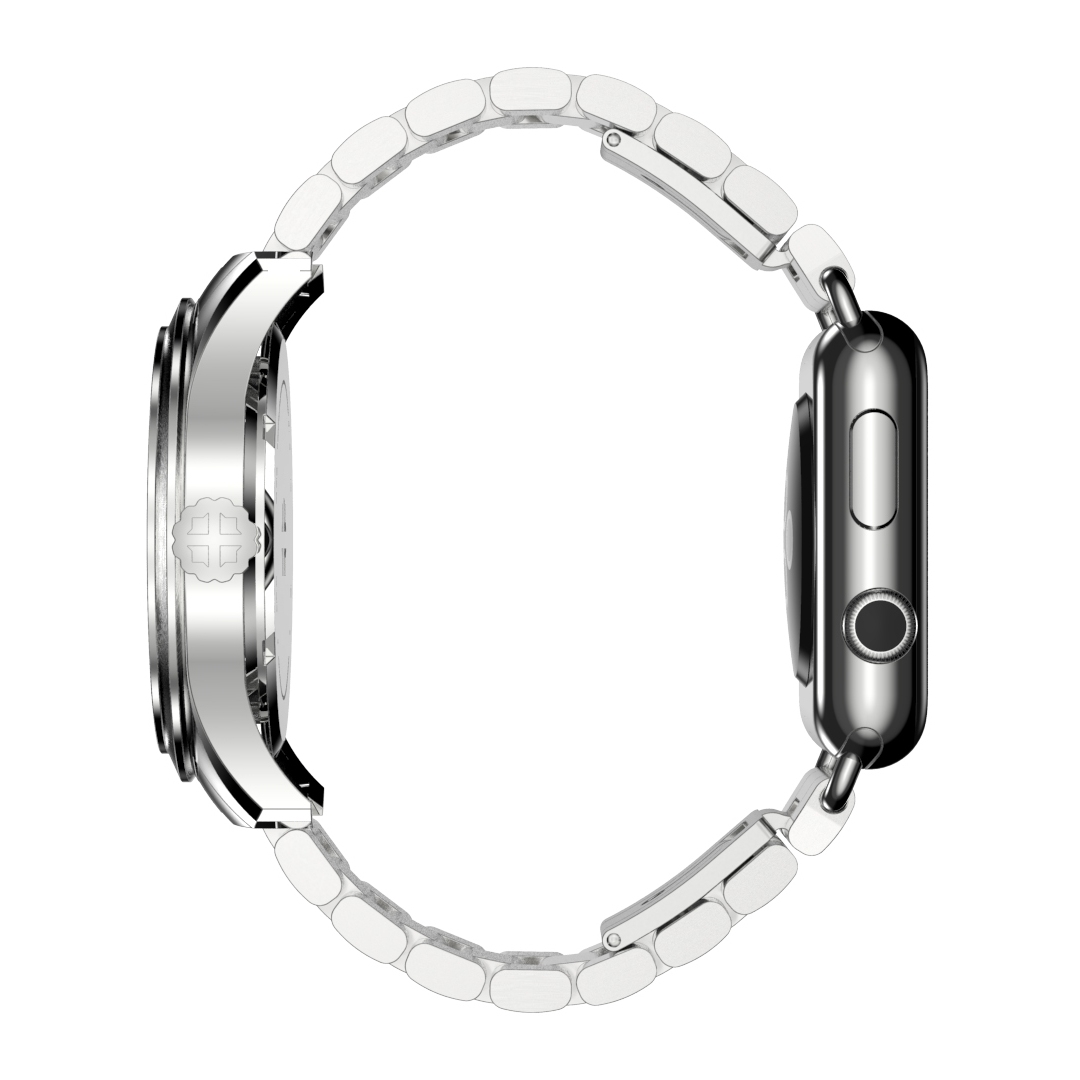
What’s new about the Swiss luxury timepiece? It enables you to attach the 38mm version of the Apple Watch and wear both luxury and technology on your wrist at the same time. Enter the questions about practicality and comfort.

The Metamorphosis Of The Luxury  Apple Watch

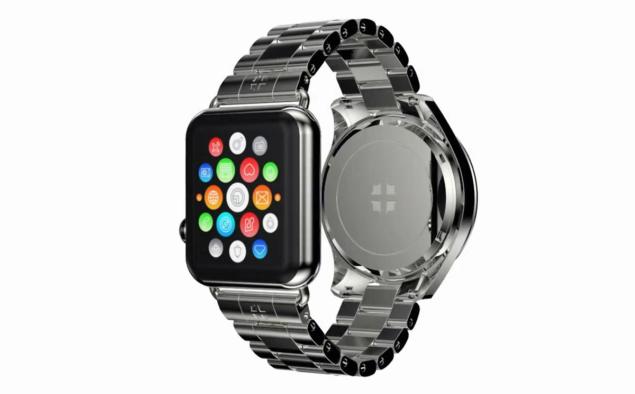
Let’s take a closer look at the weird hybrid that is the luxury Apple Watch. The side that faces outwards sports a timeless look encased in a 41mm frame. It also incorporates a date indicator and can resist at one hundred meters pressure depths. You can choose from three versions: stainless steel with either a blue or a black dial or 18k gold with a red dial.

If your finger tips are itching with excitement, you should know the wait list for the watch varies between ten to twelve months if you choose the steel version. If you want to splurge and prefer gold, you’ll have to wait between six and eight months.

But the latter version will get you digging deep in your pockets. More precisely, the gold watch costs $112,000. In comparison, the cheaper versions in blue or black will sell at around nine thousand dollars. A bargain!

Decided to spend more on a watch than most people did on their cars? Then you’ll be relieved to find out that all Skyview Pinnacle Nico Gerard watches come with a 38mm Apple Watch.

The Metamorphosis Of The Luxury Apple Watch

If you ever wanted to be able to know what time of the day it is by looking at either side of your wrist, then you’re in luck. The Skyview Pinnacle watch can now be preordered with a deposit of at least two hundred dollars.

The watch’s bracelet was dubbed the Papillon (French for butterfly) by Nico Gerard. But there are already some voices saying there’s not going to be anything delicate or butterfly like about the luxury Apple Watch from the Skyview Pinnacle collection.

It’s easy to imagine the luxury Apple Watch will have a bulky feeling and you’ll risk scraping it on your desk, table or laptop keyboard. And, unfortunately, not even 18k gold can make scratches look luxurious.

Image sources 1, 2, 3

Filed Under: Headlines Tagged With: apple watch, luxury watches, nico gerard

Apple Watch 2 to be Released in 2016 Tech Sites Report

June 15, 2015 By Roxanne Briean Leave a Comment

Apple Watch 2 rumoured to be released in 2016

The Apple Watch 2 is rumoured to be released in 2016 – prestigious tech sites are reporting.

We’re still toying with Apple’s first smartwatch iteration, announcing that the Apple Watch 2 is currently being developed might stop some potential clients of acquiring said product. Apple has simply crushed the smartwatch market with their product, and most likely they’ll continue to do so with their next gen device.

At the current moment, Apple doesn’t have a serious challenger. Sure, we got Pebble Time, and the okay’ish AndroidWear product line, but reports have shown that consumers are just going mad over Apple’s device. No wonder, it’s super simple to use, it has a minimal and elegant design, and Apple is working round the clock to add features to the Apple Watch.

GForGamers, which is a Korean-based news outlet has stated that Apple will once again use LG as its main supplier of the Apple Watch 2’s display.

“LG Display (LGD) will be the exclusive supplier for the panels used by second-generation Apple Watch due out for next year, in addition to first-generation Apple Watch launched in April,” said sources.

Apple Watch 2 rumoured to be released in 2016

Apparently, Apple is in a tight relationship with LG, and they are praising their hardware as top-notch, and best-choice on the market. Also LG’s display will feature P-OLED, which involves a plastic organic light that emits diodes – ” it offers higher resolution than liquid crystal display (LCD) and is a display plastic substrate which uses plastic, instead of glasses, to make it flexible.”

The article also added that – ” “(T)he Cupertino-based giant considered multiple suppliers for the next gen Watch’s display, but eventually settled with LG as an exclusive partner. This strategy goes against Apple’s usual M.O. of using multiple suppliers for a specific component, but sources add that Apple settled on this decision because LG’ performance on the P-OLED smartwatch display market is unmatched, offering high quality products and good yield.”

With Apple Watch launching only seven weeks ago, considering the fact that Apple Watch 2 is currently being developed might make one think that Apple will stop supporting their first gen smartwatch, but this isn’t the case.

Apple’s smartwatch product line will most like follow a 12 month cycle due to the fact that a) it sold tremendously well since its release, and b) it wants to continue its domination of the market. Also, Apple Watch 2 might be released at the same time with Apple’s new iPhone device – possibly even bundling them up together.

Apple Watch 2 rumoured to be released in 2016

I have yet to buy Apple’s smartwatch, but if it’s going to be released in just about a year from now, I think I’ll patiently wait for the next gen device. What about you? Are you the proud owner of an Apple Watch? Or are you waiting for the next one?

Image Source: 1, 2, 3

Filed Under: Headlines Tagged With: Apple, apple watch, Apple Watch 2, smartwatch

The Best 7 Apple Watch Apps!

May 12, 2015 By Roxanne Briean Leave a Comment

Apple Watch apps

Are you a proud owner of an Apple Watch? Well then you must stay in the loop with what kind of apps developers release, but it’s tiresome to try all of them out, and figure that most of them are just garbage. That’s why the team at AFP has decided to test them, and pick only the very best. The store isn’t full with apps, so we didn’t had that much of work to do, but we expect a huge burst of releases in the near future – Apple Watch is selling like crazy!

So for now, here’s our top 7 Apple Watch apps!

  • The Best App for Your Car –  BMW i Remote

The Best Apple Watch App for Your Car

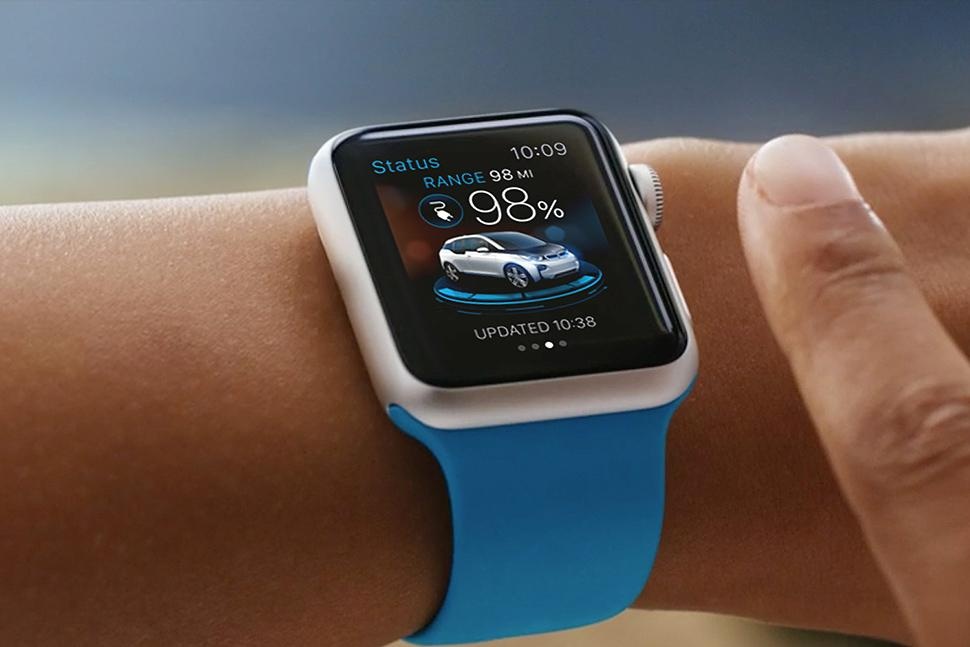
Sure, it depends on what car you’ve got, but the BMW i Remote is an awesome app. If you have a BMW and an Apple Watch and you didn’t install the i Remote you’re missing on a ton of cool features.

You can turn the heating on by using the smartwatch. Just think of those pesky winter months – start the heating 15 minutes before you go to your car, from the comfort of your kitchen, while you drink your last sip of coffee.

The app guides you to your car if you somehow forgot where you parked it. Also, you can honk your horn using the app in case you can’t figure out which BMW in the parking lot is yours. Of course, people will use it to terrorize clueless pedestrians – and of course, it’s going to be fun as hell.

Unlock your car before you even leave the house using the app – don’t know why anyone would want to do this, but hey, you’ve got the option, it’s up to you if you want use it or not.

The BWM i Remote was specifically designed with BMW i3 plug-in runabouts and the i8 hybrid with the Assist option in mind, so the app works perfectly with those two.

Also, you can monitor your driving efficiency, and the app offers the best departure times for best battery efficiency.

It’s free!

  • The Best Travel App – Uber

The Best Apple Watch Travel App

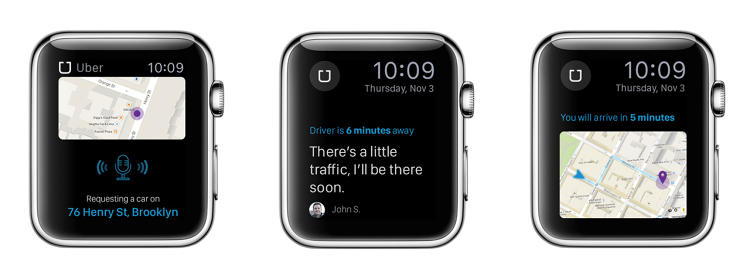
Uber is the best mobile-app-based transportation network. It doesn’t come as a shock that the app has been released for Apple Watch users.

It looks exactly like the iPhone app, and it has all of its features. The travel app allows its user to get a ride from absolutely anywhere were the Uber service is provided – it has been banned in several countries since its release. If you plan on using Uber in Belgium, France, Germany, Romania, India, and The Netherlands, you’re going to have a bad time, because the service is illegal in those countries.

Anyway, the app will offer details about the driver, how much time he has until your destination, and also it features a map where you can view where your driver is.

It’s free!

  • The Best Fitness App – RunKeeper

The Best Apple Watch Fitness App

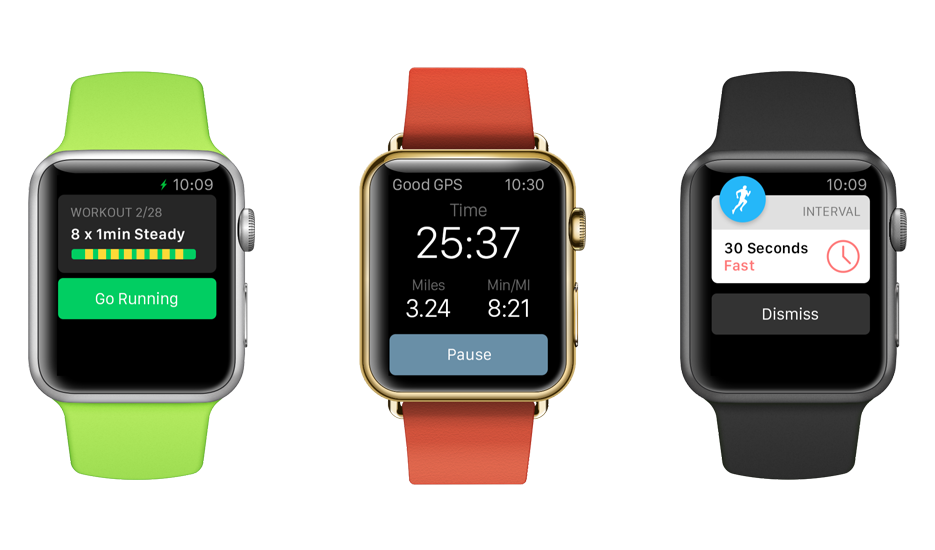
RunKeeper has a pretty long history with Apple. Released in 2008, it has garnered a huge following, and it’s the to go app when you want to track how you workout!

It feels a lot better to check your wrist for stats, rather than get your phone out of your pocket. The user can also track his heartbeat with the app.

One great feature that comes with the smartwatch app is the option to turn every single notification off. If you get easily distracted by e-mails, messages, phone calls, or Facebook notifications, you better turn it on and experience pure ignorance while you workout – You know the saying Ignorance is bliss!

It’s free!

  • The Best Productivity App – Evernote

The Best Apple Watch Productivity App

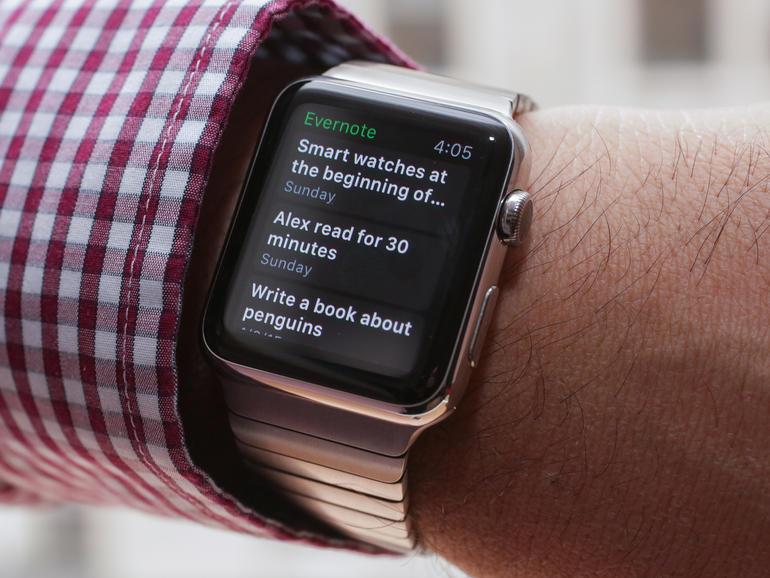
Evernote has been wildly popular since the Apple’s smartwatch release, and for good reasons too. It’s the best tool for users who want to dictate, view, and update their notes through dictation on the watch. Any data can be synced to the user’s account so it’s at a touch of a button regardless of the hour, or device – no, unfortunately you can’t synch your notes to your high-tech toaster, but in the near future, hopefully, we’ll get toasters that will run iOS or Android.

It’s free!

  • The Best App to Keep Track of Your Finances – Mint

The Best Apple Watch App to Keep Track of Your Finances

You don’t need to be cavalier with your finances, and adulthood is all about managing your money in order to live another day. It’s going to be really hard at first, but you’ll get there – I remember the first few months when I started to really be on my own, and how at the end of the month, with almost  10 days before my pay check was due, I didn’t have any money at all. I just ate whatever I had in my fridge, and I have to tell you, mustard with bread for a whole week will make you hate yourself like you’ve never done before.

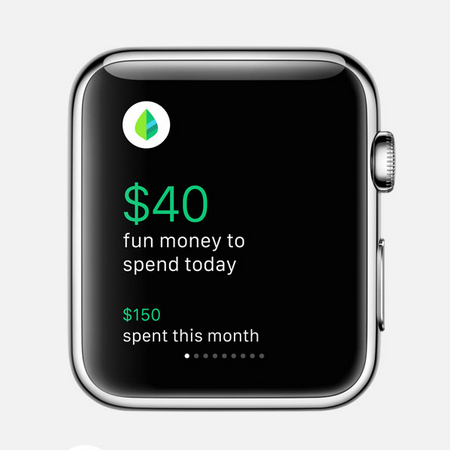
Now, let’s get back to Mint. The app allows its user to set a limit of how much you want to spend a month, and track your limit of spending. It also shows you how much money you’ve spent in a specific period of time, so you can berate yourself at night, before you go to sleep – you seriously didn’t need to buy all those games from amazon, regardless if they were on sale or not.

It’s free!

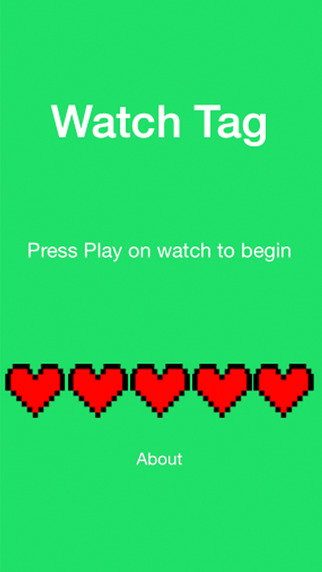
  • The Best Game – Watch Tag

The Best Apple Watch Game

The Watch Tag game is one of the most social games that I have had the pleasure of playing. It’s only for Apple Watch users, so if you want to be part of the fun, get on the bandwagon and buy yourself Apple’s smartwatch. How does the game work? Well, users have points on their device, and there is a target set to your wrist. In order to win the game you must tap the targets on your enemy’s wrist – every time you do so, you deduct a point from Timmy. At the end, he who has the most points wins the crown to the kingdom – it’s usually a cup of coffee, or a Snickers bar.

It costs $0,99!

  • The Best Smart Home App – SmartThings

The Best Apple Watch Smart Home App

Surprisingly, the SmartThings app is available for Apple’s smartwatch. Why surprisingly? Well, because SmarThings is made by Samsung, and the two companies don’t really get along that well. The user can control all of the sensors straight from their wrist. You’ll receive notifications, and in the future, the developers have been reported to state that more functionalities will be available for their app.

It’s free!

Image Source: 1, 2, 3, 4, 5, 6, 7, 8

Filed Under: Headlines Tagged With: Apple, apple watch, Evernote, smartwatch, uber, Watch Tag

How to Manage Apple Watch Notifications

May 8, 2015 By Roxanne Briean Leave a Comment

How to Manage Apple Watch Notifications

It won’t take long until you start to get annoyed by all the Apple Watch notifications. The constant vibrating and alarms throughout the entire day are enough to drive anyone insane. However, Apple gives people who purchased its Watch the ability to customize what sorts of notifications go to the device. Here is what you need to know that will help you manage Apple Watch notifications.

Alerts and Privacy

On your iPhone, open the Apple Watch companion app and go to Notifications. There is a list here with all the services and the apps that make your Watch constantly buzz. There are two very important settings on the top: Notification Privacy and Notifications Indicator. These two settings are turned on by default.

When Notifications Indicator is enabled it will make your watch display a tiny red dot to show you that you have unread notifications. The Notification Privacy setting will keep all your notifications private until the moment you interact with them. Should you want to turn off any of these two, or both of them, simply use the switches to disable them.

Preinstalled App Notifications

The section on top of the Notifications menu is meant for the preinstalled apps on your Apple Watch, like emails, text messages and activity tracker. The notifications from preinstalled apps can be customized to fit your needs, unlike the ones from third party apps that just mirror the notifications you receive on your iPhone.

If you only want to get a buzz when you receive a text message and not a sound alert you should follow these steps. Go to the Notifications menu inside the Apple Watch companion app, tap on Messages, then Custom and finally turn off the sound switch. As another example, if you don’t want to be bothered by the Apple Watch to remind you every hour to stand, simply access Activity and turn off the Stand Reminders.

Third Party App Notifications

The Apple Watch mirrors the notifications automatically from your iPhone by default. This thing can get really, really annoying very fast. I was constantly annoyed by useless notifications from Twitter, Instagram and Facebook. To select which notifications you want coming through from your iPhone go to Settings and tap on Notifications.

You can disable all the app notifications you get on the Apple Watch to stop them from appearing at all. Go in the Apple Watch companion app on your iPhone, go to Notifications and scroll to the bottom of the section. There is a list there of all the apps for Apple Watch that you have. All you have to do here is simply disable all the notifications from the apps you don’t want to be bothered by.

I turned off pretty much all the notifications from third party apps, but this might not be the case for you. Make sure you explore in detail the Notifications menu in the Apple Watch companion app and customize all the alerts to fit your needs.

So there you have it. We hope this answers all your questions on how to manage Apple Watch notifications.

Image source: 1

Filed Under: Tech & Science Tagged With: Apple, apple watch, apple watch disable notifications, Apple Watch notifications, apple watch turn off notifications, disable apple watch notifications, how to manage apple watch notifications, manage apple watch notifications, notifications apple watch

Appointment needed to purchase the new Apple Watch

April 6, 2015 By Roxanne Briean Leave a Comment


Apple Watch

The Apple Watch will be available on the 24th of April, but somehow the boys and girls over at Apple have thought that clients who want to buy their device need to make an appointment. Now, I don’t really know if this is the worst decision a company has ever made, or just pure brilliant.

It’s an incredibly risky thing that Apple is trying to pull here – everyone wants to try out the product before buying it, and what company that is set out to make profits doesn’t want their customers to buy something just out of sheer impulse?

I bought an iPod once out of impulse because I loved how it was designed. I already had an mp3 player back home.

Now, let’s look at the bright side for a bit. Maybe Apple wants to be sure that every store has sufficient devices in stock for purchase on release day – but it doesn’t make any sense. History has taught us that people have stood in humongous lines before with the goal to buy their devices only to find out that they were too late for the party, and the stock was no more – they didn’t riot, they didn’t even complain, some of them whined, but in the end they came back and bought the device. You can’t ensure that everyone will have a chance on buying the product.

Another possible reason, that seems more probable, is that Apple employees will instruct each and every single customer that buys the Apple Watch on how to actually use the device. Guiding customers through the process of customizing their new gear, selecting which band they want, and if they prefer the Sport version or the standard Apple Watch, doesn’t seem like a bad idea – but the question here is why? Why go through all the hassle of explaining such details? Isn’t Apple known for its simplicity, and incredibly user-friendly design?

Buyers of the Apple Watch, or any smart watch, will consist of individuals that have already made their research regarding the product. You’ll not see Mark, my room mate, who doesn’t know the difference between a CPU and GPU, buy a first hand edition of the Apple Watch. Of course, there will be buyers that will acquire the smart watch only because it’s made by Apple, and it’s something new, but those aren’t in the target demographic.

In the end, we know that the Apple Watch will sell like crazy – crazy millions actually. In the last few months, Apple has plastered cities with billboards and commercials for their new device, ads on TVs, and of course articles on well known tech blogs.

Image Source: 1
Filed Under: Headlines Tagged With: apple watch, Apple Watch Appointment, Apple Watch Appointment Needed, apple watch release date

Apple Watch will be Bought only by Reservation Only

March 30, 2015 By Roxanne Briean Leave a Comment

As the Apple Watch release date is approaching, details about this revolutionary device have been coming out about how the company will be managing the product sales for this new gadget. According to some confidential data, Apple will not be selling the watches to walk-in clients at the release.

Apple will start by offering on the internet pre-sales of these watches from April 10, having the first supplies delivered on April 24, the day of the official Apple Watch launching. During these couple of weeks, the clients will be able to program hands-on appointments at the company stores and suppliers.

Apple-Watch

But, according to the confidential documents received from anonymous sources, Apple does not allow the any walk-in acquisitions for its watches at launch. The clients must create a “Product Reservation” on the Internet to have a particular model of the Apple Watch at a retail shop. This original “Product Reservation” program is used instead of the company’s “Personal Pickup” option for the Apple Watches. The retail records show if a customer comes in and wishes to buy a watch, he must be offered the possibility to try the watch. Then, he must be guided to place his order in online stores or through Apple Store application.

Apple probably expects low stock for its watches and notices “try-on’ sessions also cannot reserve an Apple Watch for buying it later. Apple wants to permit eventually walk-in acquisitions, but not until the initial wave of demands has passed.

The Apple Watch is probably the most expected wearable yet, since Apple has created the first watch on the highly competitive industry of the smart watches. The organization has presented also the iPhone 6 and iPhone 6 Plus in autumn last season, while Apple announced that more details about the watch and its purchasing methods will be offered at a conference in the next weeks.

During these main events, Apple revealed the official prices and the launch time frame info, providing us our first look at this wearable to come, and presented also a few of the third-party programs that will be loaded on the watch’s system at launch.

The company also programs to upgrade its shops for April 10, when its Apple Watch will be offered for trying out thanks to pre-booked sessions.

We have gathered up everything we found out so far about this model of watch, including its release date, purchasing option and pricing info. Apple has offered some range prices for the different types of smart watches. The 38 mm Watch Sport might be sold from around 500 dollars, while the bigger 42 mm model can cost up to 650 dollars.

The ‘Watch’ version will be sold from 600 dollars, going up to 1,200 dollars depending on its case and strips combinations. For example, the 38 mm Apple Watch made with the Dark Classic strap might get around 700 dollars out of your pocket, while a 42 mm model can be with 75 dollars more expensive.

Image source: www.apple.com

Filed Under: Tech & Science Tagged With: apple watch, apple watch details

Apple Watch Differences between Models

March 17, 2015 By Roxanne Briean Leave a Comment

Apple Watch Differences

Apple recently released some details regarding their upcoming new device called the Apple Watch. The company also confirmed the rumors that they will manufacture 18k gold watches that will cost more than $10,000, but what are the Apple Watch differences?

On March 9 at the Spring Forward event, the tech giant said that Apple Watch Sport will retail at a price of $349 for the version for smaller wrists at 38mm and $399 for larger wrists at 42mm.

The Apple Watch Sport is made out of anodized aluminum which the company claims it’s as light as normal aluminum but significantly stronger. Its screen is made out of an ion strengthen glass and the back of the watch is built out of plastic. Apple Watch Sport comes with a wrist band made out of fluoroelastomer which comes in five different colors: black, white, pink, green and blue.

The Apple Watch Sport comes with a magnetic charging cable, two wrist bands, a USB adapter, three months of technical support and a year of hardware warranty. For an extra fee, the user will be able to extend the technical support to two years.

The 38mm Apple Watch will cost $549 and the 42mm one will cost $599. The bands will determine how much it will cost. The prices listed above are for the models with a white or black band. You can also buy an Apple Watch with a Milanese loop or a classic buckle for $649 for smaller wrists or $699 for the bigger 42mm model.

The 42mm Apple Watch is also available with a stone, light brown, black leather or bright blue leather loop for $699. The bands on the Apple Watch are made out of Venezia leather which will be handcrafted in Italy. The 38mm model also comes with a modern buckle for $749. The buckle is made in France and has an inner coating made out of Vectran weave. This is the same material NASA used for the airbags used for landing on the Mars rover. The buckle comes in black, brown, soft pink and midnight blue.

There is also a link bracelet made from the same material Apple used for the case of the watch and the 38mm one costs $949 while the 42mm one is $999. The black model will cost $1,049 for smaller wrists and $1,099 for larger ones.

The Apple Watch has a sapphire screen and a back made out of ceramic, just as the Apple Watch Edition.

The smaller version of the Apple Watch Edition will retail at $10,000, while the larger one will cost $12,000. These are the prices for the watches that come with a simple white or black fluoroelastomer band. The 42mm Apple Watch Edition also comes with a classic buckle for the price of $15,000 and the smaller one is also available with a rose gray or bright red modern buckle and it will cost $17,000.

The Apple Watch Edition comes with an 18k yellow or rose gold case, a ceramic back and a sapphire crystal screen. These models will come with all the accessories included with the other models as well as a two year warranty that will cover technical support and hardware repair.

All the Apple Watch models are water resistant and feature Force Touch and Retina display. The Apple Watch also features an ambient light sensor, a gyroscope, an accelerometer, a digital crown and a heart rate sensor. All the models come with a microphone and speaker which can be used for dictating messages and answering calls. The Apple Watch also has Bluetooth and Wi-Fi built in. You can get up to 18 hours of battery life on a single charge. This is better than most people anticipated but it will still require the user to charge the Apple Watch every night.

Apple demonstrated some of the functions in the event, such as using the Apple Watch as a TV remote, checking stocks, browsing through Instagram, dictating notes on Evernote and unlocking a Starwood Hotel room door.

You will be able to pre-order all the models on April 10 and Apple will start to sell the models on April 24.

If you’re curious about the Apple Watch price we’ve made a list of all the models, complete with their specific prices:

  • 38mm Apple Watch Sport – $349
  • 42mm Apple Watch Sport – $399
  • 38mm Apple Watch (Fluoroelastomer Band) – $549
  • 42mm Apple Watch (Fluoroelastomer Band) – $599
  • 38mm Apple Watch (Classic Buckle) – $649
  • 42mm Apple Watch (Classic Buckle) – $699
  • 38mm Apple Watch (Milanese Loop) – $649
  • 42mm Apple Watch (Milanese Loop) – $699
  • 38mm Apple Watch (Modern Buckle) – $749
  • 42mm Apple Watch (Leather Loop) – $699
  • 38mm Apple Watch (Stainless Steel Link) – $949
  • 42mm Apple Watch (Stainless Steel Link) – $999
  • 38mm Apple Watch (Black Stainless Steel Link) – $1,049
  • 42mm Apple Watch (Black Stainless Steel Link) – $1,099
  • 38mm Apple Watch Edition 18k Yellow/Rose Gold (Fluoroelastomer Band) – $10,000
  • 42mm Apple Watch Edition 18k Yellow/Rose Gold (Fluoroelastomer Band) – $12,000
  • 42mm Apple Watch Edition 18k Yellow Gold (Black/Midnight Blue Classic Buckle) – $15,000
  • 38mm Apple Watch Edition 18k Rose Gold (Rose Gray Modern Buckle) – $17,000
  • 38mm Apple Watch Edition 18k Yellow Gold (Bright Red Modern Buckle) – $17,000

Image source: 1

Filed Under: Tech & Science Tagged With: Apple, apple watch, apple watch differences, apple watch gold, apple watch model, apple watch model differences, apple watch models, apple watch price, apple watch prices, differences apple watch, iwatch, price apple watch

20 Apple Watch Features

February 16, 2015 By Roxanne Briean Leave a Comment

The Apple Watch is a new smartwatch that will connect to your iPhone and accomplish numerous tasks. You’re probably very familiar with the new device’s name that’s coming out soon by now, but you want to know more about the things you can do with it, am I right? The Apple Watch release date will be set in April and until then we want to share with you 20 Apple Watch features that we believe are the best and most exciting.

More Apple Watch features are sure to be reveled in the near future in an event where the company will share the exact release date of the new device and its full specifications. Even though there are a lot more features we don’t know about the Apple Watch, we do know some things this new smartwatch can do as the company revealed much of them in 2014.

The price of the Apple Watch starts at $349 for the Sport edition but we expect that the high-end models to reach up to and over $1,000.

To use the Apple Watch you will need an iPhone, of course, because many of the things that you will be able to do with the smartwatch rely on the connectivity between the two devices. This smartwatch won’t replace the iPhone; it just offers a way to access more quickly your daily activities. Even though this device is not the first smartwatch on the market and not even the first to connect to an iPhone, it’s still the most anticipated one.

To help you decide whether the Apple Watch is a great investment or not, we made a list of 20 Apple Watch features that we believe are the best and most useful.

1. Answer calls

answer-calls

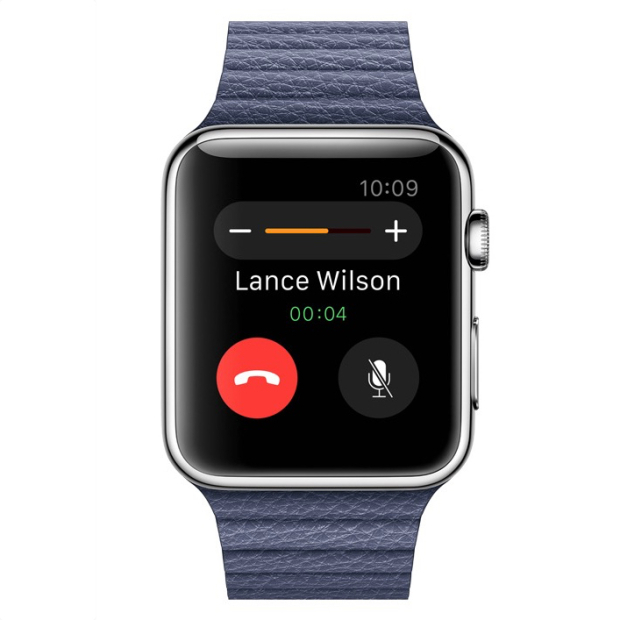
You can use the Apple Watch to answer calls by using it as a Bluetooth speaker. However, after using the Samsung smartwatch that has a similar feature, we now know that you should only use this for small conversations and never answer calls that you wouldn’t take on speakerphone either.

2. Monitor your heart rate

monitor-your-heartrate

The Apple Watch has sensors on its back that can monitor your heart rate. However, it’s still not clear whether the smartwatch will record your resting heart rate or not, so the usefulness of this feature will definitely depend on how regular the watch will monitor it. We really hope to find out more about this feature at an event held by Apple in 2015.

3. Glances

glances

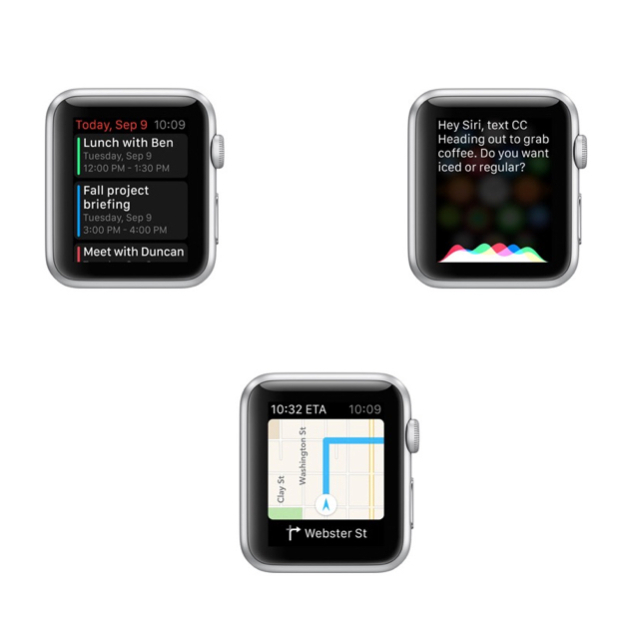
The smartwatch has a feature called Glances. These are small pieces of info that you can look and swap through on your Apple Watch. They can include sports scores, maps, stocks, meetings and the weather. They aren’t the same thing as the notifications on your iPhone, but are similar in nature to the Today panel in Notification Center on your phone. Third party apps can also share Glances on the screen of your watch.

4. Change the watch faces

change-watch-faces

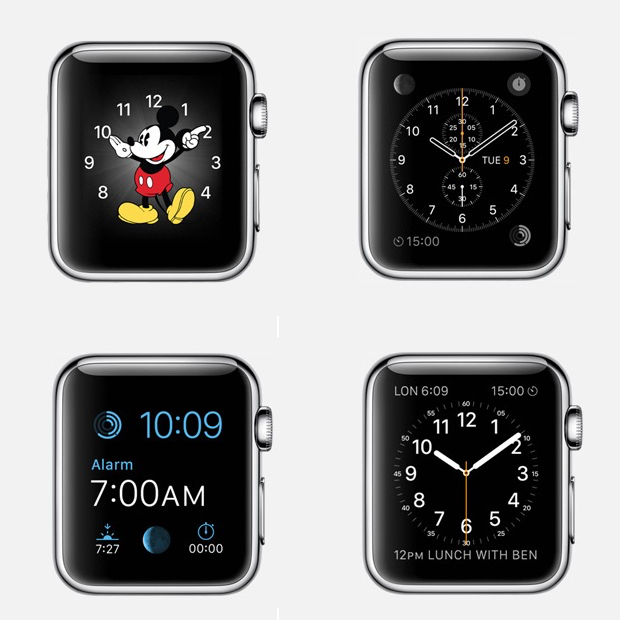
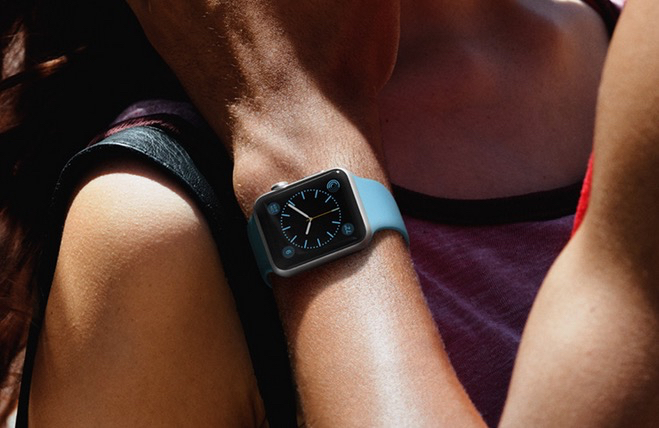
You can pick a new face for you Apple Watch to be relevant to the event you’re taking part of. We’ve seen 12 faces that range from functional and fitness to formal. There is a classic analog look, a face with Mickey Mouse, numerous digital ones and others that include info from the calendar and details such as the sunset and sunrise.

5. Track your fitness activity

track-fitness

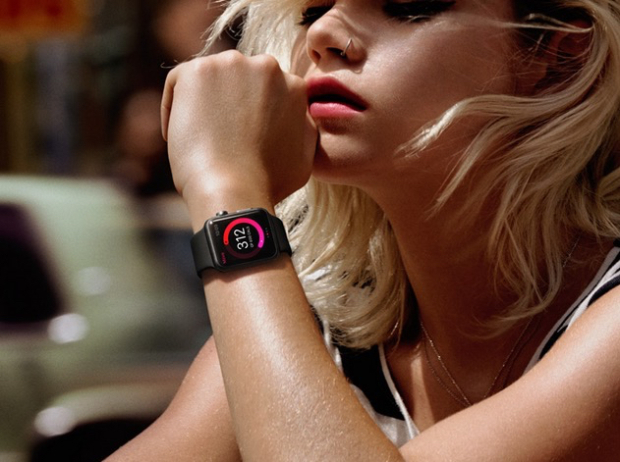
The smartwatch from Apple makes use of numerous sensors to track your movement and your fitness activity progress. You will be able to see your progress in three categories: exercise, time spent standing and movement. Your fitness activity information will also be available on your iPhone.

6. Tickets on your Apple Watch

tickets-apple-watch

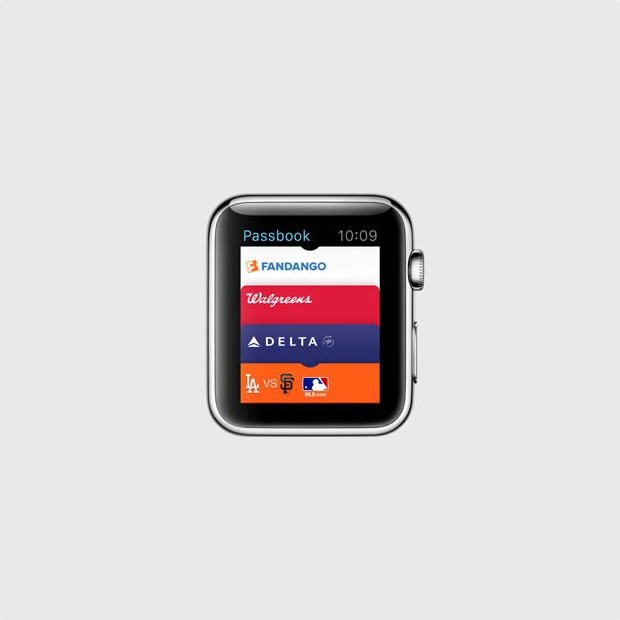
With the Passbook app on your Apple Watch you will be able to have tickets and loyalty cards right on your wrist. When you will need a ticket you will only have to show your watch to the gate agent or cashier and you will be all set to go.

7. Find your iPhone

find-iphone

You can find where your misplaced iPhone is with your Apple Watch, as long as it’s connected to it. However, you can’t find a stolen or lost iPhone, or even one that’s out of the Bluetooth range but it’s still a pretty useful feature for those who are constantly misplacing their phones.

8. Remote viewfinder for your iPhone camera

remote-viewfinder

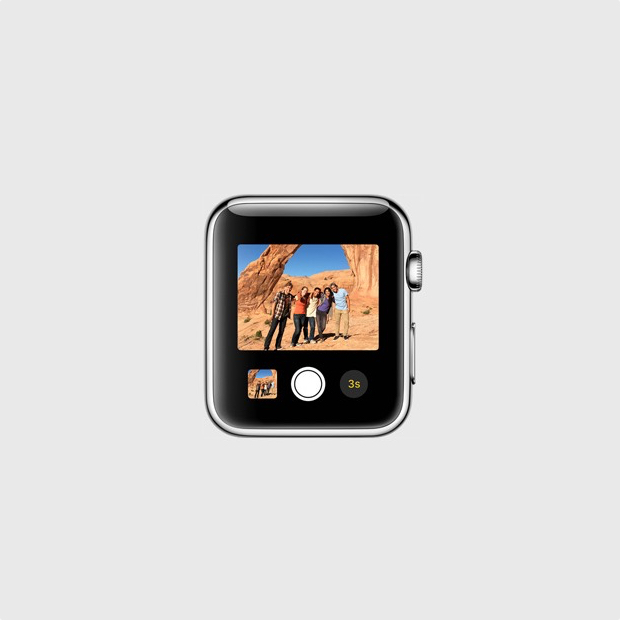
You can use your smartwatch as a remote viewfinder for the camera on your iPhone. By using this function you can place your iPhone somewhere, then get into frame and take the shot. It’s a way easier and better way of taking your own shot without the front facing camera or with the help of a selfie stick.

9. View and reply text messages

view-reply-text-messages

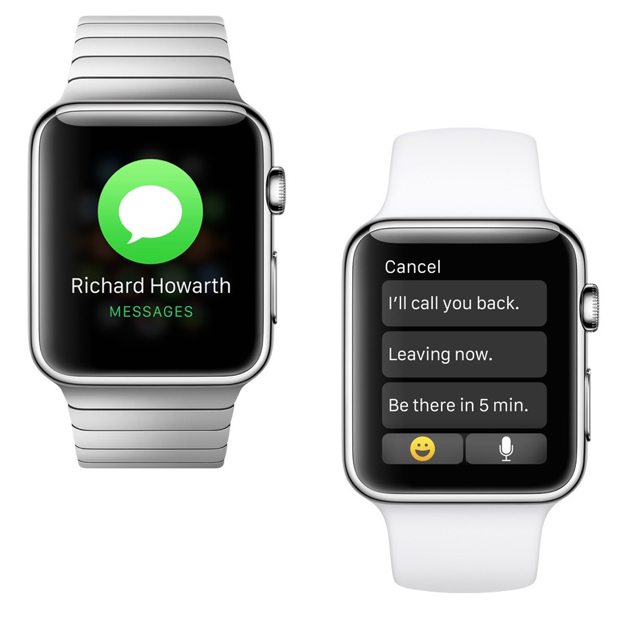
You can see the iMessages or text messages you receive on your wrist with the help of the Apple Watch. You may also reply to them with template messages. It’s a pretty useful feature that will save you the trouble of constantly taking out your iPhone out of your pocket. On top of this, you will also be able to use Siri to compose messages.

10. Check your emails

check-your-emails

You can get email notifications on your Apple Watch. You will also be able to flag, delete or read them on the watch or open them on your iPhone for full view. This features works with the Mail app on the iPhone and it’s unclear at the time whether it will work with third party apps too, or not.

11. Browse through all your Apple Watch apps

browser-apple-watch-apps

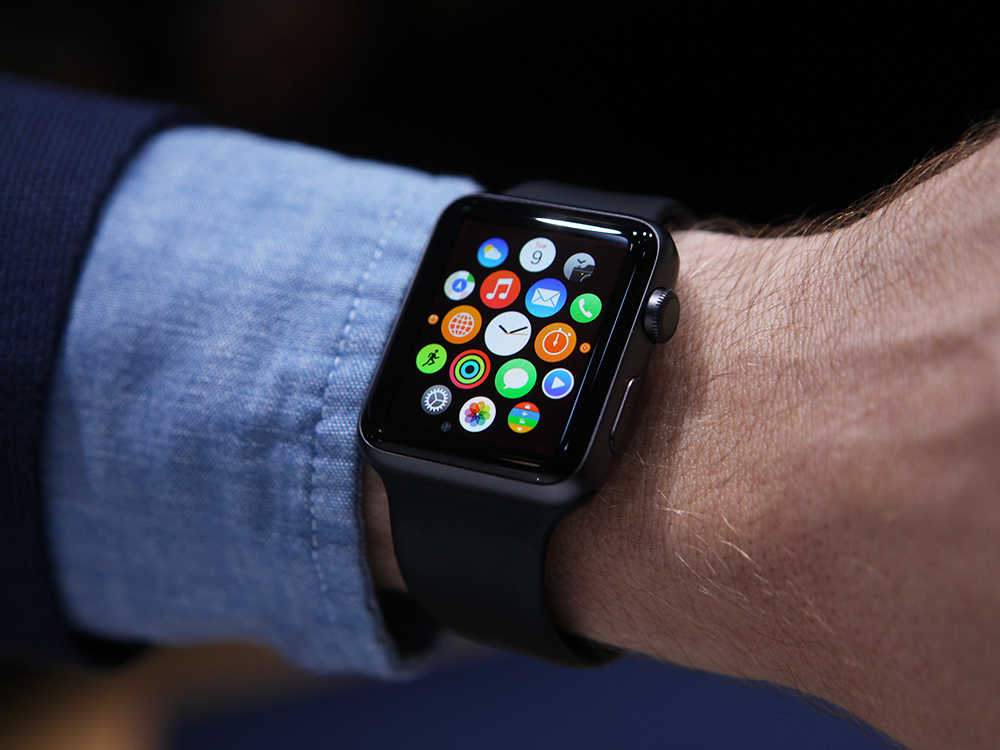
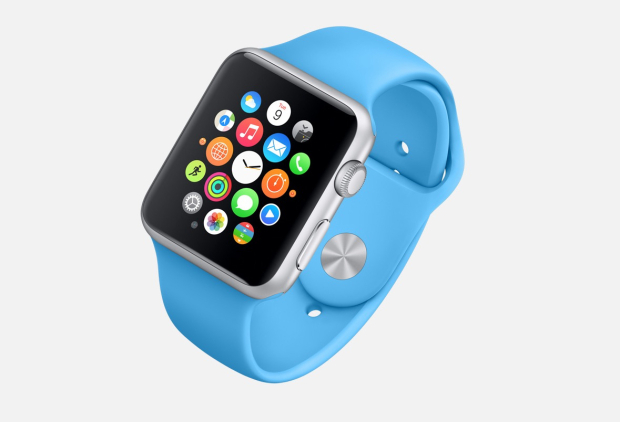
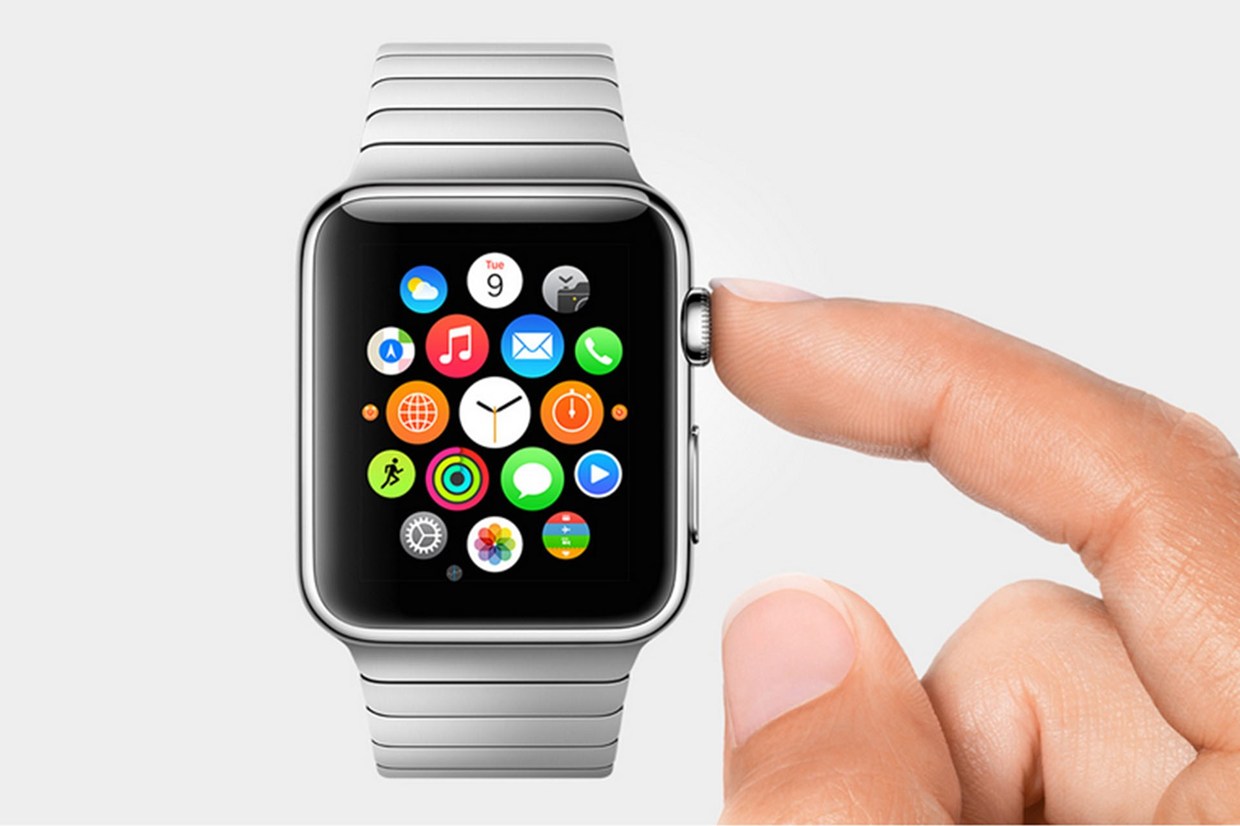
There will be a lot of apps that you will be able to install on your Apple Watch even though it may be a while until a vast library of apps will be available for it. However, the apps will appear as small circles on the screen of the watch and you will be able to browse through them by using the small Digital Crown on the side of the smartwatch to leave the screen empty for better viewing.

12. Send Emoji

send-emoji

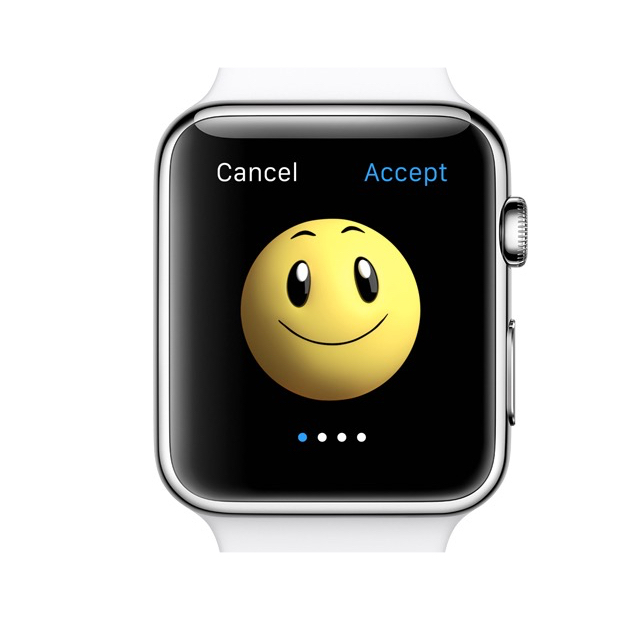
If you’re a big fan of Emoji on your iPhone, you’ll be glad to find out that you will be able to send better, bigger and animated Emoji from your watch.

13. Get notifications from your iPhone

get-notifications

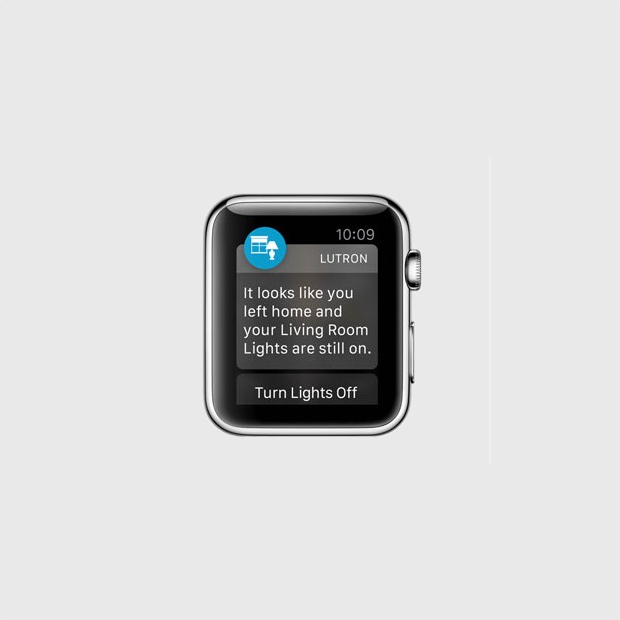
The smartwatch can display the notifications from your iPhone. This includes notifications from third party apps such as Gmail, Facebook and pretty much anything you can think of. You can customize the notifications you will receive so you won’t be overwhelmed by invites from Candy Crush and other apps that send annoying, frequent notifications.

14. Share your heartbeat with other Apple Watch users

share-your-heartbeat

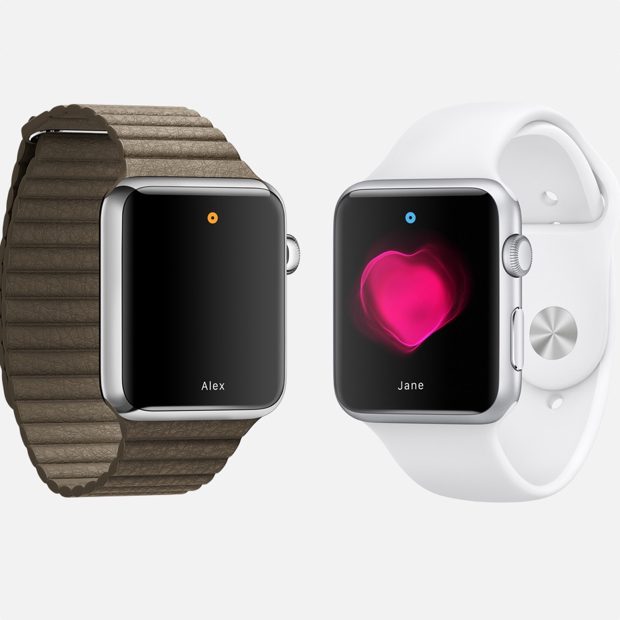
The smartwatch can track your heart rate and fitness activity, but this is not all it can do. If you want, you can share your heartbeat with a friend that also has an Apple Watch. When you share this with a close friend, an animation will appear on the other person’s watch that will show your heartbeat. Apple says that this is an intimate way of showing someone how you feel.

15. Use Apple Pay

use-apple-pay

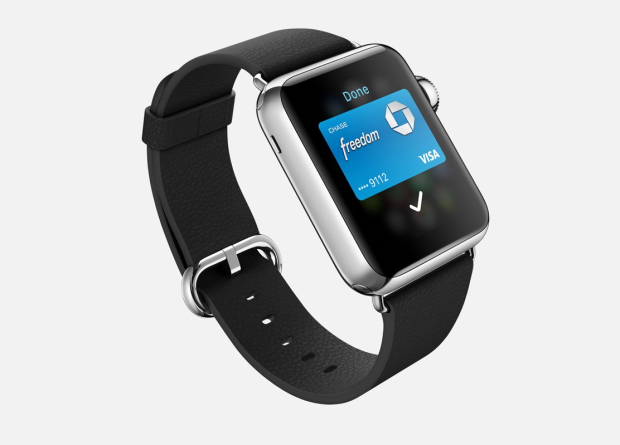
You won’t need to take your iPhone out of your pocket to make a payment through Apple Pay; you can do so just with the help of your watch. Apple Pay allows you to add multiple credit cards in the service so you won’t have to worry about carrying them with you. The service allows you to pay with your Apple Watch in stores that support this kind of payment.

16. Exercise reminder

exercise-reminder

If you’re getting a little lazy and you’ve been sitting around doing nothing for quite some time, Apple Watch will remind you it’s time to get up. While this isn’t the first smartwatch to do this thing, it’s a very nifty feature.

17. Access contacts

access-contacts

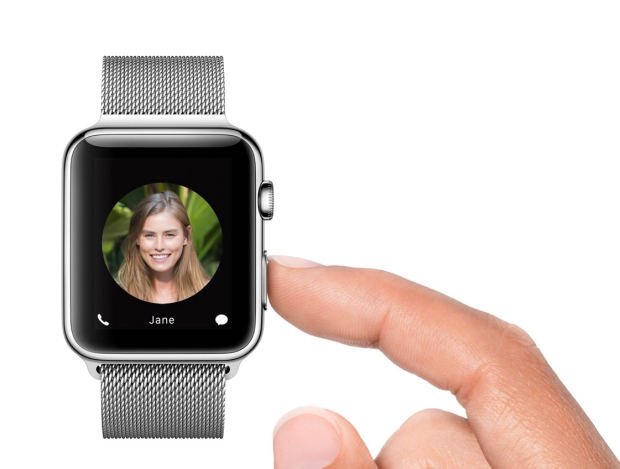
You can push a small button next to the Digital Crown on your Apple Watch to quickly access all your contacts. By doing this, you can select a contact to send a message to or call. This is also how you send your heartbeat to someone, a tap or a drawing. The tap feature is similar to the Facebook poke.

18. Use Siri

use-siri

You can access Siri on your Apple Watch by saying “Hey Siri” or by holding down the Digital Crown button. To use this feature you will have to have your Apple Watch connected to your iPhone.

19. Share your current location

share-current-location

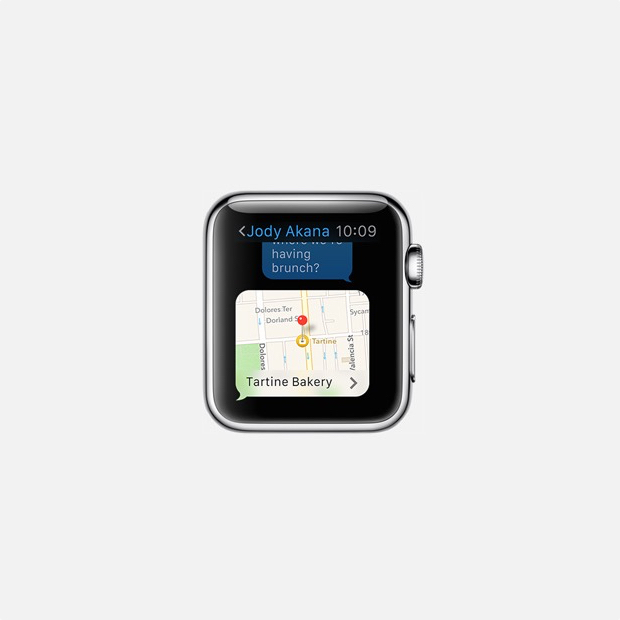
Apple Watch can be used to share your current location with a friend. This feature is already available in Messages on the iOS 8 and makes it easier for people to know where you currently are and in the near future you will be able to do the same thing through your Apple Watch.

20. Control your music and Apple TV

control-music-apple-tv

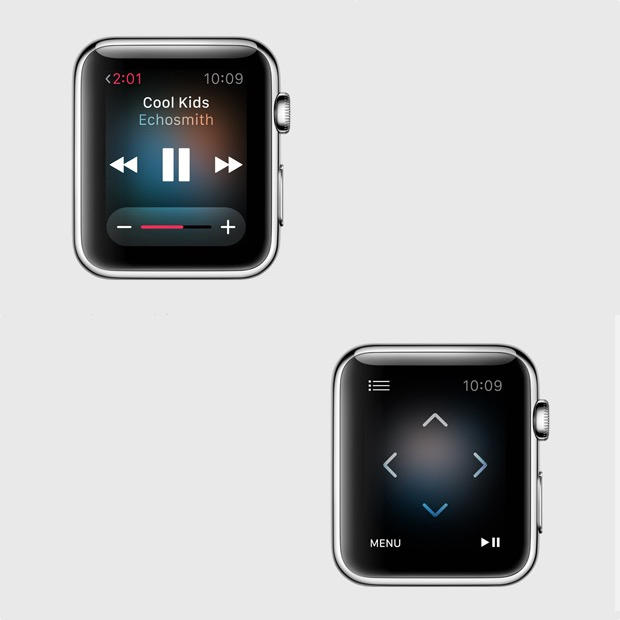
You can use the smartwatch as a remote control for iTunes and Apple TV. This is a pretty cool feature as it’s almost never easy to find that small remote and you sometimes really need to pause the music or TV when you can’t do so by using the iPhone Apple TV remote app. You can use the Apple Watch to browse through lists, menus, choose the movies you want to see and listen to the radio or music on iTunes.

So there you have it. This was our list of the best 20 Apple Watch features so far.

Images source: gottabemobile.com

Filed Under: Tech & Science Tagged With: Apple, apple smart watch, apple smartwatch, apple watch, apple watch details, apple watch features, apple watch price, apple watch release date, apple watch rumors, iphone watch, iwatch

Subscribe to Blog via Email

Enter your email address to subscribe to this blog and receive notifications of new posts by email.

Join 10 other subscribers

Recent Articles

police handcuffs man

German Man Probed In Poisoning That Killed 21 Employees Since 2000
June 29, 2018 By Kenneth Scott Leave a Comment

Chicken wings bar

Intoxicated South Carolina Man Punches Waitress Who Refused to Serve Him Alcohol

June 29, 2018 By Karen Jackson Leave a Comment

gaming

New Zealand gamer Who Flew Halfway Across The World for Virginia Teen Gets Shots By Her Mother

June 28, 2018 By Cristopher Hall Leave a Comment

party

Former Virginia Tech Freshman Sentenced to 50 Years in Prison for Stabbing a Girl to Death

June 28, 2018 By Roxanne Briean Leave a Comment

bonfire

British Couple Sentenced to Life in Prison for Torturing and Murdering French Nanny

June 27, 2018 By Deborah Campbell Leave a Comment

pay phone

Texas Father of Girl Disappeared in the 80s Ignored by Authorities

June 26, 2018 By Cristopher Hall Leave a Comment

bottled water

San Francisco Woman Threatened to Call Police on Girl Who Sold Ice Water for Disneyland Trip

June 25, 2018 By Roxanne Briean Leave a Comment

Maplewood Park

Missouri Man Robbed by Date and Accomplice in Park

June 22, 2018 By Nancy Young Leave a Comment

coding

New York Man Sentenced in Cyberstalking Former Girlfriend, Mailing Drugs to Her Dorm

June 22, 2018 By Deborah Campbell Leave a Comment

headphones

Bose Poised to Launch Sleepbuds, In-Ear Headphones That Help You Sleep

June 21, 2018 By Nancy Young Leave a Comment

Police light

Intoxicated Female Driver in Custody for Pulling Arresting Officer by the Hair

June 21, 2018 By Kenneth Scott Leave a Comment

kitchen

Restaurant Manager Arrested and Charged in Shooting Death of Co-Worker over Negative Yelp Reviews

June 20, 2018 By Karen Jackson Leave a Comment

plastic container

Pennsylvania Couple Charged in Violent Death of Infant Discovered Buried in Cat Litter

June 19, 2018 By Cristopher Hall Leave a Comment

tailpipe

Minnesota Teen Gets Head Stuck In Oversized Tailpipe Winstock Music Festival

June 18, 2018 By Karen Jackson Leave a Comment

Pages

  • About Us
  • Contact us
  • Privacy Policy
  • Privacy Policy GDPR
  • Staff
  • Terms and Conditions

Recent Posts

  • German Man Probed In Poisoning That Killed 21 Employees Since 2000 June 29, 2018
  • Intoxicated South Carolina Man Punches Waitress Who Refused to Serve Him Alcohol June 29, 2018
  • New Zealand gamer Who Flew Halfway Across The World for Virginia Teen Gets Shots By Her Mother June 28, 2018
  • Former Virginia Tech Freshman Sentenced to 50 Years in Prison for Stabbing a Girl to Death June 28, 2018
  • British Couple Sentenced to Life in Prison for Torturing and Murdering French Nanny June 27, 2018
  • Texas Father of Girl Disappeared in the 80s Ignored by Authorities June 26, 2018
  • San Francisco Woman Threatened to Call Police on Girl Who Sold Ice Water for Disneyland Trip June 25, 2018

Categories

  • Business
  • Entertainment
  • Finance
  • Headlines
  • Health
  • Life
  • Nature
  • Science
  • Sports
  • Tech & Science
  • Travel
  • Uncategorized
  • United States
  • World

Copyright © 2026 ArgyllFreePress.com
About · Privacy Policy · Terms of Use · Contact