Argyll Free Press

Growing News Network

Saturday, May 2, 2026
Log in
  • Business
  • Finance
  • Sports
  • Tech & Science
    • HP Envy 4500 Review
    • LG Optimus 170 Review
    • iPod Touch 6th Generation Review
    • HTC One M8 Accessories Set-up
    • Surrealist Games You Must Play
    • Hisense Sero 8 Review
    • Dell Latitude e7440 Review
    • HP Laserjet 1536dnf mfp Review
    • Garmin Fenix 2 Review
    • Skype Vs Viber
    • Best Video Conferencing Software
    • Sony mdr 1r Headphones Review
    • Canon Rebel t3i Review
    • Sennheiser Momentum 2-0 Review
  • Travel
  • Headlines
  • Health
  • United States

HP EliteBook Folio 1020 G1 Review – The Mobile Office

October 14, 2015 By Kenneth Scott Leave a Comment

Hp EliteBook Folio LaptopThe first thing that comes to mind when you think about a business laptop would probably be one of those bulky, heavy things with an uninspired design that you use only because you have to. Take a look at the HP EliteBook Folio however and you’ll surely have a quizzical look plastered to your face once you witness the next great thing that HP has to offer in the corporate computer department.

From afar, there’s a chance you might even mistake the HP EliteBook Folio for a MacBook Air. If it wasn’t for the HP logo beautifully resting on the lid of the elite book, the thin build and aluminum chassis seem to have come straight from Apple factories. If anything, it looks more like a consumer ultrabook; it would seem that HP attempted to bring the sleek design of personal laptops in your work life as well. And the results look more than promising.

The HP Elite laptop packs not only great design, but performant hardware and architecture, as well as a number of great features suited for all of your office needs – whether we’re talking voice conference tweaks, privacy and data encryption or HP’s BIOSphere system for enterprises – meant to provide protection against malware for businesses.

Taking into consideration everything that you would ever need from a work laptop, there are quite a few candidates out there that could easily compete toe-to-toe with the HP EliteBook laptop so let’s take a closer look at every little nook and cranny of what our subject has to offer.

HP EliteBook Folio Design

HP EliteBook Folio Lid and LogoRegarding this chapter, we’ve already stated the most obvious, eye-catching detail of them all. The solid aluminum and magnesium alloy that was used to build it looks simply amazing – with a smooth texture that remains cool even after prolonged usage – so resting your palms on the bottom end will never become uncomfortable. Everything about it looks highly professional – starting with the elegant reflective logo on its lid, the carefully framed keyboard and the Hewlett-Packard inscription right above the hinge when you open it.

If there’s a word that comes to mind when you look at the HP EliteBook Folio, it is “solid”. Everything seems very well and firmly put in place, with no gaps or weak spots to speak of in the unibody. The USB ports, power, headphones, microphone jacks as well as the microSD slot are directly cut into the sides. Considering that the base is made from one piece there’s literally no danger in damaging the areas near the ports.HP EliteBook Folio Left Side

HP EliteBook Folio Right Side

One aspect that is worth mentioning is the EliteBook’s weight – at only 1.2 kilograms, this laptop is an easy winner. Not only that there’s few, if none other business laptops that even come close to such a light device, but the HP EliteBook Folio 1020 G1 even competes with some consumer laptops in terms of how light and easily manageable it is. The MacBook Air design inspiration can be effortlessly noticed in the way the EliteBook Folio thins towards the bottom edge, giving the laptop an astonishing thickness of 15.7 millimeters.

The hinge shows no sign of being susceptible to wearing out easily – thanks to the one-piece centrally-placed joint, you will probably never encounter the frustrating wobble that sets in some laptop models after a few months of usage.

As you open the HP EliteBook Folio, you will immediately notice the black-toned island-style keyboard, the power button along with the discreet speakers as well as the trackpad and the fingerprint reader.

The sides of the laptop host 2 USB 3.0 ports – one on either side – as well as an HDMI port, a separate 3.5 mm headphone jack and the microSD slot. What we originally mistook for a full SD card slot is in fact an adapter for D-SUB and Ethernet output that can also be used for many other port replicators.

HP EliteBook Folio Unibody

The bottom cover is made of magnesium alloy metal that holds the weight of the hardware inside nicely, but might prove to not be as solid as the aluminum used on the outer frame and lid as it tends to bend the tiniest bit under hard pressure. Still, it’s far from being a concern. All of the materials used for building the exterior is the HP EliteBook Folio are scratch resistant and have undergone 12 MIL-SPEC tests before being released on the market – claiming that the laptop is highly durable against humidity, dust, vibration and dropping according to the Military Specifications 810G certification.

HP EliteBook Folio Specifications & Hardware
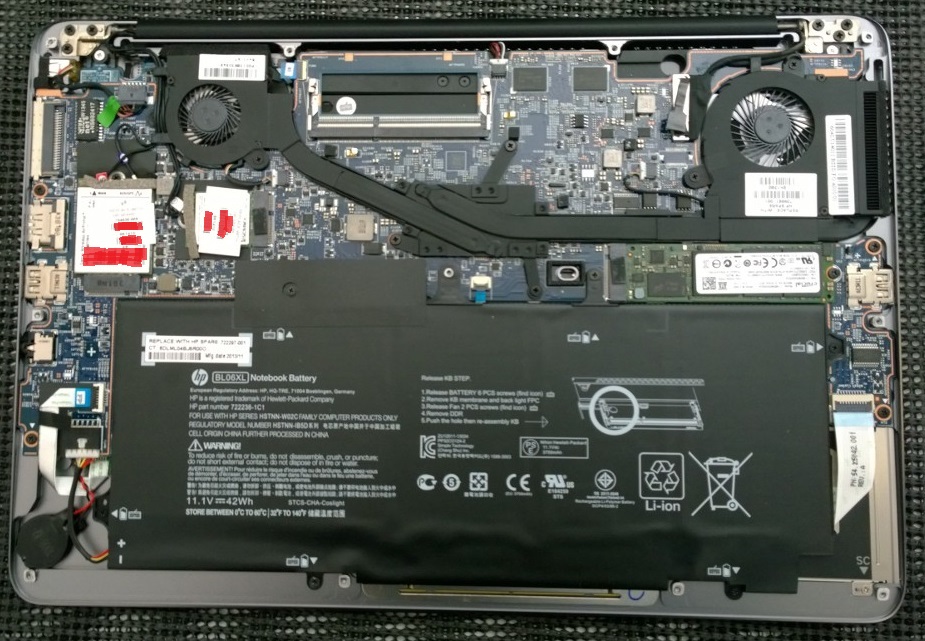
HP EliteBook Folio Under the Lid

Let’s delve a little deeper into what’s behind the beautiful exterior. Opening the notebook will allow you to remove the hard disk, the wireless card as well as battery. Nonetheless, the memory is directly connected to the board and cannot be taken out.

The HP EliteBook Folio features an Intel Core M-5Y51 processor – a two hyper-threaded core piece that is clocked to 1.1 GHz and can go up to a 2.6 GHz Turbo peak. It is not the greatest CPU out on the market, coming close when compared with the common Intel Core i5-2410M @ 2.30 GHz processor. It’s mid-range but it does its job well when it comes to any form of office work.

Along with the CPU you get the Intel’s HD Graphics 5300 integrated graphics processing unit. As long as your job does not involve video editing or heavy graphic rendering, you will not encounter any issue whatsoever. Surely, a dedicated GPU will always work better than an integrated card but that is not a feature that you will easily come across when browsing business laptops.

The HP Elite Book also packs an 8 GB LPDDR3 SDRAM at 1600 MHz RAM – which is more than plenty. You won’t encounter sluggish performance even with a dozen processes active at a given moment.

The hard-disk comes in several variations for the HP EliteBook Folio: you can either get a 128 GB, an 180 GB or an 256 GB SATA III HDD respectively on one hand, or one of the two self-encrypting drives available when purchasing – the 180 GB or 256 GB SATA III Self Encrypting Drive Opal 2 drives. While it may not be plenty of space for some users, do keep in mind that you still have the microSD slot – which nowadays can go as far as a staggering 512 extra gigabytes of storage space.

There is no CD/DVD/Blu-ray support to speak of in exchange, but the Folio features a dual-band 802.11ac wireless card as well as Bluetooth 4.0 and near field communication (NFC).

HP EliteBook Folio Features

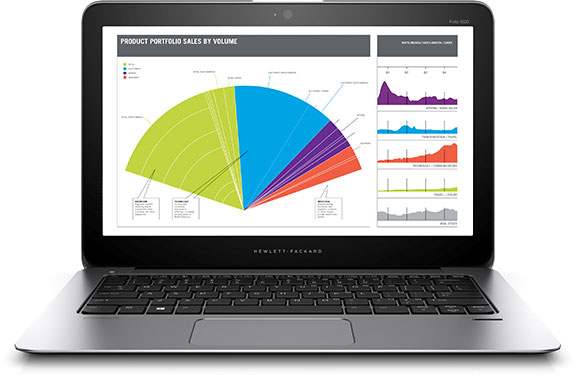
Screen – The HP Elitebook Folio features a 12.5 inch screen that can go as far as 2560 x 1440 resolutions. Considering it’s a rather small display (or at least smaller than the more common 13” or 13.3”-sized notebooks), you will end up with no less than 235 ppi of pixel density – higher than many other comparable models, including the 13” MacBook Pro. While that is saying something, the Elite Book even goes as far as making use of a 1440p screen – superior to most ThinkPad or ZBook business laptops which feature 1080p screens.
Hp EliteBook Folio Display

One great aspect of Folio’s screen is that it sets its maximum, native resolution by default without the need for the operating system to get the best out of it. The screen has a 371-nit brightness which competes with MacBook Pro’s retina display making it extremely easy to render vivid, colorful and well-defined images even in sunlight and artificial lighting. Its 1,197:1 contrast ratio and black levels result in high image quality while the color accuracy and temperature are not as highly-rated: the screen’s color temperature is 7,823K which makes for cooler than average colors.

Sound – unless you’re making use of a separate headset and you have to rely on the HP EliteBook Folio speakers, the sound does not stand out in comparison to most laptops. Despite the carefully perforated speaker holes that can be found above the keyboard, the sound comes out at decent volume levels but may gain a certain degree of fuzziness as you turn it up to maximum. That’s something that you get from laptop speakers in general and normally only occurs at very high sound volume.

Keyboard – The keyboard of the HP Elitebook Folio 1020 G1 is probably one of the best featured in business laptops out there. With a perfect balance of responsiveness and even spacing between the keys, the keyboard is springy but may feel cramped and a little too small when you start using it. However, after you get used to the distances, it makes typing as fluent as you would have on any full-fledged keyboard. The keys caps are placed very close to the mechanism underneath, allowing the keyboard to sound muted and making it perfect for typing in quiet environments such as meeting rooms.

The keyboard does not feature a numpad. Nevertheless, the 81 keys on it are backlit and provide a good feedback when pressed.

HP EliteBook Folio Keyboard and Trackpad

HP EliteBook Folio Backlit Keyboard

One of the greatest things about HP EliteBook Folio’s keyboard is the fact that it was built to be spill-resistant. While this may sound like a generic thing laptop producers normally say with newer models, in Folio’s case it literally is spill resistant. By that we mean that the laptop has a built-in drain below the keyboard where the fluid gets quickly collected should the otherwise-catastrophic event occur. That prevents any form of damage to the data and the keyboard itself if you happen to have an accident.

Trackpad – the trackpad of the HP EliteBook Folio is also a great and nifty little detail. It incorporates one of the latest Synaptics technology known as ForcePad. It is very similar to the one used in Force Touch which you might have encountered or heard of in a number of Apple devices. The trackpad has no buttons and cannot be pressed down on, but instead it measures the amount of pressure you apply to it and responds accordingly.

HP EliteBook Folio Touchpad

Using a MacBook trackpad for the first time for example can feel a little confusing and unsatisfactory, given that you mostly rely on taps rather than the clicks that would normally mimic a mouse. Take the HP EliteBook Folio trackpad and you will find yourself in the same situation. Not only that the ForcePad provides no tactile feedback whatsoever, but it comes with an entire set of gestures and multi-finger taps that will help you navigate around your operating system. Instead of the feedback you normally get with a touchpad that you can press on, the laptop plays clicking sounds using the in-built speakers.

If navigation using the trackpad is too confusing, have no worry. The HP EliteBook Folio comes with an application that will walk you through all the things you can do with it step-by-step. It also allows you to customize the trackpad functionality according to pressure applied and different finger motions on it.

Fingerprint reader – when you first start using the HP EliteBook Folio, you are guided to start setting up your data protection by recording your fingerprint. Naturally, this is an optional feature and can, by any means, be skipped. However, should you decide to use it, it will make some things a little easier here and there. For example, once your identity has been set up and your fingerprint associated to it, you can easily access programs and features that require a log in by a simple swipe over the fingerprint reader.

Rest assured – if you, at any point, wish to stop using this feature or decide that you won’t wish for your fingerprint to be recorded, you can remove all your fingerprint credentials immediately.

Data encryption & security – the EliteBook laptop comes with several iterations of enterprise security. The TPM 1.2/2.0 (Trusted Platform Module) from Infineon is a microprocessor designed to secure hardware by integrating cryptographic keys into devices. Along with TPM, the laptop also has the latest of HP’s BIOSphere – an extra layer of protection against malware attacks such as PDoS (permanent denial of service) and provides you with a way to recover in case of BIOS malware corruption or compromise in less than 30 seconds.

HP EliteBook Folio Battery & Performance

Given the HP EliteBook Folio’s overall size, it would be pretentious of us to expect a powerhouse to run the entire thing behind it. The laptop features a four-cell 36 Wh battery, which is considerably smaller than competitor models of the same caliber. However, the Folio’s processor was built to improve and boost battery life, so with a decent mix of screen brightness and a balanced power mode, the laptop can last up to 6 to 8 hours without being plugged in. Regardless, at maximum screen brightness and a more stressful type of activity on it, you might only end up with 3 or 4 hours’ worth of power.

Charging doesn’t seem to take very long either considering that if you leave it turned off and plugged to a power outlet for roughly an hour and a half, you will have a full charge to work with afterwards.

In terms of performance, we have to be frank – the hardware packed in the EliteBook Folio is not breaking into the benchmarking tops. The Intel Core M is the best you can get for a fan-less processor that would fit in the 15.7 mm thickness that the Folio showcases. While you can fluently work with emails, documents, presentations, video conferencing and many other activities of this nature, you many end up feeling that it lags behind a little in comparison to some of the better consumer laptops.

HP EliteBook Folio Verdict

We finally come to the conclusion of the HP EliteBook review. So what are the main factors that we have to take into consideration when settling on a final opinion? On one hand you get a pretty good performance, an amazing look, a light-weight, easily transportable but sturdy and well-protected machine. On the off-side, a rather small display (albeit near excellent in render quality), a very high premium price and the boldly-stated “looks and style over performance”.

If you believe that the work you do does not involve putting your laptop up to a stress-test on a regular basis and the high price is not an issue, the HP EliteBook Folio 1020 G1 is a splendid choice.

The Folio’s pricing varies depending on the components you select when purchasing. The lowest end build will cost you a little over $1,000 while the high-end custom builds involving a more powerful processor and a touch-screen capable display can even take you up to a staggering $2,478.

The operating system of your choice (Windows 7.1 or Windows 8) and 3 years of warranty are included in the final price.

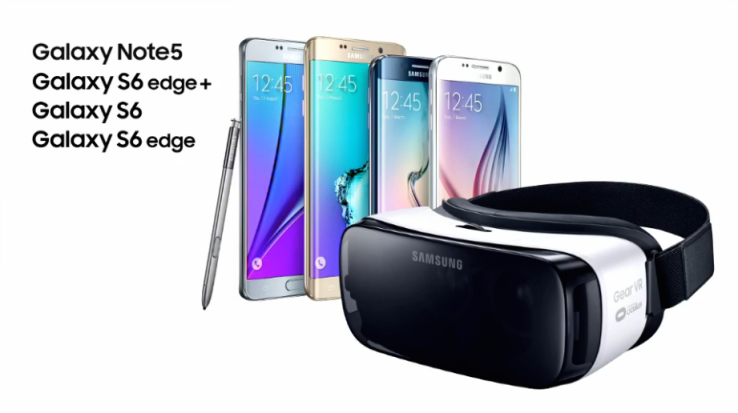
Image Source: 1, 2, 3, 4, 5, 6, 7, 8, 9, 10

Filed Under: Headlines Tagged With: business laptop, elitebook folio review, HP EliteBook Folio, office laptop, work laptop

Improved Samsung Gear VR Costs $99, Sells this November

September 26, 2015 By Kenneth Scott Leave a Comment

The new and improved Samsung Gear VR Headset

When Samsung initially released its virtual reality headset for mobile platforms earlier this year, they called it Innovator Edition. Now, the Korean-based company is preparing their product for release – it’s finally consumer-ready!

The new and improved Samsung Gear VR will cost $99 and it will start shipping this November.

The announcement was made on the 24th of September during the Oculus Connect 2 developer conference that took place in Los Angeles. Peter Koo, who is Samsung’s Vice President of Mobile took to the conference’s stage to announce their plans.

This comes right in time for US’s Black Friday event. It will start selling worldwide shortly after its United States debut.

More so, proving that it wants the virtual reality industry to bloom, Samsung is committing to Oculus Rift’s goal – to make VR a mass-market product. That’s the only way to entice VR enthusiasts to buy a headset.

The new and improved Samsung Gear VR will work with all the company’s flagship phones that where released in 2015. This means that if you have recently acquired a Galaxy S6 Edge Plus, Galaxy S6 Edge, Galaxy S6 and Note 5, you own a VR compatible device.

The new and improved Samsung Gear VR headset can be used with Samsung's 2015 flagship phones

Samsung’s VR headset now sports a 22 percent lighter hardware. Koo notes that this makes the headset more comfortable to use for extended periods of times. Also, the touchpad found in the side of the headset has received a somewhat complete make-over. Yet, Koo didn’t care to talk more about what this actually entails.

Users will have access to an expanding universe of premium content, Koo noted. This, however, is more than confusing, and nobody knows what he is talking about. Will Samsung build a special platform a la Steam for their Gear VR headset?

This sub-$100 price feels like an aggressive strategy to gain dominance over the VR market, which is yet to crown a king. Furthermore, we don’t even have an industry standard at the moment.

Joining the ranks of Google’s Cardboard, Zeiss VR One and DODOcase, the new and improved Samsung Gear VR will most likely be a hit this holiday season.

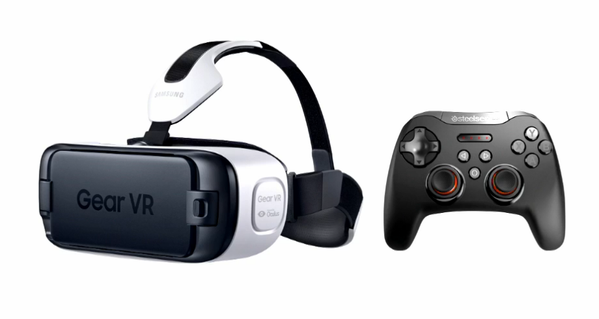
The new and improved Samsung Gear VR headset comes with its very own controller

Samsung Gear VR headset comes with its very own controller.

A more performance-driven headset will be released at the beginning of 2016. Yes, we are talking about Facebook’s Oculus Rift. But don’t expect Oculus to go under the $100 threshold. Oculus Rift CEO Brendan Iribe has hinted that their device will retail at around $500. Yet, if you want to use their headset you’ll have to use a $1000 machine.

VR is coming strong in 2016 and the mobile platform is one of its key destinations due to its large distribution capabilities.

There’s also a little VR device called Full Dive aimed at emerging markets that is yet to surface. Read our interview with one of Full Dive’s co-founders if you are interested in more details.

Image Source: 1, 2, 3

Filed Under: Headlines Tagged With: gear vr, samsung, samsung gear vr, virtual reality, Virtual Reality headset, VR, VR Headset

New Lenovo Smartphones are Pretty Weird

September 6, 2015 By Kenneth Scott 2 Comments

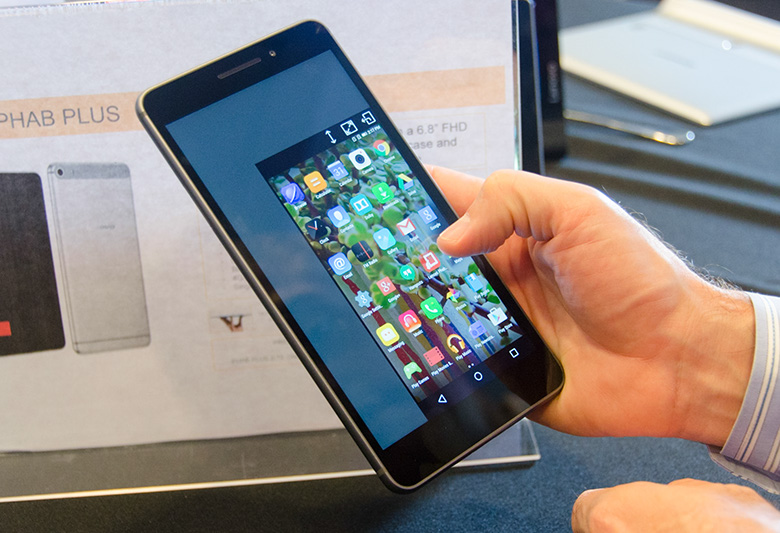
New Lenovo Smartphones - Phab Plus phablet

The Lenovo Phab Plus

The new Lenovo smartphones are weird-looking, weird-manufactured, simply put, weird. Among other announcements, Lenovo randomly showcased new smartphone lines. Not a single one of them will be released in North America.

The Motorola parent company has some peculiar things planned for Europe, China and the Middle East. It’s like they are living in a completely different world.

I don’t like phablets and I don’t understand their appeal. Huge blocks just aren’t my thing.

However, Lenovo is still trying to make this trend popular and the company is embracing phablets like never before.

The base Phab model has a 6.98-inch screen that sports a 1080p display and mid-range specs. Cough up more cash and you’ll get an upgraded Phab dubbed Phab Plus with better innards but a smaller screen. The Phab Plus has a 6.8-inch 1080p display, 2 gigs of RAM and a Qualcomm 615 proc.

Both of them reside on the mid-tier category, performance wise.

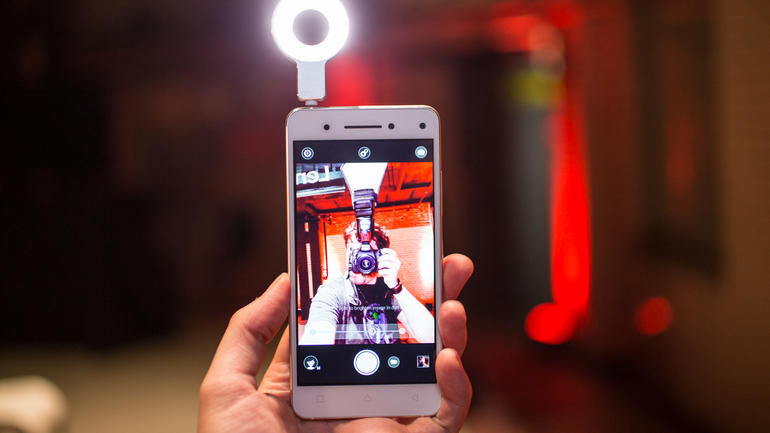
New Lenovo Smartphones - Vibe S1

The Lenovo Vibe S1

Basically, Lenovo just stretched everything so they can plaster the phablet tag.

Lenovo’s head of PR notes that their new devices will remove the dilemma that usually comes when users want to choose between a smartphone with a big screen and a small tablet. I don’t understand what they are talking about. Nobody, and I mean not a single soul on this planet has this dilemma. You either want a smartphone or a tablet. You don’t lose sleep at night weighing the pros and cons.

But wait, Lenovo being weird doesn’t end here.

Take the Vibe S1. It has two front facing cameras especially designed for selfies. The smartphone’s main sensor is a 8 megapixel camera unit. The second one has 2 megapixels and it’s a depth-sensing camera so selfie aficionados can add all sort of peculiar effects, like bokeh.

However, the Vibe S1 comes with some pretty more-than-decent specs. It features a MediaTek proc, which doesn’t really shout reliable, but you’ll get 3 gigs of RAM and, get this, 160 gigs of storage.

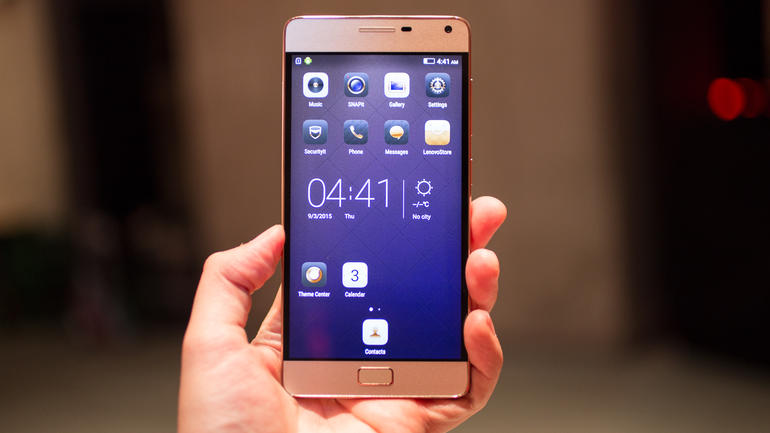
New Lenovo Smartphones - Vibe P1

The Lenovo Vibe P1

Wait, there’s more.

A couple of new Lenovo smartphones that feature a pretty cool gimmick are the Vibe P1 and the Vibe P1m – who brands these phones? ‘Cause my 12-year-old cousin could do a better job.

The gimmick is that both smartphones come with a physical switch which the user can use to put the device into a power-saving mode.

Oh, yeah right, they also come with humongous batteries.

  • The P1m has a 5.5-inch screen, a 720p display and a 4,000mAh battery!
  • The P1 comes with a 5-inch screen, a better 1080p display and a 5,000mAh battery!

What’s the battery life, I wonder?

The P1 also weighs 6.67 ounces. For a smartphone that isn’t light at all.

These new Lenovo smartphones will hit stores in the following months. Unfortunately, for some I guess, North America won’t get its dose of weirdness.

Image Source: 1, 2, 3

Filed Under: Headlines Tagged With: lenovo, Phab, Phab Plus, Vibe P1, Vibe P1m, Vibe S1

Lenovo ThinkPad X1 Carbon 2015 Review

August 27, 2015 By Kenneth Scott 1 Comment

The Third Gen Lenovo ThinkPad X1 Carbon 2015

Not that many laptop brands have lasted as long as Lenovo’s ThinkPad product-line. Its success has led to Lenovo hybrids and Ultrabooks. The company’s latest laptop, the Lenovo ThinkPad X1 Carbon 2015, is a flag-ship Ultrabook which sports a superb design wrapped around a magnesium alloy and carbon fibre build.

The third iteration to bear the name Carbon follows the 2012 and 2014 releases. Lenovo doesn’t just staple the Carbon name onto the same old rehashed device. The Lenovo ThinkPad X1 Carbon competes with top-of-the-shelf laptops from Apple and Dell. It’s also more business oriented and it comes packed with an extended warranty, vPro and TPM.

Lenovo ThinkPad X1 Carbon Review

Lenovo ThinkPad X1 Carbon 2015 Third Gen Model

It has a high-resolution, top-notch screen, with an excellent and comfortable keyboard, it’s lightweight sporting a beautiful exterior design, and the three year warranty is just the bomb.

The thing is, for the $1,900 price tag, it isn’t the best one in its price range. Battery life is great, but it gets beaten elsewhere, it’s bigger and heavier than its rival, and because it’s so business oriented it makes Lenovo pump up the price a bit.

Lenovo ThinkPad X1 Carbon Design and Build Quality

New Lenovo ThinkPad X1 Carbon 2015 Model

It’s beautiful and sleek, with a powerful vibe to it. It comes with a matte black finish, a red trackpoint and a diagonal retro logo. It shouts ThinkPad from its every screw.

The Carbon stays true to its ThinkPad origins and the machine favors being practical over little gimmicks. Dedicated buttons have been augmented onto the trackpoint and the capacitive functions keys are now binned, featuring more practical physical keys. It’s something that we would have just loved for the second gen 2014 model. It’s a nice addition, more so considering that Lenovo has clearly been listening to its community.

The machine is built out of high-quality materials, there is no doubt here. But Lenovo doesn’t showcase this in detriment of the device’s practicality. Aluminium and magnesium stand at the core of build-materials. If they were to use only aluminium, the machine would be slippery and it would have been riddled with scratches from God knows where

Lenovo ThinkPad X1 Carbon 2015 Brand New Model

The panel found on the rear of the machine’s display is built from fine carbon-fibre. Other gaps found on the Carbon are filled with reinforced fibre made out of plastic. At the touch, the blackness feels soft and smooth.

I’ve got no quarrel with how Lenovo constructed their machine. It’s lightweight and sturdy because of the materials used.

The Carbon was never constructed with design in mind just for design’s sake. This means that the latest Apple MacBook Pro, or the Dell XPS 13 are better looking. They are sleeker, and subsequently more desirable. The ThinkPad has been built with business in mind – elegant, simple but capable of doing the exact same thing other flag-ship laptops boast about.

Even though it’s business-aimed, it’s an Ultrabook, clearly. The Carbon X1 weighs 1.31 kilos, which is just a couple of grams lighter than the MacBook Pro. Surprisingly, Lenovo’s machine is just about as thick as the 13-inch MacBook Air.

It’s more than great, but it’s worth noting that there are other consumer machines which are smaller, and lighter. The Dell XPS 13, revised, is about 15 millimeters thin and weighs 1.17 kilos.

The new Lenovo ThinkPad X1 Carbon 2015

It’s not something noticeable at first, but if you carry it on a day to day basis, it will pull on your shoulder more, and your carry-bag will be a little bit bigger.

It has better components when compared to the 2014 second gen model. The machine is 4G-ready, it has a dual-band 802.11ac wireless support and the TPM and vPro are included to assure security for businesses – this isn’t something that you will be get if you choose to acquire a Dell or a MacBook.

Indeed, it can be upgraded, but not by much. The RAM is soldered in place, but you can lift the base panel and gain access to the M.2 SSD, the wireless card and other internals.

Lenovo ThinkPad X1 Carbon Screen and Sound Quality

Brand new Lenovo ThinkPad X1 Carbon 2015

The X1 Carbon has a 14-inch display and a resolution of 2,560 x 1,440 – the display panel is of IPS descent. With a pixel density of 210ppi it’s borderline excellent, however Apple’s latest MacBook features 227ppi. Though, the difference isn’t noticeable at all.

Because of the screen’s high density images, icons and text are sharp and clear.

You’ll be using the scaling option for Windows. If you opt-in for a native res, then the OS will look small and it will become barely usable.

Unfortunately, third party tools still don’t get as much support as we would have wanted. It isn’t a huge issue, but it’s worth mentioning that there will be minor pixelation problems and other visual artefacts present. It has improved, a lot I might add, but OS X is by far the better one.

It has a fantastic 6,584k color temperature, but the XPS 13 beats it, slightly. In fact, ThinkPad’s rivals end up in the lead in almost every department. Brightness levels are better than Dell’s XPS, but when comparing black points Dell, once again, takes first place.

However, both of them are exquisite.

Lenovo ThinkPad X1 Carbon 2015 Third Generation Model

Lenovo features a 1,013:1 contrast. Dell is superior with 1,505:1. Yet again, another area where the Carbon falls a little bit short.

The X1 has a high-quality sharpness and it can handle anything photo-edit related, but Apple’s latest MacBook has flawless viewing angles and much better scaling due to its OS X.

Sound-quality wise, speakers are quite good, but they have too much middle. This means that volume is plentiful, but treble takes a beating. Sound doesn’t seem to have the required high-punch in order to really stand out.

What I found impressive is how much bass the laptop can output. Unfortunately, it gets swamped and sound  is buried under a stew of high-pitched noises trying to make themselves heard.

Lenovo ThinkPad X1 Carbon Performance

The Lenovo ThinkPad X1 Carbon 2015 is aimed at businesses

The ThinkPad X1 comes packed with a Core i7-5600U proc that outweighs Dell’s XPS. It’s even faster due to it having 400MHz. The L3 cache can stretch the power even further with Turbo Boost.

Clearly, the Lenovo ThinkPad X1 Carbon beats Dell in the performance department, but it doesn’t pack enough punch to make a clear ground between itself and Apple’s MacBook machine. It came as quite the shock because Apple’s laptop has a Core i5 proc. Under closer investigation, you can observe that Apple’s machine has a more powerful and faster chip – 100MHz faster.

MacBook’s GPU also overpowers Lenovo’s – it’s an Intel Iris 6100, which is better than X1’s HD Graphics 5500 chipset.

Benchmark tests is where both machines prove their worth. Although the Carbon scored 17.1 frame per second in the Unigine Heaven gaming test, it comes dead second in Geekbench. It barely scored 5,194. Apple’s MacBook managed a whooping 7,010.

Lenovo ThinkPad X1 Carbon 2015 is built out of high-quality materials

Bottomline is that both machines output a decent amount of speed for work related tasks. Your usual office apps run without issues. Photo editing tools work flawless. Only the most demanding programs will make the X1 struggle.

Storage tests proved that the Lenovo ThinkPad X1 Carbon is quite the beast. That is, if it’s compared with average laptops that come equipped with an HDD. The X1 M.2 Samsung SSD is by far quicker than any hard drive, but it’s sequential read and write speeds aren’t enough to compete with Apple’s machine.

Lenovo’s 482MB/s read speed and 256MB/s write speed doesn’t compare with Apple’s 645MB/s and 1.2GB/s.

There were no issues regarding heating or too much noise. The i7 proc reached a high of 68 degrees and little to none heat got out of the laptop.

Lenovo ThinkPad X1 Carbon Battery Life

Lenovo ThinkPad X1 Carbon 2015 has a high-quality screen

During a standard 40 percent brightness test, the ThinkPad lasted 9 hours and 50 minutes. This is more than great, but its rivals performed better. The Dell XPS 13 almost reached the half day mark, and the MacBook Pro went over it.

The Carbon is pretty good in this area, but its competitors take the gold.

Lenovo ThinkPad X1 Carbon Keyboard and Trackpad

Lenovo ThinkPad X1 Carbon 2015 has 210ppi.

Lenovo’s ThinkPads are considered to have one of the best keyboards on the market. The third gen X1 Carbon had big shoes to fill.

Initially I thought that because the Carbon was so lightweight and slim, Lenovo had to cut down somewhere, and that somewhere had to be the keyboard area. Quality remains unhindered. Keys are still large with a deep dip so you can type better and faster. Typing is consistent and responsive, it’s soft and comfortable. No criticism here.

The third gen Carbon has a better trackpad than its previous gen brother, and its two built-in buttons are highly responsive. The points can feel a little bit twitchy, initially, but it has to be this way for a longer use. Its more than decent.

Lenovo’s keyboard remains reigning king, but the trackpad? Not so much. MacBook Pro’s Force TouchPad is better. But to be honest, this is a matter of taste. Needless to say, both of them are great.

Lenovo ThinkPad X1 Carbon Miscellaneous

Lenovo ThinkPad X1 Carbon 2015 is as thin as they get

The most expensive Lenovo ThinkPad X1 Carbon costs $2650. But there are cheaper configs available. You can choose from various options that include, or exclude touchscreens. You can choose a 1920 x 108 res or a 2560 x 1440 one. You can even choose models with more, or less RAM and storage.

The cheapest Lenovo ThinkPad X1 Carbon costs $1,900 and it comes packed with a 1920 x 1080 res display, non-touchscreen however, 4 gigs of RAM, an SSD comprised of 128 gigs and an Intel Core i5 5200U proc.

If you want to compare the Lenovo with its competitors, you should know that the MacBook Air’s cheapest model retails at $1,300, and Dell’s XPS 13 starts at $1230. You can save a ton of money, but neither of them don’t have vPro, or TPM like the ThinkPad.

Lenovo’s 2015 Carbon comes with a three-year warranty. This is more than great, and it can put your mind at peace when considering the long-term investment.

Lenovo ThinkPad X1 Carbon Verdict

Lenovo ThinkPad X1 Carbon 2015 is 4G-ready!

The Lenovo ThinkPad X1 Carbon is an impressive laptop and it shines in every area. Yet, it gets beaten by competitors in almost every department. It’s aimed at businesses but it also offers a commercial appeal. Unfortunately, business use is on the top of its priority lists.

It’s as thin as you get them, and it won’t strain your back even though it’s slightly bulkier than the MacBook Pro or the Dell XPS 13. The screen is sharp, with vibrant colors. Everything looks superb on the laptop’s display, but visually, Apple’s machine betters the ThinkPad.

The X1 Carbon outperforms the XPS, but it’s a ton slower than Apple’s MacBook Pro. Also, Lenovo, although it has a great battery life, considering all things, it gets bested by Dell and Apple.

If you’re in need of a consumer laptop, then you should definitely go for an Apple or Dell machine. Lenovo’s ThinkPad is best used for business. Its strengths lie in the vPro, the fingerprint reader, TPM, the more than generous huge three-year warranty and access to all of its internals.

Lenovo ThinkPad X1 Carbon 2015 has a three-year warranty

Because it’s business oriented, you’ll have to pay more. Is it worth the trade-offs? It’s a pretty great business Ultrabook, but going over the $2,000 mark seems a little bit of an overkill for what it has to offer. The laptop is consistently good, with no crashes encountered, and most importantly it doesn’t creak or squeak. Build material is top notch.

Bottomline is – looking for a business machine? Take the Lenovo. Looking for a consumer machine? Pick an Apple or Dell laptop.

Lenovo ThinkPad X1 Carbon Price – Between $1,900 and $2,650.

Image Source: 1, 2, 3, 4, 5, 6, 7, 8, 9, 10, 11, 12, 13, 14

Filed Under: Headlines Tagged With: lenovo, Lenovo thinkpad, Lenovo ThinkPad X1, Lenovo ThinkPad X1 Carbon, Lenovo ThinkPad X1 Carbon 2015, ThinkPad, ThinkPad Carbon, ThinkPad X1, ThinkPad X1 Carbon, X1 Carbon

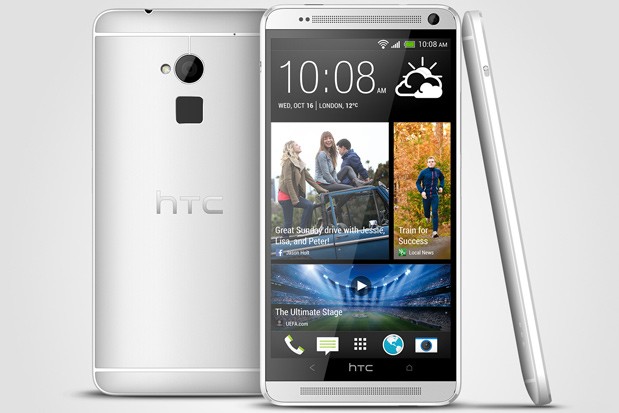
HTC One Max Fingerprint Bug Makes Shares Go Down

August 11, 2015 By Kenneth Scott Leave a Comment

HTC One Max Fingerprint Bug Makes Shares Go Down

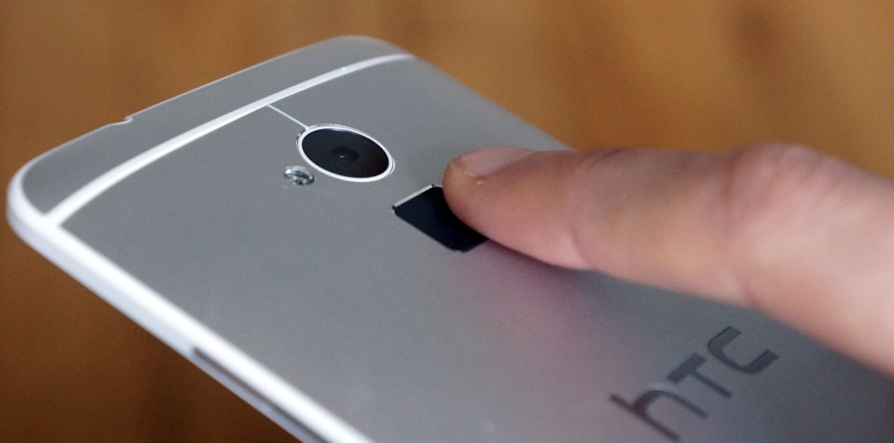
After security firm FireEye Labs revealed that HTC One Max and Samsung S5 don’t store fingerprint data in an encrypted image format, the news created quite a stir among the users of the HTC phone that is almost two years old.

According to FireEye, HTC acted immediately and fixed the vulnerable spot. It appears the fingerprints read by the phone were being kept in an world readable file, which means it could’ve easily been accessed by any app on the device. With so may malicious app floating around, that is as bad as it sounds.

The flaw was fixed immediately, and HTC insisted to add the bug was removed from all regions.

HTC One Max Fingerprint Bug Makes Shares Go Down

HTC One Max used to store the users’ fingerprints in a bitmap file. FireEye didn’t have any issue reconstructing the specialized file into a scan of the fingerprint. What is more, the HTC phone updated this image each time a new scan was submitted, which means a potential hacker could have obtained various file images without lifting a finger.

Not only HTC One Max is under the close scrutiny of FireEye. According to the security firm, the same flaw could exist in Samsung’s Galaxy S5 and a few others that haven’t been named yet.

Although HTC One Max was never particularly popular, it’s still uncertain if the bug was detected by any malicious app and used in mischievous acts. FireEyes’ discovery left many concerned for their security. It’s one thing to have your password leaked and another to have your fingerprints in the hands of hackers.

HTC One Max Fingerprint Bug Makes Shares Go Down

As a consequence, users are encouraged to choose smartphones that have an updated security patch available. Also, the classic “stay away from unreliable sources” still applies and may keep you away from malicious apps in the long run.

How bad is this for HTC? Their stocks have recently sunk very low, which translates into anyone being able to buy all their shares for less than the cash they are currently holding. Need another translation? As investors would put it, HTC is now essentially worthless.

HTC was never a leader on the smartphone market, although they deliver some sturdy, reliable Android phones. So how did they get knee deep in trouble? A quick glance at the numbers tells us that HTC is running at a loss, unable to sell phones for more than they pay to make them. That can’t be good for business.

With Androids getting cheaper and cheaper, the forecast for HTC doesn’t look too sunny. And alongside fierce competitors like Samsung and Motorla, HTC might not come out of the fighting pit alive.

Image sources 1, 2, 3

Filed Under: Headlines Tagged With: fingerprints, HTC, HTC One Max

Thunderstrike 2 Dubbed The Mac-Ender

August 4, 2015 By Kenneth Scott Leave a Comment

Thunderstrike 2 Firmware aims at Macs and other x86 machines

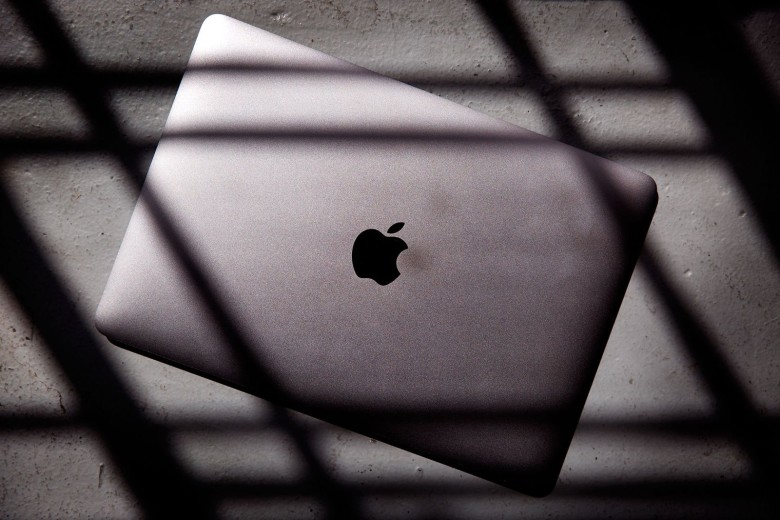
Thunderstrike 2 will obliterate your Mac, as in, you’ll have to throw it in a bin, and burn the bin. You see, this worm will remain embedded in your Apple computer even after you format your hard drive, and reinstall your OS.

Researchers will demo their malware at Black Hat, and Def Con. The almost impossible to detect, and tough as a cookie firmware is already starting to get on many Apple users nerves.

When you claim that you built something unhackable, you’re signalling every hacker on the planet that there’s a challenge waiting to be overcome. Macs  are were considered to be more stable than PCs which have backdoors, and other security breaches.

Good thing hackers can’t do this remotely, right? Welp, better pack your bags and head to the Moon, because researchers have found a way to remotely infect Macs with Thunderstrike 2.

Dubbed the Mac-Ender, the Thunderstrike 2: Sith Strike creators Xeno Kovah, Trammell Hudson, and Corey Kallenberg will present their firmware at Black Hat on the 6th of August. If you want to see the power of the dark side in action, you better get to the six day event in Las Vegas. It already started on the 1st of August.

Researcher Xeno Kovah notes that Macs are susceptible to firmware attacks exactly like PCs, and five out of six vulnerabilities found in PCs are also present in Macs.

Thunderstrike 2 runs automatically when you first boot your Mac, and hackers only need just a few seconds to infect your device with the kratocratic firmware.

Trammell Hudson, part of the Thunderstrike 2 team

Apple’s Macs aren’t superior, even though the majority thinks so, and Kovah notes that whenever you hear about EFI firmware attacks, you should know, that all the x86 machines are targeted.

How remotely can hackers get? Your machine can get infected through the traditional phishing method, or through simple malicious websites that implant the firmware. The Sith Strike doesn’t even need machines network-connected to each-other in order to spread like the black plague. It can automatically transmit itself to other peripherals that have the ROM option – like the Apple Thunderbolt Ethernet adapter.

Apple has been notified of the issue, and is fully aware of what this entails for them. As we are accustomed with, there are no official statements from the big A.

After their 6th of August Black Hat presentation, researchers that have worked on the Thunderstrike 2 will release tools for free that will let users check their ROM options on their machines.

The trio will also demo their firmware malware at Def Con on the 8th of August.

Image Source: 1, 2

Filed Under: Headlines Tagged With: Sith Strike, Thunderstrike, Thunderstrike 2, Thunderstrike 2 Sith Strike

The Ashley Madison hack – a new kind of warfare?

August 3, 2015 By Kenneth Scott Leave a Comment

The Ashley Madison hack

Despite hackers and cyber threats popping up in the news more and more often, the Ashley Madison hack took many by surprise. On July 20th some anonymous hackers claimed to have accessed thirty seven million user accounts from the dating site that encouraged married people to enjoy themselves and go ahead and have an affair.

Under the motto “Life is short. Have an affair“, Ashley Madison allowed married users to meet other married or uncommitted people and have an affair. It was reported that the hack on the cheaters’ dating site was prompted by the users being asked to pay a charge in order to have their private data deleted.

The users later claimed the data has not in fact been deleted, but Ashley Madison stood their ground saying they did and even without taxing the users any fee.

The Ashley Madison hack

While the cyber criminals are threatening to leak the private information of the users, the Ashley Madison hack stands for more than making people feel bad for cheating on their partners. We are facing safety breaches and a newly emerged form of warfare.

The Impact Group, as the hackers called themselves, are now apparently holding very sensitive data of the Ashley Madison’s users. They are threatening to reveal all the data if the site doesn’t shut down.

To prove they intend to keep their promise, the hackers have already disclosed the personal information and identity for two users of Ashley Madison. The first victim of the hackes is a man that lives in Mississauga, Canada. The Impact Group didn’t shy away from publishing the man’s full name and even his home address.

The second victim of the Ashley Madison hack was a married man from Brockton, Massachusetts. It was revealed that this user created an Ashley Madison account in 2014, after Valentine’s Day. His profile stated he values discretion and secrecy.

The Ashley Madison hack

In an attempt to calm the waves made by the criminal intrusion, the company that owns Ashley Madison, Avid Life Media, apologized publicly to the million of users whose private information has been exposed.

The parent company has already started an investigation and stressed the fact that the site’s security has been reinforced after the Ashley Madison hack.

How do users feel about the hack? A married man from DC is blaming Ashley Madison for enabling him to cheat on his wife. During his affair with a married woman he was caught by the latter’s spouse and the encounter ended with a fist fight. As a consequence, he had to end his marriage of seven years.

Image Sources 1, 2, 3

Filed Under: Headlines Tagged With: ashley madison, cheating, hacking

Honor 6 Plus Review – Huawei’s Little Sister

July 29, 2015 By Kenneth Scott Leave a Comment

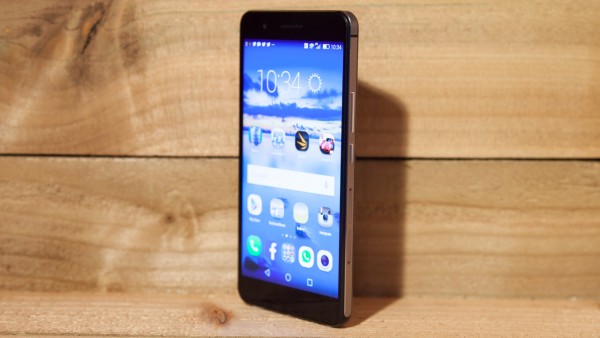
The Honor 6 Plus

Honor is Huawei’s little sister brand, which is tasked by the Chinese phone manufacturer to make a stance in UK, and the rest of Europe. The ever-growing Huawei seems to have encountered some problems with enticing smartphone lovers in buying their flag-ship phones. The Honor 6 Plus is the Chinese company’s strategy to make westerners buy their device. Do you think this flag-ship phone from Honor has what it takes to compete with smartphone leaders in Europe?

Honor 6 Plus Review

The Honor 6 Plus

What is the Honor 6 Plus? What are the Honor 6 Plus specs?

The Honor 6 Plus is made in China, but don’t let this fool you. It’s one tough little cookie. Well, maybe little is wrongly used here. The 5.5-inch smartphone is aimed at those who are tired of Samsung, and Apple, and want to try something new. It has a full HD display of 1080 x 1920, two rear-facing 8 megapixel cameras, and one front-facing 8 megapixel camera unit. The Honor comes packed with an octa-processor. It all looks good, it looks really really good on paper, but does it have to it takes to make itself heard in the overly saturated smartphone market in UK, and the rest of Europe?

The Honor 6 Plus’ key features, and specs:

  • Octa-Core Proc
  • Dual 8-megapixel camera unit
  • Full HD display
  • 3,600mAh capacity battery

The Honor 6 Plus

Key features are pretty staggering, but wait until you see what the phone is really about. This ain’t no budget smartphone, although it has a more than affordable price.
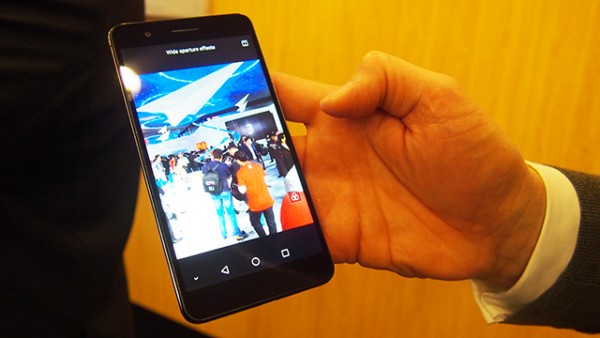
The Honor 6 Plus price: $360

The Honor 6 Plus Design Talk

The Honor 6 Plus Design Talk

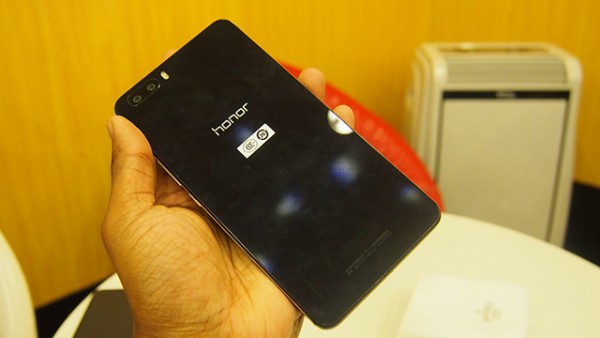
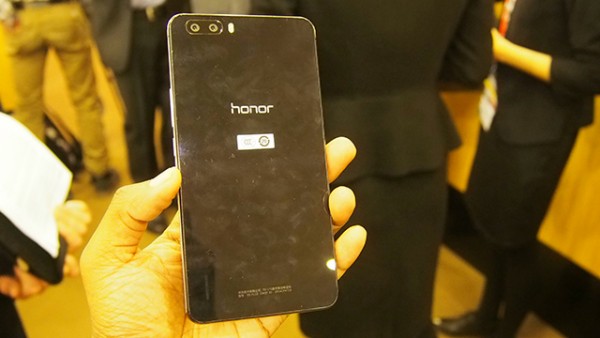
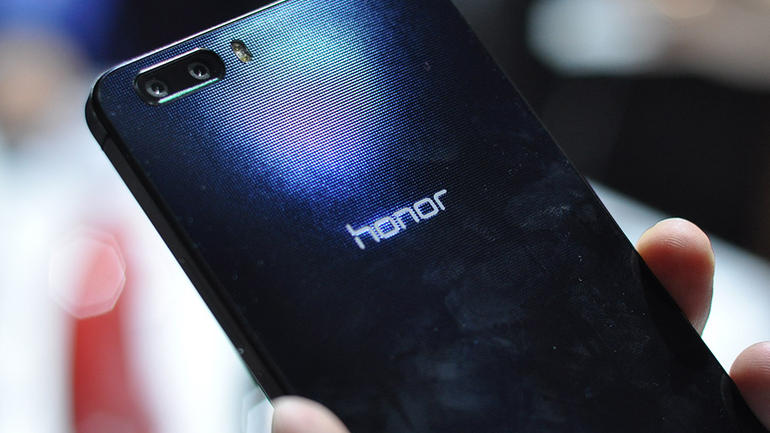
One thing that the Chinese manufacturer repeatedly states, is the fact that their new flag-ship device has a rear shell that resembles a military helmet i.e you can play Frisbee with it, and you won’t regret it later. The rear shell is made out of glass fibre.

I wouldn’t use it to protect my melon while I’m driving my scooter across town, neither if I’m ever tasked to go into battle and slaughter a legion of aliens, but hey, that’s just me.

The Honor 6 Plus Design Talk

It’s pretty sturdy, and you can notice from the get-go that the Honor 6 Plus is made out of high-quality builds.

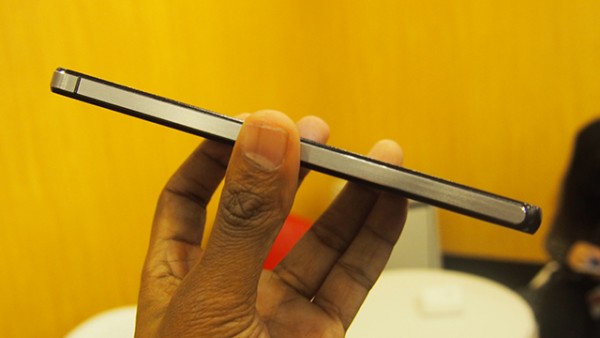
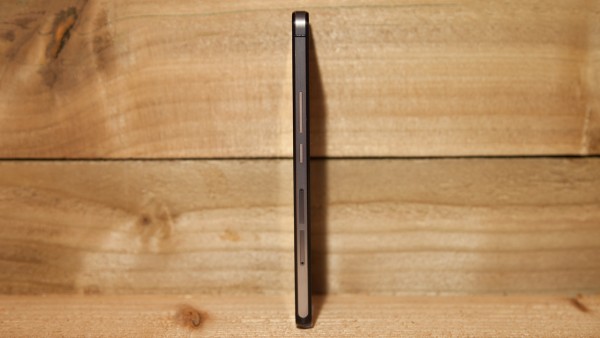
It measures 150.5 x 75.7 x 7.5mm, and it weighs just about 165 grams. It doesn’t seem much, but trust me, you’ll definitely feel it in your pocket, more so, if you plan on going for a jog. Its presence can be felt, and there’s no denying it.

This shouldn’t be taken as a negative remark, although, some people may find it unappealing because of it.

The Honor 6 Plus Design Talk

To better test Honor’s claims, I suppose a 900-feet test drop should take place. Of course I didn’t do it, but if you fancy taking a risk, come back with feedback. Please, and thank you!
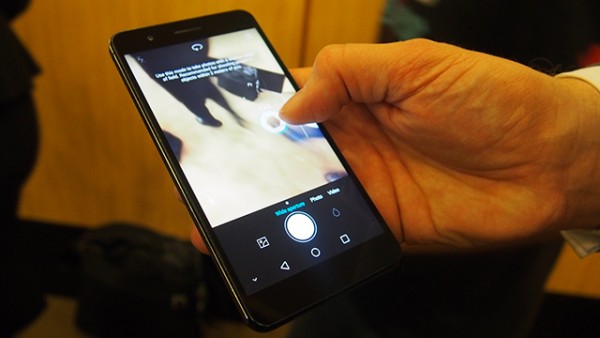
It’s a little bit chubby, that’s for sure, and because it’s a little bit alien looking it managed to turn some heads, and a stranger asked me in the metro what prototype am I using.

It’s aesthetically pleasing, and the overall design goes well with it being sturdy.

The Honor 6 Plus Design Talk

The Honor 6 Plus comes in Black, and White. In some markets across the world you can even find it in Gold. I’m mostly against Gold colors because I find them tacky, and just plain stupid, but I gotta give them props where the product deserves. It does have a certain appeal – something died deep inside of me after writing this.
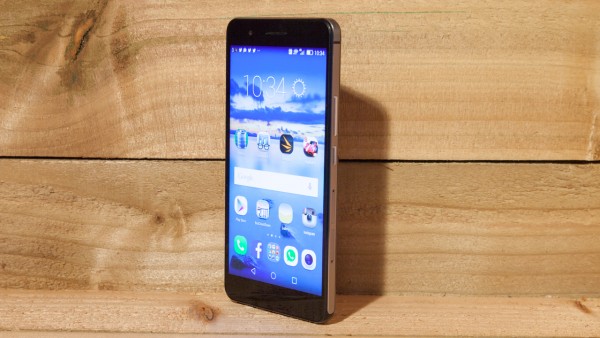
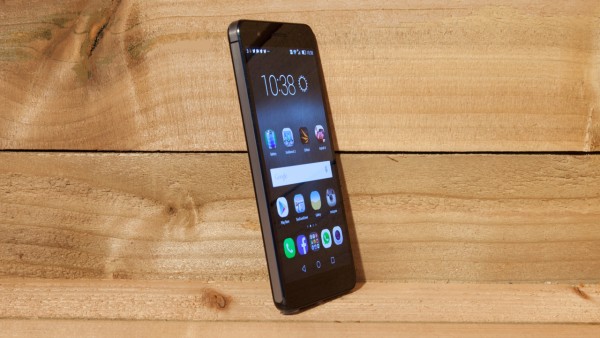
It does try to resemble Apple’s iPhone 5s, and it does so without being all in your face. Its buttons, volume rocker, and power keys sport nice finishings, and the sides don’t feel like they’re made out of cheap plastic.

The Honor 6 Plus Design Talk

I’m not getting paid by Huawei for each Honor 6 Plus they sell. If I were, I would be swimming in millions of coins. You see, everyone who got to play with my smartphone told me that they’re going to upgrade when they have enough money. They where thinking that it must cost something near the $1,000 mark. I wish you were there to see their shocked faces when I told them it’s only $360.

Sure, it doesn’t compete with Samsung’s current flag-ship device, the S6, and neither with Apple’s iPhone 6, but it tries so hard to make its presence felt in that price range, and I think it has managed to be seen.

The Honor 6 Plus Design Talk

Also, it’s not that small as the S6, or the iPhone 6, but it’s equipped with a microSD card slot so you can add more storage to the initial 16 GB, or 32 GB – depending on the model. You can do so up to 128 GB of internal memory.

If you want more storage, you’ll need to sacrifice one of the dual slim slots. I think it’s a fair bargain.

To be honest, it came quite as a shock. I didn’t expect to like it so much.

The Honor 6 Plus Screen Talk

The Honor 6 Plus Screen Talk

When I get a new smartphone to test, I immediately tweak its settings so it suits my needs. I was more than happy when I found that the Honor’s factory settings were to my liking.

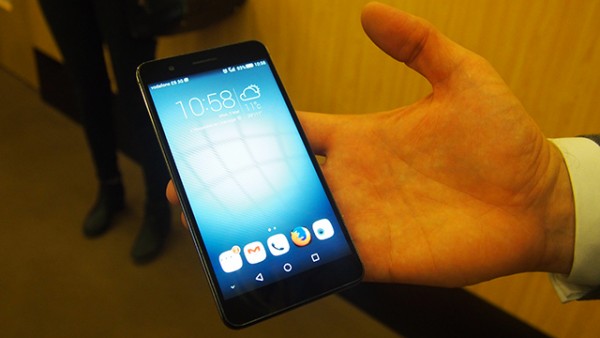
The Honor’s screen resembles Huawei’s P8 in terms of quality. It’s a 5.5-inch screen that is able to output Full HD at 1080 x 1920 pixels. The screen is IPS LCD, and although it’s not a Quad HD Super AMOLED display which can be found in the Samsung S6, it’s comparable to it.

I consider 5.5-inch screen smartphones to be a little too much for my taste. They do output great quality, and the Honor doesn’t shy away from this, but they tend to take too much space, whether it is from my hands, or my pockets.

The Honor 6 Plus Screen Talk

I found the Honor to output great white tones, sharp, vibrant, and full of life colors, with slight white bleeding, if at all. Black tones are powerful, and the color doesn’t lack that needed punch.

Brightness works exceptionally well, and you won’t have problems surfing on your smartphone on a sunny day. Although, I would recommend to take your head out of your device, and see the world that is happening near you. Who knows what you might miss.

The Honor 6 Plus Camera Talk

The Honor 6 Plus Camera Talk

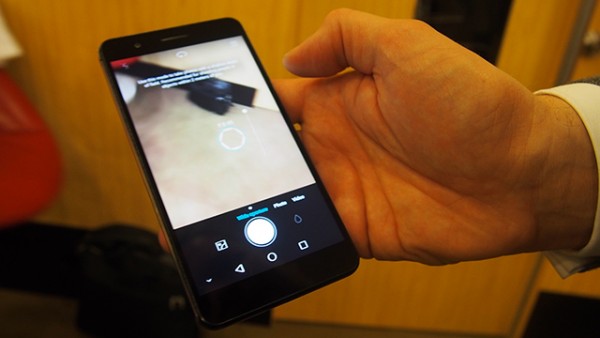
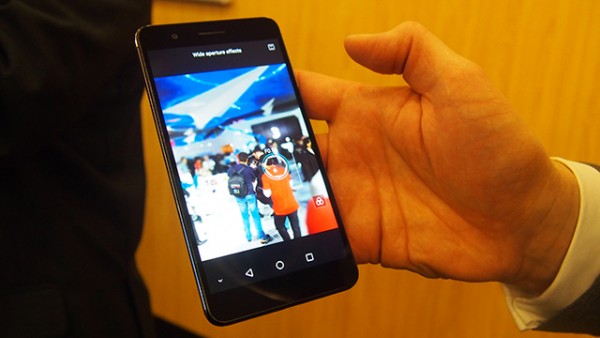
The Honor comes packed with a more than decent camera unit. Actually, it’s quite great. It’s main camera is composed of two 8-megapixels camera units, and it sports an f/2 lens. It has dual LED flash.

The secondary front-facing camera is an 8-megapixel unit.

I loved the fact that it lets me adjust what focus point to pick even after I’ve taken my photo. Don’t think of it as a filter, because it’s the real thing. Photos are crisp, and clear, with little to no noise at all. The fact that you can adjust focus after you’ve taken your photo is a selling point in my book – it does something that other smartphones need help from filters, and effects to achieve.

The Honor 6 Plus Camera Talk

Photos look superb on your smartphone, and it can capture the smallest of details. I’m no photographer, and when I do take pictures, and that’s rarely, they usually tend to be bland, and forgettable. Not this time. I was amazed how much talent the Honor made others think I have.

But, when you transpose these pictures to a bigger screen e.g your laptop, or your desktop computer, you’ll notice that they lack in certain areas, and details aren’t that detailed after all. Still, it’s more than enough if you want to share pictures on Facebook, Twitter, or Instagram. I wouldn’t recommend trying to open a gallery with them though.

The Honor 6 Plus Camera Talk

It suffers a little bit in low light, and it tends to punish those who don’t have steady hands. I’m quite jittery myself, and I’ve had some pretty nasty experiences when trying to take a picture in a low light setting.

It doesn’t feature a quick-tap to take a picture like its bigger sister the Huawei P8, and also it doesn’t take pictures as fast as its sibling.  It takes a little bit too much to focus a picture.

The Honor 6 Plus Camera Talk

It keeps all things simple. It doesn’t have as many camera functions as I would have loved, and that’s a shame. It’s not a deal-breaker, but it could have been something better, if only the developer took some interest in adding some good features.

The front-facing 8 megapixel camera unit is perfect for selfie lovers. It takes great portraits, and it even tells you what to keep your eyes on so your facing the camera directly.

The Honor 6 Plus Camera Talk

It has this beauty mode that will smooth your skin, or brighten your teeth, but be careful how much you use it or you’ll look like a repulsive creature with sun-bright teeth.

Once you’re acquainted with the beauty mode, you can upload photos with #NoFilter. Technically, you’re not lying.

The Honor 6 Plus Camera Talk

All in all, it’s a more than capable smartphone. It takes pictures that can satisfy your growing Facebook fan-base. Sure, they don’t look that good while zoomed-in, but who has the time to do this before hitting that sweet Like button?

The Honor 6 Plus

Software, Performance Talk

The Honor 6 Plus Performance Talk

I swore that I will never get hyped just because a phone is equipped with a quad-core, or an octa-core. It all boils down to how those cores work together.

The smartphone works a little bit different than what you might be accustomed with. It has a 1.3 Ghz quad that is especially designed to handle tasks such as phone navigation, phone calls, music, and the works. There’s another quad-core clocked at 1.8 GHz that ensures your device will work as smoothly as possible when you game, or multitask.

The Honor 6 Plus Performance Talk

If you compare the Honor 6 Plus with its older sibling, the Huawei P8, you won’t be able to see huge differences performance wise. Although the Honor 6 Plus has an older model 64-bit 925 HiSilicon Kirin chip, the difference between them in real-life is unperceivable.

It comes packed with Android 5.0 Lollipop encompassed in a EMUI 3.0 interface. Android elitists will not like the fact that this isn’t pure android, but I assure you, it works just as fine, and it comes with just a few bloatware apps.

Pre-loaded apps are grouped into one folder, and they can be easily removed. Yes, easily, as in, you don’t need to waste a whole day to get rid of that damned pre-loaded OLX app.

The Honor 6 Plus Performance Talk

This may come like a first world problem, but I’m a little bit disappointed in the fact that it doesn’t feel more Apple-like like the Huawei P8. I don’t really know what makes it feel this way, but there is something. This shouldn’t be taken as a negative remark, and more like this reviewer’s weird obsession with things that look like Apple.

It works well with all the high-end games on the store. Tested it on Asphalt Racing 8: Airborne, and I didn’t encounter lag, or any other issues.

It works a little bit slow when changing from a game, to the camera app, to the store, and so on. But this is understandable because every smartphone tends to lag a little bit, once in a while, when you swap apps.

The Honor 6 Plus

Speaker, Call Quality Talk

The Honor 6 Plus Call Quality Talk

The speaker is surprisingly good. The Honor 6 Plus’ speaker can be used as an audio unit for those moments when you don’t want to plug your ears with headphones. Sure, it doesn’t output a great bass quality, but what smartphone in the $350 price range does?

No dropped calls, and no signal issues. I didn’t encounter a single problem when calling, or getting called by people. Also, call quality is crystal clear. No issues in this department.

The Honor 6 Plus 

Battery Life Talk

The Honor 6 Plus Battery life Talk

The Honor 6 Plus has a bigger battery than its sibling the Huawei P8. From 2,680mAh to a 3,600mAh capacity battery. This translates to good things.

There aren’t that many flag-ship phones that have a 3,600mAh capacity battery.

The Honor 6 Plus lasted me a full two days before it needed to be recharged, and trust me, I used it constantly, one might add even religiously. If you use it just to check Facebook once in a while, send a text, take a picture, or call someone, it will last you way longer than the two day mark that I reached.

The smartphone is pretty great in this area, and it can recharge from critical low battery to full in just about 2 and a half hours.

The Honor 6 Plus Verdict

The Honor 6 Plus Verdict

Should I buy the Honor 6 Plus?

It’s only $360, and in my opinion it’s one of the best smartphones on the market at the moment. Sure, it’s no Samsung S6, or iPhone 6, but it does its job incredibly well at more than half the price of the behemoths plaguing the market.

Pros

  • Great camera for social media platforms
  • More than affordable for what it offers
  • Exceptional battery life

Cons

  • Can be too chubby for some
  • Experiences lag from time to time

Image Source: 1, 2, 3, 4, 5, 6, 7, 8, 9, 10, 11, 12, 13, 14, 15, 16, 17, 18, 19, 20, 21, 22, 23

Filed Under: Headlines Tagged With: Honor 6, Honor 6 Plus, Honor Plus, Honor Plus 6, Huawei

Amazon Confirms Windows 10 on USB Flash Drive

July 19, 2015 By Kenneth Scott Leave a Comment

Microsoft Windows 10

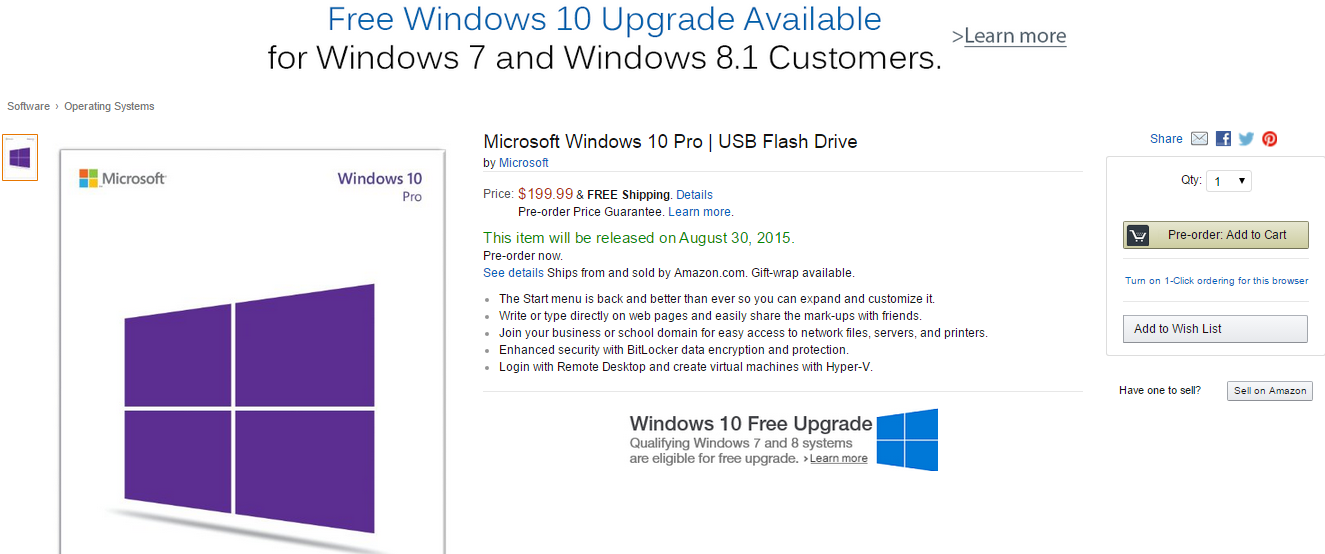
Amazon has confirmed that they will be selling Windows 10 on an USB Flash Drive starting August the 30th.

Forbes contributor Antony leather was talking about this exact thing last week – a rumor regarding Windows 10 availability on an USB Flash Drive.

This makes it even more appealing, to be honest. Having an OS on an USB Flash Drive which you can carry around with you everywhere may entice a lot of customers to buy the dongle. Most importantly, it’s way faster than your average DVD.

Microsoft Windows 10 on a stick

If you go on Amazon right now, you’ll be able to see the Microsoft Windows 10 store page for it’s Home, and Pro Versions.

The Windows 10 Home product will cost $119,99, and the Pro versions – which can come in English, or Spanish; will retail at $199,99.

Microsoft has announced that Amazon is their prime merchant of their, at the current moment, unreleased OS.

It’s strange, to be honest. The dongle isn’t available on Microsoft’s official store, and neither at Best Buy. A Microsoft spokesperson has replied to a few questions from VentureBeat, regarding the unavailability to buy from other online retailers – ” Windows 10 will be available on USB drives for purchase in retail channels shortly after launch. The suggested retail prices for Windows 10 in the U.S. are the same as Windows 8.1.”

Microsoft Windows 10 desktop

The official release date for Windows 10 is set to 29th of July, and it can be downloaded for free across 190 markets across the world.

We expect an announcement to be made soon regarding Windows 10 on DVD.

Rumors have been plaguing the interwebz that Microsoft will tax Windows 10 users after the first free year of usage. They are incredibly false. Microsoft has stated time, and time again, that their product will support the device which was installed on for the entirety of its life-time.

Gordon Kelly, which also is a Forbes contributor has noted that owners of Windows 7, or Windows 8.1 are eligible for a free upgrade within the first year, but Enterprise owners – basically, different editions; of Windows 7, and 8.1, won’t be able to upgrade. Neither those who have pirated copies.

Microsoft Edge - Windows 10 Browser

Edge is going to be the next step from Internet Explorer.

This is quite strange, because in March of this year I remember Microsoft saying that everyone could upgrade to Windows 10 – which was a way to combat piracy in China.

We will provide a mechanism for non-genuine Windows 10 PC devices to ‘get genuine’ via the new Windows Store, whether they are upgraded versions of Windows or purchased.

Now, this feels like a bait-and-switch strategy which I seriously don’t like. We’ll have to wait for the official release date, and see for ourselves what Microsoft statement is true.

Are you going to upgrade to Windows 10 at the end of this month? Or are you going to wait a couple of months for reviewers to tackle the new OS?

Image Source: 1, 2, 3, 4

Filed Under: Headlines Tagged With: Amazon, microsoft, microsoft windows 10, USB Flash Drive, windows 10

IBM Unveils Breakthrough Technology – World’s Tiniest Chip

July 10, 2015 By Kenneth Scott Leave a Comment

IBM seven nanometer chips

IBM announced on Thursday that their $3 billion research alliance with Samsung, and GlobalFoundries was more than fruitful! IBM’s new state-of-the-art chip can boost the computing power of smartphones, and even spacecrafts.

Research took place at the State University of New York – Albany.

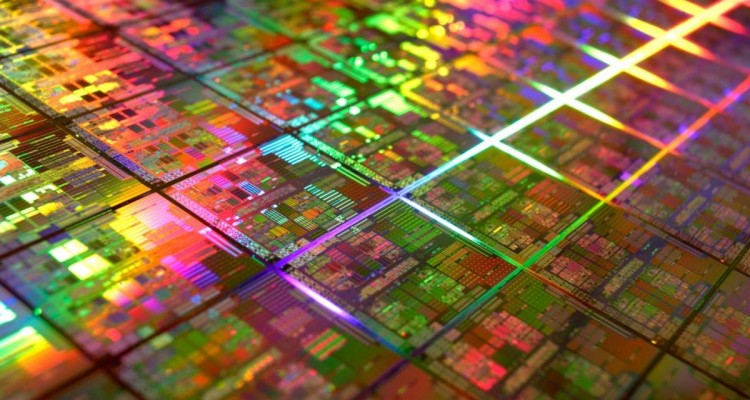
The seven nanometer chip holds more than 20 billion tiny switches of transistors that will vastly improve computing power. It comes right in the nick of time – the world is preparing for cloud-computing, and Big Data systems, cognitive computing, and other emerging technologies.

The Human Brain Project comes to mind – and researchers across the world must feel like these new seven nanometer chips are a divine gift.

IBM researchers

Your average chips, that you use on a daily basis without giving a thought how important they are, can be found in your average PCs, and devices. They are between 14, and 22 nanometers. This breakthrough tech of seven nanometer chips is ” […]  at least a 50% power-performance improvement.”

Michael Liehr, which is the the university’s vice president of innovation and research notes that – ” Enabling the first 7nm node transistors is a significant milestone for the entire semiconductor industry as we continue to push beyond the limitations of our current capabilities,”

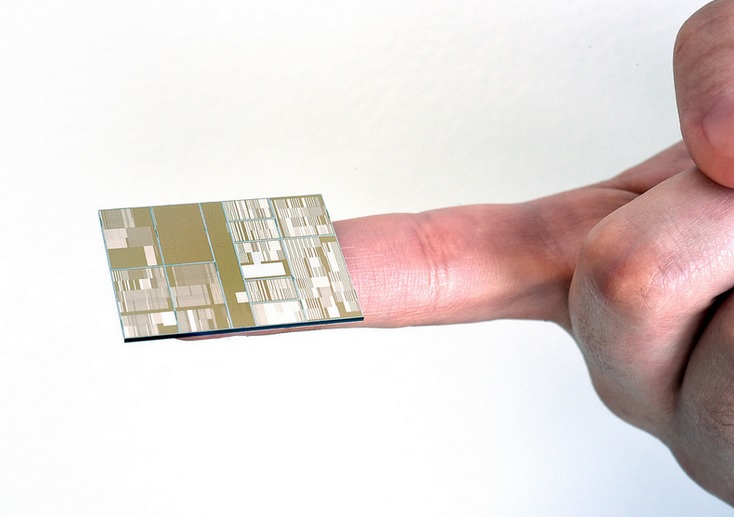
IBM’s new seven nanometer chips are the size of a human blood cell – it kinda’ puts things in perspective  when you think about how much power something so tiny outputs.

To go further into the one might say surreal technology – IBM’s seven nanometer chip is 100,000 smaller than the width of a human hair. Everything that is under 500 nanometers is invisible to the human eye, and one requires an electron microscope in order to see it.

IBM's tiniest chip

In 1965, Intel co-founder Gordon Moore noted that chip performance will increase, doubling its performance output, once every 18 months. Now known as Moore’s Law, it has held true for many, many decades, but Gordon also said that this trend cannot continue forever, and sometime, in the near future, progress will slow down.

Experts agree with him, and some actually say that progress will actually stop because our political, economical, health, and etc. advancements are stalling.

Some even go full sci-fi and bring into discussion that earthly materials might limit our technological advancements.

But as IBM, and its researches showed us, you can get passed the physical limitations of existing materials, and find a loop-hole. In order for the seven nanometer chips to be built, researchers  developed silicon-germanium transistors to boost the processing power.

It all sounds like something out of an Asimov tale, but rest assured, IBM’s new chips will find their place in our homes pretty soon.

Image Source: 1, 2, 3

Filed Under: Headlines Tagged With: IBM, IBM seven nanometer chips, seven nanometer chips

  • « Previous Page
  • 1
  • …
  • 11
  • 12
  • 13
  • 14
  • 15
  • …
  • 33
  • Next Page »

Subscribe to Blog via Email

Enter your email address to subscribe to this blog and receive notifications of new posts by email.

Join 11 other subscribers

Recent Articles

police handcuffs man

German Man Probed In Poisoning That Killed 21 Employees Since 2000

June 29, 2018 By Kenneth Scott Leave a Comment

Chicken wings bar

Intoxicated South Carolina Man Punches Waitress Who Refused to Serve Him Alcohol

June 29, 2018 By Karen Jackson Leave a Comment

gaming

New Zealand gamer Who Flew Halfway Across The World for Virginia Teen Gets Shots By Her Mother

June 28, 2018 By Cristopher Hall Leave a Comment

party

Former Virginia Tech Freshman Sentenced to 50 Years in Prison for Stabbing a Girl to Death

June 28, 2018 By Roxanne Briean Leave a Comment

bonfire

British Couple Sentenced to Life in Prison for Torturing and Murdering French Nanny

June 27, 2018 By Deborah Campbell Leave a Comment

pay phone

Texas Father of Girl Disappeared in the 80s Ignored by Authorities

June 26, 2018 By Cristopher Hall Leave a Comment

bottled water

San Francisco Woman Threatened to Call Police on Girl Who Sold Ice Water for Disneyland Trip

June 25, 2018 By Roxanne Briean Leave a Comment

Maplewood Park

Missouri Man Robbed by Date and Accomplice in Park

June 22, 2018 By Nancy Young Leave a Comment

coding

New York Man Sentenced in Cyberstalking Former Girlfriend, Mailing Drugs to Her Dorm

June 22, 2018 By Deborah Campbell Leave a Comment

headphones

Bose Poised to Launch Sleepbuds, In-Ear Headphones That Help You Sleep

June 21, 2018 By Nancy Young Leave a Comment

Police light

Intoxicated Female Driver in Custody for Pulling Arresting Officer by the Hair

June 21, 2018 By Kenneth Scott Leave a Comment

kitchen

Restaurant Manager Arrested and Charged in Shooting Death of Co-Worker over Negative Yelp Reviews

June 20, 2018 By Karen Jackson Leave a Comment

plastic container

Pennsylvania Couple Charged in Violent Death of Infant Discovered Buried in Cat Litter

June 19, 2018 By Cristopher Hall Leave a Comment

tailpipe

Minnesota Teen Gets Head Stuck In Oversized Tailpipe Winstock Music Festival

June 18, 2018 By Karen Jackson Leave a Comment

Pages

  • About Us
  • Contact us
  • Privacy Policy
  • Privacy Policy GDPR
  • Staff
  • Terms and Conditions

Recent Posts

  • German Man Probed In Poisoning That Killed 21 Employees Since 2000 June 29, 2018
  • Intoxicated South Carolina Man Punches Waitress Who Refused to Serve Him Alcohol June 29, 2018
  • New Zealand gamer Who Flew Halfway Across The World for Virginia Teen Gets Shots By Her Mother June 28, 2018
  • Former Virginia Tech Freshman Sentenced to 50 Years in Prison for Stabbing a Girl to Death June 28, 2018
  • British Couple Sentenced to Life in Prison for Torturing and Murdering French Nanny June 27, 2018
  • Texas Father of Girl Disappeared in the 80s Ignored by Authorities June 26, 2018
  • San Francisco Woman Threatened to Call Police on Girl Who Sold Ice Water for Disneyland Trip June 25, 2018

Categories

  • Business
  • Entertainment
  • Finance
  • Headlines
  • Health
  • Life
  • Nature
  • Science
  • Sports
  • Tech & Science
  • Travel
  • Uncategorized
  • United States
  • World

Copyright © 2026 ArgyllFreePress.com
About · Privacy Policy · Terms of Use · Contact