Argyll Free Press

Growing News Network

Monday, May 4, 2026
Log in
  • Business
  • Finance
  • Sports
  • Tech & Science
    • HP Envy 4500 Review
    • LG Optimus 170 Review
    • iPod Touch 6th Generation Review
    • HTC One M8 Accessories Set-up
    • Surrealist Games You Must Play
    • Hisense Sero 8 Review
    • Dell Latitude e7440 Review
    • HP Laserjet 1536dnf mfp Review
    • Garmin Fenix 2 Review
    • Skype Vs Viber
    • Best Video Conferencing Software
    • Sony mdr 1r Headphones Review
    • Canon Rebel t3i Review
    • Sennheiser Momentum 2-0 Review
  • Travel
  • Headlines
  • Health
  • United States

LifeProof iPhone 6 Fre Case Review

January 25, 2015 By Nancy Young 1 Comment

lifeproof-iphone-6-fre-case-3

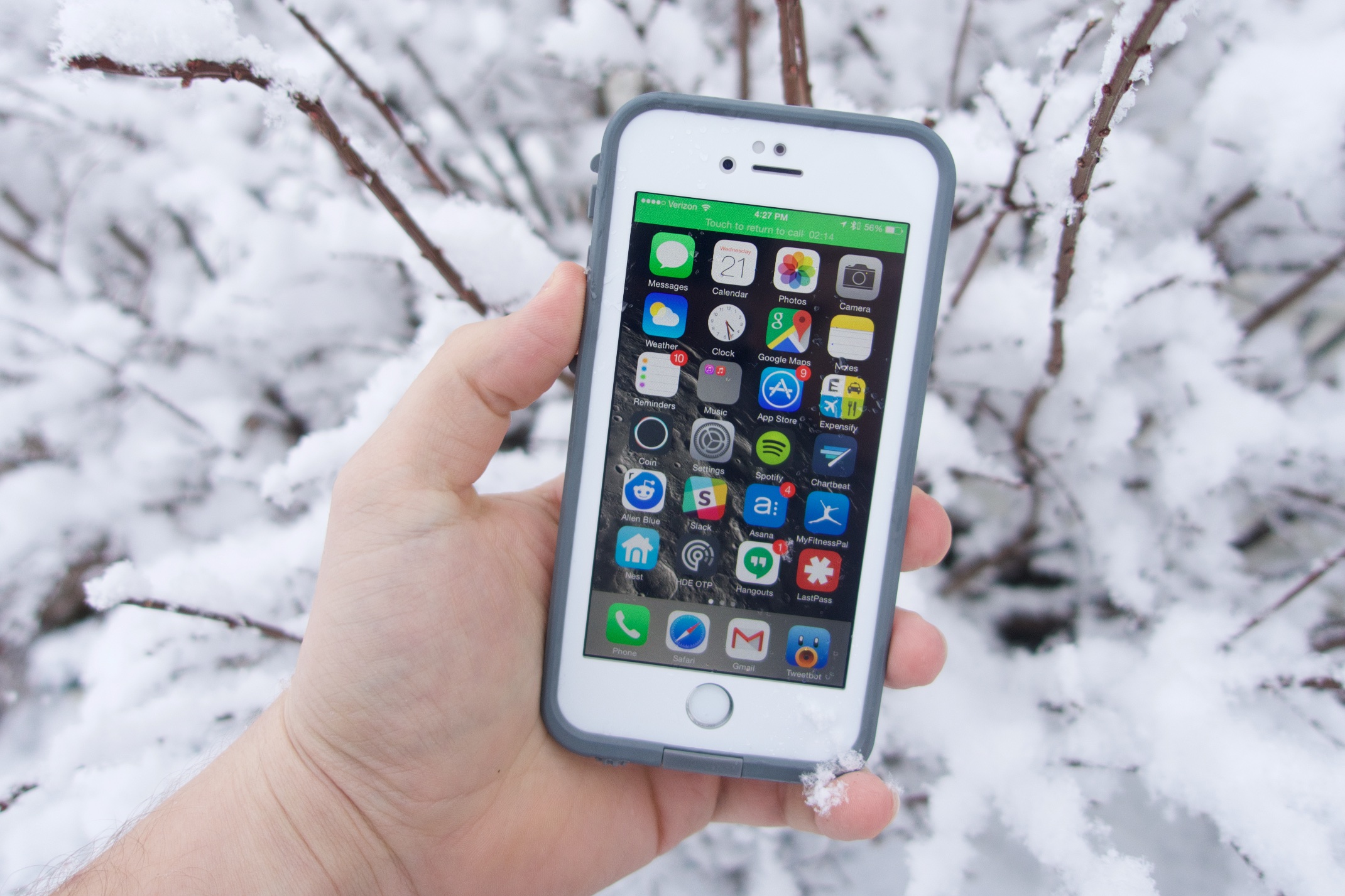
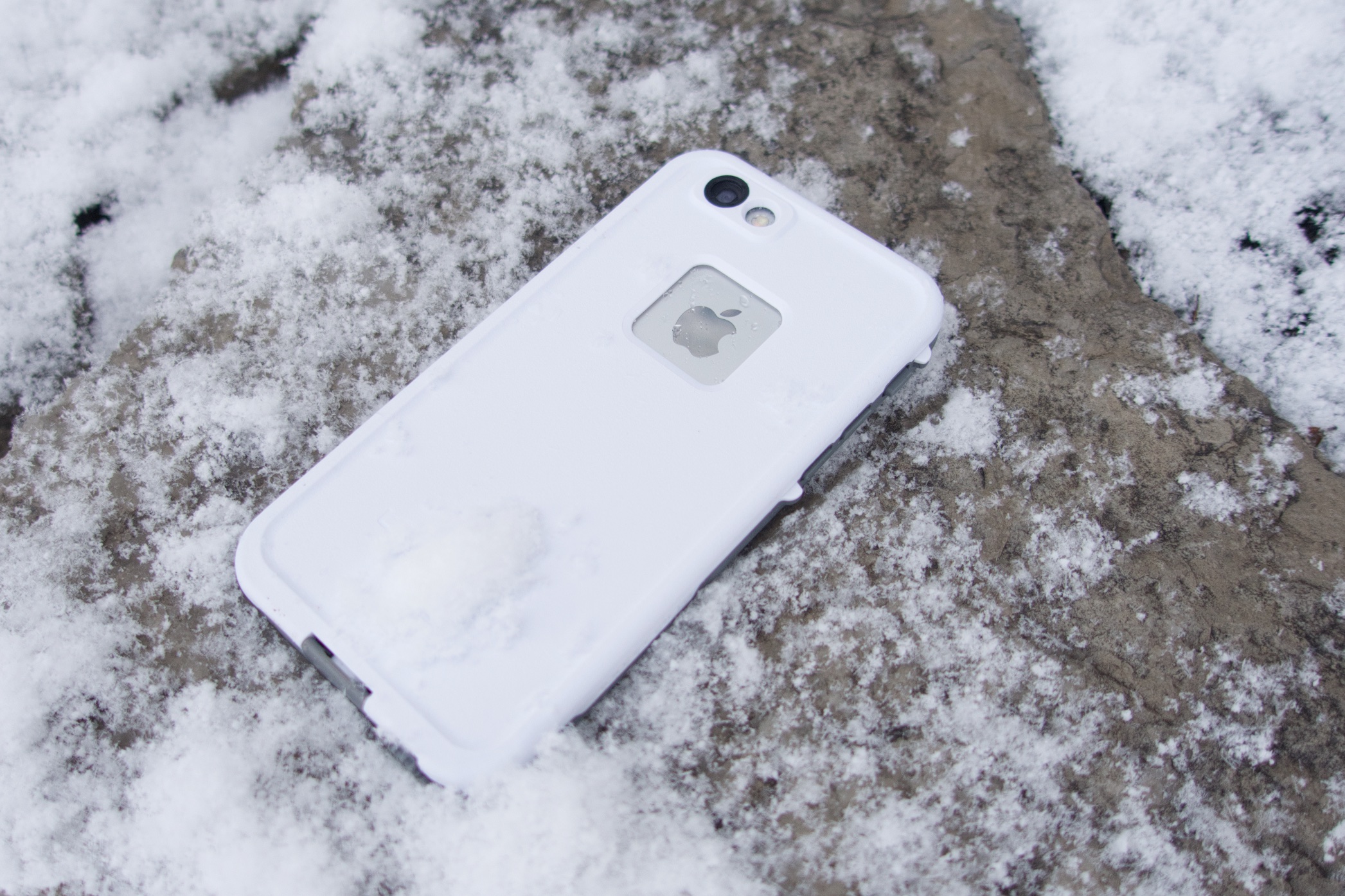
The new frē case from LifeProof protects your iPhone from water, dust, snow and drops. This new case is also the thinnest waterproof one we’ve even seen on the iPhone 6 and it also allows Touch ID functionality. There is a whole series of iPhone 6 cases from available from the company but this is our LifeProof iPhone 6 fre case review.

With this kind of waterproof case, like the fre case from LifeProof you can take your smartphone wherever you want – to a pool or hot tub, in the snow or in the shower where you can listen to music or watch YouTube videos (although we don’t think a lot of people watch YouTube videos in the shower). Many people are looking for a case from LifeProof that protects their smartphones from water, snow, drops or any other threats that come from using the device daily.
lifeproof-iphone-6-fre-case-2

We tested the case thoroughly and put it through different scenarios over the time, including letting a kid watch videos on it in the bath tub. You don’t have to have children to know just how much sense a LifeProof case makes. However, if you do have children and regularly give your expensive iPhone to them this accessory is something you should purchase.

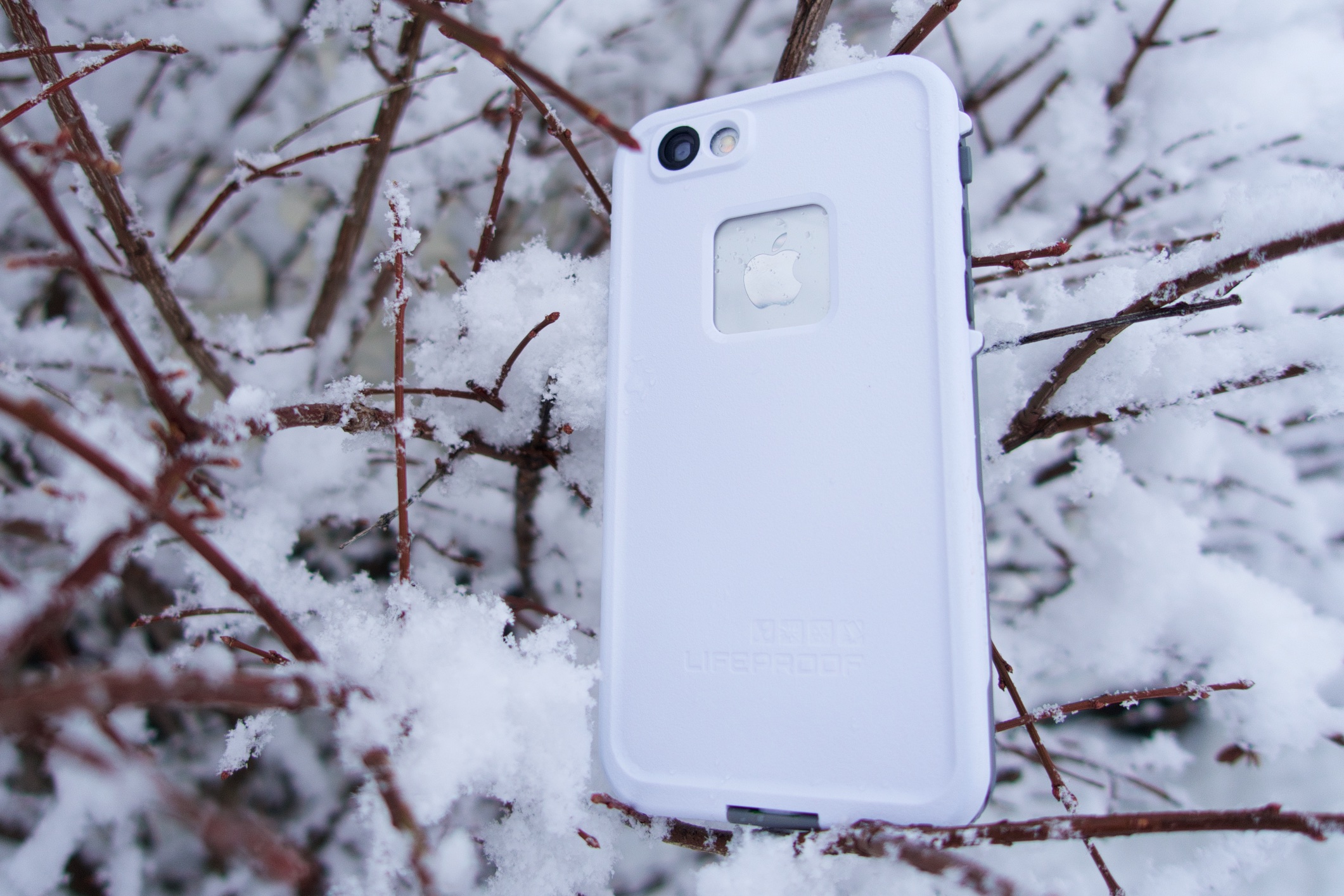
The LifeProof case comes in six different colors including pink, red, purple, blue, white and black so you can choose whatever color fits you best. There are also grey cases offered by LifeProof so you won’t lose your expensive phone in the snow.

The case provides great protection and for its size and thickness this is one of the best iPhone 6 cases available at the time. There are some bad things about the case but is one of the most protective cases available for anyone and will certainly protect your device against every season and every environment it is used in.
lifeproof-iphone-6-fre-case-1

The LifeProof iPhone 6 frē case costs $79.99 and you can purchase it directly from the company and they also offer free shipping. There is another case from LifeProof called nüüd that covers on the screen but doesn’t include protection for the display like the frē does that is going to be available soon on the iPhone.

You might expect from a waterproof case to make your iPhone look a lot bulkier and make it difficult to handle the device with just one hand but the frē case doesn’t add much to the iPhone’s thickness and is about the same size as a standard leather case from Apple.

You still have to adjust to using the iPhone with just one hand with the case, but this doesn’t mean it’s difficult to do so. There are also some cases when it will be easier for you to hold the iPhone 6 with just one hand when the case is covering it than without the case.

The case design hides the curviness of the iPhone 6 but it looks really good and its edge combines great with the screen protector and keeps the display protected against scratches and cracks.

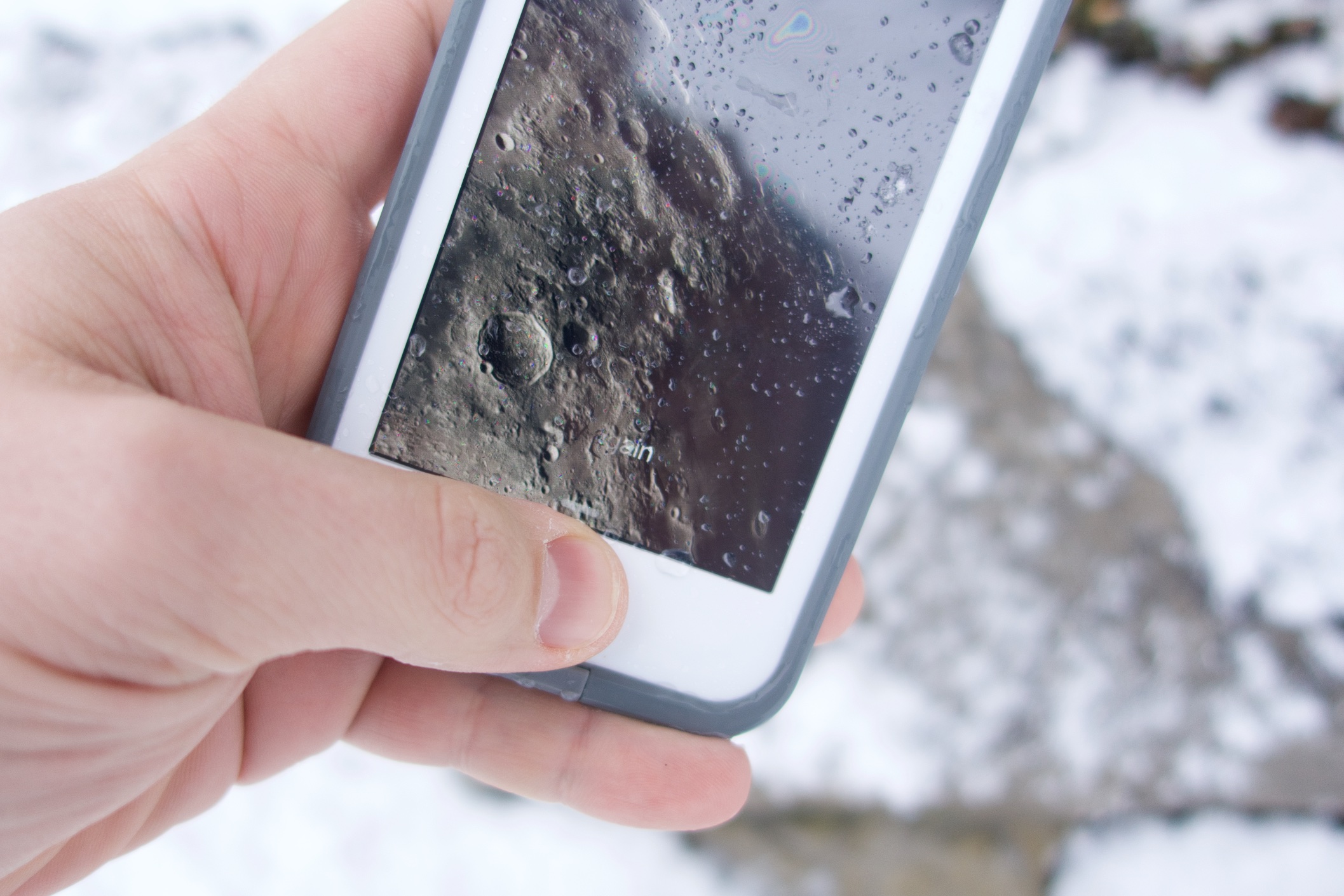
The case protected our iPhone 6 from water when doing dishes and in the shower. It also protected the device against snow during shovel trips and longer ones when playing and enjoying the snow. Even though we didn’t use extreme measures to test the frē case also protected the iPhone 6 from falls on tough surfaces from the waist.

Even though you can still use Touch ID with the case installed, it is not as dependable as it is when the smartphone isn’t covered by it. But it is still easy to use functions even with the edge of the case on the screen. The protector isn’t as good as a glass one but it is still pretty reliable and looks very good.
lifeproof-iphone-6-fre-case-4

There is a jack cover that you have to unscrew for you to plug in some headphones into your iPhone. The jack cover stays attached to the case so you won’t lose it when listening to music. Even though you can plug Apple EarPods in the iPhone without the adapter LifeProof included in its package, the device won’t be waterproof. You will have to use the included adapter to hold water away from the device and to use different kinds of headphones.

There is another flap that covers the Lightning port. The flap folds down when you have to access the port and it came off when we didn’t snap the flap when taking the case off of the device. It is pretty easy to put back but you should remember to open it before taking the frē case off.

The microphone and speakers are also covered and while they do degrade the audio quality a little bit, we believe it is a small price to pay for how well the cover protects the iPhone 6. LifeProof did improve sound quality from previous cases, however. All buttons are still accessible and the frē case has a nifty toggle that switches the iPhone to silent mode pretty easily.

The LifeProof iPhone 6 frē case is a great way to protect the smartphone and is an accessory that you should own if you want a waterproof case or don’t wish to purchase AppleCare+.

The case protects the device from pretty much everything. Snow, dirt, lots of dropts and water do nothing to the device when it is tucked inside the frē case.

The case isn’t as stylish as other cases out there, including LifeProof’s Nuud series, but it does offer great protection and we consider this to be much more important. The plastic screen protector is a step backwards from glass, which we like a lot more and are used to and the sound is a little bit disappointing. The case also has small ports for the Lightning cable and the headphone jack. Apple connectors work well on the case but if you have a third party connector or cable you might find it’s difficult to plug into your smartphone.

PROS

– The case is thinner than ever before

– It’s waterproof, snow proof, dust proof and is resistant to shocks

– Volume, Touch ID and camera work well

CONS

– Lightning cable and headphones port require smaller connectors

– Plastic screen protector seems cheap and gets pretty dirty

Images source: gottabemobile.com
Filed Under: Tech & Science Tagged With: Apple, apple iphone 6, fre case, fre case review, fre review, iphone 6 case, iphone 6 fre case, iphone 6 fre case review, lifeproof fre case, lifeproof fre case review, lifeproof fre iphone 6 case, lifeproof iphone 6 case, lifeproof iphone 6 fre case review

Windows 10 Details – A Breakdown of the Main Functions & Features

January 25, 2015 By Nancy Young Leave a Comment

windows-10-details-1

Details about the new Windows 10 have been revealed by Microsoft in a recent event. Here are the most important things.

You may tell yourself “ok, but there is a 9 missing…” and Microsoft might have completely ignored Windows 9 but the replacement for Windows 8.1 is still a pretty exciting thing. The new operating system comes as a landmark for the company and is a new generation software which the company hopes to unify all the platforms it is available on – tablets, smartphones and PCs.

Terry Myerson from Microsoft told the media during the unveiling that the new Windows 10 will be their most thorough platform ever. He claims that Microsoft will offer a single store which means users will be able to update applications across all platforms using Windows 10.

Even though the company shared a lot of details about the new features in the operating system, a lot of elements still remain a mystery. Probably the biggest mystery about the new Windows 10 is its release date.

windows-10-details-2

Windows 10 Release Date

Windows 10 was revealed by Microsoft on September 30 and the tech giant said that they will make available for laptops and desktops a Technical Preview of the OS as an element in the Windows Insider Program. Unfortunately, details regarding the release date are still very few.  However, the consumer preview will be revealed on January 21 in an event named “The Next Chapter”.

Brandon LeBlanc from Microsoft wrote on the blog for Windows that the event will be held January 21 on Wednesday in the Microsoft Redmond campus where the company will reveal a lot more about the new OS.

The Microsoft Build 2015 conference is scheduled between April 29 and May 1. The conference is held in San Francisco at the Moscone Centre and it is Microsoft’s developer conference held each year. The conference is mostly about the upcoming software from the company and therefore, we expect to see a lot more regarding Windows 10.

The first edition of the Build conference took place back in 2011 in September and there was a lot of focus on the old Windows 8, which was also present in the 2012 edition. In 2013 there was much focus on Windows 8.1 and last year’s conference was mostly about how Cortana made her way onto the Windows Phone 8.1.

We expect that this year’s Build conference will be about Windows 10 and its release date in particular. Myerson confirmed that the software will see the light of day somewhere later in 2015. Analyzing previous release dates from the company it’s very difficult to know exactly what this means.

Windows XP, Windows 8 and Windows 8.1 all launched in October and Windows 7 arrived in 2009 in July. Based on this, a release date in October for Windows 10 is the most plausible, even though anytime from 2015 Q2 onwards is a possibility.

windows-10-details-3

Windows 10 Features

windows-10-details-4

Windows 10 is an important upgrade compared to other releases. Microsoft is looking to unify platforms with their newest release and this is not a very easy task. This also means that there will be a lot of new features, including universal applications, desktop-level Cortana personal assistant and the return of the Start menu in Windows (which we still have no idea why it was removed in the first place).

One of the more intriguing features is Microsoft’s new mysterious browser called “Spartan”. Reports claim that it’ll be stylus friendly and will feature a ‘dark’ theme across Windows.

Many have complained about Microsoft’s decision to abandon the very useful and well-known Start menu in Windows 8. This made the company add in Windows 8.1 a Start menu, but it still wasn’t the version we all loved and many people still wish for the full menu to return in the future.

Thankfully, Microsoft updated the Start menu, even though it’s in style with Windows 8. The Start menu is back on the bottom left side of the screen but features some Metro live tiles. The new menu is also a lot wider but thankfully the user can resize it. The company also focused more on the touch integration and it promised it will update the touch user interface, promising more features while keeping some of the old ones that worked well in the past.

Cortana

A lot of people were thrilled to find Cortana in the Technical Preview build of Windows 10. Cortana is an AI that is controlled with your voice and was initially built for Windows phones, but it looks like the personal assistant will also come to PCs.

The desktop version of Cortana was revealed this month in WinBeta. Videos from an unreleased build showed the personal assistant performing different tasks such as establishing alerts and using mapping features.  Cortana is a serious competition for Google Now and Siri and is pretty good at tasks like searching the web, scheduling events and making small talk. However, fans of the popular “Her” movie will likely be disappointed of her limitations.

Other functions

windows-10-details-8

Another new feature in Windows 10 is the Task View. This new function allows users to snap through various virtual desktops. Task View can be launched from the task bar and allows the user to rearrange launched apps. Touch users can also open Task View by swiping from the left side of the screen.

An important part of Task View is the function called Snap Assist. Snap Assist improves on the functionality in Windows 8 regarding side-snap. The new feature offers vertical snapping, cross-monitor snapping and 2 x 2 snapping. This is great for people that rely on multitasking.

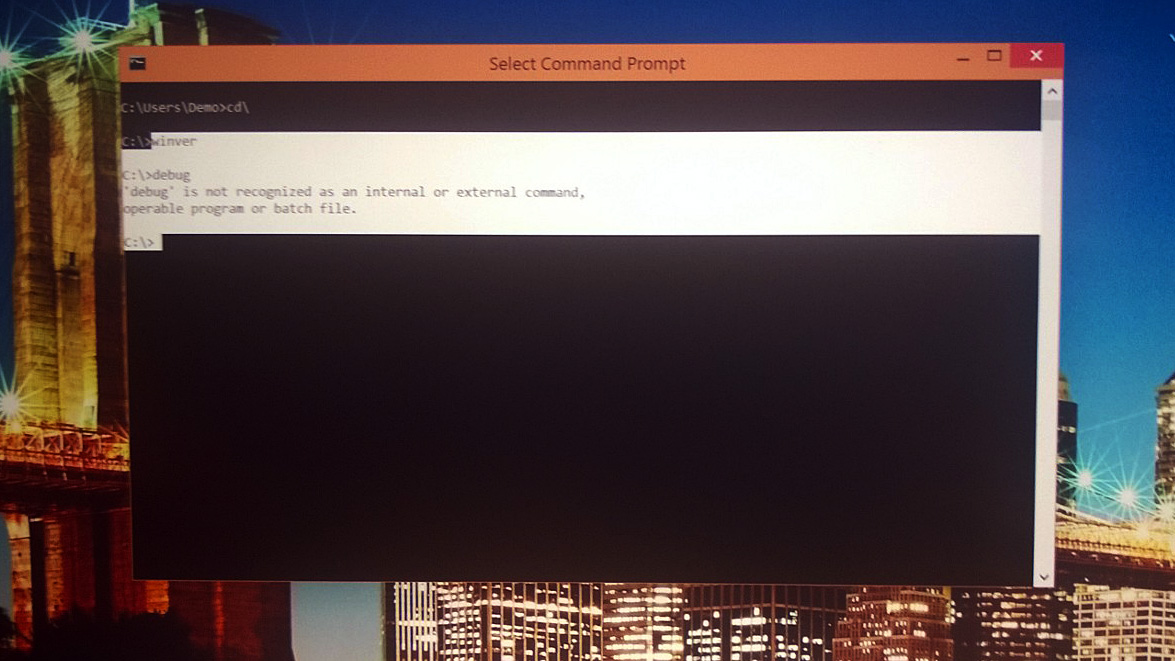
The command prompt is also revamped with keyboard shortcuts. Users will no longer have to type very long command lines – the new command prompt will allow clipboard pasting.

Microsoft also introduced Continuum. And even though it sounds like Apple’s Continuity, it is not the same thing. As a matter of fact, Continuum analyzes the way you use your device and then adapts to your style. If you plug in a mouse and keyboard into the Surface Pro 3 you will be offered a click friendly user interface. Unplugging those peripherals will switch back to the more touch friendly Metro user interface.  This is a pretty nifty feature if you think about it.

There will also be universal apps available on Windows 10. Since basically the same Windows 10 will be on different Microsoft devices, the company opted to offer a single store across all platforms. This means that if you download Skype on the PC it should be the same for all other platforms, smartphone and mobiles alike.

windows-10-details-6

Microsoft will also discuss gaming at the event scheduled for January 21st. Phil Spencer also said in a tweet that it is about time for the company to talk about gaming and that he will reveal details in January.

What this actually means, we’re not completely certain but what we know is that the most recent Windows 10 build has an Xbox app that opens up the Xbox environment on the PC. This app shows the friends list, the Xbox store, activity feeds, achievements and a whole lot more goodies.

Windows 10 Preview

On October 1st the Insider Program was officially launched. Developers and other tinkerers were given the chance to mess with Windows 10 before its official launch and Microsoft has released several other build since that date.

Microsoft made the preview build for developers available on October 7 for users of Windows 7. At this time there is no preview for consumers available but it is planned to be revealed in January.

windows-10-details-9

Microsoft said on October 13 that nearly one million people used the Technical Preview for Windows 10. There were also 200,000 feedbacks and 68% of the people testing it were doing so with more than seven apps a day.

On April 15 Microsoft will shut down the Technical Preview and will not let anyone test the product again until it is going to be released. However, it’s not too late if you want to see what Windows 10 feels and looks like.

For the people who are anxious and can’t wait for the release, there are rumors that Microsoft will offer a Consumer Preview of the new OS in late January. It is claimed that the new preview will focus more on a side of Windows 10 intended for consumers.

Windows 10 Download

You can’t download the full operating system as of now and Microsoft only made a Technical Preview available to the public.

The Technical Preview, however, is not the final software and has frequent updates which add new features, respond to feedbacks and fix bugs.

Anyone can sign for the company’s Insider Program and download the Technical Preview but we recommend that only people who intend to give feedback to do so as it is not exactly intended for users who aren’t tech-savvy.

Windows 10 Price

Microsoft hasn’t revealed details about the price as of now and we aren’t sure how the company will approach it.

Some rumors claim that Microsoft will opt for a subscription-based kind of deal. There are also some rumors that say the company will offer the new OS for free. This isn’t entirely farfetched as the company’s main competition, Apple, have already started doing so since the OS X Mavericks release.

Windows 10 Details

Microsoft did confirm that users of the Windows 7 and Windows 8.1 Phone operating systems will receive a free upgrade to the new OS. Microsoft said that in the first year of the release, anyone using Windows 7 will get a free upgrade to Windows 10 and also anyone who users Windows 8.1 Phone will get the same treatment. Now you can buy Microsoft smartphones without having to worry about it too much.

Cortana was also confirmed for the desktop version of Windows 10. The personal assistant offered by Microsoft is going to be a main feature across all platforms. This means that Cortana will also be available on the desktop version of the new operating system.

Microsoft showed its new universal applications with the new versions of PowerPoint, Excel and Word for tablets and smartphones. The company also confirmed that all tablets and smartphones will come with these apps installed on them. There will also be a new Outlook universal app that will run across all Microsoft devices.

windows-10-details-7

Microsoft also showed a new web browser that is currently in development. The new “Spartan” web browser is a universal app that has a new rendering engine for speed improvement, a reading mode and supports annotations. You can also leave comments on the web and share them with people on OneDrive. It is now confirmed that the “Spartan” web browser will come with Windows 10.

The company talked about the new DirectX 12 which is supposed to increase performance by up to 50 percent on the same hardware because developers will have more control over the GPU and CPU. It’s trying to make PCs work a lot more like consoles. Microsoft also announced that Unity, the popular game engine is going to use DirectX 12.

Just like Sony did with its Remote Play function, Windows 10 will allow users to play Xbox One games remotely on their tablets or PCs. However, the feature will most likely be unavailable on mobile phones.

The enormous 84 inch 4K PC entitled Surface Hub will also use Windows 10. The PC is a giant Surface Pro and can be used as a big digital whiteboard                .

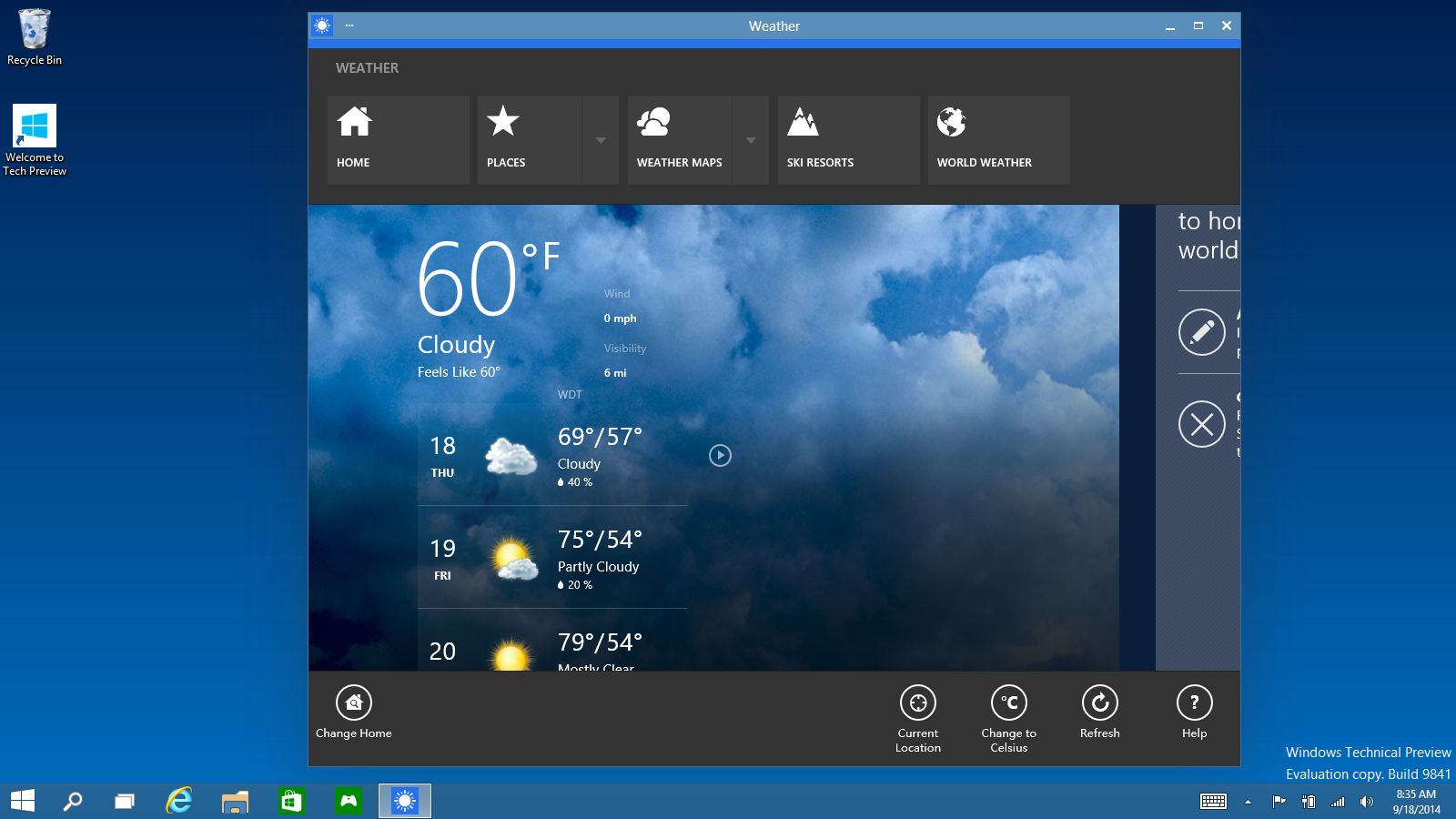
A new function Microsoft focuses on is the redesigned and improved Action Centre that comes up when you swipe from the right part of tablet’s screen.

A very common complaint about Windows 8 was that the Settings and Control Panel were two different things. These two sections are merged into one in Windows 10 and there will only be a Settings menu available which is likely to make life a whole lot easier.

So there you have it. These were all the details we could find about the new Windows 10 operating system from Microsoft.

Images source: arstechnica.com

Filed Under: Tech & Science Tagged With: microsoft, windows 10, windows 10 date, windows 10 details, windows 10 launch date, windows 10 release date, windows 10 review, windows details, windows operating system, windows phone

Android Lollipop on Nexus 7 2012 Impressions

January 22, 2015 By Nancy Young Leave a Comment

android-lollipop-nexus-7-4

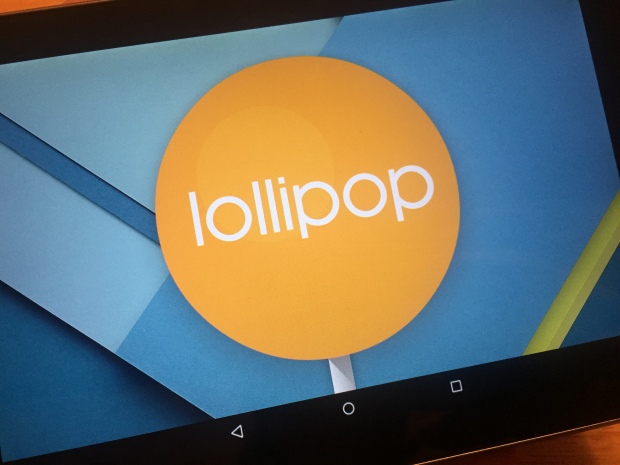
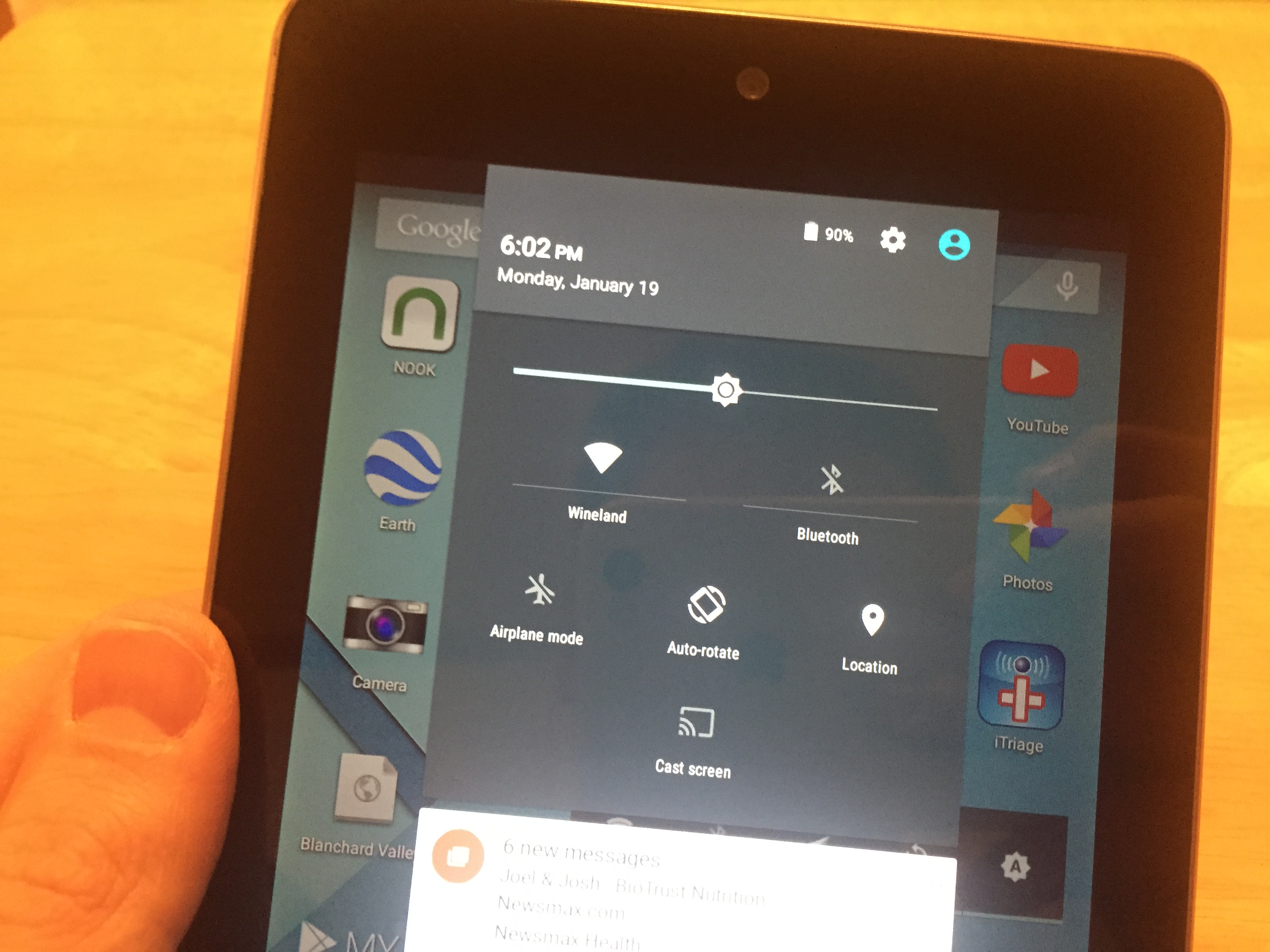
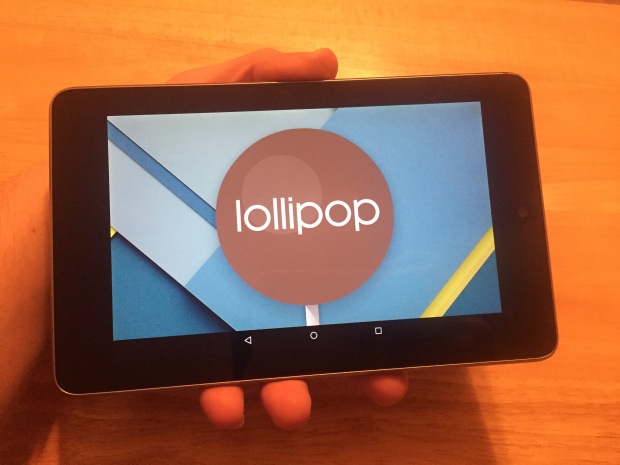
After a very long wait we finally installed the Android Lollipop on Nexus 7 and tested the latest operating system from Google on an older device to see just how well it performs. We installed the update on the 2012 version of the Nexus 7 tablet. The update installed rather quickly on the device and we started testing its performance in no time on this older tablet to see if it performs as well as the 2013 Nexus 7.

Even though the software update Android 5.0 Lollipop started being available since November, the new operating system wasn’t accessible on the Nexus until now. We spent an entire weekend with the new software testing it on the 2012 Nexus 7 and now we can tell you how it performs.

Google redesigned their Android operating system, giving it a new menu for multitasking, a new lock screen and many bug fixes and changes to the notifications. This is a pretty big update and gives an entirely new feel to people who are upgrading from the 4.4 KitKat.

Users of the new operating system have embraced the new design and the changes in the Android core. The new operating system looks amazing, we’ll tell you that. The new design is very sleek and other than being a newer, prettier face on old software, it also improves functionality and adds more features.

We’re testing the new Lollipop 5.0.2 instead of the original 5.0 because Google claims that numerous bugs from the initial release were identified and fixed.

After having spent some time with the 5.0.2 update, we can detail our experience with it and help other owners of the 2012 Nexus 7 tablet in their decision of updating to this version or sticking to the older Android 4.4 KitKat.

android-lollipop-nexus-7-1

Installation

Installation was a very easy task. It only took around 20 to 30 minutes until completion. However, be aware that you cannot use the tablet while the update is taking place.

Even though updates may cause issues, we did not encounter any problems during installation. The update finished quite quickly along all the updates for the apps and before we knew it the device booted to the home screen.

Speed

The performance of the Lollipop 5.0.2 on the older Nexus 7 is not exactly the best. It is a little slower and when compared to the KitKat, the animations aren’t always as smooth.

The performance improved noticeably after using the device for two days and a couple of restarts. This is the first thing you should do if you consider that your device is a lot slower than it was on the Android KitKat.

Apps

After the update to Lollipop 5.0.2, every app that we tested performed very well and the only problem we encountered was with a website that was using an older certificate of security that Chrome didn’t like. We had to enable a password on the tablet and not accept a security update install to access the website.

Google Play Movies, Google Chrome and other apps we depend on work just as well as they did before the update.

Battery Life

It’s still pretty early to tell you exactly how well the test on the battery went but we didn’t notice any difference since the update. The device holds its charge just as well, even when not being used for half a day. There are no worries concerning battery life so far.

Connectivity

android-lollipop-nexus-7-2

Problems with Bluetooth or Wi-Fi are the most common ones after installing a major update. The 2012 Nexus 7 still connects to the Wi-Fi networks without any issues after installing the Android 5.0.2 Lollipop including a personal hotspot and a home network. Bluetooth didn’t show any problems, either.

Issues

The Android 5.0.2 update fixed some issues of the initial launch and the Help Forum on the Nexus website is filled with topics regarding problems that have been dealt with since the original launch of the 5.0 Lollipop operating system.

Even though some bugs affect the Android 5.0.2 Lollipop and it is not without its problems, the only issues we encountered so far were with that particular website and Google Chrome itself. The Lollipop operating system and the Nexus 7 were not problematic at all, in our opinion.

We hope that a future update will improve the speed of the new operating system on the older Nexus 7 but this is not a bug, per se, as much as a result of using older hardware with new software.

android-lollipop-nexus-7-3

Is Android 5.0.2 Lollipop worth installing on the Nexus 7 2012?

If you have any problems with the older KitKat or want the new features offered by Lollipop, then you can install it without having to worry about major problems. However, for most users, this is an update that is worth waiting on in order to address and improve more issues.

That being said, the performance of the Android 5.0.2 Lollipop on the older Nexus 7 is a little erratic. There are several lags affecting actions of the screen after buttons are pressed that vary from frustrating to acceptable. We’re not certain why these issues are present at the moment but they tend to be annoying.

While it is possible to downgrade back to the older Android KitKat, it’s not a very pleasant process and most users will prefer not to go through it. However, it’s still pretty calming to know that you can go back if the Lollipop performs really badly on your device.

It’s probably worth waiting for a couple of more days in order to see if Google will launch another update for the Nexus 2012 regarding the Android Lollipop upgrade.

It has been said that Android 5.1 Lollipop will launch early in 2015 but you shouldn’t get your hopes up and it’s still uncertain whether the new update will address all issues regarding the 5.0.2 release, if any. But be sure that if some problems persist, Google will most likely release an update to fix the issues before they launch their new major release. If they don’t fix the issues, however, we may be stuck on relying on solutions from third parties.

Images source: gottabemobile.com

Filed Under: Tech & Science Tagged With: android 5, android 5.0.2 lollipop, android 5.0.2 on nexus 7 2012, android lollipop, android lollipop nexus 7, lollipop on nexus 7 2012, nexus 7, nexus 7 2012, nexus 7 2012 lollipop

How to Free Up Space On Your iPhone in 10 Steps

January 21, 2015 By Nancy Young 1 Comment

There comes a time when your iPhone, no matter the generation, might start running slowly, freezing and even have applications crash on it at times – while sometimes this might just be an issue of corrupt files on it, easily fixable by restoring it to factory settings and re-downloading all of your apps back on your device, most of the times it will be caused by storage space clutter and a full memory.

When dealing with lower storage space units, like 16 GB or 32 GB iPhones, I’m sure you would love to make space for your regular playlist, taking photos or immortalizing specials moments on the go. Here’s a list of 10 things you can do to make sure all of the above will be possible and have your phone run as smoothly as it did when you first got it out of the box.


#1 Restore your iPhone

iphone-restore-7

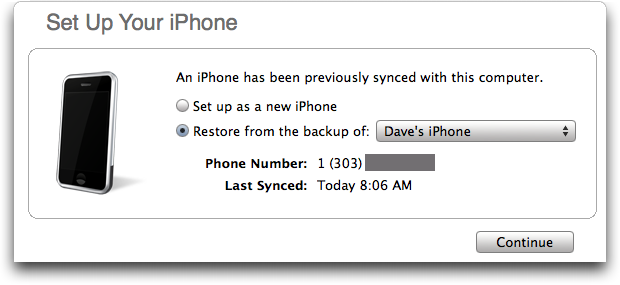
The first and most basic thing you can do to free up space on your iphone, albeit a little time consuming is the good old restore. Depending on the amount of data you have stored on your iPhone, counting apps, photos, videos and contacts, it might take anywhere between 20 minutes and even hours. But for an all purpose clean up, fix up and a solution to pretty much anything that might be wrong with your phone software wise, it would be well worth the time. Restoring your iPhone is, regardless, advisable to do on a regular basis as it makes sure your device stays clean, up to date and with as little stacking over time issues as possible.


The restore to default settings can be easily accessed through either your iTunes or directly from the phone’s menu, although it is not a recommended way of doing things. The reason behind that is the fact that a hard restore from your device’s menu would entail the loss of your data with no available backup. It’s best if this option is left only for the times when your phone ends up in a critical state (hopefully never!).


The way you can do this the regular, safe way is by selecting your iPhone from the iTunes menu and heading to the Summary tab. After that, the first thing that you do is backup your data, either via iCloud or your machine, before heading to manually restoring.


#2 Tinker with iTunes and find more answers

YQdVf

No matter what Apple device you have, when connecting it to iTunes, the program’s interface will give you an ample and easy to understand overview of your space management. On the bottom of your screen under the Summary tab, there’s a color coded bar displaying the total amount of space on your iPhone that fills up depending on what you have on your device – photos, videos, apps, documents and “Other”.

The Other category includes a number of things, such as stored emails, messages, web browsing data (cookies, bookmarks, etc.) – this type of data occasionally bugs out and ends up taking more space than it should. Manually removing it is one way to do it, but restoring your iPhone might still remain the better call.


#3 Check your usage

check-if-usage-adds-up

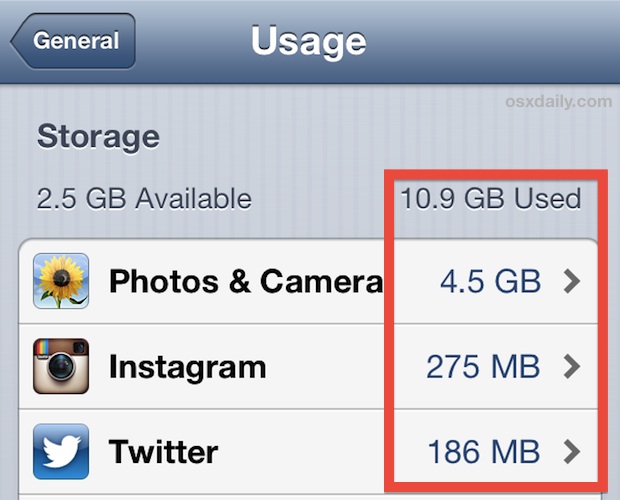
The number three thing you can do to free up space on your iphone is checking usage. If restoring seems like too much of a hassle, the next best thing you can do is finding out exactly what is taking up your phone’s space.

There is a number of surprising things that you can discover as culprits behind a clogged storage. The way you can get this done is accessing your iPhone’s settings menu. To manage your storage, you will be looking at the Usage tab under the General segment of the settings menu.

By tapping Manage Storage, you’ll be taken to a list of apps and how much space they take and the amount of total storage – divided in used and available.


#4 Beware of apps’ internal downloads

iPhone-app-iTunes-download

While the previous only provides you with insight on which applications are being problematic when trying to free up space, here’s how you delve deeper into the issue. A lot of applications don’t remain at their original download size.

You might be surprised to see some of your apps as being listed as using entire gigabytes of space instead of the few dozen megabytes that their download size was listed as when you got them.

The reason behind that is that a lot of apps enlist a number of internal downloads – Spotify, Podcasts, Cloud and Dropbox services are a few of the apps of this sort.

To fix this, all you have to do is access the particular app that displays unusual storage usage amounts and check whether it’s the downloadable content at fault. After that, it’s your call – you can either opt for deleting the app and finding an alternate way to make up for its lack, or manually delete the unnecessary downloaded content.

#5 Delete unused games

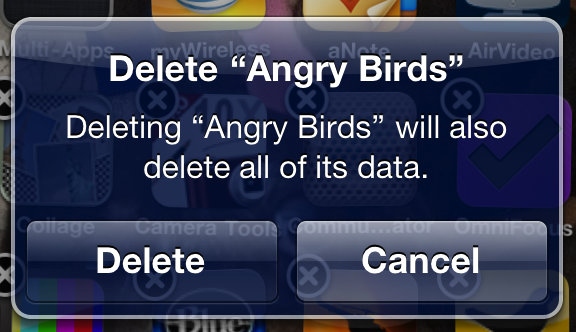
deleteapp

Games are for most of us a pretty fun way of spending past times, whether you’re travelling, stuck in traffic, waiting for someone or whatnot. Given the technology powering up our handheld devices these days, the games that are released come up to par with the hardware capabilities.

With great performance and great graphics however, also comes great space consumption. Even small scale games can take around 50 MB of space, and while that might not seem a lot, when you find yourself with a hefty collection of all sorts of gaming apps gathered from here and there, the space they take suddenly becomes staggering.


If you’re like me, and hold on to many of your games simply because you keep thinking you’ll get back at them and play again sometime in the future when you get bored of the latest fun thing you found, it’s advisable to take a leap of faith and delete some of them when you’re in need of space – considering your scores get saved up to your Game Center account, you can always go back and download them from the AppStore and continue right from where you left off.

#6 Find a better way to store your photos and documents

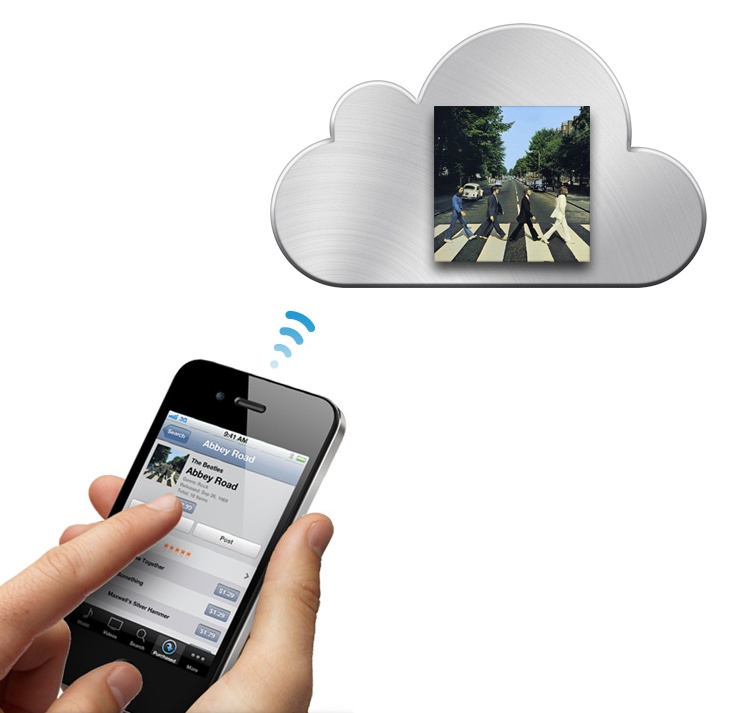
icloud_iphone2

Syncing your data with your desktop/laptop manually is not a bad way to get this done, especially if your machine’s hard disk is large enough for you to not care whether you’ll be using an extra dozen of GB. The smarter choice however, is definitely making use of your iCloud or Dropbox space.

Without spending a cent, you can get up to 7 GB of free Dropbox space, and iCloud offers a basic 5 GB of space with any iPhone you purchase, with the possibility of upgrade. Apple offers 20 GB upgrades for $0.99 a year, 200 GB for $3.99, 500 GB for $9.99 and 1 TB for $19.99. For such a small price you can basically get almost limitless space for any sort of data you want to hold onto.

Google+ is an option as well, considering it provides unlimited amount of storage for photos that do not exceed 2048 x 2048 resolutions and videos that don’t exceed 15 minutes in length.

By keeping your photos, videos and documents constantly uploaded to your cloud, you will surely always be able to revisit them, without having to clog up your mobile phone storage space, and even make sure you never accidentally lose them – in the unfortunate case that you ever have your iPhone lost or stolen.


#7 Get rid of texts that pile up

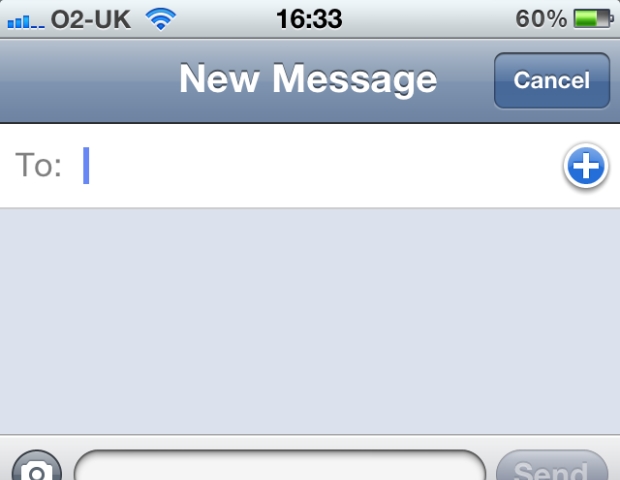
iphone-text-security-1

If you’re the kind of person who texts a lot, it’s not unusual for thousands of messages to end up eating storage space just like anything else. Again, it doesn’t seem a lot since every single text probably doesn’t exceed mere bytes. Multiply that by a thousand and suddenly you’re realizing that hundreds of megs are actually taken by them.

Holding onto texts is nice, but let’s be frank – how many hundreds of messages will you be scrolling up through and how often? Again, manually deleting them – either separately or via the usage feature is one way to do it, but another, automatic and clever method is making use of a setting that many people overlook.

In your Settings menu, under Messages you can opt for your iPhone to regularly and automatically delete out of date texts. You can turn this option on and personalize the frequency of the clean-up by scrolling down to “Message History” and selecting one of the other options instead of “Forever”.

While you only get to choose between 30 days and 1 year, it can still prove to be a helpful hand. Furthermore, you can also customize the life span of audio and video messages received just as well, lower in the same menu.

#8 Sign up for a streaming music service

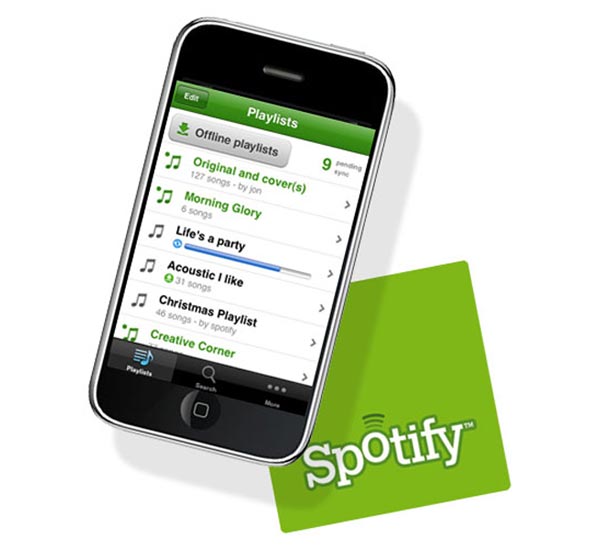
Spotify-Mobile

Unless your music playlist consists of songs that are unavailable on the market, this is probably one of the best space savers out there. Entire, literal gigabytes of space can be freed up if instead of keeping your favorite music saved on your iPhone, you either stream your favorite songs. This is possible through a number of ways, one of the rather popular ones being the music steaming service called Spotify.

It’s just as heavily customizable as your home made iTunes playlist would be – allowing you to make different, separate lists of your favorite songs. Not to mention that it’s a great way to stay up to date with new hits, new album releases and even make new musical discoveries.

Apple also offers its own, personal way of making things better for music lovers, especially those who use iTunes for grabbing their tunes primarily. For a $25 a year subscription, you can get unlimited access to iTunes Match, thus making every track in your iTunes library accessible with just one tap, via iCloud.

The songs that you love the most can be downloaded by tapping the cloud icon next to it in your song list.

#9 Remove old podcasts and videos

remove-music-iphone

While it may seem very obvious to some, here’s something that might not have crossed your mind. Remember all those podcasts that you listened to while doing chores or whatnot? What about the videos and movies you put on your phone to watch for some long flight?

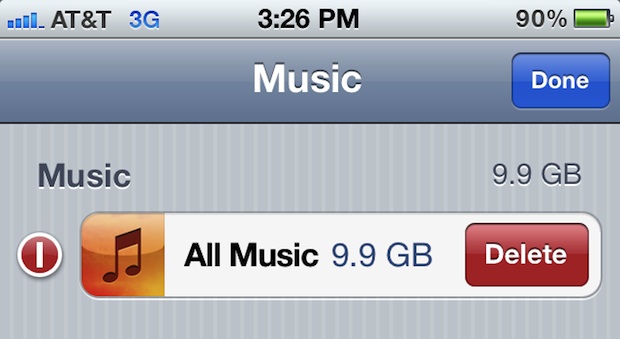
Yeah, go right ahead and delete them. It happens ridiculously often that we forget these things ever existed after we’re done listening to them or watching them. And since you don’t access these parts of your phone as often as you would others, they might be gathering spider webs there on your mobile device for absolutely no reason.

Chances that you will listen to your podcasts again or watch entire movies all over again on your phone out of all things are what – none? Deleting them is easily done by manually accessing your “My Podcasts” at the bottom of Podcasts app main screen.

The application will even make it easier for you, having inbuilt capabilities of sorting through your favorite podcasts and pointing out which you have already listened to by moving them all the way to the bottom of the list. The actual removal is done by a simple swipe to the left and there – you’re done!

#10 Be wary of photo streaming and HDR

iphone-camera-roll-photo-stream-photo-library

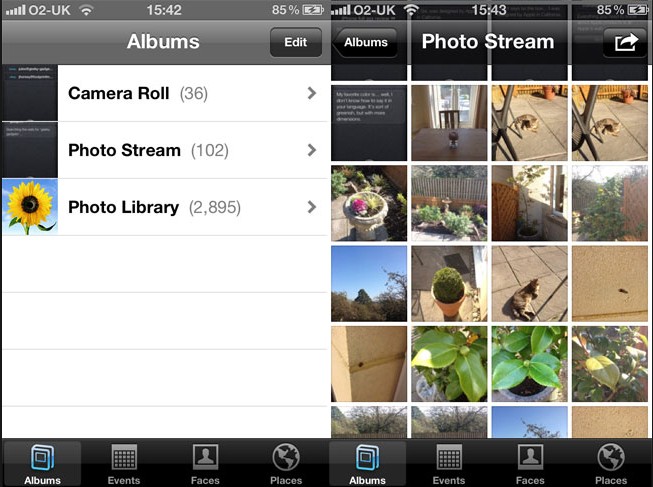
Photo streaming is an option you get when you own more than one Apple device – whether it’s a phone, tablet, iPod, iMac or Macbooks. Sure, having all your photos saved on all of your devices will ensure that you can access them anytime, anywhere you are and be nostalgic to your heart’s content.

But in reality, there’s no reason for you to do physically have them on your phone when you can just quickly access them from your Cloud service of choice. Unless it’s vital for your photos, no matter the number, to be present on all of your Apple devices, you can go right ahead to the Settings menu and turn off “My Photo Stream” from under the “Photos & Camera” submenu.

If you’re using HDR (High Dynamic Range) to take a photo in either low light or for some extra shadow quality, you might be baffled to find out that your phone is constantly saving duplicates of the picture taken – one in HDR, and the original one.

If you consciously choose to shoot using HDR, just go ahead and delete the originals – you can find the option that automatically sorts this out in the Settings Menu – Photo & Camera. The culprit is the option that you can find at the bottom of the submenu – just turn off “Keep Normal Photo” and your phone will cease to save duplicates, one of each kind.

Filed Under: Uncategorized Tagged With: free up space on your iphone, how to free space on iphone, iphone spce clearing, iphone storage problems, iphone storage solutions, iphone tweaks

Microsoft Launched Two New Cheap Smartphones

January 17, 2015 By Nancy Young Leave a Comment

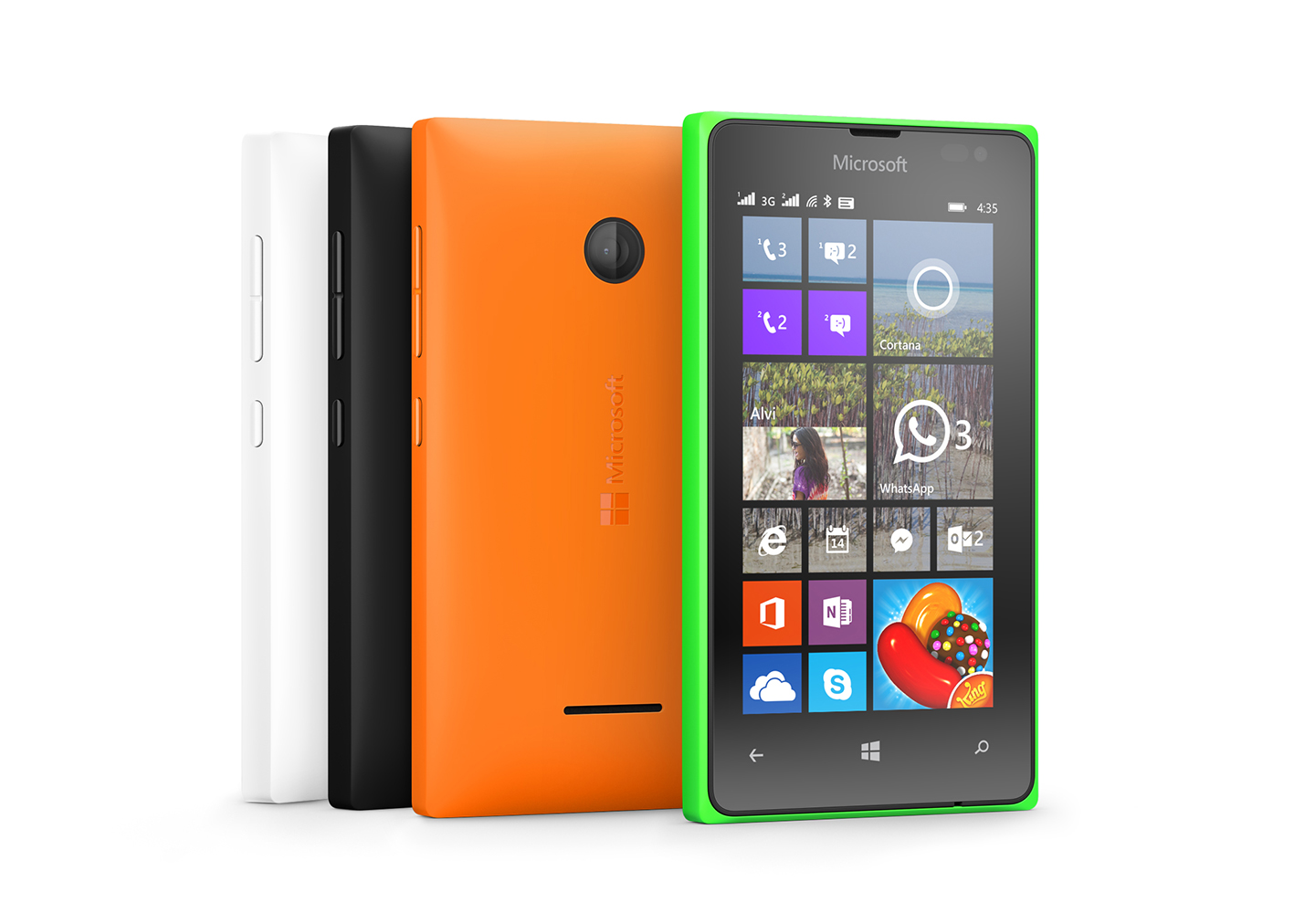
Just recently, Microsoft launched two new cheap smartphones. The two Lumia devices, the Lumia 435 and Lumia 532 are very affordable and have pretty impressive specs for their price.

After the gold editions of their high end mobile phones, Lumia 930 and Lumia 830, Microsoft has announced two other Windows Phones which, the company wishes to target at a whole new branch in the market consisting of phones under $100.

Lumia-435

Image source: msecnd.net

LUMIA 435

The Lumia 435 is the cheapest Lumia available so far with a retail price of just $81 before subsidies and taxes. The new device will be shipped out in February in India, Middle East, Africa, Asia Pacific and Europe. However, a release date for the United States has not been set yet. The new smartphone looks just like the Nokia X and is Microsoft’s best effort so far to compete with the Android One program initiated by Google. The project was released last September with phone manufacturers in India such as Spice, Karbonn and Micromax which develop devices that use the Android One operating system that cost less than $100.

However, Microsoft did cut some corners in order of achieving this price. Even though the device features two cameras, the front camera can only be used for video and has a 0.3MP sensor for Skype calls and the back camera has a sensor of just 2MP. The Lumia 435 will use Windows Phone 8.1 along with the firmware Lumia Denim, which means that it will also include Cortana in available markets as well as Apps Corner and Live Folders. However, the device won’t feature the notification center by Microsoft called Action Centre. The device will also come with Excel, PowerPoint, Word, Microsoft PowerPoint and OneNote preinstalled.

The smartphone has a 1.2GHz dual-core Qualcomm Snapdragon 200 CPU and a 4 inch WVGA display with a resolution of 800 x 480 and a pixel density of 233ppi. It has 1GB memory and comes with 8GB of storage that can be expanded with a microSD of up to 128GB. The battery is replaceable and has a capacity of 1560 mAh which lasts for up to 11.7 hours talk time on 3G and 20.9 hours 2G.

While these features aren’t intended for consumers that are looking for a high end smartphone they certainly are an improvement over old low-end mobile phones launched by Microsoft. However, it’s uncertain if these improvements make the devices as good as the ones offered by Xiaomi and Motorola, which are also competitive with Google’s Android One and its partners.

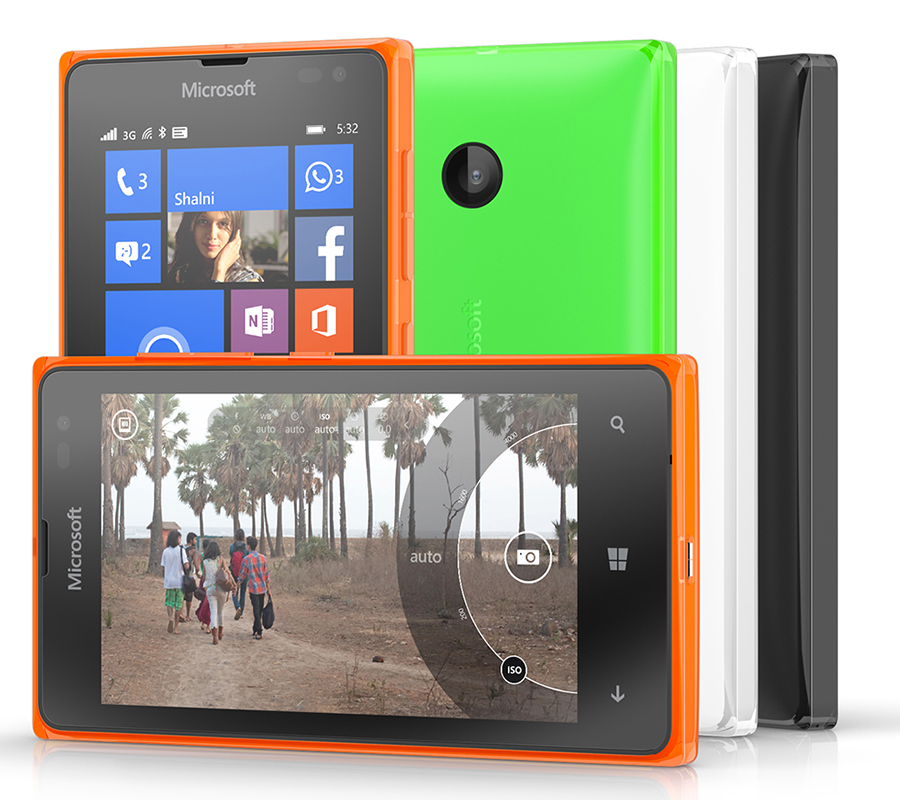
The smartphone will be available in both single SIM and dual-SIM forms and will come in black, white, green and orange. Microsoft also unveiled the Lumia 532 which will come at a price of $94 before subsidies and taxes and is Lumia 435’s smaller brother.

Lumia-532

Image source: cloudfront.net

LUMIA 532

Inside the very colorful shell of the Lumia 532 is a quad-core processor that will most likely surpass every other inexpensive Windows Phone launched by Microsoft in the past and 1GB RAM. The amount of memory will at least let users of the Lumia 532 play some of the more demanding games that made their way to Windows Phone in the last couple of years.

The Lumia 532 has 4 inch display with a resolution of 800 x 480 that isn’t high definition but looks quite good. The Lumia 532 will be available in February for about 79EUR or $94. This price doesn’t include any service agreements or discounts, however. As well as the 435, the Lumia 532 only has 8GB of internal storage but it can be expanded with a microSD memory card. Neither the 435 nor the 532 feature a flash on their cameras, which means that users won’t be able of shooting photos in low light environments.

Both smartphones will come with Windows Phone 8.1 and Lumia Denim. Windows Phone 8.1 is the latest version of Windows available on mobile phones. This version adds the Cortana personal assistant that is also coming to tablets, desktops and notebooks using Windows 10. This version of Windows also offers some options for personalization for the users. For instance, people can finally put a photo to be shown in the background of their phone. It also adds support for syncing browsing history, passwords and a lot more between several devices that us Windows 8.1.

Microsoft wishes to attract smartphone buyers away from Android One and iPhone with the help of its low prices for the Lumia 435 and Lumia 532. This kind of makes sense seeing how in the Middle East, Asia and Europe, Windows Phones are a lot more popular. Microsoft hopes to attract buyers looking to purchase their first smartphone or that want to get rid of their older iPhones that don’t receive updates from Apple anymore.

Microsoft’s problem lies in the United States, however. It’s been a long, long time since the company released a competitor for the iPhone. This means that users are far less excited about Windows Phones in the United States. Apple produced new high-end versions of its popular iPhone and their decision to make the older versions cheaper seems to have worked in the U.S. In the meantime, it looks like Microsoft is basically ignoring the United States completely.

Both the Lumia 435 and the Lumia 532 will come in dual-SIM versions as well. This feature allows users to install two SIM cards in their smartphones and switch between carriers for the best available calling rates.

Filed Under: Tech & Science Tagged With: cheap lumia, cheap microsoft smartphones, lumia, lumia 435, lumia 435 lumia 532, lumia 532, lumia 532 lumia 435, lumia cheap, microsoft, microsoft lumia, smartphone, smartphones

Mophie iPhone 6 Case Review

January 16, 2015 By Nancy Young Leave a Comment

Mophie-iPhone-6-Case-2

The Mophie iPhone 6 case will arrive early February or late January. Mophie announced the cases for iPhone 6 and iPhone 6 Plus at CES 2015 and they will significantly increase the battery life of your Apple smartphone.

iPhone 6 and iPhone 6 Plus were announced by Apple in September 2014, and even though there are numerous alternatives to Mophie’s iPhone cases, many users still prefer to wait for them to become available.

You can pre-order the cases as of now and there is one iPhone 6 Plus case and two iPhone 6 ones. The Mophie cases will ship in three to about four weeks, in time with Mophie’s commercial in the Super Bowl.

These are the cases that will be available to the public soon:

1. Mophie iPhone 6 Plus Juice Pack, which is for the iPhone 6 Plus and adds 60% more battery for $99
2. Mophie iPhone 6 Juice Pack Air, which is for the iPhone 6 and adds 100% more battery power for $99
3. Mophie iPhone 6 Juice Pack Plus, which is also for the iPhone 6 and adds 120% more battery for $119

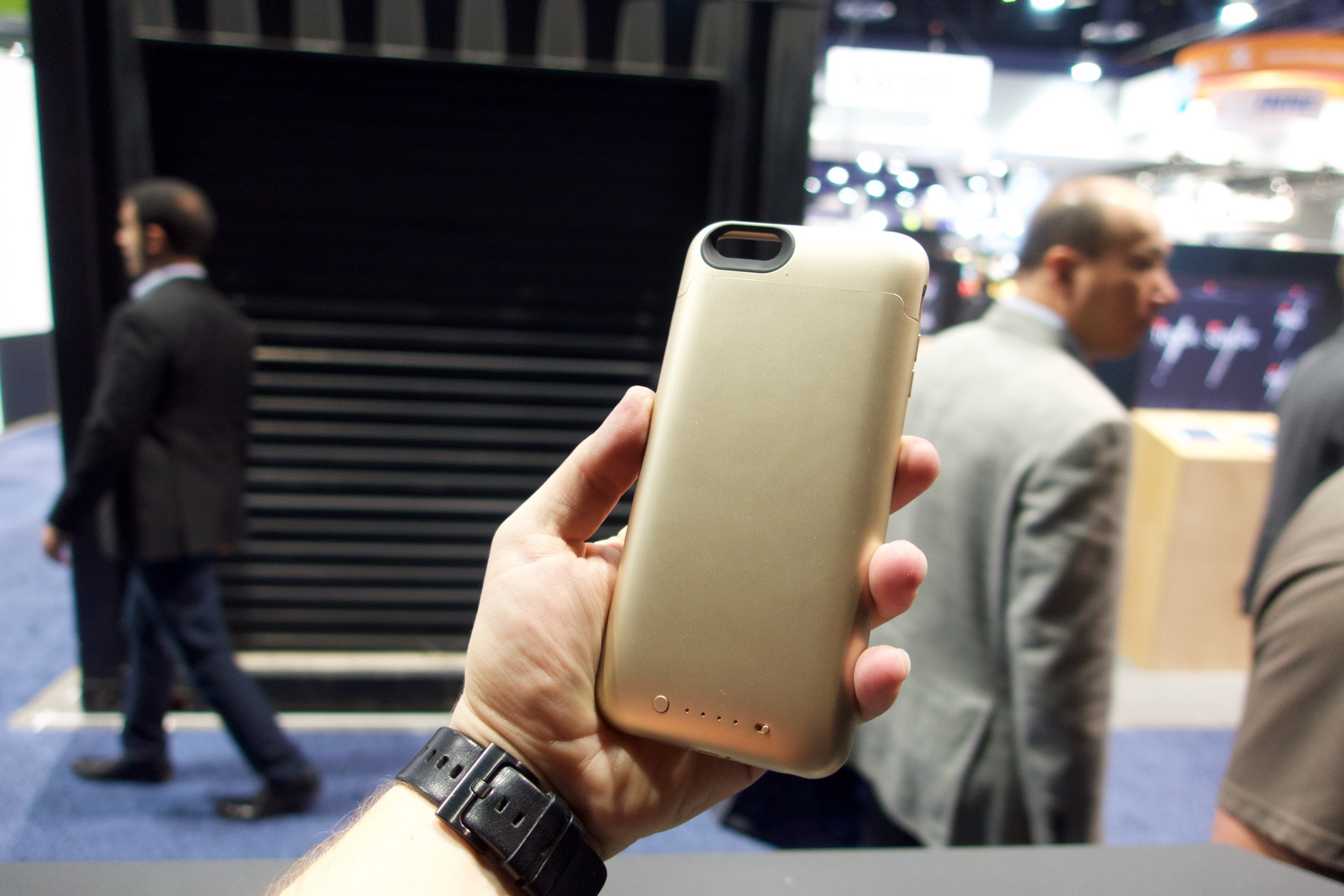
All of the cases come in three colors which match Apple’s smartphones. There is a gold, white and black color available for each of them. They are a great upgrade from the previous iPhone 5 and iPhone 5s cases in both features and power.

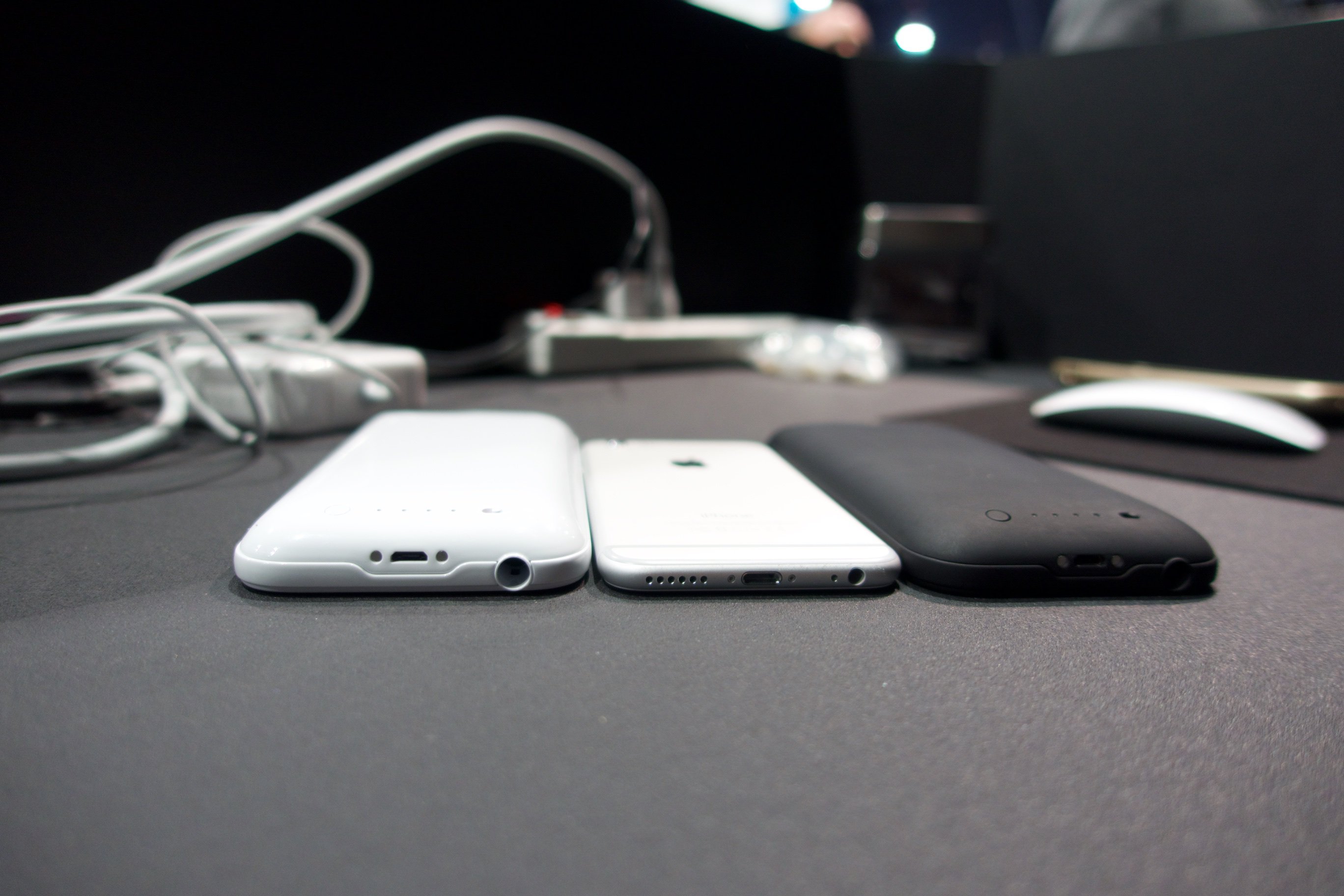
After we spent some time with all of these cases we can honestly say that these are the kind of battery cases that set the mark for how all battery cases should work because of their amazing features and upgrades from previous versions. Even though they make the iPhone 6 look a little bulky, the extra battery life is worth it and we did find that the case fits pretty comfortably in our hands.

Mophie-iPhone-6-Case-4

The following are features that make the Mophie iPhone 6 cases stand out from the competition and make them the best possible choice for people who wish to get more juice from their smartphone.

Better Cable and USB Port

Mophie-iPhone-6-Case-1

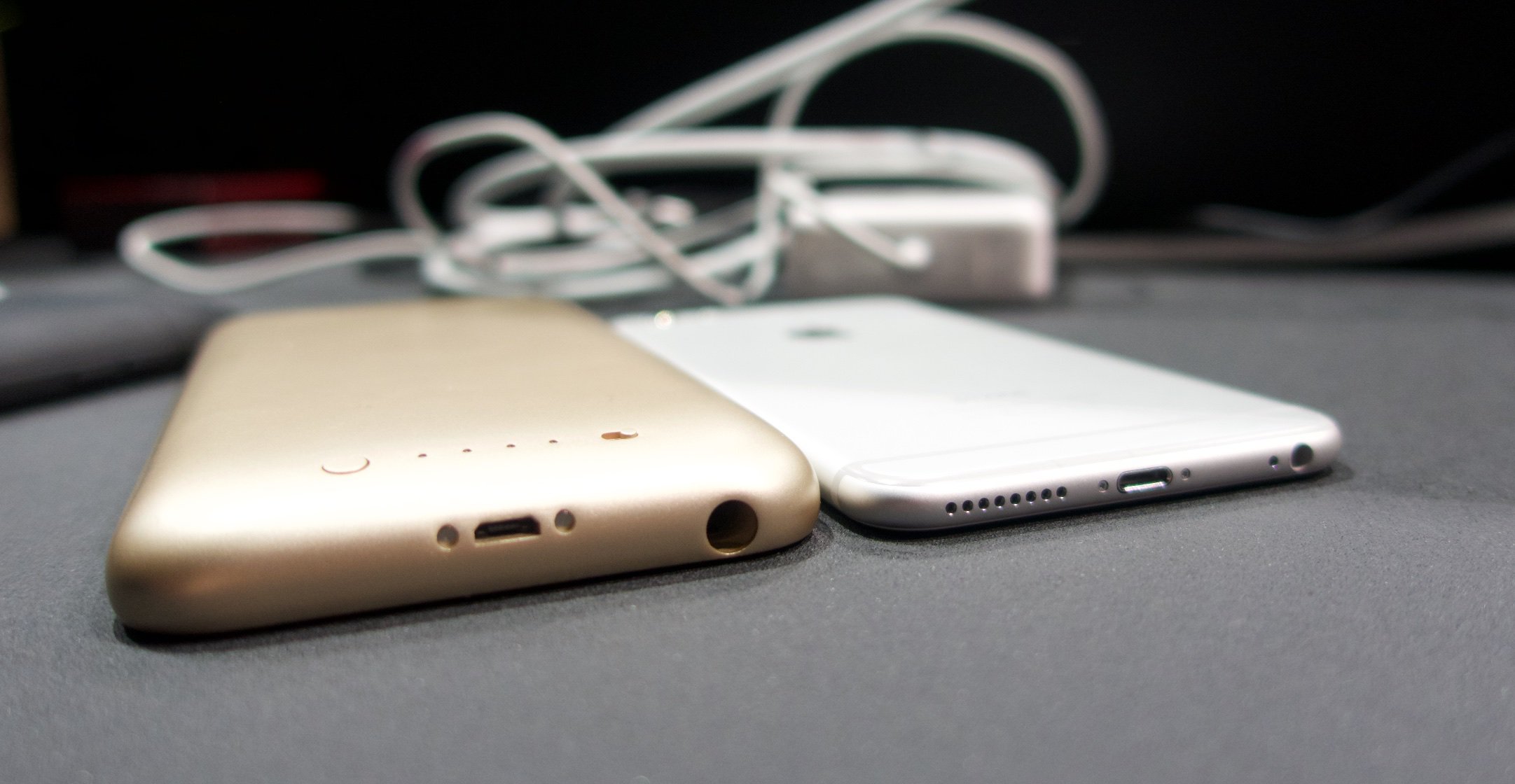
The cases include a much better and cleaner USB port than the one found on the iPhone and will certainly make the device easier to connect to the Micro USB cable. Mophie announced that there is a cable that will help the user know which side goes up when it’s time to charge the device.

Users will still be able to connect their iPhone in a dock as there are contacts on the bottom part of the case. The docks connect using the port at the bottom of the Mophie case so the user doesn’t need to handle any more wires.

A Single Cable for Charge and Sync

Mophie-iPhone-6-Case-3

The biggest complaint about the old Mophie iPhone cases was that people could not sync their iPhones when they were inside the case. That limited more than the possibility of connecting the device to iTunes and people had to remove it and also carry a Micro USB cable for the case and a Lightning cable for the iPhone.

The Mophie iPhone 6 cases, much as the Mophie powerstation plus support charging and syncing the devices with the use of just a single Micro USB cable. This means that users will be able to leave their Lightning cables at home and just bring the one cable.

This also lets cars detect the iPhone as if it were plugged into a Lightning cable. This is crucial for using the case with Apple CarPlay and makes listening to music way easier. We also appreciate that the Mophie iPhone case first charges the iPhone and then the additional battery pack when connected to power.

The technology is available for both the Mophie iPhone 6 Plus case and the Mophie iPhone 6 cases.

Protection

While the case adds 120% to the iPhone battery life, that isn’t the only trick up its sleeve. There is a new impact system inside the case that makes use of bumpers to take in the shocks caused by drops in order of protecting the iPhone 6 from falls and other impacts.

However, this technology is only available in the Mophie iPhone 6 Plus case that costs $119. We didn’t have the chance to test this feature out but similar designs in other cases we’ve tested have worked quite well and we’re confident that Mophie did a great job implementing this sort of system into the case.

The best possible way you can charge your iPhone with these cases attached to it is when your smartphone’s battery is between 20 percent and 80 percent. This will allow you to use the least amount possible of power coming from the case and improve the overall battery life on your iPhone 6 or iPhone 6 Plus. If you are able of avoiding using the case to keep the battery life on your iPhone at 100 percent, you will be able to make the power last a lot longer.

It’s very easy and convenient to plug in your iPhone when you just have to use the one Micro USB cable and not have to worry about the Lightning one which can also be very expensive to replace. You may also sync the device with the Micro USB cable and attach it to the Apple CarPlay system while keeping it safe inside the Mophie iPhone 6 or Mophie iPhone 6 Plus case.

Mophie-iPhone-6-Case-5

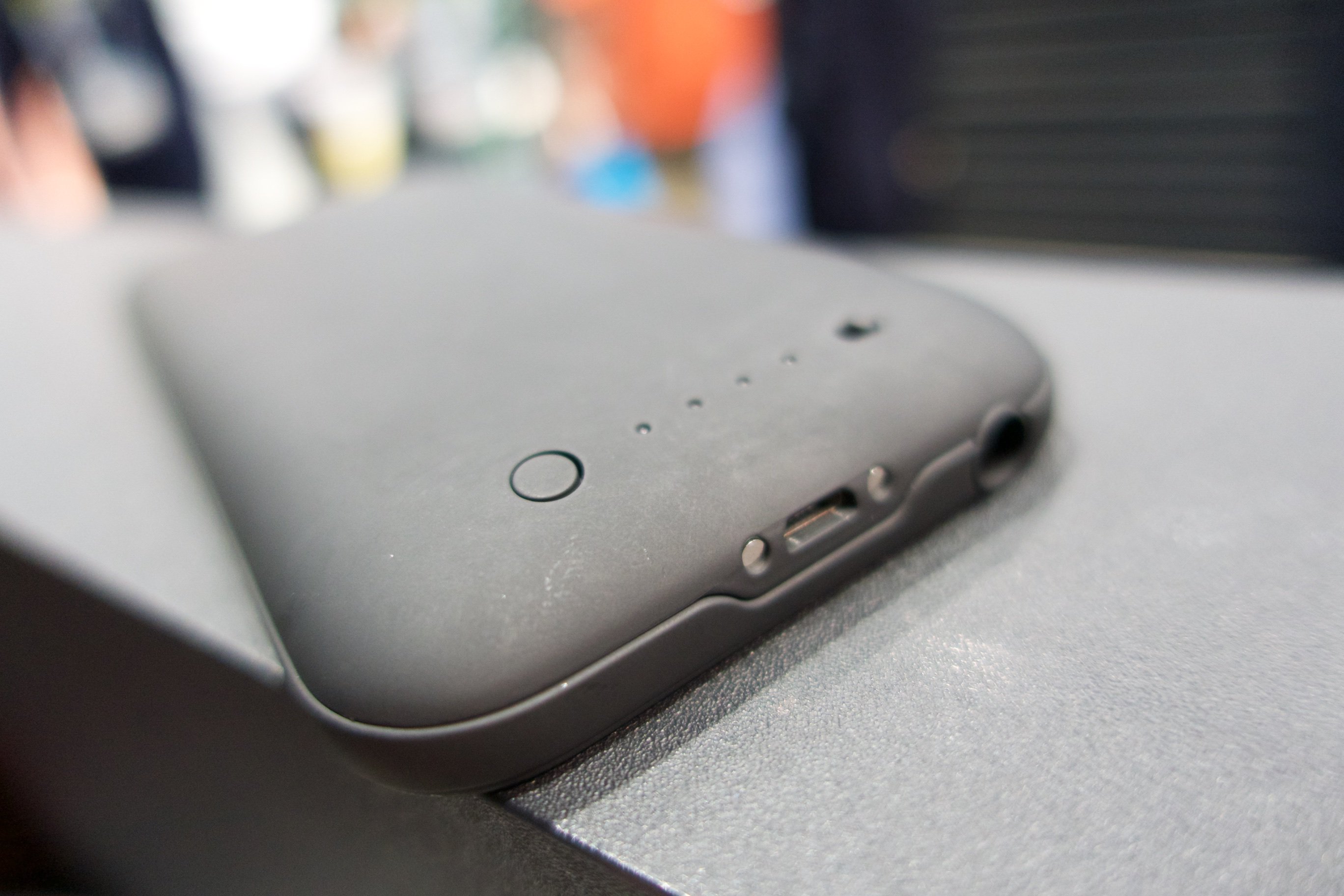
On the back of the case there is an LED that will show you exactly how much more power you have left and a switch to turn it on or off that will let you charge only your iPhone and not the Mophie battery pack.

Images source: gottabemobile.com

Filed Under: Tech & Science Tagged With: iphone 6 case review, iphone 6 mophie, mophie, mophie case review, mophie iphone 6 case, mophie iphone 6 case review, mophie iphone case review, mophie review

5 of the Best Fitness Trackers for 2015

January 15, 2015 By Nancy Young Leave a Comment

Losing weight or getting in shape is a very common new year’s resolution. It’s true that you can hire a personal trainer or get a gym membership to get into shape but this is pretty expensive and there may be an alternative.

Walking is one of the easiest ways that a person could start living a much healthier life and lose weight. It is recommended for adults to receive at least 150 minutes per week of aerobic activity with mild intensity, like walking, by the Centers for Disease Control and Prevention.

The sudden explosion of connected devices on the market has made tracking daily activity a lot easier. We have tested a lot of fitness trackers but only a few have impressed us so far. The following is a list of what we think are the best fitness trackers that will help you to keep your new year’s resolution.

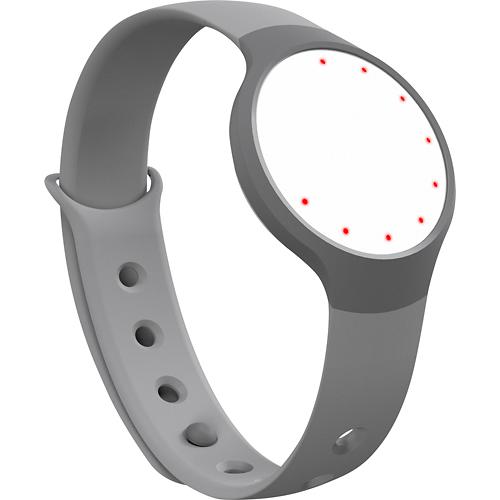
1. Misfit Flash

misfit-flash

Image source: bbystatic.com

Misfit Flash is a fitness device that is able to track your steps, the distance travelled and calories burned. Misfit Flash is even capable of tracking sleep and does so automatically and it makes use of a replaceable battery that can last for six months or so.

The fitness tracker can be placed on the wrist or the waist with the help of a clip-on accessory that is included in the package. The app is available for iOS and Android and can even connect with other systems like MapMyFitness, MyFitnessPal and RunKeeper.

However, there are some things you must take into consideration before purchasing a Misfit Flash. The device doesn’t have a display and uses 12 LEDs arranged in the shape of a ring that notify the user and shows the time. The Misfit Flash retails for $50 in the United States, £50 in the United Kingdom and in Australia for around AU$55.

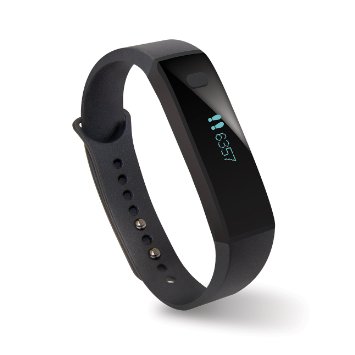
2. Pivotal Tracker 1

pivotal-tracker-1

Image source: amazon.com

This is the most affordable tracker we have tested. A company based in Seattle called Pivotal Living is offering the tracker as a yearly subscription plan. The device is only available in the United States and it costs $12, which also includes an app that is compatible with both iOS and Android devices. When your subscription expires you can pay another $12 to access the app for one more year, and so on. You will also be offered a new fitness band by Pivotal Living, free of charge.

The device is able of tracking the distance traveled, steps taken, active time, sleep and calories burned. The battery lasts for around a week and there are alerts to warn you about inactivity, a silent alarm for waking the user in the morning and activity goals that are made available by the bracelet.

A down side, however, is the fact that it is not waterproof and it’s not very accurate when it comes to tracking distances. We also feel the build quality is sort of shabby but this is to be expected because of the very low retail price.

The app is very well designed even though it doesn’t feature a food tracker and the device can’t be synced with other apps. The traffic from these bracelets has also put a great load on the company’s servers and more than one time it has caused problems. People have said that they have experienced reboots, crashes of the app and issues with syncing.

3. Fitbit Charge

fitbit-charge

Image source: amazon.com

Fitbit is one of the oldest manufacturers of fitness trackers. Fitbit Charge improves upon the earlier Fitbit Force which was earlier this year recalled because some users reported irritation of the skin when using it. Fitbit Charge features a small OLED screen that can display incoming calls from your smartphone in addition of tracking steps, calories burned, stairs climbed, distance traveled and sleep.

It also features a silent alarm and the user can put in daily goals. The app can also sync with other third-party ones such as RunKeeper and MyFitnessPal. The app is available for iOS and Android. However, Fitbit Charge is a little inaccurate when tracking distance and it’s not waterproof.

The retail price of the Fitbit Charge is $130 in the United States, £100 in the United Kingdom and in Australia it costs AU$150. Fitbit announced that a newer version of the fitness device will be available in 2015 and it seems like their newest version will be worth waiting for. The new Fitbit Charge HR features a heart rate monitor and a watch strap for only $20 extra.

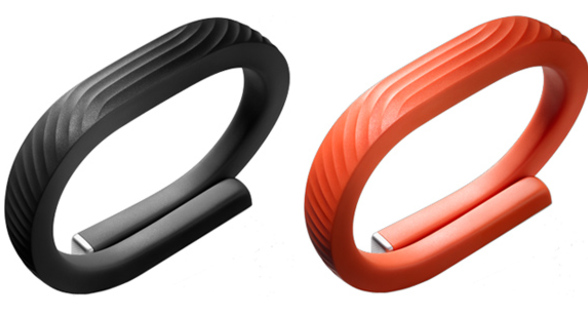
4. Jawbone Up24

jawbone-up24

Image source: clubic.com

Jawbone and Fitbit come to mind when thinking of fitness trackers. The Up24 is very difficult to beat. It is able of tracking almost anything – distance, steps, sleep and calories – and a new update improved its battery life and now lasts 14 days. You can set a silent alarm to wake you, alerts that remind you to start moving and activity goals. It is waterproof which means you don’t have to remember to take it off when getting into the shower.

The app, which is available for iOS and Android, is one of the best we’ve ever seen. It’s able to sync with third party apps such as RunKeeper and MyFitnessPal. However, the Jawbone Up24 doesn’t feature a screen on which you can view your progress but the good part is that it’s one of the most stylish fitness trackers currently available. Jawbone Up3 was announced by the company to be available in 2015. The company’s new model will feature a heart rate monitor which most likely will improve sleep and calorie tracking.

The Up24 costs $130 in the United States, £125 in the United Kingdom and in Australia it costs AU$150 but with the newest version coming this year, the Up24 should be purchased only at a discount.

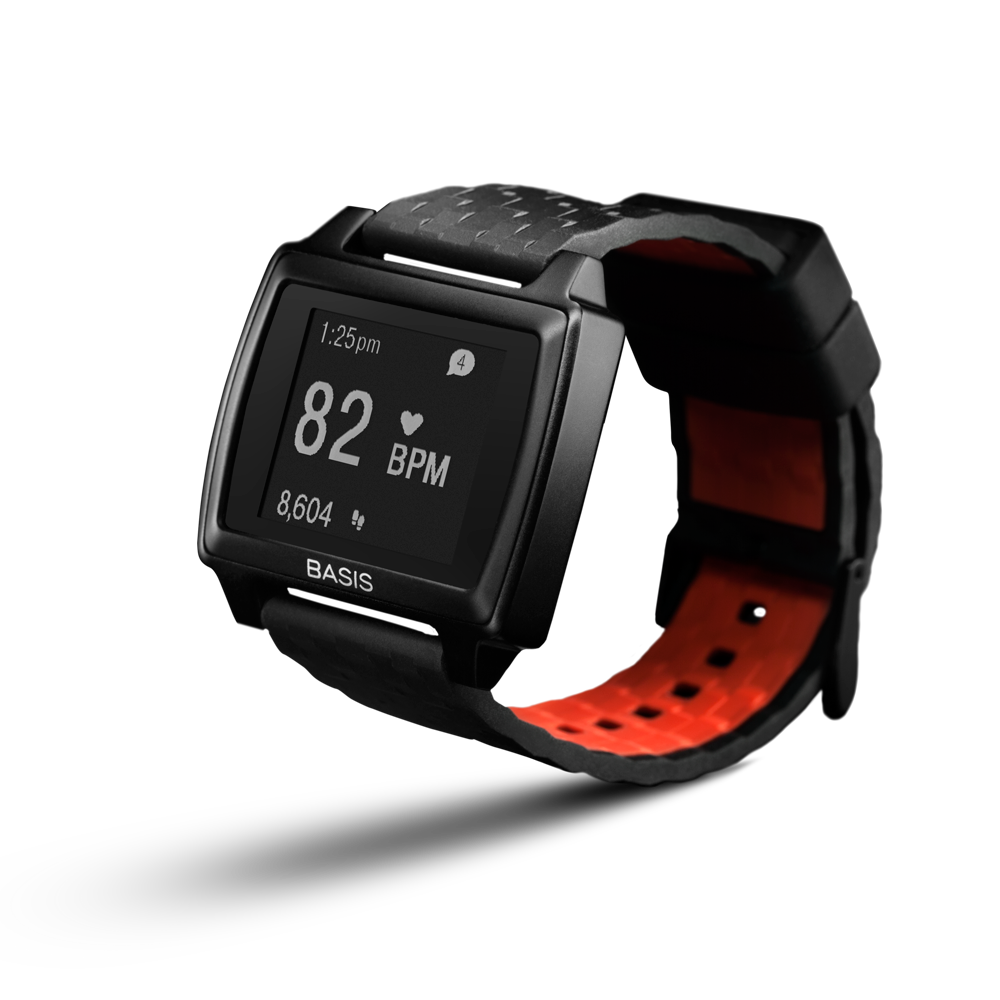
5. Basis Peak

basis-peak

Image source: amazon.com

Manufacturers are currently making a lot smarter fitness trackers. These new devices, like the Basis Peak and Microsoft Band aim to help you improve your fitness workout with feedback and coaching.

There isn’t a perfect smart fitness tracker yet but the one that comes close to this is the Basis Peak. This smart device constantly tracks your activity and heart rate. It offers you feedback about your activity and is capable of tracking your sleep automatically. The device almost feels like it’s built especially for you as it offers goals and daily achievements that fit you best.

The battery lasts for up to three days and the device is waterproof. However, the Basis app could be better. It is compatible with iOS and Android but doesn’t sync with other apps and does not track food. The company promised that a future update will allow the device to receive notifications from your smartphone but it’s uncertain when it will be available.

The Basis Peak costs $199 in the United States and £170 in the United Kingdom.

Although most smartwatches these days have the ability to track certain fitness activities we chose not to include them in our list as they are not designed specifically with fitness in mind. Some of them even offer a heart rate monitor and can track distances traveled but are built for another purpose.

However, if you wish to purchase a smartwatch because it is capable of doing a lot more than fitness trackers we recommend that you search for details before buying one because some of them are more capable than others.

Filed Under: Tech & Science Tagged With: basis peak, best fitness trackers, fitbit charge, fitness trackers, great fitness trackers, jawbone up24, misfit flash, pivotal tracker 1, smart fitness trackers

Android Lollipop Look Available through Google Now Update

January 15, 2015 By Nancy Young Leave a Comment

Android Lollipop

People are currently waiting patiently for the new Android 5.0 Lollipop update to roll-out, but what they did not know is the fact that you can enjoy a similar look through the updated versions of Google Now Launcher and Google Search app.

Through these updates, Google brings the Lollipop look to any device that runs Android 4.1 to Android 4.4 for users who want to take a glance at how Android Lollipop looks like.

Rumors about Google working on their own private launcher have started back in February of last year and the launcher is set to take over your homescreen. The app was actually released in August 2014 and it has now been updated, borrowing the design style of the new Android 5.0 Lollipop.

Google Now Launcher and Google Search App

Google Now Launcher is not currently able to replace the stock launcher from HTCS, LG, Samsung or others and puts a customized experience front and center by Google. This brings to the table a new app tray, different icons, the Google Now feature – swipe to the left and many more. The Google Search app and Google Launcher are strongly tied together so both of them have received updated version with more features and better design, this week.

By installing both of these apps now, you will automatically get the Android 5.0 look. This is also a new thing since prior to these updates, both Google Now Launcher and Google Search app were set to be installed in the version of Android you had on your smartphone.

You do not have to wait and you do not have to upgrade your phone to see hoe Lollipop looks and feels like. What more can you ask for?

Once you have downloaded and installed the latest versions of both Google Now Launcher and Google Search apps you simply have to press your home button and enjoy the new look on your smartphone. The new Google Now Launcher interface is meant to bring Android 5.0 Lollipop a bit closer to all of Android users, if you are running an Android 4.1 version of the operating system or higher.Android Lollipop

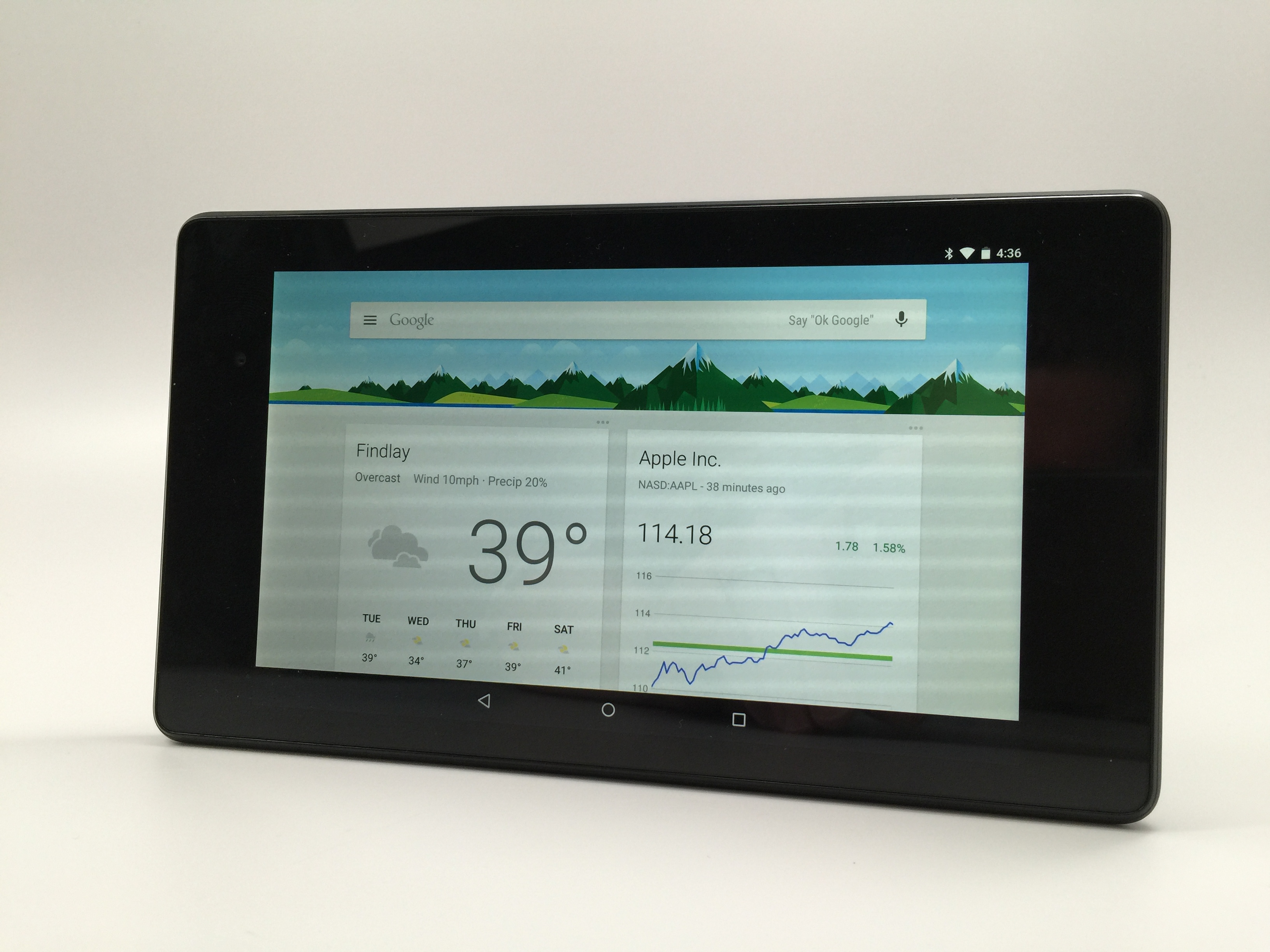
Through this update you will have the all-white look of the Google Search bar, “Ok, Google Now” hotwords for devices capable of hands-free controls through voice and even some cool new animations available only with Lollipop.

Google Now Launcher is certainly not the only Launcher available on Google Play but it is surely the one you will want to take on a spin today. With the new slide-out settings panel, an improved popup for voice control when you would much rather use your voice than typing and many other neat updates, Google Now Launcher is the Launcher you need to download and check out.

HTC and Motorola are currently the two companies that have started introducing Android 5.0 Lollipop to their devices on a much larger scale than their competitors, LG and Samsung. However, all of these companies are taking their times to offer the updated version of the operating system with their own touch.

Google has already started putting on Android 5.0 Lollipop on their Nexus tablets and handsets so if you want to update the current version of Android on your Nexus 5, 7 or 10, you will be able to, soon enough. The announcement was made by Google on Twitter,

“#AndroidLollipop rollout has started and will soon be available on most #Nexus devices. Dessert is served.”

However, as 9to5Google noted,

“The update is rolling out over-the-air to Google’s main line-up of Nexus devices, including the Nexus 5, 7 (both generations, but not LTE/3G versions yet), and 10, while rollout for LTE/3G models of the Nexus 7 as well as the Nexus 4 will be coming at some point in the near future.”

One of the best things that Lollipop brings to the table is the ability to silence, adjust or customize what notifications can get through to you. Many notifications and notification sounds are really annoying but with the new Android 5.0, you can choose which of these notifications you actually want to receive and when something important comes up, you can actually respond straight from your lockscreen.

Lollipop also promises extended battery life, coming with a battery saver feature which is set to extend your device’s battery life for up to 90 minutes. If you do not know how much longer will your battery last, simply check whatever time you have left based on your current level of battery drain.

Google explain that they tried to make the new interface as user friendly as possible, making it more tangible and with a much more fluid look.

LG, Samsung, HTC and Motorola

LG was the first one to introduce Android 5.0 Lollipop to its LG G3 users, in Poland. Dr. Jong-Seok Park, CEO and President of LG said:

“LG is absolutely committed to giving our customers the best mobile experiences available and bringing Android Lollipop to G3 owners as soon as possible is a top priority.”

It actually appears like LG’s G3 will have Android 5.0 faster than Google’s Nexus 4 and Nexus 5. Everyone thought these guys are well behind their competitors but it looks like they’ve still got some aces up their sleeves.

Android 5.0 Lollipop is currently available for Samsung in Poland and in the UK for Galaxy S5 owners. Sam Mobile reports:

“This is the first time the Korean giant has delivered a major Android software upgrade in such a short period of time, only 31 days – Google dropped final Lollipop code to AOSP on November 4th. Currently, the new software upgrade is only available in Poland, however, it should start appearing in other European countries shortly.”

Although LG was the first to introduce Lollipop on its device in Poland, Samsung is still the leader of the pack, managing to bring forward the new operating system 31 days after they have received the source code from Google (they have received it on the 4th of November).

Android Lollipop

Image Credits

The update is expected on HTC starting with February as the company announced they would finish integrating the updates on their devices 90 days after receiving the code from Google.

Motorola has not currently made any release date public but it is working on first updating the Moto G and Moto E devices.

Filed Under: Uncategorized Tagged With: Android 5.0 Lollipop, android lollipop, Google Now Launcher, Google Search App, Update

Top 10 Best iPhone and iPad Games in 2015

January 12, 2015 By Nancy Young 1 Comment

Other than making calls, watching videos, browsing the web and others, the iPad and iPhones are great gaming machines as well. Some of the games found on these devices are truly amazing and innovative so we assembled a list of some of the best iPhone and iPad games you could enjoy at this very moment. Below you will find a top 10, of what we believe are some of the best iPhone and iPad Games.

10. Monument Valley

Top 10 Best iPhone and iPad Games in 2015

Image source: indiegames.com

This is a very relaxing game that you could play on the go. While it only lasts around an hour we can honestly say to you that it will be an amazing hour. The game revolves around an Escher style world and the player must rotate and flip pieces of puzzles that will allow princess Ida to safely travel through mysterious and hauntingly beautiful structures.

Monument Valley seems to be a combination of games such as The Unfinished Swan, Journey and Fez all while staying true to an original art style. This game will be an amazing match for anyone searching for a fun, memorable and unique experience and who likes truly relaxing games.

That being said, the game probably won’t appeal to those that wish for a long and challenging game. Monument Valley is pretty short and linear.

Price: $3.99

9. Kingdom Rush

Top 10 Best iPhone and iPad Games in 2015 2

Image source: iospickoftheweek.com

This is a great tower defense game. We know there are a lot of them on the App Store but this particular game was the first one to make use of a cartoon style design which made identifying units a walk in the park and also makes the game eye-candy.

The playable app also offers upgrades which the player can use from one session to another, meaning that the player will constantly receive rewards when playing. This is a great way of making a game that will be played and enjoyed for a long time. It is pretty hit or miss, however. If you enjoy upgrades, the game is right up your alley.

You can level up pretty much anything in it, from structures, spells and more. So if you enjoy leveling up and constantly receiving upgrades, this is the game for you. People who wish to enjoy a good strategy game in quiet will be disappointed to discover that the characters in the game yell out silly catchphrases that get tiresome pretty much immediately.

Price: $2.99

8. The Room Two

Top 10 Best iPhone and iPad Games in 2015 3

Image source: prostomac.com

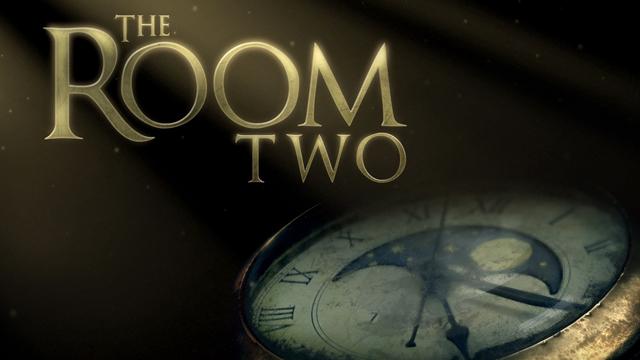
While this may not be the second installment to the game based on the popular movie ‘The Room’ by Tommy Wiseau (how cool would that be? Not very, actually…) and it is pretty amazing.

The puzzles in The Room Two are smart and addictive, and developer Fireproof has made a great job of implementing amazing controls into their Room games. You can easily zoom and flick through the numerous and amazingly designed contraptions in the game. Other than having great puzzles, The Room Two also offers an amazing and chilling atmosphere and the player will often be amazed by the sheer creepiness of the game.

It hits the right spot in people who enjoy puzzle games, fans on the game ‘Myst’, occultists, collectors and people who enjoy machinery but it’s not so good for players that don’t have a lot of patience, those looking for an action packed game and also people who wish Lisa didn’t tear Johnny apart.

Price: $2.99

7. SpellTower

Top 10 Best iPhone and iPad Games in 2015 5

Image source: cultofmac.com

Word games have sprung up in the App Store like snails after rain. SpellTower, however, stands apart from the bunch for having a different spin on the word-find game. Verbs, nouns and different parts of speech appear in a vertical grid inside and every move the player makes shifts the board of the game. This is a great match for people who enjoy ‘Scrabble’.

SpellTower feels a lot less like you are limited by the letters you have in front of you and more like a battle between the player and the board game. But the app has its limitations, meaning that you will more than once be frustrated by black squares on the board game and the words that require an exact number of letters in order for the player to use a specific letter.

Price: $1.99

6. XCOM: Enemy Unknown

Top 10 Best iPhone and iPad Games in 2015 6

Image source: macrumors.com

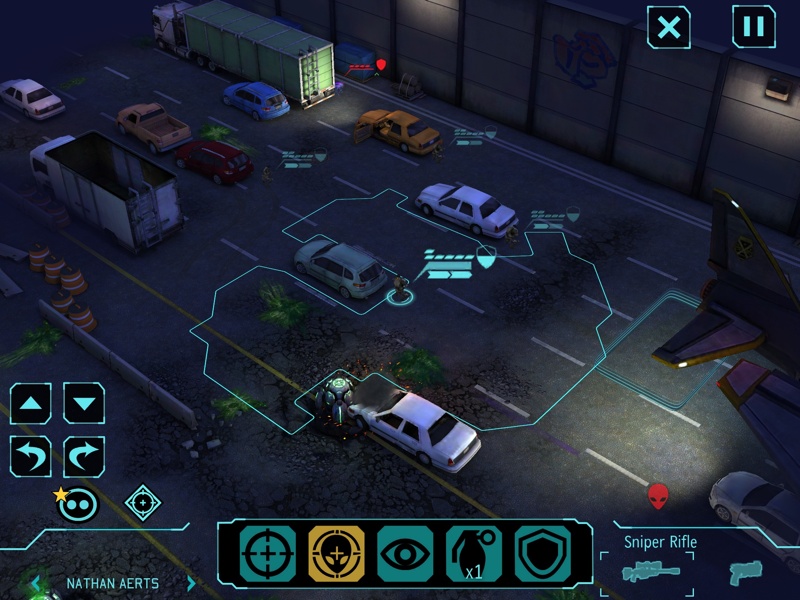
This is living proof that a game released in 2012 can be just as amazing as it was in 1994. This new XCOM game offers graphical improvements and adjustments to the interface like it is to be expected from every remake but what is truly remarkable about the game is just how the player is attached to the soldiers and battles controlled by him or her. Controls are also top notch, sliding is used to control the camera, pinch is used to zoom in or out and tapping the screen or double tapping it is used for commands and movement.

They truly feel right at home on your iPhone or iPad screen and you don’t feel like the developers sacrificed anything in the game in order to make them work. It is a great choice for people who enjoy deep, engaging strategy games, the importance of making use of cover in a battle and smart deployment and management.

It’s not so good for people who wish to play a game in small skirmish battles, as the battles in XCOM may last more than one might expect. And because the battles require the player to constantly take matters into his or hers own hands, the player is pretty much glued to the screen for the whole time.

Price: $12.99

5. Hearthstone: Heroes of Warcraft

Top 10 Best iPhone and iPad Games in 2015 7

Image source: eclypsia.com

This new card game from Blizzard is a lot like Magic: The Gathering in many ways, even though it is a lot easier to get into and a lot more addictive. Hearthstone is another one of those games that was initially on PCs but played like it was intended for tablets. After a couple of hours spent with the game, the player will begin making her or his own decks and challenge strangers and friends alike.

All matches are over in a few minutes which makes the game accessible. Even though, at some point, the player may be tempted to pay for random booster card packs, the user can spend a lot of time within the game without paying a single dime.

It’s a good match for people who enjoy Blizzard games, Magic: The Gathering and anyone, actually, who is searching for a fun and free online experience. People who don’t wish to pay extra won’t enjoy the game because while the game does a great job of pairing you with players that have the similar level as you do, if you want a deck filled with powerful and rare cards you will have to cough up some money.

Price: Free

4. République

Top 10 Best iPhone and iPad Games in 2015 8

Image source: sbnation.com

This amazing game developed by Camouflaj is cut up in more episodes and is full of surveillance and stealth action and we gladly recommend it mostly because of how well the game uses touch screen controls for stealth (which is known to require very precise controls).

If you ever wished to jump into surveillance cameras from a dystopian military school in order to help a woman find her way out, this is the kind of game you will definitely enjoy. It is a great fit for fans of stealth games, people who enjoy innovative and unique adventures, those searching for a very amazing experience based on story and voyeurs. République might not look very interesting, however, to people who are fans of action games and people who enjoy quick rounds of gameplay..

Price: $4.99

3. Infinity Blade III

Top 10 Best iPhone and iPad Games in 2015 9

Image source: wordpress.com

This is definitely an example of how games should be on the iPhone and iPad. The iOS playable app from Chair Entertainment is on the third installment and has evolved over the years from a mindless slashing game filled with gorgeous graphics to a slashing game that is filled with an amazingly fulfilling story, crafting, an additional character that is playable and skill perks.

This is an amazing example of how every game that takes itself seriously should evolve. It will be right at home for anyone who enjoys playing games on consoles because Infinity Blade is an amazing graphical achievement and is a serious example of how touch controls should work. Infinity Blade III is one of the few games to fully take advantage of the newest generation of iDevices and it shouldn’t be ignored.

However, for fans of casual games, Infinity Blade III may not be enough. While it has been diversified over the years, the game did not change the level of challenge it imposes on the player. Infinity Blade III will test your reflexes, patience and perception.

Price: $6.99

2. FTL: Faster Than Light

Top 10 Best iPhone and iPad Games in 2015 10

Image source: maclife.com

FTL: Faster Than Light answers the question “what would I do If I were to be a captain of a starship?” But be sure to be prepared for the answer as most likely you would make a very lousy captain. You take control of a small spaceship in the game and every command is at the tip of your fingers.

You will have to assign your crew with tasks, adjust the power systems and target pirate spaceships. It’s as if the game was designed with touch controls in mind. The mobile version of the game is just as good, if not better, as it was on the PC. You will take control of your ship and battle it throughout different regions of space.

It’s right up the alley for people who enjoy simulators and games that are challenging and for every fan of Star Trek or Firefly. However, we do not recommend the game to people who wish to play a very casual game, those who are keen on winning and people who don’t like challenges that have been generated randomly and may sometimes feel unfair.

Price: $9.99

1. The Walking Dead

the-walking-dead

Image source: appadvice.com

A zombie apocalypse would surely be a terrible thing. Most likely every choice we’d take if we were to survive a zombie apocalypse would be the wrong one and we’d turn on each other pretty quickly. The critically acclaimed game ‘The Walking Dead’ is most likely familiar to any gamer out there but the game feels as if it was specially designed for touch screens.

This is a good time to get the playable app and enjoy it if you haven’t already done this. It feels like a comic book in which you have to take a series of very tough decisions. This is a great game for fans of the comic books and of adventure games. It’s also a good choice for fans of the TV show but who believe the characters and story could be better.

People who are searching a very coherent game full of action won’t appreciate it as much, however. Also, the game is not recommended for those who get scared easily.

Price: Free (first episode)

This was our list of the best iphone and ipad games. We hope it helped. Happy gaming.

Filed Under: Tech & Science Tagged With: best games for ios, best games for ipad, best games for iphone, best ios games, best ipad games, best iPhone and iPad games, best iphone games, ios games, ipad games, iphone games

Alienware Graphics Amplifier Review

January 9, 2015 By Nancy Young Leave a Comment

alienware-graphics-amplifier-logo

One of the limitations of having a laptop designed for gaming is that they are hardly upgradable. Even though you might be able to swap the hard drive or the RAM to add more, what else is there to upgrade? You will not be able to upgrade your graphics card, I’ll tell you that.

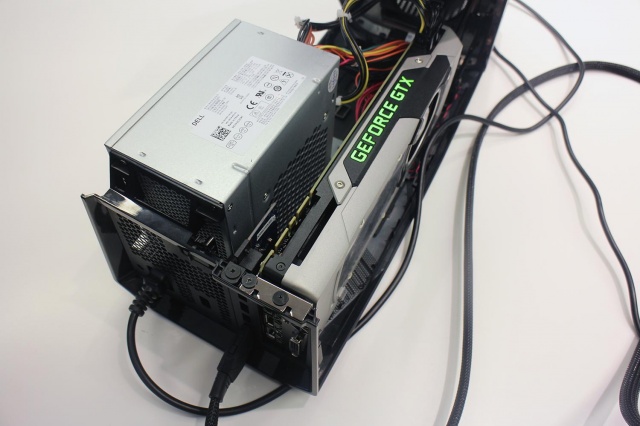
Alienware has found a way to make this possible, however, with what they call the Alienware Graphics Amplifier. This is basically a box with a PCI Express port and its own power supply that will supply your Alienware laptop with the power of a graphics card found on desktops. This device retails at $299.

Here is our Alienware Graphics Amplifier Review.

Alienware Graphics Amplifier: Design

alienware-graphics-amplifier-side

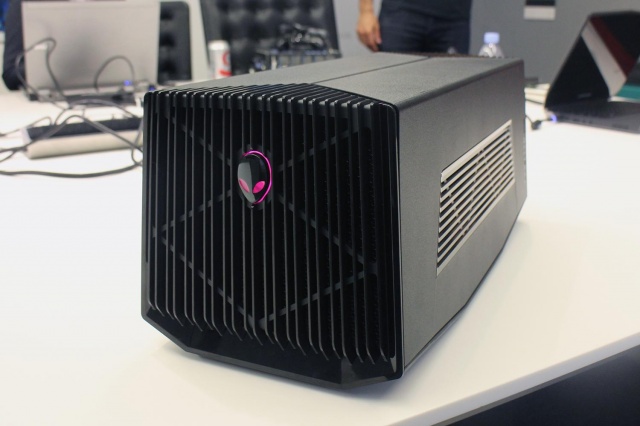
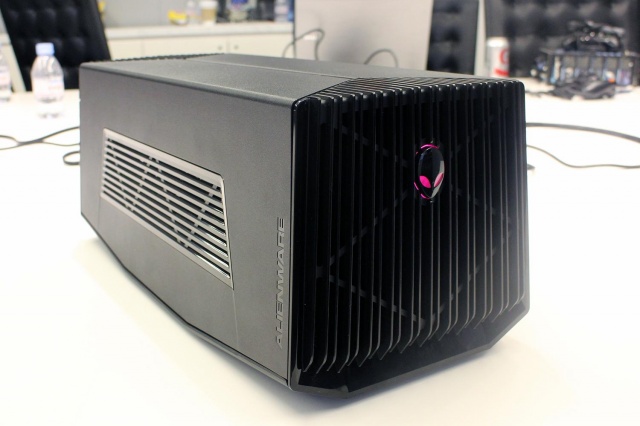
The Alienware Graphics Amplifier is unlike anything we’ve even seen before when it comes to PC accessories. The Graphics Amplifier from Alienware isn’t exactly eye candy, to say the least. It’s basically a gray and black case that has vents along its rear and sides. There are also vents on the front, along with a logo that lights up. We were surprised to find out that this Alienware logo is not the power switch, however. Even though the Graphics Amplifier isn’t exactly the looker in the bunch, it certainly does match Alienware’s design.

Weighing 7.7 pounds and measuring 6.8×7.3×16.1 inches, the Alienware Graphics Amplifier can’t really be called portable. Furthermore, the device weighs 7.7 pounds without a graphics card inside it. But there is a point to its bulkiness as almost any card fits inside it.

Alienware Graphics Amplifier: Setup

alienware-graphics-amplifier-rear

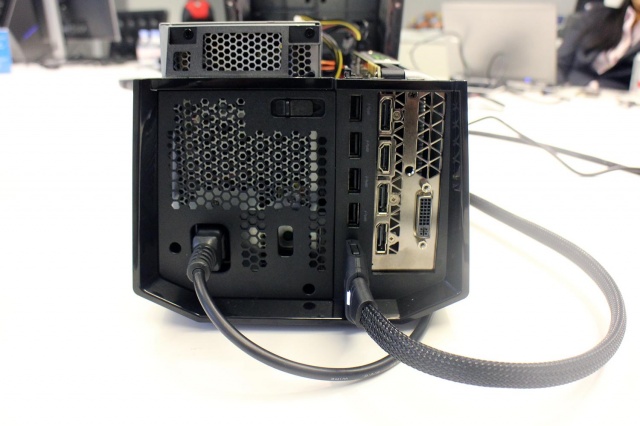
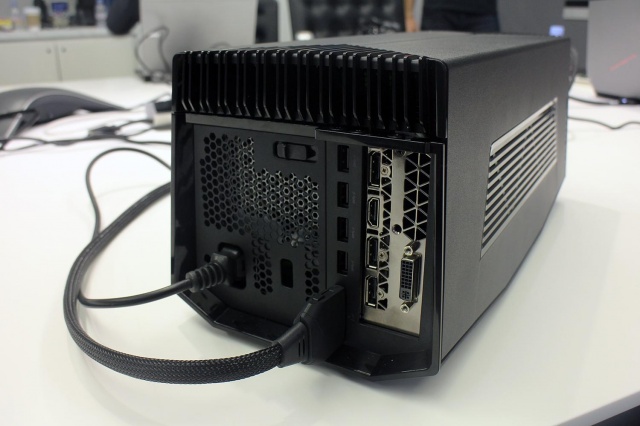
The setup of the Alienware Graphics Amplifier is a lot easier than you would imagine. If you ever had the chance to assemble a PC, setting up this device will be a walk in the park. All you have to do is put in a graphics card of your choice, connect the power supply (which is also included in the package), plug the device into your Alienware laptop and that’s it. You’re good to go.

The Graphics Amplifier also features USB 3.0 connectors in addition to whatever other connectors you have on your graphics card. This also makes the device a great hub for extra connectivity and also means it can support more than one monitors, should you wish to take advantage of this option.

For the moment, however, only Alienware laptops feature the special port you need to connect the device to. Alienware did not confirm if the port will be made available on other gaming laptops as well. Therefore, if you prefer other gaming laptops, don’t get your hopes up just yet and save your money for another time.

Alienware Graphics Amplifier: Performance Boost

alienware-graphics-amplifier-ports

It is a known fact that graphics cards intended for desktop are a lot more powerful than their mobile brothers. For example, the GeForce GTX 980M only provides around 75 percent of all that its big brother is capable of. So, expect to get full advantage of your desktop graphics card on your gaming laptop. As long as you buy the desktop graphics card as well, mind you.

Conclusion

alienware-graphics-amplifier-power-supply

The device produced by Alienware fills a gap in the mobile gaming industry. It addresses a problem that for long has tormented the gaming laptops.

The Alienware Graphics Amplifier is indeed a great device but is a little bit steep as it retails at $299.

Wrapping up…

PROS

– The Alienware Graphics Amplifier gives you the option of adding a graphics card intended for desktop on your laptop

– Great USB 3.0 hub

– Comes with a power supply

– The device is capable of fitting almost any graphics card on the market

CONS

– Very bulky

– Expensive, considering you also have to buy the graphics card

– Only works on Alienware laptops

The Verdict

Even though the sheer bulkiness of the device might not interest most hardcore gamers, the price is a little steep and the compatibility with only Alienware laptops are down sides, to say the least.

If you already own a newer generation of an Alienware laptop, however, you might come to the conclusion that this is just the device you were waiting for.

Images source: digitaltrends.com
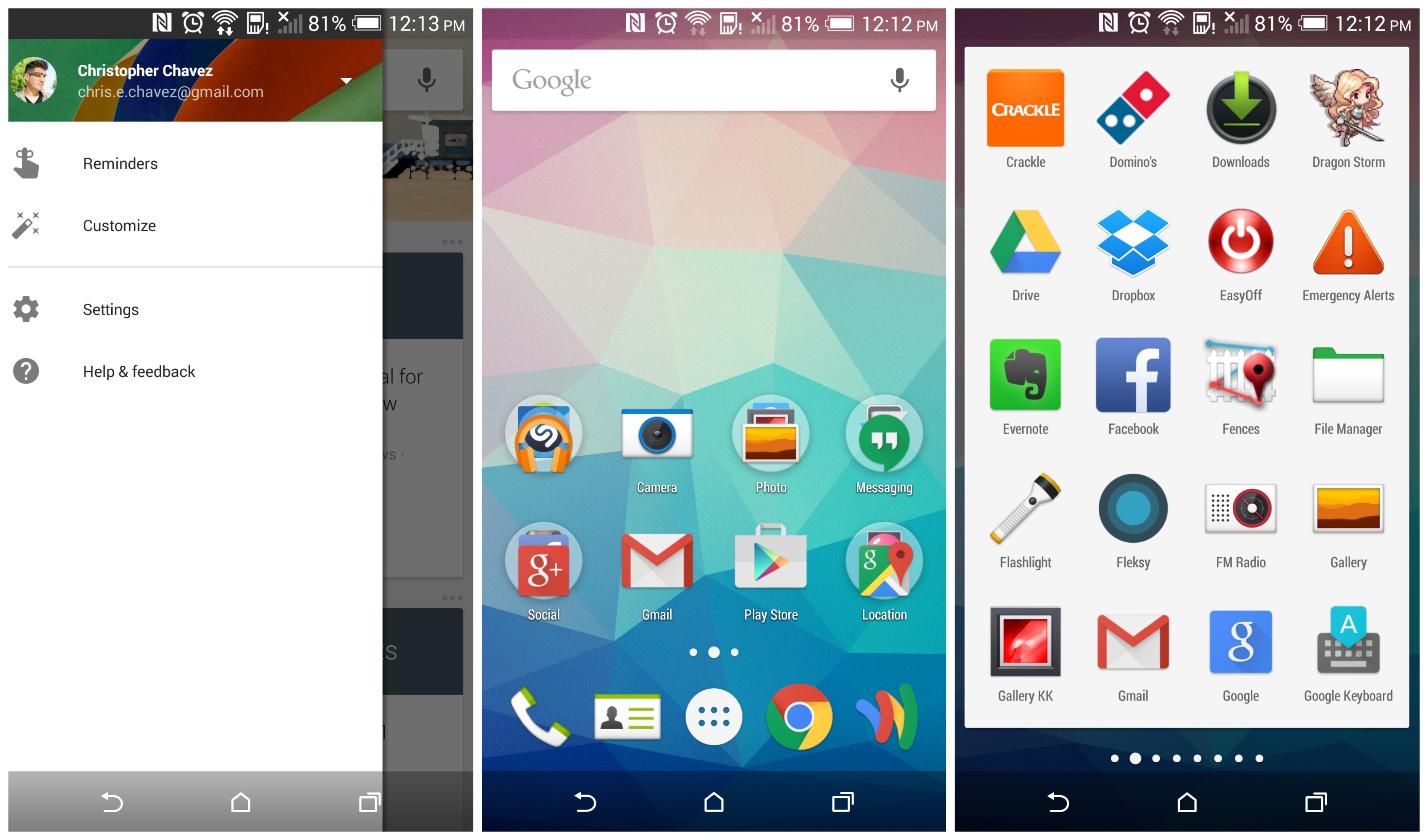
Filed Under: Tech & Science Tagged With: alienware, alienware amplifier, alienware graphics, alienware graphics amplifier, Alienware Graphics Amplifier Review, graphics amplifier review, Review

  • « Previous Page
  • 1
  • …
  • 23
  • 24
  • 25
  • 26
  • 27
  • …
  • 36
  • Next Page »

Subscribe to Blog via Email

Enter your email address to subscribe to this blog and receive notifications of new posts by email.

Join 11 other subscribers

Recent Articles

police handcuffs man

German Man Probed In Poisoning That Killed 21 Employees Since 2000

June 29, 2018 By Kenneth Scott Leave a Comment

Chicken wings bar

Intoxicated South Carolina Man Punches Waitress Who Refused to Serve Him Alcohol

June 29, 2018 By Karen Jackson Leave a Comment

gaming

New Zealand gamer Who Flew Halfway Across The World for Virginia Teen Gets Shots By Her Mother

June 28, 2018 By Cristopher Hall Leave a Comment

party

Former Virginia Tech Freshman Sentenced to 50 Years in Prison for Stabbing a Girl to Death

June 28, 2018 By Roxanne Briean Leave a Comment

bonfire

British Couple Sentenced to Life in Prison for Torturing and Murdering French Nanny

June 27, 2018 By Deborah Campbell Leave a Comment

pay phone

Texas Father of Girl Disappeared in the 80s Ignored by Authorities

June 26, 2018 By Cristopher Hall Leave a Comment

bottled water

San Francisco Woman Threatened to Call Police on Girl Who Sold Ice Water for Disneyland Trip

June 25, 2018 By Roxanne Briean Leave a Comment

Maplewood Park

Missouri Man Robbed by Date and Accomplice in Park

June 22, 2018 By Nancy Young Leave a Comment

coding

New York Man Sentenced in Cyberstalking Former Girlfriend, Mailing Drugs to Her Dorm

June 22, 2018 By Deborah Campbell Leave a Comment

headphones

Bose Poised to Launch Sleepbuds, In-Ear Headphones That Help You Sleep

June 21, 2018 By Nancy Young Leave a Comment

Police light

Intoxicated Female Driver in Custody for Pulling Arresting Officer by the Hair

June 21, 2018 By Kenneth Scott Leave a Comment

kitchen

Restaurant Manager Arrested and Charged in Shooting Death of Co-Worker over Negative Yelp Reviews

June 20, 2018 By Karen Jackson Leave a Comment

plastic container

Pennsylvania Couple Charged in Violent Death of Infant Discovered Buried in Cat Litter

June 19, 2018 By Cristopher Hall Leave a Comment

tailpipe

Minnesota Teen Gets Head Stuck In Oversized Tailpipe Winstock Music Festival

June 18, 2018 By Karen Jackson Leave a Comment

Pages

  • About Us
  • Contact us
  • Privacy Policy
  • Privacy Policy GDPR
  • Staff
  • Terms and Conditions

Recent Posts

  • German Man Probed In Poisoning That Killed 21 Employees Since 2000 June 29, 2018
  • Intoxicated South Carolina Man Punches Waitress Who Refused to Serve Him Alcohol June 29, 2018
  • New Zealand gamer Who Flew Halfway Across The World for Virginia Teen Gets Shots By Her Mother June 28, 2018
  • Former Virginia Tech Freshman Sentenced to 50 Years in Prison for Stabbing a Girl to Death June 28, 2018
  • British Couple Sentenced to Life in Prison for Torturing and Murdering French Nanny June 27, 2018
  • Texas Father of Girl Disappeared in the 80s Ignored by Authorities June 26, 2018
  • San Francisco Woman Threatened to Call Police on Girl Who Sold Ice Water for Disneyland Trip June 25, 2018

Categories

  • Business
  • Entertainment
  • Finance
  • Headlines
  • Health
  • Life
  • Nature
  • Science
  • Sports
  • Tech & Science
  • Travel
  • Uncategorized
  • United States
  • World

Copyright © 2026 ArgyllFreePress.com

About · Privacy Policy · Terms of Use · Contact