Argyll Free Press

Growing News Network

Sunday, April 26, 2026
Log in
  • Business
  • Finance
  • Sports
  • Tech & Science
    • HP Envy 4500 Review
    • LG Optimus 170 Review
    • iPod Touch 6th Generation Review
    • HTC One M8 Accessories Set-up
    • Surrealist Games You Must Play
    • Hisense Sero 8 Review
    • Dell Latitude e7440 Review
    • HP Laserjet 1536dnf mfp Review
    • Garmin Fenix 2 Review
    • Skype Vs Viber
    • Best Video Conferencing Software
    • Sony mdr 1r Headphones Review
    • Canon Rebel t3i Review
    • Sennheiser Momentum 2-0 Review
  • Travel
  • Headlines
  • Health
  • United States

LifeProof iPhone 6 Fre Case Review

January 25, 2015 By Nancy Young 1 Comment

lifeproof-iphone-6-fre-case-3

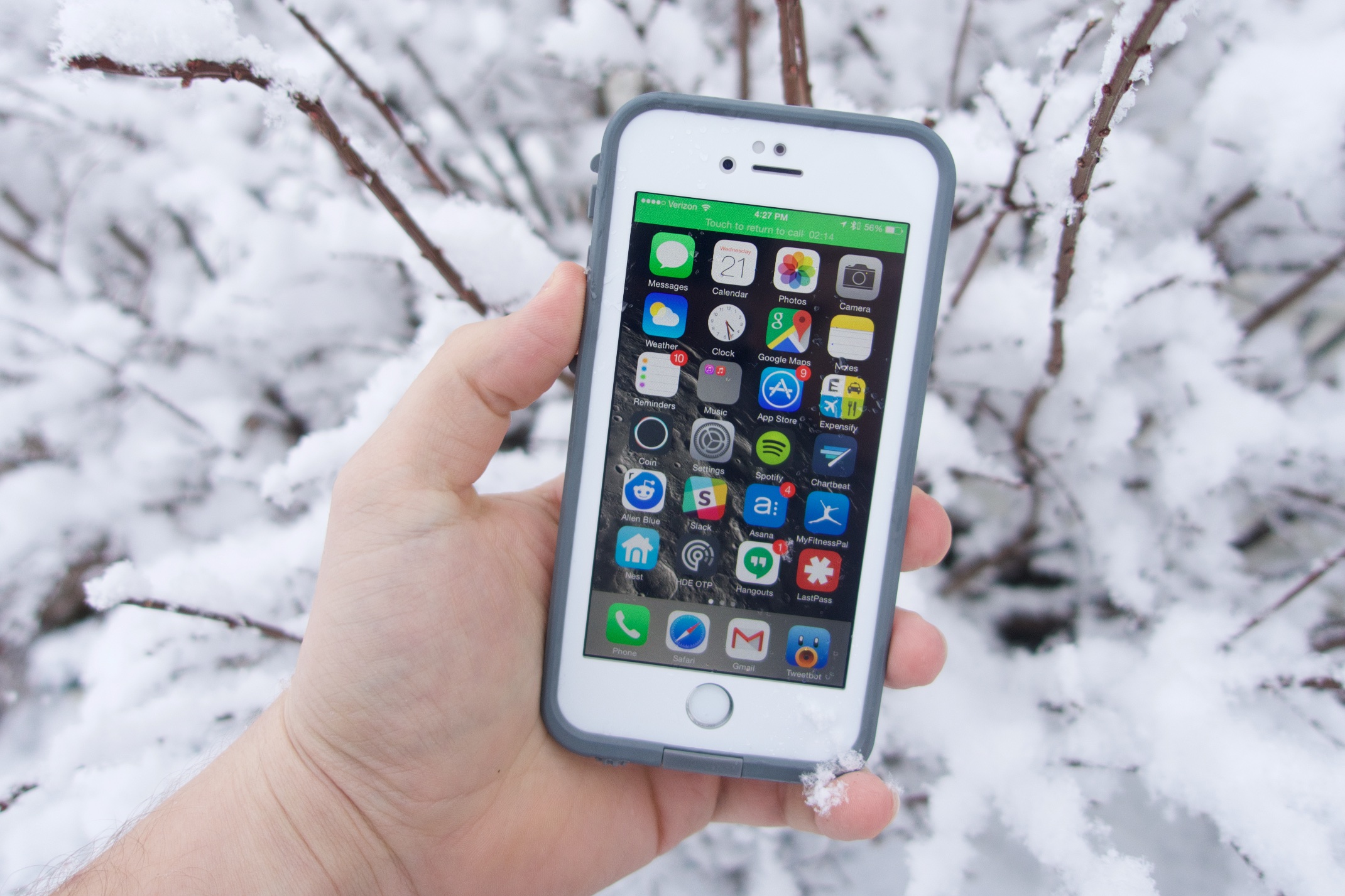
The new frē case from LifeProof protects your iPhone from water, dust, snow and drops. This new case is also the thinnest waterproof one we’ve even seen on the iPhone 6 and it also allows Touch ID functionality. There is a whole series of iPhone 6 cases from available from the company but this is our LifeProof iPhone 6 fre case review.

With this kind of waterproof case, like the fre case from LifeProof you can take your smartphone wherever you want – to a pool or hot tub, in the snow or in the shower where you can listen to music or watch YouTube videos (although we don’t think a lot of people watch YouTube videos in the shower). Many people are looking for a case from LifeProof that protects their smartphones from water, snow, drops or any other threats that come from using the device daily.
lifeproof-iphone-6-fre-case-2

We tested the case thoroughly and put it through different scenarios over the time, including letting a kid watch videos on it in the bath tub. You don’t have to have children to know just how much sense a LifeProof case makes. However, if you do have children and regularly give your expensive iPhone to them this accessory is something you should purchase.

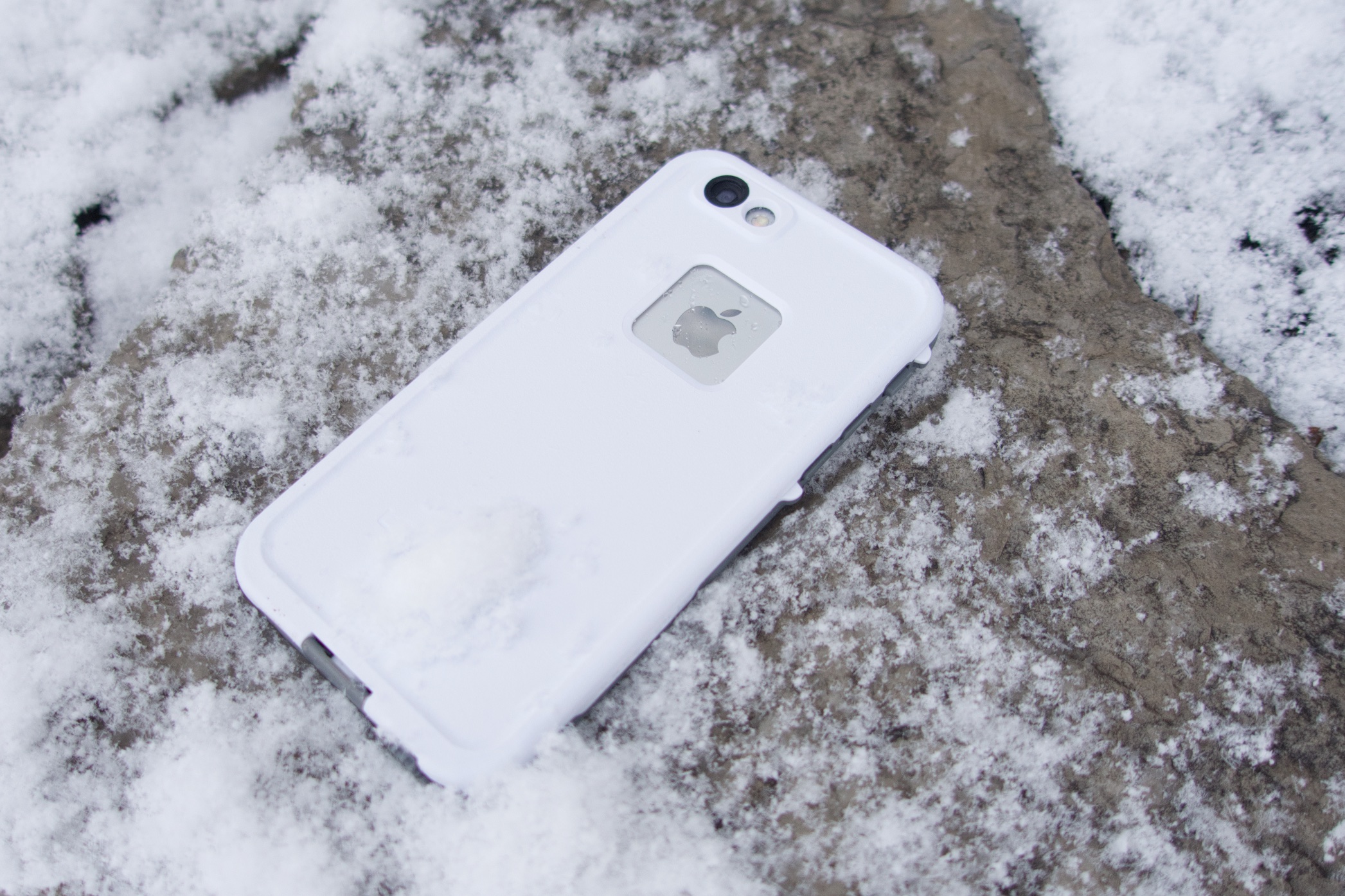
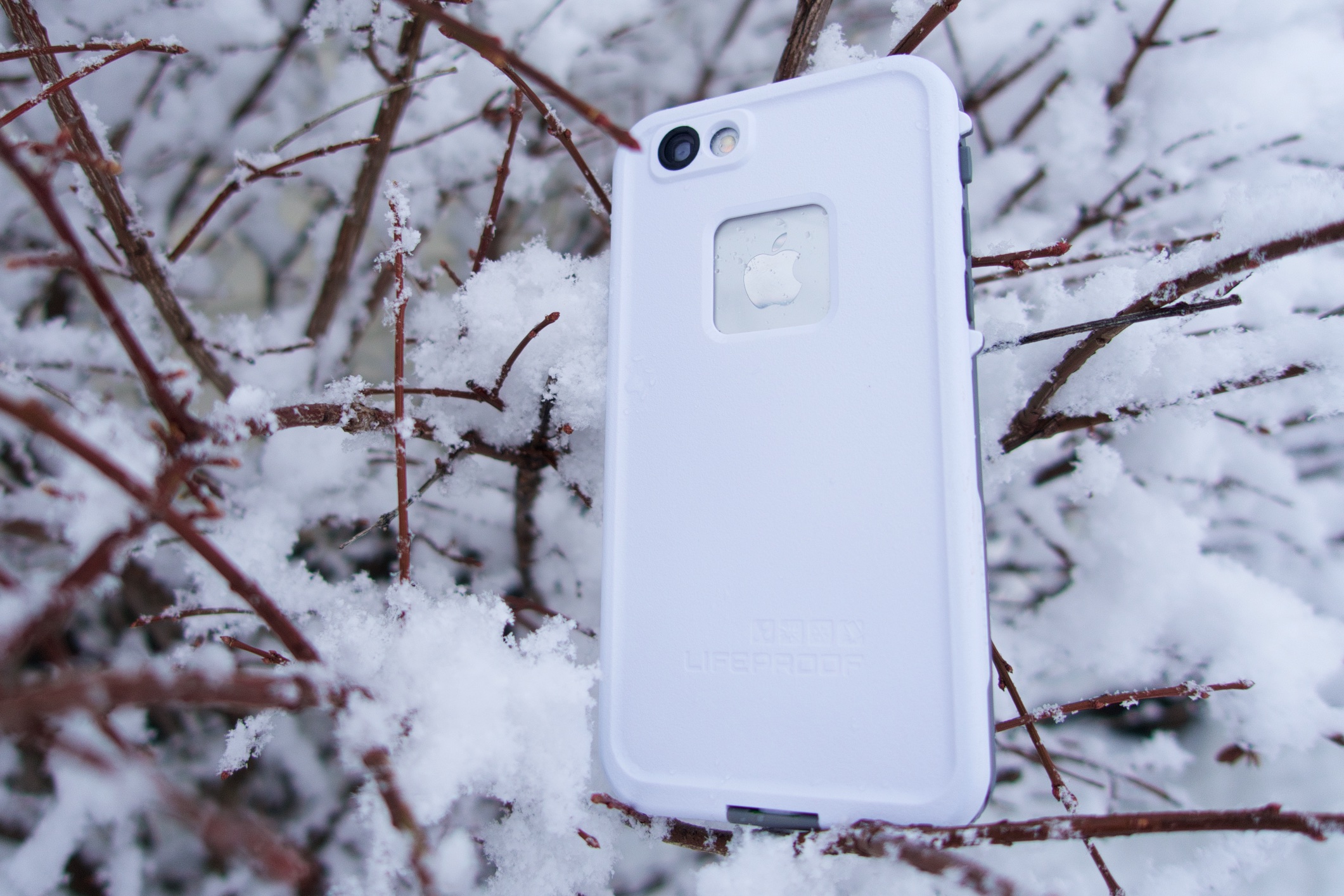
The LifeProof case comes in six different colors including pink, red, purple, blue, white and black so you can choose whatever color fits you best. There are also grey cases offered by LifeProof so you won’t lose your expensive phone in the snow.

The case provides great protection and for its size and thickness this is one of the best iPhone 6 cases available at the time. There are some bad things about the case but is one of the most protective cases available for anyone and will certainly protect your device against every season and every environment it is used in.
lifeproof-iphone-6-fre-case-1

The LifeProof iPhone 6 frē case costs $79.99 and you can purchase it directly from the company and they also offer free shipping. There is another case from LifeProof called nüüd that covers on the screen but doesn’t include protection for the display like the frē does that is going to be available soon on the iPhone.

You might expect from a waterproof case to make your iPhone look a lot bulkier and make it difficult to handle the device with just one hand but the frē case doesn’t add much to the iPhone’s thickness and is about the same size as a standard leather case from Apple.

You still have to adjust to using the iPhone with just one hand with the case, but this doesn’t mean it’s difficult to do so. There are also some cases when it will be easier for you to hold the iPhone 6 with just one hand when the case is covering it than without the case.

The case design hides the curviness of the iPhone 6 but it looks really good and its edge combines great with the screen protector and keeps the display protected against scratches and cracks.

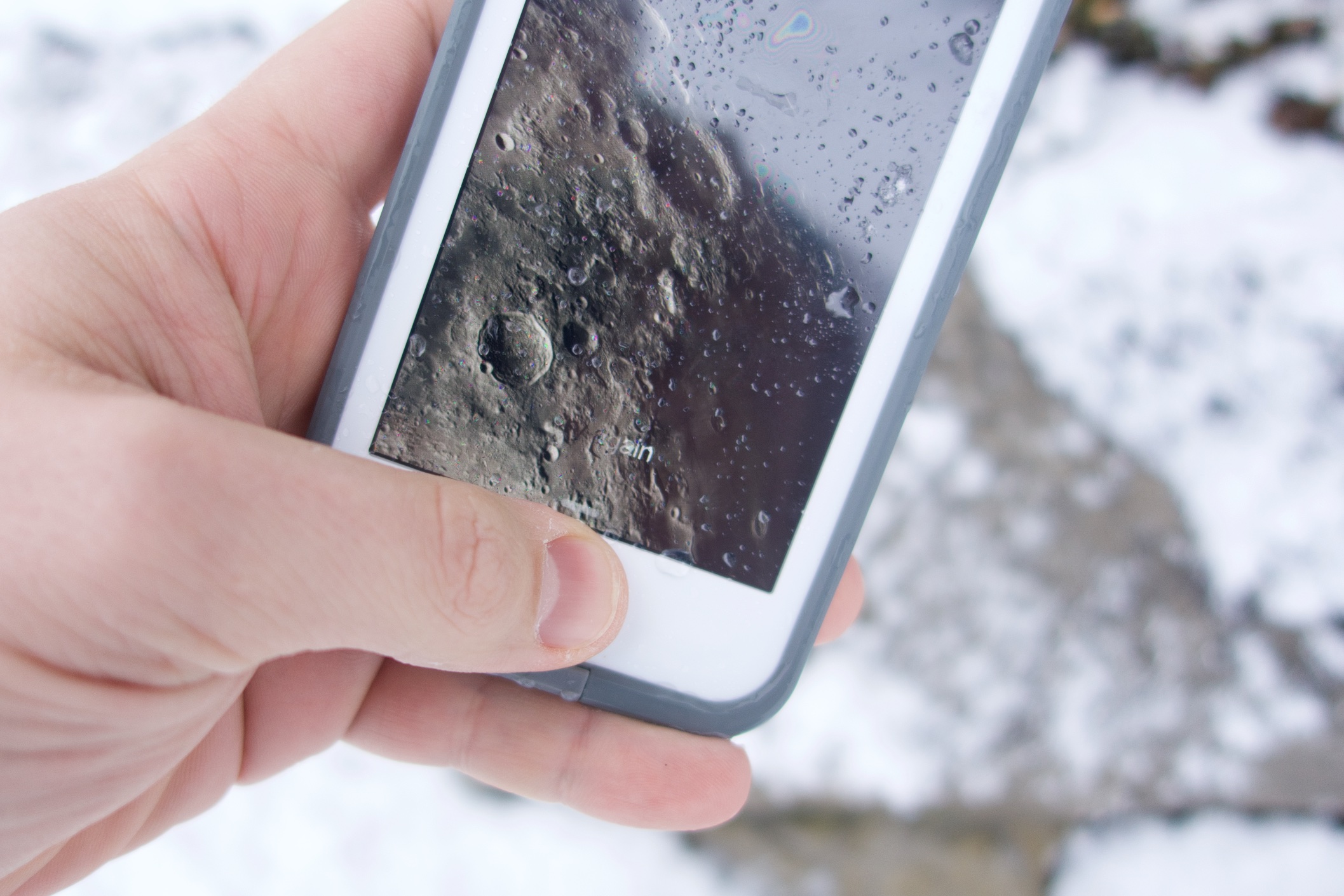
The case protected our iPhone 6 from water when doing dishes and in the shower. It also protected the device against snow during shovel trips and longer ones when playing and enjoying the snow. Even though we didn’t use extreme measures to test the frē case also protected the iPhone 6 from falls on tough surfaces from the waist.

Even though you can still use Touch ID with the case installed, it is not as dependable as it is when the smartphone isn’t covered by it. But it is still easy to use functions even with the edge of the case on the screen. The protector isn’t as good as a glass one but it is still pretty reliable and looks very good.
lifeproof-iphone-6-fre-case-4

There is a jack cover that you have to unscrew for you to plug in some headphones into your iPhone. The jack cover stays attached to the case so you won’t lose it when listening to music. Even though you can plug Apple EarPods in the iPhone without the adapter LifeProof included in its package, the device won’t be waterproof. You will have to use the included adapter to hold water away from the device and to use different kinds of headphones.

There is another flap that covers the Lightning port. The flap folds down when you have to access the port and it came off when we didn’t snap the flap when taking the case off of the device. It is pretty easy to put back but you should remember to open it before taking the frē case off.

The microphone and speakers are also covered and while they do degrade the audio quality a little bit, we believe it is a small price to pay for how well the cover protects the iPhone 6. LifeProof did improve sound quality from previous cases, however. All buttons are still accessible and the frē case has a nifty toggle that switches the iPhone to silent mode pretty easily.

The LifeProof iPhone 6 frē case is a great way to protect the smartphone and is an accessory that you should own if you want a waterproof case or don’t wish to purchase AppleCare+.

The case protects the device from pretty much everything. Snow, dirt, lots of dropts and water do nothing to the device when it is tucked inside the frē case.

The case isn’t as stylish as other cases out there, including LifeProof’s Nuud series, but it does offer great protection and we consider this to be much more important. The plastic screen protector is a step backwards from glass, which we like a lot more and are used to and the sound is a little bit disappointing. The case also has small ports for the Lightning cable and the headphone jack. Apple connectors work well on the case but if you have a third party connector or cable you might find it’s difficult to plug into your smartphone.

PROS

– The case is thinner than ever before

– It’s waterproof, snow proof, dust proof and is resistant to shocks

– Volume, Touch ID and camera work well

CONS

– Lightning cable and headphones port require smaller connectors

– Plastic screen protector seems cheap and gets pretty dirty

Images source: gottabemobile.com
Filed Under: Tech & Science Tagged With: Apple, apple iphone 6, fre case, fre case review, fre review, iphone 6 case, iphone 6 fre case, iphone 6 fre case review, lifeproof fre case, lifeproof fre case review, lifeproof fre iphone 6 case, lifeproof iphone 6 case, lifeproof iphone 6 fre case review

Windows 10 Details – A Breakdown of the Main Functions & Features

January 25, 2015 By Nancy Young Leave a Comment

windows-10-details-1

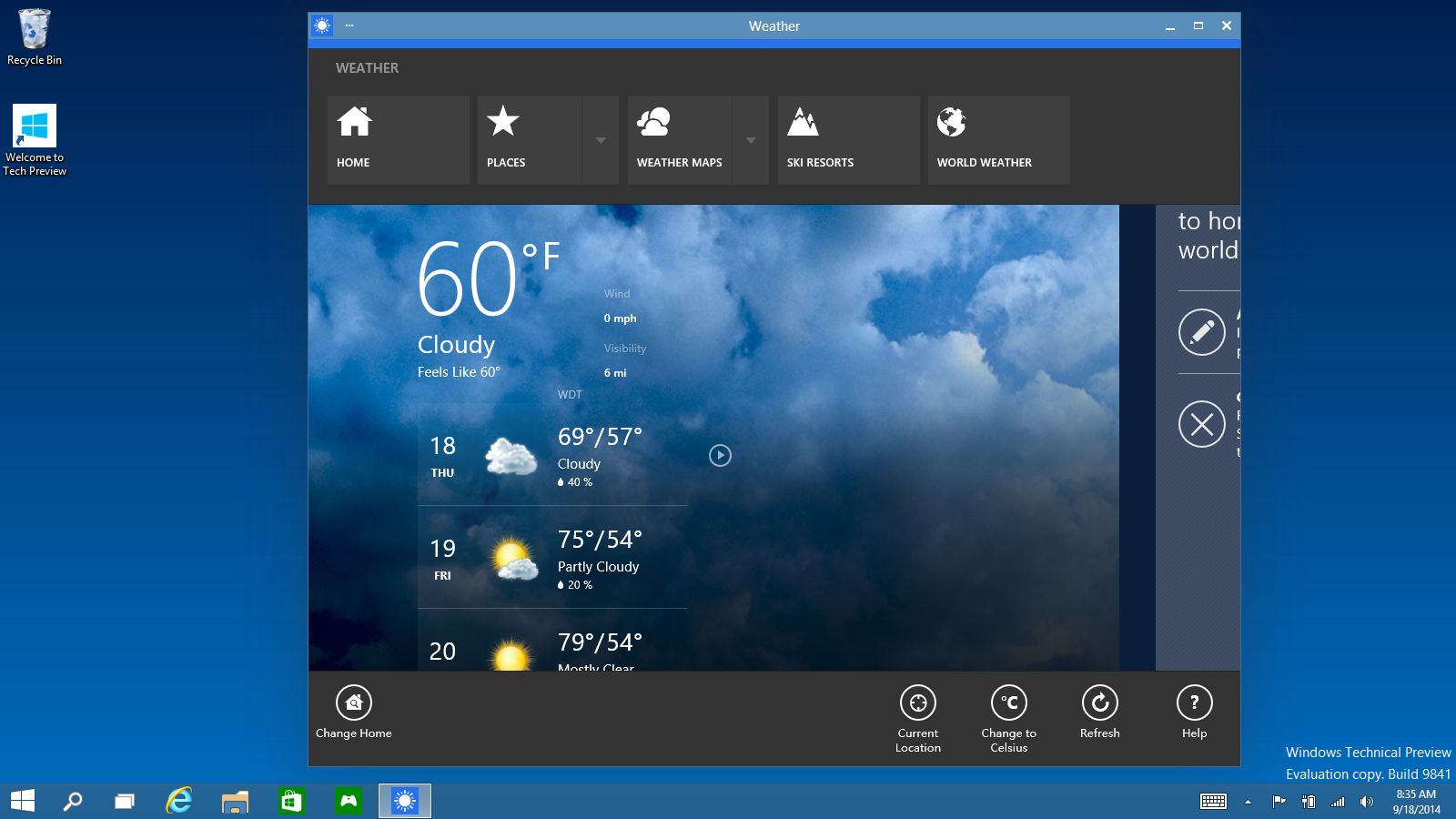
Details about the new Windows 10 have been revealed by Microsoft in a recent event. Here are the most important things.

You may tell yourself “ok, but there is a 9 missing…” and Microsoft might have completely ignored Windows 9 but the replacement for Windows 8.1 is still a pretty exciting thing. The new operating system comes as a landmark for the company and is a new generation software which the company hopes to unify all the platforms it is available on – tablets, smartphones and PCs.

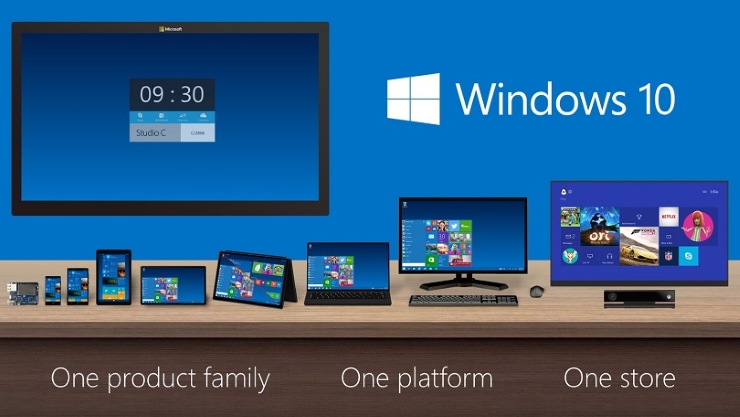
Terry Myerson from Microsoft told the media during the unveiling that the new Windows 10 will be their most thorough platform ever. He claims that Microsoft will offer a single store which means users will be able to update applications across all platforms using Windows 10.

Even though the company shared a lot of details about the new features in the operating system, a lot of elements still remain a mystery. Probably the biggest mystery about the new Windows 10 is its release date.

windows-10-details-2

Windows 10 Release Date

Windows 10 was revealed by Microsoft on September 30 and the tech giant said that they will make available for laptops and desktops a Technical Preview of the OS as an element in the Windows Insider Program. Unfortunately, details regarding the release date are still very few.  However, the consumer preview will be revealed on January 21 in an event named “The Next Chapter”.

Brandon LeBlanc from Microsoft wrote on the blog for Windows that the event will be held January 21 on Wednesday in the Microsoft Redmond campus where the company will reveal a lot more about the new OS.

The Microsoft Build 2015 conference is scheduled between April 29 and May 1. The conference is held in San Francisco at the Moscone Centre and it is Microsoft’s developer conference held each year. The conference is mostly about the upcoming software from the company and therefore, we expect to see a lot more regarding Windows 10.

The first edition of the Build conference took place back in 2011 in September and there was a lot of focus on the old Windows 8, which was also present in the 2012 edition. In 2013 there was much focus on Windows 8.1 and last year’s conference was mostly about how Cortana made her way onto the Windows Phone 8.1.

We expect that this year’s Build conference will be about Windows 10 and its release date in particular. Myerson confirmed that the software will see the light of day somewhere later in 2015. Analyzing previous release dates from the company it’s very difficult to know exactly what this means.

Windows XP, Windows 8 and Windows 8.1 all launched in October and Windows 7 arrived in 2009 in July. Based on this, a release date in October for Windows 10 is the most plausible, even though anytime from 2015 Q2 onwards is a possibility.

windows-10-details-3

Windows 10 Features

windows-10-details-4

Windows 10 is an important upgrade compared to other releases. Microsoft is looking to unify platforms with their newest release and this is not a very easy task. This also means that there will be a lot of new features, including universal applications, desktop-level Cortana personal assistant and the return of the Start menu in Windows (which we still have no idea why it was removed in the first place).

One of the more intriguing features is Microsoft’s new mysterious browser called “Spartan”. Reports claim that it’ll be stylus friendly and will feature a ‘dark’ theme across Windows.

Many have complained about Microsoft’s decision to abandon the very useful and well-known Start menu in Windows 8. This made the company add in Windows 8.1 a Start menu, but it still wasn’t the version we all loved and many people still wish for the full menu to return in the future.

Thankfully, Microsoft updated the Start menu, even though it’s in style with Windows 8. The Start menu is back on the bottom left side of the screen but features some Metro live tiles. The new menu is also a lot wider but thankfully the user can resize it. The company also focused more on the touch integration and it promised it will update the touch user interface, promising more features while keeping some of the old ones that worked well in the past.

Cortana

A lot of people were thrilled to find Cortana in the Technical Preview build of Windows 10. Cortana is an AI that is controlled with your voice and was initially built for Windows phones, but it looks like the personal assistant will also come to PCs.

The desktop version of Cortana was revealed this month in WinBeta. Videos from an unreleased build showed the personal assistant performing different tasks such as establishing alerts and using mapping features.  Cortana is a serious competition for Google Now and Siri and is pretty good at tasks like searching the web, scheduling events and making small talk. However, fans of the popular “Her” movie will likely be disappointed of her limitations.

Other functions

windows-10-details-8

Another new feature in Windows 10 is the Task View. This new function allows users to snap through various virtual desktops. Task View can be launched from the task bar and allows the user to rearrange launched apps. Touch users can also open Task View by swiping from the left side of the screen.

An important part of Task View is the function called Snap Assist. Snap Assist improves on the functionality in Windows 8 regarding side-snap. The new feature offers vertical snapping, cross-monitor snapping and 2 x 2 snapping. This is great for people that rely on multitasking.

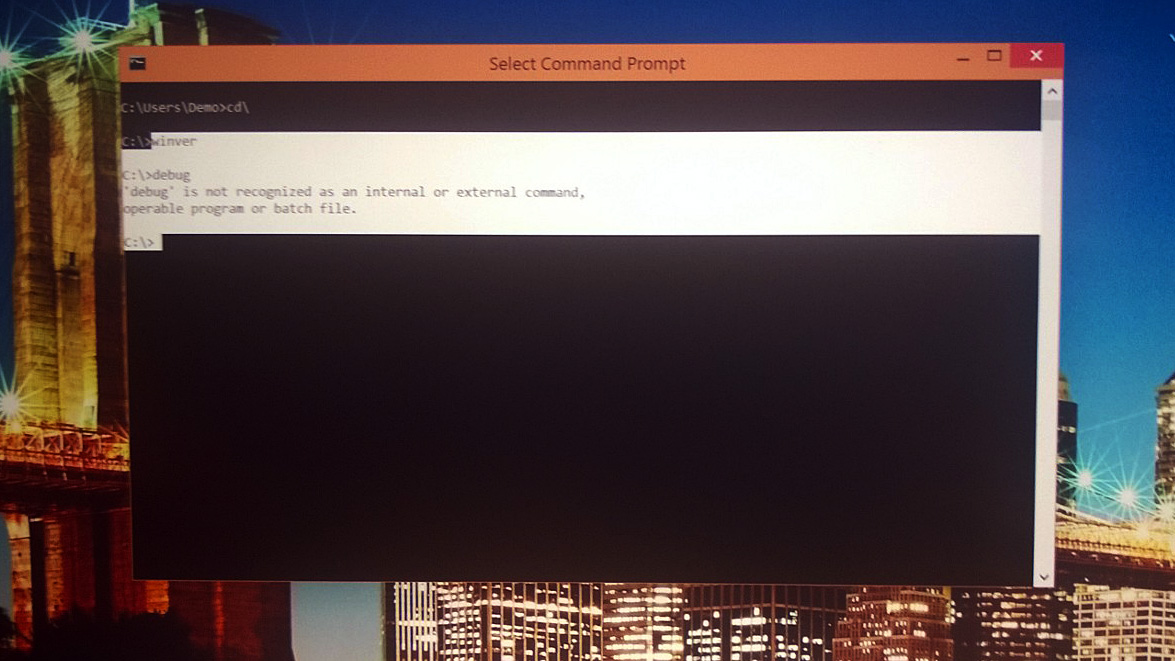
The command prompt is also revamped with keyboard shortcuts. Users will no longer have to type very long command lines – the new command prompt will allow clipboard pasting.

Microsoft also introduced Continuum. And even though it sounds like Apple’s Continuity, it is not the same thing. As a matter of fact, Continuum analyzes the way you use your device and then adapts to your style. If you plug in a mouse and keyboard into the Surface Pro 3 you will be offered a click friendly user interface. Unplugging those peripherals will switch back to the more touch friendly Metro user interface.  This is a pretty nifty feature if you think about it.

There will also be universal apps available on Windows 10. Since basically the same Windows 10 will be on different Microsoft devices, the company opted to offer a single store across all platforms. This means that if you download Skype on the PC it should be the same for all other platforms, smartphone and mobiles alike.

windows-10-details-6

Microsoft will also discuss gaming at the event scheduled for January 21st. Phil Spencer also said in a tweet that it is about time for the company to talk about gaming and that he will reveal details in January.

What this actually means, we’re not completely certain but what we know is that the most recent Windows 10 build has an Xbox app that opens up the Xbox environment on the PC. This app shows the friends list, the Xbox store, activity feeds, achievements and a whole lot more goodies.

Windows 10 Preview

On October 1st the Insider Program was officially launched. Developers and other tinkerers were given the chance to mess with Windows 10 before its official launch and Microsoft has released several other build since that date.

Microsoft made the preview build for developers available on October 7 for users of Windows 7. At this time there is no preview for consumers available but it is planned to be revealed in January.

windows-10-details-9

Microsoft said on October 13 that nearly one million people used the Technical Preview for Windows 10. There were also 200,000 feedbacks and 68% of the people testing it were doing so with more than seven apps a day.

On April 15 Microsoft will shut down the Technical Preview and will not let anyone test the product again until it is going to be released. However, it’s not too late if you want to see what Windows 10 feels and looks like.

For the people who are anxious and can’t wait for the release, there are rumors that Microsoft will offer a Consumer Preview of the new OS in late January. It is claimed that the new preview will focus more on a side of Windows 10 intended for consumers.

Windows 10 Download

You can’t download the full operating system as of now and Microsoft only made a Technical Preview available to the public.

The Technical Preview, however, is not the final software and has frequent updates which add new features, respond to feedbacks and fix bugs.

Anyone can sign for the company’s Insider Program and download the Technical Preview but we recommend that only people who intend to give feedback to do so as it is not exactly intended for users who aren’t tech-savvy.

Windows 10 Price

Microsoft hasn’t revealed details about the price as of now and we aren’t sure how the company will approach it.

Some rumors claim that Microsoft will opt for a subscription-based kind of deal. There are also some rumors that say the company will offer the new OS for free. This isn’t entirely farfetched as the company’s main competition, Apple, have already started doing so since the OS X Mavericks release.

Windows 10 Details

Microsoft did confirm that users of the Windows 7 and Windows 8.1 Phone operating systems will receive a free upgrade to the new OS. Microsoft said that in the first year of the release, anyone using Windows 7 will get a free upgrade to Windows 10 and also anyone who users Windows 8.1 Phone will get the same treatment. Now you can buy Microsoft smartphones without having to worry about it too much.

Cortana was also confirmed for the desktop version of Windows 10. The personal assistant offered by Microsoft is going to be a main feature across all platforms. This means that Cortana will also be available on the desktop version of the new operating system.

Microsoft showed its new universal applications with the new versions of PowerPoint, Excel and Word for tablets and smartphones. The company also confirmed that all tablets and smartphones will come with these apps installed on them. There will also be a new Outlook universal app that will run across all Microsoft devices.

windows-10-details-7

Microsoft also showed a new web browser that is currently in development. The new “Spartan” web browser is a universal app that has a new rendering engine for speed improvement, a reading mode and supports annotations. You can also leave comments on the web and share them with people on OneDrive. It is now confirmed that the “Spartan” web browser will come with Windows 10.

The company talked about the new DirectX 12 which is supposed to increase performance by up to 50 percent on the same hardware because developers will have more control over the GPU and CPU. It’s trying to make PCs work a lot more like consoles. Microsoft also announced that Unity, the popular game engine is going to use DirectX 12.

Just like Sony did with its Remote Play function, Windows 10 will allow users to play Xbox One games remotely on their tablets or PCs. However, the feature will most likely be unavailable on mobile phones.

The enormous 84 inch 4K PC entitled Surface Hub will also use Windows 10. The PC is a giant Surface Pro and can be used as a big digital whiteboard                .

A new function Microsoft focuses on is the redesigned and improved Action Centre that comes up when you swipe from the right part of tablet’s screen.

A very common complaint about Windows 8 was that the Settings and Control Panel were two different things. These two sections are merged into one in Windows 10 and there will only be a Settings menu available which is likely to make life a whole lot easier.

So there you have it. These were all the details we could find about the new Windows 10 operating system from Microsoft.

Images source: arstechnica.com

Filed Under: Tech & Science Tagged With: microsoft, windows 10, windows 10 date, windows 10 details, windows 10 launch date, windows 10 release date, windows 10 review, windows details, windows operating system, windows phone

T-Mobile Will Ignore Bad Credit

January 24, 2015 By Cristopher Hall Leave a Comment

t-mobile-will-ignore-bad-credit-2

Image source: us-store-locator.com

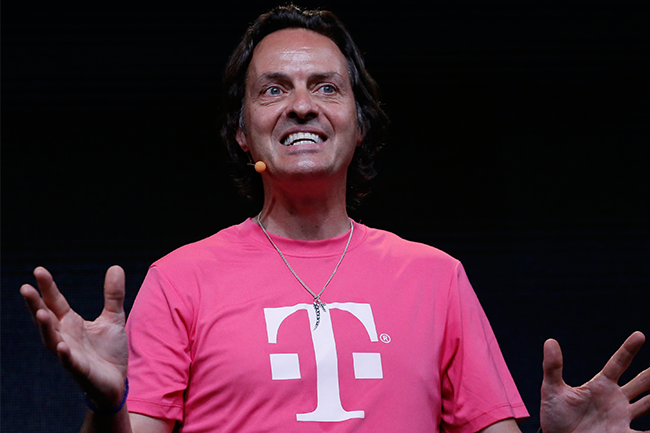
The huge U.S. mobile carrier announced a very daring move recently. John Legere said the company plans to launch a new program that will put a smartphone or other device in the hands of anyone, as long as they pay their bills on time, however. If you pay your bills on time and have been a long customer of T-Mobile, the company will no longer check your credit history when buying a new smartphone or tablet.

T-Mobile recently announced that it will no longer perform credit checks for people who wish to buy new smartphones. T-Mobile is the fourth largest nationwide mobile carrier in the United States and it can be considered the most daring move from the company. However, for you to be able to buy a new smartphone and for the company to ignore your bad credit, you must be loyal to the company and pay your bills on time.

T-Mobile announced its new plan to kill off credit checks for customers that deserve this recently, just some time after they revealed the new roll-over program for unused data called DataStash. The company calls this new strategy Smartphone Equality and it’s meant to make the lives of users who have stayed loyal to the company and paid all their bills on time lot more easier. T-Mobile claims in a blog post that numerous surveys show that at least 60 percent of all Americans do not have a credit score, so this is a pretty important step taken by the mobile carrier. AT&T, Verizon and Sprint translate bad credits into deposits; T-Mobile will soon ignore this fact.

Thanks to this new Smartphone Equality program from T-Mobile, anyone who has been loyal to the company and have paid their bills on time will be able to take advantage of the company’s best deals on iPhone and other smartphones they offer. The program isn’t just for newer models and can also be used to purchase older smartphones as well.

t-mobile-will-ignore-bad-credit

Image source: amazonaws.com

T-Mobile announced that all users, even those with bad credit, that are loyal and have a clean history of payments for at least a year will also be able to take advantage of the zero down fee and offers with zero interest for iPads, iPhones and other smartphones or tablets. T-Mobile won’t check for credit history if you qualify and they will save your credit score from damage.

John Legere, the CEO of T-Mobile described the bold move in his own blog as being an act of mercy towards people with bad credit. He also wrote that the payment history in the company is far more accurate in getting an idea about whether users will pay their bills or if they won’t. Legere said that by analyzing payment history, T-Mobile will learn a lot more than by using a credit check. That’s probably true; however, it doesn’t reflect the whole tale. T-Mobile actually grew their share of the market regarding smartphones and other tech devices by appealing to a different sort of customer.

All the ads from T-Mobile seem to portray young people fresh off the benches of collage. Usually, young people have made some mistakes with their credits already and they are pretty confused by it as they didn’t have any contact with credit history in the past. T-Mobile is attracting these people with their lack of credit checks and it solidifies the relationship with young smartphone buyers. As these people age, T-Mobile will still hang on to them as they are a lot more loyal than others who switch to T-Mobile from other mobile carriers.

It’s also worth mentioning that T-Mobile and its subsidiaries have made a lot of efforts to attract less rich smartphone users. This month, T-Mobile also revealed the new Simply Prepaid program that provides users with a good amount of data for a very low cost. People who benefit from this Simply Prepaid plan won’t receive the same extras as the users who opted for the post-paid plans but they are offered a decent smartphone at a low price which they can easily anticipate every month. Along all this, it is a good way to encourage people who have been using services from T-Mobile for a year to consider other plans from T-Mobile which include the greatest and latest smart devices.

The true test, however, will come after the implementation of the new program and will decide whether T-Mobile made a smart move or not. If the company is wrong about their decision to stop checking the credit history of its users and if this won’t lead to building a loyalty for the company among users this may end up being a bad thing for the mobile carrier and it may cost them a lot more than they claim they will get from people who paid their bills on time for at least a year.

Legere wishes to change the industry on a very high scale but for this to happen, other carriers will have to reveal similar programs to stop checking for credit history of customers and avoid analyzing their financial activities.

Legere’s personal blog doesn’t exactly say when the Smartphone Equality program will be put into place, however. We believe that T-Mobile plans to use the new program immediately. For the moment, T-Mobile is still offering $0 packages for the new iPhone and a lot more smartphones and devices.

The new initiative called Smartphone Equality announced by Legere seems to be a pretty great thing for people who use services provided by T-Mobile. With some luck, this will become a new trend and other companies will adapt to it. We’ve seen companies such as Verizon and AT&T change their views over the past years on upgrades, phone prices after these kinds of initiative made the news and after T-Mobile attracted new customers. This may prove to be a lot more problematic than it seems but it will help people who can’t afford new smartphones and tablets get connected with the rest of the world, as internet use has become more and more important these days. We aren’t exactly sure at this moment if T-Mobile will ignore bad credit or not so we won’t get our hopes up but kudos to T-Mobile for their great effort.

Filed Under: Tech & Science Tagged With: t-mobile, t-mobile carrier, t-mobile credit check, t-mobile credit history, t-mobile no credit check, t-mobile will ignore bad credit

Barrett Brown is Going to Jail for Hacking

January 24, 2015 By Karen Jackson Leave a Comment

barrett-brown-is-going-to-jail

Image source: vice.com

Some bad news surfaced recently. Barrett Brown is going to jail for hacking as a judge sentenced the journalist to spend 63 months in jail and to pay abour $890,000 as restitution for the Stratfor Global Intelligence hack in 2011. Supporters of the young activist and writer claim that he was doing nothing more than just providing links to the actual material. However, he is still going to jail for five years.

You most likely know Brown as a spokesperson for Anonymous, an unofficial title he used now and then. Barrett Brown isn’t known as a hacker, however. He wasn’t the one that actually hacked Stratfor. About a year ago, Jeremy Hammond, a member of Anonymous, was also charged on the same offence by a federal judge and was sent to spend 10 years in prison. It was Hammond who said to The Guardian in December that Brown did nothing more than just provide a link to the data that was hacked for the public.

The Department of Justice dropped several of the charges connected to the sharing of the link to the hacked data. Brown was left with a more serious charge claiming he helped a Stratfor hacker evade officials, one for search obstruction and several charges in a different case that claim Brown threatened a federal officer.

Over the duration of Brown’s trial, the charges regarding the link to the hacked data were removed. During that time, a campaign to free the 33 year old was being born. Barrett spent 31 months in jail, and activists claim that the judge’s decision to make Brown face an enormous fine and aggressive sentence is setting a “dangerous precedent”. However, Brown only has $225 to pay in fines. The rest of the $890,250 will go to clients of Stratfor, and Stratfor itself for… well, pay back.

More jaw dropping than this, however, is the fact that Brown was originally sentenced to spend 105 years in jail for the initial charges and other offenses. While no one is actually claiming Brown did absolutely nothing wrong, it’s the government’s aggressive stand against hackers and anyone it decides is a hacker, to be exact, that is absolutely terrifying.

The definition of hacking of the government in the United States is quite wide and the punishments are very severe, as we have learned after the suicide of Aaron Swartz. President Obama has just recently set in place a new set of proposals regarding cyber security which will broaden even further the US government’s definition of hacking and make the penalties even more severe. This will most likely make matters take an even worse turn.

It is now clear that the government is interpreting however it wants hacking laws that were put into place in the ‘80s. If this trend continues, the average person may be thrown in jail for just accessing or sharing a link to some hacked data. This is not a good thing to do to people who are using computers in a country that claims to respect the freedom of speech as much as the U.S. does.

Filed Under: Tech & Science Tagged With: anonymous, barrett bron going to jail, barrett brown, barrett brown is going to jail for hacking, barrett brown jail, barrett brown prison, barrett brown sent to prison, barrett brown sentenced, hacking

Android Lollipop Update Schedule

January 24, 2015 By Roxanne Briean Leave a Comment

lollipop-update-schedule

Image source: taskumuro.com

The new Android 5.0 Lollipop is a breath of fresh air and is the biggest Android update at the time. It has a lot of new features that improve the user experience and it features a pretty new design. Every time a new Android comes out, the supported devices list changes almost every day. It takes companies some time to analyze the new system and decide how it can be incorporated on their smartphones and their own software. For example, Samsung uses TouchWiz and HTC uses Sense, so they have to test how the new operating system performs with their own systems.

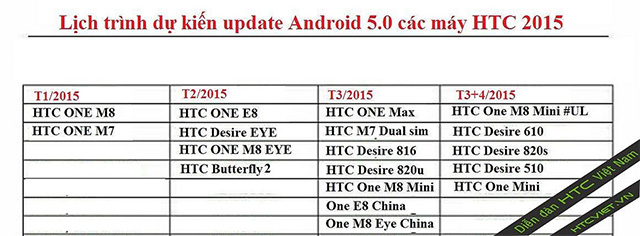
HTC has started to update its HTC One M8 to the new Android Lollipop and the next one to get an update will be the One M7. An Android Lollipop update schedule that was recently leaked shows when other HTC smartphones will get the update to Android Lollipop.

There was a time when HTC sold more smartphones then Samsung but started to decline in profits and market share in the last years. However, when they started to copy Apple’s strategy and began focusing on design and good quality materials with its release in February 2013 of the HTC One M7, things started to look better for the company. The HTC One M7 offered a unibody made of anodized aluminum and had a curved back which made the smartphone feel great and fit comfortably in the user’s hand. The M7 meant HTC’s comeback as it was one of the most popular phones in 2013.

When the M8 was introduced by HTC back in March 2014, it updated the design of the mobile phone but didn’t go too far from the original M7 recipe which made it a huge hit in the smartphone market and in the tech community. A lot of reviews name the M8 one of the best mobile phones available as of now. Now, HTC began updating the device to Android Lollipop and we already had the chance to see the update on the M7 in a leaked video.

If you have another HTC smartphone and were wondering when and if your smartphone will see an Android Lollipop update, recently leaked information reveals a timeline of when HTC plans to release the update on other devices other than the One M7 and One M8.

According to the leaked information, the Butterfly 2, HTC One M8 Eye, HTC One E8 and the Desire Eye will receive an update in February. The HTC One E8, One M8 Eye (both China), HTC One Max, Desire 820u, HTC One M7 Dual-Sim and One M8 Mini will get an update to the Android 5.0 Lollipop in March. The original HTC One Mini, The HTC Desire 610, Desire 510 and Desire 820s are shown on the information to receive an over the air (OTA) update to Lollipop in April or March.

HTC didn’t officially release a schedule for when the company plans to update other devices than the One M7 and One M8 so it’s probably best you don’t put all your hopes into a leaked timeline for the moment.

Filed Under: Tech & Science Tagged With: android lollipop update schedule, android update schedule, HTC, htc adroid lollipop update, htc leaked update schedule, htc lollipop, htc lollipop update, HTC one m7, Htc one m8

Windows 10 Mobile Thoughts

January 22, 2015 By Roxanne Briean Leave a Comment

windows-10-mobile-2

Microsoft looks like it’s renovating many of its products with the new Windows 10 operating system. Even though the focus is on the version for desktops and notebooks there is also another edition of the newest operating system, the Windows 10 Mobile.

Windows 10 Mobile won’t impose much competition for Mac OS X from Apple or come installed on the next Surface Pro, however. It’s designed completely for mobile devices such as smartphones and tablets. It’s a successor to Windows Phone 8.1 and Windows 8.1 RT.

Windows 8 launched back in 2012, and while tablets had been already available on the market for quite some time, tablets released by Microsoft were mostly disappointing. Windows 7 on a tablet was truly a pain to use. Closing an application with a finger was simply horrifying and the whole interface, as a matter of fact, wasn’t finger friendly at all. Windows 8 fixed most of those problems and issues but Microsoft still made a vital error. It still kept the Desktop of its operating system so that certain devices could still use Microsoft Office. This mistake really stands out when looking at the approach towards tablets by Microsoft in the past.

Microsoft finally plans to make its Office suite more touch-friendly in a new version of the well-known productivity suite. The version is called Gemini and we most certainly will hear more about it during Microsoft’s Windows 10 Media Briefing. With a more finger friendly version of Microsoft Office, the company plans to remove the Desktop from Windows 10 devices regardless if they use an Intel processor or not.

If Microsoft is really going to do this, this means that users will be a lot less confused by Windows 10 when compared to the old Windows 8 or Windows 8.1 operating systems. Windows 10 Mobile is intended for tablets, which probably means that people won’t be able to install iTunes or other apps intended for Desktops on their tablets.

Even though there aren’t a lot of things known about the mobile version of Windows 10, we are aware of some things.

It’s claimed that Microsoft will release this February a preview of the Windows 10 Mobile operating system for smartphones. This means that all people who are in the Windows Phone Insider program will be able to download and test the new update on their smartphones. Microsoft did confirm last year that all smartphones running Windows 8.1 will receive an update to Windows 10 Mobile.

Other details are still unknown. It’s unclear whether people who use tablets with Intel processors will have to pay for the upgrade to Windows 10. Microsoft hasn’t discussed anything about prices and we don’t expect them to do such a thing until closer to the date of release.

The Surface RT and Surface 2 are pretty unique devices. Initially, Microsoft decided to use ARM processors and they developed the Surface and Surface 2. In return to losing the compatibility with Desktop applications such as iTunes, the Surface RT and Surface 2 had longer battery lives and notifications were available when those devices went into sleep mode.

Windows 10 is predicted to replace the Windows RT operating system on ARM devices. Because of this, Surface 2 tablets could work a lot differently when using Windows 10 Mobile. It’s unclear whether the Surface RT will receive an upgrade or not.

It wouldn’t be the first time Microsoft cuts support for older devices altogether. Smartphones running Windows 7.5 did not receive an update to Windows 8.1, even though these phones were still being sold on two year contracts by partners of Microsoft. It would be odd of Microsoft not to discuss how the Surface RT and Surface 2 customers will upgrade to Windows 10.

Windows 10 should be Microsoft’s big hit. It’s the company’s chance to lure in customers away from rival companies such as Apple and others that use Android. Microsoft will probably emphasize on how using Windows across different platforms will affect users. (As they have done in the past…)

Windows 10 is believed to arrive this fall on new smartphones. Most probably it will coincide with the time when smartphone manufacturers will upgrade their Windows Phone 8.1 devices to the new Microsoft Windows 10 Mobile operating system. Windows 10 for notebooks and desktops will probably arrive at around the same time as the mobile version.

windows-10-mobile-1

A unified Microsoft operating system across different platforms really sounds great, and is exactly what the company has to do in order of making its smartphones a success. However, they failed on numerous occasions to do exactly this. It’s not only that Microsoft continuously fails to do such a thing, but it keeps promising they will do it.

Every time Microsoft came out with a Desktop operating system they claimed that OS integrates great with Windows Phone or Windows Mobile devices. But this is never the case, it never was and it never works great. It’s enough to make you rethink how much of their promises are indeed true and doable.

Now, Microsoft claims they built its new operating system on a single “core”. It’s known as the “OneCore”. The company claims this allows Windows 10 to work across different platforms such as tablets, phones, large screen displays such as the Perceptive Pixel multi-touch screen devices, personal computers and, of course, Xbox One.

OneCore is a lot more than a common kernel, said Microsoft. Along the kernel, OneCore also has DLLs and other parts of the main operating system integrated. Windows 10 claims to be able to target the same environment across platforms, which means that apps will function on a variety of devices with different screen sizes. Apps will be in a single store, instead of separate stores for Xbox, Windows Phone and Windows for Desktops.

OneCore doesn’t mean, however, that there will only be a version of Windows 10 available. Even if the company refers to the upcoming OS as “Windows 10” regardless of what device they are talking about, the operating system will still come in different versions and it will be priced and optimized in accordance to the device type and its screen size.

Images source: pcmag.com

Filed Under: Tech & Science Tagged With: microsoft, microsoft mobile operating system, microsoft os, microsoft windows, microsoft windows 10, microsoft windows 10 mobile, mobile operating system, onecore, windows 10, windows 10 mobile, windows 10 mobile os, windows 10 phone, windows os

Android Lollipop on Nexus 7 2012 Impressions

January 22, 2015 By Nancy Young Leave a Comment

android-lollipop-nexus-7-4

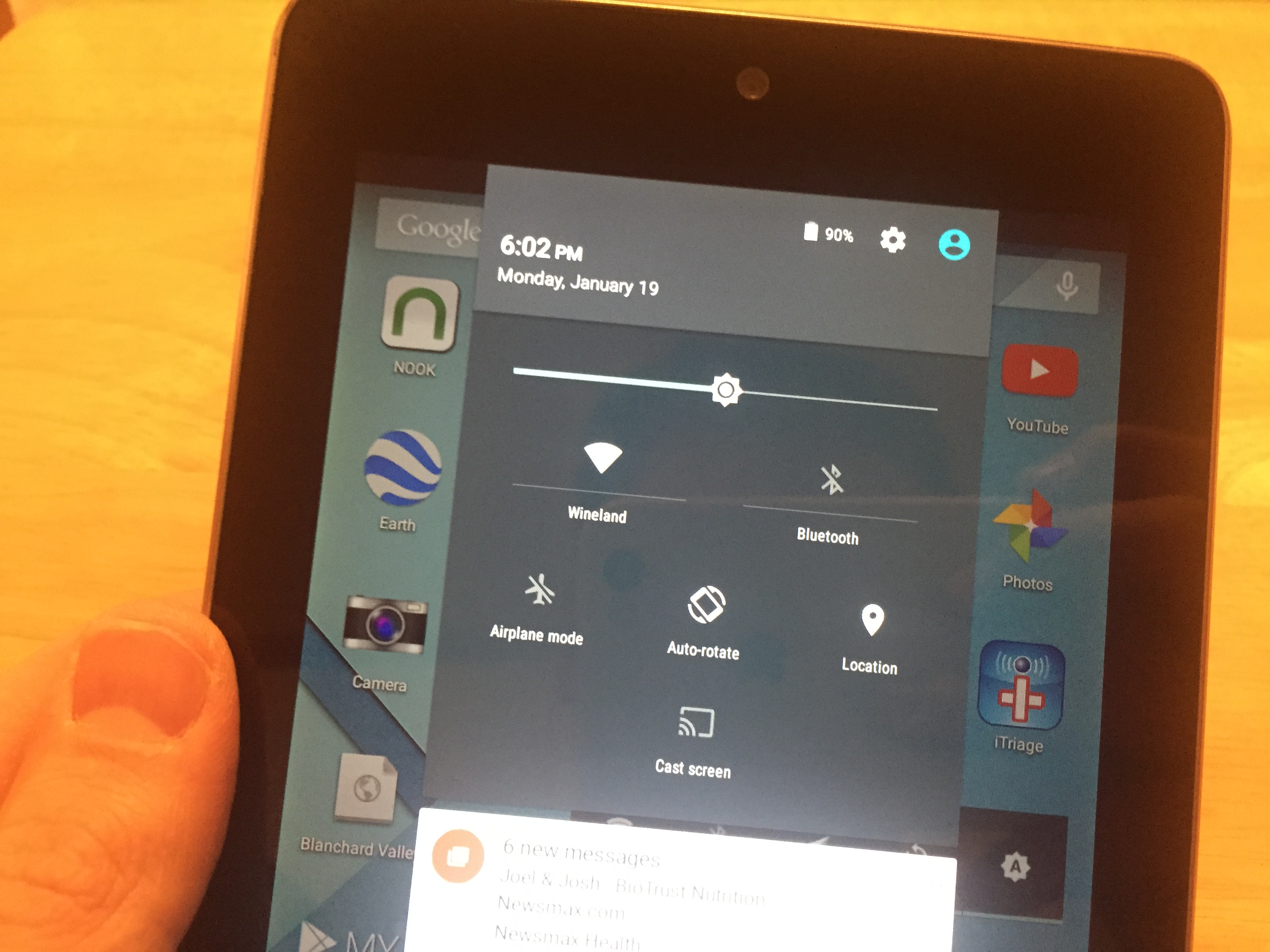
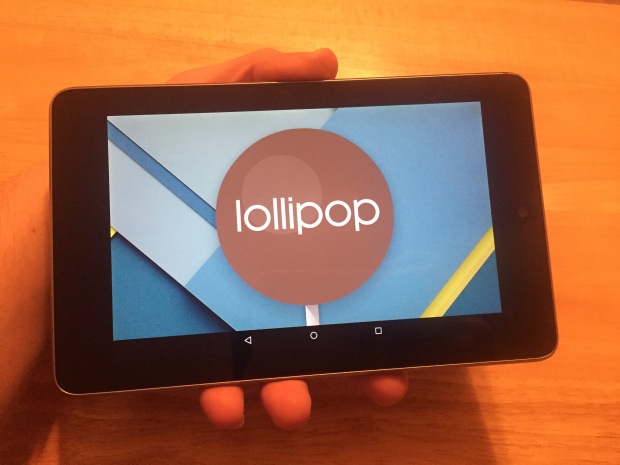
After a very long wait we finally installed the Android Lollipop on Nexus 7 and tested the latest operating system from Google on an older device to see just how well it performs. We installed the update on the 2012 version of the Nexus 7 tablet. The update installed rather quickly on the device and we started testing its performance in no time on this older tablet to see if it performs as well as the 2013 Nexus 7.

Even though the software update Android 5.0 Lollipop started being available since November, the new operating system wasn’t accessible on the Nexus until now. We spent an entire weekend with the new software testing it on the 2012 Nexus 7 and now we can tell you how it performs.

Google redesigned their Android operating system, giving it a new menu for multitasking, a new lock screen and many bug fixes and changes to the notifications. This is a pretty big update and gives an entirely new feel to people who are upgrading from the 4.4 KitKat.

Users of the new operating system have embraced the new design and the changes in the Android core. The new operating system looks amazing, we’ll tell you that. The new design is very sleek and other than being a newer, prettier face on old software, it also improves functionality and adds more features.

We’re testing the new Lollipop 5.0.2 instead of the original 5.0 because Google claims that numerous bugs from the initial release were identified and fixed.

After having spent some time with the 5.0.2 update, we can detail our experience with it and help other owners of the 2012 Nexus 7 tablet in their decision of updating to this version or sticking to the older Android 4.4 KitKat.

android-lollipop-nexus-7-1

Installation

Installation was a very easy task. It only took around 20 to 30 minutes until completion. However, be aware that you cannot use the tablet while the update is taking place.

Even though updates may cause issues, we did not encounter any problems during installation. The update finished quite quickly along all the updates for the apps and before we knew it the device booted to the home screen.

Speed

The performance of the Lollipop 5.0.2 on the older Nexus 7 is not exactly the best. It is a little slower and when compared to the KitKat, the animations aren’t always as smooth.

The performance improved noticeably after using the device for two days and a couple of restarts. This is the first thing you should do if you consider that your device is a lot slower than it was on the Android KitKat.

Apps

After the update to Lollipop 5.0.2, every app that we tested performed very well and the only problem we encountered was with a website that was using an older certificate of security that Chrome didn’t like. We had to enable a password on the tablet and not accept a security update install to access the website.

Google Play Movies, Google Chrome and other apps we depend on work just as well as they did before the update.

Battery Life

It’s still pretty early to tell you exactly how well the test on the battery went but we didn’t notice any difference since the update. The device holds its charge just as well, even when not being used for half a day. There are no worries concerning battery life so far.

Connectivity

android-lollipop-nexus-7-2

Problems with Bluetooth or Wi-Fi are the most common ones after installing a major update. The 2012 Nexus 7 still connects to the Wi-Fi networks without any issues after installing the Android 5.0.2 Lollipop including a personal hotspot and a home network. Bluetooth didn’t show any problems, either.

Issues

The Android 5.0.2 update fixed some issues of the initial launch and the Help Forum on the Nexus website is filled with topics regarding problems that have been dealt with since the original launch of the 5.0 Lollipop operating system.

Even though some bugs affect the Android 5.0.2 Lollipop and it is not without its problems, the only issues we encountered so far were with that particular website and Google Chrome itself. The Lollipop operating system and the Nexus 7 were not problematic at all, in our opinion.

We hope that a future update will improve the speed of the new operating system on the older Nexus 7 but this is not a bug, per se, as much as a result of using older hardware with new software.

android-lollipop-nexus-7-3

Is Android 5.0.2 Lollipop worth installing on the Nexus 7 2012?

If you have any problems with the older KitKat or want the new features offered by Lollipop, then you can install it without having to worry about major problems. However, for most users, this is an update that is worth waiting on in order to address and improve more issues.

That being said, the performance of the Android 5.0.2 Lollipop on the older Nexus 7 is a little erratic. There are several lags affecting actions of the screen after buttons are pressed that vary from frustrating to acceptable. We’re not certain why these issues are present at the moment but they tend to be annoying.

While it is possible to downgrade back to the older Android KitKat, it’s not a very pleasant process and most users will prefer not to go through it. However, it’s still pretty calming to know that you can go back if the Lollipop performs really badly on your device.

It’s probably worth waiting for a couple of more days in order to see if Google will launch another update for the Nexus 2012 regarding the Android Lollipop upgrade.

It has been said that Android 5.1 Lollipop will launch early in 2015 but you shouldn’t get your hopes up and it’s still uncertain whether the new update will address all issues regarding the 5.0.2 release, if any. But be sure that if some problems persist, Google will most likely release an update to fix the issues before they launch their new major release. If they don’t fix the issues, however, we may be stuck on relying on solutions from third parties.

Images source: gottabemobile.com

Filed Under: Tech & Science Tagged With: android 5, android 5.0.2 lollipop, android 5.0.2 on nexus 7 2012, android lollipop, android lollipop nexus 7, lollipop on nexus 7 2012, nexus 7, nexus 7 2012, nexus 7 2012 lollipop

Amazon Sends More Invites for Echo

January 19, 2015 By Deborah Campbell Leave a Comment

amazon-echo-4

Amazon announced the Echo back in 2014 and customers that were interested in buying the device were put on a waiting list. Now, the giant online retailer sent out more invites for Echo and is attracting customers to buy it. The Amazon Echo is a sort of personal assistant and functions as a cylinder-shaped speaker as well.

Some of these devices were already shipped and Amazon even sent out more invitations on Tuesday.

The Amazon website, however, states that the Echo won’t ship out until June, either because the inventory is low or there is a very high demand for it. But customers must decide pretty soon if they choose to purchase the Echo because the invites last for only seven days.

Amazon Echo plays music, tracks news, keeps track of your shopping list, gives you a weather report and can even tell jokes and is considered to be Amazon’s first try at entering the smart home market. The company could also learn a lot from feedback from the users who buy the device by making it available only for a few people at a time and thus, they could polish the device before making it available for everyone.

We had our hands on one of these devices and can give you a short review of what you can expect from it.

amazon-echo-3

The Amazon Echo uses Alexa, which is the voice behind it. The device is voice activated and relies on a cloud to perform different tasks as your personal assistant. Even though she’s pretty limited as of now, she still has some nice functions. Yes, we will call Alexa a “she” from now on, not an “it”.

Even though there are a few problems with voice recognition, it’s still one of the best voice controlled devices we’ve used. It does a good job in understanding what you are saying and it’s even better than Apple’s Siri, Google Now and Microsoft’s Cortana personal assistants.

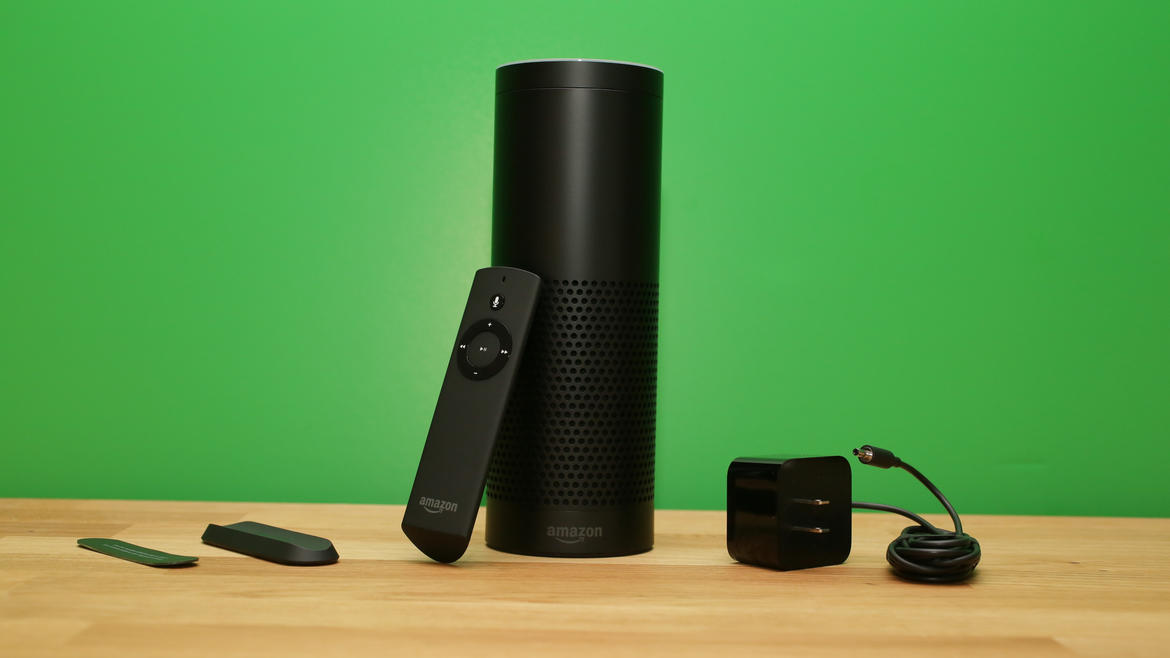
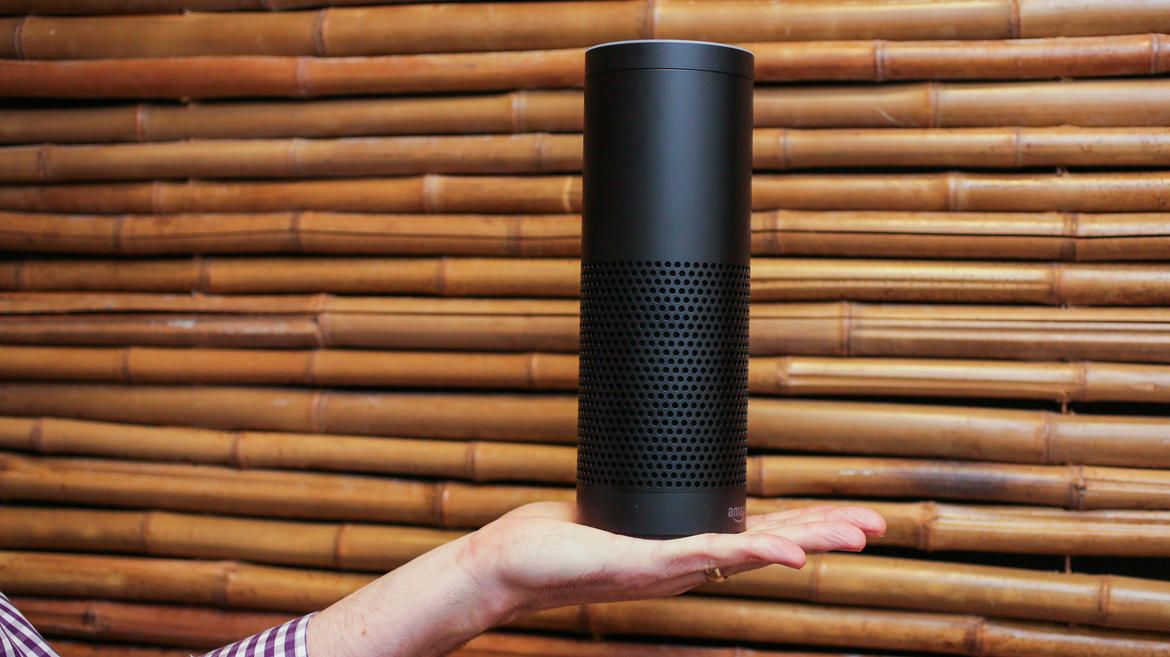
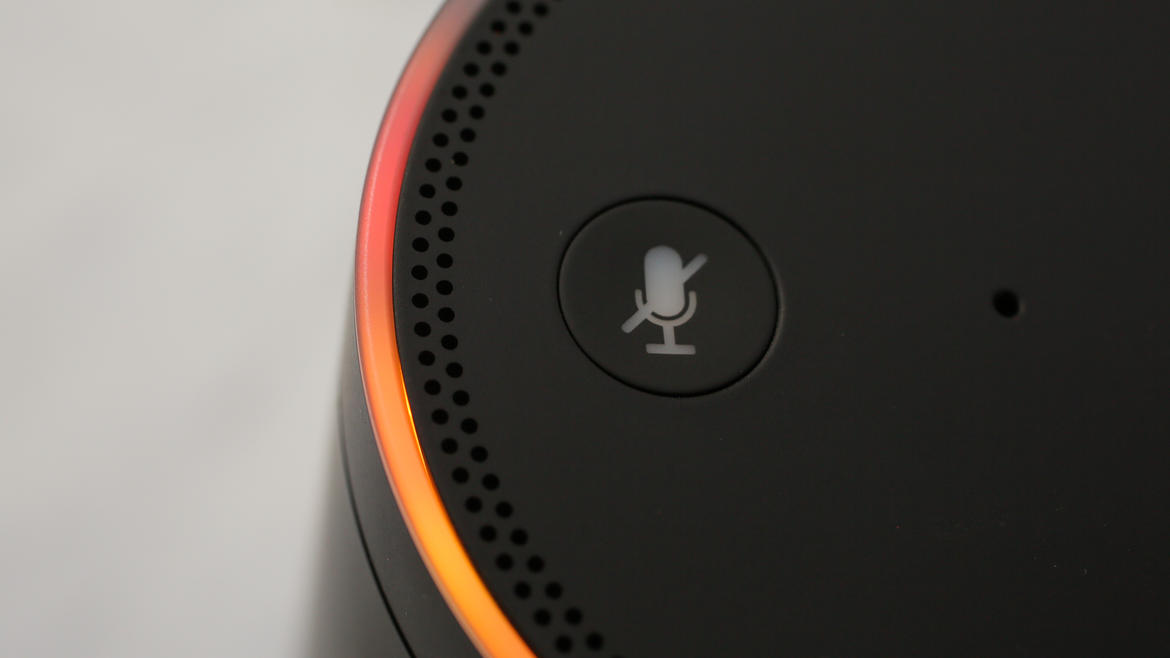
It features seven microphones inside the 9.25 inch cylinder casing. The ring which controls volume on top of the Amazon Echo lights up when you say the word “Alexa”. The light means the device is ready to hear your command and we can honestly tell you that Alexa understood most of the commands we gave to her. You can also say “Amazon” before giving commands but that doesn’t really seem natural. There is no way you can change the gender of the voice or the wake word as of now.

amazon-echo-2

To start using it, you have to connect the Amazon Echo to a Wi-Fi network with the use of an app available on the Amazon Fire, Android, Apple and desktop devices. You can connect directly to it via Bluetooth and use the device as a wireless speaker as well. Unfortunately, even though the device holds seven microphones, we couldn’t use it as a hands free device for our phones. To be fair, it’s still in its early days and this function will probably be made available later.

The Amazon Echo works especially well for receiving a weather forecast both for just one day or the whole week. The device can also tell you the time, set up a timer or alarm, manage a shopping list and give definitions on various words. Alexa can even tell jokes.

The device has to always be plugged in as it doesn’t have a battery of its own. You can move it around your house as long as it can still connect to the Wi-Fi network. If you move it in a place where there is a different network than the one you used before you will have to go through the setup process once more. It’s not very difficult, but it’s inconvenient.

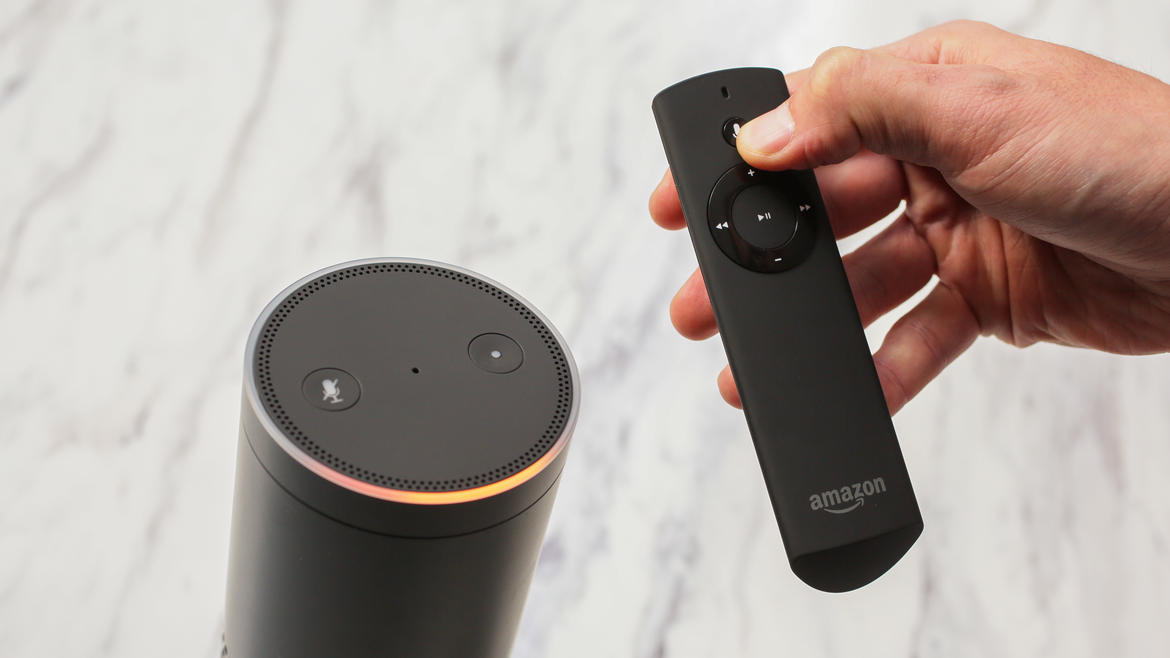
You also get a remote that has a microphone built in it so you can speak to Alexa when you’re very far away from the microphones or the room is very noisy. That being said, we were able to tell Alexa to turn the volume down when music was playing quite loudly, so the internal microphones work really well, partially because they have a noise cancellation feature.

amazon-echo-1

A great limitation at this point is the fact that Alexa can only use Wikipedia and a few other data bases, but not Google or Bing. The device will send a Bing link to your smartphone or tablet if she won’t be able to find what you’re looking for, however.

Alexa is expected to get a lot smarter in the future. She is capable of learning your voice better and there is also a tool for speech-training, but we’re uncertain of how the app works exactly considering that numerous people will talk to her, not just one.

The sound also seems to get distorted on higher volumes despite the speaker being able to produce good bass and projecting the sound at a 360 degree. But the sort of poor sound quality is probably because the speaker is designed mostly with Alexa’s voice in mind. The speaker works great for background music but it most likely won’t be your go to source of entertainment. It’s really hard to listen to music above the 60 percent volume mark as the sound will become very distorted. It’s very possible that the Amazon engineers will fiddle around with the EQ in the future to make it sound better but this is just our assumption.

At a price of $199, Amazon Echo isn’t much of a bargain and while it’s not without its quirks, we do see the potential in the device and there will probably be a time in the future when we will come to use it more. But that depends solely on Amazon and what they decide to improve on it.

Images source: cnet.com

Filed Under: Tech & Science Tagged With: alexa, alexa personal assistant, amazon alexa, amazon echo, amazon echo alexa, amazon echo invites, amazon echo review, amazon sends invites for echo, echo invites, invites for echo

PC Version of Grand Theft Auto V Was Delayed

January 19, 2015 By Roxanne Briean 2 Comments

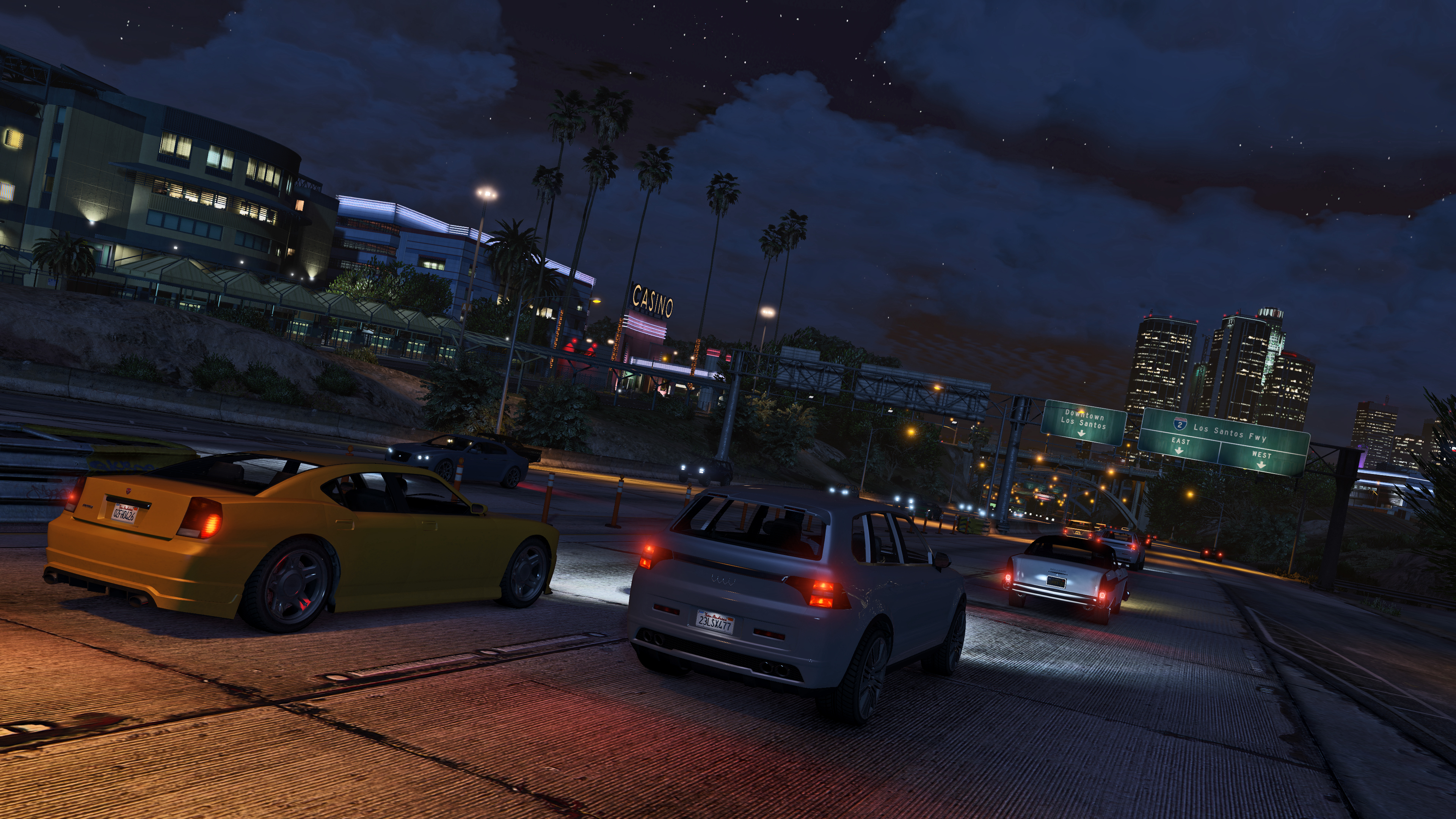
It looks like Rockstar decided to delay its Grand Theft Auto V release for PC. The game is available for for Xbox One, Xbox 360, PlayStation 4 and PlayStation 3 but the PC release misses its deadline. Now, GTA V is expected to make its way on the PC in March.

Rockstar revealed the new release date to be March 24th instead of the original date that was January 27. The new date is two months later from the original planned date and four months from when a remastered edition of the game was launched for next-gen consoles. Grand Theft Auto V was launched for the Xbox 360 and PlayStation 3 in September 2013.

GTA-V-1

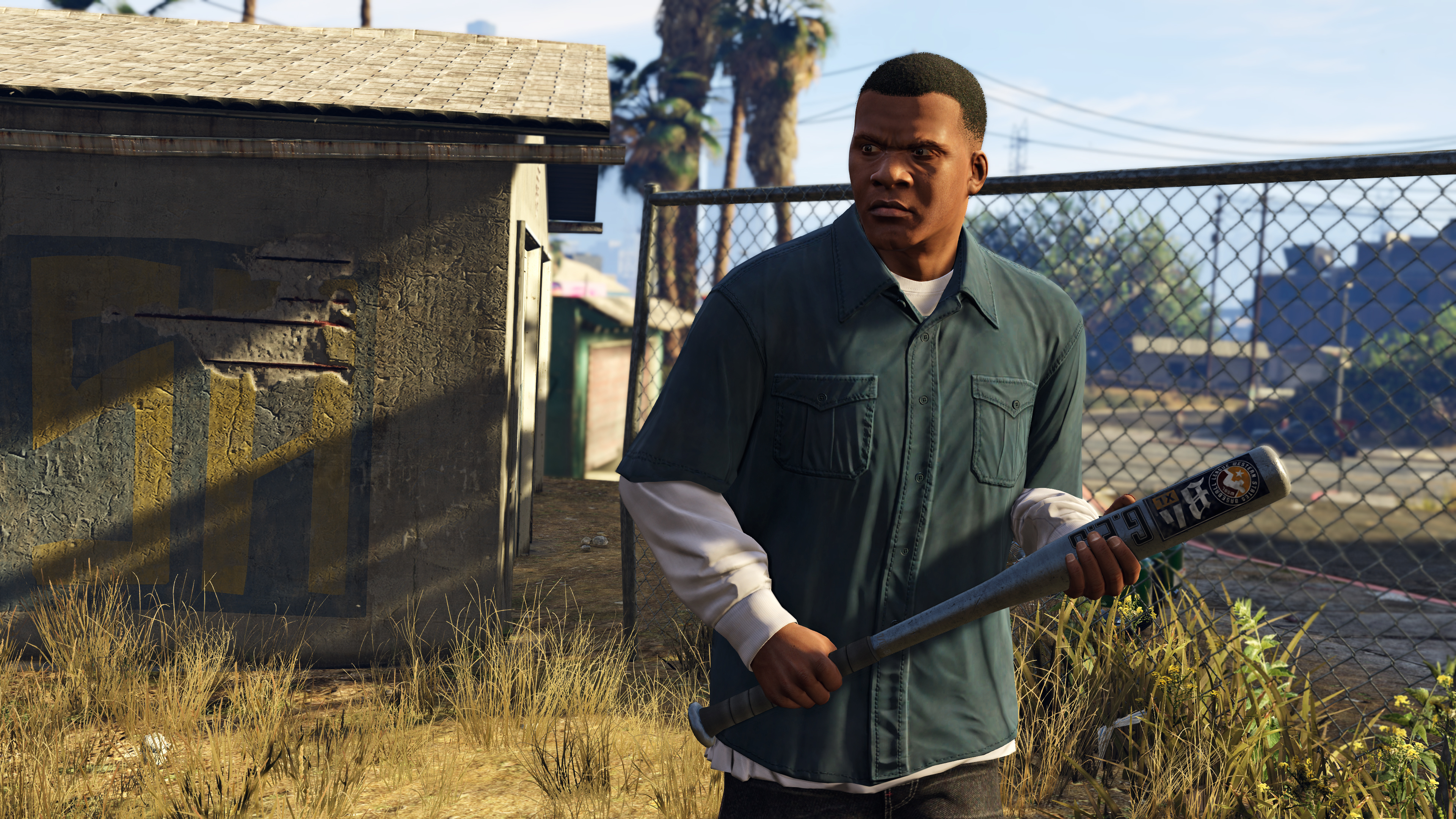
Rockstar apologized for the delay and talked a little about what gamers can expect from the PC version. The developers emphasized on the campaign in GTA V but the main reason people are excited about the PC version is because GTA Online. GTA Online features the mechanics of Grand Theft Auto in a multiplayer world and the PC version is going to get some important upgrades. 30 users will be able to play together in GTA Online and Rockstar promises that the game will run at 1080p at 60 frames per second, but of course, you would have to have a beast of a PC to be able to run the game in Full HD, but we’ll get to that later. The game will also be able to support three monitors for players who wish to have a 160 degree view of what is happening around them.

GTA-V-2

GTA Online features numerous activities for gamers. People will be able to make their own characters, rob places and perform other actions to earn money in order to afford hideouts, better cars and better weapons. Rockstar presented Heists last year, which is a way to earn money when players team up with their friends to take on more complex and bigger missions. Rockstar said that Heists will be available the moment GTA V will launch for PCs.

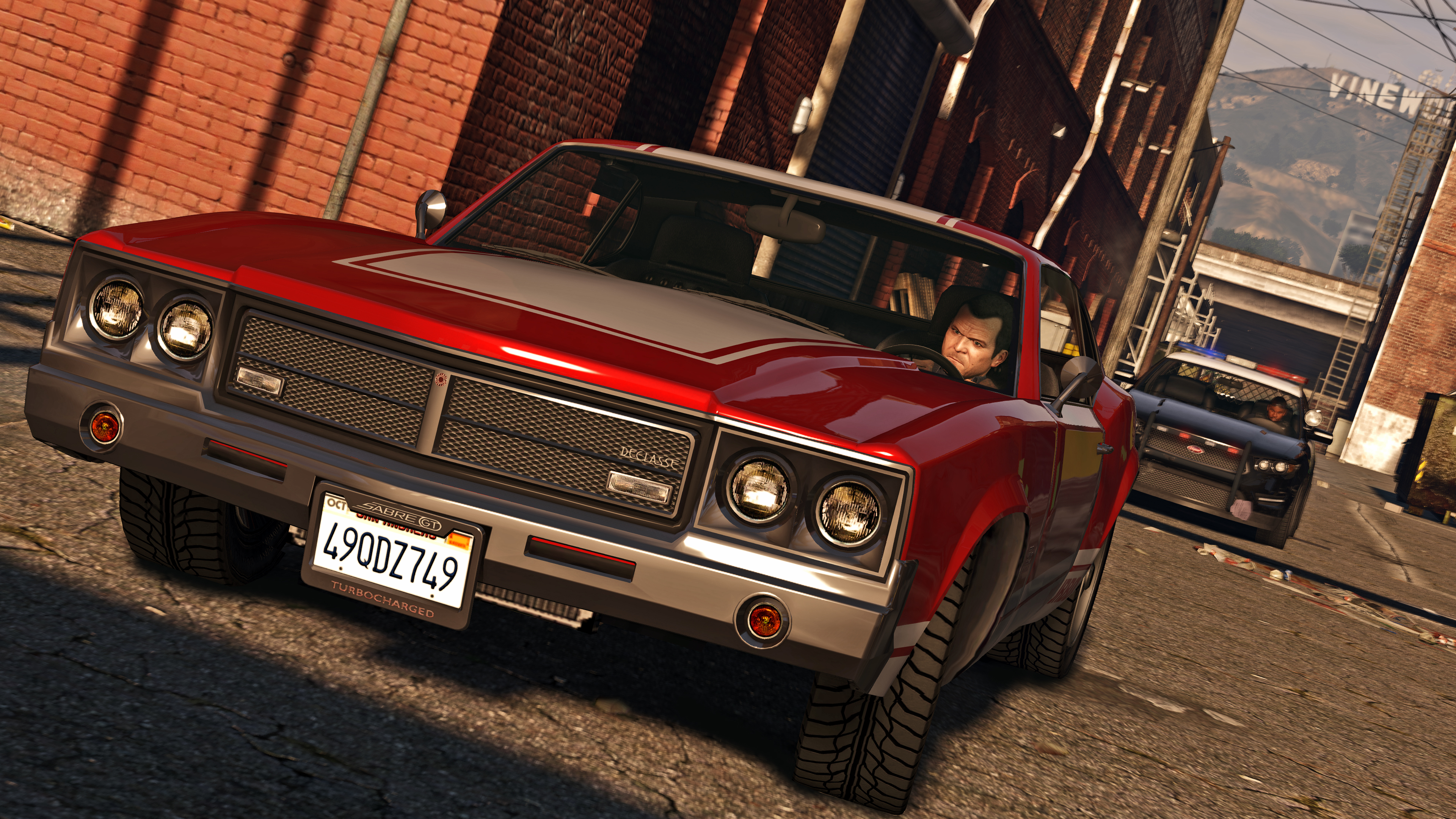
A lot of attention is focused on the ability to create your own character in GTA Online but Rockstar has also made available a very impressive sandbox for its gamers in which users can create their own world. It looks like PC users will get a pretty impressive package. However, by the time the game will see the light of day, most gamers would have already had the chance to play the single player campaign and multiplayer on four other devices. Of course the game will look better than its brothers on consoles but it’s pretty uncertain how many people will buy the game just because of its looks.

GTA-V-3

Rockstar said that moving a release date is not a very easy decision to make but the studio is certain it is the best possible solution in order of providing the best possible game. They also thanked everyone for their patience and assure everyone that these few extra weeks of waiting time will be worth it when GTA will eventually make its way on PCs.

The PC version will also support 30 players in GTA Online just like the Xbox One and PlayStation 4 versions that launched in November 2014. The PC version will also include, right out of the box, the component called Heists which is expected to also hit the consoles the moment this version will launch in March 24 (supposedly).

GTA-V-4

In the meantime, Rockstar revealed the minimum and recommended PC specs that are required in order to play the game. At minimum, users will need a quad core processor clocked at 2.5GHz at least and 4GB of RAM. The ideal way to play the game, however, will require an Intel core i5 running at 3.2GHz and 8GB RAM. The install size of the game will be 65GB.

The developers also claim that the Windows version will be able to support 4K resolution at 60 frames per second and Nvidia 3D Vision.

GTA-V-5

The official PC requirements for Grand Theft Auto 5 as claimed by Rockstar are the following:

Minimum:

OS: Windows 8.1 64 Bit, Windows 8 64 Bit, Windows 7 64 Bit Service Pack 1, Windows Vista 64 Bit Service Pack 2* (*NVIDIA video card recommended if running Windows Vista)

Processor: Intel Core 2 Quad CPU Q6600 @ 2.40GHz (4 CPUs) / AMD Phenom 9850 Quad-Core Processor (4 CPUs) @ 2.5GHz

Memory: 4GB

Video Card: NVIDIA 9800 GT 1GB / AMD HD 4870 1GB (DX 10, 10.1, 11)

Sound Card: 100% DirectX 10 compatible

HDD Space: 65GB

DVD Drive

Recommended:

OS: Windows 8.1 64 Bit, Windows 8 64 Bit, Windows 7 64 Bit Service Pack 1

Processor: Intel Core i5 3470 @ 3.2GHZ (4 CPUs) / AMD X8 FX-8350 @ 4GHZ (8 CPUs)

Memory: 8GB

Video Card: NVIDIA GTX 660 2GB / AMD HD7870 2GB

Sound Card: 100% DirectX 10 compatible

HDD Space: 65GB

DVD Drive

Grand Theft Auto V first launched in September 2013 for the Xbox 360 and PlayStation 3 and shipped 34 million copies. In November, GTA V launched for the Xbox One and PlayStation 4 and sales are very strong as the game was the second best-selling title in the United States in November 2014.

We can’t help but be reminded of the Grand Theft Auto IV fiasco. When the old GTA eventually launched on PCs it was very buggy and ran badly on even the more capable PCs at that time. GTA IV eventually received updates and patches that made it playable but when it first launched it wasn’t stable at all and Rockstar was accused of laziness by all fans around the world. We sincerely hope they have learned from their mistake and that they won’t put their fans through such kind of a torture again.

GTA-V-6

Grand Theft Auto V was appreciated by all when it first surfaced and had received perfect and near-perfect scores all around. The game scores 97 on Metacritic and got a perfect 10 from IGN. It’s not hard to see why. GTA 5 offers memorable missions, incredible heists and is filled with amusing content and a world that is genuinely immersive. It’s probably the best GTA we’ve seen so far, Rockstar making their best to polish the game in such a way that it will be played for many years and also be enjoyed by non-GTA fans as well.

Long story short, Grand Theft Auto V was delayed and we really hope it’s worth it.

Images source: rockstargames.com

Filed Under: Tech & Science Tagged With: grand theft auto, grand theft auto 5, grand theft auto 5 pc specs, grand theft auto v, grand theft auto v pc specs, gta, gta 5, gta 5 delayed, gta 5 for pc delayed, gta 5 pc, gta 5 pc specs, gta 5 specs, gta delayed, gta pc specs, gta v, gta v delayed, gta v for pc delayed, gta v pc, gta v pc specs, gta v specs, pc gta, pc gta 5, pc gta 5 delayed, pc gta v, pc gta v delayed, rockstar

Microsoft Launched Two New Cheap Smartphones

January 17, 2015 By Nancy Young Leave a Comment

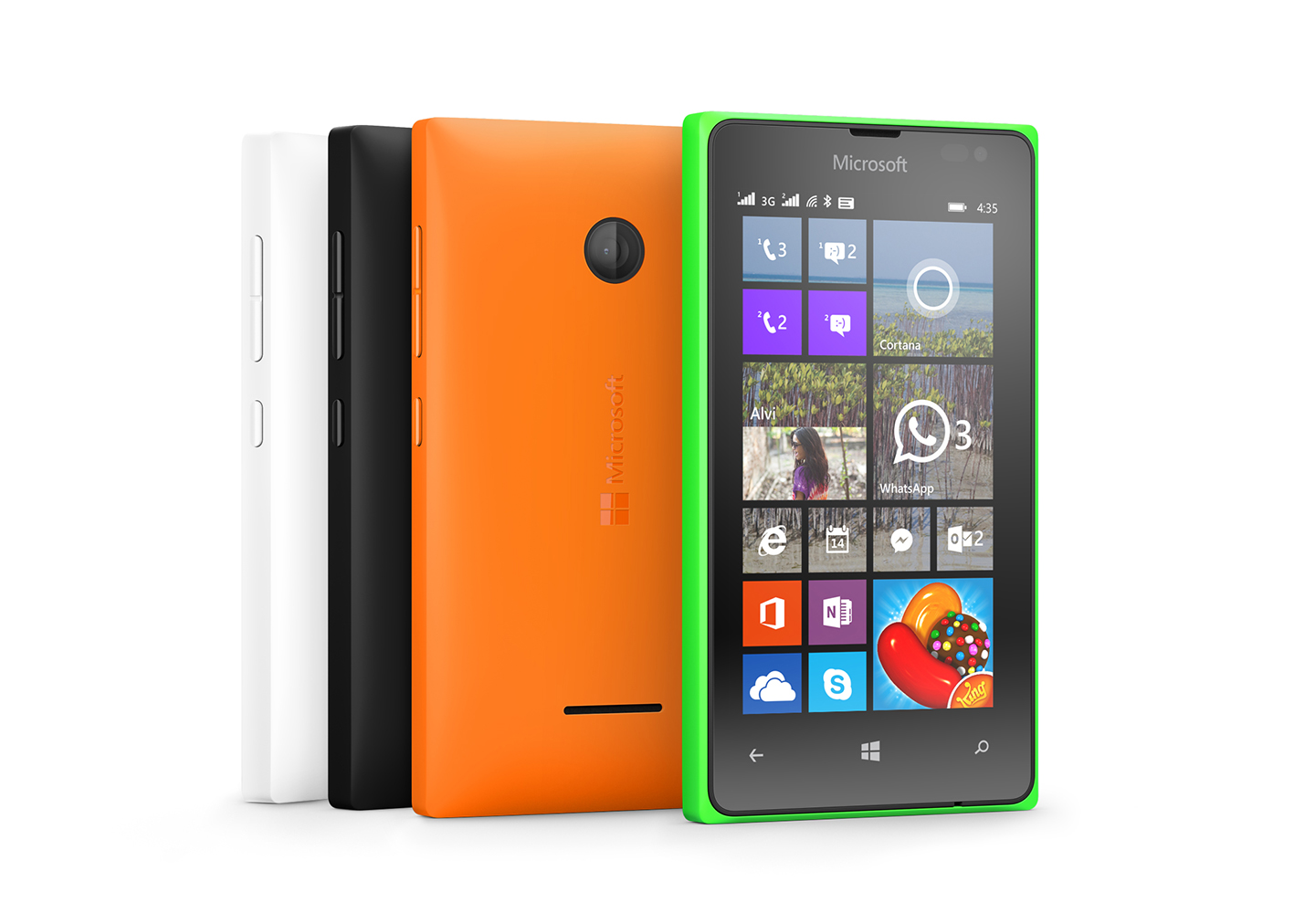
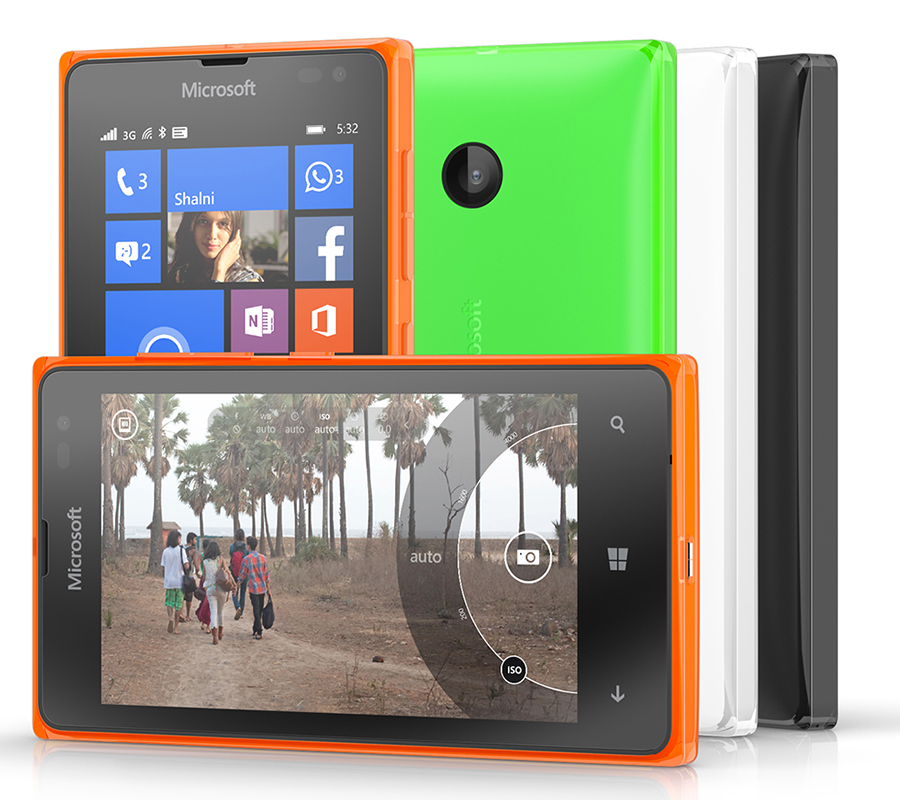
Just recently, Microsoft launched two new cheap smartphones. The two Lumia devices, the Lumia 435 and Lumia 532 are very affordable and have pretty impressive specs for their price.

After the gold editions of their high end mobile phones, Lumia 930 and Lumia 830, Microsoft has announced two other Windows Phones which, the company wishes to target at a whole new branch in the market consisting of phones under $100.

Lumia-435

Image source: msecnd.net

LUMIA 435

The Lumia 435 is the cheapest Lumia available so far with a retail price of just $81 before subsidies and taxes. The new device will be shipped out in February in India, Middle East, Africa, Asia Pacific and Europe. However, a release date for the United States has not been set yet. The new smartphone looks just like the Nokia X and is Microsoft’s best effort so far to compete with the Android One program initiated by Google. The project was released last September with phone manufacturers in India such as Spice, Karbonn and Micromax which develop devices that use the Android One operating system that cost less than $100.

However, Microsoft did cut some corners in order of achieving this price. Even though the device features two cameras, the front camera can only be used for video and has a 0.3MP sensor for Skype calls and the back camera has a sensor of just 2MP. The Lumia 435 will use Windows Phone 8.1 along with the firmware Lumia Denim, which means that it will also include Cortana in available markets as well as Apps Corner and Live Folders. However, the device won’t feature the notification center by Microsoft called Action Centre. The device will also come with Excel, PowerPoint, Word, Microsoft PowerPoint and OneNote preinstalled.

The smartphone has a 1.2GHz dual-core Qualcomm Snapdragon 200 CPU and a 4 inch WVGA display with a resolution of 800 x 480 and a pixel density of 233ppi. It has 1GB memory and comes with 8GB of storage that can be expanded with a microSD of up to 128GB. The battery is replaceable and has a capacity of 1560 mAh which lasts for up to 11.7 hours talk time on 3G and 20.9 hours 2G.

While these features aren’t intended for consumers that are looking for a high end smartphone they certainly are an improvement over old low-end mobile phones launched by Microsoft. However, it’s uncertain if these improvements make the devices as good as the ones offered by Xiaomi and Motorola, which are also competitive with Google’s Android One and its partners.

The smartphone will be available in both single SIM and dual-SIM forms and will come in black, white, green and orange. Microsoft also unveiled the Lumia 532 which will come at a price of $94 before subsidies and taxes and is Lumia 435’s smaller brother.

Lumia-532

Image source: cloudfront.net

LUMIA 532

Inside the very colorful shell of the Lumia 532 is a quad-core processor that will most likely surpass every other inexpensive Windows Phone launched by Microsoft in the past and 1GB RAM. The amount of memory will at least let users of the Lumia 532 play some of the more demanding games that made their way to Windows Phone in the last couple of years.

The Lumia 532 has 4 inch display with a resolution of 800 x 480 that isn’t high definition but looks quite good. The Lumia 532 will be available in February for about 79EUR or $94. This price doesn’t include any service agreements or discounts, however. As well as the 435, the Lumia 532 only has 8GB of internal storage but it can be expanded with a microSD memory card. Neither the 435 nor the 532 feature a flash on their cameras, which means that users won’t be able of shooting photos in low light environments.

Both smartphones will come with Windows Phone 8.1 and Lumia Denim. Windows Phone 8.1 is the latest version of Windows available on mobile phones. This version adds the Cortana personal assistant that is also coming to tablets, desktops and notebooks using Windows 10. This version of Windows also offers some options for personalization for the users. For instance, people can finally put a photo to be shown in the background of their phone. It also adds support for syncing browsing history, passwords and a lot more between several devices that us Windows 8.1.

Microsoft wishes to attract smartphone buyers away from Android One and iPhone with the help of its low prices for the Lumia 435 and Lumia 532. This kind of makes sense seeing how in the Middle East, Asia and Europe, Windows Phones are a lot more popular. Microsoft hopes to attract buyers looking to purchase their first smartphone or that want to get rid of their older iPhones that don’t receive updates from Apple anymore.

Microsoft’s problem lies in the United States, however. It’s been a long, long time since the company released a competitor for the iPhone. This means that users are far less excited about Windows Phones in the United States. Apple produced new high-end versions of its popular iPhone and their decision to make the older versions cheaper seems to have worked in the U.S. In the meantime, it looks like Microsoft is basically ignoring the United States completely.

Both the Lumia 435 and the Lumia 532 will come in dual-SIM versions as well. This feature allows users to install two SIM cards in their smartphones and switch between carriers for the best available calling rates.

Filed Under: Tech & Science Tagged With: cheap lumia, cheap microsoft smartphones, lumia, lumia 435, lumia 435 lumia 532, lumia 532, lumia 532 lumia 435, lumia cheap, microsoft, microsoft lumia, smartphone, smartphones

  • « Previous Page
  • 1
  • …
  • 57
  • 58
  • 59
  • 60
  • 61
  • …
  • 114
  • Next Page »

Subscribe to Blog via Email

Enter your email address to subscribe to this blog and receive notifications of new posts by email.

Join 11 other subscribers

Recent Articles

police handcuffs man

German Man Probed In Poisoning That Killed 21 Employees Since 2000

June 29, 2018 By Kenneth Scott Leave a Comment

Chicken wings bar

Intoxicated South Carolina Man Punches Waitress Who Refused to Serve Him Alcohol

June 29, 2018 By Karen Jackson Leave a Comment

gaming

New Zealand gamer Who Flew Halfway Across The World for Virginia Teen Gets Shots By Her Mother

June 28, 2018 By Cristopher Hall Leave a Comment

party

Former Virginia Tech Freshman Sentenced to 50 Years in Prison for Stabbing a Girl to Death

June 28, 2018 By Roxanne Briean Leave a Comment

bonfire

British Couple Sentenced to Life in Prison for Torturing and Murdering French Nanny

June 27, 2018 By Deborah Campbell Leave a Comment

pay phone

Texas Father of Girl Disappeared in the 80s Ignored by Authorities

June 26, 2018 By Cristopher Hall Leave a Comment

bottled water

San Francisco Woman Threatened to Call Police on Girl Who Sold Ice Water for Disneyland Trip

June 25, 2018 By Roxanne Briean Leave a Comment

Maplewood Park

Missouri Man Robbed by Date and Accomplice in Park

June 22, 2018 By Nancy Young Leave a Comment

coding

New York Man Sentenced in Cyberstalking Former Girlfriend, Mailing Drugs to Her Dorm

June 22, 2018 By Deborah Campbell Leave a Comment

headphones

Bose Poised to Launch Sleepbuds, In-Ear Headphones That Help You Sleep

June 21, 2018 By Nancy Young Leave a Comment

Police light

Intoxicated Female Driver in Custody for Pulling Arresting Officer by the Hair

June 21, 2018 By Kenneth Scott Leave a Comment

kitchen

Restaurant Manager Arrested and Charged in Shooting Death of Co-Worker over Negative Yelp Reviews

June 20, 2018 By Karen Jackson Leave a Comment

plastic container

Pennsylvania Couple Charged in Violent Death of Infant Discovered Buried in Cat Litter

June 19, 2018 By Cristopher Hall Leave a Comment

tailpipe

Minnesota Teen Gets Head Stuck In Oversized Tailpipe Winstock Music Festival

June 18, 2018 By Karen Jackson Leave a Comment

Pages

  • About Us
  • Contact us
  • Privacy Policy
  • Privacy Policy GDPR
  • Staff
  • Terms and Conditions

Recent Posts

  • German Man Probed In Poisoning That Killed 21 Employees Since 2000 June 29, 2018
  • Intoxicated South Carolina Man Punches Waitress Who Refused to Serve Him Alcohol June 29, 2018
  • New Zealand gamer Who Flew Halfway Across The World for Virginia Teen Gets Shots By Her Mother June 28, 2018
  • Former Virginia Tech Freshman Sentenced to 50 Years in Prison for Stabbing a Girl to Death June 28, 2018
  • British Couple Sentenced to Life in Prison for Torturing and Murdering French Nanny June 27, 2018
  • Texas Father of Girl Disappeared in the 80s Ignored by Authorities June 26, 2018
  • San Francisco Woman Threatened to Call Police on Girl Who Sold Ice Water for Disneyland Trip June 25, 2018

Categories

  • Business
  • Entertainment
  • Finance
  • Headlines
  • Health
  • Life
  • Nature
  • Science
  • Sports
  • Tech & Science
  • Travel
  • Uncategorized
  • United States
  • World

Copyright © 2026 ArgyllFreePress.com
About · Privacy Policy · Terms of Use · Contact