Argyll Free Press

Growing News Network

Thursday, April 23, 2026
Log in
  • Business
  • Finance
  • Sports
  • Tech & Science
    • HP Envy 4500 Review
    • LG Optimus 170 Review
    • iPod Touch 6th Generation Review
    • HTC One M8 Accessories Set-up
    • Surrealist Games You Must Play
    • Hisense Sero 8 Review
    • Dell Latitude e7440 Review
    • HP Laserjet 1536dnf mfp Review
    • Garmin Fenix 2 Review
    • Skype Vs Viber
    • Best Video Conferencing Software
    • Sony mdr 1r Headphones Review
    • Canon Rebel t3i Review
    • Sennheiser Momentum 2-0 Review
  • Travel
  • Headlines
  • Health
  • United States

HTC Desire Eye Brings Next Level Selfies

January 11, 2015 By Roxanne Briean 1 Comment

HTC Desire Eye Brings Next Level Selfies

So 2014 is done and over with, and the new year is promising to bring us some very impressive additions to the high end smartphone family, but with a price to match. While new tech and nifty gadgets are a thing all of us can end up to enjoy, it is not always exactly what we are looking for.

The HTC Desire line of smartphones has always catered to the public interested in the mid-range devices, nailing a good mix of quality and price. The new HTC Desire Eye does not falter in that perspective, and actually manages to pack a little more than usual to fit to your liking.

Overall, the HTC Desire Eye is a strong phone, no doubt. It may not be the HTC One M8 or the Galaxy S5, but it is still a vicious fighter for the end of 2014 market. And because selfies are just as normal and natural as actually owning a smartphone these days, the company decided to give this aspect of our lives a closer look. Literally.

Along with the features I’ll be describing in great detail below, the focus of the HTC Desire Eye seems to be its potent capability to take impressive selfies, including both a powerful zoom and a flash for your front facing camera. But don’t worry, that’s not where the HTC Desire Eye hype ends.

So let’s talk detail.

HTC Desire Eye: Design
HTC Desire Eye Brings Next Level Selfies Design

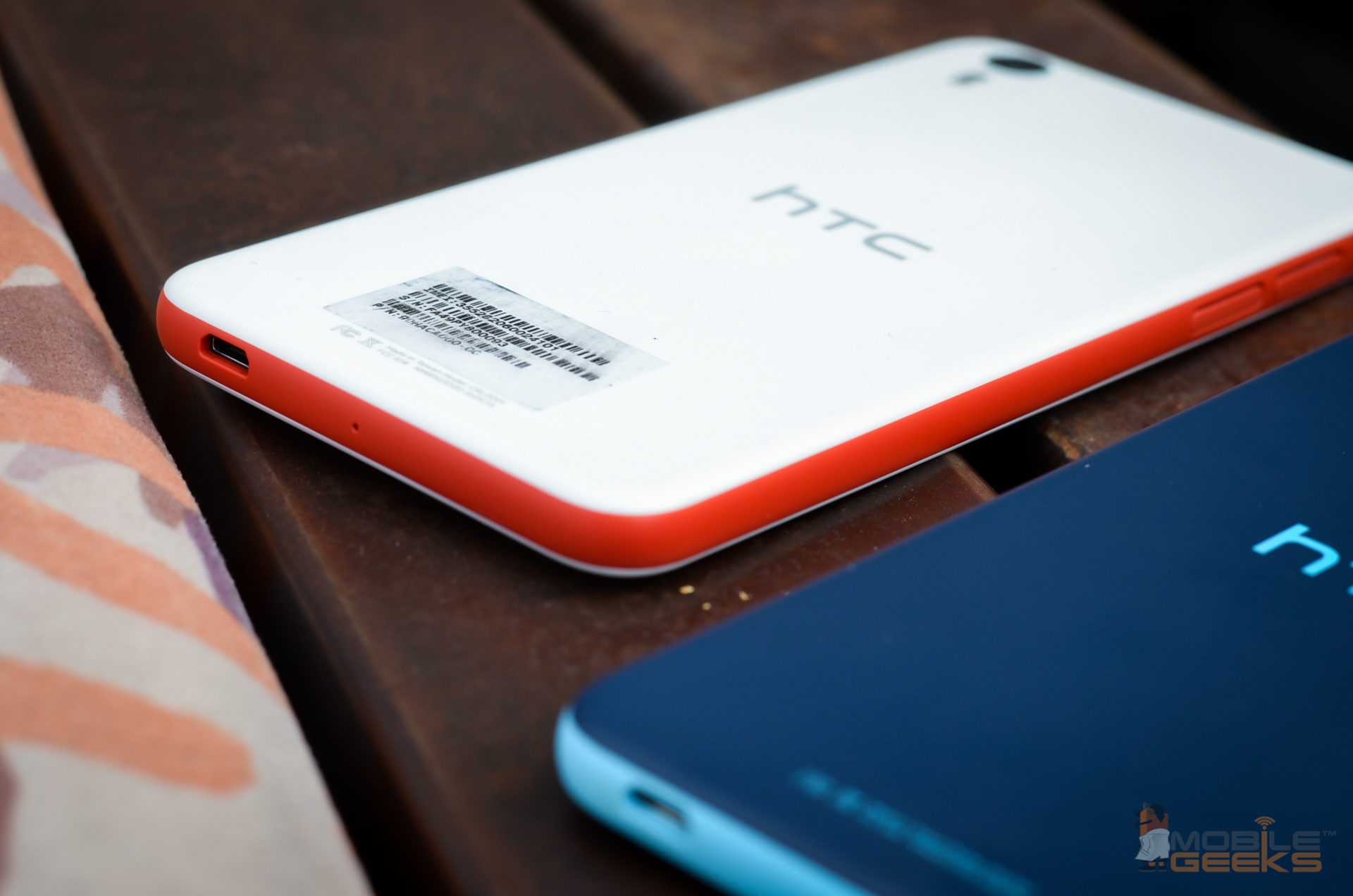
The HTC Desire Eye is a pretty large phone. Not large enough to fall into the phablet category, only packing a 5.2” display, but it’s still of a considerable size. Unlike its less affordable siblings such as the One M8, it has given up on the metal exterior look, being completely made of plastic. One single piece of plastic case makes up for the whole exterior, with plastic covers protecting your memory card and micro-SIM slots.

The reason behind this is that the device has been built to withstand dips in water as deep as 1 meter for roughly 30 minutes before the condition of your phone may become critical. This is the first time in HTC history that a smartphone under this name is built to be waterproof; and hoorah for that. The HTC Desire Eye even allows you to take photos underwater thanks to this, but the touchscreen is not functional when getting wet – thus, you will be doing this via the camera shutter button that has been implemented on the side of the phone.

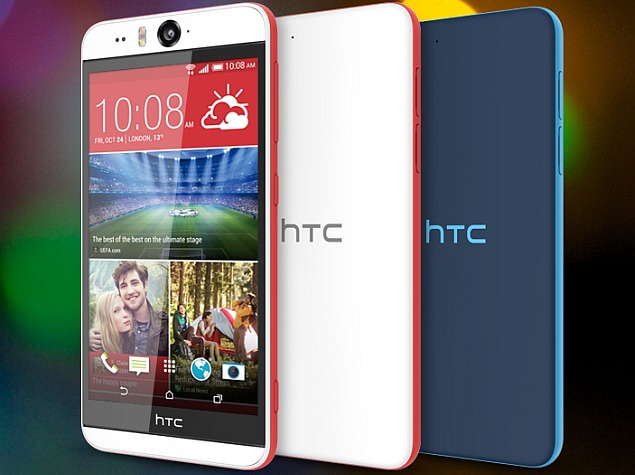
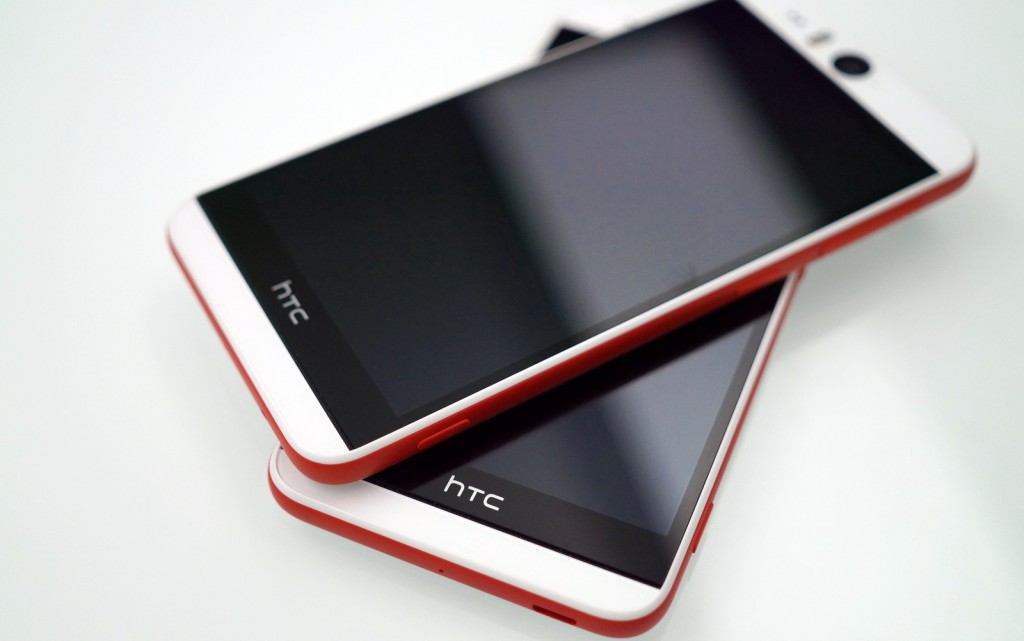
The look of the phone is definitely something pleasant. It comes in two versions, either white with a funky red stripe going round the edges of the phone, or blue with a teal stripe. This two-tone ordeal gives a refreshing look to the phone, without making it be taken any less seriously. It’s fun, but still sleek and elegant.

While the phone is in no way bulky, sporting a thickness of only 8.5mm, the HTC Desire Eye just feels big – possibly due to the straight angle design around the edges, in place of a curvier alternative. You will definitely be using both your hands to type texts or use it extensively, holding it one-handedly feeling slightly stranger than you would think.

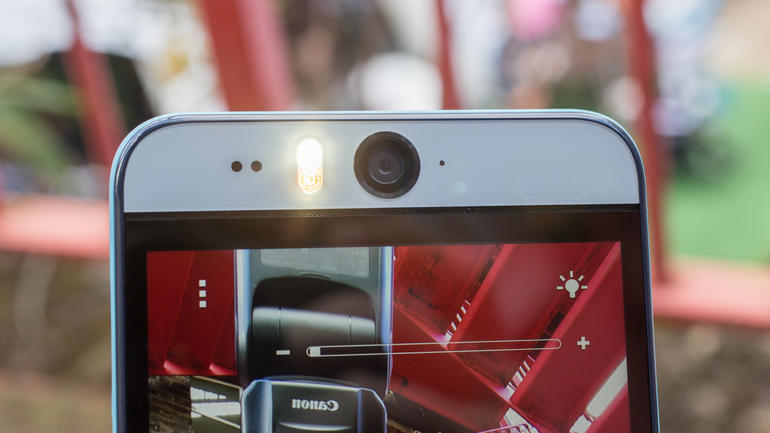
One thing you will be noticing as soon as you take the HTC Desire Eye out of the packaging is the two cameras popping from both sides of the phone, accompanied by LED flashes. The front camera isn’t the miniscule pod you might be used to seeing in most, if not all other phones, but instead a full-fledged large, 13 megapixel one. Stop to think of it, this looks a little strange when looking at the phone’s front face, having the camera literally staring at you eerily but it’s a small price to pay for the quality that comes with it when taking photos using it.

HTC Desire Eye: Display & Sound
HTC Desire Eye Brings Next Level Selfies Display

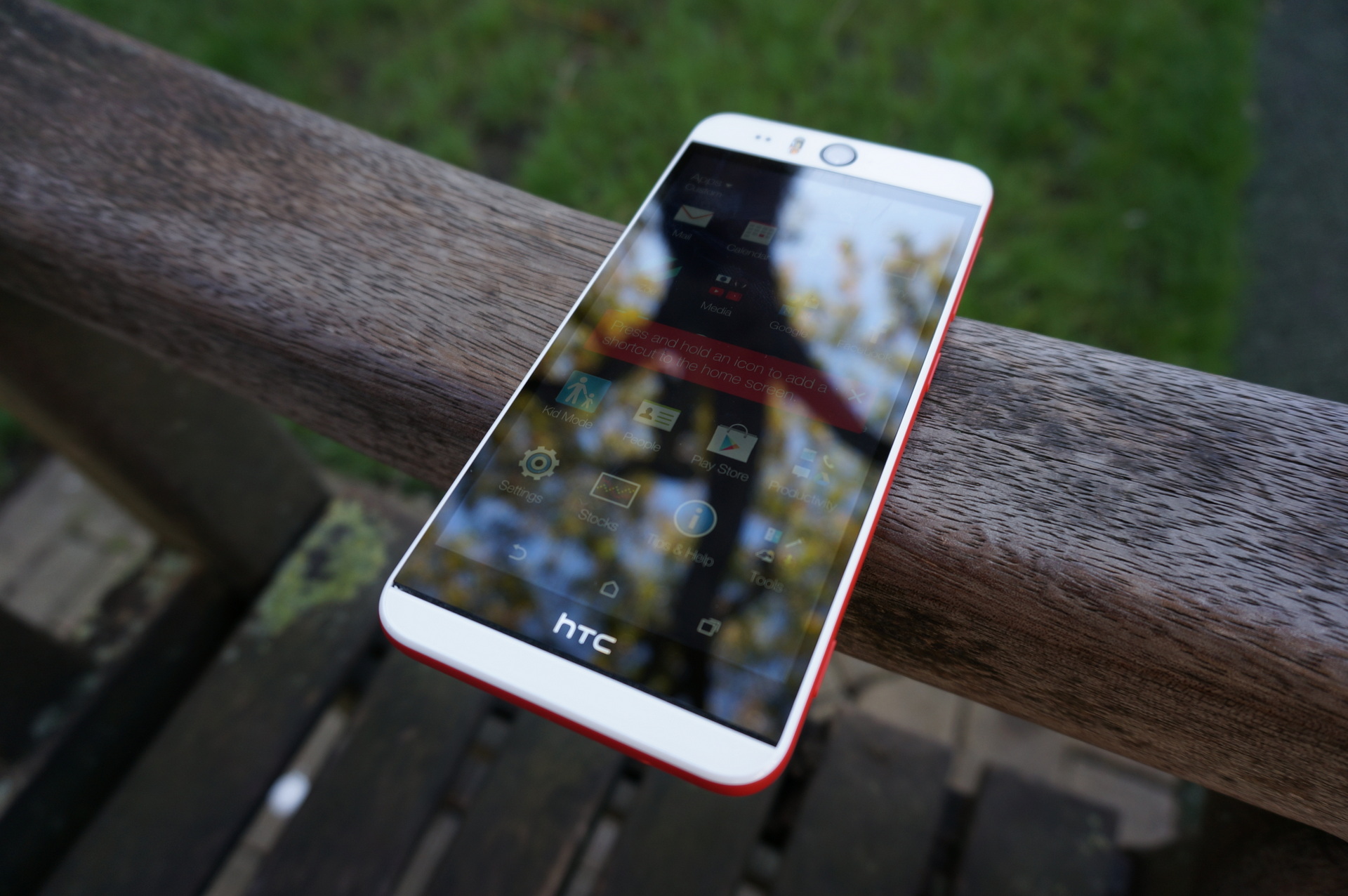
As I mentioned beforehand, the 5.2” inch display is considerably large for the smartphone family. Not only that, but it is the largest the Desire series has ever gone for so far. The display has a 1,920 x 1,080 pixel resolution, which is the same as the flagship HTC One M8, with slightly less pixel density though – 424 pixels per inch. Even so, with the Corning Gorilla Glass 3 coating, the HTC Desire Eye display is a considerable trait of the mid-range HTC releases.

The display is incredibly bright, going to surprising levels actually – along with the vivid coloring that the display is capable of, it will turn any media into a visual delight, even if it doesn’t include any of the Super LCD panels that other, newborn smartphones in the HTC family bring to the table. Viewing angles are the least of problems on this model too, not having any issue even when viewing is done from very small angles.

The only two things that users have reported in regards to the HTC Desire Eye display are the slightly reflective screen surface that might make itself noticed even at high brightness levels and the hardly noticeable light that appears on the edges of the display, reminding us of older model phones. Other than that though, all user reviews seem to be pristine clear on the quality of the 1080p display.

While the display definitely will be giving you a run for your money, the sound is not something that the HTC Desire Eye will be boasting about. Don’t get me wrong, the speakers are by all means of a nice construction and efficient enough to get the job done. Hidden on either side of the screen, the stereo speakers along with built-in amplifiers will do well enough for most needs but end up lacking in sound depth, especially in comparison to stronger, high-end phones. As an alternative, you still have the 3.5mm headphone jack tucked neatly on the top edge of the phone for regular hands-free use.

HTC Desire Eye: Cameras & Features
HTC Desire Eye Brings Next Level Selfies Camera

So we have arrived at what is probably the most stand-out feature of the HTC Desire Eye: the cameras that it sports of both sides of the phone. The two siblings are close to identical, and both are accompanied by LED flashes to bring light and bright quality to your photos – selfies or otherwise. Both cameras have 13 megapixel resolutions, but differ slightly in focal length and angle: the front camera has an f/2.2 aperture and 22mm focal length, while the rear one went for the f/2.0 28mm length version.

Both cameras are HDR capable and go way out of their way to bring quality to your photos no matter what. Truth be told, the front facing camera seems to show some difficulty in darker environments, sort of forcing you to make use of the flash now that you have it.

Autofocus is no longer a feature we would be surprised by, but it is incorporated in both front facing and rear facing cameras, allowing you to take photos in resolutions as high as 4208 x 3120 pixels. Recording videos is no issue whatsoever either, the HTC Desire Eye being capable of shooting in 1080p at 30 frames per second.

Now, what good is a camera on your phone if the camera application doesn’t follow-up with some features to make your 13-megapixel resolution selfies even better? Considering that was the focus of this mid-range smartphone, the things that you can do with the app are pretty neat. The application includes a mode that will digitally make your selfies more beautiful by smoothing skin in the pictures you take.

Alternatively, you can now be part of the photos you take of your group of friends, although it’s a little like cheating. A mode of the camera app will take a photo of you using the front facing camera while the rear one will be used to capture your group – then proceed to plaster your face next to your friends’ by just one tap.

It eels a bit strange and makes you think of that one odd and unpopular kid sticking cutouts of himself into pictures of people he’s never even talked to in high school comedies, but I guess you could say it’s not the same.

One of the most odd, but incredibly fun things you can cook up with the inbuilt features is the merging of two people’s faces taken from two separate photos. Sounds pretty useless, and in essence it really is, but still hella fun and will definitely score one of the top past-time activities when things are getting dull.

As a final mention, there is also the video calling support the HTC Desire Eye provides through separate pieces of software that will overlap with your video calling app of choice and give you a hand when you want to share your phone’s screen with the person you are calling. And since the phone also has the dual LED flash that has been mentioned earlier, you can also use it to illuminate your face during video calls. Finally, technology!

Hardware Specs & Miscellaneous
HTC Desire Eye Brings Next Level Selfies Verdict

So now that you know the visual, external traits of the HTC Desire Eye, surely there’s a will to know the follow-up to the story. Well, this particular smartphone may be no HTC flagship, but it struggles its way up and as high as it can in the mid-range smartphone zone.

Everything is run by a Qualcomm Snapdragon 801 quad-core processor that runs at 2.3 GHz speed – this is probably one the best you would get before the next gen processors that have been released at the end of 2014 and destined to be hosted by early 2015 releases. It’s the same processor that you would find in flagship devices such as the Samsung Galaxy S5 and the HTC One M8.

However, the HTC Desire Eye loses some ground in front of these devices when it comes to memory and storage space. Only 2 GB of RAM back up the Snapdragon 801 processor, and the internal storage is a bit of a pain. You can only get this phone with 16 GB of storage space, which means that if you’re planning on shooting a lot of videos, store a lot of photos, or even use your phone as your regular music player for when you are on the go, you will be in a pickle unless you have a micro-SD card to help you out.

But considering that HTC was nice enough to give the phone a micro-SD slot, it will be a relief to most of the people who consider purchasing this.

The battery of the HTC Desire Eye seems to be a pretty good deal for the amount of power the screen requires for such bright display. While the battery is nowhere near amazing, there is really no smartphone up to date capable of boasting about its battery life. Things just don’t work that way yet.

Nevertheless, the 2,410 mAh battery cell is pretty decent and will keep your phone going for considerable amounts of time – about 10 hours of average to high usage to be exact. Just keeping your phone on and around without tapping away at it unless you get a call or a text will keep it going for up to 3 days, which is pretty good. Then again, that’s a very unrealistic scenario, isn’t it?

The Verdict

So what things that you are looking for is it that you would find in the HTC Desire Eye and eventually compel you to purchase it? A lot of things, really. The phone packs a hardware punch in terms of stats and specs and yet does not manage to fully nail it, somehow. This keeps it firmly in the mid-range smartphone region, giving it a lot of popularity for casual all-around use.

The hip design and selfie power will probably make it very popular for younger individuals, but it’s still a very strong pick for anyone, especially considering the price you can get it at: $599.99 at Best Buy, $549.99 at Amazon, both unlocked, but as low as $149.99 on various US carriers with a 2 year contract.
Filed Under: Tech & Science Tagged With: htc desire eye, htc desire eye review, htc desire eye selfies, htc desire eye specifications, htc desire eye specs

Dell XPS 13 2014 Review: Sleek, Powerful & Expensive

January 10, 2015 By Karen Jackson 6 Comments

dell-xps-13-side

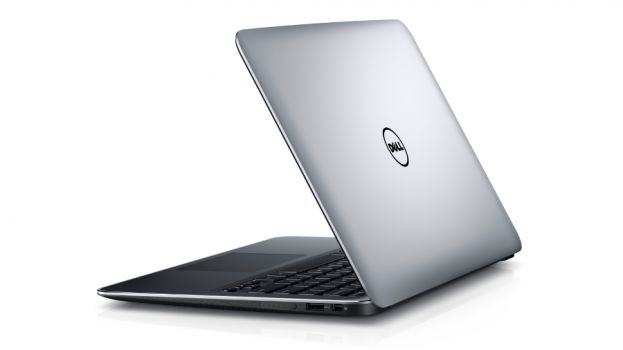
Since Dell first launched it back in 2012, the XPS 13 laptop received small but quite important changes while maintaining a very sleek design. Ultrabooks have become very popular these last few years and a lot of laptops now look like Apple’s MacBook Air, and we’re not just talking about the Dell XPS 13.

We’ve really liked the previous generations of Dell’s XPS 13 laptops but there were always a few reasons they weren’t our  top choice. A very important reason is that they always felt like they weren’t actually high-end machines.

The first XPS 13 featured a display with a low resolution of 1,366 x 768 which also had a bad viewing angle. This was kind of disappointing seeing how the laptop was pretty expensive at the time. However, the original XPS 13 was still a pretty decent laptop with a solid build quality.

In 2013, Dell finally made the decision of putting a full HD display on their laptop. However, that year, Dell forgot to put the latest trend in their laptop: a touchscreen. The 2013 edition of the XPS 13 was a 13 inch $1,300 machine that featured no touch screen. This seemed quite unacceptable at the time.

Finally, after years of tweaks, the Dell XPS 13 features a 1080p touch screen display. It took a lot of time but Dell eventually polished their machine into something that satisfies nearly every need. This newest edition of the laptop is without a doubt a very capable and sturdy machine and in some ways it even overcomes the Apple MacBook Air.

For $1,049 you can buy the laptop without the touch screen feature but this doesn’t really seem like a good idea to save a few dollars. Our configuration features an Intel Core i5 processor, 128GB SSD and 8GB of memory. The price for this configuration is $1,349. It’s a very steep price, we’ll give you that, as you can get the same configuration for $1,000 or even less, but the premium build and design is worth it. An even better configuration of the Dell XPS 13 featuring an i7 CPU and a SSD drive of 256GB costs $1,649.
The Dell XPS 13 doesn’t feature an HDMI port but instead the company chose to put a mini-DisplayPort on their ultrabook. This doesn’t seem like a good idea but the fact that Dell will provide full support for the laptop over the next years and that its body resembles more a 11 inch machine than a 13 one makes it a great choice over other 13 inch laptops.

This is our Dell XPS 13 review.

Dell XPS 13: Features and Design

dell-xps-13-features

The design of the laptop is mostly unchanged from when it first came out in 2012. It’s a very simple and sleek silver aluminum laptop which immediately makes us think of the Apple MacBook, but to be fair, this design is pretty standard nowadays in almost all ultrabooks. Over the years, ultrabooks have had similar designs so it’s kind of unfair to keep saying that silver ultrabooks all resemble the design used by Apple, even if they do so, more or less.

When compared to other 13 inch notebooks, you will find that the Dell XPS 13 is slightly smaller in size. This is because the XPS 13 is closer in size to an 11 inch machine but still features a 13 inch display. This is claimed by Dell and while it isn’t exactly so, the device is definitely smaller than other 13 inch laptops.

The feel of the laptop is also amazing. The top side of the laptop is aluminum and the base of it is carbon fiber which makes it look and feel almost bulletproof. The display is covered by a layer of Gorilla Glass. The same components as a normal sized 13 inch laptop are packed into a smaller package make the laptop feel very sturdy and quite heavier than you may expect it to be.

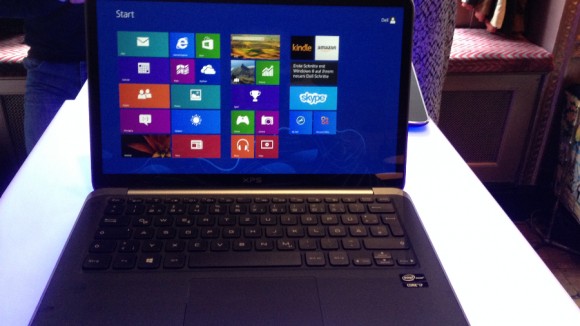
The black matte design in the interior is very minimalist and only features a big touch pad and the standard keyboard used by Dell in their laptops. As with other generations, the keys (which are backlit, of course) are overly rounded and the typing is very pleasant and quiet. However, we feel that the function keys are somewhat annoying because they are only half in size when compared to the rest of the keys.

One other annoyance are the special features of those keys like volume control or brightness require the user to have the ‘Fn’ key held down to access those special functions.

The most exciting feature of the laptop, however, remains the 13.3 inch display. 2013’s version of the laptop increased the display resolution to 1,920 x 1,080 from the first edition of 1,366 x 768 but still didn’t feature touch capabilities. With this newest edition of the Dell XPS 13 we finally received a full HD touch screen display which makes the laptop a whole lot better to control in Windows 8.

The screen is quite bright with great colors and looks very good from a variety of different angles. That being said, the overlay of the screen made of glass is extremely glossy and is a magnet for glare from even the most remote lighting source.

Dell XPS 13: Performance

dell-xps-13-main

Maybe it’s because of the smaller casing, but it looks like Dell wasn’t quite capable of cramming in the standard connections and ports on the laptop. It has an SDXC card reader and instead of an HDMI port, the laptop only features a mini-DisplayPort output. An Ethernet port is also completely missing from the ultrabook.

We had on our hands the $1,349 version of Dell’s laptop which has an Intel Core i5-4200U CPU, 128GB SSD and 8GB RAM. This is probably enough for most people but for less money ($1,049) you could get a version of the same laptop featuring a Core i3 CPU and 4GB RAM. However, the cheaper model doesn’t include a touch screen which is not a very good thing for a laptop that costs more than $1,000. You could choose to spend another $300 and get the model that boasts an i7 CPU and a larger 256GB SSD.

In a benchmark test, the Dell XPS 13 performed amazingly well and even beat the newest 13 inch MacBook Air from Apple in some of the tests. However, the margins were so close that it’s highly unlikely anyone would notice a difference amongst the high end ultrabooks currently found on the market. A much more important factor for laptops such as the Dell XPS 13, and all ultrabooks in general, is the battery life.

While Dell claims you can get 15 hours of battery life from the laptop, we can say that this isn’t exactly the case. While you can, maybe, get 15 hours of life from the laptop, you can’t exactly do so if you plan on using the laptop for… well… anything at all. The original XPS 13 had a very bad battery life but this is not the case with this edition.

These more or less ridiculous claims from Dell may come from the fact that Dell used a power saving Intel processor and a power efficient display but even so, the 15 hours battery life claim seems to be a little exaggerated.

The Dell XPS 13 lasted for an impressive 8 hours and 27 minutes in a video playback test. Even though it doesn’t quite reach what Apple’s MacBook Air is capable of, it certainly is comparable to other ultrabooks boasting the same configurations from manufacturers such as Samsung, Acer and HP.

It’s worthy noting that the original XPS 13 launched in 2012 only lasted around 4 and a half hours when subjected to the same test. The 2013 version of Dell’s XPS 13 was able to run for around 5 hours and a half.

We tested the laptop with different software to see exactly how it performs. These are the results from our tests:

  1. In Adobe Photoshop CS5 image processing test, the Dell XPS 13 took 243 seconds to complete, the Samsung Ativ Book 9 Plus took 248, the Acer Aspire S7-392-6411 took 251 seconds, HP Spectre 13t took 261 and MacBook Air (2013 generation, 13 inch) took 333 seconds to complete.
  2. In Apple iTunes encoding test, the MacBook Air (2013 generation, 13 inch) was the fastest at 82 seconds, followed by the Samsung Ativ Book 9 Plus at 119 seconds, the Acer Aspire S7-392-6411 at 119 seconds, the HP Spectre 13t with 120 seconds, the same as the Dell XPS 13 also completing the challenge in 120 seconds.
  3. In Handbrake Multimedia multitasking test the results were as follows. Dells XPS 13 completed the task in 470 seconds, the HP Spectre 13t in 476 seconds, the Acer Aspire S7-392-6411 finished the task in 500 seconds, the Samsung Ativ Book 9 Plus in 506 seconds and the MacBook Air (2013 generation, 13 inch) finished the task last in 532 seconds.
  4. In our battery drain test we subjected the laptop to a video playback test and the results were as follows. The MacBook Air (2013 generation, 13 inch) lasted the longest with 865 minutes, the HP Spectre 13t followed with 518 minutes, the Samsung Ativ Book 9 Plus lasted for 509 minutes, the Dell XPS 13 lasted for 507 and coming last was the Acer Aspire S7-392-6411 which only lasted for 434 minutes.

Dell XPS 13: Conclusion

dell-xps-13-front

Dell fixed on the issues that plagued previous generations of the XPS 13 laptop and that is commendable. While it’s still pretty expensive considering how much these kinds of components cost at the moment, please remember that the casing made of carbon fiber and aluminum is top notch and the size is actually quite smaller than all other 13 inch ultrabooks.

It’s the first time we can actually say that the Dell XPS 13 really deserves a place amongst some of the best and high end 13 inch laptops.

Wrapping up…

PROS

– The Dell XPS 13 is obviously built with quality in mind

– Amazing carbon fiber and aluminum casing

– Feels very sturdy and very well made

– High resolution display

– Touch screen

– Great CPU

– Comes in different versions and different price tags

CONS

– Expensive

– Doesn’t feature a very good variety of ports

– No HDMI port

– You could buy a MacBook Pro for the same price you would pay for a Dell XPS 13

– Design very similar to that of older models

The verdict

The earlier versions of the Dell XPS 13 showed potential but didn’t quite come close to what we needed because they pretty much lacked standard features. Over the time, Dell finally put a high resolution display on the laptop, added a touch screen and finally made the 2014 edition a laptop that is great and capable of fulfilling most needs.

Images source: techradar.com

Filed Under: Tech & Science Tagged With: dell review, dell ultrabook, dell ultrabook review, dell xps 13, dell xps 13 laptop, Dell XPS 13 review, dell xps 13 ultrabook, dell xps 13 ultrabook review, ultrabook review, xps 13 laptop, xps 13 review

Alienware Graphics Amplifier Review

January 9, 2015 By Nancy Young Leave a Comment

alienware-graphics-amplifier-logo

One of the limitations of having a laptop designed for gaming is that they are hardly upgradable. Even though you might be able to swap the hard drive or the RAM to add more, what else is there to upgrade? You will not be able to upgrade your graphics card, I’ll tell you that.

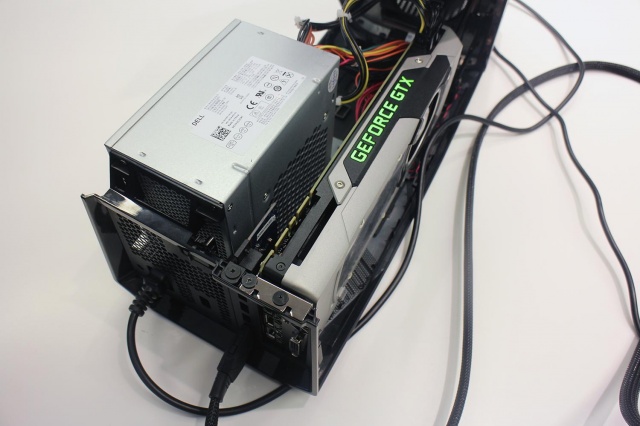
Alienware has found a way to make this possible, however, with what they call the Alienware Graphics Amplifier. This is basically a box with a PCI Express port and its own power supply that will supply your Alienware laptop with the power of a graphics card found on desktops. This device retails at $299.

Here is our Alienware Graphics Amplifier Review.

Alienware Graphics Amplifier: Design

alienware-graphics-amplifier-side

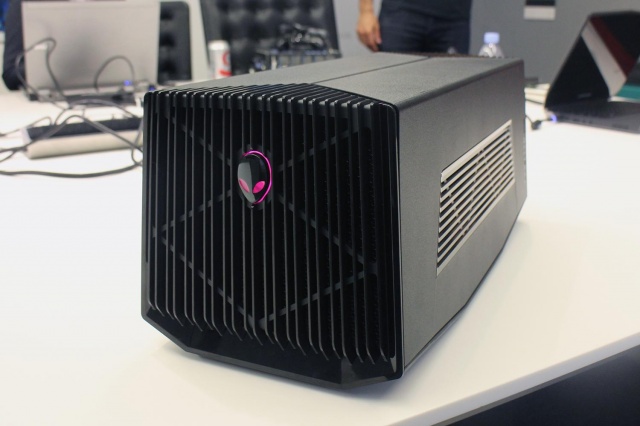
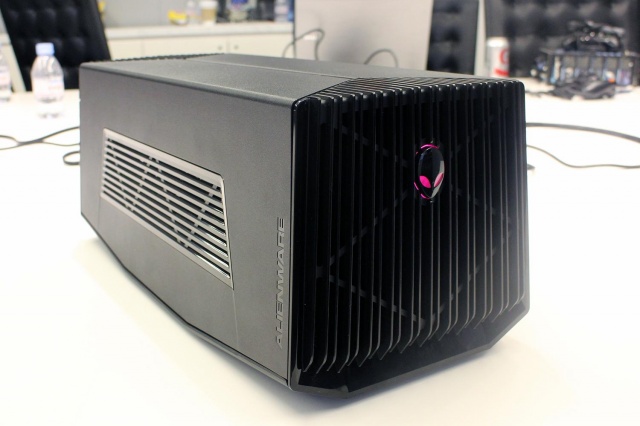
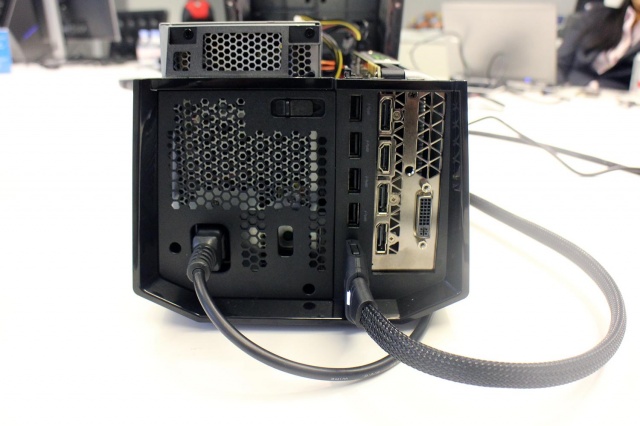
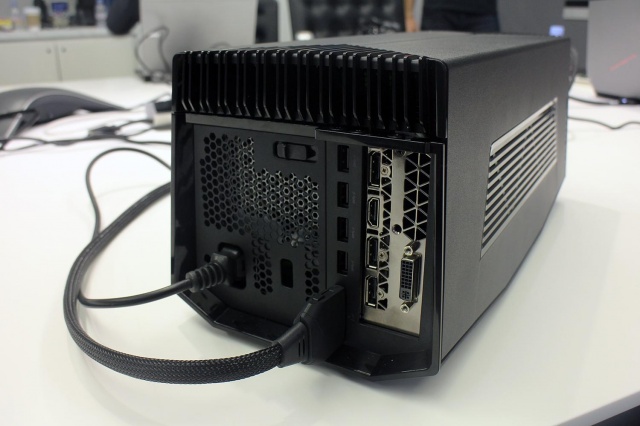
The Alienware Graphics Amplifier is unlike anything we’ve even seen before when it comes to PC accessories. The Graphics Amplifier from Alienware isn’t exactly eye candy, to say the least. It’s basically a gray and black case that has vents along its rear and sides. There are also vents on the front, along with a logo that lights up. We were surprised to find out that this Alienware logo is not the power switch, however. Even though the Graphics Amplifier isn’t exactly the looker in the bunch, it certainly does match Alienware’s design.

Weighing 7.7 pounds and measuring 6.8×7.3×16.1 inches, the Alienware Graphics Amplifier can’t really be called portable. Furthermore, the device weighs 7.7 pounds without a graphics card inside it. But there is a point to its bulkiness as almost any card fits inside it.

Alienware Graphics Amplifier: Setup

alienware-graphics-amplifier-rear

The setup of the Alienware Graphics Amplifier is a lot easier than you would imagine. If you ever had the chance to assemble a PC, setting up this device will be a walk in the park. All you have to do is put in a graphics card of your choice, connect the power supply (which is also included in the package), plug the device into your Alienware laptop and that’s it. You’re good to go.

The Graphics Amplifier also features USB 3.0 connectors in addition to whatever other connectors you have on your graphics card. This also makes the device a great hub for extra connectivity and also means it can support more than one monitors, should you wish to take advantage of this option.

For the moment, however, only Alienware laptops feature the special port you need to connect the device to. Alienware did not confirm if the port will be made available on other gaming laptops as well. Therefore, if you prefer other gaming laptops, don’t get your hopes up just yet and save your money for another time.

Alienware Graphics Amplifier: Performance Boost

alienware-graphics-amplifier-ports

It is a known fact that graphics cards intended for desktop are a lot more powerful than their mobile brothers. For example, the GeForce GTX 980M only provides around 75 percent of all that its big brother is capable of. So, expect to get full advantage of your desktop graphics card on your gaming laptop. As long as you buy the desktop graphics card as well, mind you.

Conclusion

alienware-graphics-amplifier-power-supply

The device produced by Alienware fills a gap in the mobile gaming industry. It addresses a problem that for long has tormented the gaming laptops.

The Alienware Graphics Amplifier is indeed a great device but is a little bit steep as it retails at $299.

Wrapping up…

PROS

– The Alienware Graphics Amplifier gives you the option of adding a graphics card intended for desktop on your laptop

– Great USB 3.0 hub

– Comes with a power supply

– The device is capable of fitting almost any graphics card on the market

CONS

– Very bulky

– Expensive, considering you also have to buy the graphics card

– Only works on Alienware laptops

The Verdict

Even though the sheer bulkiness of the device might not interest most hardcore gamers, the price is a little steep and the compatibility with only Alienware laptops are down sides, to say the least.

If you already own a newer generation of an Alienware laptop, however, you might come to the conclusion that this is just the device you were waiting for.

Images source: digitaltrends.com

Filed Under: Tech & Science Tagged With: alienware, alienware amplifier, alienware graphics, alienware graphics amplifier, Alienware Graphics Amplifier Review, graphics amplifier review, Review

Top 10 Gadgets from CES 2015

January 9, 2015 By Karen Jackson 1 Comment

CES-on-Ice

The annual Consumer Electronics Show attracts millions of tech enthusiasts and hundreds of companies who want to unveil their latest innovations. Although most of the time you are stuck starring at the same laptops, trying to figure out which of them is better, there is the occasional gadget that somehow stands out from the rest.

This year there have been many interesting innovations, which we consider, are worth mentioning. The technology presented at CES 2015 was certainly impressive and this is our pick of the Top 10 gadgets from CES 2015.

10. Tobii’s Eye Tracker

tobii-eye-tracker

Image source: pstnet.com

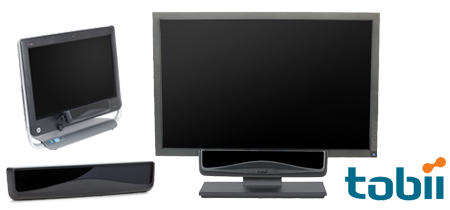
Tobii always surprises us with an awesome thing at CES and this year was no exception either. Their SteelSeries Eye Tracker certainly topped any expectations of ours and impressed a lot of people. The technology allows a player to control the camera simply by moving his head around. This is an awesome feature for FPS games and Tobii showed exactly that in their demo at CES 2015.

9. Nvidia Tegra X1 Chip

nvidia-tegra-x1

Image source: nvidia.com

Nvidia has shown the newest generation of the mobile CPU at CES 2015 and even had the spunk to compare it to Apple’s own CPU. Demos showed that the new Nvidia CPU is 1.7 times more efficient than the A8X CPU by Apple and delivers the same performance drawing less power. As for visuals, a demo of the Unreal Engine 4 Elemental showed just how incredibly well the new Nvidia Tegra X1 chip performs with high end graphics.

8. New ASUS Transformer Book

asus-transformer-book

Image source: rackcdn.com

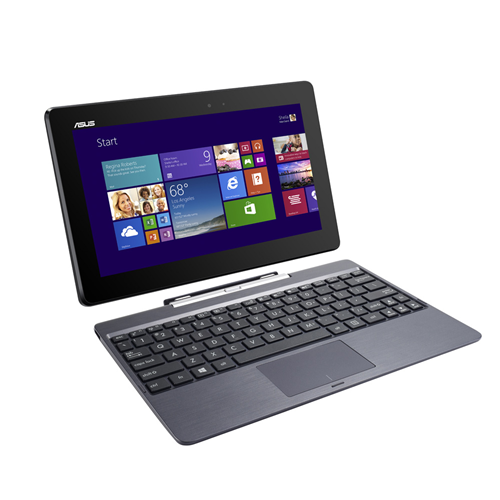
ASUS showed off its new generation of Transformer Books. The “laptop” has a detachable keyboard and runs the Windows operating system. Depending on configuration, screen size and processor, the Chi Series includes three models with prices ranging from $299 to $799.

7. Origin Omega Pc Gaming Console

origin-pc-omega

Image source: aolcdn.com

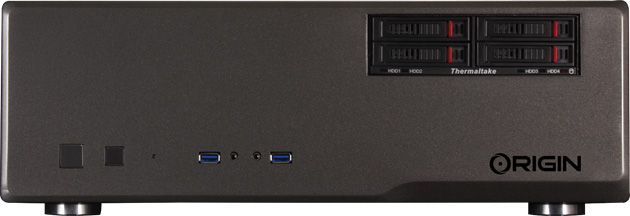
The Origin PC is a serious competition for the Xbox and Playstation as the new console from Origin is able to dual-boot both Windows 8 and Steam OS and has enough power to bring 4K gaming into your living room because of its powerful dual Nvidia GeForce GTX 980 graphics cards. The new gaming console also feature four swappable hard drive bays.

6. Dell XPS 13

dell-xps-13

Image source: techpowerup.com

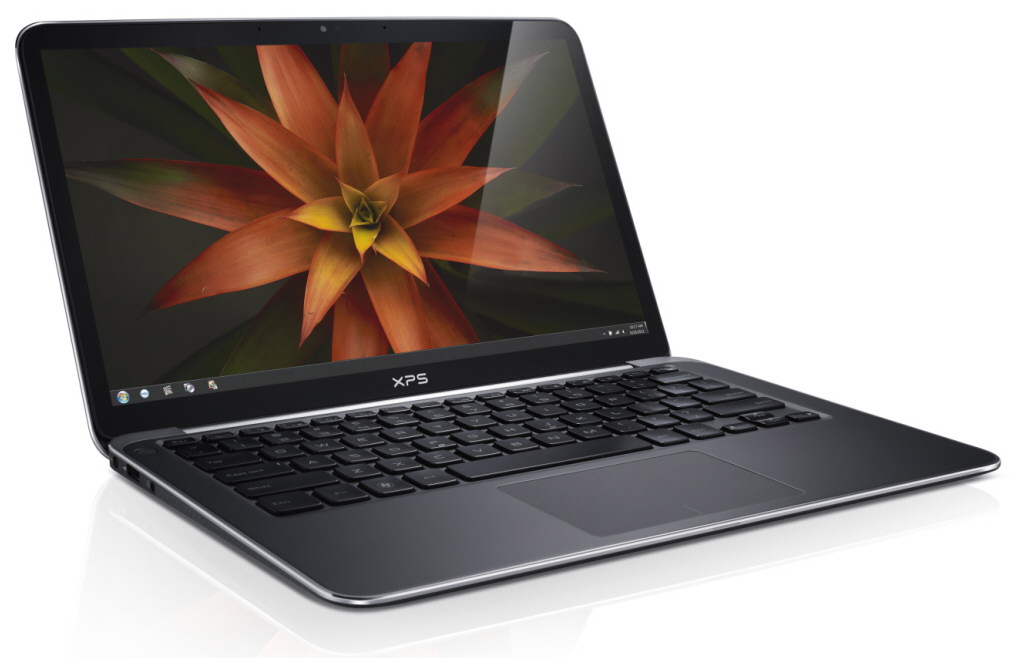
Already available, the new XPS 13 laptop from Dell features a 13 inch display crammed into an 11 inch housing. The laptop only weighs 2.2 pounds and has a 1080p touch screen display. The laptop also comes in another version weighing 2.8 pounds with a display capable of showing a WQHD resolution of 2560 x 1440, also touch screen. This amazing portable device comes in a very sturdy carbon fiber and aluminum casing. The laptop starts at $799.

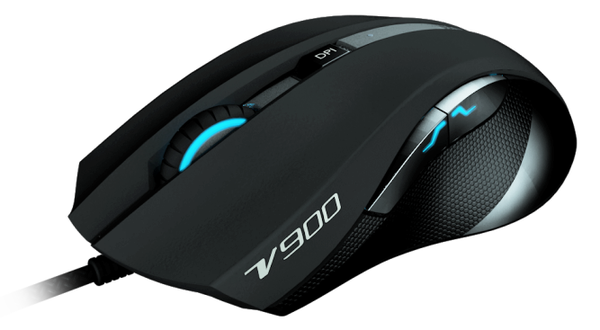
5. Rapoo’s New Line of Gaming Keyboards and Mice

rapoo-v900

Image source: bestofmicro.com

Rapoo, the well-known gaming peripheral manufacturer has introduced its new line of premium gaming keyboards and mice at this year’s edition of CES. They presented five new products this year and our pick of the litter is the V900 gaming mouse that features a laser sensor that can be adjusted, an amazing 1 millisecond time of response and a system of lights that supports a whopping 16 million colors setup. The mouse retails at a price of $70.

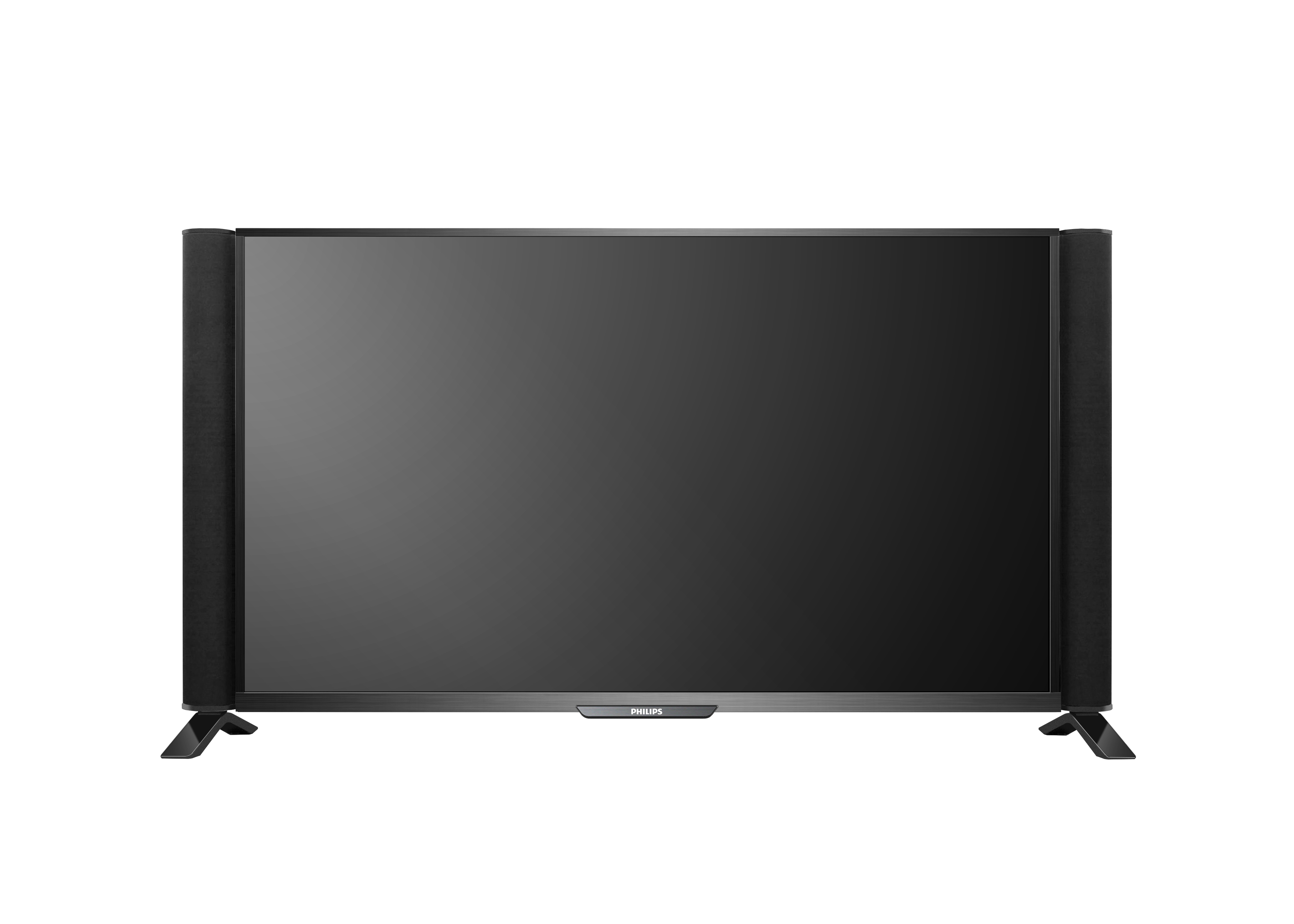
4. Philips Smart Laser 4K TV

philips-Smart-Laser-Backlight-Ultra-HDTV

Image source: bestofmicro.com

Philips was able to create a new way of showing amazing colors on a television set. Their new UHD TV has a greater picture quality and color depth than most other 4K TV sets. They used lasers to achieve this. Philips’ newest TV, the Smart Laser Backlight UHD TV takes advantage of a red laser to show UHD images on the display. This means that the reds, greens and blues displayed on the TV are far richer than what you can find on a standard 4K TV.

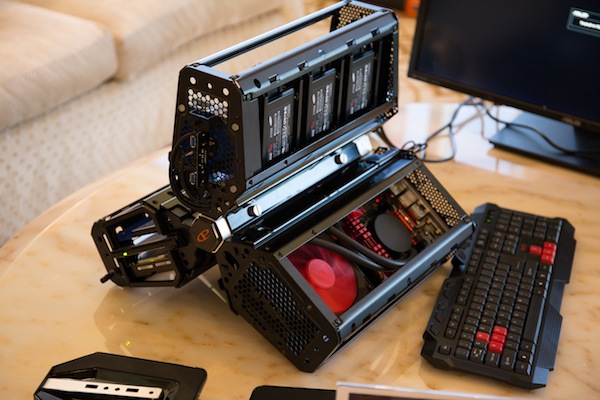
3. CyberPowerPC Fang Trinity

CyberPowerPC Fang Trinity

Image source: bestofmicro.com

The CyberPowerPC might very well be the PC you were looking for. Even though the gaming PC most probably won’t catch your attention, its specifications are nothing to ignore. The three parts of this PC consist of three SSDs and a Nvidia GeForce GTX 980M graphics card in one part, an optical and hard drive in another part and in the last part of the PC, a 4GHz Intel Core i7-4790K CPU with a liquid system of cooling. This is truly an amazing PC and every hardcore gamer should at least find out more about it.

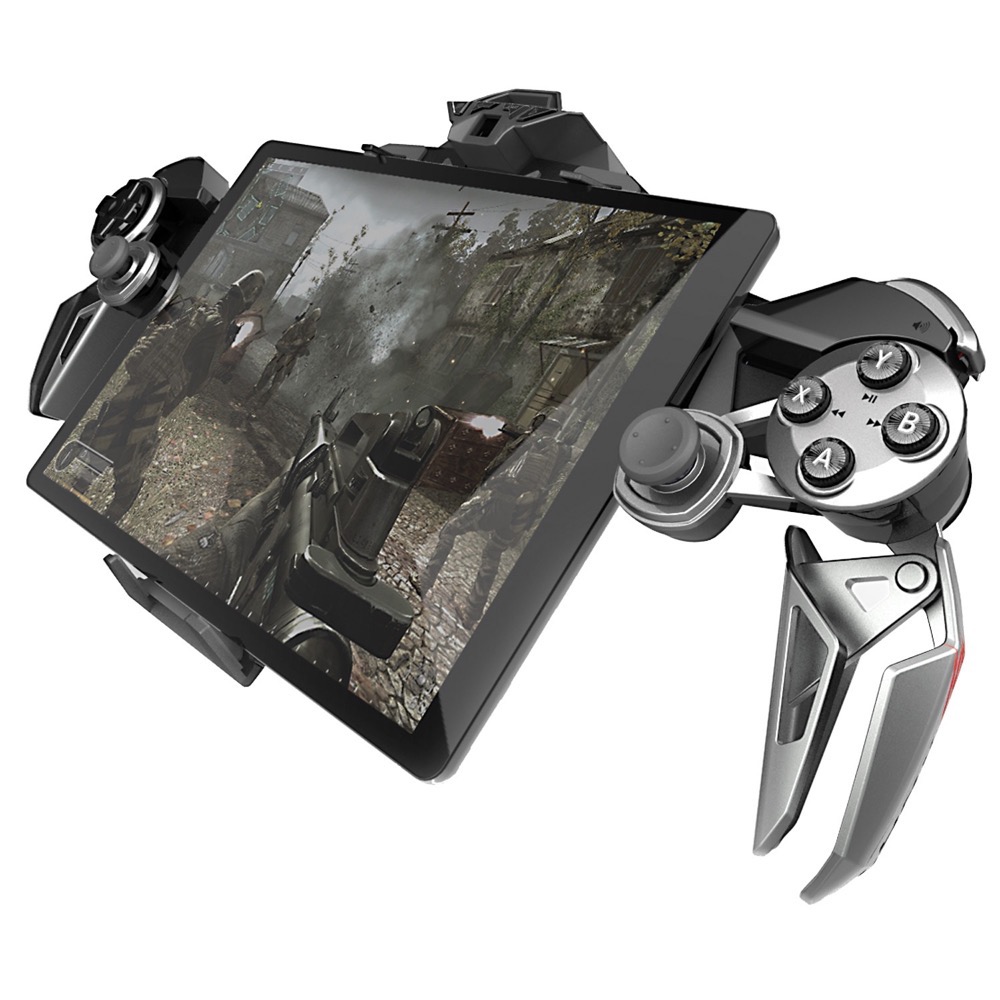
2. Mad Catz New Peripherals

Mad-Catz-LYNX-900

Image source: droid-life.com

Because of its design that allows it to detach parts, the new L.Y.N.X. 9 Mobile Hybrid Controller from Mad Catz can dock with smartphones and tablets, work with a keyboard for TV sets and TV boxes or function as a controller for gaming consoles and the Amazon Fire TV.

The gaming mouse called R.A.T. PRO X from Mad Catz is so deeply customizable that even its wheel can be removed. The TRITTON Swarm Mobile Headset is capable of pairing to numerous devices at the same time, so users can chat in Call of Duty and answer phone calls at the same time.

1. Alcatel Onetouch Watch

alcatel-onetouch

Image source: futurecdn.net

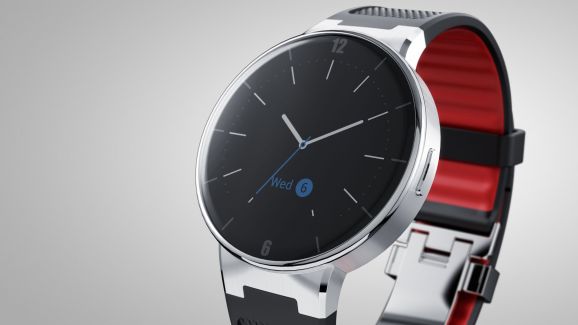
Alcatel’s own smartwatch could be a serious competition for Apple as it includes an NFC antenna for quick pairing, a heart-rate monitor and a very beautiful 1.22 inch touchscreen. The device is capable to connect to both iOS devices and Android ones. The company’s demo at the CES 2015 of its smartwatch was pretty amazing and the device itself performed amazingly well. Not to mention that the Alcatel Onetouch Watch is a lot less expensive than Apple’s own Watch.

The Onetouch Watch works with both iOS devices and Android devices and has a retail price of $149, far less than the starting price of $350 for Apple Watch. It will hit the market in March.

So there you have it. This was our list of what we think were the Top gadgets from CES 2015. We can’t wait to see some of these devices in person and review them more in-depth in the future.

Filed Under: Tech & Science Tagged With: ces, CES 2015, ces 2015 top 10, ces 2015 top stories, top 10 ces, top 10 stories ces 2015

Acer Iconia Tab 8 Review

January 9, 2015 By Roxanne Briean 2 Comments

acer-iconia-tab-8-screen

Budget tablets are best known for their affordable prices not their design. The Acer Iconia Tab 8, however, is proof that this doesn’t always have to be the case.

What’s truly amazing about the tablet is that it has a very good display with a resolution of 1920×1200 which is not quite that often on budget tablets and a micro-HDMI port, which is also very rare. The device also supports expandable storage which is a pretty nice feature as well because you won’t always have to rely on cloud services. Having said this, the tablet developed by Acer has a pretty moderate performance that is easily more noticeable than its good design and HDMI connectivity.

However, most budget tablets suffer from mediocre performance so we should expect this from the Acer Iconia Tab 8 as well. But the tablet isn’t as cheap as you would think for what it has to offer. If you are willing to pay just a little more money, you will definitely be able to find another tablet with better gaming capabilities, a better display and faster performance. The Dell Venue 8 immediately comes to mind when thinking of a tablet within the same price range and performance and Google’s own Nexus 7 can be bought online for the same price but features better specs and overall performance.

The Acer Iconia Tab 8 has a retail price starting from $199. So, without further ado, here is our Acer Iconia Tab 8 review.

Acer Iconia Tab 8: Design

acer-iconia-tab-8-side

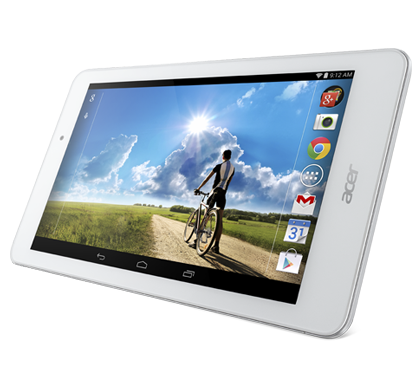
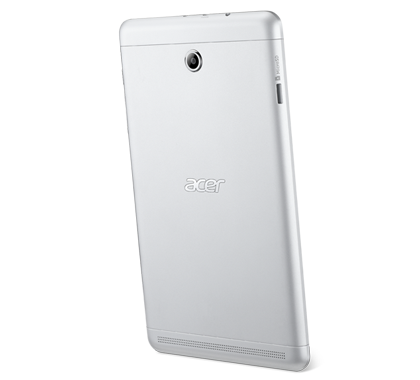
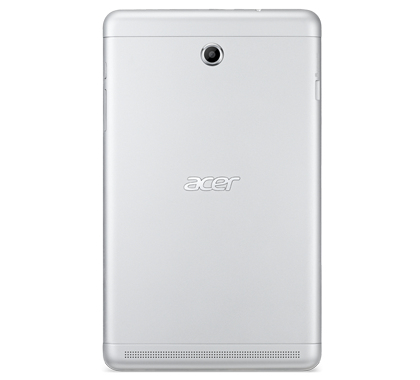
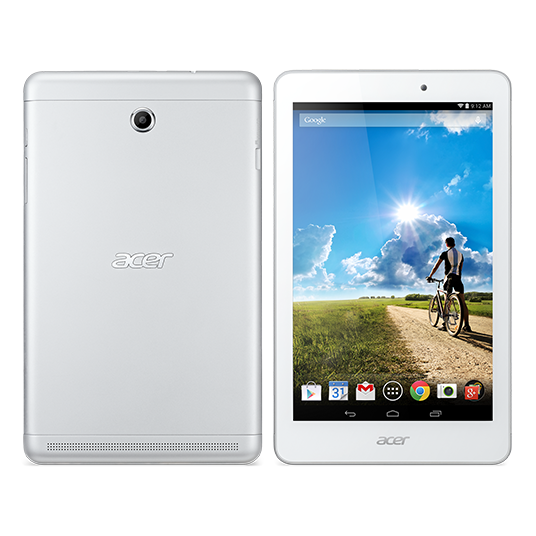
The Acer Iconia Tab 8 features a nice aluminum panel on the back that connects on the front to some stylish white bezels. It has a very nice texture and the rounded corners on the tablet make it very comfortable and easy to hold.

The rounded edges on the tablet also make it very comfortable to pick up and to hold with just one hand. Even though the Iconia Tab 8 is a little heavier than other tablets it’s not tedious to have in your hands for a long time. The construction of the tablet, however, doesn’t feel as good as other more expensive ones, even though the design is quite attractive.

A micro-USB port, a micro-HDMI port and a headphone jack can be found on the top of the tablet and the HDMI port is quite rare on the tablet market and is definitely one of the features that make Acer Iconia Tab 8 worthy of taking into consideration. On the left side of the tablet there is a microSD slot which you can use to expand the storage of the tablet by up to 32GB. On the right edge of the tablet there are volume buttons and the power button.

Acer Iconia Tab 8: Features

acer-iconia-tab-8-back

The Iconia Tab 8 runs Android 4.2.2 and features some preloaded software. Acer has added its own cloud service on the tablet, Zinio, the WildTangent Games store and a couple of more first-party apps.

Even though some newbies in the tablet market may be impressed by the offerings, a more experienced Android tablet user will be disappointed by them because they take up internal storage; internal storage one could use for their own choice of apps. These apps can only be disabled and not uninstalled completely and Acer made no official announcement of an upgrade to Android Lollipop 5.0 coming for the tablet.

The only thing that even remotely resembles a high-end feature on the device is a function called Touch WakeUp. This allows the user to unlock the tablet by placing two thumbs on the screen or five fingers. The feature worked well most of the times, however, if there were any updates happening in the background, the response was laggy.

Acer Iconia Tab 8: Performance

acer-iconia-tab-8-main

Seeing how the Acer Iconia Tab 8 is a budget tablet, the display boasting a resolution of 1920×1200 is quite a nice touch. Most tablets only have a resolution of 1280×800, so Acer’s decision to implement a higher resolution screen on their tablet is commendable.

The HD looks very good on the tablet and the colors are close to real life. Even though the Dell Venue 8 surpasses the Acer Iconia Tab 8 in range of colors, the difference isn’t all that noticeable unless you look very closely at the two. The display on the Acer Iconia Tab 8 doesn’t have an ambient light sensor and isn’t extremely bright but is pretty good for its rank of being a low end choice.

The Iconia Tab 8 features 2GB of memory so it came as no surprise that the tablet is easily capable of switching back and forth between apps. Web browsing is smooth even while other apps are open in the background and we encountered no functionality problems until we started to use more complex and larger apps.

The Iconia Tab 8 scored higher in gaming benchmarks than the Dell Venue 8 but the Venue 8 performed better than it when it came to graphics. The similar in price Asus MeMo Pad 8 didn’t have the same scores in gaming benchmarks as it and the latest midrange 8 inch tablet from Samsung performed horrifically when compared to the Acer Iconia Tab 8.

In 3DMark Ice Storm, the Acer Iconia Tab performed the best, receiving a score of 16,831 while the Dell Venue 8 got a 14,958, the Asus MeMo Pad 8 a 14,025 and the Samsung Galaxy Tab 4 8.0 got a shameful 4,614.

The graphics scores in the benchmark were as follows: Dell Venue 8 got a 16,933, the Acer Iconia Tab 8 got 16,389, the Asus MeMo Pad 8 a 13,309 and the Samsung Galaxy Tab 4 8.0 a 4,136.

The physics scores are the following: Acer Iconia Tab 8 got a score of 18,584, the Asus MeMo Pad 8 a score of 17,280, Dell Venue 8 received a 10,621 and the Samsung Galaxy Tab 4 8.0 was still miles behind all of the other tablets with a score of 7,749.

Large games on the tablet were very laggy in performance if they ran on the tablet as most of the times complex games didn’t work at all. The tablet doesn’t perform well at all and we often encountered lag in touchscreen or crashes when launching the apps. Closing all other apps kind of helped, particularly for better gameplay. Because of its clear limitations, the tablet works best for a more general use, such as casual gaming and Web surfing, and not more complex activities such as editing documents and heavy and complex gaming.

The audio quality coming out of the tablet is very weak. Even though the sound is decent when holding the tablet in portrait mode, when you switch to landscape, your hands are going to block the speaker. This is a poor choice of speaker placement to say the least, but hey, at least the volume controls shift depending on the orientation of the tablet.

On the back of the Acer Iconia Tab 8 there is a 5MP camera. The quality of the photos isn’t very detailed when viewed in full resolution but the camera adjusts well the color balance and exposure. A few settings allow you to adjust the camera to get a better image and there are also some filters available and a panoramic mode. The front 2MP camera is not very good either. Selfies look sharp but suffer from a lot of noise.

The battery life of the tablet is very disappointing as well. A full charge with heavy use lasts only around five hours.

Acer Iconia Tab 8: Specs

Operating system: Android 4.2.2

Processor: Intel Atom Z3745

Processor speed: 1.33 GHz

Processor core: Quad-core (4 cores)

Memory: 2GB LPDDR3

Memory card supported: Yes (32GB maximum)

Storage: 16GB

Display size: 8”

Display type: Active Matrix TFT Color LCD

Backlight technology: LED

Multi-touch screen: Yes

Screen resolution: 1920 x 1200 WUXGA

GPS: Yes

Wireless: Yes, IEEE 802.11 a/b/g/n

Bluetooth: Bluetooth 4.0

HDMI: Yes

Battery capacity: 4600 mAh, 1 cell, Li-Ion

Maximum video battery time: 7.5 hours

Height: 0.3”

Width: 8.5”

Depth: 5.1”

Weight: 12.70 oz

Acer Iconia Tab 8: Conclusion

Even though the Iconia Tab 8 is pretty stylish for being a budget tablet, appearance doesn’t make up for all the other limitations. Although the tablet performed decently most of the times it didn’t stand out enough to excel in the low budget tablet market, which is pretty overcrowded as it is. If you don’t wish to use the HDMI port and don’t really care if your tablet looks as sleek as the iPad, we suggest you take into consideration the Dell Venue 8 or add more bucks to your budget and buy a better model with better performance.

An alternative, offering both nicer display and a whole lot faster performance is the Amazon Fire HDX. Even though Amazon’s tablet also comes with preloaded software, it is a lot more family friendly and user friendly than the Acer Iconia Tab 8. Another alternative is the Nexus 7 and even though it’s no longer available on the Google Store you can search and find the tablet online for around $180. Furthermore, the Google tablet will be among the first tablets that will update to the Android Lollipop 5.0 operating system.

Wrapping Up…

PROS

– The Acer Iconia Tab 8 has a beautiful aluminum back and a nice slim build

– microSD card slot

– microHDMI port

– The Acer Iconia Tab 8 performs nicely when switching back and forth through apps

– Good resolution for a budget tablet

CONS

– The Iconia Tab 8 doesn’t perform well with larger games and apps

– You cannot uninstall the pre-loaded software

– Poor battery life

– Poor choice of speaker placement

– Unimpressive cameras

The Verdict

The Acer Iconia 8 has a very nice design considering it is a budget tablet but you can find a better performing tablet within the same range of price.

Images source: acer.com

Filed Under: Tech & Science Tagged With: acer, acer 8 inch tablet, acer iconia, acer iconia tab 8, Acer Iconia Tab 8 Review, acer tablet, iconia tab, iconia tab 8

Introducing the Snap Pets Camera

January 8, 2015 By Karen Jackson Leave a Comment

In Las Vegas at the annual Consumer Electronics Show are presented a variety of electronics and tech gadgets coming in big and small packages. What looks to stand out in the crowd, however, seems to be the stick almost everybody uses for taking selfies. A “selfie stick” is used to hold your camera or smartphone away from you to take selfies much more easily.

For whatever reason the stick used for selfies has had a huge impact on the world in the last couple of months and was a very popular item that was pretty hard to find this holiday season for it was sold out in most retailers. It’s time, however, has almost come to an end. A brand new company has presented their newest device used to make taking selfies easier named Snap Pets. The device might be able to impose a serious threat on the selfie stick.

Snap Pets is basically a camera that is able to take far better photos than the front facing camera on your smartphone and it isn’t affected by shaky hands or incompetent friends with a little too many drinks onboard. These small and adorable cameras connect to your Android device or iOS device through Bluetooth and you can place the small cameras anywhere to take a photo of you and your friends.

There are numerous ways in which you could snap photos these days for social network websites such as Instagram, Facebook or Twitter. It’s common these days that people take photos of almost everything. Meeting a celebrity on the street? Better take a photo. Attending a social event? A photo seems like the right thing to do. Sky jumping? Better snap a photo of this. Eating dinner? Might as well immortalize the moment. It’s these kinds of photos, or “selfies”, that have taken by storm all social networks and this is why the “selfie stick” came to be developed.

Instead of putting your expensive smartphone at the end of a stick from where there is a good chance that it will fall and break into million pieces and not to mention that most of the times the photos are unusable because of shaky results, Snap Pets offers a solution and basically accomplishes the same thing. Snap Pets is a different way of taking “selfies”. You can put the camera anywhere you want and remotely activate it with the use of your smartphone. The Snap Pets features a built in camera that connects wirelessly to your Android or iOS device and it can be controlled from the tip of your fingers.

We must admit that it is an unusual approach on the “selfie” matter but the company wishes to contain the selfie stick trend before it reaches an even more advanced level of madness. The design of the Snap Pets is pretty awesome and will definitely appeal to a younger crowd, is very easy to use and the app for it is extremely user friendly. The Snap Pets camera will retail this spring for $29. This is a photo captured with Snap Pets which shows the level of quality a person can expect to achieve by using the camera known as Snap Pets.

snap-pets-selfie

Image source: gottabemobile.com

Just like Snapchat, the photos taken with the Snap Pets are very small and thus are easily transferred through Bluetooth directly on your smartphone where you can easily share them on any social network website you wish to.

The newest trend is the selfie stick at the moment, but it most likely won’t last very long. Be sure to buy a Snap Pets selfie camera the moment it will launch in spring for only $29.

Filed Under: Tech & Science Tagged With: selfie camera, selfie stick, selfie stick alternative, selfie trend, snap pets, Snap Pets Camera, snap pets selfie camera, what to use instead of selfie stick

Sony Smartwatch 3 Review

January 7, 2015 By Karen Jackson Leave a Comment

sony-smartwatch-3

Sony had previous attempts at making a smartwatch that weren’t very successful. As a matter of fact, its previous smartwatch, the SmartWatch 2 was actually pretty darn awful. However, Sony, which seems to learn from its mistakes, has developed its newest wearable called the SmartWatch 3.

Sony’s SmartWatch 3 has a better design, interchangeable straps and an improved waterproofing. And, probably most important, Sony has decided to get rid of its tedious custom interface.

The device now uses Android Wear, the software developed by Google which provides an integrated platform for companies like Samsung, LG, Motorola and Sony to use in their product and be able to allow people to develop apps that work across all platforms.

The SmartWatch 3 costs $250 and is currently on sale directly from Sony. Here is our Sony SmartWatch 3 review.

Design

sony-smartwatch-3-design

Sony did not put a circular face on their smartwatch, like LG did. Sony’s newest smartwatch has a square face. This makes it look more like a fitness device because of its strap and display and Sony’s SmartWatch 3 doesn’t look as luxurious as the LG G Watch R with its leather strap and metal casing.

The device is not unattractive per se, but the rubber strap and square face look a little boring. This is not the kind of watch you would wear on your wrist when being dressed for a party or a social event. The LG’s G Watch R, however, could remain on one’s wrist when being dressed for several occasions without looking like it’s out of place.

Even though Sony’s newest smartwatch is quite on the heavy side and more than a little chunky, the rubber strap makes it quite comfortable to wear. But you will certainly not want to sleep while wearing it on your wrist. One of the reasons the watch is chunky is that it has a micro-USB port built right into it. This port allows the user to charge the device by directly plugging a cable into it, whereas other Android Wear devices need a special charging stand. This is a plus, because the stand used by other Android Wear devices is quite annoying as you need to always keep in mind that you have to take it with you should you not spend the night at home.

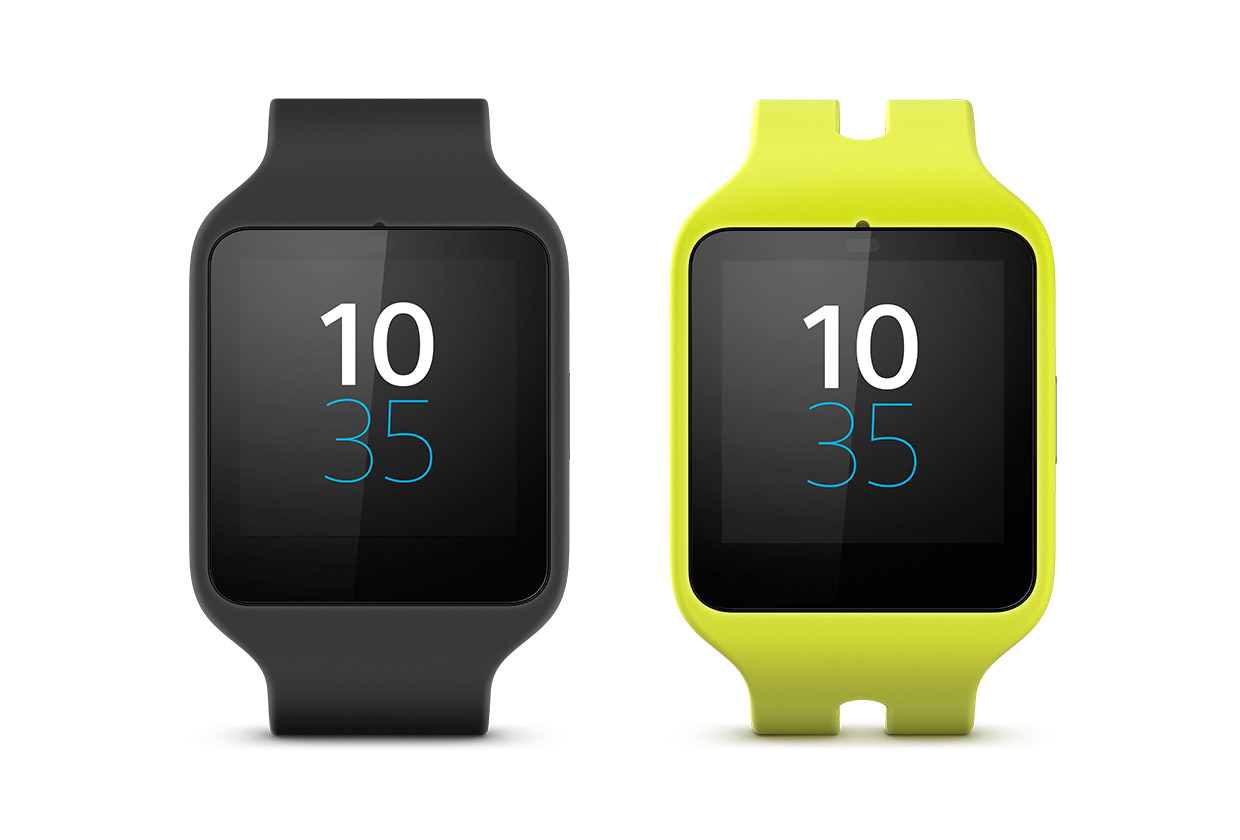
SmartWatch 3 can be removed from the strap allowing the user to change the style and color of it. Even though only green and black straps are available at the moment it’s quite certain that Sony will offer different other straps in the near future. Because the screen pops out very easily from its strap, the user will be able to make his or hers watch look more special than the standard version that comes in black (or the available lime-green strap).

The SmartWatch 3 is not just water resistant, it is totally water proof, which means that you don’t have to take the watch off your wrist every time you wash the dishes or go into the shower for fear of damaging it. However, water droplets in contact with the watch’s screen will interact with it.

Display

sony-smartwatch-3-display

The SmartWatch 3 has a screen of 1.6 inches and a resolution of 320×320. This is about the same as other smartwatches and thus, the screen is about as good as its other competitors (or is it?). The screen is pretty bright, even though under strong lights it may prove to be difficult to read. The colors on the SmartWatch 3 are pretty weak when compared to the more vivid screen on the LG G Watch R, however, and the viewing angles are not very good either, which means that you have to look at the watch just right to have an ideal view.

But because you won’t be browsing through images and watch videos on the SmartWatch 3, colors aren’t all that important to begin with. The device could be in black and white for all we care. Viewing angles, however, are a different story. Taking into consideration that the watch will move in different positions on the user’s wrist, the viewing angles are quite important for the user won’t be able to always have the optimal angle when viewing the device. Even though the display is readable in every angle, this is definitely a point against the device when compared to the Samsung Gear Live and the LG G Watch R which both have greater viewing angles.

The SmartWatch 3 has several faces the user could choose from but they are very few in number and aren’t all that impressive to begin with. The faces resemble mostly digital watches and even though they match quite well the look of the watch itself, they don’t really make it look more elegant. The G Watch R, however, features a whole bunch of watch faces that really look good on the device and some of them really make the smartwatch look quite luxurious.

Even though there are tons of watch faces available from third-party developers on the Google Play Store, it’s a real shame that Sony has not put a little more effort into bringing more faces on their device right out of the box.

Software and Features

sony-smartwatch-3-software-features

Sony’s SmartWatch 3 runs Android Wear OS for smartwatches. Because the Android Wear operating system isn’t tampered with or skinned by manufacturers, like the Android OS, the interface is the same across numerous watches like the G Watch R and the Gear Live. Android Wear connects to your phone (NOTE: The phone has to be an Android phone as Android Wear devices won’t work on Windows Phones or iPhones) and will show the user information like notifications, calendar appointments and weather which will be displayed as cards on the smartwatch screen.

Swiping the card to the left will give the user more information about it or open the app on their smartphone and swiping it to the right will dismiss the card. You can also use voice commands to ask the smartwatch to set a timer, show your schedule or get information about the weather. You can also make searches on the Web and dictate emails to send to your contacts. Some voice commands such as “What is the time in Los Angeles?” will give the user an immediate answer on the display of the watch, while others, such as “How do you cook a turkey?” will give the user a list of search results from Google.

Even though the SmartWatch 3 can easily recognize voice, certain names in the contacts are often misheard by the device and the user has to start talking at the right moment for the watch to be listening. The information is processed quicker than on the LG G Watch R, which gives a faster, smoother experience with less difficulty.

The user can store music directly on the smartwatch (4GB of space are available on it) and may listen to it by pairing the device to a Bluetooth set of headphones. Because the music is on the watch, the user won’t have to also carry the phone. This is a nifty feature if you want to go out for a jog and don’t wish to bring a clunky smartphone with you. It’s pretty easy to make use of the feature but it works only with tracks that have been bought from the Google Play Music store. So if you wish to have music from some other source on your watch, the feature is pretty much useless.

Another cool feature is that the watch has GPS built right in, unlike other watches that rely on the GPS from your smartphone. Built in GPS means that you can jog with the smartwatch on your wrist and the device will give much more accurate information and can do so without carrying that clunky phablet in your pocket.

However, not all apps can make use of the built in GPS, and surprisingly, not even Sony’s LifeLog app didn’t work with it. But we expect that in the future more apps will support the GPS built into the device.

Even if the music capabilities and GPS features may prove to be enough for someone who jogs very often, the device lacks a very important function: a monitor for heart rate, offered by both the LG G Watch R and the Moto 360. And even though the readings from these two smartwatches aren’t totally reliable, they do give people other information about their progress. It just seems a little ignorant for Sony not to offer something like this in a device intended for fitness.

Battery Life

Sony claims the SmartWatch 3 can last for at least two days, which we really don’t think is quite so. Maybe you would be able to get this kind of life out of the device if you don’t use it for music, use the GPS feature on it and never let the display on the auto-on mode. What’s the use of having a smartwatch on your wrist if you won’t use any of its smart features?

If you do use the smart features, however, you’ll see the battery drain quite quickly. Connecting Bluetooth headphones on the device, using its GPS features and making use of voice control, the user could very easily be able to drain the battery in just one day, a day and a half if you use it less intensely. As most Android Wear devices, the watch will most likely require an overnight charge. However, the USB port built into the watch will make this a lot less tedious.

Conclusion

Because of its square design and built in features, it’s obvious that the SmartWatch 3 is intended for fitness rather than fashion. The watch scores points for the USB port built into it, smooth usability and the fact that you don’t have to carry the charging cradle everywhere you go.

However, the device falls short because of the inferior quality display with pretty bad viewing angles and less vibrant colors than the Gear Live and G Watch R, and the lack of a heart-rate monitor. It’s also less stylish than other devices because of its boring watch faces, rubber strap and square design for which you won’t be able to carry the watch on every occasion.

Wrapping Up…

PROS

– Built-in GPS that tracks your workout.

– Waterproof

– Built-in USB port for charging

– Android Wear runs very smoothly on the device

CONS

– Screen is awful, with bad viewing angles and poor colors

– Less classy than the LG G Watch R because of its design

– No heart-rate monitor

The Verdict

Even though the built-in GPS feature is quite handy, the lack of a heart-rate monitor on a fitness device seems to be quite unacceptable. Also, the poor screen quality and unimpressive design make the Sony SmartWatch 3 look like it’s below the Gear Live and the G Watch R.

Images source: sonymobile.com

Filed Under: Tech & Science Tagged With: android smartwatch, android smartwatch review, smartwatch, sony, sony android smartwatch review, sony smartwatch, sony smartwatch 3, Sony Smartwatch 3 Review

Best Tech Deals For January 2015

January 7, 2015 By Roxanne Briean Leave a Comment

CyberMonday

Technology has become a vital aspect of our lives. Several years ago a cellular phone with a 1.3 VGA camera was a sight to behold. Nowadays, everybody has a smart-phone and tablet (at least). This proves how much technology has advanced in the last decade. Everybody wants a cool gadget, but steep prices are always a problem.

The good news is the fact that there are countless of retailers who are making great offers for various items such as games, movies, smart-phones, screens and more. We put up a list of what we think are the most important deals this January. We hope you will find the deal you are looking for within our list.

BestBuy Deals

BestBuy offers a lot of great deals this January. Here are some of the best.

Tablets

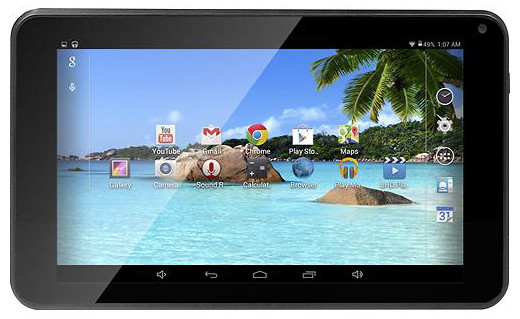
DigiLand 7” Tablet, Case & Screen Cleaner Package for $54.99

DigiLand-7

This is a great package if you’re looking for a small Android tablet. BestBuy has you covered in terms of case and screen cleaner to keep that tablet display looking sharp and clean any traces of fingerprints. You save $42.98 according to the retailer and they even offer free shipping on the package.

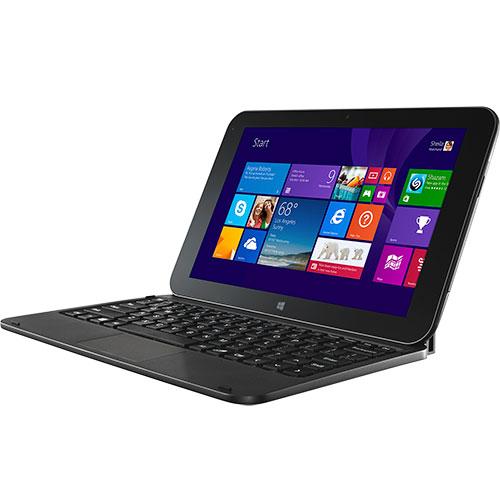
Windows 8 10.1” Tablet & Keyboard Package for $199.98

Windows-8-tablet

Even though the price seems a little steep, keep in mind that it is a Windows tablet after all. According to BestBuy, you save $80 on the deal which is pretty cool for a tablet that also comes with a keyboard. BestBuy also offers free shipping on this item as well.

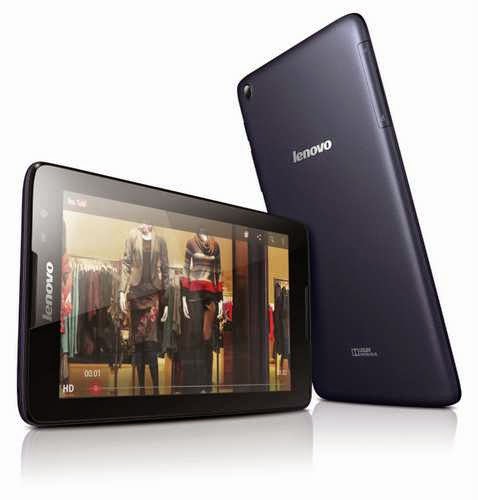
Lenovo – S8-50 Tablet 16 GB Black for $149.99

lenovo-s8-50

This is perfect if you want a name brand tablet and BestBuy claims you save $50 on this deal and offers free shipping.

Appliances

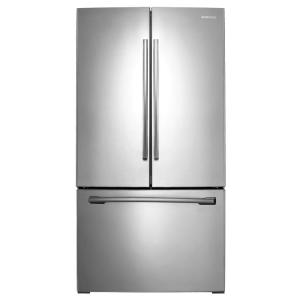
Samsung 25.5 Cu. Ft. French Door Refrigerator for $999.99

samsung-french-door-refrigerator

This refrigerator is great, quite big and this deal is quite a steal because you save $800 on the offer and the retailers also provides free shipping.

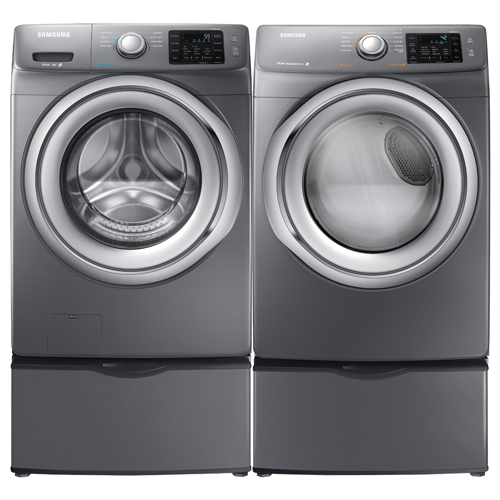
Samsung Front-Load Steam Washer or Electric Dryer for $699.99

samsung-washer-dryer

If you want to replace either your washer or dryer this deal is quite amazing. BestBuy helps you save $300 on the deal and offers free shipping for the item.

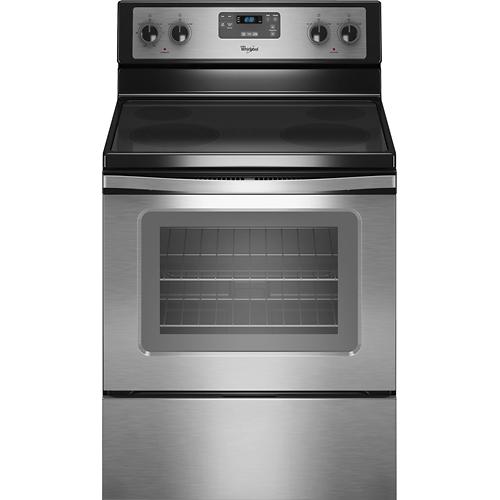
Whirlpool – 30” Self-Cleaning Freestanding Electric Range for $494.00

whirlpool-electric-range

Another great deal from BestBuy as you save $205.00 on the appliance and, of course, no shipping costs.

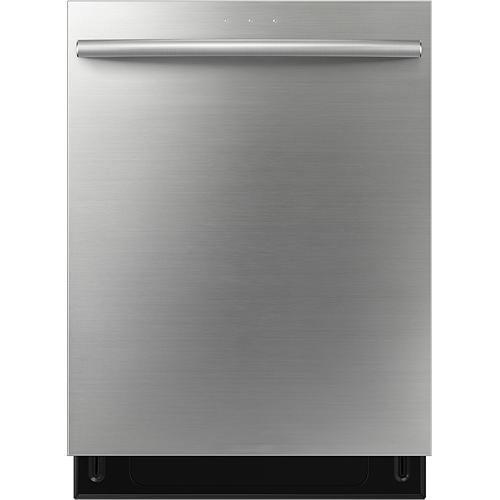
Samsung – 24” Built-in Dishwasher for $499.99

samsung-dishwasher

No more hand washing those dishes. BestBuy offers you a great dishwasher on which you will save $200. This appliance also ships free of cost.

TV Sets

Sharp – 42” LED 1080p HDTV – Black for $329.99

sharp-42-tv

You will save $150 on this deal and BestBuy offers free shipping.

Samsung – 60” LED 1080p HDTV – Silver for $1,699.99

samsung-60-tv

This is a great price for a TV this big and BestBuy offers free shipping on the deal and claims you save $300

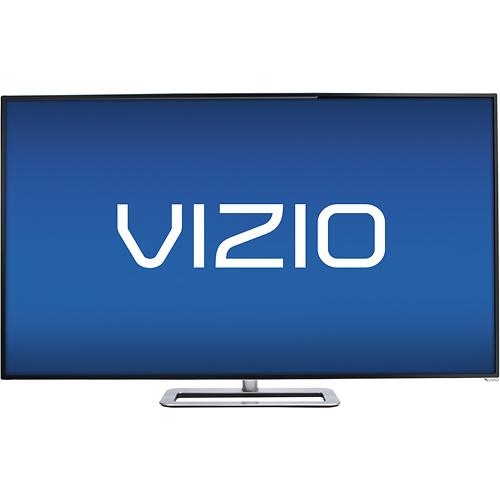
VIZIO – 50” LED 1080p – 240 Hz – Smart HDTV – Black for $499.99

vizio-50-tv

This is another great deal on which you will save $200 and you will also receive free shipping.

Computers

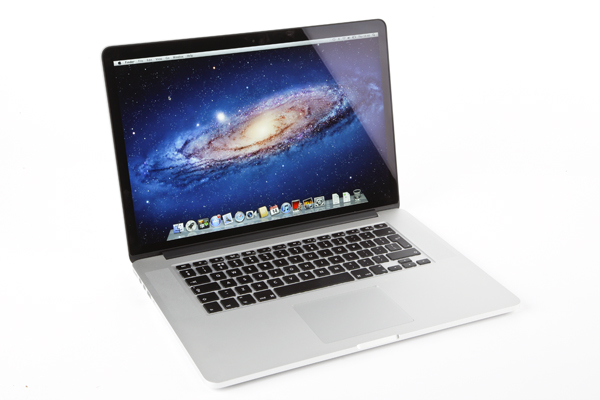
Apple MacBook Pro with Retina display – 15.4” Display, 16 GB RAM, 512 GB Flash Storage for $2,374.99

apple-macbook-pro-retina

If you are looking to buy a new MacBook Pro laptop then maybe now is the time as you will save $125 on this deal and you will also receive free shipping.

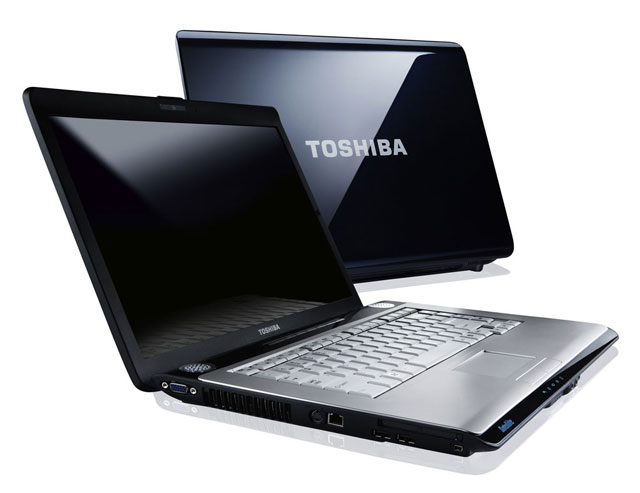
Toshiba Satellite – 15.4” Display, AMD A8-Series, 4 GB RAM, 500GB Hard Drive for $299.99

toshiba-satellite

This is a very good deal. BestBuy also offers free shipping for the item.

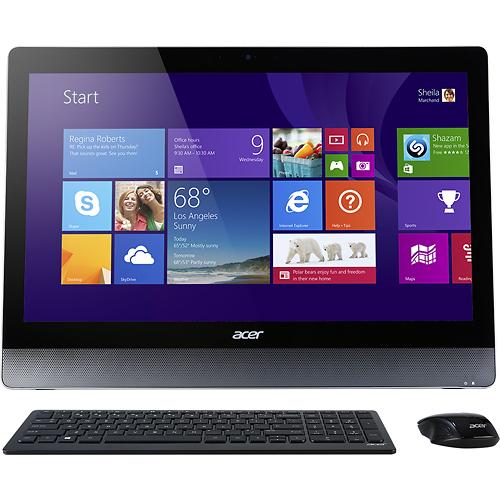
Acer Aspire – 23” Touch-screen All-In-One Computer, Intel Core i5, 8 GB RAM, 1 TB Hard Drive for $899.99

acer-aspire-aio

This is an amazing deal for an all-in-one computer and you also save $100 and probably a lot more because BestBuy offers free shipping on this item as well.

Cell Phones

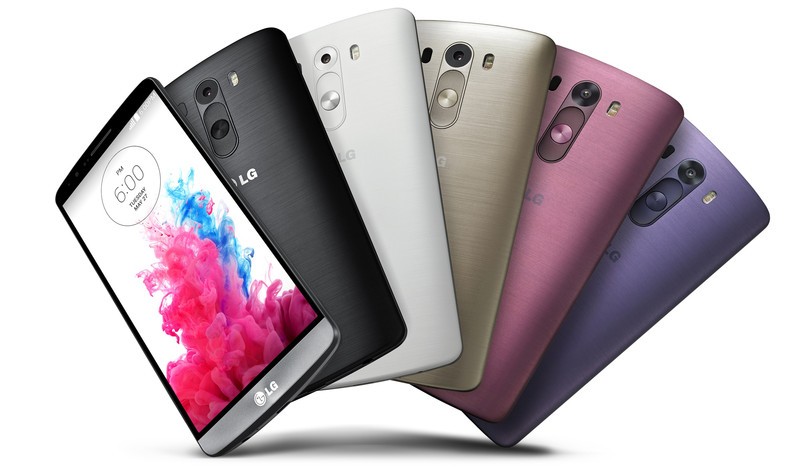
LG G3 Cell Phone for $49.99 with 2-year agreement

lg-g3

The LG G3 Cell Phone is a great mobile phone and now is even better because of the free shipping and the $150 price cut.

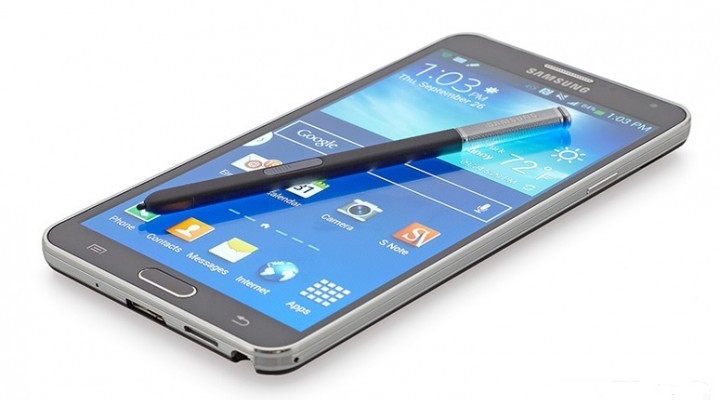
Samsung Galaxy Note 4 for $299.99 with 2-year contract

samsung-galaxy-note-4

BestBuy offers free shipping on this amazing mobile device.

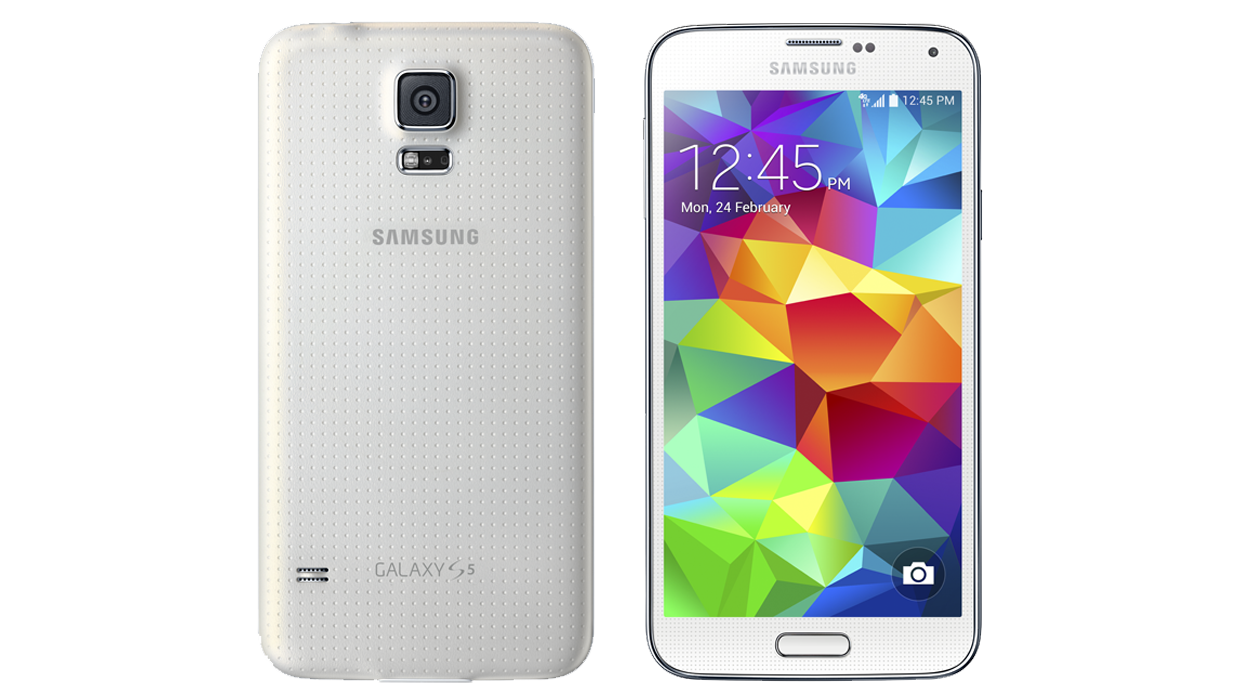
Samsung Galaxy S 5 Cell Phone for $149.99 with 2-year contract

samsung-galaxy-s5

BestBuy provides free shipping on this mobile phone and a price cut of $50.

Cameras

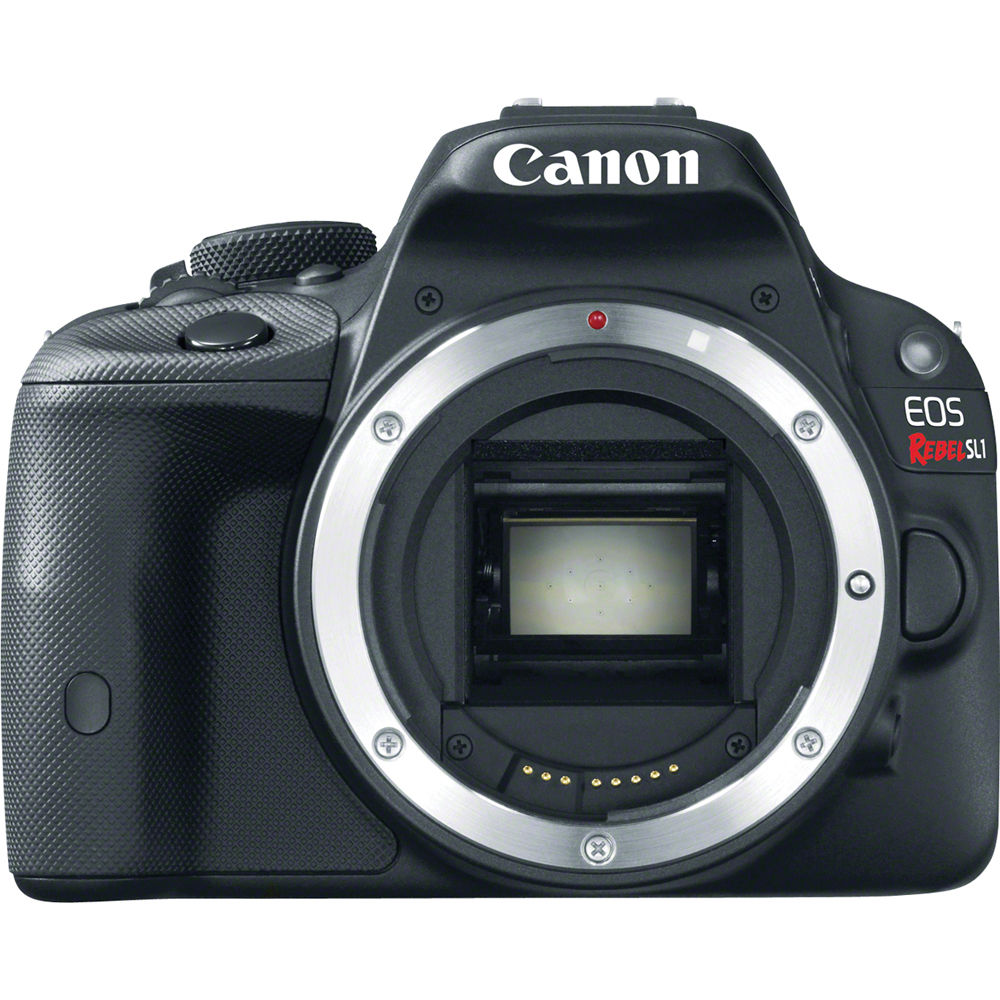
Canon EOS Rebel SL1 18.0MP DSLR Camera with 18-55mm Lens, 55-250mm Lens, Bag & 16GB Memory Card for $733.96

canon-eos-rebel

This is a great package and if you want to upgrade your DSLR camera or are interested in photography you should take advantage of this deal on which you will save $321. Also, BestBuy offers free shipping for it.

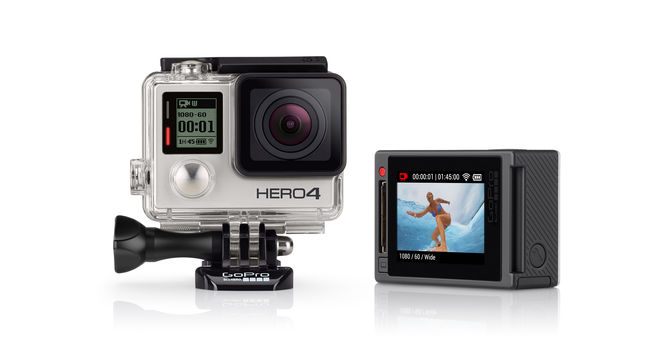
GoPro HERO4 Silver Action Camera & 32GB Memory Card for $399.99

gopro-hero4-silver

GoPro is literally for everybody. If you want to take shots from your motorcycle or the dashboard of your car or wish to capture very high quality videos the GoPro HERO4 is for you. And with free shipping and a deal on which you will save $97.99 this is a no-brainer.

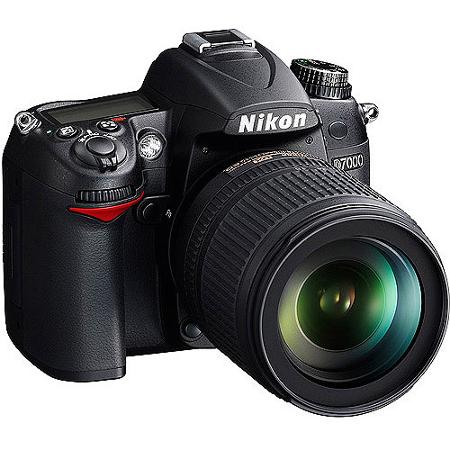
Nikon D7000 16.2MP DSLR Camera with 18-140mm Lens & 55-300mm Lens for $829.98

nikon-d7000

This is another great DSLR Camera package with free shipping. You save $970 on this offer.

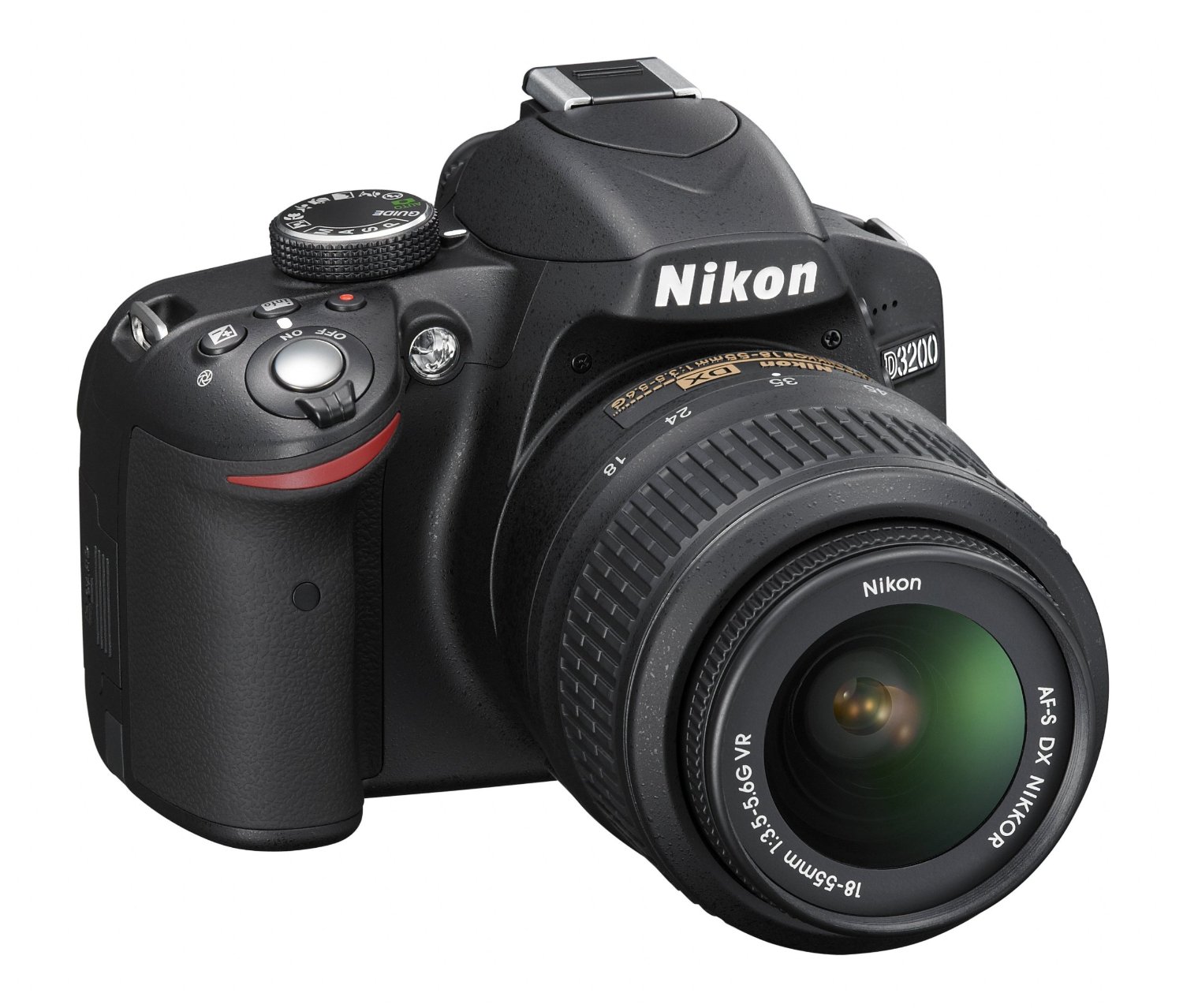
Nikon D3200 24.2MP DSLR Camera with 18-55mm Lens & 55-200mm Lenses for $499.99

nikon-d3200

Another great package from BestBuy on a Nikon DSLR Camera on which you will save $280. Free shipping is included in the offer.

Video Games

You will save $20 on all these videogames and will receive free shipping on orders of $35 and up.

Call of Duty: Advanced Warfare (PS4) for $39.99

cod-advanced-warfare-ps4

Call of Duty: Advanced Warfare (PS3) for $39.99

cod-advanced-warfare-ps3

Call of Duty: Advanced Warfare (Xbox 360) for $39.99

cod-advanced-warfare-x360

The Last of Us Remastered (PS4) for $29.99

the-last-of-us-remastered-ps4

Little Big Planet 3 (PS4) for $39.99

little-big-planet-3-ps4

Killzone: Shadow Fall (PS4) for $19.99

killzone-shadow-fall-ps4

Knack (PS4) for $19.99

knack-ps4

Movies and TV Shows

Lord of the Rings: The Motion Picture Trilogy Extended Edition 15 Discs (Blu-ray) for $52.99 (you save $47)

lotr-blu-ray

Gravity (Blu-ray) for $9.99 (you save $10)

gravity-blu-ray

Prometheus 2 Discs (Blu-ray) for $7.99 (you save $7)

prometheus-blu-ray

Wearable Technology

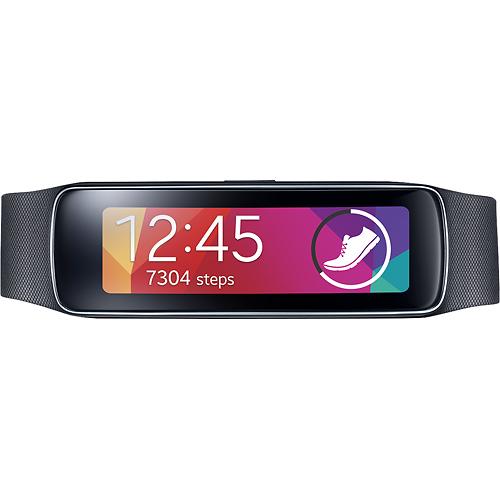
Samsung Gear Fit Fitness Watch with Heart Rate Monitor – Black for $119.99

samsung-gear-fit

This smartwatch measures calories burned, speed, steps taken, heart rate and distance traveled. You save $30 on the deal and BestBuy offers free shipping.

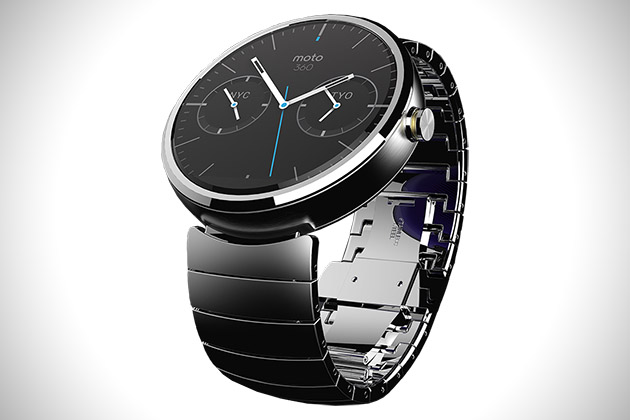
Motorola Moto 360 Smart Watch – Natural Silver for $299.99

motorola-moto-360

This smartwatch is compatible with most devices running Android 4.3 or later. It features a 1.56” LCD touch screen, Wi-Fi and Bluetooth. The items is delivered free of charge by BestBuy.

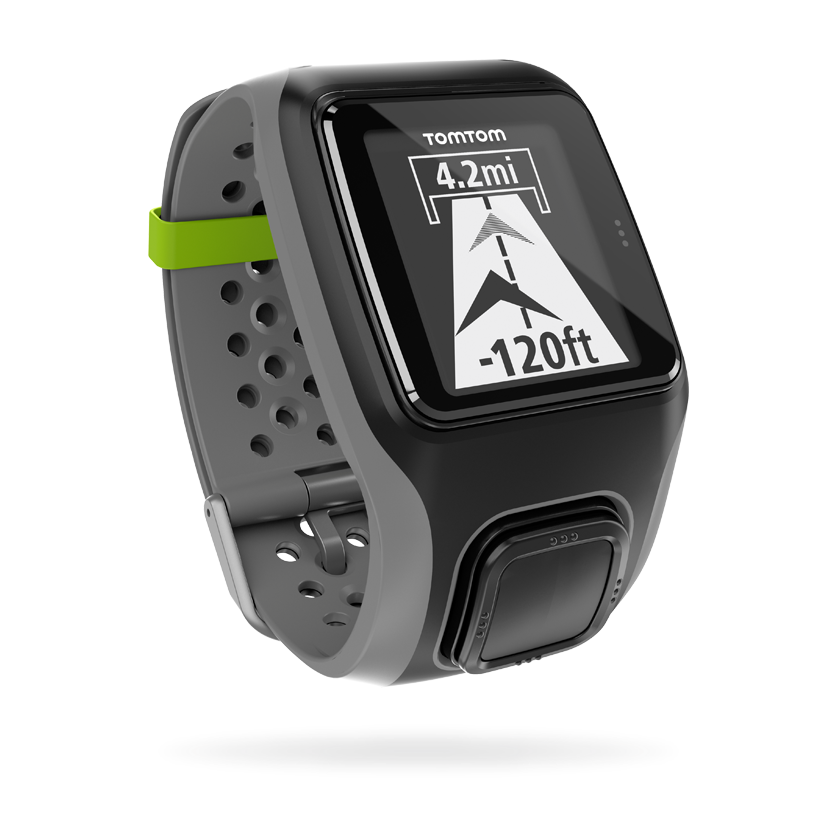
TomTom – Multi-Sport GPS Watch with Heart Rate Monitor – Dark Gray for $199.99

tomtom-smartwatch

This devices measures speed, heart rate, and distance traveled all while being water resistant. You save $50 on the deal and BestBuy offers free shipping for the item.

Verizon Deals

The best tech deals for January 2015 don’t stop here! Verizon also has some cool deals and here is our list of the best we could find.

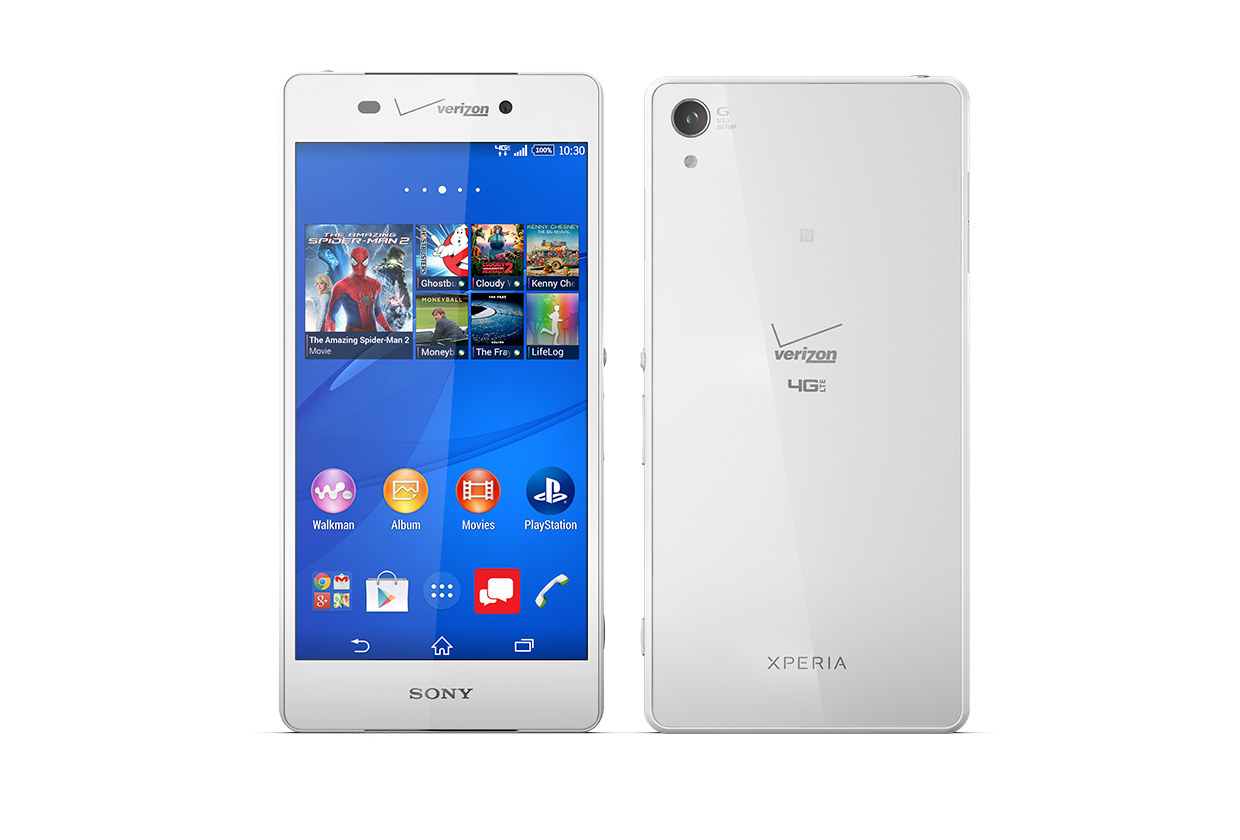
Sony Xperia Z3v starts at $199.99 with 2-year contract or $24.99 / month with Verizon EDGE

sony-xperia-z3v

Specs:

Standby Time: 336 Hours

Usage Time: 26 Hours

Camera: 20.7MP

Weight: 6.02 oz.

Screen: 5.2” 1080p FHD IPS display

Battery: 3200 mAh non-removable Li-Ion

OS: Android 4.4 Kitkat

Network: LTE Band 13/4 (700/1700 MHz), CDMA/1xRTT/EVDO Rev. A (800/1900 MHz)

Global Network: EDGE/GSM (850/900/1800/1900 MHz)), HSPA/UMTS(850/900/1900/2100 MHz)

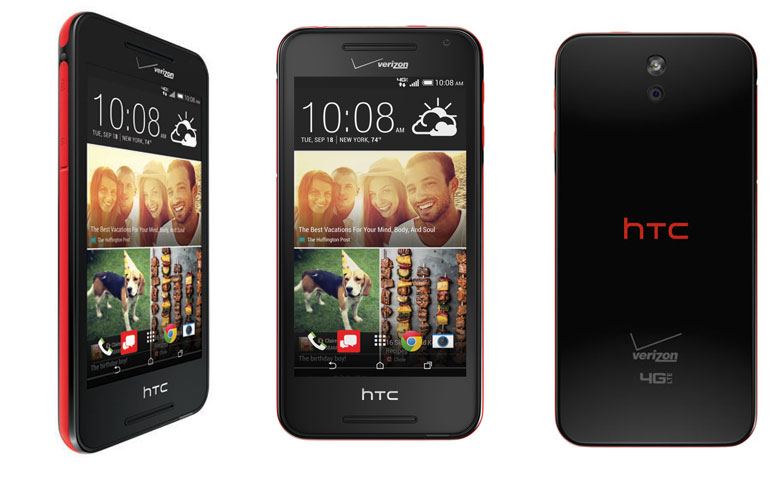
HTC Desire 612 for FREE with 2-year contract or $12.49 / month with Verizon EDGE

htc-desire-612

Specs:

Standby Time: 384 Hours

Usage Time: 20 Hours

Camera: 8MP

Weight: 5.15 oz.

Screen: 4.7” Super LCD2 Touch Screen qHD

Battery: 2040 mAh non-removable Li-Ion

OS: Android 4.4 Kitkat with HTC Sense 6

Network: LTE Band 13/4 (700/1700 MHz), CDMA/1xEVDO Rev. A (800/1900 MHz)

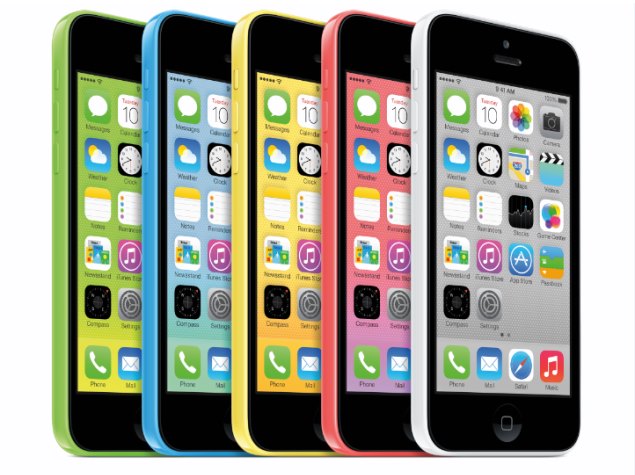
Apple iPhone 5c for FREE with 2-year contract or $18.74 / month with Verizon EDGE

apple-iphone-5c

Specs:

Standby Time: 250 Hours

Usage Time: 10 Hours

Camera: 8MP

Screen: 4” Multi-touch Display, 1136×640 (326ppi)

Battery: Built-in rechargeable Li-Ion

OS: Apple iOS 8

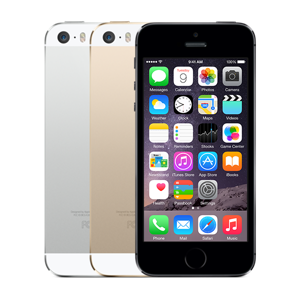
Apple iPhone 5s starts at $99.99 with 2-year contract or $22.91 / month with Verizon EDGE

apple-iphone-5s

Specs:

Standby Time: 250 Hours

Usage Time: 10 Hours

Camera: 8MP

Screen: 4” Multi-touch Display, 1136×640 (326ppi)

Battery: Built-in rechargeable Li-Ion

OS: Apple iOS 8

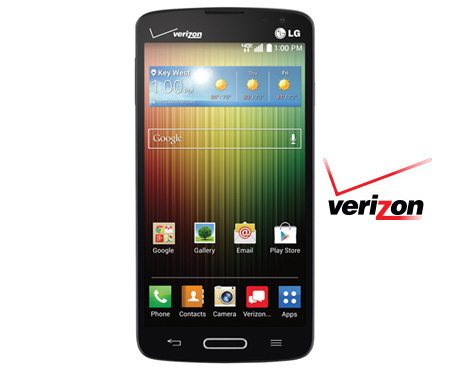
LG Lucid 3 for FREE with 2-year contract or $12.49 / month with Verizon EDGE

lg-lucid-3

Specs:

Standby Time: 360 Hours

Usage Time: 12.5 Hours

Camera: 5MP

Weight: 4.37 oz.

Screen: 4.7” qHD Display with Corning Gorilla Glass 3 and Narrow Bezel

Battery: 2440 mAh

OS: Android 4.4 Kitkat

Network: CDMA, LTE

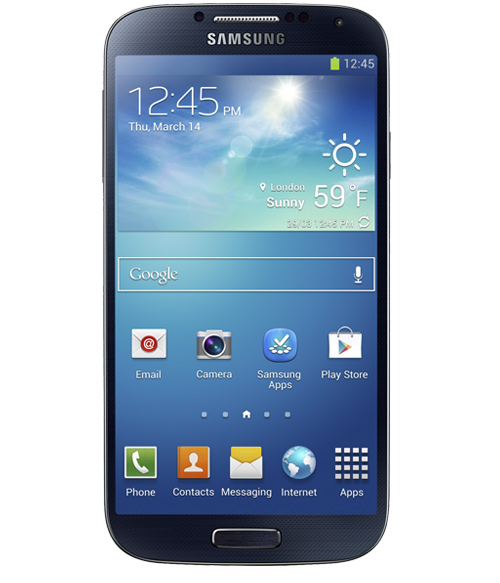
Samsung Galaxy S 4 starts at $49.99 with 2-year contract or $20.83 / month with Verizon EDGE

samsung-galaxy-s4

Specs:

Standby Time: 288 Hours

Usage Time: 17 Hours

Camera: 13MP

Weight: 4.59 oz.

Screen: 5.0” Full HD Super AMOLED Corning Gorilla Glass 3 Touch Screen Display

Battery: 2600 mAh Li-Ion

OS: Android 4.4 Kitkat

Network: LTE B13/4 700/1700, CDMA/1xEVDO Rev. A (800/1900 MHz)

Global Network: EDGE/GSM (850/900/1800/1900), HSPA/UMTS(850/900/1900/2100)

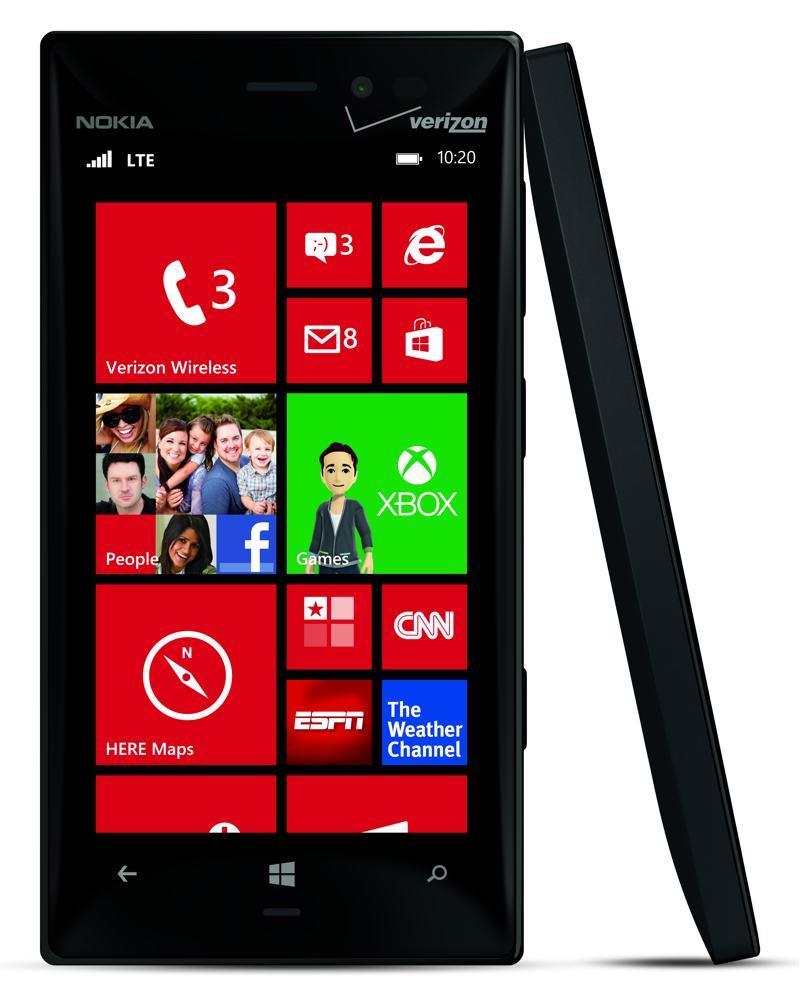
Nokia Lumia 928 starts at $0.99 with 2-year contract or $16.66 / month with Verizon EDGE

nokia-lumia-928

Specs:

Standby Time: 424.8 Hours

Usage Time: 21.38 Hours

Camera: 8.7MP

Weight: 5.75 oz.

Screen: 4.5”, PureMotion HD+ WXGA, OLED display, 24 bit, 16M colors; 2.5D curved Corning Gorilla Glass 2

Battery: 2000 mAh non-removable Li-Ion

OS: Windows Phone 8

Network: CDMA1x/EV–DO Rev A, LTE/DO Rx diversity

Global Network: GSM (850, 900, 1800, 1900MHz, UMTS 850, 900, 1900, 2100MHz

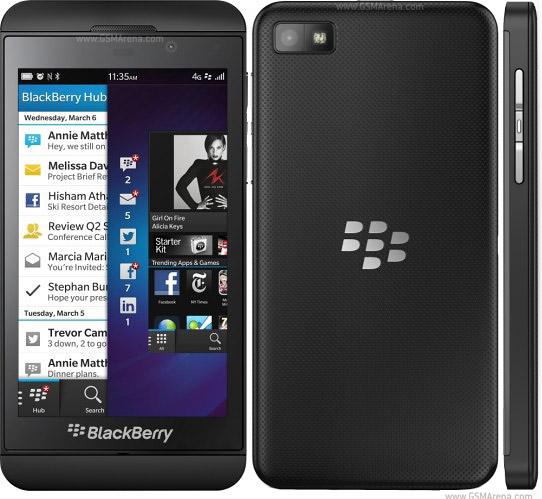
BlackBerry Z10 for FREE with 2-year contract or $12.49 / month with Verizon EDGE

blackberry-z10

Specs:

Standby Time: 168 Hours

Usage Time: 15.4 Hours

Camera: 8MP

Weight: 4.93 oz.

Screen: 4.2” LCD Screen, 1280×768

Battery: 1800 mAh Li-Ion

OS: BlackBerry 10.2

Network: (CDMA/PCS)/1x, EVDO Rev A, LTE (Band 13)

Global Network: (GPRS/EDGE/GSM(850/900/1800/1900) HSPA/UMTS(900/2100)

LG G3 starts at $149.99 with 2-year contract or $24.99 / month with Verizon EDGE

lg-g3

Specs:

Standby Time: 415.2 Hours

Usage Time: 18.6 Hours

Camera: 13MP

Weight: 5.28 oz.

Screen: 5.5″ qHD Display, Corning Gorilla Glass 3

Battery: 3000 mAh, removable Li-Ion

OS: Android 4.4 KitKat

Network: CDMA/GSM/WCDMA/LTE

Amazon Deals

The biggest online retailer has a lot of deals all through January and February (and a whole lot more) so be sure to check their website for the best deals available. We put up a list of what we think are the most important deals currently on their website.

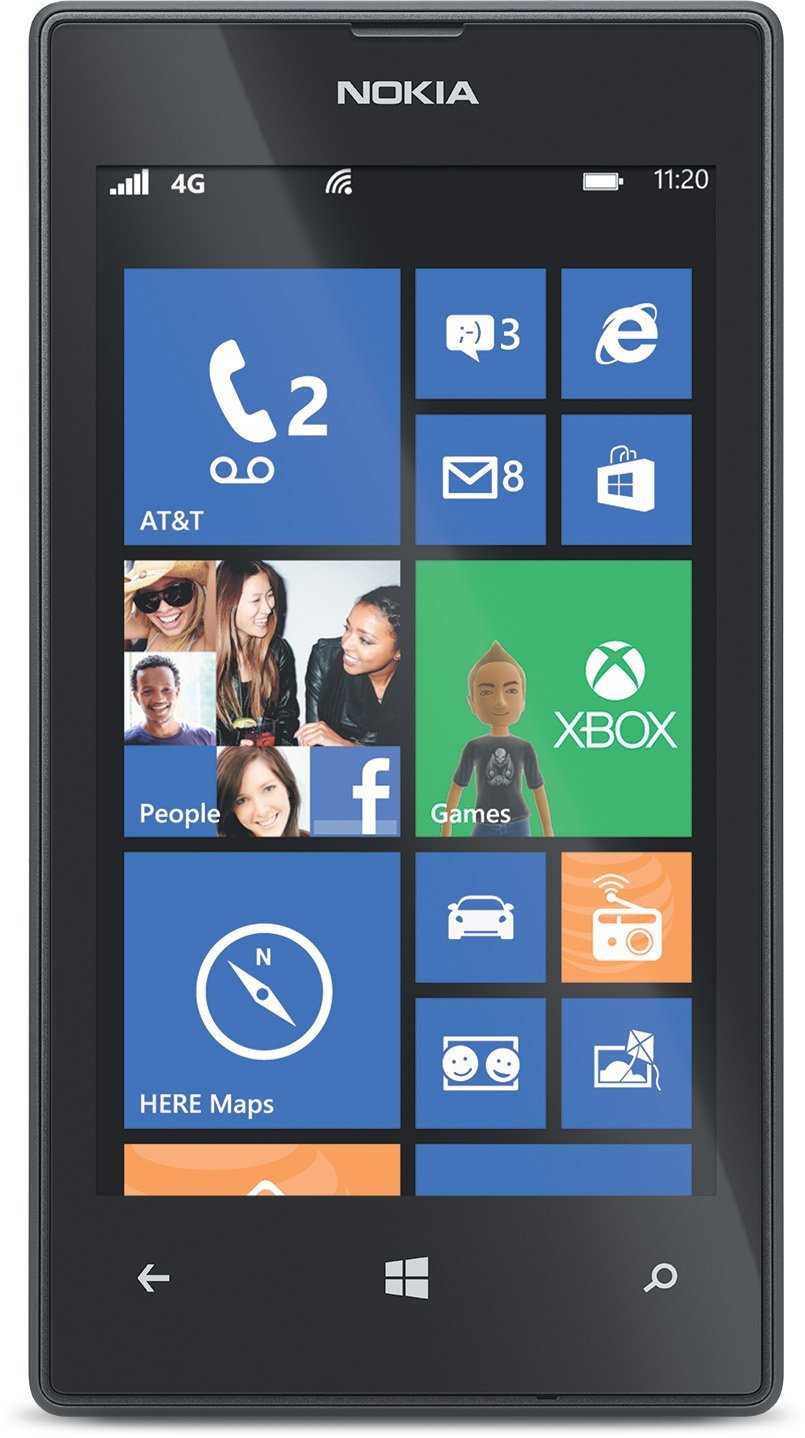
Nokia Lumia 520 GoPhone for $29.99

nokia-lumia-520

You save $70 on this offer and there is no annual contract for this deal. Amazon offers free shipping on orders over $35.

LG Volt – Prepaid Phone for $59.99

lg-volt

You save $140 on this deal and Amazon offers free shipping for the item.

Seiki SE40FY27 40” 1080p, 60Hz LED HDTV for $249.99

seiki-40-tv

Amazon offers free shipping for this LED TV.

Samsung UN55H8000 Curved 55” 1080p, 240Hz, 3D Smart LED HDTV for $1,597.99

samsung-50-tv

You save $902 on this deal and the shipping is free of charge.

There you have it. This was our list of what we think are the best tech deals for January 2015. Happy shopping, everyone.

Image Source: www.mashable.com

Filed Under: Tech & Science Tagged With: 2015 deals, Best Tech Deals For January 2015, deals for january 2015, january 2015, january 2015 deals, january 2015 sales, tech deals for january 2015

Lenovo Unveils New ThinkPad Laptops and ThinkPad Stack System at CES 2015

January 5, 2015 By Deborah Campbell Leave a Comment

The International CES 2015 trade show hasn’t even officially started and companies have begun releasing information about new lines. The International Consumer Electronics Show (CES) 2015 is going to commence tomorrow, 5 January, in Las Vegas, Nevada, USA. This year’s CES will be showcasing more than 3,500 exhibitors (suppliers, developers and manufacturers of consumer tech hardware and content) and around 160,000 people from more than 140 countries are expected to attend.

Lenovo couldn’t wait any longer and unveiled eight new ThinkPad laptops and a ThinkPad Stack System that is going to generate quite a commotion, we believe. Let’s take a look at those ThinkPads and the ThinkPad Stack System!

Before we begin, we would like to announce one of the most important changes that Lenovo made to their ThinkPad 2015 laptop line: the physical function keys are back! Last year, Lenovo replaced the physical buttons with an adaptive panel with touch-sensitive buttons and the users weren’t at all happy with that. Also, the touchpad sees the return of two right and left clickers.

Lenovo ThinkPad Laptops

thinkpad laptops

The new Lenovo ThinkPad line has two Ultrabooks that are the company’s flagship products and they are both getting updated for the New Year. The Lenovo ThinkPad X1 Carbon is a portable 14-inch laptop that has a high-resolution touch screen (optional feature, naturally) with a light but rigged case that weighs just 2.9 pounds. The Lenovo ThinkPad X1 Carbon starts at $1,249 and will be available for purchase later this month.

The other flagship Lenovo laptop that the company unveiled at the CES 2015 is the Lenovo ThinkPad X250, a 12.5-inch laptop that weighs just 2.8 pounds and is only 0.8 inches thick. This laptop works with Lenovo’s Power Bridge technology which is a dual battery system that allows the user to configure the laptop for traveling for maximum battery life but also lowest weight. The Lenovo ThinkPad X250 starts at $1,149 and will be available for purchase starting February 2015.

The Lenovo ThinkPad 450 series has three new laptops: the Lenovo T450s, the Lenovo T450 and the Lenovo L450. The Lenovo ThinkPad T450s has a 14-inch display, weighs only 3.5 pounds and is 0.83 inches thick. It is compatible with Lenovo’s Power Bridge that can extend battery life when one needs it. The price starts at $1,099.

The Lenovo ThinkPad T450 also has a 14-inch display, but it is a bit heavier than the T450s model: it weighs 4 pounds and is 0.88 inches thick. The price stars at $849.

The Lenovo ThinkPad L 450 laptop has a 14-inch display that does not have a touch screen option, like all the other in the 450 line do. It’s also the heaviest and thickest: 4.25 pounds and 0.96 inches thick. The price starts at $699. All three Lenovo ThinkPad 450 series laptops will be available starting February 2015.

Lenovo also thought of those folks who prefer larger displays on their laptops when it created the new Lenovo T550. You can choose from two sizes: you can either get a 15.6-inch display or a 15.5-inch display with the high resolution of 2880×1620. The T550 comes with a RAM memory of up to 16GB, up to 1TB of HDD or 512GB of SSD and features all the ports and jack one needs to turn it into a desktop replacement. It weighs 5 pounds and is 0.88 inches thick. The Lenovo T550 will be available in February 2015 and the price starts at $999.

The Lenovo E ThinkPad line has two brand-new laptops: the Lenovo ThinkPad E550 and the Lenovo ThinkPad E450. The E550 has a 15.6-inch display, weighs 5.2 pounds, is 0.94 inches thick and starts at $599. The E450 has a 14-inch display, weighs 4 pounds, is 0.87 inches thick and starts at $599.  Neither of the E laptops are available with a touch screen, but they do have optional optical drives. The internal storage for both laptops can be configured up to 1TB of HDD or 128GB of SSD. Both laptops will be available for purchase in February 2015.

Lenovo ThinkPad Stack System

thinkpad stack system

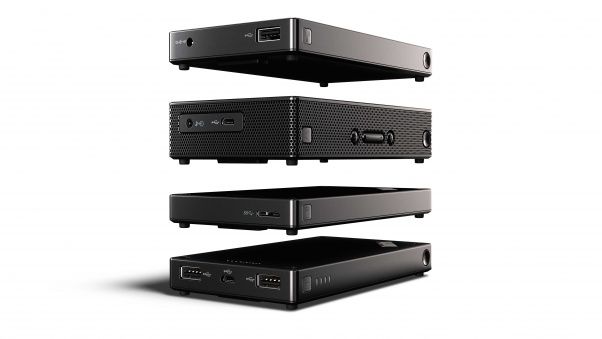
Lenovo also launched a new and exciting ThinkPad Stack System, an accessory system line compatible with their ThinkPad laptop line. This system is designed to help you be more organized and get rid of any desk clutter. But there is a trick to them! What separates these accessories from the classic docks and external drives is the fact that the new Lenovo ThinkPad Stack accessories are stackable! That’s right, you can stack them on top of each other to achieve the neatest desk on the block.

This new innovative, albeit weird-looking system isn’t just a pretty way to stack things, because the devices connect to each other, while stacked, eliminating cabling. Get all four devices, stack them on top of each other and only use one single cable or just get one or two, they work perfectly as a team, as well as individual devices.

Here are the four ThinkPad Stack modules that Lenovo unveiled at CES 2015, available starting April 2015:

  1. Bluetooth Speaker. It costs $89.99 and it is meant for audio and conference call handling. 3.5 mm micro USB.
  2. Power Bank. This device costs $49.99, has dual USB, microUSB and 10,000 mAH.
  3. HDD. This HDD costs $199.99 and features 1TB of internal memory, USB 3.0 and password security.
  4. Access Point. This one also costs $199.99 and it is a LTE data hotspot.

Lenovo is taking a big chance with these four devices, mainly because they’re quite strange-looking and secondly, because their stackability is something that the users need to grow accustomed to. Whether this whole system will take off, we don’t know, but we’re betting a lot of people are going to try it!

Are any of these ThinkPad Laptops or devices from the ThinkPad Stack System seem appealing to you? Drop us a line in the comment section below and share your thoughts with us.

Filed Under: Tech & Science Tagged With: bluetooth speakers, CES 2015, external hard drive, lenovo, Lenovo thinkpad, lenovo x1 carbon, thinkpad laptops, ThinkPad stack

Show Your Pets Love with Tagg the Pet Tracker

January 5, 2015 By Roxanne Briean Leave a Comment

Tagg the Pet Tracker

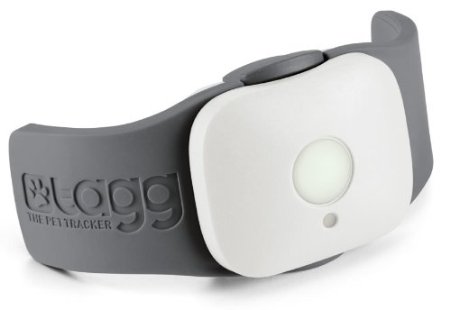
If you own a pet and you’re worried about them while you’re at work, Tagg has just the thing for you: a pet tracker! With the help of Tagg you can accurately locate your pet around the house or neighborhood, and even monitor the temperature of their environment, so that you can relax knowing your cat or dog are comfortable.

Tagg the Pet Tracker looks like a grey bark collar and the device itself measures 1.49 x 3.18 x 0.77 inches and weighs only 1.16 ounces. It’s only got one single large button on the front of the Tagg with an LED indicator light below it. The device clips onto collars and comes with a docking station for software updates and charging.

All the data that the Tracker records is transmitted wirelessly, so the only time you need to dock the device is to charge it. The most amazing thing about the Tagg Tracker is the fact that you get up to 30 days of battery use! When the battery needs recharging, it will make sure to alert you. The location of your pet can be tracked free with iOS and Android apps, but activity tracking is only available through the website.

Tagg the Pet Tracker costs $99.95, plus $7.95 per month. It is a bit pricey, but if you can afford it, you will reap the benefits.

New Tagg Partnership with Alarm.com

Yesterday, December 4, Tagg the Pet Tracker and Alarm.com announced the launch of a new pet tracker system. This partnership allows owners to have even more control over the safety of their beloved pets. Now users can use Tagg GPS Plus to see their pet’s location and activity thanks to the Alarm.com mobile app. If your home is powered by Alarm.com, then you can add Smart Pet Tracking by purchasing a Tagg GPS Plus device. You can buy the device through authorized Alarm.com Service Providers.

This new device, the Tagg GPS Plus is waterproof and is the latest device to be added to Alarm.com plethora of connected devices.

Scott Neuberger, Chief Executive Officer at Tagg GPS Pet Tracker, said in a released statement:

When it comes to the value of the secure connected home, the well-being of pets is at the top of the list for most families. Together with Alarm.com, we are continually imagining, developing and integrating technology to reduce the number of things people worry about and increasing their level of control.

Tagg is the most popular and largest pet wearable company that is working towards ensuring the safety of your beloved pets. If you too, want to have complete control over the safety of your cat or dog, we highly recommend the Tagg GPS Plus, so that you are the first to know if your pet gets lost or its environment becomes too hot or too cold for them. The battery life is exquisite, so all you really have to do is strap it on to your furry friend and let Tagg do its job.

Filed Under: Tech & Science Tagged With: alarm.com, pet tracker, pet tracking, pets, tagg, tagg the pet tracker

  • « Previous Page
  • 1
  • …
  • 59
  • 60
  • 61
  • 62
  • 63
  • …
  • 114
  • Next Page »

Subscribe to Blog via Email

Enter your email address to subscribe to this blog and receive notifications of new posts by email.

Join 11 other subscribers

Recent Articles

police handcuffs man

German Man Probed In Poisoning That Killed 21 Employees Since 2000

June 29, 2018 By Kenneth Scott Leave a Comment

Chicken wings bar

Intoxicated South Carolina Man Punches Waitress Who Refused to Serve Him Alcohol

June 29, 2018 By Karen Jackson Leave a Comment

gaming

New Zealand gamer Who Flew Halfway Across The World for Virginia Teen Gets Shots By Her Mother

June 28, 2018 By Cristopher Hall Leave a Comment

party

Former Virginia Tech Freshman Sentenced to 50 Years in Prison for Stabbing a Girl to Death

June 28, 2018 By Roxanne Briean Leave a Comment

bonfire

British Couple Sentenced to Life in Prison for Torturing and Murdering French Nanny

June 27, 2018 By Deborah Campbell Leave a Comment

pay phone

Texas Father of Girl Disappeared in the 80s Ignored by Authorities

June 26, 2018 By Cristopher Hall Leave a Comment

bottled water

San Francisco Woman Threatened to Call Police on Girl Who Sold Ice Water for Disneyland Trip

June 25, 2018 By Roxanne Briean Leave a Comment

Maplewood Park

Missouri Man Robbed by Date and Accomplice in Park

June 22, 2018 By Nancy Young Leave a Comment

coding

New York Man Sentenced in Cyberstalking Former Girlfriend, Mailing Drugs to Her Dorm

June 22, 2018 By Deborah Campbell Leave a Comment

headphones

Bose Poised to Launch Sleepbuds, In-Ear Headphones That Help You Sleep

June 21, 2018 By Nancy Young Leave a Comment

Police light

Intoxicated Female Driver in Custody for Pulling Arresting Officer by the Hair

June 21, 2018 By Kenneth Scott Leave a Comment

kitchen

Restaurant Manager Arrested and Charged in Shooting Death of Co-Worker over Negative Yelp Reviews

June 20, 2018 By Karen Jackson Leave a Comment

plastic container

Pennsylvania Couple Charged in Violent Death of Infant Discovered Buried in Cat Litter

June 19, 2018 By Cristopher Hall Leave a Comment

tailpipe

Minnesota Teen Gets Head Stuck In Oversized Tailpipe Winstock Music Festival

June 18, 2018 By Karen Jackson Leave a Comment

Pages

  • About Us
  • Contact us
  • Privacy Policy
  • Privacy Policy GDPR
  • Staff
  • Terms and Conditions

Recent Posts

  • German Man Probed In Poisoning That Killed 21 Employees Since 2000 June 29, 2018
  • Intoxicated South Carolina Man Punches Waitress Who Refused to Serve Him Alcohol June 29, 2018
  • New Zealand gamer Who Flew Halfway Across The World for Virginia Teen Gets Shots By Her Mother June 28, 2018
  • Former Virginia Tech Freshman Sentenced to 50 Years in Prison for Stabbing a Girl to Death June 28, 2018
  • British Couple Sentenced to Life in Prison for Torturing and Murdering French Nanny June 27, 2018
  • Texas Father of Girl Disappeared in the 80s Ignored by Authorities June 26, 2018
  • San Francisco Woman Threatened to Call Police on Girl Who Sold Ice Water for Disneyland Trip June 25, 2018

Categories

  • Business
  • Entertainment
  • Finance
  • Headlines
  • Health
  • Life
  • Nature
  • Science
  • Sports
  • Tech & Science
  • Travel
  • Uncategorized
  • United States
  • World

Copyright © 2026 ArgyllFreePress.com
About · Privacy Policy · Terms of Use · Contact