Recent findings suggest modern farm production could be having a major impact on global carbon cycles and could greatly improve today’s climate models and improve forecasting.
A recent study showed that a big jump in food production to meet rising food demands from a burgeoning global population is responsible for as much as 25 percent of the seasonal increase in carbon dioxide (CO2), according to Economic Times. Carbon dioxide is absorbed in the spring and summer as plants produce lots of solar-hungry leaves. Once the energy has been converted to food, it is released into the atmosphere as the leaves die off in the autumn and winter, producing big fluctuations in CO2 levels.
The Economic Times described the crops as a giant “sponge” for CO2, a sponge that is getting bigger and can release much more carbon dioxide than in the past. As global food productivity doubles in the coming decades, scientists may be better able to create accurate climate models with this new knowledge of the effects farms have on the environment
Chris Kucharik, a co-author of the study who works at the University of Wisconsin-Madison, said the research findings are “another piece of evidence” suggesting that things humans do on a large scale can have big effects on the planet as a whole.
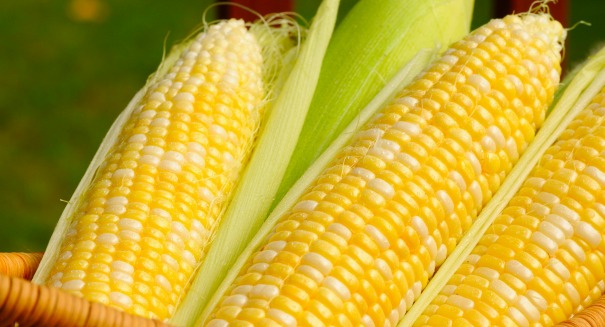
The biggest crops i.e. maize, wheat, soybeans and rice have jumped 240 percent in production since the 1960s in the Northern Hemisphere, especially in the U.S. Midwest and China where the crops are most commonly found.
Up until now scientists hadn’t realized the impact farms had on CO2 levels specifically but after observing CO2 spikes during the seasons, Kucharik and his team, including researchers at Boston University, determined the connection by counting how much carbon absorbed by plants had changed over time.




























 While the new operating system operates well on the iPad Mini 2, we noticed several issues on its larger sibling, the iPad air. In several instances, the iPad air performed sluggishly, while the iPad mini 2’s transitions were fast and fluid. Nevertheless, lag issues may not have anything to do with the operating system. Overall performance is satisfactory. All in all, performance on the iOS 8.1 on iPad Mini 2 is consistent with all the other operating systems.

 Some of the largest carriers in the United States have already made their release dates public. However, if you were planning on rushing to one of the stores on the date of the release, we must advise you to change plans because most devices have already been pre-ordered and it is very possible for stocks to be depleted on the first day of launch. The best course of action would be to tune in to


