Argyll Free Press

Growing News Network

Friday, April 24, 2026
Log in
  • Business
  • Finance
  • Sports
  • Tech & Science
    • HP Envy 4500 Review
    • LG Optimus 170 Review
    • iPod Touch 6th Generation Review
    • HTC One M8 Accessories Set-up
    • Surrealist Games You Must Play
    • Hisense Sero 8 Review
    • Dell Latitude e7440 Review
    • HP Laserjet 1536dnf mfp Review
    • Garmin Fenix 2 Review
    • Skype Vs Viber
    • Best Video Conferencing Software
    • Sony mdr 1r Headphones Review
    • Canon Rebel t3i Review
    • Sennheiser Momentum 2-0 Review
  • Travel
  • Headlines
  • Health
  • United States

iPad Air 2 Review: Seamless Performance, Dangerously Thin

December 8, 2014 By Roxanne Briean Leave a Comment

The first iPad Air tablet is arguably the best tablet ever produced, so we were surprised when we heard that Apple began work on an even finer model, the iPad Air 2. Sometimes, the company takes a mediocre technology and transforms it into premium art.

Other times it takes one of its iconic gadgets, tweaks and perfects it and obtains an even better, polished version of it. The iPad is not the only Apple product to receive substantial improvements. The iPod and MacBook Air may have kept their unique design, but they have benefited from serious improvements over time.

Critics can rant all they want about how the iPad Air 2 is too thin, but the truth is that there is no other tablet on the market to have pushed the limits of premium art to this level.
Air_VS_Air_2_low_angle

As a matter of fact, Apple’s relentless desire to create the thinnest tablet has resulted in a better screen. That’s because the layers which cover the screen (the LCD, touchscreen digitizer & backlight) have almost no air in between them.

Ultimately, Apple obtained a less reflective, more colorful and bright display. This is only one of the many superb features that the iPad Air 2 boasts.

The iPad Air 2 is a nice refinement and finesse of last year’s model, with a bevy of tweaks, enhancements, a much faster processor, and the welcome addition of Touch ID. Simply put: it’s still the gold standard for tablets.

  • Cnet Verdict

A Quick Overview of the iPad Air 2

The first thing that consumers take into consideration is the price of a tablet. The iPad Air 2 is by no means cheap. The basic version sits around the sum of 499.99 U.S. dollars, while the fully specced version (with Wi-Fi and 4G) costs around 829.99 U.S. dollars. Granted, the price is a bit spicy, but it is not more than what Samsung & Sony are charging for their tablets, and you can also get it in the gold-ish tinged metal design.

The question on everyone’s mind right now: Is the iPad Air 2 worth buying? We hope to find the answer to this question with the following review. One thing you should keep in mind, though, is that the iPad Air 2 is a stellar tablet, despite not bringing any new & shinny features to the table. Because it was released recently, it also means that the original iPad Air, which is still one of the best tablets on the market, will be available for a discounted price. So if you are planning on surprising a loved one for Christmas, you might want to purchase the iPad Air 2’s predecessor.
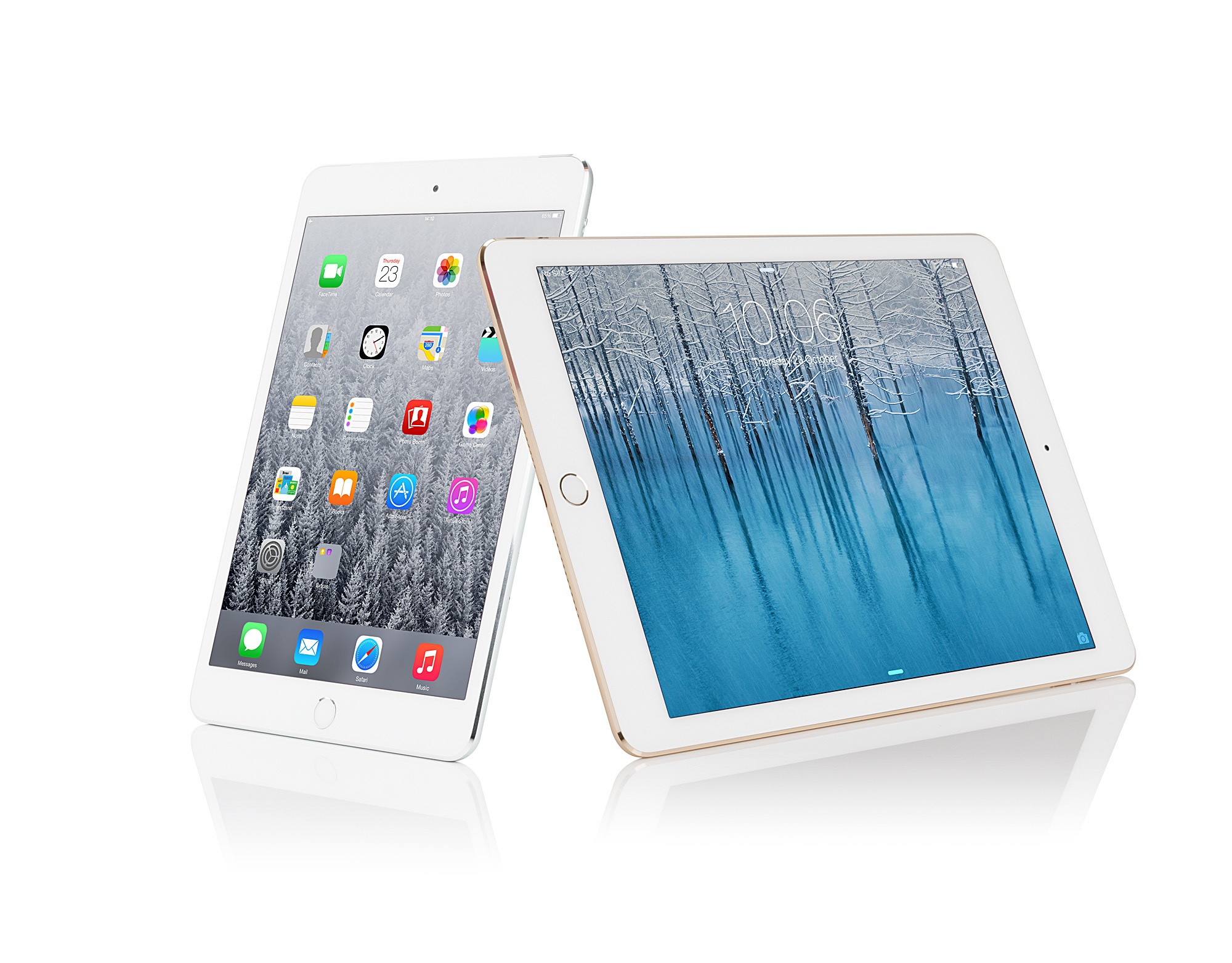
iPad_Air_2_and_iPad_mini_3

Before we begin our review, let’s take a look at the tablet’s most important specs:

iPad Air 2 Specifications & Features

  • Display:
  • Resolution: 2048 x 1536 (264 ppi)
  • Touchscreen: multi-touch
  • Special features: anti-glare, fingerprint resistant, fully laminated display, retina display, oleophobic coating
  • Connectivity:
  • Wireless – 802.11a/b/g/n/ac & Bluetooth 4.0
  • Camera:
  • Rear-facing camera: 8 megapixels with HD video recording 1080 p
  • Front-facing camera: 1.2 megapixels
  • Special features: iSight camera, FaceTime HD, slow motion video, burst mode, face detection in still images, video stabilizer, photo & video geo-tagging, tap to focus
  • Dimensions & Weight
  • Dimensions: W 6.7 inch x Depth 6.1 mm x H 9.4 inch
  • Weight: 4 oz
  • Processor: A8X processor chip, 64-bit computing, 2GB RAM, M8 Motion coprocessor
  • Storage: 16 GB
  • Multimedia:
  • Supported digital video formats: motion JPEG (up to 1280×720), H.264 High profile level 5.0 (up to 1080p), MPEG-4 SP (up to 640×480)
  • Audio: speaker + 2 microphones
  • Supported audio formats: HE-AAC, MP3, WAV, AAC & protected AAC, Apple lossless, audible, AIFF
  • Battery:
  • Capacity: 3 Wh
  • Run Time: 10 sec
  • Run time details: web browsing over Wi-Fi (10 hours), video playback (10 hours), Audio Playback (10 hours)
  • Software:
  • Pre-installed software: app store, camera, clock, messages, mail, maps, game center, contacts, FaceTime, clock, iBooks, videos, Siri, Safari, reminders, Podcasts, iCloud, iTunes, music, newssstand, notes, photobooth, photos etc.
  • PC Connection Requirements
  • Microsoft Windows 7, Vista, XP Home Edition SP3 or later, XP Professional SP3 or later, Windows 8
  • Apple MacOS X 10.6.8 or later
  • Expansion & Extras:
  • 1 x headphones
  • 1 x lighting
  • Miscellaneous:
  • Color: space gray / golden
  • Extra Features: AirDrop, AirPlay, Apple M8 Motion, coprocessor, NIMO technology, VoiceOver screen reader, USB charging, iBeacon microlocation, Assistive Touch, Dictation, parental controls

1. Design: It’s Like the Original Air, Only Thinner

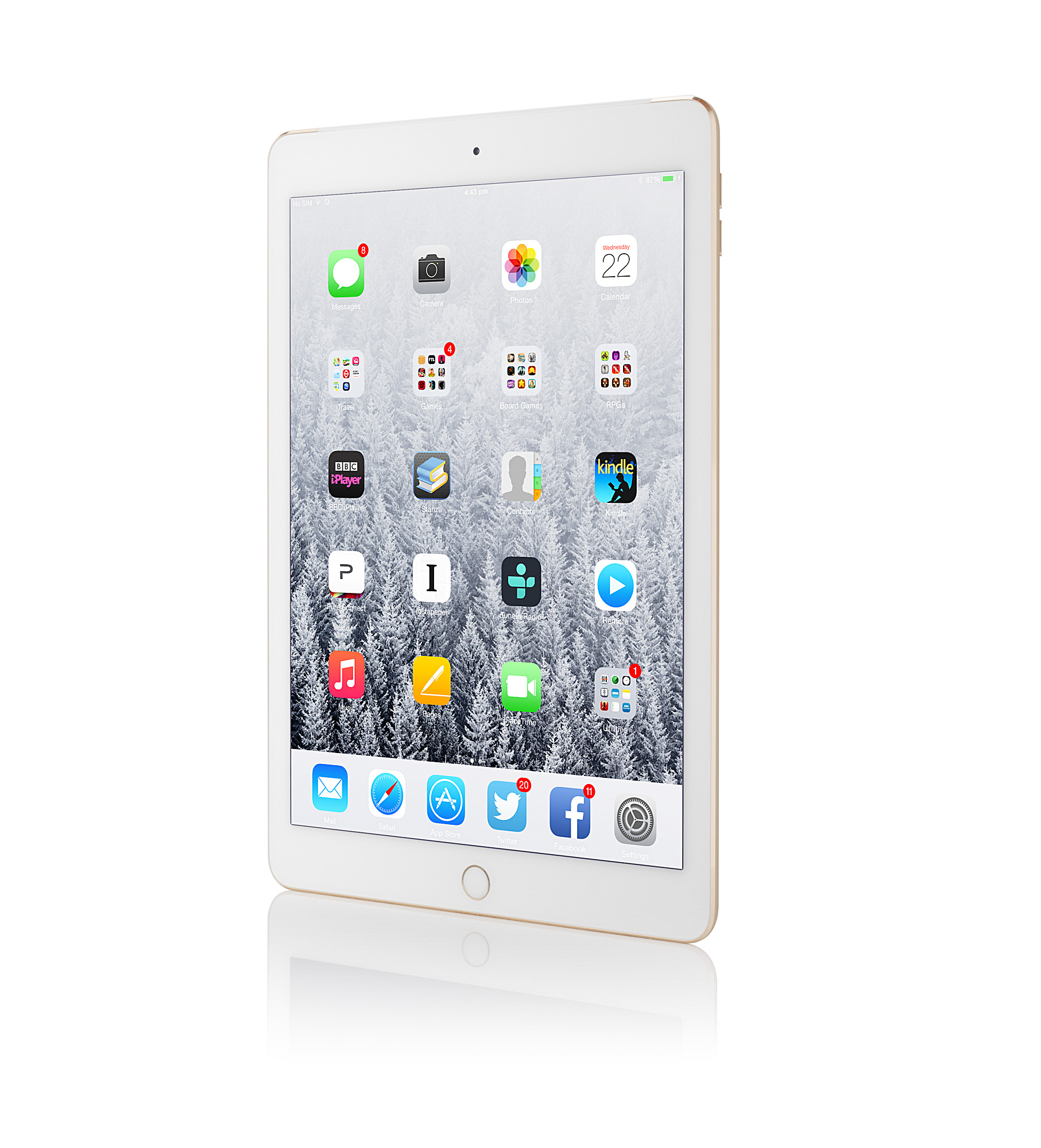
In terms of design, the iPad Air 2 hasn’t man any notable changes, apart from the thinner frame. At 6.1 millimeters it is probably thinner than the iPhone 6 and any other gadget you might find on the market. According to Cnet, it’s thinner than a magazine. According to official reports, the iPad Air 2 is the thinnest iOS device in the current crop.

It’s clear that Apple’s new mission is to make the thinnest gadgets on the market, but we are not sure why. Nobody even complained about the thickness of the original iPad Air, but Apple took it upon itself to slim down all of its devices, including laptops and phones.
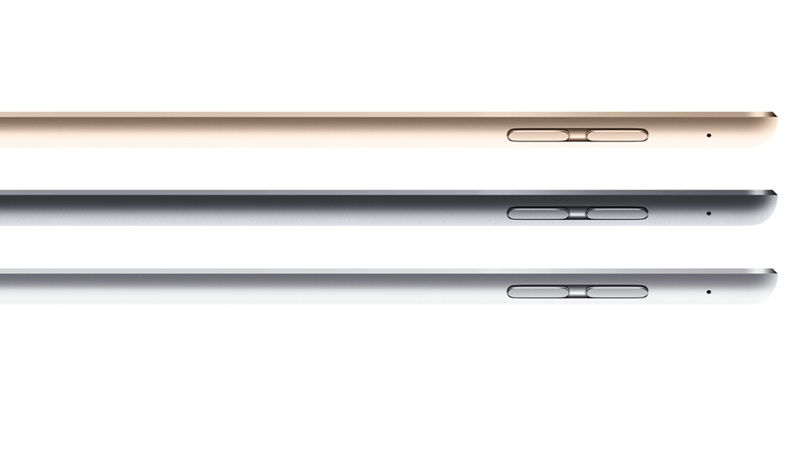
iPad-Air-2-side-thin

When you put the tablet in a bag, you won’t feel the difference in thickness, but from the moment you take it in your hands, you will. The iPad Air 2 is noticeably lighter than its predecessor. It only weighs 0.96 pounds (437 grams) –for  the Wi-FI version – and 1 pound (444 grams) – for the Wi-Fi – 4G model. The clear cute, refined details, sharp & easy hold haven’t changed.

Granted, the iPad Air 2 may be, potentially, as fragile as before, but the clean, solid, metal and glass work looks spectacular. We strongly advise you to treat it gently. Considering that the iPad Air is an expensive device, it would be unwise to bang it against the floor or walls.
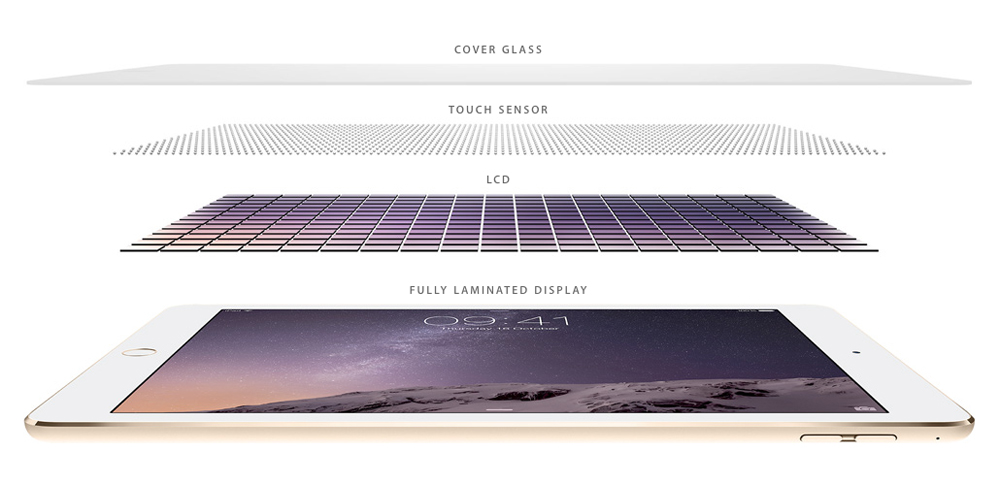
iPad_Air_2_screen_1000

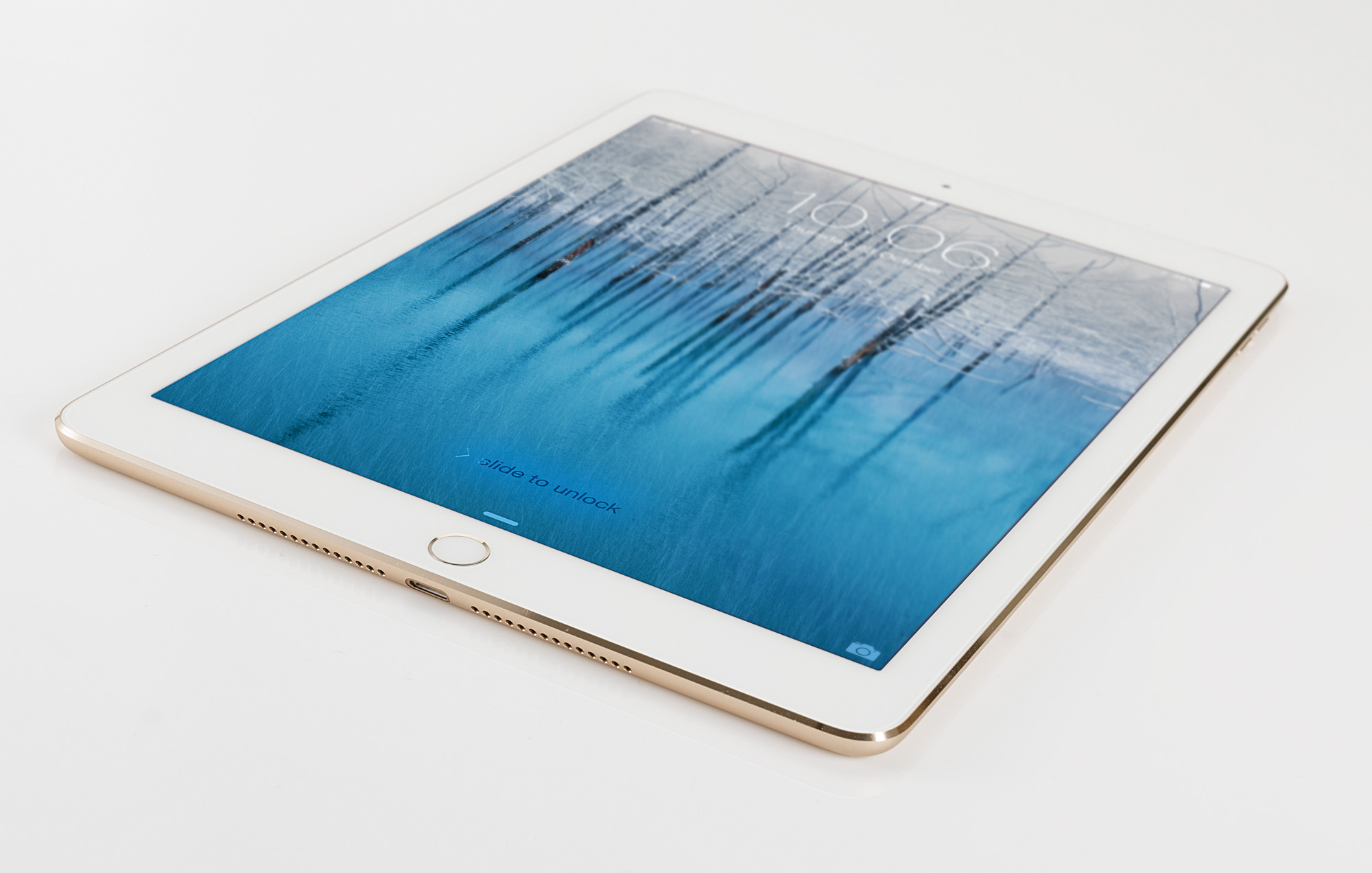
As far as colors are concerned, the iPad Air comes in gold, silver and space gray options with black or white colored glass around the display. The gold color feels a lot like a subtle bronzing.

Display & Sound

The iPad Air 2 graces us with a stunning 9.7-inch Retina Display which preserves the previous resolution of 2048 x 1536 pixels. It looks slightly better than the previous model. According to Apple, the screen is more „directly laminated to the glass” this time. The device also comes with an anti-glare coating. Slight improvements can be seen, even if they seem minor.
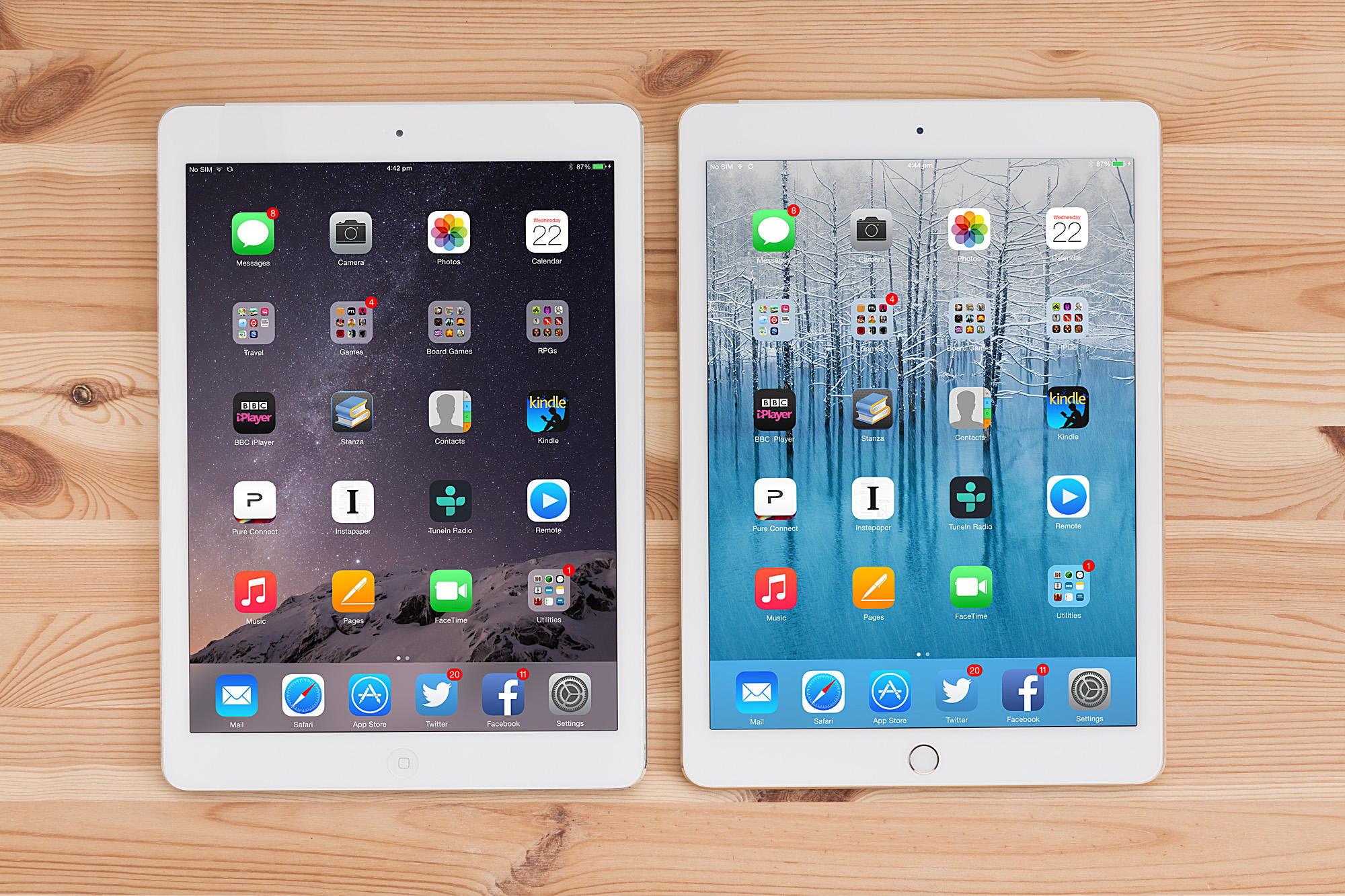
Air_VS_Air2_front

But what about sound? First of all, it comes from two speakers that can be found on both sides of the lightning port. We weren’t impressed by the device’s sound capabilities, mostly because it resonates more (probably because of the tablet’s thickness). To put it simply, the iPad Air 2 vibrates. Nevertheless, the tablet was never intended as an audio system, and when volume is set on medium levels, it performs nicely.

2. Battery Life: Good but not Impressive

Apple hasn’t made major changes to its battery specs. After several benchmark tests we have concluded that the iPad Air 2’s battery life holds for approximately 10 hours under various circumstances. This is by no means impressive. At the moment, there are many tablets, and even laptops, that last 10 hours and longer. It would be a good thing if Apple decided to improve the battery life of the iPad Air 2.

You should keep in mind, however, that the iPad Air 2 can make it through an entire day without being charged. You can watch two or three movies with it, and play your favorite game for hours. It will also get you safely through a plane flight.

3. Key Features of the Apple iPad Air 2

For the release of the iPad Air 2, Apple has trimmed some weight off the device, made it thinner, and added a more powerful processor, improved screen capabilities and Touch ID, all to provide with a very complete package for users. Tech enthusiasts who already have the Apple iPad Aid might not jump at the opportunity of an upgrade, but the new device is far superior to the iPad 3 and earlier models. Let’s take look at the most important features of the new and improved iPad Air.
iPad Air 2 review (7)-580-90

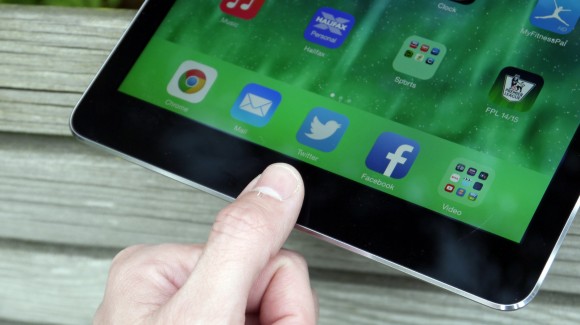
     #1 Touch ID & Apple Pay

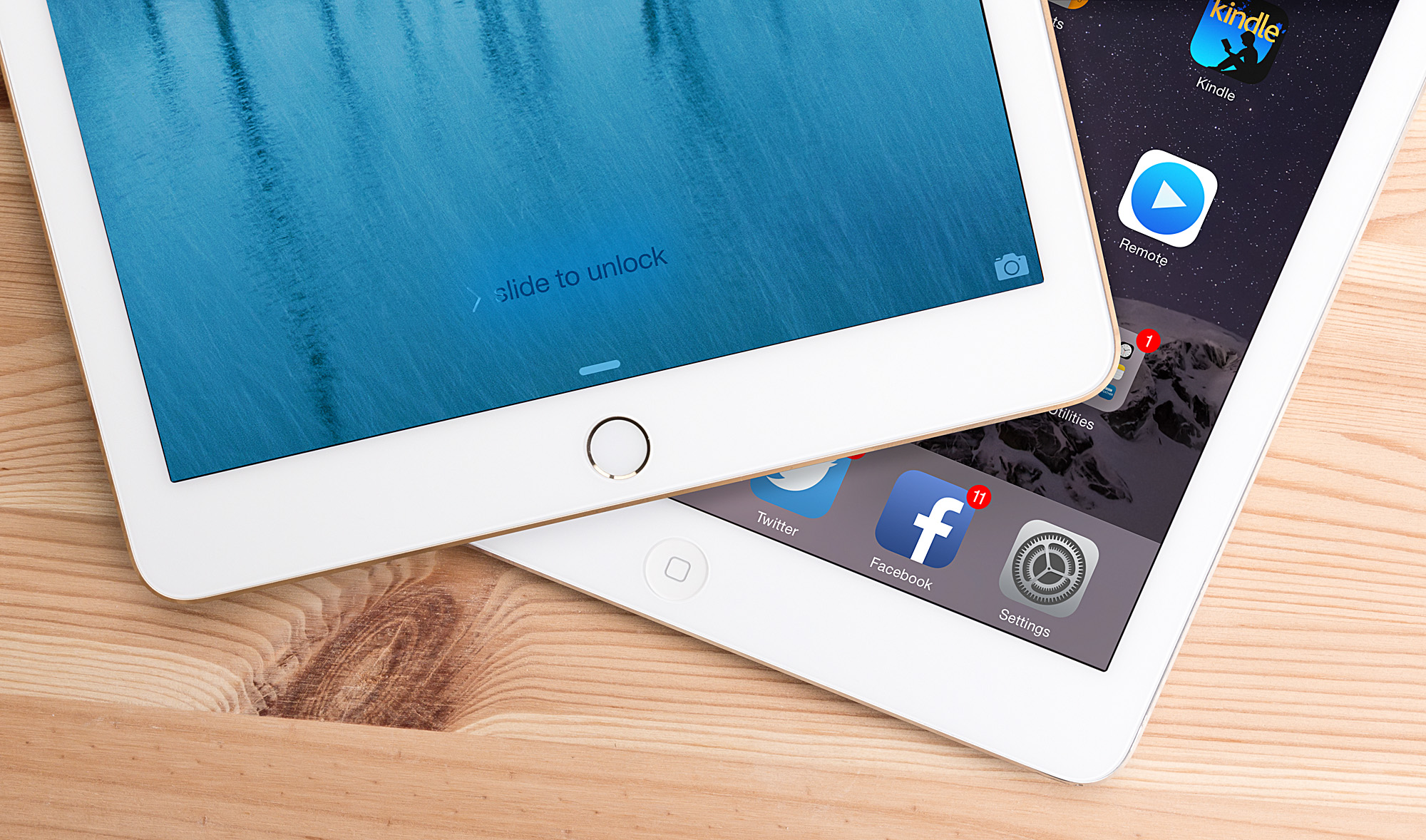
The Touch ID feature is undoubtedly one of the most exciting additions for the iPad Air 2. Do you ever happen to forget your pass-code or swipe gesture when locking your tablet? You won’t have to worry about this anymore, because with TouchID you can add a pass-code without even noticing that it’s there. This is just a stepping stone for future transactions, because when the feature will become widely implemented, it will be possible to pay for things without having to pull out your credit card. We strongly believe that this is a valuable addition to the mobile ecosystem. Apple also believes that this feature will be extremely useful for locking certain apps, which admittedly, some people want secure.

     #2 The Beautifully Refined New Screen

Another great improvement on the Apple iPad Air 2 is the new screen technology. Thinness may be overlooked, camera flow is not that important, but when brightness and touch capabilities are improved on a screen, you can tell. Sharpness and clarity of images has been maintained, but because internal layers are better laminated together, colors are deeper and more vibrant. Reflectivity is also reduced due to the anti-reflection coating.

DisplayMate Technologies has tested the iPad Air 2 extensively, and concluded that reflection and brightness of the reflected ambient light are ‘outstanding’. The iPad Air 2 isn’t just a small improvement from its predecessor. It has nearly doubled the score of the iPad Air.
Air_2_right_side_34

     #3 New A8X Chip

Apple declared that its A8X Chip is screamingly fast, and we have to admit that the tablet has performed superbly under various circumstances. It’s safe to say that a tablet with these capabilities cannot be pushed to the limits. The graphical capabilities of the Air 2 are 2.5 times that of the Air, and the new chip offers better flow for apps and other tools. Battery life is slightly improved and the touchscreen runs more effectively. Of course, these things are not directly related to the chipset, but the new addition helps.

     #4 New Camera

I have to start by saying that I find it slightly unorthodox to use a tablet camera as a main camera, but nowadays it has become the norm to take photos of friends and family with this slightly over-sized device. Somehow, it has become acceptable for people to take selfies with tablets. Apple does not discriminate, and this is why it improved the camera on the iPad Air 2. The resolution will give you a clearer picture, although it will never be as crisp as that of a next-generation smartphone camera. In addition to this, the iPad Air 2 has been imbued with several high-power tricks such as slow motion video, lapse mode, built-in Photos Suite for editing, iCloud shared photo stream and more.

4. Interface & Performance

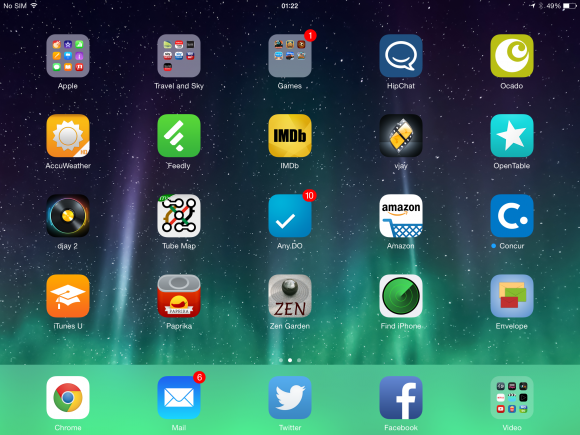
As you probably already know, iOS 8.1.1 was recently released, but the iPad Air 2 and iPad Mini 3 are the first devices to run this OS right out of the box. For Apple users, the interface is nothing new. If you are worried about crashes and bugs on iOS 8.1.1, don’t be. While it is true that the iPhone 6 and 6 plus are experiencing some technical difficulties with the new OS (especially with Google Chrome and the inbuilt Mail app), both tablets are performing nicely and issues are being kept to a minimum. The 9.7-inch screen equipped on the new iPad Air perfectly fits the grid of apps and icons.
iPad Air 2 review (5)-580-90

There is no need to detail on the usefulness and wonderful capabilities of the new operating system. It is now possible to answer messages without exiting apps, or check social media feeds without disrupting other activities. If you are not using iOS 8.1.1 on your device right now, you are losing out. Everything is brilliant on the new iPad Air: screen responsiveness perfectly complements the new suite of features made available.

I never felt like the latest Samsung tablet lagged, but after using the iPad Air 2 I realized that Apple redefined the concept of screen responsiveness (also due to the fact that the new A8X chipset is 40% faster than the competition). From a performance point of view, Apple has definitely delivered outstanding results.

5. Media Overview

The one thing I couldn’t quite understand was the new increments (or should we say old) for storage options. Apple has upgraded the middle storage option from 32GB to 64GB, but the lowest storage option is still 16GB. Maybe it should have been upgraded to 32GB as well? Anyway, the Apple iPad Air 2 is a perfect device for consuming media one, as long as you organize storage space wisely.
Air_VS_Air_2_home_button

Installing all the free apps from Apple will take up a large portion of your storage. In addition to this, games are now a lot bigger, and they will also consume a lot of GB. For this reason we recommend that you don’t purchase the cheapest storage option (the 16GB one). If you enjoy watching movies and TV series, the iPad Air 2 is the perfect device to do it on. Even more amazing than movies are games. The reach, HD quality and immersive screen is absolutely perfect for playing games. It is very probable that new games that take advantage of the strong GPU performance and resolution will appear in the foreseeable future. If you are a game enthusiast, you should definitely consider purchasing this device.

How Does the iPad Air 2 Handle ‘The Basics’?

Up until now we have only covered apps, games, media capabilities, performance and design. Sure, the iPad Air 2 works perfectly with all the clever apps, but how well does it perform basic tasks? Let’s take a look at some of the most important things that a tablet should be capable of doing:
iPad Air 2 review (15)-580-90

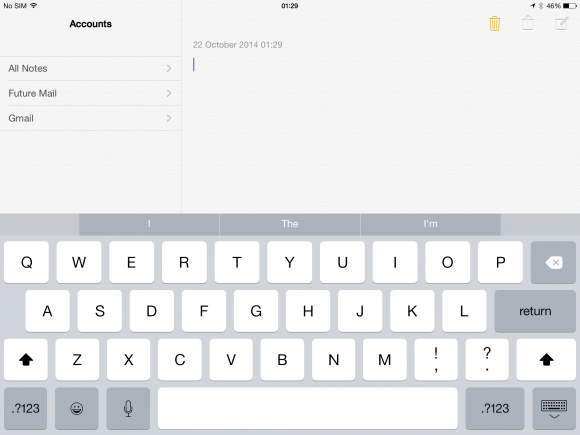
  • Messaging: I have always been extremely pleased with the performance of Apple keyboards. Screen responsiveness makes it impossible to miss-type something. Because the iPad Air 2 comes with better screen capabilities, you can expect great things from it. Besides the text message problem, the iPad Air 2 performs perfectly: the expansive keyboard will make it extremely easy for you to blurt out interminable messages. Even the Mail app, with the infamous boring view, remains a powerful tool on iOS 8.
  • Internet Browsing: I am positive that you are planning on browsing the internet with your brand new tablet. Thanks to the new A8X chip, navigating online has never been faster. You will virtually experience instant tapping and loading with this new gadget. Safari and Chrome perform equally impressive.
  • Connectivity: The Apple iPad Air 2 offers better connectivity than previous models and tablets. That’s mostly due to the inclusion of 802.11ac technology. The addition of Apple’s own SIM available for US and UK markets is also nice.
  • Handoff: The select few who own an iPhone with the latest software and an iPad Air 2 can enjoy the Handoff feature, which instantly links your devices to the same iCloud account and enables you to receive calls on the tablet.

Price & Availability

The Apple iPad Air 2 was released on October 17. Users have had plenty of time to play with the new gadget, and they were extremely satisfied with it up until now. In the United Kingdom, the price of the iPad Air 2 starts at 399 pounds for the 16GB Wi-Fi version. If you want to add cellular connectivity you have to add 100 more pounds to the price.

Verdict

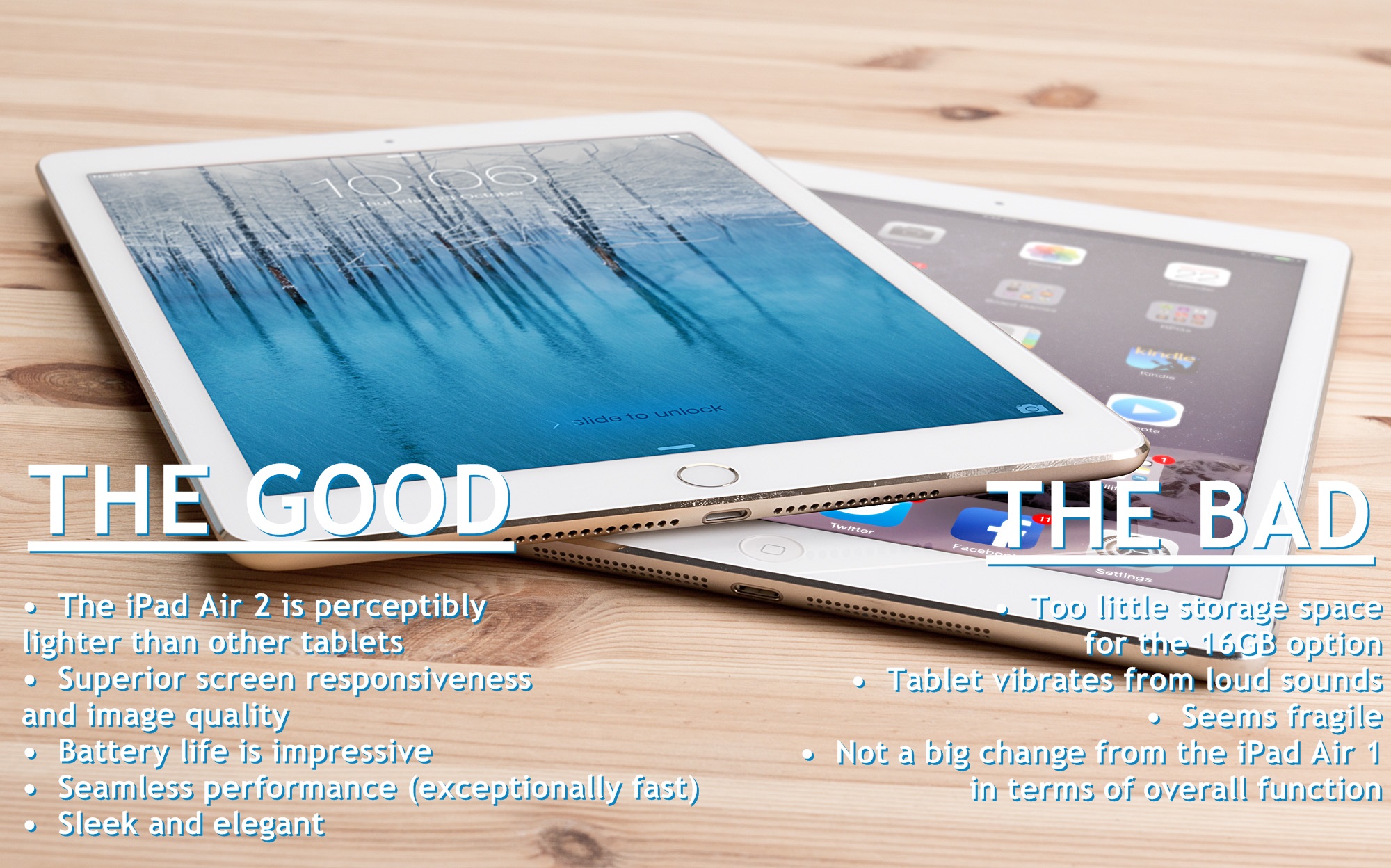
The challenge of delivering truly useful to the markets is increasingly difficult. The market has evolved significantly, and new tablet models have to deliver truly unique and practical features to be considered worthy. Don’t forget that the iPad Air 2 is competing with companies such as Samsung, Sony and Google/HTC. So how has the tablet performed? There are many things that we liked about this gadget, and also some that we didn’t enjoy. Here they are:
Air_2

The Good:

  • The iPad Air 2 is perceptibly lighter than other tablets
  • Superior screen responsiveness and image quality
  • Battery life is impressive (even if it hasn’t been greatly improved upon)
  • Seamless performance (exceptionally fast)
  • Sleek and elegant

The Bad:

  • Too little storage space for the 16GB option
  • Tablet vibrates from loud sounds
  • Seems fragile
  • Not a big change from the iPad Air 1 in terms of overall function

All in all, the Apple iPad Air 2 is a superb tablet, worth every penny. If you are an Apple enthusiast or simply looking for a tablet with unparalleled performance and capabilities, this is the perfect choice.

Filed Under: Tech & Science Tagged With: Apple iPad air 2, best tablets reviews, ipad Air 2, iPad Air 2 Review, review for iPad Air

Samsung Galaxy 4.4.4 KitKat and 5.0 Lollipop Rumors

December 4, 2014 By Roxanne Briean Leave a Comment

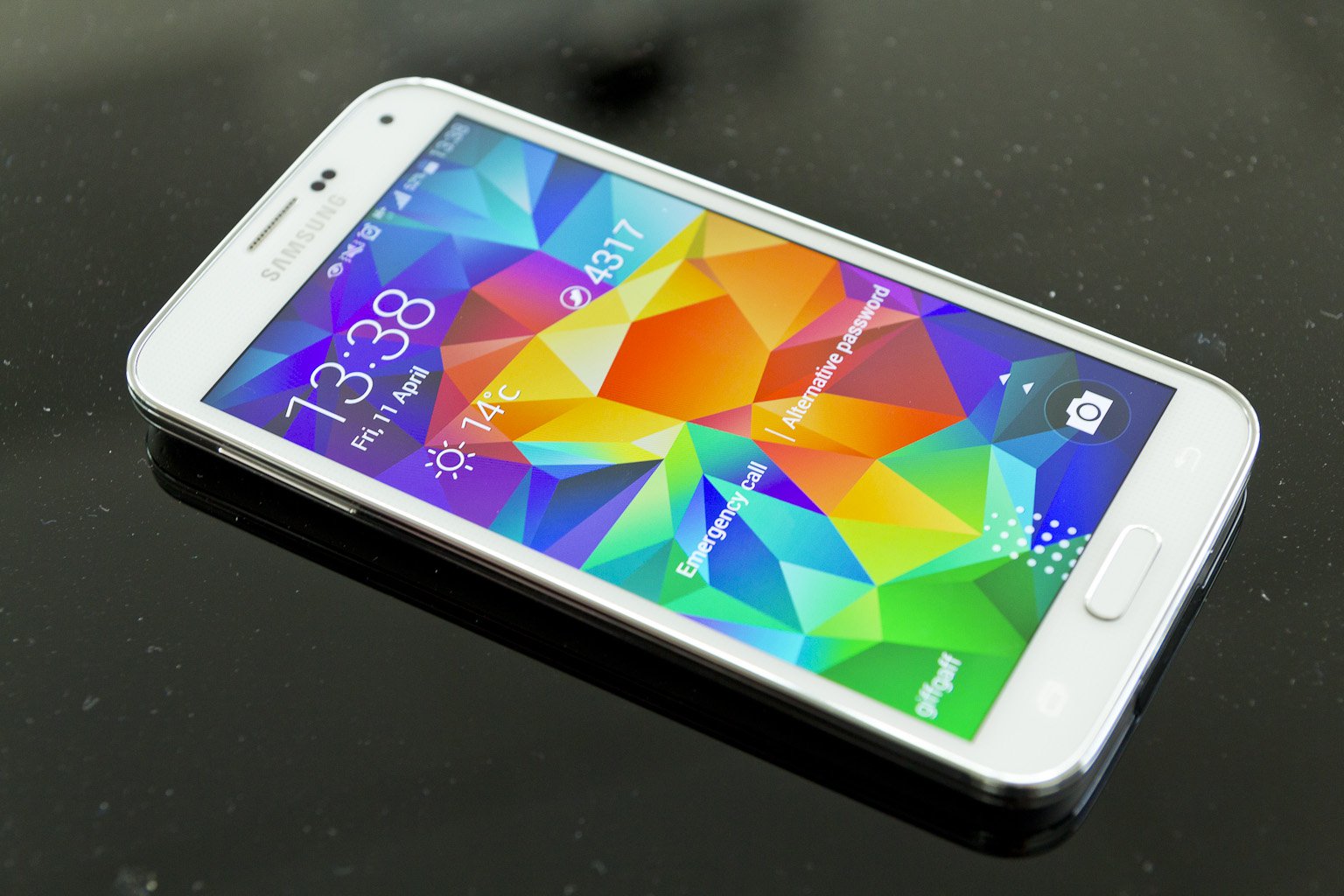
Samsung Galaxy S5 may not be the newest smart-phone on the market, but it is undoubtedly one of the most powerful Android flagships of the moment.  As a matter of fact, it can easily hold its own against newer models on the Android market. The only problem right now is the fact that Samsung seems to be lagging behind other companies in terms of OS updates.

For example, older Nexus models have already received Android 5.0 Lollipop, while Samsung devices are still waiting for an update on KitKat 4.4. To offer you a better picture of the timeline, we should tell you that the Android 4.4.4 KitKat update for Samsung Galaxy S5 was announced at around the same time as the Android 5.0 Lollipop release. In other words, while other devices already had KitKat and were waiting for Lollipop, Samsung Galaxy S5 had yet to receive KitKat.

eanj3pdvkrspfsanjhns

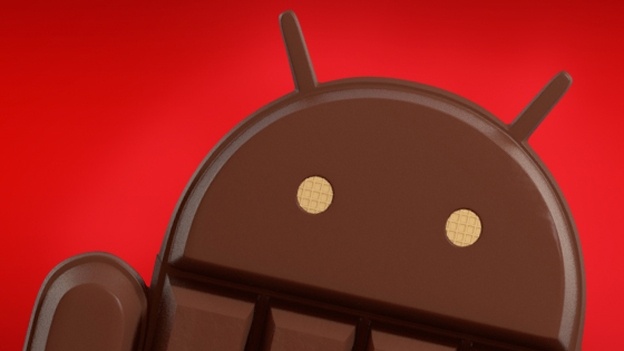
Android KitKat 4.4.4, the major bug fix update for the previous KitKat operating system, started rolling out in June for Google. In the meanwhile, Samsung is still rolling out 4.4.2 and 4.4.4 updates for select phones and tablets. There will probably be a long wait for Lollipop, considering that Samsung has, only recently, started to roll out the Android 4.4.4 KitKat update from carriers like Sprint.

Sprint is the second carrier in the United State to deliver Android 4.4.4 KitKat for its users. On November 19 and after several weeks of testing, the carrier announced that the new update is finally stable enough to be released to the public. In general, Sprint releases smaller Android OS updates in stages, but considering that 4.4.4 is an incremental upgrade, we are expecting it to be available a bit faster.

Verizon was the first carrier to offer the OS for Samsung Galaxy S5. Android regularly releases small updates for its operating system, in order to solve bugs and security issues. However, KitKat 4.4.4 was a huge update, which came with several interesting features. The new Android 4.4.4 KitKat will also offer international Wi-Fi calling features and an icon for HD voice. The build number for this update is G900PVPU1ANK4. Sprint customers should already be on the receiving end of Kitkat 4.4.4, through a notification. If you have yet to be notified about the update, you should check for it manually from your settings.

samsung-galaxy-core-line-1-3

Assuming that you already have access to the update, we urge you to set aside approximately 15 minutes for the process. The Samsung Galaxy S5 update announcement follows in the footsteps of others. For example, AT&T also announced, earlier this month, that the Galaxy S4 will also be receiving the KitKat 4.4.4, which will fix bugs and add interesting new features for owners, including Samsung Knox 2.0. Another carrier worth mentioning, T-Mobile, also declared that Android 4.4.4 will be available for the Note 10.1 2014 edition, and it will come with IPv6 improvements as well as a new download booster.

Android Lollipop 5.0 to Arrive for Samsung Devices in December

These updates may seem less important, considering that Android Lollipop is already out, but they should be of interest for Samsung users. Although Samsung & carriers are still struggling to release Android 4.4.4 KitKat for Galaxy S5 devices, their focus has shifted to Lollipop 5.0. As a matter of fact, credible sources claim that the Lollipop update will be released not in March, not even in January, but in December. This could make for a great Christmas present for tech enthusiasts. Considering that other competitors are already pushing Android 5.0 Lollipop updates on their devices, we can assume that it is only a matter of time until the world’s largest Android smart-phone manufacturers also makes its move.

Android-storia

The company has yet to release any official statements about its plans for the future, but this doesn’t mean that it won’t be making a move by the end of the year. We can safely assume that Samsung is taking the ‘slow and steady’ road. The company started rolling out its Android 4.4 KitKat update way back in January 2014. We are at the end of November, and deployments for KitKat are still going strong. The first device to be updated was the Samsung Galaxy Note 3. We are confident that Samsung will quickly move past KitKat, and begin deployment of Android 5.0 Lollipop.

Select Nexus devices are already using the new Android update, which seem to bring major improvements. It will definitely be a major update for Samsung devices as well. One thing we know for certain, considering the plethora of rumors surfacing on the internet, is the fact that Lollipop will become a reality for Samsung users before the year has passed. Let’s take a look at some of the most interesting rumors and news for Samsung Galaxy Note 3, S5, S4 OS updates.

Please take these rumors with a grain of salt, because Samsung has yet to release any official statements regarding its future plans. These rumors come from specialists and analysts in the smart-phone industry. Even if Samsung is planning on releasing Lollipop 5.0 this year, the testing process can always encounter hiccups and be setback with several days or weeks. In other words, try not to get too excited, because nothing is set in stone.

Samsung_Galaxy_S5_lock_screen

Carriers have also refrained from making any official statements that would confirm the release of Android Lollipop 5.0 or other specific details. In general, carriers are the first to give information about future OS updates, but this doesn’t mean that Samsung isn’t advancing its plans for December.

One word of advice for all the Samsung users out there would be to update their phones from Android 4.3 Jelly Bean, to KitKat, in order to prepare for future releases.

Samsung Galaxy S5, S4 & Note 3 Will Skip KitKat 4.4.4

We have to admit that releases of KitKat 4.4.4 for devices such as Galaxy S5, Galaxy S4 and Note 3 have been very slow. However, credible sources claim that Samsung is not interested in providing this update, seeing as it will jump from 4.4.2 KitKat directly to 5.0 Lollipop. Considering that the new Android update is already up for various flagships, skipping directly to it seems like the sensible decision for Samsung.

The company has actually tweeted, on November 4, that it will make the jump directly (https://twitter.com/SamMobiles/status/529755067252232192)

Lollipop 5.0 is Already Up and Running for Several Samsung Devices

The latest Android OS update is already up and running on several Samsung devices (but it is not publicly available). Just do a quick YouTube search for hands-on reviews on the subject, and you will find plenty of examples.  So why is Samsung always rolling out updates so slowly compared to other companies? Samsung represents the hallmark of all Android devices. That’s because it always takes a unique approach on Android releases. It will never offer the exact same experience of Android as other companies. The main reason why Lollipop 5.0 will take longer to release to the public, for Samsung devices, is because developers are still working with the UI and other features.

Many users have complained about the standard appearance of Lollipop 5.0 (some even comparing the UI to a ‘hideous circus), but as you can see from the video below, Samsung has managed to transform Lollipop into a sophisticated UI. Wireless features are still not available for Lollipop on Samsung and it might take a while until this is resolved. There are several other problems that need fixing. Hopefully, they will be resolved by the end of the year. It is a well-known fact that Android updates tend to wreak havoc on most Samsung devices, so clients must be patient until the company remedies them.

Samsung Galaxy S5 is Already Testing Lollipop 5.0

Last week, carrier Sprint announced that it is testing Android Lollipop on the Samsung Galaxy S5 device. A User Agent String on the carrier’s website makes it clear that the Lollipop 5.0 version was listed for the SM-G900P, the technical reference for Galaxy S5. In other words, the carrier is actively involved in optimizing new Android content for its flagship.

Some said that Lollipop will be released for Samsung devices by the end of November, but that didn’t happen. However, a release for December-January would make a lot of sense, given Samsung’s penchant for releasing Galaxy S and Note updates at around the same time.

Android-storia

SamMobile, a leading expert in the Samsung smart-phone industry, released several previews for the Lollipop. It clearly displayed the progress of the software through its development stages. The final leak reported that there is not yet enough progress to make the update public. According to the website, the change lies in “new icons in Toolbox, which allows quick access to a few functions from anywhere on the phone.”

Several other video leaks indicate the fact that Android Lollipop 5.0 offers smoother performance and more fluid movement on the screen. Nevertheless, this may also be an indication of the fact that they used new phones, with not to many apps and mileage on them.

If you really can’t wait for the update, and have a Samsung Galaxy S5, simply go to your Setting tab, and “About Phone” and you will find the latest update for your smart-phone. This is only available for Verizon and Sprint users. If you don’t see any update, it’s just a matter of days until it becomes available.

Roll Out Status of Android 4.4.4 KitKat

While we wait for the release of Lollipop 5.0, let’s take a look at the status of KitKat for carriers such as AT&T, T-Mobile, Verizon and Sprint:

  • Samsung Galaxy S3, S4 and S5: although some carriers are struggling to release KitKat for Samsung devices, they are not rolling out the latest version. At the moment, users have to stick to the 4.4.2 version, and it seems that Samsung prefers to wait for the release of 5.0 Lollipop for its major flagships.
  • Samsung Galaxy Note 2 and Note 3: The same situation is true for Note devices. Sure, this may result in a longer wait for clients, but the personalized operating system should perform better than the standard version made available for other smart-phones, such as Nexus. Note 3 and S4 users should receive the Lollipop update, automatically, in the first months of 2015.

KitKat

If you are beyond excited to test out the new OS on Galaxy S5 variants (SM-G9001, Sm-0900F and SM-G900M with more to follow), head to the XDA Developers forum. From here you can test the latest working version of Lollipop that is currently under development. There are several bugs to consider, like the NFC and camera, but other features seem functional.

To sum up, Android KitKat 4.4.4 is currently rolling out for Sprint on Galaxy S5. The S5 has already leapfrogged the 4.4.2 version and went directly to 4.4.3. The update was announced on September 23, but several customers have yet to gain access to it. Also, OTA installation is on its way, which will make the installation process a lot easier. T-Mobile and AT&T will probably not even be bothering with the 4.4.4 Kitkat update, and jump directly to Lollipop. We will keep you posted.


Filed Under: Tech & Science Tagged With: Android update OS, KitKat 4.4.4 update, Lollipop 5.0, Lollipop update, Samsung Galaxy s5 android

Dwindling Bee colonies can be better understood by History

November 26, 2014 By Nancy Young Leave a Comment

bees-history-1024x680

The future of bees may depend on understanding their past. Bees are in trouble. Honeybee colonies in the United States have suffered devastating losses in recent years. But colony collapse disorder, as it’s called, affects only the species kept in beehives, the European honeybee, Apis mellifera. There are almost 20,000 species of wild bees, and they aren’t faring well, either.

Nearly a third of bumblebee species in the United States are declining. In the Netherlands, more than half of the country’s 357 species of wild bees are endangered. Many species of plants, including crops, depend on wild bees to spread their pollen. When they lose their pollinators, they may suffer, too.

“It’s essential to know what is causing those declines,” said Jeroen Scheper, a graduate student at Alterra, a research institution at Wageningen University in the Netherlands.

But it is not enough to consider the many challenges, from pesticides to parasites that wild bees face right now. “We need to go back in time,” said Mr. Scheper.

As it turned out, the fate of the bees often was tied to that of the plants they depended on. The growing intensity of farming in the Netherlands since the 1950s hit many wild plant species hard. “There were a lot more flowers in the landscape before,” said Mr. Scheper.

Dutch farmers cleared more land, used more toxic herbicides, and blanketed their farms with fertilizers.

Some wild plants were able to survive these challenges, but others became scarce. Mr. Scheper and his colleagues found that the bees that preferred declining plants also declined.

This link held true even for bees that collect pollen from dozens of plant species. The results suggest that without the preferred kind of pollen, the bee larvae suffered.

Mr. Scheper and his colleagues also found that big bees were at greater risk than small ones. He suspects that is because big bees need to eat more. If the plants they depend on get harder to find, they are more likely to suffer than smaller bees.

Filed Under: Tech & Science Tagged With: Apis mellifera, Dwindling Bee colonies can be better understood by History, Jeroen Scheper, Wageningen University in the Netherlands

NASA and “Sesame Street” Muppets Collaborate to Educate Youth

November 26, 2014 By Cristopher Hall Leave a Comment

Sesame-Street-and-NASAs-Mission-Mars

A few popular characters of “Sesame Street” such as Elmo and cookie monster joined together with NASA to offer launch video of the Orion Spacecraft. The chief aim of the collaboration of NASA and puppets is to inform youth about the space exploration.

This effort to educate young children began from 24th of November. However, the program will end after a short time period of 10 days.

“Sesame Street” along with NASA will share theme based videos, comics and graphics. All these items would be related to the Orion Space. For instance, in one of the videos a Muppet character communicates with NASA’s Orion Space Craft. It is certainly an innovative method to spread information regarding the future Journey of Mars.

The “Sesame Street” tried its level best to create a hype of this program. The non-profit cartoon company utilized all of its social media platforms for this purpose. Lately, people read a statement on the twitter account of Sesame Street which shows the countdown of NASA’s Orion Launch

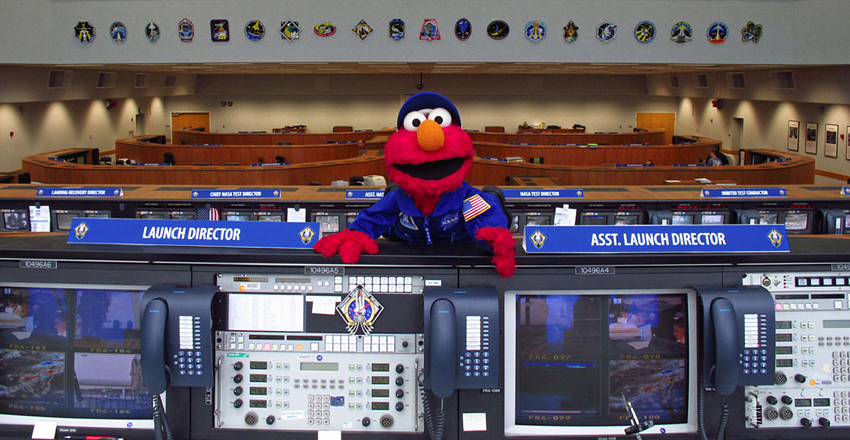
Moreover, Sesame Street posted a picture of Elmo with a spacecraft and wrote that he is pretty familiar with the idea of rocket launches.  Previously, the little red Muppet visited Kennedy Space Center to view the launch of final space shuttle mission.

President Obama suggest a time period for Mission to Mars. According to that time period, the government space agency will launch the Orion spacecraft to Mars in 2030. Therefore, it seems like “Sesame Street” focused on kids who might be the participant of that journey in the future.

Filed Under: Tech & Science Tagged With: comics, Elmo, graphics, Kennedy Space, mission Mars, Orion Spacecraft, Sesame Street, videos

NASA Contracts Two Space Firms For Asteroid Mining Mission

November 26, 2014 By Nancy Young Leave a Comment

New-NASa-Aetroid-mining-Mission

NASA gave the contract of asteroid mining to Deep Space Industries and Planetary Resources. These two firms will join together to design practical methods of the mining of asteroid.

The successful landing of probe on comet motivated NASA for this particular mission. The chief objective behind the mission is to bring market instrument in the arena of Space Travel. These market instruments include investment, commercialization and much more.

Nowadays, finding novel resources are the major obstacle in every innovative work.  It is considered as the basic requirement for the beginning of any groundbreaking work. Hence, the government agency contemplated on ways through which it can attract investors to this field.  The mining of asteroid can offer extremely precious resources such as minerals, metals, carbonaceous and silicate minerals. Later on, private companies or NASA can sell these things at a really high cost.  According to the rough estimation of NASA, these asteroid related items can be sold at a price ranging from $5000 to $25000 per kilogram.

Daniel Faber, CEO of Deep Space stated that the company decorated the ordinary asteroid mission of NASA with the idea of commercialism. The principal goal of Deep Space is to fulfill the financial needs of NASA for the Mars and moon exploration. All the materials which the company will gather from asteroid would be sold in the international market.

Currently, both the private firms are working on plans to extort worthy materials from the surface of cosmic bodies.  They are also responsible of the examination and accomplishment of the entire mission.

Filed Under: Tech & Science Tagged With: asteriod, Deep Space Industries, nasa, Planetary Resources

Sony Pictures Computer Network Hacked & Shut Down By The Hackers

November 25, 2014 By Nancy Young Leave a Comment

Hackers-Attacked-Sony-Picture-Entertainment-1024x678

A group of hackers attacked Sony Pictures Entertainment on Monday. The company immediately asked workers to switch off their computers and Wi-Fi.

On Monday, the staff members of Sony Picture Entertainment saw a strange picture when they turned on their computers and laptops. Later on, they got to know that their office is not the only one. The same thing happened in all the offices of the firm.

The hackers left a message along with the picture of as skull on the entire system of Sony Pictures Entertainment. The hackers who named themselves as GOP left a message which states “we have already warned you, and this is just a beginning. We will continue till our request be met. We have obtained all your internal data including your secrets and top secrets. If you do not obey us, we’ll release the data shown below to the world”. The hackers released the message along with five highly confidential zip files of the company. However, no one is knows what kind of information these files contains.

Additionally, the group also attacked the twitter accounts of the company and released the same message on them. Fortunately, the hackers cannot access the other departments of Sony Corporation.

GOP asked Sony Pictures Entertainment to fulfill their demands otherwise they would release confidential documents on the internet. However, the group has not mentioned its demand yet.

On the other hand, the Sony corporation informed that there officials are currently investigating the IT matter.

It is definitely really surprising that the world’s largest technology company experiences this kind of attack. It is the last thing people expects to happen.

Filed Under: Tech & Science

Antarctic Sea Ice mapped precisely for the first time

November 25, 2014 By Kenneth Scott Leave a Comment

Antarctic Sea

Groundbreaking 3D mapping of previously inaccessible areas of the Antarctic has found that the sea ice fringing the vast continent is thicker than previous thought.

Two expeditions to Antarctica by scientists from the UK, USA and Australia analyzed an area of ice spanning 500,000 metres squared, using a robot known as SeaBed.

The survey discovered ice thickness average between 1.4 m and 5.5 m, with a maximum ice thickness of 16 m. Scientists also discovered that 76% of the mapped ice was ‘deformed’, meaning that huge slabs of ice have crashed into each other to create larger, denser bodies of ice.

The team behind the research, published in Nature Geo-science, have hailed it as an important breakthrough in better understanding the vast icy wilderness. The findings will provide a starting point to further work to discover how ice thickness, as well as extent, is changing.

Previously, measurements of Antarctic ice thickness were hindered by technological constraints. Ice breaking ships could only go so far into ice to measure depth, while no-one had drilled much more than 5.5 m down into the ice to extract a core for analysis.

SeaBed, an autonomous underwater vehicle (or AUV), was used by the research team to analyze ice thickness at an underwater depth of 20 to 30 meters. Driven in a “lawnmower” pattern, the two-meter long robot used upward-looking sonar to measure and map the underside of sea ice floes. Oceanography robots are usually focused on the sea floor.

The mapping took place during two expeditions, in 2010 and 2012, that took researchers to the coastal areas of the Weddell, Bellingshausen and Wilkes Land regions of Antarctica. The teams came from the British Antarctic Survey, the Institute of Marine and Antarctic Studies in Tasmania and the Woods Hole Oceanographic Institution in the US.

Dr. Guy Williams, from IMAS, said the research is an important step in gauging changes to Antarctic ice.

“Sea ice is an important indicator of the polar climate but measuring its thickness has been tricky,” said Williams, the report’s co-author. “Along with the satellite data, it was a bit like taking an X-ray of the ice, although we haven’t X-rayed much of it, just a postage stamp.

Filed Under: Tech & Science

Security Companies suspect a governments hand in major new malware ‘Regin’

November 25, 2014 By Michael Turner Leave a Comment

Security Companies

Researchers have uncovered a highly-advanced, “top-tier” piece of malware that has targeted governments, businesses, and national infrastructure and is believed to have been created by a nation-state.

The malware, called “Regin,” was revealed in a blog post by software security company Symantec on Nov. 23. It has been used “in systematic spying campaigns against a range of targets” since at least 2008, and potentially as early as 2006.

The software exhibits “a degree of technical competence rarely seen,” and this sophistication has led Symantec to predict that its creator is likely a nation-state. Regin probably took months or even years to develop, the researchers said.

Customizable and almost impossible to detect due to its encrypted “multi-stage” nature, Regin usually targets governments, research institutes, infrastructure operators, and businesses, but it has also attacked individuals. “Attacks on telecoms companies appear to be designed to gain access to calls routed through their infrastructure,” Symantec reports.

The malware has also been adapted to infiltrate the systems of airlines and energy companies, and is capable of logging keystrokes, copying files off hard drives, accessing webcams, and monitoring network traffic.

Malware experts have already drawn parallels with Stuxnet, weaponized malware that degraded Iran’s nuclear capabilities in 2010 and is believed to have been created by Israel and the United States. Symantec, which discovered Stuxnet, suggested that the significance of Regin may be even greater, calling it “one of the main cyberespionage tools used by a nation state.”

Unlike Stuxnet, there is no sign that Regin was designed to damage computer systems. Its purposes appears to be purely to discretely surveil targets, leaving almost no trace of its presence.

One hint as to its origins comes from its targets: Of the 100 known infections, 52 percent originated in Saudi Arabia and Russia. Other infection sources include Mexico, India, Iran, Pakistan, Ireland and Afghanistan. Regin has not yet been detected in either China or the U.S.


Filed Under: Tech & Science

Underwater Robot Measures Relatively Thick Antarctica Ice Sheets

November 25, 2014 By Nancy Young Leave a Comment

melting-of-Antarctic-Ice-sheets-1024x665

A team of researchers belongs to United Kingdom, Australia and United States joined together in order to design the first high resolution, 3D maps of Antarctic sea ice. They produced these maps with the help of an underwater robot.

The underwater robot gave an insight about the temperature of Antarctic ice sheets. It measure the thickness of ice in the regions of Antarctic which are considered difficult regions to reach.  Previously, researchers used satellite data for this particular purpose. However, the snow present on the top layer of Antarctic Ocean act as a big barrier in the entire process. Later on, researchers drilled the sea ice for visual observation.

Fortunately, this new robot revealed that the ice sheets of Antarctic Ocean are much thicker than the assumptions of scientists. It signifies that the thickness of Antarctic sea Ice is not decreased to a great extent since last few years. The global warming and greenhouses gases has not damaged the thickness of Antarctic Ice sheets. Nevertheless, the robot failed to inform about the amount of ice that converted into water every year.

Earlier, researchers were quite worried about the melting of ice sheets in Antarctic Ocean. Therefore, this reports turned out to be a very good news for the researchers.

Moreover, the robot pr0vided precise data which helped experts in the evaluation of Ice sheets. The researchers of Woods Hole Oceanographic Institution in Massachusetts named this robot as Autonomous Underwater Vehicle (AUV). It is generally known as SeaBed.

Filed Under: Tech & Science

iPhone, iPad iOS 8.1.1 Update: What you Need to do Before Updating to iOS 8.1.1

November 23, 2014 By Roxanne Briean Leave a Comment

A little over a month ago, iOS released the 8.1 update for its users. This update came after customers complained about the numerous bugs and glitches on iOS 8.0. For Apple customers, iOS 8.1 was like a breath of fresh air which resolved nearly all usability and app problems. It also introduced several interesting features such as Apple Pay. Camera Roll, one of the most cherished features of iOS 7 was also reintroduced.


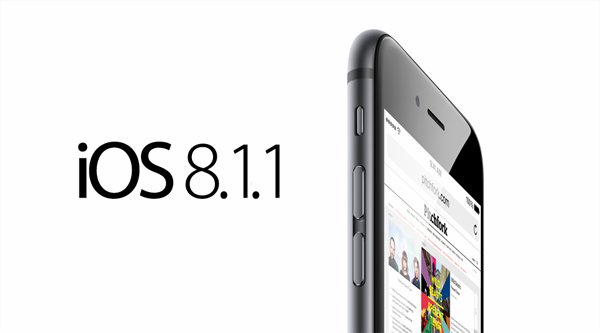
Yesterday, November 17, Apple announced its latest update for iOS 8.1, the 8.1.1 update. Unlike the previous update, this one is more or less a usability update which is designed to resolve remaining stability issues. If you are still having problems with the operating system, this update may be incremental for you.iOS-81.1

Although Apple usually posts a list of specific bug and updates fixes, it decided not to do it this time. However, they announced that the main objective of iOS 8.1.1 is to increase performance for older models: the iPhone 4S and the iPad 2. These two gray-beards were hit pretty hard by previous iOS updates and we are very happy to see that Apple is showing some love for older models that are still performing well. If you own iPhone 4S, 5, 5C, 5S, 6 or 6 Plus, the 5th Generation iPod Touch or iPad 2 and above you should definitely consider installing the new operating system.

iOS 8.1.1 Impressions & Performance

In the following article we would like to share several steps that you should make before installing this major update. You should never blindly install iOS updates that you know nothing about. Waiting one or two weeks might give you enough time to report potential bugs. This way you will know what you’re getting into beforehand.

ios8.1.1

In the last couple of months Apple has been releasing update after update in order to curb complaints and issues derived from the iOS 8.0 update. Even if iOS 8.0.1, iOS 8.0.2 and iOS 8.1 came with good fixes and several interesting features, they also brought about several bugs of their own. iPhone 4s and iPad 2 were the devices that suffered the most in the aftermath of these updates, but with the iOS 8.1.1, Apple is trying to boost performance of the two. We’ve installed iOS 8.1.1 on our iPad 2 device, and it works beautifully. We haven’t encountered any bugs or issues, the performance was incredible, and apps work consistently.

We strongly believe that you should update to iOS 8.1.1, especially if you are experiencing bugs and issues with your devices. Updating will make it easier for you to receive the latest features from Apple. Nevertheless, if you want to jailbreak your device you should definitely not update to 8.1.1 because it will not work with the jailbreaking software.

For those in search of a permanent fix for their iPhone issues, we encourage the installation of 8.1.1. It may not be the ultimate relief, because bugs may be reported in the future, but it is a step towards a better operating system. However, before you rush into installing the new iOS, you should make a few preparations.

1. Clean up your Device Prior to Installation

Do you regularly clean up your iPhone device? You should know that this could significantly boost the performance and battery life of your device. We are positive that, over the past few months, you have downloaded many applications, photos and music that you don’t really need. Now is a perfect time to get rid of the files that you are not using. The extra space you create will definitely come in handy once you install the iOS 8.1.1 update.

You should definitely clean up some storage space if you own a 16GB iPhone or iPad, because installing the operating system Over-the-Air will require a lot of free space. We also expect a lot of uninformed Apple users to cause a lot of ruckus over this issue, even if the company announced that Over-the-Air will take up a lot of storage space. A rule of thumb would be to clean up iPhones and iPads as often as possible in order to enhance performance, but if you don’t do this, you should at least have a major clean-up before every operating system update.

2. Charge your Device Prior to Installation

As we already mentioned, the installation requires at least 50% of battery power. This detail may not seem very important, but we urge you to charge your phone to full, to ensure that you avoid issues. You can also perform the installation with your phone charged into a power source. Battery level requirements depend on the age and performance of your device.

iOS-8.1.1-release-on-the-way-b

3. Update to the Latest Version of iTunes

If it’s the first time updating/downloading iOS 8 updates you should know that the latest version of iTunes is imperative. So before you begin installation, you should remember to update your iTunes. There are two ways of doing this. You can download the latest version for Windows, OS X etc. of iTunes from Apple’s website. You could also manually check for an iTunes update by accessign iTunes – Check for Updates. Windows users can check for updates within iTunes in the Help tab. If you own a Mac you can check updates on the Mac Store.

4. Discuss with your IT Team

Countless of business people use their Apple devices for work, mainly because iOS offers great apps for financial, organizational and accounting activities. We strongly recommend you to discuss with your IT department prior to installation, to make sure that the new operating system will not cause problems for your work. During the first iOS 8 update, tons of enterprises ran into serious problems that compromised their business goals. Worst case scenario, the IT team will tell you to hold off the installation until they gather more intelligence about the new operating system.

5. Update Important Apps

In a previous article we mentioned that some apps may be malfunctioning because they have not been correctly updated for iOS 8, therefore, they are not compatible. App developers, especially third-party developers, have been doing an excellent job in resolving bugs and issues with iOS 8 compatibility. Many bugs were resolved with iOS 8.1, and we expect that the 8.1.1 update will eradicate any remaining problems.

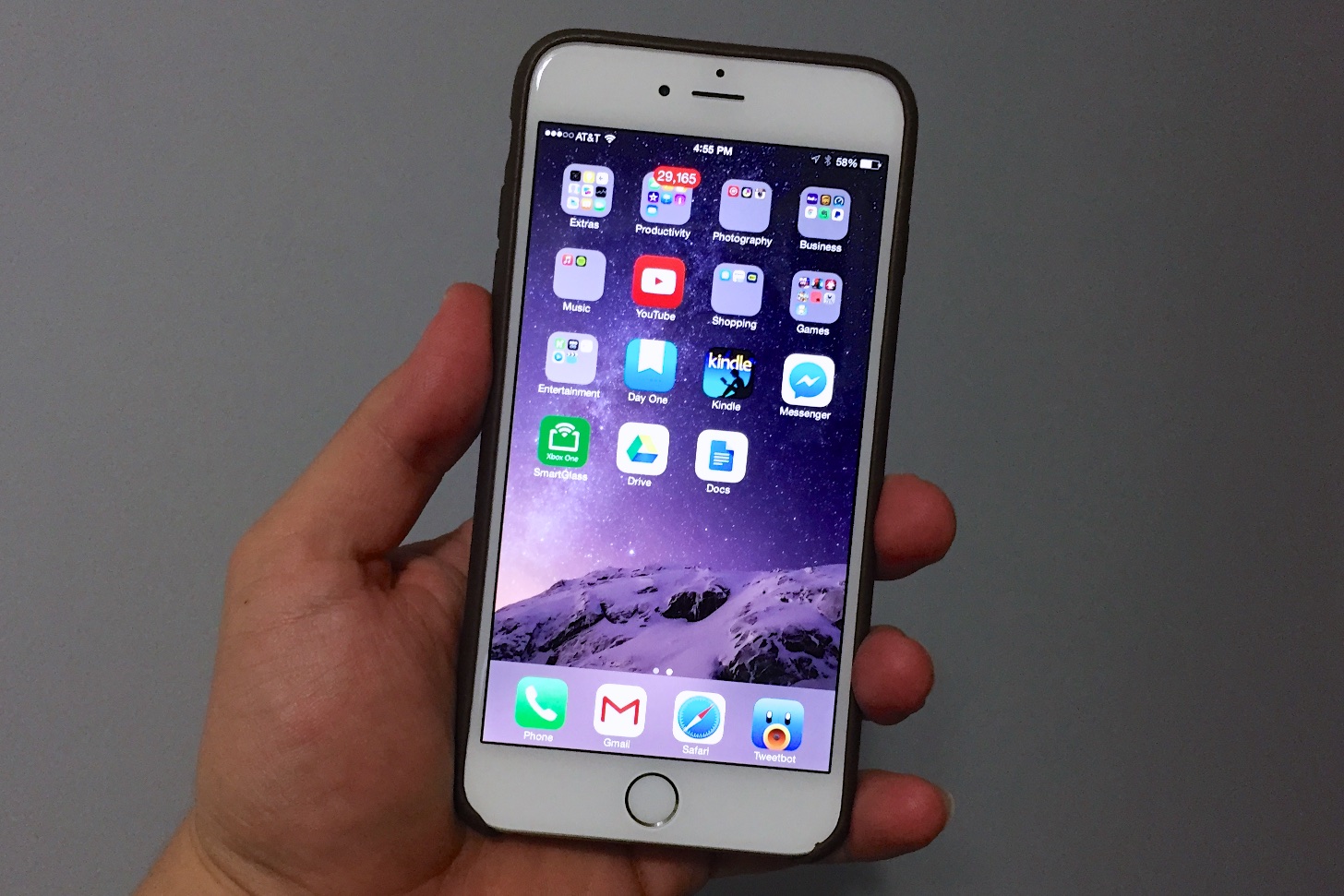
early-iOS-8.1-IPhone-6-Plus-Review-2

However, to make sure that all updates run smoothly you must update all your apps. In the past, it was possible for users to alleviate some of the issues caused by iOS 8.0 by updating their apps to the latest, bug-proof versions. It would be a wise move to update all your apps before installing iOS 8.1.1. This way, the transition between operating systems will run smoother.

How to install iOS 8.1.1 with iTunes

Although OTA has a convenient installation process, it takes a long time to complete, especially if you have a slow internet connection. Have you updated to the latest version of iTunes? Then you can begin the installation process. Click on iTunes in the menu bar then click on “Check for updates”. Now you have to focus on your device. The following steps will help you update to iOS 8.1.1:

  • Step #1: Connect your Apple device to the computer with a USB cable and wait for iTunes to recognize it.
  • Step #2: Click on the device button on the left of your iTunes Store button, in the top right corner of iTunes.
  • Step #3: You don’t have to hold down the Option key or the Shift key to check for updates. If the iOS 8.1.1 update is available it will be downloaded and updated on your device automatically.
  • Step #4: Once you receive the pop-up message that informs you about the update, click Download and Update. Make sure it says that iOS 8.1.1 is the latest version.
  • Step #5: If the iOS 8.1.1 update was not automatically available you need to download the firmware files appropriate for your device.
  • Step #6: After you click on the update you will be asked to Agree to the terms and conditions of Apple.
  • Step #7: By clicking “Agree” iTunes will be prompted to begin downloading the firmware file. The software will automatically download, process, extract, prepare and install the update.
  • Note: whatever you do, do not disconnect your device until the installation is complete. It will reboot several times during installation. When the installation is complete you will see the welcome screen with “Hello!”.

How to Install iOS 8.1.1 Over-the-Air (OTA)

The OTA installation process is quite simple. Make sure you plug in your device to prevent your battery from draining during the process. Depending on the version of your operating system, and the speed of your internet connection, it will take between several minutes and an hour to update and install. We strongly recommend you to connect through Wi-Fi to avoid extra-fees after installation.

To begin the process go to your General Settings > Software Update tab. If you are connected to the internet your device will automatically inform you about the iOs 8.1.1 software update. Click on “download” and wait for it to complete. Tap “install” and wait for the process to complete. Your device will continue to download updates and software and notify you when it is done. Then you must go back to Settings > General > Software Update and tap on Install now to Install the now downloaded iOS update file.


Filed Under: Tech & Science Tagged With: Apple iOS 8.1.1 update, Apple operating system, Apple updates, iOs 8.1.1 update, what you need to know about iOS 8.1.1

  • « Previous Page
  • 1
  • …
  • 63
  • 64
  • 65
  • 66
  • 67
  • …
  • 114
  • Next Page »

Subscribe to Blog via Email

Enter your email address to subscribe to this blog and receive notifications of new posts by email.

Join 11 other subscribers

Recent Articles

police handcuffs man

German Man Probed In Poisoning That Killed 21 Employees Since 2000

June 29, 2018 By Kenneth Scott Leave a Comment

Chicken wings bar

Intoxicated South Carolina Man Punches Waitress Who Refused to Serve Him Alcohol

June 29, 2018 By Karen Jackson Leave a Comment

gaming

New Zealand gamer Who Flew Halfway Across The World for Virginia Teen Gets Shots By Her Mother

June 28, 2018 By Cristopher Hall Leave a Comment

party

Former Virginia Tech Freshman Sentenced to 50 Years in Prison for Stabbing a Girl to Death

June 28, 2018 By Roxanne Briean Leave a Comment

bonfire

British Couple Sentenced to Life in Prison for Torturing and Murdering French Nanny

June 27, 2018 By Deborah Campbell Leave a Comment

pay phone

Texas Father of Girl Disappeared in the 80s Ignored by Authorities

June 26, 2018 By Cristopher Hall Leave a Comment

bottled water

San Francisco Woman Threatened to Call Police on Girl Who Sold Ice Water for Disneyland Trip

June 25, 2018 By Roxanne Briean Leave a Comment

Maplewood Park

Missouri Man Robbed by Date and Accomplice in Park

June 22, 2018 By Nancy Young Leave a Comment

coding

New York Man Sentenced in Cyberstalking Former Girlfriend, Mailing Drugs to Her Dorm

June 22, 2018 By Deborah Campbell Leave a Comment

headphones

Bose Poised to Launch Sleepbuds, In-Ear Headphones That Help You Sleep

June 21, 2018 By Nancy Young Leave a Comment

Police light

Intoxicated Female Driver in Custody for Pulling Arresting Officer by the Hair

June 21, 2018 By Kenneth Scott Leave a Comment

kitchen

Restaurant Manager Arrested and Charged in Shooting Death of Co-Worker over Negative Yelp Reviews

June 20, 2018 By Karen Jackson Leave a Comment

plastic container

Pennsylvania Couple Charged in Violent Death of Infant Discovered Buried in Cat Litter

June 19, 2018 By Cristopher Hall Leave a Comment

tailpipe

Minnesota Teen Gets Head Stuck In Oversized Tailpipe Winstock Music Festival

June 18, 2018 By Karen Jackson Leave a Comment

Pages

  • About Us
  • Contact us
  • Privacy Policy
  • Privacy Policy GDPR
  • Staff
  • Terms and Conditions

Recent Posts

  • German Man Probed In Poisoning That Killed 21 Employees Since 2000 June 29, 2018
  • Intoxicated South Carolina Man Punches Waitress Who Refused to Serve Him Alcohol June 29, 2018
  • New Zealand gamer Who Flew Halfway Across The World for Virginia Teen Gets Shots By Her Mother June 28, 2018
  • Former Virginia Tech Freshman Sentenced to 50 Years in Prison for Stabbing a Girl to Death June 28, 2018
  • British Couple Sentenced to Life in Prison for Torturing and Murdering French Nanny June 27, 2018
  • Texas Father of Girl Disappeared in the 80s Ignored by Authorities June 26, 2018
  • San Francisco Woman Threatened to Call Police on Girl Who Sold Ice Water for Disneyland Trip June 25, 2018

Categories

  • Business
  • Entertainment
  • Finance
  • Headlines
  • Health
  • Life
  • Nature
  • Science
  • Sports
  • Tech & Science
  • Travel
  • Uncategorized
  • United States
  • World

Copyright © 2026 ArgyllFreePress.com
About · Privacy Policy · Terms of Use · Contact