While for most individuals a monitor is a necessary peripheral device but not one that you’d spend a huge amount of time picking out once you’ve decided on the size of it and its design, things are a bit different for gamers. Professional or otherwise, for gamers the performance of a monitor is nearly as important as the power of your graphics processing unit and processor. The Asus MG279Q is a great example to begin with – one that can truly compliment your gameplay.
As a matter of fact there is so much more at stake when it comes to video games than just the diagonal of your screen or how pretty the colors are. One of the latest but most important aspects of your monitor that can really dictate the difference between a normal graphic rendering of your games and one that can actually allow you to step up your game is the refresh rate. I’m saying it’s new because the LCD monitor technology has been stuck at 60 Hz since its inception until only 2 years ago. The Asus MG279Q monitor is not the first to employ this new technology, but it packs up a lot of quality and backing aspects that will attend to your gaming and graphic-intensive needs.
Asus MG279Q Overview
The importance of 144 Hz
So the same technology that your television set has that makes movies look eerily natural in motion translates into a lifesaving aspect when it comes to gaming. If you do not already know, the purpose of higher refresh rates is to provide fluidity with which the data that translates into the image you see on your computer. Most of the computer and video games you play will not feel the brunt of the 60 Hz refresh rate because they are limited to 60 frames per second. However, various e-sports or other online shooter games where precision is one of the most important factor, having a low refresh rate will cap the amount of frames, giving you a certain degree of accuracy loss.
Still, the monitor you get is not solely responsible for the fluidity of your games – a hardware to match is necessary to make the best of it. The Asus MG279Q is not the kind of investment you make for an average gear setup because you won’t get that much out of it. So unless you’re planning on upgrading to meet the requirements before, you should consider it thoroughly before.
Made by the Gamers, For the Gamers
Your Asus MG279Q doesn’t stop at just that however. Considering it’s dedicated at a very specific market of gaming monitors, it has a number of features that are destined for that kind of activity. Firstly, it aims to improve the quality of your gaming sessions by allowing you to switch between personalized screen modes depending on the type of game you are playing.
Secondly, the MG279Q is also one of the proud hosts of the AMD FreeSync technology – meant to improve the smoothness of your gameplay by reducing image tearing and frame losses by easening the communication between the GPU and the monitor itself.
A Size to Behold and a Price to Match
The Asus MG279Q monitor is a variant of the 27 inch diagonal monitors – a considerable feat when it comes to gaming. While some may find the extra eye movement that you need to invest in such a large display tiring over long periods of time, everything showed on this monitor is extremely clear, to the smallest detail.

When 27” monitors first came out, most of the feedback they received was filled with disappointment at the image clarity – because they lacked the resolutions and pixel density to produce clear images with no visible pixellation. Asus MG279Q does not fall in that category – being one of the latest generations of 144 Hz monitors, it employs 1440p resolutions, thus filling up all of the extra space with a keen knack for detail.
The pricing of the Asus MG279Q, however, is not forgiving. If you want to enjoy your gaming hobbies to the full with this monitor, you will have to whip out no less than $599. That’s considerably more than the $350 average price you would pay for a 24 inch 120 Hz variant.
Asus MG279Q Setup & Design
If taken right out of the package, there’s a bit of setting up that must be done before you can actually put the Asus MG279Q to use. The packaging should contain 3 main components – the base, the panel and the upright that connects the two. Thankfully, the setup is one of the easiest possible and doesn’t even require any kind of tools such as screwdrivers. Not many other monitors actually offer this innovative kind of setting up, removing a lot of the trouble that comes associated with it, especially when you order it online for example.
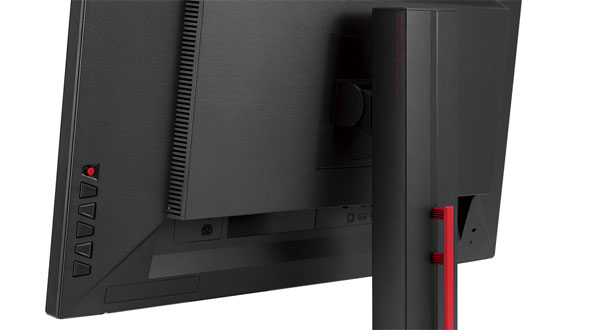
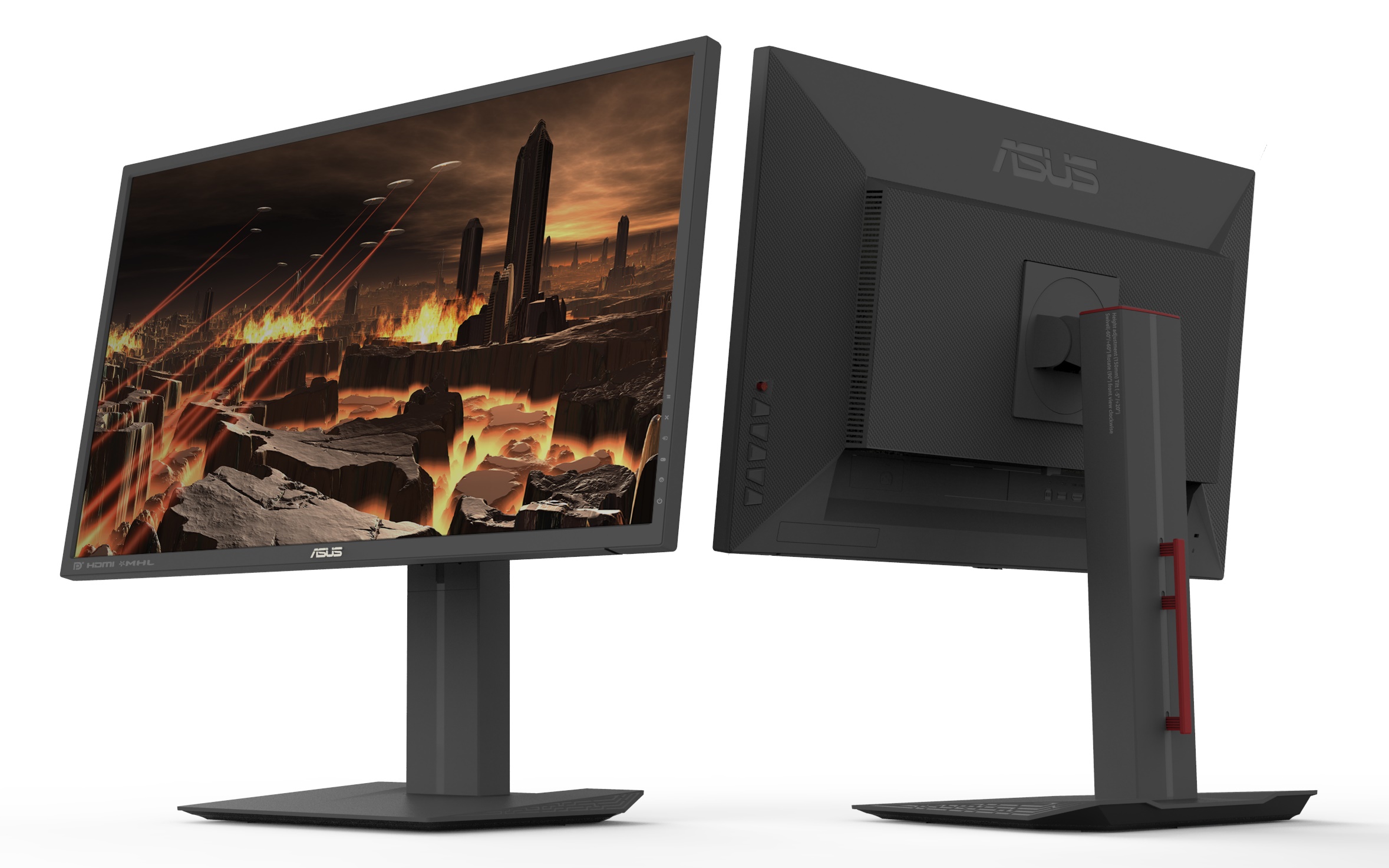
The panel can be snapped onto the upright and adjusted afterwards by making use of the slider switch – for a total of 150 mm of height adjustment. Additionally, the panel can be spun around into portrait mode, as well as tilted left and right or well as inwards or upwards. That is a lot of functionality added into just one simple design idea that will ensure that you don’t risk accidental damage to the monitor when trying to move it further away on your desk or tilt it sideways without having the base move as well. Everything is done with ease, in fluid motions with no need to force the components to move in the direction you want them to.
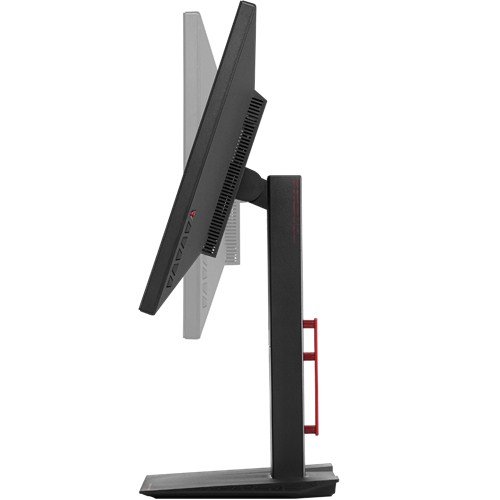
The entire design of the monitor is based on straight lines, giving it a highly professional and top end-look. The bezel of the Asus MG279Q is particularly thin, giving you the opportunity to implement it into multi-monitor setups. On the bottom right hand side rest the setting and control buttons on the rear of the monitor, described by the icons displaying along to each button separately on the front side. There is also a mobile button that you can use to make navigation through the menu easier as if you were using a mouse to move diagonally across the feature.
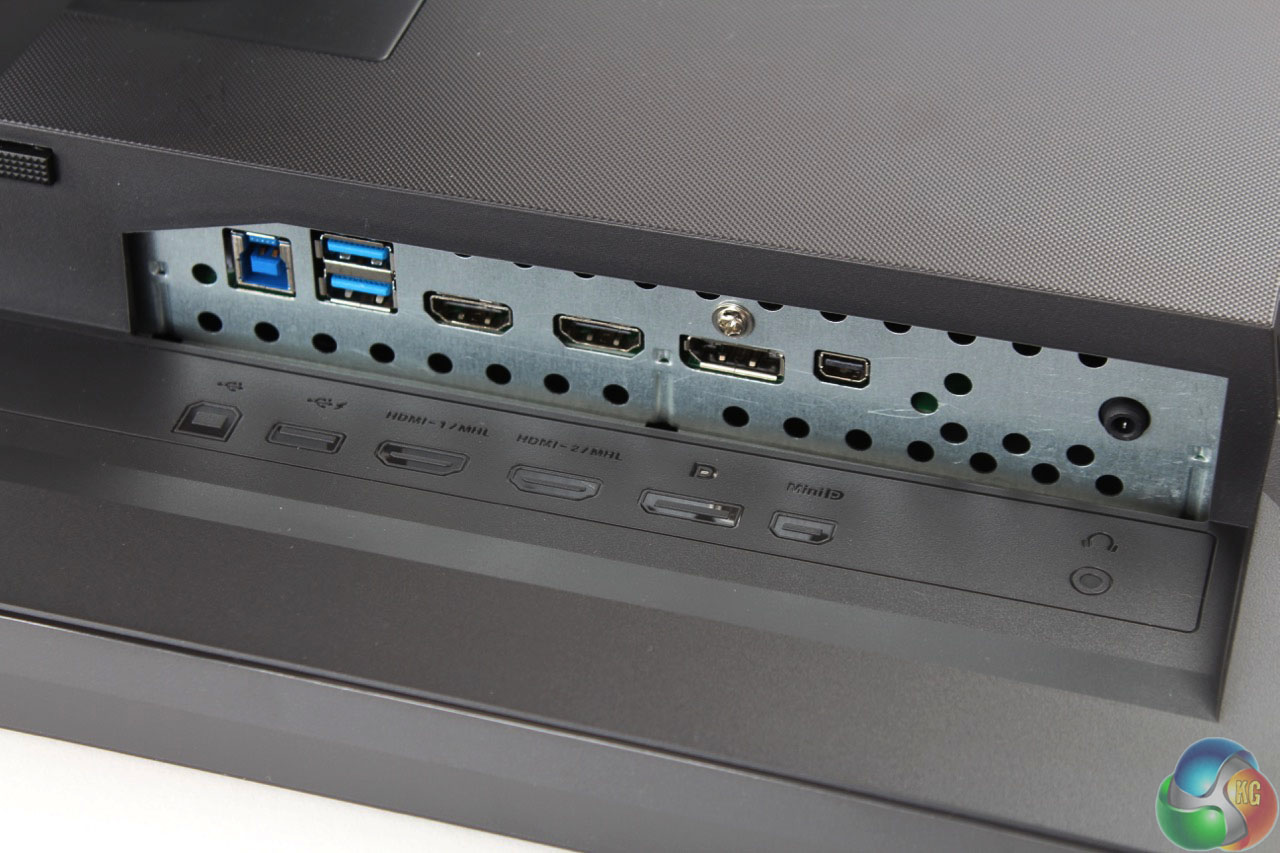
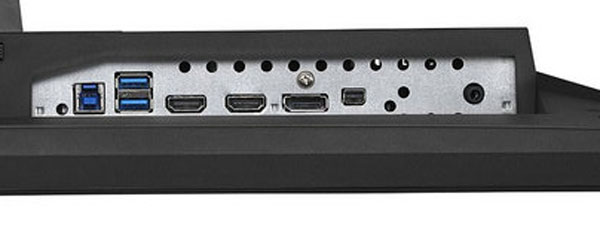
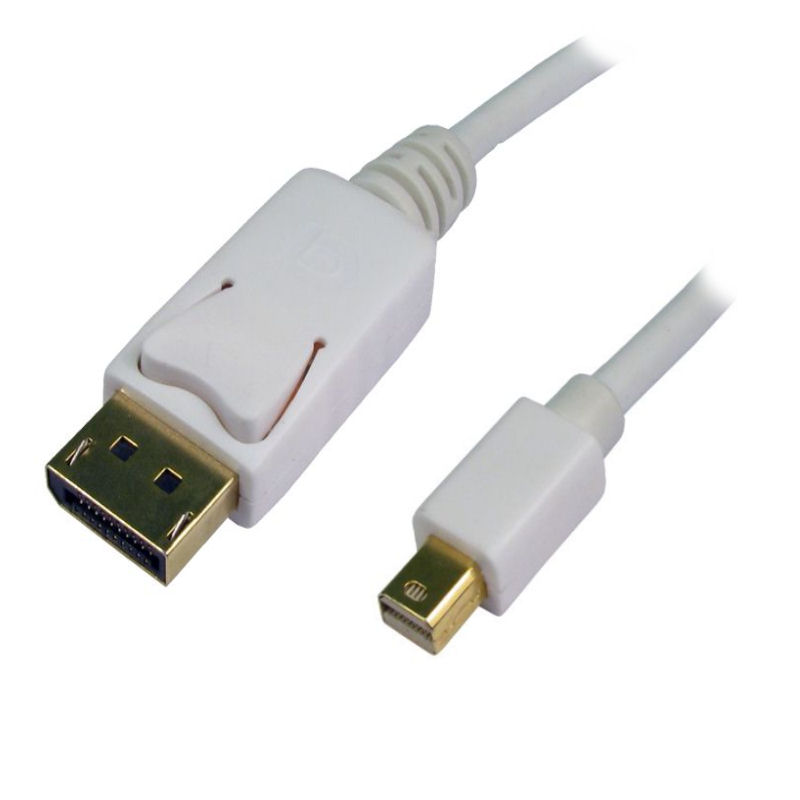
The back of the MG279Q is where you can find the vents that are responsible for keeping the monitor cool. They’re part of a secondary construction placed and connected to the main body of the panel, giving it a lot of room for the cooling process to be truly effective. The box also features the power and other ports that ensure the MG279Q’s connectivity. On this note, there is an IEC power chord port separated from the rest of the slots, a mini DisplayPort as well as a normal DisplayPort output, 2 HDMI ports and 2 USB ports. The two USB 3 ports that the monitor presents are also placed on the back, making them a little more difficult to reach if only used occasionally. However, the monitor’s OSD allows you to keep the USB slots powered even when the Asus MG279Q is turned off or in stand-by, so you can easily just use them as a power source for other devices.
The entire Asus MG279Q has a uniform matte finish on its entire body. The base is made stable by the material used underneath, which was specifically design to spare your desk of any marks that could be left by the monitor.
The entire construction weighs 7.3 kilograms, at an overall physical dimension of 625 x 559 x 238 mm.
Asus MG279Q Specs
To list what this monitor is capable of on paper is not really merely enough. Once again, no matter how impressive the specs and capabilities of a monitor are, some would need backing up through hardware – mostly reliant on the graphics processing unit (GPU).
The Asus MG279Q is a 1440p monitor meaning that its maximum resolution has been pushed up to 2560 x 1440, making for the more classic 16:9 aspect ratio that most games employ nowadays without the need of letterboxing.
The monitor is an IPS W-LED build. The IPS panel technology is one of the best currently employed in monitors because they offer an impressive color accuracy and are some of the brightest builds out there. Because of that, IPS panels have an amazing viewing angle – the Asus MG279Q listing 178 degrees on its specification sheet. However, the price of IPS upsides is that blacks are relatively poor – the TN panel alternative offering richer blacks – and that the former is not as fast and responsive as a TN alternative. The response time of the Asus MG279Q is 4ms G2G (gray to gray switch).
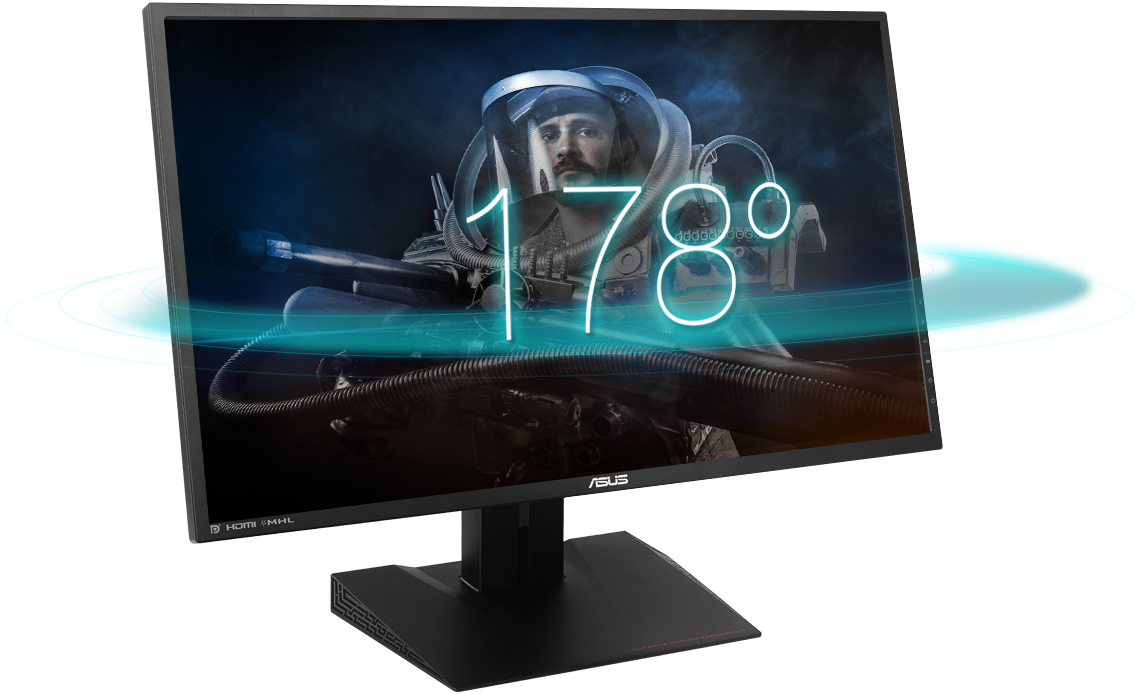
The backlight technology that powers up the IPS panel is W-LED (stands for white light emitting diode). The LED technology allows for thinner displays to be built, in favor or LCD. The overall brightness of the Asus MG279Q is scored at 350 cd/m2. Thankfully, the screen doesn’t lack an antiglare coating, meaning that it should withstand in high luminosity environments – however, most of the time you’ll want to not have a source of light behind you when using it as the quality still suffers a fair amount.
The Asus MG279Q is capable of 1000:1 static contrast ratio and 100 million:1 dynamic contrast ratio. Together with the 144 Hz refresh rate, you will not only get a highly responsive display from an information perspective, but from a color accuracy one too.
Asus MG279Q Features
There is a number of special features that you will find in the Asus MG279Q; namely, the AMD FreeSync technology that has been implemented in some AMD GPUs recently, the game modes feature and its very own OSD calibration.
AMD FreeSync
AMD developed a new type of technology that is meant to fluidize the communication between your monitor and graphics processing unit in order to eliminate image tears and motion choppiness. Its counterpart is nVidia’s G-Sync, but it presents a series of advantages over the latter. Firstly, it doesn’t affect the overall performance of your computer and thanks to its ability to reduce the panel’s refresh rate when the screen is static, it allows to lower power usage. The AMD FreeSync feature is implemented in the Asus MG279Q, but that means that you will require a FreeSync capable GPU to take advantage of it, using the DisplayPort cable that comes with the monitor.
Screen Modes
The purpose of the screen modes that the Asus MG279Q comes with is to ensure different types of adjustments for various video game genres. It’s inconclusive how much of utility is really holds and to what degree you’ll be using this actively. For example the FPS mode boosts brightness and contrasts in order to make it easier to see in dark areas in the game. While that purpose alone is fulfilled, it turns out to be relatively taxing on other aspects of the display such as color temperature. The RPG and RTS mode brings a boost to the color richness, and the vividness of the display overall, making for powerful, contrasting images. There is also a Racing mode that your screen will be using as default that reduces input lag as its first priority.
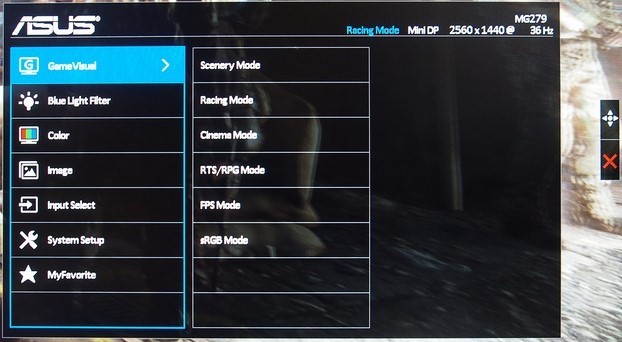
There are other modes that the screen is capable of that are not gaming-centric: Cinema, Scenery and Eco Mode. The first of the three is supposed to improve your movie-watching experience; the most obvious change to this mode was however an increase of color temperature resulting in increased blue levels. The Scenery mode is there to help with photo viewing and provides some extra color saturation – which may not turn out to be the best thing in some cases. Lastly, the Eco Mode considerably lowers the screen’s brightness, reducing power consumption down to 30W. While that is only an 8W decrease from its default 38, the number is still a very decent value in comparison to most other gaming monitors of this scale.
OSD Calibration
The Asus MG279Q on screen display calibration is very straight-forward and allows you to set up your preferred selection of screen settings directly. The system consists of 7 categories of sub menus: GameVisual, Blue Light Filter, Color, Image, Input Select, System Setup and MyFavorite.
The first of them all is the menu that you select your Screen Modes that we’ve just elaborated on from. The Blue Light Filter is in charge of modifying the image’s warmness by lowering blue levels. The Color sub menu contains all of your controls for brightness, contrast, saturation, color temperature and skin tones. The image sub menu has to do with a lot of tweaks to screen sharpness and edge enhancements.
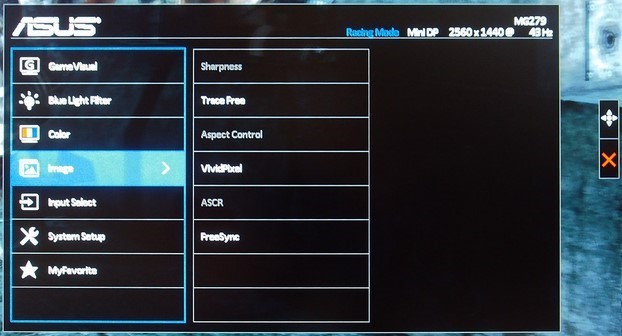
While Input Select is self-explanatory as being the place where you select which signal you want to display on your screen – via either one of the HDMI ports or the DisplayPort/Mini DisplayPort – the System Setup feels like a sub menu where “everything else” was put in. Key Lock, very basic monitor information, Power Indicator, Power Key Lock, USB Charging as well as a complete setting reset option all reside here.
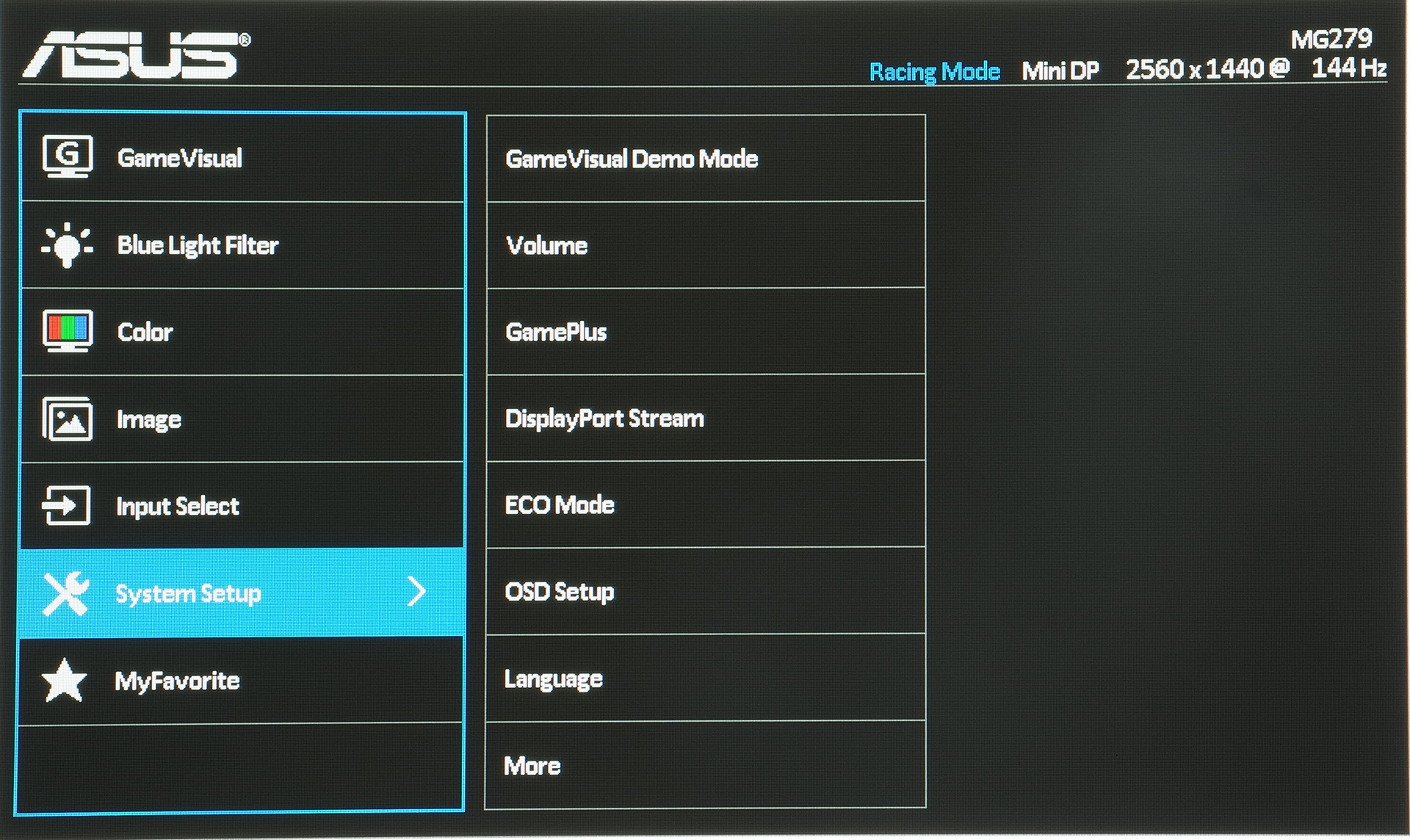
Lastly, the MyFavorite sub menu allows you to create 4 different profiles that you can switch from whenever you feel like it: say for example you’ve set up your screen with a certain selection of brightness and contrast levels for a particular game that doesn’t look as good in another. You can save it under one of the profiles and come back to use it again next time you need it without having to redo each setting in particular.
Asus MG279Q Verdict
Overall, the Asus MG279Q monitor is a very solid choice. It offers an amazing image quality, high quality materials and a few features that you may not find in other monitors of the same scale on the market. But on the same level, many other monitors out there offer their own selection of feats and special optimization tweaks which you won’t find on the Asus MG279Q. it’s a fair balance, everything included, and its price – while high – is pretty much on par with the prices of the competitors’. The AMD FreeSync is a great thing to have, but somewhat limits you to what your current hardware is.
Image Source: 1, 2, 3, 4, 5, 6, 7, 8, 9, 10

Latest posts by Nancy Young (see all)
- Missouri Man Robbed by Date and Accomplice in Park - June 22, 2018
- Bose Poised to Launch Sleepbuds, In-Ear Headphones That Help You Sleep - June 21, 2018
- Russia Is Developing a Space Debris Laser to Keep Space Clean - June 15, 2018