Argyll Free Press

Growing News Network

Monday, May 4, 2026
Log in
  • Business
  • Finance
  • Sports
  • Tech & Science
    • HP Envy 4500 Review
    • LG Optimus 170 Review
    • iPod Touch 6th Generation Review
    • HTC One M8 Accessories Set-up
    • Surrealist Games You Must Play
    • Hisense Sero 8 Review
    • Dell Latitude e7440 Review
    • HP Laserjet 1536dnf mfp Review
    • Garmin Fenix 2 Review
    • Skype Vs Viber
    • Best Video Conferencing Software
    • Sony mdr 1r Headphones Review
    • Canon Rebel t3i Review
    • Sennheiser Momentum 2-0 Review
  • Travel
  • Headlines
  • Health
  • United States

Amazon Giveaway – Free Android Apps and Games

May 15, 2015 By Roxanne Briean 2 Comments

Amazon Giveaway

Everybody loves free stuff – the more, the merrier the world could become; and of course we love it when Amazon has a giveaway of android apps, and games.

The offer is available until this Saturday, May the 16th, and all of the free goodies can be redeemed on Amazon’s Android store – you’ll need their app installed on your device.

Games

  • Game of Thrones: A Telltale Games Series

Amazon Giveaway

Only episode 3 I’m afraid, so you’ll need to play the first 2 if you want to be sucked into the game’s universe. I’ve played the first two on my PC, and to be honest, they didn’t mark me, so I said meh when the third episode was released. A couple of friends of mine are loving the hell out of it, but for me, it lacks a proper dialogue, it seems like everything is happening way too fast, I’m not interested in the characters because they feel vapid, and when they die, I just don’t care.

The graphics are nice – and that’s a stretch. Their The Walking Dead game series was absolutely amazing from every point of view, too bad that this one lacks the ability to make me want to play it every day.

  • Five Night’s at Freddy’s 3

If you’re looking for something that would make you stay awake in bed late at night Five Night’s at Freddy’s 3 is for you.

The indie point-and-click survival horror game made its début on Android devices on March the 7th of this year, and has since received mixed to positive reviews regarding its gameplay, story, and the ability to scare your panties off.

  • Bloons TD 5

Amazon Giveaway

Your basic tower defence game that features cartoonish graphics – they praise themselves as having unrivalled depth and replayability. It also features 2 player co-op play. With 250+ random missions, I don’t think you’re going to get bored soon of its scenery. Tower defence games are the perfect pass-time activity while you’re waiting to get to work during your daily subway commute.

  • Biker Race Pro

Amazon Giveaway

Your run of the mill biking game. You got 96 challenging tracks, and pretty easy controls. It’s nothing special really. If you’ve played one of them, you’ve played them all.

  • Angry Birds Seasons HD

Amazon giveaway

Well, I’m an Angry Birds fan. I’ve played all of them – I haven’t gotten into any leader-boards, but at least I’m having the time of my life saving my sweet babies from those vicious, and unconscious piggies. 550+ levels for pure enjoyment make this free game a must!

  • Sorcery 3

Amazon Giveaway

This is new to me. I haven’t heard of it until now. It seems like an adventure game that lets the player explore the world and fight monsters, and demons, mythological creatures too. IGN states that it’s -” Some of 2013’s best interactive storytelling”. Have I’ve been living under a rock? Need to download it as soon as I have some spare time on my hands.

  • Cooking Dash Deluxe

Amazon Giveaway

A casual game that gives the player responsibility over cooking stuff – 5 exotic restaurants for you to take care of, and a whole lot of recipes to make right.

  • Grudgeball: Enter the Chaosphere 

Amazon Giveaway

Based on CartoonNetwork’s – The Regular Show, Grudgeball is your average dodgeball game at first glance, but once you spend a couple of minutes playing it you realize that you’re eating from God’s plate. It’s incredibly fun, so be careful how much you play it at work – it can get addictive, and you can say bye-bye to your productivity for the day.

  • Rebuild

Amazon Giveaway

After the zombie apocalypse has eradicated most of humanity, you are tasked to rebuild the world as you see fit. Gather survivors, defend your safe havens, reclaim one building at a time, rediscover technologies – humans can’t get pass the decade without a selfie stick – and the most important, and fun thing of all – kill zombies!

  • Peppy Pals Beach

Amazon Giveaway

A fun game for your children. Great visuals, funny cartoonish animals and surprisingly fun mini-games.

Amongst others.

Apps

  • Photo Studio Pro

Amazon Giveaway

125 filters, 40 effects, and basic transform operations like resize, crop and rotate. The great thing about it is that the developers are constantly updating it with various tools, filters, and effects.

  • Deep Sleep with Andrew Johnson

Amazon Giveaway

An app that helps you get rid of insomnia, and to relax your mind and let go of your worries. At least, that’s what the descriptions says. I’m not a fan of apps that think they can help me with my sleeping problems. Listening to sounds has been proven to work, but interacting with an app, I don’t know, it sounds sketchy.

  • AVG Antivirus Pro

Amazon Giveaway

AVG is one of the greatest antivirus software available, and when it’s free you shouldn’t miss the opportunity of downloading it.

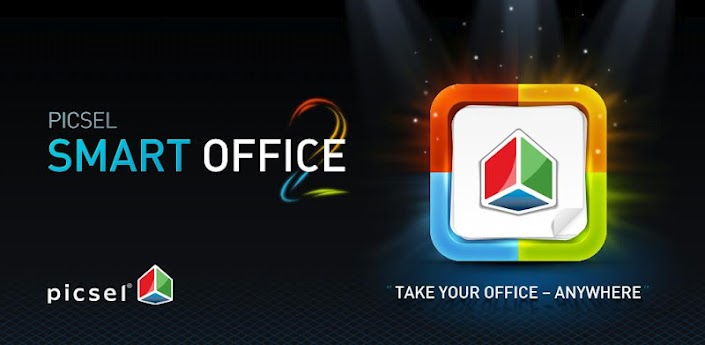
  • Smart Office 2

Amazon Giveaway

It’s an office suite that lets the user wiew, create, edit and share Microsoft Office documents – including PDFs. It has a ton of features. It usually costs $10, so be happy that it’s free!

  • G-Stomper VA-Beast Synthesizer

Get into making repetitive trance and house music NOW! Or don’t do that, because it’s horrible. It’s the perfect tool to create music on the go using your smartphone, or tablet, but please don’t create repetitive 4/4 club music. The world has had enough of Ancient Deep House Volume MLXVI.

Amongst others.

Don’t forget to check the full list of free apps and games available only for Android. Sorry Windows Phone, and iOS users, but Amazon is in love with a little green droid.


Image Source: 1, 2, 3, 4, 5, 6, 7, 8, 9, 10, 11, 12, 13, 14  

Filed Under: Headlines Tagged With: Amazon, Amazon Giveaway, Android apps, Android Games

Jupiter’s Moon Europa Could Hold Salt

May 15, 2015 By Roxanne Briean Leave a Comment

Europa covered in dark material

Dark material coating has been seen on the surface of Jupiter’s Moon Europa – this isn’t news, because researchers have been trying to study it for the past decade. Now scientists say that it might be salt rising up to the icy surface from an underground ocean.

Because Jupiter has a powerful magnetic field, radiation from it might influence the colour of the salt – hence why it’s dark, not grey to white.

Lab experiments have been conducted at the space agency, and scientists are trying to pin-point if the frozen Europa can sustain life or not. But at the moment uncertainty floats in the air. In an article that we posted on Tuesday we talked about a robotic eel, and how it is the perfect data gatherer that could solve this mystery. Until experiment can be made on the surface of Europa, nobody knows for sure if Jupiter’s Moon is a place suited for life-forms, or whether the dark material coating truly is salt or not.

Curt Niebur, an Outer Planets Program scientist based at NASA’s headquarters in Washington, D.C. has stated for NASA’s official website that – “We have many questions about Europa, the most important and most difficult to answer being, is there life? Research like this is important because it focuses on questions we can definitively answer, like whether or not Europa is inhabitable. Once we have those answers, we can tackle the bigger question about life in the ocean beneath Europa’s ice shell.”

Salt on Europa?

NASA’s experiment – Europa-in-a-can – involves recreating the exact setting of the Moon in space – near vacuum conditions, cold temperatures, and heavy radiation. Scientists have added samples from various compounds to the surface of the man-made Moon – common tablet salt, and salt mixed with water to name a few. When the samples were bombarded with intense radiation, and under minus 280 degrees Fahrenheit temperature, they started to turn a yellow-brown colour that might match what is seen on the surface of the real Moon.

Kevin Hand, a planetary scientist based at the space agency’s Jet Propulsion Laboratory in Pasadena, Calif, who is also the study leader, has been reported of saying that – ” This work tells us the chemical signature of radiation-baked sodium chloride is a compelling match to spacecraft data for Europa’s mystery material. If it’s just salt from the ocean below, that would be a simple and elegant solution for what the dark, mysterious material is.”

Image Source: 1, 2

Filed Under: Headlines Tagged With: Europa, Jupiter, Jupiter's Europa, Jupiter's Moon Europa, nasa

Lily the Selfie Drone

May 14, 2015 By Roxanne Briean Leave a Comment

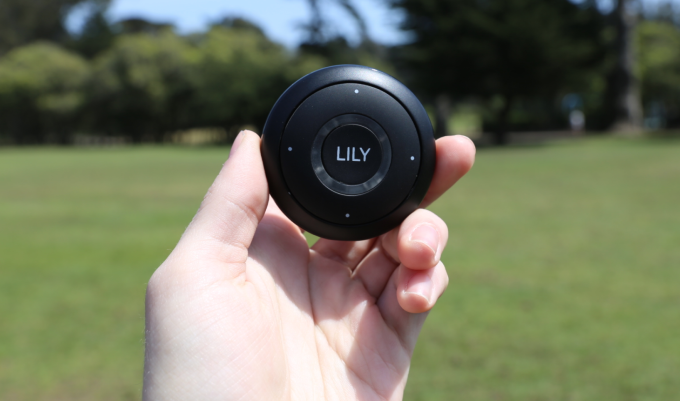
Lily the Selfie Drone

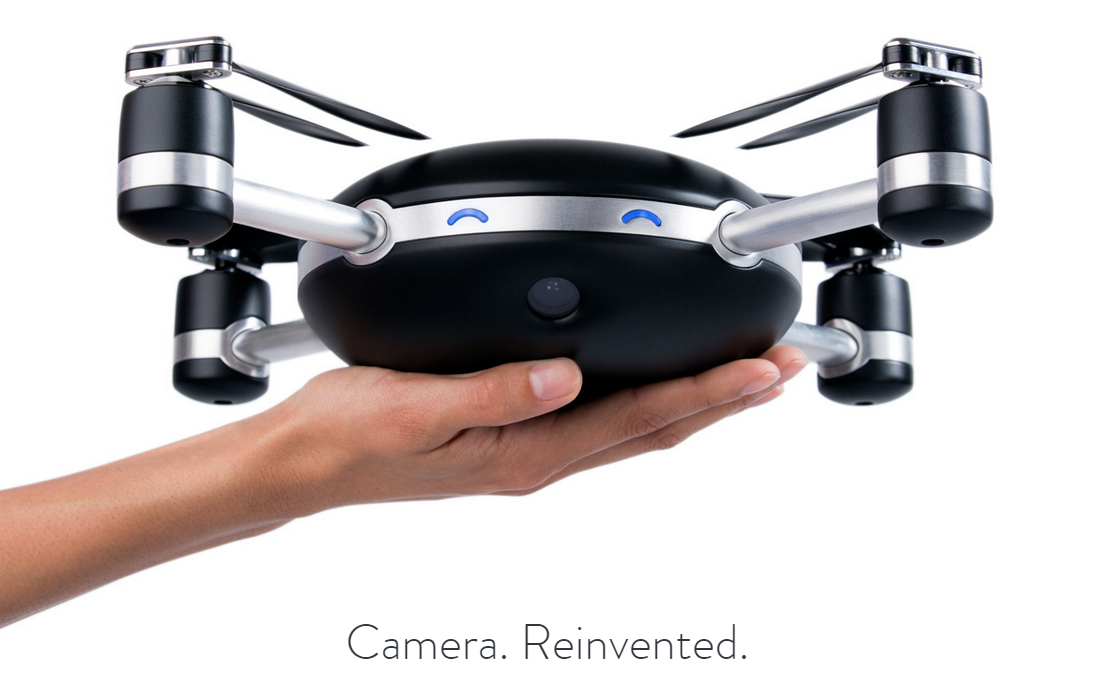
The Lily drone is the perfect selfie machine that can follow you anywhere – it has about 20 minutes of flight time, and that is more than enough to take superb pictures.

It can take photos, and also video footage from the air while it follows you skying, biking, climbing a mountain, or just simply sitting on your couch and eating your microwaved frozen pizza rolls.

This consumer drone seems to be a big hit, and at an affordable price too – $499.

It’s going to ship starting February of 2016 according to the official website.

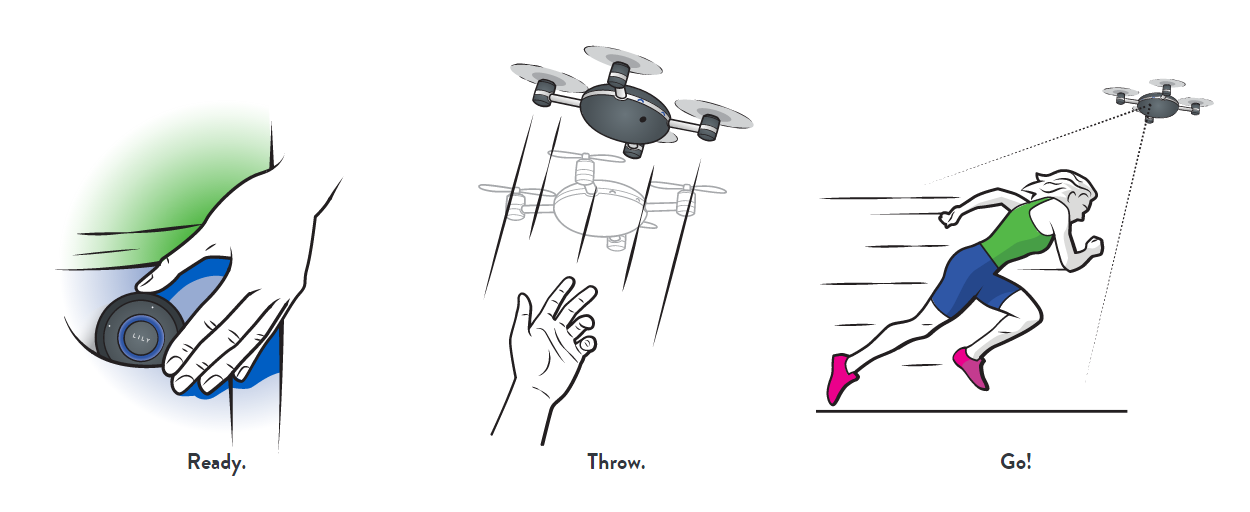
Ready! Throw! Go! The Drone will follow you!

It’s hard to take a proper selfie and also maintain that duckface pose, and we, the human race, seriously  need a high-tech machine that can solve this problem. What? Did you say end world hunger, and poverty? Don’t be silly, sharing pics of you doing ordinary things is more important than alleviating the suffering of the poor.

But I digress. Lily is actually a really great machine that can help out young up and coming filmmakers to get that perfect shot for their début movie.

Lily’s camera is quite top notch, and it can even film at 1080p. Down below you can read some tech specifications:

  • Video Resolution: 1080p 60 fps / 720p 120 fps
  • Video FOV: 94º
  • Video Format: H.264 codec, .mp4 file format
  • Photo Resolution: 12 MP
  • Digital gimballing
  • Image stabilization
  • Fixed Focus
  • Waterproof
  • Non-Removable Battery

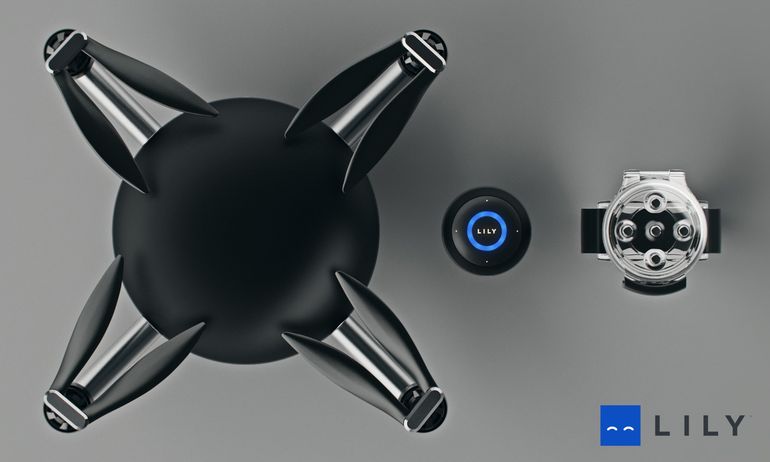
The drone with its tracker

With these features it can stay in the air for about 20 minutes, and after that it will require you to put it down, and re-charge it – 2 hours for a full charge is really not that bad. It also has 4 hours of life-time if you plan on not flying the little bugger.

In order to not demolish buildings, signs, and people, Lily has a top speed of 40 km per hour, and it can go between 1.75 meters and 15 meters up in the air.

The drone can track only the person holding, or wearing the tracking device, so your plans are foiled once again Mister Internet Detective – no, but seriously, it would be horrible if you were able to task Lily to track some random dude; from the perspective of the random dude, I think I would go berserk and try to land it “smoothly”.

Also, Lily makes some noise, so spying on your neighbours is out of the question. Their FAQ page states that – “Lily is always pointing at you and less than 100ft from you. Also, Lily’s motors make noise, so other people will most likely notice Lily and quickly figure out where you are. You are better off climbing up a tree and using binoculars.”

The Drone Tracker

Although the price at the moment is $499, when it will hit the street it will almost double, so pre-order a Lilly now if you don’t want to pay up to $999.

Lily was created by a group of graduates from the Berkeley University in California  – “Our passion for personal robotics led us to believe that there is a better way to capture and share the world around us.” chief executive Antoine Balaresque on Medium has stated.

I’ll definitely buy one for myself. I’m not a skier, nor a snowboarder, but I would love a drone that documents my trips to the market, or just hanging around in the park.


Image Source: 1, 2, 3, 4

Filed Under: Headlines Tagged With: Drone, Lily, Selfie Drone

The Raspberry Pi Killer Called CHIP

May 12, 2015 By Roxanne Briean Leave a Comment

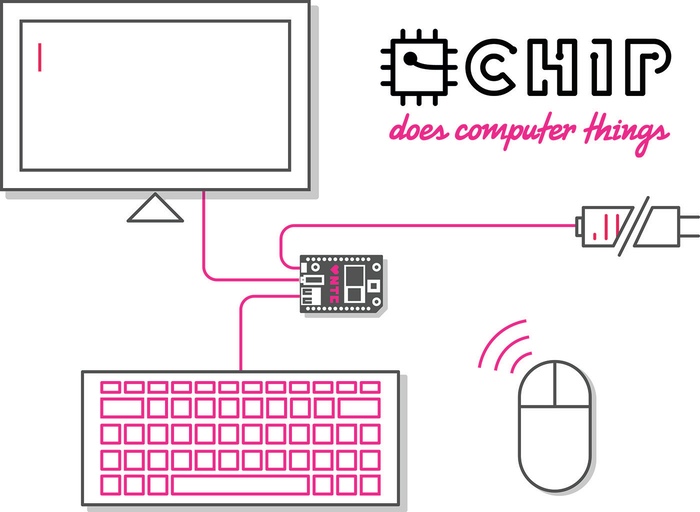
CHIP is a tiny computer

The Raspberry Pi has been dethroned!

It’s called CHIP, and it’s a tiny computer that costs $9 – also, it’s super easy to use!

What can CHIP do? Well, you can use it to work in LibreOffice, save your documents to your local storage, surf the web, play video-games with a bluetooth controller, teach yourself to code, and a ton of other stuff – it does computer things!

The guys and girls behind CHIP are praising it as the computer for everyone – ” it’s a  computer for students, teachers, grandparents, children, artists, makers, hackers, and inventors.”

I like the sound of this – give power to creators.

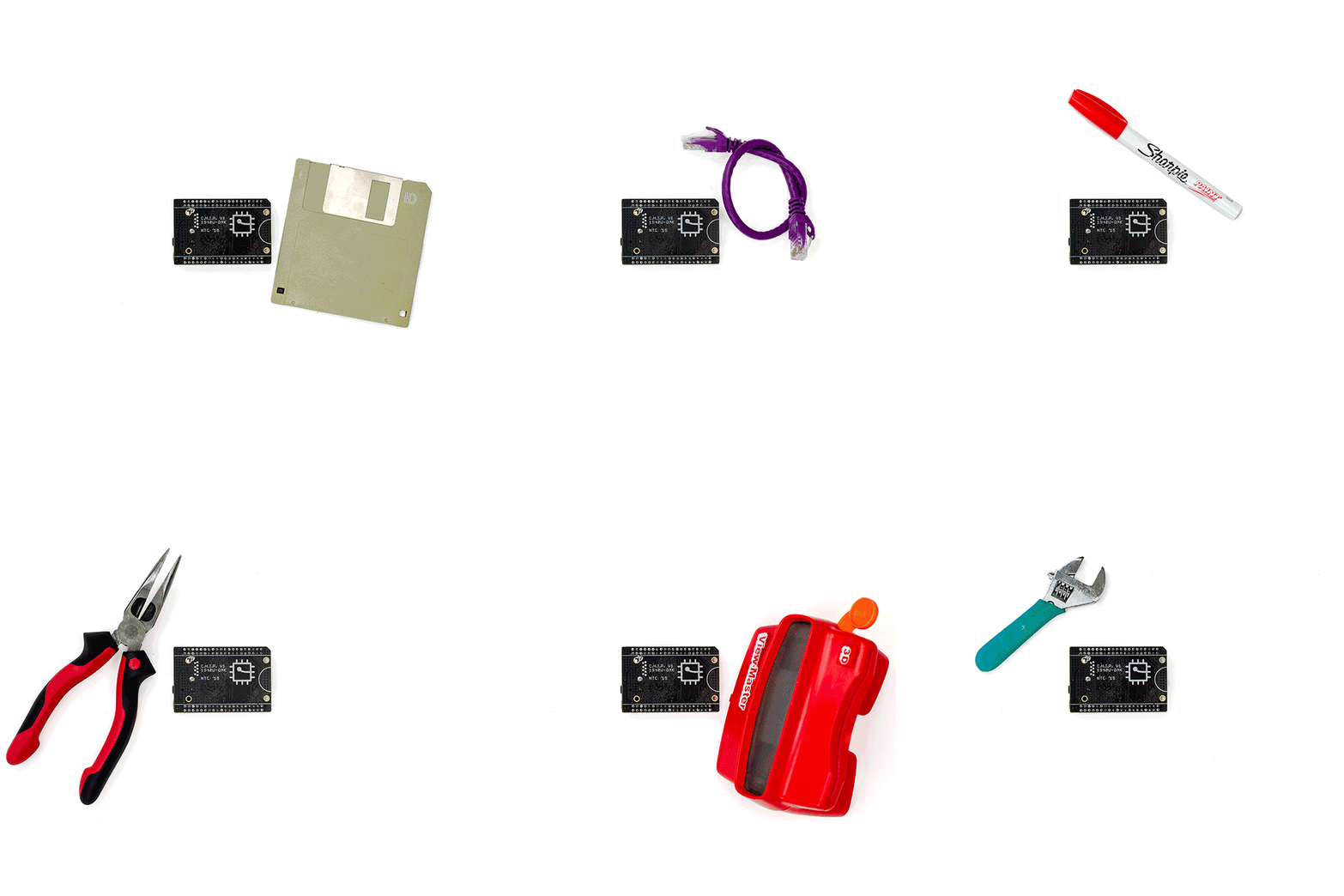
CHIP is the size of a lighter, and you can carry it in your pocket. Don’t let its tiny size fool you, it can pack quite a punch.

CHIP size

CHIP is powerful:

  • Processor – 1 GHz
  • RAM – 512 MB
  • Storage – 4 GB

CHIP is efficient when packed with the PocketCHIP:

  • 3,000 mAH battery
  • 4.3″ 470px x 272px screen w/ resistive touch
  • Full Super-Clicky QWERTY keyboard
  • Rugged Injection Molded Shell
  • Fully open source
  • GPIO breakouts
  • Removable via hatch

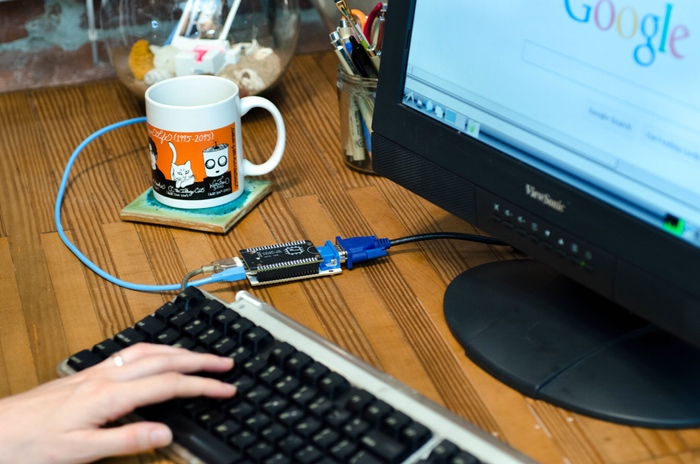
CHIP uses chromium

It can also connect to WiFi 802.11B/G/N, and Bluetooth 4.0 – connect to the internet, pair the tiny computer with a keyboard and mouse, and do your magic boy!

You can connect it to any screen because it is designed to work on small, big, old, new products – it comes with a  built-in composite output, and you can add a simple adapter for VGA, or HDMI.

Its browser of choice is Chromium, so no need to worry about ram usage.

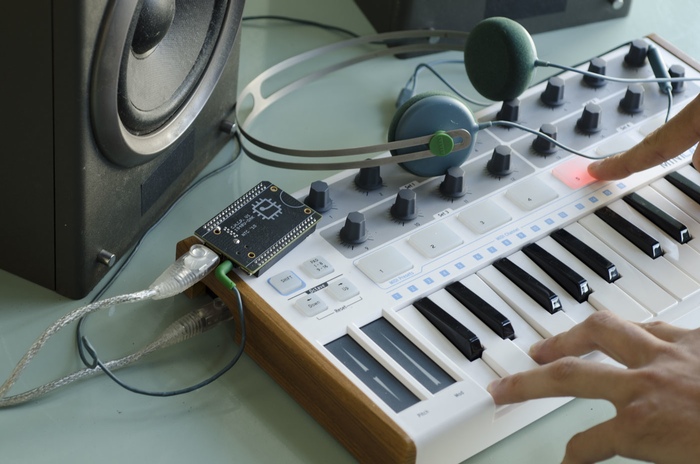
CHIP can be paired with a MIDI controller

One of the things that made me fund the kickstarter project is that you can connect a midi controller and just jam everywhere.

CHIP comes with pre-installed apps, and games that you can easily remove.

You can fund the kickstarter project with a minimum of $9, but if you pay more you get a ton of goodies:

  • $19 for the tiny computer plus a LiPO battery
  • $19 for the tiny computer plus a VGA adapter
  • $24 for the tiny computer plus a HDMI adapter
  • $49 for the tiny computer plus the PocketCHIP
  • $64 for the tiny computer plus the PocketCHIP plus a HDMI adapter
  • $93 for the tiny computer plus the PocketCHIP plus a HDMI adapter plus a VGA adapter plus a LiPO battery

And the list goes on and on ending at $489, so you better check their kickstarter page and fund them!

I already paid the minimum $9, and I’m waiting for it to ship when December comes.

Image Source: 1, 2, 3, 4

Filed Under: Headlines Tagged With: chip, Raspberry Pi, Tiny Computer

Firefox OS Phones Have Been Released in Africa

May 12, 2015 By Roxanne Briean Leave a Comment

Firefox OS

Open-source Firefox OS smartphones have begun to ship in Africa. Running on Orange’s Network, the Orange Klif, a 3G smartphone is now available in Senegal and Madagascar.

Mozilla has announced that they want to step in the untapped market that is Africa – in order to bring smartphones to the continent, and also to make themselves key players in the region. “Through these launches, Mozilla and Orange deliver on the promise of putting the mobile web within reach of millions more people not previously addressed by mobile offers.” an official Mozilla blog post states.

Firefox OS was announced in 2011, and it was put to work almost immediately in February of 2012 – a demo presented Mozilla’s OS running on Android-compatible devices.

Smartphone Running Firefox OS

The new OS isn’t going to stand-up to iPhones or Android-based flagships, instead it tries to offer an entry level option to individuals that haven’t seen a smartphone before. Smartphones are the tech of the decade, and they will continue to evolve to God knows what – here’s hoping to automation of daily tasks.

Pairing with Orange, Mozilla wants to cement their position in the African continent – a potential marketplace that could significantly grow their shares, and presence in the world.

It has been received well by critics, but Chris Ziegler of The Verge has stated some concerns regarding Mozilla taking the app-distribution to pre-iPhone era which required developers to abide by a carrier’s, and their app store, rules.

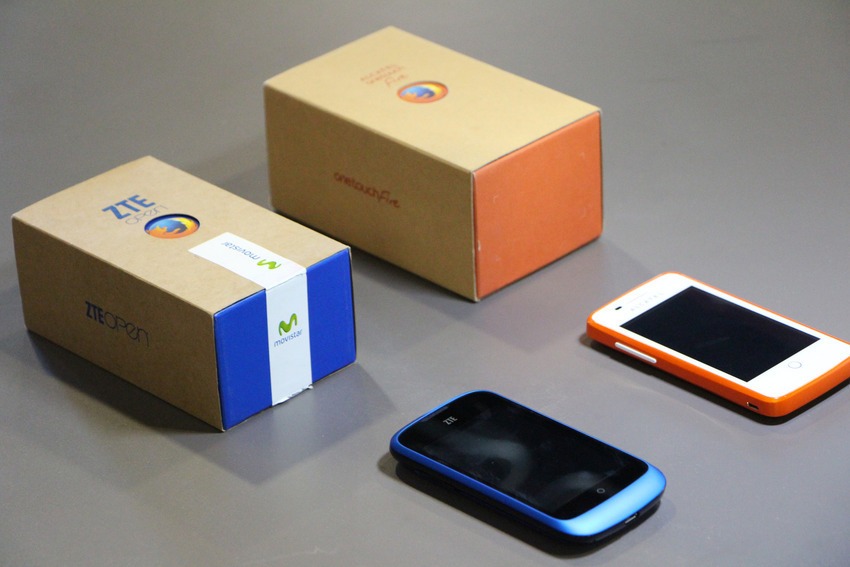
Firefox OS devices

It’s a fine line they are walking on, and it can blow directly into their face. Nowadays accessibility to apps break or make a new mobile platform, not hardware, and Mozilla seems like it’s trying to take advantage of this by implementing the built-in search functionality – a core feature to the Firefox OS.

The Firefox OS is compatible with a couple of devices for:

  • Developers

T2Mobile Flame

Geeksphone Keon

Geeksphone Peak

ZTE Open

ZTE Open C

  • Consumers

Symphony GoFox

F15 KDDI Fx0

Intex Cloud FX

Spice Fire One MI FX1

Alcatel Onetouch FireC 4020D

ZTE Open II

APC Paper

And the Firefox OS has been successfully ported to the following devices:

Sony Xperia SP

Huawei Ascend Y300

Huawei Ascend G510

HTC Pico

Nexus 4

Nexus 5

Nexus 7 (2013)

Image Source: 1, 2, 3

Filed Under: Uncategorized Tagged With: Africa, Firefox OS, Mozilla, Orange, smartphones, ZTE

The Best 7 Apple Watch Apps!

May 12, 2015 By Roxanne Briean Leave a Comment

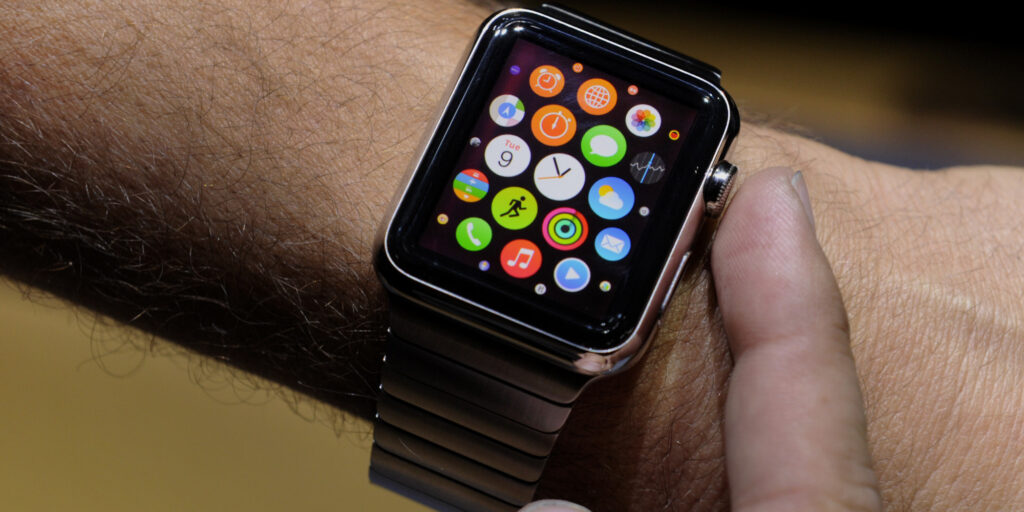
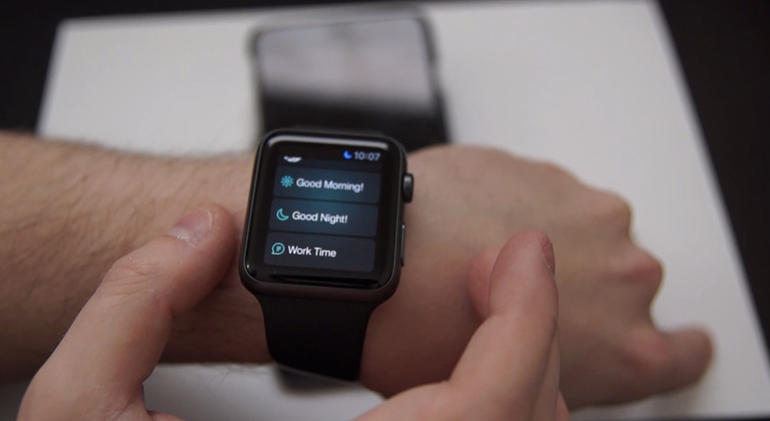
Apple Watch apps

Are you a proud owner of an Apple Watch? Well then you must stay in the loop with what kind of apps developers release, but it’s tiresome to try all of them out, and figure that most of them are just garbage. That’s why the team at AFP has decided to test them, and pick only the very best. The store isn’t full with apps, so we didn’t had that much of work to do, but we expect a huge burst of releases in the near future – Apple Watch is selling like crazy!

So for now, here’s our top 7 Apple Watch apps!

  • The Best App for Your Car –  BMW i Remote

The Best Apple Watch App for Your Car

Sure, it depends on what car you’ve got, but the BMW i Remote is an awesome app. If you have a BMW and an Apple Watch and you didn’t install the i Remote you’re missing on a ton of cool features.

You can turn the heating on by using the smartwatch. Just think of those pesky winter months – start the heating 15 minutes before you go to your car, from the comfort of your kitchen, while you drink your last sip of coffee.

The app guides you to your car if you somehow forgot where you parked it. Also, you can honk your horn using the app in case you can’t figure out which BMW in the parking lot is yours. Of course, people will use it to terrorize clueless pedestrians – and of course, it’s going to be fun as hell.

Unlock your car before you even leave the house using the app – don’t know why anyone would want to do this, but hey, you’ve got the option, it’s up to you if you want use it or not.

The BWM i Remote was specifically designed with BMW i3 plug-in runabouts and the i8 hybrid with the Assist option in mind, so the app works perfectly with those two.

Also, you can monitor your driving efficiency, and the app offers the best departure times for best battery efficiency.

It’s free!

  • The Best Travel App – Uber

The Best Apple Watch Travel App

Uber is the best mobile-app-based transportation network. It doesn’t come as a shock that the app has been released for Apple Watch users.

It looks exactly like the iPhone app, and it has all of its features. The travel app allows its user to get a ride from absolutely anywhere were the Uber service is provided – it has been banned in several countries since its release. If you plan on using Uber in Belgium, France, Germany, Romania, India, and The Netherlands, you’re going to have a bad time, because the service is illegal in those countries.

Anyway, the app will offer details about the driver, how much time he has until your destination, and also it features a map where you can view where your driver is.

It’s free!

  • The Best Fitness App – RunKeeper

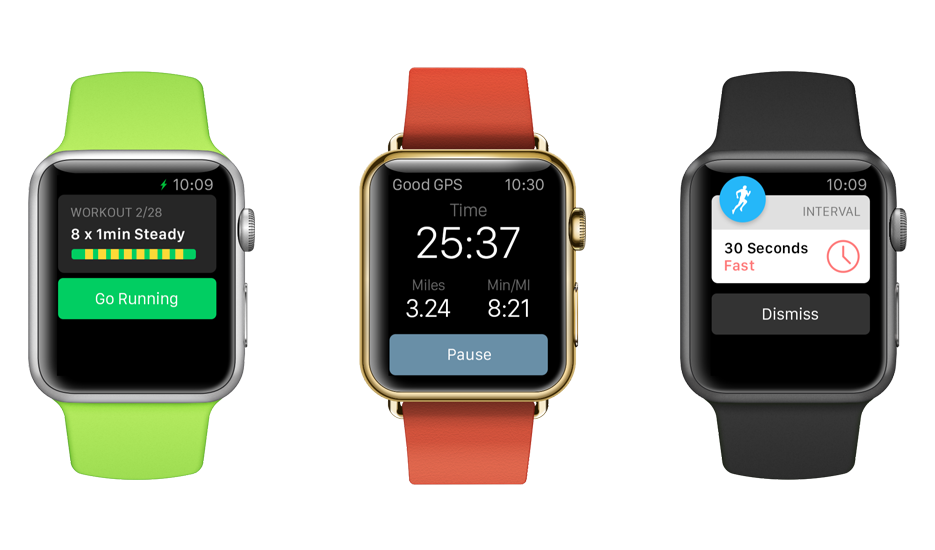
The Best Apple Watch Fitness App

RunKeeper has a pretty long history with Apple. Released in 2008, it has garnered a huge following, and it’s the to go app when you want to track how you workout!

It feels a lot better to check your wrist for stats, rather than get your phone out of your pocket. The user can also track his heartbeat with the app.

One great feature that comes with the smartwatch app is the option to turn every single notification off. If you get easily distracted by e-mails, messages, phone calls, or Facebook notifications, you better turn it on and experience pure ignorance while you workout – You know the saying Ignorance is bliss!

It’s free!

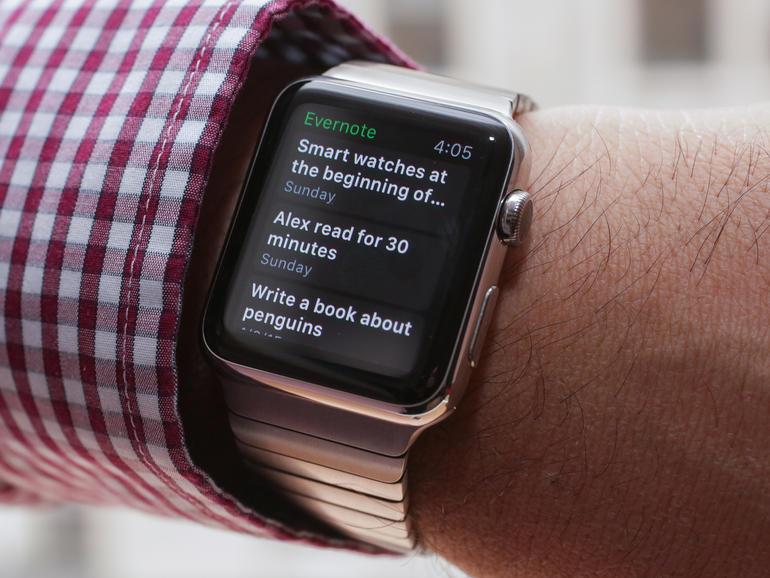
  • The Best Productivity App – Evernote

The Best Apple Watch Productivity App

Evernote has been wildly popular since the Apple’s smartwatch release, and for good reasons too. It’s the best tool for users who want to dictate, view, and update their notes through dictation on the watch. Any data can be synced to the user’s account so it’s at a touch of a button regardless of the hour, or device – no, unfortunately you can’t synch your notes to your high-tech toaster, but in the near future, hopefully, we’ll get toasters that will run iOS or Android.
It’s free!

  • The Best App to Keep Track of Your Finances – Mint

The Best Apple Watch App to Keep Track of Your Finances

You don’t need to be cavalier with your finances, and adulthood is all about managing your money in order to live another day. It’s going to be really hard at first, but you’ll get there – I remember the first few months when I started to really be on my own, and how at the end of the month, with almost  10 days before my pay check was due, I didn’t have any money at all. I just ate whatever I had in my fridge, and I have to tell you, mustard with bread for a whole week will make you hate yourself like you’ve never done before.

Now, let’s get back to Mint. The app allows its user to set a limit of how much you want to spend a month, and track your limit of spending. It also shows you how much money you’ve spent in a specific period of time, so you can berate yourself at night, before you go to sleep – you seriously didn’t need to buy all those games from amazon, regardless if they were on sale or not.

It’s free!

  • The Best Game – Watch Tag

The Best Apple Watch Game

The Watch Tag game is one of the most social games that I have had the pleasure of playing. It’s only for Apple Watch users, so if you want to be part of the fun, get on the bandwagon and buy yourself Apple’s smartwatch. How does the game work? Well, users have points on their device, and there is a target set to your wrist. In order to win the game you must tap the targets on your enemy’s wrist – every time you do so, you deduct a point from Timmy. At the end, he who has the most points wins the crown to the kingdom – it’s usually a cup of coffee, or a Snickers bar.

It costs $0,99!

  • The Best Smart Home App – SmartThings

The Best Apple Watch Smart Home App

Surprisingly, the SmartThings app is available for Apple’s smartwatch. Why surprisingly? Well, because SmarThings is made by Samsung, and the two companies don’t really get along that well. The user can control all of the sensors straight from their wrist. You’ll receive notifications, and in the future, the developers have been reported to state that more functionalities will be available for their app.

It’s free!

Image Source: 1, 2, 3, 4, 5, 6, 7, 8

Filed Under: Headlines Tagged With: Apple, apple watch, Evernote, smartwatch, uber, Watch Tag

Top 5 Keyboards Available Right Now!

May 11, 2015 By Roxanne Briean Leave a Comment

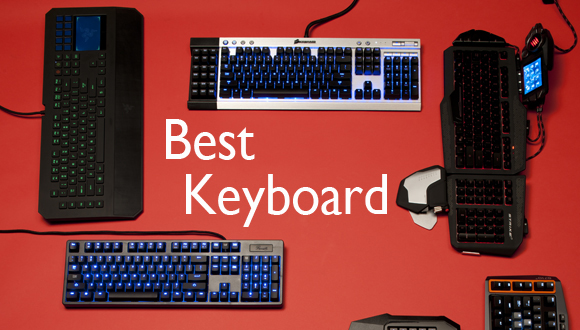
The Best Keyboard Available on the Market

Whether you are a gamer, or someone who writes a lot, you need a great keyboard that won’t strain your fingers – comfortable padding perhaps, or even a touch-pad to make you feel more modern, and also one of those fancy wireless keyboards.

But where to start? Where can one buy the keyboard that suits his every needs? Well, I rounded up some of the best ones available on the market. Let’s see what I’ve come up with.

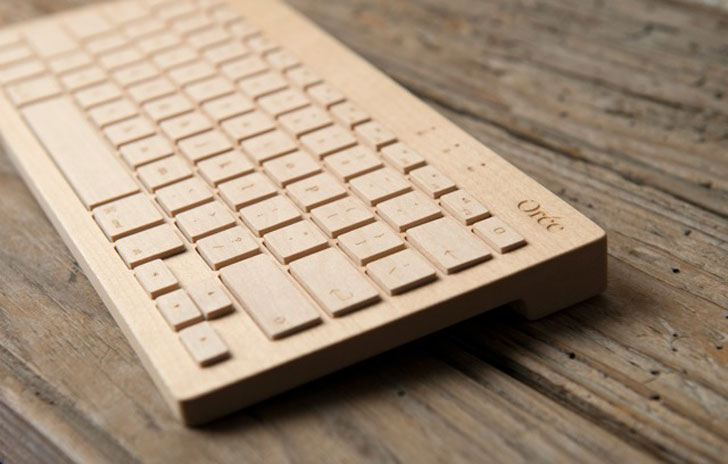
  • Orée Board 2

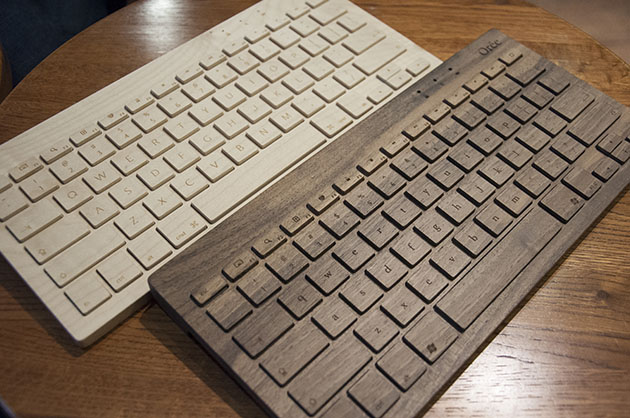
The Oree Keyboard 2

I don’t want to call it a keyboard for hipsters, but it’s just that thing. It’s entirely made out of wood – hand-crafted in southern France by artisans using only the finest natural materials. It’s just beautiful, and the wood feels incredible – it gave me goosebumps the first time I typed on an Orée Board.
It’s modelled after Apple’s Wireless Keyboard, and you can choose what kind of wood you want your new toy to be built out of – dark walnut, light maple or wild cherry.
Also you can choose from various key layouts from US, UK, German, Canadian English, Canadian French, and Swiss.

Your board can be designed specifically for your needs, just tell the artisans what OS, or device you’re going to pair your new board with and they’ll do the work – tablets, smartphones, for Mac, or Windows.

The Oree Keyboard 2

Its light maple version weighs around 400 grams, and with no rubber underneath to hold it down on the desk I had some problems while I typed away a huge article; also my words-per-minute score has drastically fallen. It’s super comfortable and it feels like your sitting in God’s garden, caressing his trees, but because it keeps moving around on my desk it’s a bit hard to be efficient., and also because the board didn’t quite translate well what I was typing. I had problems with W’s and the spacebar – sometimes they would appear on the screen, and other times I had to press the buttons a couple of times.

Building the Oree Keyboard

Connectivity issues are a thing, unfortunately. It connects via Bluetooth and it has the latest BroadCom BT 3.0 chipset, but it didn’t want to wake my PC from sleep, and I had to use the mouse. It loses connectivity randomly during its use.

It’s a great keyboard, but there are better ones out there.

It costs about $230!

Score – 7/10

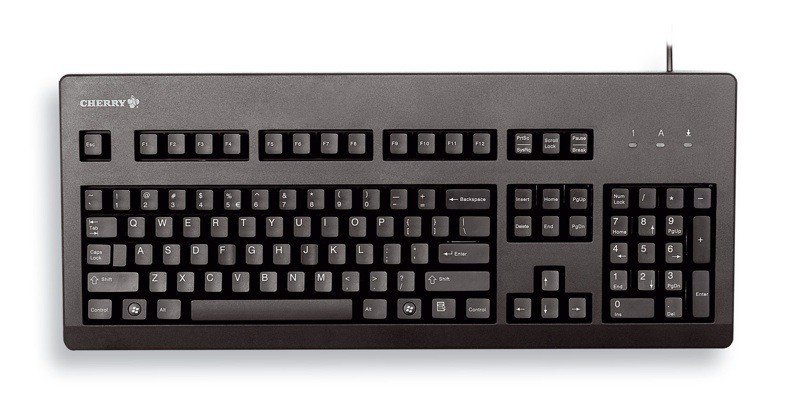
  • Cherry G84-4100

Cherry G84-4100 Keyboard

The Cherry G84, or how I like to call it The Petite Giant, is a compact, and cheap board, but don’t let the price tag fool you – it’s pretty great.

Following the notebook trend, small keyboards are just adorable, but it’s hard to find one that it doesn’t fell like it was made for ants. You can hold it in your coat’s pocket – well, a large coat that has large pockets. Weighing at about 400 grams with its cable, the Cherry is really durable, and the plastic it’s built from, although it feels kinda cheap, it ain’t hard on the eyes.

It comes in two colour – light vintage grey, and pure black.

If you’re planning on getting this sweet baby of a board for fast typing think again – its creator, ZF Electronics, managed to cram the whole board with every single key you would need, but remember that it’s a compact keyboard, and at 315 x 190 mm, you’re going to have a hard time typing that essay in an hour.

If you have small rabbit hands the Cherry is a really great option – and you can make some space on the board if you don’t want Windows specific keys.

It costs about $80!

Score – 8/10

  •  Logitech Washable Keyboard K310

Logitech Washable Keyboard K310

The perfect board for those clumsy enough to spill their morning coffee on their desk. The title says it – it’s a washable keyboard. Don’t believe me? Take a look at their promo clip.

As you can see, it doesn’t matter if you are a piggy at the desk and your soaked in ketch-up freedom fries fall on the board, just dip it in water, put it out to dry and voilà, it’s like new!

Unfortunately, while all of this sounds great, the end-product is somewhat of a disappointment. The keys are set too wide apart, making it difficult for those of us who rely on touch-to-type, instead of look-to-type, and after a few hours you’ll definitely need a brake to put your fingers to rest – preferably holding a Piña-colada near the pool.

The keys feel comfortable enough, but even after a week’s use I didn’t get used to its lay-out, and I made constant typos – nd i tink of miself as a greyt tipist.

Logitech Washable Keyboard K310

The selling point is that the K310 is washable, and I think we all have experienced that moment in our life when we looked down at our board, and realized we accidentally made it suitable for life to thrive. But here comes the downside. After you wash it you need to put it out to dry for at least 8 hours. If it’s the only keyboard you have, tough luck, because you’ll have to put it out to dry overnight.

It costs about $60!

Score – 7/10

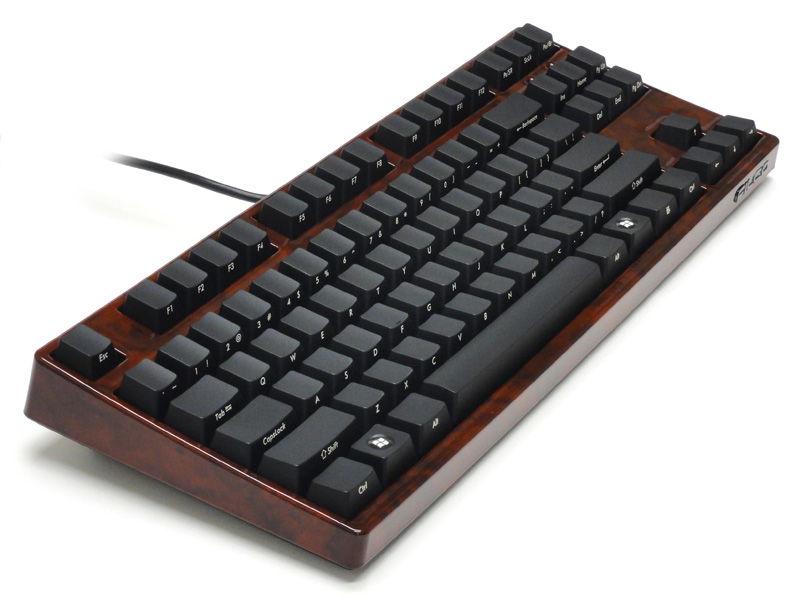
  • Diatec Filco Majestouch Ninja Tenkeyless

The Bob Keyboard

No, it’s not the villain from the next Teenage Mutant Ninja Turtles, it’s just your ordinary board.

It’s shorter than your average board because it lacks the 0-9 numbers – using numbers is so overrated!

But the Diatec Filco Majestouch Ninja Tenkeyless, which I will refer to from now on as Bob, is somewhat special. Why is Bob so special you my ask? Well, if you look at it directly from above you’ll see unmarked keys. It’s not for the untrained eye, and it’s designed for those touch-oriented nerds among us that have mapped the board onto their brain – I must admit, I am one of those nerds.

Keys are marked on its edges – some say its better this way because you can lay back on your chair and see the letters better. I say it’s a cheap way to not laser imprint your keys.

It enters the heavyweight championship by weighing almost 1 kg – you better not fake-attack someone with your board, because you may end up killing said person. It’s built from great quality materials, and your board will last you a really long time.

Bob is super comfortable, and you can type at him all day long without straining your fingers. And because Bob is so overweight you know he’ll just stand there on your desk without moving an inch.

My typing accuracy didn’t suffer one bit while using Bob, actually it improved slightly.

It costs about $230!

Score – 9/10

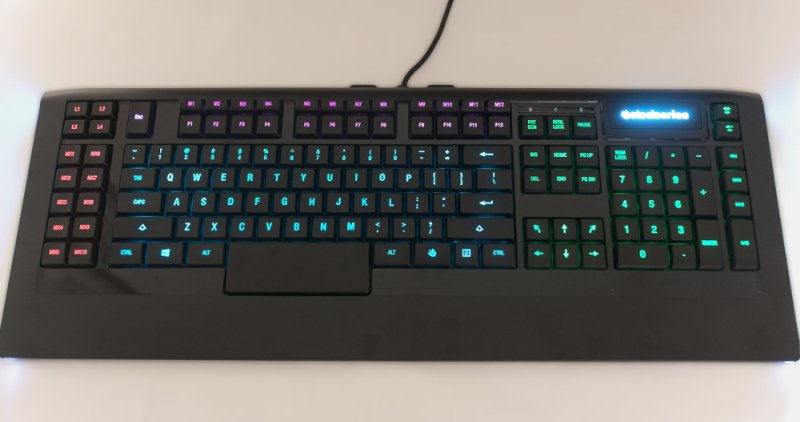
  • SteelSeries Apex

SteelSeries Apex Keyboard

This one is designed specifically for gamers – good looking, and great quality keys make this a must if you plan on pulling an over-night gaming session!

Size isn’t an issue for gamers, and Apex didn’t cares anyway, because it’s one huge board. It will take control of your desk, and it will assert its dominance not only through its sheer size, but with its beautiful design also. Multicoloured light zones, and macros are just waiting for you to set them special commands.

Low and flat layout, with super comfortable keys make the Apex one of the fastest keyboards around – the spacebar is also candy bar sized.

The first thing that I noticed while typing away at this beautiful beast is colours coming from my finger tips. It’s a little bit annoying at first if you’re not used to this sort of keyboard, They are specifically designed to set up your macros and to have a better visual cue of where they are. You can choose your favourite colour, and don’t be worried that SteelSeries might have missed your preferred choice, because it features a palette of 16.8 million colours!

SteelSeries Apex Keyboard

A gamer would look for the option to fully customize his board, and to save different profiles for, of course, different things. And yup, you can do just this. Set the board however you like then save profiles for Web Surfing, Counter Strike: Global Offensive, World of Warcraft, League of Legends, Call of Duty and so on.

It’s one of the best gaming boards that I have ever used.

It costs $80!

Score – 8/10


Now you may choose the best keyboard based on design, efficiency, how comfortable it is, whether it is for gaming or just to show off at the office.

Tell us what’s your ideal tool in the comments section below.

Image Source: 1, 2, 3, 4, 5, 6, 7, 8, 9, 10 


Filed Under: Headlines Tagged With: Cherry G84-4100, Logitech, Orée Board 2, SteelSeries, The best keyboards available

How to Manage Apple Watch Notifications

May 8, 2015 By Roxanne Briean Leave a Comment

How to Manage Apple Watch Notifications

It won’t take long until you start to get annoyed by all the Apple Watch notifications. The constant vibrating and alarms throughout the entire day are enough to drive anyone insane. However, Apple gives people who purchased its Watch the ability to customize what sorts of notifications go to the device. Here is what you need to know that will help you manage Apple Watch notifications.

Alerts and Privacy

On your iPhone, open the Apple Watch companion app and go to Notifications. There is a list here with all the services and the apps that make your Watch constantly buzz. There are two very important settings on the top: Notification Privacy and Notifications Indicator. These two settings are turned on by default.

When Notifications Indicator is enabled it will make your watch display a tiny red dot to show you that you have unread notifications. The Notification Privacy setting will keep all your notifications private until the moment you interact with them. Should you want to turn off any of these two, or both of them, simply use the switches to disable them.

Preinstalled App Notifications

The section on top of the Notifications menu is meant for the preinstalled apps on your Apple Watch, like emails, text messages and activity tracker. The notifications from preinstalled apps can be customized to fit your needs, unlike the ones from third party apps that just mirror the notifications you receive on your iPhone.

If you only want to get a buzz when you receive a text message and not a sound alert you should follow these steps. Go to the Notifications menu inside the Apple Watch companion app, tap on Messages, then Custom and finally turn off the sound switch. As another example, if you don’t want to be bothered by the Apple Watch to remind you every hour to stand, simply access Activity and turn off the Stand Reminders.

Third Party App Notifications

The Apple Watch mirrors the notifications automatically from your iPhone by default. This thing can get really, really annoying very fast. I was constantly annoyed by useless notifications from Twitter, Instagram and Facebook. To select which notifications you want coming through from your iPhone go to Settings and tap on Notifications.

You can disable all the app notifications you get on the Apple Watch to stop them from appearing at all. Go in the Apple Watch companion app on your iPhone, go to Notifications and scroll to the bottom of the section. There is a list there of all the apps for Apple Watch that you have. All you have to do here is simply disable all the notifications from the apps you don’t want to be bothered by.

I turned off pretty much all the notifications from third party apps, but this might not be the case for you. Make sure you explore in detail the Notifications menu in the Apple Watch companion app and customize all the alerts to fit your needs.

So there you have it. We hope this answers all your questions on how to manage Apple Watch notifications.

Image source: 1

Filed Under: Tech & Science Tagged With: Apple, apple watch, apple watch disable notifications, Apple Watch notifications, apple watch turn off notifications, disable apple watch notifications, how to manage apple watch notifications, manage apple watch notifications, notifications apple watch

Asus Zenbook UX305 Review

May 7, 2015 By Roxanne Briean Leave a Comment

There are a lot of reasons why you should be very interested in the Asus Zenbook UX305: it has a light and slim metallic body, fanless hardware, a high resolution display and a very attractive price. However, the laptop does have some quirks and we’ll tell you everything about them right here.

While the Asus Zenbook UX305 isn’t as powerful as many ultrabooks out there, it still does a decent job in handling everyday activities. The laptop can easily handle music, videos, browsing and Office use. But on the other hand, the laptop from Asus won’t function as well with demanding chores and software and it isn’t going to be as fast as a Haswell U or a Broadwell U device. However, if you don’t mind these shortcomings, the Asus Zenbook UX305 may be just the thing for you, but if you’re looking for power you might want to look elsewhere.

Here is our Asus laptop review.

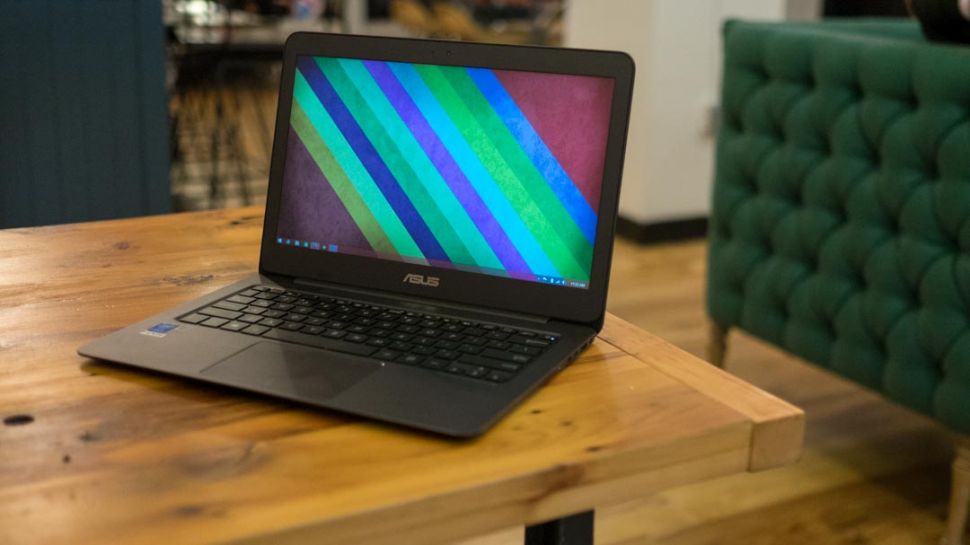
Asus Zenbook UX305 Review

Specs

  • Processor: Intel Broadwell Y Core M-5Y10 CPU
  • Graphics: Intel 5300 HD
  • Memory: 8GB LPDDR3
  • Storage: 256GB SSD
  • Connectivity: Bluetooth, LAN, Wireless
  • Screen: 13.3 inch, 3,200×1,800 IPS, non touch screen, matte
  • Ports: 3 x USB 3.0, SD Card Reader, Headphone Jack, micro-HDMI
  • Battery: 45Wh
  • OS: Windows 8.1
  • Size: 324x226x12.3mm
  • Weight: 1.2kg
  • Colors: Obsidian Stone, Ceramic Alloy

Design

The Asus Zenbook UX305 is a very slender laptop with a 12.3mm body. The computer weighs only about 1.2 kilos and is also pretty compact. It’s almost as compact as the 2014 model of the Dell XPS 13, and this can be seen from the very narrow bezel that surrounds the screen.

Despite being a very slender machine, the build quality of the Asus Zenbook UX305 is actually top-notch and it certainly feels like it’s very strong. The entire case, including the underbelly is made out of metal. Its hood has the well-known Asus logo and a ripple pattern which we’ve seen on all the Zenbooks. The interior is made from a smoother and simpler material. The review unit was the Obsidian Stone one but Asus also offers the laptop in Ceramic Alloy. While that color may look very great, it’s possible it might scratch a lot easier.

The screen hinge is also made of metal and as a matter of fact the only plastic used on this laptop is the bezel that surrounds the screen, but even that piece of plastic certainly feels premium. However, in our reviews we noticed that the plastic bezel is very tight on some of the laptops which can cause some light bleeding on the screen. But aside from this small problem, there isn’t much you could complain about regarding the design and the build quality of the Asus Zenbook UX305.

This laptop from Asus is also practical in addition to being pretty. There are four rubber feet on its belly which will make sure the computer will sit tightly on your desk. The palm rest is also quite spacious and will allow you to type very comfortably. On the side of the machine you’ll find an SD card reader, a headphone/microphone jack, a micro-HDMI output, 3 USB 3.0 slots and some LEDs. There is also a USB to LAN adapter included in the pack but Asus doesn’t include a micro-HDMI to normal HDMI adapter, which is a shame. However, the laptop does come with a nice protective sleeve.

There are no USB 2.0 ports on the laptop, which can be a hassle if you have some older accessories that you might want to use with it and there is no DP port, which can cause issues if you want to use an external monitor with high resolution at 60Hz.

Asus Zenbook UX305 Review

Keyboard and Trackpad

The trackpad and the keyboard use up most of the interior space of the Asus laptop.

While the typing experience is pretty enjoyable, it isn’t very spectacular. Asus had to sacrifice, because of how thin this laptop is, key travel, but it’s far better than most of the other ultrabook laptops you’ll read about in our reviews. The layout of the keyboard is basically standard except for the arrow keys that are pretty tiny and the power button which is the top right key, integrated on the keyboard itself. It’s very easy to hit the power key by mistake, hoping to reach the delete key, which will put the laptop to sleep. This can get really annoying, really fast.

But what’s more annoying regarding the keyboard is that it doesn’t have a backlight. In my opinion, a backlit keyboard should be present on all higher end laptops. The trackpad on the Asus Zenbook UX305 is smooth, spacious and has a chamfered contour that neatly separates it from the palm rest. It’s a little noisy because it’s a clickpad and it can seem a little stiff if you aren’t used to these kinds of trackpads. It can get pretty annoying as even the gentlest of taps will cause the laptop to make noises.

Taps and swipes work generally well on the trackpad, even if the gestures that you’re trying to make require precision. I didn’t encounter any fake or palm clicks and the gestures also worked incredibly well. The surface works well when you keep one finger on the click area and swipe with the other. This is one gesture that usually creates problems on most Windows laptops.

But because this is a trackpad made by Asus, you will have to use Asus’s own drivers and the Smart Gesture application, which doesn’t really allow you to fine tune the trackpad to your liking. The velocity of the cursor and the speed between taps were some features I really wanted to improve upon. As a matter of fact, these issues were the ones that really made me have mixed feelings about the trackpad implementation. While it’s not bad per se, the trackpad isn’t extremely good either.

Screen

The screen of the Asus Zenbook UX305 is a matte, non touch screen display. The fact that it is matte is actually pretty awesome, seeing how most ultrabooks have glossy touchscreen displays nowadays. This means that you can comfortably use the laptop outside in the sunlight without having to deal with glare and reflections.

The overall quality of the panel is top notch, as you will see in the info below:

  • Panel Hardware ID: Samsung SDC374A
  • Coverage: 99% sRGB, 77% Adobe RGB, 73% NTSC
  • Max brightness in middle of screen: 338cd/m2
  • Measured gamma: 2.2
  • Contrast: 330:1
  • White point: 7000K
  • Black on maximum brightness: 1.03cd/m2
  • Average delta: 1.69 calibrated, 1.76 uncalibrated

The lower end model comes with a 1080p screen but our review unit came with an IPS panel with a higher resolution of 3,200×1,800. The brightness, sharpness, gamma, white point and viewing angles were excellent. However, the contrast is a little poor but this is mostly due to the fact that the blacks aren’t all that deep. The colors are pretty accurate but the blues and yellows do seem a little muddy.

Hardware, Performance and Upgrades

Our test unit had an Intel Core M 5Y10 CPU, 8GB of RAM and a 256GB M.2 SSD from SanDisk. This is the most powerful configuration of the laptop available.

The memory of the Asus Zenbook UX305 is soldered on its motherboard which means that you’ll be stuck with what you choose from the beginning. However, you will be able to upgrade the storage with compatible drives. To do this you will have to open the back of the laptop and while this isn’t very complicated, you should be aware that there are some screws hidden behind the rubber feet of the machine.

The Core M platform isn’t very fast and won’t deliver groundbreaking performance, as one might expect from this kind of chipset, after all it’s not an Intel i7 or an i5. But as long as you’ll use it for basic activities such as watching videos, browsing the web, listening to music, editing documents and talking with your friends you’ll be just fine. That being said, you won’t be able to use the laptop for hardcore gaming and you might encounter some issues when switching back and forth between several applications. But this isn’t such a big deal if you try to keep multitasking at a bare minimum on the laptop.

The browsing experience in Google Chrome isn’t as good as in Firefox or Internet Explorer. You’ll have a hard time trying to watch YouTube videos in Chrome than in Internet Explorer. It’s safe to say that the Core M still isn’t very well optimized for Google Chrome and you should consider sticking to Mozilla Firefox or, even better, Internet Explorer.

The Core M processor on the laptop is bundled with the HD 5300 from Intel which is a low to mid-end solution. Because of this, the Asus Zenbook UX305 won’t be able to handle the most recent gaming titles but it will perform well when playing older games.

The speakers on the laptop are decent enough. They are positioned on its belly and aren’t extremely loud and they aren’t very capable of producing great quality of sound but they get the job done. They don’t distort or cause any vibrations in the casing and will produce decent enough sound for a laptop this size.

The webcam, which is placed on top of the screen, is decent as well. While it’s usually grainy, the webcam is good enough for the occasional Skype calls.

Asus Zenbook UX305 Review

Battery Life

The Asus Zenbook UX306 comes with a pretty large battery. The 45Wh battery occupies most of the space inside the laptop, but the Core M does drain the battery pretty quickly.

Asus claims that you can get up to 10 hours of battery life from the machine but you won’t reach those 10 hours unless the laptop stands idle. You can expect around 5 to 8 hours of battery life in everyday use.

Below you will find out how much the battery will last, depending on your activities.

  • Around 13 hours of use in idle, Power Saving Mode, 0% brightness and Wi-Fi turned off;
  • Around 7 hours of use with light browsing and text editing, Balanced Mode, 40% brightness and Wi-Fi turned on;
  • Around 6 hours of use with 1080p YouTube videos in IE, Balanced Mode, 40% brightness and Wi-Fi turned on;
  • Around 5 hours of use with 1080p video in VLC Player, Balanced Mode, 40% brightness and Wi-Fi turned on;
  • Around 4 hours and 15 minutes of use with 1080p YouTube videos in Google Chrome, Balanced Mode, 40% brightness and Wi-Fi on.

The Asus Zenbook UX305 comes with a 20W compact power brick with a pretty long cable. The power adapter will charge the laptop with maximum 20W an hour, which means that a full charge will take about 2 hours and 30 minutes, because it trickles near the end.

Wrapping up…

If you want a light and compact 13 inch laptop that is very quiet, powerful enough for daily activities and which comes with a nice display, the Asus Zenbook UX305 might be just the right laptop for you, especially since it’s a lot cheaper than any other similar ultrabooks.

The major selling points of this laptop are the slim body, the matte screen, solid build and the fact that it is very quiet because it’s fanless. However, the non-backlit keyboard, performance and the average battery life might make you want to consider buying a different product. That being said, keep in mind that for $699 you won’t be able to buy another ultrabook that offers 256GB SSD storage, 8GB RAM, an IPS display and such a great quality build. It’s because of these things that the Asus Zenbook UX305 is such a good deal, if you don’t mind the performance.

PROS

It has a sturdy and beautiful build.

It comes with a great matte display.

It has fanless hardware.

It’s fast enough for everyday use.

It has an excellent price.

CONS

The keyboard isn’t backlit.

It can get pretty hot.

It can be a little slow on Wi-Fi when it’s not near the router.

It offers average battery life.

So there you have it. This was our Asus Zenbook UX305 review.

Images source: 1, 2, 3

Filed Under: Tech & Science Tagged With: asus, asus laptop review, asus laptop reviews, asus laptops review, asus ux305, asus zenbook, Asus Zenbook review, Asus Zenbook UX305, Asus Zenbook UX305 Review, zenbook review, zenbook ux305, Zenbook UX305 review

Asus EeeBook X205TA Review

May 6, 2015 By Roxanne Briean 1 Comment

The Asus EeeBook X205TA comes with Windows 8.1, which means that it will allow you to run all the applications that you’re familiar with and while the X205TA is by no means powerful, it does get the job done for its cost. Here is our Asus EeeBook X205TA review.

Let’s take a quick look at the specifications of the Asus EeeBook X205TA first.

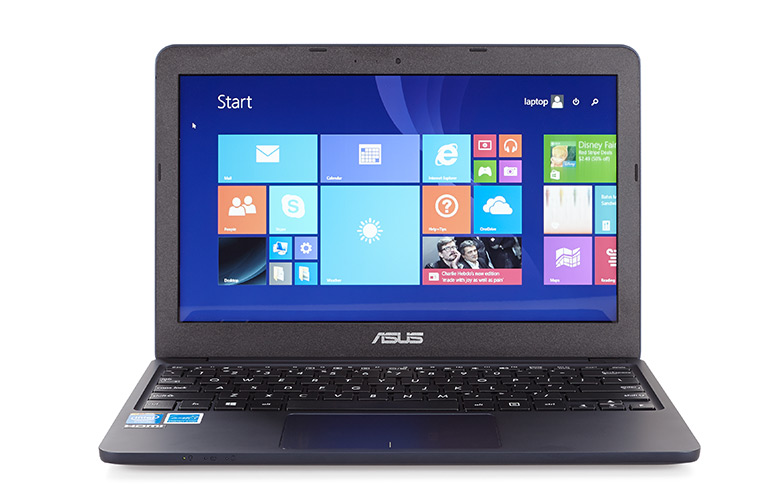
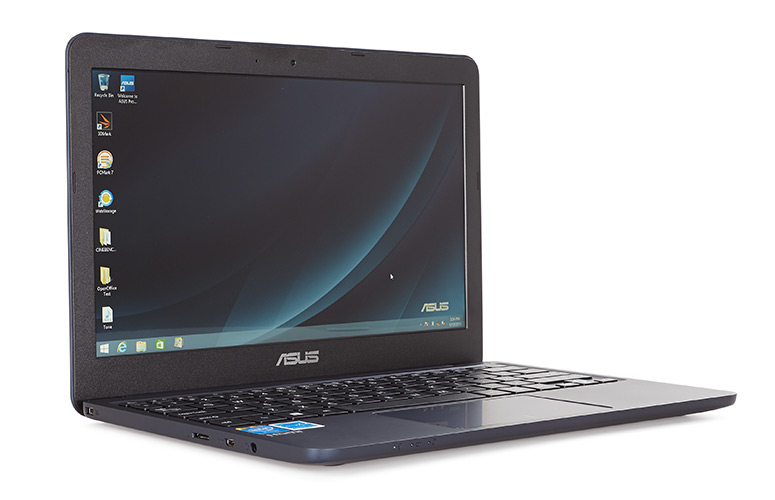
Asus EeeBook X205TA Review

Specs

  • Hardware: Intel Atom BayTrail-T Z3745D CPU and Intel HD Graphics
  • Memory: 2GB RAM
  • Storage: 32GB Flash
  • Screen: 11.6 inch 1,366×768 non touch screen display
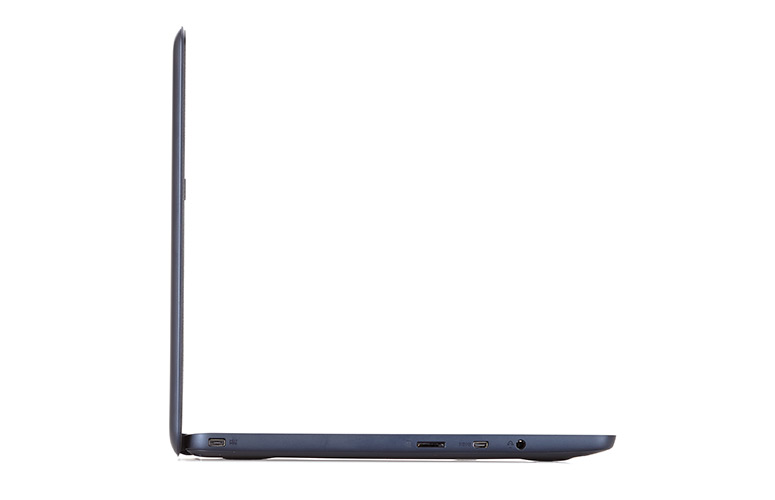
  • Ports: 2x USB ports, microSD card reader, headphone jack, proprietary PSU, micro-HDMI
  • Connectivity: Wireless N, Bluetooth
  • Battery: 38Wh
  • Operating System: Windows 8.1
  • Size: 288mm x 196mm x 18mm
  • Weight: 954g (2.1 pounds)

Hardware

Asus EeeBook X205TA Review

The Asus EeeBook X205TA is primarily designed for everyday use. The laptop will handle pretty well your web browsing between numerous tabs, listening to music and watching videos and editing documents. The laptop comes with a trial version of Office, which means that it will handle Microsoft Office just fine. The release version of the laptop will come with a 12 month subscription of Office 365 Personal and if you choose so, Adobe Photoshop. However, make sure you don’t ask too much of this machine when using Photoshop. It will get the job done but it will hiccup here and there, especially if you’re working with very complex images.

This is mostly due to the fact that the Asus EeeBook X205TA is built with high-efficiency low-power hardware. The laptop comes with an Intel Z3745D CPU, 2GB RAM and 32GB of storage. However, because the eMMC and the RAM are both soldered to the motherboard, this will become really annoying, really fast.

You will be left with very little storage space after the installation of the operating system (around 14GB), which means that Asus had to cut corners in order to make this laptop as affordable as it is. This will leave you with two options: you will either have to use the cloud space offered by Asus for free in the WebStorage environment or expand the storage of the machine by using a microSD card.

To be perfectly honest, I was very disappointed that the Asus EeeBook X205TA doesn’t support standard SD cards. This would have been very useful for transferring photos from cameras while on the run. However, this probably isn’t such a big deal for most people. All in all, the Asus EeeBook X205TA is a pretty capable notebook and it will be able to handle most things.

It comes with pretty punchy and loud speakers that are located on the belly of the laptop. The experience is even greater due to the fact that the machine doesn’t have any movable parts in it or any fans to make noises.

The Wi-Fi chip on the laptop is pretty good as well. While it won’t match your Internet speed if you have a great connection, it won’t lose its signal either when you move away from the router. We were able to stream 1080p YouTube videos on it without having to wait for the buffer or having to download the media file without any hiccups. So in my opinion, this is amazing for a computer that sells for only $199.

The belly of the laptop doesn’t have any cuts for cooling in it and, as a matter of fact, it doesn’t even need any. Because it doesn’t have any cuts in it, this leads to a very beautiful and simple design. You can access all the internals of the laptop by simply unscrewing the Philips screws on its back.

That being said, gaining access to all the internal things in the laptop won’t be of much help to you because everything is soldered on to the motherboard. As a matter of fact, the motherboard is pretty small as it is, most of the space inside the laptop being used for the battery. The good thing is that the battery is also held in place by some screws and, if needed, it can be easily replaced.

It would have been great to be able to update its storage but there is no dedicated storage stick inside the machine. This means that you won’t be able to upgrade that 32GB of internal storage. This is pretty annoying, seeing how most of that space will be occupied just by Windows. To be fair, you can use Linux on the laptop and Mint or Ubuntu will probably work just fine on the laptop, but if you’re not such a huge fan of that particular operating system, you will be stuck with Windows.

The case of the Asus EeeBook X205TA remains pretty cool under everyday use and won’t get very hot when putting the laptop through a lot of stress either. The internals reach around 80 degrees Celsius under a lot of stress and both the GPU and CPU will run under the default frequencies. However, you should keep in mind that the Asus EeeBook X205TA is designed for everyday activities and not demanding multitasking and other chores.

Keyboard and Trackpad

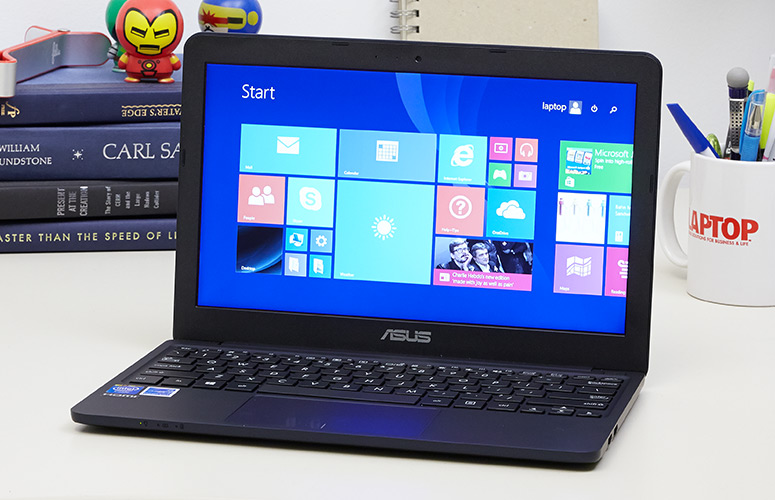
Asus EeeBook X205TA Review

The typing experience isn’t all that bad on the Asus EeeBook X205TA because the keyboard is pretty good and the position is comfortable. The laptop has a very generous palm rest which will allow you to type easily on it.

The keys on the Asus EeeBook X205TA are pretty firm and have a decent feedback and travel, considering the size of it but they do feel somewhat cheap. The layout is also cramped vertically because Asus chose to use rectangular keys on the device and not square ones. The arrow keys are also very small, but this is to be expected as we’ve seen this issue in other Asus laptop reviews.

But because the keys are smaller, this will leave a lot of space for the palm rest and the trackpad. While I did face some issues with the trackpad in everyday use, most of the times it worked just fine. However, sometimes it does double click by itself and will occasionally send your cursor flying on the screen but this generally happens when you put the laptop under a lot of stress.

That being said, this is one of the issues that definitely need tweaking on the Asus EeeBook X205TA. But seeing how the erratic cursor is most of the times a software issue, it could be resolved by future updates.

Asus EeeBook X205TA Review

Design and Build Quality

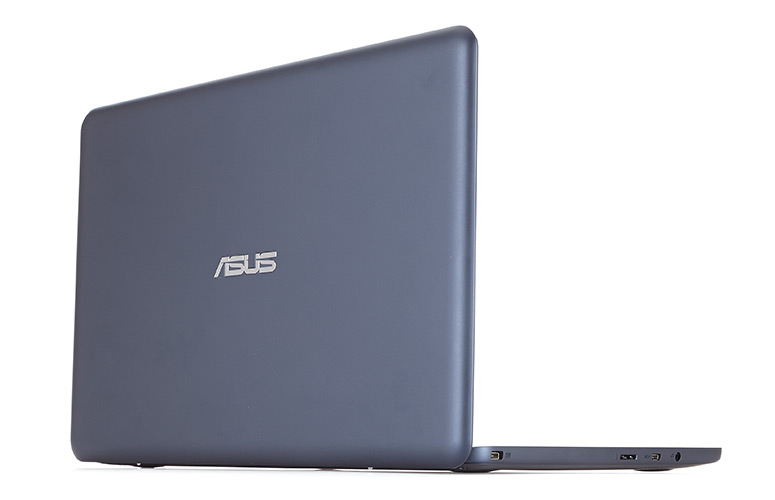
The Asus EeeBook X205TA weighs just less than 1kg and also has a compact footprint along being very thin. It will easily fit in a bag or a backpack and the laptop is also pretty tough and has a nice design. If you grab the machine and give it a little squeeze it will make some creaks, which are usually associated with cheap plastic laptops, but considering how little money this computer costs I have to say that it’s pretty well built and has a really nice finish to it.

The case is made out of soft matte plastic that is present on the interior, the lid and the belly of the laptop. While the bezel around the screen is the only thing that remains black on this laptop, Asus offers the device in various other colors. The materials used to build the laptop feel very pleasant to the touch and there aren’t many things you could complain about the quality of the finish either.

But to be fair, there are two things that can annoy you regarding the laptop. The case catches finger oil and smudges pretty easily and will be very visible if you purchase the dark blue model of the laptop and the lid flexes a bit. While this doesn’t really affect the integrity of the screen, if you do press a little harder on the lid you will see some ripples on its screen. This means that you should consider purchasing a sleeve for it and you should be very careful when carrying it in a backpack.

Display

The laptop comes with an 11.6 inch non touchscreen display with a resolution of 1,366×768, a glossy finish and a TN panel. This means that it has pretty poor vertical viewing angles and the colors will quickly fade when viewing it from awkward angles, but this is to be expected with such low priced screens. That being said, if you look at the laptop heads-on, you shouldn’t be very bothered by this aspect.

The screen leans to around 140 degrees to the back, which is pretty good, but not perfect. The laptop is lifted on two plastic feet which will leave more space under the laptop for cooling and will raise the keyboard for a better position for typing.

The display is pretty decent despite the following measurements:

  • Panel Hardware ID: AU Optronics AUO235C;
  • Coverage: sRGB 58%, AdobeRGB 43%, NTSC 41%;
  • Measured Gamma: 2.3;
  • Maximum brightness in the middle of the screen: 247cd/m2;
  • Contrast at maximum brightness: 90:1;
  • White point: 7900K;
  • Black on maximum brightness: 2.78cd/m2;
  • Average Delta: 4.37 calibrated, 8.48 uncalibrated;

The screen does have some problems displaying very accurate blacks when used at a high brightness and the colors might sound a little awful but the fact is that the display isn’t as bad as the numbers above would suggest. Asus could have chosen to equip the laptop with a matte screen, since the display is not touchscreen but they chose to make it glossy which will prove to be problematic when using the laptop in bright sunlight.

Battery

The laptop comes with a 38Wh battery which will give you around 10 hours of battery life in everyday use. This includes editing documents, browsing the web, listening to music and watching YouTube videos with Wi-Fi turned on. The laptop was also capable of lasting for around 9 hours on 60% brightness when looping a 720p mkv file in WMP-HC. The laptop ran for 8 hours when looping a 1080p video on YouTube.

The laptop will last for weeks in stand-by and the Always Connected feature from Intel will make sure that all your emails and updates will be ready for you when you wake the machine up. The Asus EeeBook X205TA comes with a compact 10Wh power brick and a pretty long cable. You will be able to charge the battery from 5% to 99% in around 2 hours and 15 minutes.

Asus EeeBook X205TA Review

Wrapping up…

All in all, Asus did a pretty good job with the Asus EeeBook X205TA. After using the computer for some time, there was only one thing that annoyed me the most: its trackpad. Also, the microSD and micro-HDMI slots can prove to be problematic along with the fingerprint magnet case, but these are in no way huge problems. The storage space should be neatly organized and probably left only for Windows.

However, this is pretty much it. You can’t really complain about a $200 laptop that performs and looks as good as this one does. Because it’s so sturdy and light and also because it lasts so long on a single charge, the Asus EeeBook X205TA can be a really nice travel companion. It can also be a great laptop for kids, because it’s so cheap and you won’t mind if they break it. The Asus EeeBook X205TA can also be a good pick for someone who is looking for an inexpensive and small computer that can handle Windows 8.1 and all the software that is compatible with the operating system.

That being said, you should keep in mind that the Atom CPU inside the machine won’t be able to handle very demanding tasks and hardcore gaming. But if you plan to only use the laptop for daily activities, you really can’t go wrong with this $199 machine.

PROS

It’s very light and sleek.

It has a decent keyboard.

It is able to handle multimedia activities and most daily tasks.

It lasts for a very long time on a single charge.

It’s very affordable.

CONS

It comes with miniaturized ports.

The touchpad is pretty erratic.

It has limited internal storage.

So there you have it. This was our Asus EeeBook X205TA review. Make sure you check our other Asus laptop reviews if you plan on buying an Asus computer.

Images source: 1, 2, 3, 4, 5


Filed Under: Tech & Science Tagged With: asus, asus eeebook review, Asus EeeBook X205TA, Asus EeeBook X205TA Review, asus laptop review, asus laptop reviews, asus laptops reviews, eeebook, eeebook x205, eeebook x205ta, EeeBook X205TA Review

  • « Previous Page
  • 1
  • …
  • 35
  • 36
  • 37
  • 38
  • 39
  • …
  • 59
  • Next Page »

Subscribe to Blog via Email

Enter your email address to subscribe to this blog and receive notifications of new posts by email.

Join 11 other subscribers

Recent Articles

police handcuffs man

German Man Probed In Poisoning That Killed 21 Employees Since 2000

June 29, 2018 By Kenneth Scott Leave a Comment

Chicken wings bar

Intoxicated South Carolina Man Punches Waitress Who Refused to Serve Him Alcohol

June 29, 2018 By Karen Jackson Leave a Comment

gaming

New Zealand gamer Who Flew Halfway Across The World for Virginia Teen Gets Shots By Her Mother

June 28, 2018 By Cristopher Hall Leave a Comment

party

Former Virginia Tech Freshman Sentenced to 50 Years in Prison for Stabbing a Girl to Death

June 28, 2018 By Roxanne Briean Leave a Comment

bonfire

British Couple Sentenced to Life in Prison for Torturing and Murdering French Nanny

June 27, 2018 By Deborah Campbell Leave a Comment

pay phone

Texas Father of Girl Disappeared in the 80s Ignored by Authorities

June 26, 2018 By Cristopher Hall Leave a Comment

bottled water

San Francisco Woman Threatened to Call Police on Girl Who Sold Ice Water for Disneyland Trip

June 25, 2018 By Roxanne Briean Leave a Comment

Maplewood Park

Missouri Man Robbed by Date and Accomplice in Park

June 22, 2018 By Nancy Young Leave a Comment

coding

New York Man Sentenced in Cyberstalking Former Girlfriend, Mailing Drugs to Her Dorm

June 22, 2018 By Deborah Campbell Leave a Comment

headphones

Bose Poised to Launch Sleepbuds, In-Ear Headphones That Help You Sleep

June 21, 2018 By Nancy Young Leave a Comment

Police light

Intoxicated Female Driver in Custody for Pulling Arresting Officer by the Hair

June 21, 2018 By Kenneth Scott Leave a Comment

kitchen

Restaurant Manager Arrested and Charged in Shooting Death of Co-Worker over Negative Yelp Reviews

June 20, 2018 By Karen Jackson Leave a Comment

plastic container

Pennsylvania Couple Charged in Violent Death of Infant Discovered Buried in Cat Litter

June 19, 2018 By Cristopher Hall Leave a Comment

tailpipe

Minnesota Teen Gets Head Stuck In Oversized Tailpipe Winstock Music Festival

June 18, 2018 By Karen Jackson Leave a Comment

Pages

  • About Us
  • Contact us
  • Privacy Policy
  • Privacy Policy GDPR
  • Staff
  • Terms and Conditions

Recent Posts

  • German Man Probed In Poisoning That Killed 21 Employees Since 2000 June 29, 2018
  • Intoxicated South Carolina Man Punches Waitress Who Refused to Serve Him Alcohol June 29, 2018
  • New Zealand gamer Who Flew Halfway Across The World for Virginia Teen Gets Shots By Her Mother June 28, 2018
  • Former Virginia Tech Freshman Sentenced to 50 Years in Prison for Stabbing a Girl to Death June 28, 2018
  • British Couple Sentenced to Life in Prison for Torturing and Murdering French Nanny June 27, 2018
  • Texas Father of Girl Disappeared in the 80s Ignored by Authorities June 26, 2018
  • San Francisco Woman Threatened to Call Police on Girl Who Sold Ice Water for Disneyland Trip June 25, 2018

Categories

  • Business
  • Entertainment
  • Finance
  • Headlines
  • Health
  • Life
  • Nature
  • Science
  • Sports
  • Tech & Science
  • Travel
  • Uncategorized
  • United States
  • World

Copyright © 2026 ArgyllFreePress.com
About · Privacy Policy · Terms of Use · Contact