Argyll Free Press

Growing News Network

Monday, May 4, 2026
Log in
  • Business
  • Finance
  • Sports
  • Tech & Science
    • HP Envy 4500 Review
    • LG Optimus 170 Review
    • iPod Touch 6th Generation Review
    • HTC One M8 Accessories Set-up
    • Surrealist Games You Must Play
    • Hisense Sero 8 Review
    • Dell Latitude e7440 Review
    • HP Laserjet 1536dnf mfp Review
    • Garmin Fenix 2 Review
    • Skype Vs Viber
    • Best Video Conferencing Software
    • Sony mdr 1r Headphones Review
    • Canon Rebel t3i Review
    • Sennheiser Momentum 2-0 Review
  • Travel
  • Headlines
  • Health
  • United States

Curved Screen Technology Adopted by the LG Display Phone

January 31, 2015 By Roxanne Briean Leave a Comment

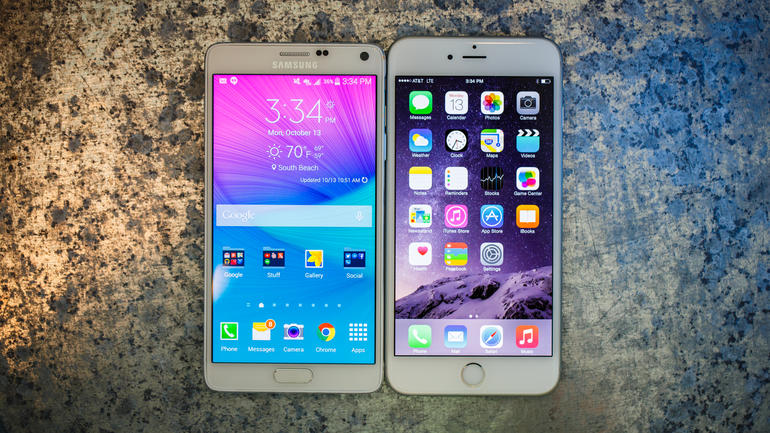
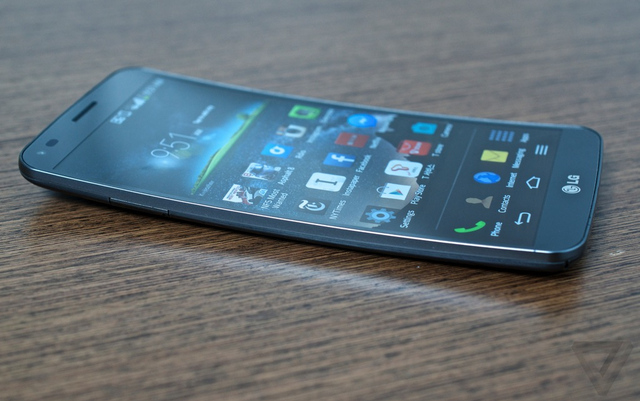
DSC_0249-1024_large_verge_medium_landscape

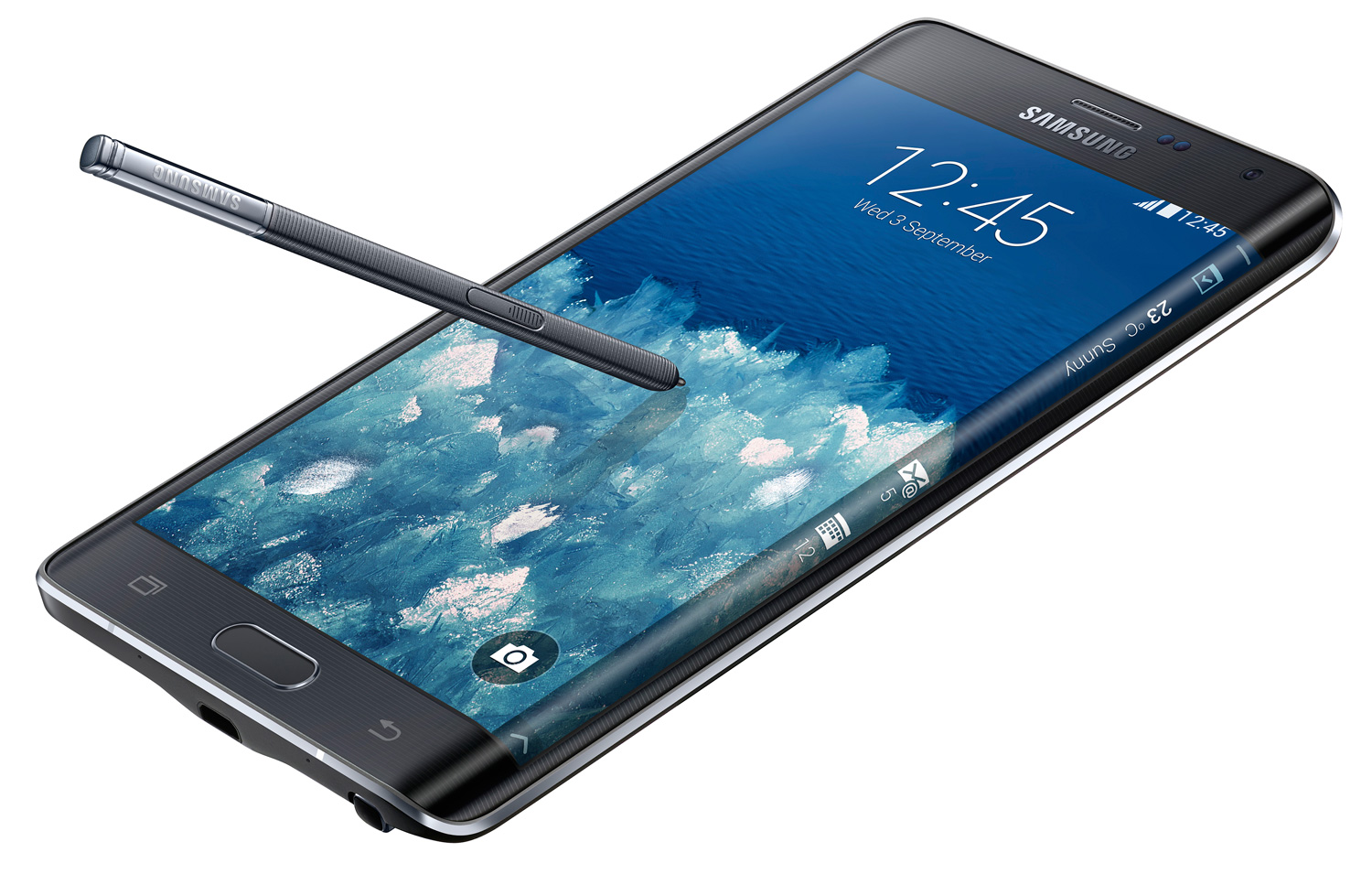
No, it’s not the Galaxy S6. Actually, it’s not even a Samsung product as we expected. Many rumors last year were pointing out at the possibility of this technology being adopted by subsequent Samsung products following the experiment that was the Samsung Galaxy Note 4 Edge.

Now, to be honest, the company has announced that the S6 will come out in a curved display “Edge” variant as well, but by the time it does it might not even be that fancy anymore.

But this isn’t even an article about the Samsung Galaxy S6 so let’s turn our attention to the early bird that is the unnamed LG Display phone. This year, at CES 2015, LG seems to have moved their focus onto the curved display technology with a lot of fervor, not only coming to present a number of curved television sets and the G Flex 2, but also the LG Display phablet that sports not one, but two curved edges. So in essence, LG raised the idea behind the Galaxy Note 4 Edge and doubled the gamble.

Visually, the LG Display offspring looks like something picked up from the future, or at least some not far off away science fiction production. It adopts a different form of the curved screen technology – instead of the inwardly arched display that we can see in the LG G Flex 2, the LG phone in question basically had its left and right edges turned into strips of screen that work separately and independently from the main display.

Displaying notifications, shortcuts and other useful tools, the side, curved edges are meant to somewhat remove clutter from your main screen, allowing it to stay clear and only populated by your focus – watching movies, full-screen apps, taking photos or shooting videos, so on and so forth. The side screens also have capacitive touchscreen properties, allowing you to tap and swipe through their functionalities just as well.

Back when the Galaxy Note 4 Edge was released, a huge amount of people were excited by the concept and it became the next big attraction of the smartphone world. However, after release, upon actually owning and trying out the phone for a period of time, users have started becoming reluctant and wondering if the curved edge was worth the extra $150.
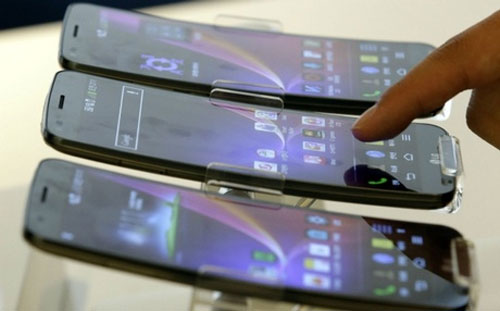
curved_smartphone_lg_g_flex_3

The utility of the feature ended up feeling somewhat limited by current software to match up with the advance in hardware and design power ups. Sure, it’s a neat step forwards, and being able to discreetly make use of the side screens to check your notifications or read your messages during a meeting, getting a handy ruler to use or simply being able to access your apps without having to scroll through pages and pages of your menu is definitely not something to complain about.

But the main issue right now is still the fact that the application market is a tad slower in approaching this aspect of the smartphones coming out in 2015 – except those mentioned above, there’s little to no other use for the clever side strips of screen. If, with time, developers start taking this aspect as a potential feature of future generations of phones, it will probably make the technology a more appealing option in smartphone and phablet fabrication.

Otherwise, the curved side screen concept will remain something that only the most devoted tech lovers will appreciate but not that appealing for the regular consumer. Considering this technology does tax on production costs in a considerable amount, most regular consumers will probably not opt for the curved edge devices if the functionality does not improve in some way.

Regarding the technical specifications of the dual-curved device brought by LG Display, there’s not so much that we know for sure. The concept device presented at CES 2015 is a healthy 6-inch HD display phablet.

This makes us think that operating it might actually become a tiring, difficult thing to do without a stylus. The device is absolutely huge – no one-handed usage will probably be possible, especially considering the grip on it would probably suffer due to the curved, interactive edges. The screen of the LG dual-curved device did not present itself as that impressive, being only a 720p resolution plastic OLED display. Not as clear and vibrant as you would expect from your revolutionary 2015 smartphone or phablet – and on top of that, LG has also announced the device is ready for mass production so it might be the final form too.

Considering the LG G Flex2 is already the host of a Qualcomm Snapdragon 810 processor, there’s no reason for us to not expect this version to not sport the same, state of the art Qualcomm chipset. And considering that the GPU was made to support and actually function better with 4 GB of RAM, we have good enough reason to speculate that that’s the number we should be looking at for the dual-curve edged wonder.
Filed Under: Tech & Science Tagged With: curved LG Display, curved technology LG display, LG technology, LG with curved display

Samsung Struggles To Return To Its Glory Days

January 29, 2015 By Roxanne Briean Leave a Comment

samsung-galaxy-s-edge

Image source: extremetech.com

The earnings report of Samsung for Q1 2015 is not a very profitable one. Even though the company did meet its expectations for the past quarter, those expectations were a lot lower in terms of revenue and profit. So it seems like Samsung struggles to return to its glory days that the South Korean company has seen in the past as this is the fourth quarter in which it saw falling earnings.

There was a serious drop from the $5 billion reported profits in Q1 2014 to the $1.8 billion now. This represents a year on year drop of 64.2 percent. Samsung didn’t discuss its expectations for 2015 on mobile sales. However, the company did say they are going to focus more in newer markets and limit tablets to low and mid-range models.

We’re not very surprised that Samsung isn’t capable of giving guidance. The company has a very unclear strategy and it isn’t very confident in its own flagship products.

It’s very well-known that Samsung’s biggest smartphones are the Galaxy Note series and the Galaxy S. The company launched its newest Galaxy Note, the Galaxy Note 4, last year in September at the IFA in Berlin. Samsung also introduced the Galaxy Note Edge then. This new device offered a bent screen that featured a ‘spine display’ that curved in the main screen. This was truly a design progress and it was a sign that Samsung was thinking about new ways to improve the interface options and form factors. This was also proof that Samsung was capable of thinking outside the box and rely less on just copying from other companies.

But that did not last.

Soon after that, Samsung revealed that the Edge was not going to be a mainstream smartphone and would only be available to a small part of the population; South Korea, to be exact.

So how can we believe that the Galaxy Note 4 is the superior smartphone when we saw with our own eyes that the Edge was more advanced and a better phablet altogether? But Samsung were too frightened to stick with the Edge.

And now the company plans to do the same thing with the S6. We believe that Samsung should commit itself to the better device, and thus the Galaxy S Edge should become the only S6 model available on the market. The digital spine should be made available to everyone. We wonder, when will Samsung announce the limited distribution of the S Edge?

Samsung’s uncertainty is demonstrated by the fact that it has two models in both its phablet model and smartphone one and it uses two operating systems: Android and Tizen. Samsung continuously fails to make a decision about what it believes to be the best choice.

Samsung is still a follower in terms of hardware. The South Korean company was able to make three great devices in the past years (The Note, the Galaxy S and the Tab) but since then did very little to distance itself from the original formula. Anything we’ve seen different on the new devices has already been launched by some other company before them.

The company is relying only on the push from its previous sales and market position to get profit and revenue, instead of pushing forward and finding its own way. This can’t last forever and the numbers are living proof of that.

All in all, has Samsung ever decide about something on its own?

Filed Under: Tech & Science Tagged With: phablet, samsung, samsung drop revenue, samsung edge, samsung galaxy note 4, samsung galaxy s edge, samsung galaxy s5, samsung note, samsung profits, samsung smartphone, samsung struggles, samsung struggles to return to its glory days

Drawing Made Easy by Toshiba Encore 2 Write [Review + Video]

January 29, 2015 By Roxanne Briean 3 Comments

toshiba_encore2_write_8_10-100538526-orig

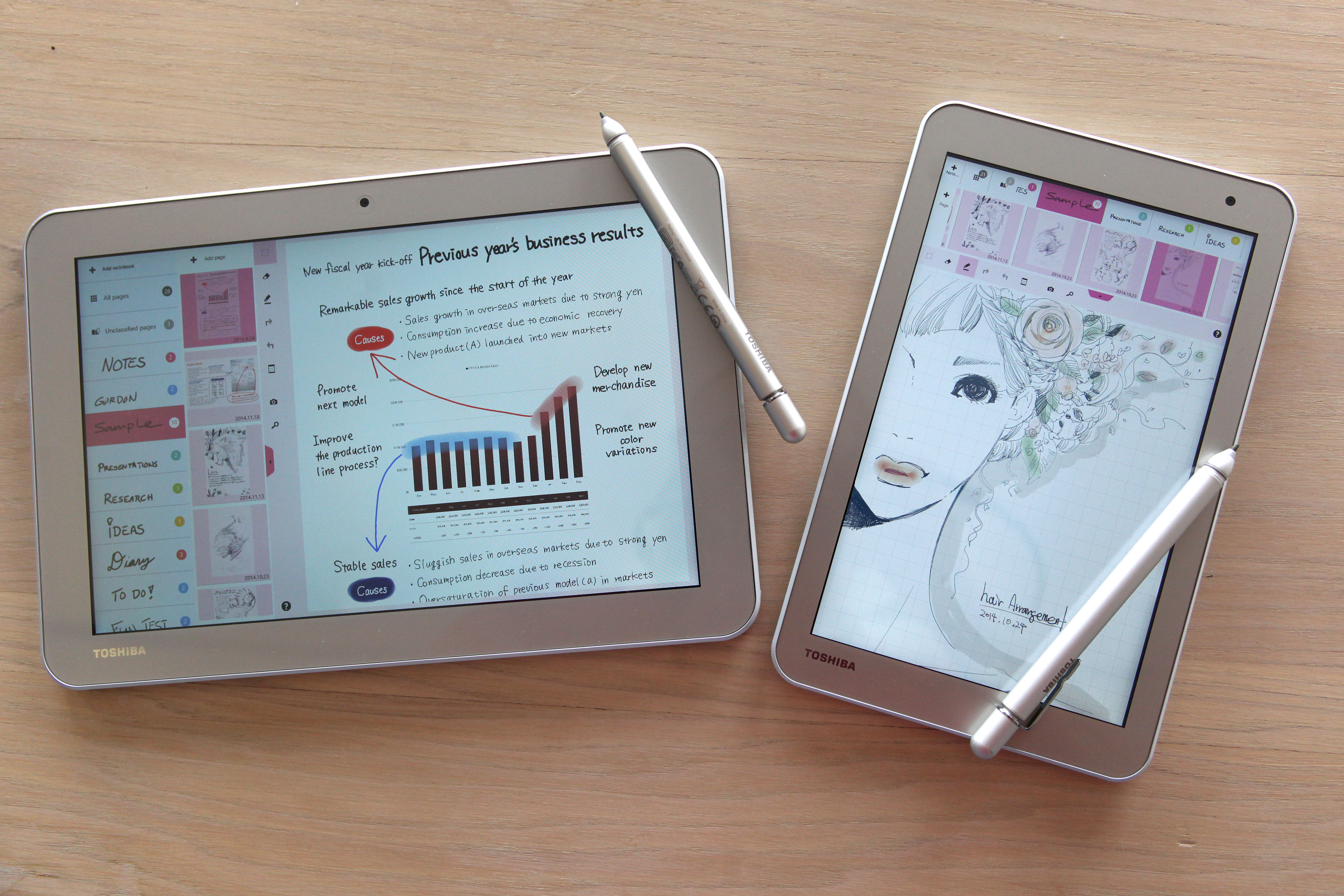
While styluses are not that uncommon for a lot of tablets coming out these days, they are really just some accessories to make a couple of tablet features slightly more comfortable to use, allow digital signatures and maybe prevent a couple of finger smudges on your screen. Anyone looking for a more advanced one could turn their gaze upon the Microsoft Surface Pro 3, which would in turn cost you somewhere around $1,000 for a mid-range model. That’s a lot.

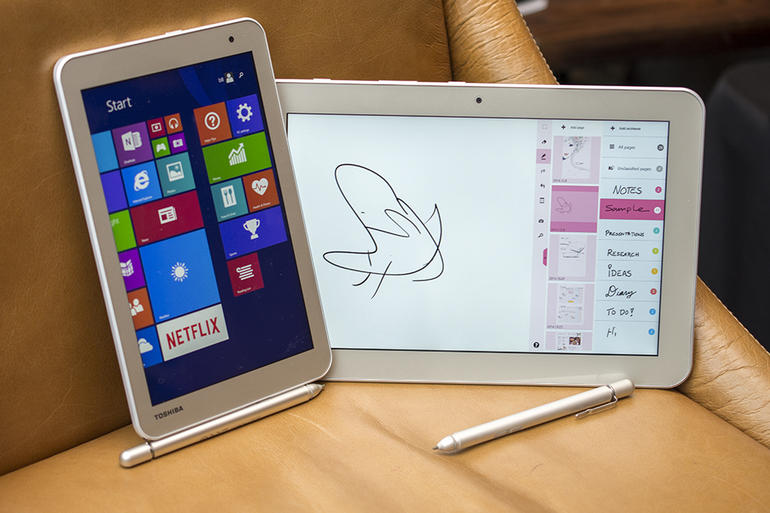
So this year at the Consumer electronics Show in Las Vegas, Toshiba unveiled something that might make more than one class of consumer happy. It is the Toshiba Encore 2 Write tablet, available in two sizes – 8 inch and 10.1 inches respectively – that prides itself on what they call the “Feel technology”. The Feel technology in question has been developed by well-known drawing tablet producer Wacom – specializing in devices that artists use for digital drawing.

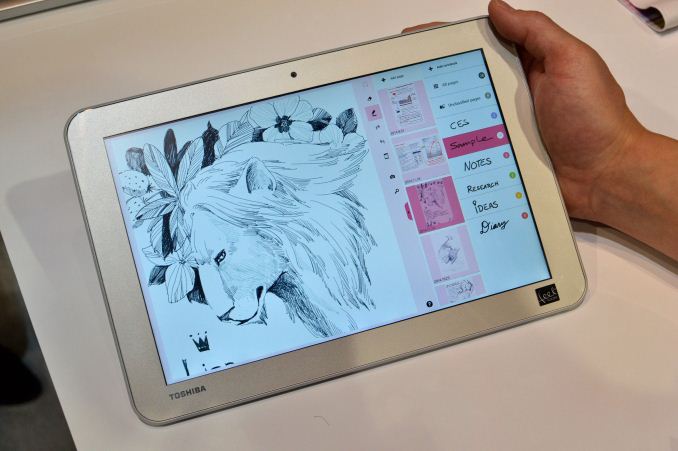
The technology has been adopted in its entirety, up to the stylus itself – the TruPen that the Toshiba Encore 2 Write comes with is capable of sensing 2,048 levels of pressure, giving writing using the stylus amazing levels of depth. Depending on the amount of pressure you apply when using the TruPen, the darker and thicker the lines drawn in digital form will be. Also part of Wacom’s Feel technology, the Encore 2 Write also adopted into its own surface a layer of coating that adds texture to the screen.

This tablet is not, however, destined to be used for drawing – it remains an affordable, versatile and pretty high quality tablet for all around general use, with a focus on rapid note taking and writing using a performant stylus as an alternative to the unnatural-feeling tablet keyboards.

Toshiba Encore 2 Write Design

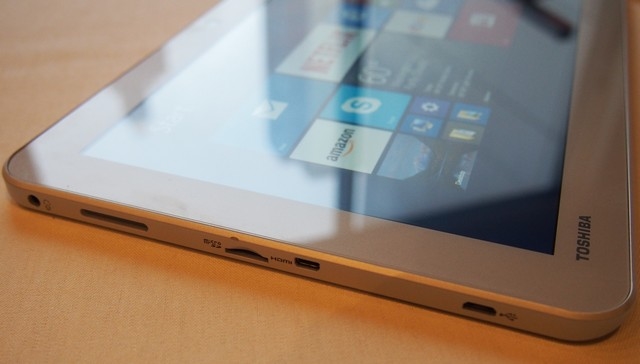
As mentioned earlier, the Encore 2 Write comes in 2 sizes: either 8 inch or its bigger 10.1 inch brother. Both models are only 9 millimeter thick and have well defined edges, with all the jacks, microSD, micro-USB and every other socket neatly tucked in all around the sides of the tablets. Given how thin the tablet is, chances of us seeing a regular USB slot on it are slim.

toshiba-encore-2-write-10-ports_slideshow_main

But the micro-USB slot handles its duties well enough, being capable of both charging the device and taking care of data transfer via cable. A 3.5mm headphone jack is also hosted on the side of the tablet, along with the microSD slot, that can host cards of up to 128 GB of storage space.

The tablet also displays two cameras, both front and rear facing: the front one is a 1.2 megapixel one, allowing you to make use of video calling to your heart’s content, while the rear camera has an 8 megapixel zoom, accompanied by LED flash. Taking photos will result in a pretty impressive series of colors and enjoyable image accuracy and clarity.

Weighing no more than 557 grams for the 10.1 inch model, the tablet is pleasant to hold onehandedly while operating it. Considering it has been built with a slightly curved back surface, the Encore 2 Write has a decent grip when you pick it up as a notepad to make use of the writing feature. The frame is

Encore 2 Write’s TruPen Capabilities

And while we’re on the writing feature, let’s talk a bit about the stylus – the TruPen. Its design make it look a little beefier than what I’m going to call amateur styluses. Without meaning to sound insulting to any other brand of stylus, the TruPen is far superior to anything you would otherwise go for – the focus on it and the design lessons taken from Wacom makes it be easily considered a superior, next-level digital pen.

All that technology however is packed in the relatively large TruPen, that will not be able to be fit in the edges of the tablet as we would be familiar from many other models still adopting the stylus. Instead, the TruPen can be neatly fit onto the right side of the tablet using a hinge that attaches inside the frame of the Encore 2 Write.

While the TruPen doesn’t look as elegant and sleek as your regular stylus, the relatively larger radius and width of it simply makes it feel more similar to a real pen, giving writing and drawing a strong, realistic feeling.

Toshiba Encore 2 Write Specifications

Regardless of the model you are picking, the display of the Encore 2 Write will be sitting on a stable 1200 x 800 pixel resolution, with a capacity of up to 16 million colors. While the resolution may not be the most impressive you can get, the coating on the tablet’s display will allow it to show richer textures and a crisp image overall.

toshiba-encore-2-write-8-10

Hardware-wise, the Toshiba Encore 2 Write is set in motion by a quad-core Intel Atom Z3735 processor and a healthy 2 GB of RAM, making the tablet not only a very powerful note-taking tool but an impressive addition to your line of gadgets as well. Whether it’s sketching you’re looking forward to, or your regular watching movies and enjoying all forms of media, the Encore 2 Write can do it and make it wonderful while it’s at it.

Storage-wise, the Encore 2 Write is very impressive, all bias aside. Not only that its microSD slot can host cards of up to 128 GB of space, but its internal storage is of a hefty 64 GB already. In comparison to so many high end tablets that will make you struggle with 16 or 32 GB of space, this Toshiba model gives you all the freedom in the world when it comes to storing your data.

Photos, videos, drawings, notes, apps, there’s room for it all – and more. If you’re the kind of person who likes holding onto entire playlists of your preferred music onto your mobile device – whether we’re talking smartphone or tablet – the Encore 2 Write will make you incredibly happy.

Regarding connectivity however, it is sadly a little limited. With no NFC, GPS and Wi-Fi Direct, your only options will be Wi-Fi, Bluetooth and happily, HDMI (however, only on the 10 inch version). Surprisingly however, the Encore 2 Write is not even 3G capable, so relying on your local Wi-Fi is something you won’t be able to avoid.

Toshiba Encore 2 Write Tablet

Considering the lack of GPS and near field communication, it is not a surprise to see that the tablet lacks on many sensors such as proximity, gyroscope and barometer. The ambient light sensor is not present either and because of that, your display won’t be adapting to the level of light you are sitting in when using the tablet, having you set it up manually whenever it needs change.

The case, as expected cannot be opened, thus the battery doesn’t fall into the removable category. The battery provided promises 11 hours of battery life for regular, general use, and up to 8 hours of life for video playback and intensive use.

Toshiba Encore 2 Write Features

The Toshiba Encore 2 Write comes packed with the latest Windows 8.1 with Bing installed and ready to go. Not only that but purchasing the tablet will earn you a one-year long subscription to Microsoft Office 365 Personal – featuring the full versions of the latest, up-to-date Office applications, including Word, Excel, PowerPoint, One Note and Outlook. With a Wi-Fi connection available, you will also be able to make use of the OneDrive unlimited storage to sync your data and files across all Windows-based devices to keep in touch with your work no matter where you go.

To complement Wacom’s Feel technology, the Toshiba Encore 2 Write tablet features an exclusive package of Tru apps, made solely to make your work easier and bring out the best out of the device.

  • TruNote is an application designed by Toshiba that will make use of your TruPen, allowing you to take notes, draw, doodle, make marks on photos or images saved on your drive, and it maintains its functionality in Microsoft Office applications, overlapping with the apps themselves and allowing you to make use of the writing features in full-fledged Work, Excel documents and much more.

On top of that, the TruNote also includes a lot of versatility of usage for your stylus – whether we’re talking changing colors, brush textures or importing images. For any individual who feels more comfortable taking notes in hand writing form, the Toshiba Encore 2 Write will allow you to do this in a number of in-built applications, and then automatically transform and transpose your notes into digital form, just to make sure deciphering your own scribbles won’t be a problem.

TruNote also gives you a lot of flexibility when it comes to easily locate handwritten text or characters in various images and pictures, allowing you to quickly export them in your Office apps. As a last note, the feature also includes a mode that switches the menus from one side of the screen to the other to fit both lefties and people that use their right hand to write.

Toshiba Encore 2 Write Tablet

  • TruRecorder gives some attention to one particular aspect that tends to get very ignored on many mobile devices out there – actual audio recording. More often than necessary we feel forced to download non-branded developer apps on the app store to give audio recording a kick forwards and actually make use of audio files that you get from your meetings, the events you attend or even special moments you manage to capture in audio form. Revisiting all of your recorded moments, lectures, meetings or whatnot is made so much easier with the TruRecorder app. It is capable of pretty impressive things such as differentiating between voices, parsing the audio of recorded conversations and even separate all unique voices detected into separate tracks for your eventual playback, listening or analysis, each marked by a different icon.
  • TruCapture is the application that compliments the provided 8 megapixel rear camera. Its functionality is not something to be taken lightly. By taking photos of text on various surfaces such as books, notes, blackboards, whiteboards, posters and whatever else that you might be considering and using the True Capture application that comes with the initial package, you are suddenly rendered capable of not only improving the displayed text by automatically sharpening, brightening or straightening the writing for easy reading but also importing them and transposing them into digital form, making it easier for you to find, extract and import written text from pictures taken.

Wrapping Up…

That pretty much wraps up all the focal points of the new Toshiba Encore 2 Write tablet. It has been made available for purchase at select retailers starting January 11th 2015 for both models. The 8 inch version starts off at $349 price for the lowest end options available, while the 10.1 inch model will start off from $399. Even so, the price is highly accessible given everything that the tablet offers.

Along the pressure-sensitive pen and the screen built to be ultra-responsive, the technical specs don’t fall off behind by much, giving a lot of versatility and power to the Toshiba Encore 2 Write, making it a viable option for both regular users, and even artists, even if it still can’t compare to your regular Wacom tablet. Still, it holds its head up high when it comes to Windows 8.1 non-hybrid tablets out there and worth a try out at your nearest retailer that has it on display if you are even remotely considering it for purchase.

Photo Sources: Source 1, Source 2, Source 3, Source 4

Filed Under: Tech & Science Tagged With: encore 2 write tablet, Toshiba encore 2 write tablet, toshiba tablet, toshiba tablet review

Leaks Showcase What Could Be the Next iPad

January 29, 2015 By Roxanne Briean Leave a Comment

Leaks Showcase What Could Be the Next iPad

The Internet is a great source of information; the greatest even. So it’s not a surprise that because of it nothing stays a secret anymore. Sneak it a couple of photos of it, and it’s done – everyone and their family will find out in no time.

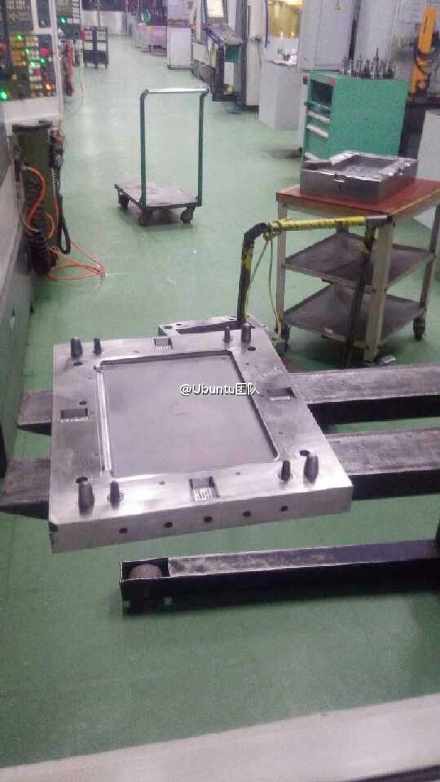
That’s exactly what happened with the latest rumors of a new iPad coming out. Based probably half on common sense deduction and half on word of mouth, the rumors seem to have been true. An image travelling around, depicting a mold said to make Apple’s upcoming, larger tablet pretty much confirmed speculation. The image is said to have been taken in China and was posted on Chinese website Weibo – saying that it was taken in Apple’s Foxconn factory.

What do the experts say?

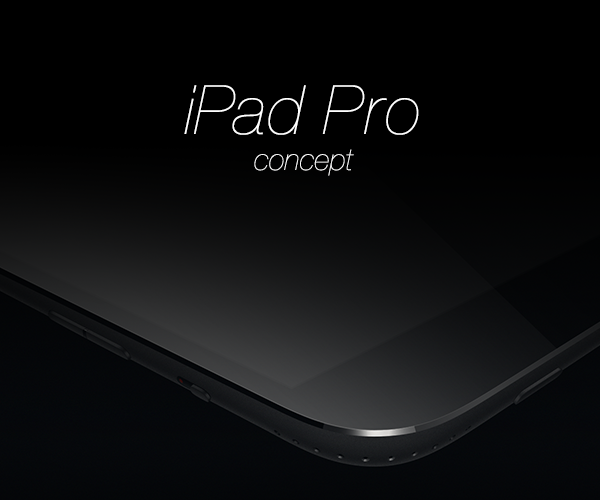
Experts have taken the photo and got to work on estimating size and weight of the upcoming Apple iPad – rumored to be either iPad Air Plus or the iPad Pro. From the looks of it, the next iPad will be a 12.2 inches tablet – the dimensions seem to be 305.3 mm x 220.8 mm x 7 mm which is definitely quite a leap from the current largest model, the iPad Air 2. As a comparison, the Air 2’s dimensions are 240 mm x 169.5 mm x 6.1 mm so the difference is tangible to say the least.

Leaks Showcase What Could Be the Next iPad

The Future for iPads 

So the question will surely arise: what made Apple take such a turn when it comes to releasing tablets? Before the iPad Air 2, Apple seemed to have steered production the other way around by releasing the iPad Mini series – something that to some seemed to defeat the purpose of tablets in the price place, when users confronted the 7.9 inch iPad.

Recent studies reflect some explanations when it comes to handheld device sizing issues however. Given the fact that the smartphone market is partially turning into a phablet one raises several concerns. The mere fact that the term “phablet” exists and is considered a viable term for some devices hints towards that in the first place.

So we live in a time when there’s a crossing of roads happening – with the steady increase in size of so many smartphones out there, while companies release actual phone and tablet hybrids sized as large as 6 inches, users tend to lose interest in tablets for many of the things they normally do on portable smart devices.

Why bother with watching a movie on your 8 inch tablet when you can do it on the nearly just as large phablet that you recently acquired?

iPad Pro

And stop to think of it, that’s precisely the way things work. While tablets might give you a little more versatility when it comes to work, making things such as text editing much less of a pain even without an attachable or Bluetooth keyboard, let’s be frank. If work is what you’re using your devices for, might as well go for a notebook or at least a tablet/notebook hybrid instead.

So if we’re talking entertainment alone, with the diminishing difference in size between tablets and smartphones, the number of reasons you’d use your former over the latter are very few.

Taking all of these into consideration, Apple seem to be doing a great thing – by focusing on producing larger scale tablets again, they can draw back the interest of people who purchased devices such as the iPhone 6 Plus for example.

Whether the intent will catch on to users out there or not is something we will have to wait and see once the actual thing is released. It’s not as certain that people will still give up the option of having a device that allows you all forms of media entertainment while still being able to keep it in your pocket for a large, 12 inch tablet that despite having to carry it around will most likely offer outstanding performance and visual goodies.

Filed Under: Tech & Science Tagged With: iPad, ipad Air 2, iPad pro, iPad rumor, the next iPad

Falcon Pro 3 Gives you Twitter with a Lollipop Look

January 28, 2015 By Roxanne Briean 1 Comment

Falcon Pro for Twitter

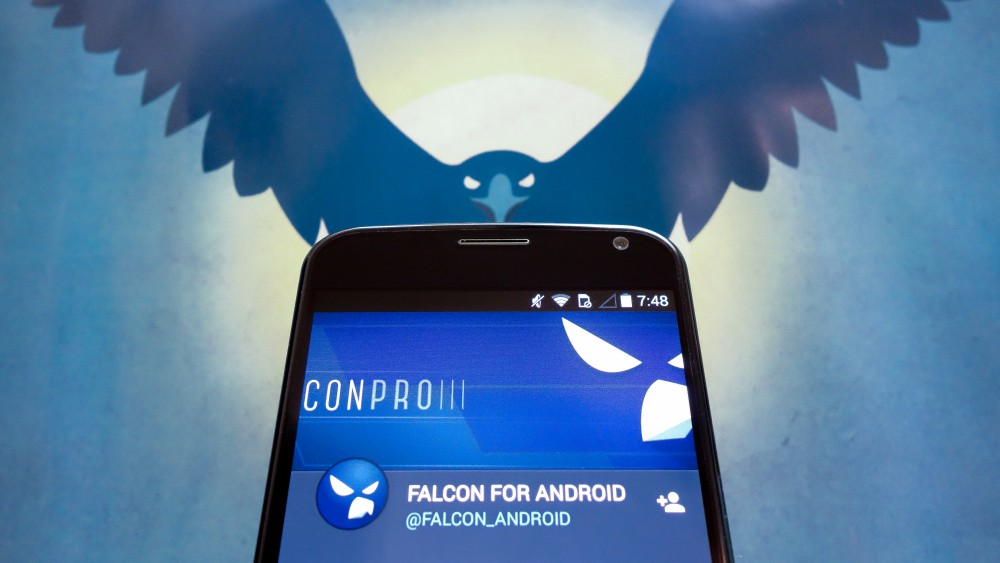
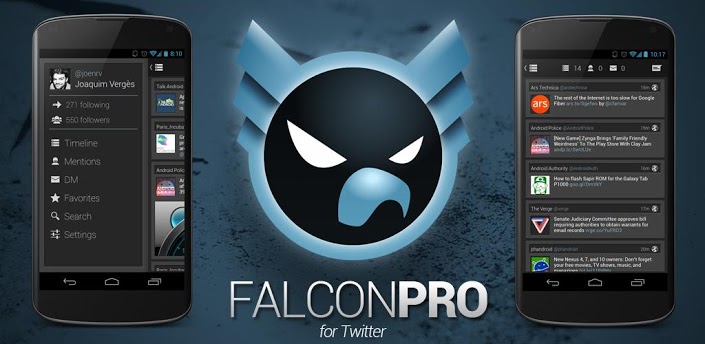
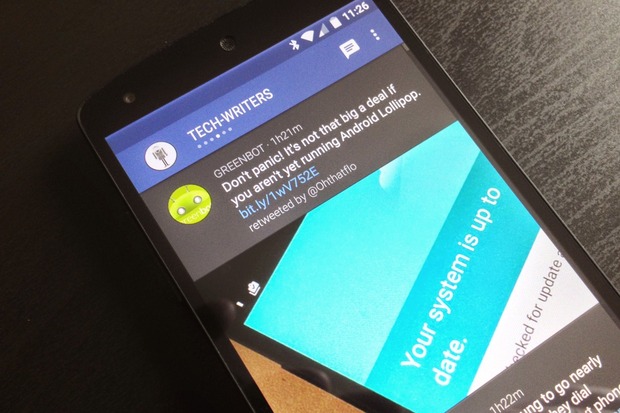
I’m not talking about colorful, candy-like looking applications, but actually a very professional Twitter app that was designed to incorporate the Material Design that came with the latest Android 5.0 Lollipop operating system.

People who have heard of Falcon Pro before will know that it is, with little to no discussion, the best Twitter application out there.

How Was Falcon Pro 3 Received by the Public?

While there were some complaints and features that did not appeal to the public so much on previous version, the Falcon Pro 3 brings a complete redesign and concept behind it that will appeal to all the Android 5.0 fans out there. The application is available in the Google Play Store as we speak, ready for the taking for only $3.99.

Even though it’s a bit of a letdown for Falcon Pro 2 users, having to pay again for the application and not getting the update for free, we can assure you the latest version is well worth the cash you’ll invest in it.

So in case you’re not accustomed to this kind of applications, perhaps you’re wondering how they work. If such applications are allowed, and considerably superior to the basic one released by Twitter in the first place, why wouldn’t everyone simply switch to the better, prettier alternative? Well, Twitter Tokens, that’s why.

Twitter only allows each third party developed app a limited amount of users – tokens; when the amount is reached, the app in question becomes unavailable to other users trying to download it in order to access Twitter. This fact lured many developers away from making Twitter apps or improving the ones existent, completely giving up on their projects.

Falcon Pro for Twitter

Developer Joaquim Verges however – the man behind the Falcon Pro series – has managed to find a way around the token limit and has consistently been working to improve the app in all ways possible. The latest installment of the Falcon Pro series looks incredibly refreshing and elegant – given the adopted Material Design.

The Falcon Pro 3 is an application that was developed by rethinking the concept of the series and redesigning the whole thing from scratch. It’s not a full featured Twitter client yet, but can still do 99% of the things you’d wish for it to do. Sure, it may lack here or there, but taking into consideration the amount of effort Verges has constantly put into the Falcon Pro, improvements are surely on their way.

Come to think of it, by the way things are looking you could call the current version pretty much a beta – while it will provide you smooth Twitter navigation to your heart’s content, it’s still lacking some very basic features.

Falcon Pro 3 Design & Features

Similarly to how Falcon Pro 2 felt simply natural to the Android platforms, often winning against other third party developed Twitter apps such as Fenix, Tweetings or Talon, Falcon Pro 3 does it again – and does it in more ways than just visual – thanks to the adoption of the Material Design.

But the Falcon Pro 3 isn’t just making use of Material Design skin – all of the animations and design displayed by the app have obviously had a lot of time and effort put in them by the developer. The app looks and feels great, from one end to the other. Transitions are made smoothly from window to window, the Falcon Pro bringing your tweets and columns into focus beautifully, making navigation a real Material Design treat.

The very first thing that you will notice about the Falcon Pro 3 is the way it makes use of columns to allow you to navigate through its menus and features. It doesn’t even force a certain pattern on its user either, allowing you to set up the format just the way you want to.

The app starts off with no columns, giving you the freedom to choose what columns and in which order you wish for them to be settled, and allowing you the freedom to add as many columns to swipe through as you want. Right now, you can only choose form a limited list of column types – timeline, mentions, favorites, lists, search and users. Upon selecting your first column, you can arrange the rest by swiping either left or right to set up your preferred arrangement.

Falcon Pro for Twitter

There is a generally large amount of resentment towards the way the search column works because the way it’s currently functioning will definitely earn itself a change sometime soon: instead of allowing you to have one dedicated search column, the app prompts you to open a new search column every time you want to look for something, limiting your searches and displaying results to only one query per column.

Many people will rejoice at the fact that Falcon Pro 3 supports multiple user accounts, allowing you not only to keep an eye on all of your accounts at the same time, but also gives you multi account tweeting capability.

It might be a little disappointing on the pricing side as multiple account usage will draw upon you an extra $1.99 per account you wish to enable, and that is on top of the basic app price. You can view and switch between accounts you are currently signed into by swiping from the left edge of your screen, also giving you an overview of your Followers (entitled Friends), mentions, favorites and retweets.

Notifications have not been forgotten and will be bundled up together nicely in the notification inbox – allowing you to freely scroll through them vertically, and swap from one account to the other’s inbox by swiping horizontally. Other nifty features have made it into the Falcon Pro 3 just as well – the URL shortening to prevent problems with your Tweet character limit, big in-line images and many more.

There are, however, a few things the Falcon Pro 3 is currently missing: there’s no direct message option, and sadly no settings menu to give you the freedom of customization – there’s little to nothing you can do about notifications and the way they appear, and if by any chance you’re no big fan of the look the app displays, you will be stuck with it for a while apparently as it has been announced that those will be implemented in a future release.

A very neat addition to the way the Falcon Pro 3 works is its focus on battery usage. Verges seems to have put a little more thought into an algorithm that will automatically adjust the amount and frequency of notifications you receive based on your own activity on the app.

If Falcon notices your usage is minimal, it will not insist on pushing notifications every time you receive one, instead reducing their frequency a considerable amount, sending them in rare batches. If your activity on Twitter is plentiful however, the notifications will start being sent in faster. Certainly, the app allows you to change this and turn the feature off in case you prefer to receive your notifications on the dot, as soon as they appear.

Filed Under: Tech & Science Tagged With: falcon pro 3, falcon pro 3 for twitter, falcon pro 3 news, falcon pro 3 review

Android 5.0 Lollipop is Finally Coming to Samsung Galaxy Note 4

January 25, 2015 By Roxanne Briean 17 Comments

4cccca280623c288936f746e45dc1ddd

It’s happening, folks. The 3 month timeframe that Google promised for the latest and most delicious operating system update for Android devices is close to an end and while the Samsung Galaxy Note 4 hasn’t yet received it, all signs point towards it happening very soon.

Worst case scenario is we get the update on the very last day of the 3 month timeframe – which is the 1st of February. But given all the signs, it might – happily – be a little before that. Recently, a new used manual has made its way out in the spotlight for the Samsung Galaxy Note 4. While that might not seem as a big deal, it suddenly becomes one when you realize that the manual includes information on what kind of changes you should be looking at when you update your device to the latest Android 5.0.1 Lollipop operating system.

Yes, that’s right, the manual indicates a direct update to the latest 5.0.1 Lollipop version, including the latest version of the firmware for Samsung Galaxy Note 4 users. The 5.0 Lollipop update was something that people spoke of months and months prior to its actual release.

The hype was pretty big, and for good reason: along with what developers call Material Design – a style of visual design that focuses largely on the way the fundamentals of light, surface and movement interact together, bringing new animations and flourishes that give the operating system a completely new feel – the functionalities of the program changed here and there. While the system remains as familiar to Android users as previous versions did, few things have changed; and luckily, for the better.

Probably the largest change of note that came with the Android 5.0 Lollipop was the one brought to the way notifications work. They can still be displayed in the pull-down menu, they now have a new, comfortable home as well – the lock screen.

samsung-galaxy-note-4-7290-002

Similar to the way the iOS handles its notifications, 5.0 Lollipop will also display notifications plastered to the center of your screen, visible without even having to unlock your phone. Besides the ease provided by this feature, the new Android operating system also allows you to undergo heavy customizing processes on your phone when it comes to notifications – it will allow you to choose what the notification system can show, when it can show it, where and how often.

Generally, personalization seems to have received a lot of attention in the new operating system – considering that the interface itself has changed a whole lot with the new design, making it easier to understand, access and much cleaner looking in general. With less clutter on your screen than ever, the newest Lollipop operating system also gives you a whole lot of freedom when it comes to customizing many of the aspects it pertains to, allowing you to create your own, personal experience in relation to your phone – in this particular, happy case your Samsung Galaxy Note 4.

The 5.0.1 update and its timely arrival came to fix the little minuses the original version brought even after extensive beta testing. Considering the humongous amount of devices it was promised to be hosted on in the following 3 months after release towards developers, problems were bound to appear here and there.

But the small patch released in December brought a fair amount of remedies and fixes for the freezing, various application crashes and the occasional system instability on some devices that had already adopted the new operating system. Other than that, there were no visual changes brought to the OS whatsoever, users being able to enjoy themselves on the same platform that they had gotten accustomed to. The various app incompatibilities with the new operating system seem to have received attention as well, most disappearing overnight come the 5.0.1 update.

Some users seem to be reporting battery life issues on a number of devices and models with the new Android 5.0 Lollipop, including post-patch. There’s no telling if the Samsung Galaxy Note 4 will have the same issue however until the update actually makes it live to the devices.

And speaking of the phone and subject of our focus here. It’s no surprise to anyone if I say that the phablet in question – because it does fall into that category with zero doubt whatsoever – has been one of the most successful, famous and well received electronics of the year. So successful that Samsung actually had to boost up production of the unit upon release when they realized all the already fabricated ones had already sold out and they still had incoming and unfulfilled demands for the Samsung Galaxy Note 4.

The Galaxy Note 4 Edge variant, while approximately $150 more expensive than the basic model also drew a lot of attention on itself by sporting the ever growing in reputation curved display technology. While not at the extent as other devices have gone to, the Samsung Galaxy Note 4 Edge only displayed the curved strip of display on its right hand side, replacing the edge.

Even though after long sessions of reviewing and discussion it has pretty much been agreed on that the curved edge served minimal purposes, being more of a fashion statement than anything else, it remained a pretty neat thing to make use of. And given the fact that technology is adopting the curved technology more and more, app developers all over the world will begin focusing on creating inventive apps to make use of the curved, side screens in no time.

We sadly don’t have any leaks to show us how the Android 5.0 Lollipop is going to fare on the Samsung Galaxy Note 4 – either the regular or Edge variant. But as it has been confirmed by Samsung, the update will also be including some slight visual changes made around the notifications to suit the Note 4, along with promised performance and battery life improvements to ensure your phablet’s survival throughout the day.

Filed Under: Uncategorized Tagged With: android lollipop on galaxy note 4, galaxy note 4 android lollipop, lollipop 5.0.2 Galaxy note, lollipop 5.0.2 samsung, samsung galaxy note 4 lollipop

Android Lollipop Update Schedule

January 24, 2015 By Roxanne Briean Leave a Comment

lollipop-update-schedule

Image source: taskumuro.com

The new Android 5.0 Lollipop is a breath of fresh air and is the biggest Android update at the time. It has a lot of new features that improve the user experience and it features a pretty new design. Every time a new Android comes out, the supported devices list changes almost every day. It takes companies some time to analyze the new system and decide how it can be incorporated on their smartphones and their own software. For example, Samsung uses TouchWiz and HTC uses Sense, so they have to test how the new operating system performs with their own systems.

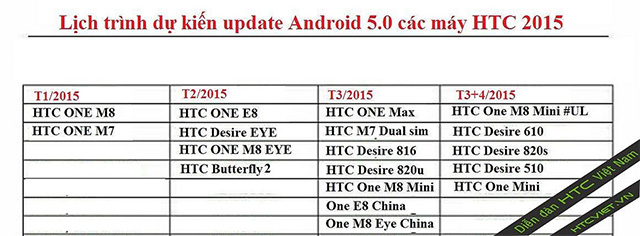
HTC has started to update its HTC One M8 to the new Android Lollipop and the next one to get an update will be the One M7. An Android Lollipop update schedule that was recently leaked shows when other HTC smartphones will get the update to Android Lollipop.

There was a time when HTC sold more smartphones then Samsung but started to decline in profits and market share in the last years. However, when they started to copy Apple’s strategy and began focusing on design and good quality materials with its release in February 2013 of the HTC One M7, things started to look better for the company. The HTC One M7 offered a unibody made of anodized aluminum and had a curved back which made the smartphone feel great and fit comfortably in the user’s hand. The M7 meant HTC’s comeback as it was one of the most popular phones in 2013.

When the M8 was introduced by HTC back in March 2014, it updated the design of the mobile phone but didn’t go too far from the original M7 recipe which made it a huge hit in the smartphone market and in the tech community. A lot of reviews name the M8 one of the best mobile phones available as of now. Now, HTC began updating the device to Android Lollipop and we already had the chance to see the update on the M7 in a leaked video.

If you have another HTC smartphone and were wondering when and if your smartphone will see an Android Lollipop update, recently leaked information reveals a timeline of when HTC plans to release the update on other devices other than the One M7 and One M8.

According to the leaked information, the Butterfly 2, HTC One M8 Eye, HTC One E8 and the Desire Eye will receive an update in February. The HTC One E8, One M8 Eye (both China), HTC One Max, Desire 820u, HTC One M7 Dual-Sim and One M8 Mini will get an update to the Android 5.0 Lollipop in March. The original HTC One Mini, The HTC Desire 610, Desire 510 and Desire 820s are shown on the information to receive an over the air (OTA) update to Lollipop in April or March.

HTC didn’t officially release a schedule for when the company plans to update other devices than the One M7 and One M8 so it’s probably best you don’t put all your hopes into a leaked timeline for the moment.

Filed Under: Tech & Science Tagged With: android lollipop update schedule, android update schedule, HTC, htc adroid lollipop update, htc leaked update schedule, htc lollipop, htc lollipop update, HTC one m7, Htc one m8

Windows 10 Mobile Thoughts

January 22, 2015 By Roxanne Briean Leave a Comment

windows-10-mobile-2

Microsoft looks like it’s renovating many of its products with the new Windows 10 operating system. Even though the focus is on the version for desktops and notebooks there is also another edition of the newest operating system, the Windows 10 Mobile.

Windows 10 Mobile won’t impose much competition for Mac OS X from Apple or come installed on the next Surface Pro, however. It’s designed completely for mobile devices such as smartphones and tablets. It’s a successor to Windows Phone 8.1 and Windows 8.1 RT.

Windows 8 launched back in 2012, and while tablets had been already available on the market for quite some time, tablets released by Microsoft were mostly disappointing. Windows 7 on a tablet was truly a pain to use. Closing an application with a finger was simply horrifying and the whole interface, as a matter of fact, wasn’t finger friendly at all. Windows 8 fixed most of those problems and issues but Microsoft still made a vital error. It still kept the Desktop of its operating system so that certain devices could still use Microsoft Office. This mistake really stands out when looking at the approach towards tablets by Microsoft in the past.

Microsoft finally plans to make its Office suite more touch-friendly in a new version of the well-known productivity suite. The version is called Gemini and we most certainly will hear more about it during Microsoft’s Windows 10 Media Briefing. With a more finger friendly version of Microsoft Office, the company plans to remove the Desktop from Windows 10 devices regardless if they use an Intel processor or not.

If Microsoft is really going to do this, this means that users will be a lot less confused by Windows 10 when compared to the old Windows 8 or Windows 8.1 operating systems. Windows 10 Mobile is intended for tablets, which probably means that people won’t be able to install iTunes or other apps intended for Desktops on their tablets.

Even though there aren’t a lot of things known about the mobile version of Windows 10, we are aware of some things.

It’s claimed that Microsoft will release this February a preview of the Windows 10 Mobile operating system for smartphones. This means that all people who are in the Windows Phone Insider program will be able to download and test the new update on their smartphones. Microsoft did confirm last year that all smartphones running Windows 8.1 will receive an update to Windows 10 Mobile.

Other details are still unknown. It’s unclear whether people who use tablets with Intel processors will have to pay for the upgrade to Windows 10. Microsoft hasn’t discussed anything about prices and we don’t expect them to do such a thing until closer to the date of release.

The Surface RT and Surface 2 are pretty unique devices. Initially, Microsoft decided to use ARM processors and they developed the Surface and Surface 2. In return to losing the compatibility with Desktop applications such as iTunes, the Surface RT and Surface 2 had longer battery lives and notifications were available when those devices went into sleep mode.

Windows 10 is predicted to replace the Windows RT operating system on ARM devices. Because of this, Surface 2 tablets could work a lot differently when using Windows 10 Mobile. It’s unclear whether the Surface RT will receive an upgrade or not.

It wouldn’t be the first time Microsoft cuts support for older devices altogether. Smartphones running Windows 7.5 did not receive an update to Windows 8.1, even though these phones were still being sold on two year contracts by partners of Microsoft. It would be odd of Microsoft not to discuss how the Surface RT and Surface 2 customers will upgrade to Windows 10.

Windows 10 should be Microsoft’s big hit. It’s the company’s chance to lure in customers away from rival companies such as Apple and others that use Android. Microsoft will probably emphasize on how using Windows across different platforms will affect users. (As they have done in the past…)

Windows 10 is believed to arrive this fall on new smartphones. Most probably it will coincide with the time when smartphone manufacturers will upgrade their Windows Phone 8.1 devices to the new Microsoft Windows 10 Mobile operating system. Windows 10 for notebooks and desktops will probably arrive at around the same time as the mobile version.

windows-10-mobile-1

A unified Microsoft operating system across different platforms really sounds great, and is exactly what the company has to do in order of making its smartphones a success. However, they failed on numerous occasions to do exactly this. It’s not only that Microsoft continuously fails to do such a thing, but it keeps promising they will do it.

Every time Microsoft came out with a Desktop operating system they claimed that OS integrates great with Windows Phone or Windows Mobile devices. But this is never the case, it never was and it never works great. It’s enough to make you rethink how much of their promises are indeed true and doable.

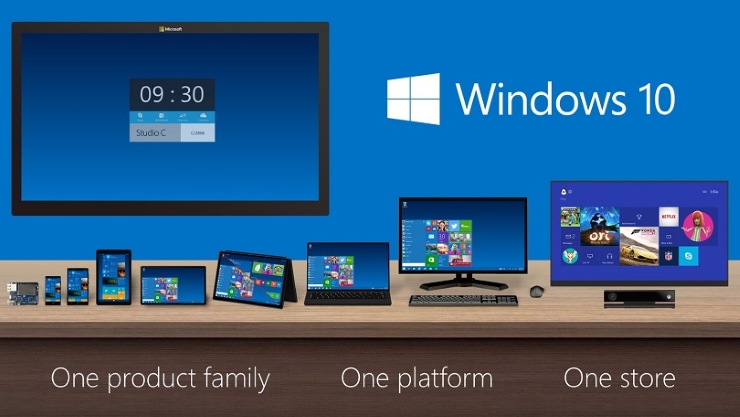
Now, Microsoft claims they built its new operating system on a single “core”. It’s known as the “OneCore”. The company claims this allows Windows 10 to work across different platforms such as tablets, phones, large screen displays such as the Perceptive Pixel multi-touch screen devices, personal computers and, of course, Xbox One.

OneCore is a lot more than a common kernel, said Microsoft. Along the kernel, OneCore also has DLLs and other parts of the main operating system integrated. Windows 10 claims to be able to target the same environment across platforms, which means that apps will function on a variety of devices with different screen sizes. Apps will be in a single store, instead of separate stores for Xbox, Windows Phone and Windows for Desktops.

OneCore doesn’t mean, however, that there will only be a version of Windows 10 available. Even if the company refers to the upcoming OS as “Windows 10” regardless of what device they are talking about, the operating system will still come in different versions and it will be priced and optimized in accordance to the device type and its screen size.

Images source: pcmag.com

Filed Under: Tech & Science Tagged With: microsoft, microsoft mobile operating system, microsoft os, microsoft windows, microsoft windows 10, microsoft windows 10 mobile, mobile operating system, onecore, windows 10, windows 10 mobile, windows 10 mobile os, windows 10 phone, windows os

Auto Industry Innovations in 2015: Hybrids, Self-Driving Cars & More

January 21, 2015 By Roxanne Briean Leave a Comment

3_1

The auto industry is moving forwards at alert rates. A car is no longer just a tool for you to travel from place to place, it’s fashion, it’s status, it’s performance, it’s technology incarnate.

When taking environmental issues into consideration, cars proved to be a huge detriment to the very air we breathe and a delight we could own on limited resources. And thus came a new branch of technology altogether – how to make cars better, cheaper, stronger and less costly?

Answers did not hesitate to pop up and so we found ourselves dealing with all new types of vehicles – hydrogen-fueled cars, electric cars, hybrid cars and lately, even autonomous, self-driving cars.

While many of the things we’ll be talking about will be no surprise to many of you, having been around for quite some time now, let’s just sit back for a while and see what has been cooking lately in the world of innovative cars.

Hydrogen-fueled cars

Spotify-Mobile

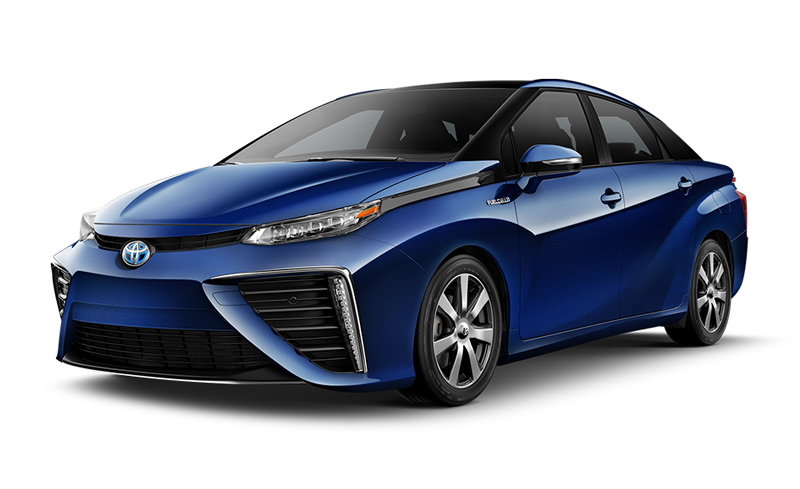
It’s no joke, and it’s finally here. Presented at CES 2015, the Toyota Mirai is the first hydrogen fuel cell vehicle that has been put on sale for the general public. While there’s a handful of companies actively working to develop technologies applicable in automobiles in day to day life, so far we have only seen few test models and prototypes on display.

From many perspectives, hydrogen-based technology for vehicles seems to be the answer to a pollution free future. By burning hydrogen in an internal combustion engine or alternatively, by reacting hydrogen with oxygen in a fuel cell, you can get a car that will run on the one element our universe is literally packed with.

Dr. Michio Kaku, famous theoretical physicist was a special guest at the Consumer Electronics Show 2015 in Las Vegas and held a speech regarding the many reasons he believes that Toyota has finally managed to nail the perfect car.

A few of the arguments presented were the abundance of hydrogen, lack of exhaust or any form of fumes, the way the engine is built – scoring a complete absence of moving parts, and lastly the diminishing costs that we can expect in the future for hydrogen fueled vehicles.

Now, sadly, when I say diminished, we’re still talking tens of thousands. However, it was originally estimated for these types of automobiles to go up to hundreds of thousands of dollars – the $57.000 that consumers will have to pay for the Toyota Mirai is a surprise to us all.

Furthermore, Dr. Michio Kaku also insists that as governments begin to fund the mass production of these types of cars and fueling stations go through the adaptive transformation that comes with it, prices will drop even further.

And that’s not even the best news yet. Toyota has announced that all of the 5,680 patents that it owns in regards to hydrogen fuel cell technology will be made available and royalty free for anyone who wishes to take this trade a step further and bring the next level of innovation to this branch.

The Toyota Mirai has a range of 300 miles per fill and goes from 0 to 60 miles per hour in nine seconds. It’s not your regular sports car, but it’s definitely impressive.

Unlike electric batteries, a complete refill would only take 3 to 5 minutes and no more. It’s almost like your regular gas-based vehicle, but unlike it, the fuel cell technology implemented combines oxygen and hydrogen to create electricity to power up your car and exhausts nothing else but… water.

It will be made available in Japan and California first given that the areas in question are already host to several hydrogen fueling stations.

What else is there to expect from the world of hydrogen-fueled cars? As we speak, fuel cell buses are being trialed by a number of manufacturers all over the world. An already developed hydrogen-fueled bus developed by Tata Motors and ISRO is currently being tested in India and expected to make it out on the roads sometime this year.

Quads and tractors are also in the plans, but currently only in concept phase. Either way, out of all the possible options given by technology right now, hydrogen seems to hold the most potent key to what we’re looking for.

Electric cars

Bolt EV

The history behind electric cars is a little strange to say the least, popping up and vanishing from records several times in the last century and a half. The first one that first made its way into existence is the one built by Thomas Parker in 1884, unlike to popular belief. Many attempts, models and prototypes were built over the course of the next 100 years, with a sudden revival of interest towards battery-powered vehicles only being manifested in late 90s and early 2000s.

So, starting with the global economic recession that settled in in late 2000s, manufacturers starting to look for new methods of making up for the worrying increase in gas cost and gas consumption by many of the cars that were being developed.

The first new-gen electric vehicle available for purchase for the general public was delivered in 2008 – the Tesla Roadster. It didn’t get an amazing amount of attention, having only sold 2,250 units over the length of almost 4 years.

Many more cars manufacturers picked up on the trend and continued to release more and more models of battery-powered cars onwards. In the United States for example, even President Barack Obama got involved in the transition towards an electrically-powered age, and focus less on oil technologies.

In comparison to internal combustion engine vehicles – that’s saying cars that rely on oil fuel – electric cars are significantly more costly than their counterparts due to the increase in lithium-ion battery packs.

Recharging can either be done at specialized stations or even in your own home but the process takes quite a hefty amount of time – ranging from 30 minutes for a partial charge, and up to hours for a full refill. Not only that, but the range that a “full tank” will get you oscillates somewhere at 200-250 kilometers.

So while they are a considerable asset to transportation done right for the environment, all of its  aspects seem to be pointing at high prices and not much way for the technology to expand and become viable on long term.

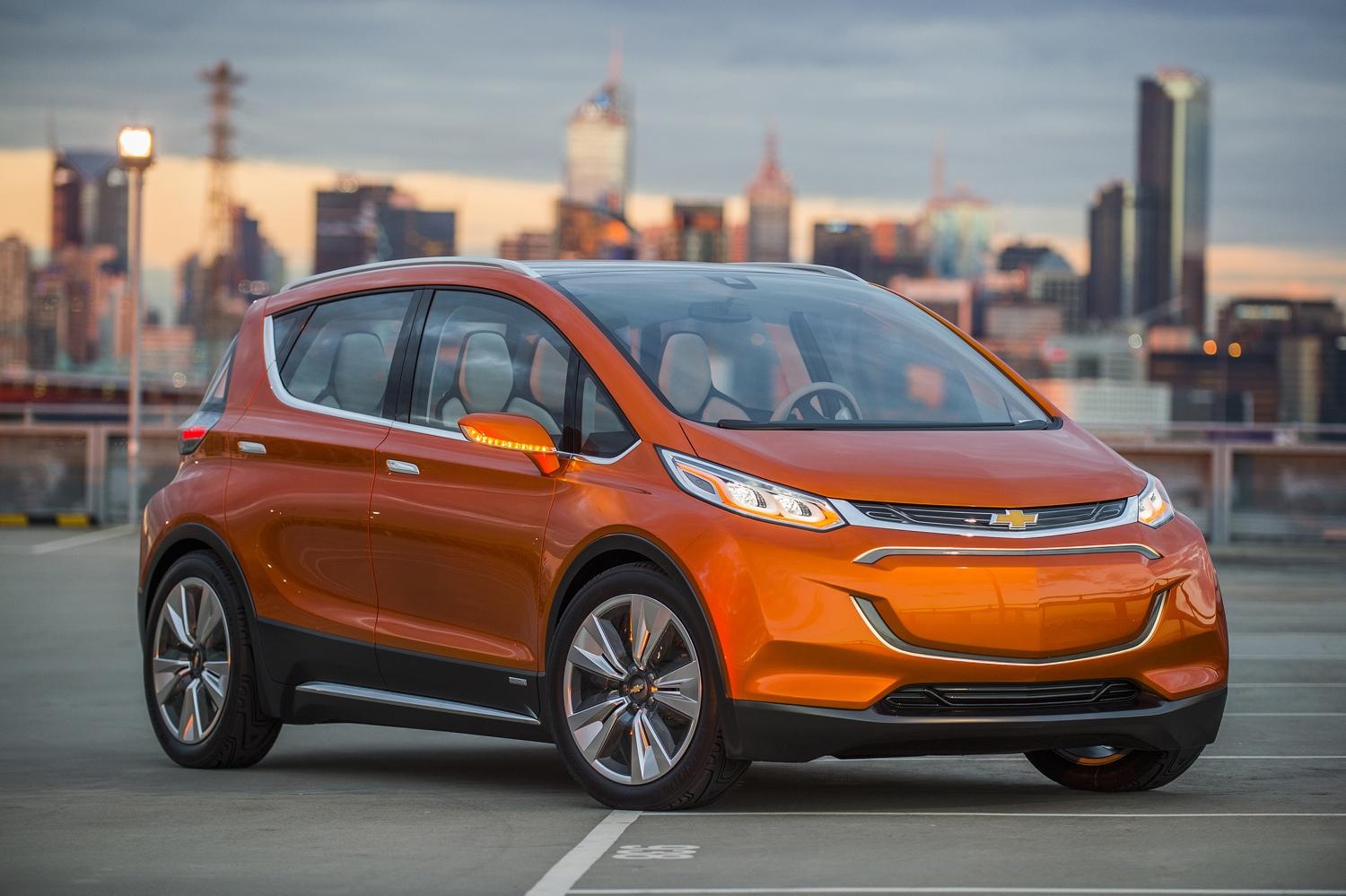
However, this year at NAIAS 2015, Chevrolet has unveiled a concept for a new cars that promises to deliver 200 miles ranges for no more than $30,000. The name of the car is Bolt EV, and prides itself on space, a sleek glass roof and clever gadgets to compliment it.

 As if that was not enough and as a major plus, the Bolt EV promises to allow you to fetch and drop off your car via your smartphone application. Yes, it’s a self-parking car.

Hybrid cars

Chevrolet Volt

More commonly known as HEV (hybrid electric vehicles), hybrids combine the usual combustion engines with electric propulsion systems. The electric fragment of the ordeal has been developed in the last few years to make use of regenerative technologies that concert kinetic energy created when driving the vehicle into electric energy to charge the battery back up.

While not as clean and pollution free as its fully electric or hydrogen based counterparts, HEVs still score reduced emissions by shutting down the internal combustion engine and shuffling it back on only when needed.

With the limits set on gas emissions making their way into more and more countries’ legislation, hybrid vehicles seemed to have gained a lot of ground and popularity in purchases, many of the models made available for sale selling a number of millions over the course of several years.

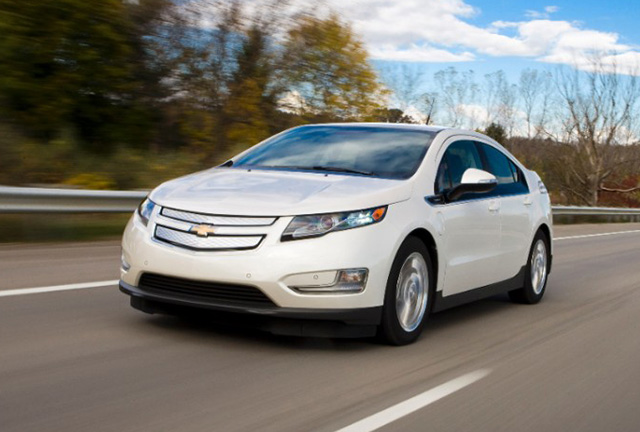
While not so much has moved in the world of hybrids lately, most recent developments have been focusing on shifting from the regular combustion engines to hydrogen based ones or biofuels to compliment the electrical propulsion system. One of the most expected hybrids of 2015 is the Chevrolet Volt, arriving at retailers somewhere in mid-2015.

It promises a spacious car that hits the 60 miles per hour mark in 9.1 seconds, can go up to a speed of 101 mph and is powered by two separate engines – the 149-hp electric motor gives the Chevvy an electric-only 38 mile range, while the 84 hp four cylinder gas engine will be working to keep the battery charged and going.

The price for the Volt will start somewhere at $35,000. There is however, one impressive hybrid car concept lurking out there but I’ll hold it for the last chapter of this list.

Between April 8th and 9th 2015 there will be an event being held in New York, US entitled Hybrid Energy Innovations 2015 that focuses on covering the broad hybrid energy landscape and providing a vital networking forum and discuss the newest innovative tools, techniques and strategies that will be put to use in revolutionizing the energy industry in the following years.

Key companies that will be attending include Ideal Power, SMA America, Keybank, Navigant, Sgurr Energy, TDX Power, Green Mountain Power and Car Charging Group.

Self-driving cars

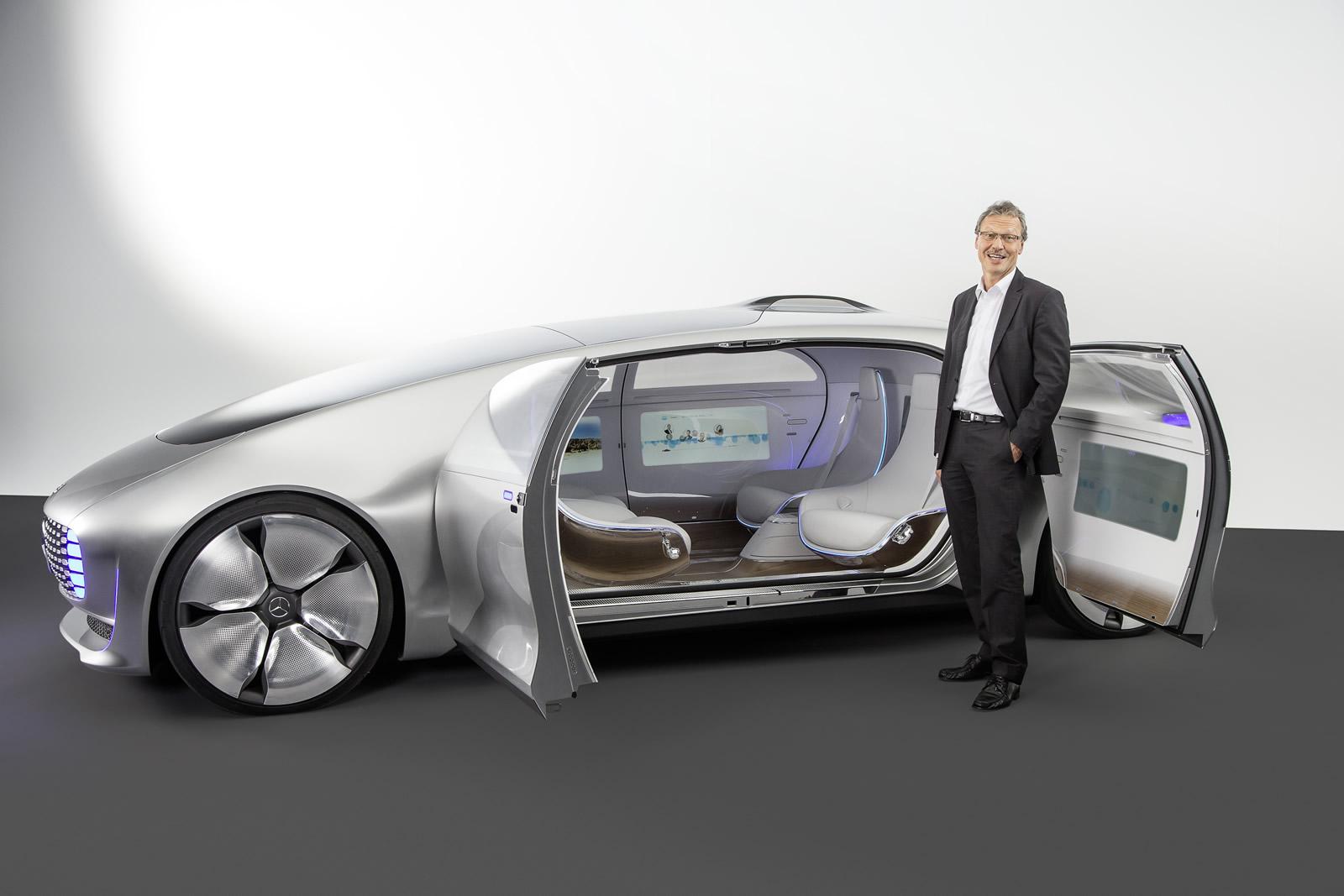
Mercedes-Benz F 015

Alright, so self-parking cars are not that impressive anymore? How about completely autonomous, self-driving cars? This year’s CES has given us an outstanding amount of viewing pleasure when it came to what is probably the most fascinating innovation brought to the auto industry by far.

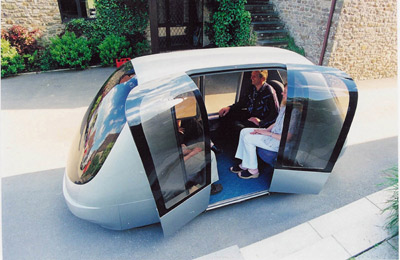
The most awe-inducing display was the Mercedes-Benz F 015 Luxury in Motion – while still just a concept, it baffled attendees with its largely futuristic design. Mercedes depicted how they see the future of automobiles as not just tools of mere transportation, but “private retreats” and places of comfort.

The interior of the F 015 is even more impressive than the exterior – with no less than 6 LED displays set all around the vehicle, you are greeted by 4 chairs facing each other in pairs, with glass panels giving you a grand view of the outside. Even if it’s a self-driving car, you can gain control of the F 015 by making use of the steering wheel – hidden in a storage from the dash when not used.

The entire car can be commanded through spoken instructions and gestures or touch, while laser projection system are used to sense traffic and obstacles. Displays placed inside the car glow white when the car is in manual mode and blue when in autonomous – creating what Mercedes manufacturer calls a “digital living space”.

Overall, the entire model looks absolutely stunning and promises future on a plate. Sadly, there’s no official announcement in regards to when we would expect such a car to become available for purchase. Even when it does, however, the initial price that we can hope for it to go by will surely not go below the 6 digit mark, and it will probably be a long time until the technology is made available to a larger scale. But one can dream still.

While on the autonomous cars, we cannot wrap up without mentioning one model that might become reality way sooner than we thought – the Google driverless car. The license for development has been issued nearly 3 years ago and on May 28th 2014 we were presented with its first prototype.

The testing for the Google driverless car is scheduled to begin in 2015, in the San Francisco Bay Area. The car uses a 64-beam laser mounted on its roof to detect its surroundings and built a detailed 3D map of its location.

However, currently there’s a number of known limitations to it as well such as the inability to function in rainy or snowy weather or detect objects such as trash, debris, potholes or even humans – which would mean it would blatantly just pass signaling traffic officers.

The car also seems to be incredibly cautious in unmarked 4-way stops due to the driving algorithms that were built for it and cannot navigate through parking lots. Sadly. Surely, this vehicle will be used solely for Google’s Maps applications but rumors of Google developing a Robo-Taxi have been resurfacing in 2014, suggesting that an autonomous transportation service might become a reality sometime in the near future.

Filed Under: Uncategorized

PC Version of Grand Theft Auto V Was Delayed

January 19, 2015 By Roxanne Briean 2 Comments

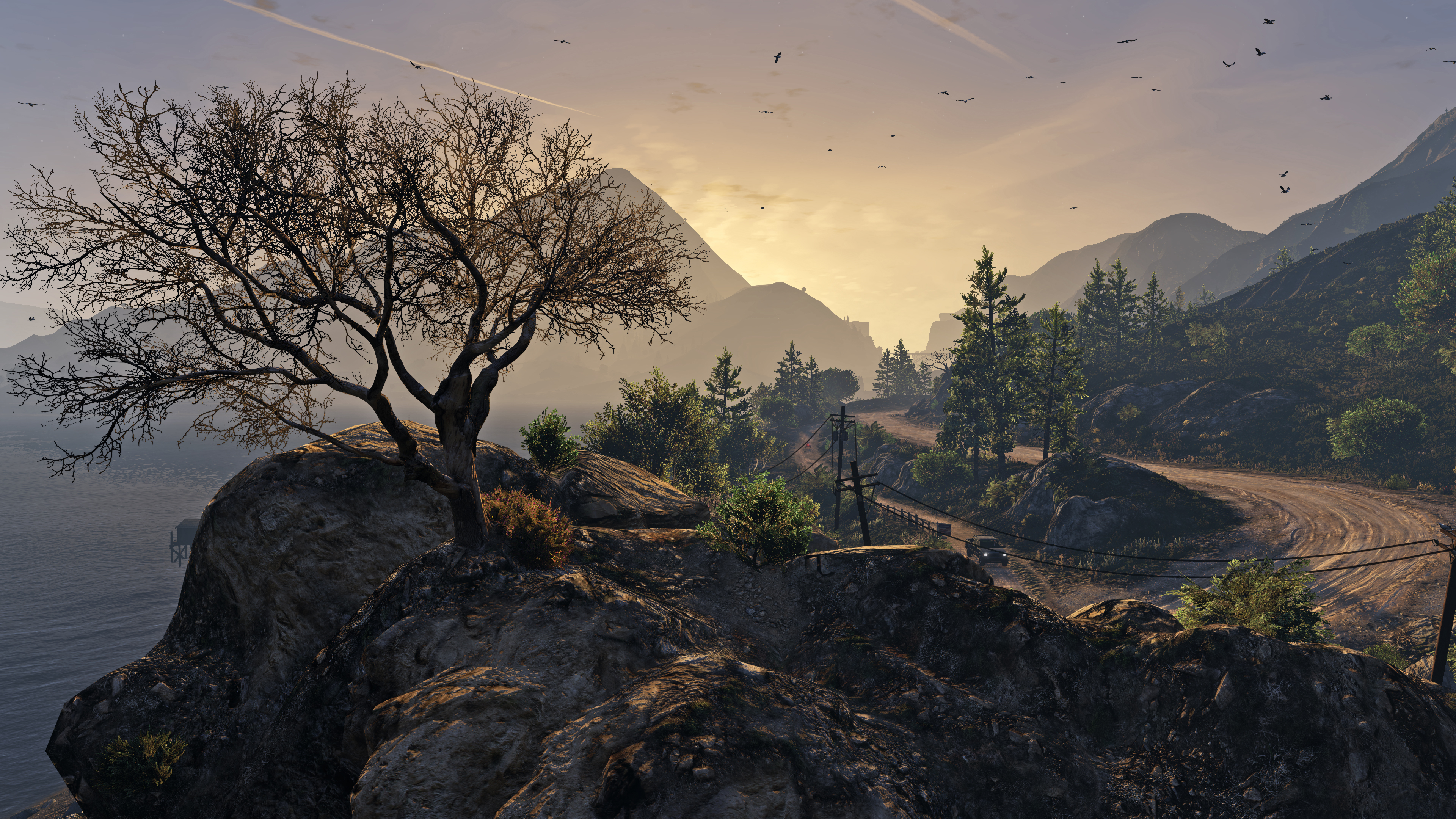
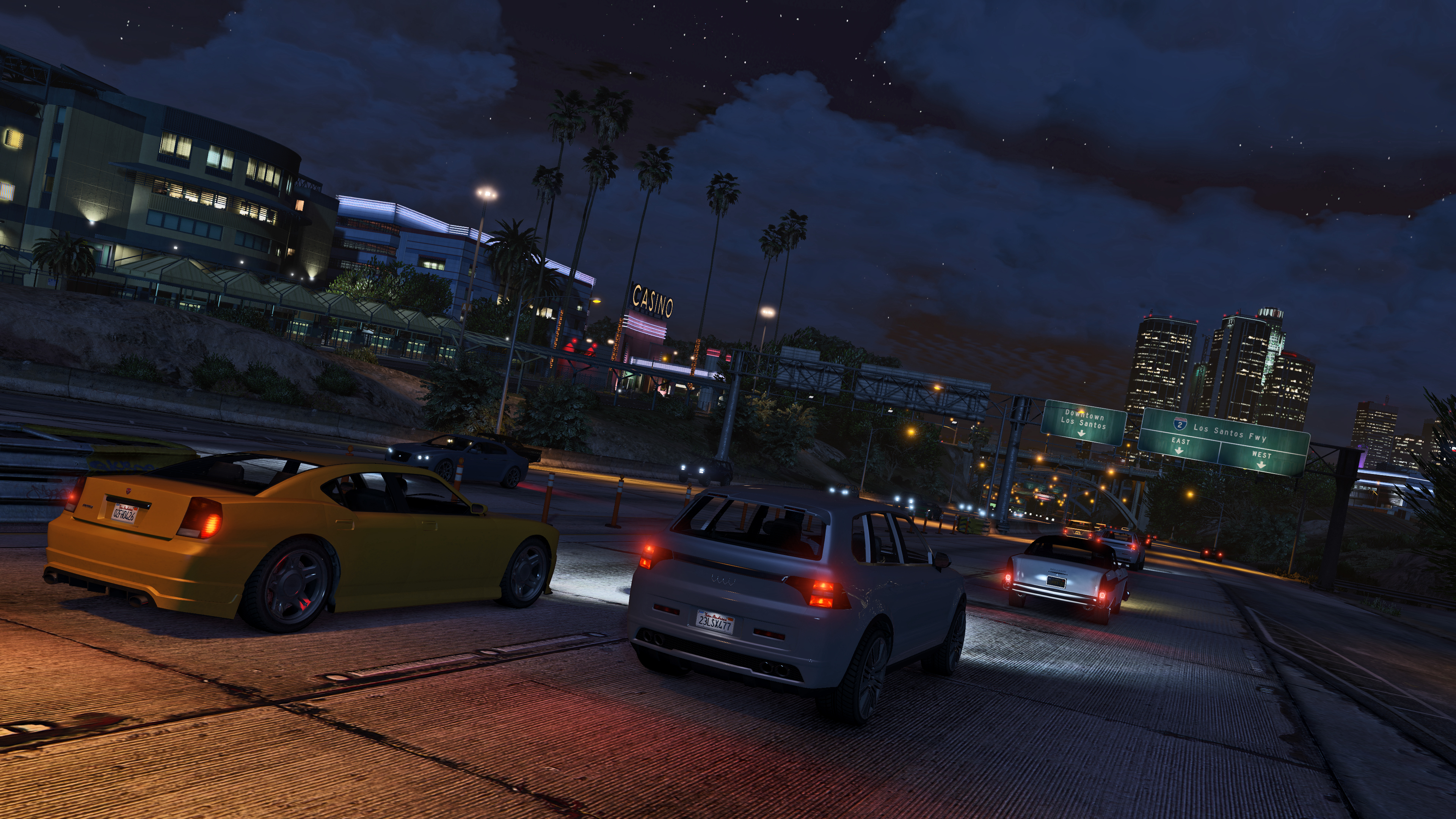
It looks like Rockstar decided to delay its Grand Theft Auto V release for PC. The game is available for for Xbox One, Xbox 360, PlayStation 4 and PlayStation 3 but the PC release misses its deadline. Now, GTA V is expected to make its way on the PC in March.

Rockstar revealed the new release date to be March 24th instead of the original date that was January 27. The new date is two months later from the original planned date and four months from when a remastered edition of the game was launched for next-gen consoles. Grand Theft Auto V was launched for the Xbox 360 and PlayStation 3 in September 2013.

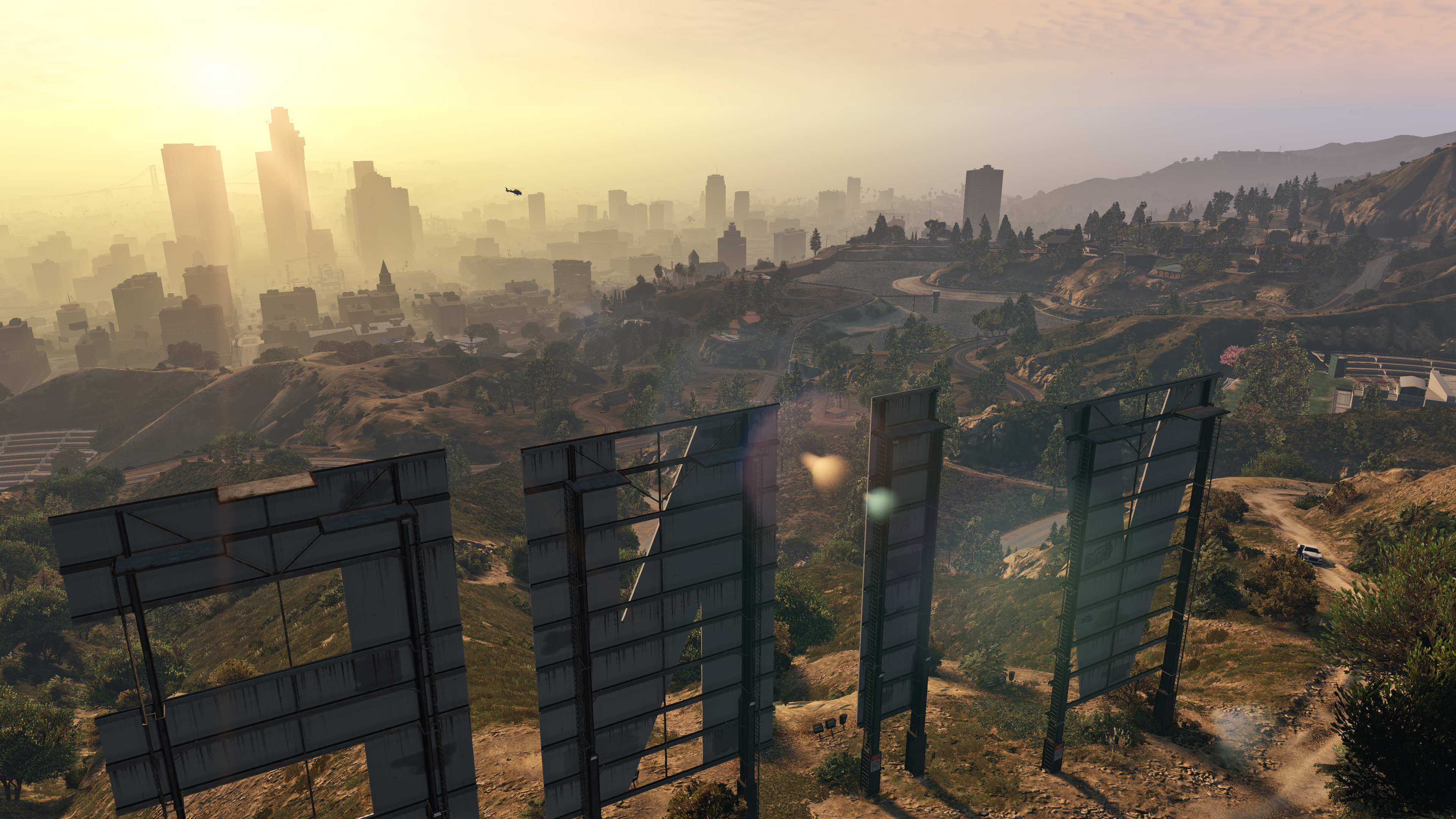
GTA-V-1

Rockstar apologized for the delay and talked a little about what gamers can expect from the PC version. The developers emphasized on the campaign in GTA V but the main reason people are excited about the PC version is because GTA Online. GTA Online features the mechanics of Grand Theft Auto in a multiplayer world and the PC version is going to get some important upgrades. 30 users will be able to play together in GTA Online and Rockstar promises that the game will run at 1080p at 60 frames per second, but of course, you would have to have a beast of a PC to be able to run the game in Full HD, but we’ll get to that later. The game will also be able to support three monitors for players who wish to have a 160 degree view of what is happening around them.

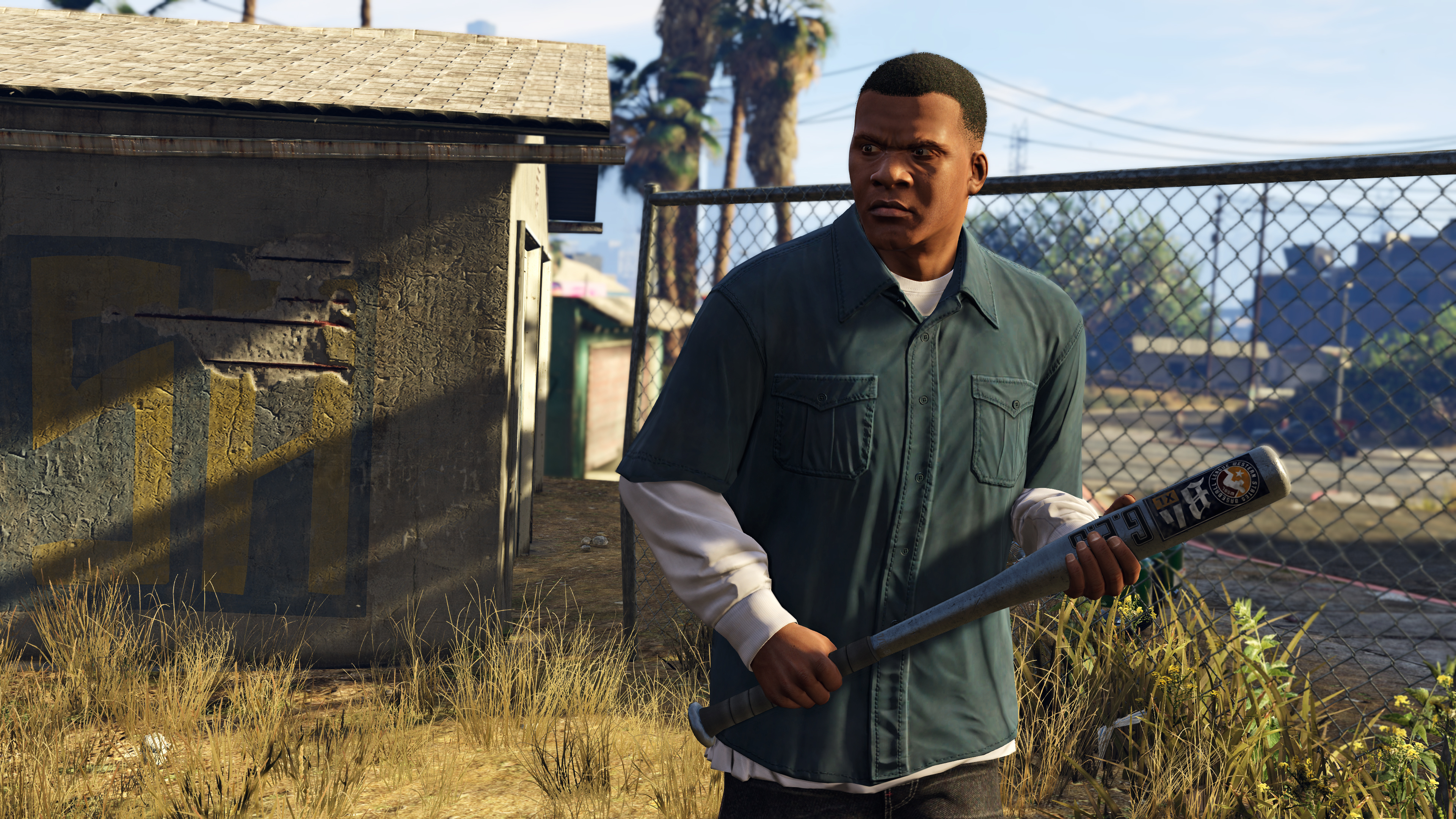
GTA-V-2

GTA Online features numerous activities for gamers. People will be able to make their own characters, rob places and perform other actions to earn money in order to afford hideouts, better cars and better weapons. Rockstar presented Heists last year, which is a way to earn money when players team up with their friends to take on more complex and bigger missions. Rockstar said that Heists will be available the moment GTA V will launch for PCs.

A lot of attention is focused on the ability to create your own character in GTA Online but Rockstar has also made available a very impressive sandbox for its gamers in which users can create their own world. It looks like PC users will get a pretty impressive package. However, by the time the game will see the light of day, most gamers would have already had the chance to play the single player campaign and multiplayer on four other devices. Of course the game will look better than its brothers on consoles but it’s pretty uncertain how many people will buy the game just because of its looks.

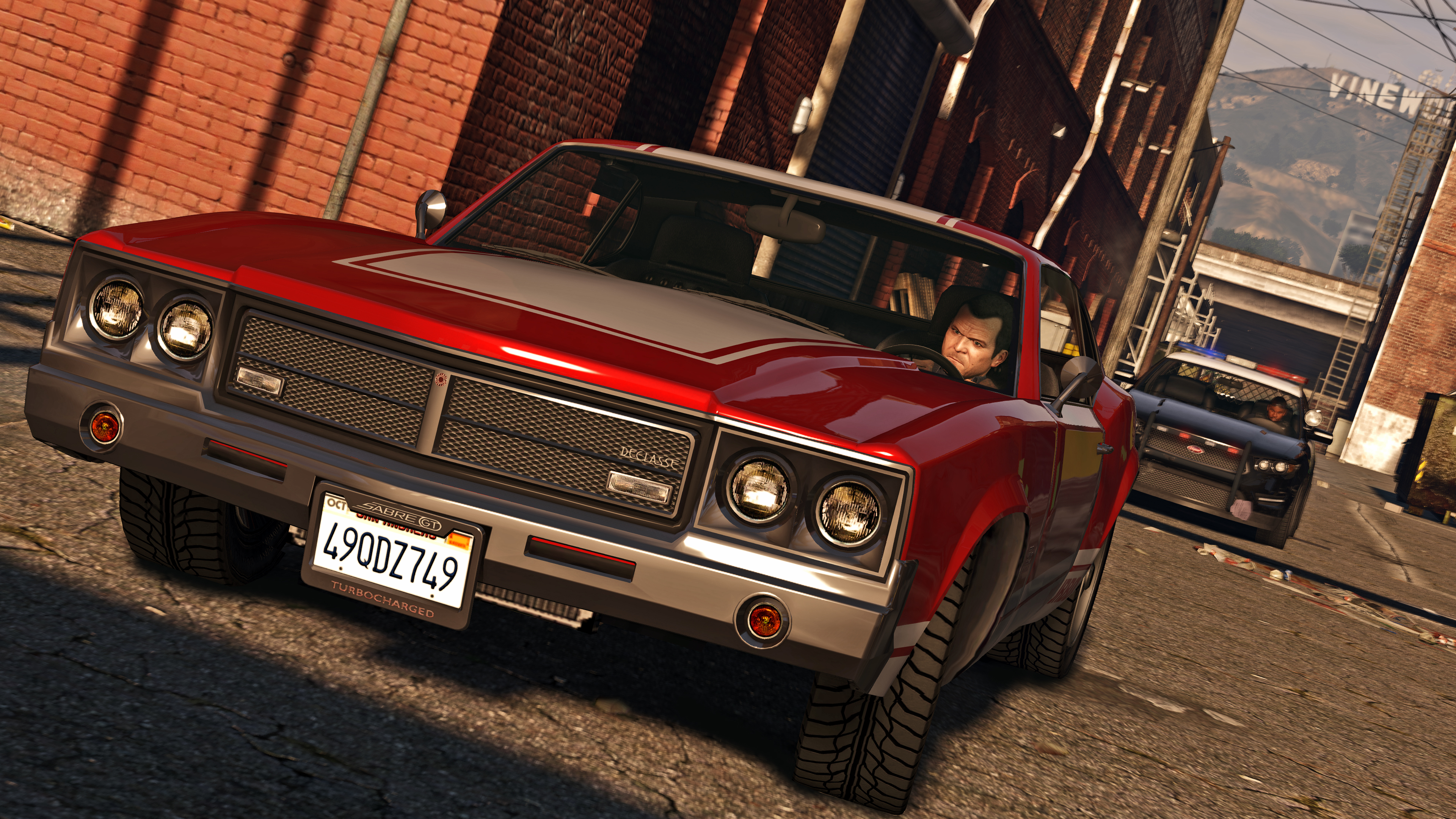
GTA-V-3

Rockstar said that moving a release date is not a very easy decision to make but the studio is certain it is the best possible solution in order of providing the best possible game. They also thanked everyone for their patience and assure everyone that these few extra weeks of waiting time will be worth it when GTA will eventually make its way on PCs.

The PC version will also support 30 players in GTA Online just like the Xbox One and PlayStation 4 versions that launched in November 2014. The PC version will also include, right out of the box, the component called Heists which is expected to also hit the consoles the moment this version will launch in March 24 (supposedly).

GTA-V-4

In the meantime, Rockstar revealed the minimum and recommended PC specs that are required in order to play the game. At minimum, users will need a quad core processor clocked at 2.5GHz at least and 4GB of RAM. The ideal way to play the game, however, will require an Intel core i5 running at 3.2GHz and 8GB RAM. The install size of the game will be 65GB.

The developers also claim that the Windows version will be able to support 4K resolution at 60 frames per second and Nvidia 3D Vision.

GTA-V-5

The official PC requirements for Grand Theft Auto 5 as claimed by Rockstar are the following:

Minimum:

OS: Windows 8.1 64 Bit, Windows 8 64 Bit, Windows 7 64 Bit Service Pack 1, Windows Vista 64 Bit Service Pack 2* (*NVIDIA video card recommended if running Windows Vista)

Processor: Intel Core 2 Quad CPU Q6600 @ 2.40GHz (4 CPUs) / AMD Phenom 9850 Quad-Core Processor (4 CPUs) @ 2.5GHz

Memory: 4GB

Video Card: NVIDIA 9800 GT 1GB / AMD HD 4870 1GB (DX 10, 10.1, 11)

Sound Card: 100% DirectX 10 compatible

HDD Space: 65GB

DVD Drive

Recommended:

OS: Windows 8.1 64 Bit, Windows 8 64 Bit, Windows 7 64 Bit Service Pack 1

Processor: Intel Core i5 3470 @ 3.2GHZ (4 CPUs) / AMD X8 FX-8350 @ 4GHZ (8 CPUs)

Memory: 8GB

Video Card: NVIDIA GTX 660 2GB / AMD HD7870 2GB

Sound Card: 100% DirectX 10 compatible

HDD Space: 65GB

DVD Drive

Grand Theft Auto V first launched in September 2013 for the Xbox 360 and PlayStation 3 and shipped 34 million copies. In November, GTA V launched for the Xbox One and PlayStation 4 and sales are very strong as the game was the second best-selling title in the United States in November 2014.

We can’t help but be reminded of the Grand Theft Auto IV fiasco. When the old GTA eventually launched on PCs it was very buggy and ran badly on even the more capable PCs at that time. GTA IV eventually received updates and patches that made it playable but when it first launched it wasn’t stable at all and Rockstar was accused of laziness by all fans around the world. We sincerely hope they have learned from their mistake and that they won’t put their fans through such kind of a torture again.

GTA-V-6

Grand Theft Auto V was appreciated by all when it first surfaced and had received perfect and near-perfect scores all around. The game scores 97 on Metacritic and got a perfect 10 from IGN. It’s not hard to see why. GTA 5 offers memorable missions, incredible heists and is filled with amusing content and a world that is genuinely immersive. It’s probably the best GTA we’ve seen so far, Rockstar making their best to polish the game in such a way that it will be played for many years and also be enjoyed by non-GTA fans as well.

Long story short, Grand Theft Auto V was delayed and we really hope it’s worth it.

Images source: rockstargames.com

Filed Under: Tech & Science Tagged With: grand theft auto, grand theft auto 5, grand theft auto 5 pc specs, grand theft auto v, grand theft auto v pc specs, gta, gta 5, gta 5 delayed, gta 5 for pc delayed, gta 5 pc, gta 5 pc specs, gta 5 specs, gta delayed, gta pc specs, gta v, gta v delayed, gta v for pc delayed, gta v pc, gta v pc specs, gta v specs, pc gta, pc gta 5, pc gta 5 delayed, pc gta v, pc gta v delayed, rockstar

  • « Previous Page
  • 1
  • …
  • 46
  • 47
  • 48
  • 49
  • 50
  • …
  • 59
  • Next Page »

Subscribe to Blog via Email

Enter your email address to subscribe to this blog and receive notifications of new posts by email.

Join 11 other subscribers

Recent Articles

police handcuffs man

German Man Probed In Poisoning That Killed 21 Employees Since 2000

June 29, 2018 By Kenneth Scott Leave a Comment

Chicken wings bar

Intoxicated South Carolina Man Punches Waitress Who Refused to Serve Him Alcohol

June 29, 2018 By Karen Jackson Leave a Comment

gaming

New Zealand gamer Who Flew Halfway Across The World for Virginia Teen Gets Shots By Her Mother

June 28, 2018 By Cristopher Hall Leave a Comment

party

Former Virginia Tech Freshman Sentenced to 50 Years in Prison for Stabbing a Girl to Death

June 28, 2018 By Roxanne Briean Leave a Comment

bonfire

British Couple Sentenced to Life in Prison for Torturing and Murdering French Nanny

June 27, 2018 By Deborah Campbell Leave a Comment

pay phone

Texas Father of Girl Disappeared in the 80s Ignored by Authorities

June 26, 2018 By Cristopher Hall Leave a Comment

bottled water

San Francisco Woman Threatened to Call Police on Girl Who Sold Ice Water for Disneyland Trip

June 25, 2018 By Roxanne Briean Leave a Comment

Maplewood Park

Missouri Man Robbed by Date and Accomplice in Park

June 22, 2018 By Nancy Young Leave a Comment

coding

New York Man Sentenced in Cyberstalking Former Girlfriend, Mailing Drugs to Her Dorm

June 22, 2018 By Deborah Campbell Leave a Comment

headphones

Bose Poised to Launch Sleepbuds, In-Ear Headphones That Help You Sleep

June 21, 2018 By Nancy Young Leave a Comment

Police light

Intoxicated Female Driver in Custody for Pulling Arresting Officer by the Hair

June 21, 2018 By Kenneth Scott Leave a Comment

kitchen

Restaurant Manager Arrested and Charged in Shooting Death of Co-Worker over Negative Yelp Reviews

June 20, 2018 By Karen Jackson Leave a Comment

plastic container

Pennsylvania Couple Charged in Violent Death of Infant Discovered Buried in Cat Litter

June 19, 2018 By Cristopher Hall Leave a Comment

tailpipe

Minnesota Teen Gets Head Stuck In Oversized Tailpipe Winstock Music Festival

June 18, 2018 By Karen Jackson Leave a Comment

Pages

  • About Us
  • Contact us
  • Privacy Policy
  • Privacy Policy GDPR
  • Staff
  • Terms and Conditions

Recent Posts

  • German Man Probed In Poisoning That Killed 21 Employees Since 2000 June 29, 2018
  • Intoxicated South Carolina Man Punches Waitress Who Refused to Serve Him Alcohol June 29, 2018
  • New Zealand gamer Who Flew Halfway Across The World for Virginia Teen Gets Shots By Her Mother June 28, 2018
  • Former Virginia Tech Freshman Sentenced to 50 Years in Prison for Stabbing a Girl to Death June 28, 2018
  • British Couple Sentenced to Life in Prison for Torturing and Murdering French Nanny June 27, 2018
  • Texas Father of Girl Disappeared in the 80s Ignored by Authorities June 26, 2018
  • San Francisco Woman Threatened to Call Police on Girl Who Sold Ice Water for Disneyland Trip June 25, 2018

Categories

  • Business
  • Entertainment
  • Finance
  • Headlines
  • Health
  • Life
  • Nature
  • Science
  • Sports
  • Tech & Science
  • Travel
  • Uncategorized
  • United States
  • World

Copyright © 2026 ArgyllFreePress.com
About · Privacy Policy · Terms of Use · Contact