Argyll Free Press

Growing News Network

Monday, May 4, 2026
Log in
  • Business
  • Finance
  • Sports
  • Tech & Science
    • HP Envy 4500 Review
    • LG Optimus 170 Review
    • iPod Touch 6th Generation Review
    • HTC One M8 Accessories Set-up
    • Surrealist Games You Must Play
    • Hisense Sero 8 Review
    • Dell Latitude e7440 Review
    • HP Laserjet 1536dnf mfp Review
    • Garmin Fenix 2 Review
    • Skype Vs Viber
    • Best Video Conferencing Software
    • Sony mdr 1r Headphones Review
    • Canon Rebel t3i Review
    • Sennheiser Momentum 2-0 Review
  • Travel
  • Headlines
  • Health
  • United States

Star Wars Force Trainer II Hologram Experience

February 19, 2015 By Roxanne Briean Leave a Comment

force-trainer ii

What does a fan of Star Wars want to do more than anything in the world? Use the Force, of course.

There is something in real life that provides a small dose of the Jedi capabilities in a toy that called the Force Trainer II Hologram Experience, which is basically a mind control headset.

This is a hologram monitor in the shape of a pyramid that lets the user play video games by analyzing the brain waves. The manufacturer worked with NeuroSky, a well-known builder of bio sensors.

This is the follow up to another toy from Uncle Milton based on the Force and it’s quite a respectable upgrade to it. The first Force Trainer only allowed users to levitate a ball inside a cylinder. Also, it came with a remote, so the toy wasn’t exactly capable of using mind control.

The tasks in Force Trainer II rely on great focus. The clearer the user’s mind is, the better he or she will perform in a task.

The toy features 10 Jedi challenges that have all been part of the movies. Players can battle with Darth Vader or try to run far away from a wampa. The user can also try to lift an X-Wing in the Dagobah swamp, just like the way Luke tries to in The Empire Strikes Back.

We tried the Force Trainer II and we can honestly say that despite the fact that it has a very simplistic design the game will most likely amuse a Star Wars fan.

Here is what I had to do. I had to use rubbing alcohol on my earlobe and forehead to clean them, and put a headset on. I had to clear my mind and try to focus on a very repetitive and simple thing. I concentrated on two items in my list of shopping and repeated them constantly.

And just after a few tries I was able to lift up the X-Wing that Luke Skywalker failed to do so in the swamp.

Because the system relies on an app to function and because the app can be updated, we’re sure we will see more games inside it in the future. Also, the system works with an iPad, Amazon or Samsung tablet which means that there could be more games that will use the headset.

The new Force Trainer II will arrive in fall 2015 and costs about $120.

Image source: twimg.com

Filed Under: Tech & Science Tagged With: force trainer, force trainer 2, force trainer ii, force trainer ii hologram, force trainer ii hologram experience, force trainer ii toy, star wars, star wars force trainer ii, star wars force trainer toy, uncle milton

Smart Homes: On Their Way Into our Daily Lives

February 18, 2015 By Roxanne Briean Leave a Comment

It is time to say goodbye to all those thoughts regarding whether or not you forgot your stove or coffee maker on. The era of smart homes is finally ascending and the thought of having devices around your house that can not only communicate with each other but with you as well is more tangible than ever.

Even though many people have heard about rich people spending outrageous amounts of money to build their own smart homes (such as Bill Gates), it is time for people with average incomes to be able to afford such a system in their home. Be prepared, the era of smart homes is finally set to start and make its way into our everyday lives.

What is a smart home?

A smart home is basically a house with electrical devices that are able to transmit certain information to one another, through digital networks. For example, you will never have to check every morning for your milk’s expiration date, a smart refrigerator will be able to announce you on the expiration dates of your products and will even be able to send texts on your phone reminding you that you need to buy milk or other products on your way home.

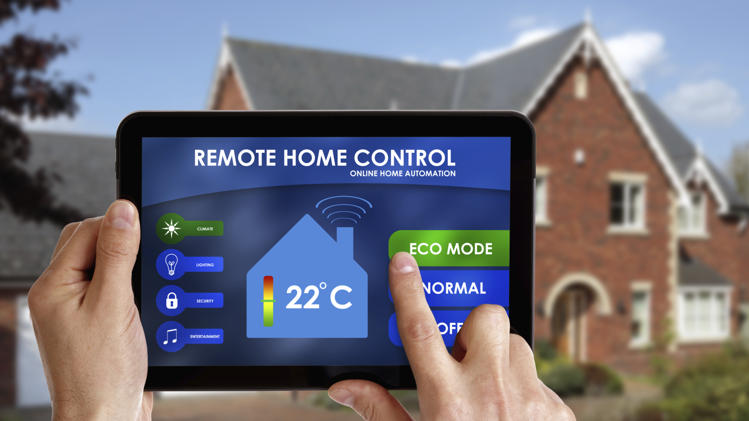
smart home

Afraid you left your stove o? A smart stove will be easily accessed through your smartphone or tablet and monitored. Same goes with the air conditioning system, cookware, video monitors and even you smart home lock.

Yes, a smart home lock exists! It looks like and can be used also as an ordinary lock but this smart home lock has a unique system incorporated. By using your smartphone as your eKey, you can lock and unlock the door with the touch of your finger. This product has received mixed reviews and it can be considered kind of sketchy due to security reasons but it sure is a step forward when it comes to smart homes.

How does a smart home work?

The success in the area of smart homes is also due to the increasing popularity of smart phones and tablets. We are living in an era where almost everyone owns at least a smartphone or a tablet. It is quite easy to understand why pretty much all our future technology will involve digital networks with smartphone access.

Smart homes have been around for quite some time even though not many people noticed it. One of the first companies which started to develop a concept of communicating devices is called X10 and their products are still available on the market nowadays, even though they came up with the idea back in 1975. However, X10 products communicate with each other though power lines which was a major set-back because of the “noise” contained by the lines when they are powering more than one device at a time.

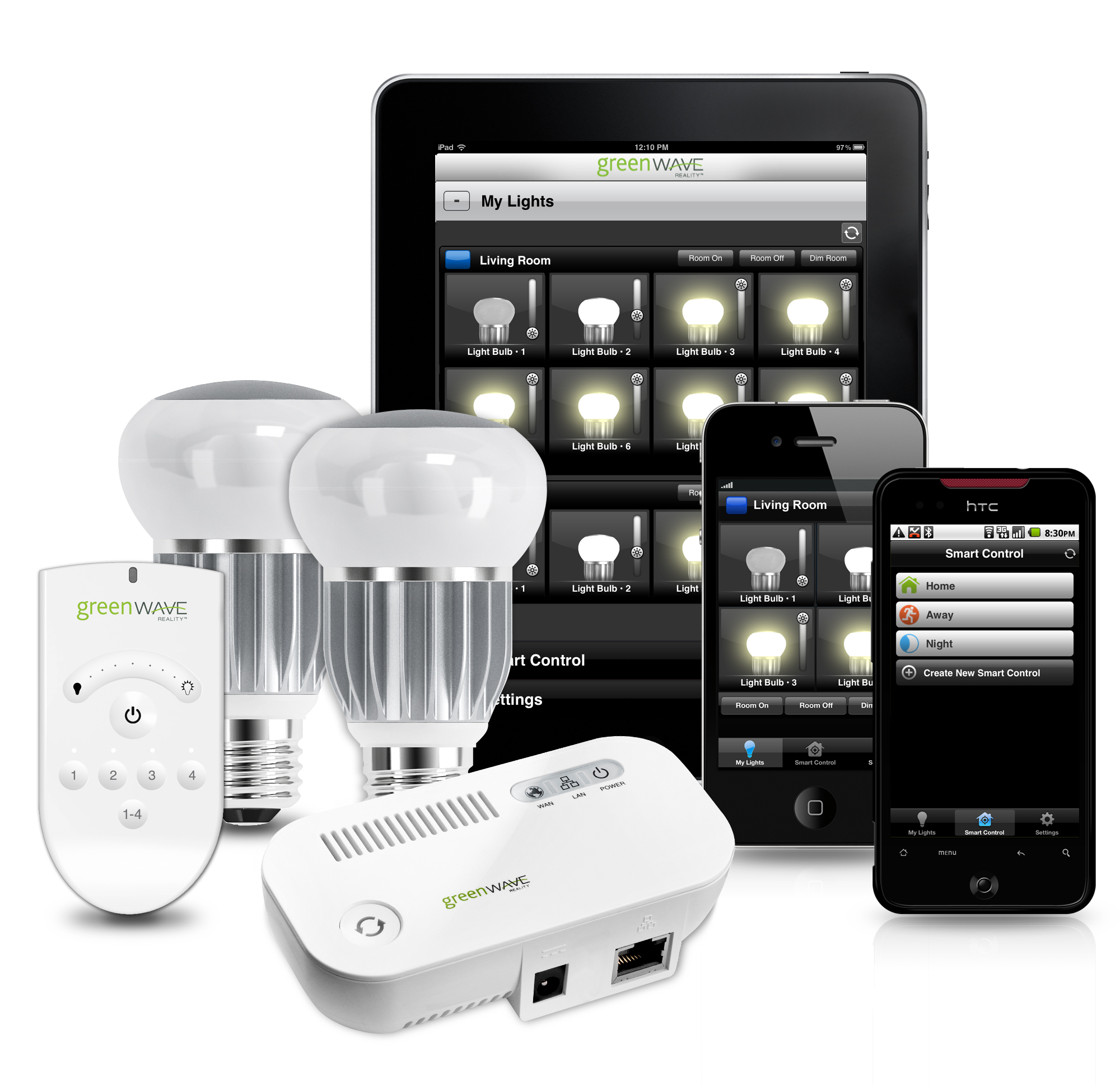
smart home

Recent smart home developers have started using radio waves instead of power lines so that you want have a problem with the connection anymore. Radio waves are the same waves that power up you Bluetooth and WiFi connections and also the waves your cell phone uses in order to be able to operate.

Two of the most used radio networks when it comes to smart homes are Zigbee and Z-Wave which are both mesh networks. A mesh network is a network that allows you to send a message to a certain destination through more than one way. You can also opt for a double-mesh network using Insteon which allows your devices to communicate either with you or with each other through both radio waves and power lines, so that if you are unable to use the mesh network to send a message at some point, you can also try sending it through the power lines.

How can I get started?

As a starter kit for a smart home you need to take into consideration what you actually want to be able to do with your smart devices.

If you know you are not home a lot and want to be sure your house is safe while you are away, you should opt for a motion sensor which is able to tell the difference between pets and thieves and it is also able to send a message on your smart phone whenever there is motion around your house.

smart home

Source

If you are a person well integrated into his or her comfort zone and do whatever it takes to not be forced to leave it, you should consider buying lights that can be turned on and off from your smartphone even though you are in another room.

If you don’t want to feel cold in the morning you can set your heater to start at a certain hour through your smartphone so that you can reach both warm feet and heat efficiency. You can even turn on your coffee maker without having to get out of bed.

There is a ton of products out there ready to be bought by people and given the fact that the increase of popularity means a decrease in the price of products, smart home devices are now more affordable than ever.

What are the upsides and downsides?

The upsides are quite obvious: you will be able to do everything easier and without having to worry so much about the little things that go around your house, such as the expiration date on your milk carton or your feet feeling cold in the morning.

However, this can be considered both an upside and a downside. People generally tend to choose the easy way out and forget to enjoy the little things. Such a change in technology will definitely change people as well. We already experience more and more people getting addicted to technology and losing grip to reality. Imagine how life is going to look like in twenty years from now. Are we ready to give up on all the little things in our lives just because it is easier to use technology?

Don’t get me wrong, of course technology is the main reason that sets us apart from any other living creature on this planet and giving up on it will mean giving up on evolution but some things are better to remain just the way they are. I think none of use wishes to become a tech zombie by the age of 40.


Filed Under: Tech & Science Tagged With: smart home, smart homes, technology

20 Apple Watch Features

February 16, 2015 By Roxanne Briean Leave a Comment

The Apple Watch is a new smartwatch that will connect to your iPhone and accomplish numerous tasks. You’re probably very familiar with the new device’s name that’s coming out soon by now, but you want to know more about the things you can do with it, am I right? The Apple Watch release date will be set in April and until then we want to share with you 20 Apple Watch features that we believe are the best and most exciting.

More Apple Watch features are sure to be reveled in the near future in an event where the company will share the exact release date of the new device and its full specifications. Even though there are a lot more features we don’t know about the Apple Watch, we do know some things this new smartwatch can do as the company revealed much of them in 2014.

The price of the Apple Watch starts at $349 for the Sport edition but we expect that the high-end models to reach up to and over $1,000.

To use the Apple Watch you will need an iPhone, of course, because many of the things that you will be able to do with the smartwatch rely on the connectivity between the two devices. This smartwatch won’t replace the iPhone; it just offers a way to access more quickly your daily activities. Even though this device is not the first smartwatch on the market and not even the first to connect to an iPhone, it’s still the most anticipated one.

To help you decide whether the Apple Watch is a great investment or not, we made a list of 20 Apple Watch features that we believe are the best and most useful.

1. Answer calls

answer-calls

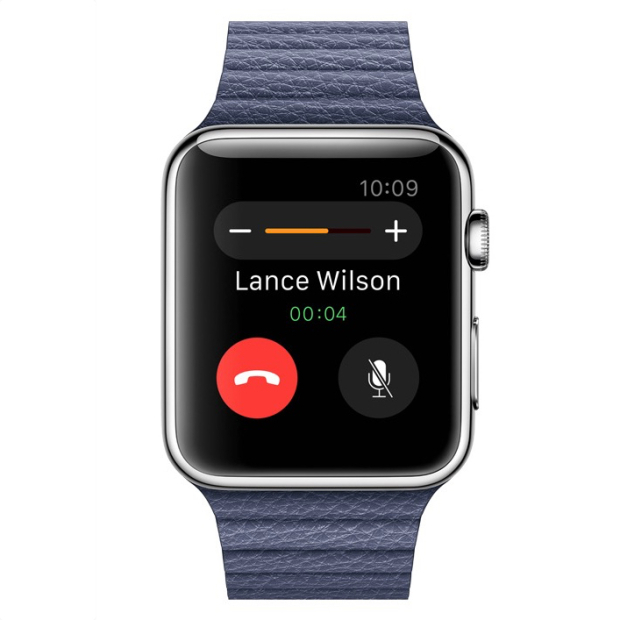
You can use the Apple Watch to answer calls by using it as a Bluetooth speaker. However, after using the Samsung smartwatch that has a similar feature, we now know that you should only use this for small conversations and never answer calls that you wouldn’t take on speakerphone either.

2. Monitor your heart rate

monitor-your-heartrate

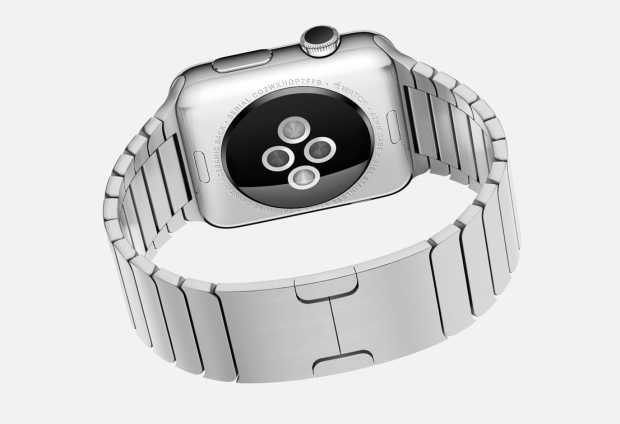
The Apple Watch has sensors on its back that can monitor your heart rate. However, it’s still not clear whether the smartwatch will record your resting heart rate or not, so the usefulness of this feature will definitely depend on how regular the watch will monitor it. We really hope to find out more about this feature at an event held by Apple in 2015.

3. Glances

glances

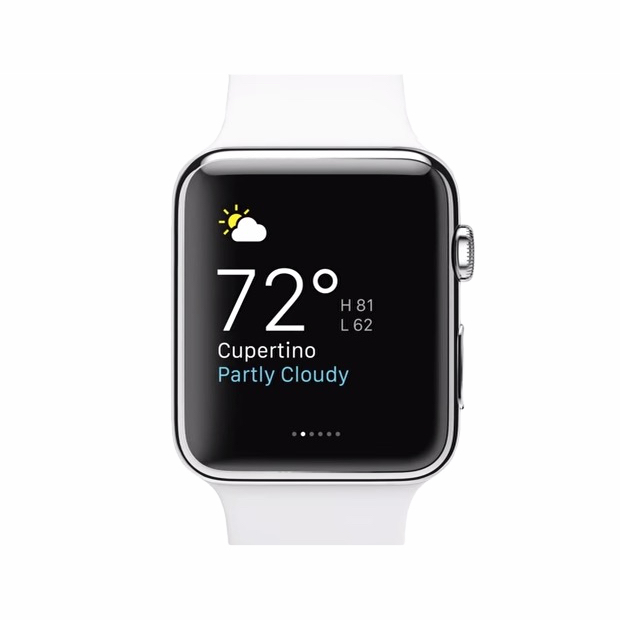
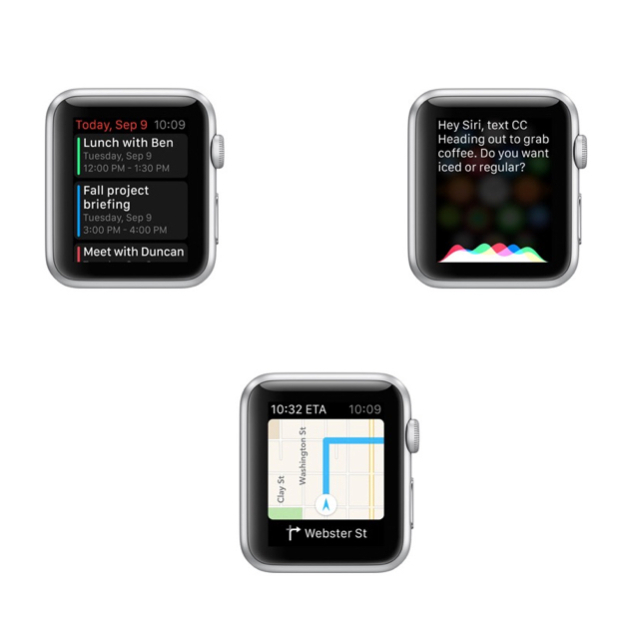
The smartwatch has a feature called Glances. These are small pieces of info that you can look and swap through on your Apple Watch. They can include sports scores, maps, stocks, meetings and the weather. They aren’t the same thing as the notifications on your iPhone, but are similar in nature to the Today panel in Notification Center on your phone. Third party apps can also share Glances on the screen of your watch.

4. Change the watch faces

change-watch-faces

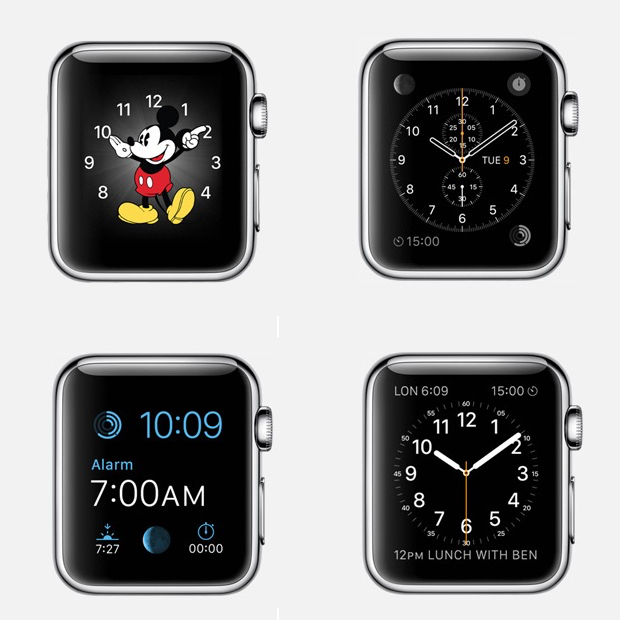
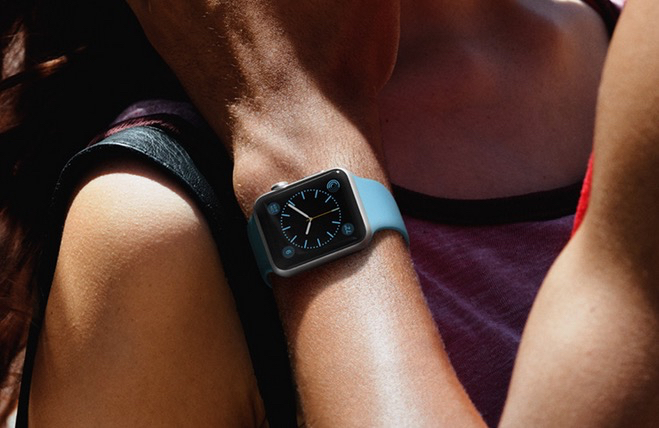
You can pick a new face for you Apple Watch to be relevant to the event you’re taking part of. We’ve seen 12 faces that range from functional and fitness to formal. There is a classic analog look, a face with Mickey Mouse, numerous digital ones and others that include info from the calendar and details such as the sunset and sunrise.

5. Track your fitness activity

track-fitness

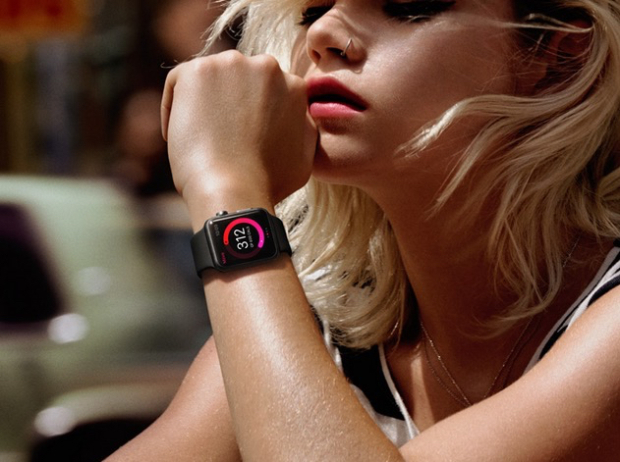
The smartwatch from Apple makes use of numerous sensors to track your movement and your fitness activity progress. You will be able to see your progress in three categories: exercise, time spent standing and movement. Your fitness activity information will also be available on your iPhone.

6. Tickets on your Apple Watch

tickets-apple-watch

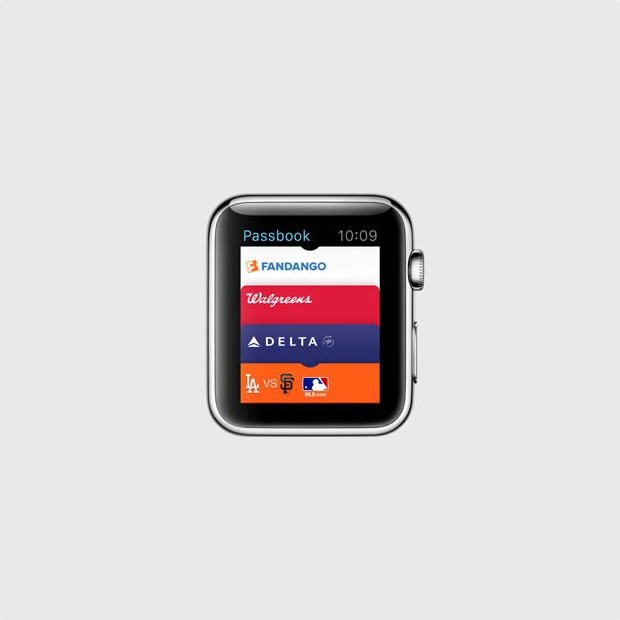
With the Passbook app on your Apple Watch you will be able to have tickets and loyalty cards right on your wrist. When you will need a ticket you will only have to show your watch to the gate agent or cashier and you will be all set to go.

7. Find your iPhone

find-iphone

You can find where your misplaced iPhone is with your Apple Watch, as long as it’s connected to it. However, you can’t find a stolen or lost iPhone, or even one that’s out of the Bluetooth range but it’s still a pretty useful feature for those who are constantly misplacing their phones.

8. Remote viewfinder for your iPhone camera

remote-viewfinder

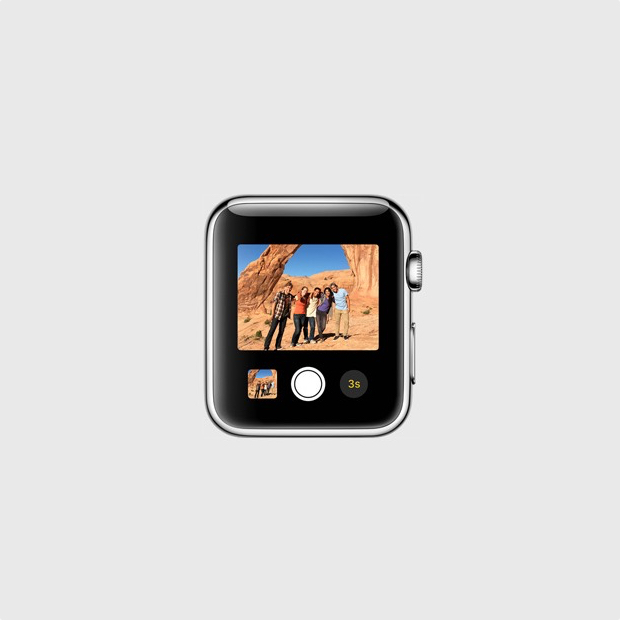
You can use your smartwatch as a remote viewfinder for the camera on your iPhone. By using this function you can place your iPhone somewhere, then get into frame and take the shot. It’s a way easier and better way of taking your own shot without the front facing camera or with the help of a selfie stick.

9. View and reply text messages

view-reply-text-messages

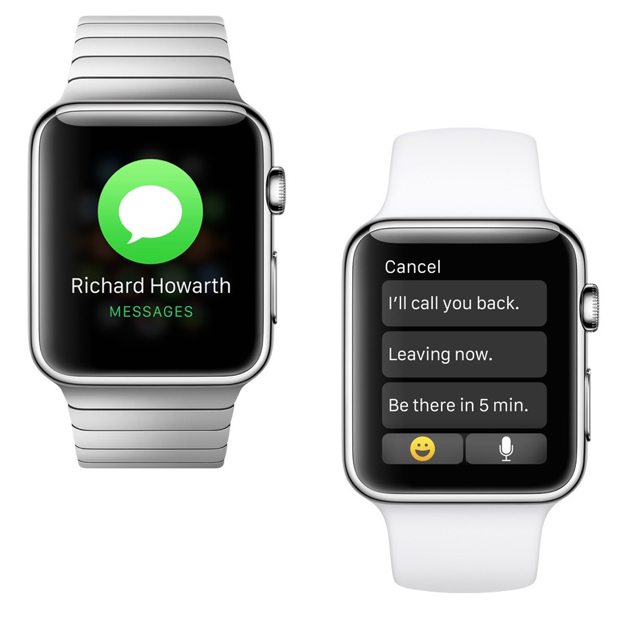
You can see the iMessages or text messages you receive on your wrist with the help of the Apple Watch. You may also reply to them with template messages. It’s a pretty useful feature that will save you the trouble of constantly taking out your iPhone out of your pocket. On top of this, you will also be able to use Siri to compose messages.

10. Check your emails

check-your-emails

You can get email notifications on your Apple Watch. You will also be able to flag, delete or read them on the watch or open them on your iPhone for full view. This features works with the Mail app on the iPhone and it’s unclear at the time whether it will work with third party apps too, or not.

11. Browse through all your Apple Watch apps

browser-apple-watch-apps

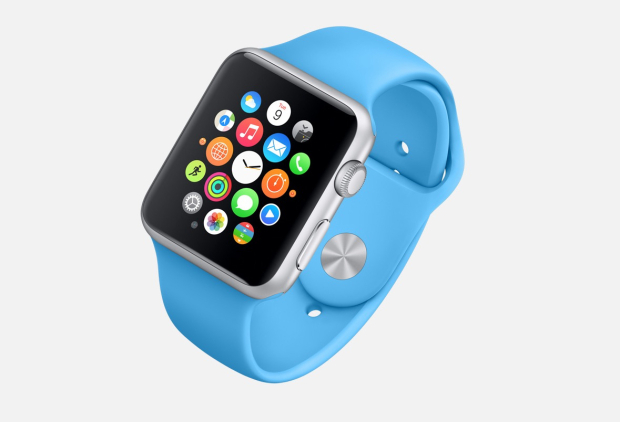
There will be a lot of apps that you will be able to install on your Apple Watch even though it may be a while until a vast library of apps will be available for it. However, the apps will appear as small circles on the screen of the watch and you will be able to browse through them by using the small Digital Crown on the side of the smartwatch to leave the screen empty for better viewing.

12. Send Emoji

send-emoji

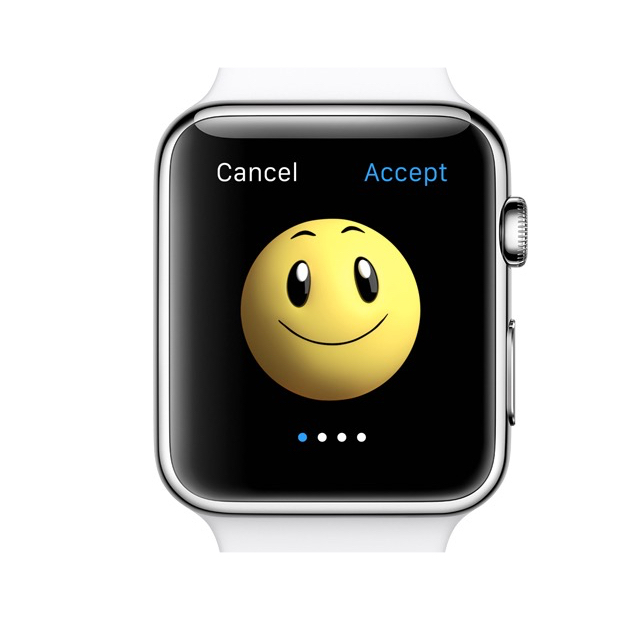
If you’re a big fan of Emoji on your iPhone, you’ll be glad to find out that you will be able to send better, bigger and animated Emoji from your watch.

13. Get notifications from your iPhone

get-notifications

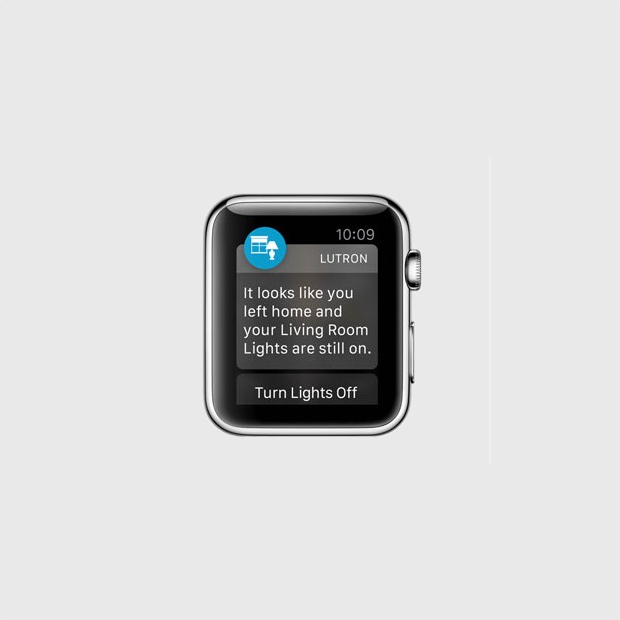
The smartwatch can display the notifications from your iPhone. This includes notifications from third party apps such as Gmail, Facebook and pretty much anything you can think of. You can customize the notifications you will receive so you won’t be overwhelmed by invites from Candy Crush and other apps that send annoying, frequent notifications.

14. Share your heartbeat with other Apple Watch users

share-your-heartbeat

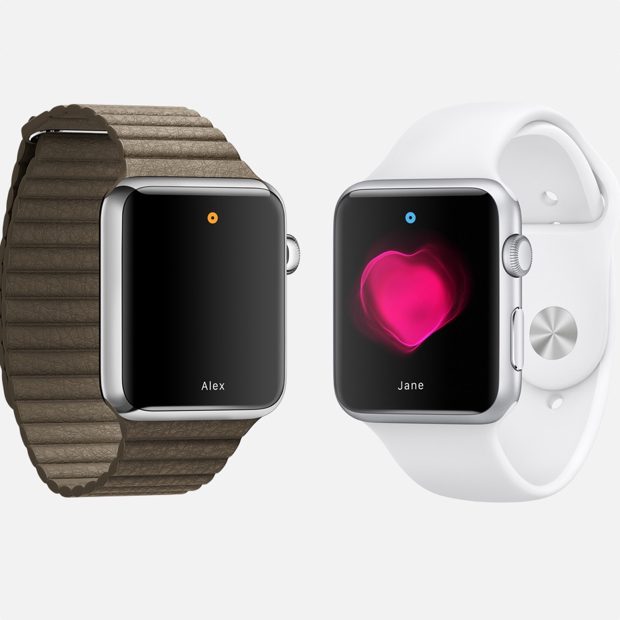
The smartwatch can track your heart rate and fitness activity, but this is not all it can do. If you want, you can share your heartbeat with a friend that also has an Apple Watch. When you share this with a close friend, an animation will appear on the other person’s watch that will show your heartbeat. Apple says that this is an intimate way of showing someone how you feel.

15. Use Apple Pay

use-apple-pay

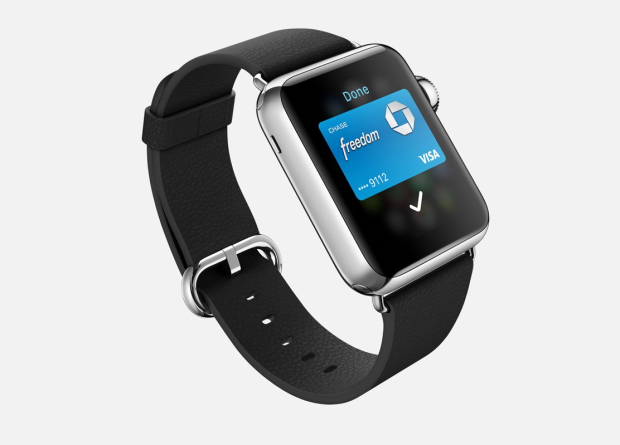
You won’t need to take your iPhone out of your pocket to make a payment through Apple Pay; you can do so just with the help of your watch. Apple Pay allows you to add multiple credit cards in the service so you won’t have to worry about carrying them with you. The service allows you to pay with your Apple Watch in stores that support this kind of payment.

16. Exercise reminder

exercise-reminder

If you’re getting a little lazy and you’ve been sitting around doing nothing for quite some time, Apple Watch will remind you it’s time to get up. While this isn’t the first smartwatch to do this thing, it’s a very nifty feature.

17. Access contacts

access-contacts

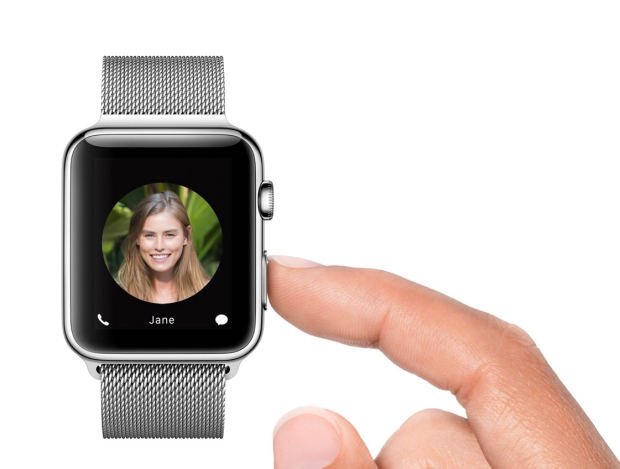
You can push a small button next to the Digital Crown on your Apple Watch to quickly access all your contacts. By doing this, you can select a contact to send a message to or call. This is also how you send your heartbeat to someone, a tap or a drawing. The tap feature is similar to the Facebook poke.

18. Use Siri

use-siri

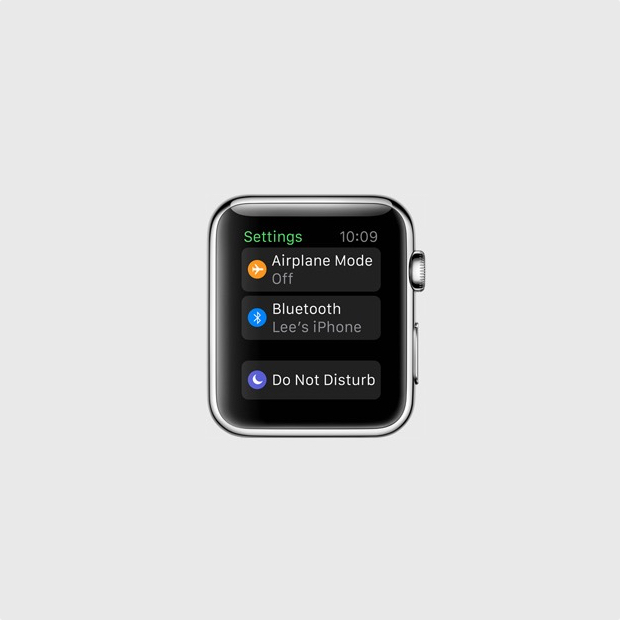
You can access Siri on your Apple Watch by saying “Hey Siri” or by holding down the Digital Crown button. To use this feature you will have to have your Apple Watch connected to your iPhone.

19. Share your current location

share-current-location

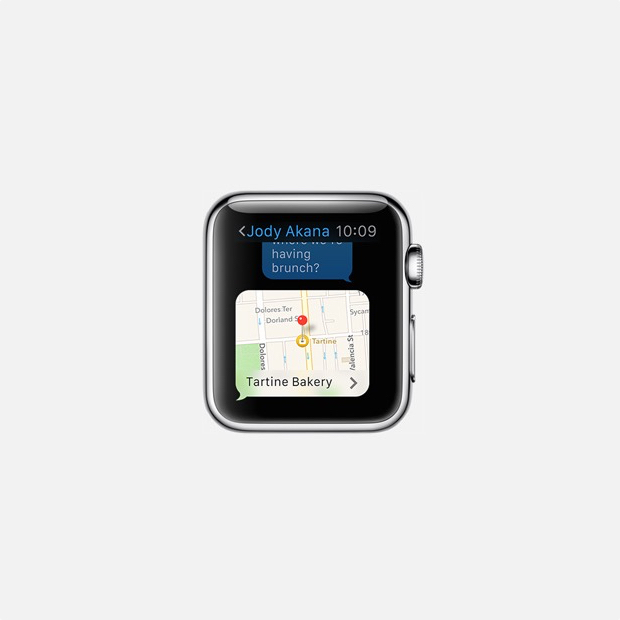
Apple Watch can be used to share your current location with a friend. This feature is already available in Messages on the iOS 8 and makes it easier for people to know where you currently are and in the near future you will be able to do the same thing through your Apple Watch.

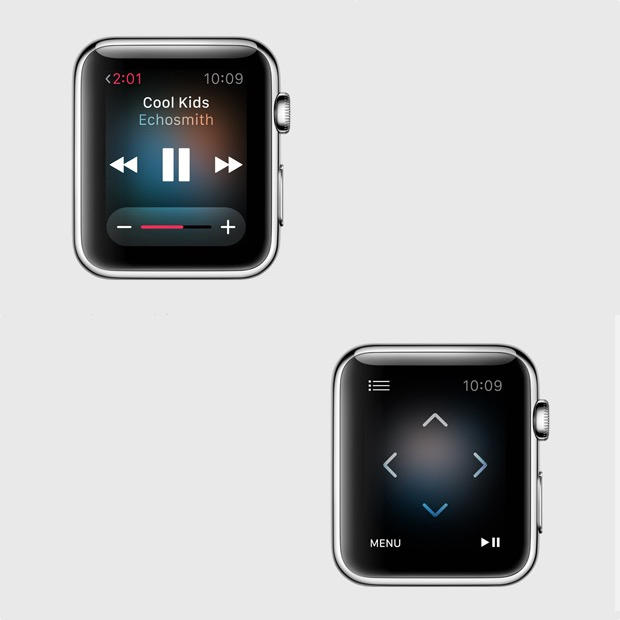
20. Control your music and Apple TV

control-music-apple-tv

You can use the smartwatch as a remote control for iTunes and Apple TV. This is a pretty cool feature as it’s almost never easy to find that small remote and you sometimes really need to pause the music or TV when you can’t do so by using the iPhone Apple TV remote app. You can use the Apple Watch to browse through lists, menus, choose the movies you want to see and listen to the radio or music on iTunes.

So there you have it. This was our list of the best 20 Apple Watch features so far.

Images source: gottabemobile.com

Filed Under: Tech & Science Tagged With: Apple, apple smart watch, apple smartwatch, apple watch, apple watch details, apple watch features, apple watch price, apple watch release date, apple watch rumors, iphone watch, iwatch

First Ubuntu Phone Coming Soon

February 7, 2015 By Roxanne Briean Leave a Comment

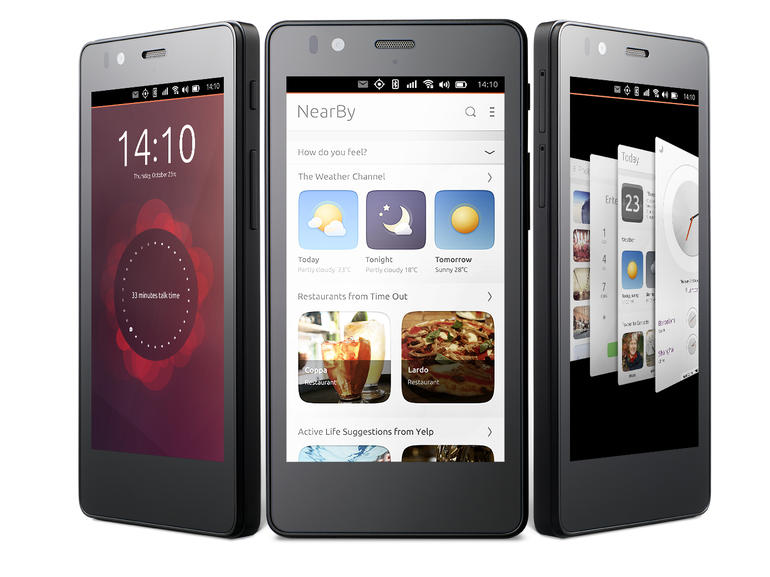
first-ubuntu-phone

Image source: cbsistatic.com

The first Ubuntu phone is going to be released soon by Canonical, after the failed attempt to crowdfund the project. But can a new smartphone compete with the popular Android devices and iPhones?

In the following days, the first smartphone that runs Canonical’s Ubuntu operating system is going to be launched in Europe by BQ, a Spanish electronics company. The new device features a very distinctive approach towards common smartphones in terms of user interface and a very affordable price. However, we’re not very clear how the new mobile phone will stand out in a market that’s controlled by Android smartphones and iPhones.

Canonical and BQ are coming right behind Xiaomi, the Chinese mobile phone manufacturer, which sold an enormous amount of very affordable Redmi 1S phones in India last summer. For only brief intervals, the Chinese company offered its mobile phones through the online retailer Flipkart. This tactic proved to be very successful and soon Micromax, a rival company, started having similar sales through Snapdeal.com in September. It seems that fake shortages are adored by the social media.

The first Ubuntu phone comes in black and has 8GB of storage, a 1.3GHz MediaTek Quad Core Cortex A7 processor, 1GB of RAM, an 8MP rear camera and a 5MP front facing camera. The new device is dubbed Aquaris E4.5 Ubuntu Edition.

Canonical initially tried to get into the mobile phone market with the help of a crowdfunding campaign in July 2013. The company tried to raise $32 million but was only able to get $12 million, and since the company chose an all or nothing kind of campaign they had to refund all of it.

The smartphone uses a card oriented interface, very similar to Google Now. These cards in the interface are called Scopes and present content that, on iOS and Android, would be displayed in several different apps. For instance, the “Today” card shows contact information, weather information and a calendar. Users can easily swipe between cards, which is somewhat easier than opening and closing several apps.

Some of the Scopes on the first Ubuntu phone are “Video”, “Music”, “News”, “Nearby” and several others. Users may also open apps from Scopes or by selecting them from an app menu that slides on the screen from the side. This is quite a departure from the home screens found on iOS or Android devices.

Even though there is interest in this new mobile phone, it is competing in a market dominated by Android and iOS devices along other low-priced phones offered by both Windows and Android.

Filed Under: Tech & Science Tagged With: aquaris, aquaris e4.5, Aquaris E4.5 Ubuntu Edition, bq, canonical, first ubuntu phone, first ubuntu smartphone, ubuntu phone, ubuntu phone europe, ubuntu smartphone, ubuntu smartphone details, ubuntu smartphone specs

Samsung Galaxy Note 2 Problems and Fixes

February 6, 2015 By Roxanne Briean Leave a Comment

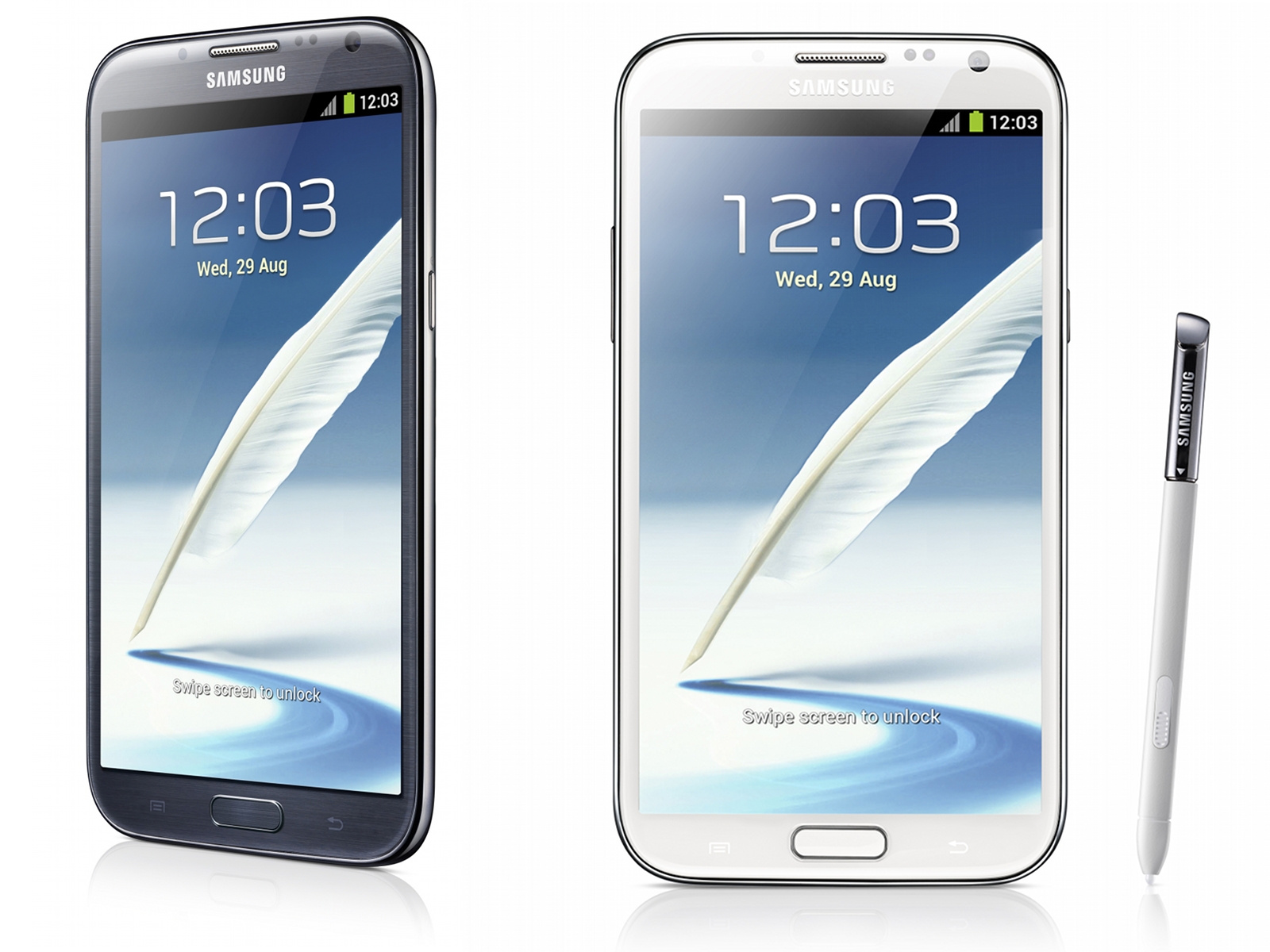
galaxy-note-2

Image source: anandtech.com

Even though there isn’t an official release date for the Android 5.0 Lollipop update for the Samsung Galaxy Note 2, we do know that it will eventually see the light of day. And with this in mind, we decided to analyze some of the more frequent Samsung Galaxy Note 2 problems and provide some possible fixes that will improve the performance of the device before a potential upgrade to Android Lollipop.

In 2012 Samsung announced its second generation of the Galaxy Note, and that device was at a time one of the most powerful smartphones on the market. The Samsung Galaxy Note 2 is now being replaced by its newer versions called the Galaxy Note 4 and its older brother, the Galaxy Note 3.

When the Galaxy Note 2 was originally launched it came with the Android 4.1 Jelly Bean. Over the time, Samsung upgraded the operating system to 4.3 Jelly Bean and the 4.4 KitKat. Now, most people are using the Android 4.4.2 KitKat on this device.

Many of its users are currently having a very stable experience on the smartphone but there are some who encounter issues with the aging device. Samsung has released various enhancements and bug fixes to stabilize it but there are still several people who complain about the problems they have with Android KitKat on the Galaxy Note 2.

Knowing this, we analyze some of the problems we’ve encountered with the device and will provide you with some potential fixes for them. Even though these fixes are intended for smartphones running KitKat, they should also work for Android Jelly Bean Galaxy Note 2 devices.

Galaxy Note 2 Battery Life Issues

Battery life problems are very common issues for most smartphones that run Android. Over the time we’ve seen a lot of complaints about Galaxy Note 2 battery life problems. Even though we can’t give you a certain fix, we can give you some tips on how you can improve the battery life on the Note 2.

Most of the times, these kinds of problems are due to third-party apps. We’ve seen numerous apps that are unintentionally draining the battery life on some devices and they could also be doing the same thing on your Galaxy Note 2. We recommend that you boot your device in safe mode before attempting to fix these issues.

The Safe Mode will turn off any third-party apps and will allow you to isolate the problematic apps. This is a very boring process but it’s a very good way to find out which app causes battery life problems.

This is how you boot your device in safe mode:

1. When the device is booting you will see the model name on the display
2. Once the logo animation starts, press the menu button
3. A ‘Safe Mode’ text will appear at the bottom of the screen if you’ve successfully entered Safe Mode

If this doesn’t work there are more ways in which you can try to fix these issues. For starters, we suggest that you restart your Note 2 to see whether or not this fixes the battery life problems. Rebooting your device will clear the cache and kill services that might drain the battery life. This is a very simple fix that has worked for us and many other users.

If these problems continue, try turning off Air View, GPS, Bluetooth, NFC or any other somewhat unnecessary functions. This could also have a positive outcome on your battery life. Live wallpapers may also impact the battery life and switching to a static one could help.

Galaxy Note 2 Performance Issues

As the device got older, there were more and more complaints about it being laggy and slow. Numerous Samsung Galaxy Note 2 users said they experienced poor performance after they upgraded to Android 4.4 KitKat. However, this isn’t very surprising considering how old the device is.

Even though there is no miraculous cure for these problems, there are some fixes that will improve the performance on older Galaxy Notes. The first possible fix is a process that clears the cache partition. In order to clear the cache partition, follow these easy steps:

1. Turn off the Galaxy Note 2
2. Press and hold together the Volume Down, Power and Home buttons until it will vibrate
3. Release them the moment the Samsung logo appears on the screen
4. Tap the Volume Down button until you reach Wipe Cache Partition. Select this by using the power switch
5. Wait until the process is completed
6. Reboot the device

If this fix doesn’t work, we also suggest you stop using live wallpapers as they are known to impact the device’s performance negatively. You can also try switching NFC off. Turning NFC off has proven to fix these issues and we recommend that you do so. You can also try disabling S-Voice which can be found in the settings.

If things are really bad on your device, we also recommend disabling the animations. You can do so by accessing the settings. People who experience Samsung Galaxy Note 2 performance problems can also disable some unnecessary apps in the Application Manager.

Galaxy Note 2 Charging Issues

It seems that charging issues are plaguing the Galaxy Note 2, but this doesn’t really surprise us. Numerous older Galaxy smartphones have showed the same issues in the past.

You should make sure that you use the original charger that came with your device when you purchased it but if that doesn’t work you should try using a different charger that has the same voltage as the original one. If nothing works, try getting rid of the wall charger in favor of a USB cable. Plug the device into a computer and see if it helps in any way. Charging with a USB cable takes more time but it could potentially save you of a few headaches and some money.

And, as usual, if none of these fixes work try rebooting your smartphone.

Galaxy Note 2 Bluetooth Issues

Another common issue on the Galaxy Note 2 is the Bluetooth. If your device has problems with the Bluetooth we have several suggestions that may be able to fix this. However, like all other fixes, we can’t guarantee that this will work on your smartphone.

First, turn the Bluetooth off and then back on. To do so, go into Settings and then to the Bluetooth and toggle the feature off and after a few moments back on. If this doesn’t fix the issue try forgetting the connection. Forget all connections to Bluetooth devices that are problematic. After you complete this step, reconnect your Bluetooth device to the Note 2.

People that can’t connect to a car with their Bluetooth should check the manual of the car. There’s always a way in which you can reset the Bluetooth connection. Once the connection has been forgotten by your smartphone and the Bluetooth on the car has been reset, try reconnecting it and see if that helped. This method has been successful for many users.

If this fix doesn’t work, we suggest you boot the device in Safe Mode. This will let you check which app is causing the issues.

Galaxy Note 2 App Issues

The users who are dealing with a change in the performance of an app have some ways in which they could potentially improve the performance of the application. First, you should check for an update of the app. A compatibility update or bug fix may fix the problem with the app.

If this doesn’t work, try to reinstall the app. Delete the app and then install it again. This has fixed the performance with apps in the past and should be taken into consideration if an app starts to behave poorly. However, if the problem persists, we suggest that you contact the developer and inform him of the problem you’re having. This will help the developer identify the issue and fix it.

We’ve also experienced some problems with the Messenger app on the device. This stock app regularly crashes on some devices. First, try to reboot your smartphone. If this doesn’t work, however, you can try and use an alternative app that is more stable than the stock one.

You can also try to clear the cache of the app. To do so go to Settings tap More and then Application Manager. Tap on All and go to the Messenger app and then tap Clear Cache. If other apps have the same problem, we suggest you do the same thing to all of them.

Fix Galaxy Note 2 Problems

If you don’t succeed in fixing your device with none of these solutions, try considering a factory reset. However, keep in mind that this deletes everything on your device and you will have to make a backup of your files before doing this.

In order of resetting your device to factory settings go to Settings, then Accounts, then Backup Options and tap on Backup and Reset. From there, you can finally select Factory Data Reset.

If you still aren’t able to fix the issues with your Galaxy Note 2, you should contact your service provider or Samsung.

Filed Under: Tech & Science Tagged With: fix galaxy note 2 issues, fix galaxy note 2 problems, galaxy note 2, galaxy note 2 app issues, galaxy note 2 app problems, galaxy note 2 battery life issues, galaxy note 2 battery life problems, galaxy note 2 battery problems, galaxy note 2 bluetooth issues, galaxy note 2 bluetooth problems, galaxy note 2 charging issues, galaxy note 2 charging problems, galaxy note 2 issues, galaxy note 2 performance issues, galaxy note 2 performance problems, galaxy note 2 problems, note 2 issues, note 2 problems, samsung, samsung galaxy note 2, samsung galaxy note 2 issues, samsung galaxy note 2 problems

Samsung Galaxy Lollipop Update Details

February 6, 2015 By Roxanne Briean Leave a Comment

android-lollipop-update

Image source: geek.com

The roll out of the Samsung Galaxy Lollipop update is rapidly expanding and there are some new details regarding the Galaxy Note 3, Galaxy Note 4 and the Galaxy S5. We’ll analyze what the Galaxy phones users should know about the Android 5.0 Lollipop update and its date of release.

The Lollipop update for Samsung’s Galaxy smartphones has started off very slow. Samsung started to roll out the update in December; however, they only made it available for a single version in just one region of the world. This kind of strategy is quite typical of the South Korean company. Samsung rolls out its updates slowly so that there is enough time for it to fix possible issues with the software.

In the past month we’ve seen Samsung start to make progress with the Lollipop release and the company also started offering updates for the Galaxy Note 3 and the Galaxy S4. They are currently isolated but we expect the updates to follow in the footsteps of the Samsung Galaxy S5.

People all over the world who use Samsung Galaxy smartphones and tablets are impatiently waiting for their devices to receive an update to the Android 5.0 Lollipop. Samsung and its partners have started to issue more details that allow us to have a better view on what to expect from the Lollipop update on numerous devices.

Galaxy S5 Android Lollipop Update

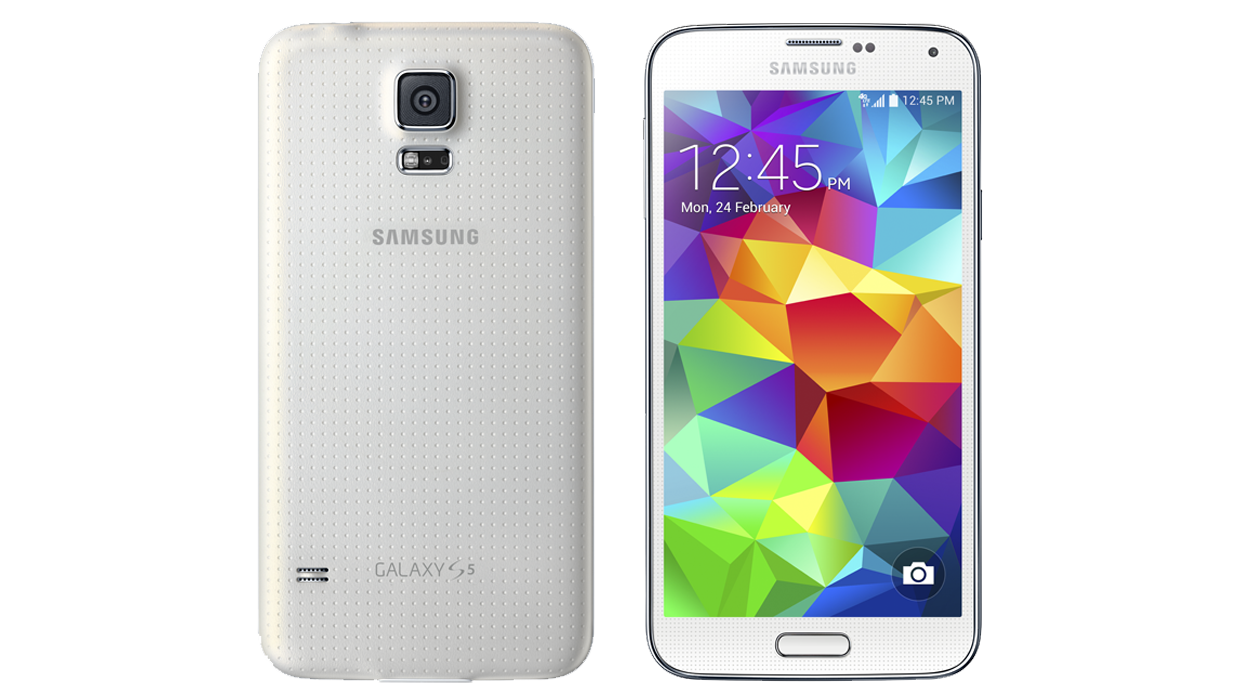
samsung-galaxy-s5

Image source: t-mobile.com

This is the first Samsung device that received the Lollipop update and in the past couple of weeks there has been quite a significant progress with the update that makes us believe that February will probably be a very busy month for the South Korean company’s Galaxy S series.

In the United States, the only available update is the Verizon Galaxy S5 one which features numerous new enhancements and functions. Verizon isn’t particularly known for being fast with Android updates so this was quite a shock.

There will likely be more updates this February from numerous other carriers. However, Samsung is known for slowly rolling out Android updates and some of the carriers will most likely lag behind others.

Galaxy Note 4 Android Lollipop Update

samsung-galaxy-note-4

Image source: geek.com

The fact that an Android Lollipop update hasn’t yet started to roll out for this device comes quite as a shock, seeing how it is one of Samsung’s flagship devices. Some believe that the delay is due to the fact that the Note 4 is the only smartphone that supports the Gear VR and the company is currently tweaking the code of the update. We can’t tell you exactly how long it will take for Samsung to finally roll out the update but we’re quite certain that it is closer and closer to a release date.

We’ve noticed that Samsung started to update its manuals of the Note 4 to show the unreleased software. Even though these manuals don’t offer an official release date, it’s clear that the company plans to make the update available quite soon.

Samsung is still sticking to the early 2015 release date of the Lollipop update for its Galaxy Note 4 and that’s what users should be expecting.

Galaxy S4 Android Lollipop Update

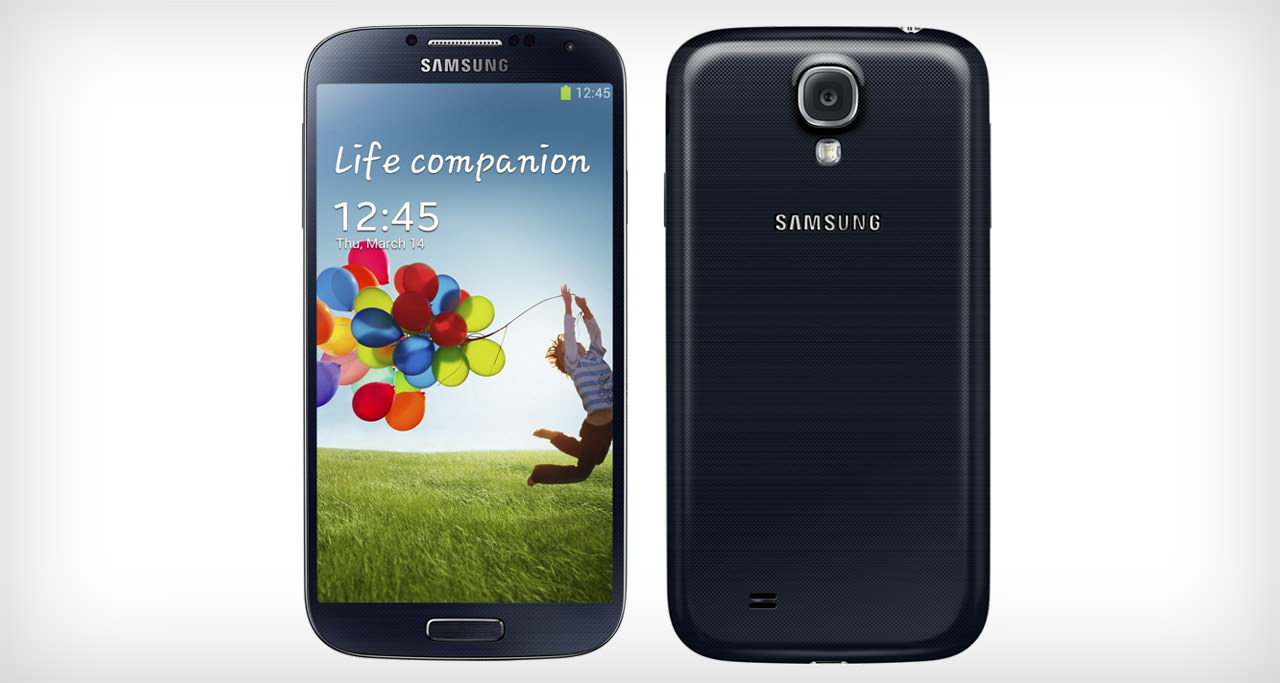
samsung-galaxy-s4

Image source: androidbeat.com

Samsung started to roll out the Lollipop update for the Galaxy S4 late last month. This is quite surprising seeing how the smartphone is nearly two years old. But this doesn’t bother any S4 users.

The update is currently available in Russia and we aren’t sure when and where the next update will be offered by Samsung as the company is very unpredictable when it comes to its software updates.

The Samsung Galaxy S4 update is pretty huge, at around 1GB. The size of the Lollipop update has forced Samsung into giving up some of its pre-loaded software. The version of the update is Android 5.0.1, which will probably be the same on other smartphones in the future.

We don’t recommend average and novice Android users to install unofficial software, despite it being available.

Galaxy Note 3 Android Lollipop Update

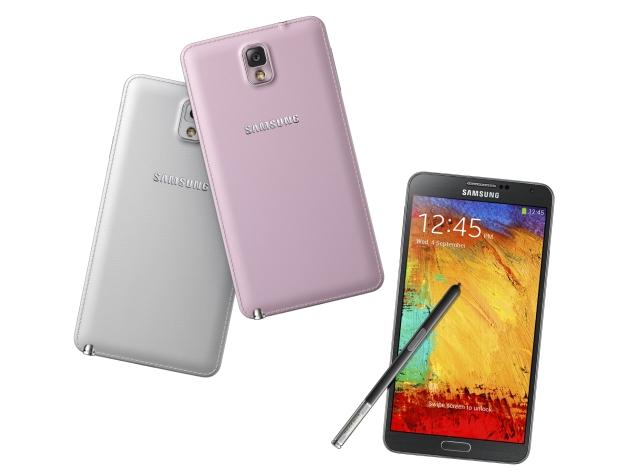
samsung-galaxy-note-3

Image source: ndtv.com

Just like the Galaxy S4, the Galaxy Note 3 Lollipop update is only available in Russia at the moment. The company is obviously using the customers in Russia as lab rats to see if the update is all set for a worldwide launch. If the company decides that it is ready for more users we will see the update within the next weeks or so.

Sprint is currently working on an update but it not the Android 5.0.1 update but the 5.0. There is nothing else confirmed at the time but the carrier is probably going to make it available after it’s done working on the S5.

If Sprint is working on an update for the device this means that other carriers are possibly doing the same thing. We don’t have an exact release date for the United States but it looks like mobile carriers are busy progressing and we expect the update to see the light of day in the very near future.

Galaxy Note Edge Android Lollipop Update

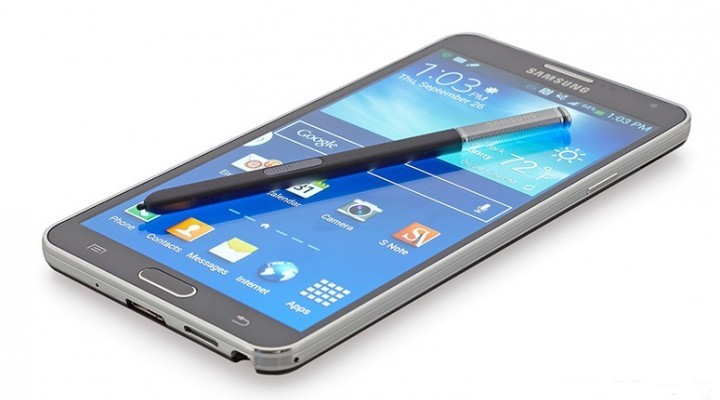
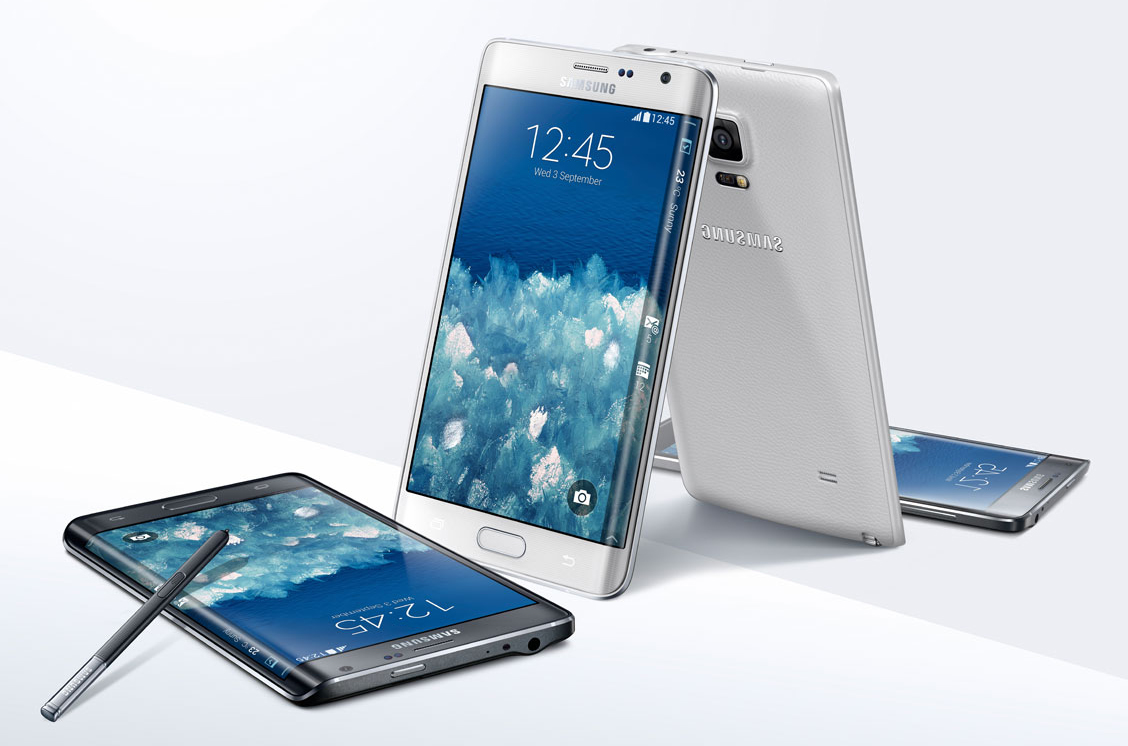
samsung-galaxy-note-edge

Image source: dailytech.com

Unlike other devices from Samsung this update hasn’t been confirmed for early 2015. However, there was a leak earlier this week featuring the Galaxy Note Edge Lollipop update.

The leak is an official Samsung build and has been made available by XDA-Developers. While it most likely isn’t the final build, it is possible that the update is very close to what Samsung plans to eventually roll out. However, users that wish to install the update on their devices should be very careful.

Other Samsung Galaxy Android Lollipop Updates

There haven’t been any other major actions taken by Samsung recently. Samsung did confirm Android 5.0 Lollipop updates for the Galaxy S5 Mini, the Galaxy Note 2 and the Galaxy Alpha. However, none of them have made progress recently and these devices are most likely not as important for Samsung as others.

We should begin seeing information about the Android Lollipop update for older and lesser used tablets and Galaxy smartphones really soon. This will probably happen the moment some of the more important devices will get their updates.

Filed Under: Tech & Science Tagged With: android 5.0, android lollipop, android lollipop samsung, android lollipop update samsung, galaxy android lollipop, galaxy lollipop, galaxy lollipop update, galaxy note 3 lollipop, galaxy note 3 lollipop update, galaxy note 4 lollipop, galaxy note edge lollipop, galaxy s4 lollipop, galaxy s4 lollipop update, galaxy s5 lollipop, lollipop, note 3 lollipop update, samsung lollipop update

Google May Launch Self-Driving Taxi Service

February 4, 2015 By Roxanne Briean Leave a Comment

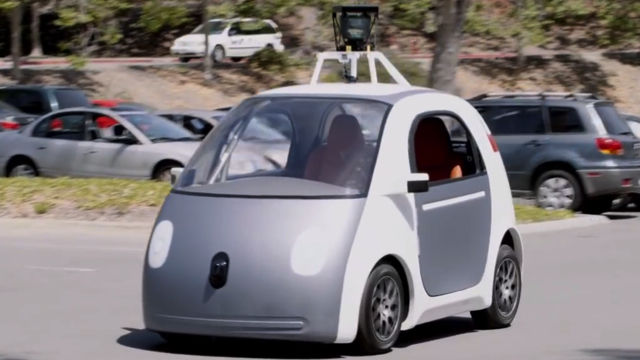
self-driving-taxi-service

Image source: hereisthecity.com

A recent report claims that Google may launch a self-driving taxi service. This could mean that the relationship between the tech giant and the app-based transportation provider called Uber is flourishing. An executive from Google is in Uber’s board of directors and the tech company is a major investor in the company.

Uber was established in 2009 and since then has expanded its ride requesting app all over the world and was able to raise a fund of $1.2 billion. This sum includes an investment from Google Ventures of $258 million. On Monday Uber revealed that it was partnering with Carnegie Mellon University to develop technologies that will boost Uber’s wish of making reliable, safe transportation for everyone. The new Uber Advanced Technologies Center near the Carnegie Mellon University campus will research “the areas of mapping and vehicle safety and autonomy technology.”

This means that Uber is considering manufacturing self-driving cars. That, along with Google’s interest in creating a cab service, might mean that the two companies will start working on a self-driving taxi service. It’s been reported that there are already people working in Uber’s new center, a corporate facility separate of the CMU. The university has a lot of experience in autonomous navigation. Some of the Curiosity rover software is linked to CMU.

But Uber and Google aren’t the only companies that show interest in the self-driving car market. For instance, both Audi and Daimler grabbed the public’s attention at the Consumer Electronics Show last month in Las Vegas by revealing their autonomous cars.

Google unveiled its prototype of self-driving vehicle late last year. The company is currently testing it on the Silicon Valley test track and is expecting to try the new car this year in Northern California on the streets of the city.

By combining such a car with a taxi service, Google could make Uber’s journey even tougher. Even though Uber is growing rapidly and has a lot to offer, the company still faced criticism for the way it treats drivers and competitors. There have been reports of assaults on passengers by drivers and many other unpleasantries that seem to affect the company’s image.

The chief legal officer from Google who is also in Uber’s board, David Drummond has reportedly said to some of his fellow members of the board that Google is working on a service that may compete with the one offered by Uber. A source claims that the board is currently considering whether to ask Drummond to resign from his position or not.

Filed Under: Tech & Science Tagged With: Google, google self driving car, self driving cab, self driving cab service, self driving taxi, self driving vehicle, self-driving car, self-driving taxi service, uber

Tablet Sales Are Declining

February 4, 2015 By Roxanne Briean Leave a Comment

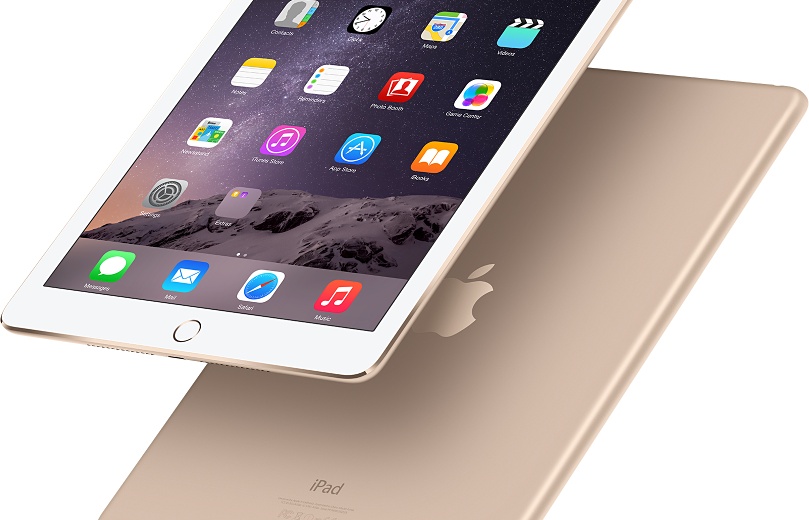
tablet-sales-are-declining

Image source: apple.com

We were all shocked when the former CEO from BlackBerry, Thorsten Heins said back in 2013 that within five years the tablet will be dead. His prediction doesn’t quite seem as ridiculous now, just two years after he made it, seeing how tablet sales are declining. IDC claims that for the first time ever, the sales of tablets have declined in the fourth quarter. This basically means that consumers have ignored tablets during this holiday season and focused more on other devices such as drones, Chromebooks and fitness trackers.

The decline

Four from the five major tablet manufacturers, including Apple, have reported serious declines in sales. Even though Apple released the new iPad Mini 3 and iPad Air 2, the tech giant saw negative growth of around 18 percent. Similar declines were reported by Samsung as well. However, Apple still dominates Samsung in terms of market share.

The fourth quarter is still a very successful one for Apple because of the iPhone 6 and iPhone 6 Plus. Despite this, Apple’s CEO Tim Cook said the iPad is facing challenges.

We may get a new iPad in the future called the iPad Pro. This new device is said to have a 12 inch display and better multitasking capabilities. However, an analyst at IDC, Jitesh Ubrani said the new device won’t be able to take back the fortunes that Apple has seen in the market.

Amazon seems to have taken the biggest blow in the tablet market. The company’s growth declined by 70 percent and we wonder if the Fire smartphone had anything to do with this. But Ubrani thinks there is a much simpler explanation than that. The fact is that Amazon dominated the low-end of the market until now but companies such as Asus, Acer, RCA and E Fun are taking over.

There are other things that are responsible other than dropping prices. The innovation of these devices has simply disappeared. All the people who wanted a tablet in the past all have one at the moment and the small differences from one generation to the next one are simply not enough of a reason for people to upgrade.

It seems that the only big improvements on next generation tablets are better cameras, better screens and relatively faster CPUs. The truth is that there is not dire need to upgrade to a newer generation as long as all the games and apps work just as well on older ones.

Some people also believe that the phablet trend is more or less responsible for the death of the tablet.

Microsoft’s Tablet PC was intended for the masses but ended up being successful only with field workers and professionals. The iPad was able to reinvent the market by being able to put apps and the Internet at everyone’s fingertips. However, smartphones with bigger screens are able to do the same thing right now which means that tablet manufacturers will have to focus on more specific things their tablet devices could offer.

The tablet is currently being reinvented for smaller audiences such as kids and gamers and even though the tablet market will probably never see the attention it has seen in the past this doesn’t necessarily mean these devices are dying.

Filed Under: Tech & Science Tagged With: Apple, iPad, samsung, tablet, tablet is dying, tablet sales, tablet sales are declining, tablets, tablets are declining, tablets are dying, tablets are fading, tablets sales

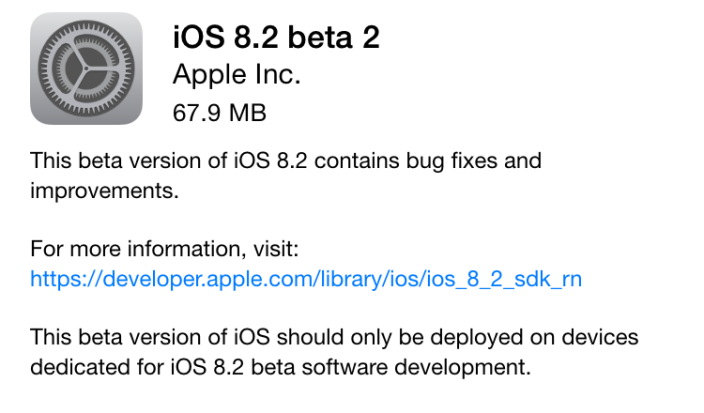
Fifth Beta Build for the iOS 8.2 Released

February 2, 2015 By Roxanne Briean Leave a Comment

img_0380-e1418234598941

Apple is taking its sweet time with releasing the next in line patch to the iOS 8: the greatly anticipated iOS 8.2 update. While this is not the only focus of the update, the greatest thing about 8.2 is the preliminary preparation it’s undergoing to ease the launch of the Apple Watch onto the market and complimenting its functionalities, while ensuring the device is operating properly under the new operating system version.

The Apple Watch is the first new major product to make its way out since the iPad and excitement in regards to its release is up to par with the rarity of such an event.

When it comes to iOS 8, there has been a serious number of issues regarding it ever since its release. While the newest models of the iPhone family – more specifically iPhone 6 and iPhone 6 Plus – have only been hindered or slightly held back by several bugs which got fixed later nonetheless through the released updates and subsequent patches.

Older models of the iPhone however sadly took the brunt of the iOS 8; because of that, the operating system’s rate of adoption proved to be the slowest ever in iOS history. The adoption rate somewhat increased following the 8.1.3 update, bringing it to an approximate 70% worldwide on all compatible devices as we speak.

The list of devices that are compatible with iOS 8 is any iPhone ranging from iPhone 4S and above, iPad Air, Air 2, mini, mini 2, mini 3, iPad 2, 3rd generation iPad and fifth generation iPod Touch. Considering the iOS 8 came packed with the new iPhone 6 and 6 Plus respectively, 70% is still a low percentage of coverage. Come iOS 8.2 however, a lot of faults in the original operating system are hoped to be resolved and thus have the platform gain more popularity than it so far has.

There’s no known launch date for the iOS 8.2 as of now, but taking Apple’s pattern of releasing updates – even just patches, not necessarily full, brand-new operating system upgrades – we could still be looking at a lengthier wait as the company normally takes its time with the beta and testing processes before the final version makes it out to devices. However, several rumors suggest that the iOS 8.2 update is expected to arrive sometime in March, but nothing has been confirmed by the official statements of the company.

iOS 8.2 Known Features

Obviously, the most important one is iconic for the release itself – support for the upcoming Apple Watch. While there is no dedicated Apple Watch application as of yet, or at least not one available for beta testing or other users, there are strong hints that one is in development for the product. In the latest beta version, the Bluetooth settings menu includes additional messages and features apparently dedicated to Apple Watch.

One of the messages explicitly sends the user to download and use the Apple Watch app in order to be able to pair and sync your iPhone to the Apple Watch. That, along with the release of the WatchKit software development that gives developers the ability to create applications for the upcoming Apple Watch are the main focus of the 8.2 update.

But that’s not where the patch ends. A series of fixes is expected to come with it as well, most likely focusing on improving performance and the well-known Bluetooth, Wi-Fi and battery issues. Patch notes have been unusually secretive in regards to the exact changes that are being pushed to resolve these issues and there are chances that we won’t be getting any literal, written form of them until the actual release.

Hopefully however, iPhone 4S and iPad 2 running iOS 8 will be getting a strong look at; although recent patches – e.g. 8.1.x ones – have tangibly made an attempt at fixing performance issues on older models and things are not as bad as they used to be for non iPhone 6 users, the operating system is still a far way off from being smooth on said devices.

So if you’re looking towards purchasing an Apple Watch later this year, when it’s planned to hit the stores, the iOS 8.2 will be there to your assistance. The device was announced at Apple’s iPhone 6 event and is supposedly a release that will redefine the iOS in a sense. If you’ve seen any photos of the Apple Watch, you probably have noticed the dial that adorns the device on its right hand side edge.

That is no fashion statement meant to make the Apple Watch resemble an actual watch; instead of being there just for the kicks of it, the dial – named by Apple the “digital crown” – is a functional feature that will allow you to zoom in and out when viewing different types of content, replacing the classic two-finger pinch that we’ve grown accustomed to on smartphones and other handheld devices that incorporate a touchscreen. The digital crown can also be pressed, taking you back to the home screen as a result, just like the home button on the iPhone normally would.

All of these features will, naturally, attract iOS changes themselves but given the fact that we’re not looking at a whole new operating system altogether, the update will still keep its general feel in place. Most of the ways things work on the current version will be applicable just as well on the Apple Watch, such as swiping in different directions to get different kinds of information – music, calendar, notes, utilities and everything else.

The Apple Watch will be released with three types of models, each model coming in two sizes. There is a regular Apple Watch, an Apple Watch Sport and an Apple Watch Edition. Given the expected functionalities of the Sport version, the iHealth app seems that it will be getting several tweaks itself to make best use of your device when working out and keeping an eye on your day to day activity.

Along with the various models that you will be able to choose from if you’re looking at purchasing the Apple Watch come six different types of straps you can select from to go with your device – differing in size or material, you’ll be able to pick from either thin or thicker leather straps, stainless steel ones, with a few different clasps for them as well.

There is not much amount of news on the prices of the Apple Watches: apparently prices will begin at $350 for entry level watches and will be going as high as thousands of dollars for the rumored 18-karat gold built Apple Watch Edition.

Filed Under: Tech & Science Tagged With: 2, Apple iOS 8.2, Apple operating system, fifth beta build iOS 8.2, iOs 8.2, news about iOS 8

Facebook at Work Is A Little Different from What You Thought It’d Be

February 2, 2015 By Roxanne Briean Leave a Comment

FacebookatworkNo matter how much you try, how packed your schedule is or how close that deadline on your project is, comes a time when you just space out for a second. Next thing you know, you’re on Facebook again. Whether it’s a birthday notification that needs your immediate attention (before you forget and risk hurting anyone’s feelings) or the most random hilarious posts, the social media platform will always remain in the corner of your gaze on whatever you’re doing.

And that moment when you have finally managed to close your Facebook tab and get back to work, someone deciding to text you regarding urgent information – work related or not – will immediately ruin your whole plan.

First world problems, but still real.

No matter how you look at it, it’s probably still our fault for letting Facebook get to us like that. The only excuse we still have is the growth in popularity Facebook’s messaging system has gain when used between work colleagues to exchange files or discuss work-related issues. When that happens, it’s nearly impossible to avoid being distracted by everything else that the application has to offer.

Because of that, and several other things on the company’s development agenda has convinced them to go right ahead and release a test version of the next great thing: Facebook at Work.

Sadly, the Facebook at Work application is not a magical tool to prevent us from being distracted at work; at least, that’s not the primary use of it even though it comes as a partial side effect. Apparently this is something that the company has been working on since last year and is finally complete and ready for testing and has already been launched on Google Play and Apple’s App Store last week. At this stage, only a few select companies will be able to make use of it until further notice – that is, until the testing phase of the product is finalized and the app is ready for official launch towards anyone who wishes to adopt it.

Facebook at Work’s primary goal is to function as a replacement tool for intranet email that will offer a reliable way for colleagues within a company to communicate, exchange files and much more – all done via a mobile app or a web interface. This app has already been through its very personal, very hands-on alpha testing phase within Facebook’s company itself over the past few months, where it picked up on a number of ways Facebook changed the way we see communication and connect to our proxies.

Facebook has been out for years and for most of us, it’s difficult to remember the time without it; that is why the company has adopted the very essence of the platform when developing their Facebook for Work variant. Everything you see and use makes for a very similar experience to the regular Facebook, however several important improvements have been brought. A few examples would be the disappearance of advertisements and the lack of user surveillance –Facebook at Work would not track your activity or retain your personal data like the original platform is meant to.

But serving different purposes obviously made for different ways of looking at the platform. For a social media platform, your purpose is to gain as much popularity for your service through a series of tools at your disposal, then rely on advertisements for sustainability and income.

facebook-for-work.jpg

Naturally, given the context that Facebook at Work will be functioning in, the number of users is not expected to be as high as one of the most popular social media platforms in the world. So there’s good reason to expect subscriptions to be a part of being able to use this service. Most likely they will be calculated for the entire company willing to make use of the Facebook at Work. Not only that, but Facebook isn’t the only company who has considered bringing this kind of service at life; many other software giants and other large multinationals are actively competing on this market – Microsoft has hinted at this long ago by acquiring social enterprise company Yammer several years back and IBM’s internal communication tool Slack.

The basic point that Facebook is starting its workplace communication tool from is familiarity – it is confident that it can make a good use of its strongly familiar interface and easy to use functions to make its way into offices and workplaces all over the world. Adapting to a new means of communication over the classic internal email – that, come to think of it, is somewhat limited, storage space-wise at least – would be incredibly easy to do and the platform itself would be optimized to help employees collaborate as efficiently as possible.

However, there seems to be a general concern travelling around regarding the privacy of the individuals making use of the Facebook at Work interface. While the company insists that there wouldn’t be any data tracking involved in using the platform, there is no way to avoid the way said data would be stored – on Facebook owned servers. That way, whether you want it to happen or not, Facebook becomes part of confidential conversations and information of subscriber companies. While things such as confidentiality contracts are the easiest way to get over that part of the ordeal, many companies might feel relatively reluctant at the potential ability of Facebook to collect and hold the personal information of its users.

Filed Under: Tech & Science Tagged With: facebook at work, facebook at work features, facebook at work news, facebook for employees, facebook news

  • « Previous Page
  • 1
  • …
  • 45
  • 46
  • 47
  • 48
  • 49
  • …
  • 59
  • Next Page »

Subscribe to Blog via Email

Enter your email address to subscribe to this blog and receive notifications of new posts by email.

Join 11 other subscribers

Recent Articles

police handcuffs man

German Man Probed In Poisoning That Killed 21 Employees Since 2000

June 29, 2018 By Kenneth Scott Leave a Comment

Chicken wings bar

Intoxicated South Carolina Man Punches Waitress Who Refused to Serve Him Alcohol

June 29, 2018 By Karen Jackson Leave a Comment

gaming

New Zealand gamer Who Flew Halfway Across The World for Virginia Teen Gets Shots By Her Mother

June 28, 2018 By Cristopher Hall Leave a Comment

party

Former Virginia Tech Freshman Sentenced to 50 Years in Prison for Stabbing a Girl to Death

June 28, 2018 By Roxanne Briean Leave a Comment

bonfire

British Couple Sentenced to Life in Prison for Torturing and Murdering French Nanny

June 27, 2018 By Deborah Campbell Leave a Comment

pay phone

Texas Father of Girl Disappeared in the 80s Ignored by Authorities

June 26, 2018 By Cristopher Hall Leave a Comment

bottled water

San Francisco Woman Threatened to Call Police on Girl Who Sold Ice Water for Disneyland Trip

June 25, 2018 By Roxanne Briean Leave a Comment

Maplewood Park

Missouri Man Robbed by Date and Accomplice in Park

June 22, 2018 By Nancy Young Leave a Comment

coding

New York Man Sentenced in Cyberstalking Former Girlfriend, Mailing Drugs to Her Dorm

June 22, 2018 By Deborah Campbell Leave a Comment

headphones

Bose Poised to Launch Sleepbuds, In-Ear Headphones That Help You Sleep

June 21, 2018 By Nancy Young Leave a Comment

Police light

Intoxicated Female Driver in Custody for Pulling Arresting Officer by the Hair

June 21, 2018 By Kenneth Scott Leave a Comment

kitchen

Restaurant Manager Arrested and Charged in Shooting Death of Co-Worker over Negative Yelp Reviews

June 20, 2018 By Karen Jackson Leave a Comment

plastic container

Pennsylvania Couple Charged in Violent Death of Infant Discovered Buried in Cat Litter

June 19, 2018 By Cristopher Hall Leave a Comment

tailpipe

Minnesota Teen Gets Head Stuck In Oversized Tailpipe Winstock Music Festival

June 18, 2018 By Karen Jackson Leave a Comment

Pages

  • About Us
  • Contact us
  • Privacy Policy
  • Privacy Policy GDPR
  • Staff
  • Terms and Conditions

Recent Posts

  • German Man Probed In Poisoning That Killed 21 Employees Since 2000 June 29, 2018
  • Intoxicated South Carolina Man Punches Waitress Who Refused to Serve Him Alcohol June 29, 2018
  • New Zealand gamer Who Flew Halfway Across The World for Virginia Teen Gets Shots By Her Mother June 28, 2018
  • Former Virginia Tech Freshman Sentenced to 50 Years in Prison for Stabbing a Girl to Death June 28, 2018
  • British Couple Sentenced to Life in Prison for Torturing and Murdering French Nanny June 27, 2018
  • Texas Father of Girl Disappeared in the 80s Ignored by Authorities June 26, 2018
  • San Francisco Woman Threatened to Call Police on Girl Who Sold Ice Water for Disneyland Trip June 25, 2018

Categories

  • Business
  • Entertainment
  • Finance
  • Headlines
  • Health
  • Life
  • Nature
  • Science
  • Sports
  • Tech & Science
  • Travel
  • Uncategorized
  • United States
  • World

Copyright © 2026 ArgyllFreePress.com
About · Privacy Policy · Terms of Use · Contact