Argyll Free Press

Growing News Network

Sunday, May 3, 2026
Log in
  • Business
  • Finance
  • Sports
  • Tech & Science
    • HP Envy 4500 Review
    • LG Optimus 170 Review
    • iPod Touch 6th Generation Review
    • HTC One M8 Accessories Set-up
    • Surrealist Games You Must Play
    • Hisense Sero 8 Review
    • Dell Latitude e7440 Review
    • HP Laserjet 1536dnf mfp Review
    • Garmin Fenix 2 Review
    • Skype Vs Viber
    • Best Video Conferencing Software
    • Sony mdr 1r Headphones Review
    • Canon Rebel t3i Review
    • Sennheiser Momentum 2-0 Review
  • Travel
  • Headlines
  • Health
  • United States

Samsung SmartCam HD Pro Review – Home Security

January 6, 2016 By Deborah Campbell Leave a Comment

Samsung SmartCam HD Pro Review

The advancement of consumer technology is taking a steep hike upwards as it begins focusing on so much more than just smartphones, tablets and particularly clever television sets. Even if they’re all closely tied together and the concept of smart homes has never been closer to becoming a common reality than it is now, security is not one of the first things you think of when considering gadgetry.

The Samsung SmartCam HD Pro is here to prove that by making use of all these commonly employed concepts behind touchscreen smartphones, motion detectors and even advanced microphones can truly be of benefit in more than just entertainment. Coming as a wireless camera that you can use as a security tool, a monitor for various types of surveillance and much more, the Samsung SmartCam HD Pro can easily be considered one of the best alternatives of this type out there.

Featuring plenty of game-winning hardware capabilities such as 1080p video and night vision, the Samsung SmartCam HD Pro excels when used as a security camera for your home, but can also be employed as a baby monitor or audio recording device.

Pros:

  • Great design
  • Easy to use
  • Customizable selective video capture
  • 1080p video quality
  • Night vision

Cons:

  • No Cloud storage option
  • Certain features can only be used via the smartphone app
  • Questionable desktop application
  • cannot perform as well as professional surveillance equipment

Samsung SmartCam HD Pro Design
Samsung SmartCam HD Pro Design

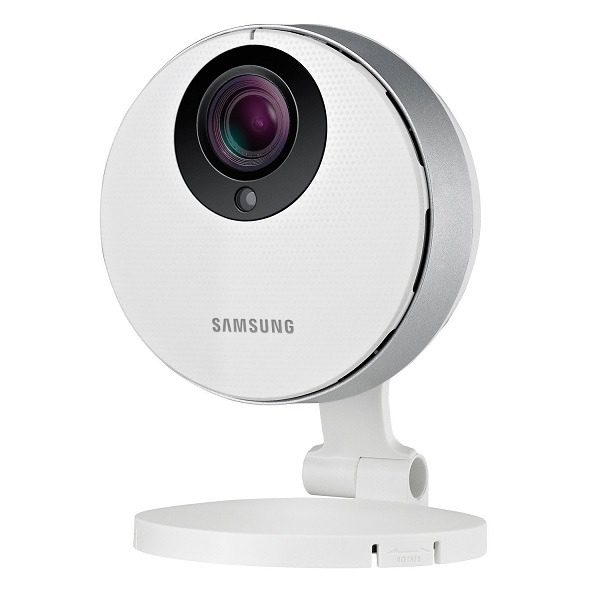
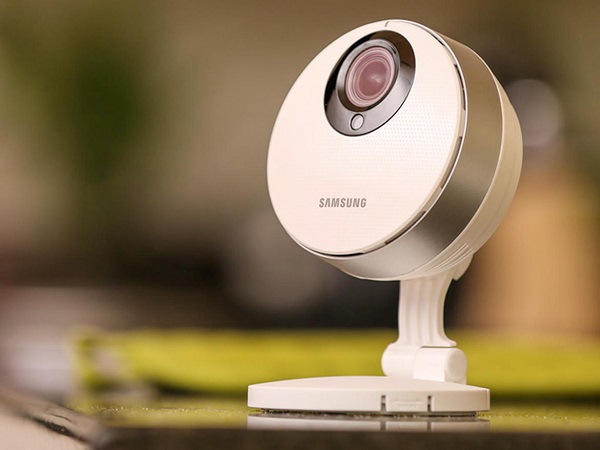
The Samsung SmartCam HD Pro starts off on the right foot by adopting a great design. With dimensions of 4.7 x 3.3 x 3.1 inches and negligible weight, the camera is circular, sleek, small and discreet. The exterior is made of mostly plastic, but thanks to the metallic-looking finish on the outer edge, the SmartCam ends up as one of the most aesthetically pleasing options to go for.

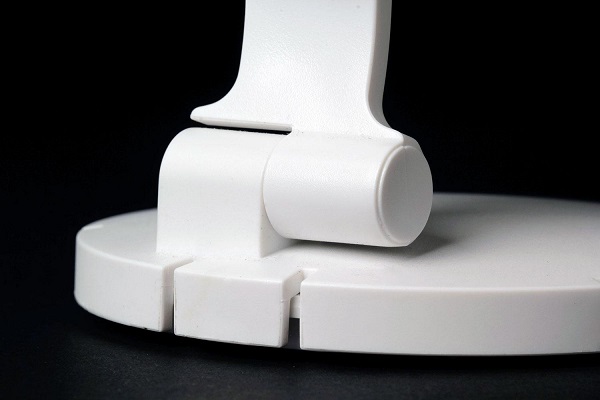
It is connected to an all-plastic stand around the back that allows you to connect the camera to a number of surfaces, regardless of orientation. The stand itself allows you to tilt the camera to a near 360 degree angle – either backward or forward – allowing you to get a perfect view of the room you wish to set it up in.
Samsung SmartCam HD Pro Design

The stand allows connecting the camera to vertical surfaces such as walls either via the double-sided adhesive tape that is provided in the package, or via screws if you’re willing or able to drill holes in the preferred position.

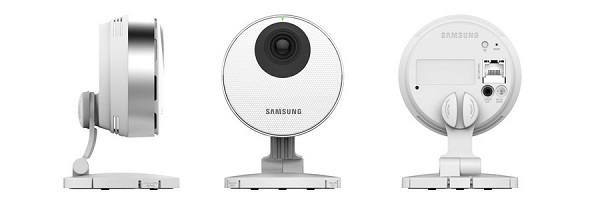
The face of the camera features the Samsung logo at the bottom, while the rather large camera sensor is situated at the top. All around the 1080p camera sensor there are 10 infrared LEDs that are meant to enable night vision for the device. Right below the sensor you will be able to notice a smaller LED; this one is a luminance sensor that will improve vision in low-lit environments.
Samsung SmartCam HD Pro Design

Turn the camera upside down and you’ll actually be able to find a microSD card slot for extra storage. This is not something you find often on home security cameras, but it will provide you with at least one means of storing recorded video, seeing that Cloud storage is sadly not adopted by the Samsung security camera. If you wish to find an upside in that, I guess the fact that most security camera cloud services require a monthly/yearly subscription that can take you up to $100 for 1 year is what you’re looking for.
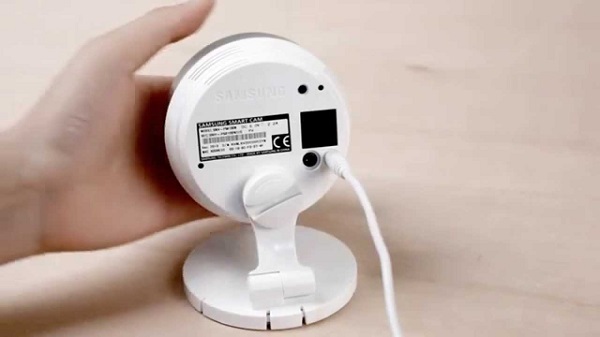
Samsung SmartCam HD Pro Design

Samsung SmartCam HD Pro Features

The Samsung SmartCam HD Pro features a diagonal field of view of 128 degrees. It doesn’t exceed nor fall behind other cameras of the competition in that perspective, most going between an average 125 to 130 degrees. Depending on the positioning of your security camera, you will most likely be able to set it up in order to get an ample view of an entire room.

The aspect that the Samsung WiFi camera – or IP (Internet Protocol) camera – succeeds in shining at is the quality of its video. Having been granted a 1/2.8 inch CMOS sensor, it will guarantee that both recorded and live footage is smooth and lag-free. Naturally, there may be a slight difference being sensed depending on the type of internet connection being used. In that sense, if you’re trying to view the live video feed on 3G, you will certainly notice a huge difference than using your home’s 5.0 GHz Wi-Fi connection. So it’s wise to remember that the video quality may differ when using lower-speed connections. You can stream video to your desktop in as much as 1080p at 30 frames per second and to your mobile device in 720p.

As a security camera, the Samsung SmartCam HD Pro offers a wide variety of features that give you full transparency of your home. To begin with, the camera can be set to rely on particular motion detection zones. That is particularly useful if you have pets or fans you leave on for example. That way, your camera won’t recognize particular zones as threats when motion is detected. Similarly, you can select up to 3 zones for targeted motion detection to let the camera know to focus on them in particular. This is all done through a simple drag motion on your touchscreen or default drag and select with your mouse on a desktop or laptop.
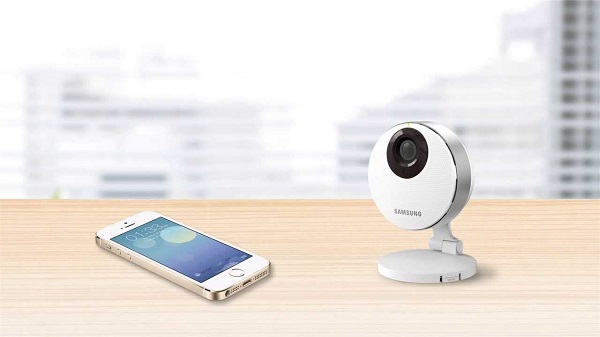
Samsung SmartCam HD Pro Capabilities

Thanks to the 10 infrared LEDs, vision is not a problem regardless of the time of day. As a further improvement to that, the camera also features WRD (Wide Dynamic Range) technology, which is meant to improve backlit images while the Samsung Light Enhancer that is incorporated in it helps brighten and clear up dark or grainy video.

As I previously mentioned, the Samsung SmartCam HD Pro is proficient on the side of audio too. Featuring a two-way capability thanks to the microphone and speaker that were added in its construction, the camera will be able to provide you with more than just mute video. You can use it to both hear what is happening on the other side, as well as talk to anyone there. Because of that, the Samsung SmartCam can easily be used as a baby monitor or a camera that you use for your front door. Then again, the downside would be the fact that this feature seems to only be usable with a smartphone and not with any kind of computer for an unknown reason.

The one feature where the Samsung SmartCam HD Pro won’t prove to be particularly capable and a bit of an annoyance is the fact that it can’t be programmed to turn on or off at specific times. Instead, the camera will literally just stay on continuously. As long as you’ve put in a microSD card in the slot, the recording can be turned on and let on indefinitely. When the card maxes out on space, the camera will start deleting earlier recordings to make space for newer ones.

Notifications are probably the most useful part of it all. You can set your camera up to send you a push notification directly to your mobile phone if it detects motion or audio when it shouldn’t. You can scroll through the sensitivity settings for both motion and audio to ensure that no false events will have you alerted.

As a baby monitor, the Samsung Smart Camera comes equipped with pre-installed MIDI music tracks which you can turn on and use as lullabies for your little one. You’ll find Brahms, Over the Rainbow and Brahms Orgel as song options.

Samsung SmartCam HD Pro Setup & Performance
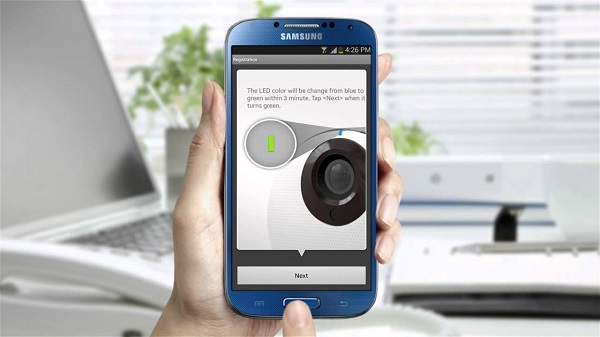
Samsung SmartCam HD Pro Phone Setup

You can pair your Samsung SmartCam HD Pro to either your phone or tablet as well as a PC. The setup process slightly differs from mobile devices to computers but it’s nearly just as easy on both.

When setting the camera up through your smartphone, all you need to do is to download the free Samsung SmartCam app for either iOS or Android and let yourself be taken through the easy to use, step by step installation wizard after you’ve created your account. Provided your Wi-Fi is on and that your phone is connected to it, everything should be pretty self-explanatory.

When trying to set the camera up through a desktop or laptop, you will need to visit the Samsung SmartCam official website www.samsungsmartcam.com and tap on the green Starting SmartCam button to begin. The camera will use a browser plug-in which you need to install to be able to continue the setup process. Now the only difference will be the fact that you need to use the Ethernet cable that comes in the package to connect your camera to the internet.
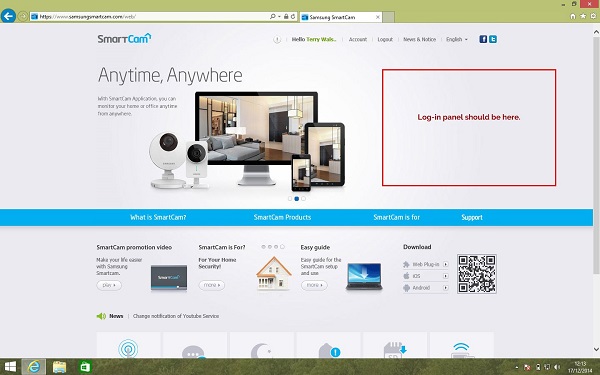
Samsung SmarCam HD Pro Computer Setup

Frankly, if it wasn’t for the finicky plug-in that I had to install on my PC in order to get things started, everything would’ve been perfectly painless. But you can just go ahead and blame that on my personal bias against anything related to browser plug-ins, add-ons, third-party toolbars and so on. Otherwise, the setup process went perfectly smooth on both Wi-Fi and Ethernet, the camera picking up on both of my connections – 2.4 and 5.0 GHz one.

Samsung SmartCam HD Pro App & Control

All of your control over the camera is done through the mobile app or via the desktop plug-in/web viewer. Here is where you’ll be able to stream live video through as well, while every recording will stay on the microSD card.

As soon as you’ve logged in into your app and to your camera (yes, you basically require 2 login stages), you’ll be immediately taken to the live footage of your camera. If you own more cameras and you wish to view a different one, you’ll have to log in to the new one instead. All of the buttons below represent a different setting and function.
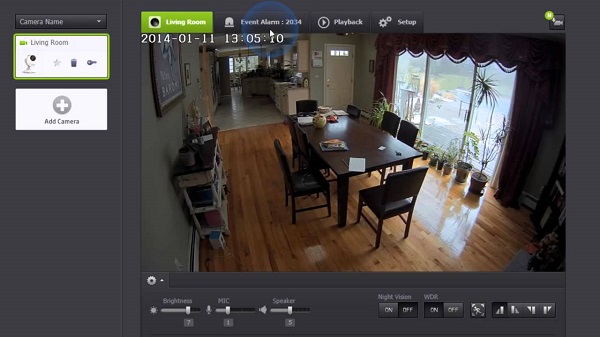
Samsung SmartCam HD Pro Desktop

That way, you’ll get controls over manual recording which you can turn on or off directly from your phone, taking a snapshot of what is currently being recorded by the camera, using the two-way push-to-talk feature, switching from low to high quality video, the baby monitor music button, brightness slider, perspective change if more than a camera is connected, motion zone selection and the voice recording option.

Every other feature that the camera is capable of can be found by hitting the back or main menu button, where you’ll find a list of your recently recorded events such as motion or audio detection, reviewing any recorded video by selecting the date and time of when you want to start watching and the camera settings. These include speaker and mic volume, night vision, WDR, display date, the status of the LED, firmware version details and so on.
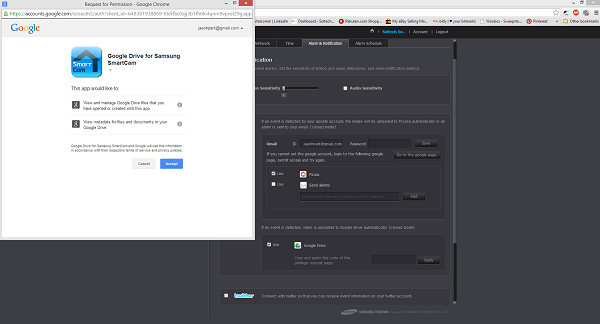
Samsung SmartCam HD Pro Desktop App

All in all, the Samsung SmartCam HD Pro is definitely capable as a security camera, but not particularly efficient at anything else. While the video quality, the luminosity levels and night vision are great things to be able to tinker with, I still feel that Cloud services would’ve come in handy more than a microSD card does. If, hypothetically speaking, the camera itself gets stolen once there’s a break-in and you weren’t on spot to take screenshots as it was happening, your recorded content is literally gone forever as it’s only been recorded on the SD card. That’s one aspect that makes the Samsung SmartCam a questionable option for dire situations.

Samsung SmartCam HD Pro Verdict

In the end, the Samsung SmartCam HD Pro is the kind of camera I would heartily recommend for basic home surveillance because – at least for its price group – it does wonderfully when you just need to keep an eye on your home when you’re away. Considering you can, at any time, take a look at what’s going on at home with your smartphone and immediately take a snapshot of it as soon as you’re alerted is a great thing to have if you want to react fast.

The video quality is absolutely great regardless of lighting conditions and even allows you to zoom in on particular focus zones easily or select focus areas like safes or particular doors. However, if you require a more professional surveillance piece of equipment, the Samsung wireless security camera is not exactly cut out for that role due to the mentioned limitations. But you can probably already tell that as the camera is listed for only $155 on Amazon and most professional security cameras will normally exceed hundreds.
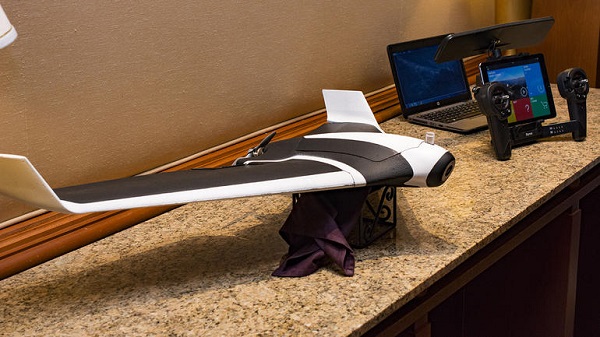
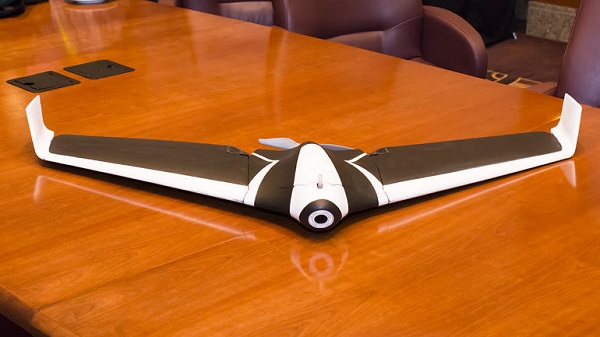
Image Source: 1, 2, 3, 4, 5, 6, 7, 8, 9, 10

Filed Under: Headlines Tagged With: samsung home surveillance, samsung night vision camera, samsung security camera, samsung smartcam hd pro

Parrot’s Disco Drone has Wings and it Can Reach Speeds of Up to 50MPH

January 5, 2016 By Deborah Campbell 1 Comment

Parrot's Disco Drone has Wings and it Can Reach Speeds of Up to 50MPH

Parrot’s Disco Drone has wings and it can reach speeds of up to 50MPH – oh, it’s also incredibly fun to play with.

Given that the drones trend has absolutely exploded over the past couple of years, enthusiasts want more performance, more flight-time and better recording hardware.

Parrot’s Disco Drone seems to fit the criteria perfectly – it’s super fast, it’s incredibly easy to control and it’s tough as nails!

 Oh, did I mention that it has wings?

The Disco Drone can record up to 1080p HD, and the camera, which can be found on the nose of the gadget, is digitally stabilized so it gets the perfect shots. Wings have your usual flaps, which are controlled by motors, and the rotor on its tail makes Parrot’s drone resemble a small airplane.

Considering that it has wings and flaps, users might be enticed to seek something more easier to control. Parrot assures everyone that there’s no rocket science involved and, even though it’s far from being just an enthusiast’s drone, everyone will be able to fly it without murdering a wall.

Mainly due to its Parrot-made app, the Disco will basically fly itself.

Parrot Disco Drone

The company even sells a specially made controller for those who want to get more bang out of their buck. The French-based company notes that using the controller is exactly like using the app – you have a single joystick that controls altitude, and right and left directions.

Parrot built into the Disco a variety of sensors that will keep it stable in the air. On the bottom, you’ll find both an ultrasound and a sight camera, which helps it maintain stability.

To determine the drone’s speed, the manufacturer build a pitot sensor in its nose, and, as with other top-notch drones, if you lose track of it, or if it realizes that it’s miles away from Kansas, it will come home by itself using GPS.

The drone weighs about 1.5 pounds, and with a 1.1-meter wingspan, the Disco isn’t a grab and go kind of toy. Parrot notes that it’s stuffed with a lot of tough foam so, if it happens to hit a tree, a wall, or crash into something, it will survive unscratched.

However, it really depends on the speed of the drone.

The battery allows the Parrot Disco Drone to fly for up to 45 minutes.

At the moment of writing, there’s no information on how much the Parrot Disco Drone will cost, or when it’s going to actually drop. We only know that it’s going to be available sometime in 2016.

Image Source: 1, 2

Filed Under: Headlines Tagged With: Disco Drone, Drones, Parrot, Parrot Disco Drone, Parrot Drone

Microsoft Surface Book Proves Interesting

December 21, 2015 By Deborah Campbell 2 Comments

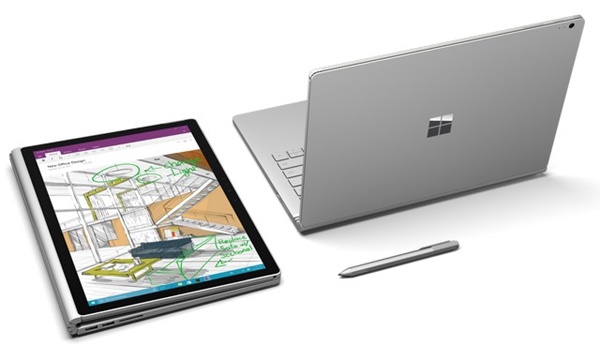
The Microsoft Surface Book

Microsoft released the Surface Book on October 26, 2015 in the US, with later release dates for other countries.

In the barely two months since its launch, the Surface Book has gained a lot of traction on the market, by some reports, accounting (along with the Surface Pros) for what appears to be Microsoft’s new-found dominance over Apple in the tablet sales category.

This success is as surprising as it is easy to understand.

Easy because the Microsoft Surface Book, despite initial announcements of being Microsoft’s first laptop, is in fact more than that: a laptop-tablet hybrid (which counts in the above mentioned report)!

Surprising, because not many expected that there was a good potential market for laptop-tablet hybrids out there just waiting to be tapped. Which Microsoft seems to not only have confirmed, but already dominated.

The design and functionality of the Microsoft Surface Book is, admittedly, impressive.

It splits into two parts: a bottom, solid keyboard base which also has the nifty capability of acting as a tablet stand and a top, completely functional and detachable tablet (including a battery).

When connected, they become a proper laptop. In other words, it doesn’t look, feel or function like a tablet with a support that happens to be a keyboard.

This also has to do with the brilliant hinge that allows you to move the screen of the laptop (in this case the tablet itself).

Because most of the important hardware is built-in into the tablet, it is of course heavier than a normal laptop screen. So the hinge was a critical component to take into account to prevent the screen from closing or falling backwards under its weight.

It’s made of multiple strong segments that neatly extend or retract as needed.

However, there’s a downside to this as well: when in a fully closed position, because of these segments, there is a bit of space at the back of the laptop, where the keyboard base and tablet are joined (think the spine, if the laptop where a book).

The tablet itself is a 13.5 inch display one, but with an intriguing, not so frequently used 3:2 ratio. It’s also slim: 8.5 mm.

As regards technical specifications, the Microsoft Surface Book is highly capable. With varying configurations you can choose from, but all of them with sufficient computing power and capabilities.

From the Intel ‘Skylake’ Core i5 CPU, 8 GB of RAM and 128 GB of SSD storage cheaper entry-level models to the more expensive higher-end Core i7 CPU, 16 GB of RAM, and 1 TB of SSD storage ones. The latter also has a dedicated 1GB Nvidia GPU.

Prices currently range from 1,499 $ to 3,199 $.

Whether the Microsoft Surface Book success was just a fluke or Microsoft is actually on to something remains to be seen, but early signs are very promising. What do you think?

Image source: 1.

Filed Under: Headlines Tagged With: laptop and tablet hybrid, microsoft, Microsoft hybrid, Microsoft hybrid laptop and tablet, Microsoft Surface Book

Sennheiser Momentum 2.0 Review – Excellence in Sound

December 14, 2015 By Deborah Campbell Leave a Comment

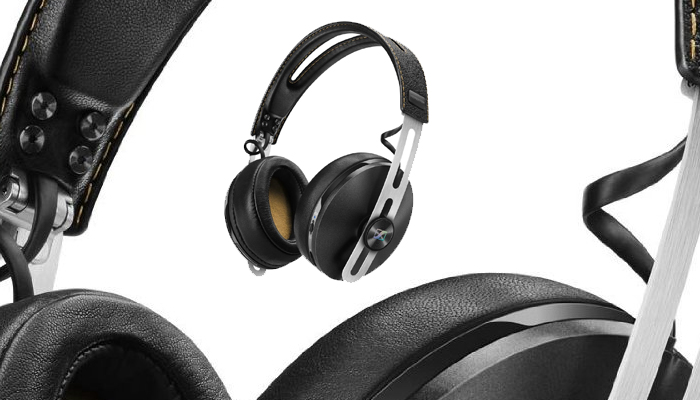
Sennheiser Momentum 2.0 Header

Coming as what it supposed to be an upgrade to the original Sennheiser Momentum, the Sennheiser Momentum 2.0 have heard the voice of the users and heeded to them. The users of the initial model weren’t particularly happy with the size of the ear cups and with the set’s portability. Thus, the manufacturer has changed a number of things about them – both internally but visually too.

So that is how the second iteration of the series has come to be; the end result is an even more outstanding pair of over the head headphones than the previous – featuring not only a sleek look but absolutely stellar performance too. However, it’s to be considered that this pair of headphones isn’t necessarily directed at audiophiles in particular. While their performance is nearing on the best you can get this year, they’re not meant for activities such as sound mastering or track mixing.

However, as an all-purpose set of headphones that you’ll use for both listening to music or watching movies and gaming, the Sennheiser Momentum 2.0 are absolutely outstanding. They come in both wired and wireless variants, with the latter considerably being more expensive. Do, also, make note that it comes in two models – one is an iPhone compatible version, while the other is made for Android and other phones.

Pros:

  • Stellar performance
  • Excellent sound quality, possibly one of the best on the market
  • Great design and comfort

Cons:

  • Expensive, especially the wireless version
  • Different version for iOS & Android respectively

Sennheiser Momentum 2.0 Design

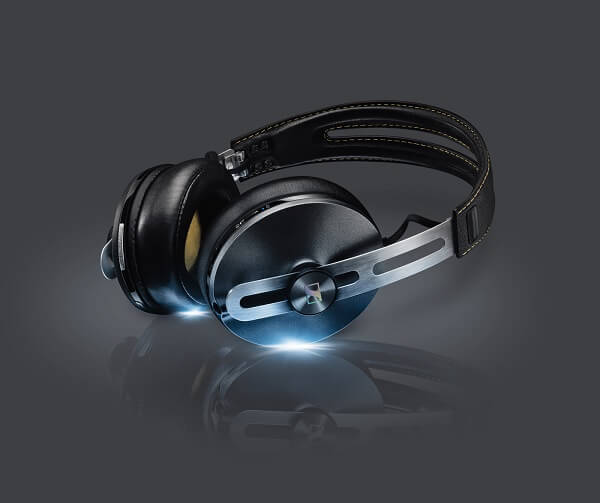
Sennheiser Momentum 2.0 Black Design

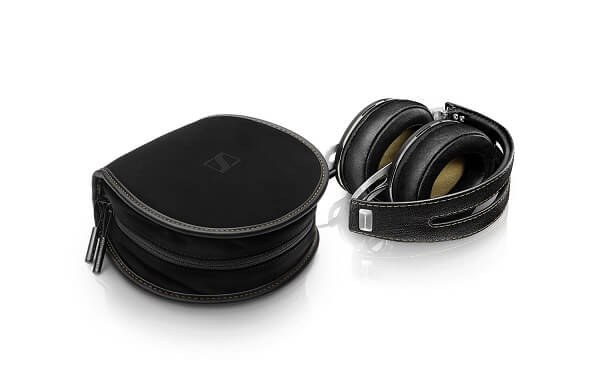
As soon as you take the Sennheiser Momentum 2.0 out of its packaging, you’ll already notice that the manufacturer has attempted to maintain the headphones to fold similarly to how their predecessors did – despite the overall increase in size. The packaging itself is done very nicely and inspires reliability: tugged into a base of sponge-like material you will find the Sennheiser Momentum 2.0 case, and inside that the headphones await in a fabric bag of their own.

Sennheiser Momentum 2.0 Headphones + Case

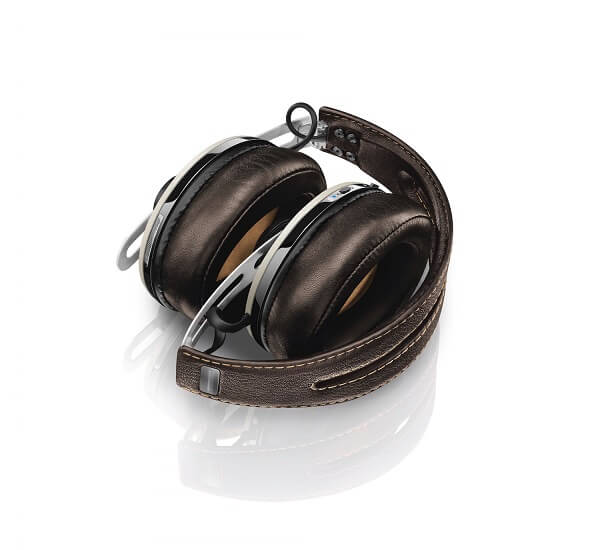
As one would expect, given the packaging, the headphones are folded neatly, similarly to how the original model did too: inwardly, parallel to the headband, stacking the ear cups on top of the other. While this is not the most space saving way to fold them, the bag and case are designed to take as little space as possible. Most likely a lot less than your usual travelling cosmetics bag! Along with the headphones themselves you also get the removable cable for your platform of choice (iOS or Android) tucked neatly in a plastic wrapper.

Sennheiser Momentum 2.0 In Case

Sennheiser Momentum 2.0 Folding

The headphones themselves employ a great overall design, mixing metal with solid-looking plastic and two types of leather. I actually enjoyed the fact that there’s not an extensive use of plastic in the headphones’ build. Normally, plastic turns out to be the most unreliable part of headphones, also being the most susceptible to wear and tear. There’s not much of that to mention here, so from that perspective you should be safe with wearing and using the Sennheiser Momentum 2.0 on ear headphones for an extended amount of time.

Sennheiser Momentum 2.0 Leather

The headband is designed beautifully, with a special vintage-looking patterned layer of leather covering the top of it, splitting down the center for a great-looking effect. Underneath the band there’s a fair amount of padding to keep the headphones resting comfortably on your head. However, they may seem a little rigid for some as the headband looks particularly thin. An effect of Sennheiser’s attempt at keeping the headphones in the “highly portable” category, given the way they fold in the first place.

Sennheiser Momentum 2.0 Headband

The headband ends with metallic caps that mask the point where it switches to the metallic headband extensions. If you look on the inside of the headphones, you’ll notice that each side is pinned using 4 small bolts so you shouldn’t worry about the sturdiness of it.

Sennheiser Momentum 2.0 Pads

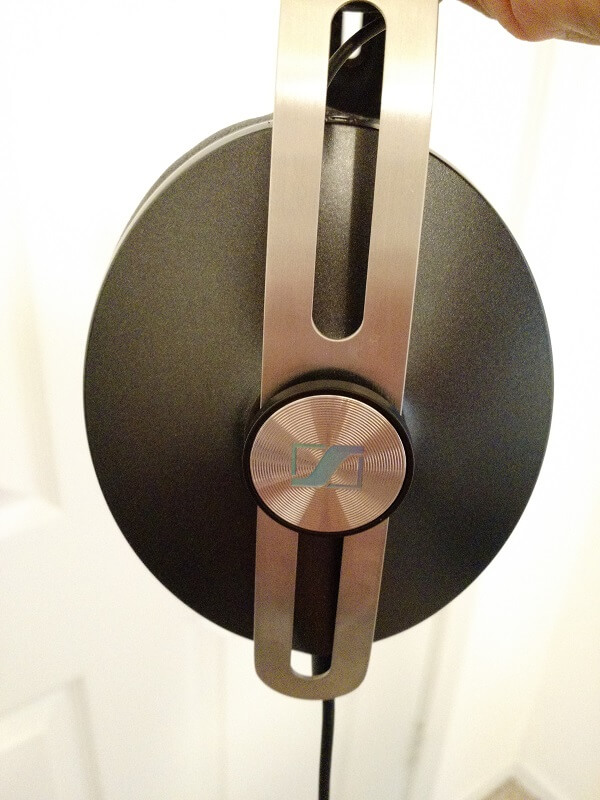
The metallic continuation of the headband features the same central slits, giving the Sennheiser Momentum a great aesthetic design. However, this time around, the specially designed brushed stainless steel is not all about looks. These serve as sliders on the headband, allowing you to adjust the overhead size of the headphones, giving a fair amount of customizability for anyone wishing to wear and use them. For this purpose, the cables that travel through the headband and to both ear cup separately are placed in such a way that not even extending the headphones will stretch them out, preventing any damage to the contacts.

The ear cups have grown in size quite a bit to say the least – that was one of the original problems with the first iteration of the Momentum series. The back of the cups features a circular pin that’s in charge of holding your size adjustment of the headband in place and features the Sennheiser logo in the middle. The exterior pads looks sort of metallic on first glance, but are actually made from a sturdy type of plastic and is coated in a smooth and shiny looking layer of paint. The metallic ring that goes all around the pads is the last eye-catching detail before the leather-covered ear pads.

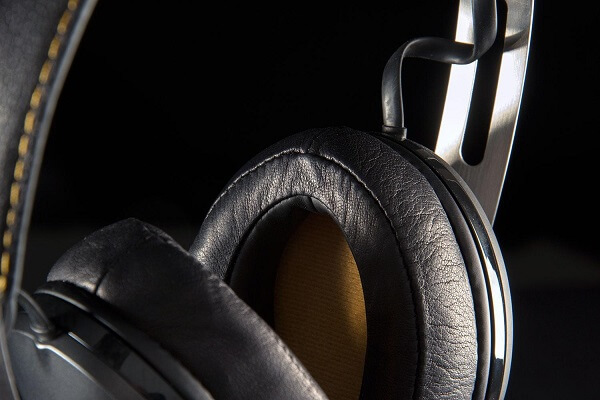
Made from an amazingly soft padding, the cups are large enough for anyone. Sennheiser made a focus out of comfort, thus you won’t have any problem with the Momentum 2.0. The cups offer plenty of space without pressing down hard on your head but unfortunately lack the ability to spin sideways or swivel for some extra adjustment options. The felt-lining that covers the headphones’ drivers barely comes in contact with your ear, not only improving the way you perceive the sound emitted through them but also preventing any mishaps, were you to get a little sweatier. Considering it’s leather covering the ear cups, if you use the Sennheiser Momentum during the summer – for example – you’ll most likely end up feeling a little hot because of it. But that’s just the eternal issue of leather really.
If you look closely, you’ll notice a jack in one of the external pads of the ear cups. That is where you plug in your detachable 3.5 mm jack cable. While the new design choice of most circumaural headphones manufacturers is a great addition to the longevity of their products – by allowing you to just replace the cable if it wears out and not have to buy an entire set of headphones altogether – it comes with its own issues. There is a locking mechanism that keeps the wire in place and prevents it from being ripped out by accident. While that’s actually a great thing to have, you will always end up having to lock it in manually (that is done by twisting it in the socket). And while it’s great to not accidentally take the cable out while you’re using the headphones, I would personally prefer for the jack to pop out if I accidentally pulled on the cable (it happens more often than I’d like to admit), rather than risk damage to the inside of the wire.

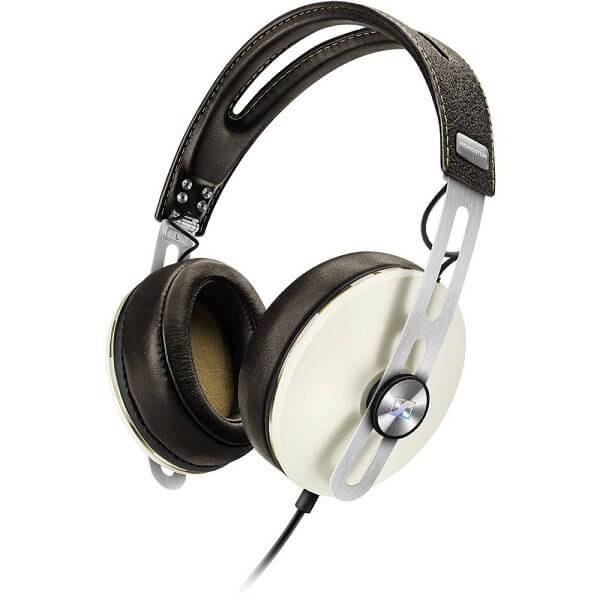
The Sennheiser Momentum 2.0 headphones comes in three color variations: ivory – with cream-colored pads and light brown leather – brown and black.

Sennheiser Momentum 2.0 Features

Sennheiser Momentum 2.0 Cable

Sennheiser Momentum 2.0 Cable

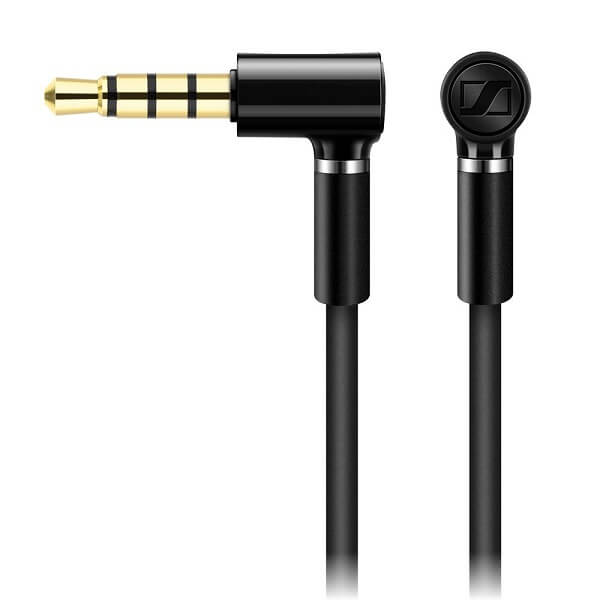
As I’ve mentioned before, there is a removable 3.5 mm jack cable that comes separately in the headphones’ package. It features gold-plated plugs on both ends of the 1.4 meters cable and features an angled design for the end that you plug into your audio device such as smartphone, music player or computer.

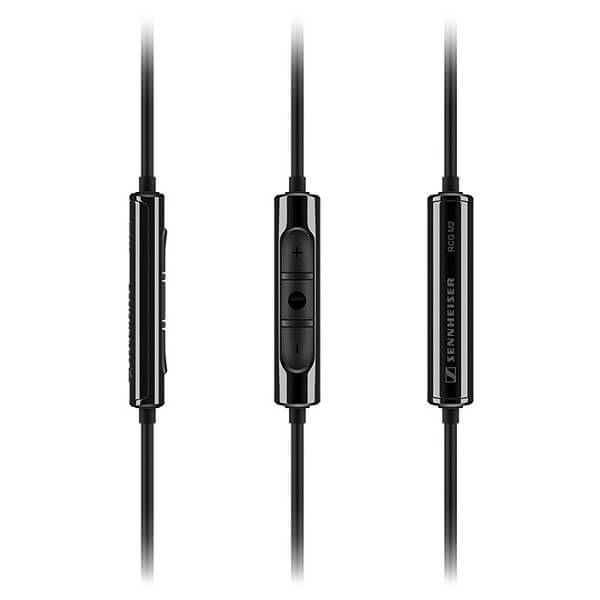
The cable features an integrated in-line remote down lower on the wire; it has 3 buttons, allowing you to both control the volume without needing to take out your phone for example, as well as play and pause your current track. I know this is wishful thinking, but I can’t wait for the day when these remotes will include a button or two for going back and forth through songs.

Sennheiser Momentum 2.0 Remote

Naturally, there’s a microphone included on the cable as well, thus allowing you to use the Sennheiser Momentum 2.0 headphones with your mobile phone, provided that you own a compatible model, according to which type of cable you purchased (iOS or Android).

Sennheiser Momentum 2.0 Sound Isolation and Noise Cancellation

The Momentum Sennheiser headphones do a great job of isolating outside sounds when you use them. Thanks to the fit design and the way they completely cover your ears, you should have a pretty good muffling of outside noises, no matter where you are or how loud they are. I personally don’t enjoy doing this to an extent due to the slight danger attached to not hearing outside noises when you’re out. Maybe it’s really just me being paranoid.

Noise cancellation is another particularly important aspect where the Sennheiser Momentum over ear headphones really shine. If you recall our recent Best Noise Cancelling Headphones of 2015 article, the original Sennheiser Momentum model made it in the top 10. Truthfully, not much has changed in that direction, with the 2.0 version offering about the same amount of noise cancellation. The NC is done through 4 exterior microphones and can actually be turned off this time around. There is a neat feature that you’ll find on these headphones thanks to the VoiceMax dual-omnidirectional microphone that will make sure to cancel the outside noise when you’re using it for phone calls. It can also playback your own voice to in order to control the volume you speak at. But personally, that is an awfully distracting thing to make use of when talking on the phone.

Sennheiser Momentum 2.0 Specs & Sound Quality

Sennheiser Momentum 2.0 Performance

The Sennheiser Momentum headphone has an impedance of 18 ohms. That is a low value, meaning it not only uses very little power but also delivers a fairly high audio level to make up for the otherwise low sound amplification that phones or other small, portable devices of the sort are usually capable of. But that also pretty much sums up the fact that you won’t and shouldn’t be looking at the Sennheiser Momentum if you’re planning to use them as your go-to music producing studio headphones pair.

The Sennheiser Momentum headphones have a frequency response of 16 Hz to 22,000 Hz, which means it’s just a bit over what the human ear can even perceive (20 to 20,000 Hz). However, just the range alone cannot atone for the headphones’ actual performance in all of the bass, mids and treble ranges.

Lows / bass: the very low frequency sounds of the Sennheiser Momentum 2.0 were particularly rich sounding without resorting to bass boosters that many other types of headphones opt for. While the bass itself is decent, if not lacking control to some degree, it’s the mid-bass that seems to shine a lot, while the sub-bass can be more or less too contained for one’s liking.

Mids: The mids of the Sennheiser Momentum could easily be considered the area of expertise of the lot; mostly complimented by the mid-bass power, mids sounded particularly rich, broad and punchy. Clarity is definitely not a weak point of the mids as they are featured by these headphones. Because of that, vocals are depicted beautifully by the Momentum, gifting them with a high degree of cleanliness, detail and clarity.

Highs / Treble: the headphones slightly start losing ground again at this level of frequencies. Because of a lingering dryness and overly felt crispiness of the highs, the Sennheiser Momentum may not end up to everyone’s liking.

The harmonic distortion in the sound of the Sennheiser Momentum doesn’t exceed 0.5%, thus only underlining the amount of clarity that the headphones are really capable of. Soundstage is depicted very well too, with a fair distinguishable difference between the instruments and expansive depth and width of the sound.

Sennheiser Momentum 2.0 Verdict

So what are the most important points of this here Sennheiser Momentum review? This pair of headphones have really brought a considerable upgrade to the previous model of the headset – exponentially improving the design in terms of comfort and portability. From that perspective you can easily say that the 2.0 version is one of the best choices you can make in terms of both home and outdoors use. They’re stable, they offer a very good amount of noise cancelling and sound isolation, making them a great pair of headphones, with their compatibility to phone calling only being another plus. Not to mention their great design.

The fact that they’re only compatible with one phone family at a time however, is something most people will frown upon, especially given the fact that Sennheiser Momentum 2.0 are anything but cheap.

You can purchase the Sennheiser Momentum 2.0 for $349.99 directly from the Sennheiser online store. The Wireless variant of these headphones is consistently more expensive however – no less than $499, making them one of the most expensive choices.

Image Source: 1, 2, 3, 4, 5, 6, 7, 8, 9, 10, 11

Filed Under: Headlines Tagged With: sennheiser circumaural headphones, sennheiser m2, sennheiser momentum, sennheiser momentum 2.0 review, sennheiser momentum headphones

Yahoo Mail Gets Support For Gmail

December 13, 2015 By Deborah Campbell Leave a Comment

Your access to your accounts is easier now that Yahoo Mail gets support for Gmail.

Yahoo Mail gets support for Gmail, making it easier for you to access your accounts.

It seems rivalry has lost some of its importance for the good of the users. Two months ago, Yahoo Mail received an upgrade in order to support other webmail services, such as AOL Mail, Microsoft’s Outlook and Hotmail. Today, Yahoo Mail gets support for Gmail, one of the most popular platforms among users.

The announcement was made on the official Tumblr blog of the company. The latest update of the application is available globally on both the Apple Store and the Google Play Store. Yahoo made this possible by expanding its IMAP support related to servers. Users can now manage all their email accounts by using the Yahoo Mail app.

Furthermore, the feature can be accessed on desktop browsers, which gives you even more mobility. All you need to do is go to the Account Settings of Yahoo Mail and choose the options that are of use to you.

The California-based company seems to have taken this measure in order to draw more users to the email platform, as it is not as popular as it used to be. We shall see in the near future whether they will manage to reach their goal or if the people will remain loyal to other companies.

The previous update that we mentioned earlier included a new design for the application, as well as several modifications for the browser inbox. It is easier now to add pictures and videos, but also links, GIFs or whatever other files you wish to send.

Additionally, the security was improved, since Yahoo Mail was well known to receive a lot of spam. The contacts can also now feature more information, you have the option to undo the emails you have sent and you have a larger palette of filters when searching within your inbox.

Last but not least, the feature named “Yahoo Account Key” was added in order to give the possibility of syncing several email accounts on different services and mailboxes. This feature also enables you to log in by tapping a button instead of having to login using passwords every single time.

As Yahoo Mail gets support for Gmail, we are witnessing once more the evolution of both technology and trends. When you are not as successful as you used to be, you need to parlay with the enemy. You know what they say, if you can’t beat them, join them.

Image Source: 1

Filed Under: Headlines Tagged With: email application, email inbox, Yahoo Mail Gets Support For Gmail

Asus Memo Pad 7 Review: The Little Tablet That Could

December 7, 2015 By Deborah Campbell Leave a Comment

Asus Memo Pad 7 Header

We expand our list of budget tablets that are worth at least taking into account when deciding to purchase one with the Asus Memo Pad 7: the spiritual successor of 2013’s Asus Memo Pad HD7. While the name not only does not imply it, but actually ends up doing the exact opposite – the Asus Memo Pad 7 is the series’ iteration that came a little over a year later but actually didn’t end up bringing astounding improvements over its predecessor.

There is never a shortage of tablets that fall into the low budget category; however, the grand majority of them end up particularly disappointing because manufacturers choose to cut corners on some very important aspects of the build. Now, depending on what a person wishes to purchase a tablet for, this may either be walked past with no problem or be an absolute disaster for other potential buyers.

The Asus Memo Pad 7 is a great example of an affordable tablet, especially handy now that the holidays are on our doorsteps. To be frank, the tablet doesn’t particularly stand out in any aspect and even struggles with some of them, but ultimately ends up being a decent piece of hardware that you can use for your daily internet-related routine or family time. So, on to the Asus Memo Pad review.

Pros:

  • Affordable
  • Decent Build
  • Great Quality to Price ratio

Cons:

  • Outdated Hardware
  • Performance Issues
  • Even more underwhelming in the camera department than tablets usually are

Asus Memo Pad 7 Design

Aesthetically, the Asus Memo Pad 7 is hardly an innovation. It’s a relatively small tablet, a fact only emphasized by the fact that the bezel surrounding the screen in a little on the wide and large side. That also takes away some of the charm from the tablet’s overall look and making it feel a little buried in the bezel and unsatisfactory to some. It has a 66% screen to body ratio which is a lower than average number; as a comparison, the Samsung Galaxy Tab S2 scores a 72.7% ratio while the Apple iPad Air 2 only goes up to 71.6%.

Asus Memo Pad 7 Front

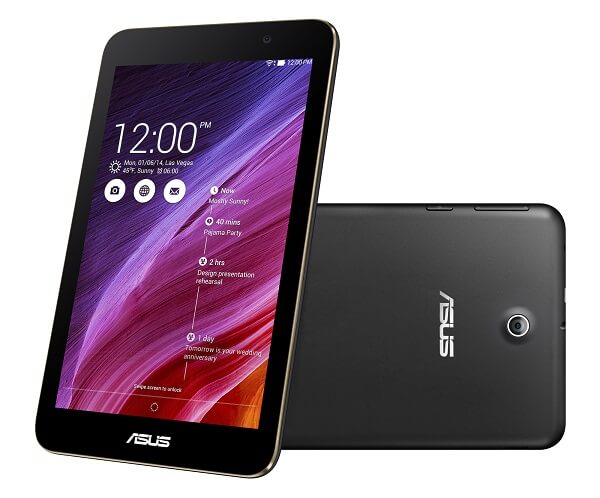
There are no quirky features that seem particularly attractive about the tablet other than the metallic frame that peeks out all around the edges, breaking the uniformity to some degree. The edges are also slightly curved to give the tablet a good grip. Considering that its size falls into the small category, chances are that you’ll be able to hold it up single-handedly comfortably when watching something for example. It’s only 295 grams heavy so it shouldn’t weigh too much on your hand or become uncomfortable. At its overall dimensions are 189.3 x 113.7 x 9.6, it’s even smaller than an iPad mini 4, but considerably thicker. That’s also a result of the curved back that doesn’t look half bad and gives the tablet a smooth feel through the plastic but slightly rubberized texture that prevents slipping and will secure your grip on the Memo Pad.

Asus Memo Pad 7 Back

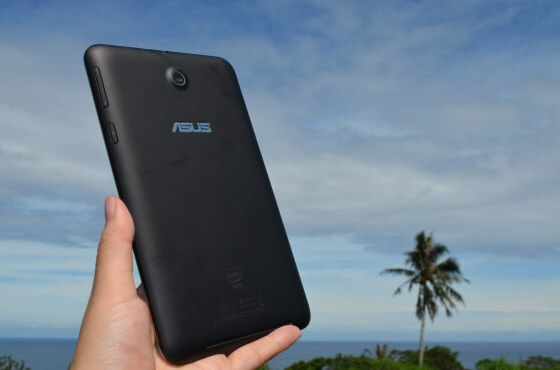
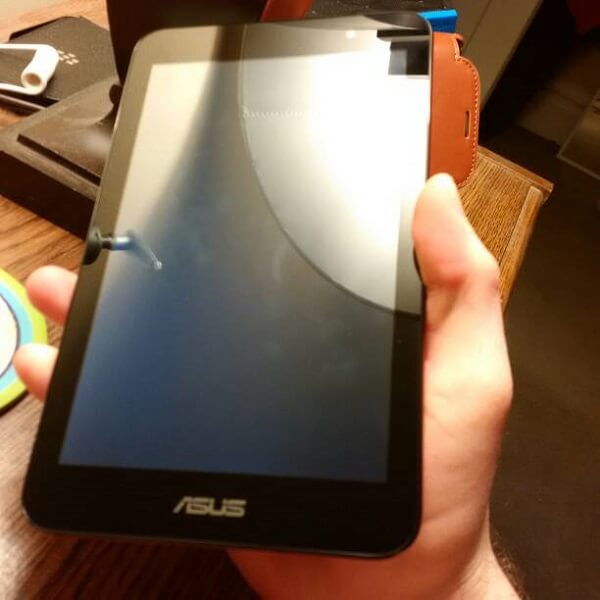
The front of the tablet displays the Asus logo at the bottom, underneath the screen and a front-facing camera in the top right corner. We consider the portrait positioning as being the default one. The back of the Asus Memo Pad 7 displays an unusually large camera sensor that slightly juts out in a non-upsetting manner.

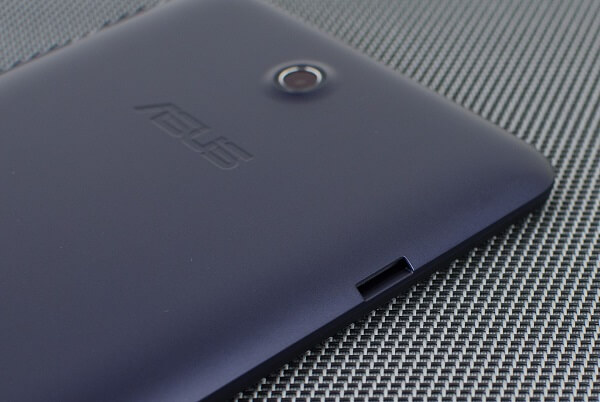
In terms of button placement, the tablet has a more unusual location for its volume rocker and power button: on the right side of the tablet, on the curve the surface makes towards the edge. While that may feel a little unnatural, it’s not hard to get used to it nor will you find the respective buttons hard to use or in any danger of accidentally pressing them. The opposite side hosts the microSD card slot, unfortunately not covered by a door so that is one aspect that you may want to take extra care of just to make sure you don’t lose your SDs by mistake. The top side of the Asus Memo Pad 7 tablet hosts the 3.5 audio jack and a micro-USB port for charging and data transfer.

Asus Memo Pad 7 Back and Side

The tablet doesn’t look like it has any particular physical weaknesses, with no visible creases or exposed bits that could end up being damaged by continuous use. Visually – and this may not be regarded as positive feedback – the tablet actually reminds me of the old Samsung Galaxy S, given the metallic frame running along its sides.

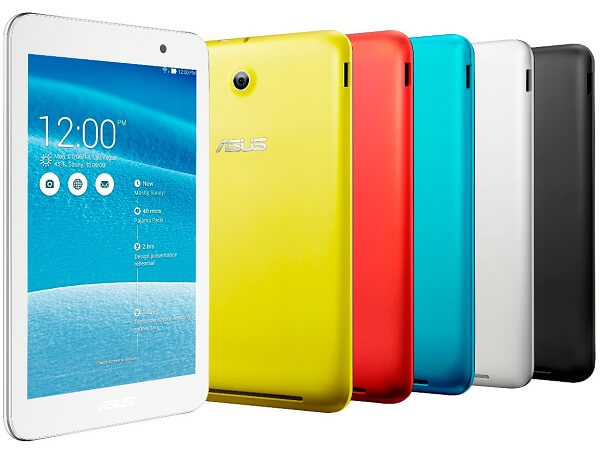
You can purchase the Asus Memo Pad 7 in 5 color variations: black, white, red, yellow and blue – making it appealing for both professional and family use alike.

Asus Memo Pad 7 Color Variants

Asus Memo Pad 7 Display

The Asus Memo Pad 7 employs an IPS LCD capacitive touchscreen that measures only 7 inches. Considering that we have seen 6 inch phablets, the tablet is really modestly sized and rather inspires something you would have your child use for entertainment. It is capable of multi touch of up to 10 fingers at once so any kind of game or app will not have any problem of being used on this tablet.

The display isn’t amazingly brilliant. For starters, it will only display a maximum resolution of 1200 x 800, a lot lower than you can get for high-end smartphones for example. Given its size, the tablet only manages to reach a 216 ppi pixel density, meaning you might end up thinking images look a little blocky and that reading small text is a little more tiring than it should. Secondly, the screen doesn’t seem to have been coated in the usual Corning Gorilla Glass that we see on most, if not all average and above devices. Don’t misunderstand me, the screen is by no means frail as it still has a toughened glass build protecting it from scratching and smudges, but it’s just not the material we’ve all grown accustomed to.

Because of that, the display of the Asus Memo Pad 7 has some considerable issues with reflexivity: viewing the images depicted on the tablet in clear daylight – or worse, sunlight – will turn out to be irksome as the image loses a lot of its vibrancy. In average lighting conditions, the screen is satisfactory to say the least in terms of color range and color accuracy, it’s just that the viewing experience may fail to impress a fair bit.

Asus Memo Pad 7 Reflexivity

The fact that the maximum brightness that the Asus Memo Pad 7 is capable of isn’t outstanding by itself is one of the culprits behind that as well. The story goes down the same road when it comes to viewing angles: the image loses a considerable amount of brightness as you start rotating the tablet and viewing the image from the sides. On the upside however, the tablet has its very own customizable color temperature and saturation, allowing you to tweak the way things look on it to your own liking – whether you prefer vivid, saturated colors, or you’d rather aim for warmer hues over colder.

While we can’t say that the screen is necessarily bad, it’s just two or three things that happen to feed upon each other and amplify certain effects such as overall visibility on the Asus Memo Pad 7. However, this shouldn’t discourage you from two perspectives: one is the fact that this is, after all, a budget tablet. The other one is the fact that unless you’ve used amazingly detailed and clear displays on your other devices in the past, the effect is really not upsetting.

Asus Memo Pad 7 Specs & Performance

By far the most important part if the entire tablet, this is the one chapter where performance results have the unusual effect of not matching the hardware that we saw on paper. while the Asus Memo Pad 7 is a remake of 2013’s version of the tablet more than anything else, it did get some tweaks here and there. One of the upgrades that you’ll be able to find on this version over the predecessor is the processor. While the HD7 sported a Mediatek MT8125 quad-core 1.2 GZHz Cortex-A7, the Asus Memo Pad 7 brings to our table the Intel Atom Z3745 quad-core 1.86 GHz CPU, part of the Bay Trail chip family. It’s a core processing unit that is very familiar for a number of devices simply because it manages to pack a decent amount of power while keeping the costs to a minimum.

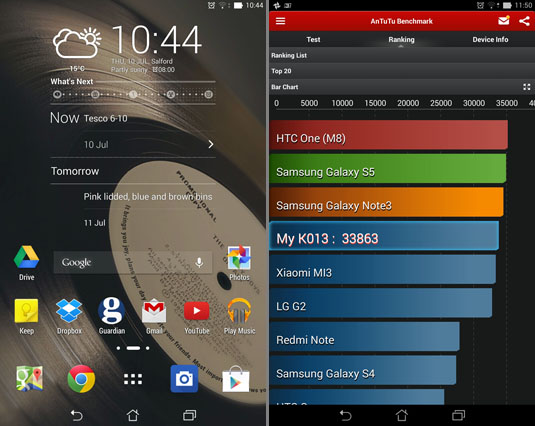
If we’re to take benchmarking results into account, this unit is comparable to what was considered state of the art technology 2 or 3 years ago. It scored 765 on the single-core Geekbench 3 and 2038 on the multi-core scale.

Asus Memo Pad 7 Benchmarks

In terms of storage space, the tablet may seem underwhelming to some extent considering that it only comes in 8 or 16 GB HDD space respectively, but thankfully to the microSD card slot, that shouldn’t be a problem when it comes to storage management.

Asus Memo Pad 7 Features & Software

If you’re looking for a pure, stock Android tablet for your holiday gift shopping, I’m afraid that the Asus Memo Pad 7 may not be for you; there aren’t that many tablets that come from other manufacturer than Google, Samsung and a few examples from Dell that do. However, the Memo Pad 7 manages to pull off a skin that is anything but upsetting and “bloaty”.

The Asus Memo Pad 7 features the Andoid 4.4.2 KitKat operating system. Considering the tablet has been out for a while and yet there haven’t been any updates announced for it, there is a chance you will end up being stuck with this one for a while to come. That means you wouldn’t be able to enjoy Android’s Material Design on this one. Although that is a bit disappointing, the interface of the Asus Memo Pad 7 is anything but not stylish. It’s clean, it’s comprehensive and very practical; only a few minuses have made their way on this tablet.

What this tablet does on top of adding its very own native app of various utility, it also provides its own input when it comes to some of the basic apps by replacing them with Asus’ own version of them. The e-mail app, contacts, calendar, image gallery and even the keyboard have been given a new and different look.

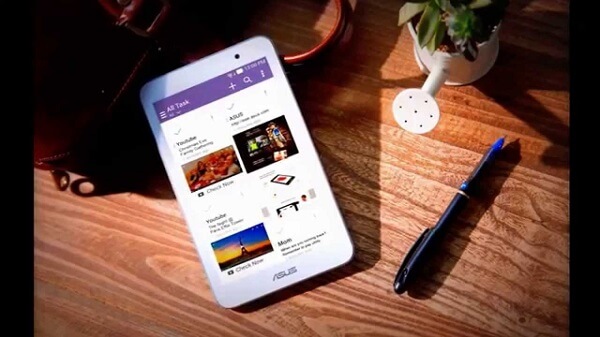
The extra apps that you would be getting with the Asus Memo Pad 7 are mostly useful and very much excusable content, such as the Asus cloud storage app. Considering that if you purchase the tablet you get 5 GB of Life Time ASUS Webstorage Space as well as an extra 11 GB for the first year of usage, the manufacturer put in an app for you to be able to easily use when making use of the cloud services. There is a native, Asus-only application that you get access to – the Party Link which allows you to instantly share photos with 3 other people in your vicinity – which would be great if it wasn’t restricted to Asus devices alone. Other than that, you get a to-do note list app, Accuweather’s weather app, a Kindle app and Zinio, a multi-platform hub of digital magazines.

Anything else in terms of utility, you’ll most likely have to handle yourself and download manually off the Google Play – which thankfully offers a wide variety of applications that are compatible with the Asus Memo Pad 7. The interface itself hasn’t gone through a whole lot of changes, everything being controlled and navigated the same way. While the device is multi touch capable, there is no gesture control interface or anything of the sort.

There is one aspect of the Asus Memo Pad 7 that you may find very useful if you’re planning to allow your kids to use the tablet. The operating system allows you to set locks on certain applications that you have installed on the tablet. So for example, if you wanted to let your child only doodle, watch cartoons or play games on the tablet you can easily restrict his or her access to other parts of the system – whether we’re talking YouTube or System Options.

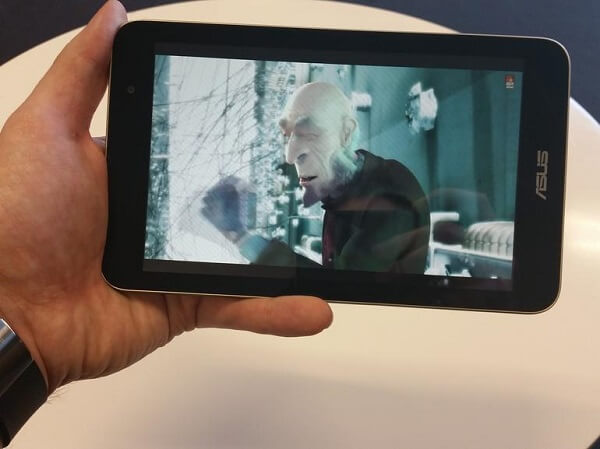
Asus Memo Pad 7 Movie Viewing

In terms of performance, the Asus Memo Pad 7 has an unexplainably hard time with keeping its footing when running graphic intensive apps or when multitasking gets serious. You may experience a short moment of lag when switching between apps and don’t rule out frame drops if you’re attempting the latest 3D games on it either.

Asus Memo Pad 7 Camera & Battery Life

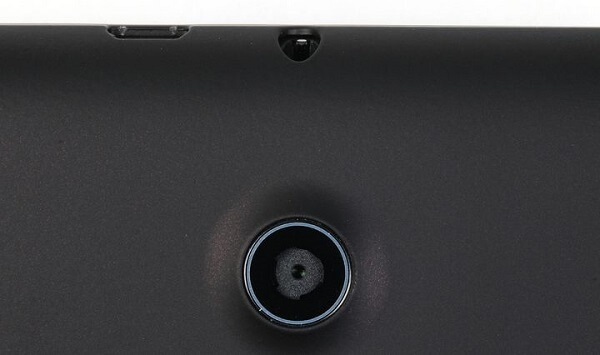
The same unexplainable latency that we just mentioned above manifests itself when it comes to the camera too. When trying to take shots you may end with more frustration that you were ready for as the image on the screen lags behind the real time conditions in considerable amounts. In the absence of a more advanced auto-focusing sensor, the rear camera will never be a competing force when it comes to taking shots. Furthermore, the rear camera is only a 5 megapixel one, meaning that the images that the tablet is able to render will hardly be satisfactory in terms of quality. While the rear camera allows video recording in up to 1080p, don’t get too hopeful, the quality isn’t any better.

Asus Memo Pad 7 Rear Camera

There is also a front facing camera that doesn’t exceed 2 megapixels. While you can use it to take selfies or video conferencing, don’t get your hopes up any more than you have for the rear one. Any of the cameras found on this tablet should really only be taken as a last resort and not much else.

Given the fact that hardware packed in the Asus Memo Pad 7 isn’t exactly the most lightweight build you can get, I think it’s a great fact that the battery life seems to be longer on the MP7 than it is on so many others. The tablet can handle itself for as much as 9 hours of video playback on one single charge thanks to the non-removable 3,950 mAh battery pack that was used in its construction. And as a plus, the one aspect that so many devices skip on for some reason, the Asus Memo Pad 7 also comes with a great amount of customizability your tablet’s power consumption – meaning that if you feel your device is eating up way too much power, there are a few things you can do about it.

Asus Memo Pad 7 Verdict

In the end, the Asus Memo Pad 7 remains a little, modest but reliable tablet that you can consider as a Christmas present for your kids or for any of the regular internet-related activities such as sorting through e-mails, reading documents, web surfing, watching movies and videos and whatnot. If you feel like you wouldn’t mind a display that isn’t up to par with the brightest and best looking screens out there, then the MP7 won’t give you any discomfort.

It’s far from one of the best but manages to make up for that through sturdiness and reliability – and everything at a price that doesn’t even come close to its more “advanced” counterparts. If I’d reviewed this tablet a year ago and unbiased by the more recent half a centimeter thick and downright power-house level tablets that are currently gracing our market, the Asus Memo Pad 7 surely would’ve received more praise than it has. And that’s without counting the extremely low Asus Memo Pad 7 price tag.

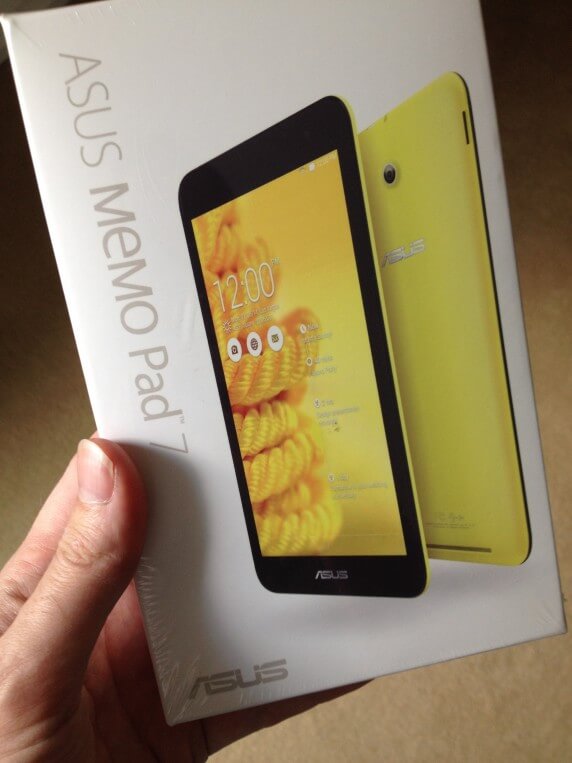
Asus Memo Pad 7 Packaging

You can purchase the Asus Memo Pad 7 from various online retailers for as little as $125 for the 8 GB version and $150 for the 16 GB one. Accessories for it, such as Asus Memo Pad 7 cases you can still purchase off of the Asus official website instead.

Image Source: 1, 2, 3, 4, 5, 6, 7, 8, 9, 10

Filed Under: Headlines Tagged With: affordable tablet, asus memo pad 7, asus memo pad 7 review, budget tablet

OnePlus X Review – The Best Power to Price Ratio There Is

December 2, 2015 By Deborah Campbell Leave a Comment

OnePlus X Header

OnePlus is the company that feels like it came out of nowhere, set and ready to overthrow the balance of the giants in the smartphone market and sweep them off their feet through highly competing devices but shockingly low prices. The first OnePlus was a success that managed to conquer a lot of ground by striking at the oh-so-desired phablet market by sporting comparable, high-end specs and much, much lower prices. It was not without faults however.

Just earlier this year the second phablet of the manufacturer came out – the self-proclaimed 2016 Flagship Killer that was OnePlus 2, another outstanding 5.5” phablet that looks like it will hold its ground very well against competitors – at least for the price class that it’s part of. However, OnePlus decided that it’s time to touch down on the more classic and exponentially more accessible market of smartphones. Thus the OnePlus X came to be – a smartphone that aims to achieve what its bigger brothers have, but from a different perspective this time around.

The OnePlus X has just been released earlier this month and is already available for purchase directly off of their website for the regular Onyx variant. But the means of getting your hands on one of the new OnePlus X Ceramic smartphones is far from simple. You can only get one of those if you get a select invite from a friend who is already part of the “select group” or obtain an invitation through various competitions posted online. There were only 10,000 units manufactured so far and the product is listed as out of stock at the moment on the official website.

In comparison to OnePlus’ previous productions, the OnePlus X naturally doesn’t raise the bar as high on the specs and stats spreadsheet, but still manages to pack a staggering amount of power in its 5 inches, while keeping the price as low as $249.

Pros:

  • Beautiful Design
  • Incredibly Cheap
  • Comparable to High-End Devices
  • Good Battery Life

Cons:

  • Doesn’t contain the latest hardware on the market
  • Doesn’t innovate in any way, only matches Competition
  • No Type-C USB charging
  • Difficult to acquire

OnePlux X Design

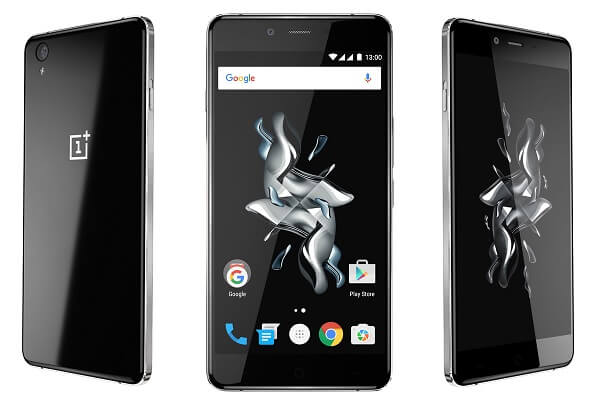
Starting with the very way the phone is built, the OnePlus X is different and still outstanding. Please correct me if I’m wrong, but I haven’t heard of any other manufacturer making use of zirconia ceramic in their smartphone builds yet. Well, this Chinese manufacturer has managed to do it. Surely, that is a limited edition of the OnePlus X, but it’s a worthy mention.

OnePlus X Front

We’ll be reviewing the regular model however, that features an anodized aluminum body with chamfered edges all around the frame. They are different that the curved glass design meaning that they’re placed there for aesthetic purposes alone. All along the edge of the phone, there is an indented metallic surface that both helps give the phone a great grip but also looks amazingly good in sunlight. While that is a mention-worthy design choice, the aluminum alloy is known to be a pretty malleable metal which, when cut so thin might suffer from damage and dents when you don’t expect it. While it hasn’t happened yet, you might be the unfortunate owner of accidental key dents in the sides of your phone following a higher impact for example.

The same ridged mesh cut that was featured on the OnePlus 2 phablet buttons is present here to – and even feels even more premium class cut than before. The corners of the phone are beautifully rounded, similar to how the most recent Apple iPhone 6 was designed.

OnePlus X Edges

OnePlus X Back Logo

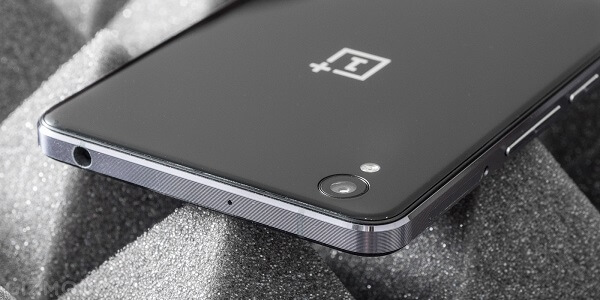
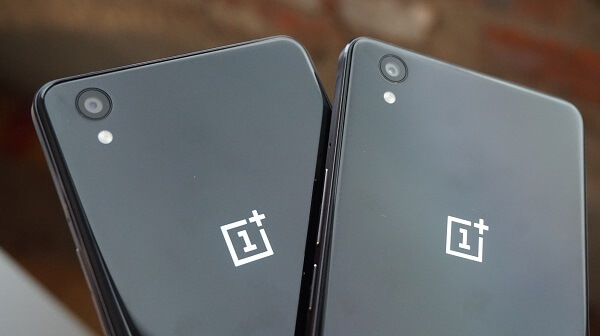
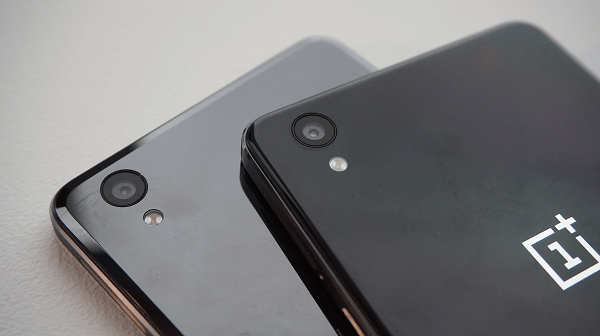
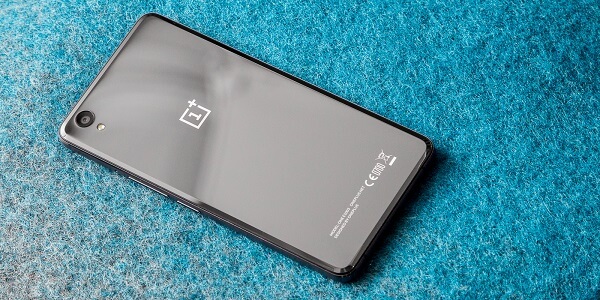
The back of the phone looks great, covered with a layer of Corning Gorilla Glass 4, giving the phone a glossy and smooth look. Behind the layer you can see the OnePlus logo shining in a contrasting color. Despite the fact that by looking at it one could think that the phone has a slippery back, that’s far from the truth. With the entire body of the phone spelling elegance and stability, there is one aspect which I found slightly disappointing.

The beautiful phone back that I’ve been praising has attracts fingerprints and smudges like there is no tomorrow. If you’re planning to put it in a case, then that should be of no concern to you, otherwise you’ll find yourself nervously wiping at it quite often to give it back its tidy, straight out of the box look. In the top-left corner of the phone you’ll find the rear camera sensor along with a LED flash.

For the 140 x 69 x 6.9 mm dimensions (or 5.51 x 2.72. 0.27 inches alternatively), the phone only weighs 138 grams (the limited edition of Ceramic build weighs 160 grams instead). Compared to the Samsung Galaxy S6, it’s the same size and comparable dimensions: slightly smaller and narrower, but adding 0.1 mm in thickness. No matter how you look at it though, the phone is outstanding in design, easy to use single-handedly, with more than a few thoughtful physical features.

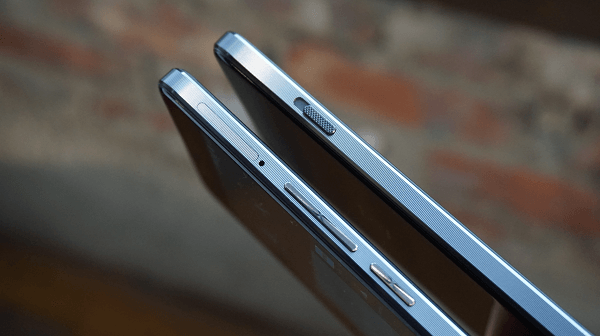
In terms of button placement, everything is kept simple yet intelligent. The left side features the alert button: for the OnePlus X, it is no longer a 2 setting button. Instead, it uses 3 different settings – receive all notifications, receive only priority notifications (set up through the phone’s user interface) or not allow notifications to go through. The power button along with the volume rocker rest on the right side. In this respect, I feel like the design choices could’ve been an idea better: there is a risk that you may accidentally keep tapping the power button when you’re actually just trying to turn down the volume. The buttons are right next to each other and aren’t palpably different.

OnePlus X Buttons

Right above the power button and volume rocker you will find a combined storage slot for either a microSD card or second SIM slot – unusual for the western market but relatively common in the Chinese one. The top side is where you will find the 3.5 mm headphone jack, on the left side.

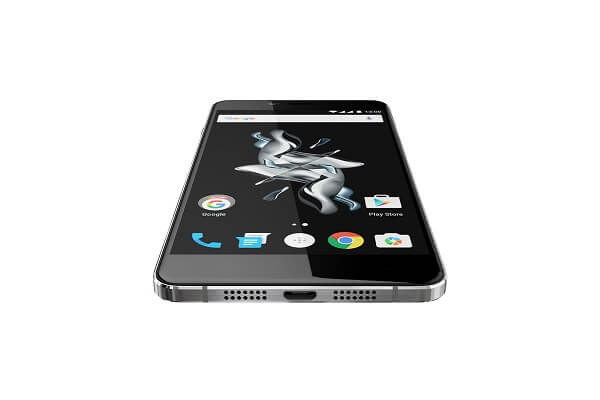
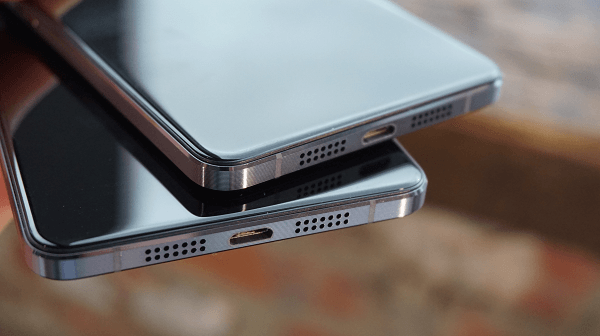
The bottom edge of the phone is once again a beautifully designed portion of the phone. To either side of the micro-USB charging port that lies straight in the middle, you will notice strips of speaker holes. However, one design flaw let’s call it even though it’s probably just a poor design decision rather is the fact that out of the two strips, only one of the actual speaker, the other being used as a microphone. That one aspect managed to create a lot of confusion on forums because of that from individuals who thought the second speaker was defective.

OnePlus X Bottom

With a ~71.3% screen to body ratio, you can imagine that the display stretches properly over the phone’s surface. It goes all the way up to the chamfered edges on its left and right, while only leaving a narrow bezel visible on the top and bottom sides of the phone. The top hosts the front facing camera, while the bottom features 3 touch buttons that assist with navigation.

Lastly, the one detail that OnePlus X has managed to achieve near perfectly is the fact that the antenna lines of the phone are almost completely hidden behind the Corning Gorilla Glass 4 layer on the smartphone’s back. The only portion where they show are the top and bottom edge of the phone.

OnePlus X Display

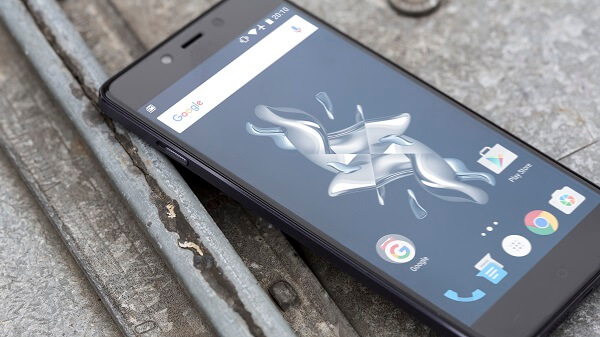
If you ever got your hands on the OnePlus 2 phablet, everything you loved about the display on that device you will find on the OnePlus X just as well. The exact same crisp AMOLED capacitive touchscreen display is present here too, except it is 0.5 inches smaller. At only 5 inches however, the screen still maintains an amazing resolution and inherent pixel density. The maximum resolution that you’ll be able to enjoy on the OnePlus X display is 1920 x 1080. While not the absolute maximum you find these days on handheld smart devices, it still gets a giggle out of me when I think about my older 24” monitor back home that has a maximum native resolution of 1920 x 1080 – a fact that can help us realize just how far smartphone screen technology has gone.

OnePlus X Screen

With a 441 ppi pixel density, the full HD display is as crisp as you would expect, with an outstanding level of detail. Because it’s an AMOLED build, it is particularly bright and fares well in sunlit areas. However, in order to be able to state that the display of the OnePlus X is truly bright, you do need to crank up the brightness levels to, or at least close to maximum. On default brightness, the screen doesn’t stand out that much in terms of brightness. Similarly, the black levels are deep, offering a great contrast.

Colors are vivid and crisp, making the phone absolute eye-candy – that is, if you’re willing to accept a little color oversaturation, but not a truly upsetting amount. Viewing movies or videos on YouTube is an experience as good as you would have on any other high-end smartphone of the late 2015. Viewing angles are great; however, this is becoming a less and less important thing to mention as most new smart devices have adopted high-quality display builds that support a large viewing angle.

OnePlus X Specifications & Performance

Completely remove the price tag element from the picture for a second and take a look at the OnePlus X benchmark results. The OnePlus X scored the following: 23680 points in the Quadrant Benchmark, 41125 in the AnTuTu Benchmark 5, 937 in Geekbench 3 Single-Core benchmark and 2428 in the Geekbench 3 Multi-core benchmark. Now compare them to the LG G4 scores: 26736 in Quadrant benchmark, 48947 in the AnTuTu Benchmark 5, 1134 in the Single-Core and 2428 in the multi-core Geekbench 3 respectively.

Now let me remind you that the LG G4 is a pretty successful phablet that came out this year that were you to purchase you’d pay somewhere around $500 or more for. The OnePlus X doesn’t even raise the bar to phablet standards and yet will cost you $249. With that number-heavy introduction, let’s move onto what hardware we’ll be finding inside the OnePlus X.

The processor in the OnePlus X is a quad-core 2.3 GHz Krait 400 CPU with a Qualcomm Snapdragon 801 chipset. I’ll have to give it to it, the Snapdragon 801 chipset has been around a while. And even if older models do receive some facelifts as they start to age, it’s not last gen of core processing units. Regardless, it’s more than sufficient for anything you would ever want your OnePlus X to perform.

Also contained in the chipset is the Adreno 330 graphics processing unit – featuring a 578 MHz clock rate in the Snapdragon 801. Albeit a 2013 production, the GPU will handle even more demanding games, provided of course we’re not talking about upcoming 3D 2016 games which might still work decently, with the occasional frame rate drop.

Brought to compliment the GPU and CPU of the OnePlus X come no less than 3 GB of RAM memory – plenty to handle a great amount of simultaneous processes, multitasking and not lagging behind when you aim to stress test it a little.

Ultimately, the OnePlus X comes with a default internal storage of 16 GB – unfortunately the only storage variant you get like that by default. The good news is that like not so many others (especially not the newest devices that are released these days) it features a microSD card slot which you can use to give yourself up to 128 extra GB of storage space.

OnePlus X Software & Features

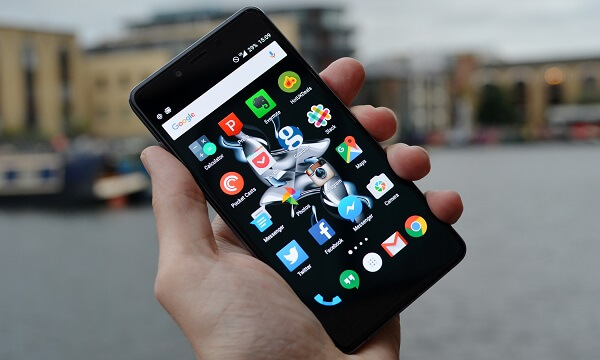
The OnePlus X runs a very basic looking Android 5.1 Lollipop operating system that’s been bestowed with the Oxygen OS user interface to spice things up and give the phone a unique look. While the OS is far from cluttered with third party apps or bloatware that one would expect with the personalized skins some manufacturers come up with, the Oxygen UI is far from it.

OnePlus X Oxygen UI

While it’s a shame that the OnePlus X, albeit a production less than a month old, did not come with the latest 6.0 Marshmallow operating system, the manufacturer has promise a rather speedy update. So current or future OnePlus X users will either start using it right away with the latest Android OS variant or won’t have to wait much longer for it (no official due date to speak of at the current time however).

The Oxygen UI overlay has a refreshing and simplistic look, only matching that in its utility. Everything is either where you expect it to be or intuitively placed; you won’t be having a hard time navigating around the operating system as a native Android user since it’s hardly different from the stock version.

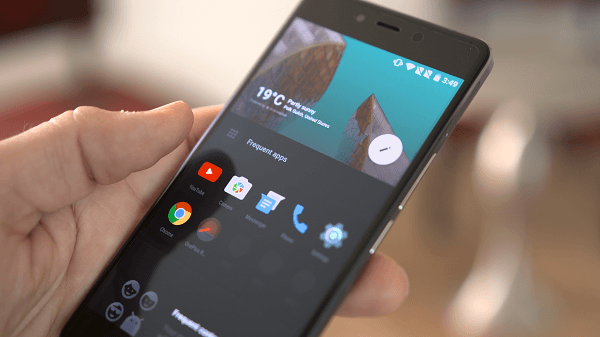
There are a few features that the UI comes with, specific to the OnePlus devices. One of the iconic things you’d be getting is the gesture menu: you don’t have to necessarily unlock your phone in order to access some of its basic apps. By tracing shapes on the screen you can gain immediate access to features such as messaging or your music. There is also no easier way to access your most common content – be it contacts, widgets, apps or whatnot – than by having it all gathered up in one window.

OnePlus X Frequent App

Customization is not a lacking aspect of the OnePlus X – or rather, the Oxygen UI which you can find on the other OnePlus devices as well – while there’s a dark and a light theme you can choose from, there are several accent colors you can choose from to personalize your phone to your own liking. On the customization note, it’s worth mentioning that the Oxygen UI keyboard (OnePlus Swiftkey) is slightly different than you may be used to but the Google Keyboard has also been included so you may at any time switch to it to enjoy the swipe typing that the latter offers.

OnePlus X Camera

It’s no surprise anymore that despite all the efforts that are put into manufacturing viable cameras for smart devices they’re still a far way off from replacing your DSLR on your next vacation. For most devices a camera (or even two cameras) have become mandatory even if they end up being underwhelming and downright unusable. Most comparable devices (in terms of price) are hardly worth mentioning in the camera aspect. However, if we’re to look at what the OnePlus X camera has to offer and weigh it against the price you would pay for the handset, you’re actually in for a treat.

The first feature that the 13-megapixel rear camera comes with that you may not find in many others is the phase detection autofocus – basically the ability to take focused shots either while you’re in motion on your subject is in motion, promising that all the detail of your photos will be captured in less than 0.2 seconds. Hilariously enough however, there was a slight lack of detail in close-up shots for some reason. Another moment where the autofocus may struggle a little more is in dim-lit environments where your photos may turn out to have a considerable amount of fuzz. Colors are vibrant and sharp and will look realistic in most cases.

OnePlus X Rear Camera

There is a solution to anything that may be amiss with your photo in terms of noise and clarity, but it comes with the camera’s software rather than actual photo capturing hardware. There is a feature called Clear Image that will allow your phone to actually take 10 different shots of a single scene and combine them afterwards into a very high quality photo. Naturally, this feature can only be used for static shots however as a moving subject immortalized through Clear Image will turn into a complete blur and nothing more.

There are plenty of other features you can enjoy on the OnePlus X camera app, but most are not that unique and you have probably seen on other smartphones – such as the Beauty, HDR or Panorama modes. To top it off, you can also shoot video with the rear camera: 1080p at 30 frames per second and 720p at 120 frames per second.

There is also a front facing 8 megapixel camera that while not impressive in its own right, does everything you would expect it to do in a timely and satisfactory manner – whether we’re talking selfies or video conferences.

OnePlus X Battery & Verdict

The battery packed in the OnePlus X isn’t outstanding in any particular sense: the Li-Po 2,525 mAh battery is a decently sized pack for a device of this level of performance, and even larger than the ones found is some competitors. The battery life is decent to say the least, a charge being able to last you 30 to 35 hours on low to average usage. It seems to be faring a little better than other smartphones when it comes to hardware-intensive activities however; watching movies for example will not burn through your charge in a couple of hours, but it will eat up about 15% of your battery every hour.

The one major downside is that the manufacturer didn’t add Type-C USB charging to the OnePlus X. It would’ve been quite the treat to not only be able to have all this technology packed into this shockingly good phone, but also have it charge on the fly. But I fear that’s a little more than just wishful thinking.

To wrap up, the OnePlus X is truly a masterpiece of Chinese manufacture. Despite the reluctance one may show at eastern smartphone producers – mostly based on experience with low-end, affordable devices – you shouldn’t look at the OnePlus X that way. Considering that it costs less than a half you would pay for most comparable devices and doesn’t skip on the design and hardware aspects either, you should consider that a plus right away.

OnePlus X Ceramic Edition

However, there’s no reason to lie to ourselves and say that the OnePlus X is the absolute best you can get: true, it is one of the best you can get for this amount of money but still a long way behind the best and newest devices out on the market.

You can get the OnePlus X for $299, provided you are part of the OnePlus club – in the sense that you received an invite – whether it’s through friends or competitions. There are no other ways of getting this smartphone as of now however, so the waiting list is not only long, but not guaranteed either.

Image Source: 1, 2, 3, 4, 5, 6, 7, 8, 9, 10, 11

Filed Under: Headlines Tagged With: oneplus x, oneplus x review, oneplus x smartphone

Hasbro Robot Pet Cat

November 20, 2015 By Deborah Campbell Leave a Comment

The Hasbro robot pet cat on someone's lap.

Do Androids dream of electric sheep? I don’t know, as I haven’t had the pleasure of conversing with one yet.

But our human peers at Hasbro, the American company that is one of the largest toy makers in the world, sure dreamed about electric pets. And not only dreamed, but acted upon this as well.

Because Hasbro has just launched a new toy which would fit perfectly in Philip K. Dick’s novel “Do Android Dream Of Electric Sheep” that I was not so subtly referencing above.

In the novel, a nuclear war has turned most of the Earth into a radioactive waste and rendered most animals extinct or endangered, which is why owning a live animal is considered a symbol of high social status (also being a great part of the religion of Mercerism based on empathy). So those that can’t find or afford to buy a biological animal order artificial robotic replicas instead.

Last time I checked, radioactive dust wasn’t falling down from the sky outside, so it looks like we’ve managed to get the perk of robotic animals without all the other bad stuff. Not so sure about that empathy being of the utmost importance in society yet, but I’m sure someone’s working on that as well.

The Hasbro robot pet cat, which the company calls the Companion Pet, has been designed with as much realism as possible in mind, featuring feedback to (some) outside stimuli, audio and motion outputs and the exterior aspect of a real feline.

In other words, if you move around the room it notices it and becomes awake (which also happens if you nudge its back). If you pet it it purrs (a feature which the company calls “Vibrapurr”). If you keep pet it it will lounge on its back and present you its belly, for rubbing. If you pet it even more it curls into a comfy position and goes to sleep. And if you touch its left cheek, it will emotionally blackmail you like a real cat, by moving said head into your hand. All of this while it is clothed in real fur which its creators endowed it with.

And there’s no hassle accompanying these positive manifestations mentioned above, as you don’t have to clean up after it or train it to use the litter or feed it. And most notably, it doesn’t have the typical feline moodiness that results in loving scratches and bites.

You do however have to remember to recharge it, because it works on batteries.

Part of Hasbro’s “Joy For All”, product line the robo-kitty was designed with elderly people in mind, of which studies have shown almost half to be constantly lonely and consequently depressed. The Hasbro robot pet cat hopes to alleviate some of that.

It costs 99$.

Image source: 1.

Filed Under: Headlines Tagged With: cat, Hasbro, Hasbro cat, Hasbro pet, Hasbro robot, Hasbro robot cat, Hasbro robot pet, Hasbro robot pet cat, pet, robot

Hisense Sero 8 Review – A Budget Android Tablet

November 19, 2015 By Deborah Campbell 1 Comment


Hisense Sero 8 Header

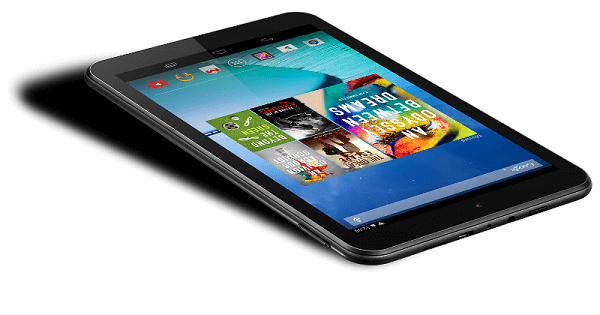
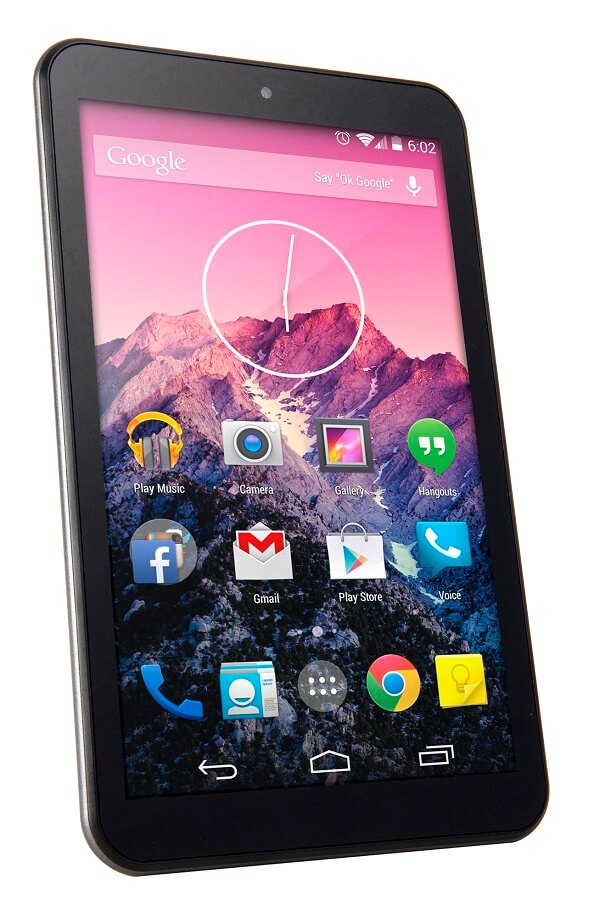
Continuing our expedition in the less known but highly affordable selection of gadgets, we came across a clever little tablet known as the Hisense Sero 8. Also a Chinese production that is aiming to build products that can expand their reach into the Western market just as well, the Hisense Sero 8 inspires reliability and a good investment when you weigh in the shockingly small amount of money you’ll be paying for it.

We recently reviewed another tablet in this sector that the Hisense Sero 8 reminds us of; more precisely, the Tesco Hudl 2. However, this one comes from a company that has sort of specialized in producing low-cost devices, this tablet obviously being the 8th iteration of the Hisense tablets series. The manufacturer seems to have taken the customer feedback that was received for the Hisense Sero 7 Pro tablet very seriously, and made a decision to improve directly on the various aspects that elicited most concern.

While the Hisense Sero 8 is anything but your brand new release in terms of budget tablets, having come out quite a while ago and even having a “Pro” variant that followed suit showcasing some new features that the crowds requested. But given that it’s nearing December, the time when your wallet ends up suffering tremendously with all the holiday shopping you have to do, shifting our gaze to the wide selection of budget gadgets on the market can turn into a life saver.

So what is there to expect from this highly accessible Hisense tablet? Is it worth its price?

Hisense Sero 8 Design

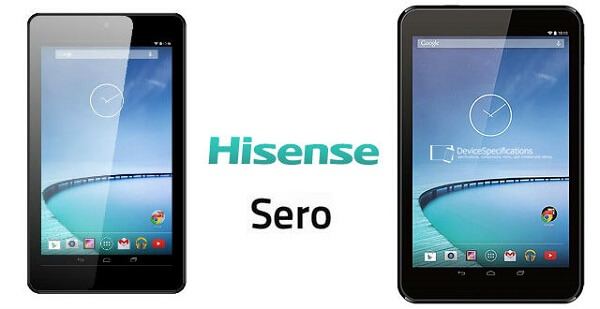
So what does the Hisense Sero 8 aspire to be? For an 8 inch display tablet, the dimensions that it comes with seem a little bulkier than they should be. At 208.55 x 129.8 x 10.5 mm, the tablet is both taller and thicker than you might be used to if you’ve used a smaller-scale tablet before. One aspect that some users may feel a little put off by is the width of the bezel, which even convinced the manufacturers to correct in the later released Hisense Sero 8 Pro. Even so, in terms of bezel size, it’s gone a long way from the Sero 7.

Hisense Sero 8 vs Sero 7

The thickness is also a slightly unsettling number that we don’t get to see much nowadays. At a thickness of barely over 1 centimeter, you could easily say it’s about the same size of two Samsung Galaxy Tab S2 stacked together; that may prove to be an issue if you’re trying to hold the tablet single handedly, but considering you’ll more often than not two-hand it when you use it, grip should not be a concern.

In order to make up for the extra thickness that the Sero tablet packs, the back of the unibody that the device comes with is covered with a textured plastic surface that makes the tablet easier to hold and handle. Considering its entire exterior is made of carbon fiber and not the more common aluminum alloy, you would think that this tablet spells bad quality and a frail chassis. Surprisingly enough, the Hisense Sero 8 feels like anything but cheap and prone to breaking. In terms of weight, the tablet doesn’t jump a long way away from the standard: no less than 450 grams.

Furthermore, the Hisense Sero 8 may feel as a pretty underwhelming design example for some considering that it’s relatively plain from an aesthetic sense; a fact only empowered by the color variants that it’s available in: only gray.

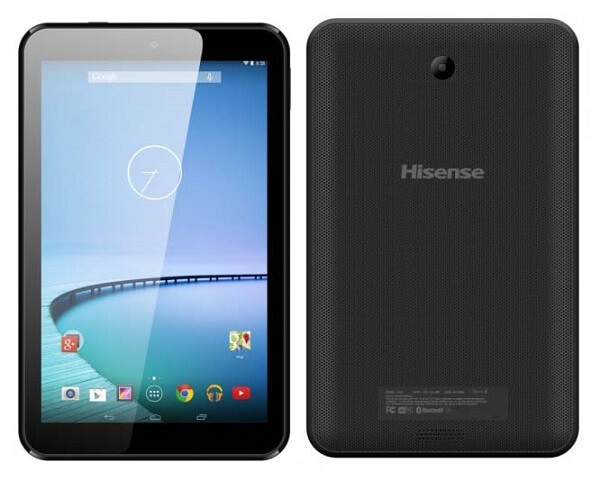
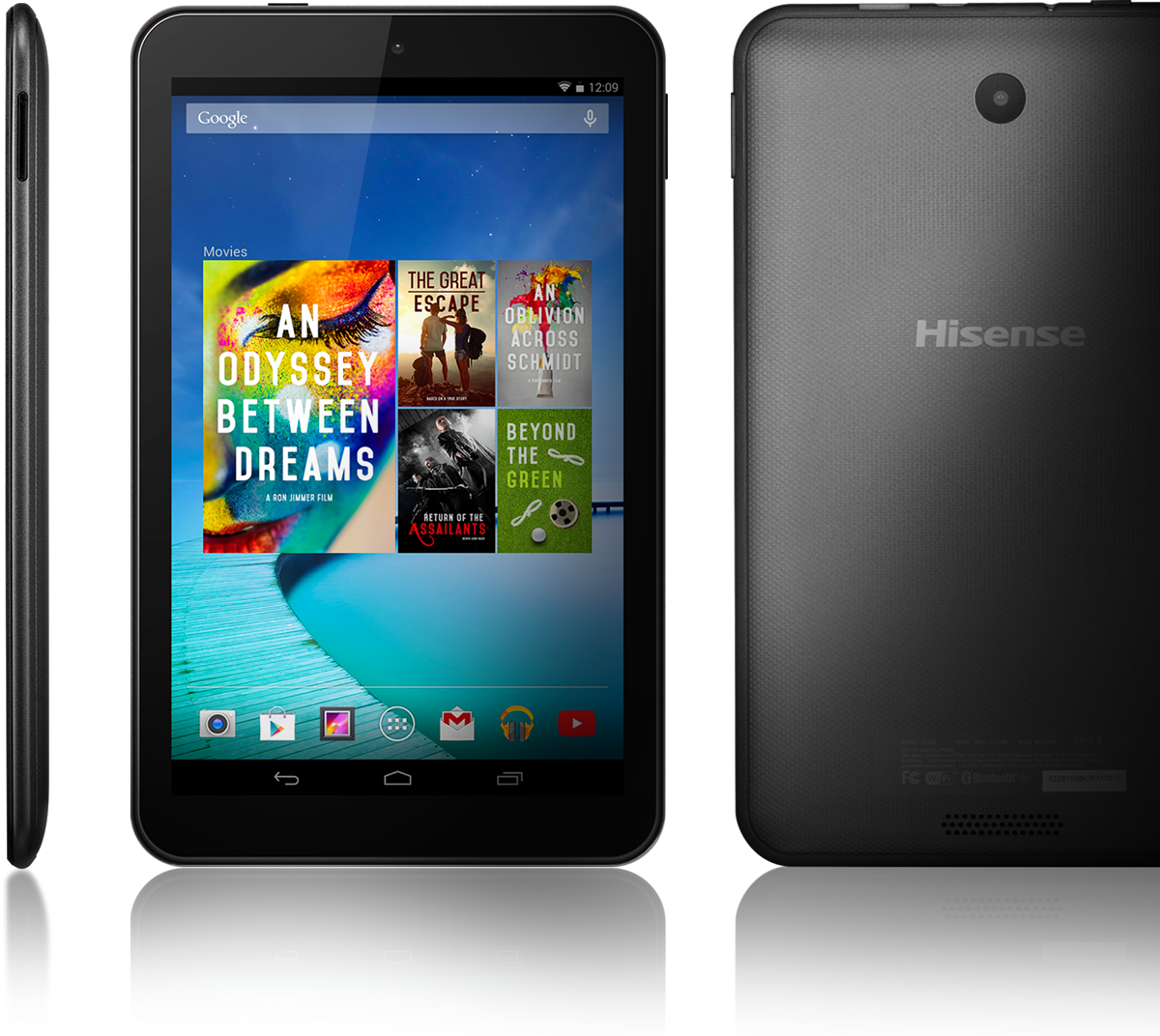
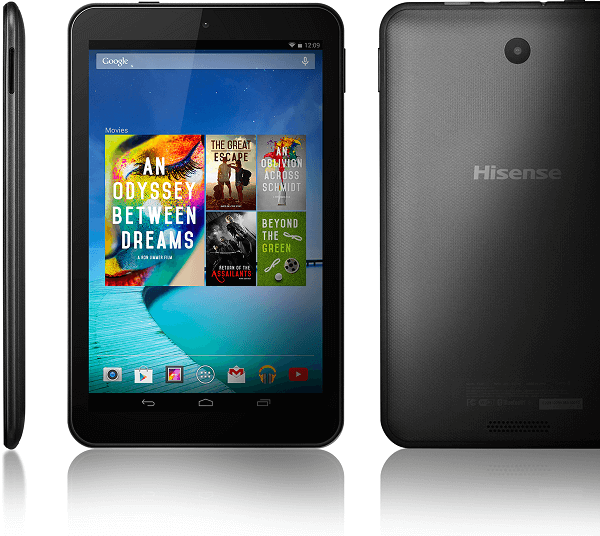
Hisense Sero 8 Front and Back

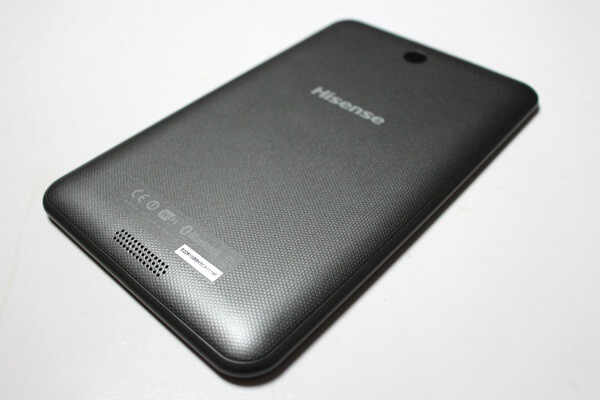
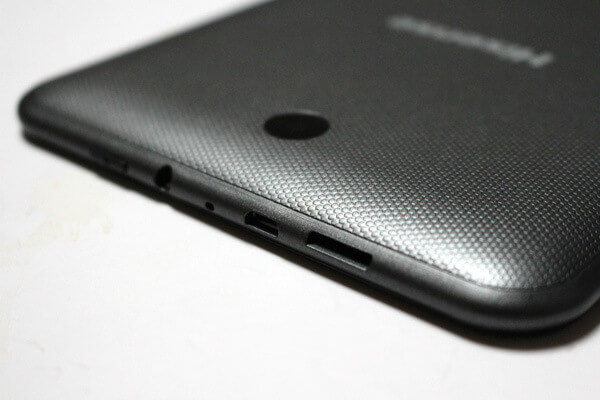
The back of the Hisense Sero 8 is very simplistic to begin with. A large, round camera sensor is nestled in the upper center of the cover, the Hisense logo resting a couple of inches below it. At the bottom of the tablet there is a strip of speaker holes, as well as the serial number and information regarding the product right above it. There is a chance that the consumer variant of this tablet does not incorporate that particular detail in its build, so if you consider it a problem, do check the retailer images of the product beforehand.

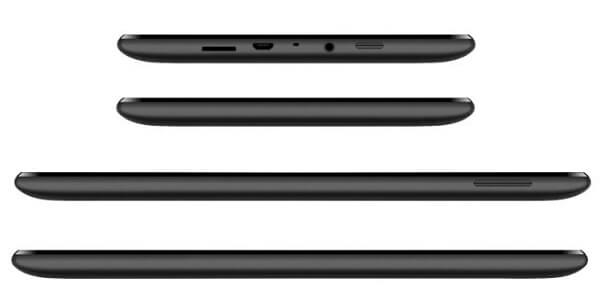
In terms of button placement, I found that the approach Hisense took with it is relatively clever. Aside from the volume rocker that you can find on the tablet’s right hand side (we consider that the default orientation is in portrait mode), all of the other function buttons, ports and slots have been clumped up on the top. Covered from nearly one end to another, this side of the tablet is home to the power button, the microUSB port that is responsible of data transfer and charging, a microSD card slot to expand your storage options as well as a regular 3.5 mm headphone socket.Hisense Sero 8 Rear

Hisense Sero 8 Button Placement

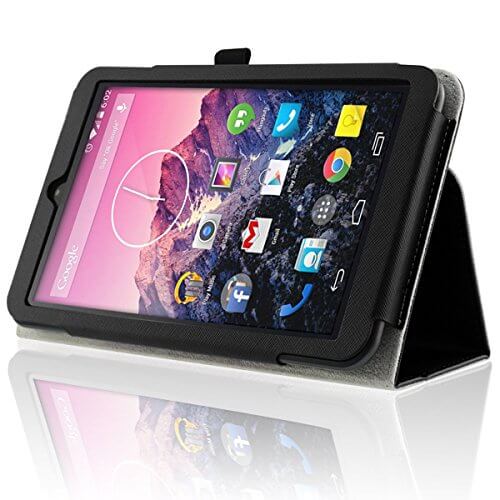
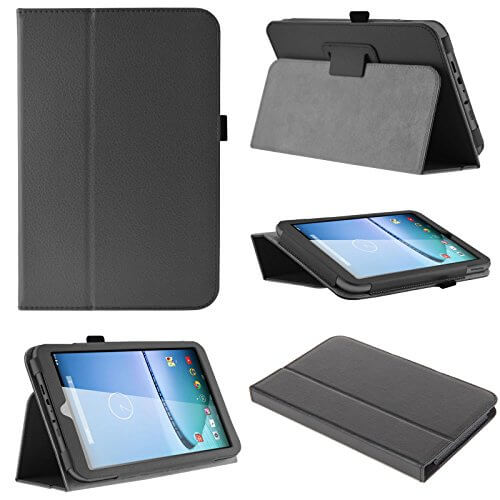
All things considered, the Hisense Sero 8 is not an outstanding piece of well-designed device architecture; if anything, it feels like it’s trying to appeal to the market and not bring up something new. On the upside however, the manufacturer does give you the opportunity to purchase a separate Hisense Sero 8 case to spike things up – some featuring a pattern on the back that make the tablet more visually appealing.

Hisense Sero 8 Cases

Hisense Sero 8 Case Design

Hisense Sero 8 Display

The display of the Hisense Sero 8 comes at a meager resolution of 1,280 x 800 pixel resolution, which – given the 8 inches diagonal it comes with – doesn’t end up in an outstanding pixel density: only 189 pixels per inch. Because of that the images rendered on the Sero 8’s screen won’t be outstanding in terms of clarity and detail, usually ending up looking a little pixelated at times. However, thanks to the IPS build, we can say that the display renders bright and realistic colors; contrast is the aspect that ends up suffering to a degree in comparison to the AMOLED alternative, which normally accounts for brighter whites and deeper blacks, but the colors look a lot more vivid and sharp on the Sero 8 than they would otherwise.

Hisense Sero 8 Screen

Viewing angles are pretty good, everything considering, the display managing to pull off a good job no matter how you’re looking at it. It fares relatively well in sunlit environments, though there’s a lot of obvious room for improvement. For the tablet’s price, I believe it’s not an overstatement to say that the display is one of the best you can find for the money you would pay.

Hisense Sero 8 Specs & Performance

Usually one of my favorite topics to discuss when it comes to phones and tablets, the Hisense Sero 8 is a device that gives plenty of room for praise; at least in close comparison to the amount of money the investment will consist of. To make a short list of the specs the Sero 8 packs in, we’ll be looking at a quad core Rockchip processor, 1 GB of RAM memory, an integrated Mali-400 GPU as well as 16 GB of storage.

The Hisense Sero 8 uses an ARM Cortex-A9 core processing unit with the Rockchip RK3188T clocked at 1,6 GHz. This is a relatively commonly employed piece of hardware that the Chinese companies implement in their handheld smart devices. Despite its popularity, the chip is far from the fastest on the market but scores decently on most known benchmarking scales. While this CPU falls behind plenty others, there are ways of improving its performance, most commonly by installing a custom kernel or ROM which will, in turn, allow you to overclock the core processing unit. However, that is not something to tinker with if not very well-versed in technology, which means that you’ll most likely have to stick with the speed it’s capable of straight out of the factory.

The Rockchip RK3188T SoC does however also implement an integrated ARM Mali-400 Mp3 @ 600 MHz graphics processing unit. Not as proficient as a dedicated GPU would normally be, this chip will ensure that you can smoothly run a great number of graphic-intensive apps, drastically falling behind with new titles or 3D rendered games. You won’t have much of a headache with most basic games, the tablet managing to sustain a fluent frame rate.

If you stop to compare the hardware that the Hisense Sero 8 tablet has got to show for itself, it won’t do that well when compared with a large number of comparable devices – some of which have been released as early as 2013. The tablet won’t give you a whole lot of trouble when using its basic features such as operating system navigation, emailing, watching movies, browsing the internet and social media and so on. However, if multitasking in its core sense and gaming are one of your main concerns, you might have to consider saving up for a more expensive but also more capable tablet.

The hard-drive potential may seem limited at first as it is only 16 GB in size but luckily the tablet can be upgraded in that respect via microSD, microSDHC or microSDXC cards that can pack up a few more dozen gigabytes of storage space. Given that on any device, the operating system and the basic apps will normally take up to 4 GB of space, you should start calculating the space you need starting at 12 GB instead.

Hisense Sero 8 Camera

Cameras are really not the strongest point of tablets out there, regardless of the manufacturer the device comes from. The cameras packed on the Hisense Sero 8 tablet are underwhelming to say the least – both rear and front facing. It’s safe to say that you won’t be switching your Sero 8 over your digital camera or even smartphone anytime soon. The only moment when I see that your Sero 8 camera will come in handy is really when there is no other alternative at immortalizing a moment on the go. And even then, the results might prove to be less than satisfactory in the absence of an optical image stabilization feature.

Hisense Sero 8 Camera

The rear camera is a 2 megapixel piece that can shoot photos in a maximum resolution of 1600 x 1200 pixels, but is also capable of recording videos in 720p at a maximum of 30 frames per second. The photos you take with it are not great looking to begin with, only losing even more on quality when you zoom in – either when you try to take a photo, or post-shooting.

The front facing camera comes with a questionable existence to begin with. At only 0.3 megapixels, it’s not that clear what the moment when you would even use this camera to begin with is. If lacking any other alternatives, the camera will do when you have to take a video conference right away and there is no other way for you to take it.

Hisense Sero 8 Software & Features

Surprisingly, the Hisense Sero 8 is one of the very few Chinese productions that rely on a stock Android version of the OS installed on it straight from the factory. It features an older version of it however, the Android 4.4.2 KitKat. Despite that, the tablet is thankfully free of any other, personalized skins that manufacturers opt for when they adopt Android. That means that there are no extra, third party apps clumping into the system, making its owner to wait for specialized updates once you purchase the tablet. The only native application to Hisense that you will be able to find on the Sero 8 is the remote app, implemented to allow you to control Wi-Fi based television sets, as well as a different video player.

Hisense Sero 8 KitKat 4.4.2

For the more advanced users, one very much possible aspect of the tablet is the Hisense Sero 8 root. Rooting allows the user to unlock areas of the system that more often you would not have access to. Because of that, you suddenly gain a lot of freedom to experiment with other ROMS and full control over the apps installed on it.

Hisense Sero 8 Battery & Verdict

The Hisense Sero 8 comes with a 4000 mAh battery which is relatively strong by itself to begin with. Given that the display of this tablet is not the brightest and most powerful out there equals with a more disciplined use of the battery – earning you a longer battery life and more uptime when it comes to device usage. Continuous use in form of web browsing for example will earn you about 6 to 7 hours with a full charge; alternatively, HD video viewing will not exceed about 4 hours. No matter how you look at it though, you will find yourself charging the tablet on a daily basis if you use it regularly.

So when is it worth getting the Hisense Sero 8 tablet? Mainly, you should be looking at this tablet as a great alternative when you’re on a budget. For any of the activities that it allows you to perform remotely and the comfort of not having to stick to your computer, the Sero 8 will do the job wonderfully. If entertainment holds a more special place for you when it comes to tablets, however, it’s a lot more advisable to try saving up a little more and go for another variant.

You can purchase the Hisense Sero 8 from a variety of online retailers for $106.45.

Image Source: 1, 2, 3, 4, 5, 6, 7, 8, 9, 10

Filed Under: Headlines Tagged With: affordable tablet, budget tablet, hisense sero 8, low-cost tablet, sero 8 review, sero 8 tablet

Snapchat Beware Facebook Temporary Messages Arrival

November 13, 2015 By Deborah Campbell Leave a Comment

Should Snapchat beware Facebook Temporary Messages arrival?

For those unfamiliar with Snapchat (I know, teens everywhere balk at the possibility), it is a social app that lets you communicate by sharing videos, photos and messages with people you decide. So far it sounds like a normal messaging app.

But when you hear impressive statistics like the fact that it was launched in 2011 and is now the 2nd messaging app after Facebook and its biggest competitor, with an increase from 2 billion videos and photos/day sent by its users at the beginning of 2015 (May) to 6 billion/day in November 2015 and that the company is currently worth between 10 to 20 billion $, you have to wonder why all the excitement?

Well, because Snapchat’s core concept is an interesting twist. The app only saves the videos, photos or texts for a short time, after which it deletes them, including from its servers, according to creators Bobby Murphy, Reggie Brown and Evan Spiegel.

This concept is what is currently called temporary messages, ephemeral messages, disappearing messages or temporized messages, depending on who you ask. And users of Snapchat can decide the time limit themselves, which is currently between 1 and 10 seconds.

Murphy, Brown and Spiegel say the philosophy behind this form of communication is to give users the possibility of eliminating the stress of social media data being stored online (like photos which are very appropriate among friends but not so appropriate in formal contexts etc.), to give them the option to have a form of social media where they are in control.

And judging by the stats above, this philosophy was very appealing to many. Including to Mark Zuckerberg, CEO of Facebook, who saw the potential (and threat) and offered to buy Snapchat for 3 billion $ in 2013 at a time when Snapchat was valued somewhere around 2 million $.

Snapchat CEO Spiegel refused, to the shock of everyone watching back then and was since proven right by the company’s soaring value, way past the 3 billion $ offered.

But this has apparently set the stage for a direct battle with Facebook, who clearly feels it has to take measures against its now threatening competitor.

Which Mark Zuckerberg has recently just done. Because he has announced that Facebook is currently testing a disappearing messages option for its Messenger app for all of its users in France, intended to launch in all countries at a later time, but with no exact schedule having been mentioned.

The Facebook version for temporary messages is designed with a minimum 1 hour time-frame in mind (meaning that the messages delete themselves automatically after this time or more, according to choice) and any person in the conversation can opt for this feature.

Facebook, as the number one position holder, has clearly demonstrated its appeal. And with this new feature it might increase it considerably.

But should Snapchat beware Facebook Temporary Messages arrival? Time will tell.

Image source: 1.

Filed Under: Headlines Tagged With: disappearing messages, ephemeral messages, Facebook, Facebook disappearing messages, Facebook ephemeral messages, Facebook temporary messages, Snapchat, temporary messages, temporized messages

  • « Previous Page
  • 1
  • …
  • 12
  • 13
  • 14
  • 15
  • 16
  • …
  • 31
  • Next Page »

Subscribe to Blog via Email

Enter your email address to subscribe to this blog and receive notifications of new posts by email.

Join 11 other subscribers

Recent Articles

police handcuffs man

German Man Probed In Poisoning That Killed 21 Employees Since 2000

June 29, 2018 By Kenneth Scott Leave a Comment

Chicken wings bar

Intoxicated South Carolina Man Punches Waitress Who Refused to Serve Him Alcohol

June 29, 2018 By Karen Jackson Leave a Comment

gaming

New Zealand gamer Who Flew Halfway Across The World for Virginia Teen Gets Shots By Her Mother

June 28, 2018 By Cristopher Hall Leave a Comment

party

Former Virginia Tech Freshman Sentenced to 50 Years in Prison for Stabbing a Girl to Death

June 28, 2018 By Roxanne Briean Leave a Comment

bonfire

British Couple Sentenced to Life in Prison for Torturing and Murdering French Nanny

June 27, 2018 By Deborah Campbell Leave a Comment

pay phone

Texas Father of Girl Disappeared in the 80s Ignored by Authorities

June 26, 2018 By Cristopher Hall Leave a Comment

bottled water

San Francisco Woman Threatened to Call Police on Girl Who Sold Ice Water for Disneyland Trip

June 25, 2018 By Roxanne Briean Leave a Comment

Maplewood Park

Missouri Man Robbed by Date and Accomplice in Park

June 22, 2018 By Nancy Young Leave a Comment

coding

New York Man Sentenced in Cyberstalking Former Girlfriend, Mailing Drugs to Her Dorm

June 22, 2018 By Deborah Campbell Leave a Comment

headphones

Bose Poised to Launch Sleepbuds, In-Ear Headphones That Help You Sleep

June 21, 2018 By Nancy Young Leave a Comment

Police light

Intoxicated Female Driver in Custody for Pulling Arresting Officer by the Hair

June 21, 2018 By Kenneth Scott Leave a Comment

kitchen

Restaurant Manager Arrested and Charged in Shooting Death of Co-Worker over Negative Yelp Reviews

June 20, 2018 By Karen Jackson Leave a Comment

plastic container

Pennsylvania Couple Charged in Violent Death of Infant Discovered Buried in Cat Litter

June 19, 2018 By Cristopher Hall Leave a Comment

tailpipe

Minnesota Teen Gets Head Stuck In Oversized Tailpipe Winstock Music Festival

June 18, 2018 By Karen Jackson Leave a Comment

Pages

  • About Us
  • Contact us
  • Privacy Policy
  • Privacy Policy GDPR
  • Staff
  • Terms and Conditions

Recent Posts

  • German Man Probed In Poisoning That Killed 21 Employees Since 2000 June 29, 2018
  • Intoxicated South Carolina Man Punches Waitress Who Refused to Serve Him Alcohol June 29, 2018
  • New Zealand gamer Who Flew Halfway Across The World for Virginia Teen Gets Shots By Her Mother June 28, 2018
  • Former Virginia Tech Freshman Sentenced to 50 Years in Prison for Stabbing a Girl to Death June 28, 2018
  • British Couple Sentenced to Life in Prison for Torturing and Murdering French Nanny June 27, 2018
  • Texas Father of Girl Disappeared in the 80s Ignored by Authorities June 26, 2018
  • San Francisco Woman Threatened to Call Police on Girl Who Sold Ice Water for Disneyland Trip June 25, 2018

Categories

  • Business
  • Entertainment
  • Finance
  • Headlines
  • Health
  • Life
  • Nature
  • Science
  • Sports
  • Tech & Science
  • Travel
  • Uncategorized
  • United States
  • World

Copyright © 2026 ArgyllFreePress.com
About · Privacy Policy · Terms of Use · Contact