Argyll Free Press

Growing News Network

Monday, November 23, 2026
Log in
  • Business
  • Finance
  • Sports
  • Tech & Science
    • HP Envy 4500 Review
    • LG Optimus 170 Review
    • iPod Touch 6th Generation Review
    • HTC One M8 Accessories Set-up
    • Surrealist Games You Must Play
    • Hisense Sero 8 Review
    • Dell Latitude e7440 Review
    • HP Laserjet 1536dnf mfp Review
    • Garmin Fenix 2 Review
    • Skype Vs Viber
    • Best Video Conferencing Software
    • Sony mdr 1r Headphones Review
    • Canon Rebel t3i Review
    • Sennheiser Momentum 2-0 Review
  • Travel
  • Headlines
  • Health
  • United States

Search Results for: cloud war

Nexus 6P Review – The Metallic Flagship

November 9, 2015 By Cristopher Hall Leave a Comment

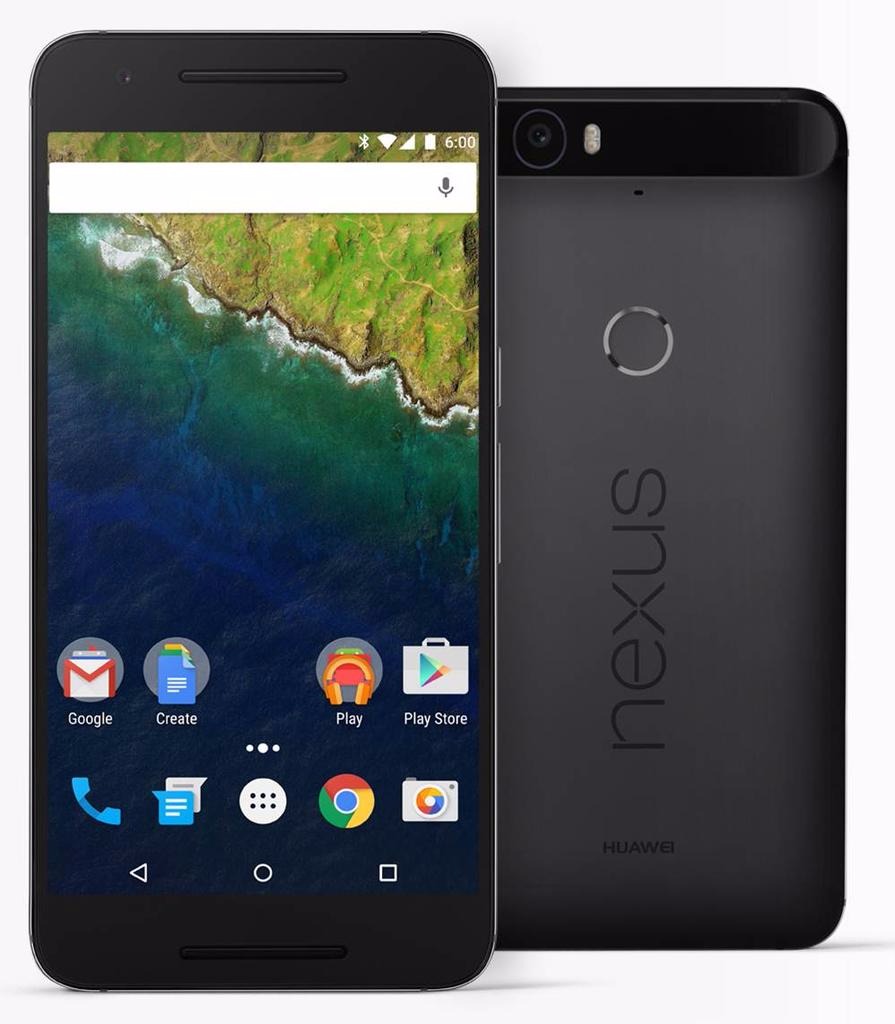
Nexus 6P Front & Back

This time of year is particularly busy when it comes to the mobile phone industry. And because it’s nearing the end of 2015, smartphone developers all over the world take their final plunges in terms of innovation in technology. The result? Jaw-dropping flagship devices, entire powerhouses of hardware that only get larger and slimmer. And the Nexus 6P is one of our best examples.

However, coming as a surprise to some, the Nexus 6P is not of Motorola design like its predecessor. Nor does it have the LG logo sporting the brand; this time around, Chinese manufacturer Huawei has taken it upon themselves to make a phablet phone that would appeal to the western market. And with a sigh of relief, I have to say that not only the experiment was a great success, but the Nexus 6P ended up a masterpiece indeed.

This latest iteration of a long series of Google Nexus phones is one of the first hosts of the new Android operating system, Android 6.0 Marshmallow. Everything involved, it comes to battle other phablets of the market toe-to-toe; and it’s got an entire arsenal to do battle with. Being one of the most ambitious projects we’ve seen so far in the Nexus family, there’s a lot of things that have changed for the better to allow it to surpass the limitations known to the brand until now.

Lastly, it’s a great thing to know that despite a hefty number of improvements, Nexus has yet to put down its crown of value prices: despite it being an excellent piece of technology that has definitely surpassed previous Nexus devices and can actually compete with other top-tier smartphones, its price still falls in the same, average category.

Judging by everything that Google and Huawei have attempted to do in case of the Nexus 6P, the story is slightly reminiscent of another device that set out on its own path to overthrowing the competition through an absolutely outstanding construction that would not burn an entire series of holes in your wallet. That is the story of OnePlus 2 – the self-proclaimed 2016 Flagship Killer.

Nexus 6P Design

Google is proud to present a brand new phablet-constructed smartphone under the Nexus tag that is metallic. The plastic case trend has been left behind in favor of anodized aluminum – an alloy that is stronger than the ones we’ve seen in phones so far in terms of outside protection. Because of the materials used in its construction, the Nexus 6P is incredibly light despite its enormous size, suitable for a phablet – no more than 178 grams. That’s 14 grams less than the iPhone 6s Plus but a very small amount heavier than the OnePlus 2 – which weighs 175.

Considering that the Nexus 6P measures 159.3 mm in height and 77.8 mm in width, that makes for an impressive thickness of only 7.3 mm, matching the Apple counterpart but setting a new personal slimness record. The phone is really quite the sight – similar to the feeling of switching from a 22” monitor to a 27” after a few years of usage, the entire 5.7 inches wide screen feels large enough to suck you in if you’re using a phablet for the first time in your life. It may not come close to its direct predecessor – the Motorola Nexus 6 – which extended to the staggering display size of 5.96”, but some people may find this change adequate. 6″ in particularly difficult to handle for most individuals.
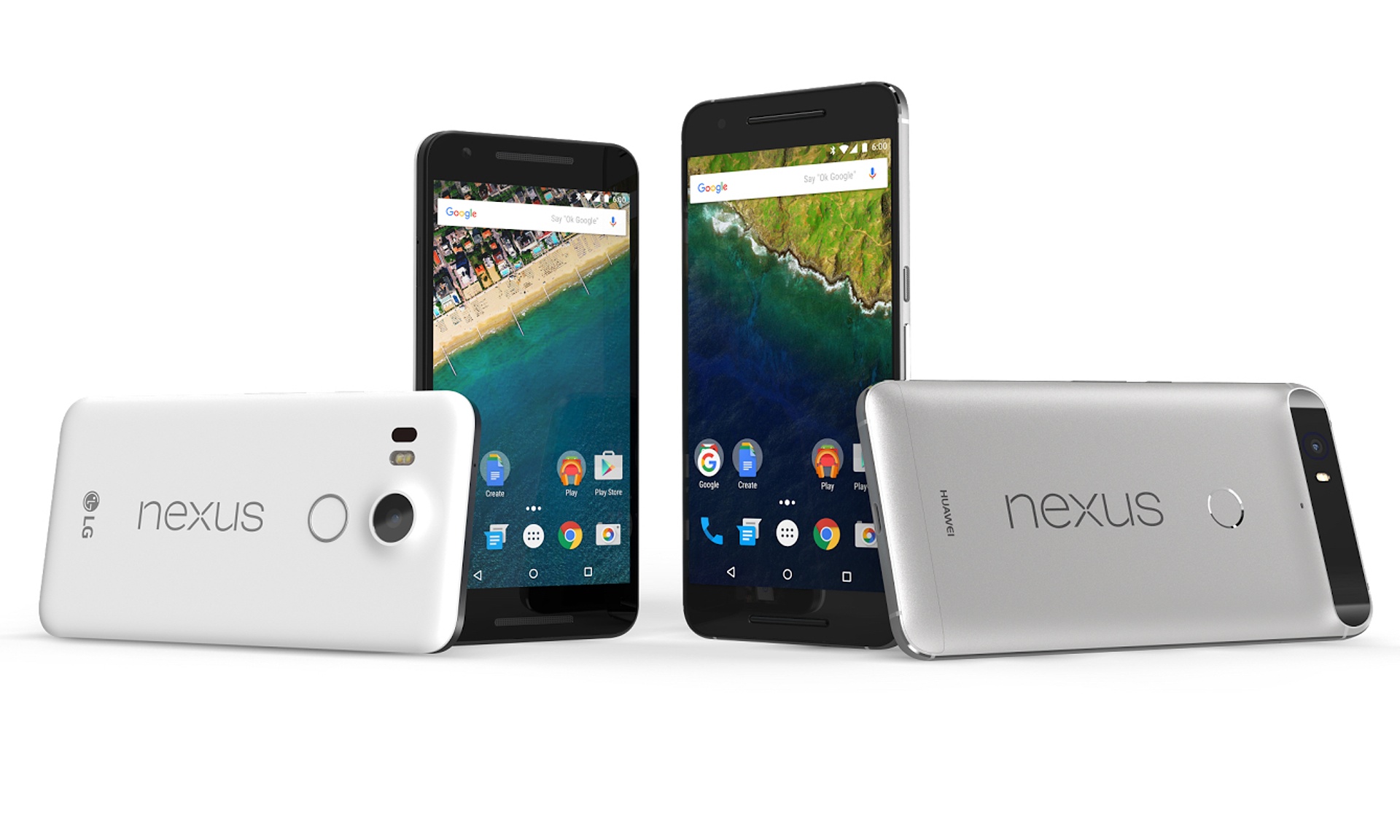
Nexus 6P vs 5

Because of its outstanding slim build, the phone is very comfortable to hold one-handedly; but naturally, just like any other phablet you will need the use of both of your hands to navigate it and use it to its full potential. As a downside to this bewildering-sized phablet, there is no stylus hidden anywhere in its frame to allow a minimal amount of stretching from one end of the screen to the other when using the features or apps you install. Everything you do, you will have to do by yourself, and unless you have unnaturally long thumbs, it will be a real feat stretching towards the top-most corners of the screen without having to switch the position of the phablet in your hand every time you have to reach another part of it.

The issue of holding the phone has a lot to do with the shape of its back too, where slightly curved makes for a more comfortable and secure grip. In Nexus 6P’s case, the edges – albeit extremely narrow – are cut straight and abruptly lead into the slightly curved back. That does not particularly help with securing your grip on the phone, and together with the impressive size may lead to quite the challenge for the device to actually feel good and fit in your hands.

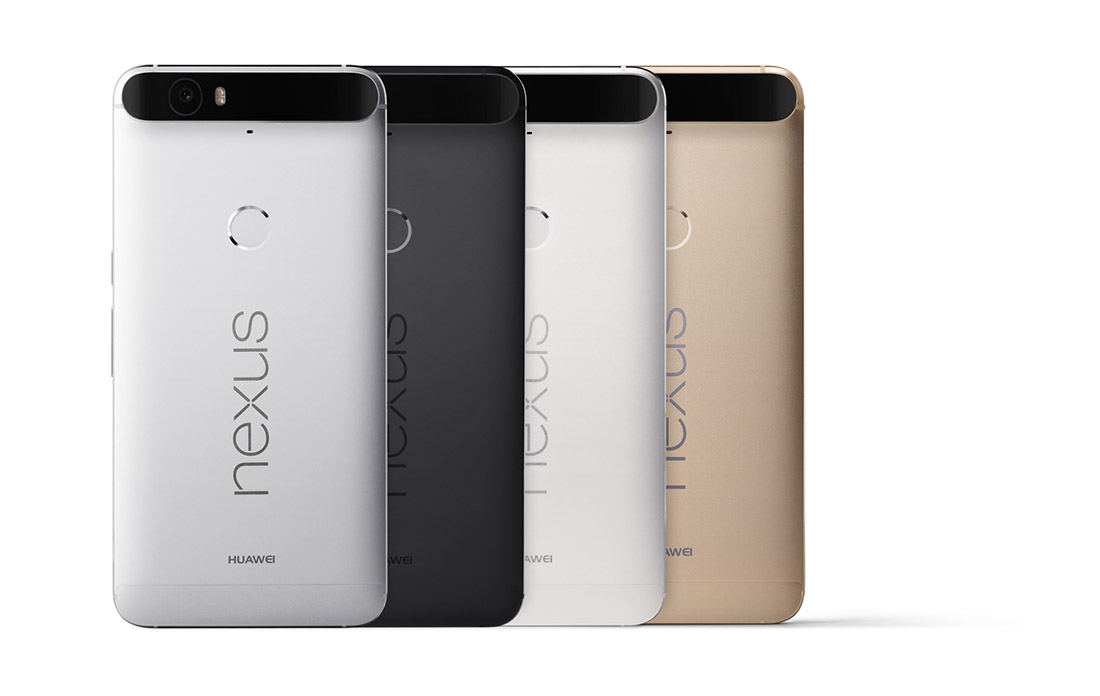
Nexus 6P Back & Side

Nexus 6P Color Variants

The unibody of the Nexus 6P is extremely minimalistic and looks sleek and elegant as a result. The designers have only released 3 color variants for this beauty, fitting for a device that speaks distinguished elegance and professionalism: aluminum, graphite and frost – more realistically called silver, black and white. There is a limited edition gold variant available in Japan for anyone interested. It keeps things pretty simple, unlike the OnePlus 2 that has a rather eccentric but distinctively classy selection of patterned back-covers – such as hardwood or granite mosaic patterns, on top of the classic matte black.

There is close to no unnecessary clutter on it either – you can find the power button and volume rocker on the right hand side of the phone, the former covered with a unique texture that will make it easy to differentiate from the latter. The bottom makes room for only one slot for the new and improved reversible USB Type-C charger. The classic 3.5 mm headphone jack is placed on top of the phone: while this is probably an internal space-related placement, I still feel like placing it on the bottom of the phone makes a lot more sense for people who normally put their phones in their pockets when they’re not using them. Each manufacturer has their own beliefs and reasoning I guess.

Nexus 6P Fingerprint Reader & Camera

The back of the Nexus 6P is the focal point of design innovations and their resulting flaws. Firstly, the good news is that there is a fingerprint reader available for the users of this fabulous phablet; the bad news is that its placement is about 3 quarters of the phone up. While the entire idea of placing your fingerprint reader button on the back turned out to be a pretty neat idea after Huawei experimented with it in their Mate S, having it all the up closer to the top makes for a huge stretch of your hand to even reach it.

Nexus 6P Side-view

Secondly, the good news is that the phone is really slim, right? Their respective bad news is the only way Huawei managed to find room to stick its impressive camera into the 7.3 mm worth of space is by letting it jut out just slightly in the back. While the contrasting-colored strip is not half bad when you look at it, the fact that there’s a considerable area of the phone literally sticking out at the top of the phone feels and looks strange.

But there is at least another piece of good news that came out of this: the antenna lines that have haunted and daunted manufacturers for so long are handled pretty well by the Nexus 6P – hardly noticeable on the sides and hidden underneath the strip that incorporates the camera sensor on the top half of the phone.

Nexus 6P Display

The AMOLED screen goes no lower than 5.7 inches, as previously specified. It’s a capacitive touchscreen that makes up of 71.4% screen-to-body ratio and goes up to a staggering 518 ppi pixel density, featuring a more pleasant 16:9 aspect ratio. It is covered with a layer of Corning Gorilla Glass 4, featuring oleophobic coating. Along with the mind blowing quad HD 1440 x 2560 resolution that the phone is actually capable of, the display is unmistakably an amazing piece of hardware. The images are extremely vivid and colorful, yet particularly saturated; the image quality has improved considerably since last year’s Nexus 6, but still depicts unnatural looking hues of colors in some circumstances.

Nexus 6P AMOLED Display

There is a difficult to explain tendency for smartphone and tablet manufacturers to start reverting to the older IPS display builds – the iPhone 6S and Sony Xperia Z5 Premium are two examples of comparable devices that make use of IPS technology – marginally inferior to AMOLED and LCD. The OnePlus 2 for example employs the LTPS LCD technology with is in essence very much similar to AMOLED, coming with a series of ups and downs. LCDs are exponentially better in color accuracy and hue precision, very bright and power-efficient; on the other hand AMOLED displays are particularly skilled in displaying true black but falling a little behind when outdoors.

There is a feature that changes the brightness of the screen according to the amount of light present in its environment. It adapts to dimmer-lit rooms by reducing brightness and vice-versa when exposed to bright environments. Strangely enough, the maximum level of brightness the phone is capable of is not one that your Nexus 6P will reach by itself using the adaptive brightness. But on the same note, viewing angles are great nor does the image suffer too much in sunlit situations.

The brightness is not the only adaptable feature of the screen however. The same adaptive display that we have noticed in the Motorola Nexus 6 is present here too – making your phone respond when the sensors notify it that you picked it up by displaying a grayscale notification lock-screen.

Nexus 6P Specifications:    Performance & Comparison

To only sum up the hardware that the Nexus 6P packs inside the 7.3 millimeters of space is a disgrace to the power that really lies inside. The shortlist includes an octa-core processor, at least 32 GB of storage space and 3 GB of RAM. There are a lot of similarities in build and specifications with the OnePlus 2 once again – the phablet that was meant to overthrow the market after its release. Even more so, taking everything it packs into account, the Nexus 6P manages to exceed expectations and even run two steps ahead of its counterparts.
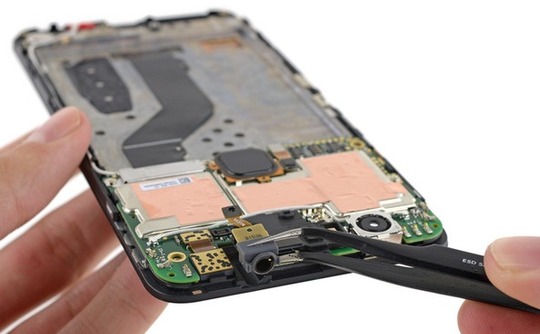
Nexus 6P Hardware

The Nexus 6P features one of the latest Qualcomm Snapdragon 810 octa-core processors. Featuring 64-bit computing, it’s a highly advanced piece of hardware that allows a smooth transition of smartphones into downright tablet and laptop replacements. The 8 CPU core chipset is LTE capable and allows a wide range of activities – starting with streaming 4K Ultra HD videos and handling 3D games smoothly, Qualcomm has made more efforts towards reducing battery usage along with increasing the power in this piece.

The processor is basically constructed from 2 quad-cores CPUs: a 1.55GHz Cortex-A53 and a Cortex-A57 that can go as high as 2.0 GHz. The same CPU is featured in the OnePlus 2 – and exceeds expectations far more than the Apple A9 dual-crore 1.84 GHz Twister featured in the latest iPhone 6s Plus. Nevertheless. it really does fall behind when it comes to the Exynos 7420 CPU featured in Samsung Galaxy S6 and Galaxy Note 5.

Along with the Snapdragon 810, there is a dedicated Adreno 430 graphics processing unit that improves the quality of life considerably for users who do actually enjoy graphic-heavy interactions with your phone. That means more than just extremely high quality video viewing: chances are any new 3D-rendered smartphone game that comes out by the end of this year and up to Q1 of 2016 will not even stutter. Both benchmark results and real life stress testing place the Adreno 430 GPU above both the Mali-T760MP8 and Apple’s PowerVR GT7600 six-core graphics card, making both the Nexus 6P and OnePlus 2 the better choices once again.

To bring an extra ounce of compliment to everything that we’ve listed so far, the Nexus 6P also features 3 GB of RAM memory – possibly one aspect where the phablet does not go as far as it possibly could, the OnePlus running the extra mile to reach the 4 GB milestone on its 64 GB HDD version, just like the Samsung Galaxy Note 5. Out of all the models that we’ve used for our comparison so far, the iPhone 6s Plus is the only one that stops at a meager 2 GB of RAM, most of them including at least 3.

Storage space is plenty to find inside the Nexus 6P. There are 3 variants of the phablet – 32, 64 or 128 GB worth of storage space respectively. The reason behind it is the lack of any kind of microSD aid – there is no microSD slot to speak of meaning that you’ll have to make use of either physical storage space or cloud services to keep things neat. Considering none of our studied models include said microSD storage option, the Nexus 6P offers the most space on average.

While some processors may exceed the Snapdragon 810 in terms of performance, the Nexus 6P fared ridiculously well with a series of tasks. It’s undeniably fast and a lot smoother than it proved to be when it first came on the market, featured in the LG G Flex 2. Still, there’s no denying that some newer processors are faster and perform better when complimented with other pieces of hardware that are at least on par with them.

Naturally, under heavy stress, the GPU tends to heat up a fair amount but without it becoming upsetting – a rather normal aspect of minimized yet powerful hardware. Depending on what you expect from a phone – or a phablet, rather – the 3 GB of RAM shouldn’t bother you the slightest bit considering multitasking didn’t seem to be minded the tiniest bit on the Nexus 6P. Now try to grasp everything and mix it with a price that is considerably lower than the ones you would normally pay for its Apple or Samsung comparable counterparts. Up to this point at least, the Nexus 6P is worth every cent.

Nexus 6P Software & Features

Rejoice, for the Android 6.0 Marshmallow is here, and the Nexus 6P has got it all. The operating system has brought a fair few improvements to both user interaction and performance. There’s a promised improvement to battery life thanks to the phablet’s ability to manage its power when on standby.

One of the most revolutionizing features of the 6.0 Marshmallow OS is Google Now. Its purpose is rather simple: whatever you are doing at a given moment, whether you’re reading something, listening to a song or watching a video of something, by using Google Now you will basically be able to read more about the topic. You can bring out the Google Now feature by holding down on the home button that can be found on your main screen; doing so is equivalent to googling something without physically having to visit the website and typing in the thing you’re interested in.
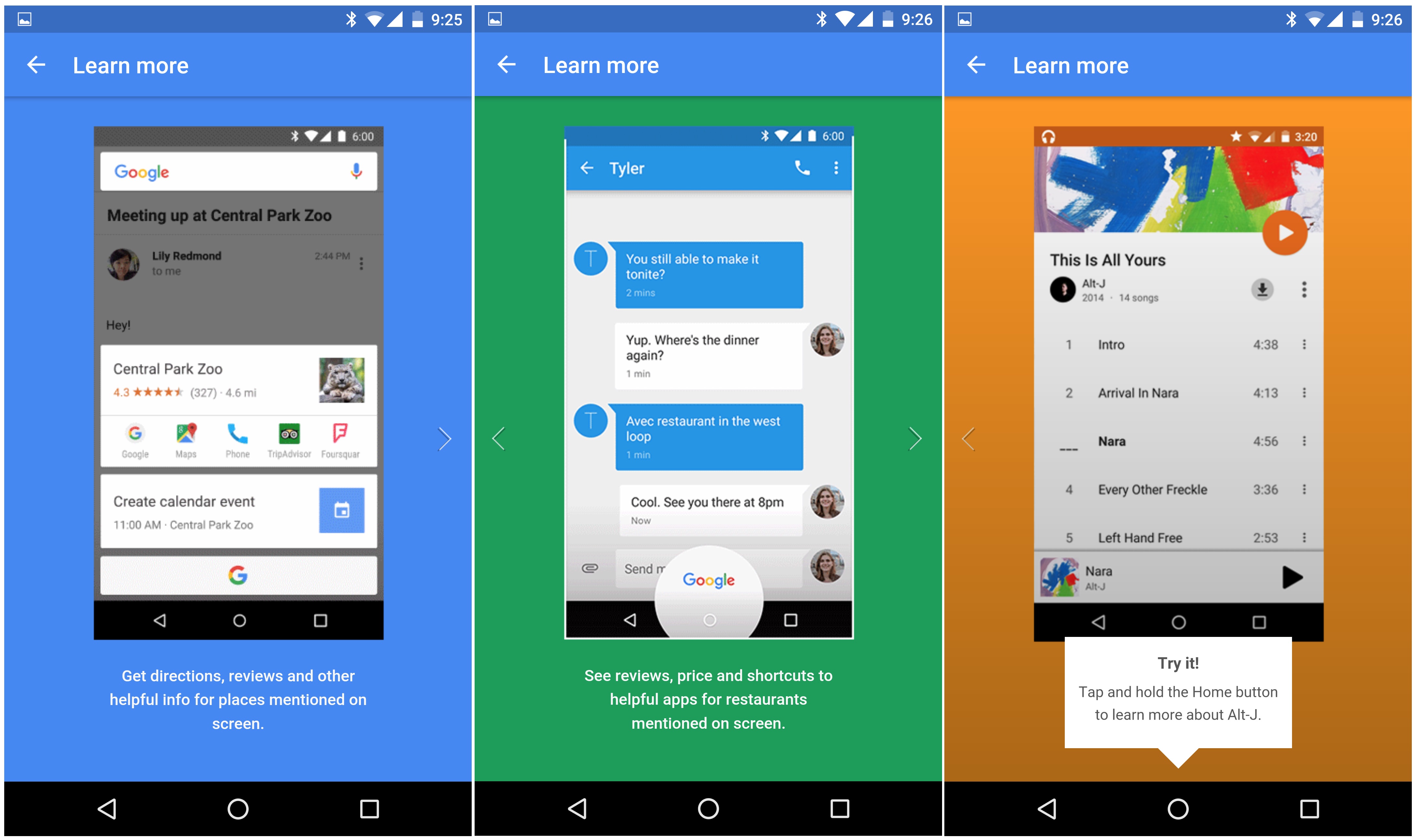
Nexus 6P Google Now

Nexus 6P App Tray

Marshmallow hasn’t made any radical changes to the operating system, so anyone who is used to your regular stock Android OS will familiarize with it immediately. One distinction that will be a little confusing for former Android users is that the app tray is navigated through by swiping up and down instead of left and right. On the bright side however, you get to store some recently used apps at the top of the screen to at least not have to scroll all the way up and down to find YouTube or Twitter for example.

The Google Imprint feature, made reality through the fingerprint reader on the back of the Nexus 6P gives you an ample method of securing your phone – up to 5 fingerprints. The reader however feels very forced from some respects; at the current moment its only purpose is to unlock your phone easily, where “easily” can be an exaggeration if your hands are as small as mine – needing you to stretch huge lengths to get it done. The fingerprint reader is not a button as well, such as the iPhone 5 and above variant, so it can’t be pressed, giving that entire part of the phone a rigid and lackluster feel. Still, unlocking your phone via the fingerprint reader is considerably faster than using a PIN – which requires you to swipe first then enter the pin using the keypad.

Nexus 6P Camera

You’d think that there’s no good excuse for Huawei to design the phone with a part of it jutting out in the back. As a matter of fact, there actually is. The manufacturer claims that the camera incorporated in the Nexus 6P is by far a milestone in the technology it has used so far. The reality of it is that it’s pretty good and definitely comes with some neat improvements – but it doesn’t go as far as being absolutely mind-blowing.

The rear camera – and the only real culprit basically – is a 12.3 MP camera that captures 1.55 micron pixels. In case that’s a new aspect of cameras that you have not heard of before, you should know that the standard pixel size is 1.4 and below (the iPhone 6s Plus has 1.22 only); this feature is responsible for making Nexus 6P’s camera a lot more proficient in taking shots indoors and low-light conditions, making it a great choice for night shots for example.

Nexus 6P Back Design

The photos taken with this camera are mostly realistic when translating real colors into an image and remain particularly loyal. All of the test photos that we took felt warm in terms of color crispiness, with a very good set of contrast levels. The autofocus allows you to take pictures on the run, without any prior preparation thanks to the speed it detects subjects in the image and removes the blur.

The Nexus 6P rear camera can also record video in 4k at 30 frames per second, which is a pretty awe-inducing feature of mobile phone cameras in general. On top of that, you can also record slow-motion video that can capture as many as 240 frames per second and the phone also provides you with a number of editing tools.

The front camera is not to be trifled with either; your selfies will be undoubtedly amazing in quality, considering you’ll be shooting using an 8 MP camera. Video calling is incredibly smooth too, being able to sustain a very high frames per second score.

The software that compliments both cameras will certainly give you a lot to play with. Switching between shooting modes, including file types or photo versus video is made incredibly smooth and easy and there is a large number of filters and post-editing you can do. Panoramic shooting, Photosphere and Burst Mode are present here as well, with the latter being able to shoot as many as 30 frames per second and allowing you to compile a GIF file afterwards.

Nexus 6P Battery & Verdict

Firstly, we need to elaborate on the way the Nexus 6P is charged. It is one of the first phablets that make use of the reversible Type-C charger. That means that you can plug it into the phone facing either way, so the curse of the USB and microUSB is now broken. On the downside, however, there aren’t a lot of other devices that use this type of charger so losing it or forgetting it will result in no way to charge up your 6P. However, hoping that no such situation would ever occur, charging your phone with the Type-C USB charger takes incredibly little to do – on average, about an hour and a half. The phone also notifies you of how long it still has until it is fully charged.
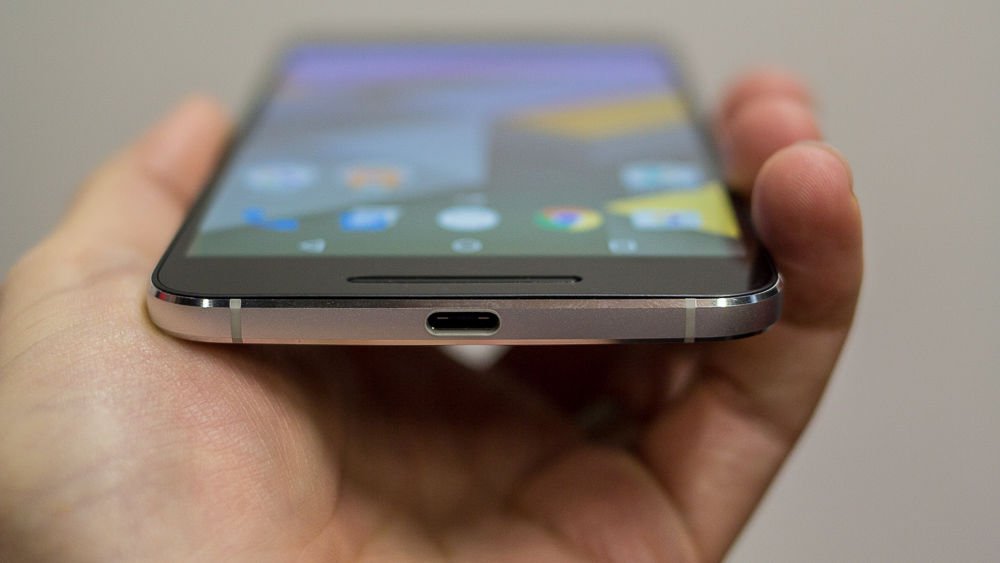
Nexus 6P Type-C USB Charger

Thanks to the power saving features of the Android 6.0 Marshmallow OS, your Li-Po 3450 mAh battery can last as long as 11 to 12 hours with mild to heavy usage.

There’s a lot to weigh if you’re considering purchasing the Nexus 6P. Overall, it is just shy of becoming one of the absolute best phablets on the market. The hardware is powerful, but not the most powerful. Aesthetically, the phone is absolutely gorgeous – just like its very similar brother in arms OnePlus Two. But considering both of these phablets will be coming for a price that is similar in range, you get a considerable perk with the Nexus 6P – you can actually experience the Marshmallow OS instead of waiting for the update to hit other Android or Android-inspired systems. For its price, the 6P is definitely worth its money and won’t disappoint.

You can get the Nexus 6P at $499 for the 32 GB version, $549 for the 64 GB and $649 for the 128 GB model respectively.
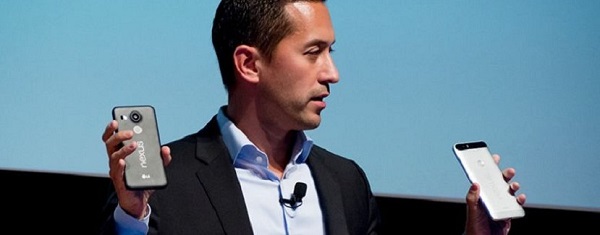
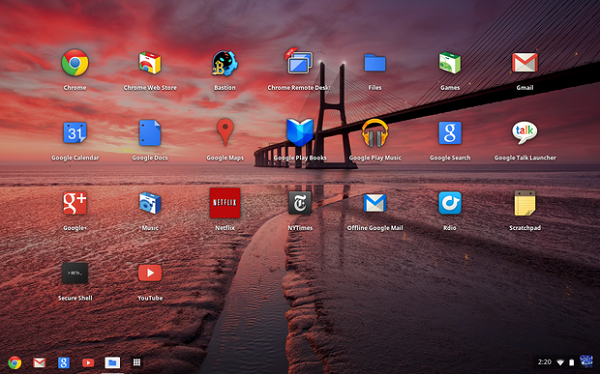
Image Source: 1, 2, 3, 4, 5, 6, 7, 8, 9, 10, 11, 12

Filed Under: Headlines Tagged With: huawei nexus 6p, nexus 6p, nexus 6p review, nexus 6p vs oneplus 2

Chrome OS is Here to Stay, Says Google

November 3, 2015 By Nancy Young Leave a Comment

Chrome OS is here to stay, says Google

Google has announced that Chrome OS is here to stay, and that the company doesn’t have any plans to let the software get rusty. However, the big G has plans to mix and match Chrome OS with the beloved Android.

At the end of October, The Wall Street Journal has surfaced that the search engine giant’s line of Chromebooks would feature a fusion between its Android OS and Chrome OS.

Chromebooks are low-cost laptops animated by Chrome OS.

Google, which is now part of the Cali-based Alphabet, is backing Chrome OS and the company is throwing their full support. The software is unique in more than one way – it takes advantage of the cloud in order to run.

Don’t mistake Chrome OS with the Chrome browser – while they may seem to be exactly the same, these two pieces of software are fundamentally different.

Hiroshi Lockheimer, the head of Chrome OS and all of the company’s Android projects, has announced Monday that they have no plans to falter development. In his statement, he continues to add that Chrome OS is here to stay.

However, even if Chromebooks will be equipped with a ChromeOS/Android blend, how many users will notice the difference? Chromebooks are quite popular among students that look for budget laptops.

Google notes that Chrome OS is here to stay

Chrome OS interface

These low-cost laptops have received good to great reviews in the past, but, unfortunately for Google, their product line ranked only for three percent of last year’s laptop shipments.

This is according to market research firm International Data Corporation, or IDC for short.

Chromebooks don’t usually make their way to homes or offices. Schools seem to favor their low retail price – $150; and students who need a lightweight laptop for projects, essays and casually browsing the interwebz.

Google notes that more than 30,000 new Chromebooks are brought to life in classrooms every day across the US. According to IDC, in the 2014 education market, Chromebooks comprised almost 30 percent of laptops.

Lockheimer has said that Chromebooks fans shouldn’t worry that their laptop will go obsolete. This mainly because Google is working to develop their software even further, attempting to bridge the gap between Chrome OS and Android.

Google is planning to release a brand new media player for Chrome, along with a visual rebranding in order to make it look more like the company’s other products.

After TWSJ has published their piece last week, Lockheimer has publicly come out to defend the company’s stance on Chrome OS. He even tweeted that Google is more than committed to their software.

The bottom line is that, Chrome OS is here to stay – one way or another.

Image Source: 1, 2

Filed Under: Headlines Tagged With: Alphate, Chrome OS, Chromebooks, Google, Hiroshi Lockheimer

Apple Improves iWork Apps on All Platforms

October 16, 2015 By Nancy Young Leave a Comment

Apple Improves iWork Apps on All Platforms

Apple improves iWorks apps on all platforms by adding new features. Even though the Cupertino-based company didn’t announce anything regarding their Keynote, Numbers, and Pages apps in the last few months, software devs have been hard at work trying to bring them to modern times.

Apple just rolled out a major update for the trifecta of power on all of the company’s platforms – iCloud, OS X and iOS. They have been brought to speed with the latest iOS and OS X, along with some highly anticipated features.

So, for iOS Numbers, Keynote and Pages can now work with Picture in Picture, Slide Over and Split View on the iPad. All of the multitasking features that iOS 9 delivered are now fully integrated with the big A’s apps.

It’s worth noting that VoiceOver received a well deserved polish and it’s vastly improved to better help visually impaired people.

Finally, Apple has removed the beta tag from it’s iCloud.com web apps and it has also added a lot of new features from the company’s other platforms. Users now have the ability to comment on iCloud.com – let’s see how many trolls does Apple manage to gather in 48 hours.

Apple has also added quintessential Google Docs features, and it was about time they did so.  Users can see all of their shared docs within the browser on their smartphone.

Apple Improves iWorks apps i.e. Keynote, Numbers and Pages on all platforms

With these awesome new updates, it has become a serious competitor to Google Drive apps and Office.com web productivity apps.

A really great addition is iWork 2008 and 2006 support for the latest version. It was about time if you ask me. Users have been calling Apple out for being too lazy. Other features consist of improvements for Microsoft Office docs compatibility i.e. no more random errors, and Mac finally gets OneType – amongst other awesome features.

These aren’t eye-candy additions – no new icons, or stunning visuals. These are well deserved under-the-hood polishes that we have been waiting for quite some time now. To be frank, productivity apps like the ones mentioned above don’t really need design overhauls – they just need to function better and more reliable.

Even though news is out that Apple improves iWork apps on all platforms and that the company will continue to roll out more updates in the near future, the Cali-based tech giant is keeping silent.

With these awesome new updates, it has become a serious competitor to Google Drive apps and Office.com web productivity apps.

For a comprehensive log of changes you can check the official patch notes, if you will, on their website.

See Elon Musk, Apple isn’t the Tesla Graveyard as you put it. The company actually cares about its users. It also makes profit – unlike others.

Image Source: 1, 2

Filed Under: Headlines Tagged With: Apple, Apple iWorks, iWorks

Best Video Conferencing Tool: GoToMeeting, TeamViewer and Others

October 8, 2015 By Michael Turner 4 Comments

GoToMeeting is a great video conferencing tools

Whether you work from home or you just founded a startup, you need some sort of video conferencing tool to help keep in touch with colleagues, employees and clients. Do you know which service to use? Don’t worry, you aren’t the only one scouring the interwebz for the best video conferencing software.

There are so many choices to pick from and you clearly don’t have time to try all of them. The thing is, video conferencing is a crucial element to your business – even if you’re a freelancer. Down below we’ll be reviewing Adobe Connect, GoToMeeting, TeamViewer, WebEx, Google Hangouts and other more obscure software.

1. Adobe Connect Review

Adobe Connect is an alternative to GoToMeeting

Adobe Connect is one of the best online meeting services. It basically has all of the features that an entrepreneur looks for – stable, reliable and great video conferencing quality. All enveloped in a competitive price. It has a ton of customization options such as methods to record and analyse how individuals engage with your presentation or what have you. Adobe even offers a ton of tutorials to help newcomers get as much bang out of their buck as they possibly can. Yet, first-time participants won’t have that many problems with Adobe’s software mainly because it has a friendly UI. Adobe Connect pricing is fairly cheap, when compared to other online meeting services too.

It has rich multimedia features such as share animations, audio and HD video, and of course images. Instant messaging is a given due to the fact that 99 percent of meeting services offer it. It’s compatible with Windows, Mac OS X and Linux.

You can record meetings. You can edit them afterwards with a special tool. This means that you can let the viewer decide what topic he wants to watch first.

Adobe Connect allows screen shares, as well as video and document shares. It comes with a free 30 day trial to see if it suits you needs or not, but most likely, you’ll stick with it. Why? Well because you can share an unlimited number of webcams during your meeting.

The thing is, because it has so many options to choose from, Adobe Connect’s initial setup may be a little bit overwhelming to some users. Even though it has a super friendly UI.

Our Adobe Connect test went like a charm – no lag issues with crystal clear image and sound.

Adobe Connect pricing is competitive and it comes with three plans.

  • Adobe Connect Meetings;
  • Adobe Connect Webinars;
  • Adobe Connect Learning.

Adobe Connect Meetings

For an annual plan of $45 a month per host, or a monthly plan of $55 a month per host, with no commitment and the possibility to cancel anytime without repercussions you get the full pack for digital meetings. Although, this plan allows up to 25 participants and up to 9 meeting hosts per account.

Adobe Connect Webinars

Adobe Connect Webinars focuses on marketers and their needs. Prices start at $104 a month per webinar manager for 100 participants. The next in-line plan is $375 a month per webinar manager for 500 participants. For $458 a month per webinar manager you are allowed to have 1000 participants.

Adobe Connect Learning

Adobe Connect Learning is aimed more towards online classes or huge presentations – if you’re a little startup or a freelancer, I don’t recommend going with the Learning plan. The annual plan costs $292 a month and it has space for up to 200 virtual classroom participants. It also works for mobile platforms.

Adobe Connect download is available on Adobe’s official website.

2. Google Hangouts Review

Google HangOuts one of GoToMeeting's competitors

Google Hangouts is a free service. While it is a great choice for your online meetings, it lacks a lot of features that a paid software has. However, it is Google-quality software, meaning that it has a simple and clean user interface. The biggest issue, and frankly the deal breaker for some, is that it allows a maximum of 10 users or devices at a time in a meeting. Google Hangouts is compatible with the majority of devices and operating systems available – Mac, Windows, Linux iOS and Android enabled; so collaborating with others is not a chore.

It has an reliable chat feature where users can share links – go figure, YouTube works like a charm and there’s a simultaneous video watching feature too. Special designed apps for Android and iPhone. The common share screen option, as well as share presentations and such.

The thing is, it really lags if you have a poor internet connection and unfortunately, whatever you type in the chat will not be saved a la Skype. Also, a nasty thing that is really worth noting is that Google captures user data in order to improve Hangouts features – ad targeting and such. Be warned, if you choose to share confidential and sensitive information, it may very well land in the hands of an advertiser.

The Google Hangout plugin is available in the extension store for browsers – it’s a quick free install. The Google Hangout app can be found on the Apple and Google Play Store. For the Google Hangouts desktop app please visit Google’s official website.

3. TeamViewer Review

TeamViewer is a great alternative if you don't plan on using GoToMeeting

TeamViewer is a personal favorite of mine because it has an easy initial setup, it’s simple to handle and it’s completely free for private use. Yet, if you are a business owner it entails a huge investment on your part. The service however will be yours for the entirety of either your lifetime, or TeamViewer’s. Furthermore, there are little to none complaints about TeamViewer.

If every participant has a stable internet connection – regardless if it’s a poor one or not, then meetings will go out as planned. Because it’s available for free for individuals, you can test TeamViewer before committing to the huge upfront investment. You can access the TeamViewer download page right here.

All of TeamViewer’s capabilities are available for free for individuals.

Up to 25 participants can access your meeting, it has VPN included and it works exceptionally well with Mac, Windows, Linux, Android, iPhone, iPad and the reclusive Windows Phone – including the latest TeamViewer 10 version. Also, the TeamViewer quicksupport app is available on all mobile OSs.

TeamViewer VPN features includes firewall-friendly, and able to work with NAT. It supports all of the major protocols such as L2TP, IPsec, RemoteFX and RDP. It has an automatic performance optimization feature and a Web Connector readily available if you use it on a browser. Moreover, TeamViewer VPN works on Windows 7, Vista, XP all the MacOS 10.x versions, Linux distributions, Android and iOS.

The TeamViewer portable app is the best choice if you plan on remote controlling one of your clients PCs to fix an issue or alleviate a confusion – works great in customer support.

TeamViewer pricing starts at $749 and it’s called Business. The following Premium plan costs $1499, and the most expensive one stands at $2839 and it’s dubbed Corporate. All of them are a one time payment upfront, not yearly, with  lifetime support.

4. GoToMeeting Review

GoToMeeting is one of best video conferencing tools available right now

GoToMeeting is a fantastic tool for smaller businesses that are looking for a cheap and easy to use online meeting tool. You can start meetings with just one click. GoToMeeting is developed by Citrix and it has a plethora of features such as full mouse and keyboard control, Voice over IP, screen sharing and all sorts of drawing tools. Yet, if you are a Mac user, then you won’t have that many features available. But the great thing is that the GoToMeeting free version is available for up to 3 participants.

It’s borderline easy to use with great quality HD video and audio, it allows unlimited online meetings, and you can share almost anything.

The GoToMeeting download page can be accessed via Citrix’s official website, which is gotomeeting.com.

GoToMeeting pricing is cheap, and affordable for small businesses. You can opt-in for a 30 day free trial to see what’s all the fuss about and afterwards you can choose between two plans. A $39 a month up to 25 participants, per organizer. The second plan costs $56 a month up to 100 participants, per organizer.

There’s even a Citrix GoToMeeting app which you can download for iOS and Android.

5. InterCall Review

InterCall is a GoToMeeting competitor

InterCall Online’s video conferencing platform is dubbed Unified Meeting 5. Browsing on their website will be confusing, to say the least. Solely because they sell WebEx, Adobe Connect and Microsoft Lync. It’s a little bit pricey, but you have to ask InterCall yourself for an official pricing list because it differs from contract to contract. InterCall tailors its services to best suit your company’s needs, so just listing an average price on their website would make things more confusing than they already are.

You have the majority of features present on competing meeting service platforms such as share screen, record meetings and send them to those who couldn’t participate, share presentations and documents, easily accessible via tablets and smartphones, fully compatible with iOS and Android devices. It can be used up to 150 people, but, as I said before, it seriously depends on your plan. Yet, you have a 30 day free trial period so you can test InterCall before buying it.

6. WebEx Review

The Cisco WebEx meeting service is on par with GoToMeeting

Cisco WebEx is a cheap and affordable alternative for smaller scale businesses. Their Premium 25 version is a great price to value option that offers all of the key features that you need from a meeting service platform. A WebEx meeting can be hold on multiple different OSs, and it comes quite in handy if your company is keen on using Linux for servers, Macs for video editing and Windows for every day tasks.

Join WebEx meeting with a simple click of a button.

Fancy on trying it out before committing to a plan? How about a quick WebEx test? The free basic version allows a maximum of 3 people to join.

It comes with all sorts of drawing tools and the ability to share one’s desktop and everything docs related. You can record meetings regardless of the plan you’re opting in for, but only paid versions offer HD output. Also, paid versions come with 1 gig of storage space. It syncs perfectly well with iOS and Android devices, and it offers VoIP services at no additional costs.

Unfortunately, video will display only 7 attendees at a time and you can’t expand the window interface completely. The majority of your files will be converted and displayed in PDF, which may cause some errors in the process. Video lags totally random, even if you have a stable and reliable internet connection. Its default browser is none other than the lackluster Internet Explorer – you can change it, of course.
For a free WebEx download please go to their official website.

For a maximum of 8 people, the Premium 8 WebEx price start at $24 a month per host or $19 a month for an annual subscription. Premium 25, which offers WebEx services for a maximum of 25 people starts at $49 a month per host or $39 a month for an annual subscription. Premium 100, which offers WebEx services for a maximum of 100 people starts at $89 a month per host or $69 a month for an annual subscription.

7. MegaMeeting Review

MegaMeeting falls short when compared with GoToMeeting

MegaMeeting doesn’t require any installation whatsoever because it’s a cloud based video conferencing software. Meetings can be accessed via an Android or iOS enabled device. We don’t have a concise pricing list because MegaMeeting doesn’t offer one. On their official website they only state that plans start as low as $39 a month. You must contact them yourself and see what contract they can offer you – depending on your needs prices may vary, of course.

Unfortunately, there isn’t that much love for Mac. This means that not all of the MegaMeeting features will be available on an Apple machine.

However, it has 24/7 customer support which is a big plus in my book. MegaMeeting can display up to 16 video windows during a meeting which is quite fantastic. There is even a text chat console where you can add notes and bullet points. It allows sharing of documents.

However, you don’t have any free trials, video is somewhat delayed and you have to download a bunch of extra plugins to make various features work. Their official website looks a little bit shady, but it’s genuine – genuinely old I mean.

Yet, with all of these video conferencing tools available I found myself using GoToMeeting and TeamViewer the most. Mostly because I found GoToMeeting super reliable and stable, while offering at the same time exceptional quality, and TeamViewer for when I need a strong VPN service.

If you have anything to add, a video conferencing tool that we might have missed, please feel free to post in the comments section below.

Image Source: 0, 1, 2, 3, 4, 5, 6, 7,

Filed Under: Headlines Tagged With: Adobe Connect, GoToMeeting, TeamViewer, Video Conferencing, Video Conferencing Tools

Facebook’s Internet.org is Now Called Free Basics

September 25, 2015 By Nancy Young Leave a Comment

Free Basics is the rebranded Internet.org

Facebook’s free-internet project Internet.org is now called Free Basics.  It’s a controversial $1 billion project that is somewhat a huge marketing stunt for Facebook, some say.

Free Basics is almost two-years old today and it aims to bring free internet access to about four billion people on the planet. Four billion people who didn’t have the means to access the internet prior to Facebook’s meddling.

Facebook’s project is aimed especially at Asian emerging markets. This seems like an extraordinarily awesome thing, but users will only be allowed to use Facebook services and a few select websites for jobs, information, updates on sports and health related issues. At least, that’s what their initial statement said.

In essence, the whole issue is about net neutrality. If Facebook is pushing their services, and only theirs, it will have the power to dictate what content is accessible through their project. This means more exposure and money for them and their partners.

Mark Zuckerberg, Facebook’s founder and CEO, took to write an editorial piece in two Indian newspapers after Free Basics launched in the country. He defended he company’s project, but received a ton of flack mainly because users can’t access Google.

However, according to a message posted on the project’s official website change is coming. Zuckerberg took to Facebook to post what this entails.

Basically, any developer that wants his services to be included in Internet.org can do so. According to the Facebook post, everything is encrypted and the platform now supports HTTPS web services.

More so, the motive behind renaming the project is as simple as it gets. They want it to be crystal clear that every app used via Internet.org is free and that they provide basic services that every individual has a right to access.

Those strict guidelines seem to be getting loosened up. How much, we don’t know yet, but it’s a step forward.

Free Basics is available across 19 countries

Free Basics is available across 19 countries, offering more than 60 services.

As of 25th of September 2015, Facebook’s Free Basics can be accessed across 19 countries, offering more than 60 services – people that reside in Asia, Africa and Latin America can take full advantage of Free Basics.

Facebook has allied itself with tech giants such as Ericsson, Qualcomm and Samsung to provide the very best connection.

Zuckerberg ends his Facebook post by saying that connectivity isn’t a thing that should be seen as an obstacle in this day and age. It’s not and end. It’s more about what people do with the possibility of connecting to resources, free knowledge on the internet.

Raising a healthy family may be a given in first world countries, but, unfortunately, it’s not something that emerging markets are all that used to.

Image Source: 1, 2

Filed Under: Headlines Tagged With: Emerging Markets, Facebook, Free Basics, Internet.org, Mark Zuckerberg

Samsung Galaxy View Launching This October

September 7, 2015 By Cristopher Hall Leave a Comment

Samsung Galaxy View was unveiled at the IFA 2015 Berlin

The IFA 2015 Berlin event 5-10 September

During the Berlin IFA 2015 event, Samsung teased their upcoming next gen tablet the Samsung Galaxy View. Rumors were plentiful but now we have an official date.

The South Korean-based manufacturer will release their ginormous tablet this October.

It’s a 18.4-inch device tasked with increasing the company’s tablet sales. Unfortunately, popularity for this kind of device is slowly decreasing. Apple and Samsung are witnessing a decline in sales – the iPad and Galaxy Tab aren’t doing that well compared to last year.

The main reason is that there are more flagship smartphones manufactured with bigger displays than ever before. Take a look at Apple’s iPhone 6 Plus or Samsung’s Galaxy Note 5 and S6 Edge Plus.

Smartphone screen size is bigger and functionality is almost on par. Why would a consumer buy a tablet when he can acquire a smartphone that he can keep in his pockets?

With the Samsung Galaxy View 18.4-inch tablet, the smartphone manufacturer is hoping to entice consumers to make a 180 degrees turnaround.

Apple is also aware of this. Their counter-attack could very well be a new 12.9-inch iPad Pro, rumors have it.

The new SM-T670, dubbed the Samsung Galaxy View, will sport a 1920 x 1080 resolution on the 18.4-inch display. However, screen quality is somewhat sub par to what we are accustomed to. There will be no AMOLED display on Samsung’s new tablet.

Samsung Headquarters

Samsung HQ

The Samsung Galaxy View houses the company’s proprietary Exynos 7580 proc and 2 gigs of RAM. The gigantic device will have 32 gigs of built-in storage. At the current moment we don’t know if we will be able to expand size via a microSD card slot.

For such a big device, there has to be a bigger power source. Samsung features a 5,700mAh battery to juice the 18.4-inch display. The company notes that the device will be packaged with an integrated stand. This means that you will be able to use it as a monitor in order to fully take advantage of its capabilities.

We don’t know the display’s ppi and we don’t know at how much the Samsung Galaxy View will retail at. What we do know is the basic specs and that it’s going to be available this October.

We will have to wait until October to see if the entertainment behemoth’s new device will increase tablet sales, or if it’s a dead and gone tech.

However, if you can’t wait until then, you might want to take a look at Lenovo’s new phablet line. They are pretty weird but the specs on those babies are just to die for.

Image Source: 1, 2

Filed Under: Headlines Tagged With: Galaxy View, samsung, samsung galaxy, Samsung Galaxy View

Square Enix’s Triple Triad is a Freemium App, Sharpen Your Pitchforks Guys!

August 22, 2015 By Cristopher Hall Leave a Comment

Triple Triad Card Game is Now Available for iOS and Android

Welp, this took only years to see the light of day.

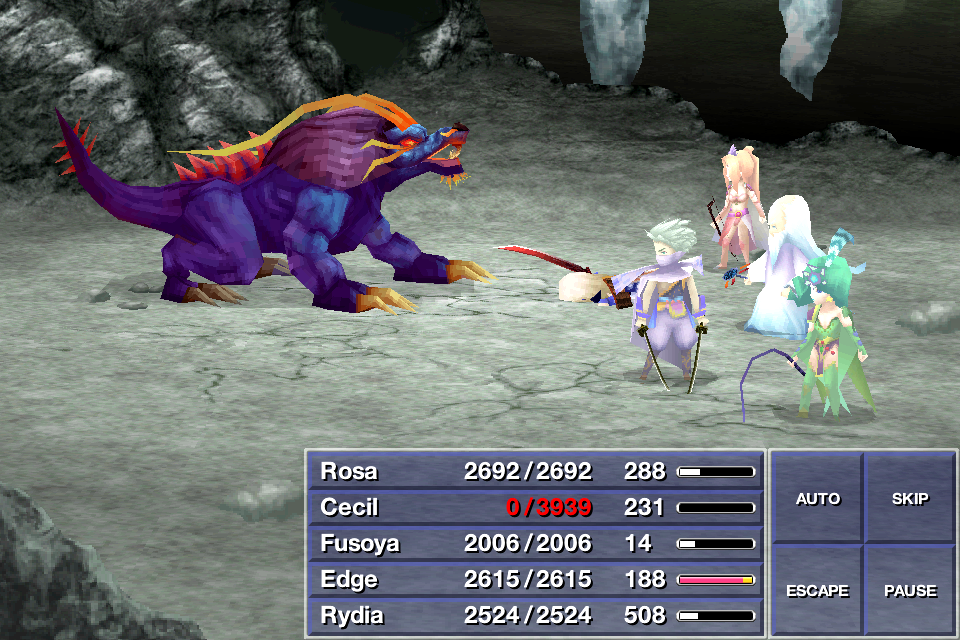
Triple Triad is a petite card game found in Final Fantasy VII. It’s much more fun to play it rather than spending countless hours just watching boring cutscene after boring cutscene. If you want to take a walk down on memory lane, here’s a link to the Triple Triad Card Game.

Nobody can ever forget the soundtrack that accompanied the game – sproing, peew, sproing, crackle!

Triple Triad hasn’t been forgotten by Square Enix. In their Final Fantasy XIV: A Realm Reborn, released in 2013, on August, the card game makes an appearance. Although, a shallow one at best.

Developer Square Enix has since then decided that Triple Triad deserves a little bit more love and, of course, polish. So, they unveiled their plan of releasing TT on mobile devices. Great idea – people tend to play card games on tablets and smartphones.

The annoying bit? Besides taking just forever for it to launch, the Triple Triad game for Android and iOS is a freemium app.

Triple Triad Card Game for iOS and Android

As we all know, freemium is known as the bubonic mobile plague. You’ll be able to play the game without paying for anything, but if you want the full experience then you’ll have to cough up some cashola. That is, if you don’t mind waiting minutes, hours, and even days to play.

If you want to play a TT game, it will cost one crystal. By default you get five. It takes 30 minutes for you to restore a single crystal. Want to play more? then you need to purchase gils, which is an in-app currency that can be bought using real-world money.

The almost free Triple Triad card game isn’t a standalone app. It comes packed within the Final Fantasy Portal app. If you get that, then you’ll also have Final Fantasy 1 for free – it’s a limited time offer, so you better hurry with this one.

Final Fantasy VII on iOS

Furthermore, Final Fantasy VII is available on iOS devices starting today. It has a beefed up price-tag of $15.99 – considering the fact that the majority of paid games commonly cost 99 cents or $1.99, and they are riddled with ads, FF VII might be a bargain. Might.

Square Enix recommends players to use it on at least an iPhone 5, or an iPad, iPad Mini 2 third-generation tablet with iOS 8.

Using older hardware and software might make possible an appearance of ” unforeseen errors”, notes Square Enix.

Before you Cloud Strife fans pop a vein out of excitement, you’ll need 4 gigs of space, and 2 gigs of RAM to be able to play it.

Image Source: 1, 2, 3

Filed Under: Headlines Tagged With: Final Fantasy VII, Square Enix, Triple Triad

Amazon Dash Was Hacked For Data Tracking

August 18, 2015 By Nancy Young Leave a Comment

Amazon Dash Was Hacked For Data Tracking

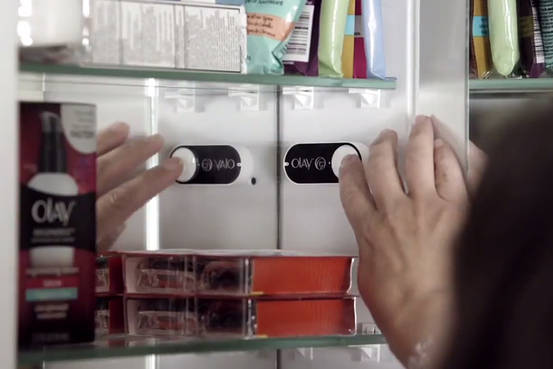
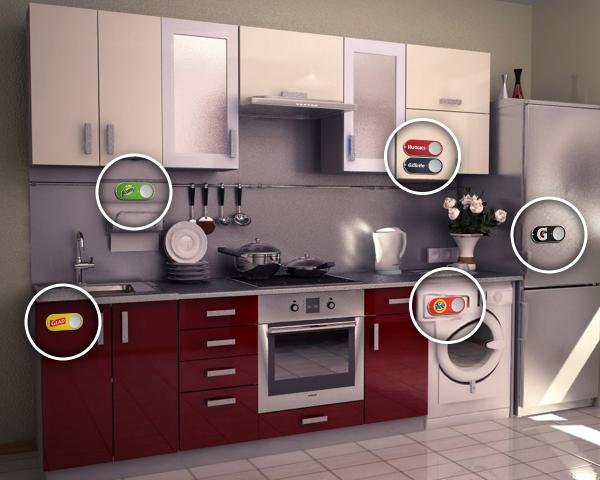
Earlier this year, in March, Amazon rolled out the Dash Buttons, which allow customers to reorder household goods like detergents, toilet paper and diapers with just a press. Amazon’s smart device is adhesive and sends a notification to the users’ smartphones for canceling or proceeding with placing the order.

The $5 buttons have received mixed reviews, with some praising Amazon’s initiative that saves them time, and others thinking out loud whether the buttons shouldn’t have been free. Then, there are those worrying their ten month old will be pressing the button non stop and those complaining about Amazon’s prices and lack of product variety.

While some spend their free time criticizing the single purpose buttons, the Amazon Dash was hacked by Cloudstitch CTO, Ted Benson, who wanted to enlarge the device’s horizons and make it do other stuff. Like track data.

Amazon Dash Was Hacked For Data Tracking

Benson broke down his Amazon Dash button’s functioning mechanisms and noticed the device sends out a signal every time the users press it. He didn’t want to crack open Amazon’s button and tinker with the hardware, so instead he turned towards the network to see what he can do there.

After the unique signal from the button gets picked up, Benson set up a script that will do anything he wants. His experiment involved one Dash button keeping tabs on his baby’s diaper getting changed and another device recording when his baby woke up from his naps. All the data was automatically recorded in a Google Spreadsheet.

But how do you prevent the hacked Amazon dash from ordering any products? The answer is simpler than you could imagine. Just skip the initial configuration process after you receive the device. If you don’t enter an SKU, the button won’t know what to order for you.

Amazon Dash Was Hacked For Data Tracking

However, there’s still a catch, even if you tackle the accidental household products ordering. Amazon’s Dash can act on its own, but the hacked, modified button will require something else. You’ll have to leave your computer on at all times. Also, make sure your computer is always connected to your network so it can pick up the button presses and upload data points to the spreadsheets.

If you’re no stranger to Python coding, Benson offered all the instructions and the script you need for hacking your own Amazon dash. We’re keeping our fingers crossed for the next hacker to set out a demo for turning on the coffee machine in the mornings or automatically locking the doors at night.

Image sources 1, 2, 3

Filed Under: Headlines Tagged With: Amazon, dash button, hack

Karbonn Sparkle V Review – An Android One Smartphone

July 27, 2015 By Roxanne Briean Leave a Comment

Karbonn Sparkle V

The Karbonn Sparkle V runs on pure Android, but is it worth the $200 price-tag? It’s one budget smartphone that doesn’t try to resemble any flagship device that is well established on the market, and neither does it try to say it’s the best one. The Karbonn Sparkle V doesn’t excel in any way, but this doesn’t mean it won’t satisfy your web surfing needs. Just don’t use it as your main tool of taking photos, because it seriously shouldn’t be considered capable of taking pictures.

Karbonn Sparkle V Review

What is the Karbonn Sparkle V? What are the Karbonn Sparkle V specs?

The Karbonn Sparkle V, which immediately makes me think of Power Puff Girls, is Google’s accomplice in bringing pure Android to the masses. It has been launched under Google’s Android One program.

It’s not that slim for a 4.5-inch device. For comparison, Apple’s flag-ship smartphone iPhone 6 is way smaller. This isn’t to say that the Karbonn Sparkle V is humongous. It’s just kinda too big for a 4.5-inch device.

The Sparkle’s key features, and specs:

  • Dual-Sim Card support
  • Android 4.4 Kitkat
  • 5 megapixel main camera

Karbonn Sparkle V

There isn’t much to go about, key features wise, because it lacks them completely. It’s equipped with borderline mediocre components, but somehow, it’s more than acceptable.

Karbonn Sparkle V Price: $200

Karbonn Sparkle V

Design Talk

Karbonn Sparkle V

Firstly I just want to put it out there that I don’t think that the Karbonn Sparkle V deserves the pure Android status. I’m no elitist, and I do realize that Google’s OS is designed for emerging markets, but it seriously doesn’t stand a chance in this dog eat dog smartphone world.

And with that out of my system, we can carry out.

The Sparkle V doesn’t visually stun you, and it just loses itself swimming in the vast ocean of budget-smartphones. It looks exactly like any other cheap smartphone, so if you’re going for the wow factor, for the let-me-shock-you with how beautiful my device is, you’re out of luck.

Karbonn Sparkle V

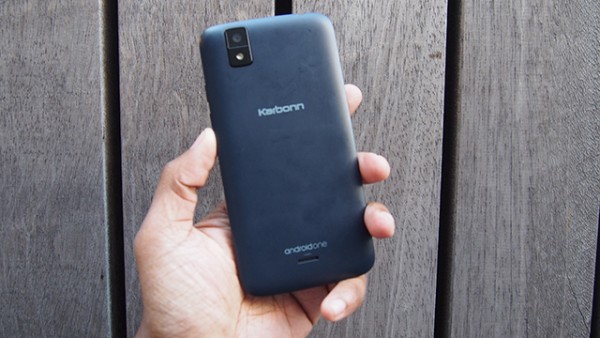
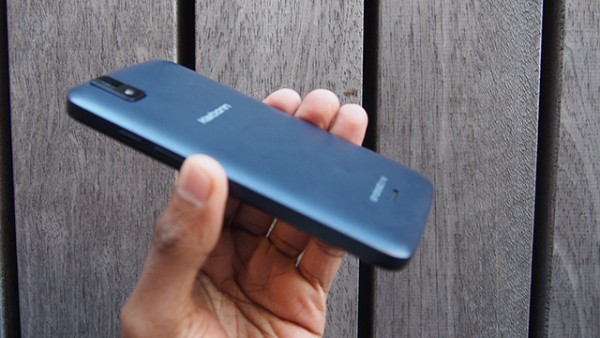
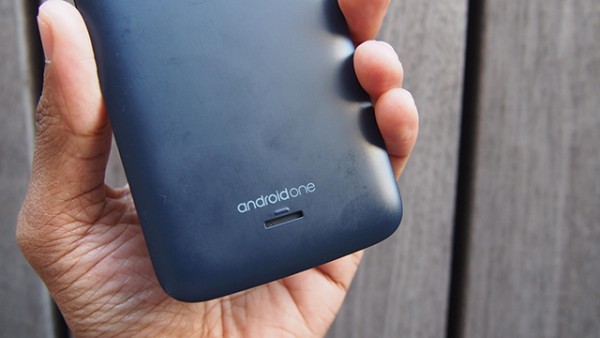
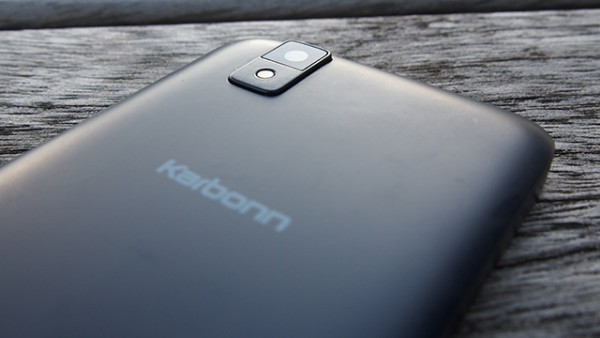
It’s built entirely out of plastic, and the back black matte, the dark blue plate, is a grease magnet. If you’re like me, and sweat a lot during the Summer – and not limited to it – then your phone will be home to your fingerprints, and dirt. Dirt? From where? I don’t exactly know. You see, I tested the Karbonn Sparkle V for a month – that’s how I usually run all of my tests – and at the end of the trial period, the back and the smartphones screen screamed Wash Me. 

Or better yet, throw me away, and get a new one. I keed, I keed.

Karbonn Sparkle V

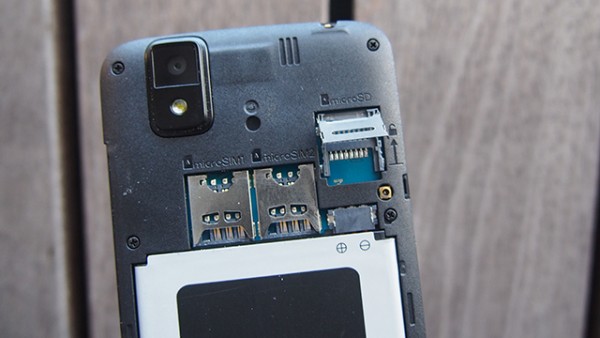
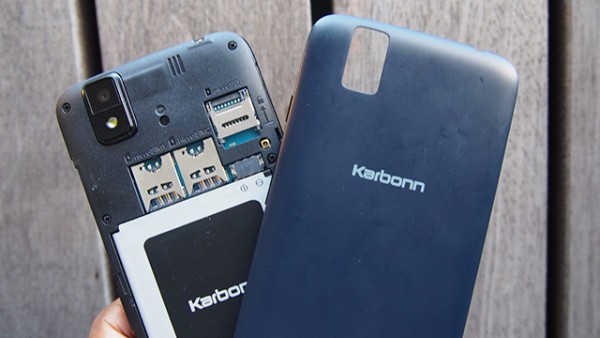
The plate on the back of the device is removable, and so it’s the smartphone’s battery. It’s equipped with a microSD card slot, and a Dual-Sim slot. I’m quite loving these options for Dual-Sim. Unfortunately for us, big telecom jerks tend to tax us when we get out of the state, or simply out of the country.


Also, I use a cheap unlimited data plan sim for my internet cravings – no minutes, no messages, zero, zip, zilch, nada! And another one for talking, and texting. It’s way cheaper this way, believe-you me!

Regulars travelers might be starting to like the Karbonn Sparkle V.

Karbonn Sparkle V

The microSD card’s appearance is a rarity on cheap, budget phones, so having it comes like a divine gift. Actually, the Sparkle V has to have a microSD card slot, or people would not buy it. The smartphone has only 4GB of storage space, and  only about 2 of them are usable. That’s super sucky, and you don’t have any room for storing photos, music, or even games.

A 32 gig microSD card usually costs $25 to $35 bucks, and I highly recommend you invest in one. Even though, your photos won’t be showing-off worthy.

One thing that I found pretty great with Sparkle over here is the fact that I didn’t even feel it in my pocket. I said before that it isn’t as slim as a 4.5-inch device should be, but it still does, shockingly, well in this department. It weighs just about 107g, and measuring 9.2mm thickness, you’ll be afraid of loosing it in your pants.

Karbonn Sparkle V

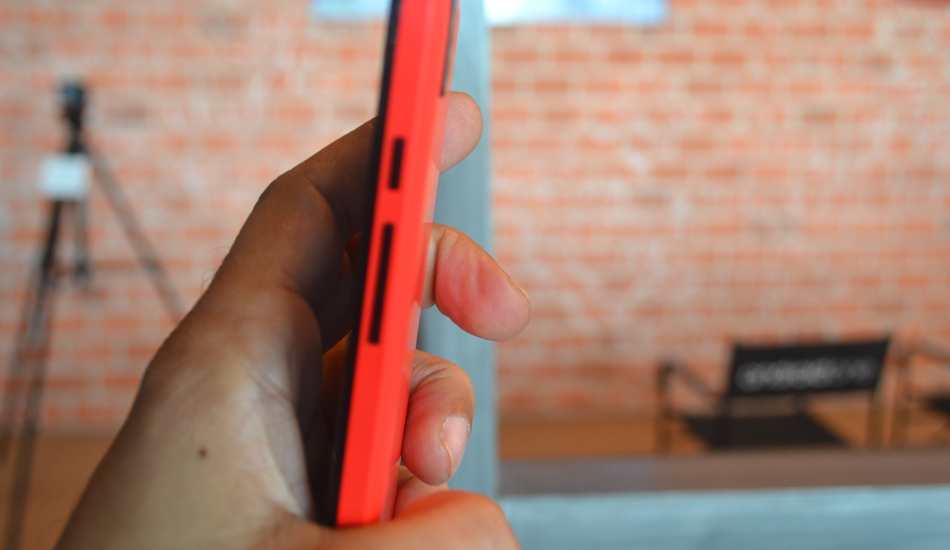
The volume rocker, and the standby button sit nicely together on the right edge, the micro USB charging port is in its usually found place, that is at the bottom, and the 3.5 mm head phone jack resides close to it.

Overall, the build-quality, although not exceptional, is pretty great. Even though it’s a grease, and fingerprint magnet, it feels comfortable in your hand. Out of pure clumsiness, I dropped the Karbonn Sparkle V, and to my surprise, it didn’t chip.

Karbonn Sparkle V

Screen Talk

Karbonn Sparkle V

As we already know, the Karbonn has a 4.5-inch IPS LCD screen. It outputs a 480 x 854 resolution with 218ppi pixel density. Not much for $200, considering that you have to buy a microSD card, it racks up to $250 or so. For this kind of money, you could be looking at the Kazam Tornado 455L, which has a bigger screen, and a better resolution.

Don’t get me wrong, it’s not bad, it’s actually pretty decent if you plan on using it to surf the web, watch YouTube clips, or play a game from time to time, but I would buy something else if I were you.

Karbonn Sparkle V

Videos have quite a punch, and colors seem full of life, vivid, and refreshing. There are some fuzzy corners if you pay close attention to app icons, and such, but nothing too noticeable – unless you go looking for issues.

Brightness is decent, but you won’t want to crank the knob to the max, because battery life will suffer, greatly. More on that later on.

Karbonn Sparkle V

Software Talk

Karbonn Sparkle V

It’s a pure Android smartphone, meaning that it doesn’t come with any bloatware apps – something I despise immensely. I just hate that Samsung, and Sony  push so many crapware into their systems, and I have to cleanse it. I get annoyed even more when I find out that I can’t delete some of the apps they pre-installed, just because the phone manufacturer has some sort of partnership with the app-maker.

The Karbonn Sparkle V runs Android 4.4 Kitkat, and it limits itself to just that. Although, the phone-maker has promised that their device will be able to run Android 5.0 Lollipop, there’s no news of it seeing the light of day. It has a release date of at some point in the future. Yay!

Karbonn Sparkle V

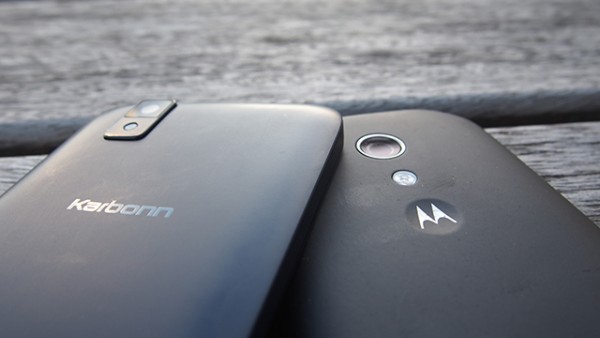
Comparison with Moto G

The pros of having a Karbonn Sparkle V Android One smartphone is that your device will be amongst the first to receive new software – if, and when, it’s eligible for an update.

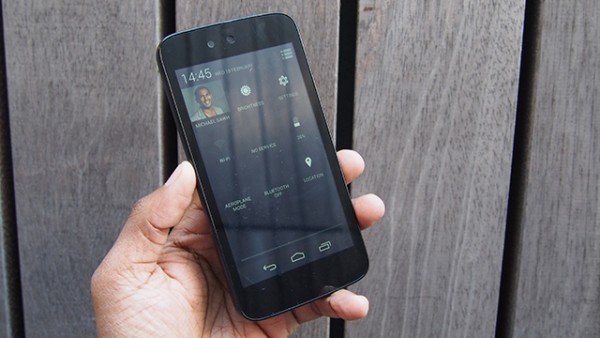
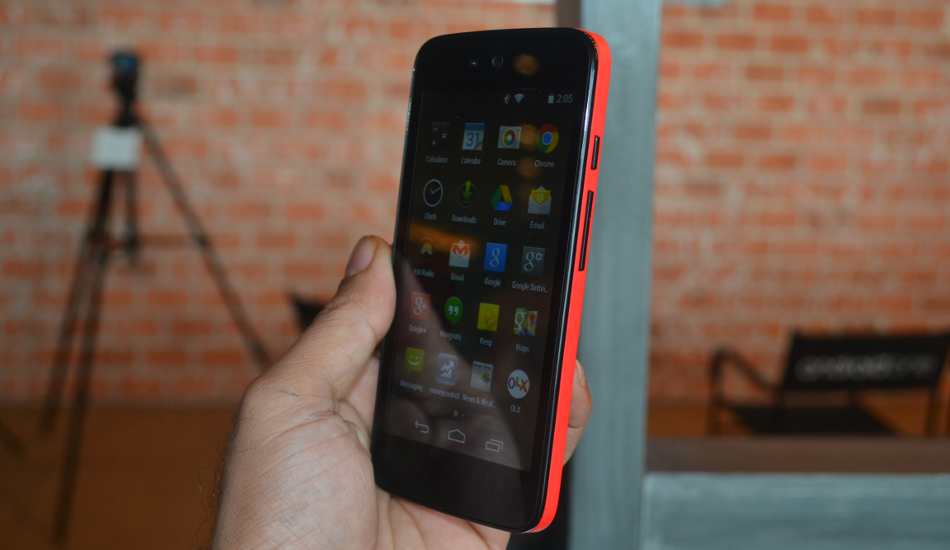
All of Google’s stock apps come pre-installed – including Google Chrome, and Google Keep. If you swipe left, you can launch Google Now, and prompting the notification panel is just a downward swipe away. It fits the norm.

Karbonn Sparkle V

There are a few apps that you’ll see available only for Sparkle like OLX, Snapdeal, and Saavn which is a music service.

One cool feature that Android One phones are equipped with is the ability to download YouTube clips for offline use, but unfortunately for the Sparkle, it isn’t present. It’s a little bit peculiar that it’s missing.

Karbonn Sparkle V

Performance Talk

Karbonn Sparkle V

Karbonn’s smartphone ain’t the best one performance wise, but it packs quite a punch. It’s equipped with a quad-core Mediatek MT6582 processor, at 1.3GHz, with an ARM Cortex-A7. The Mali 400MP2 GPU takes care of your gaming needs.

I’ve come to realize that going bonkers over the fact that it has four cores is just plain foolish. The way the dev implements those cores, and how they work with the whole system matters the most.

I’ve found the Sparkle to be as good as, if not better than, the Moto G, but not by much.

You won’t have any problems surfing the web for articles, reading Facebook, watching YouTube clips, and even gaming. But I’ve seen better at this price range. It puts in a good performance nevertheless.

You’ll notice some lag on occasion, but nothing a quick restart won’t fix.

Karbonn Sparkle V

Camera Talk

Karbonn Sparkle V

The camera unit is where cheap budget phones tend to make sacrifices, and go figure, the Karbonn doesn’t shy away. If you’re going to buy this smartphone, keep in mind that you’ll be acquiring a modest-setup – that’s an overstatement to be honest.

Yes, 5 measly megapixels aren’t enough for this day and age, more so considering the fact that it’s the primary camera. The LED flash, and autofocus don’t shine one bit, and they are the most disappointing out of the bunch.

Karbonn Sparkle V

Day time sample picture

The secondary 2 megapixel camera which can be used for taking selfies, and also 720p video is a nice addition, but keep in mind that it’s not that great.

Sure, it’s okay’ish for Facebook, and Instagram, but if you plan on using it for something else, then no way Jose.

But before you even think of taking photos, you need to buy a microSD card, and install it on your phone. Those 4 GB that the smartphone is equipped with, aren’t use for capturing images. Why? Because pictures must be saved on an external storage device – like a microSD card.

Karbonn Sparkle V

Day time sample picture

If you try to take a picture without a microSD card installed, a message will be prompted on the screen telling you to buy one.

That’s another deal-breaker.

Taking photos can be done from the pre-installed Google Photos app – which you can use to synch photos to the cloud. And in camera picture app you can choose modes, and if Flash is enabled, or not.

Google’s camera app features only the basic things, and it’s easy to use, and intuitive. Although, at first, it may seem a little bit hard to understand where you can select modes, and such. Just tap the small camera settings icon in the top corner.

Karbonn Sparkle V

Day time sample picture

Like I said before, don’t expect anything great to come out of it. Sure, it’s more than enough for Facebook, Twitter, and even Instagram, but that’s about it. Why? Because pictures seem to be packed with a ton of noise, even in exceptional light conditions.

It has a slow shutter speed, which tells you that pictures will tend to look out of focus from time, to time. But that’s not the lackluster thing about it. Pictures look bland. That’s the best way I can put it. No colors that punch you in the face with their warm, or cold feeling. No sharp images that portray exactly that awesome architecture the building has.

Karbonn Sparkle V

Night time sample picture

You need to keep your Sparkle V steady at all times when taking a picture, because you won’t find that top-notch image stabilization you’re probably used to in more expensive smartphones. This tends to be a huge problem when taking photos during night time. Pictures can look overexposed, and grainy.

You can take 1080p vids with the rear-facing camera, and 720p with the front one. But, in my experience with the Karbonn Sparkle V,  I wouldn’t recommend it. Clips are just a huge mess of pixels running on your screen. It’s not 1080, no matter how hard the company tries to say so.

Karbonn Sparkle V

Battery Life Talk

Karbon Sparkle V Battery

It has a 1700mAh battery, which is removable, and it lasts about 7, to 8 hours, depending how much you check Facebook. It’s not that much, and I’ve seen it go below the 7 hour mark.

Bottom line is, it won’t last you throughout the day if you’re checking Facebook, or surfing the web constantly. Carry a charger with you at all times.

The 720p video test which I ran, lasted just about 5 hours and 40’ish minutes.

Karbonn Sparkle V

Sound, Call Quality Talk

Karbonn Sparkle V - Sound Quality

While I do not recommend listening to music out loud, and even watching YouTube clips without headphones – mainly because it’s a douchey thing to do – sound quality is really great. You can hear all the high sounds without adjust your phone, but it has some problems with the bass. It’s a forgivable issue. Not even high-end smartphones can output great bass quality through their speakers.

Call quality is also great. No interruptions, no losing signal, and no robot sounds talking in your place.

In this area, the Karbonn Sparkle V does its job tremendously well.

Karbonn Sparkle V Verdict

Karbonn Sparkle V - Verdict

Karbonn Sparkle V – Verdict

Should I buy the Karbon Sparkle V?

If you don’t mind the horrible little camera, and the fact that you need to buy an additional microSD card, then yes. I think it’s one great budget smartphone in Google’s Android One program.

Of course, you can keep looking for other $200 smartphones that may fit your needs perfectly, but in my book, I choose you Pikachu. No, wait. I choose you Karbon Sparkle V.

Image Source: 1, 2, 3, 4, 5, 6, 7, 8, 9, 10, 11, 12, 13, 14, 15, 16, 17, 18, 19, 20, 21

Filed Under: Headlines Tagged With: Android Kitkat 4.4, Android One, Android One Program, Karbonn, Karbonn Sparkle V, Sparkle, Sparkle V

Kazam Tornado 455L Review

July 22, 2015 By Karen Jackson Leave a Comment

Kazam Tornado 455L

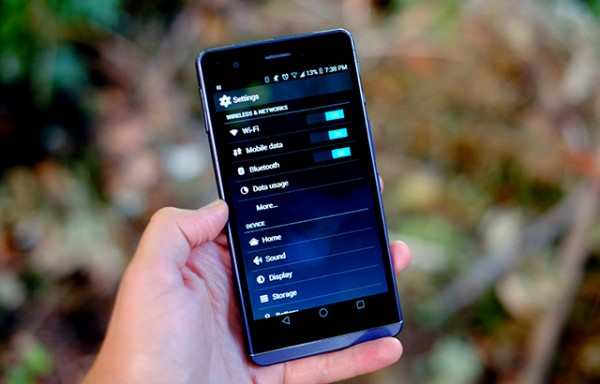
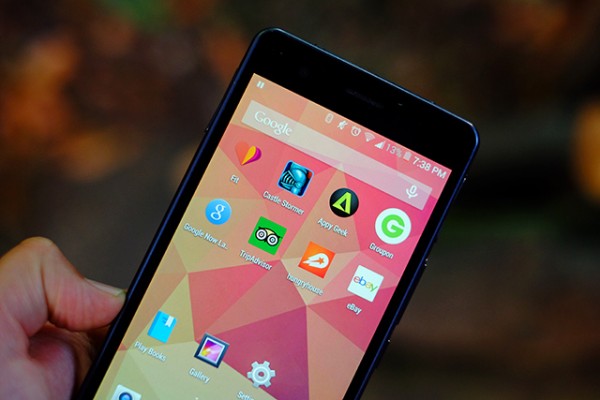
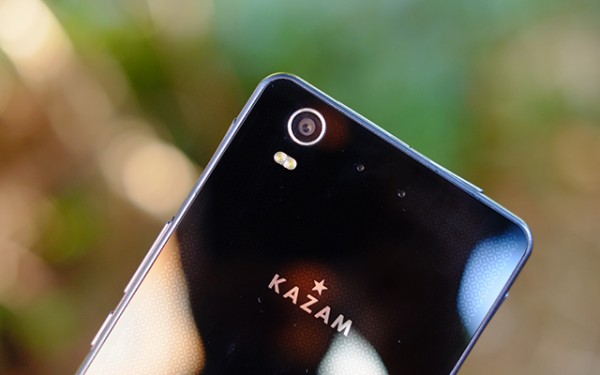
Not too many people have heard of the Kazam Tornado 455L, and frankly, you aren’t missing that much if you’re only looking for flag-ship phones. You see, The Kazam Tornado 445L is a budget smartphone, that doesn’t look, nor feel, like a budget smartphone.

The Kazam Tornado 455L looks exactly like Sony’s Xperia line, and it aims to compete with the Japan-based company.

Kazam Tornado 455L Review

What is the Kazam Tornado 455L? What are the Kazam Tornado 455L specs?

It’s Kazam’s way of competing with Sony. You can take it with you in the pool, because it’s waterproof, and you can even drop it on cement, from pocket-distance, without fearing that you just destroyed your phone – it’s equipped with Corning’s Gorilla Glass.

It’s quite slim, and its rectangular shape makes it look high-end.

The Tornado’s key features, and specs:

  • Primary Camera 13 mp
  • Quad-core 1.2GHz Snapdragon 410 CPU
  • Android 4.4
  • Large screen

Kazam Tornado 455L

It’s not the best smartphone on the market, but for those specs, and priced at about $200, it’s one device you should test before deciding what to buy.

It’s in no shape to race against Sony’s flag-ship phone, but if you want something that resembles their top-of-the-line product, the Kazam Tornado 455L might be just the one for you.

Kazam Tornado 455L Price: $200

Kazam Tornado 455L

Design Talk

Kazam Tornado 455L Design

So we’re going to start with its design.

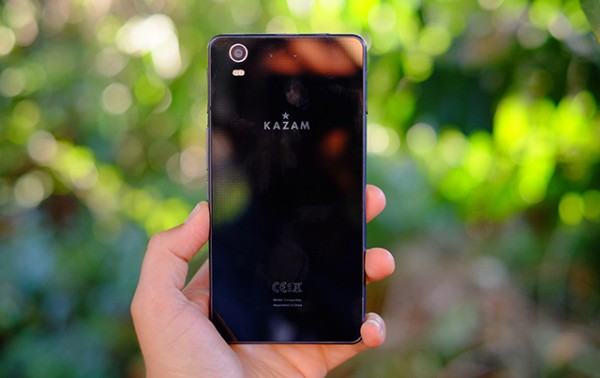
Like I said before, it resembles perfectly Sony’s Xperia device, and this is clearly no coincidinc. It’s a lot of things, but being new, and original just doesn’t stick to Kazam’s smartphone.

The Tornado 455L is Sony Xperia Z3+’s cheaper, and less powerful doppelganger. Here’s the thing. It doesn’t feel, or look like a budget device. This way, Kazam tries to garner some loyal Sony fans. But does the cookie crumble?

You can find Corning’s Gorilla Glass on both the front, and the back side of the phone. Usually, budget phone makers tend to envelope their devices in low-quality plastic, but not Kazam. Although, you can feel the plastic, which is not high-quality, but neither poor, on the sides of the smartphone.

Kazam Tornado 455L Design Talk

Because it’s not entirely made out of plastic, it doesn’t make those annoying creaking sounds that usually appear out of the blue when you put a little bit of pressure on cheaper smartphones.

I mentioned earlier that the Kazam Tornado 455L was waterproof. Not the good kind, mind you.

Sony, and other flag-ship manufactures, build water-resistant USB ports, and headphone jacks. Low budget ones, don’t, and this is the case with the Tornado 455L. It has waterproof flaps, that need reflapping after use. Kazam’s rubber flaps cover the phone’s four ports – one microSIM, one microSD, one microUSB, and the headphone jack.

Kazam Tornado 455L looks like Sony's Xperia Z3plus

Micro this, and micro that, but unfortunately, the rubber flaps are poorly constructed, and this can be noticed quite easily. It becomes so annoyingly tedious to just unseal, and reseal them. Also, you can’t just push them back in place. You need to seriously do some finger dancing, and push like your newborn baby is on his way.

It’s a 5.5-inch smartphone. They will always seem too big for my hands.

Kazam Tornado 455L Size

The smartphone feels smooth, with no blocky, or sharp builds, and buttons feel high-quality. Note, they feel, but they clearly aren’t. I didn’t encounter issues with them on my one month test period, but I could feel them cracking under their very own weight.

Kazam Tornado 455L

Screen Talk

Kazam Tornado 455L Screen

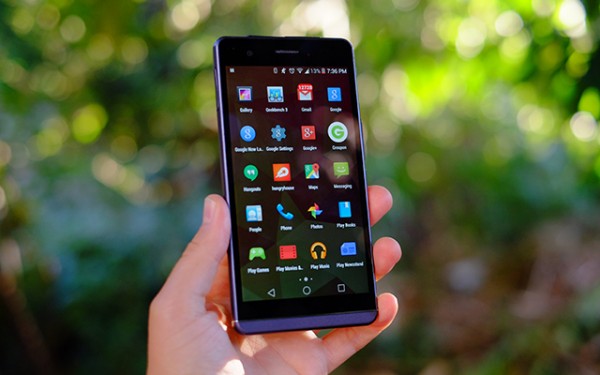
It does feature a 720p resolution, but it’s stretched out on the 5.5-inch screen. Whatever you do on your smartphone – play games, watch movies, or short clips, surf the web, or type away borderline endless messages – you’ll need a big screen.

Unfortunately, it doesn’t excel in this area. Indeed, it does look pretty good, but when you start a Google search, and start reading an article, you’ll notice pixels.

Kazam Tornado 455L 5.5-inch Screen

It doesn’t do well when showcasing pictures. You can see that the colors are bland, and quite lifeless. Colors look like someone threw a shade of grey goo over them.  It doesn’t have those vibrant colors that you might be accustomed with. No sharp, and fresh images for you.

Kazam Tornado 455L Screen

One thing which I ignored completely, but found that other tech reviewers bashed to smithereens, is the auto-brightness mode. Sure, indoors brightness should be set to low, and outdoors should go to its maximum capacity, automatically. But the thing i, it doesn’t do this very well, and it flusters every time. When you set it manually, you won’t have problems with seeing text when you’re outside, on a sunny day.

Kazam Tornado 455L

Software, and Performance Talk

Kazam Tornado 455L Performance

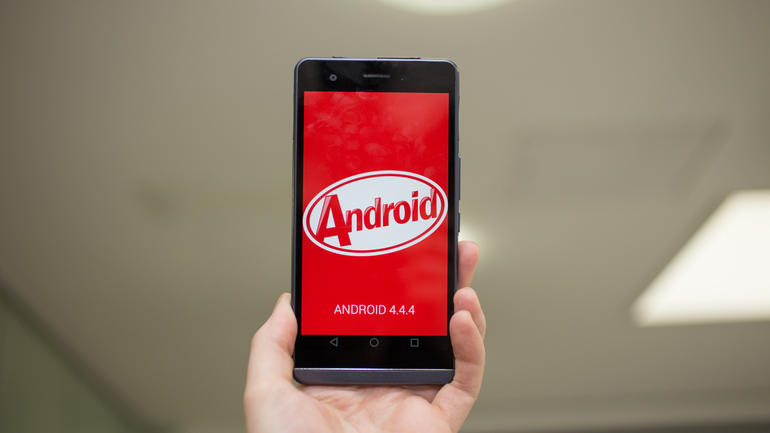
The downside of buying a Kazam Tornado 455L is that you’re going to be stuck with Android 4.4 Kitkat, which by now, is starting to feel old, and tired. No, you can’t even upgrade to Lollipop. Android M is out of the question.

Although you’ll be missing out on the game-changing Lollipop, and the unreleased Android M – which won’t bring new big features, instead it will focus on polishing already implemented stuff – Kitkat 4.4 isn’t really that bad.

Kazam Tornado 455L OS

You can still run everything that’s available on Google Play. The downside being that it will indeed feel outdated. The substantial visual improvements that Lollipop came packed with aren’t, clearly, present.

But there’s a silver lining here. The majority of budget phones that force themselves to run Android Lollipop tend to kill themselves slowly, because Google’s latest update just wants their heart, and soul. You can’t give something that you don’t have, right?

Kazam Tornado 455L can run Asphalt 8

Asphalt 8

This way, by implementing a limit, which is 4.4 Kitkat, Kazam eludes performance issues.

It’s quite the eager rabbit performance wise, even though it has a slow processor when compared with high-end products. The Snapdragon 410, which is paired with 2 GB of RAM, makes the 720p smartphone quite a catch. The majority of Snapdragon 410-devices are usually equipped with a tiny 1 GB unit.

Kazam Tornado 455L can run Android 4.4 Kitkat

The Snapdragon 410 does well even with Asphalt 8, but not on max settings. It can run, and play almost anything on the Play Store, only with a few games, and apps that just don’t work that well. You can still run them, but think of lower framerates, and a sluggish experience.

The 64-bit chipset, which is on the low side of performance products from Snapdragon, tends to heat up when using 4G internet. Because it’s being hugged to death by two glass sides, temperature tends to rise higher than the norm, but somehow, it doesn’t reach molten lava levels like Sony’s Xperia Z3.

Kazam Tornado 455L

Camera Talk

Kazam Tornado 455L Camera

The primary 13 megapixel camera which can be found on the rear side of the phone outputs the same quality as older flagship smartphones a.i Samsung Galaxy S4, Motorola Moto X, and LG G2, and G3.

The secondary, front, 5 megapixel camera is more than capable of taking selfies for Facebook, Instagram, or whatever cool new social media platforms you kids use today.

While it is old, the rear primary camera doesn’t output low quality as you may think, and it bodes pretty well in low light setting. Although, it falls short when compared with the iPhone 6, even the iPhone 5.

Kazam Tornado 455L has a 13 mega pixel rear facing camera unit

If you keep your hand steady, you can get pretty good pictures, but only if. I dub the Kazam Tornado 455L SlowPoke. Shutter-speed is super-slow, and it will take a while until it you get your desired photo.

The dual-LED flash comes in quite in handy when illuminating  people’s faces.

If you’re looking for a smartphone for taking pictures, I recommend you look elsewhere. The motive being that its camera unit, although equipped with 13 megapixels, just takes so long to shoot a decent picture. It feels like there’s a tiny man inside of your device that slowly paints what he sees, and if you move it just a little bit to the left, he gets grumpy, and smashes his canvas.

Kazam Tornado 455L Camera

The HDR mode should be used only if you’re immortal. I got sick of it after trying it for a day, and didn’t use it that much. Not just because it takes so long to work, but also because it somehow warps the picture taken, and makes it look ethereal, and otherworldly. Creative types might love it. I just hate it.

Also, if you’re shooting still objects, like statues, buildings, and whatnot, you need to go to your smartphone’s gallery to see your end result. Kazam doesn’t seem to make anything easier when it comes navigating on their device.

Kazam Tornado 455L Camera

It saddens me that the Kazam Tornado 455L has such an awesome hardware, but the budget phone manufacturer went the wrong way optimizing the whole thing.

What I found underwhelming also was the quality of the lens. I don’t want to call it poor, or just plain sucky, because preferences, are preferences, but I expected something more from the 13 megapixel unit. Pictures tend to have a purple tint, but I found no issues with sharpness.

Kazam Tornado 455L Camera

All in all, out of 100 pictures taken, I only managed to salvage 20’ish. If you don’t mind scouring through countless duds, and if you have a happy triggerfinger, go for it. I don’t want to repeat this experience.

If you want to take videos, be warned that the Kazam Tornado 455L is limited to only 720p. As far as I know, the Snapdragon 410 processor can shoot 1080p videos. This is odd, peculiar, and I’ll further look into this issue to find out why it’s factory limited.

Kazam Tornado 455L 

Battery Life Talk

Kazam Tornado 455L Battery

Kazam’s Tornado 455L battery consists of a 2,600mAh unit, which performed rather mediocrely when tested with a continuous 720p video. It lasted about 8 hours and 30 minutes.

Day to day use drained Kazam’s battery, and I had to plug it into a charger before I went to bed

In all fairness, it isn’t bad, but it isn’t good. When you think that this is a budget phone trying to resemble a flag-ship one, you tend to get pass this little thing.

Kazam Tornado 455L

Sound, and Call Quality Talk

Kazam Tornado 455L Sound Quality

I found the sound, and the call quality rather poor. You don’t have a grille from whence the sounds comets, and it seems that it squeezes through the plastic sides – somehow.

At the beginning of our review, I noted that the Kazam Tornado 455L resembles Sony’s Xperia Z3+. I should just add that it does so only visually. Quality wise, it doesn’t even touch Xperia’s toes.

The thing is, it definitely lacks clarity, and pumping up the volume doesn’t do any good. In fact, it worsens the situation by adding distortion to it.

It has a noise cancellation mic on the back, but it doesn’t help it that much.

Kazam Tornado 455L Verdict

Should you buy the Kazam Tornado 455L?

Kazam Tornado 455L Verdict

If you’re on a budget, and you just want to spend $200 on smartphone that resembles some high-end product. Sure. Go ahead. If you don’t plan on taking pictures, and you just want a decent device, it’s more than worth it – price to value ratio.

  • Pros

– Large 5.5-inch screen

– Enveloped by two Corning Gorilla Glass panels

– Okay’ish battery

  • Cons

– Disappointingly stupid camera

– Annoying water proof rubber flaps

– Horrible sound quality

– Mediocre call quality

What else can you buy for $200?

Asus ZenFone 2

Asus ZenFone 2

Well, the Asus ZenFone 2 is under $200, and it offers a quad-core 1.8GHz Intel Atom Z3560 processor, 2GB of RAM and 16GB of on-board storage. It’s equipped with a 5.5-inch 1080p LCD screen. It runs Android 5.0 Lollipop, and it’s main camera is a 13 megapixel unit. It also has a secondary 5 megapixel front facing unit.

Motorola Moto G

Motorola Moto G Second Generation

How about Motorola Moto G – the second generation smartphone from Motorola. It’s about $180, and the 5-inch device features a 1280 x 720 resolution, a quad-core Snapdragon 400 processor at 1.2 GHz. It has a rear facing 8 megapixel camera, which can’t be used for serious photography, but it does well in the Post-to-Facebook department It also has a 2 MP front facing unit.

The downside is that it only has 1 GB of RAM. It runs Android 5.0 Lollipop, and be sure that the company will continue to bring new updates to their smartphone for the next two years. Even though they probably will kill the device.

Xiaomi Redmi 2 Pro

Xiaomi Redmi 2 Pro

And the last one which I can recommend at the current moment is Xiaomi Redmi 2 Pro. It’s about $200, but it comes equipped with 2GB of RAM, and a quad-core 1.2GHz Snapdragon 410 processor. The 4.7-inch 720p LCD display is just perfect in size. Not too big, and not really that small.

As the previously discussed Motorola Moto G, Xiaomi Redmi 2 Pro has a rear facing 8 megapixel unit, and a front facing 2 MP camera.

Image Source: 1, 2, 3, 4, 5, 6, 7, 8, 9, 10, 11, 12, 13, 14, 15, 16, 17, 18, 19, 20, 21, 22, 23,

Filed Under: Headlines Tagged With: 455L, Kazam, Kazam Tornado, Kazam Tornado 455L, Tornado 455L

  • « Previous Page
  • 1
  • 2
  • 3
  • 4
  • 5
  • 6
  • …
  • 11
  • Next Page »

Subscribe to Blog via Email

Enter your email address to subscribe to this blog and receive notifications of new posts by email.

Join 10 other subscribers

Recent Articles

police handcuffs man

German Man Probed In Poisoning That Killed 21 Employees Since 2000

June 29, 2018 By Kenneth Scott Leave a Comment

Chicken wings bar

Intoxicated South Carolina Man Punches Waitress Who Refused to Serve Him Alcohol

June 29, 2018 By Karen Jackson Leave a Comment

gaming

New Zealand gamer Who Flew Halfway Across The World for Virginia Teen Gets Shots By Her Mother

June 28, 2018 By Cristopher Hall Leave a Comment

party

Former Virginia Tech Freshman Sentenced to 50 Years in Prison for Stabbing a Girl to Death

June 28, 2018 By Roxanne Briean Leave a Comment

bonfire

British Couple Sentenced to Life in Prison for Torturing and Murdering French Nanny

June 27, 2018 By Deborah Campbell Leave a Comment

pay phone

Texas Father of Girl Disappeared in the 80s Ignored by Authorities

June 26, 2018 By Cristopher Hall Leave a Comment

bottled water

San Francisco Woman Threatened to Call Police on Girl Who Sold Ice Water for Disneyland Trip

June 25, 2018 By Roxanne Briean Leave a Comment

Maplewood Park

Missouri Man Robbed by Date and Accomplice in Park

June 22, 2018 By Nancy Young Leave a Comment

coding

New York Man Sentenced in Cyberstalking Former Girlfriend, Mailing Drugs to Her Dorm

June 22, 2018 By Deborah Campbell Leave a Comment

headphones

Bose Poised to Launch Sleepbuds, In-Ear Headphones That Help You Sleep

June 21, 2018 By Nancy Young Leave a Comment

Police light

Intoxicated Female Driver in Custody for Pulling Arresting Officer by the Hair

June 21, 2018 By Kenneth Scott Leave a Comment

kitchen

Restaurant Manager Arrested and Charged in Shooting Death of Co-Worker over Negative Yelp Reviews

June 20, 2018 By Karen Jackson Leave a Comment

plastic container

Pennsylvania Couple Charged in Violent Death of Infant Discovered Buried in Cat Litter

June 19, 2018 By Cristopher Hall Leave a Comment

tailpipe

Minnesota Teen Gets Head Stuck In Oversized Tailpipe Winstock Music Festival

June 18, 2018 By Karen Jackson Leave a Comment

Pages

  • About Us
  • Contact us
  • Privacy Policy
  • Privacy Policy GDPR
  • Staff
  • Terms and Conditions

Recent Posts

  • German Man Probed In Poisoning That Killed 21 Employees Since 2000 June 29, 2018
  • Intoxicated South Carolina Man Punches Waitress Who Refused to Serve Him Alcohol June 29, 2018
  • New Zealand gamer Who Flew Halfway Across The World for Virginia Teen Gets Shots By Her Mother June 28, 2018
  • Former Virginia Tech Freshman Sentenced to 50 Years in Prison for Stabbing a Girl to Death June 28, 2018
  • British Couple Sentenced to Life in Prison for Torturing and Murdering French Nanny June 27, 2018
  • Texas Father of Girl Disappeared in the 80s Ignored by Authorities June 26, 2018
  • San Francisco Woman Threatened to Call Police on Girl Who Sold Ice Water for Disneyland Trip June 25, 2018

Categories

  • Business
  • Entertainment
  • Finance
  • Headlines
  • Health
  • Life
  • Nature
  • Science
  • Sports
  • Tech & Science
  • Travel
  • Uncategorized
  • United States
  • World

Copyright © 2026 ArgyllFreePress.com
About · Privacy Policy · Terms of Use · Contact