Argyll Free Press

Growing News Network

Monday, November 23, 2026
Log in
  • Business
  • Finance
  • Sports
  • Tech & Science
    • HP Envy 4500 Review
    • LG Optimus 170 Review
    • iPod Touch 6th Generation Review
    • HTC One M8 Accessories Set-up
    • Surrealist Games You Must Play
    • Hisense Sero 8 Review
    • Dell Latitude e7440 Review
    • HP Laserjet 1536dnf mfp Review
    • Garmin Fenix 2 Review
    • Skype Vs Viber
    • Best Video Conferencing Software
    • Sony mdr 1r Headphones Review
    • Canon Rebel t3i Review
    • Sennheiser Momentum 2-0 Review
  • Travel
  • Headlines
  • Health
  • United States

Search Results for: cloud war

Apple’s Issues With Storage May Be A Thing Of The Past

June 30, 2015 By Roxanne Briean Leave a Comment

Apple CEO Tim Cook

Apple’s issues with storage may be a thing of the past, thanks to Samsung.

9to5Mac cites as source KoreanTimes, which state that Apple is in negotiations with Samsung – they want the South-Korean company to build them a crucial component for their new iPhone product line. Rumours have it that Apple wants to ditch Toshiba, SK hynix and SanDisk, and go with Samsung as their only storage component manufacturer.

Their iPhone 6, and iPhone 6 Plus smartphones come with a standard 16 GB storage, and some consider this to be way too small for what you can do with a device in 2015. By the time the new iPhone comes out, 16 GB of storage may not be enough for what the average Joe needs. More so, operating systems may increase in size in the near future.
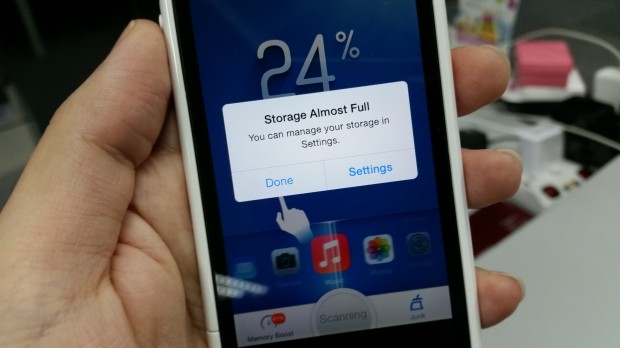
Apple's iPhone 6 16 GB struggles with storage space

Apple wants to stay ahead of problems that might arise in the (near)future.

We already know that Samsung is in Apple’s good grace, because they will reprise their role as chip makers for the California-based company, but their relationship might turn another leaf.

Apple’s standard iPhone 6 model comes with a built-in storage of 16 GB – users can choose upwards to 32 GB, 64 GB, and 128 GB.

Apple might scratch off completely the 16 GB model, thus making Apple aficionados pay more buck for a standard model – which rumours have it will stand at 32 GB.

In 2014, photo app Ice Cream reports that  iPhone 6 16 GB users run out of storage space too often. Apple is listening to its community, and considers that – ” The belief is more and more as we use iCloud services for documents and our photos and videos and music, that perhaps the most price-conscious customers are able to live in an environment where they don’t need gobs of local storage because these services are lightening the load. “ says  Phil Schiller, the company’s head of marketing.
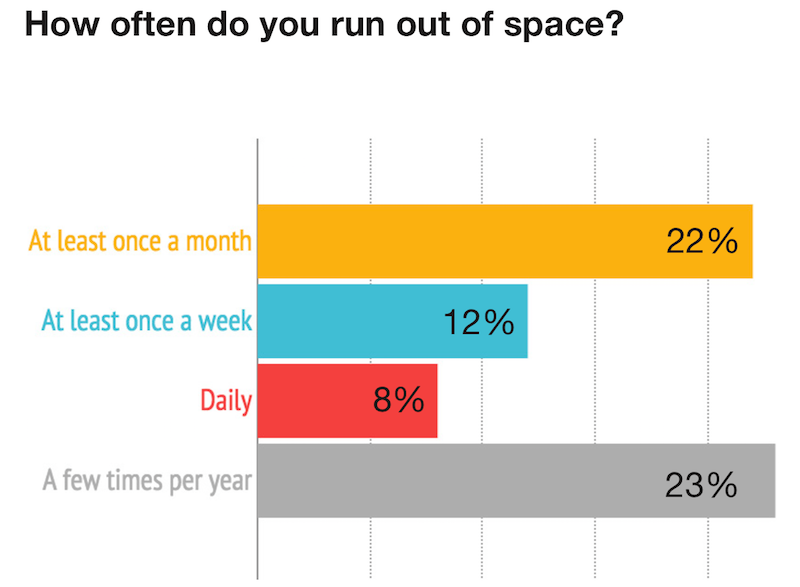
Apple iPhone 6 16 GB storage graph

IceCream / Ondevice Research 2014

If the rumours are true, Apple is shifting its focus on storage space for its new iPhone device, and they consider this a big deal, even though they seriously don’t show it. Apple is trying to make iCloud services popular, but it’s aware of the fact that not everyone is keen on jumping on the bandwagon which is currently dominated by Amazon, Google, and Microsoft.

Also, as a side note, Apple is considering that the iPhone 5C’s 8 GB of storage space is incredibly small, and it might interrupt its line pretty soon – only for it to come out with 16 GBs, and even 32 GBs.

Apple will most likely announce something official this Fall, as the company is known not to respond to rumours.

What do you think? Good, or bad decision on Apple’s side? Would you pay more for a standard model that has double the storage space that the current iPhone 6 has?

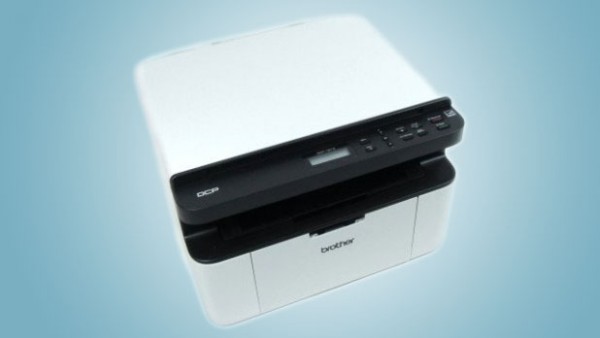
Image Source: 1, 2, 3

Filed Under: Headlines Tagged With: Apple, iPhone, samsung, storage component

Best Laser Printers of 2015 – Monochrome Edition!

June 25, 2015 By Michael Turner Leave a Comment

The Best Monochrome Laser Printers

If you’ve got a lot of text to print, and you need it printed fast, then you should probably look for a monochrome laser printer. Who thought that in 2015 a mono printer would be so crucial for businesses?

What is a monochrome laser printer?

A monochrome laser printer prints only black, and white, using only a black tone cartridge – small businesses, and enterprises alike get the most use out of them, but that doesn’t mean it won’t be helpful if you’re working from home, or you’re planning on printing a ton of essays.

Well, without further ado, I present you this year’s round-up of the best laser printers available – affordable too!

Best Laser Printers #1   Brother DCP-1510

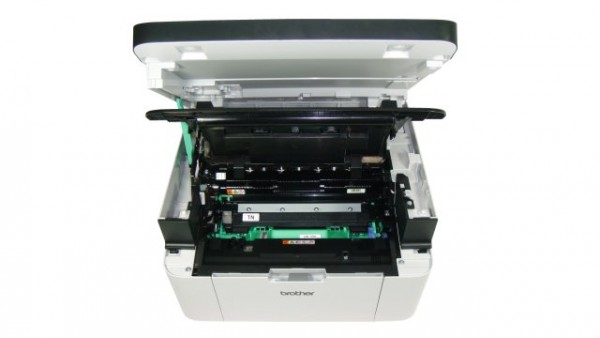
The Best Laser Printers - Brother DCP-1510

The Brother DCP-1510 may have been marketed towards small businesses, but its limitations say otherwise. It’s still the best small laser printer for study groups, and students.

It ain’t even that expensive. It costs about $185, but I’ve seen it at the low price of $150.

The Brother DCP-1510 is part of the laser printers trio that Brother just released – quick, affordable, inexpensive prints. Does it merit the great value for money statement? I think so, and here’s why.

It’s not really that heavy – weighing 7 kg, this  means that you can carry it around from office to office, dorm to dorm, study group to study group without crippling your back. Also, it won’t occupy all of your desk, because it measures 385 x 340 x 255 mm – you can fit it in a corner, and print your heart out!

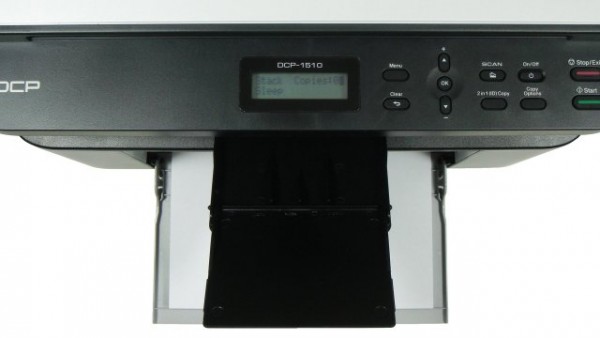
The Best Laser Printers - Brother DCP-1510

Unfortunately, it doesn’t have a WiFI or Ethernet connection, and if you’re looking for laser printers that have those features, I suggest you scroll down and read the next reviews. It can connect through a USB 2.0 port to a single PC.

Brother focuses on simplicity, and speed for their DCP-1510 model, and with that price-tag don’t expect the laser printer of your dreams. It doesn’t even have a middle feeder tray, and it only features the standard 150 paper tray at the bottom.

The whole printer feels like it’s made out of sturdy material, but the scanner cover isn’t made out of the same cloth, and you should be careful while manoeuvring it – if you get mad at something, don’t take it out on your printer, or you’ll regret it in an instant.

The Best Laser Printers - Brother DCP-1510

This Brother black and white laser printer has a control panel, but it isn’t riddled with options – just your  basic needs. The 2-in-1 ID copying isn’t an ideal feature that I want to see on a printer, but the team over at Brother thought it might be a great addition that will entice students in buying it.

It can print, or copy 20 pages per minute, and the printing quality is great, but not exceptional. Graphics, and images are quite sharp, but you can notice the paler tone. Still, pretty great for monochrome laser printers.

It has 16 MB of standard memory, and it can print up to a maximum resolution of 2400 x 600 dpi.

Although it ain’t the best laser printer for a small business, it’s one of the best for students – affordable, and it can be easily carried to the next study group!

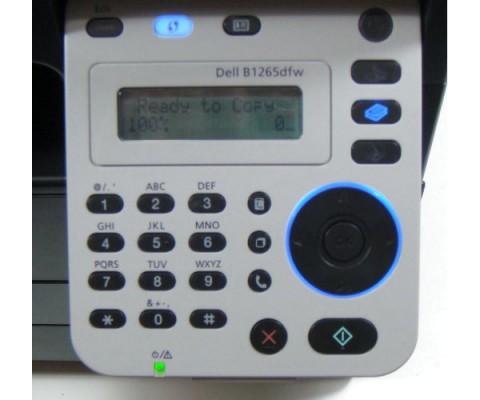
Best Laser Printers #2 Dell B1265dfw

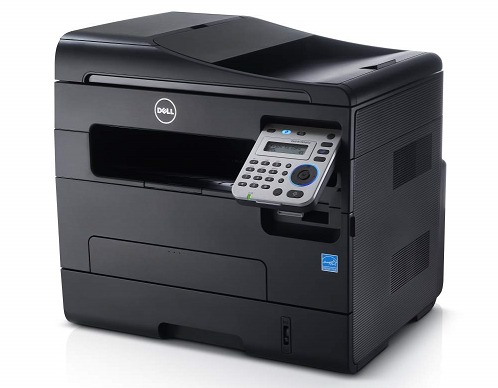
The Best Laser Printers - Dell B1265dfw

The Dell B1265dfw is a little bit more expensive that the previously discussed Brother laser printer, but it does have more features. The Dell B1265dfw costs about $280.

Considered the best home office laser printer, the Dell B1265dfw weighs about 11.1 kg, and measures 406 x 338 x 384 mm. The Dell laser printer doesn’t stop at being just monochrome, and it has some multifunctionality features too.

It features an all black industrial design, and it can blend into any background. Easily unnoticeable more so, because when you put it to work, the noise it makes isn’t annoying, nor disruptive – I kinda’ find it soothing, and remembering me of that one time that I went to the beach when I was a kid.

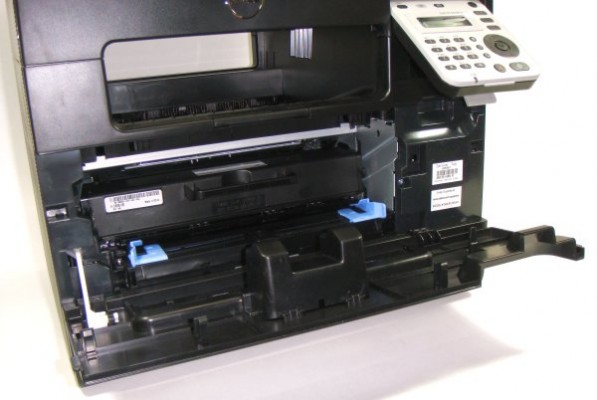
The Best Laser Printers - Dell B1265dfw

Although it’s mainly marketed towards small business owners, it can be your very own personal laser printer – it’s not that expensive, and it can print, copy, scan, and fax without problems. Well, the thing is that it’s targeted at low output users, and although it would be more than enough for an average day, if you encounter heavy workload, it might become a little bit of a nuisance.

It has a basic 250-sheet paper tray at the bottom, and a single sheet feeder tray for more special kinds of media, and a 40-page ADF on top.

Now, unlike the previously discussed Brother laser printer, the Dell is a triple threat connectivity wise – it features a USB 2.0 port, 11n WiFi, and Ethernet on-board! Its software is easily installable, and Dell has made it even more easier to connect to a WiFi spot by including a WPS button on the control panel.

It supports mobile devices, and cloud printing, but you won’t find an USB port for flash drives, or a memory card slot.

The Best Laser Printers - Dell B1265dfw

Now, regarding the control panel. It ain’t that high-tech, but it’s better than what we’ve encountered so far – that doesn’t say much, to be honest. You can find the control panel on the right of the laser printer, and even a fool can use it because it’s highly intuitive.

Not many laser printers at this price range can print 26 pages per minute like the Dell, and printing quality is pretty great. Printed images are quite dark, and scanned pictures have a blue tint.

The maximum printing resolution is 1200 x 1200 dpi – which, in this reviewer’s opinion is more than enough. It also has 128 MB of standard memory.

All things considering, it’s a borderline cheap black and white printer.

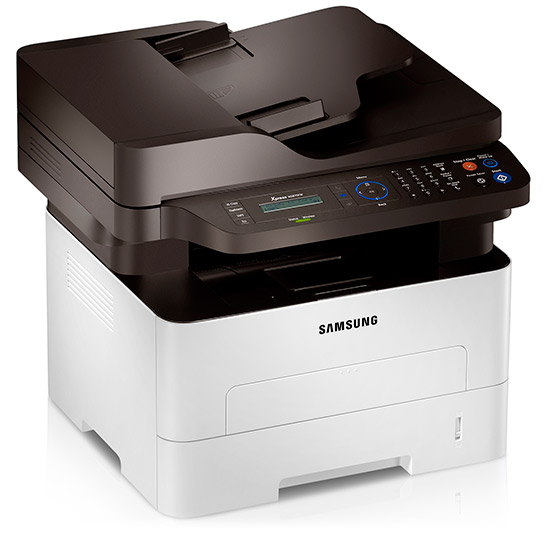
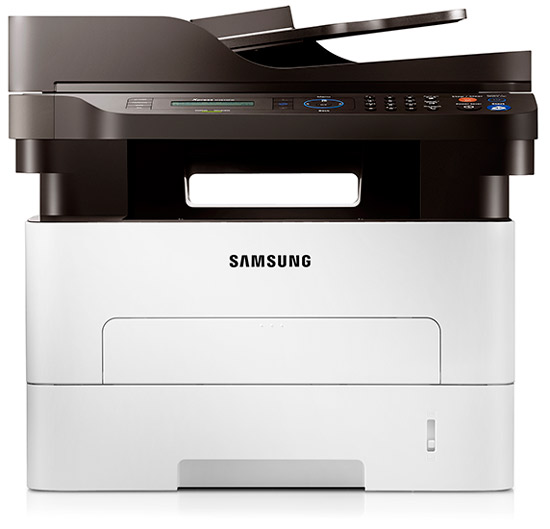
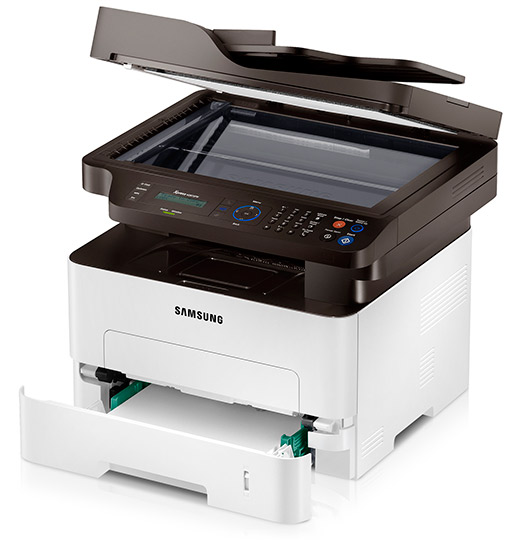
Best Laser Printers #3 Samsung Xpress M2875FW

The Best Laser Printers - Samsung Xpress M2875FW

I’ll try not be biased here, because the Samsung Xpress M2875FW is my device of choice, and I consider it one of the best laser printers on the market at this moment – not only because I own it, but because it’s made out of sturdy high-quality materials, it’s reliable, and super fast.

The Samsung Xpress M2875FW costs $330 – and slowly, we are moving towards the mid range monochrome laser printers, and leaving the affordable tier behind.

Other tech reviewers consider this Samsung printer as the best small office laser printer, and it totally merits its status – it weighs about 11.3 kg, and it measures 401 x 362 x 367mm.

The Best Laser Printers - Samsung Xpress M2875FW

Design wise, it might stand out because the top half is black, and the bottom half is white – the top half also sports the control panel, which, when I first tried out, was way more hard to play with than I originally thought.

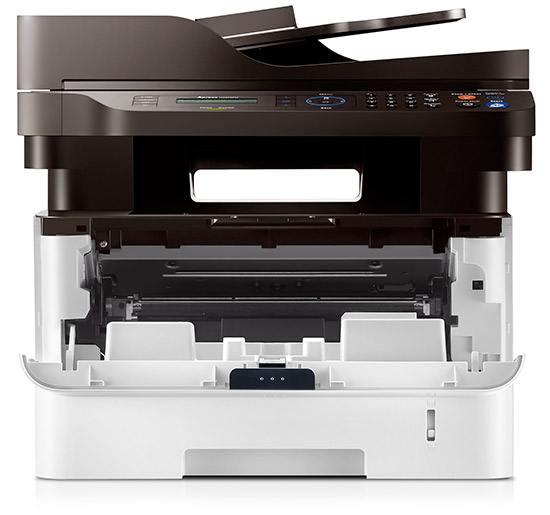
It features all of the elements a top-notch multifunctional laser printer should have and adds – print, copy, scan, and of course, fax. High quality results at 28 pages per minute. The only thing that I found highly annoying about the Samsung printer is the fact that although it is designed to hold up to 250 sheets of A4, you need to extend the tray out the back of the unit to do so. Why would you implement such a horrible thing? The majority of laser printers don’t require you to do so.

The Best Laser Printers - Samsung Xpress M2875FW

Connectivity wise, it’s pretty great. It has an USB 2.0 port, Ethernet connection, and it features Wireless 802.11 b/g/n. It also has WiFi Direct, and my Samsung S6 discovered the Samsung printer in one second. Haven’t tried it with other mobile devices, but other tech reviewers haven’t encountered issues with older smartphones, or tablets.

The 600 MHz processor, paired with 128 MB of standard memory makes the printer output 28 pages per minute, and sheets with graphics embedded can be printed up to 24 pages per minute – duplex versions stand at 12 pages per minute.

The Best Laser Printers - Samsung Xpress M2875FW

The default brightness setting might be too dark for your taste, I know it’s for mine, but you can change it in the options menu – whether it is from the control panel, or from your software of choice.

Regarding the control panel, at first I had a couple of problems with discovering how to actually use it, but after a few days I caught the jest of it.

Unlike previously discussed laser printers, the Samsung one has a great printing resolution – it stands at 4800 x 600 dpi

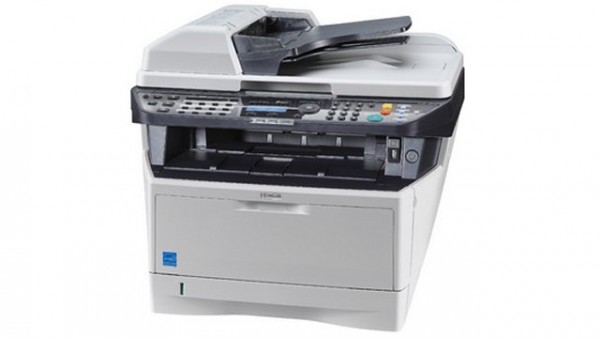
Best Laser Printers #4 Kyocera Ecosys M2030dn

The Best Laser Printers - Kyocera Ecosys M2030dn

So long affordable laser printers, welcome mid-range laser printers! The Kyocera Ecosys costs about $670 – which some of you might consider way too much to spend. I fully agree, but it’s one of the top laser printers that don’t require you to mortgage your house.

If you’re willing to pay this much for a laser printer, you expect the best quality prints. Kyocera doesn’t disappoint in that area – prints are exceptional, but printing isn’t that fast compared to what you can find for this kind of money.

The Kyocera laser printer is marketed towards small-to-medium businesses – if you’re thinking of buying this for home use it might be overkill. Here’s why.

The Best Laser Printers - Kyocera Ecosys M2030dn

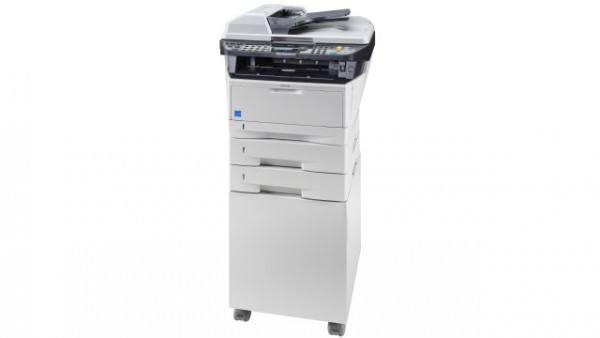
This mid-range performer weighs about 18 kg, which makes it kinda hefty. Measuring at 494 x 430 x 448 mm, and with a colour design that ranges from cream to grey, it will most likely blend in the background.

You might think that at about $700 this laser printer will feature out of this world speeds. 30 pages per minute may top what we’ve discussed until now, but I was expecting a little bit more for this price. Manufacturers didn’t improve this model as much as we thought, and it features a 667 MHz processor, a 512 MB standard memory and it can output a maximum printing resolution of 1800 x 600 dpi.

The Best Laser Printers - Kyocera Ecosys M2030dn

Even though it ca print at a maximum res of 1800 x 600 dpi, the prints are high quality, and more important, this laser printer is one of the most reliable printers on the market – failure rate is almost nonexistent.

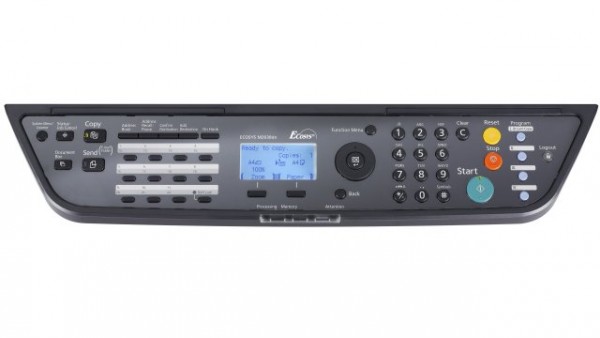
Its control panel has some buttons built-in that may require some reading beforehand – the manual is quite explicative, but it will require some time to get all the things right. I didn’t quite understand how I could forward images to PC folders, FTP servers, via email and TWAIN, but that may be because I skimmed the whole manual.

It’s worth mentioning that it does have a USB port 2.0, USB Host Ethernet connectivity, but it doesn’t have wireless. What it does include is a nice slot for an SD-card, and a slot for an optional print server.

The Best Laser Printers - Kyocera Ecosys M2030dn

The control panel also doesn’t feature touch screen, but it doesn’t pose as a serious issue. I’m quite fond of physical buttons, rather than using touch screens. The elephant in the room is that I do indeed have giant sausage fingers!

Image print quality was not what I was hoping for – it is indeed great, but not excellent.

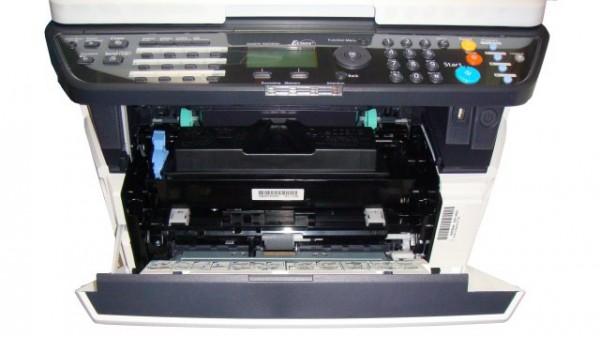
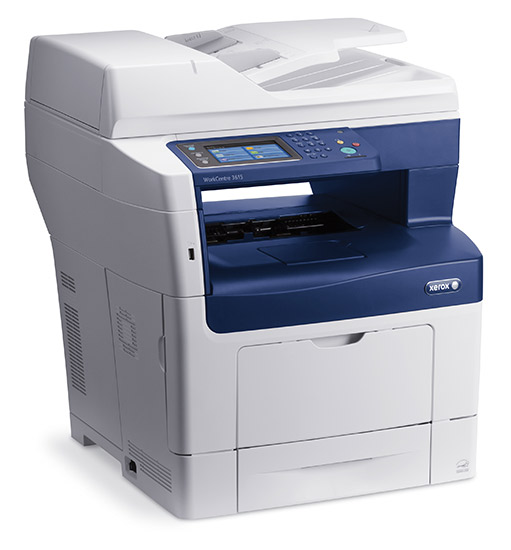
Best Laser Printers #5 Xerox WorkCentre 3615

The Best Laser Printers - Xerox WorkCentre 3615

The Xerox WorkCentre 3615 is one heck of a laser printer, but it will cost you an arm and a leg – $1000!

Yup, $1000 for a monochrome laser printer – it definitely isn’t for study groups, nor for your little home business. It’s marketed towards medium-sized businesses!

This mono laser printer has all the multifunctionality features – and add to that the ability to print, copy, fax, and of course, scan.

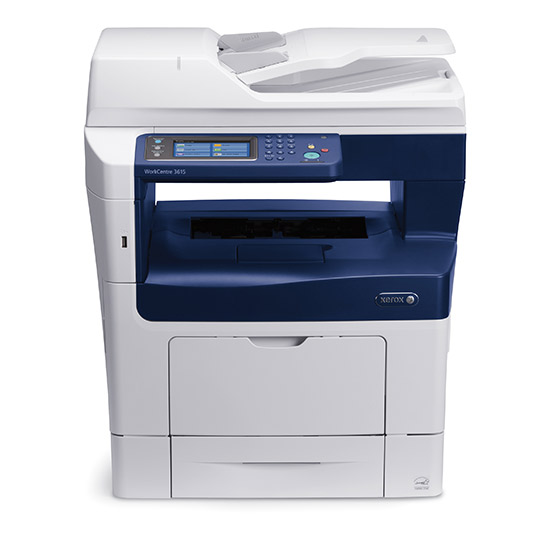
It’s heavy weighing at 21.5 k, and it measures 495 x 492 mm – it occupies a relative small space, but it depends on your workplace. The WorkCentre 3615, design wise, sports the traditional blue, and cream colours that Xerox is known for.

The Best Laser Printers - Xerox WorkCentre 3615

A 60 sheet ADF can be found on top of the printer, and the main input tray can hold up to 550 sheets. You can expand its capacity further with three more tray, thus resulting in a capacity of 2350 sheets.

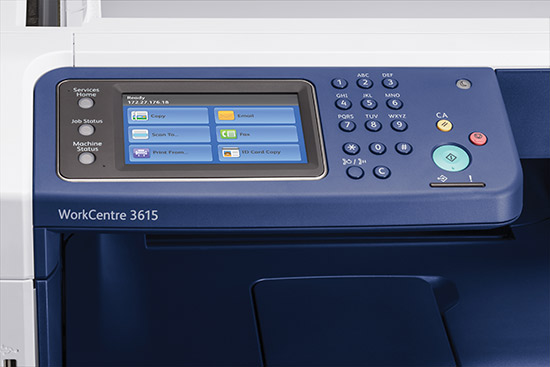
Its control panel features a top-shelf touch-screen which is exceptionally bright, and clear. The Xerox WorkCentre 3615 has an USB 2.0 port, Ethernet connectivity, and also WiFi – which is optional.

This beast of a laser printer can print 45 pages per minute which makes it the fastest laser printer in our round-up.

The Best Laser Printers - Xerox WorkCentre 3615

There’s isn’t that much to say regarding the quality of prints – they are exceptional, and printed images feature a sharp contrast, which of course, you can tweak in the options menu.

Depending on what you require, you can change its settings quite easily.

It has a 525 MHz processor, and 1 GB standard memory. It features a max printing resolution of 1200 x 1200 dpi.

Image Source: 1, 2, 3, 4, 5, 6, 7, 8, 9, 10, 11, 12, 13, 14, 15, 16, 17

Filed Under: Headlines Tagged With: Best Laser Printers, Best Monochrome Laser Printers, Laser Printers, Monochrome Laser Printers, Monochrome Printers

Dota 2 Reborn Is Now Open For Beta Testing

June 20, 2015 By Michael Turner Leave a Comment

Dota 2 Reborn

As Valve promised, Dota 2 Reborn is now open for beta, and you can jump in on the fun straight away. Be warned, this weekend everyone will try it out, and most likely you’ll encounter connection issues. Don’t yell at Valve just yet. Dota 2 Reborn isn’t just your ordinary reshaping of the UI, it’s actually a completely whole new game  – they can even name it Dota 3, and get away with it, because that’s what it actually is!

Seven months ago Valve announced that Dota fans will get a big surprise – we weren’t expecting something the likes of this!

” Today we are announcing the Dota 2 Reborn beta, which brings with it a new interface, new engine, and Custom Games. Everything in the dashboard has been redesigned utilizing a new UI framework and the engine that powers the game has been fully replaced. “writes a Valve spokesperson. 

Dota 2 Reborn

To get your dose of Dota 2 Reborn you need to install Dota 2 – which is free on Steam; and go to the Reborn tab to download it.

You won’t lose anything by installing and playing the new Dota 2 Reborn – both versions will share your MMR, match history, cosmetic items, and friends. You can’t play ranked games though, because developers want to test and improve the fundamentals first. You don’t want a botched ranked game that will stick with you for ever, right?

Dota 2 Reborn runs on Valve’s brand new Source 2 game engine – which is known for giving the modding community all the possibilities to create user-generated content.

Dota 2 Reborn

Dota 2 Reborn has a stunning new UI – it feels invigorating to see that Valve keeps true to its Dota roots. The majority of Dota 2 players have played, and loved the Warcraft 3 Dota map, and when they play the game, they want to feel its essence.

The Dota 2 community is known for being elitist – the same goes for the LOL community; so don’t get infuriated that easily if you encounter flamers. Just keep on playing, and mute them. This weekend will be hard on everyone, but just remember that you’re playing it to have fun, not yell at random internet strangers for messing up a play. I swear to God, sometime it feels like I’m bleeding in shark infested waters – one little drop and pow, all of them jump on me.

Dota 2 Reborn

But our main problem won’t be annoying wannabe pro gamers that scrutinize your every move. It will be the damned Connectivity Issue! Remember, Dota 2 Reborn is in its beta stage at the moment, and more often than not, you’ll encounter lag, disconnections, or simply not connecting at all.

I’m going to test the field this weekend, hopefully I’ll make it out alive. How about you? We’ll we see each other in a match? If so, please don’t hurt me.

What’s your take on this? Dota 2 Reborn – Good, or Bad?

Image Source: 1, 2, 3, 4

Filed Under: Headlines Tagged With: Dota, Dota 2, Dota 2 Reborn, Dota 2 Reborn beta, Steam, Valve

The Best External Hard Drive On The Market – A Quick List!

June 18, 2015 By Michael Turner Leave a Comment

The Best External Hard Drive

Doesn’t matter if you make a living working from home, or at a big corp, having your data backed up is a must. I have countless stories to tell you about how I lost my precious work which I slaved for countless days without end, but let’s not recall my stupidity – I was young, and foolish, didn’t quite cared about this whole backing your data up thing.

Now I consider myself a grown-up, and grown-ups take care of themselves, right? Well, I’m not going to tell you that you need to learn how to properly cook chicken, or how to pack your bags, I’m here to tell you that you need an external hard drive if you don’t want to have a mental breakdown at some point in your life.

As the title suggests, this is going to be an external hard drive round-up – with a few solid state drives worth mentioning. For about $150 you can get one of the best external hard drives on the market, and if you choose to cough up more cash you can even get an external solid state drive – which is unmeasurably superior to the traditional hard drives.

Without further ado, I present you the best external hard drives for any budget. Whether you’re using it for gaming, or just backing up your data, it’s going to do its job exceptionally well.

Seagate Backup Plus Slim 2 TB

The best external hard drive - Seagate Backup Plus Slim 2 TB External Hard Drive

When it comes down to hard drives you can always consider looking at Seagate products. Their Seagate Backup Plus Slim costs $150, and it has a capacity of 2 TB.

It’s pocket-size, and can fit in your back-pack without problems, it also sports a pretty coolio design if you care for that stuff – I for one think that design in hard drives is a waste of resources, but that’s a discussion we’ll have some other time.

Now, the Seagate Backup Plus Slim isn’t the best external hard drive that you can buy, but it’s one of the cheapest ones that features a 2 TB capacity.

As soon as you get the external backup drive in your hands you’ll notice how the painted aluminium top panel shines a little bit – you can get it in red, black, blue, and even silver. Measuring 0.5 by 4.5 by 3 inches (HWD) and weighing 6 ounces it will absolutely fit your front pocket – even though, I really don’t see why you would keep it there.

The best external hard drive - Seagate Backup Plus Slim 2 TB External Hard Drive

The drive supports USB 3.0 via a detachable 18-inch cable, which I consider a little bit short. All the new laptops have 3.0 ports, so you don’t need to worry about compatibility issues.

One of the most awesome things about this external hard drive is that Seagate packs it with an installer for its Dashboard program, which makes syncing your data from your PC, or Mac feel like a warm Summer breeze. It doesn’t back up automatically program and operating system files, so you need to do so manually.

Another great functionality that Seagate added is the possibility of syncing your data from your Android, or iOS device using WiFi or the cloud. Just download the free app from the store, and set it up. It’s no rocket science, actually, it’s highly intuitive.

The best external hard drive - Seagate Backup Plus Slim 2 TB External Hard Drive

You should know that the Seagate Backup Plus Slim 2 TB external hard drive has a rotation speed of only 5400 RPM, which can be a deal breaker to some. It copied a 1.5 GB folder in about 15 seconds. It’s not the fastest external hard drive, but it does its job rather well.

As a fair warning, some users have encountered problems with their device. As far as I know Seagate has recalled a couple of batches, and it has announced that it was due to some factory incidents. Some users have encountered loose wires inside of their hard drive.

It comes with a two year warranty.

  • Pros

– Super small, and super portable

– Affordable external hard drive

  • Cons

– It only has a rotation speed of 5400 RPM

– Users have encountered loose wires

Monster Digital 1 TB Overdrive

The best external hard drive - Monster Digital 1 TB Overdrive

The Monster Digital 1 TB Overdrive is one of the most reliable external solid state drives on the market. It does cost about $760, and I’ve seen it in some retail shops for about $1000 too.

Even at $760, this external solid state drive is quite expensive for my taste, and it only has 1 TB. But it has a Thunderbolt cable which is physically impossible to lose – and a Thunderbolt flash drive is always welcome in my book.

It measures 0.59 by 3.5 by 5.25 inches (HWD), and it weighs about 7 ounces which makes it pocket-size, and portable. No worries here that it will cramp up your back while carrying it.

The best external hard drive - Monster Digital 1 TB Overdrive

It has an aluminium body, and it’s a perfect pair to any Apple MacBook that you might be using – more so considering the fact that some MacBook’s come with a meager 65 GB flash drive. It doesn’t come in a variety of colours, so you have to get accustomed to the silver external solid state drive. It’s considered the best ssd drive for Mac.

There’s no USB 3.0 port or cable which might be a huge problem if you your device doesn’t have a Thunderbolt port. Also, the Thunderbolt permanently attached cable is really short – I seriously don’t know what manufacturers are thinking. It’s like they don’t even own a PC.

You can overlook its port variety – which is non-existent; because the Monster Digital 1 TB OverDrive can copy a 1.5 GB folder in about 3 seconds. Yup, 3 seconds! It’s one of the fastest solid state drives on the market – for about $1000, it’s a good thing it is, because nobody would buy it otherwise.

The best external hard drive - Monster Digital 1 TB Overdrive

It comes with a three year warranty, and also with a three year free data recovery service. The latter is quite an awesome deal considering the fact that a professional recovery service costs about $100.

  • Pros

– Pocket-sized, it can be carried anywhere without posing a problem

– Super-fast

  • Cons

– Only a Thunderbolt port, which is really short

– Super expensive

– No USB 3.0 port

Western Digital My Passport Pro

The best external hard drive Western Digital My Passport Pro

Another company that has its positions cemented as one of the best external hard drive manufacturers on the market. The Western Digital My Passport Pro device isn’t known for being the best portable external hard drive, because it’s seriously bulky. You can carry it in your backpack, and it won’t be a strain to your back, but you’ll definitely feel it.

It’s on the cheap side – it costs about $350, but I’ve seen it at $450 too, so be careful when you choose your retailer.

It offers a huge capacity of 4 TB – something which I consider more than enough for the average Joe. If you’re rendering high-quality video you should be looking for a solid state drive, or at least an external hard drive that offers more than 10 TB – there’s one from G-Technology that offers 18 TB, but it costs about $3000. Also, NewEgg has a 48 TB Rack consisting of 8x 6 TB pieces that might satisfy your needs if you’re looking for overkill, but it costs $6000.

Now let’s get back to My Passport Pro – it’s super spacious, and I definitely recommend it because it features a Thunderbolt port, and it also has a rotation speed of 7200 RPM.

The best external hard drive Western Digital My Passport Pro

It’s much thicker than your average external hard drive – it’s about two inches tall, and it weighs about 1.56 pounds. Yeah, it’s portable, and if you put it on your coffee table it won’t crumble under its weight, but it’s worth noting that there are other smaller, and thinner external hard drives on the market.

As I said before, I love it because it has a Thunderbolt cable – I don’t love the fact that it’s permanently attached to the external hard drive, but I guess I’m sort of weird in that way. I have to warn you that the Thunderbolt cable is super short.

The best external hard drive Western Digital My Passport Pro

When you buy a Thunderbolt external hard drive, you buy it with speed in mind, and in this department the Western Digital device doesn’t disappoint. It took it 6 seconds to copy a 1.5 GB folder.

I consider it one of the best external hard drives, it’s super reliable, and in my experience I haven’t encountered any issues with it – also, forums aren’t riddled with complaints that their Western Digital external hard drive just failed on them. It’s always recommended to do a quick Google search about issues, and why not, go to their official support forum, and see what complaints there are.

The best external hard drive Western Digital My Passport Pro

The Western Digital My Passport Pro external hard drive is primary aimed at those who need a budget drive for stocking HD video, and clips. If you wish to buy it for gaming take notice that you would better do with a SSD.

It has a three year warranty.

  • Pros

– Huge capacity that consists of 4 TB

– Speedy

– Thunderbolt port

  • Cons

– Bulky

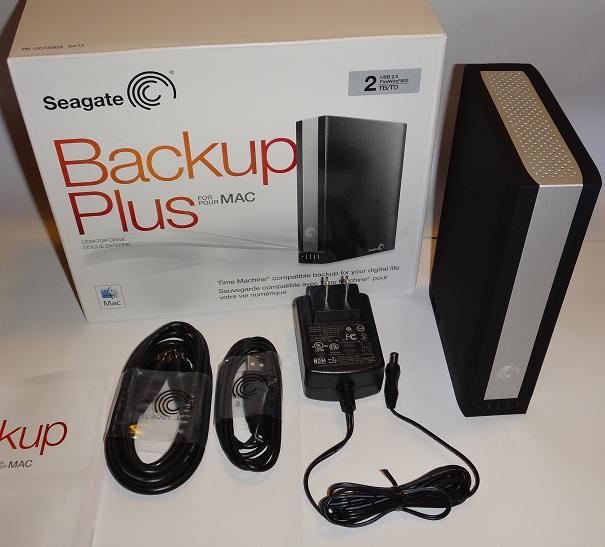
Seagate Backup Plus Desktop Drive

The best external hard drive - Seagate Backup Plus Desktop Drive

I love me some Seagate products. This external hard drive comes with a 5 TB capacity, and it only costs about $220 – although I’ve seen it at the low price of $150.

This isn’t the best hard drive for gaming because it only has a rotation speed of 5400 RPM, but if you’re to use it to stock your pictures, mp3s, and vacation videos it’s going to this its job more than fine.

It’s made out of a black polycarbonate, and it has three perforated holes to satisfy its cooling needs. It has the Seagate logo moulded at the front, and at the back you can find the USB 3.0 port, and the jack for the AC adapter – which is included with your purchase. Unfortunately, it doesn’t have a Thunderbolt port, but I’ll let this slide because it features a 5 TB capacity for only $150!

The best external hard drive - Seagate Backup Plus Desktop Drive

It measures about 1.75 by 4.75 by 7 inches (HWD) – not the smallest portable external hard drive on the market.

It comes as a already formatted NTFS hard drive which makes it super easy to drag and drop whatever you want to back-up – or you can reformat it by yourself so you can use Time Machine.

As I mentioned before, Seagate packs almost all of its products with a Dashboard installer which makes syncing super easy – although it won’t synch up your program or operating system files. It also features a free Android, and iOS app that you can download from your desire OS store. By using the app you can sync files from your social network, or basically just from your phone, with just one push of a button.

Also, you can set up your Dashboard to check Flickr, or Facebook accounts, and sync up photos, and videos – it automatically downloads all the new stuff if you set it up to do so.

The best external hard drive - Seagate Backup Plus Desktop Drive

It took about 19 seconds to copy our 1.5 GB test folder. I, for one, don’t consider this a major issue, but if you’re looking for a high-speed external hard-drive, I’m sorry to tell you, but this isn’t the droid you’re looking for. It does its job well, and I can honestly name it the most reliable external hard drive on the market, but that’s about it.

It comes with a two year warranty – all of the cheapest external hard drives come with only a meager two year warranty.

This 5 terabyte external hard-drive is what I’m currently using at the moment, and I’m more than happy with what it outputs.

  • Pros

– Huge capacity that consists of 5 TB

– Affordable

– Dashboard Software

  • Cons

– Bulky

– Slow

LaCie Fuel

The best external hard drive - LaCie Fuel

Another budget external hard drive – this one costs $200, but I’ve seen it at $180 as well.

Because it has a built-in WiFi, it can significantly increase your smartphone storage. Its capacity consists of 1 TB – although it may seem low, all of the features compensate for the lack of space.

Measuring 4.5 by 4.5 by 0.9 inches (HWD), the LaCie Fuel external hard drive features quite the design, which makes me think of some gadget out of a Bond movie.

Its chassis is built out of black-grey polycarbonate, sporting a bright orange corner – for the hipster inside you.

LaCie Fuel

Even if you are a FLAC fan, it will take some time to fill up your LaCie Fuel external hard drive – it can hold up to 100,000 320kbps songs, or a few hundred movies.

You can easily drag and drop files to the external hard drive to copy them, and because LaCie Fuel is such a good guy it uses the same apps as the Seagate Wireless Plus thus making it compatible with Android, iOS and the Kindle format. It can be easily paired to the Seagate Media Sync app that searches your tablet, or smartphone for files that it can back-up.

It has a USB 3.0 port, and a detachable cable. But, because it has a rotation speed of 5400 I seriously don’t recommend it for gaming.

The best thing about the Fuel external hard drive is that you can basically make it a WiFi router. A friend of mine is a proud owner of the LaCiel Fuel external hard drive – and when I say proud, I really mean it, he can’t stop talking about how awesome it is. Mark, if you read this, please shut up, you’re becoming really annoying.

LaCie Fuel

You can also password protect it while it’s serving you as a WiFi router, and you can turn the option off without problems.

The device claims to last up to 10 hours, and it’s super easy to recharge using its included AC adapter. On the other hand, my buddy claims that it can last up to 8 hour and 40 minutes – it’s not bad, but it’s worth mentioning.

It comes with a two year warranty.

  • Pros

– Affordable

– You can use it as a Wi-Fi router

– Can last up to almost hours

– It has an AC adapter included

  • Cons

– Not that reliable

– It only has a USB 3.0 port

Image Source: 1, 2, 3, 4, 5, 6, 7, 8, 9, 10, 11, 12, 13, 14, 15, 16, 17

Filed Under: Headlines Tagged With: external hard drive, External Hard Drives, External Solid State Drive, Hard Drive, Solid Sate Drives, Solid State Drive, The Best External Hard Drives, The Best Solid State Drives

Google Owned Nest Labs Launches Nest Cam

June 18, 2015 By Nancy Young Leave a Comment

Google-owned Nest Labs

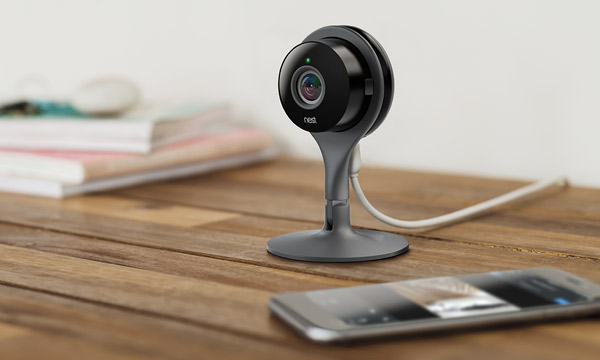
Google-owned Nest Labs, which is their smart-home automation company, has just announced Nest Cam.

Nest Labs has been working hard on improving their already released products to better suite smart-home dwellers, and in addition to that, the company just announced their new home-monitoring camera. It has a microphone, speakers, motion-sensors, and night-vision – to ensure that everything is safe 24/7.

The Nest Cam was built-upon Dropcam’s highly applauded top-quality camera – a company which Nest Labs acquired last Summer for the sum of $555 million.

It shoots 1080p video with the help of a wide-angled lens, and a three megapixel sensor. If you’re having problems with your storage capacity, Nest Labs offers a new cloud service that will be fully integrated with their Nest Cam. It’s called Nest Aware and it will cost you an additional monthly subscription – $15 to $45 depending on what plan you may choose.

Meet The Nest Cam

Meet The Nest Cam

Considering the fact that the Nest Cam retails at $310, I say that it comes down to the almost expensive kind. Sure, there are a ton of other high-definition cameras available, but how many of them are going to help smart-home owners?

The Google-owned company also announced a new addition to their fire safety product line – a redesigned version of their Protect line includes sensors that can detect fire, smoke, and CO2 emissions.

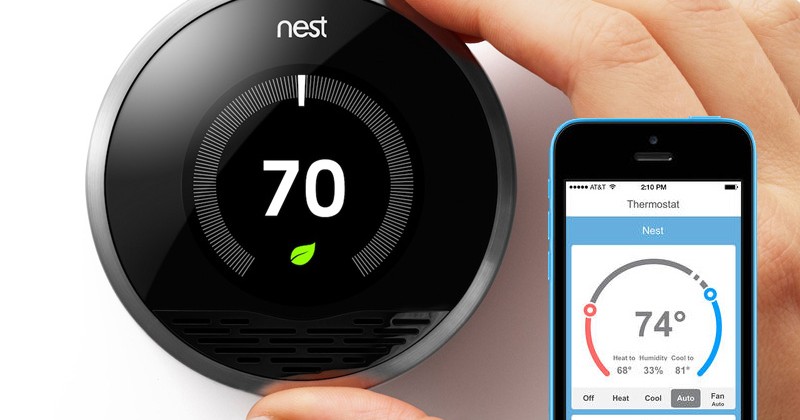
Also the company has announced that major improvements were made regarding their software. Nest’s 2011 original thermostat software received an upgrade. Nest also notes that the company’s mobile app has been updated to the 5.0 version – improvements have been made, and now a smart-home owner can control and interact with Net’s suite of products more easily.

Nest Thermostat

Nest Thermostat

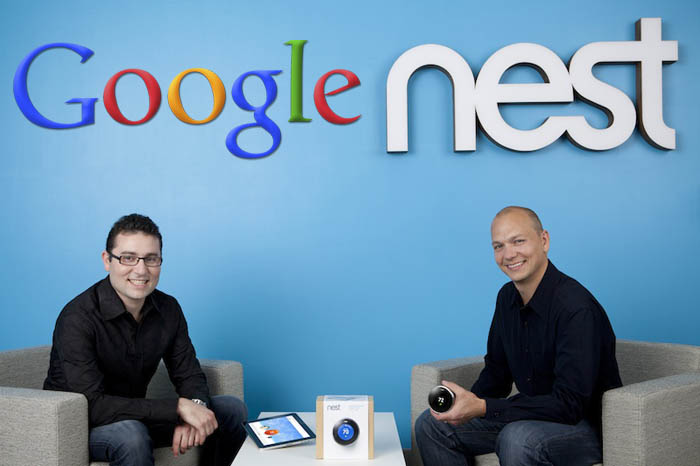
“At Nest, we always wanted to build more than a thermostat. Our vision was to create a thoughtful home, a home that takes care of itself and the people in it. Five years later, all the pieces are in place.” said Tony Fadell, now the chief executive of Nest, and one of the co-founders, along with Matt Rogers. They launched the company in 2010, and last year it was acquired by Google for $3 billion.

” We have three products today, they work well on their own, they work better together, and they work great with third-party products.” noted Lionel Paillet, Nest’s general manager for Europe.

The Internet of Things has seen a major growth in the past year, and more and more manufacturers are working towards developing internet-connected devices.

Nest Co-Founders

Nest Co-Founders

The key players still remain Google, and Apple. Both recently announcing improvements in the area – Google launched Brillo, which is an operating system designed for connected devices, and Apple detailing their HomeKit framework designed for communicating, and controlling connected accessories.

Image Source: 1, 2, 3, 4 

Filed Under: Headlines Tagged With: Google, Google Nest, Smart Home Products

PlayStation Now Launches on Samsung Smart TVs

June 10, 2015 By Cristopher Hall Leave a Comment

PlayStation Now launches on select Samsung smart TVs

Sony announces that their game streaming service PlayStation Now launches  Samsung smart TVs – the service will be available on select devices for those who reside in the US, and Canada.

Even thought you won’t need a Sony console to play certain PlayStation games, you will need a DualShock 4 controller – fair bargain if you ask me.

The company announced last December that non-Sony devices will be able to support PlayStation Now, and that Samsung was their prime candidate – it makes them the first foreigners that support PlayStation Now.

At the current moment, PlayStation Now offers for streaming over 100 PS3 titles. At launch, the game streaming service featured the possibility of players renting certain games from their vast library, but now, gamers can acquire a monthly subscription for $19.99. Think of PlayStation Now as Netflix, but for games.

“Currently there are over 350 PS3 games available for individual rental and over 100 PS3 games available inside the subscription catalog. Games span a variety of genres, from action to RPG and everything in-between, offering something for everyone.” Sony said.

Uncharted 2 is available on PlayStation Now

Uncharted 2 is available to rent on PlayStation Now!

The catch is, if you wish to rent a specific game, you’ll need to cough up $1 a day for those games that aren’t listed in the initial bargain – you can rent them up to 90 days.

OnLive was a pioneer in the industry, and the sole challenger, but they were acquired by Sony earlier this year – rumours have it, that Sony wanted their patents. Read our very own article if you want to know more about Sony’s acquisition.

Samsung TV’s will support standard features like trophies, online multiplayer, and of course, one key piece of the puzzle, cloud-based game saves.

PlayStation Now made its début on Sony’s PS4, and in May it was made available for the PS3 also. If you don’t own a Samsung, or a Sony smart TV, you can use the game streaming services if you own a Vita, a PlayStation TV, or select Sony Blu-Ray players.

Bioshock Infinite is available on PlayStation Now

Bioshock infinite is available to rent on PlayStation Now

At the current moment it is unknown if Sony will add more companies to the list, or if they will form a tight alliance with Samsung.

The news has been well received by gamers, but some ask an interesting question – How about PC’s and Mac’s Sony? When will you show some love for us?

If Sony decides to move forward with their PlayStation Now service, meaning offering support for PC’s and Mac’s, they will most likely dominate the market. There is no challenger to the throne, and Sony can have its way, and that’s not such a good thing. Competition strives innovation.

Image Source:  1, 2, 3


Filed Under: Headlines Tagged With: Game Streaming Service, PlayStation, PlayStation Now, samsung, Samsung Smart TVs, Smart TV's, sony

The Best Budget 3D Printers Available Right Now!

June 8, 2015 By Nancy Young 1 Comment

Built using 3D Printers

3D Printers are more affordable than ever. Science-fiction is a thing of the past when talking about 3D Printers, and 2015 seems to have hit the 3D printing  trend right on its head. If you’re somewhat curious about what it’s all about, but you’re on a budget, you’ve come to the right place.

There are so many 3D printers to choose from, but you need to know that each and everyone of them can help you build jewellery, spare parts, toys, and even prosthetics – to name just a few things that you can do with a budget 3D printer. Yes, you read that right – a budget 3D printer.

Sure, the cheapest 3D printer won’t have that many features as one of the top-shelf printers on the market, but that’s why I’m going to talk about budget ones.

Affordable 3D Printers

I’m usually asked – Hey Nancy, how do 3D printers work? – How to use a 3D printer? or How much is a 3D printer? – What should I buy Nancy?

I *sigh* a little and then I start ranting. First off, you should get it out of your head that there’s no such thing as the best 3D printer on the market, and 3D printer companies are somewhat circle jerking amongst themselves – the consensus is that nobody is going to catch us selling something that the average Joe can do by his own. Still, somehow, advancements are being made, and that’s why we’re witnessing 3D printers at the low price of $600.

3D Printers that shape food

I’ve even been asked if there is such a thing as a 3D food printer. Laughs all round the table of course, but you will be shocked when you hear that the answer is – Yes, there are 3D food printers, but not how you imagine them. There are quite a lot out there, and they give food a new shape, they can colour the food, and you can eat your results without having to worry that you’ll need your stomach pumped.

This 3D food printer – that we won’t talk about, because it’s frikin’ expensive; something on the line of $5000 – blends sugar, milk powder, cocoa powder, and cocoa butter to create sweet looking candy figures. Check the YouTube clip, but be warned, your taste buds will scream!

It’s kinda important that you know how 3D printers work, so we’re going to get through the basics before talking about what budget 3D printers you can buy.

How do 3D printers work?

How do 3D Printers work?

The additive manufacturing, known as 3D printing uses something called additive processes – in which the desired object is built by the machine by creating a succession of layers until the object is built.

3D printers give everyday people the possibility of creating outstanding stuff – as an FYI, someone made a prosthetic limb for his daughter; a prosthetic limb that would normally cost around $5000 was made out of $1000 materials.

3D Printers can create prosthetics

Before you start giving life to your dreams, you should know that if you buy a 3D printer it won’t magically print what you want. It prints virtual design, made in a CAD file – that is a Computer Aided Design. You need a 3D modelling program like AutoCAD, Blender, Autodesk 123D, Cinema 4D, Photoshop CC, Autodesk Maya, and the list can go on and on.

OR

You can buy a 3D scanner, and scan the object that you want to copy – and later on, you can alter it in your desired program. Now, 3D scanners use a different technology that lets them generate 3D models such as time-of-flight, structured / modulated light, volumetric scanning and other things that when heard prompt me to think of science-fiction. But the tale of how I’m deeply in love with Frank Herbert is for another time.

3D Printers can use 3D scanners such as Microsoft Kinect

Companies, that you have surely heard about, have enabled their hardware to perform 3D scans. Microsoft’s Kinect can be used as a 3D scanner, so if you have one, tinker with it a little bit, and make your dreams come true.

Here’s how your average 3D scanner works.

In the near future, we’ll see a diy 3D printer that gets its virtual design from smartphones. Just point your iPhone at an object, scan it, and voilà, you can have your every own girlfriend, or boyfriend, or even both – I don’t judge!

3D printers don’t usually use the same technology, and there are up to 7 processes according to the American Society for Testing and Materials group ASTM F42 – Additive Manufacturing:

  • Vat Photopolymerisation
  • Material Jetting
  • Binder Jetting
  • Material Extrusion
  • Powder Bed Fusion
  • Sheet Lamination
  • Directed Energy Deposition

Because there are so many processes, and because they are best used for creating different things we have things like a metal 3D printer, and a resin 3D printer.

For more information about the seven processes for 3D printing, I highly recommend this wiki article.

In 2013, the 3D printing industry was worth $3.07B, and it’s expect to rise up to $12B in 2018, and exceed worldwide revenue of $21B by 2020.

The Best 3D Printing Service?

3D Printers are accessible to everyone!

There are really great ones out there, and I really can’t pinpoint the best 3D printing service, but here’s a list of companies that offer this kind of service:

  • Sculpteo
  • Ponoko
  • Shapeways
  • 3ders

The consensus on the internet is that they are the best at their job. Haven’t tried them, but as long as you give them the 3D printer files, you shouldn’t have a problem. Come to think of it, you don’t even need 3D printer files, you can just select a bunch of stuff from their library. 3D printing aficionados praise them to be the best inexpensive 3D printer services.

Also, if you plan on creating designs for people to build, you can share them on Shapeways’ library, and get some nice bucks flowing.

Without further ado I present you…

The Best Budget 3D Printers

Let’s start with one of my favourites.

Printbot Simple Metal

One of the best 3D Printers on the market

One of the cheapest 3D printer on the market that costs about $599. Also, it’s one of the best 3D printers on the market best suited for the average Joe. It’s recommended for everyone.

Printbot is one of the pioneers that helped pave the way of 3D printing, and way back in 2011, its Kickstarter campaign was one of the most successful projects of the year – 3D printing wise.

Printbot is known as the best affordable 3D printer, and Simple Metal is the upgraded version of its first iteration.  It now comes with a power-coated steel frame, and an aluminium extruder – the build volume is more than enough for the average home 3D printer aficionado, and it goes up to 150 x 150 x 150.

One of the best 3D Printers on the market

The standard version could only print using PLA, but Simple Metal can be upgraded, and if you wish to do so, you can create designs that will work perfectly with ABS.

This 3D printer kit is open source, and it has one huge community behind it, meaning that users can choose from a wide array of add-ons, and of course, open source software. Being so loved by the 3D printing community, you have access to a ton of documentation, technical support, advanced modifications, and a ton of free guides.

It’s one of the most tweakable 3D printers on the market.

But it isn’t all rainbows and butterflies, it does have its weak points like having a horrid initial setup. I say horrid because it ain’t the easiest printer to use, and calibration can take a couple of hours – up to 8 if you aren’t accustomed to 3D printers. Sure, there is a ton of documentation, but that won’t help you that much at first.

One of the best 3D Printers on the market

Also, users have reported encountering issues with nozzle jams, and feeder problems – it ain’t considered the most reliable 3D printer.

What you need to know is that it’s a cheap printer, that would most definitely suit your every newbie needs.

  • Pros

– Superb build quality

– Superb print quality

– Awesome community

  • Cons

– Print speed

– Print volume

Sharebot KIWI

One of the best 3D Printers on the market

The $860 price tag won’t hurt your wallet that much, and if you have the money I highly recommend buying this out of all the 3D printers on the market. The Sharebot KIWI isn’t that really known outside of Italy, but fortunately for us, those outside of Europe will soon have access to this beautiful beast.

Arduino will start selling world-wide the rebranded, refurbished version called Arduino Materia 101 printer.

The build area consists of 140 x 100 x 100, and setup is pretty easy, and straightforward – it’s no rocket science. It uses the config files for the well known open source Slic3r engine – it’s great when using it for advanced builds also.

Users have reported great build quality, and low failure rate – this is an important feature. Nobody wants to constantly build something that will result in a chipped end-product.

One of the best 3D Printers on the market

Although the Sharebot Kiwi one of the most reliable 3D printers on the market, because it has such a low volume build, it will put a major dent in your projects – it limits you to small builds. It doesn’t even have a heated bed, and this adds to its limitations.

I highly recommend this open source 3D printer if you just started meddling with 3D printing and the likes.

  • Pros

– Great build quality

– Great print quality

– Low material costs

  • Cons

– Absence of a heated bed

– Print volume

– Print speed

FlashForge Creator

One of the best 3D Printers on the market

If you are accustomed to the Makerbot 3D printer, then you’ll have no problems with the FlashForge Creator, because it builds on top of it. The FlashForge is a modified version of the original Makerbot, and it continues to use the same open source Replicator – only now, it features a remodelled laser cut wood frame.

Pretty great build volume that stands tall at  225 x 145 x 150, and it also has a heated build plate, a dual extruder, and on board controls.

It costs about $950, and the builds will satisfy the more enthusiastic 3D printers out there, and the community is known as one of the most vibrant and helpful bunch. Questions are answered promptly, and with sufficient details that even the noobiest noob will understand.

One of the best 3D Printers on the market

Really great quality builds, and owners of the FlashForge Creator have stated that their 3D printer has kept going even after years of use, with low failure rates – something in the 10% margins.

But, time is showing its mark, and the Creator can seem a little bit out-dated at times – precision, speed and calibration surely lack when you compare it with newly released, cheaper 3D printers.

  • Pros

– Good build quality

– Good print quality

– Low material costs

– Heated bed

– Dual extruder

  • Cons

– Low speed

– Botched precision

– Annoying when calibrating

– It feels out-dated

– Super Noisy

UP Mini

One of the best 3D Printers on the market

Considered the best home 3D printer, the UP Mini is recommended for beginners, and intermediates, and will cost you about $600. Even though it’s noisy as hell, it’s rather small for what it offers, and the average home user can get all the bang from his buck.

It comes from China, and its build volume consists of 120 x 120 x 120 – with not that many features to applaud. But it does have a great closed enclosure, and its perforated heated build plate comes in handy, and provides compatibility for ABS and PLA.

The easy to use, personal home 3D printer outputs top-shelf build quality, and the community has reported low failure rates that reside in the 10% margins. Also, maintenance isn’t that needed, and owners have reported that after a year of intensive use, the UP Mini acts like brand new.

One of the best 3D Printers on the market

But, for it to be the best personal home 3D printer, it had to sacrifice in some areas like its build volume, which is rather low. Sure, as a budget 3D printer, best suited for beginners, it’s okay, but if you plan on building bigger designs, you’ll be out of luck – also because it slightly warps the design.

  • Pros

– Good build quality

– Good print quality

– Easy setup

  • Cons

– Small build volume

– Really noisy

– Good luck finding materials

And this is the end to our article about the best budget 3D printers available right now. Keep checking back on us, because we will most likely update the least with budget 3D printers.

Image Source: 1, 2, 3, 4, 5, 6, 7, 8, 9, 10, 11, 12, 13, 14, 15, 16

Filed Under: Headlines Tagged With: 3D Printer, 3D Printers, 3D Printing, Budget 3D Printers, The best 3D Printers, The most affordable 3D Printers

iOS 9 Rumours

May 22, 2015 By Cristopher Hall Leave a Comment

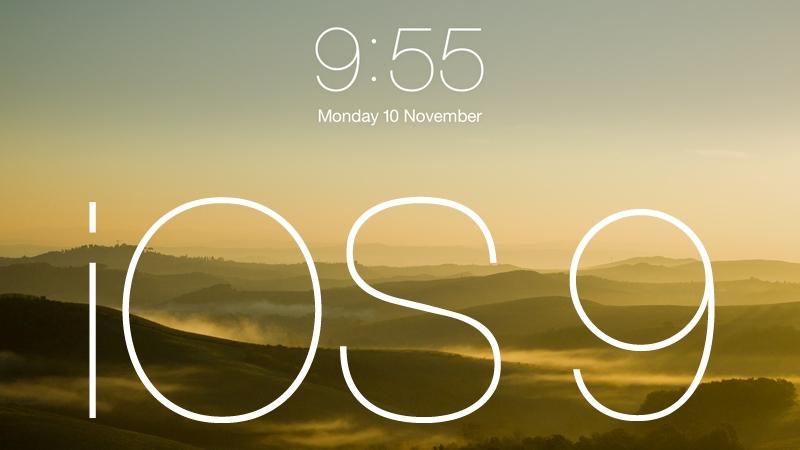
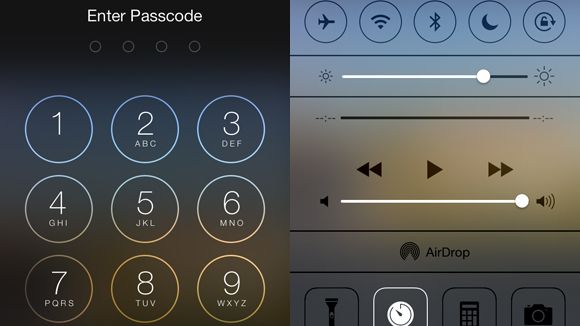
iOS 9

The iOS 9 update is rumoured to be released in the first two weeks of June – it coincides with the WWDC 2015 conference in San Francisco, and we all know that Apple has its keynote in the first day. We don’t know many things for certain, and at this point we can only talk about iOS 9 rumours, but boy, aren’t they making me feel all giddy!

iOS 9 Rumours

Before reading further, keep in mind that some rumours are just pure speculation on my part, but they are based on what trends we are seeing on other competitors such as Samsung, Sony, and LG; and rumours are based on leaked information from various tech reviewers. Take everything with a pinch of salt, and enjoy the future!

iOS 9 Release Date

iOS 9

What we know for sure is that developers will be able to download the update as early as next month – it actually makes sense, because this is the pattern that we’ve seen Apple uphold for its past updates. But some unofficial sources state that Apple may be holding back on releasing the update, and in its stead we will see iOS 8.4 with its new artist-driven social network – a key part of Apple’s new music app.

If the unofficial rumours are true then soon after 8.4, iOS 9 will enter public beta, and a final version available for everyone will hit streets sometime around September. I know, it’s going to be a total disappointment if this happens, but we don’t want to experience the same ordeal as last year’s iOS 8 release – *ugh* just thinking about it makes me shiver.

We don’t want a buggy iOS 9 that will only frustrate us.

iOS 9 Compatibility

iOS 9

iOS 7 said goodbye to the iPhone 3GS almost two years ago. I don’t want to be the bearer of bad news, but I think that iOS 9 will say its farewell’s to iPhone 4 – possibly even iPhone 4S. Don’t kill the messenger, it’s not my fault that the iPhone 4S has an execution date.

If you think about it some more it becomes a certainty. With the iPhone 5, and iPhone 5c Apple introduced 1 GB of RAM – 512 MB more than its previous iteration.

iOS 9 Download Size

iOS 9

This is a huge problem, and we hope Apple addresses it. Rumours have it that it’s going to be small in size, and we can only hope that it’s going to be so.

You need up to 5 GB of free storage space on your device for iOS 8, please don’t tell me that I’m going to need more than that for the next update. It would mean that I have to delete all of my music and pictures – I certainly don’t want to do that.

The counter-argument here is that you can always use a cloud service to save up on space – sorry, but I don’t want to pay a dime more.

To end this phase – iOS 8.3 and 8.4 beta are setting a marvellous example. A smaller download size – under 5 GB for sure.

A New Siri

iOS 9

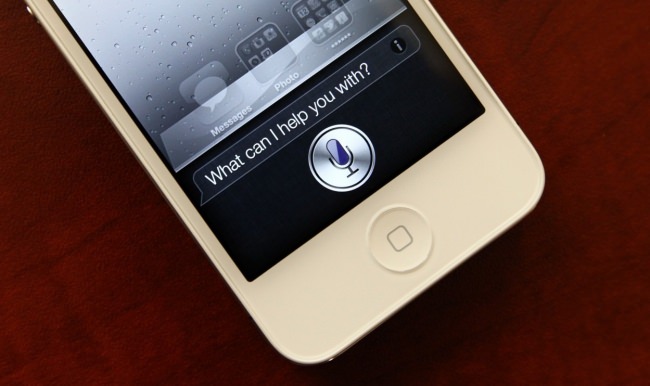
The new update will also come packed with a new Siri – small changes, but changes that we all need. It’s been reported that developers are hard at work trying to make it as good as the Siri found on Apple Watch.

Siri seriously needs to up its game if it wants to compete with Microsoft’s Cortana, and the really accurate Google Now.

Siri also needs to learn some manners, and shouldn’t speak unless spoken to – I’ve had some problems in the past with Siri activating all by itself when I was talking on the phone, or just talking to myself. I didn’t even said Hey, Siri, just mindless nonsense.

Integration of Beats Music

iOS 9

I can take it or leave it.

Google’s music streaming service is the best on the market. No, not Spotify, because it isn’t available everywhere. I travel quite a lot for business, and pleasure, and in certain European countries I can’t use Spotify.

Dr. Dre’s music service seems to have taken quite a leap towards world music domination, with more and more users switching to Beats. What I can say for sure is that Jay-Z’s Tidal isn’t going to pose a problem to the current providers. It’s really expensive, and it doesn’t offer a variety of songs like they promised. If I wanted to hear only commercial music, I would have listened to the radio.

Apple Maps with Public Transit – Trains, Subways, and Buses

iOS 9

It’s been a tough time since Apple Maps decided to be an independent lad leaving its partnership with Google Maps. Over the past years Apple has bought several GPS firms, and the most notable one is its recent acquisition of high-tech GPS firm Coherent Navigation. Could it be that we will able to finally use Apple Maps and get to our destinations safely, and on the correct route?

I seriously don’t want to take a detour through, I don’t know, The Grand Canyon.

Apple is also working on an augmented reality view, but let’s take one step at a time, baby steps actually. I wouldn’t bite more than I can chew.

Stability

iOS 9

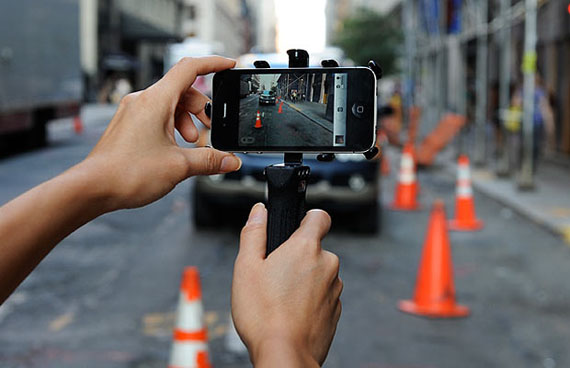
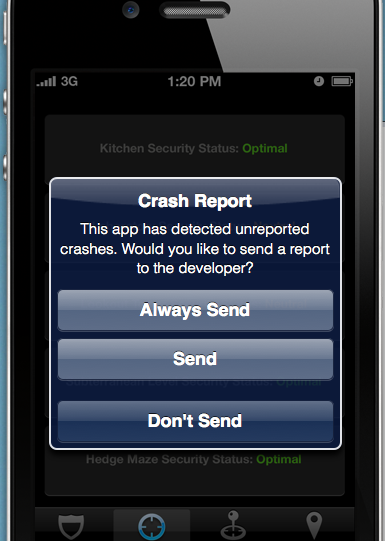
It’s safe to say that this isn’t a rumour, just the logical next step – a more stable software. iOS 8 suffers from glitchy starts, buggy transitions, and that super-annoying battery drain bug.

We hope that Apple isn’t rushing anything, even though the adoption rate of Apple devices over Android ones is growing larger every month, and it would make perfect sense to release a new software as soon as possible – please be stupid this time Apple, just for me.

Interface Shortcuts

iOS 9

Whatever anyone may say, interface shortcuts are never enough, and I’m fairly sure that iOS 9 will feature new ones – simple taps, and gestures like what their new Force system can do.

iOS 8 did a pretty good job, leaving all of the bugs aside, with interactive notifications, a multitasking menu, and other shortcuts. We need, no, we demand new stuff Apple – it’s your own fault for teaching us to act like this.

Image Source: 1, 2, 3, 4, 5, 6, 7, 8, 9, 10

Filed Under: Headlines Tagged With: Apple, Apple iOS, Apple's iOS 9, ios, iOS 9

Ultra HD Blu-Ray Discs are an Alternative to 4k Streaming

May 15, 2015 By Karen Jackson Leave a Comment

The new Blu-Ray format will be available at the end of the year

Ultra HD Blu-Ray Discs are not a thing to miss. We know that we live in the cloud and streaming era, and physical media is kinda getting the boot, but if you’re taking a stance against Blu-Ray in general then you’ll miss out on one of the greatest, if not the only, alternatives to 4k streaming.

The BDA – Bluray-Disc Association, announced this week that they have finally finished the new Ultra HD Blu-Ray format.

The new format will be able to output 4k resolutions of 3840×2160, while at the same time offering HDR – high dynamic range, and high frame rate content- most likely up to 60fps. This sounds really great considering that physical media is something of the past. We either buy our software, games, movies, or songs from their digital stores, or we stream them. But is it enough for consumers to shift their positions back to discs? Has that ship sailed already?

The BDA is hoping that the ship is still in port – although, I highly doubt it.

Licensing will begin this summer, and backward-compatible Ultra HD Blu-ray players will hit the street sometime at the end of this year. They’re hoping to jump on the X-mas bandwagon. It’s probably a great idea – I wouldn’t mind if I get a player as a gift for the holidays, but I wouldn’t go out of my way to save up money to buy one. As a matter of fact, I wouldn’t buy one even if I had all the funds necessary.

Ultra HD Blu-Ray Discs logo

Victor Matsuda, which is the chair of the BDA’s promotions committee has stated that the new Ultra HD format is consistent, and the movie experience is repeatable. Is Victor hinting that we can’t get this kind of quality anywhere else? Because I know for sure that you can watch 4k movies on Netflix, YouTube and Amazon, and I can do so on any rig, regardless if I have an Ultra HD player, or not.

The storage, or UHD will hold up to 66GB of data on dual-layer discs, and 100GB on triple-layer discs. You can’t possibly hope to download that much of data in a day, or two, and it will probably strike a chord with those who have horrible internet connections.

But the trend is changing, and better internet connections, and higher bandwidths are becoming more and more popular – not because Comcast wants it, but because consumers are sick and tired of being treated like the scum of the Earth.

We’ll see at the end of this year if the BDA  has bet on the right horse, or it has lost all of its plausibility.

Image Source: 1, 2

Filed Under: Headlines Tagged With: 4k movies, 4k resolution, BDA, Blu-Ray Discs, Ultra HD, Ultra HD Blu-Ray Discs

Firefox OS Phones Have Been Released in Africa

May 12, 2015 By Roxanne Briean Leave a Comment

Firefox OS

Open-source Firefox OS smartphones have begun to ship in Africa. Running on Orange’s Network, the Orange Klif, a 3G smartphone is now available in Senegal and Madagascar.

Mozilla has announced that they want to step in the untapped market that is Africa – in order to bring smartphones to the continent, and also to make themselves key players in the region. “Through these launches, Mozilla and Orange deliver on the promise of putting the mobile web within reach of millions more people not previously addressed by mobile offers.” an official Mozilla blog post states.

Firefox OS was announced in 2011, and it was put to work almost immediately in February of 2012 – a demo presented Mozilla’s OS running on Android-compatible devices.

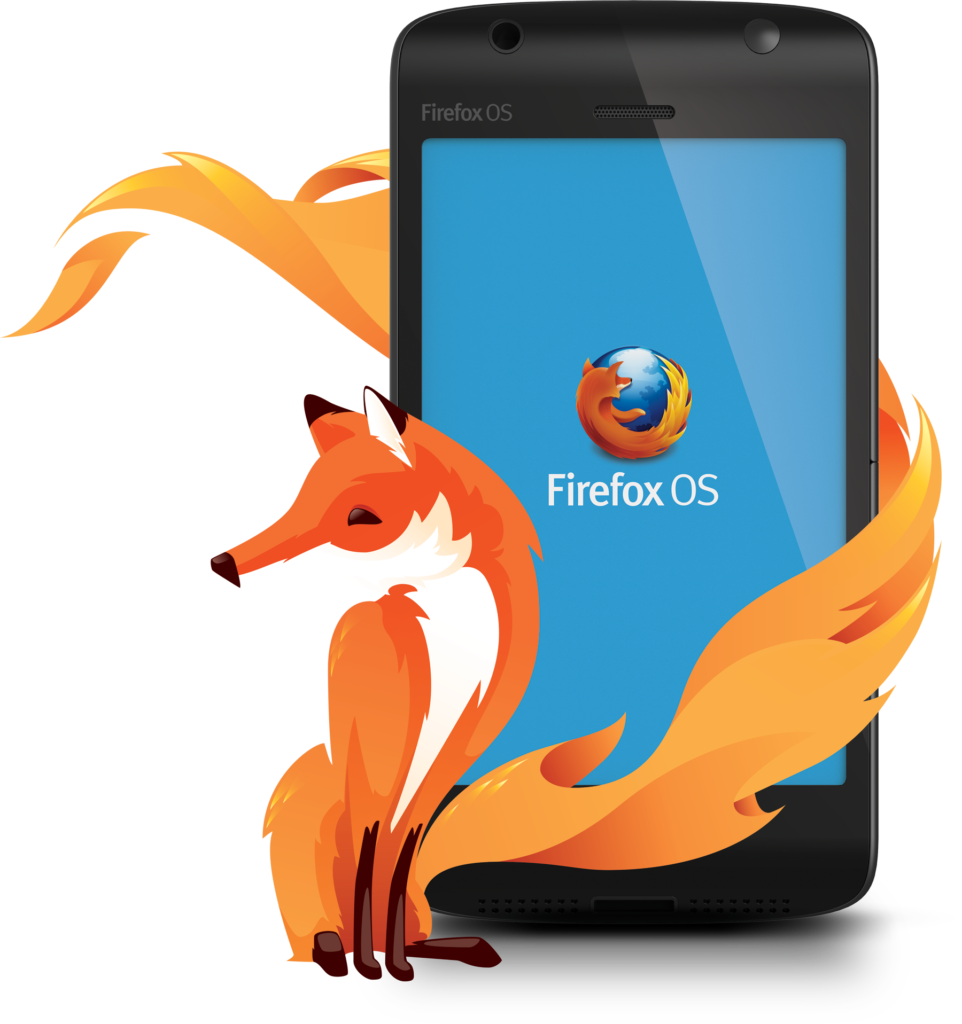
Smartphone Running Firefox OS

The new OS isn’t going to stand-up to iPhones or Android-based flagships, instead it tries to offer an entry level option to individuals that haven’t seen a smartphone before. Smartphones are the tech of the decade, and they will continue to evolve to God knows what – here’s hoping to automation of daily tasks.

Pairing with Orange, Mozilla wants to cement their position in the African continent – a potential marketplace that could significantly grow their shares, and presence in the world.

It has been received well by critics, but Chris Ziegler of The Verge has stated some concerns regarding Mozilla taking the app-distribution to pre-iPhone era which required developers to abide by a carrier’s, and their app store, rules.

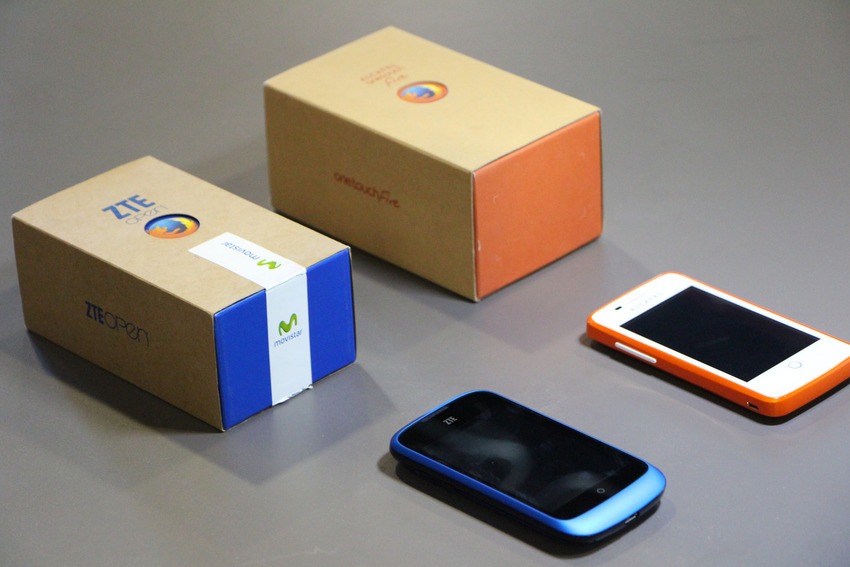
Firefox OS devices

It’s a fine line they are walking on, and it can blow directly into their face. Nowadays accessibility to apps break or make a new mobile platform, not hardware, and Mozilla seems like it’s trying to take advantage of this by implementing the built-in search functionality – a core feature to the Firefox OS.

The Firefox OS is compatible with a couple of devices for:

  • Developers

T2Mobile Flame

Geeksphone Keon

Geeksphone Peak

ZTE Open

ZTE Open C

  • Consumers

Symphony GoFox

F15 KDDI Fx0

Intex Cloud FX

Spice Fire One MI FX1

Alcatel Onetouch FireC 4020D

ZTE Open II

APC Paper

And the Firefox OS has been successfully ported to the following devices:

Sony Xperia SP

Huawei Ascend Y300

Huawei Ascend G510

HTC Pico

Nexus 4

Nexus 5

Nexus 7 (2013)

Image Source: 1, 2, 3

Filed Under: Uncategorized Tagged With: Africa, Firefox OS, Mozilla, Orange, smartphones, ZTE

  • « Previous Page
  • 1
  • …
  • 3
  • 4
  • 5
  • 6
  • 7
  • …
  • 11
  • Next Page »

Subscribe to Blog via Email

Enter your email address to subscribe to this blog and receive notifications of new posts by email.

Join 10 other subscribers

Recent Articles

police handcuffs man

German Man Probed In Poisoning That Killed 21 Employees Since 2000

June 29, 2018 By Kenneth Scott Leave a Comment

Chicken wings bar

Intoxicated South Carolina Man Punches Waitress Who Refused to Serve Him Alcohol

June 29, 2018 By Karen Jackson Leave a Comment

gaming

New Zealand gamer Who Flew Halfway Across The World for Virginia Teen Gets Shots By Her Mother

June 28, 2018 By Cristopher Hall Leave a Comment

party

Former Virginia Tech Freshman Sentenced to 50 Years in Prison for Stabbing a Girl to Death

June 28, 2018 By Roxanne Briean Leave a Comment

bonfire

British Couple Sentenced to Life in Prison for Torturing and Murdering French Nanny

June 27, 2018 By Deborah Campbell Leave a Comment

pay phone

Texas Father of Girl Disappeared in the 80s Ignored by Authorities

June 26, 2018 By Cristopher Hall Leave a Comment

bottled water

San Francisco Woman Threatened to Call Police on Girl Who Sold Ice Water for Disneyland Trip

June 25, 2018 By Roxanne Briean Leave a Comment

Maplewood Park

Missouri Man Robbed by Date and Accomplice in Park

June 22, 2018 By Nancy Young Leave a Comment

coding

New York Man Sentenced in Cyberstalking Former Girlfriend, Mailing Drugs to Her Dorm

June 22, 2018 By Deborah Campbell Leave a Comment

headphones

Bose Poised to Launch Sleepbuds, In-Ear Headphones That Help You Sleep

June 21, 2018 By Nancy Young Leave a Comment

Police light

Intoxicated Female Driver in Custody for Pulling Arresting Officer by the Hair

June 21, 2018 By Kenneth Scott Leave a Comment

kitchen

Restaurant Manager Arrested and Charged in Shooting Death of Co-Worker over Negative Yelp Reviews

June 20, 2018 By Karen Jackson Leave a Comment

plastic container

Pennsylvania Couple Charged in Violent Death of Infant Discovered Buried in Cat Litter

June 19, 2018 By Cristopher Hall Leave a Comment

tailpipe

Minnesota Teen Gets Head Stuck In Oversized Tailpipe Winstock Music Festival

June 18, 2018 By Karen Jackson Leave a Comment

Pages

  • About Us
  • Contact us
  • Privacy Policy
  • Privacy Policy GDPR
  • Staff
  • Terms and Conditions

Recent Posts

  • German Man Probed In Poisoning That Killed 21 Employees Since 2000 June 29, 2018
  • Intoxicated South Carolina Man Punches Waitress Who Refused to Serve Him Alcohol June 29, 2018
  • New Zealand gamer Who Flew Halfway Across The World for Virginia Teen Gets Shots By Her Mother June 28, 2018
  • Former Virginia Tech Freshman Sentenced to 50 Years in Prison for Stabbing a Girl to Death June 28, 2018
  • British Couple Sentenced to Life in Prison for Torturing and Murdering French Nanny June 27, 2018
  • Texas Father of Girl Disappeared in the 80s Ignored by Authorities June 26, 2018
  • San Francisco Woman Threatened to Call Police on Girl Who Sold Ice Water for Disneyland Trip June 25, 2018

Categories

  • Business
  • Entertainment
  • Finance
  • Headlines
  • Health
  • Life
  • Nature
  • Science
  • Sports
  • Tech & Science
  • Travel
  • Uncategorized
  • United States
  • World

Copyright © 2026 ArgyllFreePress.com
About · Privacy Policy · Terms of Use · Contact