Argyll Free Press

Growing News Network

Monday, November 23, 2026
Log in
  • Business
  • Finance
  • Sports
  • Tech & Science
    • HP Envy 4500 Review
    • LG Optimus 170 Review
    • iPod Touch 6th Generation Review
    • HTC One M8 Accessories Set-up
    • Surrealist Games You Must Play
    • Hisense Sero 8 Review
    • Dell Latitude e7440 Review
    • HP Laserjet 1536dnf mfp Review
    • Garmin Fenix 2 Review
    • Skype Vs Viber
    • Best Video Conferencing Software
    • Sony mdr 1r Headphones Review
    • Canon Rebel t3i Review
    • Sennheiser Momentum 2-0 Review
  • Travel
  • Headlines
  • Health
  • United States

Search Results for: cloud war

Is Hello Barbie A Threat For Children?

March 17, 2015 By Deborah Campbell Leave a Comment

barbie

Mattel’s new “Hello Barbie” might be more than just a beautiful toy that talks to children and there are opinions asking for the doll to be removed. These reactions to the talking doll, only makes us wonder: Is Hello Barbie a threat for children?
By pressing just one button, Barbie’s integrated microphone turns on and starts recording the voice of the child that is playing with her. After that, the recordings are being uploaded to a cloud server where the voice detection technology helps Barbie make sense of the information.

What’s the result? An analytical Barbie who remembers the name of your dog and opens the subject of your favourite hobbies in your next conversation.

However, the doll which has just been presented at the 2015 American International Toy Fair, has been asked to be removed by privacy activists. The children that are using Hello Barbie, are not just talking to a doll, but they are talking directly to the toy industry which is taking advantage of this to make more money, stated the director of Campaign for Commercial-Free Childhood, Susan Linn.

The Campaign for a Commercial-Free Childhood, has started a petition against Mattel, and is worried about the fact that the toy makes children extremely vulnerable to the sneaky advertorial efforts of the mogul toy company.
In the demo presented by Mattel, the doll asks many questions that would be answered with a lot of information about a child, her family and her interests. All this information about the child, could be a great value to advertisers and could be used to be marketed immorally to children.

hello-Barbie

Even though, in 2013, Mattel’s toy sales have risen to $7.1 billion, its profits have been declining and the company is facing growing competition coming from the digital games and toys area.

To give Barbie her voice, Mattel, has made partners with ToyTalk, a startup based in San Francisco. ToyTalk has designed iPad games in which children have a conversation with digital animals, calls itself “an award winning” family and entertainment company that creates talking characters.

The CEO of ToyTalk, Oren Jacob, has insisted in saying that the toy will not use the audio recording of the child for marketing purposes and added that the information is never used for things related to marketing and publicity, or any other of these things. That is out of the question.

However, beyond the marketing purpose of a giant corporation having access to a kid’s inner thoughts, the voice recognising doll, brings many other concerns for privacy advocates, mainly because parents of the children can receive weekly emails containing audio files of the conversations the child has had with Hello Barbie.

Oren Jacob, has explained that this specific feature is created to ensure parents that they are in control of their family information all the time, Susan Linn believes that this added layer of transparency could mean trouble. According to her, children trust their toys a lot, and when they have a conversation with the dolls or the stuffed animals they are playing, they reveal a lot of information about themselves.

The voice recognition technology has become very reliable, and we have become comfortable with seeing this feature in our devices, from good humoured mobile assistant like Siri, to the new smart home gadget created by Amazon, called Amazon Echo.
But, the difference stands in the fact of an adult deliberately giving their information to a company, and a child is unconsciously playing with a data collecting doll. Another person, who has showed concerns regarding the Hello Barbie, is Golan Levin, an associate professor at Carnegie Mellon University, whose study area are the new methods of interactive expression.

He admitted that, to him, this situation is creepy and that the difference between Siri and this Barbie, is that he is an adult who has given his consent about giving his information to Apple.
Mattel declared that they are “committed to safety and security”, and Hello Barbie follows the rules established by the government standards.
But with all these serious threats when it comes to online data, not everyone is convinced that is entirely true.

“They’re toy makers, not a cyber security company”.  “Why don’t they talk to Sony about cyber security vulnerabilities?”, stated Levin.

Until its launch on the market, which has been planned for this fall, people will have plenty of time to decide whether they want or not to buy Hello Barbie, which will sell for $74.99.

Image Source: FAST COMPANY,CHIPCHICK
Filed Under: Tech & Science Tagged With: can hello barbie record the conversations with children, hello barbie, hello barbie a threat for children privacy, hello barbie talking to children, is hello barbie a threat for children, talking barbie, talking barbie records the conversations with children

How to Free Up Space On Your iPhone in 10 Steps

January 21, 2015 By Nancy Young 1 Comment

There comes a time when your iPhone, no matter the generation, might start running slowly, freezing and even have applications crash on it at times – while sometimes this might just be an issue of corrupt files on it, easily fixable by restoring it to factory settings and re-downloading all of your apps back on your device, most of the times it will be caused by storage space clutter and a full memory.

When dealing with lower storage space units, like 16 GB or 32 GB iPhones, I’m sure you would love to make space for your regular playlist, taking photos or immortalizing specials moments on the go. Here’s a list of 10 things you can do to make sure all of the above will be possible and have your phone run as smoothly as it did when you first got it out of the box.


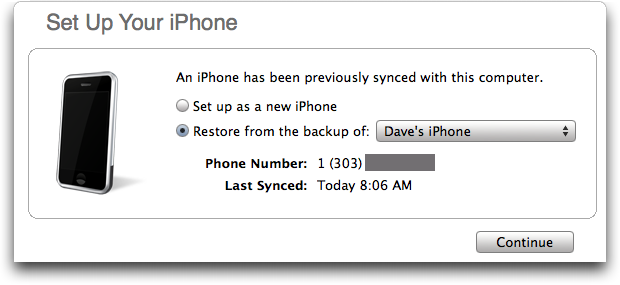
#1 Restore your iPhone

iphone-restore-7

The first and most basic thing you can do to free up space on your iphone, albeit a little time consuming is the good old restore. Depending on the amount of data you have stored on your iPhone, counting apps, photos, videos and contacts, it might take anywhere between 20 minutes and even hours. But for an all purpose clean up, fix up and a solution to pretty much anything that might be wrong with your phone software wise, it would be well worth the time. Restoring your iPhone is, regardless, advisable to do on a regular basis as it makes sure your device stays clean, up to date and with as little stacking over time issues as possible.


The restore to default settings can be easily accessed through either your iTunes or directly from the phone’s menu, although it is not a recommended way of doing things. The reason behind that is the fact that a hard restore from your device’s menu would entail the loss of your data with no available backup. It’s best if this option is left only for the times when your phone ends up in a critical state (hopefully never!).


The way you can do this the regular, safe way is by selecting your iPhone from the iTunes menu and heading to the Summary tab. After that, the first thing that you do is backup your data, either via iCloud or your machine, before heading to manually restoring.


#2 Tinker with iTunes and find more answers

YQdVf

No matter what Apple device you have, when connecting it to iTunes, the program’s interface will give you an ample and easy to understand overview of your space management. On the bottom of your screen under the Summary tab, there’s a color coded bar displaying the total amount of space on your iPhone that fills up depending on what you have on your device – photos, videos, apps, documents and “Other”.

The Other category includes a number of things, such as stored emails, messages, web browsing data (cookies, bookmarks, etc.) – this type of data occasionally bugs out and ends up taking more space than it should. Manually removing it is one way to do it, but restoring your iPhone might still remain the better call.


#3 Check your usage

check-if-usage-adds-up

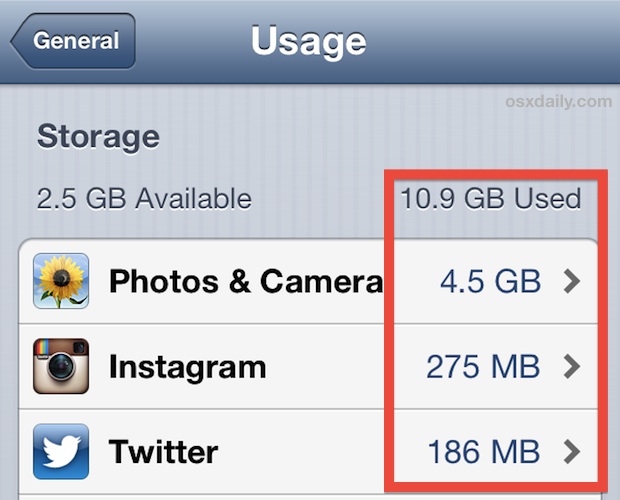
The number three thing you can do to free up space on your iphone is checking usage. If restoring seems like too much of a hassle, the next best thing you can do is finding out exactly what is taking up your phone’s space.

There is a number of surprising things that you can discover as culprits behind a clogged storage. The way you can get this done is accessing your iPhone’s settings menu. To manage your storage, you will be looking at the Usage tab under the General segment of the settings menu.

By tapping Manage Storage, you’ll be taken to a list of apps and how much space they take and the amount of total storage – divided in used and available.


#4 Beware of apps’ internal downloads

iPhone-app-iTunes-download

While the previous only provides you with insight on which applications are being problematic when trying to free up space, here’s how you delve deeper into the issue. A lot of applications don’t remain at their original download size.

You might be surprised to see some of your apps as being listed as using entire gigabytes of space instead of the few dozen megabytes that their download size was listed as when you got them.

The reason behind that is that a lot of apps enlist a number of internal downloads – Spotify, Podcasts, Cloud and Dropbox services are a few of the apps of this sort.

To fix this, all you have to do is access the particular app that displays unusual storage usage amounts and check whether it’s the downloadable content at fault. After that, it’s your call – you can either opt for deleting the app and finding an alternate way to make up for its lack, or manually delete the unnecessary downloaded content.

#5 Delete unused games

deleteapp

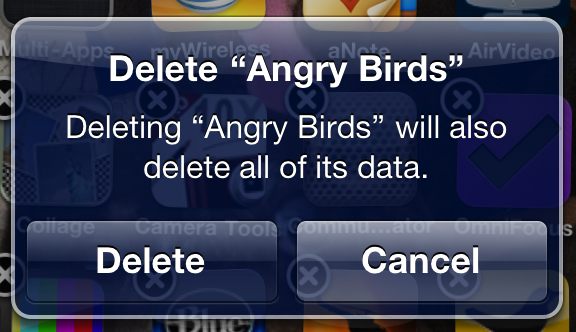
Games are for most of us a pretty fun way of spending past times, whether you’re travelling, stuck in traffic, waiting for someone or whatnot. Given the technology powering up our handheld devices these days, the games that are released come up to par with the hardware capabilities.

With great performance and great graphics however, also comes great space consumption. Even small scale games can take around 50 MB of space, and while that might not seem a lot, when you find yourself with a hefty collection of all sorts of gaming apps gathered from here and there, the space they take suddenly becomes staggering.


If you’re like me, and hold on to many of your games simply because you keep thinking you’ll get back at them and play again sometime in the future when you get bored of the latest fun thing you found, it’s advisable to take a leap of faith and delete some of them when you’re in need of space – considering your scores get saved up to your Game Center account, you can always go back and download them from the AppStore and continue right from where you left off.

#6 Find a better way to store your photos and documents

icloud_iphone2

Syncing your data with your desktop/laptop manually is not a bad way to get this done, especially if your machine’s hard disk is large enough for you to not care whether you’ll be using an extra dozen of GB. The smarter choice however, is definitely making use of your iCloud or Dropbox space.

Without spending a cent, you can get up to 7 GB of free Dropbox space, and iCloud offers a basic 5 GB of space with any iPhone you purchase, with the possibility of upgrade. Apple offers 20 GB upgrades for $0.99 a year, 200 GB for $3.99, 500 GB for $9.99 and 1 TB for $19.99. For such a small price you can basically get almost limitless space for any sort of data you want to hold onto.

Google+ is an option as well, considering it provides unlimited amount of storage for photos that do not exceed 2048 x 2048 resolutions and videos that don’t exceed 15 minutes in length.

By keeping your photos, videos and documents constantly uploaded to your cloud, you will surely always be able to revisit them, without having to clog up your mobile phone storage space, and even make sure you never accidentally lose them – in the unfortunate case that you ever have your iPhone lost or stolen.


#7 Get rid of texts that pile up

iphone-text-security-1

If you’re the kind of person who texts a lot, it’s not unusual for thousands of messages to end up eating storage space just like anything else. Again, it doesn’t seem a lot since every single text probably doesn’t exceed mere bytes. Multiply that by a thousand and suddenly you’re realizing that hundreds of megs are actually taken by them.

Holding onto texts is nice, but let’s be frank – how many hundreds of messages will you be scrolling up through and how often? Again, manually deleting them – either separately or via the usage feature is one way to do it, but another, automatic and clever method is making use of a setting that many people overlook.

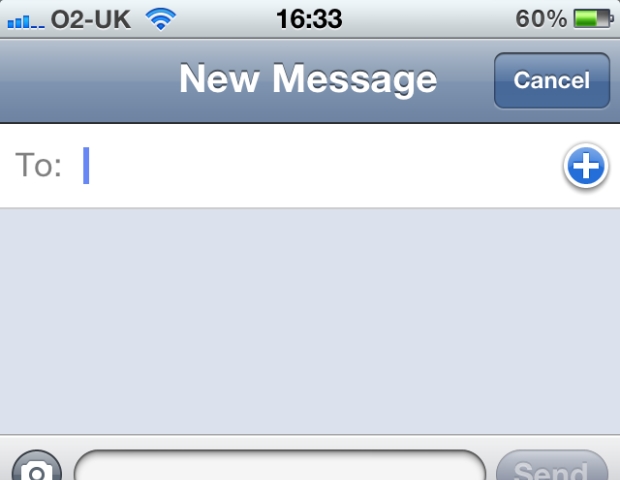
In your Settings menu, under Messages you can opt for your iPhone to regularly and automatically delete out of date texts. You can turn this option on and personalize the frequency of the clean-up by scrolling down to “Message History” and selecting one of the other options instead of “Forever”.

While you only get to choose between 30 days and 1 year, it can still prove to be a helpful hand. Furthermore, you can also customize the life span of audio and video messages received just as well, lower in the same menu.

#8 Sign up for a streaming music service

Spotify-Mobile

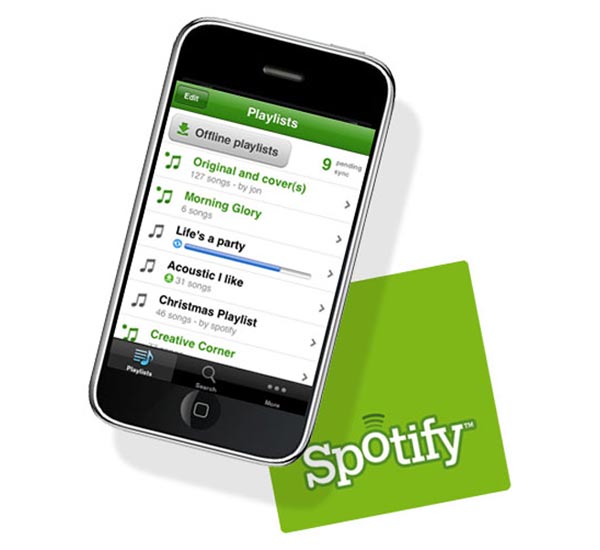
Unless your music playlist consists of songs that are unavailable on the market, this is probably one of the best space savers out there. Entire, literal gigabytes of space can be freed up if instead of keeping your favorite music saved on your iPhone, you either stream your favorite songs. This is possible through a number of ways, one of the rather popular ones being the music steaming service called Spotify.

It’s just as heavily customizable as your home made iTunes playlist would be – allowing you to make different, separate lists of your favorite songs. Not to mention that it’s a great way to stay up to date with new hits, new album releases and even make new musical discoveries.

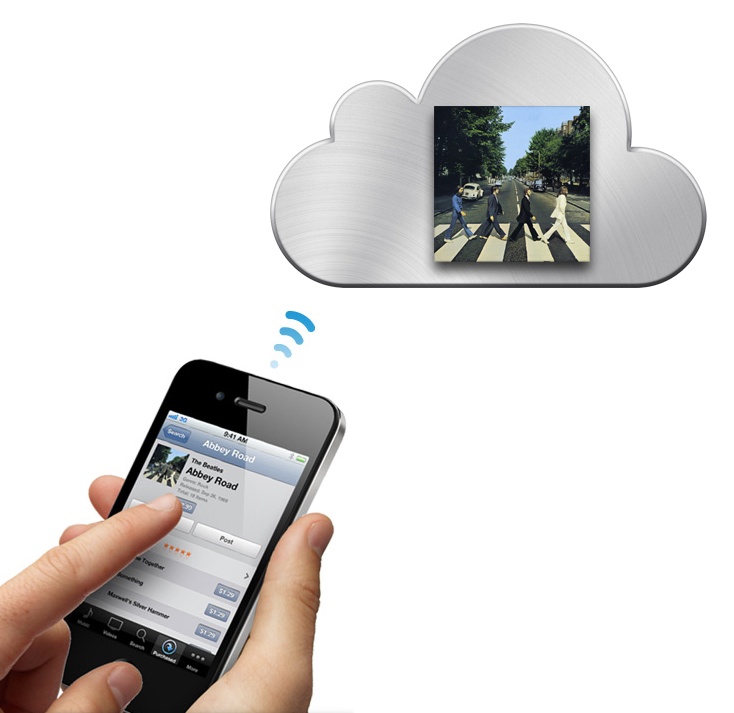
Apple also offers its own, personal way of making things better for music lovers, especially those who use iTunes for grabbing their tunes primarily. For a $25 a year subscription, you can get unlimited access to iTunes Match, thus making every track in your iTunes library accessible with just one tap, via iCloud.

The songs that you love the most can be downloaded by tapping the cloud icon next to it in your song list.

#9 Remove old podcasts and videos

remove-music-iphone

While it may seem very obvious to some, here’s something that might not have crossed your mind. Remember all those podcasts that you listened to while doing chores or whatnot? What about the videos and movies you put on your phone to watch for some long flight?

Yeah, go right ahead and delete them. It happens ridiculously often that we forget these things ever existed after we’re done listening to them or watching them. And since you don’t access these parts of your phone as often as you would others, they might be gathering spider webs there on your mobile device for absolutely no reason.

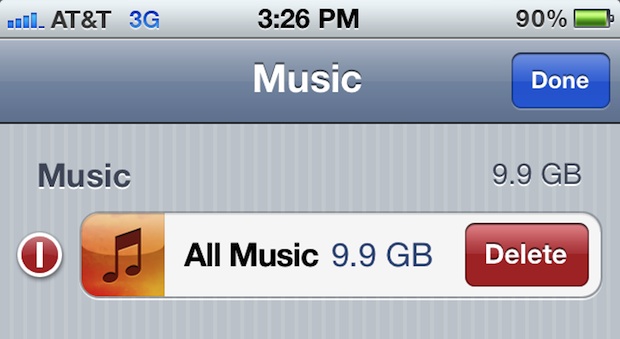
Chances that you will listen to your podcasts again or watch entire movies all over again on your phone out of all things are what – none? Deleting them is easily done by manually accessing your “My Podcasts” at the bottom of Podcasts app main screen.

The application will even make it easier for you, having inbuilt capabilities of sorting through your favorite podcasts and pointing out which you have already listened to by moving them all the way to the bottom of the list. The actual removal is done by a simple swipe to the left and there – you’re done!

#10 Be wary of photo streaming and HDR

iphone-camera-roll-photo-stream-photo-library

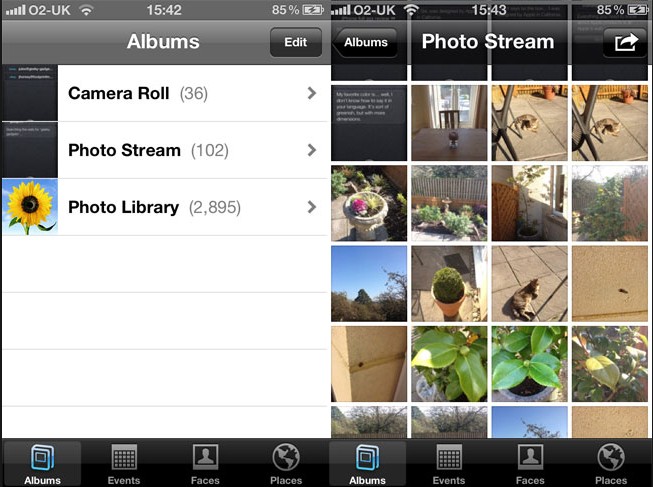
Photo streaming is an option you get when you own more than one Apple device – whether it’s a phone, tablet, iPod, iMac or Macbooks. Sure, having all your photos saved on all of your devices will ensure that you can access them anytime, anywhere you are and be nostalgic to your heart’s content.

But in reality, there’s no reason for you to do physically have them on your phone when you can just quickly access them from your Cloud service of choice. Unless it’s vital for your photos, no matter the number, to be present on all of your Apple devices, you can go right ahead to the Settings menu and turn off “My Photo Stream” from under the “Photos & Camera” submenu.

If you’re using HDR (High Dynamic Range) to take a photo in either low light or for some extra shadow quality, you might be baffled to find out that your phone is constantly saving duplicates of the picture taken – one in HDR, and the original one.

If you consciously choose to shoot using HDR, just go ahead and delete the originals – you can find the option that automatically sorts this out in the Settings Menu – Photo & Camera. The culprit is the option that you can find at the bottom of the submenu – just turn off “Keep Normal Photo” and your phone will cease to save duplicates, one of each kind.

Filed Under: Uncategorized Tagged With: free up space on your iphone, how to free space on iphone, iphone spce clearing, iphone storage problems, iphone storage solutions, iphone tweaks

Microsoft Launched Two New Cheap Smartphones

January 17, 2015 By Nancy Young Leave a Comment

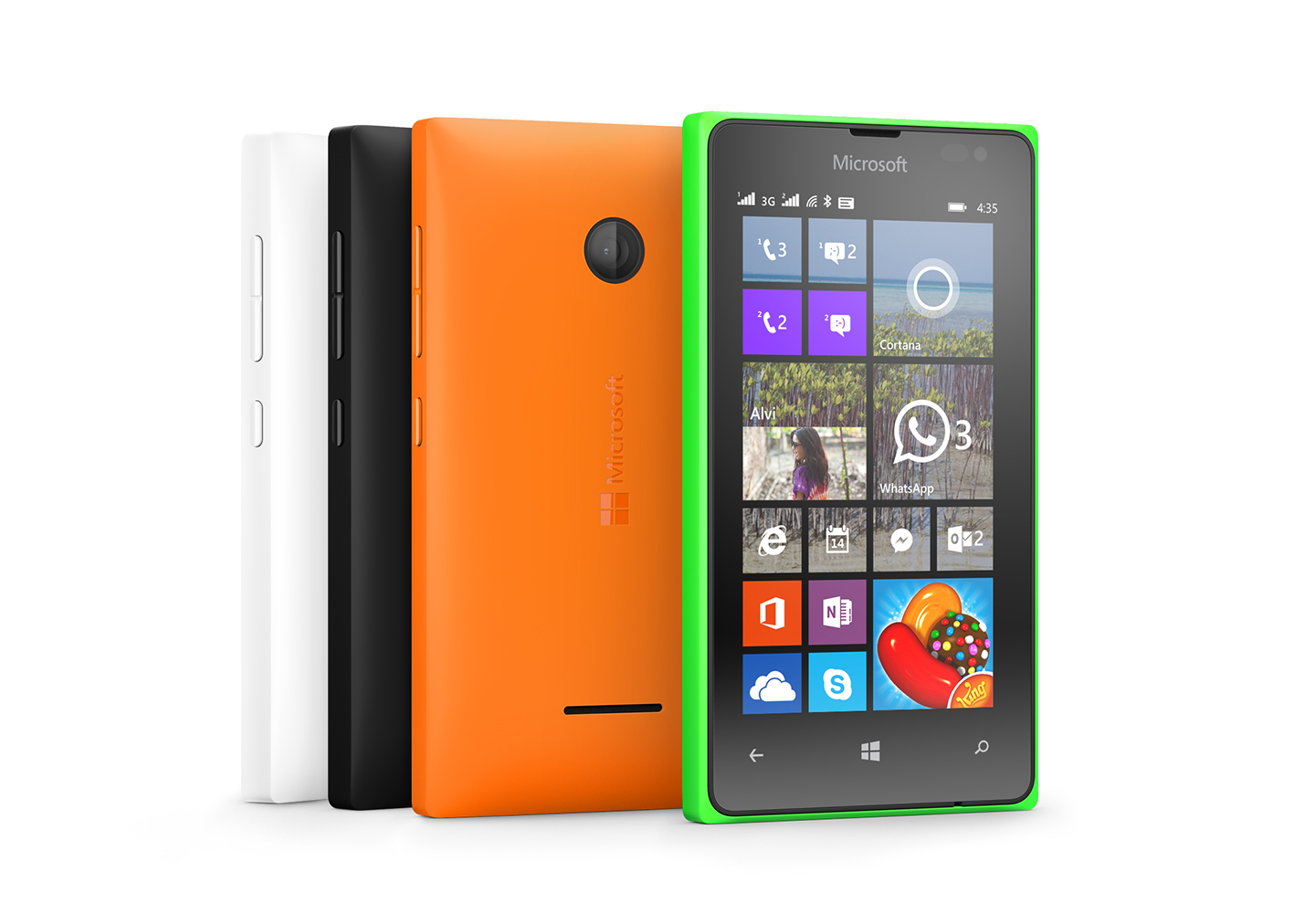
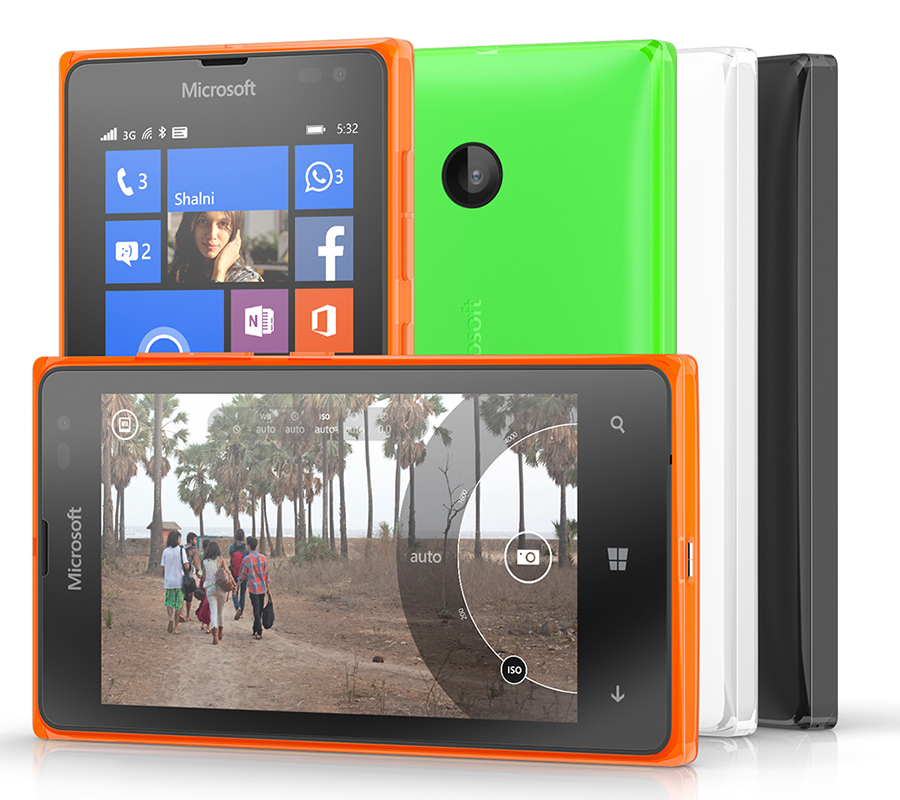
Just recently, Microsoft launched two new cheap smartphones. The two Lumia devices, the Lumia 435 and Lumia 532 are very affordable and have pretty impressive specs for their price.

After the gold editions of their high end mobile phones, Lumia 930 and Lumia 830, Microsoft has announced two other Windows Phones which, the company wishes to target at a whole new branch in the market consisting of phones under $100.

Lumia-435

Image source: msecnd.net

LUMIA 435

The Lumia 435 is the cheapest Lumia available so far with a retail price of just $81 before subsidies and taxes. The new device will be shipped out in February in India, Middle East, Africa, Asia Pacific and Europe. However, a release date for the United States has not been set yet. The new smartphone looks just like the Nokia X and is Microsoft’s best effort so far to compete with the Android One program initiated by Google. The project was released last September with phone manufacturers in India such as Spice, Karbonn and Micromax which develop devices that use the Android One operating system that cost less than $100.

However, Microsoft did cut some corners in order of achieving this price. Even though the device features two cameras, the front camera can only be used for video and has a 0.3MP sensor for Skype calls and the back camera has a sensor of just 2MP. The Lumia 435 will use Windows Phone 8.1 along with the firmware Lumia Denim, which means that it will also include Cortana in available markets as well as Apps Corner and Live Folders. However, the device won’t feature the notification center by Microsoft called Action Centre. The device will also come with Excel, PowerPoint, Word, Microsoft PowerPoint and OneNote preinstalled.

The smartphone has a 1.2GHz dual-core Qualcomm Snapdragon 200 CPU and a 4 inch WVGA display with a resolution of 800 x 480 and a pixel density of 233ppi. It has 1GB memory and comes with 8GB of storage that can be expanded with a microSD of up to 128GB. The battery is replaceable and has a capacity of 1560 mAh which lasts for up to 11.7 hours talk time on 3G and 20.9 hours 2G.

While these features aren’t intended for consumers that are looking for a high end smartphone they certainly are an improvement over old low-end mobile phones launched by Microsoft. However, it’s uncertain if these improvements make the devices as good as the ones offered by Xiaomi and Motorola, which are also competitive with Google’s Android One and its partners.

The smartphone will be available in both single SIM and dual-SIM forms and will come in black, white, green and orange. Microsoft also unveiled the Lumia 532 which will come at a price of $94 before subsidies and taxes and is Lumia 435’s smaller brother.

Lumia-532

Image source: cloudfront.net

LUMIA 532

Inside the very colorful shell of the Lumia 532 is a quad-core processor that will most likely surpass every other inexpensive Windows Phone launched by Microsoft in the past and 1GB RAM. The amount of memory will at least let users of the Lumia 532 play some of the more demanding games that made their way to Windows Phone in the last couple of years.

The Lumia 532 has 4 inch display with a resolution of 800 x 480 that isn’t high definition but looks quite good. The Lumia 532 will be available in February for about 79EUR or $94. This price doesn’t include any service agreements or discounts, however. As well as the 435, the Lumia 532 only has 8GB of internal storage but it can be expanded with a microSD memory card. Neither the 435 nor the 532 feature a flash on their cameras, which means that users won’t be able of shooting photos in low light environments.

Both smartphones will come with Windows Phone 8.1 and Lumia Denim. Windows Phone 8.1 is the latest version of Windows available on mobile phones. This version adds the Cortana personal assistant that is also coming to tablets, desktops and notebooks using Windows 10. This version of Windows also offers some options for personalization for the users. For instance, people can finally put a photo to be shown in the background of their phone. It also adds support for syncing browsing history, passwords and a lot more between several devices that us Windows 8.1.

Microsoft wishes to attract smartphone buyers away from Android One and iPhone with the help of its low prices for the Lumia 435 and Lumia 532. This kind of makes sense seeing how in the Middle East, Asia and Europe, Windows Phones are a lot more popular. Microsoft hopes to attract buyers looking to purchase their first smartphone or that want to get rid of their older iPhones that don’t receive updates from Apple anymore.

Microsoft’s problem lies in the United States, however. It’s been a long, long time since the company released a competitor for the iPhone. This means that users are far less excited about Windows Phones in the United States. Apple produced new high-end versions of its popular iPhone and their decision to make the older versions cheaper seems to have worked in the U.S. In the meantime, it looks like Microsoft is basically ignoring the United States completely.

Both the Lumia 435 and the Lumia 532 will come in dual-SIM versions as well. This feature allows users to install two SIM cards in their smartphones and switch between carriers for the best available calling rates.

Filed Under: Tech & Science Tagged With: cheap lumia, cheap microsoft smartphones, lumia, lumia 435, lumia 435 lumia 532, lumia 532, lumia 532 lumia 435, lumia cheap, microsoft, microsoft lumia, smartphone, smartphones

Acer Iconia Tab 8 Review

January 9, 2015 By Roxanne Briean 2 Comments

acer-iconia-tab-8-screen

Budget tablets are best known for their affordable prices not their design. The Acer Iconia Tab 8, however, is proof that this doesn’t always have to be the case.

What’s truly amazing about the tablet is that it has a very good display with a resolution of 1920×1200 which is not quite that often on budget tablets and a micro-HDMI port, which is also very rare. The device also supports expandable storage which is a pretty nice feature as well because you won’t always have to rely on cloud services. Having said this, the tablet developed by Acer has a pretty moderate performance that is easily more noticeable than its good design and HDMI connectivity.

However, most budget tablets suffer from mediocre performance so we should expect this from the Acer Iconia Tab 8 as well. But the tablet isn’t as cheap as you would think for what it has to offer. If you are willing to pay just a little more money, you will definitely be able to find another tablet with better gaming capabilities, a better display and faster performance. The Dell Venue 8 immediately comes to mind when thinking of a tablet within the same price range and performance and Google’s own Nexus 7 can be bought online for the same price but features better specs and overall performance.

The Acer Iconia Tab 8 has a retail price starting from $199. So, without further ado, here is our Acer Iconia Tab 8 review.

Acer Iconia Tab 8: Design

acer-iconia-tab-8-side

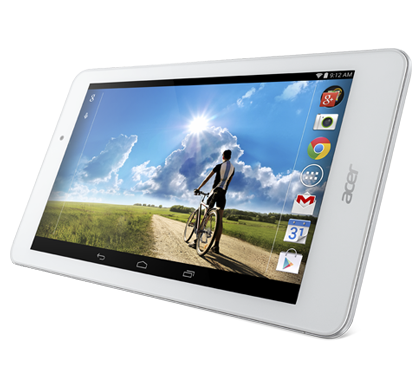
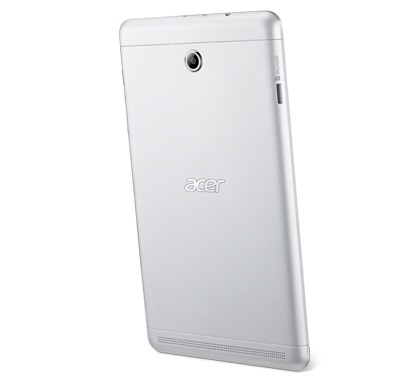
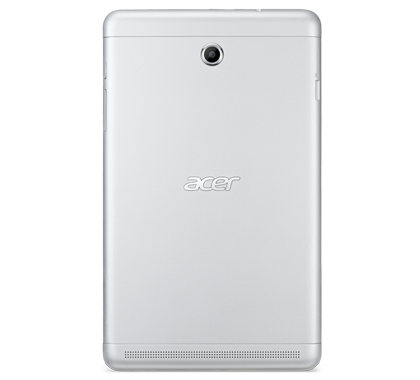
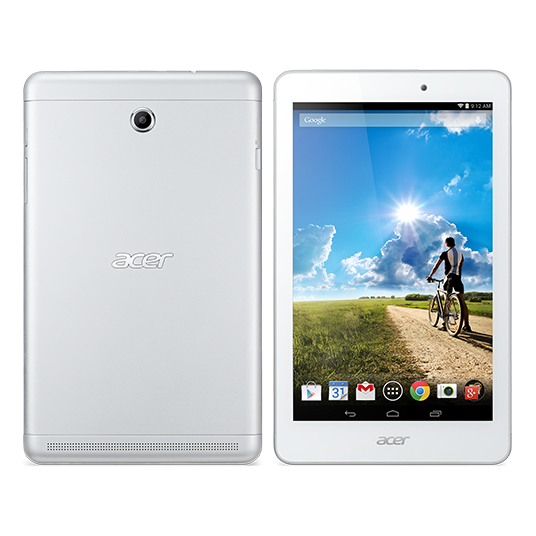
The Acer Iconia Tab 8 features a nice aluminum panel on the back that connects on the front to some stylish white bezels. It has a very nice texture and the rounded corners on the tablet make it very comfortable and easy to hold.

The rounded edges on the tablet also make it very comfortable to pick up and to hold with just one hand. Even though the Iconia Tab 8 is a little heavier than other tablets it’s not tedious to have in your hands for a long time. The construction of the tablet, however, doesn’t feel as good as other more expensive ones, even though the design is quite attractive.

A micro-USB port, a micro-HDMI port and a headphone jack can be found on the top of the tablet and the HDMI port is quite rare on the tablet market and is definitely one of the features that make Acer Iconia Tab 8 worthy of taking into consideration. On the left side of the tablet there is a microSD slot which you can use to expand the storage of the tablet by up to 32GB. On the right edge of the tablet there are volume buttons and the power button.

Acer Iconia Tab 8: Features

acer-iconia-tab-8-back

The Iconia Tab 8 runs Android 4.2.2 and features some preloaded software. Acer has added its own cloud service on the tablet, Zinio, the WildTangent Games store and a couple of more first-party apps.

Even though some newbies in the tablet market may be impressed by the offerings, a more experienced Android tablet user will be disappointed by them because they take up internal storage; internal storage one could use for their own choice of apps. These apps can only be disabled and not uninstalled completely and Acer made no official announcement of an upgrade to Android Lollipop 5.0 coming for the tablet.

The only thing that even remotely resembles a high-end feature on the device is a function called Touch WakeUp. This allows the user to unlock the tablet by placing two thumbs on the screen or five fingers. The feature worked well most of the times, however, if there were any updates happening in the background, the response was laggy.

Acer Iconia Tab 8: Performance

acer-iconia-tab-8-main

Seeing how the Acer Iconia Tab 8 is a budget tablet, the display boasting a resolution of 1920×1200 is quite a nice touch. Most tablets only have a resolution of 1280×800, so Acer’s decision to implement a higher resolution screen on their tablet is commendable.

The HD looks very good on the tablet and the colors are close to real life. Even though the Dell Venue 8 surpasses the Acer Iconia Tab 8 in range of colors, the difference isn’t all that noticeable unless you look very closely at the two. The display on the Acer Iconia Tab 8 doesn’t have an ambient light sensor and isn’t extremely bright but is pretty good for its rank of being a low end choice.

The Iconia Tab 8 features 2GB of memory so it came as no surprise that the tablet is easily capable of switching back and forth between apps. Web browsing is smooth even while other apps are open in the background and we encountered no functionality problems until we started to use more complex and larger apps.

The Iconia Tab 8 scored higher in gaming benchmarks than the Dell Venue 8 but the Venue 8 performed better than it when it came to graphics. The similar in price Asus MeMo Pad 8 didn’t have the same scores in gaming benchmarks as it and the latest midrange 8 inch tablet from Samsung performed horrifically when compared to the Acer Iconia Tab 8.

In 3DMark Ice Storm, the Acer Iconia Tab performed the best, receiving a score of 16,831 while the Dell Venue 8 got a 14,958, the Asus MeMo Pad 8 a 14,025 and the Samsung Galaxy Tab 4 8.0 got a shameful 4,614.

The graphics scores in the benchmark were as follows: Dell Venue 8 got a 16,933, the Acer Iconia Tab 8 got 16,389, the Asus MeMo Pad 8 a 13,309 and the Samsung Galaxy Tab 4 8.0 a 4,136.

The physics scores are the following: Acer Iconia Tab 8 got a score of 18,584, the Asus MeMo Pad 8 a score of 17,280, Dell Venue 8 received a 10,621 and the Samsung Galaxy Tab 4 8.0 was still miles behind all of the other tablets with a score of 7,749.

Large games on the tablet were very laggy in performance if they ran on the tablet as most of the times complex games didn’t work at all. The tablet doesn’t perform well at all and we often encountered lag in touchscreen or crashes when launching the apps. Closing all other apps kind of helped, particularly for better gameplay. Because of its clear limitations, the tablet works best for a more general use, such as casual gaming and Web surfing, and not more complex activities such as editing documents and heavy and complex gaming.

The audio quality coming out of the tablet is very weak. Even though the sound is decent when holding the tablet in portrait mode, when you switch to landscape, your hands are going to block the speaker. This is a poor choice of speaker placement to say the least, but hey, at least the volume controls shift depending on the orientation of the tablet.

On the back of the Acer Iconia Tab 8 there is a 5MP camera. The quality of the photos isn’t very detailed when viewed in full resolution but the camera adjusts well the color balance and exposure. A few settings allow you to adjust the camera to get a better image and there are also some filters available and a panoramic mode. The front 2MP camera is not very good either. Selfies look sharp but suffer from a lot of noise.

The battery life of the tablet is very disappointing as well. A full charge with heavy use lasts only around five hours.

Acer Iconia Tab 8: Specs

Operating system: Android 4.2.2

Processor: Intel Atom Z3745

Processor speed: 1.33 GHz

Processor core: Quad-core (4 cores)

Memory: 2GB LPDDR3

Memory card supported: Yes (32GB maximum)

Storage: 16GB

Display size: 8”

Display type: Active Matrix TFT Color LCD

Backlight technology: LED

Multi-touch screen: Yes

Screen resolution: 1920 x 1200 WUXGA

GPS: Yes

Wireless: Yes, IEEE 802.11 a/b/g/n

Bluetooth: Bluetooth 4.0

HDMI: Yes

Battery capacity: 4600 mAh, 1 cell, Li-Ion

Maximum video battery time: 7.5 hours

Height: 0.3”

Width: 8.5”

Depth: 5.1”

Weight: 12.70 oz

Acer Iconia Tab 8: Conclusion

Even though the Iconia Tab 8 is pretty stylish for being a budget tablet, appearance doesn’t make up for all the other limitations. Although the tablet performed decently most of the times it didn’t stand out enough to excel in the low budget tablet market, which is pretty overcrowded as it is. If you don’t wish to use the HDMI port and don’t really care if your tablet looks as sleek as the iPad, we suggest you take into consideration the Dell Venue 8 or add more bucks to your budget and buy a better model with better performance.

An alternative, offering both nicer display and a whole lot faster performance is the Amazon Fire HDX. Even though Amazon’s tablet also comes with preloaded software, it is a lot more family friendly and user friendly than the Acer Iconia Tab 8. Another alternative is the Nexus 7 and even though it’s no longer available on the Google Store you can search and find the tablet online for around $180. Furthermore, the Google tablet will be among the first tablets that will update to the Android Lollipop 5.0 operating system.

Wrapping Up…

PROS

– The Acer Iconia Tab 8 has a beautiful aluminum back and a nice slim build

– microSD card slot

– microHDMI port

– The Acer Iconia Tab 8 performs nicely when switching back and forth through apps

– Good resolution for a budget tablet

CONS

– The Iconia Tab 8 doesn’t perform well with larger games and apps

– You cannot uninstall the pre-loaded software

– Poor battery life

– Poor choice of speaker placement

– Unimpressive cameras

The Verdict

The Acer Iconia 8 has a very nice design considering it is a budget tablet but you can find a better performing tablet within the same range of price.

Images source: acer.com

Filed Under: Tech & Science Tagged With: acer, acer 8 inch tablet, acer iconia, acer iconia tab 8, Acer Iconia Tab 8 Review, acer tablet, iconia tab, iconia tab 8

A Guide for Making the Switch from Android to iOS

January 2, 2015 By Roxanne Briean 2 Comments

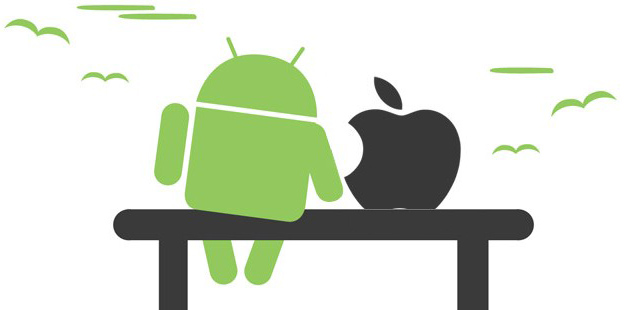
The two most popular smartphone operating systems in the world, Android and iOS, couldn’t be more different! The two camps have been at it for almost a decade now and there doesn’t seem to be a clear winner. Today, we’re going to address the delicate issue of switching from Android to iOS. Whether you’re tired of Android or you’re just in the mood for a change, you are going to need a bit of help during the process. You’re going to need to know what to expect and how to deal with the changes. So, for those people who are planning to move from Android to iOS, we have a small guide that will help them during the process.

Before we begin we would like to say that you need to prepare yourself emotionally before you make the switch. The two operating system are completely different and you will get frustrated at times. You need to be calm about it and remind yourself that you made a calculated decision and that you can always switch back if you and iOS don’t become friends.

android to ios

Another thing is that you need to do a little bit of research about how you’re going to transfer all of your contact and data from your Android smartphone to the iPhone. Fortunately, Apple is willing to help you out with that, but it only began offering information about the switch later this year. Up until now, when you bought the iPhone, you could have asked for information, but there was no official info about the switch. Another route would be forums, but they’re not always easy.

So what is Apple saying about the switch from Android to iOS?

Later this year Apple finally released some information on their official website about how to approach a switch from Android to iOS. The precious information will show you how to set up a new mail account, move your contacts mails and calendars from your Android phone to your iPhone, how to use an app, how to copy various data from Android to iOS, how to sign in to social media, how to move photos and videos from Android to iOS, and even how to use an app.

Apple knows that iTunes isn’t the easiest program to use, so they will show you how to use it to transfer photos, music and movies from your computer to your iPhone. You’ll also be instructed how to move books and PDFs, access eBooks from other apps, install Numbers, Pages and Keynote apps, set up iCloud and upload documents to iCloud.

What to Expect When Moving from Android to iOS

The most important advice we can give you about the switch from Android to iOS is to keep an open mind and be patient. With that in mind, here are a few things you should now and expect when making the big move from Android to iOS.

The Significant Changes

Customizability is Vastly Different Between the Two OSs

One of the most important differences between Android and iOS refers to customizability. As an Android user, you’re used to customizing your whole operating system according to your needs and this is probably the best part of Android. Well, when you make the switch from Android to iOS you should know that you’re going to lose a lot of that customization and you are going to miss it for a while. iOS does not have screen widgets and you can’t place app icons wherever you want. You also can’t change some of the default apps and quite a few other things. But if you’ve never been the type of person who enjoys Android’s customizability, then iOS will feel like a sweet release.

The App Selection Is Quite Different

We’re going to flat-out say it: iOS apps are better built than Android ones. This is not because Android is inherently worse than iOS, but because there are hundreds of different Android devices out there, while iOS ones, just a few, which allows developers to better control their apps. The most popular applications are available on both iOS and Android, but once you move to iPhone, you’ll see that the apps you’re going to use on a daily basis are going won’t be as buggy as they were on Android and they won’t crash nearly as often.

Also, one other reason why the apps are much better is that the iTunes App store is much more policed than the Google Play one, which translates into zero malware and spam.

You’ll Still be Able to use Google Services

Switching to iOS doesn’t mean that you’ll never have to touch Google again! In fact, you can still be very much involved in the Google universe with popular apps such as: Hangouts, Google Play Music, Google Maps, Gmail, Google Chrome, Google Docs and Google Search. Unfortunately, you won’t be able to use the newly improved Google Calendar, Google Goggles, My Tracks and other Google specific apps and features, but Apple makes up for all that with their own great apps.

iOS Is Definitely Easier to Use

Ask anyone who has used Android and has made the switch to iOS and they will tell you that iOS is much easier to use than Android. It is much more intuitive and it allows for easier and faster navigation within the operating system than Android does. Nobody’s saying that Android is a tough cookie, but iOS is truly a breeze to learn and use. It will feel like a weight has been lifted off your shoulders!

The Interface Differs Immensely

Never mind all the above features we’ve talked about! When it comes to the interface, Android and iOS are completely different. iOS hasn’t changed much since it was launched on the market, while Android varies depending on the manufacturer’s brand. You’ll get used to the little updates that don’t really change too many things on your phone!

The Not So Significant Changes

Now, let’s take a look at the minor things a former Android user and new iOS user is going to experience.

There’s No Back Button in iOS

And thank the Lord for that! Sure, if you’ve been using Android all your life you’re going to find it strange that iPhone don’t have a back button, but that’s the beauty of an iPhone, its sheer simplicity. The only front button that iPhones have are the Home Button, with which you can go back and even close apps.

Unlocking Your Phone

This may seem like a really mundane issue, but it’s an issue! Unlocking your phone in iOS means swiping right from left and in Android means lifting up from down. First world problems right here, but it will take you a while to get used to this.

iMessage is surprisingly good

If you’ve got lots of friends who own iPhones, then you’re not going to need as many messaging apps as you did when you were using Android. Sure, WhatsApp can still be useful, but iMessage is really simple and effective.

It’s natural for things to feel strange at the beginning, but we’re certain that in a couple of weeks you’re going to get the hang of iOS and you’re going to love it!

Filed Under: Tech & Science Tagged With: android a, android to iOS, Apple, switch from android to ios

Review for Apple iOS 8.1.2: The Good and the Bad

December 21, 2014 By Roxanne Briean Leave a Comment

The latest operating system update that was launched by mobile phone producer Apple, to compliment and accompany the release of the much expected iPhone 6 brought quite a few changes to the way your iOS works, though it did not end up being a long shot away from its predecessor visually.

If you’re still holding onto your iOS 7 or earlier versions of the iOS 8 and not sure whether you should make the change or not, I’m going to give you a broader overview of what to expect from the new operating system, iOs 8.1.2 update included.

Quick Overview: How the 8.1.2 Came to Be

iOS 8 introduced some impressive new settings for camera such as time-lapse straight on your phone, a capture timer, burst mode on front facing camera on the iPhone 5s and panorama for iPad Air and iPad mini with retina display.

Review for Apple iOS 8.1.2: The Good and the Bad

Image Source: https://www.redmondpie.com/

Photo editing potential also got some attention, giving you a lot more options when trying to tweak your snaps on the go, before uploading them to your social media website of choice. To people who are not that well versed in the ways of Photoshop and other editors (or not versed at all, like I am), this is the easy way out if you’re just looking for some light edits to make your colors sharper, highlight specific areas of your photo and so on.

Other notable improvements brought by the new iOS were adding continuity and perfect synchronizing of all of your Apple devices via the iCloud. All of your documents can be stored in your iCloud Drive and accessed from any of your devices at the exact point you left off, uploads of edits and changes being made continuously across all of your devices automatically.

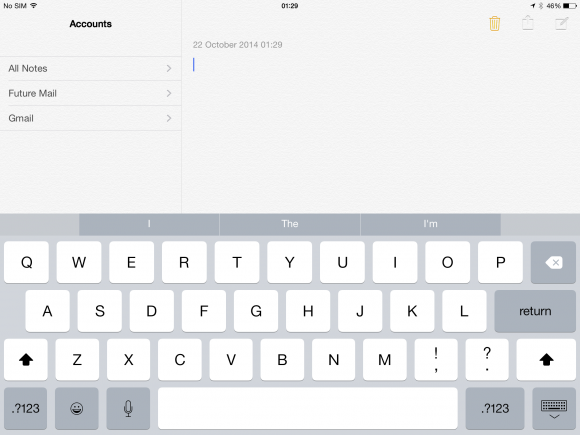
The QuickType keyboard became a thing too, adding predictive typing personalized to your writing style, customized in coordination with the recipient and the application you are using.

The first time I opened up the messaging app on my iPhone 5s post the update, I did not pay much attention to this new feature since I never really was a fan of automatic keyboards, to me being more of a nuisance and chain-of-thought-breaking rather than useful.

But after several chats all across my apps, I started noticing in the corner of my eye some very familiar words and expressions that are not officially part of the dictionary but knew that I myself use often.

Quick Overview for the New Operating System

While I speak for myself that even despite the very intuitive nature of the QuickType software, I’m still going to type things the hard way, I would lie if I said I don’t sneak in a few words from the feature every now and then, especially when operating the phone one-handed.

Another feature that I sincerely wondered what was taking so long on being incorporated by the iOS was the health app – an application that is only available for the iPhone and iPod, but not yet made functional on tablets.

Review for Apple iOS 8.1.2: The Good and the Bad

Image Source: https://www.redmondpie.com/

This does exactly what you would expect from it, measuring distances you walk, helping you keep track of calorie intake, cholesterol levels, and every other nutrition, vitals, sleep, fitness and body measurements you would ever need to stay in control of your health.

The app itself does not measure all of the above automatically and will actually require manual input or auxiliary applications that measure them for you, but it still remains a very flexible tool to keep watch over the state of your health.

All these came along with many other minor changes and optimizations to make the latest iOS function as smoothly as possible on all popular iPhone and iPad models. But just like it is with every single major iOS update, the system shines on the newest device releases, yet tends to have issues on previous ones.

The subsequent updates to the iOS (8.0.1, 8.0.2, 8.1, 8.1.1 and ultimately iOs 8.1.2) have attempted to target most bugs and issues that pop up when using the operating system on older devices, but some issues present on the iPhone 6 as well.

For this very reason, I will try to give you a broad overview of what the latest updates bring us on both the iPhone 6 and older models respectively.

iOS 8 for iPhone 5/5s

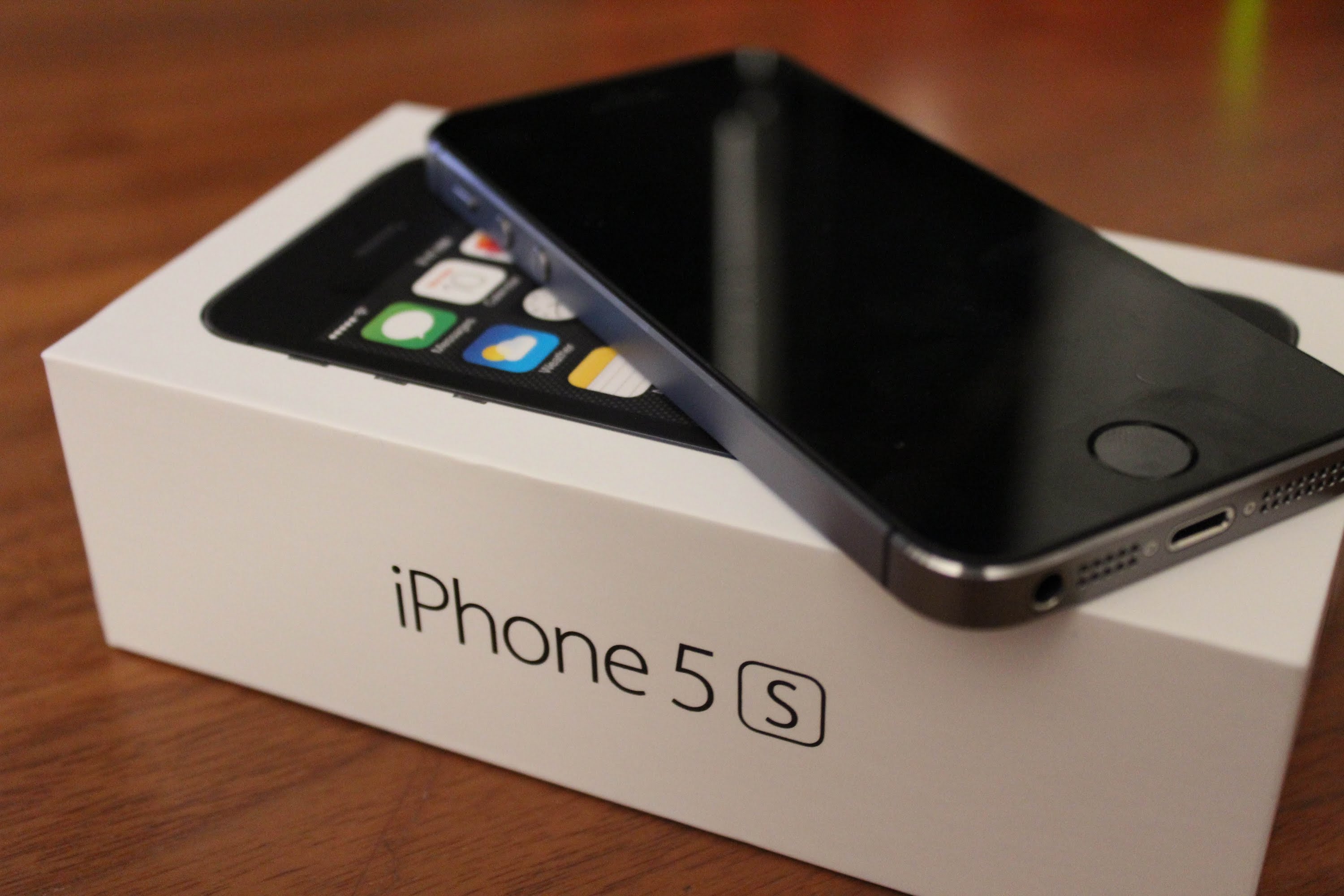
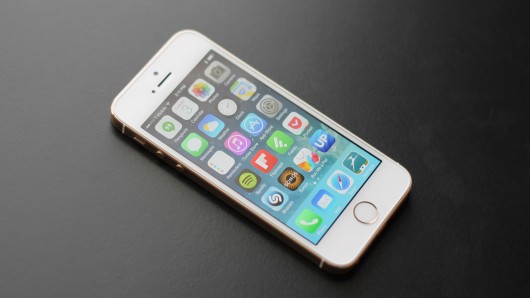
Personally, I haven’t upgraded to the iPhone 6 yet, still holding onto my iPhone 5s simply out of personal preference and slight reluctance towards the big display belief.

The upgrade to iOS 8 was a bit of a headache however and made me consider simply switching to the iPhone 6 just to not have to deal with all the issues that popped up in the first weeks of usage.

Review for Apple iOS 8.1.2: The Good and the Bad

Image Source: ytimg

However, after a long time of having to survive through with random app crashes, screen rotation occasionally refusing to work, freezes, home screen getting stuck on semi-transparent look after swiping to unlock, purchased ringtones vanishing, worrying battery drain, not being able to zoom out of folders and many other tiny, yet nagging issues that my iPhone 5s underwent, things seem to have started to calm down with the latest iOS 8.1.2 update.

Now do keep in mind that these issues did happen to me on a relatively old and packed iPhone 5s (as old as a 5s can get), so that might have had something to do with it as well.

iPhone 6 users have not reported most if not any of these issues as concerns to their new devices so chances are the circumstances that my phone was in when I upgraded iOS were probably the worst combination you could get.

Some things are still a bit sluggish even with the improvements brought to the operating system and the effort the company has put into stabilizing the iOS for older versions that were constructed to work at slightly different parameters than the new, more performant ones.

So if you are already running a version of the iOS 8, the latest iOS 8.1.2 patch appears to be a downright blessing for models 5s and below – the patch is definitely getting a yay.

If you’re still running the iOS 7, missing out on some of the new features might turn out to be better than running in head first into the issues that still seem to be plaguing the device here and there.

From that perspective, if you feel that you can’t handle a few bugs here and there on your iPhone 4/4s/5/5s or cannot spare the time to deal with them until further fixes and optimizations make their way live to your phone via patches, I’m going to have to give the iOS 8 along with the 8.1.2 patch a nay. Save yourself a headache and stick with the stable iOS 7 for now. The goodies on the iOS 8 can wait until a more stable version.

Review for Apple iOS 8.1.2: The Good and the Bad

Image Source: gizmag

Prior to upgrading to the iOS 8, I made the mistake of not even researching a bit on what I was going to get with the new operating system. I even got it relatively late in comparison to its original launch date due to lacking the necessary space every time I tried to update and despite using 4 Cloud services and numerous hard disks to store all of my data.

I really did not get to it, especially since the update was asking for a considerable amount of space on my 16 GB model, space that I really could not clear up without either removing some of my music or giving up the easily accessible photos and videos on my phone.

So by all means, cleaning up your phone and being prepared for the update is sincerely a very good idea. With all the changes and possible challenges your iPhone 5/5s might be struggling through, not knowing what is coming your way will prove detrimental to your iPhone experience.

If you don’t feel you are prepared for the transition, give the iOS 8.1.2 a nay for now. The changes may not look much from a visual perspective, but at the core of things the new iOS is far from its predecessor.

ios-8-1-logo

Lastly, if for whatever reason you are currently in possession of a jailbroken iOS 8 version, experience and feedback from users who chose to jailbreak their devices seems to be verging on the positive. If you are in the same bucket and feel that your iOS is not giving you much trouble and performance is not dwindling, updating to the iOS 8.1.2 really is not necessary.

Considering that updating your iOS will remove your jailbreak in most situations, take it the nay way and leave things the way they are for now.

Alternatively, if you are ready to put up with a few problems the iOS 8 will give you and are considering jailbreaking, updating to the 8.1.2 would be a timely change right about now since the Taig 8.1.2 jailbreak has already been revealed and released. You would benefit from both the fixes the latest patch has brought and concomitantly enjoy the possibilities of jailbroken devices.

For this reason, the update will get a yay despite a 8.1.3 update being currently planned by Apple. There is no ETA on the next patch however, which means that even if you make the change now, you will be looking at a hefty amount of time for you to spend with your jailbroken iOS 8.1.2 before the new version removes your Taig version.

iOS 8 for iPhone 6 and iPhone 6 Plus

If you are one of the lucky iPhone 6 users who did not have to go through all of the above and even started off your experience with the iOS 8 straight away, you probably are relatively content with your device.

Surely, the iPhone 6 models were not completely immune to the problems that the new iOS posed. The landscape not working was not an issue plaguing the older models alone and seems to have created some trouble and turmoil for iPhone 6 users just as well.

Review for Apple iOS 8.1.2: The Good and the Bad

Image Source: irishmirror

The landscape view was added to the iPhone 6 Plus with the iOS 8, and quickly got followed by tweaks and fixes to its functionality in later patches. With the latest, all landscape view-related issues seem to have finally vanished and your iPhone 6/6 Plus should be flashing its green lights towards the update. Yay.

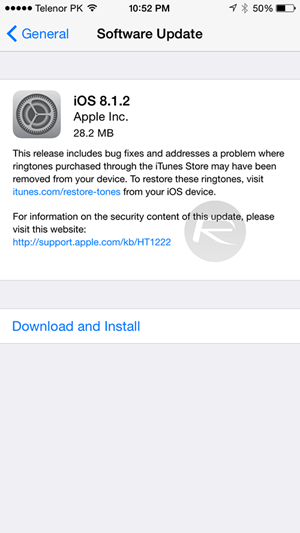
One of the most harrowing and panic or frustration inducing problems that the iOS 8 came up with was the infamous ringtone bug where people who had downloaded ringtones from the iTunes store in the past woke up one day with the nowhere to be found. For no reason whatsoever.

No changes had been made to the phone, no new installations, no modifications done via iTunes. The tones would simply disappear off the face of the planet. The 20 MB 8.1.2 update seems to be focusing on this fix, and installing the patch will allow you to recover your missing ringtones by heading to Apple’s website and restore them to your device as soon as possible.

Alternatively, even if you haven’t purchased any ringtones but are planning to, go ahead and grab the update before you do to avoid having to put up with this and straight out enjoy the yay that the iOS 8.1.2 gets once again.

Performance of iOS8 on iPads

The iOS 8 only made it to iPad Air 2 and iPad Mini 3 starting with the 8.1 version. The fact that Apple did not rush the release for their tablets seems to have been a good thing for most iPad users reported little to no issues with the new iOS. The most positive feedback the 8.1.2 patch got from tablet owners was that it does feel like an improvement over the 8.1.1 version.

Review for Apple iOS 8.1.2: The Good and the Bad

Image Source: toucharcade

The worst feedback consisted of some iPad users saying that they felt close to no difference following the update. So by all means, there really isn’t much more to say here, is there? Oh, you’re right, there is – yay!

Conclusion

The iOS 8 appears to behave like a difficult mistress would in most, older Apple devices. If we were to simply make a count of the yays and nays we’ve given to the latest software update provided by the company, the conclusion is crystal clear.

  • If you own an iPhone 5s or below and are still running an iOS 7 version, stick to it.
  • If you own an iPhone 5s or below and have already installed an early version of iOS 8, you’d be better off upgrading now as 8.1.2 seems to be the most stable variant of the new operating system.
  • If you own an iPhone 6 or iPhone 6 Plus, updating to iOS 8.1.2 will solve a number of issues you might have had before.
  • Jailbroken devices will lose their break upon update, but Taig has recently released a 8.1.2 jailbreak so you might as well grab it while it’s hot.
  • iPads remain mostly neutral to the changes so updating will do just fine.

Filed Under: Tech & Science Tagged With: Apple ios 8.1.2, iOS 8.1.2, ios 8.1.2 news, ios 8.1.2 review, ios 8.1.2 update, ios 8.1.2 yes or no

In Depth Look at the New Nexus 9 – Cases, Covers, Tech Specs and 2015 Rumors

December 18, 2014 By Roxanne Briean 1 Comment

Most people choose to protect their tablet and phones with covers and cases. The proponents of the case and cover for gadgets say that using them will help increase the lifespan of their device and keep them looking good for a longer period of time. The opponents, on the other side, say that a plastic case won’t do much to protect an electronic device and it simply adds weight and bulk to it. On which side do you place yourself?

If you, like us, believe it’s very important for your Nexus 9 tablet to be protected, then this article is for you! Today, we’re going to take a look at the brand-new Nexus 9 tablet, we’re going to discover some Nexus 9 cases and covers and we’re going to give you a few tips and tricks on how to choose a tablet case and cover that will best satisfy your needs.

About Google Nexus

Google Nexus is a line of smartphones, tablets and set-tops boxes that run Android. Google is in charge of the marketing, development, design and support, but the manufacturing is carried out by OEMs (original equipment manufacturers). The current line includes the Nexus 5 smartphone which is made in partnership with LG, the Nexus 6 smartphone (with Motorola Mobility), the Nexus 9 tablet (with HTC) and the Nexus Player (made in partnership with Asus). At first it may seem a bit confusing, the naming of the devices and the fact that the manufacturers keep changing from year to year, but if you are a fan of Google and Android, you won’t be too bothered by this.

Nexus 9 Tech Specs

Google Nexus 9 was released in November 2014. The 8.9-inch tablet is the first tablet from Google to run Android Lollipop and it is available in white, gold and black. So what’s new in Lolllipop? Well, you’ve got interactive lock screen notifications, new apps functions and a brand-new quick setting menu. The whole operating system got boosted and it is definitely superior to the previous OS.

As for the design, the Nexus 9 has rounded corners which makes it really comfortable to hold in your hands, especially in landscape position. What makes it so nice to hold is the fact that the metal frame that wraps around its body is wide enough for your fingers to rest on, without touching the screen and icons.

The tech specs are very impressive, as they should be on a flagship Google device: the Google Nexus 9 has a 2.3 GHz dual-core Denver CPU and a 192-core Kepler DX1 GPU. It’s also got Bluetooth 4.1, 802.11ac Wi-Fi and NFC (Near Field Communication). The Nexus 9 does not include a microSD card expansion slot, which is going to upset many, but Google is putting all their faith in their cloud-based services.

The Google Nexus comes in two internal size models: the 16GB and the 32GB and it has 2GB of RAM. The display boasts 2,048×1,536 pixels and the HTC BoomSound speakers are clear and loud with the perfect amount of bass. The 8MP rear camera takes surprisingly good photos for a tablet camera and the 360-degree Photo Sphere function is pretty cool.

The Google Nexys 9 can be bought directly from Google and the starting price for the 16GB model is $399. The 32GB model will set you back $479 and the 4G LTE 32GB model costs $599.

In conclusion, the Google Nexus 9 tablet is a steady and fine tablet. The first one to run Android Lollipop, it performs very well with many apps open, but unfortunately, not all apps run smooth on this new OS. Also, another big minus for this tablet is the fact that the largest capacity offered is 32GB and you cannot increase that with the help of an SD card, because there is no slot!

How to Choose a Tablet Case and Cover

When choosing a tablet case or cover, you need to keep in mind a lot of things, such as: will it protect my tablet well enough? Is it cool enough or does it offer any additional accessories. The main purpose of a tablet cover and case is to protect your tablet from scratches and shocks. But you’ll want your cover/case to also reflect your personal style and even bring additional accessories, such as a keyboard. All this is irrelevant without a price tag that you can afford, naturally.

A case is hard encasing, where you put your tablet to be protected against shocks, dust and even harsh direct light. The main pros of using a case is that it will indeed prolong the life of your tablet, while keeping it in better shape, but the majority of them will also make your tablet heavier. A case can be made out of many different materials, including plastic or silicone. Silicone ones are very popular and are made to stretch and take the shape of the tablet, protecting the back and the edges. There are plenty of brands and styles to choose from and we’re going to take a look at the most popular ones soon.

A cover, on the other side, is usually soft and will protect against scratches, but not against shocks. Let’s take a look at the three different types of covers and cases and how they can protect your tablet and make it the coolest tablet on the block:

  • A skin will protect your tablet from dirt and scratches. They are available in a plethora of colors and styles, so if you’re the type of person who gets bored easily, then we recommend you get different types of skins for different occasions. A nice Christmas-theme skin would look fabulous during this time of year.
  • A sleeve will offer protection as long as the tablet is paced inside it, but if you want to use your tablet, you need to take it out of it. It’s very handy when travelling and are usually made out of neoprene with soft interiors, such as flannel.
  • A folio will pretty much make your tablet look like a book. It will make it easier to be held, but it will also make your tablet weigh just a little bit more.

Now that you know the basic styles of covers and cases, which one do you need or want?

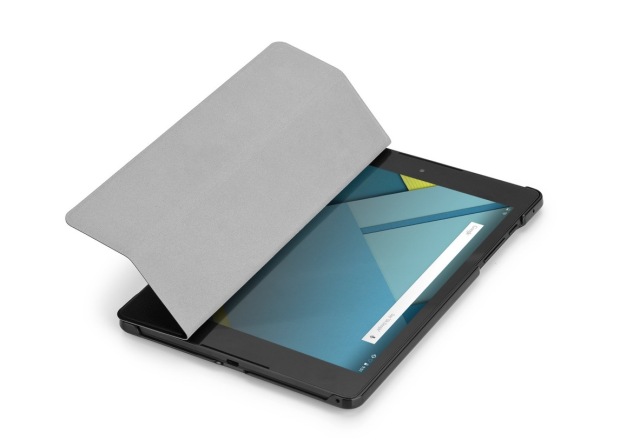
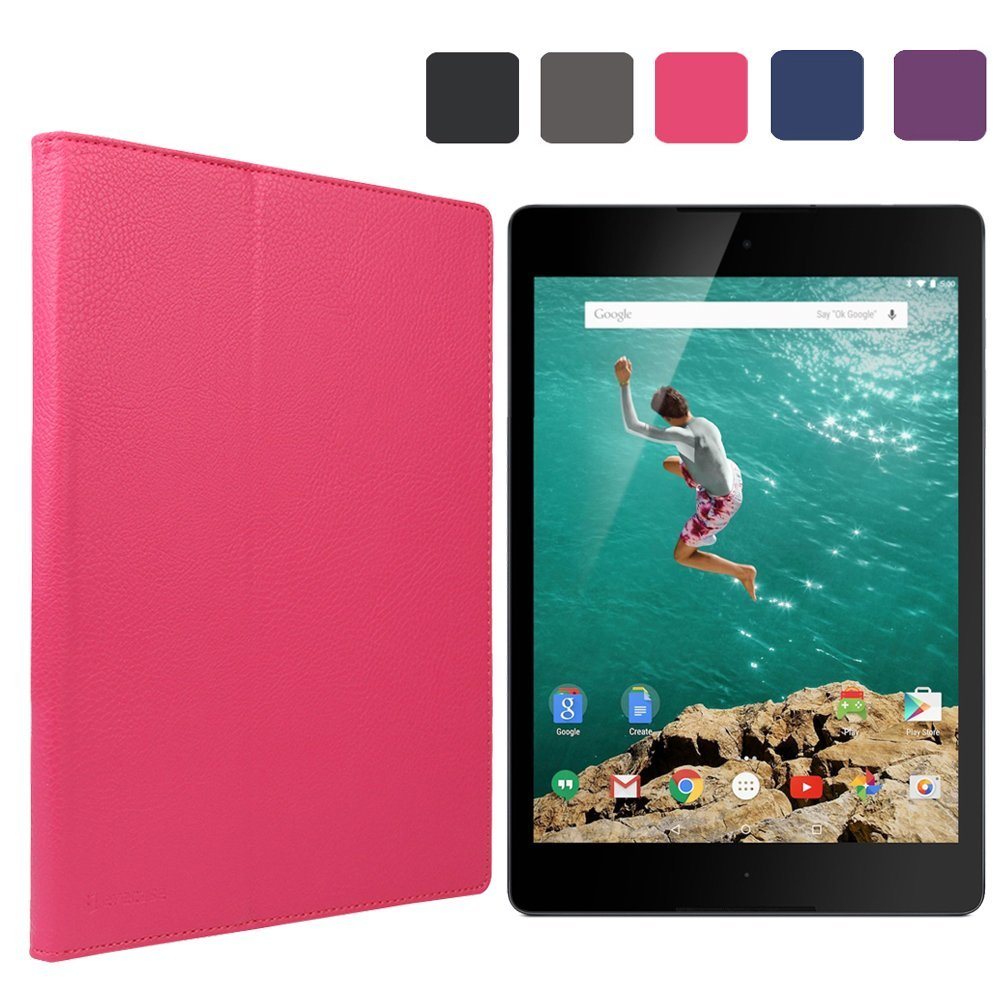
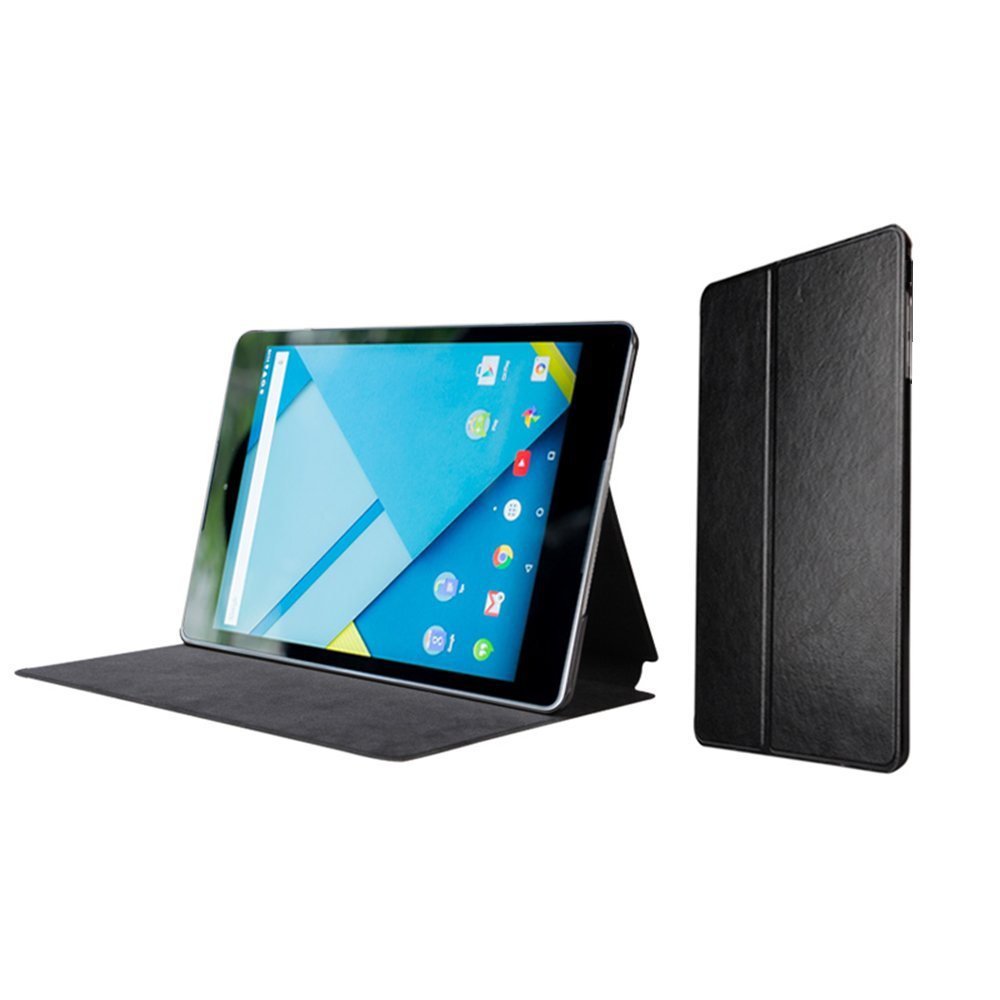
Cool Nexus 9 Cases and Covers

Whether you’re looking to buy a case or cover for yourself, or plant to give a Nexus 9 case and cover to your friends and family as a Christmas gift, here are the most popular and awesome Nexus 9 cases and covers!

HTC Magic CoverHTC Magic Cover

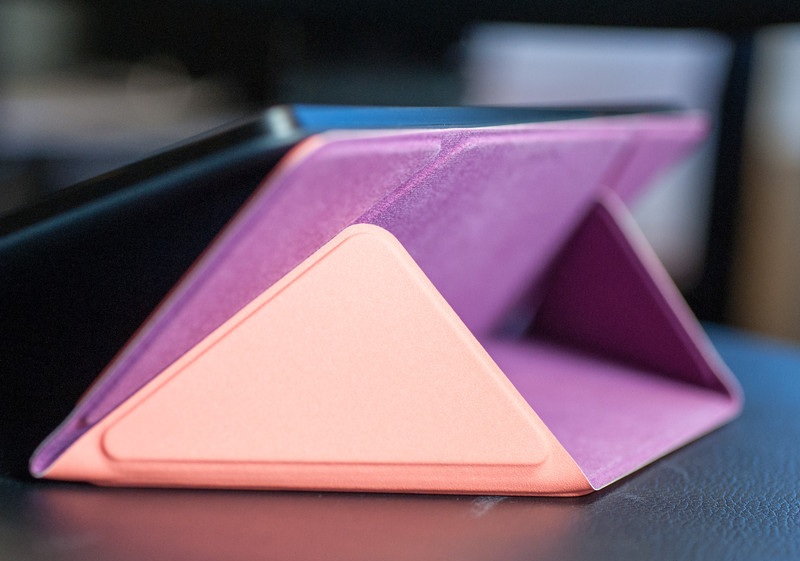
Our first choice, which should be your first choice to if you can afford it, is the HTC Magic Cover, the only official accessory for the Nexus 9, if you don’t include the keyboard case. We’re saying that it should be your first choice, because it truly is the best cover for your Nexus 9. It’s also quite expensive, $39.99.

The HTC Magic Cover is actually a magnetic attachment cover that can be put on both the front and the back of the tablet. The cover can fold into two standing positions, low for typing and upright for viewing.  With the help of the HTC Magic Cover, you’ve got automatic screen sleep and wakeup when the cover is removed. Another cool trick that this case is able to perform is that the camera app is launched when the flap folds away. The only other downside of this cover, aside from the steep price is that it is only available in four colors: Mint Indigo Green, Black, Coral and Limestone.

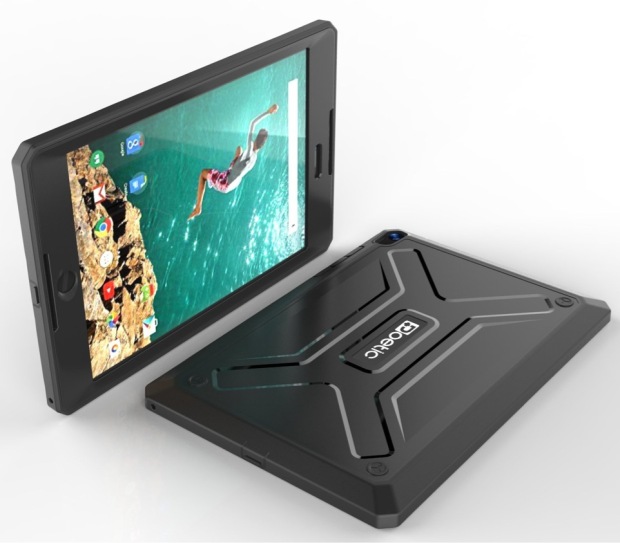
Poetic Revolution Nexus 9 CasePoetic Revolution Nexus 9 Case

This case from Poetic is part of their revolution series. The hardshell of this Case will protect your Nexus 9 tablet from pretty much all the elements, as it makes your Nexus 9 water resistant and dustproof. The TPU skin will help absorb shocks and prevent the tablet from scratching. Because the case will make your tablet water resistant, all the ports are sealed and it comes with a built-in screen protector. It comes in four basic colors: Black, White, Red and Blue. The Poetic Revolution Nexus 9 Case is available on Amazon for $14.95!

CeoCase Nexus 9 SleeveCeoCase Nexus 9 Case

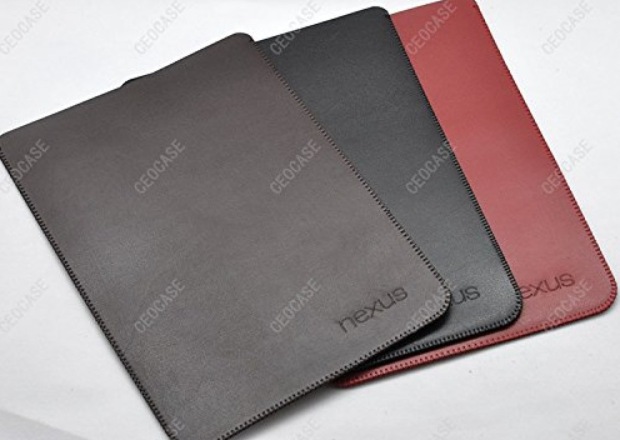
This simple and affordable sleeve is made from PU leather and is available in Brown, Black and Dark Red. If you’re not into magnetic covers or bulky cases, we recommend this cute little sleeve which even has the Nexus logo printed on it. The CeoCase Nexus 9 Sleeve is only $9.99!

Kayscase TPU CoverKayscase TPU Cover

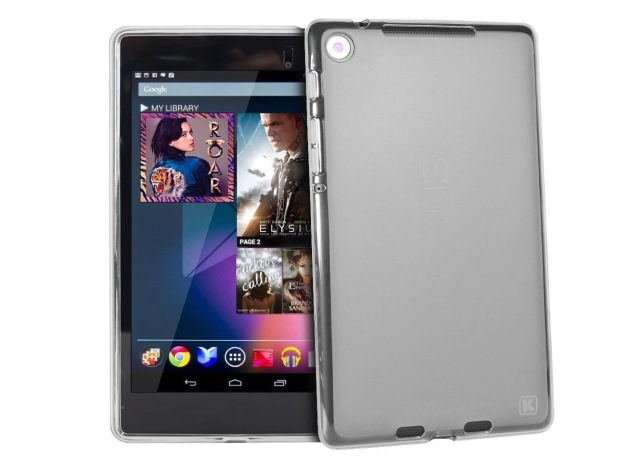
The Kayscase TPU Cover is made from, as the name implies, TPU material and it features a minimalistic design, which doesn’t keep it from protecting your Nexus 9 tablet. While this particular cover is made for the Nexus 7, the fact that the material is made from is very soft and malleable, it is perfect for Nexus 9. You can get the Kayscase TPU Cover from Amazon, for the price of $11.95.

Poetic Bumper Casepoetic bumper case

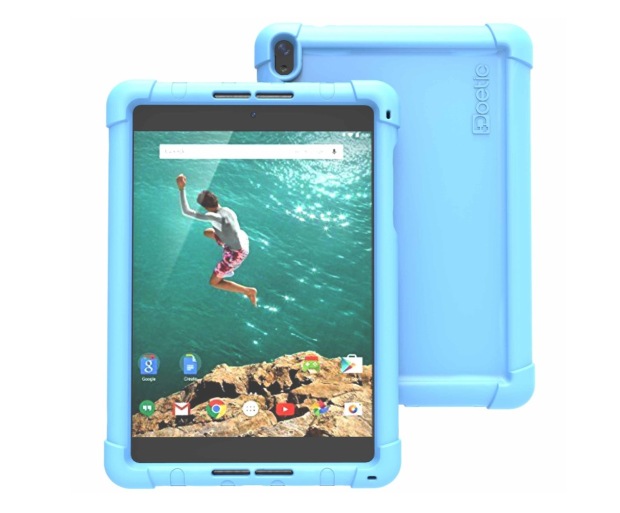
Poetic is one of the most popular case manufacturers in the US and the Bumper Turtle Skin series is the most eagerly-awaited line of tablet cases at the moment. The series won’t be launched until December 22nd, so make sure you’re on the lookout when the time comes. The Poetic Bumper Case will feature a slim silicon case with slots for the speaker grills. One function that makes this case pretty impressive is a speaker amplification for better sound. The Poetic Bumper Case is available on Amazon for the price of $14.99, not too bad for a case with a three year guarantee!

SupCase Heavy Duty SeriesSupCase Heavy Duty Series

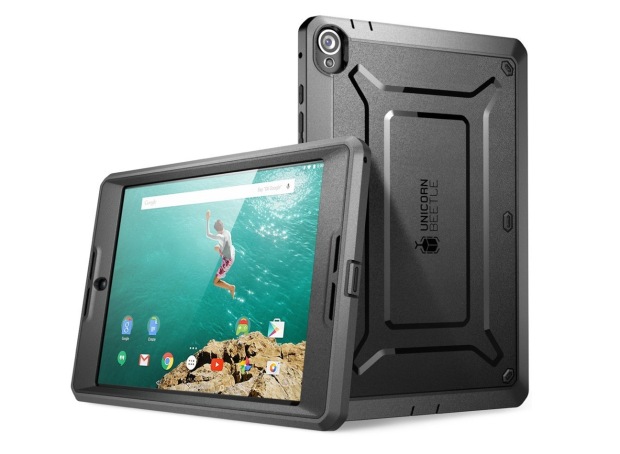
This is not your regular slim case or folio! It’s a heavy duty case that will protect your precious Google Nexus 9 against dust and shocks, thanks to the layer of polycarbonate shell. It also features a built-in screen protector. One case from the SupCase Heavy Duty Series will set you back around $40.

Moko Smart CoverMoko Smart Cover

If you can’t see yourself spending $40 on the HTC Magic Cover, then we recommend this very similar, yet cheaper smart cover, from Moko. It comes in 6 colors and it features the exact same magnetic mechanism of closing and the same wake/sleep feature that the HTC Magic Cover does. It is made from a durable PU leather and the inside features a soft lining that will protect the display. It can also be folded just like the official case from HTC, which makes this copy-cat case, the second best Google Nexus 9 cover available today! The Moko Smart Cover costs $10.98 on Amazon.

Evecase Google Nexus 9 Leather Folio CaseEvecase Google Nexus 9 Leather Folio Case

The Evecase Leather Folio Case is probably the cheapest leather case you’ll find online! It is available in 6 different colors and has a built-in stylus holder, in case you’re passionate about those. This case costs $9.89 and you can get it on Amazon.

Bear Motion Folio Case for Google Nexus 9Bear Motion Folio Case for Google Nexus 9

The Bear Motion Folio Case is made from premium PU leather and it also functions as a stand with multiple viewing angles. PU leather is also known as bicast leather and is a material made with split leather backing that is covered a layer of polyurethane. The Bear Motion Folio Case for Google Nexus 9 costs $15.99 and is available on Amazon.

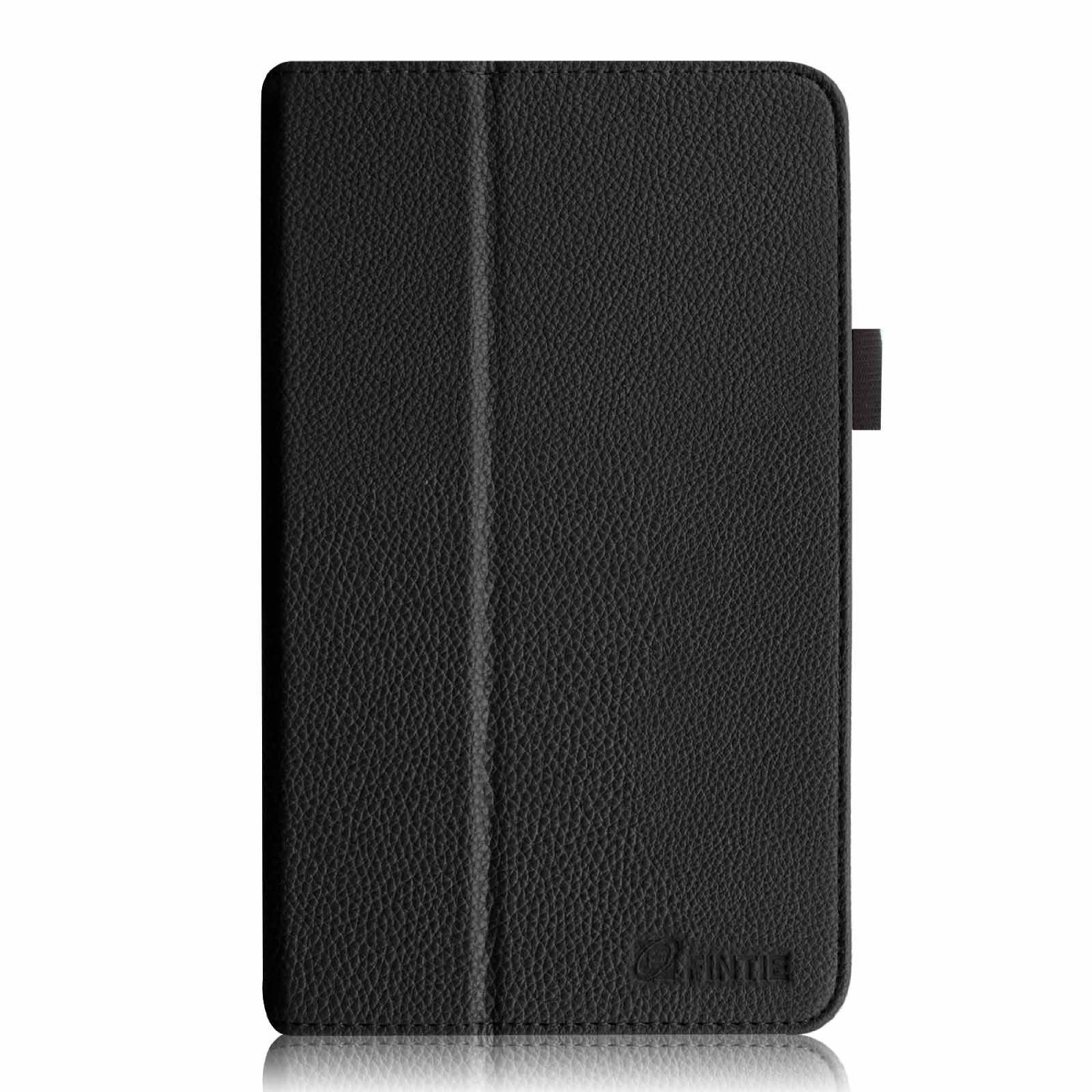
Fintie Slim Fit Folio Cover for HTC Google Nexus 9Fintie Slim Fit Folio Cover for HTC Google Nexus 9

The greatest thing about this affordable folio is that it is available in 11 colors. It’s going to protect your Nexus 9 and it’s going to look fabulous doing it! Buy the Fintie Slim Fir Folio Cover for $8.99.

Other popular case and cover brands are:

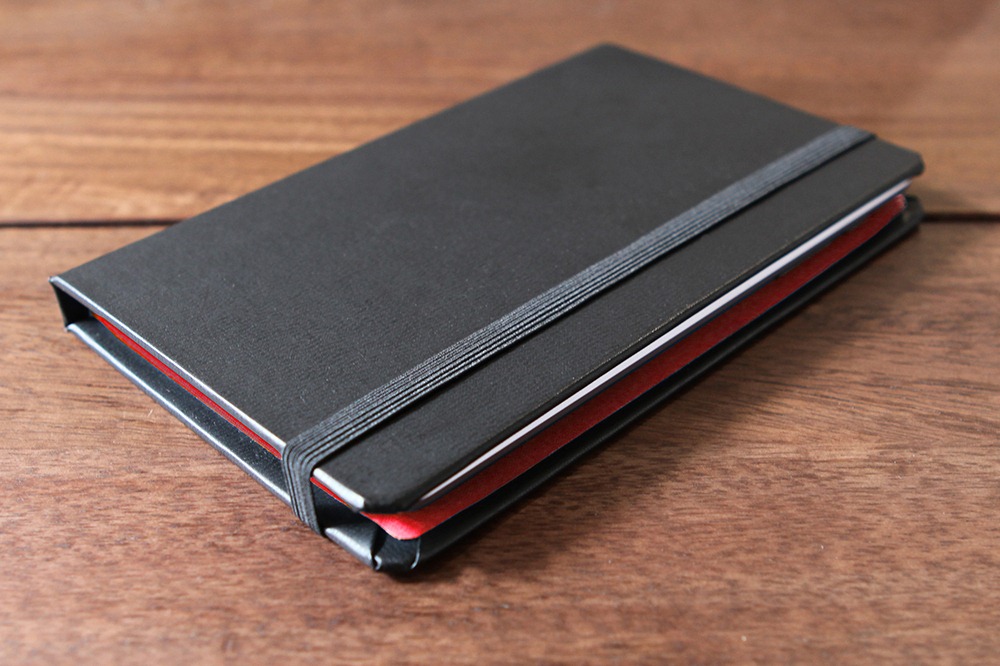
  • Moleskine – this classic brand may be famous for their high-quality journals and schedulers, but of late, Moleskine has been making tablet cases and they’re incredibly popular and well-made. Any choice of model and pattern from this company will ensure that your Nexus 9 is looking sharp, while being well-taken care of.moleskine case
  • Samsonite – this company is new on the tablet case market. Having launched its first case in May of 2014, Samsonite will give you the best in the business, especially after at the beginning of this year, it acquired famous US-based distributor and designer of protective cases, Speck Products.
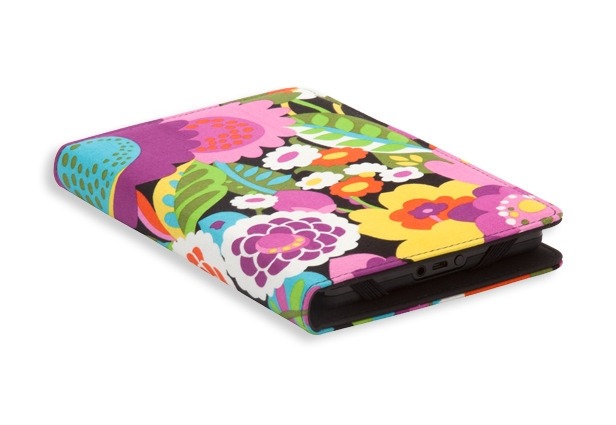
  • Vera Bradley – if wild and vivid colors is what you’re after, then Vera Bradley is the way to go!vera bradley case

2015 Nexus Tablet Rumors

A rumor concerning the fate of the Google line of devices surfaced at the beginning of this year. According to Russian blogger, Eldar Murtazin, Google is planning to kill its line of Nexus devices and introduce instead Google Play products.

To be honest, if you think about it, the rumors make a lot of sense. The Google Play devices, the Moto G, Samsung Galaxy S5 and HTC One, are the flagship Androids right now, and if the companies that produce them manage to release software updates in time, there is no reason to have a Nexus line. But on the other hand, we have a hard time imagining that Google will simply kill a line it has spent six years developing.

This rumor is almost a year old and a new rumor has just surfaced about the fate of the Nexus tablets. According to a recent report, there is a new Google Nexus tablet in the works and it will bear the HTC brand, again!

The device is expected to be launched in 2015 and it is expected to be a high-end gadget. The Nexus 9 is the first tablet HTC has released in three years, and it makes sense for the company to only focus on high-end devices.

Only time will tell if that Google will discontinue the Nexus line of tablets in 2015 or if we can expect a new Nexus tablet from HTC. We believe that some changes will indeed be made to the line, maybe even some serious ones, such as killing one of two products, but for Google to discontinue entire line of Google Nexus, we strongly doubt it. What are your thoughts about this?


Filed Under: Tech & Science Tagged With: Google Nexus 9, Google Nexus rumors, HTC, nexus 8 case, Nexus 9 cover

Smartphone Technology Advances with the New Qualcomm Snapdragon 810 Processor

December 17, 2014 By Roxanne Briean Leave a Comment

The American global semiconductor company Qualcomm recently revealed the latest mobile device processor unit chip, the Snapdragon 810, meant to be hosted in 2015’s new flagship smartphones and tablets. It was first announced in April 2014, along with rumors of how the 810 model was going to mark several milestones in the industry. Now that the secret is out, Qualcomm is making a statement about the company’s attempt to bring mobile devices closer than ever to desktops and gaming consoles.

The latest chip revealed by the producer is designed for premium tablets and mobile phones destined primarily for devices coming out in early 2015. The company’s course of action was different for this upgrade, in comparison to previous ones. Instead of the regular focus on speed upgrades, Qualcomm decided to take a detour and focus on developing other applications of the Snapdragon 810.

Qualcomm_Steve_Mollenkopf_2_Wide

Image Source: https://images.dailytech.com/

They have stated that the company has started viewing the market from a different angle – instead of focusing on just making their chips faster, they have started working on improving the technology as a whole and plan to make a move towards other gadgets in the future. Qualcomm might become a name present in not just mobile phones and tablets, but we soon might be seeing it in cars, home appliances, servers, wearables such as health trackers and smartwatches and much more. So by designing and pushing forwards in the area of LTE chipsets, Qualcomm is also developing into an Intel-dominated market, relying on a different, completely new perspective that might change the future of cloud storage prices.

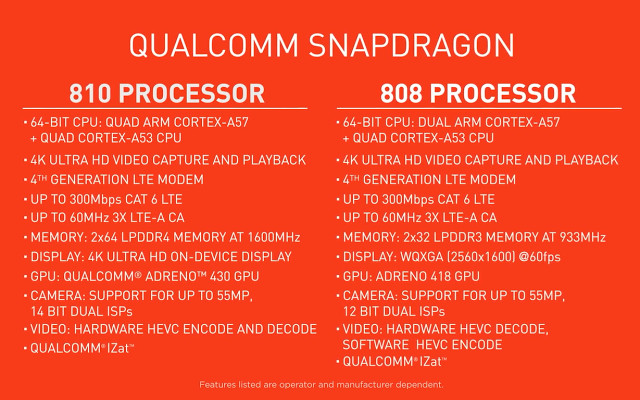
But back to our main focus here – the Qualcomm Snapdragon 810. Its promised features are a surprising leap upwards from its predecessors, the Snapdragon 805 and Snapdragon 808 SoC that have found their way in this year’s market leading smartphones and tablets, along with Apple’s Ax processing technology.

The chip’s goal is not just being faster, but brings a staggering improvement on battery life and supports 4K video in its entirety. It is officially the first 64-bit processor developed and put in practice that will finally allow the RAM capacities on handheld mobile devices to leap forward, starting with 4 GB of memory and above.
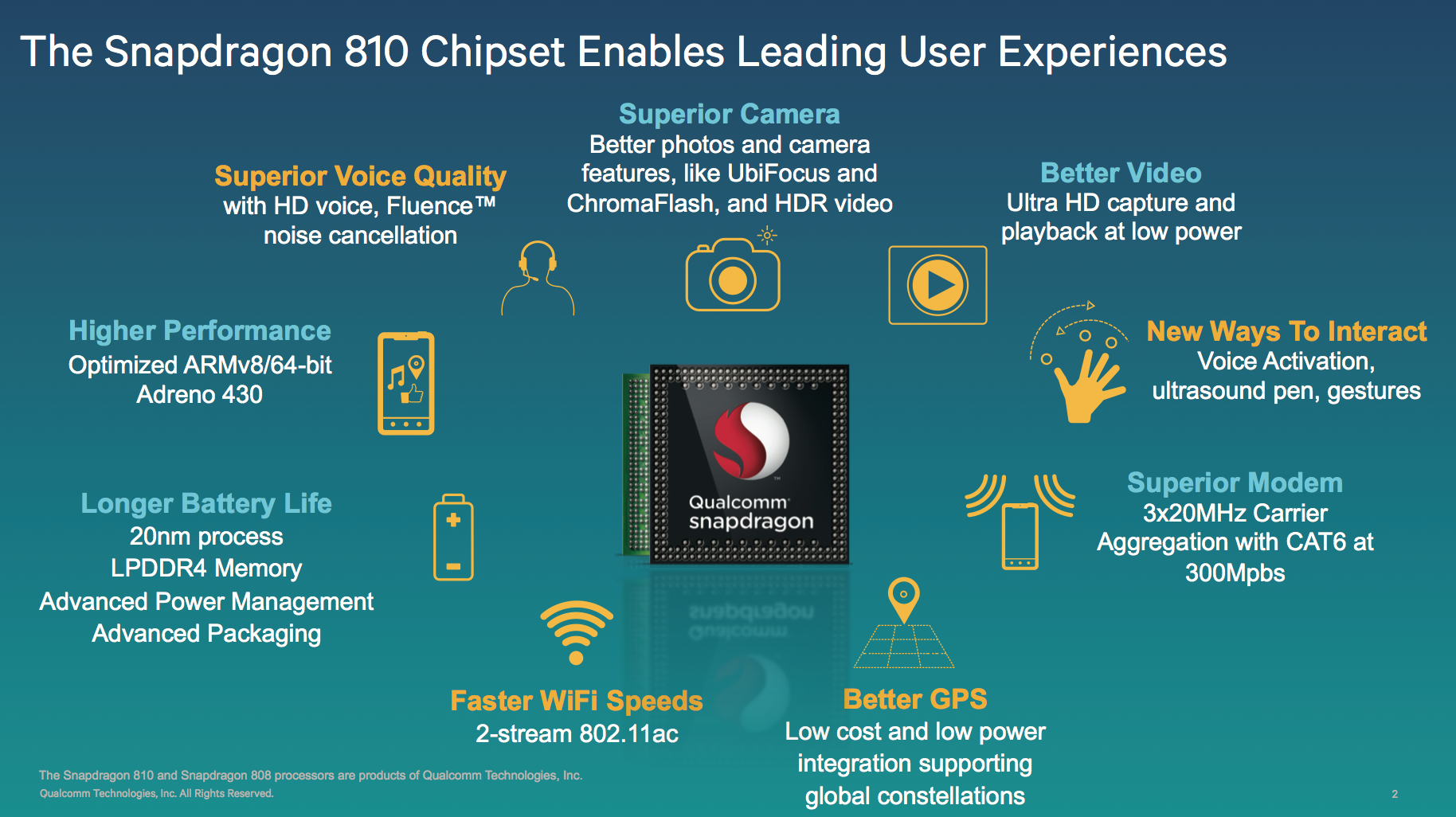
Here is a short, basic overview over what the Qualcomm Snapdragon 810 launches will be bringing us start 2015:

  • Superior camera: better photos and camera features, like UbiFocus and ChromaFlash and HDR video;
  • Better video: Ultra HD capture and playback at low power;
  • New ways to interact: voice activation, ultrasound pen, gestures;
  • Superior modem 3x20MHz Carrier Aggregation with CAT6 at 300Mbps;
  • Better GPS: low cost and low power integration supporting global constellations;
  • Faster WiFi Speeds: 2-stream 802.11ac;
  • Longer battery life: 20nm process, LPDDR4 Memory, Advanced Power Management, Advanced Packaging
  • Higher Performace: Optimized ARMv8/64-bit Adreno 430;
  • Superior voice quality: HD voice, FluenceTM noise cancellation.

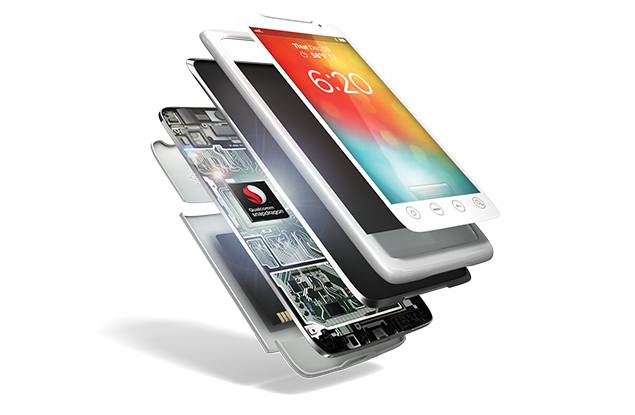
The Snapdragon 810 chipset has moved on from the usual Krait CPUs and uses ARM’s big.little architecture and is comprised of a combination of four Cortex-A57 cores that run at an approximate 2GHz speed and four Cortex-A53 cores at 1.55GHz. While Qualcomm has made it known that they believe in the concept that says the efficiency / quality ratio is much more important than number of cores, they don’t seem to be backing off from packing octa-core components in their technology.

qualcomm_snapdragon_processors_generic_official

Image Source: cdn

The combination of 2 types of cores gives the host device the ability to switch between 2 cores when it is required in order to hold a symmetry between power and stability. This is the reason Qualcomm is adopting this technology, which in essence ultimately improves battery life for the device. The battery life is really one of the most considerable challenges mobile devices have to deal with these days, in their transition into fully capable computer-replacing gadgets.

So what is Qualcomm’s take on graphics? Well, the Snapdragon 810 also features an Adreno 430 GPU for some pretty outstanding capabilities and a recorded 30 percent improve in graphics performance over the previous model. The GPU is stated to support programmable blending, geometry shaders and OpenGL ES 3.1 hardware tessellation, which – together with the octa-core Snapdragon 810 – would increase the graphics performance but also reduce power consumption by nearly 20 percent.

What this entails is that the gaming market would be given ample possibilities to expand overnight into the mobile market starting with the launch of more and more Snapdragon 810 and subsequent models of the processing unit. All this could ultimately mean smart devices could be making a transition into portable, half-sized gaming gear sometime into the future.

Considering the chip also supports 4k video means both recording and streaming video directly to a big-screen TV but also gives mobile device developers the possibility of incorporating much sharper image screens in their devices. The video processor is the first of its kind to incorporate a hardware H.265 encoder that finally gives the Snapdragon 810 the edge in both capturing and driving a 4k screen. High detail, richer pictures, and delivering 4k video at 30 FPS (frames per second) is possible via the new technology.

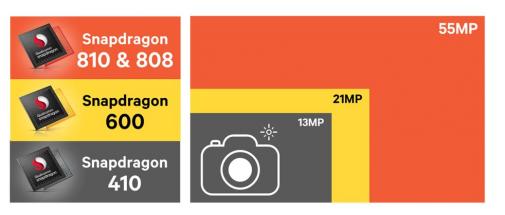
Recording can also be done at 1080p video quality, and in that case could reach up to 120 frames per second. In what concerns the camera power that the Qualcomm Snapdragon 810 will be able to bring to the market is 14-bit camera dual image signal processors which only means full HDR video and camera sensors that could be going as high as 55 megapixels.

kamera-megapixelImage Source: https://static.androidnext.de/

One of the other new features that the Qualcomm Snapdragon 810 takes on is the bandwidth capabilities it brings. It adds support for LTE Category 9 Carrier Aggregation connectivity. In other words and based on what we have seen so far, the processor will be able to push the limits of mobile downloading speed up to 300 Mbps over three 20 MHz LTE carriers.

his is a considerable increase from its previous Snapdragon 805 model that can, at this point, only go as far as 150 Mbps. However, this 100 percent increase in download speed does not only rely on hardware potential, but also on carriers and their supported maximum data transfer speed. Qualcomm announced in a statement that this will be the first premium tier 64-bit processor to enable LTE Advanced globally with a single design

The original demonstration of the Qualcomm Snapdragon 810 chipset was made on a custom designed reference tablet-like device only available to developers, but seized the opportunity to showcase another interesting trait of the possibilities that Snapdragon 810-powered devices would be bringing in the new year. What we are talking about here is the Corephotonics’ dual-lens camera which opens the path to optical zooming in mobile devices.

qualcomm-snapdragon-810-antutu-benchmark (1)

Image Source: https://www.loadthegame.com/

Digital zoom, which is the technique incorporated by most devices these days simply relies on in-camera image processing by enlarging the image area of choice, at the cost of image resolution and quality. Optical zoom however relies on the same technology film cameras use, but has until now been relatively limited in small devices such as smartphones and tablets. Ever since this year’s Mobile World Congress, Qualcomm has discussed the chances of making this technology available through their products and now, it seems that it’s nearly ready to go live.

With the zoom lens, a camera could achieve a 3x zoom in photos without losing any quality or crispness of the photo. So firstly, we learned that we are dealing with a potential replacement for gaming gear, now cameras. And this is only the beginning, so what’s next?

As a last addition to the seemingly endless possibilities of the Snapdragon 810 comes the audio versatility that it would bring. The fact that it supports Dolby’s new mobile Atmos sound technology, giving way to simulating surround sound in headsets is one of them. Voice commands are given some priority as well, the sensors picking up more and being constantly online, even if the display is turned off.

Sound and video recording in places where background noise is present is also made easier. The Qualcomm Snapdragon 810 implements the ability to suppress background noise automatically by only pointing the hosting smartphone or tablet towards the source and taking over from there.

Screen Shot 2014-04-07 at 2.28.18 AM

Image Source: anandtech

So now comes the greatest question, being murmured on every person’s lips: which phones and tablets will be incorporating the new Snapdragon 810? The year is nearly over and companies are wrapping up tablet production, settling for reaping the benefits of 2014’s great results. We have had an amount of impressive tablet names come out this year, such as the iPad Air 2, the Samsung Galaxy Tab S, Google’s Nexus 9, and native hybrids such as the Microsoft Surface Pro 3 and ASUS Transformer Book T100 – which proved in a nonchalant finger snap that tablets are the future and probable replacement of laptops.

However, until further announcements (or leaks, why not?), there’s no telling yet whether the Qualcomm Snapdragon 810 will be honoring any tablet release in the next few months. In what concerns smartphones, we know a couple of things.

15831-c706f1be

Image Source:  https://www.nextpowerup.com/

Once again, this information relies on official statements and announcements, leaks but also common sense and deduction. While the enigmatic reply from the company was that the new chip will be hosted in early 2015 releases does not exactly give out any certain names, we can go as far as figuring out which actual releases it could be referring to. Three of the largest titles that stand out and on the way to the market in 2015’s first semester are the Samsung Galaxy S6, HTC One M9 and Sony Xperia Z4. Should you be excited? Definitely, since they will be the first of their kind to incorporate the power of the new-generation processing unit.

Samsung Galaxy S6

A 5.5” 2,560 x 1,440 Quad High Definition display awaits in the Samsung Galaxy S6, sporting a display resolution with a 16:9 aspect ratio with 4 times as many pixels as the 720p HDTV video standard. Powered by the Snapdragon 810, it will be getting 4 GB of RAM, a 20 megapixel rear camera and a 5 megapixel front facing one.

The Galaxy S6 will be coming with 3 storage size variants, either 32 GB, 64 GB or 128 GB of space, not giving up the microSD slot either, giving users an impressive amount of space for your apps, music, photos, videos and anything else you could think of.

samsung-galaxy-s6-concept-new-2

The feature that has stirred most enthusiastic turmoil in the world of smartphones however is the Galaxy S6’s rumored design. Attempted before in the Galaxy Note 4 Edge and originally planned for the phablet but partially scrapped at the last moment is the curved edge screen.

The experimental technology could be put to use at a higher potential in the S6, giving the phone 2 strips of curved glass on the sides that will give way to new directions in phone developing in the future. We do not yet know whether the curved edge design is a main feature of the S6 or whether the smartphone will be coming in two variants, both regular and curved, just like the Galaxy Note 4.

HTC One M9

Early December leaks speak of a new HTC model, also known as HTC Hima. The message was short and cramped and packed a series of impressive stats and features. Expected to be brought to all the carriers in the United States sometime in March next year, is a powerful successor to the M8 model that will make the best of the new Android 5.0 Lollipop operating system as well.

It is rumored to be bringing us 3 GB of RAM, a 5.2 inch display with FHD resolution, either 64 or 128 GB of storage space and a 2,840 mAh battery.

The HTC One M9 might be the first to experiment with Snapdragon 810’s camera-related capabilities as it is rumored to be bringing a 13 megapixel or UltraPixel 4MP front camera, along with the 20.7 megapixel rear camera.

Sony Xperia Z4

The third title in the flagship device category scheduled for “early 2015” releases is a 5.5 inch screen display that also makes use of the QHD 2,560 x 1,440 resolution. The RAM records are also pushed with the new Sony Xperia Z4, also said to be getting no less than 4 GB of memory.

Storage will be getting some attention too, going up to 32 GB of internal storage over the regular 16 GB. No news on a front facing camera, but the regular one will not be going below the 20.7 megapixel usual. Android Origin rumors are suggesting that the Xperia Z4 will be dedicating audio some extra grams of attention, including in its construction a dedicated amp, with a strong stress on audio quality.

Filed Under: Tech & Science Tagged With: chipset snapdragon 810, qualcomm 810 snapdragon, qualcomm snapdragon 810, smartphone tehnology, snapdragon 810 processor

12 Days of Deals Make for Happy Microsoft Shoppers [Real-Time Updates]

December 15, 2014 By Roxanne Briean Leave a Comment

Microsoft is right on schedule with its yearly Christmas promotion, “12 Days of Deals”. If you haven’t taken advantage of it yet, you still have almost an entire week left to browse around and take advantage of the remaining offers. The promotion started on the 8th of December and will not be over until the 21st.

The way this works is pretty straight forward: Microsoft will offer a special, unique deal every other day for the entire 12-day duration leading up to the holidays, in a limited stock. This year’s theme seems to be top technology gadgets and devices – laptops, tablets, 2-in-1 PCs, and much more.

microsoft 123332

Some offers will certainly catch your eye, but be wary! The sale starts every day at 8AM ET with a limited amount of items, so hurrying up might be a good idea or you risk missing out on some really great offers.

So far, Microsoft’s offers have been more than generous, ranging from tablets to unlocked phones and even video games.

Day 1 of Deals

Day 1 of the offer, on December 8th was a Toshiba Encore Mini tablet that you could get for just $79.00 – instead of the regular $119.00 – and would earn you a free 16GB Micro SD card included in the package. The tablet comes already packed with the latest Windows 8.1 version in 32-bit variant, planning to give you power and efficiency packed into a handy 7-inch, widescreen display tablet.

The Toshiba Encore Mini is meant to help you with most aspects of your life – check your emails, communicate with friends, family and coworkers, watch movies, play games or shop online. It can do it all, and it does it well, incorporating powerful multitasking capabilities. To top it off, Microsoft is offering a year long subscription to Office 365 for the tablet, to help keep you in touch with your work when it needs to be done on-the-go. The package includes Word, Excel, PowerPoint, Outlook and 1 TB of OneDrive online to keep your documents safe and available between all of your devices.

microsoft 1

The technical specifications of the Toshiba Encore Mini will work brilliantly with whatever you choose to do, the tablet packing an Intel Atom Z3735G 1.33 GHz processor that includes the Intel Burst Technology up to 1.83 GHz. While there is only 1 GB of RAM, it’s DDR3L-RS class at 1333 MHz frequency. The tablet is also complimented by a 16GB SSD hard drive that will ensure fast data transfer between your devices. Communication is made easier on the tablet just as well with the addition of two cameras, both rear and front, rendering video calls an easy thing to do.

Day 2 of Deals

Day 2 offered the first-comers an unlocked BLU Win HD Phone for the price of $129.00 instead of the regular $179. This is probably one of the most affordable Windows phones you can get. The 5 inch display and bold quad-core 1.2 GHz Snapdragon 200 processor compliment the colorful phone and allow it to stand out as one of the best deals you can get, be it during the 12 Days of Deals, or otherwise.

Its 8 GB of storage can be easily expanded through micro SD cards of up to 32 GB and, unlike so many other smartphones out there, this one does have a dual SIM capacity, allowing you to operate under 2 phone numbers from the same phone, regardless of carrier.

Naturally, the BLU Win HD Phone also comes with the latest Windows Phone 8.1 Update, bringing several features to the table such as Word Flow, Wi-Fi Sense and Live Folders, alongside with the new Windows personal assistant Cortana.

Other tech specs include 1 GB of RAM, the 5 inch IPS HD capacitive touchscreen with a 1280 x 720 resolution, at 294 pixels per inch and 16 million colors, and dual cameras: an 8 megapixel camera with autofocus capabilities on the back, and a 2 megapixel one on the front meant to make video conferences possible off of your mobile device.

Day 3 of Deals

dsadsadsa

Changed the tone of the sales slightly and focused on a different side of the tech market: video games and consoles. People who visited the Microsoft 12 Days of Deals web store after 8 AM were able to get a brand new Xbox One Console with a $50 off promotion, alongside a free game for the console. The game offers were rather limited but still popular titles such as the latest Destiny, Call of Duty: Advanced Warfare or the lighter Plants vs Zombies: Garden Warfare for Xbox One.

Only two models of the Xbox One were part of the offer on December 10th however, the brand new 500 GB Xbox One including a wireless controller and chat headset, or the refurbished Xbox One with Kinect that also allowed you access to two game downloads: Dance Central Spotlight and Ryse: Son of Rome.

Day 4 of Deals

microsoft 12

Microsoft decided to take it up a notch in its fourth day of promotion by offering one of the more impressive hybrid tablet ASUS T100 Baytrail. This is the kind of device that will wink at you if you’re undecided about getting a tablet or a laptop.

Firstly, it runs the full Windows 8.1 version, not the RT, cut-down alternative of the operating system. Secondly, its hardware power is not something to be taken lightly – a quad-core 1.33 GHz Intel Atom Bay Trail Z3740 processor is complimented by 2 GB of RAM memory, both of which will contribute to something the Asus Transformer Book T100

Day 5 of Deals

Gave a little attention to audio devices by releasing a convenient sale for the Jambox Mini – a wireless Bluetooth speaker released by Jawbone that you can connect nearly any mobile device to play your tunes at a high sound quality. The Mini Jambox is a simple gadget that gets updated through your mobile phone or tablet; any improvements brought to the technology are rendered through the Jawbone App that gets constant updates and tweaks to its functionality.

The Mini Jambox was put on sale at a price of $69, $60 less than its regular price.

Day 6 of Deals

The promotion took another turn towards the gaming community on December 13th when Xbox One games such as Sledgehammer Games’ Call of Duty: Advanced Warfare and Bungie’s Destiny were released at particularly low prices – $29.99.

Day 7 of Deals

Two days ago was the 7th day of the 12 Days of Deals and we are back on track with hardware and technology. The offer of the day involves a sleek, unlocked affordable Nokia Lumia 635, sold at just $179.00. The Lumia is the first phone that came with the Windows Phone 8.1 operating system, featuring Cortana – the new personal assistant that learns what you like or need and develops on the way.

It does not fail to bring another new feature of the Windows Phone 8.1 operating system – the Word Flow keyboard that will make typing easier than ever.

12 days of deals microsoft

Image Source: https://cnet2.cbsistatic.com/

The 16:9 aspect ratio of the 4.5 inch screen will ensure that you can watch all the media you desire on the Nokia ClearBlack Technology display. But that is not the only thing the Nokia Lumia 635 smartphone can do, packing a quad-core 1.2 GHz Qualcomm Snapdragon 400 processing unit itself and 512 MB of RAM. Sure, it won’t be your laptop replacement but can easily get most of the job done, wherever you are.

The phone comes with 8 GB of storage memory, and another 7 GB you can get for free via cloud storage on OneDrive to keep your documents, photos, videos and other files safe and backed up. Both cameras of the phone – back and front – incorporate continuous autofocus technology and will make video streaming as comfortable and clear as it can get.

The offer starts at 8AM ET this morning where you will be able, for a limited amount of time, to get this phone for $129, unlocked and with no commitments whatsoever.

microsoft 123


Day 8 of Deals

Starting tomorrow, December 15th, you will still have 4 days’ worth of chances to take advantage of the 12 Days of Deals Microsoft is throwing out this year.

On the eight day of deals Microsoft customers could enjoy a 200$ discount for the coveted Asus TransformerBook. In other words, the price of the device dropped from 499.99$ to 299.99$. This was one of the best deals.

Specs for the ASUS TransformerBook

  • 15.6-inch HD touchscreen
  • Intel Core i3-4030U
  • 4GB memory/500GB HDD
  • Up to 5 hours battery life

The company hasn’t made any statement as to what the offers in the following days will be, preferring to keep it a surprise for every morning of the promotion. However, prior leaks have made their way out here and there, and while they were never confirmed in an official manner, most have turned out to be true.

There is a complete lack of information regarding one of the days of the promotion, even originating leaks not having been able to cover it. Does this mean Microsoft has a bigger surprise for us? We will have to wait and see what the 17th of December has is store for us.

microsoft 12333

If you have only found out about this promotion now, don’t worry. While products that have already been on sale have little chance of returning on the first page, there are plenty other that might suit your needs or make for a wonderful last minute present. If you want to get ready to catch an early start and maybe get to take advantage of the deals, here’s a speculated list of what is there to pop up on the 12 Days of Deals webpage these days:

  • ASUS Flip 15.6” for $399 – December 15th only
  • Fitbit Charge + Yurbuds for $129 – December 16th only
  • HP pavilion x2 10.1” 1366 x 768 Atom for #249 – December 18th only
  • 12-Month long Xbox Music Subscription for $49.90 – a 50% off deal that will come online on the last day of the promotion, December 19th.

In the meantime however, the Microsoft promotional website is up for careful inspection and more information on products and other deals.

Direct link to the promotion: click here

Shipping information: click here

Filed Under: Tech & Science Tagged With: 12 days of deals, best deals microsoft, christmas deals microsoft, microsoft 12 days of deals, microsoft deals, microsoft discounts

iPad Air 2 Review: Seamless Performance, Dangerously Thin

December 8, 2014 By Roxanne Briean Leave a Comment

The first iPad Air tablet is arguably the best tablet ever produced, so we were surprised when we heard that Apple began work on an even finer model, the iPad Air 2. Sometimes, the company takes a mediocre technology and transforms it into premium art.

Other times it takes one of its iconic gadgets, tweaks and perfects it and obtains an even better, polished version of it. The iPad is not the only Apple product to receive substantial improvements. The iPod and MacBook Air may have kept their unique design, but they have benefited from serious improvements over time.

Critics can rant all they want about how the iPad Air 2 is too thin, but the truth is that there is no other tablet on the market to have pushed the limits of premium art to this level.

Air_VS_Air_2_low_angle

As a matter of fact, Apple’s relentless desire to create the thinnest tablet has resulted in a better screen. That’s because the layers which cover the screen (the LCD, touchscreen digitizer & backlight) have almost no air in between them.

Ultimately, Apple obtained a less reflective, more colorful and bright display. This is only one of the many superb features that the iPad Air 2 boasts.

The iPad Air 2 is a nice refinement and finesse of last year’s model, with a bevy of tweaks, enhancements, a much faster processor, and the welcome addition of Touch ID. Simply put: it’s still the gold standard for tablets.

  • Cnet Verdict

A Quick Overview of the iPad Air 2

The first thing that consumers take into consideration is the price of a tablet. The iPad Air 2 is by no means cheap. The basic version sits around the sum of 499.99 U.S. dollars, while the fully specced version (with Wi-Fi and 4G) costs around 829.99 U.S. dollars. Granted, the price is a bit spicy, but it is not more than what Samsung & Sony are charging for their tablets, and you can also get it in the gold-ish tinged metal design.

The question on everyone’s mind right now: Is the iPad Air 2 worth buying? We hope to find the answer to this question with the following review. One thing you should keep in mind, though, is that the iPad Air 2 is a stellar tablet, despite not bringing any new & shinny features to the table. Because it was released recently, it also means that the original iPad Air, which is still one of the best tablets on the market, will be available for a discounted price. So if you are planning on surprising a loved one for Christmas, you might want to purchase the iPad Air 2’s predecessor.

iPad_Air_2_and_iPad_mini_3

Before we begin our review, let’s take a look at the tablet’s most important specs:

iPad Air 2 Specifications & Features

  • Display:
  • Resolution: 2048 x 1536 (264 ppi)
  • Touchscreen: multi-touch
  • Special features: anti-glare, fingerprint resistant, fully laminated display, retina display, oleophobic coating
  • Connectivity:
  • Wireless – 802.11a/b/g/n/ac & Bluetooth 4.0
  • Camera:
  • Rear-facing camera: 8 megapixels with HD video recording 1080 p
  • Front-facing camera: 1.2 megapixels
  • Special features: iSight camera, FaceTime HD, slow motion video, burst mode, face detection in still images, video stabilizer, photo & video geo-tagging, tap to focus
  • Dimensions & Weight
  • Dimensions: W 6.7 inch x Depth 6.1 mm x H 9.4 inch
  • Weight: 4 oz
  • Processor: A8X processor chip, 64-bit computing, 2GB RAM, M8 Motion coprocessor
  • Storage: 16 GB
  • Multimedia:
  • Supported digital video formats: motion JPEG (up to 1280×720), H.264 High profile level 5.0 (up to 1080p), MPEG-4 SP (up to 640×480)
  • Audio: speaker + 2 microphones
  • Supported audio formats: HE-AAC, MP3, WAV, AAC & protected AAC, Apple lossless, audible, AIFF
  • Battery:
  • Capacity: 3 Wh
  • Run Time: 10 sec
  • Run time details: web browsing over Wi-Fi (10 hours), video playback (10 hours), Audio Playback (10 hours)
  • Software:
  • Pre-installed software: app store, camera, clock, messages, mail, maps, game center, contacts, FaceTime, clock, iBooks, videos, Siri, Safari, reminders, Podcasts, iCloud, iTunes, music, newssstand, notes, photobooth, photos etc.
  • PC Connection Requirements
  • Microsoft Windows 7, Vista, XP Home Edition SP3 or later, XP Professional SP3 or later, Windows 8
  • Apple MacOS X 10.6.8 or later
  • Expansion & Extras:
  • 1 x headphones
  • 1 x lighting
  • Miscellaneous:
  • Color: space gray / golden
  • Extra Features: AirDrop, AirPlay, Apple M8 Motion, coprocessor, NIMO technology, VoiceOver screen reader, USB charging, iBeacon microlocation, Assistive Touch, Dictation, parental controls

1. Design: It’s Like the Original Air, Only Thinner

In terms of design, the iPad Air 2 hasn’t man any notable changes, apart from the thinner frame. At 6.1 millimeters it is probably thinner than the iPhone 6 and any other gadget you might find on the market. According to Cnet, it’s thinner than a magazine. According to official reports, the iPad Air 2 is the thinnest iOS device in the current crop.

It’s clear that Apple’s new mission is to make the thinnest gadgets on the market, but we are not sure why. Nobody even complained about the thickness of the original iPad Air, but Apple took it upon itself to slim down all of its devices, including laptops and phones.

iPad-Air-2-side-thin

When you put the tablet in a bag, you won’t feel the difference in thickness, but from the moment you take it in your hands, you will. The iPad Air 2 is noticeably lighter than its predecessor. It only weighs 0.96 pounds (437 grams) –for  the Wi-FI version – and 1 pound (444 grams) – for the Wi-Fi – 4G model. The clear cute, refined details, sharp & easy hold haven’t changed.

Granted, the iPad Air 2 may be, potentially, as fragile as before, but the clean, solid, metal and glass work looks spectacular. We strongly advise you to treat it gently. Considering that the iPad Air is an expensive device, it would be unwise to bang it against the floor or walls.

iPad_Air_2_screen_1000

As far as colors are concerned, the iPad Air comes in gold, silver and space gray options with black or white colored glass around the display. The gold color feels a lot like a subtle bronzing.

Display & Sound

The iPad Air 2 graces us with a stunning 9.7-inch Retina Display which preserves the previous resolution of 2048 x 1536 pixels. It looks slightly better than the previous model. According to Apple, the screen is more „directly laminated to the glass” this time. The device also comes with an anti-glare coating. Slight improvements can be seen, even if they seem minor.

Air_VS_Air2_front

But what about sound? First of all, it comes from two speakers that can be found on both sides of the lightning port. We weren’t impressed by the device’s sound capabilities, mostly because it resonates more (probably because of the tablet’s thickness). To put it simply, the iPad Air 2 vibrates. Nevertheless, the tablet was never intended as an audio system, and when volume is set on medium levels, it performs nicely.

2. Battery Life: Good but not Impressive

Apple hasn’t made major changes to its battery specs. After several benchmark tests we have concluded that the iPad Air 2’s battery life holds for approximately 10 hours under various circumstances. This is by no means impressive. At the moment, there are many tablets, and even laptops, that last 10 hours and longer. It would be a good thing if Apple decided to improve the battery life of the iPad Air 2.

You should keep in mind, however, that the iPad Air 2 can make it through an entire day without being charged. You can watch two or three movies with it, and play your favorite game for hours. It will also get you safely through a plane flight.

3. Key Features of the Apple iPad Air 2

For the release of the iPad Air 2, Apple has trimmed some weight off the device, made it thinner, and added a more powerful processor, improved screen capabilities and Touch ID, all to provide with a very complete package for users. Tech enthusiasts who already have the Apple iPad Aid might not jump at the opportunity of an upgrade, but the new device is far superior to the iPad 3 and earlier models. Let’s take look at the most important features of the new and improved iPad Air.

iPad Air 2 review (7)-580-90

     #1 Touch ID & Apple Pay

The Touch ID feature is undoubtedly one of the most exciting additions for the iPad Air 2. Do you ever happen to forget your pass-code or swipe gesture when locking your tablet? You won’t have to worry about this anymore, because with TouchID you can add a pass-code without even noticing that it’s there. This is just a stepping stone for future transactions, because when the feature will become widely implemented, it will be possible to pay for things without having to pull out your credit card. We strongly believe that this is a valuable addition to the mobile ecosystem. Apple also believes that this feature will be extremely useful for locking certain apps, which admittedly, some people want secure.

     #2 The Beautifully Refined New Screen

Another great improvement on the Apple iPad Air 2 is the new screen technology. Thinness may be overlooked, camera flow is not that important, but when brightness and touch capabilities are improved on a screen, you can tell. Sharpness and clarity of images has been maintained, but because internal layers are better laminated together, colors are deeper and more vibrant. Reflectivity is also reduced due to the anti-reflection coating.

DisplayMate Technologies has tested the iPad Air 2 extensively, and concluded that reflection and brightness of the reflected ambient light are ‘outstanding’. The iPad Air 2 isn’t just a small improvement from its predecessor. It has nearly doubled the score of the iPad Air.

Air_2_right_side_34

     #3 New A8X Chip

Apple declared that its A8X Chip is screamingly fast, and we have to admit that the tablet has performed superbly under various circumstances. It’s safe to say that a tablet with these capabilities cannot be pushed to the limits. The graphical capabilities of the Air 2 are 2.5 times that of the Air, and the new chip offers better flow for apps and other tools. Battery life is slightly improved and the touchscreen runs more effectively. Of course, these things are not directly related to the chipset, but the new addition helps.

     #4 New Camera

I have to start by saying that I find it slightly unorthodox to use a tablet camera as a main camera, but nowadays it has become the norm to take photos of friends and family with this slightly over-sized device. Somehow, it has become acceptable for people to take selfies with tablets. Apple does not discriminate, and this is why it improved the camera on the iPad Air 2. The resolution will give you a clearer picture, although it will never be as crisp as that of a next-generation smartphone camera. In addition to this, the iPad Air 2 has been imbued with several high-power tricks such as slow motion video, lapse mode, built-in Photos Suite for editing, iCloud shared photo stream and more.

4. Interface & Performance

As you probably already know, iOS 8.1.1 was recently released, but the iPad Air 2 and iPad Mini 3 are the first devices to run this OS right out of the box. For Apple users, the interface is nothing new. If you are worried about crashes and bugs on iOS 8.1.1, don’t be. While it is true that the iPhone 6 and 6 plus are experiencing some technical difficulties with the new OS (especially with Google Chrome and the inbuilt Mail app), both tablets are performing nicely and issues are being kept to a minimum. The 9.7-inch screen equipped on the new iPad Air perfectly fits the grid of apps and icons.

iPad Air 2 review (5)-580-90

There is no need to detail on the usefulness and wonderful capabilities of the new operating system. It is now possible to answer messages without exiting apps, or check social media feeds without disrupting other activities. If you are not using iOS 8.1.1 on your device right now, you are losing out. Everything is brilliant on the new iPad Air: screen responsiveness perfectly complements the new suite of features made available.

I never felt like the latest Samsung tablet lagged, but after using the iPad Air 2 I realized that Apple redefined the concept of screen responsiveness (also due to the fact that the new A8X chipset is 40% faster than the competition). From a performance point of view, Apple has definitely delivered outstanding results.

5. Media Overview

The one thing I couldn’t quite understand was the new increments (or should we say old) for storage options. Apple has upgraded the middle storage option from 32GB to 64GB, but the lowest storage option is still 16GB. Maybe it should have been upgraded to 32GB as well? Anyway, the Apple iPad Air 2 is a perfect device for consuming media one, as long as you organize storage space wisely.

Air_VS_Air_2_home_button

Installing all the free apps from Apple will take up a large portion of your storage. In addition to this, games are now a lot bigger, and they will also consume a lot of GB. For this reason we recommend that you don’t purchase the cheapest storage option (the 16GB one). If you enjoy watching movies and TV series, the iPad Air 2 is the perfect device to do it on. Even more amazing than movies are games. The reach, HD quality and immersive screen is absolutely perfect for playing games. It is very probable that new games that take advantage of the strong GPU performance and resolution will appear in the foreseeable future. If you are a game enthusiast, you should definitely consider purchasing this device.

How Does the iPad Air 2 Handle ‘The Basics’?

Up until now we have only covered apps, games, media capabilities, performance and design. Sure, the iPad Air 2 works perfectly with all the clever apps, but how well does it perform basic tasks? Let’s take a look at some of the most important things that a tablet should be capable of doing:

iPad Air 2 review (15)-580-90

  • Messaging: I have always been extremely pleased with the performance of Apple keyboards. Screen responsiveness makes it impossible to miss-type something. Because the iPad Air 2 comes with better screen capabilities, you can expect great things from it. Besides the text message problem, the iPad Air 2 performs perfectly: the expansive keyboard will make it extremely easy for you to blurt out interminable messages. Even the Mail app, with the infamous boring view, remains a powerful tool on iOS 8.
  • Internet Browsing: I am positive that you are planning on browsing the internet with your brand new tablet. Thanks to the new A8X chip, navigating online has never been faster. You will virtually experience instant tapping and loading with this new gadget. Safari and Chrome perform equally impressive.
  • Connectivity: The Apple iPad Air 2 offers better connectivity than previous models and tablets. That’s mostly due to the inclusion of 802.11ac technology. The addition of Apple’s own SIM available for US and UK markets is also nice.
  • Handoff: The select few who own an iPhone with the latest software and an iPad Air 2 can enjoy the Handoff feature, which instantly links your devices to the same iCloud account and enables you to receive calls on the tablet.

Price & Availability

The Apple iPad Air 2 was released on October 17. Users have had plenty of time to play with the new gadget, and they were extremely satisfied with it up until now. In the United Kingdom, the price of the iPad Air 2 starts at 399 pounds for the 16GB Wi-Fi version. If you want to add cellular connectivity you have to add 100 more pounds to the price.

Verdict

The challenge of delivering truly useful to the markets is increasingly difficult. The market has evolved significantly, and new tablet models have to deliver truly unique and practical features to be considered worthy. Don’t forget that the iPad Air 2 is competing with companies such as Samsung, Sony and Google/HTC. So how has the tablet performed? There are many things that we liked about this gadget, and also some that we didn’t enjoy. Here they are:

Air_2

The Good:

  • The iPad Air 2 is perceptibly lighter than other tablets
  • Superior screen responsiveness and image quality
  • Battery life is impressive (even if it hasn’t been greatly improved upon)
  • Seamless performance (exceptionally fast)
  • Sleek and elegant

The Bad:

  • Too little storage space for the 16GB option
  • Tablet vibrates from loud sounds
  • Seems fragile
  • Not a big change from the iPad Air 1 in terms of overall function

All in all, the Apple iPad Air 2 is a superb tablet, worth every penny. If you are an Apple enthusiast or simply looking for a tablet with unparalleled performance and capabilities, this is the perfect choice.

Filed Under: Tech & Science Tagged With: Apple iPad air 2, best tablets reviews, ipad Air 2, iPad Air 2 Review, review for iPad Air

  • « Previous Page
  • 1
  • …
  • 5
  • 6
  • 7
  • 8
  • 9
  • …
  • 11
  • Next Page »

Subscribe to Blog via Email

Enter your email address to subscribe to this blog and receive notifications of new posts by email.

Join 10 other subscribers

Recent Articles

police handcuffs man

German Man Probed In Poisoning That Killed 21 Employees Since 2000

June 29, 2018 By Kenneth Scott Leave a Comment

Chicken wings bar

Intoxicated South Carolina Man Punches Waitress Who Refused to Serve Him Alcohol

June 29, 2018 By Karen Jackson Leave a Comment

gaming

New Zealand gamer Who Flew Halfway Across The World for Virginia Teen Gets Shots By Her Mother

June 28, 2018 By Cristopher Hall Leave a Comment

party

Former Virginia Tech Freshman Sentenced to 50 Years in Prison for Stabbing a Girl to Death

June 28, 2018 By Roxanne Briean Leave a Comment

bonfire

British Couple Sentenced to Life in Prison for Torturing and Murdering French Nanny

June 27, 2018 By Deborah Campbell Leave a Comment

pay phone

Texas Father of Girl Disappeared in the 80s Ignored by Authorities

June 26, 2018 By Cristopher Hall Leave a Comment

bottled water

San Francisco Woman Threatened to Call Police on Girl Who Sold Ice Water for Disneyland Trip

June 25, 2018 By Roxanne Briean Leave a Comment

Maplewood Park

Missouri Man Robbed by Date and Accomplice in Park

June 22, 2018 By Nancy Young Leave a Comment

coding

New York Man Sentenced in Cyberstalking Former Girlfriend, Mailing Drugs to Her Dorm

June 22, 2018 By Deborah Campbell Leave a Comment

headphones

Bose Poised to Launch Sleepbuds, In-Ear Headphones That Help You Sleep

June 21, 2018 By Nancy Young Leave a Comment

Police light

Intoxicated Female Driver in Custody for Pulling Arresting Officer by the Hair

June 21, 2018 By Kenneth Scott Leave a Comment

kitchen

Restaurant Manager Arrested and Charged in Shooting Death of Co-Worker over Negative Yelp Reviews

June 20, 2018 By Karen Jackson Leave a Comment

plastic container

Pennsylvania Couple Charged in Violent Death of Infant Discovered Buried in Cat Litter

June 19, 2018 By Cristopher Hall Leave a Comment

tailpipe

Minnesota Teen Gets Head Stuck In Oversized Tailpipe Winstock Music Festival

June 18, 2018 By Karen Jackson Leave a Comment

Pages

  • About Us
  • Contact us
  • Privacy Policy
  • Privacy Policy GDPR
  • Staff
  • Terms and Conditions

Recent Posts

  • German Man Probed In Poisoning That Killed 21 Employees Since 2000 June 29, 2018
  • Intoxicated South Carolina Man Punches Waitress Who Refused to Serve Him Alcohol June 29, 2018
  • New Zealand gamer Who Flew Halfway Across The World for Virginia Teen Gets Shots By Her Mother June 28, 2018
  • Former Virginia Tech Freshman Sentenced to 50 Years in Prison for Stabbing a Girl to Death June 28, 2018
  • British Couple Sentenced to Life in Prison for Torturing and Murdering French Nanny June 27, 2018
  • Texas Father of Girl Disappeared in the 80s Ignored by Authorities June 26, 2018
  • San Francisco Woman Threatened to Call Police on Girl Who Sold Ice Water for Disneyland Trip June 25, 2018

Categories

  • Business
  • Entertainment
  • Finance
  • Headlines
  • Health
  • Life
  • Nature
  • Science
  • Sports
  • Tech & Science
  • Travel
  • Uncategorized
  • United States
  • World

Copyright © 2026 ArgyllFreePress.com
About · Privacy Policy · Terms of Use · Contact