When it comes to hybrid tablets, there isn’t a huge amount of models existent out on the market to truly make a selection out of. Ask anyone to name a few off the top of their heads and they’ll probably mention the Microsoft Surface Pro and the rather new iPad Pro release. While they are not the only ones available, having Dell, HP, Toshiba and Lenovo following suit with several of their own models, it’s not a lightly known fact that the most famous ones have that status for a reason.
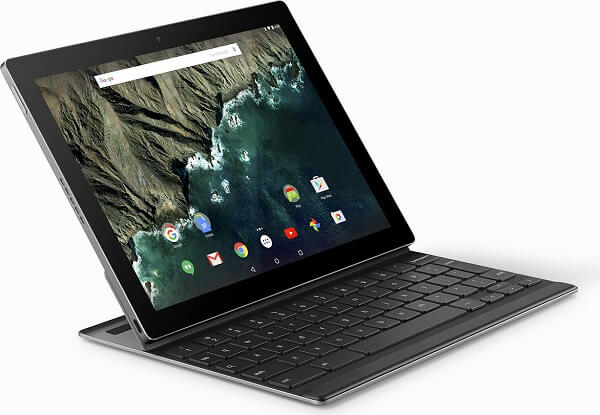
Not only that each of the two major names pioneered something in the trade, but they also had the previous desktop-related experience in order to be able to sustain a hybrid that aims to replace your laptop. Then the Google Pixel C comes along and there’s a reason it manages to wildly draw our attention. Starting with a premium, amazing look, some particularly good aesthetic and practical choices and a good adaptation of what Google had into a great final product.
But spend a while with the Google Pixel C and the Microsoft Surface Pro 4 side by side and your excitement might start to slowly dwindle. And it’s not because the hybrid falls behind as a product overall, but simply because in the end it might feel a little lackluster on the software aspect of it. It’s the Android operating system you may have got used to on other Samsung devices for example, but it’s applied on a piece of tech that’s supposed to act as a laptop; in other words, a portable near-full computer experience.
So the issue that arises is the extent that the Google Pixel C manages to perform well to. Nevertheless, being mostly an operating system-related issue only – susceptible to numerous upgrades and even downright facelifts – chances are it’s not that huge of a reason to be worried.
Pros: premium build, amazing design, great keyboard, high tier hardware, stock Android
Cons: software isn’t cut out for laptop-like activity yet, limited amount of software you can download and use on it
Google Pixel C Design
Google Pixel C Tablet
At the risk of over-praising the Pixel C right off the bat in the first section of the review and not having that much else to say on the following ones, I believe the hybrid deserves the attention. Aesthetically, I can’t even express into words how pleased I was with the end result. The Google Pixel C has a strong, premium feel, carefully cut and put together. No matter how much I turned it around on all sides and checked every nook and cranny of the body, I couldn’t find any sign of weakness.
The anodized aluminum build would normally account for a lighter device altogether. However, for its 242 x 179 x 7 mm dimensions, it weighs a little over a pound – 0.517 kilograms or 1.13 pounds to be exact – without the keyboard attachment. That’s still a lot lighter than the much larger iPad Pro and only 0.1 mm thicker. The robust design makes way for a sharper approach to its corners and edges than you may have seen on models such as the Samsung Galaxy Tab S2. That one is mostly noticeable in the corners of the device which have a relatively small degree of curving and comes off a little more rigid than one would expect. Other than that, I sincerely don’t see any reason anyone would find a flaw in terms of aesthetics.
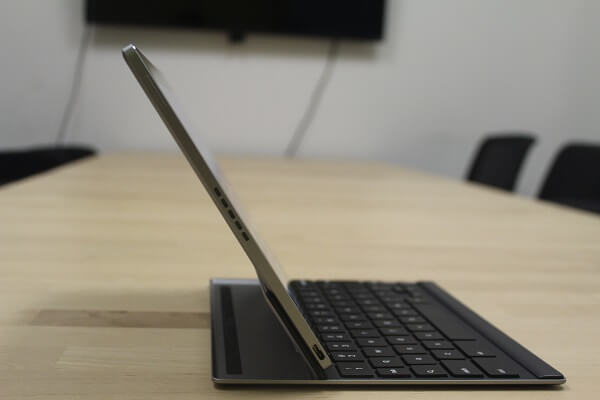
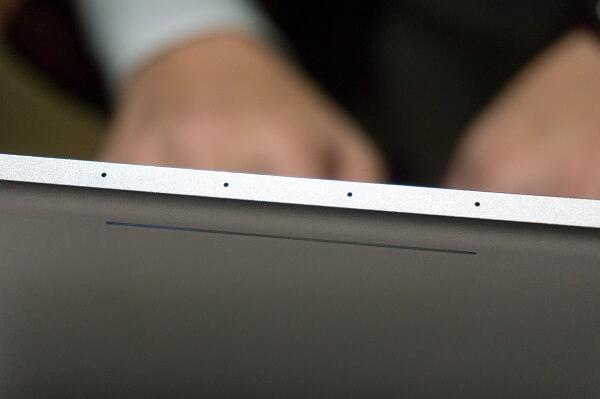
Button placement-wise, I’ve found the Google Pixel C very… symmetrical and tidy looking. If we consider landscape to be the default orientation, you get the power and/or sleep button on the left side at the top, the volume rocker on the left side, at the top and the Type-C USB charging slot at the bottom. The right side hosts the 3.5 mm headphone jack. 2 sets of 5 punctured speaker holes rest on either side of it. You’ll also find 4 near miniscule holes at the top that serve as the quad noise-cancelling microphone of the Google Pixel C.
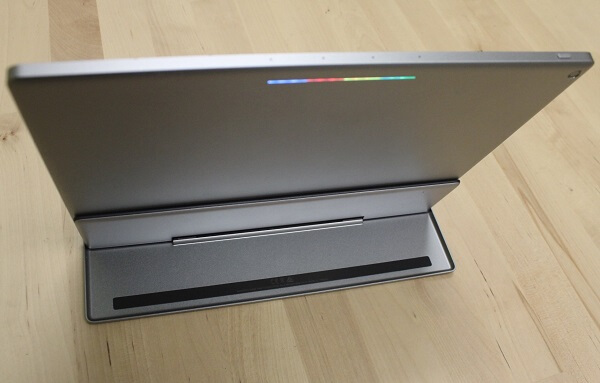
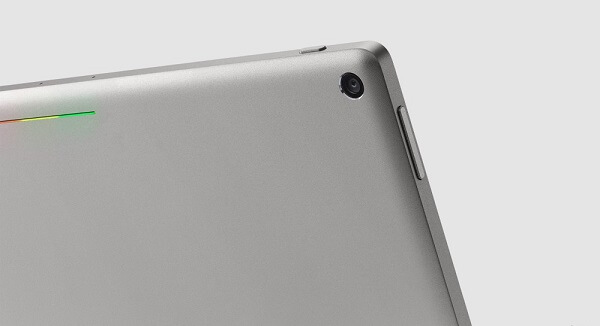
Even the back of the tablet is amazingly simplistic in design: the circular camera sensor resting in the top right corner is only accompanied by the trademark Google colors in a slim light strip at the top.
Google Pixel C Keyboard
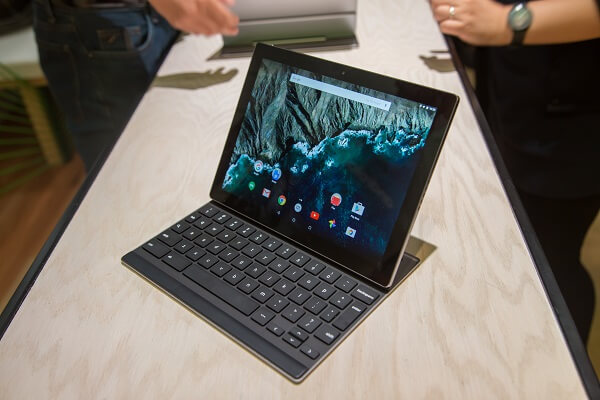
Since you have to purchase the Bluetooth keyboard separately, I’ll also talk about it in a separate segment. It’s already something we’ve grown accustomed to, seeing as Microsoft is doing the same with their Surface Pro 4. For an extra $150 that the keyboard is worth, you will find the same aluminum outer case gracing the back of it. However, to my surprise, the keyboard turned out to be very heavy – at least as far as hybrid keyboards go. Weighing a hefty 0.87 pounds (395 grams) all by itself, when attached to the tablet, the entire device ends up feeling a lot heavier than it looks like it should be.
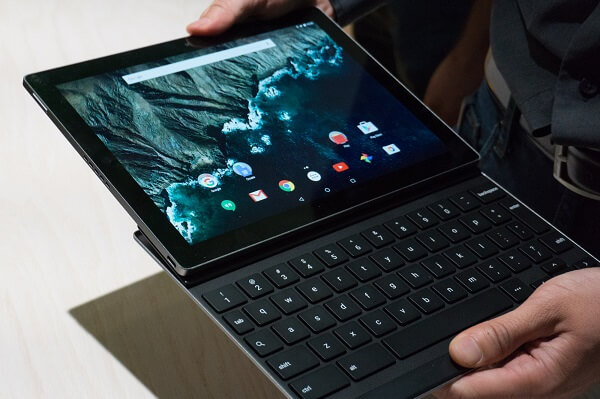
Given the Pixel C overall smaller dimensions, when compared to the Microsoft Surface Pro 4 for example, naturally the keyboard ends up being a little more cramped than some individuals would like. Getting used to typing on it may take a fair bit, but the appendage makes up for that detail through 1.4 mm of travel on its keys that feel good and responsive even for fast typing. The top side of the keyboard is a mobile portion that relies on magnets to keep the tablet connected and immediately starts charging the keyboard whenever it is connected. It rotates somewhere around 90 degrees up and has a surprisingly good grip on the tablet until you try to force it to tilt it to more than vertical position.
That is one downside that I’ve found and some people may be annoyed by. Once you try to tilt it to more than that, chances are the tablet will just pop off from its magnetic grip leaving you with it hanging in your hand. While tilting it up and down on the kickstand feels good and stable, the hybrid tends to lose a little of that feeling when you attempt to use it anywhere else than a hard, horizontal surface. Typing on it when it’s in your lap will have you question whether the tablet portion is truly stable in the magnetic grip.
The keyboard can be placed on top of the tablet and used as a cover – very similar to how laptops do. A huge disappointment of the keyboard is the lack of a trackpad. What that means is that you’re forced to use the touch screen as your only means of actually navigating everything. That may not be such a huge problem for some, but it may end up feeling a little awkward when the tablet is sitting upright and you don’t want to press too hard on it and make it tilt backwards.
Lastly, if you’re looking for the aid of a stylus to serve for your navigational concerns, it’s sad to say that there’s no such thing included in the package here.
Google Pixel C Display
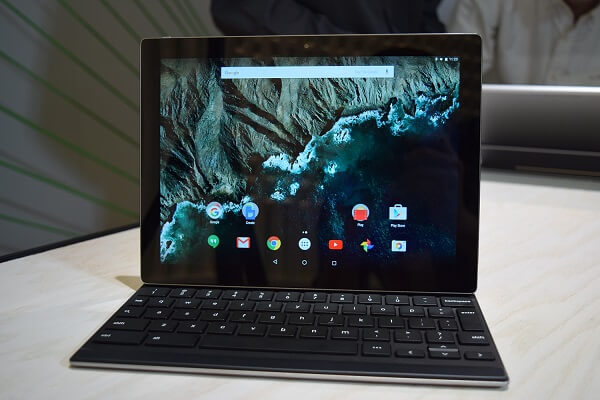
The Google Pixel C features an outstanding 10.2-inch display. It’s not much larger (if at all) than the sizes you find on regular tablets. It is, however, smaller than the two direct competitors – the 12.9 inch iPad Pro and 12.3 inch Microsoft Surface Pro 4 respectively.
However, with a native resolution of 2560 x 1800, the Google Pixel C has a rather odd feeling aspect ratio. It’s not one I’ve found on many other devices, if ever, and can only be summed up into the same proportions of an A4 sheet of paper. That means that it doesn’t fall into the wide screen category, scoring a relatively large height to begin with. Because of that, movies may feel a little strange to watch as they will get letterboxed a little awkwardly at times. As a side note, while we’re still on the topic of resolution, the Google Pixel C has a pixel density of 308 ppi pixels per inch, higher than both the Microsoft Surface Pro 4 and the iPad Pro, by an even larger margin.
But image crispness is not the only great feature the display of the Pixel C has to show for itself. Brightness levels are particularly high, making it great for viewing regardless of lighting conditions and even faring well in direct sunlight. Wide viewing angles and accompanied by vibrant and appealing colors, as it is expected from a LTPS LCD screen.
Google Pixel C Hardware & Performance
Take a look inside the Google Pixel C and it will immediately spell a threat to the components of tablets such as the iPad Pro. It features the latest nVidia X1 quad-core processor clocked at 1.9 GHz that proved highly superior to the A8X chipsets, especially in terms of graphic performance – 3D gaming more specifically. Along with the outstanding CPU, you also get 3 GB of RAM memory and 32 GB of storage space on the default version.
The nVidia Tegra X1 is an 8 CPU-core, 64-bit ARM CPU that features a quad-core A57 2 MB L2 cache and another quad core A53 512 KB L2 cache brother. It employs 20 nm ARM CPU architecture that attempts to improve battery life but also deliver high efficiency. Packed in the chipset is the nVidia Maxwell 256-core, DirectX 12 ready graphics processing unit. The unit alone succeeds in delivering one of the best gaming experiences I’ve ever had on a tablet. 3D, graphic-intensive games work perfectly smooth, without experiencing frame drops of any kind.

In an attempt to suitably compliment the outstanding CPU of the Google Pixel C, you also get 3 GB of LPDDR4 memory. That is more than enough a hybrid would need for a smooth performance that feels as speedy and responsive as a full-fledged laptop would elicit for the user.
The storage space that the Pixel C offers is that one aspect where the tablet will hiccup. The default version only offers 32 GB of space, while the only other alternative is a maximum of 64. Without an SD or microSD card expansion availability, you will pretty much be stuck with that particular amount. At least until they release larger storage space options – if that ever happens.
Google Pixel C Software & Features
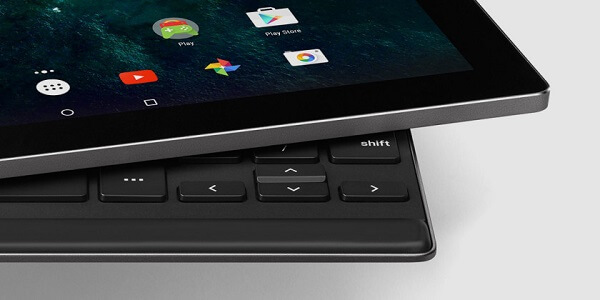
Good news, everyone! Anyone willing to purchase the Google Pixel C hybrid will be granted with full access to the stock version of the Android 6.0 Marshmallow operating system and allowed to enjoy the greatest extent that Android software has ever gone to. Every single feature of the 6.0 Marshmallow OS can be found here, along with a handful of classic apps and utilities.
Along with the processor improvements to battery life, the 6.0 Marshmallow operating system throws its own input into the fray. The feature in question is called Doze, with the sole purpose of maintaining the device’s activity to a minimum when not being actively used.
Thanks to the inbuilt microphone in the top side of the Google Pixel C, you get a fair amount of voice support too, meaning you get to make use of Google Now. Even the Google Now app itself has seen some improvements by also adding Now on Tap; this basically allows you to view even more information than the vocal Google Now offers you with a simple tap.
Hangouts, Google Plus, Play Store, even Google Drive installed on it straight out of the factory will greet you as soon as you open the app tray. However, this is where the problems start – even if they’re not an ultimatum and will only take some time to get fixed. While there are loads of apps you can get for the Google Pixel C that will work with it wonderfully, there’s also a great number of popular apps that aren’t yet optimized for this particular type of device or aspect ratio.
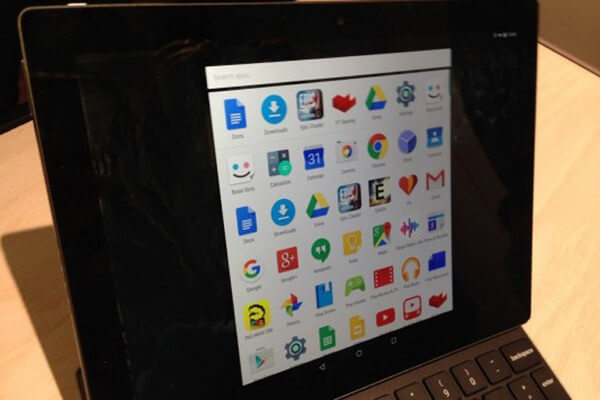
As a last note regarding the feel of the Google Pixel C as a true hybrid, you’ll find some split opinions out there. While the hardware does its absolute best you can expect from a tablet in terms of performance, it feels as if the software isn’t up there to compliment the hybrid’s capabilities of truly replacing a laptop. Most of the fault actually falls onto 6.0 Marshmallow’s ability to function as a desktop operating system replacement. Most of the time, using the Pixel C will certainly not fool you into thinking it’s just like using a laptop and you’ll probably always remain fully conscious that you’re just using a tablet with a keyboard strapped on it. Regardless, considering the Pixel C is probably set at the top of the software update priority list, it’s near certainty that this will change in the future.
Google Pixel C Camera & Battery
There are two cameras planted on either face of the Pixel C tablet – an 8 megapixel one on the rear and a 2 megapixel one on the front. The front camera you’ll probably only end up using for video conferences, and even then it’ll probably be out of necessity and not out of the wish to do so. To be frank, cameras are probably the most unexciting bit of the entire tablet, with a more practical approach to photo and video shooting rather than quality.
The 8 megapixel rear camera you may find difficult to use when you realize that even aiming it to get a good shot is particularly problematic when wielding a pound-heavy tablet. Not to mention that in the absence of a LED flash, shooting photos and video in low light conditions is out of the question. Not even the Camera app offers much reason to be excited as it only gives you several modes to shoot in, video included. Focus is not the best and your end result when taking shots – you should keep in mind – result in awkwardly shaped pictures.
When it comes to the battery however, you’ll find it to be quite the treat. The 34.2 WHr power pack is rated to last up to 10 hours of video playback. In reality, I’d call that a bit of an exaggeration as I could only get up to 9 at most. However, that’s an amazing amount to begin with. Mild usage of the tablet will earn you literal days of uptime, while heavy usage will still last you up to 15 hours.
And considering it makes use of Type-C USB charging, getting your battery from 0 to 100% will be an unusually fast process.
Google Pixel C Verdict
In the end, I think our verdict depends on how you look at the Google Pixel C. if you intend to use it as a pure tablet that happens to have a keyboard as a purchasable extension to ease your typing, then you’re most likely making a great choice and this is the best Android tablet you could ever get. Great hardware and performance are only matched by outstanding design and a particularly strong battery.
As a hybrid – and more specifically a device that is meant to replace your laptop – I don’t think the Google Pixel C really has what it takes. The interface doesn’t succeed in convincing me of its potential in that direction, but that’s left to question as things may improve in the more or less near future.
You can purchase the Google Pixel C for $500, along with the separate keyboard that comes for $150.
Image Source: 1, 2, 3, 4, 5, 6, 7, 8, 9, 10, 11