Argyll Free Press

Growing News Network

Wednesday, April 22, 2026
Log in
  • Business
  • Finance
  • Sports
  • Tech & Science
    • HP Envy 4500 Review
    • LG Optimus 170 Review
    • iPod Touch 6th Generation Review
    • HTC One M8 Accessories Set-up
    • Surrealist Games You Must Play
    • Hisense Sero 8 Review
    • Dell Latitude e7440 Review
    • HP Laserjet 1536dnf mfp Review
    • Garmin Fenix 2 Review
    • Skype Vs Viber
    • Best Video Conferencing Software
    • Sony mdr 1r Headphones Review
    • Canon Rebel t3i Review
    • Sennheiser Momentum 2-0 Review
  • Travel
  • Headlines
  • Health
  • United States

eBay Offers More Purchase Options for Nintendo

November 23, 2015 By Cristopher Hall Leave a Comment

eBay offers new options for Nintendo buyers.

Nintendo has just opened its personal store on the eBay auction website.

As the Christmas holidays are approaching, eBay offers more purchase options for Nintendo in the U.S. Even though the company has its own official online store, it is now expanding to the realm of eBay. The new store will offer games, consoles and accessories for Nintendo fans. Additionally, buyers can rest assured that all of their purchases are 100% safe.

But what is it that makes the eBay store different? Buyers will find products that are not available outside the America stores of Nintendo. To many it would seem that Nintendo’s actions have no particular reason, but the company has stated on their website that it is a calculated step, since the official store lacks customer patronage.

Endgadget expressed its opinion on the matter. In their view, Nintendo will have a better visibility with eBay than with its personal store only, as eBay is a very popular online marketplace which also functions very well. Furthermore, it becomes easier for people to use only one platform for buying various products, since they will also be able to buy from the eBay Nintendo store with their eBay account. Nintendo’s timing is also well calculated, as the gift season for Christmas is just starting.

So what can you find in the new Nintendo store? At the moment, the hardware category features Remote Plus controllers from Wii, as well as 2DS systems. Games are also in the spotlight, with New Super Mario Bros. and Super Mario 3D Land. For the moment, those who are interested can find one product on sale, the Wii Fit U, along with another 34 items at a retail or refurbished price.

Another important aspect is that the store will provide refurbished consoles. This type of consoles came hard to find, and buyers had to search for those on websites such as Amazon or Craigslist, where often the deals looked dubious. Users are much more at ease when they buy from official stores, where the risk of being tricked is practically non-existent.

As eBay offers more purchase options for Nintendo, with many items that are harder to come by, all of us are sure to find some exclusive gifts for our loved ones this Christmas. This time, without fearing scams like losing our money or getting a fake product.

Image Source: 1

Filed Under: Headlines Tagged With: consoles, eBay offers more purchase options for Nintendo, new online store, Super Mario, video-games

Volvo Self Driving Car Concept 26

November 19, 2015 By Cristopher Hall Leave a Comment

The Volvo self driving car Concept 26

Concept 26 is a car concept from automaker Volvo, a company founded in Sweden in 1915. Though its headquarters are in Gothenburg, Sweden, the new car concept was recently unveiled at its Motoring and Concept Center in Camarillo, California, USA.

Of course, a road-worthy incarnation of the model does not currently exist, as is it is a concept. And furthermore, Volvo has said that it cannot anticipate whether it will produce a car based entirely on this concept and featuring all of the technologies and functionalities it incorporates.

But it is confident that these technologies will be implemented separately in at least some of its future models.

So, what is the Volvo self driving car Concept 26? The number at the end is not the number of concept cars that Volvo has imagined so far. It stands for the average number of minutes that an American driver spends in commute.

And it hints at the philosophy behind the whole concept. Because Volvo’s opinion (similar to Tesla’s) is that a self-driving car should, for now, still have a wheel and look pretty much like the cars we have today, instead of a simple container with the interior designed to transport humans (like a subway wagon or the futuristic pods we see in movies).

Even more, Volvo thinks that self-driving should be an option, not the only mode of operation and their Concept 26 envisages a car that you can either drive normally (read manually) or can switch to self-driving mode whenever you like, by pressing down two buttons on either side of the wheel.

You can program routes for the autonomous mode and some time before you reach the end of the route, when the car will switch back to manual, you will get an alert and a timer on the console. If you don’t respond and the timer reaches zero, the car will safely slow down, pull over to the side of  the road and stop.

Despite the interior not being completely stripped, while in self-driving mode, you can still enjoy the comfort that people normally associate with imagined self-driving cars. Because the Volvo Concept 26 features seats made of two parts (bottom and upper), which recline all the way back if you want (but not while in manual mode), a console tablet between the driver and passenger seats and a table and flat screen that slide out from their hidden places (the table from the driver door, the screen from the passenger side of the board).

The tablet’s position automatically adjusts according to the chair’s position. And there are “modes” programmed into it, like “create” which allows you to send e-mails and work or “relax” which makes the screen come out so you can watch a movie etc.

Overall a very interesting hybrid proposal from Volvo for a manual and self-driving car in one, considering the competition it faces from Tesla, (allegedly) Apple and most importantly, Google.

Image source: 1.

Filed Under: Headlines Tagged With: Concept 26, Volvo, Volvo concept car, Volvo self driving car concept, Volvo self driving car Concept 26, Volvo self-driving car

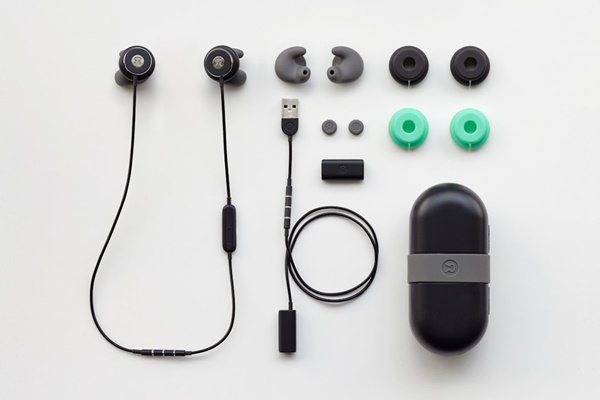
Revols 60 Seconds Molding Custom Headphones

November 12, 2015 By Cristopher Hall Leave a Comment

Revols 60 Seconds Molding Custom Headphones are here.

A startup company from Montreal, Canada called Revols are getting a lot of buzz for what appears to be their game-changing innovation for high-quality headphones.

The main problem that the company’s founders Navi Cohen and Daniel Blumer wanted to address was that of the insufficient comfort and (after a few hours of use) downright hindrance caused by the mismatch of unique ear shapes with uniform, standard issue headphones.

Their reasoning, based on obvious biological arguments, was that if a person’s ears are as unique in shape as their eyes, fingerprints or other individual, specific traits, their headphones should be too, in that shape.

They succeeded in creating a prototype now delivered through their very successful Kickstarter campaign, which in hours after launch reached its 100,000 $ goal and surpassed it, numbering 1960 backers and 442,984 $ in funding at the time of this writing.

The major innovation and breakthrough that led to this success revolves around a currently undisclosed proprietary technology developed and soon to be patented by Navi Cohen, thanks to his expertise in plastics and engineering.

In short, when he and Blumer talk about the Revols 60 seconds molding custom headphones they are not making a sensational marketing pitch, but accurately describing what their product really is: a pair of high quality headphones that you put in your ears and in 60 seconds or under adopt their shape and afterwards keep it, permanently.

It works like this: you download an app which will instruct you through the process, put the factory delivered headphones in your ear as indicated, and press a button, after which the app sends the instruction to the gel that exists on the headphones’ buds to start hardening. The whole thing takes approximately a minute, during which you get a warm sensation in the ear to let you know that it’s working.

After that, you have your very own permanent, custom headphones.

Other interesting features and functionalities.

They are wireless headphones that work via Bluetooth.

Though Revols is working on making a charging cable as well, which they are designing to allow you to listen to music while charging, at the moment the headphones work on battery, which lasts for about eight hours. But you also have the option to add another external battery for another 6 extra hours.

Being a tight fit to your ears, they have great passive noise isolation, but also have a built-in microphone that allows you to hear external noise if you want, the level of which you can adjust with the app (Revols’ self-named “adjustable soundscape”).

The audio hardware part will be provided by the Japanese firm Onkyo, renowned for high-end audio quality.

The price for Revols headphones will be 300$ when they start being sold. However, the Kickstarter campaign features a significant discount: 200$ per set if you back them up now.

Image source: 1.

Filed Under: Headlines Tagged With: custom headphones, high-end custom headphones, Revols, Revols custom headphones, Revols molded custom headphones, Revols molded headphones

Nexus 6P Review – The Metallic Flagship

November 9, 2015 By Cristopher Hall Leave a Comment

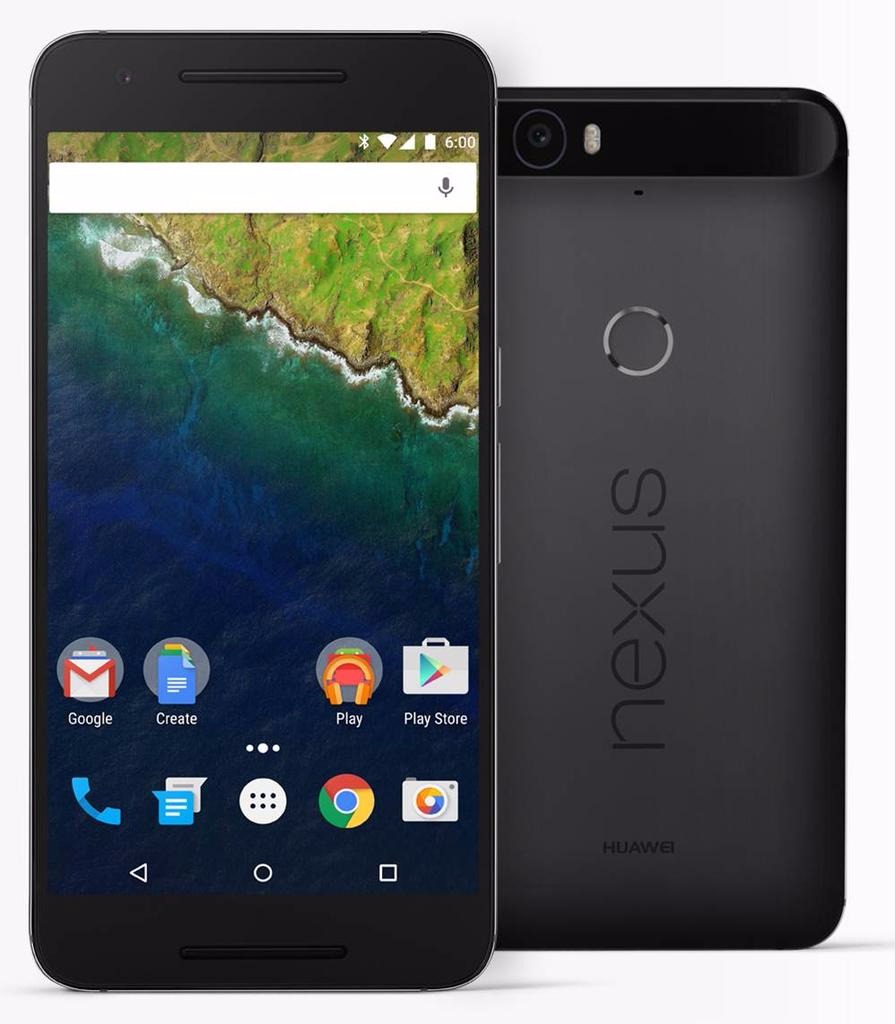
Nexus 6P Front & Back

This time of year is particularly busy when it comes to the mobile phone industry. And because it’s nearing the end of 2015, smartphone developers all over the world take their final plunges in terms of innovation in technology. The result? Jaw-dropping flagship devices, entire powerhouses of hardware that only get larger and slimmer. And the Nexus 6P is one of our best examples.

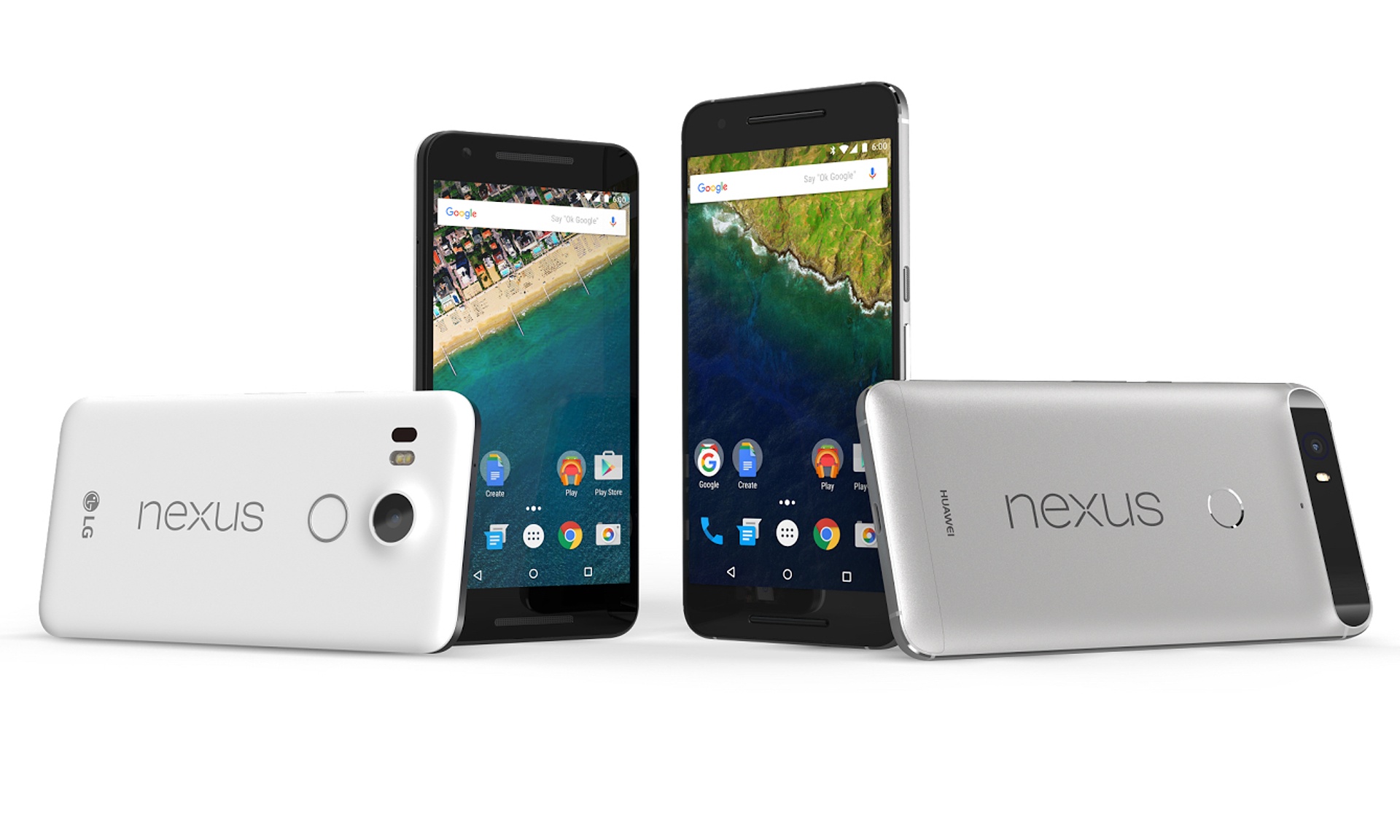
However, coming as a surprise to some, the Nexus 6P is not of Motorola design like its predecessor. Nor does it have the LG logo sporting the brand; this time around, Chinese manufacturer Huawei has taken it upon themselves to make a phablet phone that would appeal to the western market. And with a sigh of relief, I have to say that not only the experiment was a great success, but the Nexus 6P ended up a masterpiece indeed.

This latest iteration of a long series of Google Nexus phones is one of the first hosts of the new Android operating system, Android 6.0 Marshmallow. Everything involved, it comes to battle other phablets of the market toe-to-toe; and it’s got an entire arsenal to do battle with. Being one of the most ambitious projects we’ve seen so far in the Nexus family, there’s a lot of things that have changed for the better to allow it to surpass the limitations known to the brand until now.

Lastly, it’s a great thing to know that despite a hefty number of improvements, Nexus has yet to put down its crown of value prices: despite it being an excellent piece of technology that has definitely surpassed previous Nexus devices and can actually compete with other top-tier smartphones, its price still falls in the same, average category.

Judging by everything that Google and Huawei have attempted to do in case of the Nexus 6P, the story is slightly reminiscent of another device that set out on its own path to overthrowing the competition through an absolutely outstanding construction that would not burn an entire series of holes in your wallet. That is the story of OnePlus 2 – the self-proclaimed 2016 Flagship Killer.

Nexus 6P Design

Google is proud to present a brand new phablet-constructed smartphone under the Nexus tag that is metallic. The plastic case trend has been left behind in favor of anodized aluminum – an alloy that is stronger than the ones we’ve seen in phones so far in terms of outside protection. Because of the materials used in its construction, the Nexus 6P is incredibly light despite its enormous size, suitable for a phablet – no more than 178 grams. That’s 14 grams less than the iPhone 6s Plus but a very small amount heavier than the OnePlus 2 – which weighs 175.

Considering that the Nexus 6P measures 159.3 mm in height and 77.8 mm in width, that makes for an impressive thickness of only 7.3 mm, matching the Apple counterpart but setting a new personal slimness record. The phone is really quite the sight – similar to the feeling of switching from a 22” monitor to a 27” after a few years of usage, the entire 5.7 inches wide screen feels large enough to suck you in if you’re using a phablet for the first time in your life. It may not come close to its direct predecessor – the Motorola Nexus 6 – which extended to the staggering display size of 5.96”, but some people may find this change adequate. 6″ in particularly difficult to handle for most individuals.

Nexus 6P vs 5

Because of its outstanding slim build, the phone is very comfortable to hold one-handedly; but naturally, just like any other phablet you will need the use of both of your hands to navigate it and use it to its full potential. As a downside to this bewildering-sized phablet, there is no stylus hidden anywhere in its frame to allow a minimal amount of stretching from one end of the screen to the other when using the features or apps you install. Everything you do, you will have to do by yourself, and unless you have unnaturally long thumbs, it will be a real feat stretching towards the top-most corners of the screen without having to switch the position of the phablet in your hand every time you have to reach another part of it.

The issue of holding the phone has a lot to do with the shape of its back too, where slightly curved makes for a more comfortable and secure grip. In Nexus 6P’s case, the edges – albeit extremely narrow – are cut straight and abruptly lead into the slightly curved back. That does not particularly help with securing your grip on the phone, and together with the impressive size may lead to quite the challenge for the device to actually feel good and fit in your hands.

Nexus 6P Back & Side

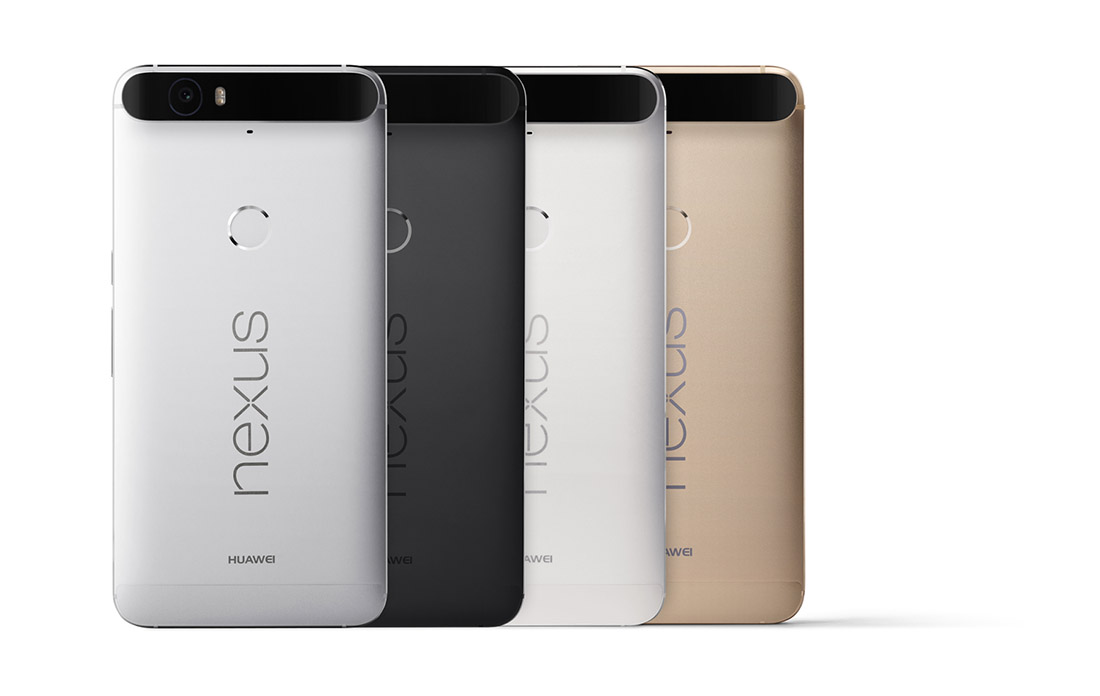
Nexus 6P Color Variants

The unibody of the Nexus 6P is extremely minimalistic and looks sleek and elegant as a result. The designers have only released 3 color variants for this beauty, fitting for a device that speaks distinguished elegance and professionalism: aluminum, graphite and frost – more realistically called silver, black and white. There is a limited edition gold variant available in Japan for anyone interested. It keeps things pretty simple, unlike the OnePlus 2 that has a rather eccentric but distinctively classy selection of patterned back-covers – such as hardwood or granite mosaic patterns, on top of the classic matte black.

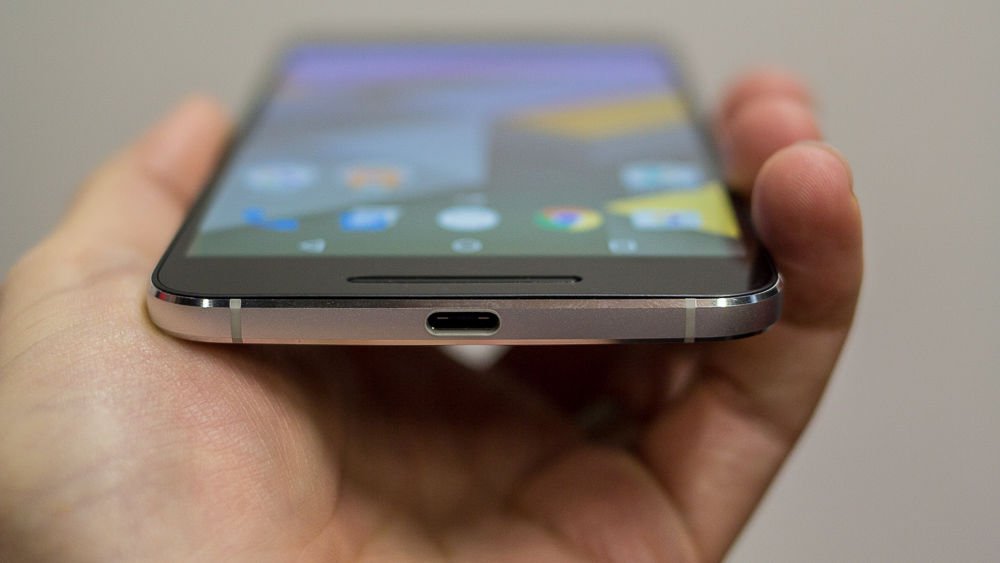
There is close to no unnecessary clutter on it either – you can find the power button and volume rocker on the right hand side of the phone, the former covered with a unique texture that will make it easy to differentiate from the latter. The bottom makes room for only one slot for the new and improved reversible USB Type-C charger. The classic 3.5 mm headphone jack is placed on top of the phone: while this is probably an internal space-related placement, I still feel like placing it on the bottom of the phone makes a lot more sense for people who normally put their phones in their pockets when they’re not using them. Each manufacturer has their own beliefs and reasoning I guess.

Nexus 6P Fingerprint Reader & Camera

The back of the Nexus 6P is the focal point of design innovations and their resulting flaws. Firstly, the good news is that there is a fingerprint reader available for the users of this fabulous phablet; the bad news is that its placement is about 3 quarters of the phone up. While the entire idea of placing your fingerprint reader button on the back turned out to be a pretty neat idea after Huawei experimented with it in their Mate S, having it all the up closer to the top makes for a huge stretch of your hand to even reach it.

Nexus 6P Side-view

Secondly, the good news is that the phone is really slim, right? Their respective bad news is the only way Huawei managed to find room to stick its impressive camera into the 7.3 mm worth of space is by letting it jut out just slightly in the back. While the contrasting-colored strip is not half bad when you look at it, the fact that there’s a considerable area of the phone literally sticking out at the top of the phone feels and looks strange.

But there is at least another piece of good news that came out of this: the antenna lines that have haunted and daunted manufacturers for so long are handled pretty well by the Nexus 6P – hardly noticeable on the sides and hidden underneath the strip that incorporates the camera sensor on the top half of the phone.

Nexus 6P Display

The AMOLED screen goes no lower than 5.7 inches, as previously specified. It’s a capacitive touchscreen that makes up of 71.4% screen-to-body ratio and goes up to a staggering 518 ppi pixel density, featuring a more pleasant 16:9 aspect ratio. It is covered with a layer of Corning Gorilla Glass 4, featuring oleophobic coating. Along with the mind blowing quad HD 1440 x 2560 resolution that the phone is actually capable of, the display is unmistakably an amazing piece of hardware. The images are extremely vivid and colorful, yet particularly saturated; the image quality has improved considerably since last year’s Nexus 6, but still depicts unnatural looking hues of colors in some circumstances.

Nexus 6P AMOLED Display

There is a difficult to explain tendency for smartphone and tablet manufacturers to start reverting to the older IPS display builds – the iPhone 6S and Sony Xperia Z5 Premium are two examples of comparable devices that make use of IPS technology – marginally inferior to AMOLED and LCD. The OnePlus 2 for example employs the LTPS LCD technology with is in essence very much similar to AMOLED, coming with a series of ups and downs. LCDs are exponentially better in color accuracy and hue precision, very bright and power-efficient; on the other hand AMOLED displays are particularly skilled in displaying true black but falling a little behind when outdoors.

There is a feature that changes the brightness of the screen according to the amount of light present in its environment. It adapts to dimmer-lit rooms by reducing brightness and vice-versa when exposed to bright environments. Strangely enough, the maximum level of brightness the phone is capable of is not one that your Nexus 6P will reach by itself using the adaptive brightness. But on the same note, viewing angles are great nor does the image suffer too much in sunlit situations.

The brightness is not the only adaptable feature of the screen however. The same adaptive display that we have noticed in the Motorola Nexus 6 is present here too – making your phone respond when the sensors notify it that you picked it up by displaying a grayscale notification lock-screen.

Nexus 6P Specifications:    Performance & Comparison

To only sum up the hardware that the Nexus 6P packs inside the 7.3 millimeters of space is a disgrace to the power that really lies inside. The shortlist includes an octa-core processor, at least 32 GB of storage space and 3 GB of RAM. There are a lot of similarities in build and specifications with the OnePlus 2 once again – the phablet that was meant to overthrow the market after its release. Even more so, taking everything it packs into account, the Nexus 6P manages to exceed expectations and even run two steps ahead of its counterparts.

Nexus 6P Hardware

The Nexus 6P features one of the latest Qualcomm Snapdragon 810 octa-core processors. Featuring 64-bit computing, it’s a highly advanced piece of hardware that allows a smooth transition of smartphones into downright tablet and laptop replacements. The 8 CPU core chipset is LTE capable and allows a wide range of activities – starting with streaming 4K Ultra HD videos and handling 3D games smoothly, Qualcomm has made more efforts towards reducing battery usage along with increasing the power in this piece.

The processor is basically constructed from 2 quad-cores CPUs: a 1.55GHz Cortex-A53 and a Cortex-A57 that can go as high as 2.0 GHz. The same CPU is featured in the OnePlus 2 – and exceeds expectations far more than the Apple A9 dual-crore 1.84 GHz Twister featured in the latest iPhone 6s Plus. Nevertheless. it really does fall behind when it comes to the Exynos 7420 CPU featured in Samsung Galaxy S6 and Galaxy Note 5.

Along with the Snapdragon 810, there is a dedicated Adreno 430 graphics processing unit that improves the quality of life considerably for users who do actually enjoy graphic-heavy interactions with your phone. That means more than just extremely high quality video viewing: chances are any new 3D-rendered smartphone game that comes out by the end of this year and up to Q1 of 2016 will not even stutter. Both benchmark results and real life stress testing place the Adreno 430 GPU above both the Mali-T760MP8 and Apple’s PowerVR GT7600 six-core graphics card, making both the Nexus 6P and OnePlus 2 the better choices once again.

To bring an extra ounce of compliment to everything that we’ve listed so far, the Nexus 6P also features 3 GB of RAM memory – possibly one aspect where the phablet does not go as far as it possibly could, the OnePlus running the extra mile to reach the 4 GB milestone on its 64 GB HDD version, just like the Samsung Galaxy Note 5. Out of all the models that we’ve used for our comparison so far, the iPhone 6s Plus is the only one that stops at a meager 2 GB of RAM, most of them including at least 3.

Storage space is plenty to find inside the Nexus 6P. There are 3 variants of the phablet – 32, 64 or 128 GB worth of storage space respectively. The reason behind it is the lack of any kind of microSD aid – there is no microSD slot to speak of meaning that you’ll have to make use of either physical storage space or cloud services to keep things neat. Considering none of our studied models include said microSD storage option, the Nexus 6P offers the most space on average.

While some processors may exceed the Snapdragon 810 in terms of performance, the Nexus 6P fared ridiculously well with a series of tasks. It’s undeniably fast and a lot smoother than it proved to be when it first came on the market, featured in the LG G Flex 2. Still, there’s no denying that some newer processors are faster and perform better when complimented with other pieces of hardware that are at least on par with them.

Naturally, under heavy stress, the GPU tends to heat up a fair amount but without it becoming upsetting – a rather normal aspect of minimized yet powerful hardware. Depending on what you expect from a phone – or a phablet, rather – the 3 GB of RAM shouldn’t bother you the slightest bit considering multitasking didn’t seem to be minded the tiniest bit on the Nexus 6P. Now try to grasp everything and mix it with a price that is considerably lower than the ones you would normally pay for its Apple or Samsung comparable counterparts. Up to this point at least, the Nexus 6P is worth every cent.

Nexus 6P Software & Features

Rejoice, for the Android 6.0 Marshmallow is here, and the Nexus 6P has got it all. The operating system has brought a fair few improvements to both user interaction and performance. There’s a promised improvement to battery life thanks to the phablet’s ability to manage its power when on standby.

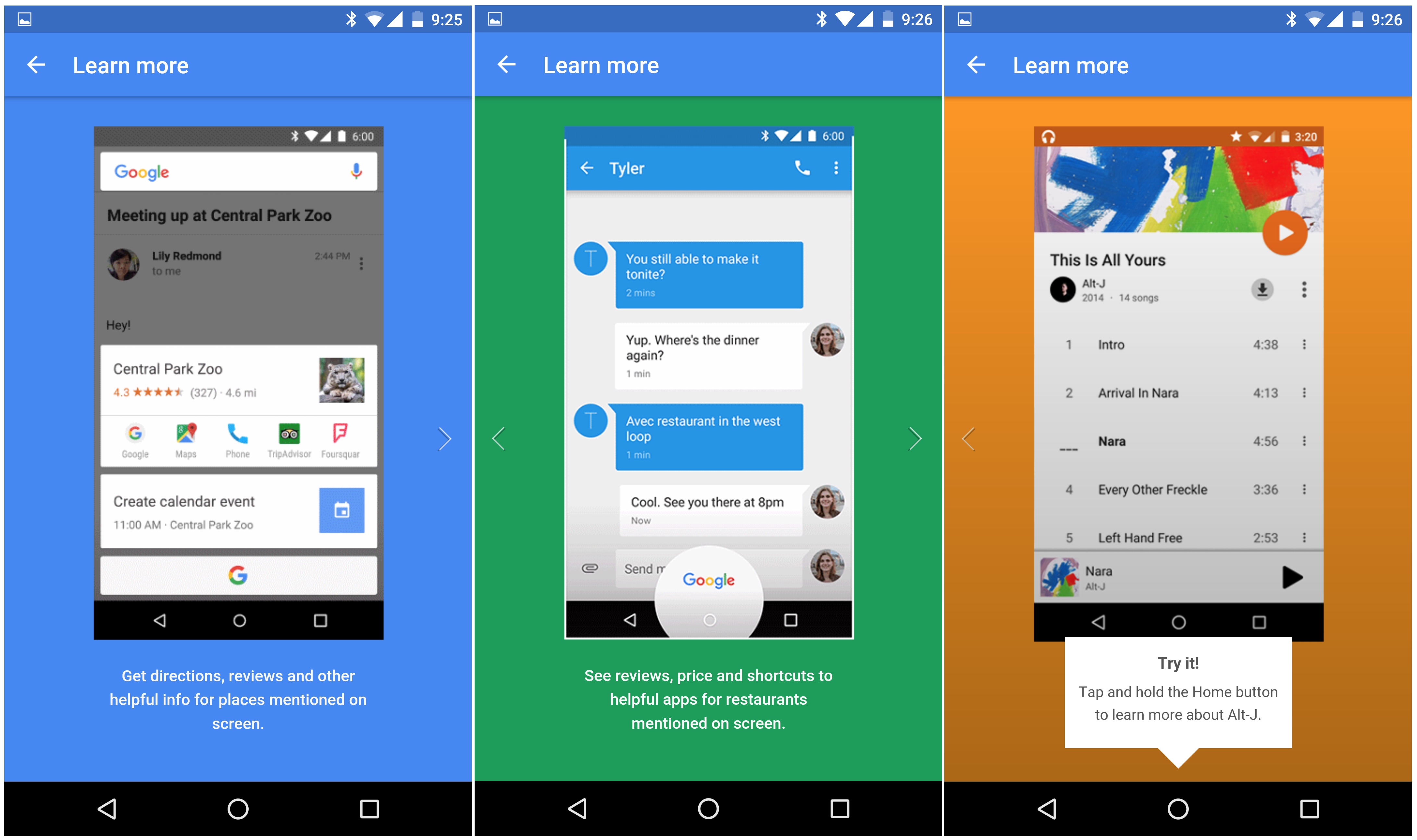
One of the most revolutionizing features of the 6.0 Marshmallow OS is Google Now. Its purpose is rather simple: whatever you are doing at a given moment, whether you’re reading something, listening to a song or watching a video of something, by using Google Now you will basically be able to read more about the topic. You can bring out the Google Now feature by holding down on the home button that can be found on your main screen; doing so is equivalent to googling something without physically having to visit the website and typing in the thing you’re interested in.

Nexus 6P Google Now

Nexus 6P App Tray

Marshmallow hasn’t made any radical changes to the operating system, so anyone who is used to your regular stock Android OS will familiarize with it immediately. One distinction that will be a little confusing for former Android users is that the app tray is navigated through by swiping up and down instead of left and right. On the bright side however, you get to store some recently used apps at the top of the screen to at least not have to scroll all the way up and down to find YouTube or Twitter for example.

The Google Imprint feature, made reality through the fingerprint reader on the back of the Nexus 6P gives you an ample method of securing your phone – up to 5 fingerprints. The reader however feels very forced from some respects; at the current moment its only purpose is to unlock your phone easily, where “easily” can be an exaggeration if your hands are as small as mine – needing you to stretch huge lengths to get it done. The fingerprint reader is not a button as well, such as the iPhone 5 and above variant, so it can’t be pressed, giving that entire part of the phone a rigid and lackluster feel. Still, unlocking your phone via the fingerprint reader is considerably faster than using a PIN – which requires you to swipe first then enter the pin using the keypad.

Nexus 6P Camera

You’d think that there’s no good excuse for Huawei to design the phone with a part of it jutting out in the back. As a matter of fact, there actually is. The manufacturer claims that the camera incorporated in the Nexus 6P is by far a milestone in the technology it has used so far. The reality of it is that it’s pretty good and definitely comes with some neat improvements – but it doesn’t go as far as being absolutely mind-blowing.

The rear camera – and the only real culprit basically – is a 12.3 MP camera that captures 1.55 micron pixels. In case that’s a new aspect of cameras that you have not heard of before, you should know that the standard pixel size is 1.4 and below (the iPhone 6s Plus has 1.22 only); this feature is responsible for making Nexus 6P’s camera a lot more proficient in taking shots indoors and low-light conditions, making it a great choice for night shots for example.

Nexus 6P Back Design

The photos taken with this camera are mostly realistic when translating real colors into an image and remain particularly loyal. All of the test photos that we took felt warm in terms of color crispiness, with a very good set of contrast levels. The autofocus allows you to take pictures on the run, without any prior preparation thanks to the speed it detects subjects in the image and removes the blur.

The Nexus 6P rear camera can also record video in 4k at 30 frames per second, which is a pretty awe-inducing feature of mobile phone cameras in general. On top of that, you can also record slow-motion video that can capture as many as 240 frames per second and the phone also provides you with a number of editing tools.

The front camera is not to be trifled with either; your selfies will be undoubtedly amazing in quality, considering you’ll be shooting using an 8 MP camera. Video calling is incredibly smooth too, being able to sustain a very high frames per second score.

The software that compliments both cameras will certainly give you a lot to play with. Switching between shooting modes, including file types or photo versus video is made incredibly smooth and easy and there is a large number of filters and post-editing you can do. Panoramic shooting, Photosphere and Burst Mode are present here as well, with the latter being able to shoot as many as 30 frames per second and allowing you to compile a GIF file afterwards.

Nexus 6P Battery & Verdict

Firstly, we need to elaborate on the way the Nexus 6P is charged. It is one of the first phablets that make use of the reversible Type-C charger. That means that you can plug it into the phone facing either way, so the curse of the USB and microUSB is now broken. On the downside, however, there aren’t a lot of other devices that use this type of charger so losing it or forgetting it will result in no way to charge up your 6P. However, hoping that no such situation would ever occur, charging your phone with the Type-C USB charger takes incredibly little to do – on average, about an hour and a half. The phone also notifies you of how long it still has until it is fully charged.

Nexus 6P Type-C USB Charger

Thanks to the power saving features of the Android 6.0 Marshmallow OS, your Li-Po 3450 mAh battery can last as long as 11 to 12 hours with mild to heavy usage.

There’s a lot to weigh if you’re considering purchasing the Nexus 6P. Overall, it is just shy of becoming one of the absolute best phablets on the market. The hardware is powerful, but not the most powerful. Aesthetically, the phone is absolutely gorgeous – just like its very similar brother in arms OnePlus Two. But considering both of these phablets will be coming for a price that is similar in range, you get a considerable perk with the Nexus 6P – you can actually experience the Marshmallow OS instead of waiting for the update to hit other Android or Android-inspired systems. For its price, the 6P is definitely worth its money and won’t disappoint.

You can get the Nexus 6P at $499 for the 32 GB version, $549 for the 64 GB and $649 for the 128 GB model respectively.

Image Source: 1, 2, 3, 4, 5, 6, 7, 8, 9, 10, 11, 12

Filed Under: Headlines Tagged With: huawei nexus 6p, nexus 6p, nexus 6p review, nexus 6p vs oneplus 2

Apple iWatch Review – Necessity vs Fashion Statement

November 6, 2015 By Cristopher Hall Leave a Comment

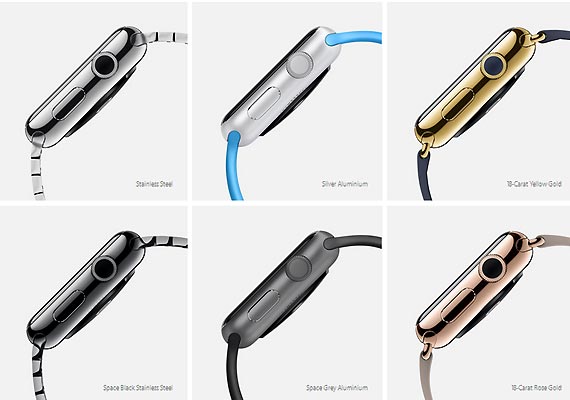
Apple iWatch Front & Side

Anyone knows or has heard before of the upcoming big thing in terms of technology. Or one of them at least. What we’re referring to here is the growing industry of smartwatches. On paper, they sound like an incredible thing to have: a portable, wireless extension of your mobile phone. In reality however, at least judging according to what we have seen so far, there’s a lot of room for improvement – and that’s still being polite about it. In the months we’ve had since Apple iWatch release date and now, we’ve come to learn a few things about it.

Don’t get us wrong, the Apple iWatch is far from an underwhelming construction – in fact it’s probably an epitome of mobile technology altogether. But the actual utility that lies within an Apple iWatch is highly debatable. As you can probably tell from the title, we’ve been trying to figure out whether this little contraption holds more ground than just being a pretty, quite expensive fashion statement, or whether it has some realistic application in our day to day lives. At least enough to excuse the $349 to $17,000 Apple iWatch price range.

Apple iWatch Overview

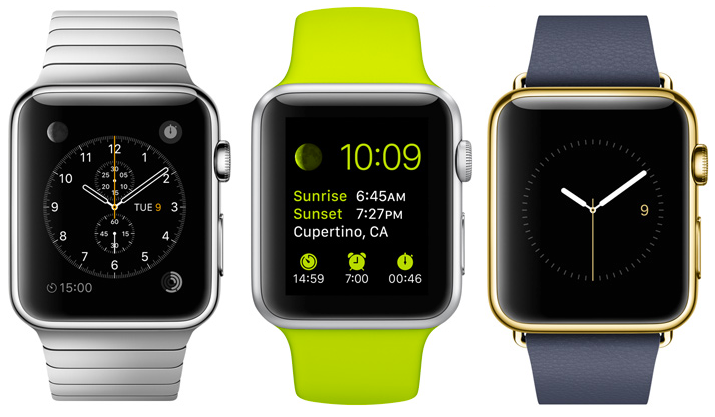
Looking at the Apple iWatch, also recognized under the name of iWatch, we are reminded of a few other Apple products: the iPod Nano is the first that comes to mind in terms of format, size and build. It’s worth mentioning that the iWatch comes in various models – there’s a total of 3 models and 2 different sizes that you can pick from and coupled with 6 types of finishes along with a vast series of wristbands. Regardless, the Apple iWatch aspires to be much more than the iPod Nano was.

Apple iWatch Types

Apple iWatch Overview

While it can be used as an iPod, coming with a decent amount of storage space that you could use to save up your music and take it with you wherever you go, the iWatch’s functionality does not resume to just that. In essence, the Apple iWatch is an extension of your iPhone mobile phone. And this is the first concern that we have to direct our attention towards: the Apple iWatch is not an independent gadget – it not only requires another Apple product to sync it with, but it only works with iPhone 5 and above on top of that and cannot sync with your iPad tablet.

To make a generic summary of what the Apple iWatch can do, the most important features that are worth mentioning are using it as an outlet of your mobile phone notifications and a minimal news and updates feature, health, activity and workout monitoring, listening to music, sending and receiving texts, mail, tweets or updates on various social media, making use of Siri like never before and a lot of functionalities that rely on voice commands. The last item in the list is probably the most exciting part of it all – allowing you to dictate your desired message to your watch thanks to the speech to text feature.

In comparison to the original presentation of the device, the iWatch seems to be capable of doing a little less than we expected, but not less than one would expect from smartwatch technology. The market is not yet full to the brim with smartwatches of all kinds; nevertheless, it’s not the first of its kind and in some respects, the Apple iWatch may even feel like it doesn’t bring anything special to the table. And most unfortunate, we won’t be playing with any kind of hologram projection using the iWatch either; we still have to wait for another couple dozen years for that it would seem.

Apple iWatch Design

If there’s anything that the Apple iWatch specializes in, similarly to any other apple product as a matter of fact, it’s looks. There’s really no denying that the iWatch brings a very elegant design featuring stainless steel casing, a sapphire crystal layer that protects the display and ceramic glass on its back – where the heart monitor is situated. Overall, the watch looks great from every single point of view – the curved edges dim the sharp and rugged impression the watch gives off. However, as far as wristwatches go, you shouldn’t expect the Apple iWatch to replace your Rolex.

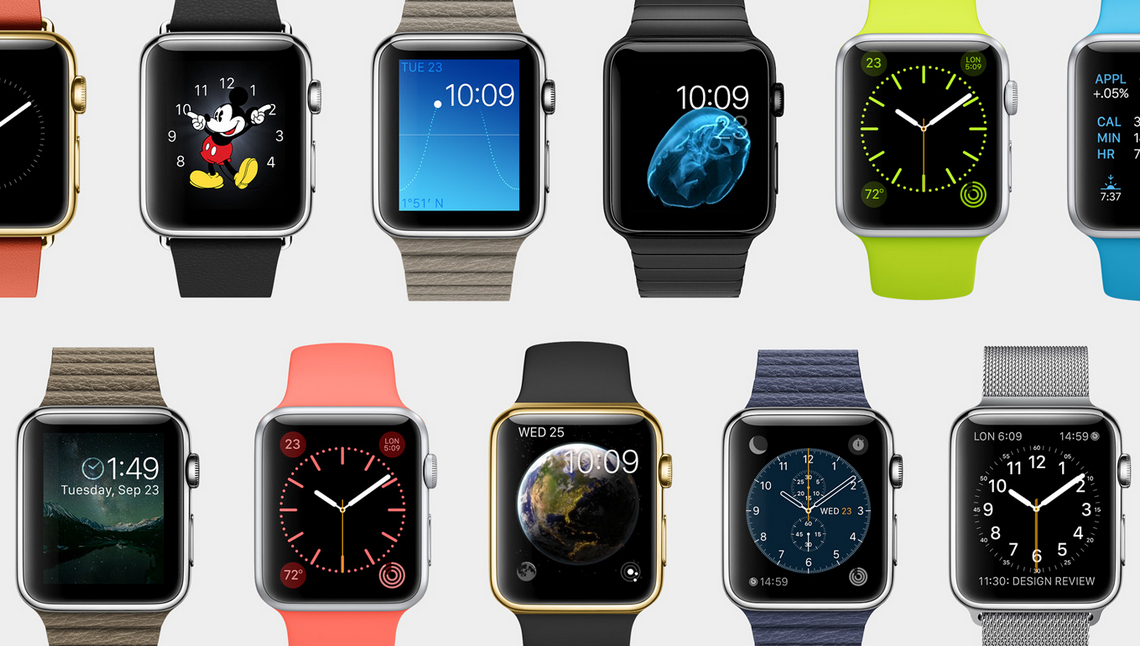
Apple iWatch Classic

Both of the iWatch variants are rectangular, so the pleasant round aspect of classic wristwatches won’t be gracing your arms with this smartwatch. The watch itself is relatively thick – no less than 11.5 mm – which accounts for an exponentially thicker device than your usual smartphone and tablet, which have gone as low as 5.6 mm. However, thanks to the slightly curved body of the watch, the effect is not ghastly – and instead manages to not stand out too much and look very much like a regular sized watch – as much as its shape allows it to.

Despite the materials used in its construction, it would seem that the edges of the Apple iWatch are not particularly scratch resistant. Because of the slightly large-piece build, especially on the 1.7 inch model, you may risk accidental scratches to its edges. On top of that, the IPX7 water resistance certification that the Apple iWatch comes with only accounts for exposure to rain and other types of light accidental subjection to water. That means that running with it in light rain will probably not damage the watch; forgetting to take it off when you go into the shower however may end up in a catastrophe.

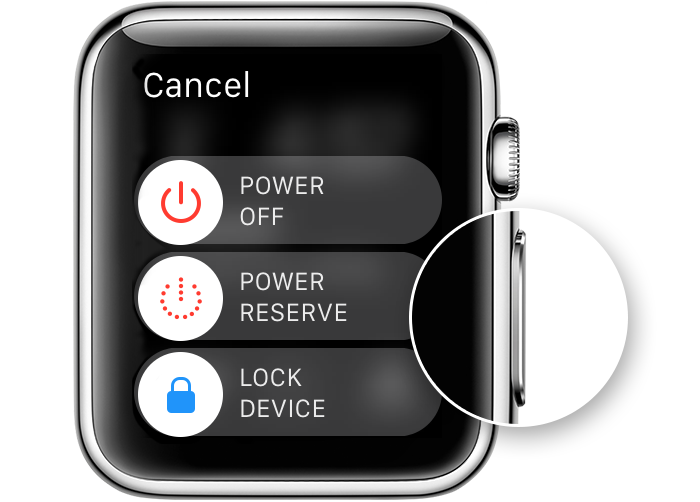
Apple iWatch Wheel & Button

On the side of the Apple iWatch rest 2 buttons – one is a button similar to the home button you can normally find on your regular iPhone; the second one is something that resembles a winding wheel that used to be featured on older and vintage watches. The former is used similarly to how you would use the home button – it allows you to return to the main screen and can be used as a back button, a quick access of your contacts or to Apple Pay – via a double tap.

The wheel is the basic mean of navigation – you will be using it for zooming in and out in various applications as well as navigating through some parts of the interface. It replaces the pinch to zoom functionality of touch screens given the small area you get to operate on, but also provides different effects when tapped. It also serves as an alternative to swiping when you want to scroll down menus, messages or notifications.

Apple iWatch Wheel

The top and the bottom of the Apple iWatch feature clasps for your wristband of choice. The way that both the clasps and the bands are fabricated turn the process of switching between wristbands particularly simple.

The back of the Apple iWatch features a round area that contains a number of photodiode sensors, as well as green and infrared LEDs and an outlet for your Apple Magnetic Charging Cable. The infrared sensors are responsible for measuring your heart rate – by constantly measuring the amount of blood travelling underneath your skin. In order for this feature to function properly however, you need to ensure that the iWatch is fit snugly to your arm, and not loosely placed or results will be inconclusive, inconsistent or downright false.

The entire body of the watch is made from aluminum alloy, resulting in a particularly light device – only 70 grams and easily forgettable on your wrist.

As a last note, the screen and the body of the watch per se are not one piece: there is a distinct, yet thin gap between them where the screen is applied. While this doesn’t necessarily spell into a risk of damage with time to the body of the watch, it may lead to grime and dirt buildup if not cared for properly.

Apple iWatch Display

Once we get over the fact that the present model of the Apple iWatch is unfortunately rectangular, the display itself is a pretty impressive piece of technology. For a 1.5” or 1.7” wide screen respectively, the level of sensitivity and responsiveness is as good as any other Apple product. The screen is a flexible OLED build, a change from the classic LCD that Apple has been employing for its products for a while. However, the pride and glory that is the trademark Retina Display feature is incorporated in the iWatch’s screen as well, making for an extremely ample viewing angle, assuring that you will be able to read whatever your watch is showing regardless of lighting conditions and direction that you are looking at it from.

In terms of image quality, the Apple iWatch comes with no less than 322 ppi pixel density. That accounts for a particularly impressive number for such a small screen; as a comparison, the iPhone 6 has a 326 ppi pixel density and the iPhone 6 Plus goes up to 401 ppi. This makes up for an incredibly detailed image; additionally, the color accuracy and vividness are top notch. Brightness has never been lackluster on any of the Apple products in the past and the iWatch is no different.

Apple iWatch Screen

The designers have also added a discreet ambient light sensor within the Apple iWatch: it detects the amount of light there is in your environment and dims or brightens the display accordingly, giving you a particularly clear view of your screen regardless of where you are or what time of the day it is as well as stabilizing battery usage.

Force Touch is present on the Apple iWatch too. In case you are not familiar with the way it works, Force Watch is a rather new technology that allows the screen to detect the difference between light and hard presses, providing a multitude of new functions to play around with. For example a hard tap on the notification screen will allow you to mark them all as read and remove them from the tray, opposed to lightly tapping them to tab to them. It does take a considerable amount of time to get used to all the functionalities of Force Touch, which kind of tap does what, where and when – but once you get used to it, it’s a pretty neat thing to have. Not to mention the hidden “perks” you can get from this feature when texting sensory messages to other Apple iWatch users (we’ll touch more on that later, under the features chapter).

Apple iWatch Specifications & Performance

Given that it’s only an accessory and not a full-fledged, independent device, you can’t expect an entire powerhouse worth of hardware stuck in the 1.7 inch body. Even so, the Apple iWatch features the new S1 processor designed by the company; the processor incorporated in the 1.5” and 1.7” versions slightly differs as well, but only marginally, going to up 520 MHz.

In addition to the performant processor, the iWatch is actually gifted with a dedicated GPU – something that is sometimes lacking on gadgets as large as tablets, so it’s a pretty impressive feat to see it on here. The PowerVR SGX543 GPU is also accompanied by 512 MB of RAM memory and 8 GB of internal storage – considerably more than the iPod nano, but unrealistically listed as 8 – considering you only get to use approximately 6 GB of it, the rest being the space allocated to the operating system and necessary applications.

Connectivity on the Apple iWatch is done through 3 methods: via the Wi-Fi 802.11 b/g/n card, Bluetooth v4.0 or near-field communication. In the absence of a headset jack on the body of the watch, the only way you will be able to pair your headphones with it is via Bluetooth – if your headset is Bluetooth compatible that is.

The overall performance of the Apple iWatch did not seem to be as flawless as you would expect from a high-end Apple product. There were some slight signs of lag when scrolling down notifications at times, some apps would run or open slowly and there is still a hefty amount of bugs left to fix with the future versions of the WatchOS.

Apple iWatch Features & Software

The Apple iWatch comes with the default Watch OS 1.0 preinstalled, but it can be upgraded to the latest version – currently WatchOS 2.0.1. as soon as you take it out of the box and turn it on for the first time, you are greeted by the long and unfortunately harrowing setup process. Considering that as a standalone device, the smartwatch won’t be anything more than a fashion statement – and not the most handsome out there – that’s a lot of setting up that must be done. Setting up your Apple iWatch consists of not only selecting your preferred settings and setting up your Wi-Fi connection as you would do with your mobile phone. Instead, there’s a whole process of linking your watch to your smartphone, coupled with the level of synchronization you want to go for and many other tiny steps.

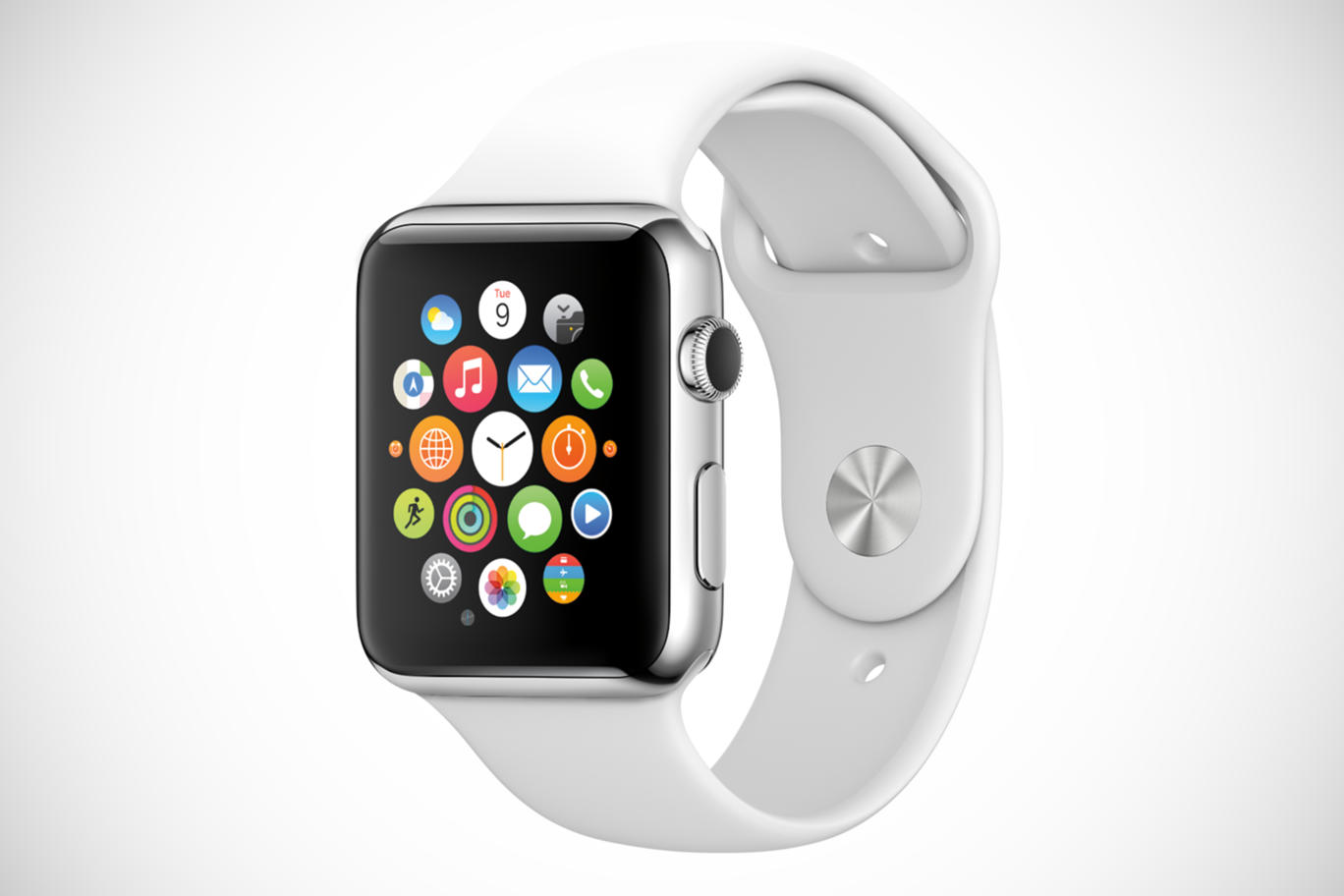
Apple iWatch App Tray

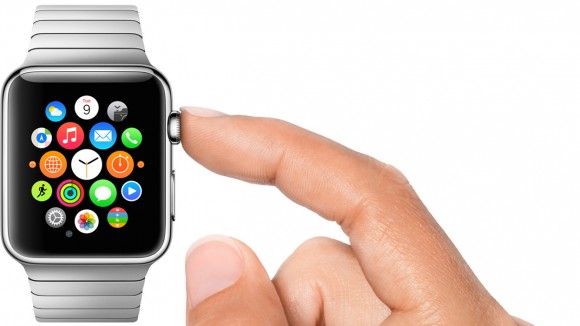
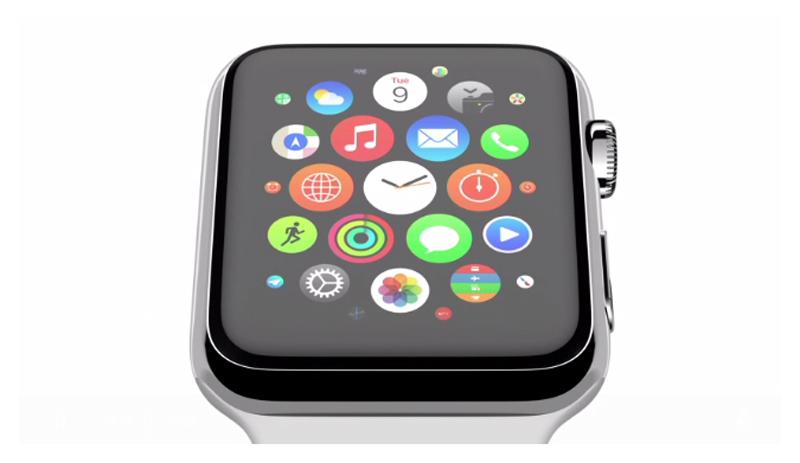
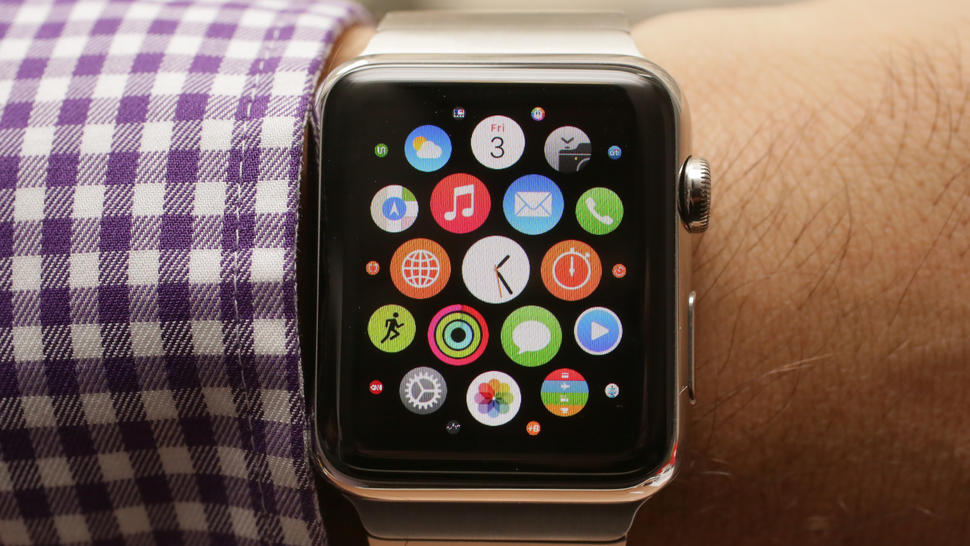
Once it’s all set and done, the Apple Watch main screen consists of a multitude of icons, similar in design to the ones we’ve seen on our iPhones, but they are round-shaped this time around. The animations of the main screen are one aspect that it pretty neat: the apps are clumped up together as bubbles, with less used ones displaying as minimized circles towards the edge of the main batch. These are perfectly customizable via your phone – allowing you to rearrange them any way you like it on the larger screen if your iPhone. Some individuals may find it difficult to aim and access particular apps directly from the app tray – considering that you need high precision to tap on the specific icon, especially when in a rush.

However, Siri finally plays a huge role in this case: more often than not, you will use it more out of necessity rather than comfort. Accessible by saying “Hey Siri” into the watch, she seems to have received some upgrades, making voice recognition even better than it was in preceding Apple products. Just like your iPhone, Siri can do nearly anything for you – a downright blessing when scrolling with the tiny wheel or having to tap on your screen is difficult and tricky to achieve.

Apple iWatch Communication

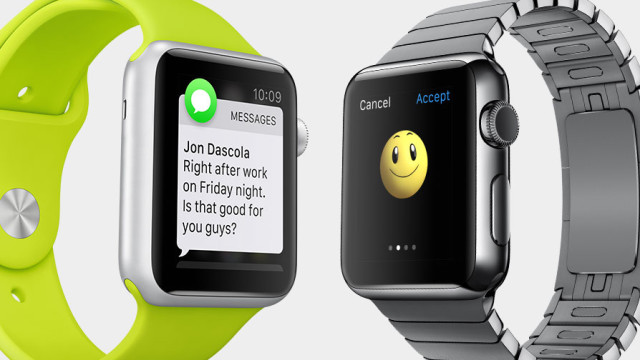
Communication via the Apple iWatch comes with a series of unexpected features. Speech to text recognition is one thing – the feature that allows you to tell the smartwatch what to write down in your text. But the perk of you and your close ones owning it is… interesting to say the least. Taking upon a very romantic approach, the Apple iWatch allows you to send doodles, your heartbeat and actual taps to your receiver. Forget expressing yourself through texts that notify your friends through audio – just give them a nudge instead through the device strapped to their wrist. Go for a non-verbal way of expressing yourself if need be. Fun? Definitely. Useful? Very much not.

The system allows you to pick from a wide variety of watch faces that mix style with utility. There are several clever watch faces that you can use that have hidden applicability within them. For example the one depicting our Solar System is a realistic depiction of the Earth’s and Moon’s position in relation to the Sun. The chronometer face can be turned into a stopwatch immediately through a simple tap. The list goes on and allows further customization by allowing you various ways to display information such as the time (yes, it actually shows the time too) the way you wish. The only current downside of the WatchOS is that it’s extremely limited or downright restrictive of third-party software.

Apple iWatch Faces

There is a large amount of in-built apps that handle health and fitness in a fashionably designed way. There are trackers that are in charge of your movements – distance ran or walked, number of times you stood up, steps taken and much more. Considering that the Apple Watch is more likely to act as a more reliable source of such information given that you’ll be spending more time with it on your wrist than you would with your iPhone in your hand, you can easily make use of it when leaving for your daily jog or to monitor your heart rate when working out.

Apple iWatch Battery & Verdict

The Apple iWatch has a very innovative method of charging. In lack of a classic charging port of any kind present on the sides of the watch, the way you do it instead is via the back port. Inside the iWatch box you will find a magnetic charging cable that you can plug into a power outlet or an USB port alternatively. It attaches to the back of the watch the same way MacBook charging cables do. There’s no hit and miss or misuse of the adaptor; it goes in smoothly and connects almost automatically to the watch.

The battery life of the iWatch is not the best you can expect. Unfortunately, the iWatch seems to run through its battery charge much faster than you would hope for; while it is advertised that one full charge would last you up to 22 hours of mixed usage, that still means that you will end up leaving it to charge on a daily basis, overnight. On average, it takes about two hours and a half to charge the smartwatch from 0 to full.

As a final note to add to everything we’ve discussed regarding the Apple iWatch, I don’t feel like it brings anything worthwhile in addition to what other technology developers have done so far. Even more so, the smartwatch industry in general feels particularly lackluster nowadays. If you are fine with only using the Apple iWatch as a quick way to check your notifications or reply to texts, or alternatively to use it as an aid for your workout sessions, then that’s fine. Otherwise it remains a flashy gadget and a statement, and not much else, especially considering the Apple iWatch cost.

You can buy the new Apple iWatch for $349 for the default, Apple Sport Watch edition, $549 to $1049 for the 1.5” version with different variations and types of wristbands and $599 to $1099 for the 1.7” variant.

Image Source: 1, 2, 3, 4, 5, 6, 7, 8, 9, 10

Filed Under: Headlines Tagged With: apple iwatch, apple iwatch review, apple smartwatch, iwatch, smartwatch

The Garmin Fenix 3 Review – A Serious Runner’s Watch

November 3, 2015 By Cristopher Hall 2 Comments

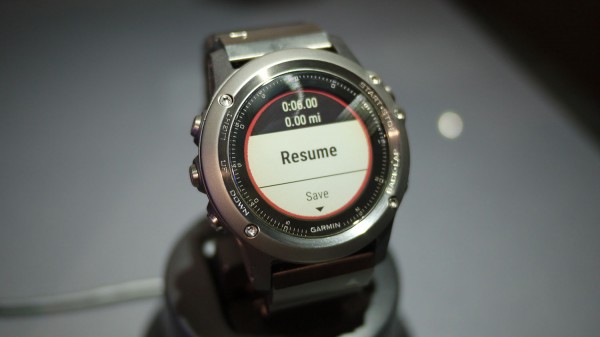
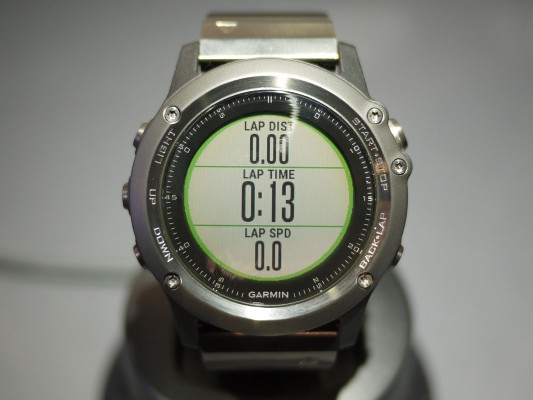
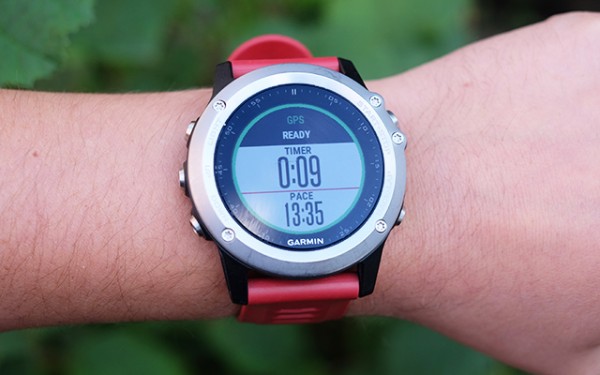
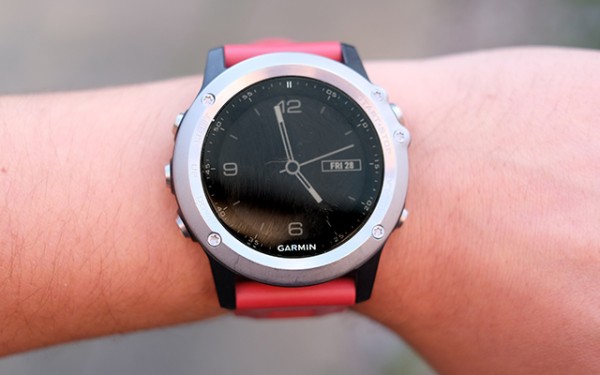
Garmin Fenix 3

The Garmin Fenix 3 is a fantastic watch aimed at runners – amateurs and professionals alike. It’s really big when compared to any other runner’s watch on the market. It’s super expensive as well.

Its hefty price tag is there for a reason – quality.

The Garmin Fenix 3 offers prime GPS tracking for cyclists and runners, along with particular system-modes for other athletics – like skiing for example. It has its own notification system and its very own app store.

This means that you don’t need to buy a fitness tracker and a smartwatch – the Garmin Fenix 3 is both at the same time. Sure, it’s not an Apple Watch or an Android Wear replacement, but it tries its darnedest to be one.

Speaking of enthusiastic exercise fitness tracker, the Fenix 3 completely obliterates its competition.

Garmin Fenix 3 Review

Garmin Fenix 3 Review

It has an excellent battery life with a hard-wearing frame. The watch’s GPS tracking system is versatile and reliable. UI is perfectly designed – easy to use and quick, with no lag present.

Yet, it’s really expensive. The Garmin is a big and bulky serious runner’s watch, which might be a deal breaker to some athletes.

Read below if the Garmin Fenix 3 is comfortable to wear and if it’s worth buying.

Garmin Fenix 3 price – $499.

Garmin Fenix 3 specifications

  • 20 hour GPS stamina;
  • Stainless steel rim;
  • GPS with GLONASS.

Design and Screen

The Garmin Fenix 3 Fitness Tracker Review

The Garmin Fenix 3’s main competitor is the 920XT Forerunner, which is smaller and sports a square-faced design. Also, unlike the 920XT, which is dedicated for marathon runners, the Garmin is a more versatile watch.

Arguably, it’s one of the best outdoors watch on the market right now. It has special modes for skiing, cycling, swimming, running and hiking. Design-wise, it’s as bulky as an outdoor smartwatch can get – it can engulf the wrist of even the manliest lumberjack. It’s larger than the Fenix 2.

We at AFP are against calling gadgets specifically developed for males, or females, but the Garmin clearly is designed with the male congregation in mind. It has a face that bulges 16.7 millimeters from your wrist.

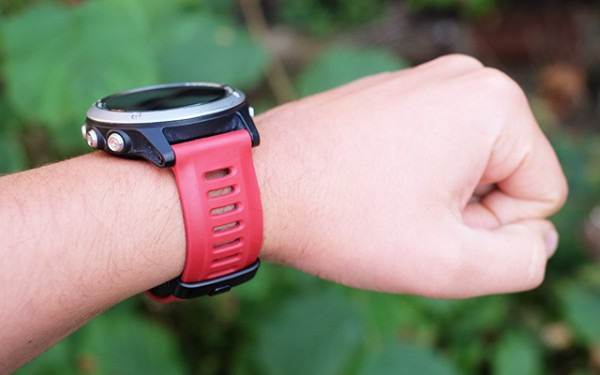
However, regardless of its intimidating size, the Fenix 3 is a comfortable wear. It’s not as lightweight and forgettable as the Vivoactive. It’s worth noting that going through the day with the watch strapped on your wrist won’t make your hand fall off.

The Garmin Fenix 3 Fitness Tracker

Many users have reported that they completely forgot that they were wearing the Garmin Fenix 3 – some even went to sleep with it. Yet, I don’t recommend doing so. I don’t know what kind of man-bears have been wearing the Fenix 3, but you seriously can’t sleep with it.

Its face is bigger than your average watch and it will get in your way every single time – more so, if God blessed you with petite hands like mine.

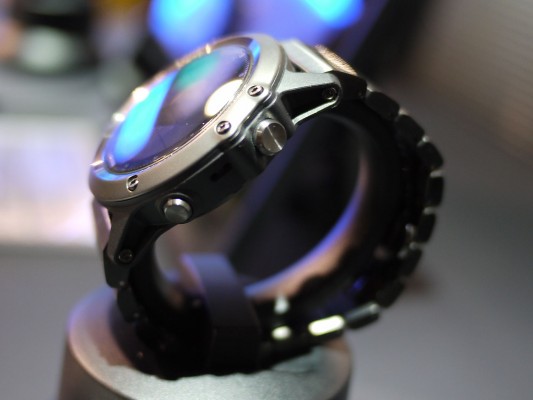
It’s waterproof to up to 100 meters and it has a diver’s watch style. It appeals more to me rather than the traditional mini-computer look. Also, even though it seems like it’s build entirely out of metal, it isn’t. Only the buttons and the rim are of metal descent. The rest is made out of plastic.

But that plastic is incredibly tough and sturdy. It’s clearly a-grade material and the fibre-reinforced polymer makes it feel very fancy – just for the wearer though. Your friends won’t care what your watch is made out of, they’ll see its chunky size and they’ll think you robbed Iron Man of his arc reactor.

Garmin Fenix 3 Review

Unfortunately, you’ll be disappointed time and time again because the Garmin Fenix 3 is a scratch magnet. It looks bad-ass, but even the tinniest scratch seems to be absorbed by the watch’s face.

Other tech reviewers have reported this issue and a more horrid one as well. I’m not saying this is a wide spread problem, but it’s one that surfaced among reviewers. Some have been shipped watches that were already scratched – nobody knows if it’s a factory-known issue, or if the one’s in charge with delivery screwed something along the process.

Consumers haven’t reported anything like this.

The Garmin Fenix 3

It unlikely sports Corning G-Glass 4, because it scratches too easy. Yet, Garmin hasn’t really specified what kind of glass protection they built their watch with. When we find out, we’ll be sure to update this article accordingly.

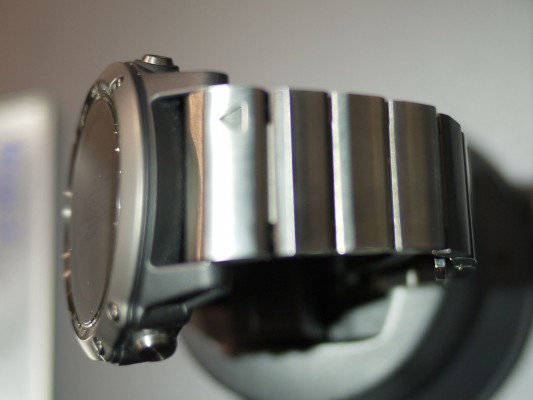
However, Garmin makes a Sapphire Crystal Fenix 3, which is a hardened model. Basically, it has another layer of protection. But with that layer of protection comes great responsibility – and a bigger price tag too. The Sapphire Crystal Fenix 3 costs $599.99. It also comes packed with a metal link strap in case the default one breaks, or you lose it on your morning run.

I recommend you stay with the rubber one because the metal link strap adds more weight to the watch. If you thought that it was hefty before, wait until you try the metal galore model. The normal strap doesn’t have a clap. It’s the standard that works perfectly. It has holes across the whole band that serve ventilation purposes.

Coming back to the watch’s face, the screen resembles the one found on the Vivoactive Garmin. It’s an LCD panel that doesn’t consume that much power and it outputs some pretty great colors.

Fitness Tracker Garmin Fenix 3 Review

But it doesn’t have that rich color palette as the Apple Watch, nor the one you might find in the LG Urbane. Indeed, you won’t find deep and full of life visuals, but it serves the watch more to be somewhat dark and gritty. Especially when viewing graphs and the likes.

The screen is not flashy in any way and the E Ink screen of a Kindle comes to mind when using the Fenix 3. This means that it consumes little power and it can stay on twenty four seven. The big downside is, however, that you can’t recognize anything on the watch’s screen without some sort of ambient light present.

Garmin Fenix 3 Fitness Tracker Watch

A watch light comes built in and you can turn it on by pressing its specific button on the side. But even with the light on, contrast is disappointing and it lacks clarity. In some scenarios, like low indoor lighting you’ll force yourself to understand what you’re seeing on the screen.

Regardless, it’s a pretty great watch screen that functions all the time and it doesn’t kill the battery in one day.

Battery Life

The Garmin Fenix 3 has a fantastic battery life.

The watch’s battery is hands down exquisite. Reports have shown that after a week of using it for the usual fitness tracking, notifications and, basically, to tell time, the Fenix was left with 60% juice.

We concur – after a week of using the Garmin Fenix watch, its battery life displayed exactly 60%.

These are great results considering that your average fitness tracker doesn’t last more than a week – and frankly, nor does a smartwatch for that matter.

According to the company that made it, the watch can last up to twenty hours with GPS tracking on, and about fifty hours of hiking tracking. If you use it just as an old watch, then it’ll last five weeks on a single charge.

Interface

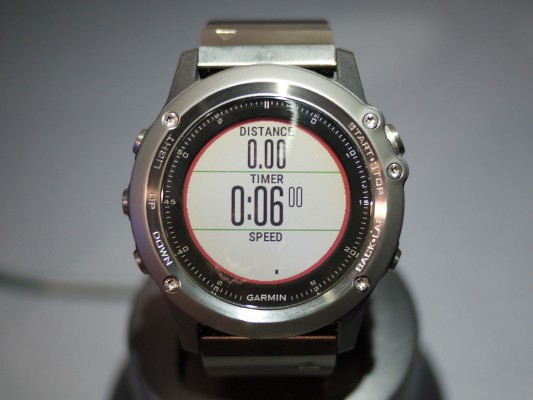
Garmin Fenix 3 screen!

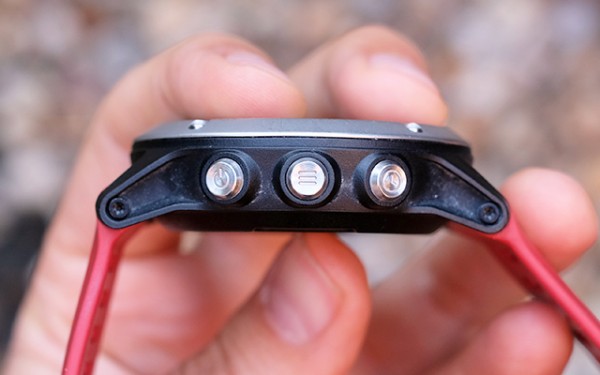
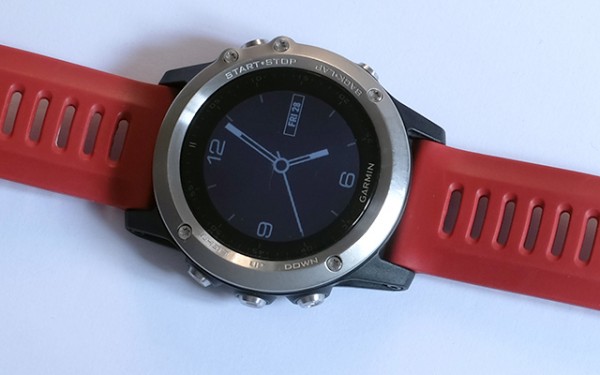
You won’t find a touchscreen embedded on the Fenix’s face, nor does it feature gestures a la Apple Watch. It’s designed to feel exactly like your average watch. You can access its interface by pressing a button.

Remember that old button-operated navigation that meant that you have to push up or down buttons to get to a particular menu? Yup, that’s what you’ll use to navigate the Fenix 3.

I really love this old-school system. Why? Well because it’s so well constructed. When you push a button you are met with a crunchy and clickety-click-click feel/sound.

On the front of the watch face, on its right side, you have the start button. Press it so the activities menu opens up. Below you’ll find the installed by default apps and activities. When you install a new app or activity, this is where you’ll find it.

  • Find Phone – this means that the paired phone will ring;
  • Triathlon;
  • HR Chart;
  • Pool Swim;
  • Open-Water Swim;
  • Bike;
  • Indoor Bike;
  • Run;
  • Indoor Run;
  • Hike;
  • Trail Run;
  • Climb;
  • Cross-Country Ski;
  • Ski or Snowboard;

After you’ve decided what you want to do for the evening, pick an activity and press the start button again. This will signal the Fenix 3 and it will begin tracking. The company has put some safety measures in place so you don’t accidentally turn it off mid-exercise and lose all your precious data. You need to long-pres the up button if you want to see more options.

It’s a basic interface, but it fits this type of device.

You look for and install apps using the Connect IQ store. This is Garmin’s proprietary app store that can be found within Garmin Connect – which is mainly used to review your exercise routines and other data.

Garmin Fenix 3 Rubber Band

From Garmin’s store you can download distinct watch faces. Some of these even come with brand new apps and games. Though, gaming on the Garmin Fenix 3 isn’t really that recommended – it’s boring, to say the least.

Unfortunately, a feature present within the last gen Fenix is missing. Users don’t have the ability to watch a map of their exact location directly from the watch. Why would Garmin remove such a fantastic feature? It’s because the company launched the Garmin Epix.

The Garmin Epix is more expensive than the Fenix 3, but just slightly, and it comes with a built-in 8 gig storage so users can download maps.

The Epix isn’t worth considering. It doesn’t have Wi-Fi, and users have reported that it’s super-buggy. More so, I don’t recommend it because Garmin just wants to milk the cow on this.

Performance and Tracking

Garmin Fenix 3

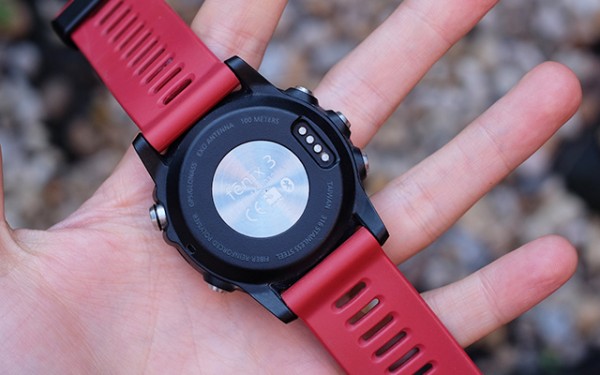
The Fenix 3 is GPS capable and thanks to a variety of sensors, it can precisely keep track of your exercise. Packed deep within the watch you’ll find the much needed Wi-Fi and Bluetooth features. The accelerometer, the altimeter and barometer are tucked nicely inside the Fenix as well.

Also helping the standard GPS, is GLONASS. It stands for Global Navigation Satellite System, a Russian made GPS. GLONASS is built inside the Fenix 3 so it offers more precise, accurate data.

All of the Fenix’s sensors help the watch track marathons and long-lasting cycle sessions without needing the help of smartphone.

Garmin Fenix 3 Review - A Serious Runner's Tracker

But, if you really want to get the most bang out of your buck, you need to buy some accessories. Think of acquiring an HR sensor – mainly because the watch doesn’t come with one.

The Garmin functions perfectly with non-Garmin accessories. The Fenix is ANT+ standard compatible. This means that the majority of accessories will work.

Smartwatch Features

The Garmin Fenix 3 Smartwatch

The Garmin Fenix 3 is a serious fitness tracker, but it doesn’t compete with the likes of Apple Watch, Pebble Time or any other Android Wear watch. It just doesn’t have great smartwatch capabilities.

And that’s not a bad thing.

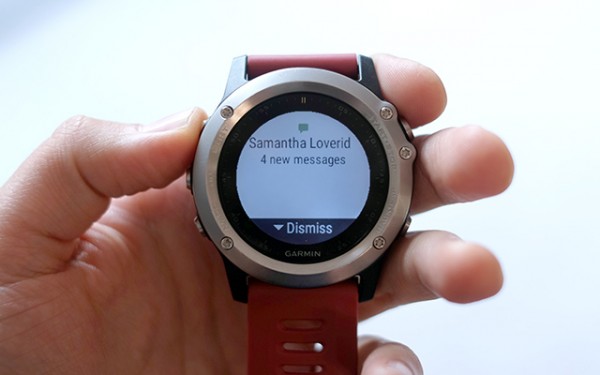
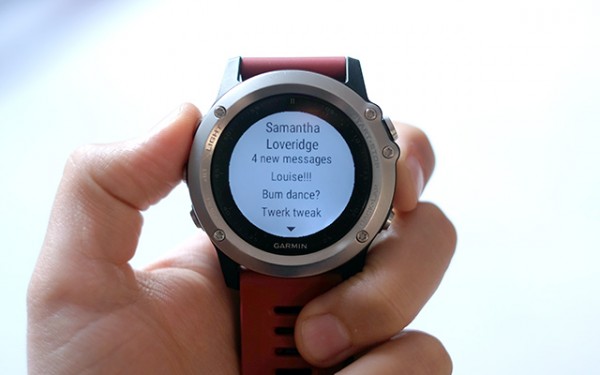
You see, the Fenix 3 can tap into your iOS or Android smartphone’s notification stream and it let’s you read messages and emails. However, I’ve experienced some pairing issues. No lag whatsoever, but problems with disconnects. This means that notifications just stop coming to your watch.

Garmin Fenix 3 Watch Review

It depends on what smartphone you are using, to be honest. Paired with the the Motorola Moto X Play, the Garmin didn’t disconnected once. Yet, when used with Samsung’s flagship smartphone, the Galaxy S6 Edge+, the watch disconnected more often than not.

There are a ton of apps to download such as weather reports, a few games here and there and multi-time zone watch faces. At the current moment, there are about 50 or so apps that you can download for the Fenix 3.

Verdict

Garmin Fenix 3 Fitness Watch Review

It’s a superb watch for the exercise addict. It has an excellent battery life and a ton of features and capabilities. Yet, it’s expensive. But when you compare it with Apple’s smartwatch, it suddenly gains a lot more authority in the matter.

It has its very own app store with a strong ecosystem and there’s arguably no other fitness tracker on the market that can beat the Fenix’s functionality.

But, what about its competitors? The Forerunner 920XT has fewer features, but it’s way more cheaper. The Garmin Epix just doesn’t make the cut because it doesn’t have Wi-Fi and users have reported a lot of bugs.

Why can’t Garmin just blend everything into one little fitness tracker and get this over with?

Anyway, the Garmin Fenix 3 is a fantastic fitness tracker that costs $499.99. I wholeheartedly recommend it.

Image Source: 1, 2, 3, 4, 5, 6, 7, 8, 9, 10, 11, 12, 13, 14, 15, 16

Filed Under: Headlines Tagged With: Fenix, Fitness Tracker, Garmin, Garmin Fenix, Garmin Fenix 3, Tracker

The New Altwork All Positions Adjustable Workstation

October 29, 2015 By Cristopher Hall Leave a Comment

The new Altwork all positions adjustable workstation is here.

In what seems to be the Holy Grail of work environment ergonomics, start-up company Altwork, based in California, is ready to deliver a new, possibly game-changing product to the market in the form of their all positions in one, adjustable workstation.

Yes, you’ve read that right. While the debate whether standing or sitting at your desk is better for your health still rages on, with various studies on either side clashing in their conclusions, Altwork have gone and bypassed the problem entirely.

Because the company was founded specifically with the goal of having a completely adjustable workstation that allows the user to take any option he wants, instead of being limited to a single one, as currently used desks impose (either sit or stand).

And with the new Altwork all positions adjustable workstation, they’ve done just that. This description is self-explanatory, really and not at all exaggerated. The user can choose to either sit, stand or lie in a reclined position, with the transition from one of these positions to the other being simple, fast and efficient because the workstation is so designed to permit the user to adjust it effortlessly.

All because, in Che Voigt’s words, co-founder and CEO: “We think being able to move, being able to easily change positions without even thinking about it, is the solution”. And that solution took 5 years of development!

How do you keep the different equipment safe and in the same place, with a moving desk that can be adjusted in 2-3 seconds with a simple button push and body movements adjustment, you ask? Magnets. Of the strong variety. They keep the laptop, keyboard, mouse and various other things you might be using firmly attached while the moving takes place.

And speaking about said movement, the workstation features a magnetized remote control too, that lets the user change the station’s position. Neat, huh?

The new Altwork all positions adjustable workstation resembles the ones in the Wall-E movie a bit.

The only negative thing that could be imagined about what seems to be a great and innovative product is that we might end-up like the futuristic humans in the “Wall-E” animated movie. A.k.a. immobile workstation potatoes, disconnected from the real world due to their screens, who never, ever get out of the magical comfy chair.

That would be bad. As the movie “hints”.

Oh, and maybe the 5,900$ current price might startle some as well. Although, 2 things must be kept in mind: that it is the first edition of a product which is cutting-edge for its domain, so prices should go down in time, especially with competition, and that there is also a discount for early adopters at 3,900 $.

Not for the average mortal’s pocket, but, hey who knows how important not-slouching at work is for one and all?

Image source: 1, 2.

Filed Under: Headlines Tagged With: Altwork, Altwork workstation, desk, new adjustable workstation, new Altwork workstation, workstation

Pentax K3 Review – An Enthusiast DSLR at Its Best

October 22, 2015 By Cristopher Hall Leave a Comment

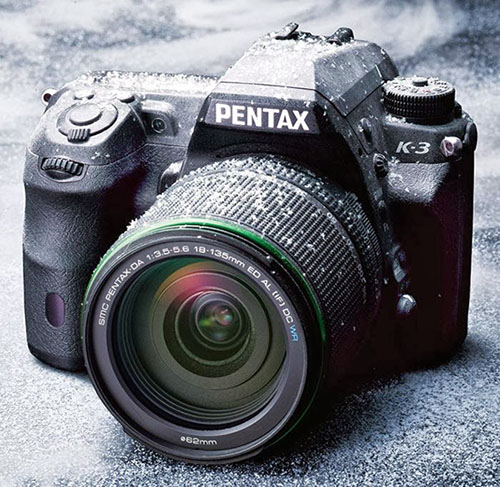
Pentax K3 Camera

From the contender of the two trademark companies that design the market leading cameras comes a new and improved DSLR – the Pentax K3. This one has gone a long way to improving over its predecessor and goes as far as deserving Ricoh’s flagship title. Its series of great features and exquisite design come in cheaper than in many other cameras of the same caliber; and while it does showcase several unique aspects that you might not find in other cameras, it’s strongly up to debate whether the Pentax K3 comes in first, before its Nikon and Canon counterparts.

Ricoh advertises their new Pentax K3 as being “the most advanced enthusiast DSLR available”; it falls into the semi-professional category and thanks to the weather resistant lens, dustproof and cold-resistant construction, this is the kind of camera that will follow you to whatever end and guarantees a long lifespan through build alone. Its shutter was designed for 200,000 releases, which is a pretty astounding number by itself when it comes to semi-professional equipment in its price range.

Pentax K3 Weatherproof Camera

The Pentax digital camera is a DSLR aimed at more experienced users – it is not particularly gentle on amateur users and can turn out to be particularly confusing given its over 30 multiple function external controls. If anything, it could very well be considered a gateway DSLR between entry-level and professional standards.

Following the success of the K-5 II in its own right, Ricoh returns with more proof of how much the series has improved and opens new roads towards exceptional imaging performance.

Pentax K3 Design

Pentax K3 Size, Weight & Materials

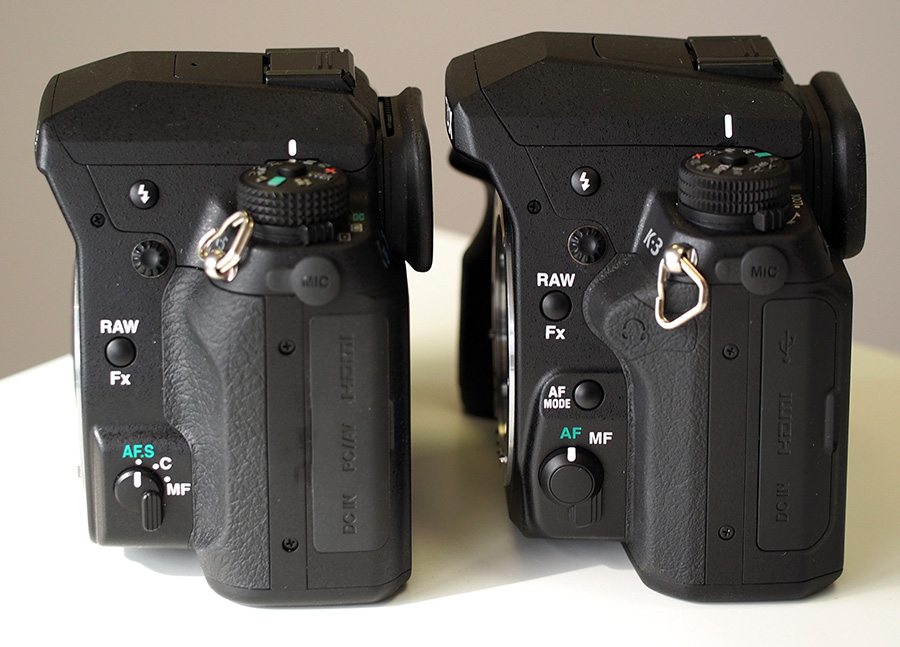
Visually, the K3 camera is very similar to the K-5 II model. The external design is about the same but spells professionalism and a straight down to business camera. The DSLR is bigger than what we’ve become accustomed to in Ricoh’s other models – with an overall size of 100 x 132 x 74 mm, it’s marginally larger than the K-5 II but smaller than the Nikon D7100.

Pentax K3 and K5 comparison

The weather-sealed magnesium alloy body of the K3 makes up for a rather heavy camera – it weighs 715 grams without loading the battery and memory card in it, and over 800 grams in full-functioning mode. Given the extra weight, the K3 has been provided with a new, slightly deeper grip coated in a rubber-base material to assure stability. It’s not the easiest task holding the camera up with one hand but the right side features a large thumb-rest allowing you to stay clear of any controls and accidentally alter the intended settings.

Following in K-5 II’s steps, the Pentax K3 is fully protected by the outer body construction: the 92 seals protect the inside from water and dust and the developers guarantee the camera’s functionality at temperatures as low as -10 degrees Celsius.

Pentax K3 Button & Control Placement

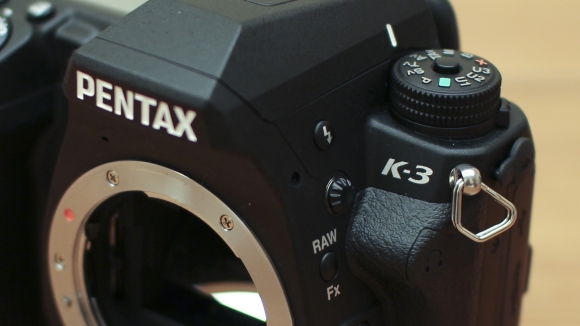
Pentax K3 close-up

When you take your first glance at the Pentax K3, there is certainly a lot to take in. There are buttons and various controls over most sides of its body and for a less experienced individual that will might turn out to be overwhelming and confusing.

The front of the Pentax K3 showcases a RAW / FX button that allows you to set the image to the RAW format that is selected in the menu system in a mere second; you can customize the functionality of this button as well, giving it access to control things like digital preview, composition adjustment and much more.

Pentax K3 Controls

The autofocus button can be located a little lower on the front of the camera and it supports 3 modes – AF-S, AF-A and AF-C – and it’s accompanied by a manual/automatic focusing switch. You can also locate the pop-up flash controller here.

The left side features I/O ports – the microphone, USB, HDMI, DC-in and a headphone socket that is meant to help monitor the audio during movie recording are all placed here. The right side is where you will find not one, but two SD / SDHC / SDXC card slots – a new addition that will certainly turn out to suffice all of your storage needs. There is also another slot on this side but it’s only for an optional wired remote control.

The bottom of the Pentax K3 hosts the battery compartment – which is lockable and keep the D-LI90 battery protected, as well as the tripod mount and contacts for the optional battery grip.

The top of the DSLR displays something that has changed since the Pentax’ previous iteration: the mode dial is slightly different than the K-5 II’s in the sense that the previous method of locking it (holding down the central button of the dial to be able to rotate it) has been replaced by a new lock switch that can be unlocked, allowing you to then freely spin the dial. It’s a lot more comfortable to use and doesn’t strain the position of your hand as much as the previous model did.

Pentax K3 Viewfinder & LCD Screen

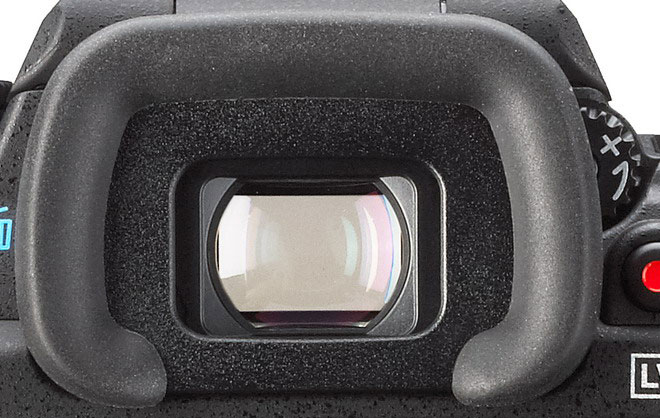
Another major improvement of the K3 model is the pentaprism optical viewfinder that aims for no less than 100% scene coverage and 0.95x magnification. This is a step up from the K-5 II which only showcased a 0.92x magnification viewfinder and allows this model to be on par with the Nikon D7100 in this respect. Only EVF and Olympus E-M1 manage to raise the bar even further.

Regardless, the viewfinder is exceptionally bright and shows you precisely what you’d be capturing. With no distortions to speak of, it has suffered a few small changes itself since the previous model – in the sense that the optics and internal coatings have been reworked and that it has received a new diopter adjustment dial.

Pentax K3 Viewfinder close-up

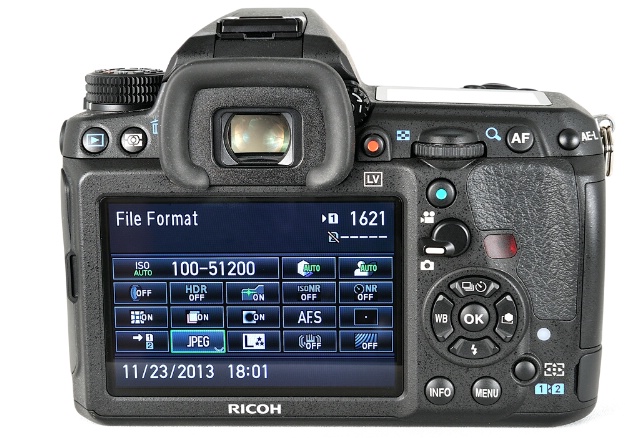
The camera rear is home for the 3.2 inch LCD panel – which now has a high resolution of 1,037K dots, a great viewing angle and has switched to a 3:2 aspect ratio, wildly different than the 4:3 present on the previous K-5 and K-5 II of the Pentax series. It appeared to fare extremely well in any type of environment, whether we’re talking about outdoors with high levels of brightness or indoors, in artificial lighting. In comparison to other top DSLR models, this is probably one – if not the best LCD panel you will find attached to a camera.

There’s a lot you can change about the way images are displayed on the LCD – starting with brightness, saturation and color. Those can be calibrated to match the settings of the receiving medium that your photos and videos will be ending up on.

You can also find a great deal of information displayed on the LCD albeit most of it will revolve around basic shooting settings. By using the navigation pad and rear e-dial, the Pentax K3 allows you to change a large number of settings directly on the screen without having to enter the menu. This may not sound like much – and a little complicated if anything, but once you get accustomed to the way it works, it will probably save you time and make settings navigation a lot easier.

Pentax K3 Top View

The Pentax lenses incorporated in the K3 camera are a DA 18-135mm F3.5-5.6 ED AL (IF) DC WR kit.

Pentax K3 Features

Sensor – The Pentax K3 features a 23.35MP APS-C CMOS sensor manufactured by Sony, a certain hop up a few steps from the 16.2 MP sensor featured in the previous K-5 II. Although this chip accounts for slightly lower resolution that we have noticed in the predecessor, it brings with it a number of great features that make the Pentax K3 worthwhile and a great candidate for your next DSLR. The sensor’s maximum resolution is 6016 x 4000, but other viable resolutions include 4608 x 3072, 3072 x 2048 and 1920 x 1080.

Pentax K3 Camera Sample

Pentax K3 Sample Photo

Image stabilization is implemented for most Pentax K mount lenses, whether newer or older, manual focus ones; compatible lenses are Pentax K-, KA-, KAF-, KAF3-, 645-and 67-system lenses when accompanied by an adapter and other screw-mounted lenses. Image stabilization – also known as a Shake Reduction system – is a feature that helps reduce and even nullify the slight blurring of images that may occur in photos taken at slow shutter speeds. You can turn on this feature in the menu to compensate for any occurring camera shaking – you are notified if the image is shaky by a blur icon in the viewfinder that will appear regardless – even when the image stabilization mode is off.

One of the catchiest features of the Pentax K3 is probably the anti-aliasing simulator. Something that you may not find in every one of your day-to-day cameras, in the lack of an actual optical anti-aliasing low-pass filter the camera uses the image stabilization sensor-shift system to simulate the filter instead. Pentax explained that the way this works is that the anti-aliasing simulator works by applying “microscopic vibrations to the image sensor unit at the sub-pixel level during exposure” – thus creating an amount of blur equal to the one you would get if you would use an optical anti-aliasing filter. To top it off, the AA simulator also has two modes for shooting with it – Mode 1 or Mode 2 – that allow you to adjust the level of the effect.
Pentax K3 Sample Photo

The lack of an anti-aliasing filter is an improvement in resolution, but comes with one downside: an increased risk of moiré patterning. However, the discreet blur created by AA simulator also functions in that direction – and combats moiré. Pentax claims that this feature is best used with shutter speeds under 1/1000 seconds.

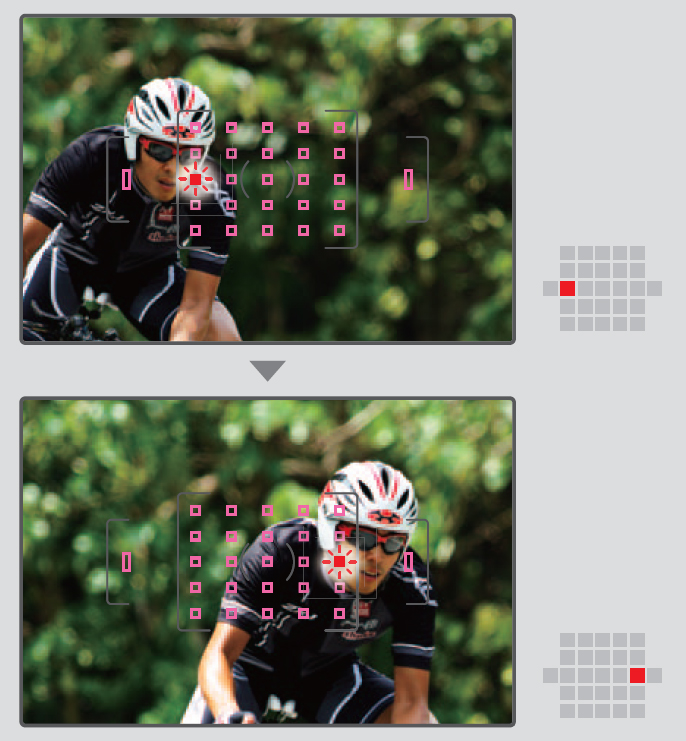
Autofocus is yet another key point of the Pentax K-3 DSLR. The camera presents a SAFOX 11 TTL 27-point autofocus system. If that is not impressive by itself, then know that no less than 25 out of 27 are cross-type sensors. Cross-type sensors feature two-dimensional contrast detection, providing higher accuracy when shooting. The other two, vertical-line sensors are positioned above and below the rest in order to detect the light flux. The AF mode button allows you to switch between manual and autofocus, while the one right below it will allow you to change between single and continuous autofocus or switch between focus modes – auto, selectable point, spot, etc. The Pentax K3 seems to be faring well to static imagery when set in continuous AF mode, but seemed to be struggling partially to subjects in motion – more specifically, subjects moving towards the camera itself – falling into the trap of taking a long time to refocus, even if the K3 detects the subject correctly.
Pentax K3 Autofocus Sample

The Pentax K3’s processing engine makes up for a continuous shooting speed of up to 8.3 frames per second: 3.0 for low, 4.5 for medium and 8.3 for high to be precise. In various testing scenarios, the K3 DSLR happened to even exceed the advertised speed, even when a RAW format was used. At high speed mode however, the camera seemed to be a little slow when it came to re-entering playback mode and restarting a new session of full-speed burst shooting. In addition, an important aspect of the Live View of the K3 when shooting at high-speed is that the LCD only displays the most recently shot photo, instead of the real-time image that is being photographed.

The image quality of the Pentax K-3 is pretty much astounding, given its self-chosen enthusiast DSLR title. Shooting in RAW naturally will earn the best results, with a shockingly great quality especially at low ISO, while shooting in JPEG doesn’t fall behind too much. Noise reduction is something that will handle itself extremely well until ISO settings of around 1600 but then becomes more than more visible, especially when the images are magnified at 100%. Shooting at night is eased by the minimum shutter speed of 30 seconds, along with the Bulb mode.

Pentax K3 Screen and controls

The D-Range featured on the Pentax K3 allows you to correct the highlights and shadows before shooting an image. It’s not necessarily something that you’ll be using all the time, given that it’s mostly meant for strongly contrasting lighting in images taken at low ISO settings, but it’s placed at your disposal as another way of improving the quality of your images. On the same note, high dynamic range capture is an option as well. This allows you to take photos with three different exposures and then combine the best exposed part of each into the final result. This, however, is a relatively tricky thing to do as photos taken in HDR mode only earn you great results when making use of a tripod or stable surface when shooting – otherwise the photo may contain blur due to movement. Similarly, HRD is not a wise choice when it comes to subjects in motion.

The dust removal mechanism incorporated in the Pentax K3 basically moves the low-pass filter that is in front of the CMOS sensor at a very high speed, removing the particles. If the cleaning is not 100% efficient, you can make use of the in-built feature called “Dust Alert” that will display your sensor on the screen, along with where the dust is located exactly. If the dust removal mechanism is not capable or removing all the dust particles, you can use the built-in sensor cleaning feature to lift the mirror and clean it manually with the use of blower brushes.

Start-up time for the Pentax K3 has also improved: the process that starts with turning the camera on and until the camera is ready to take a photo will only take roughly a second. If there’s any area where this DSLR will elicit some concerns out of you is the Wi-Fi capability. Depending on whether storage or having to immediately upload your photos is a definite must or certain not for you, this may prove to be a bit of an issue. However, the developers have designed an optional wireless SD card named FluCard that provides remote control of the camera through the use of smartphones or tablets – something that you will very rarely find as an integrated feature on most systems.

Pentax K3 ISO Button

The Pentax K3 is ultimately powered by a 1860 mAh Lithium-Ion D-LI90 rechargeable battery, the same power pack that we have seen in previous models such as the K-5s and K-7. At this power you can get as many as 720 shots with one charge, according with CIPA standards. Alternatively, there is an optional D-BG5 battery grip that you can purchase, which will allow you to either hold an additional D-LI90 or 6 AA batteries. Charging the Pentax K3 to full will take somewhere around 6 hours – making the battery a tad slow when it comes to recharging.

Lastly, the K3 also allows video shooting in 1080p which has been upgraded to the H.264 format. Audio monitoring is done through the headphone socket featured on the camera by using external microphones. There is one option that allows you to shoot frames of up to 4k resolution, namely the “Interval Movie Record”, but what it does is simply take photos at regular intervals and then combine them into a movie. With a shortest interval duration of 2 seconds, that’s a very occasional feature you’ll be using. However, the K3 will not allow you to shoot for longer than 25 minutes considering that the camera automatically turns off to avoid overheating. On the upside, the camera offers manual exposure during video capture and a partial use of the autofocus modes – you can set it up before you start shooting and it will automatically turn off once you hit the record button.

Pentax K3 Price & Verdict

The Pentax K3 is currently sold in three kits: the kit that includes the DA 18-55mm WR Lens you will find for $899 and the DA 18-133mm WR Lens version goes for a little over $1k ($1039 to be exact). There is a third variant that was built but only 2000 units of this model were released. The latter is the premium silver edition that includes a special battery grip and strap and was initially sold for $1599.

Pentax K3 AF Menu

All in all, the Pentax K3 is a great camera that heavily weighs more pros than it does cons. While the Wi-Fi issue and the fairly limited video capture capability may hinder you if that is one area where you focus your attention to, the K3 does amazingly well in every other respect. You get great, high image quality, great ergonomics, an impressive set of features and shooting optimization and an astonishing autofocus system.

The series is undoubtedly moving in the right direction with the addition of the K3, managing to create a semi-professional but modestly self-proclaimed enthusiast DSLR that give its Canon and Nikon counterparts a run for their money. In the DSLR sector, the Pentax K3 is surely a flagship that is definitely worth upgrading to and far more than just a gateway camera. However, if by purchasing it you would change systems, it’s recommended to you take all of its features in consideration before making a move.

Image source: 1, 2, 3, 4, 5, 6, 7, 8, 9, 10, 11, 12, 13, 14

Filed Under: Headlines Tagged With: enthusiast dslr, k3 dslr, pentax k-3, pentax k3, pentax k3 review

Waze App Interface Makeover

October 20, 2015 By Cristopher Hall Leave a Comment

The Waze app interface makeover many wanted just took place.

The long-awaited necessity of an interface redesign for the popular Google-owned navigation app “Waze” has finally been met. The 4.0 version of the app brings a considerable overhaul to the way its more than 50 million users will interact with their in-traffic life-saver (though still sticking to the cartoonish look), because the congested, several popping menus approach of previous versions has been replaced with a one-touch (or as few touches as possible) philosophy in tune with the current design trends of minimalism, cleanliness and efficiency.

The changes that came with the new Waze app interface makeover are as follows.

The button for signalling events in traffic is now orange which makes it stand out more. The traffic alerts that appear at the top of the screen are also orange, for the same reason. And when pressing the orange button to create a traffic alert, it now opens into a full-screen of round easy to manipulate button for each type of alert.

The main menu button is now smaller, white and to the bottom left of the screen, in a different line than the bigger orange alert button, which brings the focus of the user’s view to the map and alert button and pop-down alerts, which are the most important in traffic. The map itself is also less cluttered.

There’s a new contacts tab which allows sending directions to you your contacts or your ETA to some location. Awesome!

Many improvements are part of the new Waze app interface makeover.

You can tap a menu in the bottom to get access to other features like alternate routes or “add a stop”, as well as a shortcut to sending your ETA to a friend or family member.

With the 4.0 version, another great new feature is that you can sync your Calendar to the app, allowing you to be reminded, through alerts, of when you have to leave, based on traffic conditions! No more stress over unexpected heavy traffic (for a given hour) to mess up your time before you actually have to leave. Now you can focus on doing other things with that time, certain that Waze will both alert you that you have an appointment (in case you forgot) and also that if you leave at the indicated hour, you’ll make it on time, despite changes in traffic.

Apart from these, there is also a claimed improvement in battery life, which can only please users, as Waze does tend to chug a fair amount of battery.

Unfortunately, the new version is only available for iOS for now. But the company claims that this discrepancy will be very short, as an Android version is already underway.

Image source: 1, 2.


Filed Under: Headlines Tagged With: redesign, Waze, Waze changes, Waze interface, Waze overhaul, Waze redesign

Yahoo New Email App Lets You Skip Passwords

October 15, 2015 By Cristopher Hall Leave a Comment

Yahoo new email app has begun to roll out for US-based users

Yahoo new email app lets you skip passwords and heralds a new era for the forgotten yodel company.

On the 15th of October 2015, the company has unveiled a rebranded email app. Along with it, Yahoo introduces the Account Key feature. This lets their users log into the email app without entering passwords.

The new update brings with it support for more breeds of email accounts – this includes Hotmail and Outlook.

If you enable the Account Key feature, not only will you able to log into email accounts by circumventing the input-password process, but it will also send a push notification for users to accept. This replaces the use of a password. The motive behind this somewhat crazy new idea is that users will immediately be able to refuse access to unwarranted attempts.

Yahoo claims that this is more secure than the conventional password because once activated, as in the Account Key feature, even if a crooked hacker gets hold of your credentials, he still can’t sign in because you don’t allow him to.

Dylan Casey, the company’s Vice President of product management says in a statement that this will indeed prove to be the ultimate security feature.

Yahoo new email app is cleaner and easier to use

While this isn’t the first time that the Yodel introduces something to decrease the dependency of passwords, it clearly is the first time it offers such a, one might say, controversial feature. The new Account Key will also succeed the on-demand email password item that was announced at the dawn of 2015 – we know realise that it was an entry level Account Key that was aimed to test the waters.

Yahoo has stated that their new feature will be available for the company’s entirety of apps in the near future – earlier for some.

The Yahoo new email app looks the part – with a more fresh and simple approach to design. It’s cleaner and easier to use than its previous older brothers and sisters. The search-engine-extinct has even simplified it by adding gestures so the user can swipe to mark a message as read, delete it and even select multiple emails at once if you press long enough on a message.

Yahoo new email app will roll out for more countries in the near future

The app’s in-house search function seems to have been vastly improved and users can filter search results by attachments and pictures.

One of the most sought-after features that Yahoo Mail users were hoping to get has finally arrived. The Yahoo new email app now supports non-Yahoo mail accounts. This includes Outlook, AOL and Hotmail – it will works while using the app and also on Yahoo’s website itself.

It’s currently available only for US-based users, but the company notes that it will begin to roll out to more countries pretty soon.

You can download the yahoo new email app for iOS and Android.

Image Source: 1, 2, 3

Filed Under: Headlines Tagged With: Key Account, Yahoo, Yahoo Email App

  • « Previous Page
  • 1
  • …
  • 15
  • 16
  • 17
  • 18
  • 19
  • …
  • 38
  • Next Page »

Subscribe to Blog via Email

Enter your email address to subscribe to this blog and receive notifications of new posts by email.

Join 11 other subscribers

Recent Articles

police handcuffs man

German Man Probed In Poisoning That Killed 21 Employees Since 2000

June 29, 2018 By Kenneth Scott Leave a Comment

Chicken wings bar

Intoxicated South Carolina Man Punches Waitress Who Refused to Serve Him Alcohol

June 29, 2018 By Karen Jackson Leave a Comment

gaming

New Zealand gamer Who Flew Halfway Across The World for Virginia Teen Gets Shots By Her Mother

June 28, 2018 By Cristopher Hall Leave a Comment

party

Former Virginia Tech Freshman Sentenced to 50 Years in Prison for Stabbing a Girl to Death

June 28, 2018 By Roxanne Briean Leave a Comment

bonfire

British Couple Sentenced to Life in Prison for Torturing and Murdering French Nanny

June 27, 2018 By Deborah Campbell Leave a Comment

pay phone

Texas Father of Girl Disappeared in the 80s Ignored by Authorities

June 26, 2018 By Cristopher Hall Leave a Comment

bottled water

San Francisco Woman Threatened to Call Police on Girl Who Sold Ice Water for Disneyland Trip

June 25, 2018 By Roxanne Briean Leave a Comment

Maplewood Park

Missouri Man Robbed by Date and Accomplice in Park

June 22, 2018 By Nancy Young Leave a Comment

coding

New York Man Sentenced in Cyberstalking Former Girlfriend, Mailing Drugs to Her Dorm

June 22, 2018 By Deborah Campbell Leave a Comment

headphones

Bose Poised to Launch Sleepbuds, In-Ear Headphones That Help You Sleep

June 21, 2018 By Nancy Young Leave a Comment

Police light

Intoxicated Female Driver in Custody for Pulling Arresting Officer by the Hair

June 21, 2018 By Kenneth Scott Leave a Comment

kitchen

Restaurant Manager Arrested and Charged in Shooting Death of Co-Worker over Negative Yelp Reviews

June 20, 2018 By Karen Jackson Leave a Comment

plastic container

Pennsylvania Couple Charged in Violent Death of Infant Discovered Buried in Cat Litter

June 19, 2018 By Cristopher Hall Leave a Comment

tailpipe

Minnesota Teen Gets Head Stuck In Oversized Tailpipe Winstock Music Festival

June 18, 2018 By Karen Jackson Leave a Comment

Pages

  • About Us
  • Contact us
  • Privacy Policy
  • Privacy Policy GDPR
  • Staff
  • Terms and Conditions

Recent Posts

  • German Man Probed In Poisoning That Killed 21 Employees Since 2000 June 29, 2018
  • Intoxicated South Carolina Man Punches Waitress Who Refused to Serve Him Alcohol June 29, 2018
  • New Zealand gamer Who Flew Halfway Across The World for Virginia Teen Gets Shots By Her Mother June 28, 2018
  • Former Virginia Tech Freshman Sentenced to 50 Years in Prison for Stabbing a Girl to Death June 28, 2018
  • British Couple Sentenced to Life in Prison for Torturing and Murdering French Nanny June 27, 2018
  • Texas Father of Girl Disappeared in the 80s Ignored by Authorities June 26, 2018
  • San Francisco Woman Threatened to Call Police on Girl Who Sold Ice Water for Disneyland Trip June 25, 2018

Categories

  • Business
  • Entertainment
  • Finance
  • Headlines
  • Health
  • Life
  • Nature
  • Science
  • Sports
  • Tech & Science
  • Travel
  • Uncategorized
  • United States
  • World

Copyright © 2026 ArgyllFreePress.com
About · Privacy Policy · Terms of Use · Contact