Argyll Free Press

Growing News Network

Thursday, April 23, 2026
Log in
  • Business
  • Finance
  • Sports
  • Tech & Science
    • HP Envy 4500 Review
    • LG Optimus 170 Review
    • iPod Touch 6th Generation Review
    • HTC One M8 Accessories Set-up
    • Surrealist Games You Must Play
    • Hisense Sero 8 Review
    • Dell Latitude e7440 Review
    • HP Laserjet 1536dnf mfp Review
    • Garmin Fenix 2 Review
    • Skype Vs Viber
    • Best Video Conferencing Software
    • Sony mdr 1r Headphones Review
    • Canon Rebel t3i Review
    • Sennheiser Momentum 2-0 Review
  • Travel
  • Headlines
  • Health
  • United States

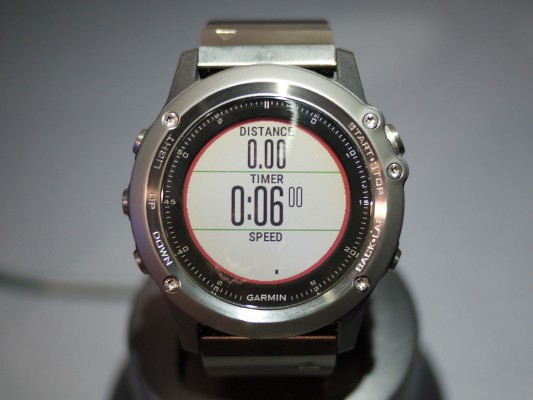
The Garmin Fenix 3 Review – A Serious Runner’s Watch

November 3, 2015 By Cristopher Hall 2 Comments

Garmin Fenix 3

The Garmin Fenix 3 is a fantastic watch aimed at runners – amateurs and professionals alike. It’s really big when compared to any other runner’s watch on the market. It’s super expensive as well.

Its hefty price tag is there for a reason – quality.

The Garmin Fenix 3 offers prime GPS tracking for cyclists and runners, along with particular system-modes for other athletics – like skiing for example. It has its own notification system and its very own app store.

This means that you don’t need to buy a fitness tracker and a smartwatch – the Garmin Fenix 3 is both at the same time. Sure, it’s not an Apple Watch or an Android Wear replacement, but it tries its darnedest to be one.

Speaking of enthusiastic exercise fitness tracker, the Fenix 3 completely obliterates its competition.

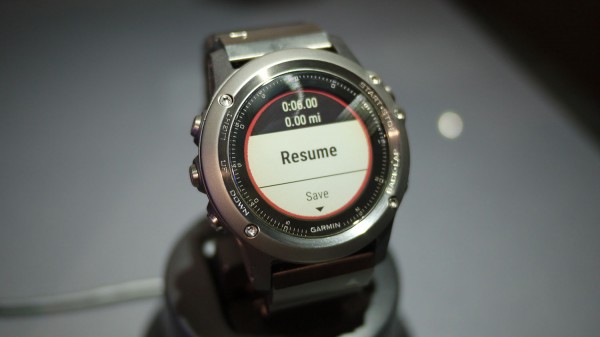
Garmin Fenix 3 Review
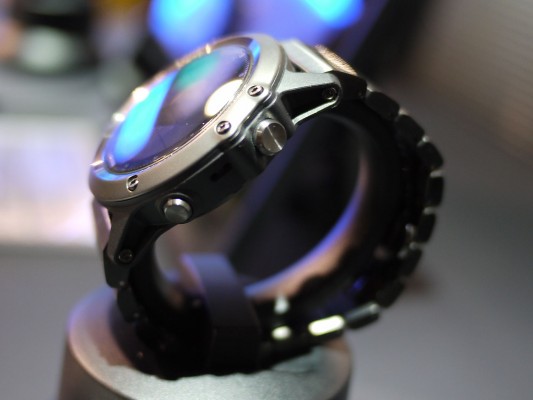
Garmin Fenix 3 Review

It has an excellent battery life with a hard-wearing frame. The watch’s GPS tracking system is versatile and reliable. UI is perfectly designed – easy to use and quick, with no lag present.

Yet, it’s really expensive. The Garmin is a big and bulky serious runner’s watch, which might be a deal breaker to some athletes.

Read below if the Garmin Fenix 3 is comfortable to wear and if it’s worth buying.

Garmin Fenix 3 price – $499.

Garmin Fenix 3 specifications

  • 20 hour GPS stamina;
  • Stainless steel rim;
  • GPS with GLONASS.

Design and Screen

The Garmin Fenix 3 Fitness Tracker Review

The Garmin Fenix 3’s main competitor is the 920XT Forerunner, which is smaller and sports a square-faced design. Also, unlike the 920XT, which is dedicated for marathon runners, the Garmin is a more versatile watch.

Arguably, it’s one of the best outdoors watch on the market right now. It has special modes for skiing, cycling, swimming, running and hiking. Design-wise, it’s as bulky as an outdoor smartwatch can get – it can engulf the wrist of even the manliest lumberjack. It’s larger than the Fenix 2.

We at AFP are against calling gadgets specifically developed for males, or females, but the Garmin clearly is designed with the male congregation in mind. It has a face that bulges 16.7 millimeters from your wrist.

However, regardless of its intimidating size, the Fenix 3 is a comfortable wear. It’s not as lightweight and forgettable as the Vivoactive. It’s worth noting that going through the day with the watch strapped on your wrist won’t make your hand fall off.
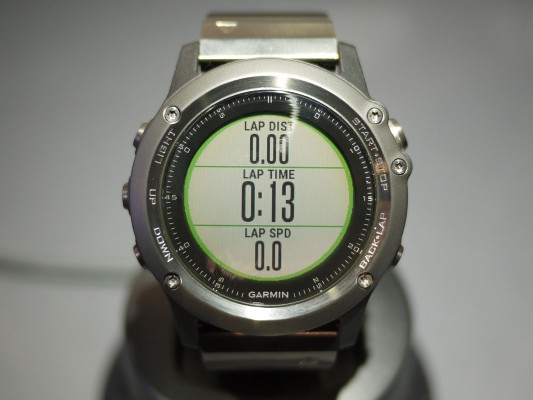
The Garmin Fenix 3 Fitness Tracker

Many users have reported that they completely forgot that they were wearing the Garmin Fenix 3 – some even went to sleep with it. Yet, I don’t recommend doing so. I don’t know what kind of man-bears have been wearing the Fenix 3, but you seriously can’t sleep with it.

Its face is bigger than your average watch and it will get in your way every single time – more so, if God blessed you with petite hands like mine.

It’s waterproof to up to 100 meters and it has a diver’s watch style. It appeals more to me rather than the traditional mini-computer look. Also, even though it seems like it’s build entirely out of metal, it isn’t. Only the buttons and the rim are of metal descent. The rest is made out of plastic.

But that plastic is incredibly tough and sturdy. It’s clearly a-grade material and the fibre-reinforced polymer makes it feel very fancy – just for the wearer though. Your friends won’t care what your watch is made out of, they’ll see its chunky size and they’ll think you robbed Iron Man of his arc reactor.
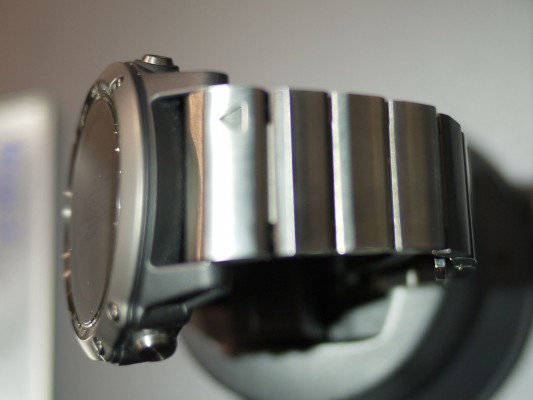
Garmin Fenix 3 Review

Unfortunately, you’ll be disappointed time and time again because the Garmin Fenix 3 is a scratch magnet. It looks bad-ass, but even the tinniest scratch seems to be absorbed by the watch’s face.

Other tech reviewers have reported this issue and a more horrid one as well. I’m not saying this is a wide spread problem, but it’s one that surfaced among reviewers. Some have been shipped watches that were already scratched – nobody knows if it’s a factory-known issue, or if the one’s in charge with delivery screwed something along the process.

Consumers haven’t reported anything like this.

The Garmin Fenix 3

It unlikely sports Corning G-Glass 4, because it scratches too easy. Yet, Garmin hasn’t really specified what kind of glass protection they built their watch with. When we find out, we’ll be sure to update this article accordingly.

However, Garmin makes a Sapphire Crystal Fenix 3, which is a hardened model. Basically, it has another layer of protection. But with that layer of protection comes great responsibility – and a bigger price tag too. The Sapphire Crystal Fenix 3 costs $599.99. It also comes packed with a metal link strap in case the default one breaks, or you lose it on your morning run.

I recommend you stay with the rubber one because the metal link strap adds more weight to the watch. If you thought that it was hefty before, wait until you try the metal galore model. The normal strap doesn’t have a clap. It’s the standard that works perfectly. It has holes across the whole band that serve ventilation purposes.

Coming back to the watch’s face, the screen resembles the one found on the Vivoactive Garmin. It’s an LCD panel that doesn’t consume that much power and it outputs some pretty great colors.

Fitness Tracker Garmin Fenix 3 Review

But it doesn’t have that rich color palette as the Apple Watch, nor the one you might find in the LG Urbane. Indeed, you won’t find deep and full of life visuals, but it serves the watch more to be somewhat dark and gritty. Especially when viewing graphs and the likes.

The screen is not flashy in any way and the E Ink screen of a Kindle comes to mind when using the Fenix 3. This means that it consumes little power and it can stay on twenty four seven. The big downside is, however, that you can’t recognize anything on the watch’s screen without some sort of ambient light present.
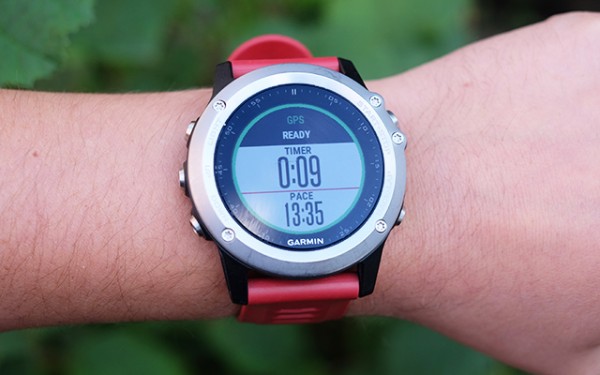
Garmin Fenix 3 Fitness Tracker Watch

A watch light comes built in and you can turn it on by pressing its specific button on the side. But even with the light on, contrast is disappointing and it lacks clarity. In some scenarios, like low indoor lighting you’ll force yourself to understand what you’re seeing on the screen.

Regardless, it’s a pretty great watch screen that functions all the time and it doesn’t kill the battery in one day.

Battery Life
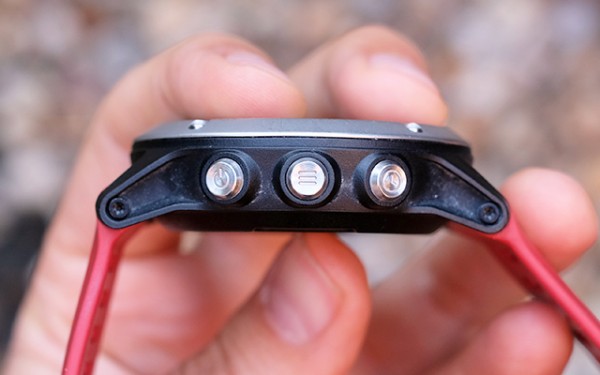
The Garmin Fenix 3 has a fantastic battery life.

The watch’s battery is hands down exquisite. Reports have shown that after a week of using it for the usual fitness tracking, notifications and, basically, to tell time, the Fenix was left with 60% juice.

We concur – after a week of using the Garmin Fenix watch, its battery life displayed exactly 60%.

These are great results considering that your average fitness tracker doesn’t last more than a week – and frankly, nor does a smartwatch for that matter.

According to the company that made it, the watch can last up to twenty hours with GPS tracking on, and about fifty hours of hiking tracking. If you use it just as an old watch, then it’ll last five weeks on a single charge.

Interface
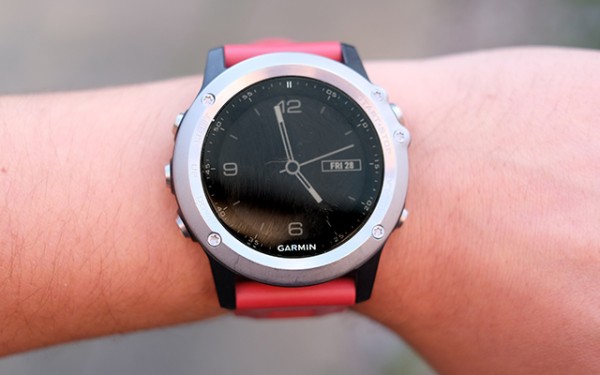
Garmin Fenix 3 screen!

You won’t find a touchscreen embedded on the Fenix’s face, nor does it feature gestures a la Apple Watch. It’s designed to feel exactly like your average watch. You can access its interface by pressing a button.

Remember that old button-operated navigation that meant that you have to push up or down buttons to get to a particular menu? Yup, that’s what you’ll use to navigate the Fenix 3.

I really love this old-school system. Why? Well because it’s so well constructed. When you push a button you are met with a crunchy and clickety-click-click feel/sound.

On the front of the watch face, on its right side, you have the start button. Press it so the activities menu opens up. Below you’ll find the installed by default apps and activities. When you install a new app or activity, this is where you’ll find it.

  • Find Phone – this means that the paired phone will ring;
  • Triathlon;
  • HR Chart;
  • Pool Swim;
  • Open-Water Swim;
  • Bike;
  • Indoor Bike;
  • Run;
  • Indoor Run;
  • Hike;
  • Trail Run;
  • Climb;
  • Cross-Country Ski;
  • Ski or Snowboard;

After you’ve decided what you want to do for the evening, pick an activity and press the start button again. This will signal the Fenix 3 and it will begin tracking. The company has put some safety measures in place so you don’t accidentally turn it off mid-exercise and lose all your precious data. You need to long-pres the up button if you want to see more options.

It’s a basic interface, but it fits this type of device.

You look for and install apps using the Connect IQ store. This is Garmin’s proprietary app store that can be found within Garmin Connect – which is mainly used to review your exercise routines and other data.
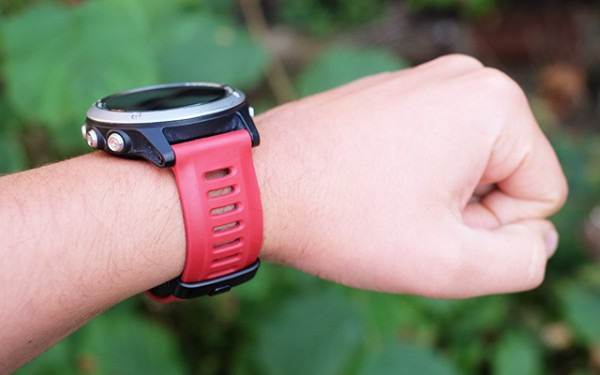
Garmin Fenix 3 Rubber Band

From Garmin’s store you can download distinct watch faces. Some of these even come with brand new apps and games. Though, gaming on the Garmin Fenix 3 isn’t really that recommended – it’s boring, to say the least.

Unfortunately, a feature present within the last gen Fenix is missing. Users don’t have the ability to watch a map of their exact location directly from the watch. Why would Garmin remove such a fantastic feature? It’s because the company launched the Garmin Epix.

The Garmin Epix is more expensive than the Fenix 3, but just slightly, and it comes with a built-in 8 gig storage so users can download maps.

The Epix isn’t worth considering. It doesn’t have Wi-Fi, and users have reported that it’s super-buggy. More so, I don’t recommend it because Garmin just wants to milk the cow on this.

Performance and Tracking
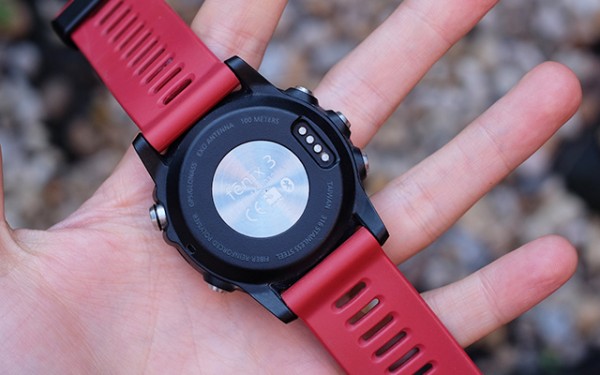
Garmin Fenix 3

The Fenix 3 is GPS capable and thanks to a variety of sensors, it can precisely keep track of your exercise. Packed deep within the watch you’ll find the much needed Wi-Fi and Bluetooth features. The accelerometer, the altimeter and barometer are tucked nicely inside the Fenix as well.

Also helping the standard GPS, is GLONASS. It stands for Global Navigation Satellite System, a Russian made GPS. GLONASS is built inside the Fenix 3 so it offers more precise, accurate data.

All of the Fenix’s sensors help the watch track marathons and long-lasting cycle sessions without needing the help of smartphone.
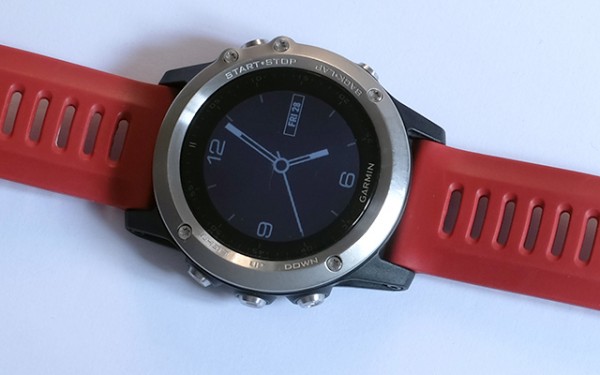
Garmin Fenix 3 Review - A Serious Runner's Tracker

But, if you really want to get the most bang out of your buck, you need to buy some accessories. Think of acquiring an HR sensor – mainly because the watch doesn’t come with one.

The Garmin functions perfectly with non-Garmin accessories. The Fenix is ANT+ standard compatible. This means that the majority of accessories will work.

Smartwatch Features
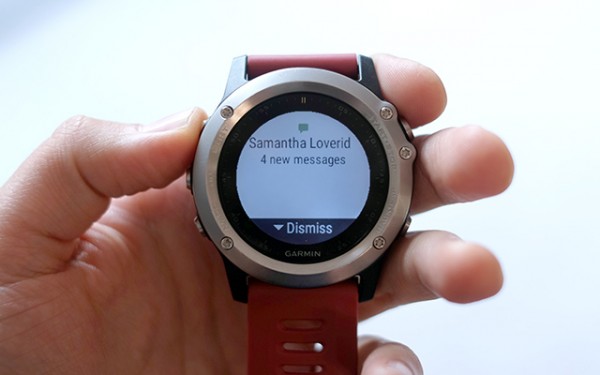
The Garmin Fenix 3 Smartwatch

The Garmin Fenix 3 is a serious fitness tracker, but it doesn’t compete with the likes of Apple Watch, Pebble Time or any other Android Wear watch. It just doesn’t have great smartwatch capabilities.

And that’s not a bad thing.

You see, the Fenix 3 can tap into your iOS or Android smartphone’s notification stream and it let’s you read messages and emails. However, I’ve experienced some pairing issues. No lag whatsoever, but problems with disconnects. This means that notifications just stop coming to your watch.
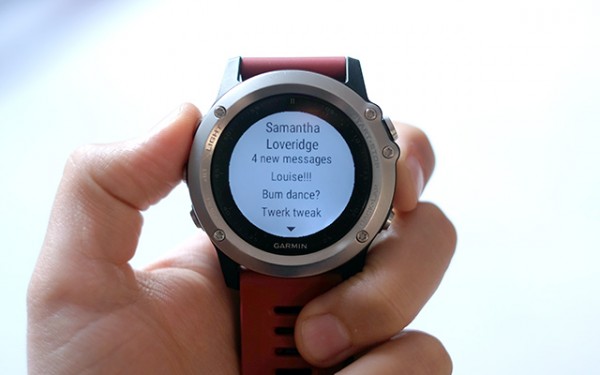
Garmin Fenix 3 Watch Review

It depends on what smartphone you are using, to be honest. Paired with the the Motorola Moto X Play, the Garmin didn’t disconnected once. Yet, when used with Samsung’s flagship smartphone, the Galaxy S6 Edge+, the watch disconnected more often than not.

There are a ton of apps to download such as weather reports, a few games here and there and multi-time zone watch faces. At the current moment, there are about 50 or so apps that you can download for the Fenix 3.

Verdict
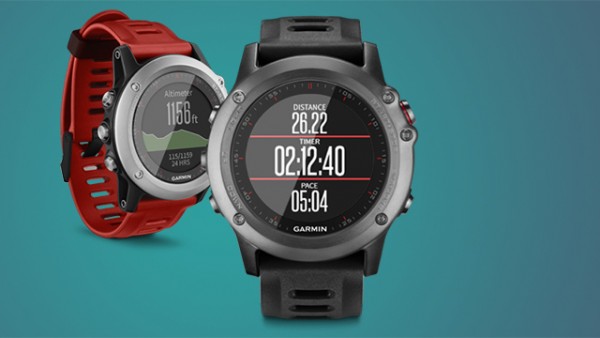
Garmin Fenix 3 Fitness Watch Review

It’s a superb watch for the exercise addict. It has an excellent battery life and a ton of features and capabilities. Yet, it’s expensive. But when you compare it with Apple’s smartwatch, it suddenly gains a lot more authority in the matter.

It has its very own app store with a strong ecosystem and there’s arguably no other fitness tracker on the market that can beat the Fenix’s functionality.

But, what about its competitors? The Forerunner 920XT has fewer features, but it’s way more cheaper. The Garmin Epix just doesn’t make the cut because it doesn’t have Wi-Fi and users have reported a lot of bugs.

Why can’t Garmin just blend everything into one little fitness tracker and get this over with?

Anyway, the Garmin Fenix 3 is a fantastic fitness tracker that costs $499.99. I wholeheartedly recommend it.

Image Source: 1, 2, 3, 4, 5, 6, 7, 8, 9, 10, 11, 12, 13, 14, 15, 16

Filed Under: Headlines Tagged With: Fenix, Fitness Tracker, Garmin, Garmin Fenix, Garmin Fenix 3, Tracker

NHTSA Automatic Emergency Breaking Recommendation

November 3, 2015 By Kenneth Scott Leave a Comment

The NHTSA's automatic emergency breaking recommendation will apply starting with 2018 built vehicles.

The technological advances in the automotive industry seem to come at a brisk pace, with Google, Nissan and others announcing that smart, self-driving cars will soon be a reality on the streets of the world somewhere before 2020.

If that happens, it is estimated that car accidents will decrease drastically to the point of being practically non-existent, all due to the (supposedly) infallible, fast-processing, not-distractable computer brains that such cars will have.

But there’s good news regarding car safety until that happens as well. Because technological advances in the automotive industry have not focused only on self-driving cars. Actually, there are some new technologies out there meant to aid human drivers too. And they are pretty awesome and effective.

Like the one that the National Highway Traffic Safety Administration in the USA wants to see implemented the most. And fast. Due to all of the increasing and increasingly distracted drivers on the road.

Starting with 2018 models, the NHTSA will include automatic emergency breaking (AEB) on the list of criteria for a five-star safety rating. More than that, this September, the NHTSA reached agreements with 10 car companies for them to include the AEB technology as a standard feature in their cars! Way to go NHTSA.

How the technology works is that using radar and camera sensors, the car itself keeps an eye out for possible collisions, in case the driver isn’t paying attention. If such a collision is detected, there are two subsystems that come into play, depending on the scenario.

If the driver is aware that a collision will happen and brakes sufficiently, the AEB technology is not activated. If he is aware, but brakes insufficiently, the first subsystem called the dynamic break support (DBS) does its part by dynamically adjusting the brake intensity, i.e. braking more, if necessary to avoid a collision.

If the driver is not aware and doesn’t break at all, the crash imminent braking (CIB) system comes online, applying the brakes without any input or command from the driver.

The NHTSA estimates that with this technology a standard on all cars, the 1,700 yearly deaths by rear-end collision could be reduced by up to 80%, which is a staggering figure in terms of the significant loss of life that could be avoided.

Which is also why apart from the automatic emergency breaking recommendation and agreements discussed above, the NHTSA has also taken to educating the public at large (and other car makers) about AEB by creating both a website and a video about this technology.

And that’s still not all. Because the NHTSA also has its eye on imposing other advanced safety ensuring technologies like: lane departure warnings and forward collision warnings and electronic stability control (ESC).

Image source: 1.

Filed Under: Headlines Tagged With: AEB, AEB recommendation, automatic emergency breaking, automatic emergency breaking recommendation, car safety, National Highway Traffic Safety Administration, NHTSA, safety, vehicle safety rating, vehicle safety recommendation

Chrome OS is Here to Stay, Says Google

November 3, 2015 By Nancy Young Leave a Comment

Chrome OS is here to stay, says Google

Google has announced that Chrome OS is here to stay, and that the company doesn’t have any plans to let the software get rusty. However, the big G has plans to mix and match Chrome OS with the beloved Android.

At the end of October, The Wall Street Journal has surfaced that the search engine giant’s line of Chromebooks would feature a fusion between its Android OS and Chrome OS.

Chromebooks are low-cost laptops animated by Chrome OS.

Google, which is now part of the Cali-based Alphabet, is backing Chrome OS and the company is throwing their full support. The software is unique in more than one way – it takes advantage of the cloud in order to run.

Don’t mistake Chrome OS with the Chrome browser – while they may seem to be exactly the same, these two pieces of software are fundamentally different.

Hiroshi Lockheimer, the head of Chrome OS and all of the company’s Android projects, has announced Monday that they have no plans to falter development. In his statement, he continues to add that Chrome OS is here to stay.

However, even if Chromebooks will be equipped with a ChromeOS/Android blend, how many users will notice the difference? Chromebooks are quite popular among students that look for budget laptops.

Google notes that Chrome OS is here to stay

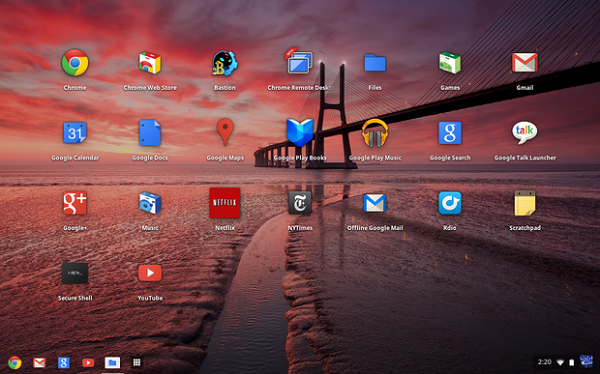
Chrome OS interface

These low-cost laptops have received good to great reviews in the past, but, unfortunately for Google, their product line ranked only for three percent of last year’s laptop shipments.

This is according to market research firm International Data Corporation, or IDC for short.

Chromebooks don’t usually make their way to homes or offices. Schools seem to favor their low retail price – $150; and students who need a lightweight laptop for projects, essays and casually browsing the interwebz.

Google notes that more than 30,000 new Chromebooks are brought to life in classrooms every day across the US. According to IDC, in the 2014 education market, Chromebooks comprised almost 30 percent of laptops.

Lockheimer has said that Chromebooks fans shouldn’t worry that their laptop will go obsolete. This mainly because Google is working to develop their software even further, attempting to bridge the gap between Chrome OS and Android.

Google is planning to release a brand new media player for Chrome, along with a visual rebranding in order to make it look more like the company’s other products.

After TWSJ has published their piece last week, Lockheimer has publicly come out to defend the company’s stance on Chrome OS. He even tweeted that Google is more than committed to their software.

The bottom line is that, Chrome OS is here to stay – one way or another.

Image Source: 1, 2

Filed Under: Headlines Tagged With: Alphate, Chrome OS, Chromebooks, Google, Hiroshi Lockheimer

The Extraordinary Haier Asia R2-D2 Fridge

November 2, 2015 By Karen Jackson Leave a Comment

The Haier Asia R2-D2 fridge can move, bleep, rotate his head and hold beverages.

If it looks like R2-D2, moves like R2-D2 and bleeps like R2-D2, it must be … a fridge? That’s right. Because some really cool nerds at Haier Asia (of Japan), who also happen to be engineers and inventors, have fulfilled one of each adult Star Wars fan’s fantasy, by creating this wonderful 2 in 1 product, which gives you the excuse to buy those extra (fancy) beers because “these are the only way to keep R2-D2 from being empty inside”. Who could possibly counter-argument THAT?

The Haier Asia R2-D2 fridge was created in collaboration with Disney in anticipation of the “Star Wars: The Force Awakens” movie that is set to launch in less then two months. This shows once again how cool Disney can be when they really commit to something, as they seem to be doing with this latest Star Wars installment.

The fridge itself is a faithful replica of the beloved life-saving, C3PO tempering robot character, complete with rotating head, blinking LEDs and even the trademark bleeps by which it communicated in the movie though, sadly, the real-life version does not have a mind-blowing artificial intelligence algorithm allowing him to have actual conversations with a human.

But, I’m sure you’ll agree, it compensates for this by having a feature that the original R2-D2 didn’t have: it’s belly is actually a fridge. So, if a curious fan would like to open his hatch to see the circuits inside or to perform maintenance, he/she would have the very pleasant surprise of finding some cold beverages waiting there instead.

And, if you use the remote control so thoughtfully conceived and provided, the Haier Asia R2-D2 fridge can even move towards your location, making those refreshments extremely at-hand. Just remember to charge it each night.

However, the Dark Side of The Force probably managed to get their insidious hands in the whole business, because the price is currently more than 8,200 $ (without shipping, taxes etc.), or 998,000 yen to be exact. A bit short of the costs of a Death-star, true, but quite a lot if you’re an impoverished rebel.

The release date for this R2-D2 fridge has been stated to be sometime in December or the beginning of 2016 at the latest by Aqua (a sub division of Haier Asia), but is yet to be firmly determined. There is a high probability that they will be pushing for December, though because the release of “Star Wars: the Force Awakens” also takes place in that month, so it would make sense as a marketing strategy.

And seeing that they made a great trailer for this much-beloved little robot, it looks like marketing and strategy are not unfamiliar concepts to them.

So, until your home is complete with a Haier Asia R2-D2 fridge, may The Force be with you!

Image source: 1.

Filed Under: Headlines Tagged With: Aqua, Haier Asia, Haier Asia R2-D2 fridge., R2-D2, R2-D2 fridge, R2-D2 robot

Google and ASUS Release A New OnHub Wireless Router

October 30, 2015 By Deborah Campbell Leave a Comment

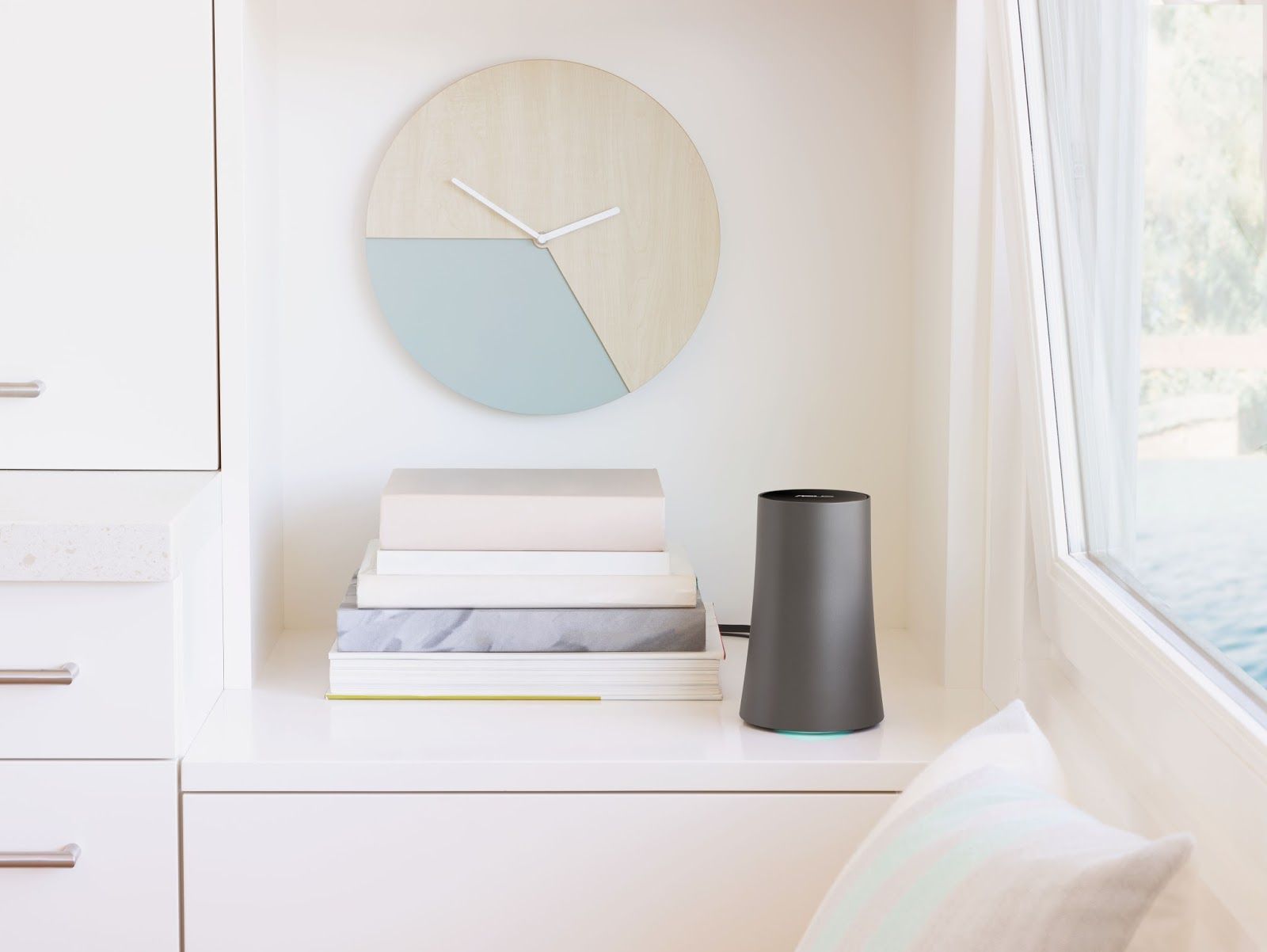
The New OnHub Wireless Router from Google in partnership with ASUS was released.

Google has just released a second OnHub wireless router in what is envisaged to be a “growing OnHub family”, as the company states on its website. This time, their partners were ASUS, while the first OnHub wireless router was created in partnership with TP-Link and released this past summer, in August.

That first one represented a bold step forward as regards design and functionality. Because due to its minimalist design and sleek vase-like appearance it means it does not have to be placed out-of-sight. Like regular routers tend to be, in an attempt to hide what many homeowners consider ugly antennae and messy cables sprouting from them like the tentacles of a small alien kill-bot.

From a functionality point of view, this first OnHub was created with the purpose of having an easy to setup, mobile app controlled router that can better manage the wi-fi signal distribution to all your devices in accordance with their actual needs, as opposed to traditional routers which use proximity to them as the criteria.

So, the first OnHub’s fixed that problem by allowing you to prioritize a single device, making sure it gets the fastest speed as well as sporting a front-facing antenna reflector that could boost signal range in that direction.

So if the first OnHub did that, why did Google and ASUS release a new OnHub wireless router so soon?

Because this new version, apart from having all the general characteristics of its predecessor, replaces its one direction boost approach to the signal distribution problem with an even better one. You can now boost wi-fi on any particular device with a wave of the hand over the top of the unit, giving you complete control which device you boost, not just in one direction, but wherever it is in the house at the time.

And even when not boosting a particular device, the new OnHub wireless router “will intelligently select the best combination of antennas to direct Wi-Fi to your devices, based on their location and orientation” using proximity sensors.

The unit comes with a power adapter and an Ethernet cable. Once powered and with the Ethernet cable connected to your Internet-giving source, all you have to do is install the Google On app and set up the router (easily done).

After that, the Google On app takes care of everything. It shows you your network’s status: if everything is working ok (and suggestions to help if not), how many devices are connected, how much wi-fi they each use. With one tap, it reveals your password and “lets you text or email it to friends”. And it automatically updates your router software “when your network is quiet so it won’t interrupt your connection”.

OnHub ASUS sells for 219.99 $ and can connect up to 128 devices at one time.

Image source: 1.

Filed Under: Headlines Tagged With: asus, Google, Google OnHub, Google OnHub ASUS, Google second OnHub, new Google OnHub ASUS

The New Altwork All Positions Adjustable Workstation

October 29, 2015 By Cristopher Hall Leave a Comment

The new Altwork all positions adjustable workstation is here.

In what seems to be the Holy Grail of work environment ergonomics, start-up company Altwork, based in California, is ready to deliver a new, possibly game-changing product to the market in the form of their all positions in one, adjustable workstation.

Yes, you’ve read that right. While the debate whether standing or sitting at your desk is better for your health still rages on, with various studies on either side clashing in their conclusions, Altwork have gone and bypassed the problem entirely.

Because the company was founded specifically with the goal of having a completely adjustable workstation that allows the user to take any option he wants, instead of being limited to a single one, as currently used desks impose (either sit or stand).

And with the new Altwork all positions adjustable workstation, they’ve done just that. This description is self-explanatory, really and not at all exaggerated. The user can choose to either sit, stand or lie in a reclined position, with the transition from one of these positions to the other being simple, fast and efficient because the workstation is so designed to permit the user to adjust it effortlessly.

All because, in Che Voigt’s words, co-founder and CEO: “We think being able to move, being able to easily change positions without even thinking about it, is the solution”. And that solution took 5 years of development!

How do you keep the different equipment safe and in the same place, with a moving desk that can be adjusted in 2-3 seconds with a simple button push and body movements adjustment, you ask? Magnets. Of the strong variety. They keep the laptop, keyboard, mouse and various other things you might be using firmly attached while the moving takes place.

And speaking about said movement, the workstation features a magnetized remote control too, that lets the user change the station’s position. Neat, huh?

The new Altwork all positions adjustable workstation resembles the ones in the Wall-E movie a bit.

The only negative thing that could be imagined about what seems to be a great and innovative product is that we might end-up like the futuristic humans in the “Wall-E” animated movie. A.k.a. immobile workstation potatoes, disconnected from the real world due to their screens, who never, ever get out of the magical comfy chair.

That would be bad. As the movie “hints”.

Oh, and maybe the 5,900$ current price might startle some as well. Although, 2 things must be kept in mind: that it is the first edition of a product which is cutting-edge for its domain, so prices should go down in time, especially with competition, and that there is also a discount for early adopters at 3,900 $.

Not for the average mortal’s pocket, but, hey who knows how important not-slouching at work is for one and all?

Image source: 1, 2.

Filed Under: Headlines Tagged With: Altwork, Altwork workstation, desk, new adjustable workstation, new Altwork workstation, workstation

Facebook Other Folder Soon To Be Replaced

October 28, 2015 By Nancy Young Leave a Comment

A change regarding the Other folder is coming.

Facebook just announced a soon to be implemented change to its service that is a double-edged sword which surely has the potential to polarize its users.

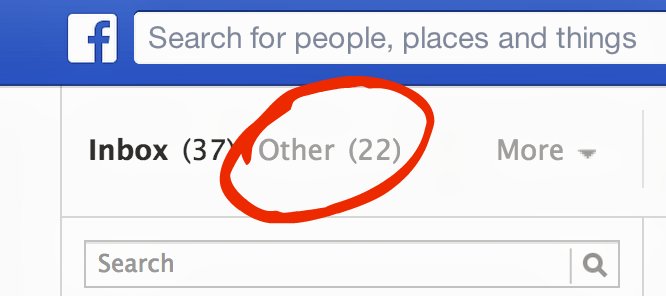
The big deal is about the Facebook Other folder, specifically because this feature(?) has been no big deal at all so far. Those who’ve never even seen it before (in the Desktop version, it’s in the messages tab next to Inbox, if you look carefully), as well as those who knew of it but never used it or used it very rarely are the crushing majority of Facebook users.

The Facebook Other folder will soon disappear.

This happens because the Other folder is the place where all the messages from people who you are not friends with go. And the rationale behind it was that if you wanted to receive messages from those persons, you could always make them FB friends. If not, Facebook was protecting your privacy and helping you not get spammed by just any stranger by putting all such messages in a folder separate from your main (Inbox) one in which you chat.

However, the many real situations of out-of-touch or unknown relatives trying to contact each other, or those messages coming from people you just met at a party or business meeting yesterday or those from a helpful stranger trying to return something to you presented a genuine problem that sometimes meant missing out on opportunities you would have liked to seize.

Also problematic is that in the case of mobiles, which is how a large proportion of users access Facebook, the Other folder is not even integrated in the Messenger app or messenger tab of the original app.

So, the company decided to introduce a new level of “openness where you can get in touch with anyone in the world but still have the control yourself of who contacts you and who can’t.” And in the words of the head of Messenger, David Marcus, they plan to do that by replacing “privacy by obscurity” with “openness with control”.

In short, the Facebook Other folder will be replaced by a new feature called Message Requests, which presumably will act like the Friends Requests feature works, only for messages, by placing those coming from non-friends (meaning any of the ~1.5 billion FB users) in your Inbox pending your review.

From here, if you delete or ignore one such Message Request you will no longer see messages from that person in the future. FB will also factor in the sender’s previous messaging behavior and whether you typically approve Message Requests. And Facebook’s spam detection systems that flag recently created accounts with few friends will also be part of Message Requests’ safety measures.

Image source: 1, 2.

Filed Under: Headlines Tagged With: Facebook, Facebook change, facebook new feature, Facebook Other folder, Other folder

Fourth GM Recall For Fire Risks Targets 1.4 Million Cars

October 27, 2015 By Nancy Young Leave a Comment

The fourth GM recall for fire risks is now happening.

Third time’s apparently not the lucky charm, as General Motors (GM) have issued a fourth recall for fire risks of some of their cars already on the roads. These risks have to do with drops of oil on the exhaust manifold. And the very worrying and eyebrow-raising part is that ~1.4 million GM cars are this time affected by the issue worldwide and the last time that General Motors recalled cars for fire risks was not so long ago. Namely, in 2008.

The company’s own admission gives some “interesting” statistics: “19 cases of reported minor injuries over the last 6 years” and “luckily, no crashes or fatalities”. Still, 19 injuries in 6 years due to an issue that apparently wasn’t covered after the first three recalls meant to deal with fire risks is a pretty bad figure. Plus, the property damage (like garages that caught fire) added to this also doesn’t help. Especially when the total number of reported fires due to cars supposed to have been repaired in earlier recalls reaches 1,345 cases!

Of course, there’s a rational, company-saving explanation for what looks like a pretty big mishandling of affairs: “aging and wear to the valve cover and valve cover gasket can allow oil seepage.”, which nullified the previous repairs, according to a GM spokesman called Alan Adler.

And the magical temporary solution that he foresees the company asking owners to adopt until their cars are recalled? Quite simple, sirs and ladies. Just don’t park in garages, ok?

Worth mentioning as well is that the first recalls (May 2008), did not come entirely at GM’s initiative, but were rather prompted by an investigation from the National Highway Traffic Safety Administration, which at the time looked at 138 reports of such fires in GM vehicles.

As the typical scenario involved these fires starting 5 to 15 minutes after a vehicle was parked, GM gave owners the same advice, to not park their cars in the garage until a fix is given.

So, you have to wonder, just about how many times should an issue that causes such an inconvenience, property damage, potential injuries to customers and a fairly consistent amount of costs to GM themselves have to pop-up and be dealt with until it is actually fixed?

Customers are probably hoping that 4 sounds like a pretty good number, and that this GM recall for fire risks will be the final one.

In the meantime, get your cars ready for recall if they are one of the following models: 1997-2004 Pontiac Grand Prix, 2000-2004 Chevrolet Impala, 1998-1999 Chevrolet Lumina and 1998-2004 Chevrolet Monte Carlo, 1998-1999 Oldsmobile Intrigue and 1997-2004 Buick Regal.

Image source: 1.


Filed Under: Headlines Tagged With: car fire, General Motors, General Motors car fire, General Motors recall, GM, GM recall

TalkTalk Data Loss Story Continues

October 26, 2015 By Michael Turner 4 Comments

New information about the TalkTalk data loss.

TalkTalk Telecom Group plc is a United Kingdom company founded in 2003, which provides pay television, communications, internet access and mobile network services to its customers.

As the second quadruple play service company in the UK after Virgin media, one would expect, as its customers did too, that data protection would be pretty high on their list. And its CEO Dido Harding claims this to be true, declaring to BBC that: “We take any threat to the security of our customers’ data extremely seriously”.

Too bad this declaration doesn’t come as part of positive publicity campaign, but due to the inquiries currently being made about the hack and subsequent major data loss that the company suffered sometime last week, with them acknowledging in a statement, on the 22nd of October that: “[The] investigation is ongoing, but unfortunately, there is a chance that some of the following data has been compromised: names, addresses, date of birth, phone numbers, email addresses, TalkTalk account information, credit card details and/or bank details.” They have also confirmed that they have been contacted by someone claiming to be the hacker.

Now the story continues with new information, as over the weekend it was reported that this security breach may cost the company millions and also, that the number of cases of data loss that are currently under investigation number in the thousands. Important note: we are talking here about thousands of cases in which customers reportedly lost not just their data security but also actual money to the hackers.

Reuters has reported a confirmation of the situation from Jens Monrad, a security expert (at FireEye) who said that samples of what looked to be part of the financial data stolen from TalkTalk were available online.

The opinions regarding TalkTalk’s dilligence in protecting its customers’ data differ with some claiming that the company had suffered multiple cyber-attacks over the last 10 months and disregarded the security vulnerabilities (as reported by the Telegraph), while others put forward the scenario that this latest, admitted breach and its huge scope is in fact the work of an Islamist terror group. This later explanation comes from a former Scotland Yard cyber-crime unit detective, Adrian Culley, that told it to the BBC, without however, presenting any evidence.

TalkTalk themselves are not discussing the source of the attack, preferring for now to invoke the ongoing police investigation as the reason. But whatever the source turns out to be, terror group or just “plain old” hackers, it won’t really matter to the customers.

The size of the breach and the scope of the TalkTalk data loss are most definitely an alarm signal that should be heeded by all big companies catering to a lot of people.

Image source: 1.

Filed Under: Headlines Tagged With: TalkTalk, TalkTalk breach, TalkTalk data loss, TalkTalk hack, TalkTalk security breach

New Chromecast Audio Google Dongle

October 23, 2015 By Kenneth Scott Leave a Comment

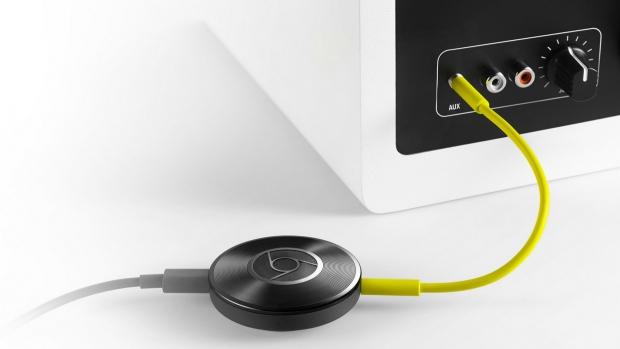
The Chromecast Audio Google dongle was recently released.

As per the definition given on Wikipedia, a dongle is a small piece of hardware that attaches to a computer, TV, or other electronic device in order to enable additional functions, which functions are available just as long as the dongle is attached.

Google’s first released Chromecast device allows you to connect your phone (iPhone, Android), laptop (Mac and Windows) or tablet (iPhone, Android) to any TV you own, as long as it supports HDMI, through a dongle, in just 3 steps.

You just plug in the dongle, allow Chromecast to access your Wi-Fi on the phone, tablet or laptop you’re using and then press the cast button in Chrome to … well, cast whatever Chromecast supported app you want to the TV. And you can send a whole lotta stuff to your TV from: TV and movie sites like HBO now, to music from Spotify, Pandora and others, to photos and videos like Youtube, all the way up to games and even simple chrome tabs to search what you want. All of this for 35$.

Well, following on the success of the first one, the new Chromecast Audio Google dongle recently released, also for 35$, is identical regarding ease of installation and mode of operation to the one above (same supported platforms, same 3 easy steps).

It only differs in focus, being oriented, as the name implies, towards audio systems instead of TV. Which means it no longer has the HDMI connection and instead can connect only to an audio system via the following inputs: 3.5mm, RCA and optical. Once connected, the same logic applies as above: you can play whatever you want (from phone, laptop or tablet to your cool audio system) as long it’s supported by Chromecast (and many things are).

Also good to know is that it works with practically any type of speakers, even older hi-fi ones.

The dongle is powered by a micro-USB, but in the box you receive from Google you also get a 5-inch auxiliary cord and a power adapter.

Ty Pendlebury of CNET, points out that according to the tests they made, the maximum for the digital output is 28 bit/48 kHz, despite the fact that Google claims it could go up to 28 bit/96 kHz.

Another problem discovered by Chris Davies of SlashGear is that sometimes there was a little syncing delay between the YouTube video on the screen and the sound being played through the speakers.

But these two issues are minor compared to the versatility and great audio quality that Chromecast audio offers for the very affordable price of 35$. Value-for-money wise, this tiny dongle is a pretty big deal.

Image source: 1.

Filed Under: Headlines Tagged With: Chromecast, Chromecast Audio, dongle, Google, Google Chromecast Audio, Google Chromecast Audio dongle

  • « Previous Page
  • 1
  • …
  • 11
  • 12
  • 13
  • 14
  • 15
  • …
  • 58
  • Next Page »

Subscribe to Blog via Email

Enter your email address to subscribe to this blog and receive notifications of new posts by email.

Join 11 other subscribers

Recent Articles

police handcuffs man

German Man Probed In Poisoning That Killed 21 Employees Since 2000

June 29, 2018 By Kenneth Scott Leave a Comment

Chicken wings bar

Intoxicated South Carolina Man Punches Waitress Who Refused to Serve Him Alcohol

June 29, 2018 By Karen Jackson Leave a Comment

gaming

New Zealand gamer Who Flew Halfway Across The World for Virginia Teen Gets Shots By Her Mother

June 28, 2018 By Cristopher Hall Leave a Comment

party

Former Virginia Tech Freshman Sentenced to 50 Years in Prison for Stabbing a Girl to Death

June 28, 2018 By Roxanne Briean Leave a Comment

bonfire

British Couple Sentenced to Life in Prison for Torturing and Murdering French Nanny

June 27, 2018 By Deborah Campbell Leave a Comment

pay phone

Texas Father of Girl Disappeared in the 80s Ignored by Authorities

June 26, 2018 By Cristopher Hall Leave a Comment

bottled water

San Francisco Woman Threatened to Call Police on Girl Who Sold Ice Water for Disneyland Trip

June 25, 2018 By Roxanne Briean Leave a Comment

Maplewood Park

Missouri Man Robbed by Date and Accomplice in Park

June 22, 2018 By Nancy Young Leave a Comment

coding

New York Man Sentenced in Cyberstalking Former Girlfriend, Mailing Drugs to Her Dorm

June 22, 2018 By Deborah Campbell Leave a Comment

headphones

Bose Poised to Launch Sleepbuds, In-Ear Headphones That Help You Sleep

June 21, 2018 By Nancy Young Leave a Comment

Police light

Intoxicated Female Driver in Custody for Pulling Arresting Officer by the Hair

June 21, 2018 By Kenneth Scott Leave a Comment

kitchen

Restaurant Manager Arrested and Charged in Shooting Death of Co-Worker over Negative Yelp Reviews

June 20, 2018 By Karen Jackson Leave a Comment

plastic container

Pennsylvania Couple Charged in Violent Death of Infant Discovered Buried in Cat Litter

June 19, 2018 By Cristopher Hall Leave a Comment

tailpipe

Minnesota Teen Gets Head Stuck In Oversized Tailpipe Winstock Music Festival

June 18, 2018 By Karen Jackson Leave a Comment

Pages

  • About Us
  • Contact us
  • Privacy Policy
  • Privacy Policy GDPR
  • Staff
  • Terms and Conditions

Recent Posts

  • German Man Probed In Poisoning That Killed 21 Employees Since 2000 June 29, 2018
  • Intoxicated South Carolina Man Punches Waitress Who Refused to Serve Him Alcohol June 29, 2018
  • New Zealand gamer Who Flew Halfway Across The World for Virginia Teen Gets Shots By Her Mother June 28, 2018
  • Former Virginia Tech Freshman Sentenced to 50 Years in Prison for Stabbing a Girl to Death June 28, 2018
  • British Couple Sentenced to Life in Prison for Torturing and Murdering French Nanny June 27, 2018
  • Texas Father of Girl Disappeared in the 80s Ignored by Authorities June 26, 2018
  • San Francisco Woman Threatened to Call Police on Girl Who Sold Ice Water for Disneyland Trip June 25, 2018

Categories

  • Business
  • Entertainment
  • Finance
  • Headlines
  • Health
  • Life
  • Nature
  • Science
  • Sports
  • Tech & Science
  • Travel
  • Uncategorized
  • United States
  • World

Copyright © 2026 ArgyllFreePress.com
About · Privacy Policy · Terms of Use · Contact