Argyll Free Press

Growing News Network

Friday, April 24, 2026
Log in
  • Business
  • Finance
  • Sports
  • Tech & Science
    • HP Envy 4500 Review
    • LG Optimus 170 Review
    • iPod Touch 6th Generation Review
    • HTC One M8 Accessories Set-up
    • Surrealist Games You Must Play
    • Hisense Sero 8 Review
    • Dell Latitude e7440 Review
    • HP Laserjet 1536dnf mfp Review
    • Garmin Fenix 2 Review
    • Skype Vs Viber
    • Best Video Conferencing Software
    • Sony mdr 1r Headphones Review
    • Canon Rebel t3i Review
    • Sennheiser Momentum 2-0 Review
  • Travel
  • Headlines
  • Health
  • United States

New Smartwatch Released by Fossil

December 8, 2015 By Cristopher Hall Leave a Comment

The the new smartwatch released by Fossil will surely have a lot of success.

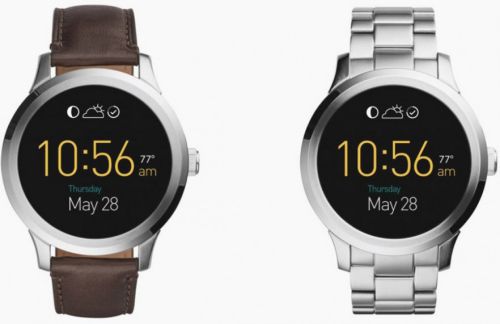
The new smartwatch released by Fossil comes in two versions: leather and stainless steel.

If you are wondering what new piece of Android Wear to get next, you should check out the new smartwatch released by Fossil. Named Fossil Q Founder, it already has two options that are available on the Google Play store.

While usually smartwatches come with a modern, high-tech look, the Fossil Q Founder actually looks so elegant you could wear it at a fancy dinner party. The watch was released on the market as the interest in Android Wear has recorded an important growth over the last year.

The intelligent watch comes in two versions. If you want to achieve a more elegant look, you can opt for the $275 watch with the classic leather strap. However, if you prefer stainless steel, you can choose the second option for $295. Both versions come with a smooth and round screen.

As for specifications, Fossil Q Founder has the Atom CPU from Intel, unlike other smartwatches which are powered by CPUs from Qualcomm. This makes it the latest technology for Android Wear up to this moment. It is expected to run quite smoothly, since it is equipped with 1GB RAM and 4GB of storage. Its screen has 1.5 inches and 240ppi, and its battery can last for 24 hours.

Furthermore, the smartwatch features a gyroscope, an accelerometer and ambient light. There is one downside to it though: the part of the screen resembling a flat tire. The problem is similar to the one the Moto 360 had, which was heavily criticised by users. However, it does not look as unpleasant on the Fossil Q Founder, and it shouldn’t stop you from choosing it. The model also lacks a heart-rate sensor which many sports fans find useful, but you can find the option on another smartwatch from Fossil, the Q Grant.

There is one other smartwatch powered by Intel. Produced by TAG Heuer, it comes at the painful price of $1,500. Overall, the Fossil Q Founder is best option on the market at the moment. The new smartwatch released by Fossil will surely be bought by many Android Wear enthusiasts, especially since the Christmas holidays are soon upon us and we will find ourselves in need of buying the perfect gift for our loved ones.

Image Source: 1
Filed Under: Headlines Tagged With: android wear, Fossil Q Founder, New Smartwatch Released by Fossil, new technology

Best Noise Cancelling Headphones: Immersion at Its Best

December 8, 2015 By Karen Jackson 1 Comment

Best Noise Cancelling Headphones Top

Whether you’re simply looking for some peace and quiet, whether you want to stay in your world tune everything else out or find yourself in a crowded, noisy place while you’re trying to work, one can’t get enough of noise cancellation to keep things flowing and not let the external factors stop you.

Noise cancellation in headphones is a very often misunderstood or misinterpreted concept. More often than you’d think it is mistaken with noise isolation, which albeit isn’t very different, it’s hardly identical. Both concepts have a relatively similar purpose but fulfill it in different ways.

Noise cancellation is s build-oriented method of reducing the outside noise that may hinder your musical or cinematic experience that bases its entire mechanism on capturing and analyzing the incoming noise, then processing it and creating an inverted set of waves being emitted into the headphones in order to cancel out the effect altogether. Naturally, the amount of noise cancellation done is equal to the amount of noise recognized by the microphone; thus, noises such as car engines or drills for example could get blocked out, while things such as a person speaking may not be as effective.

Noise isolation on the other hand is only a physical method of stopping outside noise by simply having the earphones act as a barrier that protects you from outside noise. That basically relies on how well a pair of headphones can cover your ear; in case of overhead headphones they can muffle a great amount of the outside noise while in-ear headphones rely on how well they can seal your ear canal, and that depends on both the build of the headset as well as the shape of your ear. So two different people can find the same pair of headphones to bring good noise isolation while another would not.

Now that we’ve introduced you to the concepts of how you can make listening to music, watching movies or playing video games a truly immersive experience, here’s our very own list of top 10 best noise cancelling headphones we’ve found out on the market, in no particular order to speak of.

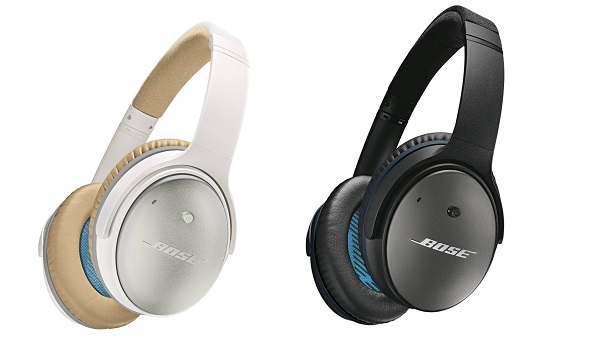
  1. Bose QuietComfort 25
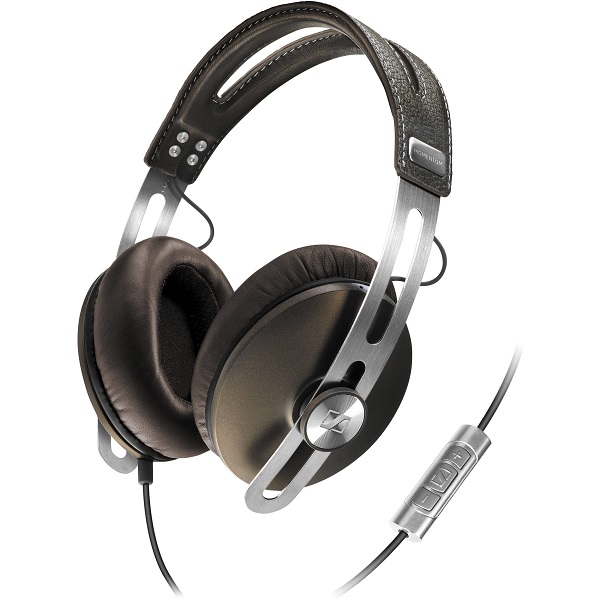
  2. Sennheiser Momentum Wireless
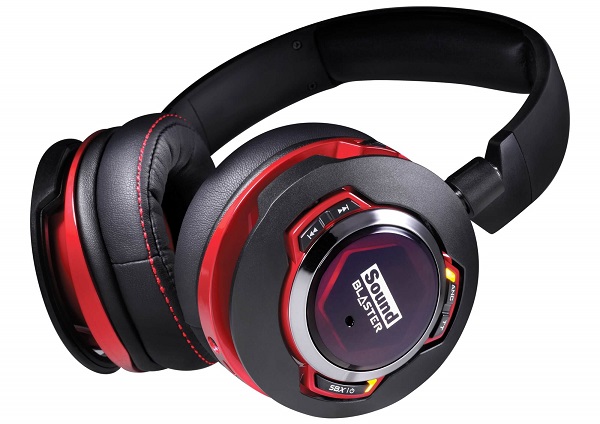
  3. Creative Sound Blaster EVO ZxR
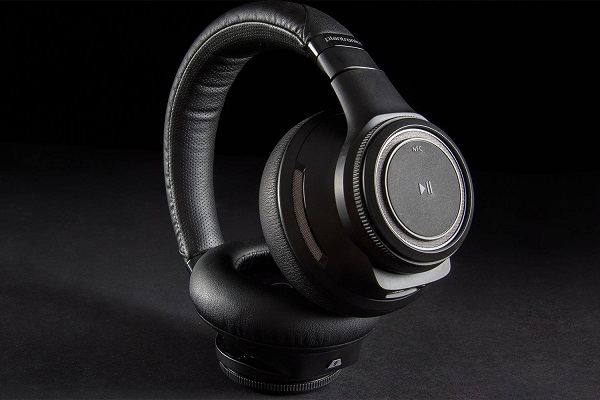
  4. Plantronics BackBeat Pro
  5. Philips Fidelio NC1
  6. Parrot Zik 2.0
  7. Sony MDR-ZX770BN
  8. PSB M4U 2
  9. Beats by Dr. Dre Studio
  10. Definitive Technology Symphony 1

Extra: Bose QuietComfort 20i

Best Noise Cancelling Headphones #1: Bose QuietComfort 25

Best Noise Cancelling Headphones #1

Bose seems to have established itself as one of the best headphone manufacturers out there and the QuietComfort 25 are probably the epitome of noise cancelling headsets. Coming as an upgrade to the previous QuietComfort 15, the 25 model is also powered by batteries that permit the device to enable a new and improved noise cancelling circuitry in the first place.

The great news is, however, that even without batteries, the headphones will continue to function but without the NC component. Still, even without the noise cancellation, the Bose earphones are particularly amazing in many other aspects; the sound quality has been given a lift too, making the sound a lot more dynamic and clear.

The offside, however – and that is the case with most best noise cancelling headphones – is their spiky price tag: around $300 for a pair.

Best Noise Cancelling Headphones #2: Sennheiser Momentum (Wired or Wireless)

Best Noise Cancelling Headphones #2

Under no circumstance a new addition to the Bluetooth noise cancelling headphone market, but the Sennheiser remains a solid choice in terms of NC headphones even if technology has taken a few more steps and became a little more advanced in the meantime. They come in two variants, wired and wireless, but both models are equipped with noise-cancellation technology.

The only downside of the entire ordeal is that similarly to many other NC headphones, the noise cancellation is there to stay and has no way of being turned off. That is, in case you were expecting to get that amount of freedom. On top of everything, the Sennheiser Momentum is also equipped with integrated dual mics that allow you to use the headphones with your mobile for example.

The price may shock some when they see it on the Sennheiser web page: $500. However, you can find them for around $250 on Amazon.

Best Noise Cancelling Headphones #3: Creative Sound Blaster EVO ZxR

Best Noise Cancelling Headphones #3

As soon as you throw this pair of headphones a glance you’ll be able to tell what the targeted public for this product was: gamers, cinephiles, young and dynamic individuals. Regardless, the Creative Sound Blaster EVO ZxR pair of headphones is more so advertised to be proficient when it comes to music. With an outstanding design to speak of, they’re NFC and Bluetooth capable, meaning you can use them wirelessly with a number of devices.

On top of that you can connect them to your computer or music player of choice through either the 3.5 mm jack or the microUSB cable. Unlike the Sennheiser Momentum, the noise cancelling option can be temporarily paused, lowering the volume of your music and letting sounds from the outside go through so you don’t have to take off the headset if you’re trying to talk to someone.

The default retail price you can get the Creative Sound Blaster EVO ZxR for is $299. However, if you purchase them through creative.com, you can grab yourself a pair for $185.99 only.

Best Noise Cancelling Headphones #4: Plantronics Backbeat Pro

Best Noise Cancelling Headphones #4

Coming as a complete opposite to the youthful design of the Creative Sound B laster EVO ZxR, the Plantronics Backbeat Pro attempt to be as minimal and quietly elegant as they can. Designed mostly for office use, the BackBeat Pro are not particularly warm weather friendly; but pack an immense amount of features in them to make up for it. The design is clever, incorporating track control and volume in elements of the headphones you wouldn’t even think were hiding utility controls.

There is an inbuilt microphone that will allow you to use the headphones for taking calls as well and they’re smart enough to know that you’ve put them down – this will pause the music until you put them back on your head. The Plantronics Backbeat Pro also have the OpenMic mode that pushes the music into the background and pauses noise cancellation in order for you to not have to take the headset off.

The price tag on them is still relatively high, but you’re probably used to it by now: you can get the Plantronics Backbeat Pro for $249.99.

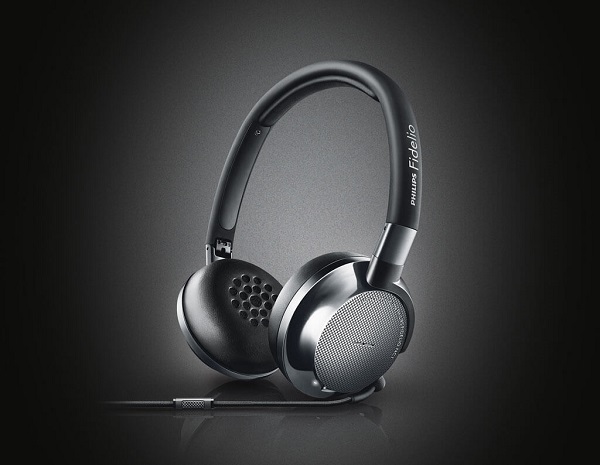
Best Noise Cancelling Headphones #5: Philips Fidelio NC1

Best Noise Cancelling Headphones #5

What was once one of the most renowned electronics company in the world still makes high quality devices and equipment. The Philips Fidelio NC1 is a great example of on-ear headphones that employ the noise cancelling technology, even if it’s far from the proficiency of the NC you can find on the Bose QuietComfort 25. Designed to be sturdy without adding all the bulk that some headsets end up displaying, the Philips Fidelio NC1 are easily foldable and even come with their own secure case for you to pack them in.

The headphones will continue working after you’ve run out of battery, but will have its noise cancellation system turned off instead. The sound they provide is amazingly bright and clear – this will make a great impression on short term, but may become tiring after a while. The Philiphs Fidelio NC1 feature a microphone too, so your usage of the pair can extend outside of just listening to music, especially given the 30 hours of guaranteed playback battery life.

You can purchase the Philips Fidelio NC1 for $300 directly from the manufacturer’s website or in various retail electronics store.

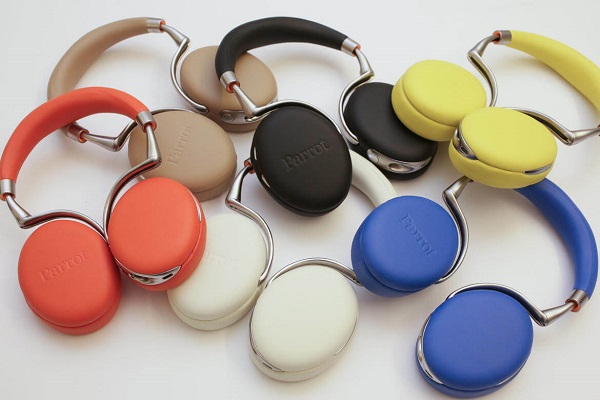
Best Noise Cancelling Headphones #6: Parrot Zik 2.0

Best Noise Cancelling Headphones #6

We continue our list of the best noise cancelling headphones of this year with something that stands out. The playful Parrot Zik 2.0 active noise cancelling headphones come with a number of great features and a very eye-catching design. And color palette. A definite upgrade over their predecessors, the Parrot Zik 2.0 headphones have gone through an intense process of improving more than just its capability of cancelling out outside noise.

There are many ways and reasons for which this pair of headphones is outstanding; the wireless audio streaming capability is one of them for example. More or less related to the way they were designed, but I found that the touch-sensitive controls placed on the right ear piece made things especially nifty and easy to handle. As a note, this is one of the very few pairs of headphones that still allow manual battery replacing; most don’t even include a removable battery pack so we can conclude that that’s a relative plus. Especially given the fact that the battery life is not as impressive to begin with.

The price of the Parrot Zik 2.0 noise cancelling headphones however is what most individuals will find to be a worrisome con: no less than $400 for one pair.

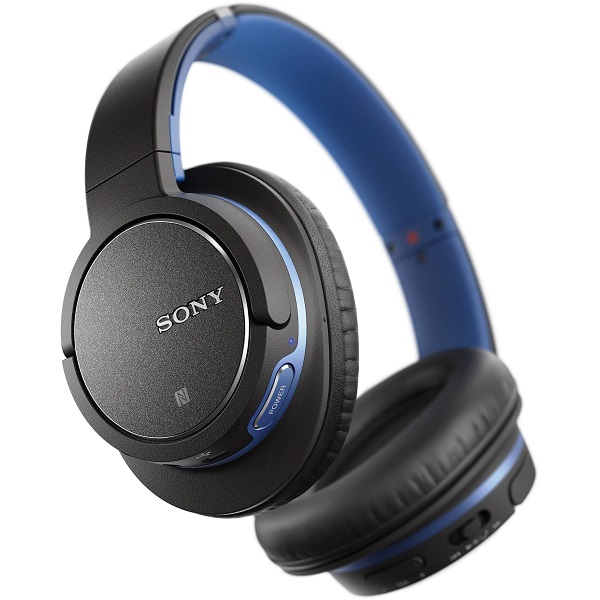
Best Noise Cancelling Headphones #7: Sony MDR-ZX770BN

Best Noise Cancelling Headphones #7

Unlike so many other models of the Sony headphones, we finally have here a model that doesn’t need 3 different iterations to cover great audio playback, Bluetooth and noise cancelling such as the previously reviewed Sony MDR-1R. Together with few other models from the Sony MDR family, the Sony MDR-ZX770BN noise cancelling headphones make up the entry-level and midrange Sony headphone list. As a plus, the headphones can be used both wirelessly and through Bluetooth, meaning that you won’t be hindered from making use of them on your flights – where Bluetooth is not allowed.

You can’t and shouldn’t expect the same level of quality that you find in the best noise cancelling headphones, but this model still manages to handle itself well. For some, the design may feel a little bland and unsatisfactory given all the more aesthetically pleasing models out there that manage to pull off a more premium feel. The most important downside of the Sony MDR-ZX770BN is most likely the battery life – it can only last for as long as 13 hours of playback time with noise cancelling and Bluetooth turned on.

The price is a little lower than the ones listed on here so far: $230. However, there are many online retailers that offer a considerable discount on the pair, giving you the chance to grab a pair for as low as $150.

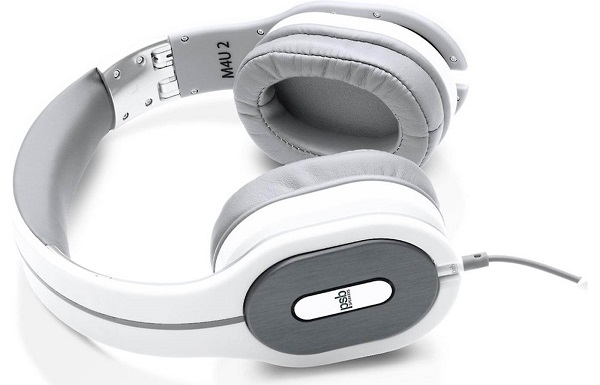
Best Noise Cancelling Headphones #8: PSB M4U 2

Best Noise Cancelling Headphones #8

The PSB M4U 2 headphones are a real looker; at least in my opinion, someone else could be feeling the exact opposite simply because while they are pretty different in design, they may seem rigid and stiff for other people. This pair of noise cancelling headphones could be listed towards the top of the list when it comes to NC alone. But on top of that, you’ll be finding an outstanding sound quality packed in them as well: anything regarding instrumental separation, detail and dynamics of sound is solid. Though they may not look like it, they actually offer a great deal of comfort thanks to the surprisingly light build and the gyro suspension system that was used in the frame.

Thanks to it, you can swivel the ear cups in basically any direction until you get your perfect fit on. There’s also a great number of features packed into these headphones – some hold real utility while others are more “fun” than anything else. For example, the noise cancelling button found on the side of one of the ear cups allows you to turn NC on, off or to play the exact sounds that would be cancelled by the noise cancellation, were it turned on. I don’t see any reason I would ever use that other than being in awe at how amazing the noise cancellation technology is.

The PSB M4U2 headphones fall into the average to high price category as they will cost you $299 from most retailers.

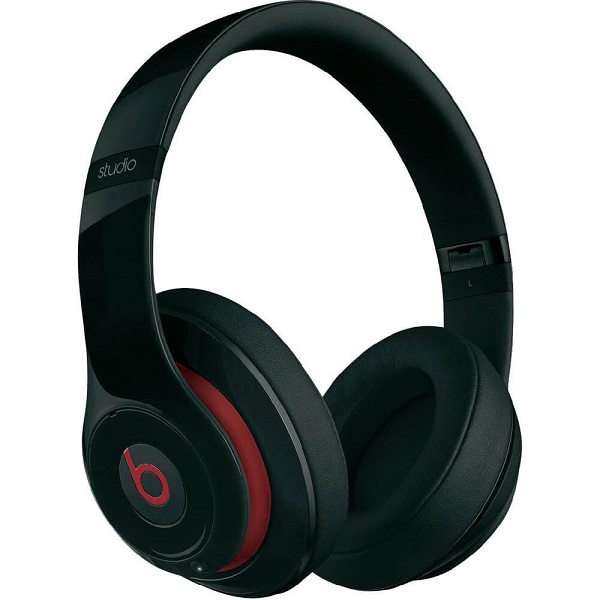
Best Noise Cancelling Headphones #9: Beats by Dr. Dre Studio 2.0

Best Noise Cancelling Headphones #9

Don’t be fooled by the fact that the Beats headphones are listed 9th in our list as it’s in no way representative of what the set can achieve. The extremely popular Beats headphones have been around for a pretty long time and yet still manage to hold their weight in face of newer models altogether. After all, they’re popular for a reason. They feature a 20-hour lifetime rechargeable battery that won’t give you too much trouble.

In terms of design, this is probably one of the best choices you could ever make as the headphones display an outstanding collection of smooth surfaces and pleasing curves; together with the 3 colors that they come in (black, white and red), they are really something that you can show off. The Beats feature dual-mode Adaptive Noise Cancelling technology (the original Beats were one of the first pairs of headphones to employ it while we’re on the subject) that can be turned on and off manually and works when both wired or not.

The second version of the Beats by Dr. Dre Studio (2.0) will cost you $299, directly from the manufacturer. If you feel like that is too much to spend on a pair of noise cancelling headphones, however, you can still refer to the original version of the Beats – currently priced at $179.99 instead.

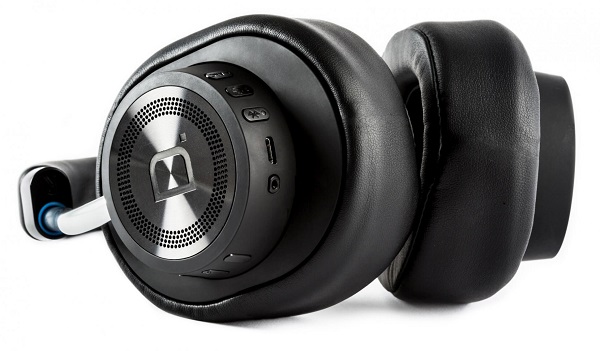
Best Noise Cancelling Headphones #10: Definitive Technology Symphony 1

Best Noise Cancelling Headphones #10

While it would be a blatant lie to say that the Definitive Technology Symphony 1 headphones don’t come with an absolutely elegant design, it would also be an overstatement that everyone would like them. This particular pair of noise cancelling headphones looks a tiny bit too bulky from the front, but otherwise inspire sturdiness and an extremely solid design.

The controls and plug sockets are all neatly tucked and hidden from view underneath and on the back of the right ear; that accounts for volume and track control, pairing, power, a microUSB and everything else you would ever wish for are found here. The active noise cancellation technology employed in the Definitive Technology Symphony 1 headphones is not absolute top notch, but it will help you tune out most of the outside noises whether you use them wirelessly or not. The sound quality is excellent, at least when it comes to lows and mids – the highs suffer the tiniest amount.

The price matches the quality in them, however. The manufacturer lists these noise cancelling headphones at the price of $399.

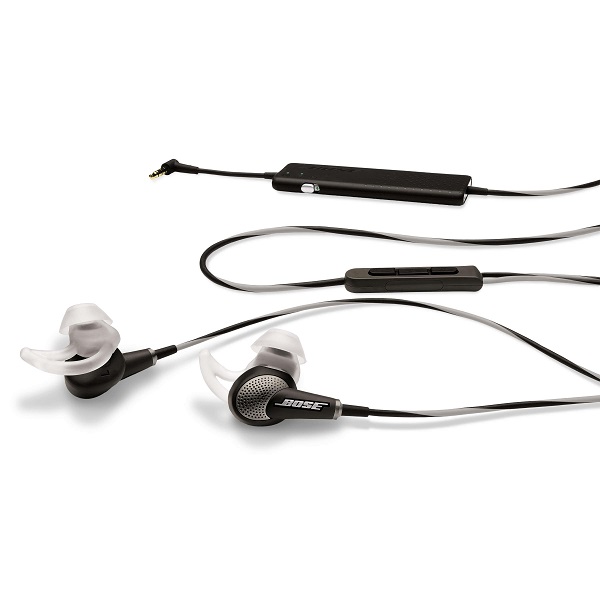
Best Noise Cancelling Headphones Extra Mention: Bose QuietComfort 20i

Best Noise Cancelling Headphones Extra Mention

Considering we’ve only covered circumaural (over the head) headphones throughout our entire list, I thought to offer at least 1 option for those who prefer earbuds instead. With very little room for doubt, one – if not the best noise cancelling headphones that come in the shape of earbuds we’ve found are the Bose QuietComfort 20i. That may, however, have something to do with the fact that you can’t find that many companies who have adopted the noise cancellation technology in in-ear headphones.

In the absence of a larger battery slot that would normally keep the headphones and the ANC system up and running, the Bose QuietComfort 20i battery is hidden into a slim add-on placed on the wire, accompanied by a small on/off button. They are also gifted with an on-wire remote control with 3 buttons that will work with most iOS and Android devices and their very own microphone.

The price that they come at is particularly spicy, especially when it comes to in-ear headphones; at $400, they even exceed most of the over the head pairs we’ve listen in here.

Image Source: 1, 2, 3, 4, 5, 6, 7, 8, 9, 10, 11, 12

Filed Under: Headlines Tagged With: best noise cancelling headphones, noise cancelling headphones, noise cancelling headsets, top noise cancelling headphones

Amazon Launches A New Tablet for Readers

December 7, 2015 By Nancy Young Leave a Comment

Amazon launches a new tablet for readers, just in time for Christmas.

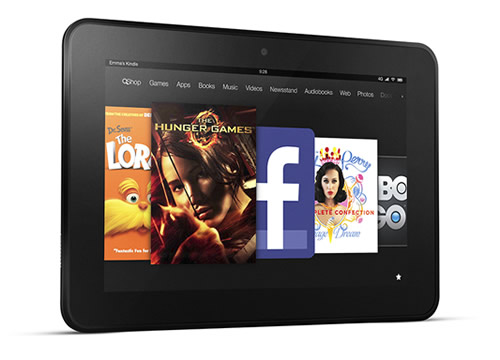
Those of you who enjoy reading on electronic devices can rejoice, as Amazon launches a new tablet for readers: the “Fire HD 8 Reader’s Edition”. The new tablet comes with Kindle Unlimited and costs about $250. It can be pre-ordered at the moment, and will start to ship on December 8. Is it worth the price or are there better options on the market?

The Fire HD 8 was first introduced three months ago in September and is equipped with a leather cover. You have to be fast to get it though, because the cover comes in limited edition. The profitable feature seems to be the unlimited access to Kindle, which normally costs $10 per month. However, the normal edition of Fire HD 8 costs $150, so the offer doesn’t seem too profitable at the moment.

Furthermore, the tablet also has the “Blue Shade” feature that Amazon announced a week ago. This feature changes the color temperature to other colors rather than blue, in order to assure a pleasant reading experience in dark environments. The color blue tends to impair sleeping. In spite of this fact, the feature is available on other tablets. Again, the offer does not look very tempting.

The tablet also includes the Bookerly font and Word Runner which have the purpose of making reading more easy on electronic devices. The two are also available on cheaper products. In the end, the only thing that customers do receive for free is the leather case, and they’ll have to be quick to get their hands on it.

So what is the purpose of Amazon launching a new product? Timing. The Christmas holidays are approaching and many of us might be tempted to buy something brand new for our loved ones. It will be particularly attractive because its screen has colors compared to the basic Kindle devices which come in black and white. Barnes & Noble, Kobo and Samsung have also produced lines of hybrid tablets aimed at avid readers.

As Amazon launches a new tablet for readers, it might be your chance to surprise you family or friends this Christmas with a nice gift. However, if you are not impressed by expensive electronic devices with little to offer, there are always cheaper and more practical options. We mustn’t be fooled by marketing campaigns which try to sell the products of big companies. There are always smarter ways of getting what we want without going bankrupt.

Image Source: 1

Filed Under: Headlines Tagged With: Amazon Launches A New Tablet for Readers, Fire HD 8 Reader's Edition, Kindle

Rez Infinite is Coming to PS4, and It will Support VR

December 7, 2015 By Kenneth Scott Leave a Comment

Rez Infinite is Coming to PS4, and It will Support VR

Rez Infinite is coming to PS4, and it will support VR as well.

Rez Infinite is a classic Dreamcast and PS2 video-game. It’s set to launch on Sony’s PlayStation 4 in the following days. Old-timey gamers, please, manage your excitement, as the internet has already gone bonkers. The VR version will have a solid 120 frames per second, and it will also boast fully detailed 3D audio. In its default screen mode, Rez Infinite will manage 60 frames per second at 1080p quality – 7.1. surround sound is all-present.

The remastered version will come with a brand new level.

Sony is trying to promote their VR setup, but, to be frank, this isn’t a new game. It’s just a PlayStation 2 remake, which is a HD remastered as well.

The early version of the game was, admittedly, eye-candy with stunning visuals. Developed by HexaDrive for Dreamcast, the Rez had some audio problems, as it wasn’t that well built-in and players could notice that sounds were not properly synched with attacks.

Unfortunately, the overworked music and visuals ended up hurting the gameplay, and it offered a lackluster experience. The Team Andromeda members worked really hard on the game, but, at the end of the day, big fans of Rez were left with a nasty after taste – which, hopefully, we won’t encounter this time around.

This unending stream of remakes is worrying. Even though these games made the PS2 so popular, nobody wants to be stuck in the past. While video game consoles have evolved, so have game mechanics and the way a game dev tells a story. Think of early day Fallout and The Elder Scrolls games, and compare them to the latest titles in the franchise, as in: Fallout 4 and Skyrim. There’s a huge difference in the way the developer conveys a story and grips the gamer to the edge of the seat.

Remakes are great, nostalgia is needed, but how much is too much?

This year marks PlayStation’s 20th anniversary. The Japanese-based company has officially announced that there will be 8 PS2 games available on PS4 consoles.

These PS2 titles can be purchased directly from the European and the American PlayStation Stores. Games will be up-rendered in 1080p with features you would expect a PS4 game to come with.

Be prepared for the following games: War of the Monsters, Twisted Metal: Black, both for $9.99 each. Grand Theft Auto Sand Andreas, Vice City and III for $14.99 each. Rogue Galaxy, Dark Cloud and Mark of Kri also for $14.99 each.

PaRappa the Rapper 2 and The King of Fighters 2000 will be added in the near future.

All of these PS2 classics will have Trophies enabled.

Image Source: 1

Filed Under: Headlines Tagged With: PlayStation 4, Project Morpheus, sony, virtual reality, VR

Asus Memo Pad 7 Review: The Little Tablet That Could

December 7, 2015 By Deborah Campbell Leave a Comment

Asus Memo Pad 7 Header

We expand our list of budget tablets that are worth at least taking into account when deciding to purchase one with the Asus Memo Pad 7: the spiritual successor of 2013’s Asus Memo Pad HD7. While the name not only does not imply it, but actually ends up doing the exact opposite – the Asus Memo Pad 7 is the series’ iteration that came a little over a year later but actually didn’t end up bringing astounding improvements over its predecessor.

There is never a shortage of tablets that fall into the low budget category; however, the grand majority of them end up particularly disappointing because manufacturers choose to cut corners on some very important aspects of the build. Now, depending on what a person wishes to purchase a tablet for, this may either be walked past with no problem or be an absolute disaster for other potential buyers.

The Asus Memo Pad 7 is a great example of an affordable tablet, especially handy now that the holidays are on our doorsteps. To be frank, the tablet doesn’t particularly stand out in any aspect and even struggles with some of them, but ultimately ends up being a decent piece of hardware that you can use for your daily internet-related routine or family time. So, on to the Asus Memo Pad review.

Pros:

  • Affordable
  • Decent Build
  • Great Quality to Price ratio

Cons:

  • Outdated Hardware
  • Performance Issues
  • Even more underwhelming in the camera department than tablets usually are

Asus Memo Pad 7 Design

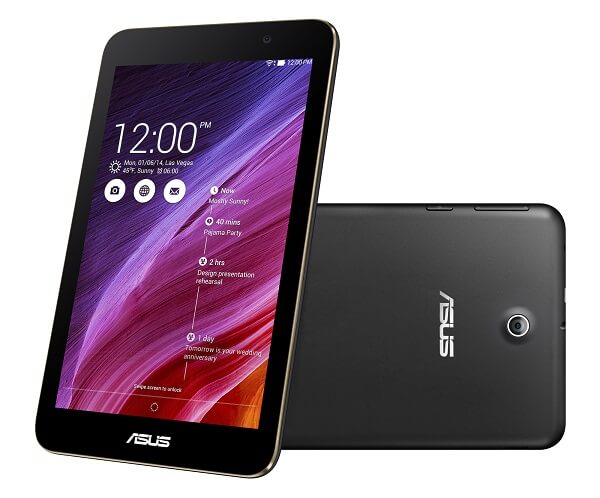
Aesthetically, the Asus Memo Pad 7 is hardly an innovation. It’s a relatively small tablet, a fact only emphasized by the fact that the bezel surrounding the screen in a little on the wide and large side. That also takes away some of the charm from the tablet’s overall look and making it feel a little buried in the bezel and unsatisfactory to some. It has a 66% screen to body ratio which is a lower than average number; as a comparison, the Samsung Galaxy Tab S2 scores a 72.7% ratio while the Apple iPad Air 2 only goes up to 71.6%.

Asus Memo Pad 7 Front

There are no quirky features that seem particularly attractive about the tablet other than the metallic frame that peeks out all around the edges, breaking the uniformity to some degree. The edges are also slightly curved to give the tablet a good grip. Considering that its size falls into the small category, chances are that you’ll be able to hold it up single-handedly comfortably when watching something for example. It’s only 295 grams heavy so it shouldn’t weigh too much on your hand or become uncomfortable. At its overall dimensions are 189.3 x 113.7 x 9.6, it’s even smaller than an iPad mini 4, but considerably thicker. That’s also a result of the curved back that doesn’t look half bad and gives the tablet a smooth feel through the plastic but slightly rubberized texture that prevents slipping and will secure your grip on the Memo Pad.

Asus Memo Pad 7 Back

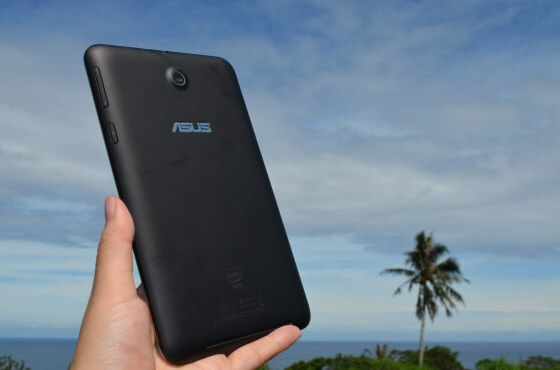
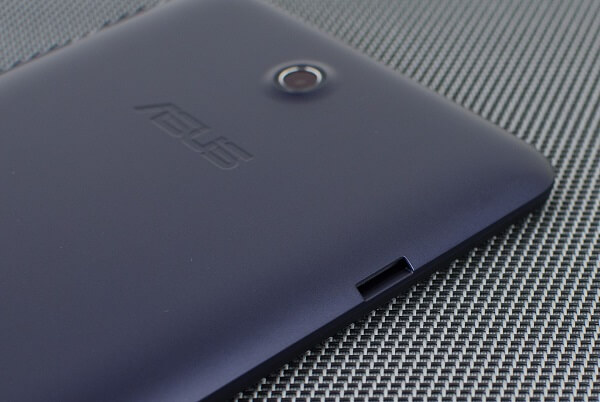
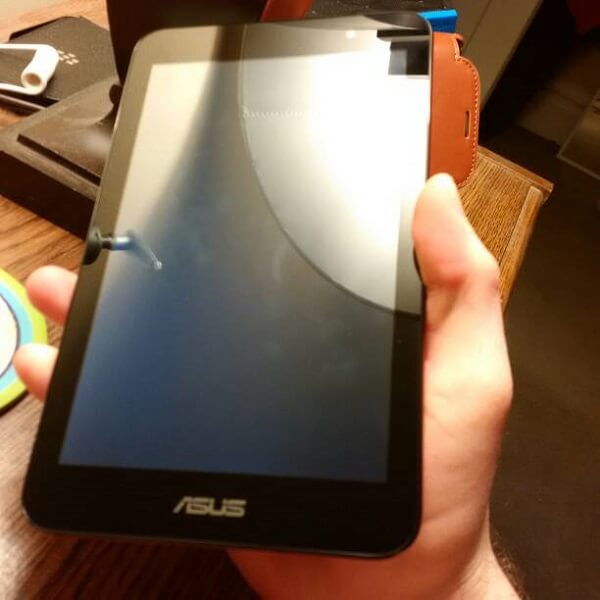
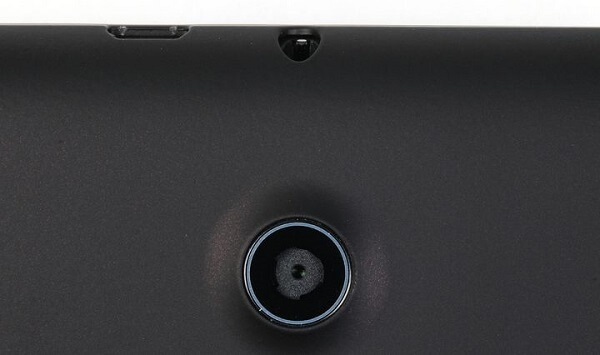
The front of the tablet displays the Asus logo at the bottom, underneath the screen and a front-facing camera in the top right corner. We consider the portrait positioning as being the default one. The back of the Asus Memo Pad 7 displays an unusually large camera sensor that slightly juts out in a non-upsetting manner.

In terms of button placement, the tablet has a more unusual location for its volume rocker and power button: on the right side of the tablet, on the curve the surface makes towards the edge. While that may feel a little unnatural, it’s not hard to get used to it nor will you find the respective buttons hard to use or in any danger of accidentally pressing them. The opposite side hosts the microSD card slot, unfortunately not covered by a door so that is one aspect that you may want to take extra care of just to make sure you don’t lose your SDs by mistake. The top side of the Asus Memo Pad 7 tablet hosts the 3.5 audio jack and a micro-USB port for charging and data transfer.

Asus Memo Pad 7 Back and Side

The tablet doesn’t look like it has any particular physical weaknesses, with no visible creases or exposed bits that could end up being damaged by continuous use. Visually – and this may not be regarded as positive feedback – the tablet actually reminds me of the old Samsung Galaxy S, given the metallic frame running along its sides.

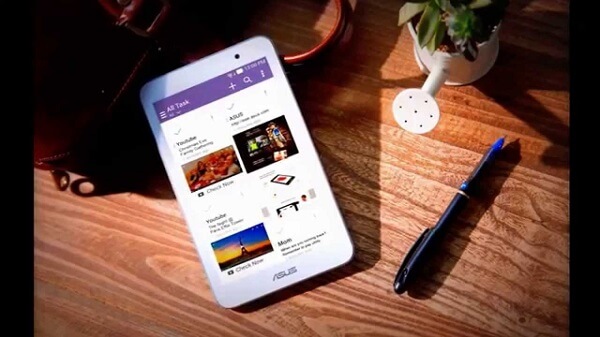
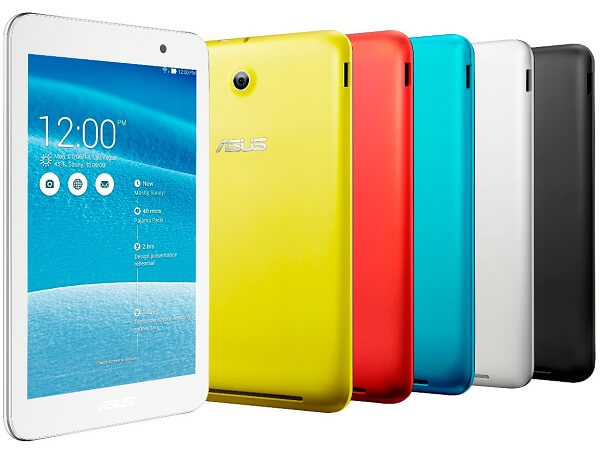
You can purchase the Asus Memo Pad 7 in 5 color variations: black, white, red, yellow and blue – making it appealing for both professional and family use alike.

Asus Memo Pad 7 Color Variants

Asus Memo Pad 7 Display

The Asus Memo Pad 7 employs an IPS LCD capacitive touchscreen that measures only 7 inches. Considering that we have seen 6 inch phablets, the tablet is really modestly sized and rather inspires something you would have your child use for entertainment. It is capable of multi touch of up to 10 fingers at once so any kind of game or app will not have any problem of being used on this tablet.

The display isn’t amazingly brilliant. For starters, it will only display a maximum resolution of 1200 x 800, a lot lower than you can get for high-end smartphones for example. Given its size, the tablet only manages to reach a 216 ppi pixel density, meaning you might end up thinking images look a little blocky and that reading small text is a little more tiring than it should. Secondly, the screen doesn’t seem to have been coated in the usual Corning Gorilla Glass that we see on most, if not all average and above devices. Don’t misunderstand me, the screen is by no means frail as it still has a toughened glass build protecting it from scratching and smudges, but it’s just not the material we’ve all grown accustomed to.

Because of that, the display of the Asus Memo Pad 7 has some considerable issues with reflexivity: viewing the images depicted on the tablet in clear daylight – or worse, sunlight – will turn out to be irksome as the image loses a lot of its vibrancy. In average lighting conditions, the screen is satisfactory to say the least in terms of color range and color accuracy, it’s just that the viewing experience may fail to impress a fair bit.

Asus Memo Pad 7 Reflexivity

The fact that the maximum brightness that the Asus Memo Pad 7 is capable of isn’t outstanding by itself is one of the culprits behind that as well. The story goes down the same road when it comes to viewing angles: the image loses a considerable amount of brightness as you start rotating the tablet and viewing the image from the sides. On the upside however, the tablet has its very own customizable color temperature and saturation, allowing you to tweak the way things look on it to your own liking – whether you prefer vivid, saturated colors, or you’d rather aim for warmer hues over colder.

While we can’t say that the screen is necessarily bad, it’s just two or three things that happen to feed upon each other and amplify certain effects such as overall visibility on the Asus Memo Pad 7. However, this shouldn’t discourage you from two perspectives: one is the fact that this is, after all, a budget tablet. The other one is the fact that unless you’ve used amazingly detailed and clear displays on your other devices in the past, the effect is really not upsetting.

Asus Memo Pad 7 Specs & Performance

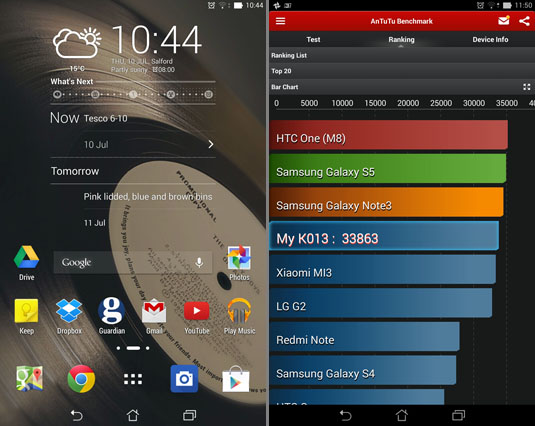
By far the most important part if the entire tablet, this is the one chapter where performance results have the unusual effect of not matching the hardware that we saw on paper. while the Asus Memo Pad 7 is a remake of 2013’s version of the tablet more than anything else, it did get some tweaks here and there. One of the upgrades that you’ll be able to find on this version over the predecessor is the processor. While the HD7 sported a Mediatek MT8125 quad-core 1.2 GZHz Cortex-A7, the Asus Memo Pad 7 brings to our table the Intel Atom Z3745 quad-core 1.86 GHz CPU, part of the Bay Trail chip family. It’s a core processing unit that is very familiar for a number of devices simply because it manages to pack a decent amount of power while keeping the costs to a minimum.

If we’re to take benchmarking results into account, this unit is comparable to what was considered state of the art technology 2 or 3 years ago. It scored 765 on the single-core Geekbench 3 and 2038 on the multi-core scale.

Asus Memo Pad 7 Benchmarks

In terms of storage space, the tablet may seem underwhelming to some extent considering that it only comes in 8 or 16 GB HDD space respectively, but thankfully to the microSD card slot, that shouldn’t be a problem when it comes to storage management.

Asus Memo Pad 7 Features & Software

If you’re looking for a pure, stock Android tablet for your holiday gift shopping, I’m afraid that the Asus Memo Pad 7 may not be for you; there aren’t that many tablets that come from other manufacturer than Google, Samsung and a few examples from Dell that do. However, the Memo Pad 7 manages to pull off a skin that is anything but upsetting and “bloaty”.

The Asus Memo Pad 7 features the Andoid 4.4.2 KitKat operating system. Considering the tablet has been out for a while and yet there haven’t been any updates announced for it, there is a chance you will end up being stuck with this one for a while to come. That means you wouldn’t be able to enjoy Android’s Material Design on this one. Although that is a bit disappointing, the interface of the Asus Memo Pad 7 is anything but not stylish. It’s clean, it’s comprehensive and very practical; only a few minuses have made their way on this tablet.

What this tablet does on top of adding its very own native app of various utility, it also provides its own input when it comes to some of the basic apps by replacing them with Asus’ own version of them. The e-mail app, contacts, calendar, image gallery and even the keyboard have been given a new and different look.

The extra apps that you would be getting with the Asus Memo Pad 7 are mostly useful and very much excusable content, such as the Asus cloud storage app. Considering that if you purchase the tablet you get 5 GB of Life Time ASUS Webstorage Space as well as an extra 11 GB for the first year of usage, the manufacturer put in an app for you to be able to easily use when making use of the cloud services. There is a native, Asus-only application that you get access to – the Party Link which allows you to instantly share photos with 3 other people in your vicinity – which would be great if it wasn’t restricted to Asus devices alone. Other than that, you get a to-do note list app, Accuweather’s weather app, a Kindle app and Zinio, a multi-platform hub of digital magazines.

Anything else in terms of utility, you’ll most likely have to handle yourself and download manually off the Google Play – which thankfully offers a wide variety of applications that are compatible with the Asus Memo Pad 7. The interface itself hasn’t gone through a whole lot of changes, everything being controlled and navigated the same way. While the device is multi touch capable, there is no gesture control interface or anything of the sort.

There is one aspect of the Asus Memo Pad 7 that you may find very useful if you’re planning to allow your kids to use the tablet. The operating system allows you to set locks on certain applications that you have installed on the tablet. So for example, if you wanted to let your child only doodle, watch cartoons or play games on the tablet you can easily restrict his or her access to other parts of the system – whether we’re talking YouTube or System Options.

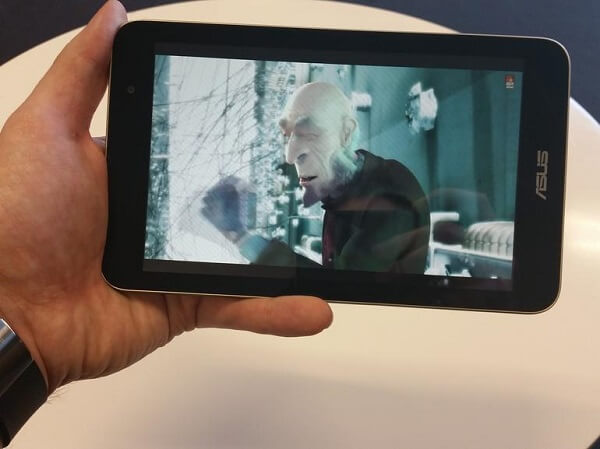
Asus Memo Pad 7 Movie Viewing

In terms of performance, the Asus Memo Pad 7 has an unexplainably hard time with keeping its footing when running graphic intensive apps or when multitasking gets serious. You may experience a short moment of lag when switching between apps and don’t rule out frame drops if you’re attempting the latest 3D games on it either.

Asus Memo Pad 7 Camera & Battery Life

The same unexplainable latency that we just mentioned above manifests itself when it comes to the camera too. When trying to take shots you may end with more frustration that you were ready for as the image on the screen lags behind the real time conditions in considerable amounts. In the absence of a more advanced auto-focusing sensor, the rear camera will never be a competing force when it comes to taking shots. Furthermore, the rear camera is only a 5 megapixel one, meaning that the images that the tablet is able to render will hardly be satisfactory in terms of quality. While the rear camera allows video recording in up to 1080p, don’t get too hopeful, the quality isn’t any better.

Asus Memo Pad 7 Rear Camera

There is also a front facing camera that doesn’t exceed 2 megapixels. While you can use it to take selfies or video conferencing, don’t get your hopes up any more than you have for the rear one. Any of the cameras found on this tablet should really only be taken as a last resort and not much else.

Given the fact that hardware packed in the Asus Memo Pad 7 isn’t exactly the most lightweight build you can get, I think it’s a great fact that the battery life seems to be longer on the MP7 than it is on so many others. The tablet can handle itself for as much as 9 hours of video playback on one single charge thanks to the non-removable 3,950 mAh battery pack that was used in its construction. And as a plus, the one aspect that so many devices skip on for some reason, the Asus Memo Pad 7 also comes with a great amount of customizability your tablet’s power consumption – meaning that if you feel your device is eating up way too much power, there are a few things you can do about it.

Asus Memo Pad 7 Verdict

In the end, the Asus Memo Pad 7 remains a little, modest but reliable tablet that you can consider as a Christmas present for your kids or for any of the regular internet-related activities such as sorting through e-mails, reading documents, web surfing, watching movies and videos and whatnot. If you feel like you wouldn’t mind a display that isn’t up to par with the brightest and best looking screens out there, then the MP7 won’t give you any discomfort.

It’s far from one of the best but manages to make up for that through sturdiness and reliability – and everything at a price that doesn’t even come close to its more “advanced” counterparts. If I’d reviewed this tablet a year ago and unbiased by the more recent half a centimeter thick and downright power-house level tablets that are currently gracing our market, the Asus Memo Pad 7 surely would’ve received more praise than it has. And that’s without counting the extremely low Asus Memo Pad 7 price tag.

Asus Memo Pad 7 Packaging

You can purchase the Asus Memo Pad 7 from various online retailers for as little as $125 for the 8 GB version and $150 for the 16 GB one. Accessories for it, such as Asus Memo Pad 7 cases you can still purchase off of the Asus official website instead.

Image Source: 1, 2, 3, 4, 5, 6, 7, 8, 9, 10

Filed Under: Headlines Tagged With: affordable tablet, asus memo pad 7, asus memo pad 7 review, budget tablet

iPod Touch 6th Generation Review – When Your Phone is Not Enough

December 5, 2015 By Roxanne Briean 2 Comments

iPod Touch 6th Generation Header

The iPod technology has gone a long way since its inception. The latest Apple iPod Touch 6th Generation release date was July 15th this year, making this device nearly half a year old now, and was a much needed upgrade to the series – considering it was the first it got since 2012. It came to compliment the iPod Touch family with hardware and features at least comparable to the iPhone 6 that got released at about the same time.

Enter 2015 and one asks themselves why you would ever consider a separate device for your music when you’ve got a hefty amount of storage space on your smartphone and there are more music streaming services than you can count. The reasons are plenty; for example, if you’re like me and you like to physically collect your entire collection of songs, storage vanishes when you least expect it. Furthermore, depending on your contract, streaming music may prove to not be as affordable when it comes to your data usage when you’re out and not connected to some Wi-Fi.

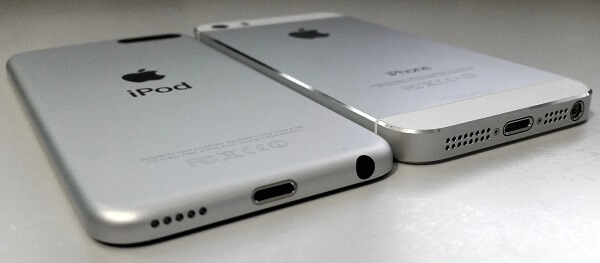
It’s already a running gag that people call the iPod Touch 6th generation an iPhone without the phone part. And from most perspectives that’s actually true: as long as you’re connected to the internet through Wi-Fi, you can pretty much do anything you would on your phone by just using your iPod. Not to mention that it looks just like a phone – a combination of the iPhone 5 size and the iPhone 6 design to be precise – with a few aesthetic and functional differences.

So if you’re considering hopping on the bandwagon of either taking some pressure off of your phone with music storage or just expanding your collection of Apple products and upgrading to the newest versions, here’s what you should be looking forward to as well as the less satisfactory parts of it all.

Pros:

  • Great technology
  • Great camera
  • Cheaper than an iPhone
  • Versatile

Cons:

  • Still expensive in terms of music players
  • Some may consider it small
  • It lacks some vital features such as GPS

iPod Touch 6th Generation Design

With the risk of repeating myself, I’m still undecided which iPhone the iPod Touch 6th Generation reminds me of. It’s like Apple put a little of each iPhone into this music player: the rounded edges seem a lot more similar to the iPhone 6 than the 5 for example but the size is reminiscent of the latter. Take a look at the home button and we’re actually taken back to the iPhone 4.

iPod Touch 6th Generation vs iPhone 5

Frankly, from an aesthetic point of view, not much has changed for the 6th generation of the iPod Touch: it looks identical to the 5th generation and actually shares the exact same dimensions: 123 x 59 x 6.1 mm. While that may be unsatisfactory for a number of people who are already more accustomed to much larger displays, the iPod is an amazingly light and sleek device. At only 88 grams, you’ll find it hard to believe that anything really changed, even from a hardware perspective.

Visually, the only distinction you will see when you put the 5th gen iPod Touch next to a 6th gen is the loop button on the back of the device. With the 5th generation of iPods, Apple had added a button you could press on the lower left of the device’s back that would pop out and allow you to put a strap on it kind of like they used to do on older mini digital cameras. The 6th generation however has given it up completely with no notice to speak of.

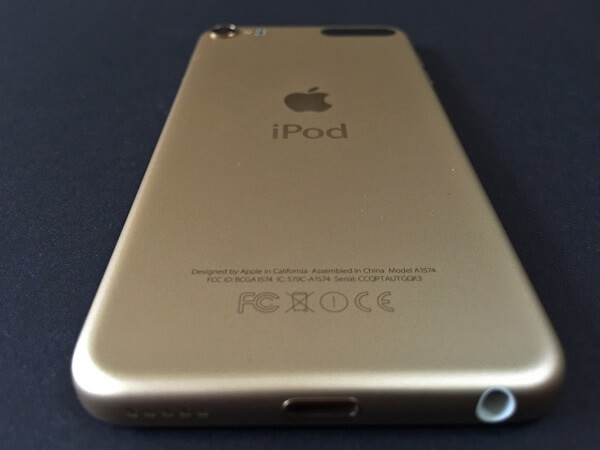
iPod Touch 6th Generation Back and Bottom

iPod Touch 6th Generation Back

Everything else – buttons, slots and whatnot – are in the exact same place Apple left them in with the 5th generation. The power button still rests at the top, similar to the placement on the previous generation as well as the iPhone 5 models. The volume rocker – or rather the two volume buttons – are still placed on the left hand side. The bottom of the phone hosts a 5-hole punctured speaker, the lightning charging port featured in all of the more recent Apple handheld devices as well as a classic 3.5 mm audio jack.

iPod Touch 6th Generation Volume Rocker

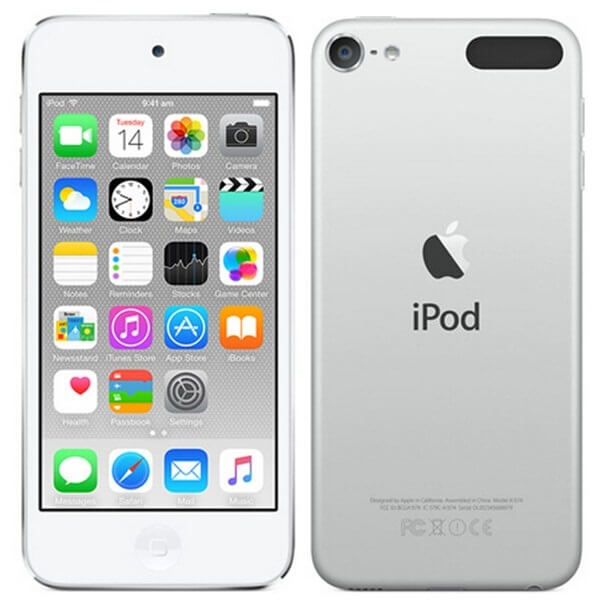
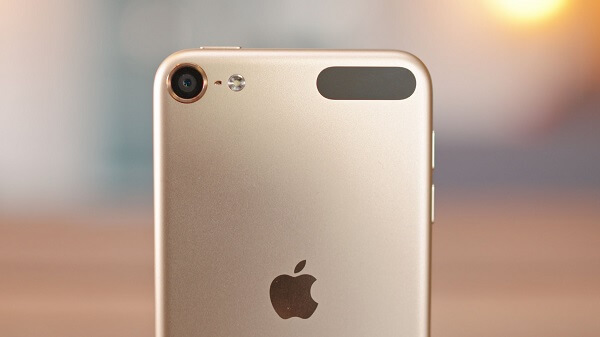
The back of the 6th generation iPod Touch still displays the Apple logo, the plastic strap on the top right side under which lie the Wi-Fi card as well as the Bluetooth receiver. The camera sensor protruding in the top left corner still maintains the design of its predecessor: while the edges around the sensor do stick out the tiniest bit, they shouldn’t worry you that much as they aren’t as exposed to damage as you would think. And chances are you won’t even notice them when laying the iPod Touch flat on a surface.

As a disappointment to some, the front of the new iPod Touch 6th Generation still hasn’t adopted a fingerprint reader similar to the iPhone 5 and beyond and is still stuck with the same classic Apple home button that only has the return to menu or screenshot functions. The top also hosts the front facing camera – not necessarily an outstanding piece of hardware (front facing cameras rarely are), but still one of the better ones you can get.

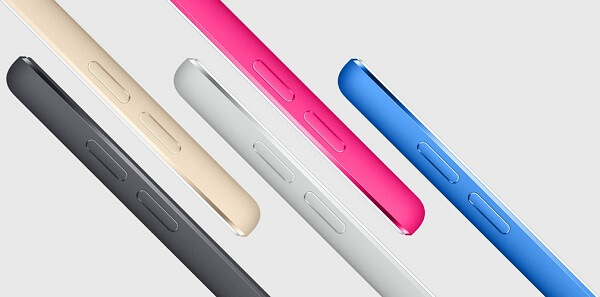
iPod Touch 6th Generation Color Variants

iPod Touch 6th Generation Color Variants

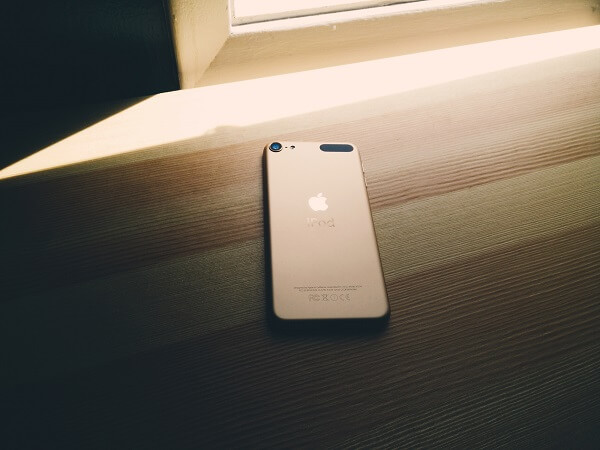
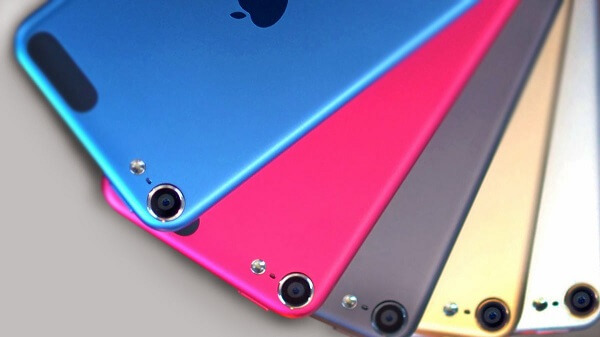
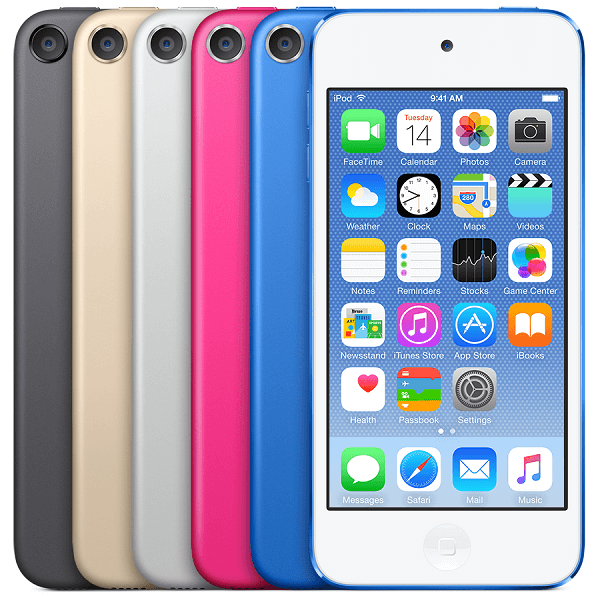
Just like its predecessor, it comes in a variety of colors for you to enjoy: Space Gray, Silver, Blue, Pink, Red and the new Matte Gold – replacing the old “Yellow” variant that could be found in the 5th generation of the iPod Touch.

iPod Touch 6th Generation Display

If there’s anything that Apple really excels in, it’s the great effort that the developers put into the display. While it may not reflect through resolutions and pixel density alone, there is a certain level of vibrancy and color sharpness. While Apple is really not the sole practitioner of amazing displays anymore and many others are really able to compete head to head with them, the iPod Touch 6th Generation really doesn’t lower the bar on the quality we’ve grown accustomed to.

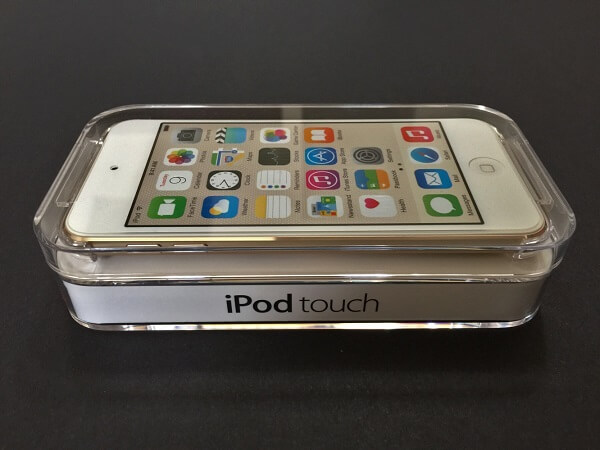
iPod Touch 6th Generation Packaging

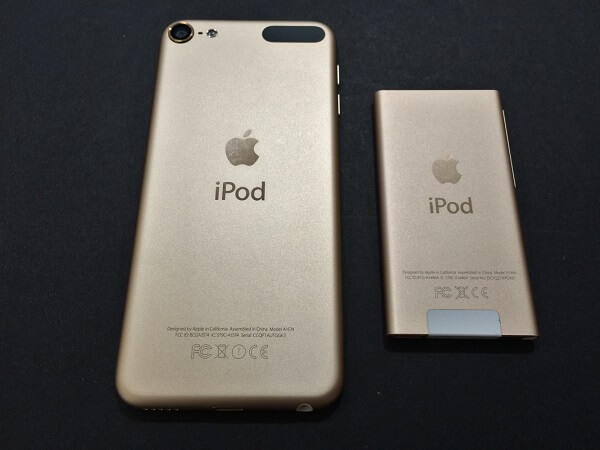
The display that it comes with is only 4 inches, and this is by far the biggest problem some people may encounter with the iPod Touch 6th generation. It’s a real shame too, considering that the iPod doesn’t skimp on features and capability of serving as a trusty entertainment medium. At least as long as you’re connected to Wi-Fi. Not to mention that at least when used as a music player, I find it hilarious that any one would truly care about the display size; especially when considering that the higher the display, the more difficult it is to carry and handle the device (remember the iPod Nano? That’s what I would call practical if it wasn’t for the limited space).

iPod Touch 6th Generation vs iPod Nano

The screen has a native resolution of 1136 x 640, which in combination with its overall size makes up for a pixel density of 326. While displays of smartphones can go up to much more than that doesn’t mean the iPod Touch display lacks in crispness. Reading small text is a breeze and images and video look clear and well defined.

Thanks to the 800:1 contrast ratio and 500 cd/m2 max brightness, the iPod Touch Retina display makes for a great tool to use for watching movies. While the whites are brilliant and the blacks are deep, there is a tangible difference between this device and the latest iPhone 6; you shouldn’t expect the same level of detail on the iPod as you normally would on your smartphone.

Just like in all of the other Apple products, the display is covered in a fingerprint resistant oleophobic coating. While that makes the screen relatively resistant to scratches and smudges, I’d still opt for a screen protector just for safe measure. One downside of the iPod Touch 6th generation iteration is that it doesn’t feature the Force Touch technology, however.

iPod Touch 6th Generation Specifications & Performance

While the outside of the iPod Touch 6th generation is identical to its predecessor, both in looks and on paper, the true difference lies inside the device. The whole purpose of the new update in the iPod family of products was to match up to the newer iPhone 6 standards. Much of the hardware that you can find in the iPod Touch doesn’t exactly come up to par with the one you can find in the iPhone 6 and 6 Plus, but it’s still an impressive set.

One of the most important upgrades that the iPod got is the shift from the A5 32-bit dual core @800 MHz processor to one of the newest A8 64-bit dual core @1.1 GHz core processing unit. That’s a considerable upgrade, especially given the fact that the technology adopted in the 5th generation of iPods would’ve been about 3 years old by now. Put side by side to run the same kind of applications, the two iPods’ performance display a huge difference.

The RAM memory also got an increase from the 512 MB found on the 5th gen to 1 GB that our focus device features. That’s equal to the amount you get on the iPhone 6, but less than the iPhone 6S models feature. That means that individual applications will really have no trouble running smoothly and without registering any frame drops but multitasking and switching from one app to another especially when you have multiple running may feel a little slower than what you’re used to on your state-of-the-art smartphone.

When it comes to storage options, Apple has added a fourth and largest variant – the 128 GB version compliments the 16, 32 and 64 GB iPods respectively. While it does spike up in price a fair amount, the 128 GB version will probably really cover anything you need, even for the most dedicated music aficionados. On the other hand the iPod Touch 6th generation 16GB version is probably better for individuals who split their interest in the device in both the jukebox and app perspectives.

iPod Touch 6th Generation Benchmarks

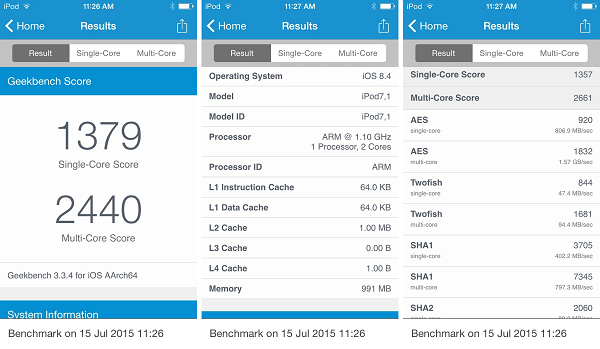
The iPod Touch 6th Generation scores surprisingly well on benchmarks too, keeping up and even exceeding some high-rated smartphones in the final ratings. The iPod scored 15,414 in the 3DMark Benchmark, 1,379 in Single-core Geekbench 3 and 2,440 Multicore Geekbench 3. As a comparison, the iPhone 6 scores 17,202 in the 2DMark benchmark, 1,623 in single-core and 2,913 in multi-core Geekbench 3 respectively.

iPod Touch 6th Generation Features

Luckily, the iPod Touch 6th Generation comes loaded with the latest iOS 9, including every single special feature that got released with it. In essence, if you own an iPhone, imagine you’d completely remove the mobile phone functionality from it. You don’t get to make or receive calls, or use texts and mobile data as you can’t buy a price plan from a carrier for it. Anything else that is part of your mobile phone experience however will be there for you to enjoy. So while you won’t be able to text, you should still be able to use any of the social media communication services – Twitter, Facebook, Whatsapp, you name it.

In addition, there are a few new things that came with the latest iteration of the iOS – features that you’ll be able to find on the iPod Touch too. One of them is the health app that’s made possible thanks to the sensors built into the device: a three-axis gyrometer and an accelerometer. The latter is the sole reason your phone will be able to track your steps and, along with your manual input or over 1500 third party health-related apps keep a good record of your health.

HomeKit is another addition that made its way to the latest version of the iOS and basically allows you to centralize of your home controls into one application that can be controlled through voice commands via Siri. Lights, appliances, doors and locks all can be controlled remotely through your iPod Touch.

CarPlay is the last brand new addition of the iOS 9 operating system update, which makes a point of giving you a safe way to use your Apple products while driving by allowing a combined control through voice commands and by letting the iPod become your dashboard interface.

iPod Touch 6th Generation Camera

There’s an undeniable upgrade that was brought to the iPod’s camera if we’re to compare the 5th generation of the device to the latest. While the iPhone 6 camera still comes out victorious in the quality duel, you can actually start considering your iPod’s cameras as realistic alternatives when you want to take photos. Or even shoot videos.

The rear camera is an 8-megapixel iSight that presents itself with an f/2.4 aperture – not the fastest out there but still pretty decent. Pretty much anything you could do with your iPhone camera you can do with the iPod Touch 6th Generation rear camera: that includes HDR photos, slow-motion video recording, time-lapse recording, panoramas and much more. Truthfully, video capture is capped at 30 frames per second when shooting in 1080p, but can still pull off 60 FPS when shooting in 720p. There are certain things you would be missing on when using this camera, however – continuous autofocus being one of them. Slow-motion video capture isn’t as proficient as you would find on the latest iPhones, but still does a decent job at the 120 frames per second it can go up to.

iPod Touch 6th Generation Rear Camera

The front facing camera hasn’t received any upgrade to speak of, as it remains a decent 1.2 MP one. While the videos recorded with it will always tned to look relatively grainy, it at least comes with smooth frames per second score. It’s capable of 720p HD video recording and has anything you would ever ask for when it comes to getting the perfect selfie, including timer mode, improved face detection, burst mode and exposure control.

iPod Touch 6th Generation Battery Life

I wouldn’t be able to say that the battery life has been the strongest point of Apple products, ever. Unless you count the first two generations of iPods maybe, and even then I have seconds thoughts as my 2nd gen iPod’s battery power started dwindling a year into using it and a full charge would actually last me less than it had few months prior.

Now take a look at the iPod Touch 6th Generation that packs a much stronger A8 processor and yet the battery pack that’s supposed to power it up doesn’t go further than 1,043 mAh, hardly an upgrade from the previous generation of iPods (1,030 mAh). That’s bound to come at a pretty taxing repercussion: Apple guaranteed up to 8 hours of video playback and 40 hours of music playback time. In reality however, things are a little different and highly dependable on the options you settle for. At maximum brightness and HD, video playback or gaming may actually end up eating up an entire charge in about 4 hours, while lower settings can earn you another hour.

The good news however, is the fact that charging is particularly swift with the Lightning connector that most Apple products nowadays come with. With it you can get from 0 to a full charge in roughly 2 hours, something that makes up for the fact that with heavy use you will most likely end up charging the iPod Touch on a daily basis.

iPod Touch 6th Generation Verdict

So to wrap up, is the iPod Touch 6th generation worth it? Just like any other gadget, it really depends on preference. If you’re just looking for a music player because you don’t want to clog your smartphone’s storage space and nothing more – I’m sure you can find some alternatives. If you’re planning to use it as more than just a jukebox and actually benefit from everything else it can do – apps, fitness tracker, anything you can do over Wi-Fi – then the iPod Touch is really not that bad of a choice, especially considering its much lower price than a full-fledged iPhone for example. The fact that it wouldn’t be coming with an extra monthly charge in the form of a price plan can be just a bonus for some individuals.

You can purchase it as well as an entire collection of iPod Touch 6th generation cases directly off of the Apple website as well as most retailers who support Apple. The new 128 GB model however, is an apple.com exclusive purchase and cannot be found anywhere else. The Apple iPod Touch 6th generation price is $199 for the 16 GB model, $249 for the 32, $299 for the 64 and spikes all the way up to $399 for the 128 GB version.

Image Source: 1, 2, 3, 4, 5, 6, 7, 8, 9, 10, 11

Filed Under: Headlines Tagged With: apple ipod touch, ipod touch 6g, ipod touch 6th generation, ipoud tough 6g review

A Little Girl Drives A Truck in A New Volvo Video

December 4, 2015 By Roxanne Briean Leave a Comment

Viewers were amazed as a little girl drives a truck in new Volvo video.

Who doesn’t love good marketing ideas? A new video released by a manufacturing company has dazzled numerous viewers. A little girl drives a truck in a new Volvo video along an obstacle course. But don’t let your imagination wander too far, since the four year old controls the vehicle from a safe distance by using a remote. However, it must have been ten times more entertaining than controlling one of those toy cars.

As shown in the video, the girl named Sophie Brown trashes a lot of obstacles such as concrete blocks and hay bales. Sophie seemed to have a blast as the truck also passed through a drainage pond and by a wooden crate which was swinging from a crane. Even though the tour ended with the vehicle crashing into a building, the truck did not sustain any terrible damage. The truck weighs about 18 tonnes and is worth $163,000.

The remote control that was used by the girl was highly sensitive in order to provide her with more control. She was able to operate the truck’s brakes, accelerator, steering and gearshift.

Richard Fritz, Vice President of Volvo Trucks, declared that in order to showcase the abilities of the truck, they wanted to give it a true challenge. As a result, they chose a four year old to test it.

So what is the purpose of this experiment? To prove the endurance of the truck with Volvo FMX technology. The vehicle is also equipped with Automatic Traction Control, which prevents it from getting stuck as it activates the front axle automatically. Volvo has previously set up scenarios such as this one featuring Jean-Claude Van Damme to prove the performance of its vehicles. It truly is a revolutionary method of testing vehicles without putting people into danger or damaging the environment.

The Launch Manager of Volvo Trucks, Gunnar Eliasson, stated that the test proves without a doubt the resistance of the truck, as well as its capability of coping with extreme environments.

The video can be watched on the official channel of Volvo on YouTube.

In the end, as a little girl drives a truck in a new Volvo video, it has become quite clear that viewers need tangible proof whenever a new product is created in order to be convinced of its capabilities. Furthermore, good promoting also needs to be creative and original in order to draw in the consumers.

Image Source: 1
Filed Under: Headlines Tagged With: A Little Girl Drives A Truck in New Volvo Video, drive test, FMX technology

Snowden’s Favorite Messaging App is Coming to Desktops

December 3, 2015 By Cristopher Hall Leave a Comment

Signal, Snowden's favorite messaging app is coming to desktops.

Apparently the safest messaging app will soon be available for desktops.

Cyber-security is a concerning matter in our days, since we tend to post all our personal information online. There has been recorded an increase in cyber-attacks. Furthermore, some social media platforms such as Telegram have been used by terrorists in the recent attack in Paris. As a result, people are trying to find other messaging apps to communicate instead of the classic ones like WhatsApp and Facebook Messenger. Open Whisper Systems has just announced that Edward Snowden’s favorite messaging app is coming to Desktops.

An expert who worked on the development of the application, Moxie Marlinspike, stated that the app named Signal will be available for Google Chrome as an extension. Signal will be able to sync the messages between the Android devices and the Desktops, and it links to your phone number. It is not available yet for Apple phones, but there are plans towards enabling a compatibility with these as well. The app also doesn’t support voice yet.

Signal is free to use for everyone, and has received very positive reviews regarding encryption. Edward Snowden himself has also praised it and declared that it is his favorite app for messaging. His past revelations have put the issue of surveillance in the spotlight and many people have growing concerns about their privacy. As a result, many new platforms and apps that promise safety from the prying eyes of either third party companies, governments or criminal organizations have appeared on the market.

It is important to mention that such apps that encrypt information are very difficult to be created. However, this is not the first messaging app which can encrypt messages and calls from Open Whisper Systems. Its predecessors, TextSecure and Redphone have both been transformed into Signal.

The mobile version of the application uses a special type of encryption for photos, messaging and voice calls: end-to-end. Not even the developer can access the calls or see the messages’ plain text, and that says a lot. Open Whisper Systems can only inspect the code of Signal, since it is open source. This technology also has the capability to identify potential software vendors which would make slight changes to the app in order to aid the surveillance programs of governments.

As Edward Snowden’s favorite messaging app is coming to Desktops, we can sleep a bit more relaxed knowing that our private lives will stay private.

Image Source: 1
Filed Under: Headlines Tagged With: Edward Snowden, Signal, Snowden's Favorite Messaging App is Coming to Desktops

Pebble Steel Review – Affordable Simplicity

December 3, 2015 By Michael Turner Leave a Comment

Pebble Steel Review Smartwatch

In spite of it being a “new” trend that everyone seems to be getting ultra hyped about, smart watches are not all that new. Indeed, nowadays there’s an undeniable focus on making them even smarter than one would expect and play more roles than they should. But all that extra effort into packing an outstanding amount of hardware into a tiny screen that simply has to be touch-sensitive and brilliant doesn’t come in cheap. Take a look at the Apple iWatch for a second and you’ll see exactly what I mean. Then take a look at the Pebble Steel smart watch, which is a modest early 2014 production; the differences may look severe, but are they really if you stop to think about how you would really be using it? That is something we’ll be touching on in this Pebble Steel review.

Mostly due to the fact that it’s not a highly developed market yet, anyone can agree that most smart watches lack in actual utility. Sure, they can be used as an extension of your smartphone and can even handle some of the things that you would normally do through your mobile. But once again I have to give the Apple iWatch as an example – it’s great, it’s smart but… so many people have complained that it’s hard to accurately tap on the oh-so-bright-and-colorful screen and would rather just use their phone instead. Others have stated that while the watch may succeed in architecture and hardware as a smartwatch, it’s simply not great looking as a watch.

So all introductory details aside, what does the Pebble Steel do and what does it not? It syncs with your iOS or Android phone and pushes notifications to you and also give you a fair amount of information regarding a number of things while not looking overly large or out of place as a watch. It doesn’t, however, appease one’s wearable tech desires nor fares well with either generic or health apps (it can only hold a maximum of 8 at a time).

Pros:

  • Works with both iOS and Android OS
  • Waterproof
  • Classic yet classy
  • Does most of what you would expect from it

Cons:

  • Can’t even remotely compare to competition hardware standards
  • Limited on apps
  • Lacks fitness tracking sensors
  • Too simple for the tech-savvy

Pebble Steel Review – Design

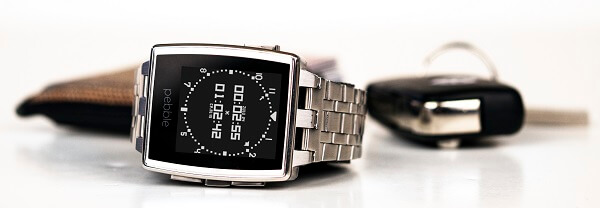
The Pebble Steel smartwatch is a huge upgrade from the original 2013 Pebble watch – both visually and material-wise. It has upgraded its design with a much more attractive display, featuring fashionable indents on its top and bottom edges, reminding us very much of a designer watch more than wearable tech. If anything, the Pebble Steel will pass for a regular watch once you take a closer look at the screen and its functionalities.

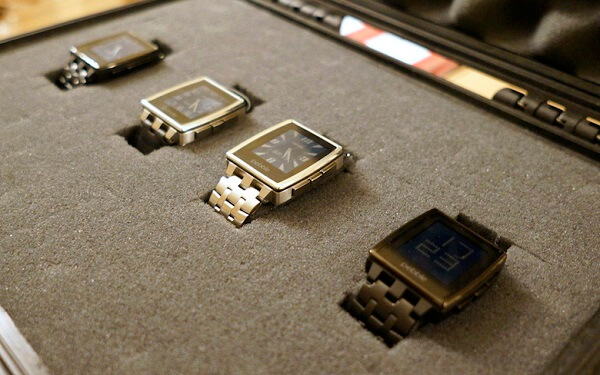
Pebble Steel Review Variants

Pebble Steel Review Steel Variants

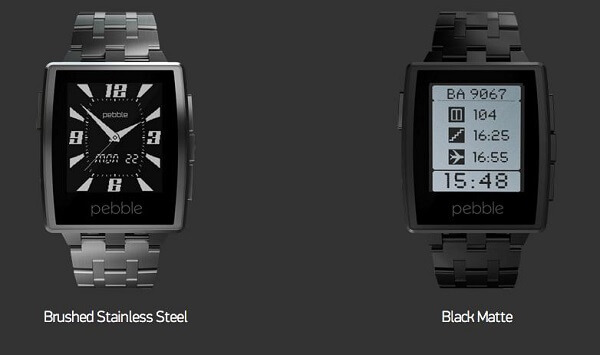
It comes in 4 variants on the official website by combining a Brushed Stainless steel or a Matte Black steel build with either the leather or metal bands. Regardless of what combination you go for, the Pebble Steel looks amazing, with a rugged and masculine but classy look. You can wear it with any kind of attire and regardless of the occasion; all things considered and it still ends up looking a lot less bulky and out of place than the Android Wear and Apple iWatch, measuring only 45 x 34 x 10.5 mm. its weight is very much in the green too, not exceeding 28 to 32 grams with the leather band – depending on the width of the band, which you can also customize when purchasing the watch. The Pebble watch steel band version does, however, go up to a weight of 56 grams.

Pebble Steel Review Front

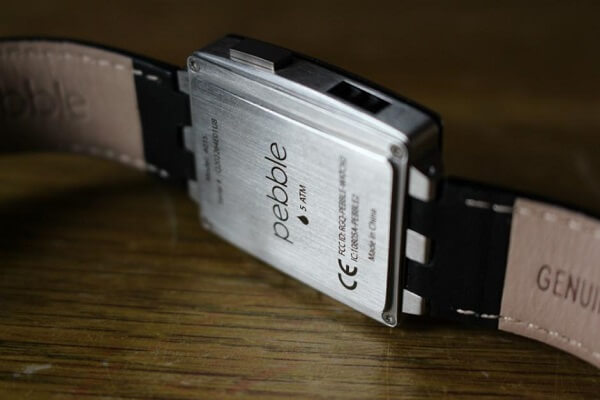
One aspect that you surely won’t find in many other, if any smartwatch is the fact that the Pebble Steel is water proof; well, at least up to 5 ATM water resistance. You can take it with you regardless of weather conditions, in the shower and even when you go swimming. Even the steel band version, which does come at an extra $30 gets the same water friendly treatment. The leather Pebble Steel band may start suffering when exposed to water too often however.

Pebble Steel Review Water Resistance

The display won’t elicit a “wow” anytime soon considering that it’s a black and white screen and can’t match up to any of the colorful LCD panels used in the competitors’ smart watches. However, it comes at the upside of preserving a lot of the energy used by the watch, making the battery last much longer than your iWatch’s would.

You shouldn’t feel disheartened at the fact that it’s black & white, however; it’s much brighter than the ones you normally find in e-book readers, handling itself well in terms of crispness and vividness. Thanks to the Gorilla Glass coating on it, you won’t have any difficulty reading its display in sunlit nor night-time conditions either as it reduces glare to some extent. Sadly, the 1.26 inch display is not a touchscreen and only goes up to 144 x 168 resolution. However, considering that the entire menu is made up of text-based options, it is hardly something to worry yourself over.

Pebble Steel Review Variants

So in the absence of touch capability, you have to refer to the 4 buttons place on its sides: 1 on the left and 3 other on the right side. On this note, the bezel of the Pebble Steel smartwatch is not the thinnest you’ll find, scoring considerably on wideness as well as considerable height. The lone button is assigned to backlighting as well as entering or leaving sleep mode, while the group of 3 is your navigational help – allowing you to move up or down through the menu and select your choices. The watch can be taken out of sleep mode with a flick of your wrist as well, for the record.

Pebble Steel Review – Interface & Features

Before we delve into the actual utility that the Pebble Steel brings with it, we need to take a moment to mention a large plus that it comes with in comparison to its iWatch or Android Wear alternatives: the simple fact that it syncs and is compatible with both. If you purchase an Android Wear watch for example, you’d only be able to couple it with an Android phone. This versatility comes as a delight for users of both parties; sadly, Blackberry and Windows phone users are left out however.

Straight on the Pebble Steel watch itself, there’s not plenty you can do or fiddle around with. By using the central navigation button you enter the main menu – the hub that you’ll be able to select from a few types of settings or apps as well as view a history of your most recent notifications. Most of the Pebble watch features are accessible from here. You can also set alarms (yes, it does have a snooze button) from the Pebble Steel main menu as access your music playback feature.

The downside of the alarm system, however, is that it doesn’t make any sound whatsoever – if vibrations on your wrist can wake you up, then great. Otherwise, you should probably stick to your phone’s alarm.

The music playback can prove to have a couple of issues depending on the music app you use on your phone. There are some compatibility issues with various apps such as Spotify, where even if the watch will allow you to play, pause or skip through songs, it will show up as if it’s not finding any tunes. Confusing and a bit unprofessional to say so the least, but at least it works.

Connectivity is done solely through Bluetooth. As soon as you turn the Pebble Steel watch on for the first time you will be prompted to download the free Pebble app on your smartphone from either the App Store or Google Play. After you sync it to your device via Bluetooth, you can start setting up your user preferences and options.

Pebble Steel Review App

Pebble Steel Review App Menu

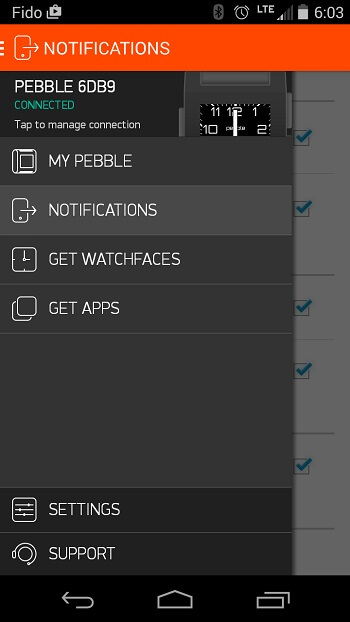
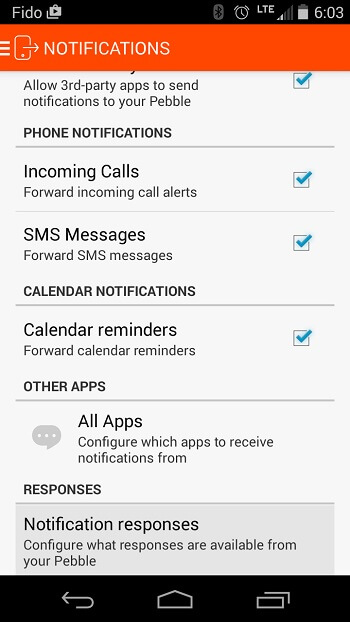
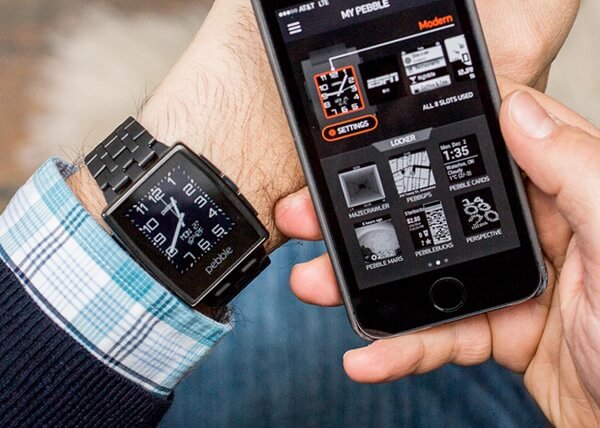
The mobile app menu is divided in two sections: one contains the smartwatch options, notification settings as well as two shortcuts to the app and watch face store. The latter contains other device settings as well as a help menu where you can troubleshoot and get guides on making the best of your Pebble Steel.

The notification menu is an easy to navigate menu that will allow you to tick or untick different categories of notifications that should or shouldn’t be sent to your watch; you can choose from a multitude of generic notifications, call or text notifications, calendar and even third party app notifications. The way they work on the smartwatch is through either flashing on the screen or a light vibration of the unit on your wrist; or both. For text messages for example, you’ll be able to read the content straight off of your smart watch’s screen, but given the small resolution you have to work with chances are you’ll be forced to scroll down a lot when attempting to go through the entire thing.

Pebble Steel Review Mobile App Notifications

Pebble Steel Review Apps

One issue that may annoy some users in regards to the shared notification system between the two units – your phone and your watch – is that sometimes your notifications will remain on one of them even after you’ve read or cleared them on the other. Thus, you’ll find yourself having to check and clear them from both devices to make them go away completely.

Pebble Steel Review – Apps

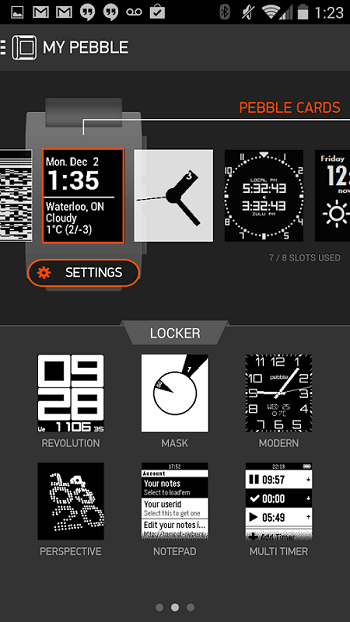
There’s a surprising amount of on-watch apps and even some games that you’ll find out there for the Pebble Steel. Yeah, you won’t be able to get the latest Asphalt on your watch but that’s hardly worrisome when you have a black and white screen on your wrist. What is worrisome, however, is the very limited space you get for apps and watch faces: instead of resorting to a limited amount of hard-drive space, the Pebble Steel uses a maximum of app slots instead.

While there’s no limit to how many apps you can download from the Pebble watch app store in order to, at one point, use on your watch, you’ll always have to switch them out and around using the mobile Pebble app. Most Pebble Steel apps you can get, you will most likely find for free and revolve around fitness apps, things such as Yelp or sports score apps that you don’t need a whole lot to navigate through. Naturally, there’s a considerable limit on the graphics that the apps can show.

Pebble Steel Review Apps

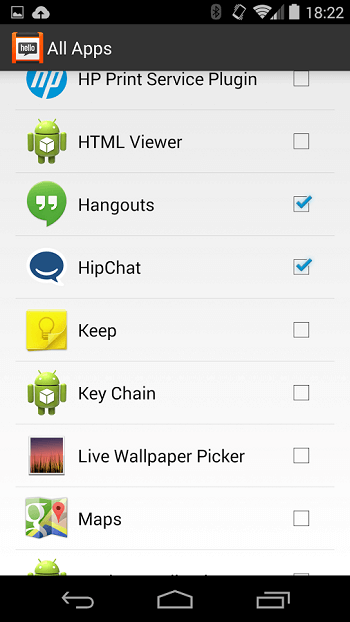
You can manage and work everything out regarding the apps you want to be able to use on your phone via the Pebble app cloud capability. Simply ticking apps marks them as something that you’ll be able to use on your watch once it’s done installing.

In terms of fitness apps, there’s a distinct lack of things you can actually track with the Pebble Steel – simply because it only features a pedometer and no other sensors such as an accelerometer, GPS or anything else that is normally used in activity trackers for example. However, you can download the native apps from FitBit or Jawbone UP in order to have your watch help you track your steps and sleep; that is, if you trust the results you will get from the Pebble Steel which may lack in the accuracy professional activity trackers are known for. However, the undeniable capability of accepting third party apps and even making them work somehow is yet another proof of just how universally competent this underrated smart watch really is. It may not do everything listed in the capability range of a Jawbone UP24, but it will at least give you a usable method of tracking a few things and then reviewing them on your phone.

Pebble Steel Review – Watch Faces

One of the relatively frustrating things about the Pebble Steel is the limited amount of app slots. And the worst part of it is that watch faces counts as a potential slot eater. Thus, there won’t be much customizing your watch on the fly given that you’d probably prefer to keep your app slots for something more important than watch faces.

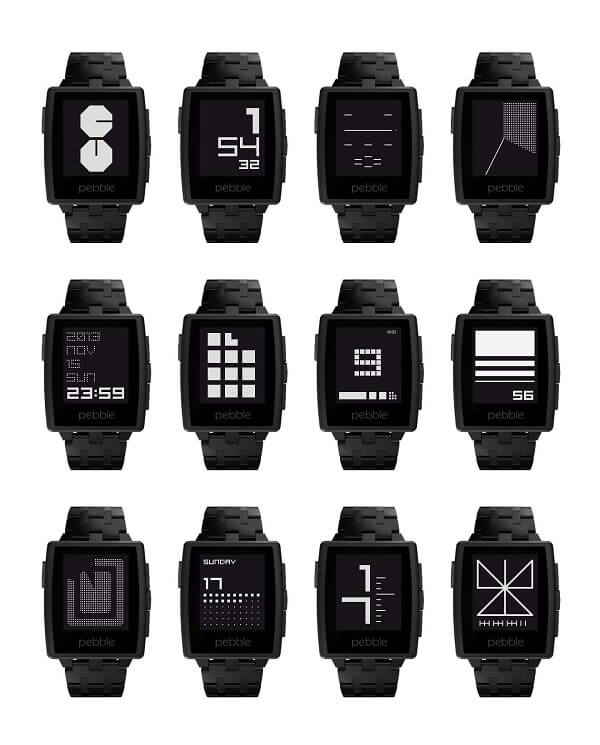
Pebble Steel Review Watch Faces Collection

You can find a great number of watch faces on both the App Store and Google Play, most of which are free and a fun way you spice things up or change the generic look your watch gives off. On the upside, there’s a considerable amount of “app packs” you can find for your own Pebble Steel that will consist of both applications and watch faces bundled into one; a thoughtful gesture for users who really want more than just a pretty smartwatch.

Pebble Steel Review – Battery Life

Depending on what other kind of device you compare it too, the Pebble Steel can either be amazing in terms of battery life or not that impressive. In comparison to your regular smartwatch, aka iWatch or Android Wear, the battery of the Pebble Steel is great: while you normally have to charge your Apple or Android smartwatch basically every day, the Steel will last you somewhere around 5 to 6 days. It’s advertised to last up to a week but that seems a bit of an overstatement unless you’re really just using it as a fashion statement alone.

In comparison to some of the professional sports watches out there, the Pebble Steel can’t last as much as some of the more professional models do, but still handles itself pretty well. Charging is done via the magnetic slot that you can find on the watch’s left hand side, which ensures a satisfactory clip when the charger is connected correctly. Charging isn’t the speediest of processes however as it can take up to 4-5 hours. So you should probably get used to set it to charge while you sleep or otherwise it may be a bit of a nuisance if you have to be mobile during the day.

Pebble Steel Review – Final Conclusions

There’s a whole bunch of reasons some individuals will absolutely adore the Pebble Steel, while others will absolutely despise it. The watch is great for anyone who wants to own a smartwatch that is affordable and capable of sending notifications from their phone to their wrist, without the hullabaloo of tiny touch screens that you always tap incorrectly on. Fitness enthusiasts and tech lovers will, however, find the Pebble Steel unsatisfactory to say the least: there’s only so much you can do with it and actually feels like it tries really hard not to stand out as wearable tech and instead a fashionable watch with a technological secret.

You can purchase the Pebble Steel directly off of the Pebble website or through various retailers – both online and in-store. The price differs depending on the model that you aim for; the classic, leather band watch can be currently purchased for $159.99, while the stainless steel Pebble watch Steel band variant is available for $189.99. However, do keep in mind that there is a holiday sale at the current time – hence the reduced prices. Normally, you would pay $189.99 for the leather band Pebble Steel and $229.99 for the classier, longer-lasting stainless steel variety.

Image Source: 1, 2, 3, 4, 5, 6, 7, 8, 9, 10, 11, 12

Filed Under: Headlines Tagged With: affordable smartwatch, pebble steel review, pebble steel smartwatch, pebble steel watch

The Mac App Store Just Lost Sketch

December 2, 2015 By Kenneth Scott Leave a Comment

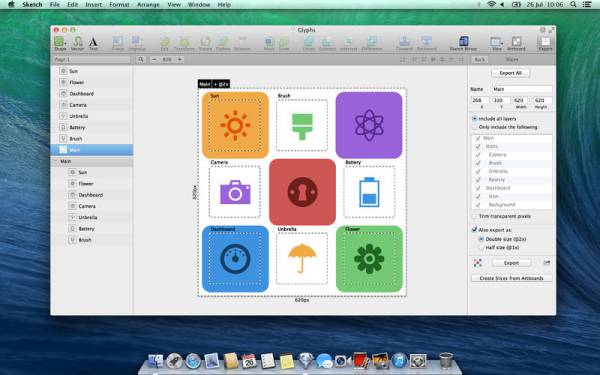
The Mac App Store just lost Sketch, an editing application.

The Apple Store is starting to lose more developers.

The Mac App Store just lost Sketch, an application for professional digital design for Apple. This is expected to have a negative effect on the company, even though it is not the first application to be pulled from the store. However, other developers have started to voice their discontent.

Sketch has been pulled from the store by Bohemian Coding for several reasons. First of all, the time required for an update to be submitted and approved was very long and unprofitable. Secondly, there are not many pricing options for updates. Lastly, the guidelines on sandboxing have a lot of technical limitations from Apple, like the access an app can have to programs or systems.

However, users who have bought the Sketch application will have the option to download it from the official website of Sketch, in order to receive further updates.

Bohemian Coding is a very important partner for Apple. It has already won two of its awards for design. Furthermore, Apple was relying on the developer for wireframing WatchOS apps, as it was also providing them with templates.

The team from Sketch stated in a blog post that they have been thinking about their options and this is the conclusion. As the application recorded great progress over the last year, the same cannot be said about the customer experience for the Apple Store. By selling their application directly from their website, the company will remain easily-approachable and responsive, and will ensure a better experience for its customers.

Sketch is not the first app to be pulled from the Mac Store. BBEdit from Bare Bones Software was removed because of the sandboxing restrictions, as well as the lack of pricing options for updates. The App Store support provided by Quicken also left for pricing reasons, while Coda, a web development tool from Panic was pulled from the store because of the restrictions regarding sandboxing. But the list doesn’t stop here. Parallels Desktop, TextExpander, Paragon NTFS and Hazel were removed for similar reasons.

As the Mac App Store just lost Sketch, we can expect other developers to remove their applications. Apart from the reasons mentioned above, the developers are also quite upset about the fact that they have to give 30% of their revenues for apps to Apple. Maybe it is time for the company to make a change.

Image Source: 1
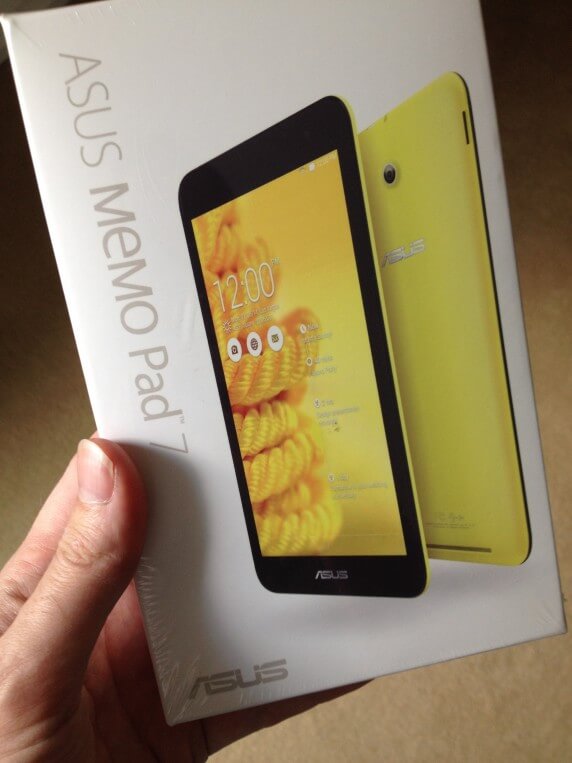
Filed Under: Headlines Tagged With: Apple, design, developers, The Mac App Store Just Lost Sketch

  • « Previous Page
  • 1
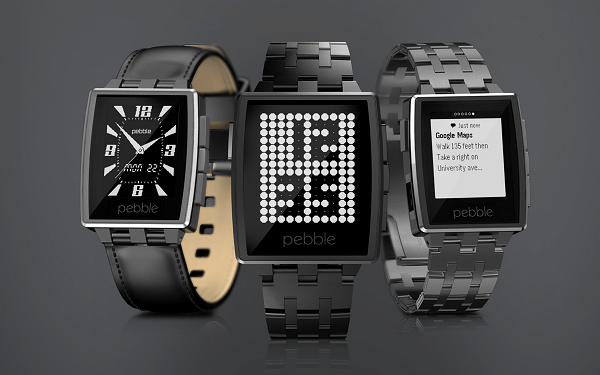
  • …
  • 6
  • 7
  • 8
  • 9
  • 10
  • …
  • 58
  • Next Page »

Subscribe to Blog via Email

Enter your email address to subscribe to this blog and receive notifications of new posts by email.

Join 11 other subscribers
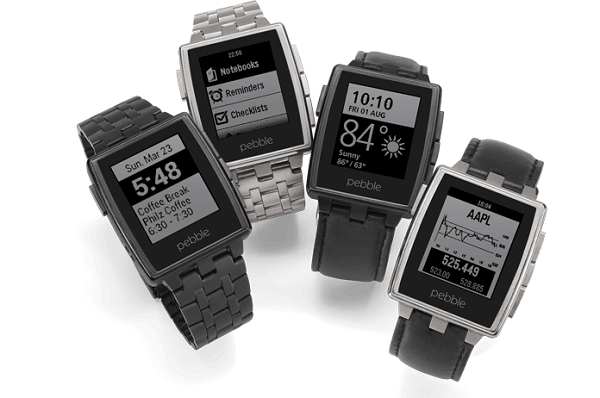
Recent Articles

police handcuffs man

German Man Probed In Poisoning That Killed 21 Employees Since 2000

June 29, 2018 By Kenneth Scott Leave a Comment

Chicken wings bar

Intoxicated South Carolina Man Punches Waitress Who Refused to Serve Him Alcohol

June 29, 2018 By Karen Jackson Leave a Comment

gaming

New Zealand gamer Who Flew Halfway Across The World for Virginia Teen Gets Shots By Her Mother

June 28, 2018 By Cristopher Hall Leave a Comment

party

Former Virginia Tech Freshman Sentenced to 50 Years in Prison for Stabbing a Girl to Death

June 28, 2018 By Roxanne Briean Leave a Comment

bonfire

British Couple Sentenced to Life in Prison for Torturing and Murdering French Nanny

June 27, 2018 By Deborah Campbell Leave a Comment

pay phone

Texas Father of Girl Disappeared in the 80s Ignored by Authorities

June 26, 2018 By Cristopher Hall Leave a Comment

bottled water

San Francisco Woman Threatened to Call Police on Girl Who Sold Ice Water for Disneyland Trip

June 25, 2018 By Roxanne Briean Leave a Comment

Maplewood Park

Missouri Man Robbed by Date and Accomplice in Park

June 22, 2018 By Nancy Young Leave a Comment

coding

New York Man Sentenced in Cyberstalking Former Girlfriend, Mailing Drugs to Her Dorm

June 22, 2018 By Deborah Campbell Leave a Comment

headphones

Bose Poised to Launch Sleepbuds, In-Ear Headphones That Help You Sleep

June 21, 2018 By Nancy Young Leave a Comment

Police light

Intoxicated Female Driver in Custody for Pulling Arresting Officer by the Hair

June 21, 2018 By Kenneth Scott Leave a Comment

kitchen

Restaurant Manager Arrested and Charged in Shooting Death of Co-Worker over Negative Yelp Reviews

June 20, 2018 By Karen Jackson Leave a Comment

plastic container

Pennsylvania Couple Charged in Violent Death of Infant Discovered Buried in Cat Litter

June 19, 2018 By Cristopher Hall Leave a Comment

tailpipe

Minnesota Teen Gets Head Stuck In Oversized Tailpipe Winstock Music Festival

June 18, 2018 By Karen Jackson Leave a Comment

Pages

  • About Us
  • Contact us
  • Privacy Policy
  • Privacy Policy GDPR
  • Staff
  • Terms and Conditions

Recent Posts

  • German Man Probed In Poisoning That Killed 21 Employees Since 2000 June 29, 2018
  • Intoxicated South Carolina Man Punches Waitress Who Refused to Serve Him Alcohol June 29, 2018
  • New Zealand gamer Who Flew Halfway Across The World for Virginia Teen Gets Shots By Her Mother June 28, 2018
  • Former Virginia Tech Freshman Sentenced to 50 Years in Prison for Stabbing a Girl to Death June 28, 2018
  • British Couple Sentenced to Life in Prison for Torturing and Murdering French Nanny June 27, 2018
  • Texas Father of Girl Disappeared in the 80s Ignored by Authorities June 26, 2018
  • San Francisco Woman Threatened to Call Police on Girl Who Sold Ice Water for Disneyland Trip June 25, 2018

Categories

  • Business
  • Entertainment
  • Finance
  • Headlines
  • Health
  • Life
  • Nature
  • Science
  • Sports
  • Tech & Science
  • Travel
  • Uncategorized
  • United States
  • World

Copyright © 2026 ArgyllFreePress.com
About · Privacy Policy · Terms of Use · Contact