Argyll Free Press

Growing News Network

Thursday, April 23, 2026
Log in
  • Business
  • Finance
  • Sports
  • Tech & Science
    • HP Envy 4500 Review
    • LG Optimus 170 Review
    • iPod Touch 6th Generation Review
    • HTC One M8 Accessories Set-up
    • Surrealist Games You Must Play
    • Hisense Sero 8 Review
    • Dell Latitude e7440 Review
    • HP Laserjet 1536dnf mfp Review
    • Garmin Fenix 2 Review
    • Skype Vs Viber
    • Best Video Conferencing Software
    • Sony mdr 1r Headphones Review
    • Canon Rebel t3i Review
    • Sennheiser Momentum 2-0 Review
  • Travel
  • Headlines
  • Health
  • United States

Asus Zenbook UX305 Review

May 7, 2015 By Roxanne Briean Leave a Comment

There are a lot of reasons why you should be very interested in the Asus Zenbook UX305: it has a light and slim metallic body, fanless hardware, a high resolution display and a very attractive price. However, the laptop does have some quirks and we’ll tell you everything about them right here.

While the Asus Zenbook UX305 isn’t as powerful as many ultrabooks out there, it still does a decent job in handling everyday activities. The laptop can easily handle music, videos, browsing and Office use. But on the other hand, the laptop from Asus won’t function as well with demanding chores and software and it isn’t going to be as fast as a Haswell U or a Broadwell U device. However, if you don’t mind these shortcomings, the Asus Zenbook UX305 may be just the thing for you, but if you’re looking for power you might want to look elsewhere.

Here is our Asus laptop review.

Asus Zenbook UX305 Review

Specs

  • Processor: Intel Broadwell Y Core M-5Y10 CPU
  • Graphics: Intel 5300 HD
  • Memory: 8GB LPDDR3
  • Storage: 256GB SSD
  • Connectivity: Bluetooth, LAN, Wireless
  • Screen: 13.3 inch, 3,200×1,800 IPS, non touch screen, matte
  • Ports: 3 x USB 3.0, SD Card Reader, Headphone Jack, micro-HDMI
  • Battery: 45Wh
  • OS: Windows 8.1
  • Size: 324x226x12.3mm
  • Weight: 1.2kg
  • Colors: Obsidian Stone, Ceramic Alloy

Design

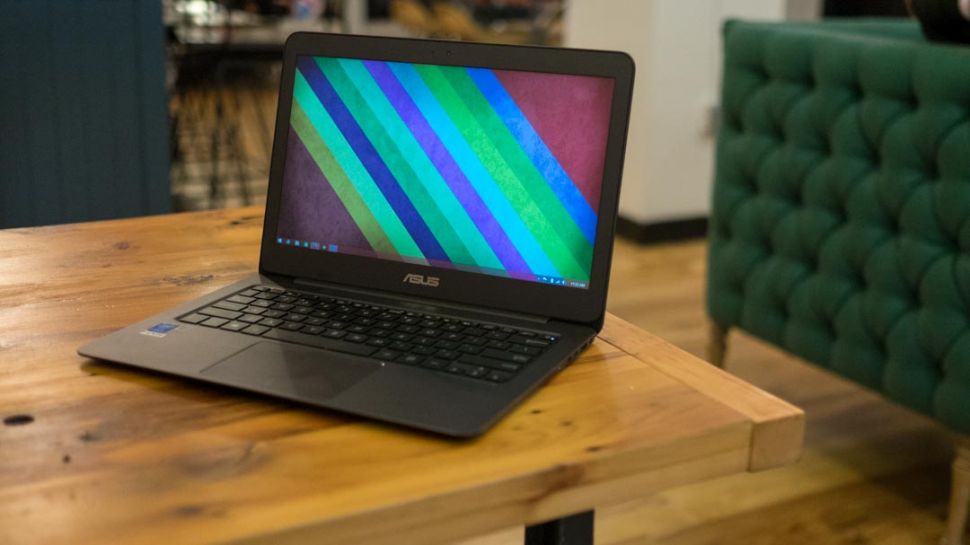
The Asus Zenbook UX305 is a very slender laptop with a 12.3mm body. The computer weighs only about 1.2 kilos and is also pretty compact. It’s almost as compact as the 2014 model of the Dell XPS 13, and this can be seen from the very narrow bezel that surrounds the screen.

Despite being a very slender machine, the build quality of the Asus Zenbook UX305 is actually top-notch and it certainly feels like it’s very strong. The entire case, including the underbelly is made out of metal. Its hood has the well-known Asus logo and a ripple pattern which we’ve seen on all the Zenbooks. The interior is made from a smoother and simpler material. The review unit was the Obsidian Stone one but Asus also offers the laptop in Ceramic Alloy. While that color may look very great, it’s possible it might scratch a lot easier.

The screen hinge is also made of metal and as a matter of fact the only plastic used on this laptop is the bezel that surrounds the screen, but even that piece of plastic certainly feels premium. However, in our reviews we noticed that the plastic bezel is very tight on some of the laptops which can cause some light bleeding on the screen. But aside from this small problem, there isn’t much you could complain about regarding the design and the build quality of the Asus Zenbook UX305.

This laptop from Asus is also practical in addition to being pretty. There are four rubber feet on its belly which will make sure the computer will sit tightly on your desk. The palm rest is also quite spacious and will allow you to type very comfortably. On the side of the machine you’ll find an SD card reader, a headphone/microphone jack, a micro-HDMI output, 3 USB 3.0 slots and some LEDs. There is also a USB to LAN adapter included in the pack but Asus doesn’t include a micro-HDMI to normal HDMI adapter, which is a shame. However, the laptop does come with a nice protective sleeve.

There are no USB 2.0 ports on the laptop, which can be a hassle if you have some older accessories that you might want to use with it and there is no DP port, which can cause issues if you want to use an external monitor with high resolution at 60Hz.
Asus Zenbook UX305 Review

Keyboard and Trackpad

The trackpad and the keyboard use up most of the interior space of the Asus laptop.

While the typing experience is pretty enjoyable, it isn’t very spectacular. Asus had to sacrifice, because of how thin this laptop is, key travel, but it’s far better than most of the other ultrabook laptops you’ll read about in our reviews. The layout of the keyboard is basically standard except for the arrow keys that are pretty tiny and the power button which is the top right key, integrated on the keyboard itself. It’s very easy to hit the power key by mistake, hoping to reach the delete key, which will put the laptop to sleep. This can get really annoying, really fast.

But what’s more annoying regarding the keyboard is that it doesn’t have a backlight. In my opinion, a backlit keyboard should be present on all higher end laptops. The trackpad on the Asus Zenbook UX305 is smooth, spacious and has a chamfered contour that neatly separates it from the palm rest. It’s a little noisy because it’s a clickpad and it can seem a little stiff if you aren’t used to these kinds of trackpads. It can get pretty annoying as even the gentlest of taps will cause the laptop to make noises.

Taps and swipes work generally well on the trackpad, even if the gestures that you’re trying to make require precision. I didn’t encounter any fake or palm clicks and the gestures also worked incredibly well. The surface works well when you keep one finger on the click area and swipe with the other. This is one gesture that usually creates problems on most Windows laptops.

But because this is a trackpad made by Asus, you will have to use Asus’s own drivers and the Smart Gesture application, which doesn’t really allow you to fine tune the trackpad to your liking. The velocity of the cursor and the speed between taps were some features I really wanted to improve upon. As a matter of fact, these issues were the ones that really made me have mixed feelings about the trackpad implementation. While it’s not bad per se, the trackpad isn’t extremely good either.

Screen

The screen of the Asus Zenbook UX305 is a matte, non touch screen display. The fact that it is matte is actually pretty awesome, seeing how most ultrabooks have glossy touchscreen displays nowadays. This means that you can comfortably use the laptop outside in the sunlight without having to deal with glare and reflections.

The overall quality of the panel is top notch, as you will see in the info below:

  • Panel Hardware ID: Samsung SDC374A
  • Coverage: 99% sRGB, 77% Adobe RGB, 73% NTSC
  • Max brightness in middle of screen: 338cd/m2
  • Measured gamma: 2.2
  • Contrast: 330:1
  • White point: 7000K
  • Black on maximum brightness: 1.03cd/m2
  • Average delta: 1.69 calibrated, 1.76 uncalibrated

The lower end model comes with a 1080p screen but our review unit came with an IPS panel with a higher resolution of 3,200×1,800. The brightness, sharpness, gamma, white point and viewing angles were excellent. However, the contrast is a little poor but this is mostly due to the fact that the blacks aren’t all that deep. The colors are pretty accurate but the blues and yellows do seem a little muddy.

Hardware, Performance and Upgrades

Our test unit had an Intel Core M 5Y10 CPU, 8GB of RAM and a 256GB M.2 SSD from SanDisk. This is the most powerful configuration of the laptop available.

The memory of the Asus Zenbook UX305 is soldered on its motherboard which means that you’ll be stuck with what you choose from the beginning. However, you will be able to upgrade the storage with compatible drives. To do this you will have to open the back of the laptop and while this isn’t very complicated, you should be aware that there are some screws hidden behind the rubber feet of the machine.

The Core M platform isn’t very fast and won’t deliver groundbreaking performance, as one might expect from this kind of chipset, after all it’s not an Intel i7 or an i5. But as long as you’ll use it for basic activities such as watching videos, browsing the web, listening to music, editing documents and talking with your friends you’ll be just fine. That being said, you won’t be able to use the laptop for hardcore gaming and you might encounter some issues when switching back and forth between several applications. But this isn’t such a big deal if you try to keep multitasking at a bare minimum on the laptop.

The browsing experience in Google Chrome isn’t as good as in Firefox or Internet Explorer. You’ll have a hard time trying to watch YouTube videos in Chrome than in Internet Explorer. It’s safe to say that the Core M still isn’t very well optimized for Google Chrome and you should consider sticking to Mozilla Firefox or, even better, Internet Explorer.

The Core M processor on the laptop is bundled with the HD 5300 from Intel which is a low to mid-end solution. Because of this, the Asus Zenbook UX305 won’t be able to handle the most recent gaming titles but it will perform well when playing older games.

The speakers on the laptop are decent enough. They are positioned on its belly and aren’t extremely loud and they aren’t very capable of producing great quality of sound but they get the job done. They don’t distort or cause any vibrations in the casing and will produce decent enough sound for a laptop this size.

The webcam, which is placed on top of the screen, is decent as well. While it’s usually grainy, the webcam is good enough for the occasional Skype calls.

Asus Zenbook UX305 Review

Battery Life

The Asus Zenbook UX306 comes with a pretty large battery. The 45Wh battery occupies most of the space inside the laptop, but the Core M does drain the battery pretty quickly.

Asus claims that you can get up to 10 hours of battery life from the machine but you won’t reach those 10 hours unless the laptop stands idle. You can expect around 5 to 8 hours of battery life in everyday use.

Below you will find out how much the battery will last, depending on your activities.

  • Around 13 hours of use in idle, Power Saving Mode, 0% brightness and Wi-Fi turned off;
  • Around 7 hours of use with light browsing and text editing, Balanced Mode, 40% brightness and Wi-Fi turned on;
  • Around 6 hours of use with 1080p YouTube videos in IE, Balanced Mode, 40% brightness and Wi-Fi turned on;
  • Around 5 hours of use with 1080p video in VLC Player, Balanced Mode, 40% brightness and Wi-Fi turned on;
  • Around 4 hours and 15 minutes of use with 1080p YouTube videos in Google Chrome, Balanced Mode, 40% brightness and Wi-Fi on.

The Asus Zenbook UX305 comes with a 20W compact power brick with a pretty long cable. The power adapter will charge the laptop with maximum 20W an hour, which means that a full charge will take about 2 hours and 30 minutes, because it trickles near the end.

Wrapping up…

If you want a light and compact 13 inch laptop that is very quiet, powerful enough for daily activities and which comes with a nice display, the Asus Zenbook UX305 might be just the right laptop for you, especially since it’s a lot cheaper than any other similar ultrabooks.

The major selling points of this laptop are the slim body, the matte screen, solid build and the fact that it is very quiet because it’s fanless. However, the non-backlit keyboard, performance and the average battery life might make you want to consider buying a different product. That being said, keep in mind that for $699 you won’t be able to buy another ultrabook that offers 256GB SSD storage, 8GB RAM, an IPS display and such a great quality build. It’s because of these things that the Asus Zenbook UX305 is such a good deal, if you don’t mind the performance.

PROS

It has a sturdy and beautiful build.

It comes with a great matte display.

It has fanless hardware.

It’s fast enough for everyday use.

It has an excellent price.

CONS

The keyboard isn’t backlit.

It can get pretty hot.

It can be a little slow on Wi-Fi when it’s not near the router.

It offers average battery life.

So there you have it. This was our Asus Zenbook UX305 review.
Images source: 1, 2, 3

Filed Under: Tech & Science Tagged With: asus, asus laptop review, asus laptop reviews, asus laptops review, asus ux305, asus zenbook, Asus Zenbook review, Asus Zenbook UX305, Asus Zenbook UX305 Review, zenbook review, zenbook ux305, Zenbook UX305 review

Asus EeeBook X205TA Review

May 6, 2015 By Roxanne Briean 1 Comment

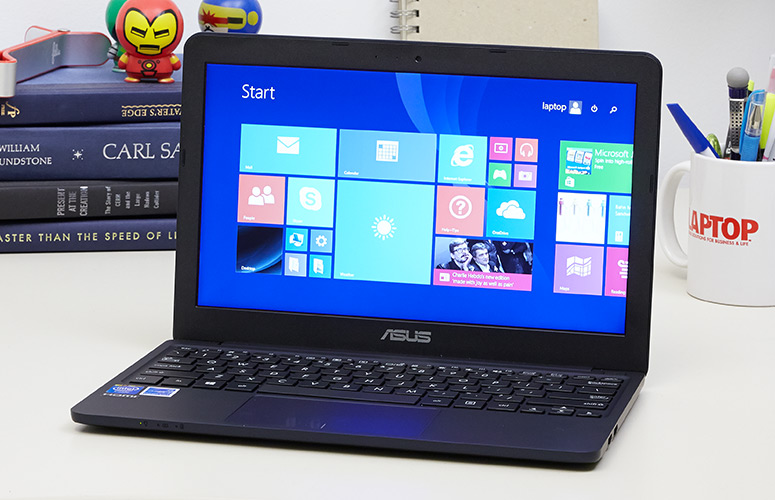
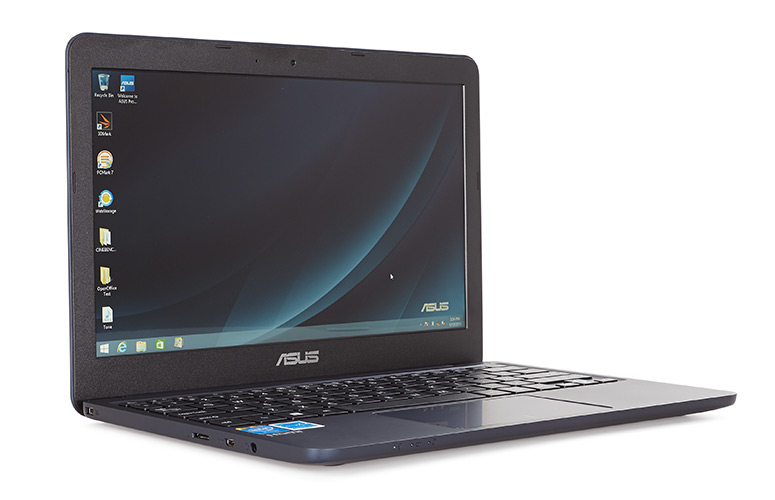
The Asus EeeBook X205TA comes with Windows 8.1, which means that it will allow you to run all the applications that you’re familiar with and while the X205TA is by no means powerful, it does get the job done for its cost. Here is our Asus EeeBook X205TA review.

Let’s take a quick look at the specifications of the Asus EeeBook X205TA first.

Asus EeeBook X205TA Review

Specs

  • Hardware: Intel Atom BayTrail-T Z3745D CPU and Intel HD Graphics
  • Memory: 2GB RAM
  • Storage: 32GB Flash
  • Screen: 11.6 inch 1,366×768 non touch screen display
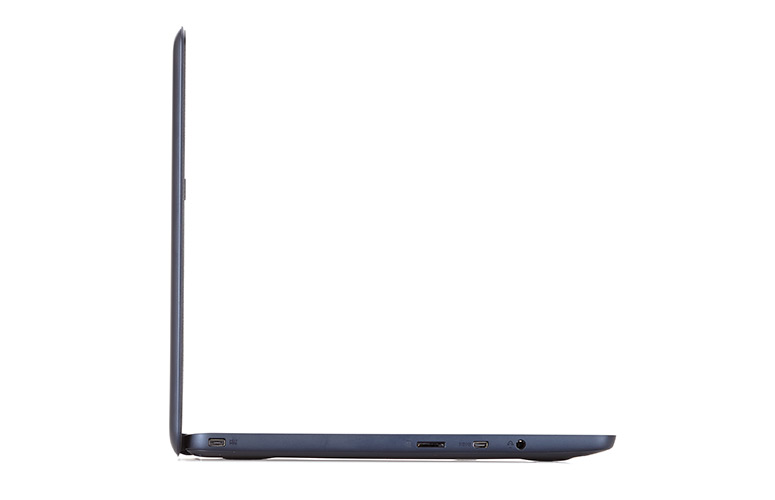
  • Ports: 2x USB ports, microSD card reader, headphone jack, proprietary PSU, micro-HDMI
  • Connectivity: Wireless N, Bluetooth
  • Battery: 38Wh
  • Operating System: Windows 8.1
  • Size: 288mm x 196mm x 18mm
  • Weight: 954g (2.1 pounds)

Hardware

Asus EeeBook X205TA Review

The Asus EeeBook X205TA is primarily designed for everyday use. The laptop will handle pretty well your web browsing between numerous tabs, listening to music and watching videos and editing documents. The laptop comes with a trial version of Office, which means that it will handle Microsoft Office just fine. The release version of the laptop will come with a 12 month subscription of Office 365 Personal and if you choose so, Adobe Photoshop. However, make sure you don’t ask too much of this machine when using Photoshop. It will get the job done but it will hiccup here and there, especially if you’re working with very complex images.

This is mostly due to the fact that the Asus EeeBook X205TA is built with high-efficiency low-power hardware. The laptop comes with an Intel Z3745D CPU, 2GB RAM and 32GB of storage. However, because the eMMC and the RAM are both soldered to the motherboard, this will become really annoying, really fast.

You will be left with very little storage space after the installation of the operating system (around 14GB), which means that Asus had to cut corners in order to make this laptop as affordable as it is. This will leave you with two options: you will either have to use the cloud space offered by Asus for free in the WebStorage environment or expand the storage of the machine by using a microSD card.

To be perfectly honest, I was very disappointed that the Asus EeeBook X205TA doesn’t support standard SD cards. This would have been very useful for transferring photos from cameras while on the run. However, this probably isn’t such a big deal for most people. All in all, the Asus EeeBook X205TA is a pretty capable notebook and it will be able to handle most things.

It comes with pretty punchy and loud speakers that are located on the belly of the laptop. The experience is even greater due to the fact that the machine doesn’t have any movable parts in it or any fans to make noises.

The Wi-Fi chip on the laptop is pretty good as well. While it won’t match your Internet speed if you have a great connection, it won’t lose its signal either when you move away from the router. We were able to stream 1080p YouTube videos on it without having to wait for the buffer or having to download the media file without any hiccups. So in my opinion, this is amazing for a computer that sells for only $199.

The belly of the laptop doesn’t have any cuts for cooling in it and, as a matter of fact, it doesn’t even need any. Because it doesn’t have any cuts in it, this leads to a very beautiful and simple design. You can access all the internals of the laptop by simply unscrewing the Philips screws on its back.

That being said, gaining access to all the internal things in the laptop won’t be of much help to you because everything is soldered on to the motherboard. As a matter of fact, the motherboard is pretty small as it is, most of the space inside the laptop being used for the battery. The good thing is that the battery is also held in place by some screws and, if needed, it can be easily replaced.

It would have been great to be able to update its storage but there is no dedicated storage stick inside the machine. This means that you won’t be able to upgrade that 32GB of internal storage. This is pretty annoying, seeing how most of that space will be occupied just by Windows. To be fair, you can use Linux on the laptop and Mint or Ubuntu will probably work just fine on the laptop, but if you’re not such a huge fan of that particular operating system, you will be stuck with Windows.

The case of the Asus EeeBook X205TA remains pretty cool under everyday use and won’t get very hot when putting the laptop through a lot of stress either. The internals reach around 80 degrees Celsius under a lot of stress and both the GPU and CPU will run under the default frequencies. However, you should keep in mind that the Asus EeeBook X205TA is designed for everyday activities and not demanding multitasking and other chores.

Keyboard and Trackpad

Asus EeeBook X205TA Review

The typing experience isn’t all that bad on the Asus EeeBook X205TA because the keyboard is pretty good and the position is comfortable. The laptop has a very generous palm rest which will allow you to type easily on it.

The keys on the Asus EeeBook X205TA are pretty firm and have a decent feedback and travel, considering the size of it but they do feel somewhat cheap. The layout is also cramped vertically because Asus chose to use rectangular keys on the device and not square ones. The arrow keys are also very small, but this is to be expected as we’ve seen this issue in other Asus laptop reviews.

But because the keys are smaller, this will leave a lot of space for the palm rest and the trackpad. While I did face some issues with the trackpad in everyday use, most of the times it worked just fine. However, sometimes it does double click by itself and will occasionally send your cursor flying on the screen but this generally happens when you put the laptop under a lot of stress.

That being said, this is one of the issues that definitely need tweaking on the Asus EeeBook X205TA. But seeing how the erratic cursor is most of the times a software issue, it could be resolved by future updates.

Asus EeeBook X205TA Review

Design and Build Quality

The Asus EeeBook X205TA weighs just less than 1kg and also has a compact footprint along being very thin. It will easily fit in a bag or a backpack and the laptop is also pretty tough and has a nice design. If you grab the machine and give it a little squeeze it will make some creaks, which are usually associated with cheap plastic laptops, but considering how little money this computer costs I have to say that it’s pretty well built and has a really nice finish to it.

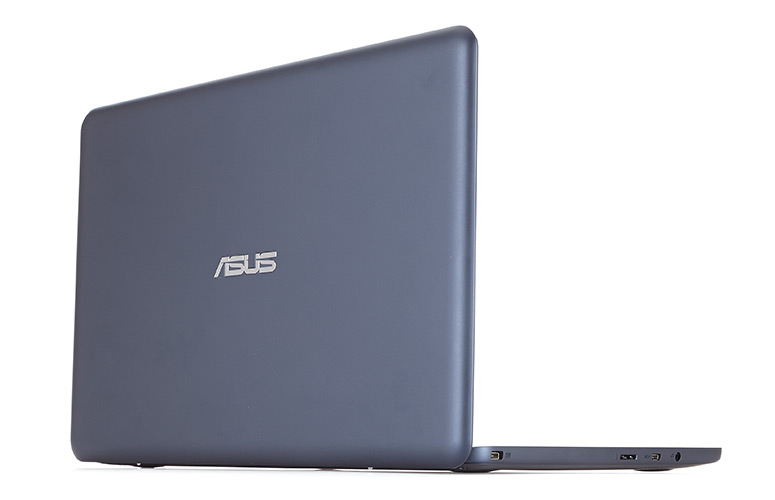
The case is made out of soft matte plastic that is present on the interior, the lid and the belly of the laptop. While the bezel around the screen is the only thing that remains black on this laptop, Asus offers the device in various other colors. The materials used to build the laptop feel very pleasant to the touch and there aren’t many things you could complain about the quality of the finish either.

But to be fair, there are two things that can annoy you regarding the laptop. The case catches finger oil and smudges pretty easily and will be very visible if you purchase the dark blue model of the laptop and the lid flexes a bit. While this doesn’t really affect the integrity of the screen, if you do press a little harder on the lid you will see some ripples on its screen. This means that you should consider purchasing a sleeve for it and you should be very careful when carrying it in a backpack.

Display

The laptop comes with an 11.6 inch non touchscreen display with a resolution of 1,366×768, a glossy finish and a TN panel. This means that it has pretty poor vertical viewing angles and the colors will quickly fade when viewing it from awkward angles, but this is to be expected with such low priced screens. That being said, if you look at the laptop heads-on, you shouldn’t be very bothered by this aspect.

The screen leans to around 140 degrees to the back, which is pretty good, but not perfect. The laptop is lifted on two plastic feet which will leave more space under the laptop for cooling and will raise the keyboard for a better position for typing.

The display is pretty decent despite the following measurements:

  • Panel Hardware ID: AU Optronics AUO235C;
  • Coverage: sRGB 58%, AdobeRGB 43%, NTSC 41%;
  • Measured Gamma: 2.3;
  • Maximum brightness in the middle of the screen: 247cd/m2;
  • Contrast at maximum brightness: 90:1;
  • White point: 7900K;
  • Black on maximum brightness: 2.78cd/m2;
  • Average Delta: 4.37 calibrated, 8.48 uncalibrated;

The screen does have some problems displaying very accurate blacks when used at a high brightness and the colors might sound a little awful but the fact is that the display isn’t as bad as the numbers above would suggest. Asus could have chosen to equip the laptop with a matte screen, since the display is not touchscreen but they chose to make it glossy which will prove to be problematic when using the laptop in bright sunlight.

Battery

The laptop comes with a 38Wh battery which will give you around 10 hours of battery life in everyday use. This includes editing documents, browsing the web, listening to music and watching YouTube videos with Wi-Fi turned on. The laptop was also capable of lasting for around 9 hours on 60% brightness when looping a 720p mkv file in WMP-HC. The laptop ran for 8 hours when looping a 1080p video on YouTube.

The laptop will last for weeks in stand-by and the Always Connected feature from Intel will make sure that all your emails and updates will be ready for you when you wake the machine up. The Asus EeeBook X205TA comes with a compact 10Wh power brick and a pretty long cable. You will be able to charge the battery from 5% to 99% in around 2 hours and 15 minutes.

Asus EeeBook X205TA Review

Wrapping up…

All in all, Asus did a pretty good job with the Asus EeeBook X205TA. After using the computer for some time, there was only one thing that annoyed me the most: its trackpad. Also, the microSD and micro-HDMI slots can prove to be problematic along with the fingerprint magnet case, but these are in no way huge problems. The storage space should be neatly organized and probably left only for Windows.

However, this is pretty much it. You can’t really complain about a $200 laptop that performs and looks as good as this one does. Because it’s so sturdy and light and also because it lasts so long on a single charge, the Asus EeeBook X205TA can be a really nice travel companion. It can also be a great laptop for kids, because it’s so cheap and you won’t mind if they break it. The Asus EeeBook X205TA can also be a good pick for someone who is looking for an inexpensive and small computer that can handle Windows 8.1 and all the software that is compatible with the operating system.

That being said, you should keep in mind that the Atom CPU inside the machine won’t be able to handle very demanding tasks and hardcore gaming. But if you plan to only use the laptop for daily activities, you really can’t go wrong with this $199 machine.

PROS

It’s very light and sleek.

It has a decent keyboard.

It is able to handle multimedia activities and most daily tasks.

It lasts for a very long time on a single charge.

It’s very affordable.

CONS

It comes with miniaturized ports.

The touchpad is pretty erratic.

It has limited internal storage.

So there you have it. This was our Asus EeeBook X205TA review. Make sure you check our other Asus laptop reviews if you plan on buying an Asus computer.

Images source: 1, 2, 3, 4, 5


Filed Under: Tech & Science Tagged With: asus, asus eeebook review, Asus EeeBook X205TA, Asus EeeBook X205TA Review, asus laptop review, asus laptop reviews, asus laptops reviews, eeebook, eeebook x205, eeebook x205ta, EeeBook X205TA Review

Call of Duty Black Ops 3 Release Date Was Announced

May 3, 2015 By Roxanne Briean 2 Comments

Call of Duty Black Ops 3 Release Date Was Announced


The third installment of Call of Duty Black Ops is set to be released on November 6, 2015. Open betas are not really their thing if you think about it, their last CoD game to feature an open beta prior to release was World at War.  With Black Ops 3 all of that will change and everybody that pre-orders the game will have access to the open multiplayer beta.

The game will be available on PC and on the next gen consoles, such as PS4 and Xbox One, but it will not come out on PS3 and Xbox 360.

The beta will most likely feature three, different sized maps but no official statement was made as of yet. Treyarch’s studio lead, Mark Lamia confirmed that the multiplayer beta will be accessible by everybody who pre-ordered the game. He also stated that by doing this, they hope to attract more people that will play the game, prior to its release.

The PC version will be compatible with Windows 8.1 on 64 Bits, Windows 7 on 64 Bits and Windows 8, also on 64 Bits. The game will most likely be compatible with Windows 10 as well.

They have also released the minimum system requirements for PC along with a short preview. If you were to compare it with last year’s CoD Advanced Warfare, you will see that Black Ops 3 is only a little more demanding, only in the GPU region.

Treyarch said that they are putting a lot of emphasis on PC stability and good performance, showing a lot of confidence by releasing the minimum system requirements so early.

Minimum System Requirements for Call of Duty Black Ops 3

OS: Windows 7 64-Bit / Windows 8 64-Bit / Windows 8.1 64-Bit

Processor:  Intel Core i3-530 at 2.93 GHz, or AMD Phenom  II X4 810 at 2.60 GHz

RAM: 6 GB Memory

Graphics Card: NVIDIA GeForce GTX 470 at 1GB, or ATI Radeon HD 6970 at 1GB

Sound Card: DirectX Compatible

Network: Broadband Internet Connection

DirectX: DirectX 11

Last year’s CoD was exclusive to Flipkart, but because of the announcement, saying that that they will no longer act as a marketplace for the gaming scene, it is unlikely for the same deal to repeat this year.

The game’s story is set in a futuristic world, where, trough the use of biotech and cybernetics, they have created a new type of super-soldier. You get to play as a commando, in a world where technology is pushed to its limits, in a four-man-co-op campaign.

Activision’s communications manager, Scott Lowe, said that the new “movement system” will allow players to move more naturally throughout the environment and, at the same time, maintain full control over his weapons.

CoD Black Ops 3 will also feature a specialization system and a weapon customization option.

Image Source: 1

Filed Under: Tech & Science Tagged With: black ops 3 open beta, black ops 3 release date, call of duty black ops 3 open beta, call of duty black ops 3 release date, Call of Duty Black Ops 3 Release Date Was Announced, Call of Duty Black Ops III, cod 3 release date, cod black ops 3 open beta, cod black ops 3 release date

Suunto Ambit 3 Sport Review

April 23, 2015 By Cristopher Hall Leave a Comment

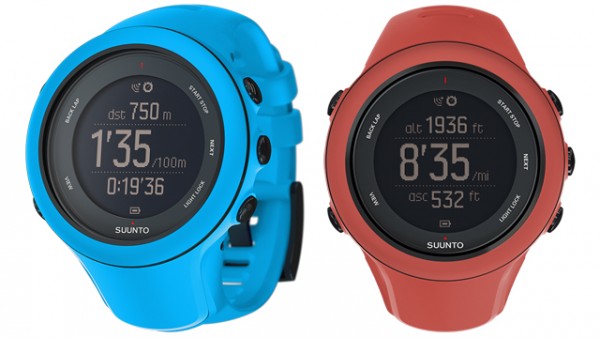
The Suunto Ambit 3 is one of the three new Suunto watches that offer GPS capabilities, a heart rate monitor and other activity tracking features. The watches from Suunto are very configurable, very powerful and can track your heart rate in the pool as well, not just on the trails. That being said, these functions do come at a price – bulkiness and cost.

Suunto Ambit 3 Sport Review

Here is our Suunto Ambit 3 Sport review.

Suunto Ambit 3 – Screen and Design

The most noticeable thing about the design of the Suunto Ambit 3 is how big it looks on the wrist. It has a size of 15.5mm and weighs 80g. This means that even when you compare it to other GPS watches out there, it’s still pretty bulky. Even on larger wrists, the GPS module will still be uncomfortable on the bones. On thinner wrists, it’s difficult to wear the watch comfortably because of its sheer size. The watch simply looks out of place on the wrist.

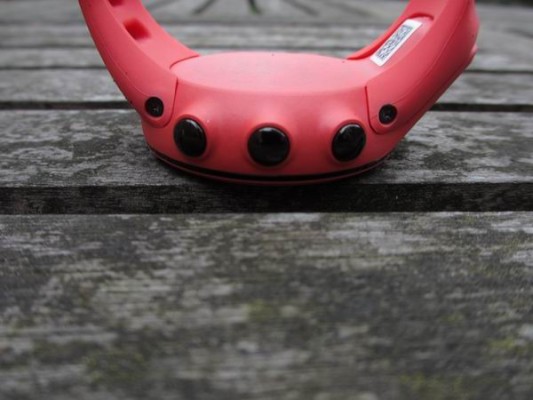
There are five buttons on the face of the watch – stop/start, light/lock, back/lap, next and view. Some can get pressed way too easily, even when on a soft run. This means that the lock option of the watch is very useful. There are four metal dots on the back of the watch that will snap in place the unusual USB cable. This means, however, that you will have to carry another cable that isn’t equipped with a standard plug.

The screen is a 128×128 one that takes up 29mm in diameter. However, not all of the display is being put to good use. The round design means that there is a lot of unused space on the screen. The display is recessed in the watch which means that it will get fewer knocks.

The display is pretty basic, just like on the Polar M400, but does have some useful graphs on it. It’s also bright enough for you to read out in the sunlight.

Suunto Ambit 3 Sport Review

Suunto Ambit 3 – Features

The Suunto Ambit 3 comes in three different versions. The Ambit 3 Run is the cheapest one and doesn’t have cycling power and swimming heart rate functions and won’t allow you to change the sports while you are exercising. The Ambit 3 Peak is the most powerful of the three watches and features a doubled battery life and water resistance and also an air pressure sensor for reading better barometer, temperature and altimeter.

The Ambit 3 Sport is in the middle of the other two and combines heart rate, multi-sport GPS and other sensors decently with a 24 / 7 tracking of activities. Nevertheless, the general activity tracking function is standard, to put it mildly. All the versions of the Ambit 3 and the MovesCount app and site don’t feature kick out daily steps, for example. However, this thing could be improved by a potential update.

At the moment all that you will get from these watches is a general rating, a calorie count and a chart that shows your activity compared to previous days. The Ambit 3 doesn’t track the sleep at the time, which makes sense, seeing how the watch is uncomfortable and you won’t be able to wear it while sleeping.

The good thing is that the Ambit 3 scores a lot better on sport and exercise than on general movement and sleep. All you have to do is simply press the start button, choose the type of exercise you want and you’re good to go. The exercise you choose will determine how accurate the GPS will be, and thus how fast the battery will drain. This will also determine if the heart rate will be enabled or not, how many laps you should do and whether the GPS will be turned on or not altogether.

The GPS is enabled with the help of the nub (which is rather bulky) below the watch’s face and the heart rate is analyzed wirelessly with the help of a Bluetooth smart chest band. You should consider purchasing the separate Smart Sensor from Suunto which will come very handy. The Smart Sensor is the only band that is able to monitor the heart rate under water. Bluetooth can’t function in water so the strap will store the information while you are swimming. It will then sync the gathered data to the Ambit 3 once you get out of the water. But this means that you won’t have heart rate graphs on the screen while under water.

The alternative to this would be to make use of an optical heart rate monitor. This monitor is built into the watch and until now very few high-end watches have these kinds of optical sensors. They are usually used for analyzing the resting rate because of accuracy issues.

Just like the swimming heart rate, the Ambit 3 also scores high in its way of analyzing multi-sport events and outdoor activities. Turn by turn navigation is built into the watch, even when the watch is tracking an activity, along with a digital compass.

What’s more important for multi-sport users is that you will be able to change the activity in the middle of the exercise with only a few presses of buttons. You can also pre-set the order of sports and the periods of transitions and change between them with only a simple press of a button. For a triathlon you would have to set up swim, then transition, then bike, then transition again and finally run. One button press for every change will make sure the whole event is being tracked. The watch will track open water swims and pool activities in a different matter. The Ambit 3 will make use of the accelerometer info and the length of the preset to analyze laps in the pool automatically and it will use the GPS for open water activities.

The watch also has a feature that will allow you to set intervals of workouts with alarms, so you will be able to jog as a warm up, sprint at a specific heart-rate zone for a certain distance or time or a certain pace, then recover, start again, rest and so on. At the moment this can only be done with the app, but according to Suunto, the website feature will also be up and running soon.

Along this list of features, the watch also supports Bluetooth smart sensors beyond the heart rate. This means that the Ambit 3 supports even foot pods, even though the watch already measures, analyzing the movement of the wrist, things such as bike speed and pace. But the device also supports cadence and power sensors as well.

We tested the device paired with other Bluetooth smart products, like the Adidas foot pod and the Polar heart rate belt and they all functioned properly. However, you should be aware that there have been a few complaints regarding the somewhat poor functionality of the Ambit 3 when paired with certain Bluetooth smart sensors.

You can connect the Ambit 3 to your smartphone as well for data sync, but also to be able to get notifications on the display of the watch. Even though the simple data that is available on the watch may make Apple Watch users giggle, the fact is that if you wish for a basic icon to inform you when you get an e-mail or a Twitter mention, this can be done on the watch.

Suunto Ambit 3 – App

Suunto Ambit 3 Sport Review

Like its rivals, Garmin and Pole, Suunto really needs to take a look at what Fitbit and other manufacturers are doing with their companion apps. When compared to those apps, the app by Suunto is extremely basic.

MovesCount tries to copy the desktop website MovesCount and only adds the capability to program workouts intervals. The companion app is currently available only on iOS but support for Android was promised from the 4.3 version onwards. This means that most Android users will get the chance to use the app as well.

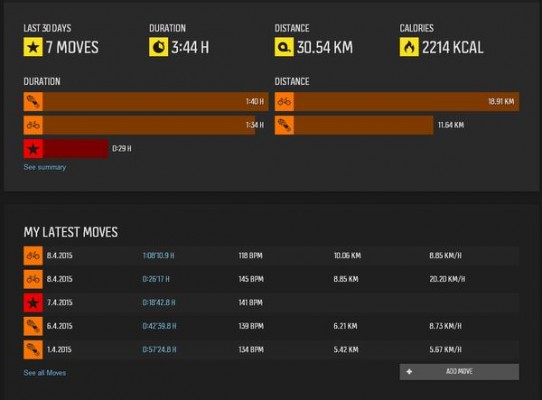
As far as the app and the desktop version go, it will allow you to track and analyze your activities (or Moves) in great detail. Zones and training effects, heart-rate charts and maps are all available in the app as well as recovery time, VO2, calories and other esoteric information.

What the app is missing is the general information of fitness such as any goals to work towards and steps per day. There is also a general lack of over-time tracking information and encouragement to use social interactions.

You are able to see other members with the help of the app in your area, see their respective “Moves” and even join groups. But there isn’t much friendly competition or community spirit available in the app. For example, at the time there isn’t a Birmingham group and even the biggest group in London only has 13 members. The London Marathon only has a mere 15 people in the event.

There is at least an easy automatic sync to Strava and this is an option that is really simple to set up. There are multiple formats available for export such as TCX and GPX for other communities of fitness.

One thing is great about the app from Suunto, though, the fact that its watches are opened for third party developers. There are numerous apps that can be downloaded and installed on the Ambit 3. For example, there is a third party app that will display your heart rate in the form of a percentage of maximum or show you an estimated time that remains to 10k.

Suunto Ambit 3 – Setup

Operating and setting up the Suunto Ambit 3 is very easy to do. There is a very simple sign-in process on the watch, with more data that can be inputted with the help of the website or the app, to generate heart-rate zones. After you do this, you’re all set to go.

This is all you need to do, unless you want to get into more complex matters of workout intervals, display types and custom exercises. The desktop software, even though it’s not as well designed as some others, is still pretty easy to use and to set up. Pairing with other devices and belt setup is just as easy to do. Menus on the Ambit 3 are very clear and simple as well.

Suunto Ambit 3 – Performance

Because Suunto has a long heritage in heart rate monitoring and GPS, there’s no wonder that everything works just as it should do. The GPS in the Ambit 3 does take a little more time to get your location when compared to the Polar M400, but this isn’t such a big deal as the difference is only by a few seconds. The heart rate monitor is very reliable and got a fix pretty quickly.

There have been some complaints online regarding the heart rate strap moving during turns in swimming races, but I didn’t face this problem to be completely honest. The GPS is far less accurate in water, however, but this is because the GPS signals don’t work all that properly underwater. GPS won’t work at all when diving.

Suunto Ambit 3 Sport Review

All in all, the performance was quite excellent. The real problem of the Suunto Ambit 3 is its shape and size. The watch is very bulky and it really doesn’t work as a simple fitness band because you can’t forget that you are wearing it at all.

Suunto Ambit 3 – Battery Life

The Ambit 3 claims to have a 14 day basic use battery life or a 15 hour battery life when used with GPS at five second intervals. This is pretty accurate when compared to real life testing.

The Ambit 3 didn’t require to be recharged for many days when used with heavy sport activities such as three days of running, rowing and a couple of bike rides that totaled to about three hours of constant activity.

Should I buy the Suunto Ambit 3?

The answer is a definite yes if you are a multi-sport user. However, if you wish to combine a general fitness band to accurate tracking of your activities, then the answer is no.

For the latter use, you will find yourself easily annoyed by constantly wearing the Ambit 3 and this will also tire you up pretty quickly. The general activity information on the Ambit 3 is at the moment far too inaccurate as well. For this approach, you’d be better off buying the Polar M400.

The Ambit 3 could prove to be a great purchase if you’re more interested in tracking numerous sports, especially if any of those sports are water based. It has an impressive feature list and the watch performs very well, which makes it a good value.

That being said, the Polar V800 has a somewhat similar price and also features multi-sport and swimming support. The Polar V800 also works a lot better tracking general activity and the Ambit 3 pretty much fails in that department. It’s also a lot slimmer and not as obtrusive. Because of these reasons, The Polar V800 might be a better deal.

Wrapping up…

Suunto Ambit 3 – Key Features

  • GPS activity tracking
  • Daily activity fitness tracker
  • Wireless heart-rate monitoring which also includes swimming activities tracking
  • Bluetooth smart foot pod and other sensors support
  • Multi-sport support including times of transition
  • 80g weight
  • 15.5mm thick by 50mm diameter body
  • 50m water resistant
  • 10 hour minimum battery life
  • 14 day battery life for fitness tracking only

PROS

– Navigation and multi-sport support

– Tracks your heart-rate while you swim

– Tracks heart-rate, daily activities and GPS

CONS

– Pricey when being compared to other similar products

– Daily fitness summary isn’t very detailed

– Very uncomfortable and bulky on the wrist

Conclusion

The Suunto Ambit 3 is a great heart-rate monitoring, multi-sport GPS watch but for other general activity tracking, many rival sports watches and fitness bands do the job better.

Images source: 1, 2, 3, 4

Filed Under: Tech & Science Tagged With: ambit 3, ambit 3 review, ambit3, ambit3 review, suunto, suunto ambit, suunto ambit 3, suunto ambit 3 review, Suunto Ambit 3 Sport Review, suunto ambit3, suunto ambit3 review, suunto ambit3 sport review, suunto watch review

iOS 8.3 Update Review – Do You Have What it Takes?

April 23, 2015 By Roxanne Briean Leave a Comment

Last week, Apple launched the iOS 8.3 update after the initial announcement of iOS 8.0. This iOS 8.3 update is a huge update that provides an improved emoji keyboard and plenty of bug repairs for iOS 8 issues. In the previous weeks, the specialists have tested Apple’s newest update and nowadays, there can be offered an answer to an essential question: Is the iOS 8.3 worth buying for the iPhone and iPad? Let us see.

ios 8.3 update

Apple has remained active in the several weeks since the first iOS 8 releases in September 2014. The company has combined out eight systematic iOS 8 updates to deal with the program’s problems and provide new functions. It is also preparing to offer at least one more. An iOS 8.4-release time frame is yet unknown even if it is said that it might be arriving in June 2015.

The company’s present iOS update, the iOS 8.3, is a lot more than your conventional bug fixer. This update comes with a large modify log that functions with over 300 emojis, a new look for the emoji keyboard, a few awesome changes to its Message app and a range of bug repairs. iOS 8 issues have been an obstacle since its release and Apple has been trying its best to deal with the most obvious problems.

iOS 8.3, like any iOS update, has the prospective to help, or harm, the efficiency of your system. Apple never makes you to set up the iOS updates, which places the decision in your hands. Installing it or not, this is a problem that has been in the thoughts of many iPhone iPod and iPad customers in the period after the iOS 8.3 launch.

They continue to flood the specialists with concerns about the Apple’s iOS 8.3 update and their most well known query moves is whether it is worth the installing on the iPhone and iPad. So, is the iOS 8.3 good for these devices?

iOS 8.3 Review

After a couple of weeks, many tech nerds have invested a ton of their energy and effort with Apple’s iOS 8.3 update. Moreover, while they are assured in their examining, it is worth noticing that usage is going to differ from system to system, individual to individual. Many probably do not have the same applications set up and there is a good possibility that some have more films, use more LTE and run more difficult programs than most users do.

These brief opinions are information leading to an ultimate choice about whether to have the iOS 8.3 update. Again, a final choice is going to be in the users’ hands. The update to iOS 8.3 is not needed and such reviews should be a place to begin searching and it is recommended collecting as much opinions as you can before deciding on the best option.

iPhone 6

iphone-6

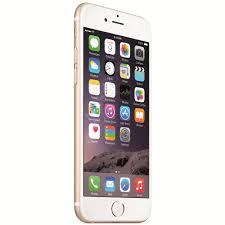
The Apple’s iPhone 6, or at least most models of the iPhone 6, have been affected by various problems since the device’s appearance in September 2014. Apple’s iOS 8.3 update has lastly handled some of these ongoing iOS 8 issues and that is bound to improve the Apple’s leading 4.7” design.

While the iOS 8.2 use on the iPhone 6 is mixed, the iOS 8.3 on an iPhone 6 runs outstanding. Battery energy, connection, speed rate and app efficiency are all strong after making the shift. However, it is the balance improvements that have thrilled the owners.

Prior to the iOS 8.3’s launching, the users were encountering two annoying bugs, one linked to Wi-Fi while the other was a problem of landscape mode. The iOS 8.3 repaired both of those problems on the iPhone 6 mdoels and the iOS 8.3’s change log is created from a few new functions but it is generally bug fixes. If you are having issues with the iOS 8.2 and below, installing the iOS 8.3 will certainly repair the iPhone 6 problems.

Now, the iOS 8.3 update is recommended to iPhone 6 customers dealing with issues on iOS 8.2 or below. It is also worth to have it for those who use plenty of emojis, gather a ton of junk mails or if you are looking to buy an Apple Watch.

iPhone 6 Plus

Even if there have been a range of iOS 8 problems on the iPhone 6, using the iOS 8 on the iPhone 6 Plus is far more constant. The iPhone 6 Plus was struggling in the several weeks after its preliminary release but Apple has gradually repaired the device’s program. the iOS 8.3 will help the majority of the iPhone 6 Plus customers as well.

The iPhone 6 Plus battery lifespan is still incredible, Wi-Fi and wireless connection are quick and constant, and the product has not been missing any of the speed after finishing the conversion from iOS 8.2. There have not been any significant problems with the program, at least not yet. Knowing the history of bug repairs on board the update, there are not anticipated any exciting things to pop up later on.

The iOS 8.3 update for the iPhone 6 Plus is suggested to anyone having problems on the iOS 8.2 and below. It will intricate a bit further on a few of the advantages that have been observed after getting the new program on board.

iPhone 5s

iphone-5s

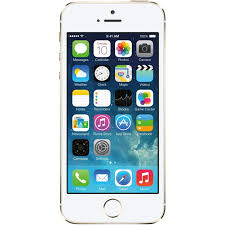
The iOS 8.3 update for the iPhone 5s has been used since Apple’s product launch some weeks ago and so far, this update is working perfectly. It is worth noting that the iPhone 5s has not struggled like an iPhone 6. This device has behaved fairly well with an iOS 8 on it.

Unsurprisingly, this iOS 8.3 update delivers ongoing balance to a smart phone that is now over an year old. The battery energy is still very good, all Wi-Fi options are connected when they should be and the iPhone 5s works very fast. In addition, those wireless problems that were had on the iOS 8.2 have been cleaned out by the iOS 8.3, hopefully now it is for good.

We definitely think that the iOS 8.3 update for iPhone 5s is one which is worth setting up, especially if you are having various iOS 8 issues. You will want to also have the iOs 8.3 update if you did not installed yet the iOS 8.2 and you are thinking to have an Apple Watch over the course of this year. You need to have in addition the Apple Watch app in order to match it up with an iPhone 5s.

iPhone 5

The iOS 8 update for the iPhone 5 has been an up and down issues for the ageing smart phone. Gradually, the product is hammering its way returning to where it was before the Apple’s iOS 8.1 damaged its prestige.

For those who do not know yet, after updating to iOS 8.1, the iPhone 5 began presenting plenty of lag. Even if some recession is not uncommon on an ageing iPhone, this recession was regular and troublesome to the point where the phone was almost useless.

Apple’s iOS 8.3 wants to fix more of the destruction made by iOS 8.1. It is still not returning to where it was before last year’s update but it is certainly getting nearer. There are high hopes for the iOS 8.4.

And for everything else, the iOS 8.3 update for the iPhone 5 gets kudos. Battery energy, connection and applications are all operating great after making the shift from iOS 8.2.

iPhone 4s

There has not been yet an in-depth analysis regarding the iOS 8.3 update for iPhone 4s, but there have been compiled responses from iPhone 4s customers. And, from what we have gathered, the iOS 8.3 is a strong update for Apple’s former flagship smart phone. While there have been a variety of problems about iOS 8.1.3, opinions about iOS 8.2 and iOS 8.3 were mostly beneficial.

Keep in mind that the iPhone 4s is a rather old gadget and new programs can sometimes malfunction on old devices. Those who own an iPhone 4s will have to do a lot of analysis before you making the update to iOS 8.3, mainly if they are on iOS 7 and below.

iPad Air

ipad-air

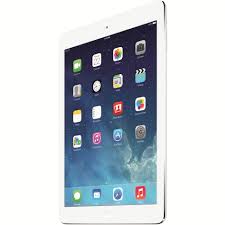
iPad Air 2 runs well on iOS 8.3 since it has always been quick, but it seems as rapid as it can be on the iOS 8.3. There are no problems and bugs, which were experienced, and battery energy is strong, even with large movie use. iOS 8, across the panel, has been constant on the first-generation of iPad Air. This is why it has not been a surprise to see iOS 8.3 run so well on the Apple’s ageing 9.7” display.

The iOS 8.3 update for iPad Air is doing great on this device. There have not been any serious problems and battery lifespan, connection, applications and speed are just as they should be. It is an amazing update and one that all iPad Air first-generation customers will like to look into.

So, considering all the elements listed above, we like to respond to your question: is it worth having the iOS 8.3 set up on the iPhone and iPad?

It is a difficult problem for many individuals, but what can be said in the end is the following: there are only a few users who need to be careful with Apple’s newest iOS 8 update.

Our experience with the iOS 8.3 has been so great on both iPhone and iPad, and the reviews that are seen from other iPhone or iPad customers is, generally, an excellent one. For most gadgets, iPhone 6 or iPhone 5 too, iOS 8.3 is an incredibly useful update.

Filed Under: Tech & Science Tagged With: ios 8.3 update, ios 8.3 update download, ios 8.3 update emojis, ios 8.3 update features, ios 8.3 update issues, ios 8.3 update new emojis, ios 8.3 update problems, ios 8.3 update release, ios 8.3 update release date, ios 8.3 update review

CM4 Q Card Case – a Multi Functional Product

April 20, 2015 By Roxanne Briean Leave a Comment

The CM4 Q Card Case can sound like an odd name but this is one of the top cases for Galaxy S6 around and provides additional performance, all while securing the new smart phone. Not only it is thin, light, portable and resilient, but it also acts as a wallet being an excellent choice that will be described in detail below.

Having now the Samsung Galaxy S6 easily obtainable around the world from all important suppliers in the US, clients are probably looking for an awesome case to secure their bright new cell phone made from metal and glass. Here we will tell you more information about the CM4 wallet case for Samsung Galaxy S6, the features that make it different, a few prospective faults and more in our complete evaluation. They also sell one for Galaxy S6 Edge for those who took the path for the GS6.

These days such items are all over Amazon, eBay and on the racks of mobile products shops, but hardly ever provide more than just some primary security for the gadget. The Galaxy S6 has a wonderful 5.” Quad-HD display, layers of glass cup on both the front and rear and is covered in metal. You will want to keep it under protection, while having a few included functions simultaneously. These are not your common trash “flip wallet cases” either, and we will describe why.

cm4-q-card-iphone-case

Some owners most of the times do not use a case, but many such items can protect various models of smart phones, for example the CM4 Q-Card case can be used for the Galaxy S4. It is also a good choice for an iPhone, used with a Galaxy S5 and will likely offer great protection for the S6 as well. This is not too thin or too thick and provides functions the users need and want.

CM4’s Q-Card case represents more than just a conventional TPU and thermoplastic hard-shell protection. It has a resilient full-frame security form with a super thin style, and a trademarked soft touch, yet lasting, rubberized feel and top quality materials. Then, the lip shapes a little bit over the top side of the case, and will cover that 5.1” display from ever being scraped.

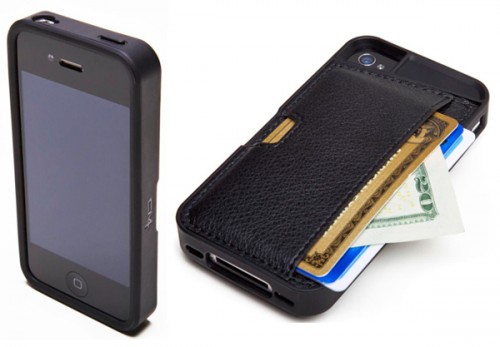
The smooth feel of modern plastics is outstanding, and the wallet part looks and seems like authentic leather, but is not. It is some kind of material which feels excellent. It is smooth, relaxed, simple to keep, stylish, and most significantly, provides three functions in one. The first is acting like a phone case, second as a wallet, while the third is a new innovative incorporated secret kickstand. Yes, there is a kickstand on the smart phone case.

The CM4’s case covers the whole Galaxy S6 completely, and the control buttons are the best on the cases appeared lately. Most times, they are a little bit off, too difficult to press and using the energy or volume control button seems like a burden. However, they have created them a little bit over-sized and smooth, so reaching the energy key or switching up/down the volume is very simple given the intricate style of this specific case.

All of the slots and receptors are perfection cut, but unfortunately, the speakers grill on the end of the Galaxy S6 is too close to the side, that it is a little bit off in order to keep the case resilient. It does not protect the speaker, but it is not completely centered like many, but this is just nit picking.

The case is made so great that it is just big enough to secure the display, protect the huge and sticking out 16MP digi cam lens, and the single “thickness” is its wallet design, which is rather thinner. Then, for the first time on a Q-card case, there is a barely visible slit inside the plastic on the rear, where you can slide the credit cards or your ID within, this acting like a kickstand. It is not perfect, as you do not want the credit cards figures noticeable to people who are close by, but this idea is innovative, and works like a charm. It takes your own bank credit card for a kickstand, and it is very durable.

CM4 guarantees the case can perfectly keep up to three credit cards and some cash. It is a little limited at first and the cards can be a difficult fit, but after only a couple of times of utilization it shapes and wears in, providing you just enough hold that your credit cards will not drop out, and you can leave a few cash for expenses within too. Basically, this is a case, a kickstand and a wallet, and all in one stylish and simple item. It comes in blue, black and gold, and its price is only $39.99. So, get one perfectly, understanding that it will last for a few years.

The only problem is its plastic part between a micro-USB charging slot and the dedicated home buttons and fingerprints scanning device. It is very thin, and somewhat cheap. This is an analyze device, and the ultimate delivery product has been remodeled to provide a better stronger style, so this will not be a problem

Not only the clients can accept the small bits of included width, but it is actually more durable. For those who have never been keen to have a wallet, now they can have their smart phone secured, along with the driving license, an ATM card and some benefits credit cards all-in-one. Time is precious and having an item with many purposes can save a lot of effort when looking around for them.

At the end of the day, these cases situation are easy to use, resilient, give the customer more functionality than a common case, and they are just an all around outstanding item. No, they may not provide as much protection as others, but you can have something less expensive on Amazon and for 39 dollars, you will get all CM4 Q-Card Galaxy S6 case can offer for a long time.

Filed Under: Tech & Science Tagged With: cm4 iphone wallet q card case, cm4 iphone wallet q card case review, cm4 q card wallet case

Samsung Galaxy S6 Review

April 10, 2015 By Roxanne Briean 1 Comment

Samsung Galaxy S6 Review

After more than two years without producing anything of notice on the mobile phone market, Samsung finally managed to draw some attention with their new Galaxy S6. The device has greatly improved software, a brand new design and unique hardware construction, when compared with their previous products. Everything adds up for this to be the best Samsung smartphone ever released.

Samsung announced, during the 2015 MWC, that they will be releasing their new flagship device on April 10, 2015. The Samsung Galaxy S6 will be available in a few different colors, including gold, blue, white and black.

To be frank, I didn’t expect this phone to be so incredibly good, but, as it stands, it is a masterpiece. This is my review of the Samsung Galaxy S6.

Pricing

In the US, depending on which carrier you chose the price will slightly vary but, of course, you can pick the offer that suites you the best.

T-Mobile

They will sell the 35 GB Galaxy S6 for $0 upfront but with a 24 month contract that costs $28,33/month, while the full retail version will cost $679,92.

The 64 GB model is priced at $99,99 initial fee and another $32,49 each month for 24 months, or $759,99 full retail.

You can also purchase the 128 GB version for $199,99 upfront and $27,50 per month with a 24 months contract, while the full retail version will cost you $859,99.

At T-Mobile the device will be available for purchase in three colors: gold, white and black.

In order to attract more customers, they are also offering a free, one year subscription to Netflix to anyone that preordered the phone before April 12.

AT&T

They will sell the 32 GB Galaxy S6 for $199,99 with at two year contract, while the 64 GB model will cost $299,99, and the 128 GB version will sell for $399,99.

Under AT&T’s “Next 24” payment plan, the 32 GB Galaxy S6 sells for $22,84/month, while the 64 GB model will cost $26,17/month and the 128 GB version will be available for 29,50/month, for 30 months.

Under the “Next 18” payment plan, the 32 GB Galaxy S6 will cost $28.55, the 64 GB model will cost $32.7 and the 128 GB version will cost $36.88, for 24 months.

Unlocked, the 32 GB Samsung Galaxy S6 will set you back $684.99, while the 64 GB model will cost you $784.99 and the 128 GB version will sell for $884.99.

Sprint

Here, the Samsung Galaxy S6 will  cost you $199,99 for the 32 GB version, 299,99 for the 64 GB one and 399,99 for the 128 GB model, with a two-year contract.

You can get all of the S6 models for free if you chose the “Sprint Unlimited Plus” plan. The 34 GB model will cost you $80/month, the 64 GB version will cost you $85/month, while the 128 GB model will cost you $90/month. Customers will also get a $20/month credit, that they can use to upgrade their phone, which they will be able to use after a period of 12 months.

If you want to get the unlocked version from Sprint, then you will have to pay 684,00 for the 34 GB model, $786,00 for the 64 GB one and $864,00 for the 128 GB version.

Verizon

At Verizon, you can purchase the 32 GB Samsung Galaxy S6 for $199,00, the 64 GB Galaxy S6 for $299,99 and the 128 GB Galaxy S6 for $399,99, with a two year contract. Here, you will get a $50 discount.

If you are interested in the “Edge” program, then you will pay $24,99/month for the 34 GB model, $29,60 for the 64 GB one and $33,33 for the 128 GB version, with a 24 months contract.

The full priced version at Verizon will cost you $599,00 for the 34 GB model, $699,99 for the 64 GB one and $799,00 for the 128 GB version.

U.S Cellular

At US Cellular you can get the 34 GB phone for $199,99 and the 64 GB one for 299,99, with a two year contract.

Under their installment pricing plan, you will have to pay $34/month for the 32 GB model, or $38,59/month for the 64 GB version, and the contract will last for 20 months.

They also offer the unlocked version of the phone. The 32 GB Galaxy S6 will sell for $680,00, while the 64 GB Galaxy S6 will cost $770,00.

You can also buy the Samsung Galaxy S6 at the following retailers: Best Buy, Cricket Wireless, Amazon, Boost Mobile, Metro PCS, Sam’s Club, Costco, Walmart and Target.

Design

Finally, Samsung threw away that plastic cover that they used on their previous models and replaced it with a metal one, following Apple’s example. The case is made out of strong glass with an all-metal band that give the smartphone an extremely robots feel.

As far as looks go, Samsung kept their design heritage, after all they are a company that love to cling on to their tradition. The front of the phone reminds me of the Samsung Galaxy S4, with round corners combined with a oval shaped home button.

Samsung Galaxy S6 Review

Samsung Galaxy S6 Design

The most curious fact about the design of the S6 is that they left out the microSD card slot. I believe that this was nothing more than a marketing scheme, again, taken from Apple’s business playbook. Nowadays, a 64 GB microSD card is roughly $30, so everybody would have purchased the less expensive 32 GB model and added a card to it afterwards. Apple has been doing this for some time now and marketing research shows that there are a lot of customers that are willing to buy the 128 GB phones. I think that Samsung wants a piece of that action as well. Some of their fans will surely be annoyed by this, but the majority of people will simply be happy with the 34 GB model.

When you are holding the Samsung Galaxy S6 in your hand, you will feel like you are holding premium quality device. It is elegant, yet compact and the 5,1 inch screen, that takes up most of front of the device, look really good.

As far as build quality goes, we can finally acknowledge that Samsung has indeed created a device worthy to stand next to the iPhone 6 and the HTC One M9.

The metal bands that go around the sides of the phone are split by small plastic strips in order to allow the antenna and other devices to make their connections. If this seems familiar to you, it’s because the exact same design was applied to the iPhone 6. The strips are necessary for the phone’s signal to get trough. However, because of the glass back and front I was a bit surprised to see them put in.

Just like before they placed the power button on the left side of the device and the volume buttons on the right side. This alignment worked very well in the past, so why change something that is good? Finally, they’ve upgraded the home button, so now, when you press it, it will give a very sturdy click.

A less attractive element is the placing of the back camera. If you were to hold the phone sideways, then you will see that the camera sticks out a bit. It’s not very aesthetically pleasing and, at the same time it is very much exposed to scratching. They have done this in order to allow a more powerful optical system and by the end of this review you will see that it was totally worth it.

As I’ve mentioned above, the Samsung Galaxy S6 is available in four different colors: blue topaz, gold platinum, white pearl and finally, my personal favorite, black sapphire.

Samsung Galaxy S6 Review

The available colors for the Samsung Galaxy S6

Hardware

If you were to look under the hood, then you will see that it packs an octa-core processor, made out of two quad-core processors, the Quad-core 1.5 GHz Cortex-A53 plus the Quad-core 2.1 GHz Cortex-A57. It also has a Mali-T760 graphics processor unit (GPU) and 3 GB of RAM. This is by far, the most powerful phone ever made.

The Screen

Samsung has always had good screen technology and the Samsung Galaxy S6 makes no exception.  The Super AMOLED display provides a clear image, with pure blacks against crisp whites, that makes even the darkest of scenes to be shown perfectly.

It is quite a big screen, 5,1 inch to be more precise, with more pixels than before and a 1440 x 2560 resolution, which matches the Galaxy Note 4 but the Galaxy S6 has a higher PPI (577).  This indicates that you are looking at the sharpest display on the market.

Samsung Galaxy S6 Review

Samsung Galaxy S6 Screen

LG has started the QHD level of screen in 2014, when they released the G3, but that phone’s screen was based on LCD technology that left the display a bit dark and made it power hungry, as every pixel added extra pressure on the battery.

After that, Google Nexus 6 came along and impressed everybody with its bigger screen, that despite its wide display, it still looked awesome. The Note 4 was released next, with the same resolution and the bar was set for future smartphones.

You would think that by combining the number of pixels from the Note 4 with a more compact screen should result in a superb display, but sadly it doesn’t. I do not mean to say that the screen of the Galaxy S6 looks bad, because it really does not, I just want to point out that the QHD resolution is rather pointless, without adding much to the mix, especially with its high power requirements. I must admit, that optimized videos do look better on this screen and when you hold both devices side by side, it is very noticeable that the display of Galaxy S6 is superior to a normal, run of the mill full HD display.

I think that brightness, contrast and accuracy are a lot more important than pixel count, and here, the S6 really delivers. When you set the brightness mode to manual, the screen will do exactly what we would expect from an AMOLED display and ramp up to 347 cd/m2, but if you set it to auto-brightness then it will go up to 560 cd/m2 in order to compensate for sun glare during those warm, sunny days. If you turn down the brightness slider to its minimum, then the screen will dim to 1,92 cd/m2.

The contrast is perfect and it will help a lot when watching TV programs and movies, and the photos will give you the illusion that they are popping out of the screen.

The most impressive aspect of this screen is its incredible color reproduction.

We are used to see these kind of results from professional monitors and not a smartphone’s display. It is truly a remarkable feat of engineering.

The Special Features

Among the basic features of the Galaxy S6 there are two functions that are worth mentioning. The wireless charging and the fingerprint sensor.

The fingerprint scanner is not really a new feature, for it was also present within the Samsung Galaxy S5, but this time it is a lot better. The swipe of the screen gesture was completely replaced with a touch-based, flawless and fast sensor.

The second special feature I’ve mentioned, was the in-built wireless charging feature. The wireless charging plate does not come with the Galaxy S6, but it will work with any standard QI charger.

Software

The Samsung Galaxy S6 comes with the 5.0.2 version of the Android OS, also known as Lollipop. Just like the previous models, it uses the TouchWiz UI, but greatly improved. They have removed a lot of unnecessary buttons and made its structure a little bit more logical. The design team has made the TouchWiz more intuitive and a lot simpler to use. Just after a few hours of “playing” with the device, I can safely say that the new “skin” is more fluid, lean and light.

Samsung has invested a lot in colors and animations for their new TouchWiz. It is more bright and colorful than ever. Now, for the first time ever you have the ability to remove pre-loaded apps. You cannot uninstall the manufacturer’s applications, but, for the most part, you have to option to disable them. For example, all pre-loaded Google apps can be disabled, except for the Google Settings. The same situation applies for other apps too. You can’t uninstall Skype, OneNote, OneDrive, WhatsApp, Messenger of Facebook, but you sure can disable them.

Audio

The first thing that you will notice when you see a Samsung Galaxy S6 for the first time, is that the speaker is located at the bottom front of the device, but it is still better than having it on the back of the device. If you are looking for a superior audio experience, with front-facing stereo speakers, then I recommend that you get the Xperia Z3, or the HTC One M9.

Samsung Galaxy S6 Review

Samsung Galaxy S6

For unknown reasons, Samsung dropped the ball when it comes to audio quality. The only way you can get a stereo sound is by using headphones.

It is rather unfortunate that you will be able to play mobile games with top-quality graphics and get frustrated by the audio. The placement of the speaker is also a downside. Imagine playing a game and holding your phone in a landscape position. I can guarantee you that most of the time you will be holding your hand over the speaker, blocking the sound.

The S6 speaker is 50% louder than its predecessor, the Galaxy S5, but it doesn’t sound any better.

The Camera

The Samsung Galaxy S6 has a 16 MP camera on its back and a 5 MP one on its front. Both of them have real-time HDR and wide-angle lenses, that are very useful when taking pictures in low-lighting condition areas. The primary camera comes with “Optical Image Stabilization” and an amazing “Pro Mode” for those of you that want to use manual settings.

Samsung Galaxy S6 Review

The back camera of the Galaxy S6

The back camera is yet again equipped with selective focus, it features an infrared sensor for creating better white balance and for color correcting images. It also features rapid activation and also delivers a wide number of interesting modes, including 4K, fast motion, panoramas  slow motion and many, many more. You can quick access the camera by double-tapping the home button, even if the phone is locked.

The Battery

They have taken a huge risk by adding a small, non-removable, Li-Ion, 2,550 mAh battery. It would have been better if they kept the 2,800 mAh removable battery found in the Galaxy S5. Most state of the art smartphones on the market have a 3,000+ mAh battery.

The lifespan of this battery for an average user is anywhere in between 16 and 18 h.

The Samsung Galaxy S6 supports PMA and WPC protocols for wireless recharging. This makes the phone compatible with almost all wireless chargers available on the market today, and at the same time this standard, universal wireless support is 1,5 times faster than on the Samsung Galaxy S5.

Like the Moto Maxx and Nexus 6 before it, it has successfully implemented the fast recharge feature. You must plug it in for only 10 minutes and it will have enough juice for 4 hours of usage.

Technical Specifications

Type: Phone

MANUFACTURER: Samsung

Model: SM-G920

Dimensions: 143.4 x 70.5 x 6.8 mm

Weight: 138 g

Screen Size: 5.1 inch

Battery: Non-removable Li-Ion 2550 mAh

Display Technology: AMOLED

Screen and Resolution: 2560 x 1440 pixels (576 PPI)

Back Camera: 16 megapixels

Front Camera: 5 megapixels

Flashlight: LED

U.I.: TouchWiz

O.S.: Android v5.0.2 (Lollipop)

RAM: 3 GB

Storage Space: 32 GB/ 64 GB/ 128 GB

Removable Storage: not available

Chipset: Exynos: 7420

CPU: Quad-core 1.5 GHz Cortex-A53 + Quad-core 2.1 GHz Cortex-A57 (octa-core)

Maximum Clock Speed: 2.1 GHz

Connectivity: Bluetooth 4.1, NFC, LTE and HSPA

Conclusion

For the first time ever, I can say that I love using TouchWiz. It underwent trough significant changes and all of them are for the better.

The Galaxy S6 is breath of fresh air in the Galaxy S line and it is by far the best Samsung phone ever made.

Its two defining characteristic are: no removable battery and no microSD slot. They made up for those changes with fast recharging battery, software and processor optimizations and superior memory technology.

Even if you get the 128 GB model, storage will still be a problem while filming in 4K and you will have to save your videos to Google’s cloud.

Perhaps the most important thing, is that they improved the features that really matter the most and stopped adding new, useless ones.

This may be an expensive smartphone, but in my honest opinion, it is the best available on today’s market.

Pros

Great new design, made out of metal and glass

Fast charging feature

Incredible screen

Very good UI

Good camera performance in low-light situations

Excellent processor

Cons

It is not waterproof

The camera lens sticks out

The speaker is mounted at the bottom

There is no microSD card

It is rather expensive

Image source: 1, 2, 3, 4, 5,6

Filed Under: Tech & Science Tagged With: galaxy s6, galaxy s6 review, s6, s6 review, samsung, samsung galaxy s6 review, samsung galaxys s6, samsung review

Smite: A Beginner’s Guide

April 8, 2015 By Deborah Campbell Leave a Comment

Smite: A Beginner's Guide

The popularity of MOBA games has been constantly increasing these past few years. LoL has become a powerhouse when it comes to multiplayer gaming, with one of the biggest online communities, followed by DOTA in the second position and Smite in third.

Smite, is a free-to-play, 3D-action, multiplayer only game, developed by Hi-Rez Studios, that brings a new perspective to the MOBA (multiplayer online battle arena) genre. Although, it has some similar features to Dota (Defense of the Ancients) and LoL (League of Legends), it brings a breath of fresh air to this type of gaming.

Unlike the point and click style of other MOBA games, in Smite you get to play from a third-person perspective. This adds an element of constant panic and, at the same time, the mini-map becomes your best friend. Warding is more necessary than ever before, because, without the elevated view, you can get caught out of position very easy.

In this game, there is no passive dodge skill, so you have to do it manually, with the help of “WASD”. The same thing applies when it comes to aiming, you don’t just get to right-click on your opponent in order to make  your character auto-attack. Here, you have to aim yourself, making everything, from basic-attacks to the abilities you use,  a “skill shot”.

Smite is also a very beautiful game, with bright, vivid colors and “cartoonish” graphics. It is build in the “Unreal Engine 3” and it utilizes the awesome physics engine from Havoc.

Before we get into details about roles, play-styles and gods (your hero in Smite is actually a god from a wide range of mythologies), first you must check if your PC can run the game. It is not a particularly demanding game, but it is better to be safe than sorry.

Minimum System Requirements

  • CPU: Intel Core 2 Duo 2.4 GHz or Althon 64 X2 2.7 GHz
  • RAM: 2 GB on Win XP, 3 GB on Win 7
  • OS: Win XP SP2, Win Vista or Win 7
  • Video Card: ATI or Nvidia graphics card with 512MB video ram or better and Shader Model 3.0+ support.    (ATI Radeon 3870 or higher, Nvidia GeForce 8800 GT or higher).
  • HDD Space: 10 GB

Recommended System Requirements

  • CPU: Quad-core Intel or AMD CPU
  • RAM: 4 GB
  • OS: Win 7 or better
  • Video Card: ATI or Nvidia graphics card with 1GB video ram or better (Nvidia GeForce GTX 560+ or ATI Radeon 6950+).
  • HDD Space: 10 GB

With the technical part out of the way, let us install Smite. First, navigate you way to “www.hirezstudios.com/smite/nav/game-info/download-game” and click on the download game button. After that, open the game installer, from your downloads folder and follow the given steps.

I have played Smite since early closed alpha and I have more than 10,000 in-game hours, with over 2,000 matches played and I will try, to the best of my abilities, to give new players a complete heroes guide and a few tips.

1qn8MPl

Running Smite for the First Time

When you’ll run Smite for the first time, after you log into the game, by using your account name and password, you will see that the game wants to show you a few introduction videos. I strongly recommend that you watch them, for they will show you all of the basic steps that you need to take in order to be an efficient Smite player.

At the beginning, you will only own 5 random generated heroes from a total of 64 gods. You will also gain 4 free gods, that you will be able to use for a limited period only. With every new patch, the 4 free gods will rotate.

Currency

In Smite, there are three types of currency.

“Favor”, is the in-game currency that you get from completing games and from leveling up (once you reach level 30, the leveling up feature will no longer be available). It is used for unlocking new gods and for purchasing new god-skins. At the beginning, you might also consider spending a little “favor” on renting a hero for a match, so you can try him out, before you decide to permanently buy it.

“Gems”, are usually bought with real life money and you can use them to buy heroes (not recommended, because eventually you will own all gods by simply playing the game), or to unlock new, special god-skins and ward-skins. You can also buy voice packs, that you can use during games. Hi-Rez are hosting a lot of special events, where you can win free “gems” by completing in-game activities, so keep your eyes open for those events.

“Gold”, is the in-game currency used to buy items, potions, wards and abilities from the shop. Every player will passively gain gold in time, but killing and last-hitting minions,  will get you more. The more gold you have, the more items you can buy, the stronger your hero will be, it is as simple as that.

You also have the option to buy the “Ultimate God Pack”, that will get you all of the released gods and all of the gods that will be released in the future, for only $29,99. Also, if you have already unlocked a hero with “favor” and you decide to buy the pack, then all of the spent “favor” will be returned to you.

Roles

Smite: A Beginner's Guide

Smite, is a team game and, in order to win, everybody needs to play their selected role to the best of their abilities. Just one weak link in your team can mean defeat.

There are five hero types in this game:

Assassin: Mostly used as  junglers, they can deliver their opponents a swift death.

Warrior: Just like the name suggests, they are strong warriors, with a good defense and attack rating , great for team fights. They are mostly used as support or as solo-laners.

Guardian: They are the tanks of the game, with strong defenses and a lot of abilities meant to get the opponents out of position or to keep them out of the fight. Because of their high base defenses, combined with high hit points, they are ideal for new players.Guardians are mostly used as support characters.

Mage: In Smite, the mage can be used in, basically in any role, depending on which one you chose. Most of them are better is mid-lane or in solo-lane.

Hunter: They are the hard carries of the game, very fragile in the beginning, but can make the difference in the later stages of the match.

In Smite, there are two types of defenses and, of course, two types of attacks: magical and physical.

When you are picking your hero, you must keep an eye on what type of god your teammates have selected. If your team has, for example, only magical attacks, then the enemy team will very easily counter-build. You need to aim for a balanced team composition.

There are, also 5 roles available in a normal, “conquest” match:

maxresdefault

Mid-lane: Best for a mage, with high lane clearance. You are the heart of your team in early and mid game. You must always keep an eye on the other lanes (especially the one with your carry) and look to rotate, in order to create  superior numbers and get those important early game kills. Also, you and the jungler must coordinate, so you can clear the big neutral creep camps located on both sides of the middle lane. Try and get the attack buff whenever you can, for better lane clearance.

Jungler: Any hero type can fulfill this role, but until you get more familiar with this game I suggest that you choose an assassin or a warrior. Except for the first three minutes of the game, they will not be restricted to any lane, but, instead roam around the jungle, killing neutral creeps, collecting buffs (always get the speed buff, or if it is available, get the damage buff, but never pick up the mana buff, because, if you do that, then you’ll ruin your carry’s laneing phase) and ganging. Always look for the easy kill, but do not overdue it and try to find a balance between ganging and farming. An under-farmed jungler in the late-game, is extremely useless.

Solo-lane: The smaller lane is always reserved for the solo-lanner. Every hero type can fulfill this role, but mages and warriors are better for an inexperienced player. In my opinion, this is the most boring role, because all you do, is stay in your lane and farm up. Remember to ward your side of the jungle, so you will not get caught out of position during gangs.

It is very important for you to push your lane, because, in Smite, every minion hit by a tower, will not yield any gold for the opposition. It is better to stay in your lane and farm-up, but if your team needs you somewhere else, do not be afraid to rotate.

Support: This is a role best for guardians and warriors, but there are some mages that can be very effective too. The support will always go in the duo-lane and do everything in his power to protect his carry and help him farm. If you have o choice to make, between saving your own skin, or saving your carry, then you must understand that you are the most expandable asset in your team. You must always ward in early-game so you can be prepared, in case a gang is coming your way.

Carry: It is, by far, the most important role in the team. The carry, must be protected in early-game, but once he buys good gear, he will destroy the enemy team. You will be very fragile at the beginning of the game, so you must stay safe and avoid team fights at all cost.

Even if you have an overzealous player in your team, that tells you to help out, you must ignore him/them and continue farming, for it will pay off in the end. Kills are very important for this role, so do not hesitate to take them, even if you have to steal them. Your teammates might get upset, but the end goal is to win the game.

The Worshiper System

Hi-Rez has implemented this system, in order to make sure that you know, at least, the basics of your hero, before you jump into ranked matches.

You will get worshipers after every finished game, and depending on the matches duration and on the end result (win or lose), you will get more or less.

Once you have 50 worshipers on a specific god, then that hero will gain rank I “mastery”. The more you play with that hero, the higher his mastery will go.

At “God Mastery I”, you will be able to buy the “golden skin”, for 9500 favor, or for 200 gems. Once you reach “God Mastery V” you will be allowed to purchase the “legendary skin”, for 12,500 favor, or for 300 gems. The maximum “God Mastery ” you can get is X, and, at that point, you will be able to buy the “diamond skin”, for 15,000 favor, or for 400 gems. Once you unlock a mastery skin, it will be available for that specific god only, so keep that in mind before you make your investment.

You will not be able to play ranked matches, until you reach level 30 on your account and own at least 14 gods, with level I mastery.

Game Modes

There are six game modes in Smite:

Arena Mode

The Arena game mode, is a 5 v 5 players, brawling, death-match, where your goal is to defeat the enemy players and their minions, by reducing their team ticket count to zero.

Each side starts with 500 tickets. By killing an enemy player, you will reduce that count by 5, while killing an enemy minion will reduce it by 1. If your team manages to kill 10 enemy gods, then a powerful siege-engine will spawn and it will fight alongside you.

A portal is located at the front of each base. If you help a friendly minion reach that portal, then a ticket will be deduction from the enemy team, while helping a siege-engine reach the portal will deduct 10 tickets from your opposition.

As I said above, the first team to run out of tickets, will lose.

Conquest Mode

This is the standard map for competitive, ESports matches.

The mode features a three-lane map surrounded by a jungle area. In order to win, you will need to kill the enemy’s Titan, that is sitting comfortably in their base. In order to do that, you will first need to destroy two towers and a Phoenix, in each lane. You do not have to destroy all three Phoenixes, but the more you kill, the weaker the Titan gets.

Be careful while fighting the Titan, for it packs quite a punch.

Assault Mode

Here, you have the same objectives as you do in Conquest, but there is only a single-lane, without a jungle. Everybody will be given a random hero, that will start at level 5, with 3,000 gold. You can chose to re-roll your god for 250 favor or for  25 gems, or you can try and swap it with a teammate’s.

Remember that in “Assault” once you leave your base, you’ll not be able to return, until you die, so buy items and potions accordingly. Try and get Meditation at the start of the game, because it will help you stay in lane for a longer period, and upgrade it to Salvation later on.

Be careful and try to not over-commit. Play smart and don’t rush the Titan, unless you are 100% sure that you can bring it down. I’ve seen a lot of good “Assault” teams dominating the whole game and then, losing at the end because they were impatient.

Joust Mode

Here, small teams of three players will fight in a one-lane map. There is a jungle area, attached to both sides of the lane.

A balanced team, with a support, a mage and a carry/assassin is highly recommended here. If you are a new player, and you own Hercules, try and pick him in Joust matches. He has great HP (hit points), a lot of regen and he is deadly in small areas.

Siege Mode

This is their latest game mode. It features a 4v4, conquest-like, smaller, two-lane map, with a dense jungle in between the lanes. The objective is still the same, destroy the enemy’s Titan, but in order to do that you must acquire siege weapons.

You must kill jungle camps, players and minions, that will give you siege points and once you reach 100 points, a siege-weapon will spawn for your team.

You can get an instant siege-weapon, by killing the central jungle camp, but remember to bring friends, because this is one tough NPC (Non-Player-Character).

Match of the Day Mode

Each day you will get a different game mode, with different objectives and a large variety of maps. Not much else to say here, because you’ll never know what you will get, but trust me when I say, that in time, you will get very familiar with all of them.

If you want to be prepared, then you can go to “https://smite.gamepedia.com/Match_of_the_Day” and read about each “Match of the Day”.

Characters

All gods in Smite are different, so you might want to know a little bit about each one before you decide to spend favor or gems to buy them. The game does a great job in explaining their abilities, roles and item builds.

They all have one unique passive ability, three normal abilities and an ultimate ability. You can also purchase two abilities from the shop, but be careful, because once bought them, they cannot be sold.

I will now present you with my top 10 favorite gods

Agni

Smite: A Beginner's Guide

God of Fire

Pantheon: Hindu

Class: Mage

Attack Type: Range

Damage Type: Magical

Cost: 1,250 favor/ 200 gems

This is one of the best gods for middle lane, although he will struggle a bit at the beginning, until you reach level 5. He has a great lane clearance with his ultimate ability, called “Rain Fire”, and he’s very good in a team fight as well. You can use his third ability, called “Path of flames” to easily get in and out of combat.

Ah Muzen Cab

Smite: A Beginner's Guide

The God of Bees

Pantheon: Mayan

Class: Hunter

Attack Type: Range

Damage Type: Physical

Cost: 5,500 favor/ 200 gems

He uses bees to fight of his enemies as a physical carry. He can place bee hives (up to six), that will provide him with a movement speed buff, an attack speed buff and he will be healed for a small amount of health, if he remains in close proximity to his hives. This will help him stay in the lane for a longer period of time, but because he has no escape ability, I do not recommend you get this hero until you are more familiar with the carry role.

Anhur

Smite: A Beginner's Guide

The Slayer of Enemies

Pantheon: Egyptian

Class: Hunter

Attack Type: Range

Damage Type: Physical

Cost: 5,500 favor/ 200 gems

He is one of the strongest hitters in the game, but you do need a little bit of practice to pull off his ability combo. I recommend that you set his second ability, called “Impale” on instant-cast. He is not a hard hero, but not an easy one either.

If you get good with Anhur, then you will practically be able to play any hero in the game.

Anubis

Smite: A Beginner's Guide

God of the Dead

Pantheon: Egyptian

Class: Mage

Attack Type: Range

Damage Type: magical

Cost: 5,500 favor/ 200 gems

You need a lot of courage to play this hero. He has two channeled abilities, that will make him very vulnerable, because he is standing still. The trick is, to attack them before they attack you and take advantage of his passive life-steal.

Consider purchasing “combat blink”, so you will have a good escape method. Once you hit level 5, and you have a point in your ultimate ability, go for it. Even if you don’t get the kill, you will force you opponent out of the lane.

Another good thing to do, is to set all of your abilities, except “Grasping Hands” on instant-cast. This way you will be faster when executing a stun-third ability-ultimate combo.

Artemis  

Smite: A Beginner's Guide

Goddess of Hunt

Pantheon: Greek

Class: Hunter

Attack Type: Range

Damage Type: Physical

Cost: 575 favor/ 200 gems

She is one of the first hunters that were added to the game. Has a very powerful basic attack (passive critical chance), and a great ability kit. Her ultimate ability, called “Calydonian Boar” will summon a boar that will damage and stun enemies. If you are fast enough, once an enemy has been stunned by the boar, you can quickly place a trap at his feet, that will root him in place.

Very good carry for new players.

Neith

Smite: A Beginner's Guide

The Weaver of Fate

Pantheon: Egyptian

Class: Hunter

Attack Type: Range

Damage Type: Physical

Cost: free

She is, by far, my favorite hunter. You must put her first ability, called “Spirit Arrow” on instant-cast and use it to clear the lane. Do not roam from your lane, but instead, farm as much gold as you can.

Her ultimate ability, called “World Weaver”, fires a single arrow across the map. As long as any of your teammates has vision on your target, you will be able to fire and hit them, regardless of your location on the map. Upon impact, the target will be damaged and sunned. The more you channel it (you will see a circle filling up), the more damage it will do. Use this ability to also help your team (great stun) and not just to get kills, because, at the end of the day, assists will grant you gold too.

Odin

Smite: A Beginner's Guide

The Allfather

Pantheon: Norse

Class: Warrior

Attack Type: Melee

Damage Type: Physical

Cost: 5,500 favor/200 gems

With the help of his second ability, called “Raven Shout”, he has the highest, early-game, damaging ability. Activate your shield and then use your first ability to jump into the action. This will detonate the shield, for a large amount of damage.

He is very good as a support character and also, as a solo-lanner.

Hercules

Smite: A Beginner's Guide

The Champion of Rome

Pantheon: Roman

Class: Warrior

Attack Type: Melee

Damage Type: Physical

Cost: 5,500 favor/200 gems

He is one of the most durable warriors in Smite. His third ability, called “Mitigate Wounds” will heal him for a percentage of the damage that he received.

He is best as a solo-lanner, but can also be used as a support. I strongly recommend, that this is the first warrior that you pick up.

Bastet

Smite: A Beginner's Guide

The Goddess of Cats

Pantheon: Egyptian

Class: Assassin

Attack Type: Melee

Damage Type: Physical

Cost: 5,500 favor/200 gems

She is my favorite jungler in the game. She has good damage and a great first ability, called “Pounce” that will allow her to easily jump into the fight. Press the button again and she will jump back to her initial position.

All you need to do is, jump in, use all of your abilities on the target, including your ultimate ability, and then simply press the button again and jump back.

She is a very good assassin, with a lot of damage and great escape.

Image Source: 1, 2, 3, 4, 5, 6, 7, 8, 9, 10, 11

Filed Under: Tech & Science Tagged With: beginner's guide for smite, guide for smite, smite, smite beginner's guide, smite for beginners, smite guide

Survey Shows That Smartphones Are In Charge Of Our Lives

April 4, 2015 By Nancy Young Leave a Comment

Group-Texting

Smartphones have become as vital as a kidney or a lung. People are hooked on them and their whole life relies on the tiny device as survey shows that smartphones are in charge of our lives.

Statistics made by The Pew Research Centre have shown that there are 64% of Americans that posses a smartphone and 10% out of them do not have an internet connection at home, meaning that their phone is the sole device they use to access the internet based on their mobile data plan.

Another group of 15% out of the American smartphone owners, admitted that their means of accessing the internet are pretty much limited and their only device that they mostly use to do that is their personal phone.

According to the survey, there is one American out of five who doesn’t have internet at home or their internet access is limited when it comes to connections outside their data plan provided by their mobile carrier.

dining-distracted

Interesting enough, the survey has shown different numbers and associations when taking people by their race and ethnicity.

It was noticed that 13% of the Latin Americans who own a smartphone rely on them as being the only device trough which they can connect to the internet, 12% of the African Americans are in the same situation while just 4% of Caucasian Americans use their phones as their sole as their only internet connection.

However, statistics have shown different numbers when analysing the economical status of the persons. It was shown that 13% of the Americans who have a yearly income of under $30,000 are 100% depending on their phones to access the internet and at the other pole are the Americans who earn around $75,000 per year who are in a number of just 1% dependent solely on their smartphone to browse the web.

Age is also a defining factor in this situation, as 15% of Americans with ages from 18 to 29 years old are entirely addicted on their smartphones to get online.
Going further with the survey, in America the smartphone use has almost doubled since 2011, when only 35% of people owned a smartphone, compared to 64% presently.

The Americans who have proved to be fully dependent on their smartphones to browse the web, showed not to be owning of owning any other type of device to access the internet, or having a bank account or  a health insurance and the chances are that they do not own a house and are renting a place or living with some friends or family.

I5B5uBA

So what do people al they on their smartphones? Well, according to the study, among others, people are using their phones to kill boredom quite often and sometimes even use it as a tool to avoid people they don’t want to run into.

Other frequent internet phone searches include, looking online for different health conditions, job sites, real estate information. Many of them have been using their smartphones to apply to jobs and subscribe to online courses. But almost all of them are always accessing the news sites and follow the latest headlines and whats going on in the world.

Using only their smartphones as an internet connection can create some financial issues, as many of the have admitted to go trough this. The survey showed that 48% out of them have found themselves in the situation where they had to cancel their data plan as they couldn’t afford it anymore. 30% are consuming all their data traffic and going over the limit almost every month, while 51% go trough this situation quite often.
Image Source: harvest-teens,gwhoffman,huffpost

Filed Under: Tech & Science Tagged With: americans are addicted to their smartphones, americans use only their phones to access the internet, most of americans access the internet only with their phones, smartphone addiction, smartphone are ruling our lives, smartphones are in charge of our lives

Facebook Has Released A Scrapbook For Baby Pictures

April 4, 2015 By Nancy Young Leave a Comment

facebook-scrapbook-510px

Facebook is constantly coming up with new ways that are indulging us into uploading our life into a more organised manner. This new feature will make parents who want to show off their children very happy, as Facebook has released a Scrapbook for baby pictures.

One of the  many  addictions Facebook has created in our social lives is for parents to constantly upload pictures of their babies and many of them tend to overreact and have made their profile all about their baby. You can see parents posting pictures of babies, starting from when they were still in the womb of their mother to their birth, and basically the rest of every day of their child life.

Facebook has come up with an idea for the parents who are so eager of showing their babies and has created an option called Scrapbook, which practically is what the name itself says, a virtual scrapbook where parents can share pictures of their babies with their families and friends.

nexus2cee_scrapbook3-e1427833025762-668x367

This doesn’t sound like a bad idea, as when the child grows up, he/she will have a database of memories and that is kind of cool. It is like a gift for the soul. The whole idea of the feature is to allow parents to share easier the pictures of their babies or children with their friends and families.

All that parents have to do, is to add a kid to their personal profile  and tell Facebook the names of that child’s parents. After that, parents can tag their baby/child in the picture, and you have to know that they are the only ones who will be authorized to tag that child. All the images are stored in a virtual Scrapbook.

As for the privacy settings of the photo albums, they are the same as any other Facebook photo album, and you can choose if you want to make it public or share it only with the close people in your life.

More precisely, what you need to do technically to create this Scrapbook, is to log in into your account, go to the section where it says About, click on  Family and Relationship and from there you should be sent to a section where you have “Create a Scrapbook for Your Child” . If you find difficulties during the process, you shouldn’t worry, as Facebook has created a mini tutorial on how to create the Scrapbook.

Facebook-Scrapbook-image-003

If you have more than one child and want to create a Scrapbook for each, you just repeat the same process again, but add the name of the other child or children. The Scrapbook will appear on your profile just like any other photo album.If there are certain persons (even friends) that you don’t want to see some of the pictures of your baby/child, just personalize the privacy of each photo from the album.

For your information, the Scrapbook can be also used for your beloved pets. So if you are the proud owner of a cute doggy, kitty or any other animal you can make them their personal Scrapbook.

darrenfacebooktimeline

Before this feature, both of the parents had to tag each other in the photos of their child, which would allow the picture to appear on both timelines. But with the new option, you just have to tag the child and you automatically tagg the parents as well.

The policy of Facebook doesn’t permit children under 13 years old to have an account. So when the kids who will have Scrapbooks will turn 13 and will want to make his/hers own Facebook account he/she will have all those tagged pictures of his/hers childhood.

In case he/she doesn’t want friends to see the photos, they will just have to untag themselves from the image. The picture will remain under the ownership of their parents, so if they want to take any of them down its up to their parents.

Facebook’s new feature has already been released in America for desktops, iOS and Android devices. You should check to see if your account has been updated with the new feature and you can start creating your first Facebook Scrapbook by following the steps.
Image Source:Techlicious, Image Source:omnifeed, Image Source:iDownloadBlog, ImageSource:Endgadget

Filed Under: Tech & Science Tagged With: facebook releases scrapbook, facebook scrapbook, facebook scrapbook for baby pictures, facebook scrapbook to upload baby pictures, how to create a facebook scrapbook

  • « Previous Page
  • 1
  • …
  • 47
  • 48
  • 49
  • 50
  • 51
  • …
  • 114
  • Next Page »

Subscribe to Blog via Email

Enter your email address to subscribe to this blog and receive notifications of new posts by email.

Join 11 other subscribers

Recent Articles

police handcuffs man

German Man Probed In Poisoning That Killed 21 Employees Since 2000

June 29, 2018 By Kenneth Scott Leave a Comment

Chicken wings bar

Intoxicated South Carolina Man Punches Waitress Who Refused to Serve Him Alcohol

June 29, 2018 By Karen Jackson Leave a Comment

gaming

New Zealand gamer Who Flew Halfway Across The World for Virginia Teen Gets Shots By Her Mother

June 28, 2018 By Cristopher Hall Leave a Comment

party

Former Virginia Tech Freshman Sentenced to 50 Years in Prison for Stabbing a Girl to Death

June 28, 2018 By Roxanne Briean Leave a Comment

bonfire

British Couple Sentenced to Life in Prison for Torturing and Murdering French Nanny

June 27, 2018 By Deborah Campbell Leave a Comment

pay phone

Texas Father of Girl Disappeared in the 80s Ignored by Authorities

June 26, 2018 By Cristopher Hall Leave a Comment

bottled water

San Francisco Woman Threatened to Call Police on Girl Who Sold Ice Water for Disneyland Trip

June 25, 2018 By Roxanne Briean Leave a Comment

Maplewood Park

Missouri Man Robbed by Date and Accomplice in Park

June 22, 2018 By Nancy Young Leave a Comment

coding

New York Man Sentenced in Cyberstalking Former Girlfriend, Mailing Drugs to Her Dorm

June 22, 2018 By Deborah Campbell Leave a Comment

headphones

Bose Poised to Launch Sleepbuds, In-Ear Headphones That Help You Sleep

June 21, 2018 By Nancy Young Leave a Comment

Police light

Intoxicated Female Driver in Custody for Pulling Arresting Officer by the Hair

June 21, 2018 By Kenneth Scott Leave a Comment

kitchen

Restaurant Manager Arrested and Charged in Shooting Death of Co-Worker over Negative Yelp Reviews

June 20, 2018 By Karen Jackson Leave a Comment

plastic container

Pennsylvania Couple Charged in Violent Death of Infant Discovered Buried in Cat Litter

June 19, 2018 By Cristopher Hall Leave a Comment

tailpipe

Minnesota Teen Gets Head Stuck In Oversized Tailpipe Winstock Music Festival

June 18, 2018 By Karen Jackson Leave a Comment

Pages

  • About Us
  • Contact us
  • Privacy Policy
  • Privacy Policy GDPR
  • Staff
  • Terms and Conditions

Recent Posts

  • German Man Probed In Poisoning That Killed 21 Employees Since 2000 June 29, 2018
  • Intoxicated South Carolina Man Punches Waitress Who Refused to Serve Him Alcohol June 29, 2018
  • New Zealand gamer Who Flew Halfway Across The World for Virginia Teen Gets Shots By Her Mother June 28, 2018
  • Former Virginia Tech Freshman Sentenced to 50 Years in Prison for Stabbing a Girl to Death June 28, 2018
  • British Couple Sentenced to Life in Prison for Torturing and Murdering French Nanny June 27, 2018
  • Texas Father of Girl Disappeared in the 80s Ignored by Authorities June 26, 2018
  • San Francisco Woman Threatened to Call Police on Girl Who Sold Ice Water for Disneyland Trip June 25, 2018

Categories

  • Business
  • Entertainment
  • Finance
  • Headlines
  • Health
  • Life
  • Nature
  • Science
  • Sports
  • Tech & Science
  • Travel
  • Uncategorized
  • United States
  • World

Copyright © 2026 ArgyllFreePress.com
About · Privacy Policy · Terms of Use · Contact