Argyll Free Press

Growing News Network

Friday, April 24, 2026
Log in
  • Business
  • Finance
  • Sports
  • Tech & Science
    • HP Envy 4500 Review
    • LG Optimus 170 Review
    • iPod Touch 6th Generation Review
    • HTC One M8 Accessories Set-up
    • Surrealist Games You Must Play
    • Hisense Sero 8 Review
    • Dell Latitude e7440 Review
    • HP Laserjet 1536dnf mfp Review
    • Garmin Fenix 2 Review
    • Skype Vs Viber
    • Best Video Conferencing Software
    • Sony mdr 1r Headphones Review
    • Canon Rebel t3i Review
    • Sennheiser Momentum 2-0 Review
  • Travel
  • Headlines
  • Health
  • United States

10 Free Photo Editing Software for Entrepreneurs

December 21, 2014 By Roxanne Briean Leave a Comment

If you own small business or are an individual, leading photo editing software may be a bit out of your price range but you most likely still need to edit your images for websites or just for offline use.

The following photo editing software are our favorite tools for editing photos that are just as capable of editing images by adding filters and effects as more expensive and “brand-name” software. Many of them are also available for free and the rest of them are pretty affordable.

We’ve gathered 10 of the best photo editing software out there. Our list includes several software that are usable in your web browser so they don’t require any installation on your computer and can be used anywhere and anytime.

If you are trying to figure out which software you want to use we made your job a little easier by putting together a list of our personal favorite photo editing software. So without further ado, here are our favorite software available for free or for very little money.

1. Fotor

Fotor was launched in 2012 and is a very easy to use and powerful tool for editing photos. You can quickly adjust brightness, saturation, lighting, sharpness, contrast and many more with the help of numerous tools available in the software.
1

Fotor can alter how your pictures look with effects built into the photo editing software such as color splash, tilt-shift, mosaic, blur, stickers and Lomo. The software also has a number of photo retouching features such as tools for blemish removal, photo reshaping, skin smoothing and more.

It has a very extensive library of professional features and a very tidy and user friendly interface that will let you quickly edit all your images.

Fotor is available on Android, iOS, Windows and MacOS.

Price: Free

2. Pixlr

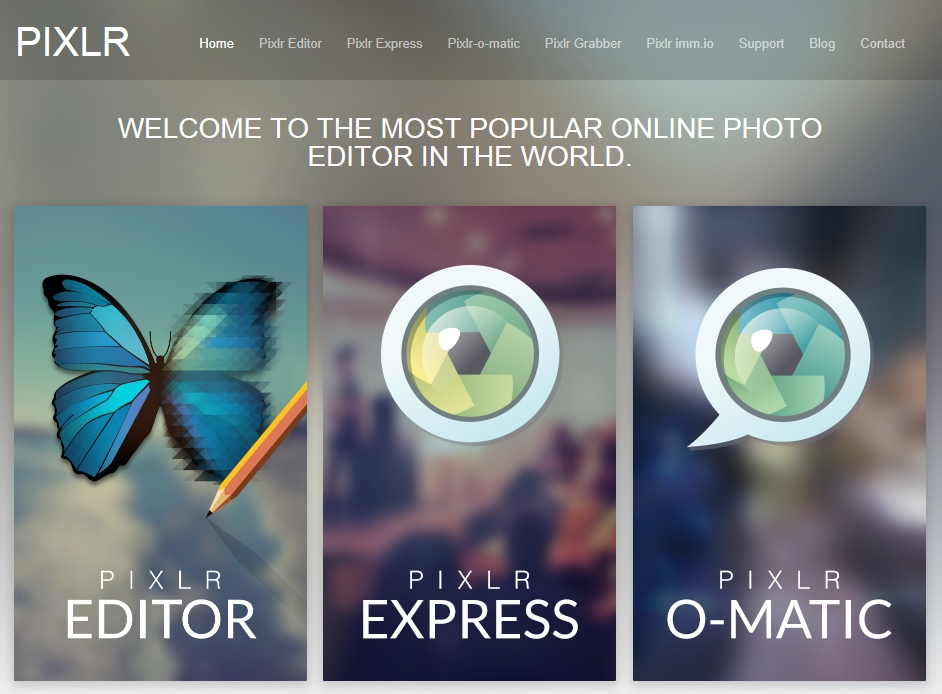
Pixlr is available on the web, mobile systems and desktop ones. It allows you to accurately control all aspects in the process of editing your images.
2

Pixlr can be used to edit your images any way you like with the use of effects like halftone, dapple and crosshatch and offers hundreds of borders, overlays and unique stickers. It has well known blending modes with overlays and double exposures and also masks that will allow you to control even better the editing process. Pixlr can be used to apply radial or linear masks on images and you can edit photos offline as well as online.

Pixlr Express is also available on Android and iOS and is a great tool you can use to easily fine tune, crop and rotate any image on your mobile phone or tablet.

Price: Free, Pixlr Membership $14.99/year

3. BeFunky

BeFunky is a great photo editing software that lets the user resize, crop, add frame and can be easily used to adjust the brightness, color, contrast, sharpness and saturation of a photo.

3

The tools available in the software include clone, reduction of red eyes, blemish fix and a lot more. There are literally hundreds of effects in the photo editing software that you can choose from to improve your photos in any way you want. You can use the software to edit images stored on your computer or on Flickr, Facebook, Picasa or Photobucket as well as taking a new picture with the use of your webcam.

BeFunky is available on mobile devices for Android and iOS and the apps let you easily edit your images on the move. The Gallery has numerous images in categories such as nature and style that can very well inspire you.

Price: Free, Professional $99.95/year

4. Online Photo Editor

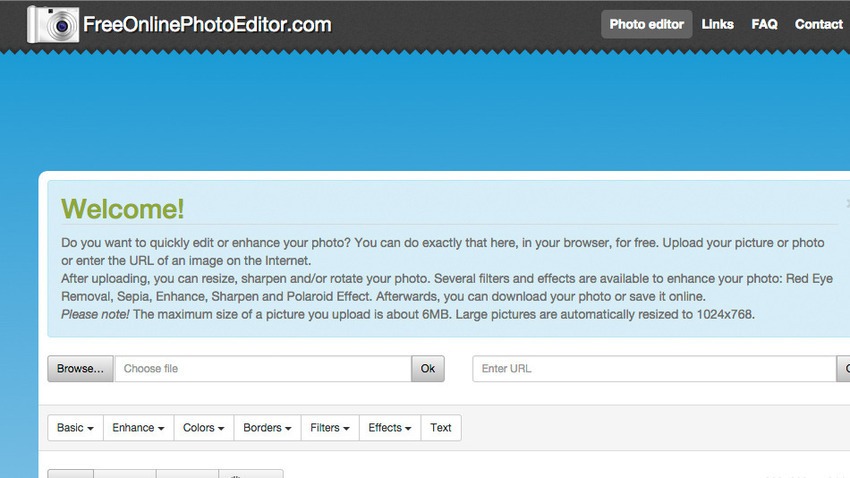
You can quickly improve or edit images right in your web browser with the use of the Free Online Image Editor website. Enter the address of an image online or upload a photo stored on your computer to quickly and easily rotate, sharpen and resize your image.
4

The Free Online Photo Editor offers numerous filters such as Lomo, Polaroid, sepia, tilt shift and vintage and also has editing tools like crop, blur, contrast, brightness, sharpness and red eye removal. You can also add text to your image which you can rotate and change color and size.

When you finish editing your image you can save the result as PDF, GIF, JPG and PNG. The Free Online Photo Editor also lets you print your result or email it.

Price: Free

5. Adobe Photoshop Express

The Adobe Photoshop Express is an editing application based on Flash that is available online or on Android, iOS and Windows.

5

You can use the application to make your photos look beautiful and offers a series of options including quick fixes, creative enhancements and corrections along several more advanced effects. Adobe Photoshop Express has a lot of user friendly features and tools such as rotate, crop, auto correct, saturation, exposure and red eye removal.

Together with allowing you to make adjustments on your images, Photoshop Express also lets you add numerous effects like hue, pixelate, tint, black and white, distort and sketch. It’s one of the best photo editing software for quick and easy image editing.

Price: Free

6. LunaPic

LunaPic is an online photo editing software that lets you upload images stored on your computer or use images from Dropbox, Facebook and Picasa and save the results on Tumblr, Imgur or send them to an email address. The software doesn’t use Java, Flash or any other plug-in you need to install to make the software work. It boasts a large variety of effects and tools you can use to create some very beautiful images.

6

The moment you import a file into the software you can make use of standard tools like paint, zoom, draw, rotate, crop and gradient to change how your images look. LunaPic can also be used to create animations, add effects to your animation and change the speed of the loop and removing or adding frames to it.

Price: Free

7. FotoFlexer

FotoFlexer is an online photo editing software that is pretty advanced and complex. You can edit images stored on your computer or from online web pages such as Flickr, Facebook or Photobucket.

7

Together with standard editing tools like flip, resize, red eye removal and crop there are numerous more complex tools such as morph, curves, cutout, recolor, scissors and smart resize. FotoFlexer’s interface is split up into several tabs that contain eight to 20 different effects that allow you to fix mistakes made on the image, add borders and save the result in either PNG or JPG when you are done editing the image.

FotoFlexer is also available on Android, free to try which will allow you to edit your photos on your mobile device.

Price: Free

8. Ribbet

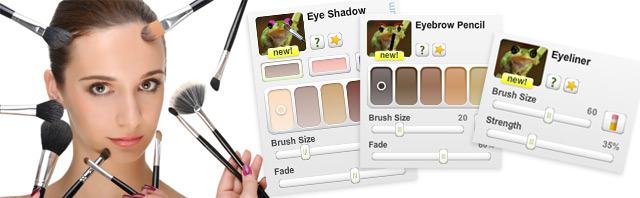
Ribbet is an online photo editing software that provides free storage on the cloud for all the images you add and edit. Because Ribbet works inside a web browser, there is no need for any installation of software even though you can choose to install a Chrome browser app, Facebook app or Toolbar.
8

The history of your edits is stored and you can undo, delete elements or move them around the image, add text and components to your images imported via webcams, social media networks or from any web address.

Ribbet allows you to quickly fix your images with just a click and adjust them with the use of more advanced controls along more basic ones such as filters, effects, rotate, resize and crop. You can also add the editing software into your own application or website by making use of the Ribbet API without the need for any registration or API key.

Price: Free

9. Picadilo

This is an online photo editing software that features a variety of tools that include a number of effects, text, selections, brushes and a lot more.
9

The moment you upload an image into Picadilo you can use the photo editing software to retouch, crop, resize, add filters and text to the image and even surround the image with borders and frames. Picadilo offers more than a hundred fonts, 19 tools for retouching, 140 stickers and 40 effects. Picadilo has more than enough features that you can use to quickly and easily edit your images. You can modify the exposure on your image which is particularly useful for very dark images or very bright ones. Especially useful is also the Magnify tool which you can use to zoom any portion of your image.

Picadilo lets you put captions onto your images and send your photos directly to Facebook or print the image from within the web browser.

Price: Free

10. GIMP

I think everybody working with images has heard of the Photoshop alternative called GIMP. GIMP is a very versatile photo editing software that lets you personalize the view of the application and its behavior to best suit your preferences.

10

In the widget theme you can edit the icon sizes, the spacing of widgets and change colors. You can also customize the sets of tools contained in the photo editing software. The user interface is split into docks that you can pile and has full screen function that makes it a lot easier and better to view your image.

Enhancements to the image are done very easy with healing and cloning tools, batch processing, distortion correction and numerous others. GIMP is a very comprehensive and expandable photo editing software that has a very well designed complex interface used for scripting that allows everything from basic tasks to very advanced manipulations of your image to be completed with ease.

Price: Free

So there you have, these were our favorite free or cheap photo editing software. We hope our list made your job of choosing a better and cheaper photo editing software a lot easier.

Image Credits: Photo 1, Photo 2, Photo 3, Photo 4, Photo 5, Photo 6, Photo 7, Photo 8, Photo 9, Photo 10
Filed Under: Tech & Science Tagged With: best photo editing software, photo editing software, photo editing software for entrepreneurs, photo editing software top, small business photo editing software

Review for Apple iOS 8.1.2: The Good and the Bad

December 21, 2014 By Roxanne Briean Leave a Comment

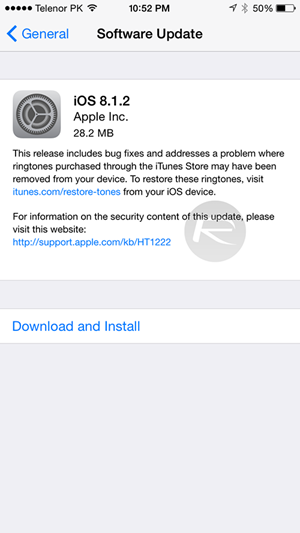
The latest operating system update that was launched by mobile phone producer Apple, to compliment and accompany the release of the much expected iPhone 6 brought quite a few changes to the way your iOS works, though it did not end up being a long shot away from its predecessor visually.

If you’re still holding onto your iOS 7 or earlier versions of the iOS 8 and not sure whether you should make the change or not, I’m going to give you a broader overview of what to expect from the new operating system, iOs 8.1.2 update included.

Quick Overview: How the 8.1.2 Came to Be

iOS 8 introduced some impressive new settings for camera such as time-lapse straight on your phone, a capture timer, burst mode on front facing camera on the iPhone 5s and panorama for iPad Air and iPad mini with retina display.

Review for Apple iOS 8.1.2: The Good and the Bad

Image Source: https://www.redmondpie.com/

Photo editing potential also got some attention, giving you a lot more options when trying to tweak your snaps on the go, before uploading them to your social media website of choice. To people who are not that well versed in the ways of Photoshop and other editors (or not versed at all, like I am), this is the easy way out if you’re just looking for some light edits to make your colors sharper, highlight specific areas of your photo and so on.

Other notable improvements brought by the new iOS were adding continuity and perfect synchronizing of all of your Apple devices via the iCloud. All of your documents can be stored in your iCloud Drive and accessed from any of your devices at the exact point you left off, uploads of edits and changes being made continuously across all of your devices automatically.

The QuickType keyboard became a thing too, adding predictive typing personalized to your writing style, customized in coordination with the recipient and the application you are using.

The first time I opened up the messaging app on my iPhone 5s post the update, I did not pay much attention to this new feature since I never really was a fan of automatic keyboards, to me being more of a nuisance and chain-of-thought-breaking rather than useful.

But after several chats all across my apps, I started noticing in the corner of my eye some very familiar words and expressions that are not officially part of the dictionary but knew that I myself use often.

Quick Overview for the New Operating System

While I speak for myself that even despite the very intuitive nature of the QuickType software, I’m still going to type things the hard way, I would lie if I said I don’t sneak in a few words from the feature every now and then, especially when operating the phone one-handed.

Another feature that I sincerely wondered what was taking so long on being incorporated by the iOS was the health app – an application that is only available for the iPhone and iPod, but not yet made functional on tablets.

Review for Apple iOS 8.1.2: The Good and the Bad

Image Source: https://www.redmondpie.com/

This does exactly what you would expect from it, measuring distances you walk, helping you keep track of calorie intake, cholesterol levels, and every other nutrition, vitals, sleep, fitness and body measurements you would ever need to stay in control of your health.

The app itself does not measure all of the above automatically and will actually require manual input or auxiliary applications that measure them for you, but it still remains a very flexible tool to keep watch over the state of your health.

All these came along with many other minor changes and optimizations to make the latest iOS function as smoothly as possible on all popular iPhone and iPad models. But just like it is with every single major iOS update, the system shines on the newest device releases, yet tends to have issues on previous ones.

The subsequent updates to the iOS (8.0.1, 8.0.2, 8.1, 8.1.1 and ultimately iOs 8.1.2) have attempted to target most bugs and issues that pop up when using the operating system on older devices, but some issues present on the iPhone 6 as well.

For this very reason, I will try to give you a broad overview of what the latest updates bring us on both the iPhone 6 and older models respectively.

iOS 8 for iPhone 5/5s

Personally, I haven’t upgraded to the iPhone 6 yet, still holding onto my iPhone 5s simply out of personal preference and slight reluctance towards the big display belief.

The upgrade to iOS 8 was a bit of a headache however and made me consider simply switching to the iPhone 6 just to not have to deal with all the issues that popped up in the first weeks of usage.

Review for Apple iOS 8.1.2: The Good and the Bad

Image Source: ytimg

However, after a long time of having to survive through with random app crashes, screen rotation occasionally refusing to work, freezes, home screen getting stuck on semi-transparent look after swiping to unlock, purchased ringtones vanishing, worrying battery drain, not being able to zoom out of folders and many other tiny, yet nagging issues that my iPhone 5s underwent, things seem to have started to calm down with the latest iOS 8.1.2 update.

Now do keep in mind that these issues did happen to me on a relatively old and packed iPhone 5s (as old as a 5s can get), so that might have had something to do with it as well.

iPhone 6 users have not reported most if not any of these issues as concerns to their new devices so chances are the circumstances that my phone was in when I upgraded iOS were probably the worst combination you could get.

Some things are still a bit sluggish even with the improvements brought to the operating system and the effort the company has put into stabilizing the iOS for older versions that were constructed to work at slightly different parameters than the new, more performant ones.

So if you are already running a version of the iOS 8, the latest iOS 8.1.2 patch appears to be a downright blessing for models 5s and below – the patch is definitely getting a yay.

If you’re still running the iOS 7, missing out on some of the new features might turn out to be better than running in head first into the issues that still seem to be plaguing the device here and there.

From that perspective, if you feel that you can’t handle a few bugs here and there on your iPhone 4/4s/5/5s or cannot spare the time to deal with them until further fixes and optimizations make their way live to your phone via patches, I’m going to have to give the iOS 8 along with the 8.1.2 patch a nay. Save yourself a headache and stick with the stable iOS 7 for now. The goodies on the iOS 8 can wait until a more stable version.

Review for Apple iOS 8.1.2: The Good and the Bad

Image Source: gizmag

Prior to upgrading to the iOS 8, I made the mistake of not even researching a bit on what I was going to get with the new operating system. I even got it relatively late in comparison to its original launch date due to lacking the necessary space every time I tried to update and despite using 4 Cloud services and numerous hard disks to store all of my data.

I really did not get to it, especially since the update was asking for a considerable amount of space on my 16 GB model, space that I really could not clear up without either removing some of my music or giving up the easily accessible photos and videos on my phone.

So by all means, cleaning up your phone and being prepared for the update is sincerely a very good idea. With all the changes and possible challenges your iPhone 5/5s might be struggling through, not knowing what is coming your way will prove detrimental to your iPhone experience.

If you don’t feel you are prepared for the transition, give the iOS 8.1.2 a nay for now. The changes may not look much from a visual perspective, but at the core of things the new iOS is far from its predecessor.

ios-8-1-logo

Lastly, if for whatever reason you are currently in possession of a jailbroken iOS 8 version, experience and feedback from users who chose to jailbreak their devices seems to be verging on the positive. If you are in the same bucket and feel that your iOS is not giving you much trouble and performance is not dwindling, updating to the iOS 8.1.2 really is not necessary.

Considering that updating your iOS will remove your jailbreak in most situations, take it the nay way and leave things the way they are for now.

Alternatively, if you are ready to put up with a few problems the iOS 8 will give you and are considering jailbreaking, updating to the 8.1.2 would be a timely change right about now since the Taig 8.1.2 jailbreak has already been revealed and released. You would benefit from both the fixes the latest patch has brought and concomitantly enjoy the possibilities of jailbroken devices.

For this reason, the update will get a yay despite a 8.1.3 update being currently planned by Apple. There is no ETA on the next patch however, which means that even if you make the change now, you will be looking at a hefty amount of time for you to spend with your jailbroken iOS 8.1.2 before the new version removes your Taig version.

iOS 8 for iPhone 6 and iPhone 6 Plus

If you are one of the lucky iPhone 6 users who did not have to go through all of the above and even started off your experience with the iOS 8 straight away, you probably are relatively content with your device.

Surely, the iPhone 6 models were not completely immune to the problems that the new iOS posed. The landscape not working was not an issue plaguing the older models alone and seems to have created some trouble and turmoil for iPhone 6 users just as well.

Review for Apple iOS 8.1.2: The Good and the Bad

Image Source: irishmirror

The landscape view was added to the iPhone 6 Plus with the iOS 8, and quickly got followed by tweaks and fixes to its functionality in later patches. With the latest, all landscape view-related issues seem to have finally vanished and your iPhone 6/6 Plus should be flashing its green lights towards the update. Yay.

One of the most harrowing and panic or frustration inducing problems that the iOS 8 came up with was the infamous ringtone bug where people who had downloaded ringtones from the iTunes store in the past woke up one day with the nowhere to be found. For no reason whatsoever.

No changes had been made to the phone, no new installations, no modifications done via iTunes. The tones would simply disappear off the face of the planet. The 20 MB 8.1.2 update seems to be focusing on this fix, and installing the patch will allow you to recover your missing ringtones by heading to Apple’s website and restore them to your device as soon as possible.

Alternatively, even if you haven’t purchased any ringtones but are planning to, go ahead and grab the update before you do to avoid having to put up with this and straight out enjoy the yay that the iOS 8.1.2 gets once again.

Performance of iOS8 on iPads

The iOS 8 only made it to iPad Air 2 and iPad Mini 3 starting with the 8.1 version. The fact that Apple did not rush the release for their tablets seems to have been a good thing for most iPad users reported little to no issues with the new iOS. The most positive feedback the 8.1.2 patch got from tablet owners was that it does feel like an improvement over the 8.1.1 version.

Review for Apple iOS 8.1.2: The Good and the Bad

Image Source: toucharcade

The worst feedback consisted of some iPad users saying that they felt close to no difference following the update. So by all means, there really isn’t much more to say here, is there? Oh, you’re right, there is – yay!

Conclusion

The iOS 8 appears to behave like a difficult mistress would in most, older Apple devices. If we were to simply make a count of the yays and nays we’ve given to the latest software update provided by the company, the conclusion is crystal clear.

  • If you own an iPhone 5s or below and are still running an iOS 7 version, stick to it.
  • If you own an iPhone 5s or below and have already installed an early version of iOS 8, you’d be better off upgrading now as 8.1.2 seems to be the most stable variant of the new operating system.
  • If you own an iPhone 6 or iPhone 6 Plus, updating to iOS 8.1.2 will solve a number of issues you might have had before.
  • Jailbroken devices will lose their break upon update, but Taig has recently released a 8.1.2 jailbreak so you might as well grab it while it’s hot.
  • iPads remain mostly neutral to the changes so updating will do just fine.

Filed Under: Tech & Science Tagged With: Apple ios 8.1.2, iOS 8.1.2, ios 8.1.2 news, ios 8.1.2 review, ios 8.1.2 update, ios 8.1.2 yes or no

10 of the Best Samsung Galaxy Note 4 Cases

December 20, 2014 By Roxanne Briean 7 Comments

The Samsung Galaxy Note started the phablet trend back in 2011 with some clouds of doubt in the air. But three years after the launch of the original Samsung Galaxy Note it looks like phablets are here to stay. This is also supported by the fact that Apple has just released its own take on the phablet market through their newest iDevice, the iPhone 6 Plus.

The newest phablet from Samsung, the Samsung Galaxy Note 4 improves all the things we loved regarding the Note 3. It has an amazingly fast processor, a gorgeous 5.7 inch display and an amazing rear camera.

But a classy design and a smear proof finish aren’t sufficient to protect the Samsung Galaxy Note 4 against dents, cracks and scratches the device is prone to gather from being used every day. So we put up a list of our favorite Galaxy Note cases that are available for the new Samsung device as of now.

1. Cush Cases Flip Case – $25

cush-cases-flip-case-650x429

You might not know about the Cush Cases manufacturer and if you do know about it, then you probably realize their cases are not the most durable ones on the market. But like most of the manufacturer’s cases, the Flip Case is more about style. The design of the case is pretty sleek with its two color design and a somewhat flexible shell for protection.

The case also has some pretty stitching around its brim to prevent shredding. But probably, the biggest attraction of the Cush Cases Flip Case is the window in front of the case that lets you see alerts and answer calls without opening the case. Also, the cover can be used to watch videos on a flat surface.

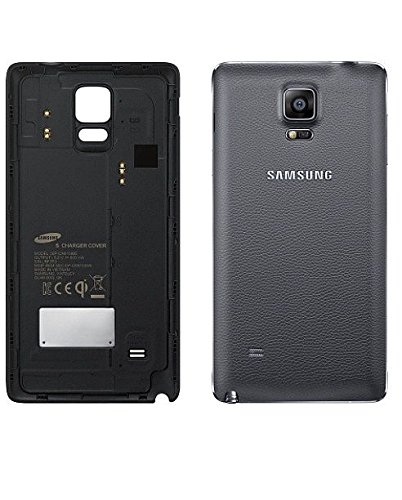
2. Samsung Galaxy Note 4 Wireless Charging Back – $35

Samsung-Galaxy-Note-4-Wireless-Charging-Back

This is a replacement back for the Samsung Galaxy Note 4 that offers wireless charging. Applying this case to you Samsung Galaxy Note will relieve you of the trouble of always having to plug the device into a power outlet as it lets you charge up your Note 4 wirelessly by putting it on a charger plate.

Although this case makes the Note 4 a little thicker it is still easy to put the device into your pocket. You can still pull out the battery and switch it and it doesn’t even ruin the nice look that Samsung designed for its new Note 4. The case is available in both black and white colors.

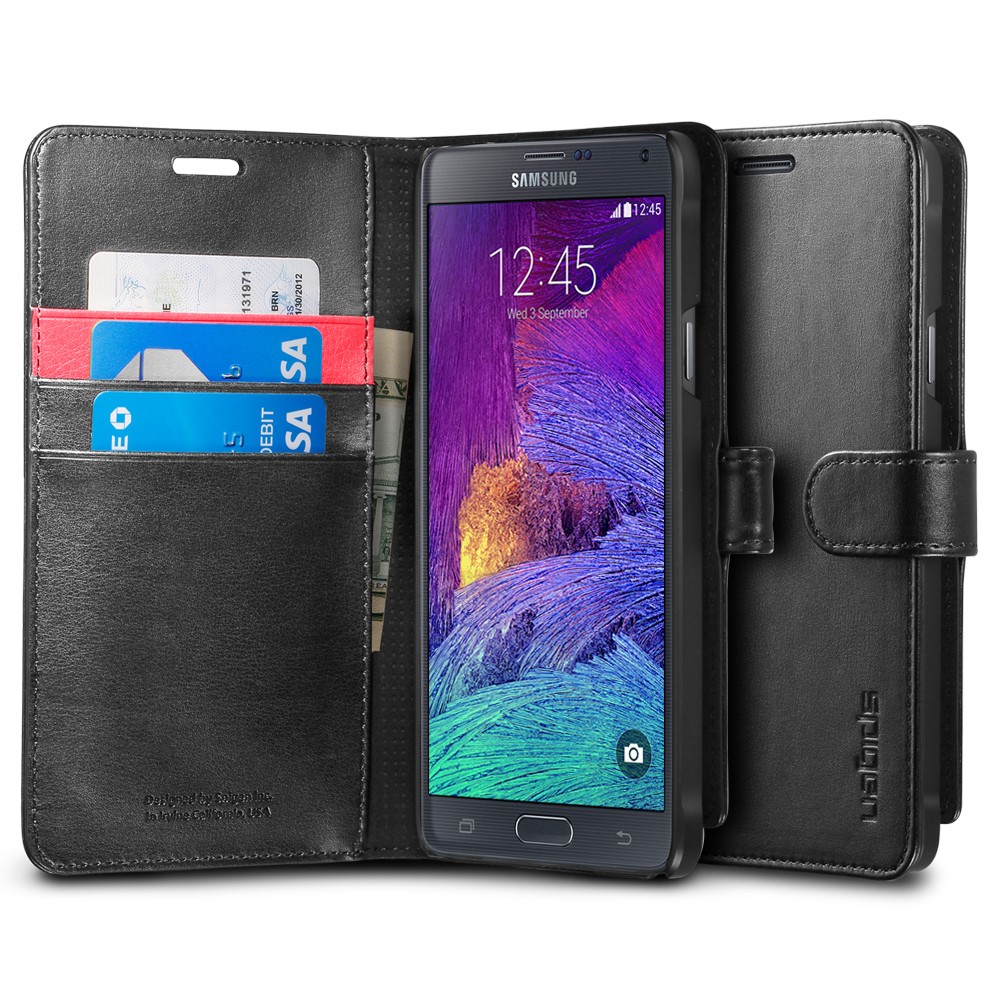
3. Spigen Wallet S Case – $25

note4_wallet_title_01_black_screen

This is the only wallet case that made it into our list because this case from Spigen is more special than any others. It’s built out of synthetic leather and has a stand you could fold for viewing at different angles as well as a design in the form of a book to reduce weight and bulkiness.

The magnetic strap on the wallet case makes sure all your contents are secure within it and you can store your driver’s license, credit cards or any other card in the inner sleeve.

Even though it’s not as convenient as the Apple Pay, you must have picked the Samsung Galaxy Note 4 for a good reason and this wallet case will make things a little easier for you.

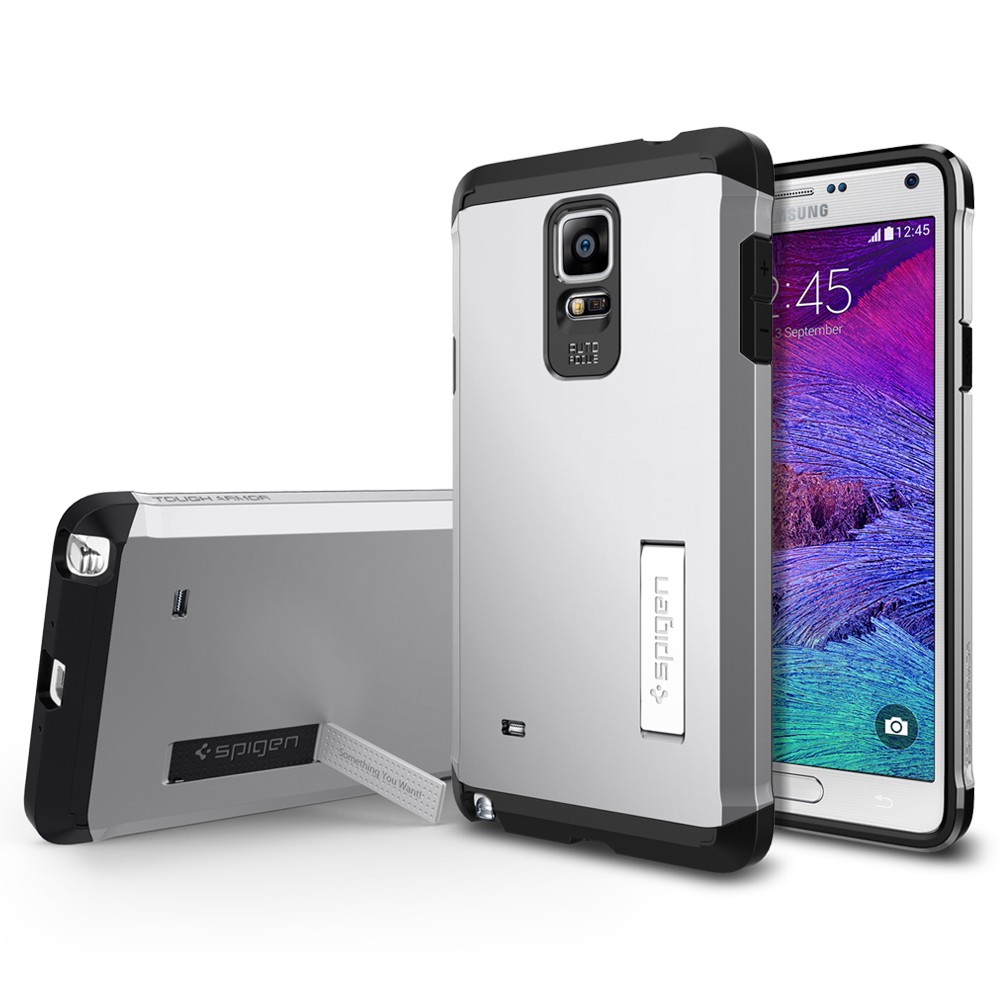
4. Spigen Tough Armor Case – $35

note4_main_title_0005_front_merged_

Here is another Spigen case that made it on our list. This one has a 0.2 inch rim and glossy decorations. The Spigen Tough Armor Case assures protection of your device without ruining the slim frame of the Note 4.

It assures protection all around the device by making use of both a polycarbonate and TPU case. It also features a set of buttons perfectly on level with its exterior that make the case look more beautiful. The air cushion technology developed by Spigen will disperse the force coming from an impact all through the case and the foldable stand will let you place your Note 4 at two angles for viewing the device hands-free.

The case comes in seven different colors from teal to red so there are a lot of options you can choose from to best suit your preferences.

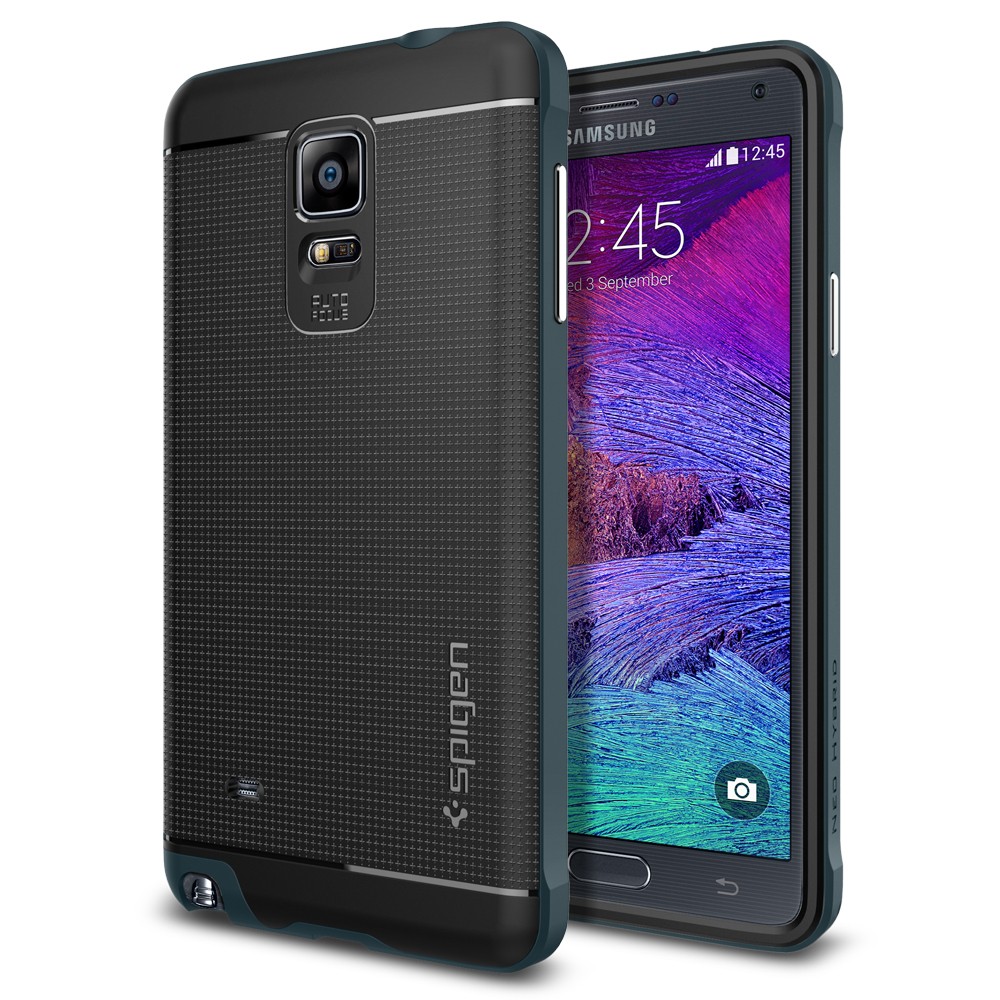
5. Spigen Neo Hybrid Case – $35

note4_main_title_0016_layer_33_copy_7

We know. This is the third Spigen Case on the list but their cases are really that awesome. Even though they are not as known for providing protection as OtterBox, Spigen is still a decent pillar among case manufacturers.

The Spigen Neo Hybrid Case offers both protection and a pretty design style at almost half the cost of the company’s competitors. The TPU case boasts a frame made out of polycarbonate which means your Note 4 is less likely to suffer any damage if dropped.

The beautiful case offers buttons made out of metal and comes in four different colors: gold, silver, red and blue. The case has a textured middle part for an improved grip and provides easy access to the camera and the ports of the Note 4.

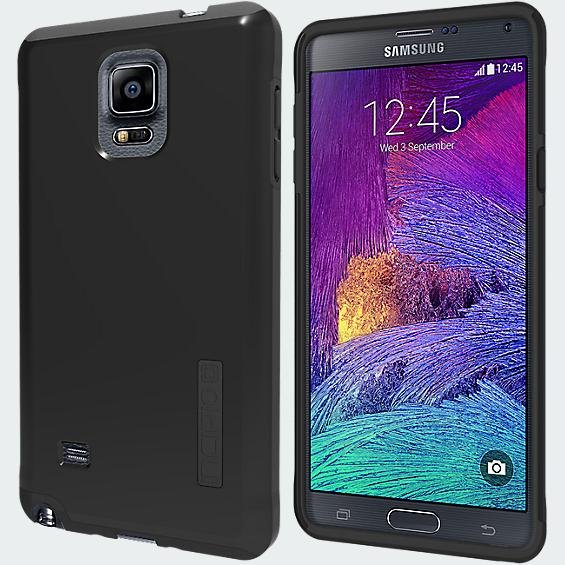
6. Incipio DualPro Case – $35

incipio-dualpro-for-galaxy-note-4-black-iset-sa-579-blk-v

Accessory manufacturer Incipio has several cases that will launch for the Samsung Galaxy Note 4. However, only the DualPro Case is available at this moment. The really light case manufactured by Incipio offers a dual-layer protection similar to most Galaxy Note cases presented in our list by making use of a polycarbonate outer shell and an interior resistant to impacts.

This particular case is also thinner that most Galaxy Note cases and the dLAST TPE exterior protects the power and volume buttons from dust all while keeping the tactile features of the Note 4. The design of the case is pretty humble but it comes in four colors: pink, blue, gray and black.

7. OtterBox Defender Series Case – $60

otterbox-defender-series-case-650x429

The Samsung Galaxy Note 4 is a monster product but so are all the cases in the Defender Series produced by the OtterBox manufacturer. The durable accessory from OtterBox offers a polycarbonate inner shell and a very sturdy slipcover made to wrap around the device’s inner layer, thus delivering one of the most high quality production on the market.

The screen protector and the plugs on the Note 4’s ports keep your display entirely scratch free and don’t let any dust get in the device. Even though the case is not waterproof, the impact absorbent, tough construction of the case makes it one of the best Galaxy Note Cases available at the current time.

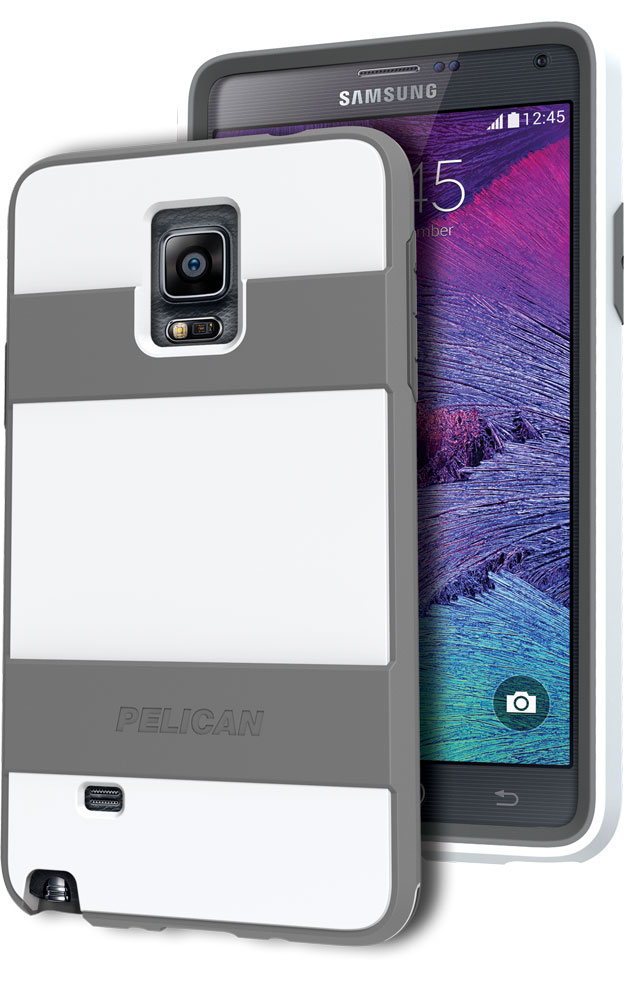
8. Pelican Voyager Case – $60

v1

Even though this case is only sold through AT&T for now, it is a really good case if you are searching for a very tough protection for your phone as well as a simple design. The Pelican Voyager Case makes use of four different layers of polycarbonate and energy absorbing TPR to ensure the dispersion of shocks.

The case also features a holster clip and has a nice non-slip finish. Also, the company provides a lifetime guarantee for the Pelican Voyager Case. The slogan of the company is: “You break it, we replace it… forever.”

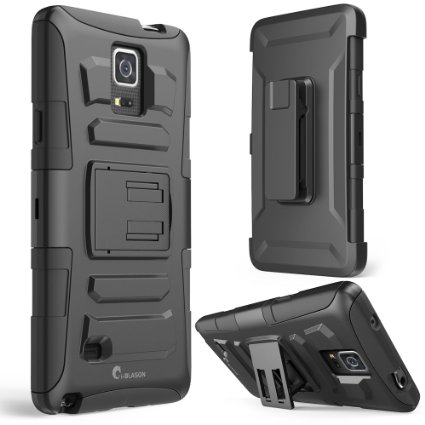
9. i-Blason Holster Case – $15

61UFy+E3KUL._SX425_

Taking into account the very high price of devices nowadays, coming across a good accessory for under just $20 is a real deal. The Holster Case manufactured by i-Blason is the perfect example for it offers a 360 degree belt pivot covering it as well as a holster that will keep your device safely in place with the use of a very simple locking system.

The protection of the device is guaranteed by the shock resistant polycarbonate material and an inner sleeve that is capable of absorbing shocks and has really accurate cuts that give you access to all the device’s ports. Furthermore, the i-Blaston Holster Case also offers an integrated stand which will allow you to view your device at numerous different angles.

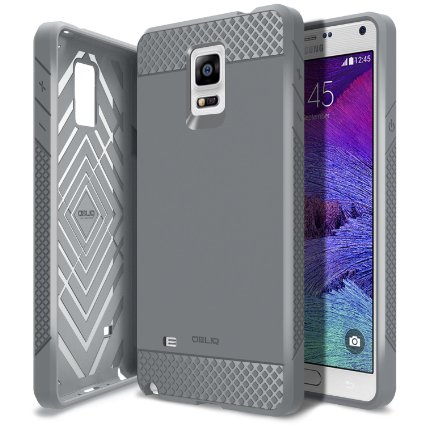
10. Obliq Flex Pro Case – $35

71zMzaVXupL._SX425_

This case really offers more than the price tag would make you believe it will. You can even buy the Obliq Flex Pro Case for less than $7 dollars on online stores, such as Amazon. Even though it has a very simple design that isn’t really eye-candy, the case provides a very good protection. The case has a pretty slim frame and a long rim that is designed to protect your device when the smartphone is lying flat.

The Obliq Flex Pro Case offers access to all the ports on the device and has a good grip thanks to its textured design. It’s just a single layer of polyurethane but sometimes you don’t need more than that.

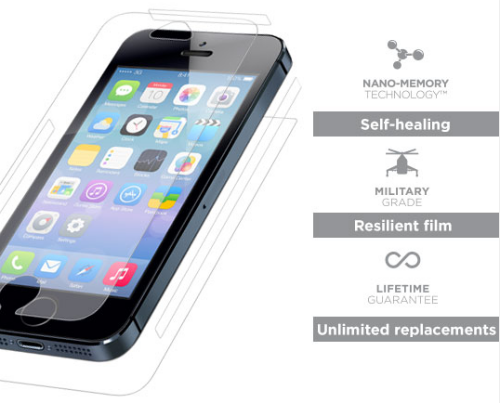
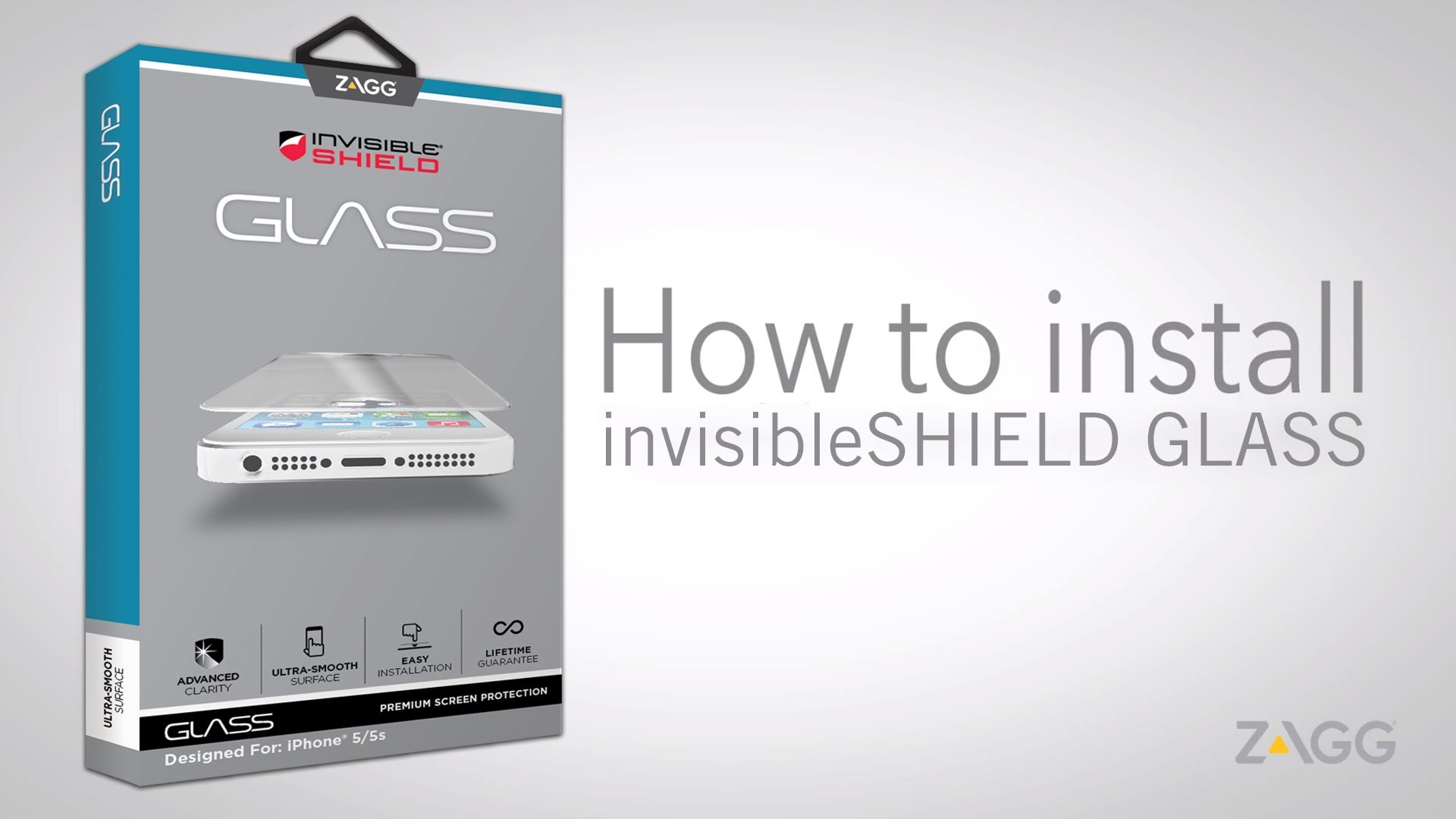
Also, make sure you place a ZAGG InvisibleShield Glass on your smartphone’s screen along with any of these cases to provide an extra protection against scratches and cracks on the device’s display. You can also use the Galaxy Note 4 ZAGG InvisibleShield Glass without cases and the screen protector will not change the feel and touch of the Note 4’s screen. Furthermore, ZAGG will replace it forever (or for as long as you own the Samsung Galaxy Note 4) if it breaks or becomes worn-out.

Even though protection isn’t the only reason you buy a cover or case for your smartphone, we tried to combine looks and protection in our list of 10 best Samsung Galaxy Note cases. The case you choose is entirely up to you as everyone’s needs are different. But when making a choice, consider how you will end up using the device.

For example, if you run a lot and exercise regularly you might want to choose a sturdier case for your smartphone. For everyday use, however, a cover that is a little more on the light side should be enough. These were our personal favorites that we picked from numerous cases currently available on the market for the new Samsung Galaxy Note 4 case.

Filed Under: Tech & Science Tagged With: cases for galaxy note, cases for samsung galaxy, galaxy note cases, samsung galaxy note, samsung galaxy note cases

Virtual reality Brought to your Home With Samsung Gear VR

December 20, 2014 By Roxanne Briean 2 Comments

Virtual reality is something that people have been delving in, trying to make it a thing of the day, for a very long time now.

While the theory of it has been out for entire decades, actual devices that allow virtual reality have only existed and were utilized for scientific or developer purposes only. Until now.

virtual-reality-helmet

Virtual reality in a nutshell

Samsung, alongside Facebook-owned Oculus VR team, has officially released the first virtual reality headset designated for public, consumer use that is easily accessible to any tech lover out there without costing a ridiculous fortune that would normally mean only a tiny niche of the market would be empowered to purchase.

But while the dream appears to have been achieved and all of the above stand true as a fact, the niche issue is not completely shaken off. Do keep in mind that this is only the first time ever, in human history, that such form of technology makes it out in the daylight and available to anyone willing to acquire it.

However, considering it is the first of real experiments in this direction, it is only currently functional through the use of the recently released Samsung Galaxy Note 4.

While the launch of Samsung Gear VR has been a complete and definite success for anyone who has tried it – regardless of age, education, preference of even affinity for the technology – we cannot yet acclaim that the fabled world in which virtual reality is the most usual and casual of things is here, real and happening. It’s a wonderful step forwards for humanity and surely sets us on the right track, yes, but we still have a long way to go.

Samsung Takes on VR Like no Other

So far, the experience provided by the Samsung Gear VR is still quite limited, only possessing a few more demonstrative applications rather than full-on gigantic virtual worlds to be immersed in, but it will still provide you with several dozen of hours of awe and delight even now, in its very incipient state.

Gear-VR_11

If you already own a Samsung Galaxy Note 4, you can grab yourself one of Samsung’s Gear VR sets for a surprising price of $200. Surely, this is no longer such a great deal if you are put in the situation where you also have to purchase the phone as well – which, outside of a contract renewal or starting off with a new carrier that could get you even up to $500 off for the phablet – will take you up to a hefty $700 acquisition.

Samsung’s launch plan was relatively well thought out. Instead of building hype and unfeasible amounts of enthusiasm around it, sending units to press and reviewers to give way to publicity and generally making it available to public before its official release, the company held back and made it so people get a surprising first-time, hands-on, eyes-on experience.

The first model to be released is named “Innovator Edition” and truthfully, cannot be picked up off a shelf at your local Best Buy or Walmart store. The reason behind this is really what I mentioned earlier – while it is finally available for the general public, it is still a far way off from becoming a full-fledged consumer product. But for the precocious tech lovers out there, even the current demo version will turn out to be a great relish.

So instead of sending it out to everyone, Samsung preferred to have it evolve by natural means. Curious people can pick it up, find that they enjoy it, let their friends and family try it and so the word would spread and suddenly, you have a very happy group of people enjoying it to the fullest and the trend of virtual reality spreading everywhere and becoming more and more widely known.

blog_hero_withLogo

Negative feedback would only mean that Samsung just has more room to improve that it was originally thought – and that’s saying a great deal since the company is aware of the current state of things.

Virtual reality applications destined for the general public right now have little to no utility other than what you would normally get and expect in video games and 3D movies – complete multimedia immersion into an alternate world as means of relaxation and proof that it is there, it is possible and really finally does exist. Its uses in science and development could prove enlightening as it can serve as an accurate support tool for various simulations, design, manufacturing and medical practices.

Do you Own a Samsung Gear VR?

Thus all stars aligned – or rather, you made them align – and you find yourself in the possession of both a Samsung Gear VR and the Samsung Galaxy Note 4. Virtual reality has never been closer in the comfort of your own home. But there are still a few steps you need to take before you can dive right into the worlds the device is ready to depict for you.

The setup itself is not particularly time consuming but will still have you go through a series of enthusiastic build ups until you get to the culmination of your first virtual reality experience under the roof of your own home.

Unlike the Oculus and Morpheus headsets that you might have tried out in your local mall or tech exhibition, this one won’t be connecting to any computer or any other cabled external device. After you have taken the headset out of all the protective wrapping and updated your Samsung Galaxy Note 4 to the latest version you are nearly ready for launch off.

Samsung-Gear-VR-headset

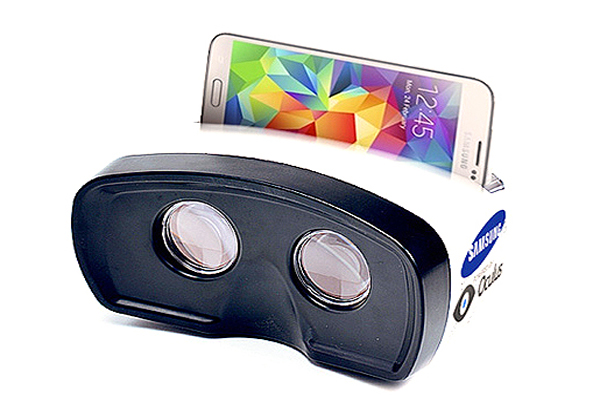
By removing the front plastic casing, you will be able to notice a micro-USB plug that is meant for your phone to dock in, secured in place on the opposite side by a latch. Before you go ahead and set it up for the first time however, it is necessary for you to firstly attach the phone to the device to confirm the successful connection and later be notified of further actions required.

Afterwards, you just need to take one last step of downloading the necessary software for it to function: Oculus Home and Gear VR Video. Once that is done, you are looking at just placing the headset on, the sensor built into the Samsung Gear VR detecting proximity and launching the main menu automatically.

Samsung Gear VR Design

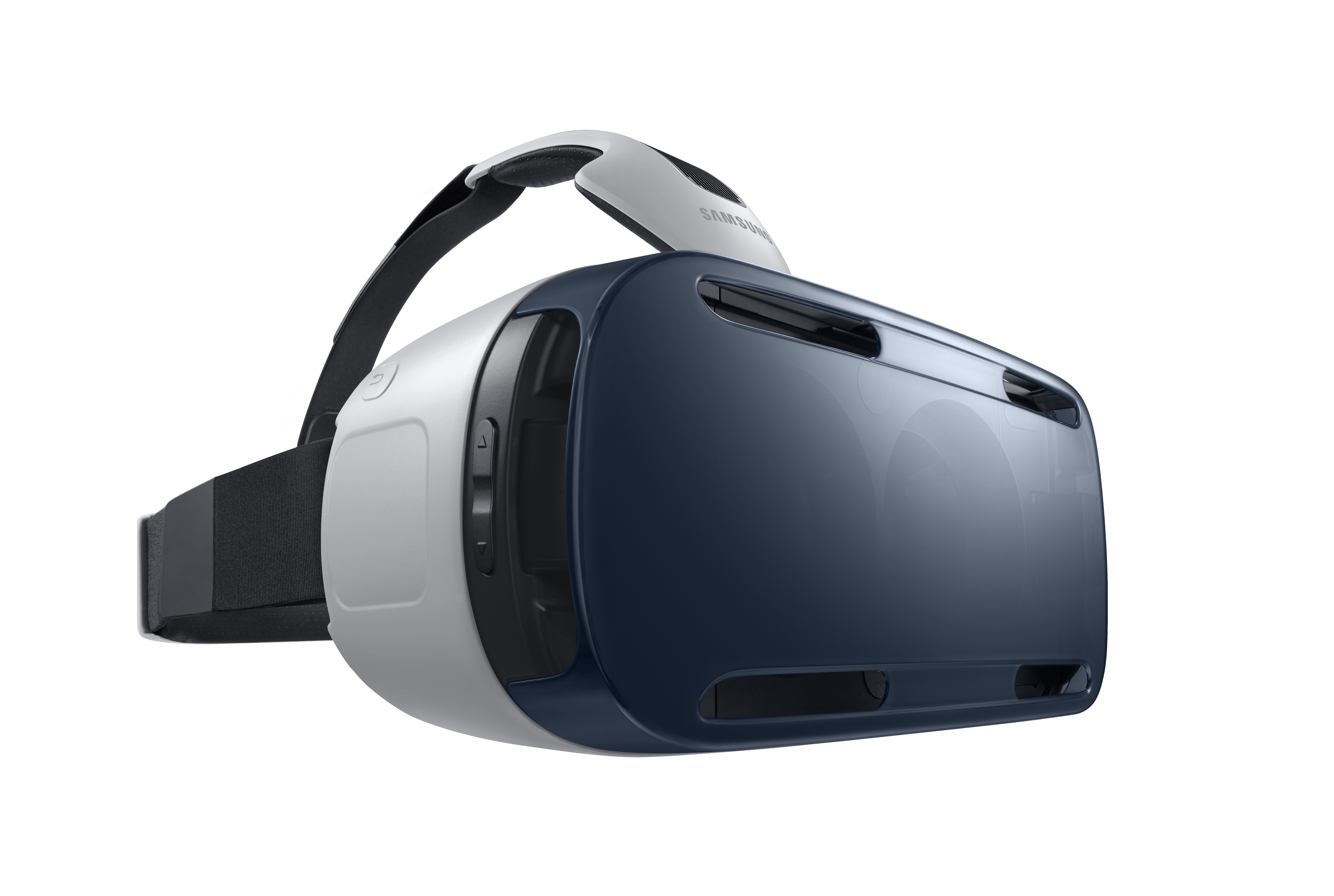
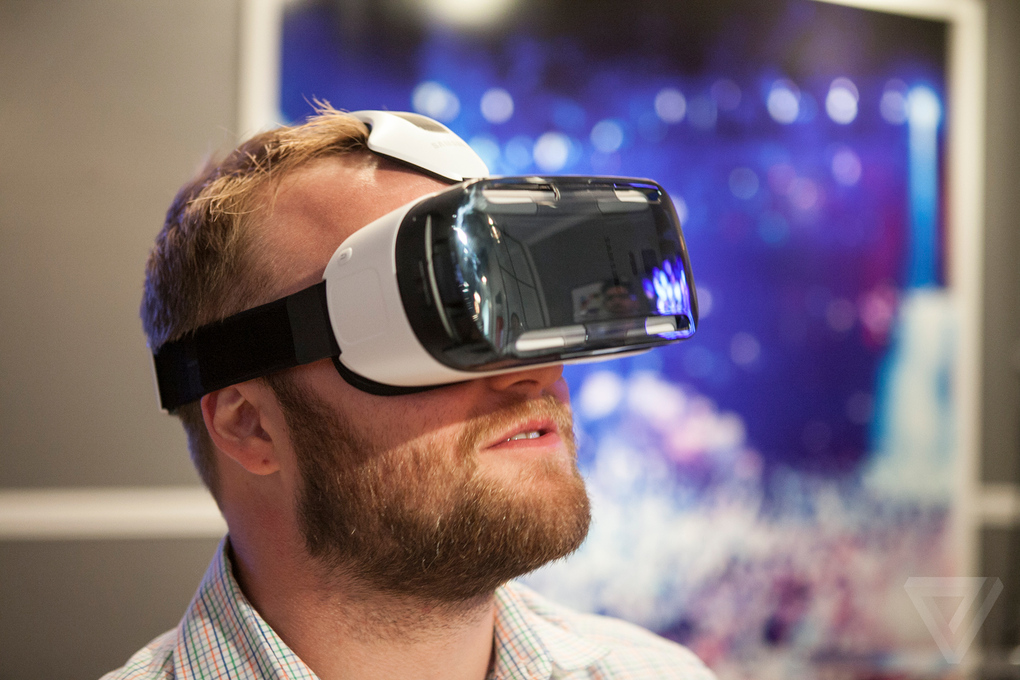
The construction of the Gear VR is made to be comfortable and intuitive. Built mostly from plastic in order to maintain the gear light and not neck wreaking, it features several elastic Velcro straps on the sides and top of the device to keep the Samsung Gear VR securely on your head.

The two curved lens inside have the ability of melding the image displayed on your Galaxy Note 4 screen into panoramic views.

Considering you cannot wear glasses with the Gear VR taking most of the space on the top half of your face, and securely holding up against it via comfortable cushion-like portions on the bridge of your nose and around the eyes, Samsung has installed a dial on the headset to allow you to focus the image to match your regular prescription.

samsung-unpacked-gear-vr-2_2040_verge_super_wide

Having different prescriptions for your left and right eye respectively might prove to be a bit of a bummer as there’s no option to adjust each side differently yet, resulting in a bit of a blurry image for you if you find yourself in that situation.

The headset also features a touchpad located on the right side of the headset that allows you to navigate through the menu through swiping while tapping serves as a select function. The only other elements featured by the headset are a back and a volume button to allow you faster operating of the device.

While the general way you use your Gear VR is through head motions picked up on by internal gyroscopes meant to replicate the movement inside the virtual reality, while allowing you to access certain aspects of the application through tapping the touchpad on the headset, it is not the only way to go.

An alternative is connecting a Bluetooth controller to your Samsung Gear VR to imitate videogame-like controls, but that tends to partially discard part of the immersive experience through motion control, depending on application. Optional, yet recommended by individuals who have already gone through the Samsung Gear VR experience, is the addition of headphones into the mix to replace having your phone’s speakers as the source of the sound.

The only downside would be the limited types of headphones you can link to your headset, wireless being a necessary factor, the strongest candidate being Gear Circle to assure the full immersive experience.

What you can do on the Samsung Gear VR

While it is still in demo version, it would be a lie to say that there’s very little you can do with the Gear VR.

Starting with simply being immersed into a virtual cinema theatre to watch a movie, or a homemade film or even go through the photos that you have stored on your Galaxy Note 4, this is an experience that was acclaimed for the realistic impression that it left on users, starting with the 360 degree image that you can gaze around at and ending with the way the empty cinema seats are lit up by the cinema screen.

Samsung-Gear-VR

There is a completely new take on tourism possible with the applications of the Gear VR – when using a 360 video player you can take actual tours of different places, be it a country, a city viewed from a helicopter or even outer space.

The application allows you to look in any direction like you would normally, so it becomes even more than panorama has had to offer so far. Given the freedom that underlines the virtual reality tourism, the level of immersion can become so high that it gives off the impression that all your senses are affected – including your smell and touch.

Sometimes the experience becomes so overwhelming that some people end up experiencing motion sickness in the 360 video mode, but it’s not something to worry about as it can be easily cleared up by just taking the headset off momentarily.

So far, all of the applications launched for the Samsung Gear VR are free, but come Q1 of 2015, the store will expand into paid applications. There is an exact number of 23 applications currently in existence for the headset, including games such as Herobound: First Steps, Ikarus, the infamous Dreadhalls, Darknet – one of the only full games available for the Gear VR, Esper and Proton Pulse.

Other applications involve different ways to experiment virtual reality such as viewing 360 video – fragments of Cirque du oleil, Pacific Rim and Avengers, or beautiful settings to take you in and amaze.

Wrapping up…

Well, the Gear VR is here and it’s here to stay. It may not be exactly like you thought it would be, or how The Sims and many others depicted it few years back, but it’s on its way. While to some the device may feel unfinished or rushed onto the market, for the people who decide to acquire it alongside the Samsung Galaxy Note 4, improvements will make their way to your headset.

001_small

Chances that the next virtual reality devices to come out in the near future will not us any other new and revolutionizing technology, but rather – the phone as a support tool to make VR possible will stick and expand to more and more phone models for a while the very least.

The user interface and general versatility of the Gear VR may not be too much right now, but considering this is just the first step in a very long line of virtual reality-related technology, even if you get the device as early as now, improvements, updates and new applications will come undoubtedly wave after wave to improve the experience and take it to the next level.

Waiting until a more refined version makes its way to the markets is not a bad call either, but mistake it not – virtual reality is inevitably coming our way, it’s just a matter of time.

Image Sources: Gadgetos, NextMedia, Amazonaws, BBStudio, PhoneArena, Arstechnica.

Filed Under: Tech & Science Tagged With: gear vr, Gear VR from Samsung, Samsung and virtual reality, samsung gear vr, virtual reality samsung gear vr

ASUS ZenWatch Review

December 20, 2014 By Roxanne Briean 1 Comment

The future is now! We’ve got highly intelligent phones, ASIMO is getting smarter by the day and performing increasingly difficult tasks, we’ve uploaded the mind of a worm into a simple robot and even managed to send a decent rover over to the Red Planet.

If we were to put all of our eggs in one basket when it comes to the future of technology, smartwatches would be our number one choice. These things are taking off like nothing we’ve seen before and developers are coming out with more and more options for us, the public. Apple released the Apple Watch this fall; a very smart and beautiful watch that is selling like hot cakes. Moto 360 is a sleek and round smartwatch that looks like something from a Sci-Fi movie. They can track your steps and help you control your smartphone without needing to actually touch your phone. Smartwatches may be at the beginning of their journey, but we’re certain it’s going to be an impressive journey that is going to lead us to somewhere quite spectacular.

ASUS and Smartwatches

ASUS Zenwatch 3

ASUS is a Taiwanese electronics hardware that was founded in 1989. The company’s slogan is In Search of incredible and the ASUS ZenWatch is ASUS’ first stab at smartwatches. Personal computers are the company’s moneymaker, but after the ZenWatch, smartwatches could be, too.

The ASUS launched their first smartphones in the summer of 2014, so they’re pretty new on the smartphone market, too. The ASUS Zenfone 4, 5 and 6 were launched in July of this year and they’re all Android phones. You can pair up the ZenWatch with any other Android smartphone, naturally, but if you want to get the best of your wearable device, we recommend you pair it up with a Zenfone.

Here is what ASUS had to say about their ZenWatch in the press release that followed the announcement of the smartwatch:

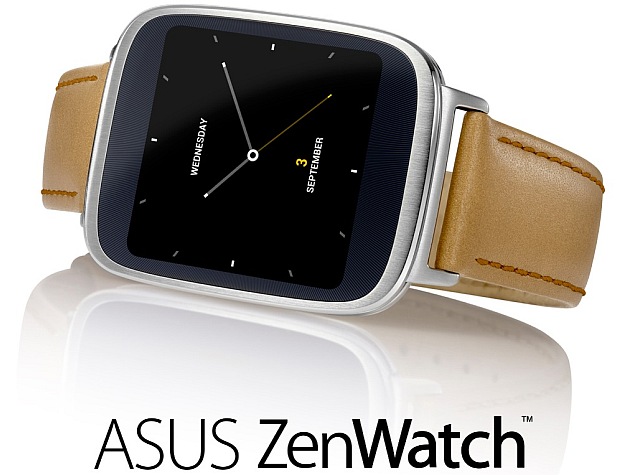
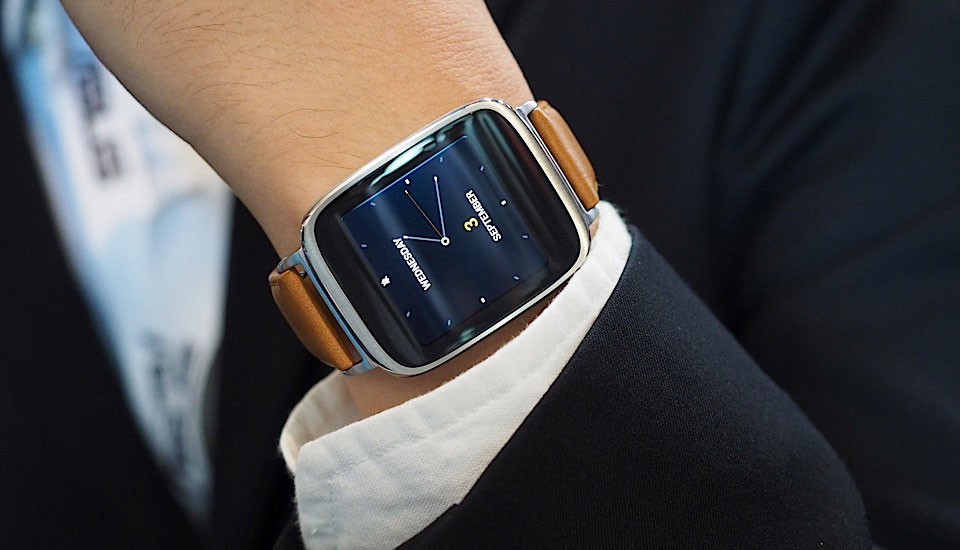
ZenWatch brings the luxury tradition of fine watchmaking to Android Wear, with an elegant, detail-focused design and use of high-quality materials. It is designed for supreme comfort, with a soft genuine stitched-leather strap and quick-release clasp. The 2.5D curved glass increases usability with a smooth and responsive touch experience. ZenWatch comes with a selection of instantly-changeable software watch faces, allowing users to customize ZenWatch easily to match their style. ZenWatch is much more than a sophisticated timepiece.

If you’re planning to get the ZenWatch after reading our review, then we recommend you also take a look at the Zenfone, maybe it will catch your eye and you’ll end up being a faithful new ASUS client.

Now, let’s take a look at the new ASUS ZenWatch and see some of its technical specifications, its features and how well this new smartwatch from ASUS performs. Here is our review and presentation of the new ASUS ZenWatch!

Technical Specifications

ASUS Zenwatch 2

In the tech spec department, the ASUS ZenWatch is up to par with all the other smartwatches out there on the market. It boasts a Qualcomm Snapdragon 400 processor with a speed of 1.2 GHz. With 512 MB of RAM and 4 GB of internal Flash storage, the ASUS ZenWatch is powerful enough to keep up with you and your smartphone. It has a stunning AMOLED 1.63’’ touch display with 320×320 and 278 pixels per inch. The cover lens is a 2.5D curved Corning Gorilla Glass 3, which is pretty much the best type of glass you can find on a smartwatch right now.

When it comes to sensors, it’s where the ASUS ZenWatch really excels: it has 9 axis sensor and bio sensor that perform flawlessly. The ASUS ZenWatch is equipped with Bluetooth V4.0 and has Micro USB on charging cradle, a built-in microphone and a polymer 1.4Wh battery. It has a water resistance of IP55 and it comes in silver and rose with a brown leather strap. The smartwatch itself weighs 1.7 oz (50 grams) and the strap, 0.8 oz (25 grams). Its dimensions are as follows: 50.6 x 39.8 x 7.9-9.4 millimeters (LxWxH). It runs the Android Wear operating system, the most advanced OS for wearable devices.

Performance

Well, now that we’ve seen what the ASUS ZenWatch has under the hood, it’s time to see how all those specification come together and perform for us. We’ve had the watch for a week and we must say that we’re impressed with its performance. Everything is quite fast and responsive and during this week in which we’ve tinkled with it, we can safelu say that we have not experienced any dropped frames or lag. Sure, the smartwatch itself doesn’t have a lot of functions to slow it down or confuse it, but the features it does have run smoothly.

Another feature that we love and consider it to be quite great is voice recognition. To be honest, we didn’t expect it to perform as well as it does. Google Now is your best friend with the new ASUS ZenWatch.

Another thing we really like about this watch is the fact that the heart rate sensor isn’t on the back of the device, but behind the bezel, underneath the screen. This gives a much more accurate reading and we believe that ASUS really nailed it with this one!

The only place where the ASUS ZenWatch delivers poorly is in the battery department. It only lasts around a day, and when compared to LG’s G Watch R (which lasts a bit more than two days), this pales in comparison. The charger is also pretty bulky and we think that ASUS could very well improve a lot in that area.

Android Wear

Android Wear was designed for smartwatches and other wearable devices. It was announced on March 18, 2014 with a preview, which pretty much knocked the socks off a lot of tech-savvy folks. The gist of it is that it gets paired up with smartphones running Android and you receive notifications from your smartphone on your watch, you get to answer calls, make appointments and send texts and mail. Android Wear also integrated Google Now and has the ability to download apps from the Google Play Store.

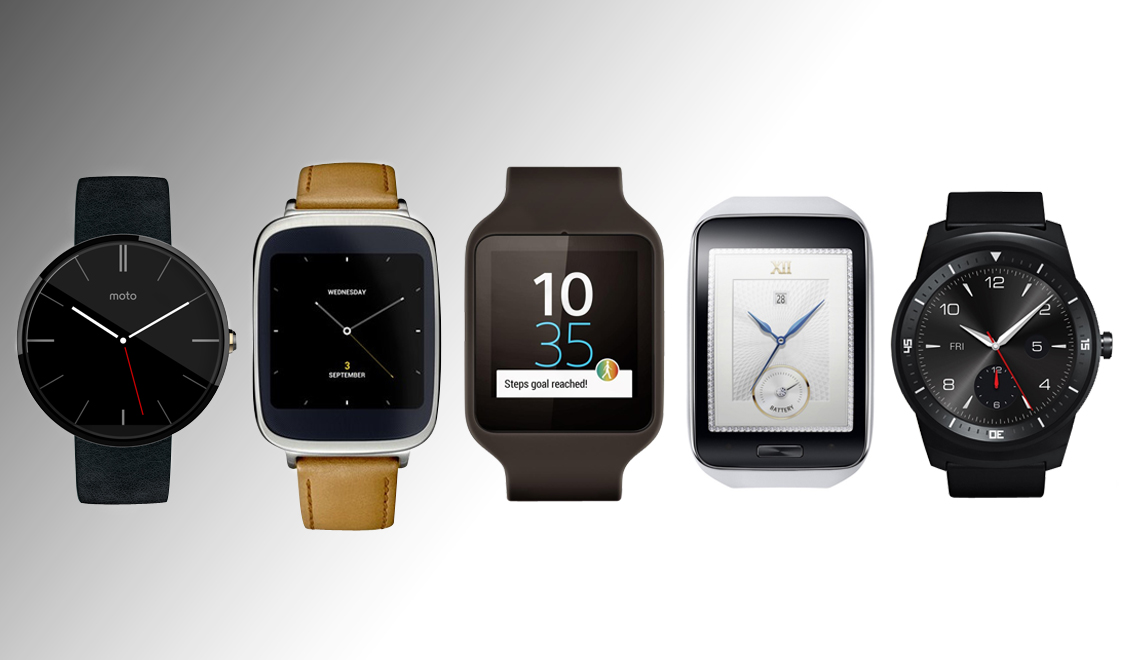
ASUS ZenWatch joins Motorola Moto 360, LG G Watch and G Watch R, Samsung Gear Live and Sony Smartwatch, as the latest smartwatch to feature Google’s latest operating system for wearables, Android Wear.

Although far from being perfect, many believe (us included) that Android Wear is the best operating system for wearables.

Smart Features

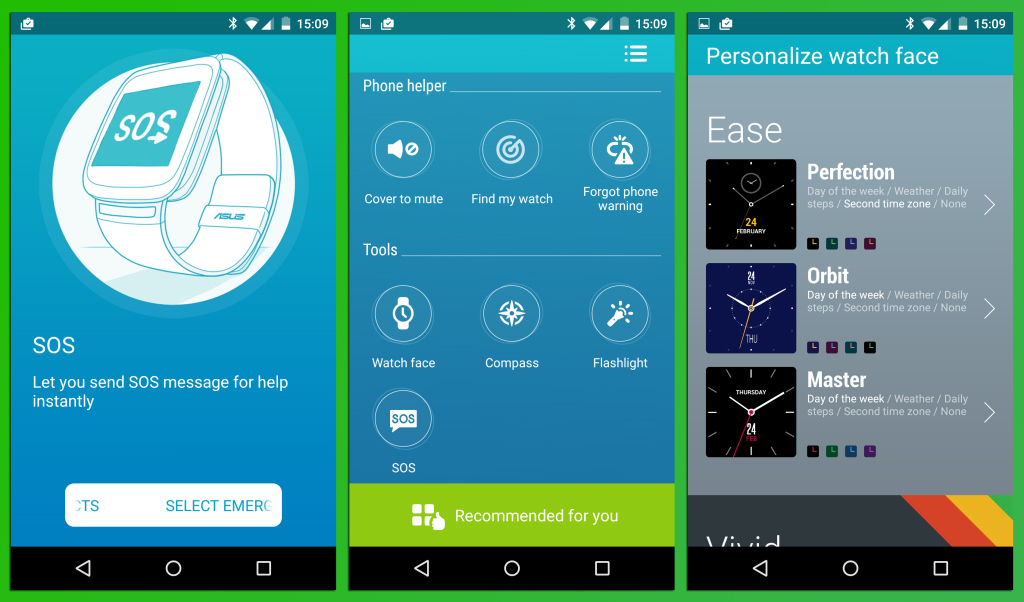
ASUS Zenwatch features

Aside from looking quite elegant, the ASUS ZenWatch has some pretty nifty apps that will help you out, more than you would think. It’s not just pretty, it’s smart, the ASUS ZenWatch! Here are a few features that the smartwatch proudly boasts and that have won us over!

What’s Next App

This simple, yet incredibly useful application keeps your world running every minute of the day, as the promo puts it. It feeds you only useful information when you need it the most, such as GPS data and it also reminds you when you’re running late and even helps you notify your contacts, so you don’t keep them waiting. It’s a basic need for any wearable device, to be able to sum up all the important and vital features/notifications of your smartphone and the What’s Next App does exactly that.

Unlock Phone

This cool feature allows you to unlock your phone easily. You see, when you’re wearing the ZenWatch, you no longer have to type in passwords, make puzzles or connect dots to unlock your phone. Because when your smartphone senses you’re wearing the ZenWatch that is paired up with it, it unlocks your phone in a split second. Quite a useful feature, if you think about it. No more fussing about on your phone when you’re in a hurry!

Cover to Mute

By far, our favorite smart feature of the ZenWatch is the Cover to Mute feature. If someone is calling you at a wrong time and you can’t silence it because it’s not in your reach, then all you need to do is cover your ZenWatch with you hand and your smartphone will be silenced. How awesomely cool is that?! Your phone will remind you to call them back later, naturally!

Find My Phone

We’ve all spend a good amount of time searching for our smartphones, right? But, with the Find My Phone feature on your ZenWatch, your wearable device will let you know when it moves too far from your smartphone. You will find your phone around the house and office in a matter of seconds. We absolutely love this feature and it will save you a lot of time that is usually spent searching for your home and asking other to call you so you can place it in space.

ASUS Remote Camera

Another nice smart feature of the ZenWatch is the ASUS Remote Camera. You can control your smartphone camera remotely with the touch of your watch. This opens up a plethora of new opportunities! Don’t think about spying on people, although that’s where our minds went at first!

Activity Tracker

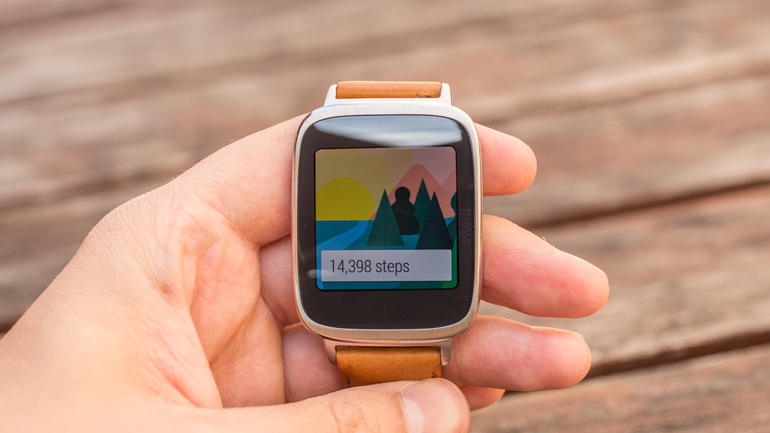
The Wellness Manager is very cool also! The Activity Trackers keeps tracks of your steps, charts your burned calories, heart rate and exercise intensity level. Paired with your smartphone, the ZenWatch can bring you daily and weekly reports from your wellness apps presented in summaries and timelines.

Price

The ASUS ZenWatch has plenty of pluses and almost no minuses! Almost doesn’t count, does it?! But to be honest, the best thing about this smartwatch, by far, has to be the price. The ASUS ZenWatch costs only $199.99, which makes it one of the most affordable Android Wear devices of the moment. Keep in mind that the LG G Watch R costs around $300 and while it does look a little bit more classic and cooler, it features the same Android Wear and almost the same specifications.

ASUS ZenWatch Vs the World

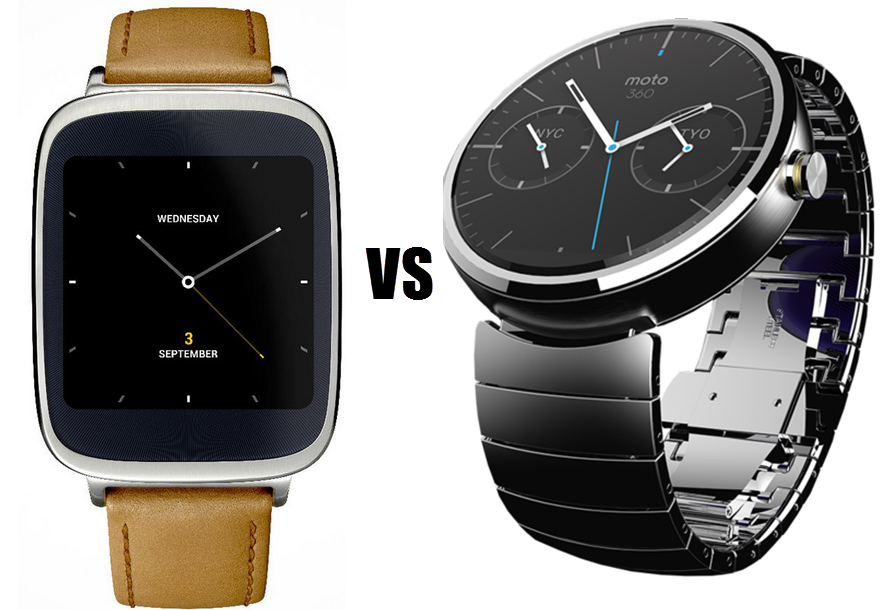
asus zenwatch vs motorola 360

So, maybe you’re wondering how the ZenWatch compares to the rest of the Android Wear smartphones that are out on the market? Well, to be honest, it does hold its own. From an esthetic point of view, the ASUS ZenWatch is a beautiful device, as are the rest of the smartwatches that are on the market at this moment. From this point of view, what we really don’t like about the ZenWatch is the fact that it only comes with one single strap! I mean, is this the early 90’s, when we took things as they come without asking too many questions?! When you buy a wearable device, you pretty much want that device to be as customizable as possible. Yet, the ASUS ZenWatch, as smart as it is, it’s not pretty customizable, design-wise. The Moto 360 smartwatch is, in our view, the most attractive, esthetic-wise, smartwatch available on the market, because of its round shape, but that comes down to personal preference, in the end. The Apple Watch comes in second, just because it’s got all those strap/design options! We agree with Apple, in this respect, if you’ve made a smartwatch, make it as customizable as you can, because the general audience loves being able to change their watch design in order to match different styles.

Our biggest advice for ASUS: folks, if you want to put out a smartwatch, then give it a nice, round and classic display and many customizable options.

5 Reasons to Get the ASUS ZenWatch

ASUS Zenwatch 4

If, after reading our review and the technical specifications of this device, you still need a reason why you should get the new ASUS ZenWatch, then we’ve got 5 of them! Here are five reasons why you should get the ASUS ZenWatch for yourself or your friends or family:

1. The Price

We’ll admit it! The price of the ASUS ZenWatch is the number one reason why you should buy this device and wear it proudly. It’s $200, people! It’s an Android Wear smartwatch that will track your steps, measure your heart rate, silence your calls, act as a remote for your camera and presentations and give you many more other funky features. It’s an affordable smartwatch, which is something that we need more of!

2. Its Design

It may not have a rounded, classic design, but the ASUS ZenWatch is quite sexy looking! It’s sleek, light and smart. Even if it only comes with one single strap, you can rest assured that it’s going to match pretty much all of your outfits. We’re absolutely sure that if you plan on gifting the ASUS ZenWatch for Christmas, you’re not going to get any complaints!

3. Its Features

As we mentioned before, the feature that is pretty much the most awesome feature to come out of 2014 is the Cover to Mute one. Just imagine the possibilities! Silencing your smartphone by simply covering your watch?! That is completely brilliant, gentlemen!

4. Android Wear

Apple, hold on to your high horse, because we’re not going to say this twice: Android Wear is the most advanced operating system for wearable devices in the world. Even if you adore iOS, you’ll be blown away by Android Wear!

Conclusion

The ASUS ZenWatch is an intelligent smartphone with a great design and lots of great new features. Android Wear performs splendidly and we highly recommend it. The bottom line is that if you want a smartwatch, the ASUS ZenWatch is a great wearable device, especially if you’ve never owned a smartwatch before.

The tech specs of the ASUS ZenWatch are quite impressive, but so are the tech specs of all the other smartwatches on the market, so if you’re going to buy the ASUS ZenWatch for any other reason than the price, it’s going to be because it’s a very attractive and sleek smartwatch.

We’re going to jump ahead of ourselves and say that ASUS has quite a success on their hands!

Do you like the new ASUS ZenWatch? Are you planning to get one? Do you already own one? What are your thoughts on it?

Filed Under: Tech & Science Tagged With: asus, asus smartwatch, asus zenwatch, asus zenwatch review, asus zenwatch smart features, asus zenwatch tech specs

Five of the Best iPad Mini 3 Alternatives

December 19, 2014 By Roxanne Briean Leave a Comment

The recently launched Apple iPad Mini 3 is undoubtedly a great device. Some people might say that the new iDevice is the best on the market but we all know that other people won’t appreciate it as much. Whether they don’t like the operating system, or the price range, or a combination of both, there is always something fishy about a new device, for a select few at least.

Some people don’t really like Apple’s iOS and there are numerous devices on the market that can compete with the iPad Mini 3 in performance and specifications. Today we would like to take a look at these gadgets. But before we do, here are some iPad Mini 3 specifications for comparison.

Five of the Best iPad Mini 3 Alternatives

iPad Mini 3 Specifications

  • Platform

  • OS: iOS 8.1, upgradable

  • Chipset: Apple A7

  • CPU: Dual-core 1.3 GHz Cyclone (ARM v8-based)

  • GPU: PowerVR G6430 (quad-core graphics)

  • RAM: 1 GB

  • Internal memory: 16/64/128 GB

  • Card slot: No

  • Display

  • Type: LED-backlit IPS LCD capacitive touchscreen, 16M colors, Oleophobic coating

  • Size:9 inches, 1536 x 2048 pixels (~324 ppi)

  • Camera

  • Primary: 5 MP, 2592 х 1944 pixels, autofocus

  • Secondary:2 MP, 720p@30fps, face detection, FaceTime over Wi-Fi or Cellular

  • Video: 1080p @ 30fps

  • Features: Geo-tagging, touch focus, face/smile detection, HDR photo

  • Battery

  • Non-removable Li-Po 6470 mAH

  • Use time: Up to 10 hours
  • Features

  • WLAN: Wi-Fi 802.11 a/b/g/n, dual-band

  • Bluetooth:0, A2DP, EDR

  • GPS: Yes, GLONASS, A-GPS

  • USB: microUSB 2.0

  • Sensors: Accelerometer, gyro, compass

  • Messaging: iMessage, Email, Push Mail, IM

  • Browser: HTML5

  • Colors: Space Grey / Black, Silver / White

  • Network: GSM / CDMA / HSPA / EVDO / LTE

Released: October 2014

So, without further ado, here are our 5 favorite iPad Mini 3 Alternatives.

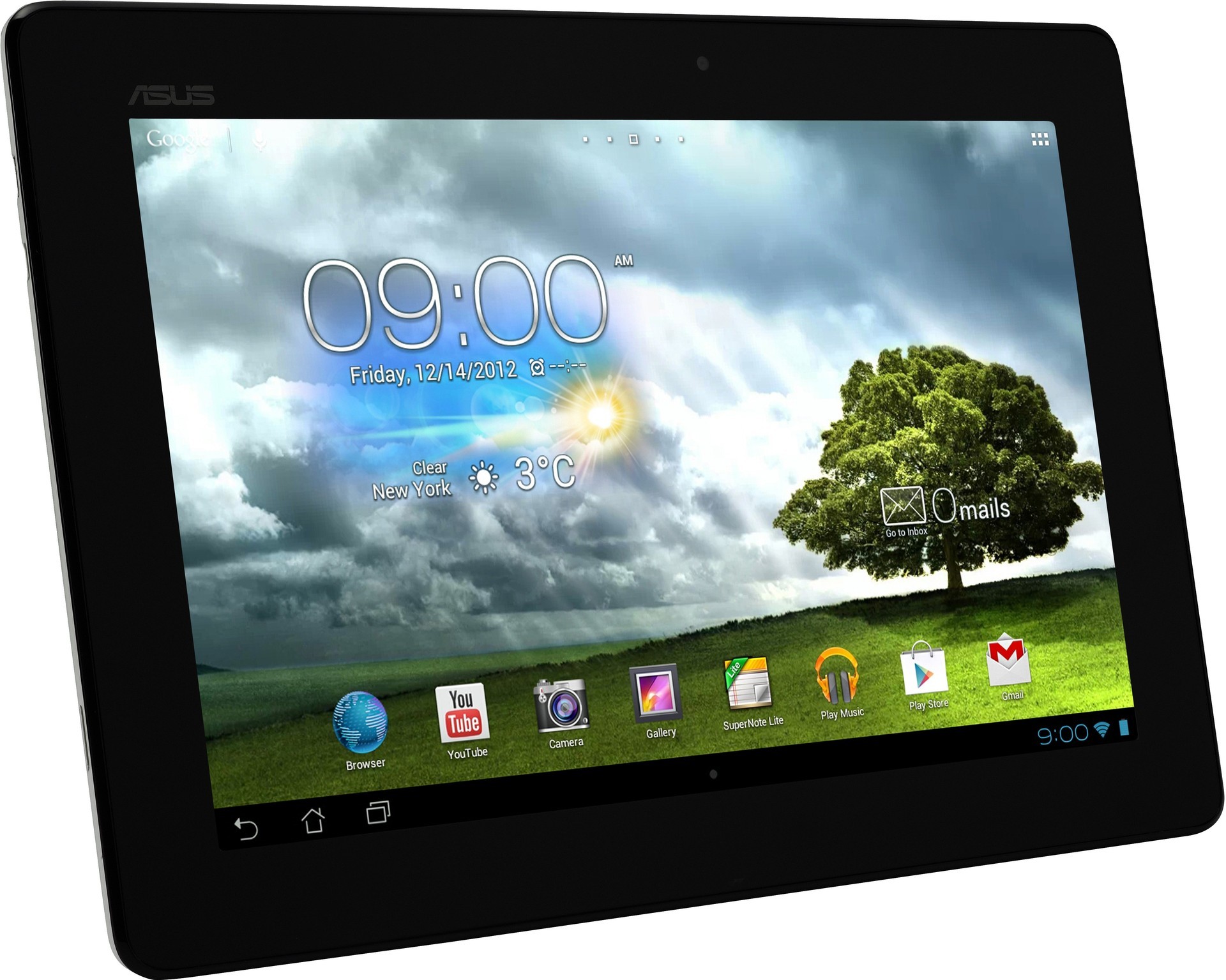
1. ASUS MeMO Pad 8

Five of the Best iPad Mini 3 Alternatives

People who are in search of a device that is more affordable should look to the new ASUS’ MeMO Pad 8 tablet. Even though the tablet doesn’t have a lot of horsepower under the hood, the software available on it makes up for most of this.

The ASUS MeMO Pad has a sleek design and is one of the lightest and thinnest tablets in the budget category. The tablet fits quite comfortably in one hand without too much of a stretch on your fingers and the rounded corners and edges make it pretty comfortable to hold.

The texture on the back of the tablet is also comfortable and provides a good grip support and for a tablet as cheap as this one it does feel quite solid.

In terms of performance, however, if there are many apps open in the background, the tablet tends to hiccup at times and the touchscreen lags after the tablet is woken up. But starting at $199 dollars, we really believe this tablet is well worth the money.

ASUS MeMO Pad 8 Specifications

  • OS: Android OS 4.4.2 KitKat

  • Chipset: Intel Atom Z3745

  • CPU: Quad-core 1.33 GHz

  • RAM: 1 GB

  • Internal memory: 16 GB

  • Card slot: microSD, up to 64 GB

  • Display

  • Type: IPS LCD Capacitive touchscreen, 16M colors, 10 point multitouch

  • Size: 8.0 inches, 800 x 1280 pixels (~189 ppi)

  • Camera

  • Primary: 5 MP, 2592 x 1944 pixels

  • Secondary: 2 MP

  • Video: 1080p with Geo-tagging

  • Battery: Non-removable Li-Po 15.2 Wh, use time: Up to 9 hours

  • WLAN: Wi-Fi 802.11 b/g/n, bluetooth

  • GPS: Yes, GLONASS

  • USB: microUSB 2.0

  • Sensors: Accelerometer

  • Messaging: Email, Push Mail, IM

  • Colors: Black, White, Purple, Gold

  • Network: No cellular connectivity

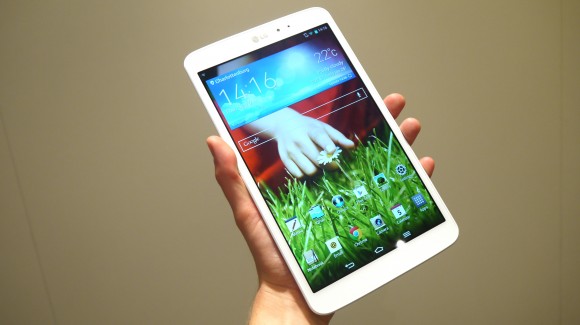
2. LG G Pad 8.3

Five of the Best iPad Mini 3 Alternatives

This tablet from LG is really amazing. Even though the tablet has been available for quite some time, it still is one of the best of its size. The display on this device is amazing, at 8.3 inches with a resolution of 1920 x 1200.

The LG G Pad 8.3 is very well built and looks and feels amazing and is the company’s second attempt at entering the Androit tablet market and in our opinion it is the best.

LG G Pad 8.3 Specifications

  • OS: Android OS 4.2.2 Jelly Bean upgradable to Kit Kat, there is also a planned update to Lollipop

  • Chipset: Qualcomm APQ8064 Pro Snapdragon 600

  • CPU: Quad-core 1.7 GHz Krait 300

  • GPU: Adreno 320

  • RAM: 2 GB

  • Internal memory: 16 GB

  • Card slot: microSD, up to 64 GB

  • Display

  • Type: IPS LCD Capacitive touchscreen, 16M colors

  • Size:3 inches, 1200 x 1920 pixels (~273 ppi)

  • Camera

  • Primary: 5 MP, 2592 x 1944 pixels, autofocus

  • Secondary:3 MP, 720p

  • Video: 1080p @ 30fps

  • Features: Geo-tagging, touch focus, panorama, face detection, HDR

  • Battery: Non-removable Li-Po 4600 mAh, Use time: Up to 7 hours

  • WLAN: Wi-Fi 802.11 a/b/g/n, hotspot, Wi-Fi Direct, dual-band, DLNA, Bluetooth

  • GPS: Yes, GLONASS

  • USB: microUSB 2.0

  • Sensors: Accelerometer, gyro, compass

  • Messaging: Email, Push Mail, IM, MMS

  • Colors: Black, White

  • Network: No cellular connectivity

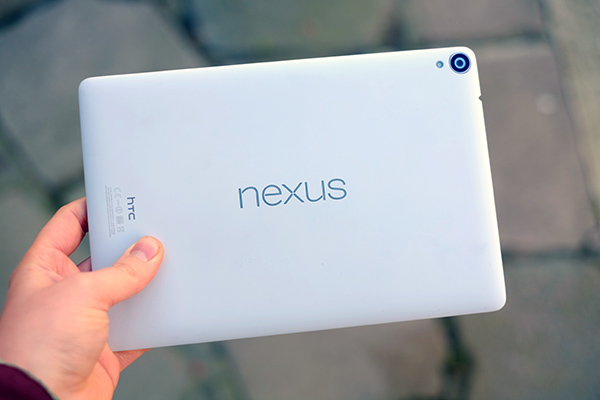
3. Nexus 9

Five of the Best iPad Mini 3 Alternatives

We just had to include Google’s own tablet in our list. The Nexus 9 tablet is made by HTC and is one of the greatest alternatives to an iPad 3 Mini you could get. This tablet has around the same price as the iPad 3 Mini at $399. The device has a 9 inch display with an amazing resolution of 2048 x 1536.

It is also the first tablet to run the new Android 5.0 Lollipop and performs really well even when there are a lot of apps open in the background. Switching between the apps is fluent and its construction has a great comfortable and deluxe feel to it. However, not all apps work well in Lollipop as of now and there is also no SD card slot on the tablet, but then again, there is no SD card on the iPad either.

Nexus 9 Specifications

  • OS: Android OS 5.0 Lollipop

  • Chipset: Nvidia Tegra K1

  • CPU: Dual-core 2.3 GHz Denver

  • GPU: Kepler DX1, 2GB RAM

  • Internal memory: 16 GB (Wi-Fi version)/ 32 GB (LTE version)

  • Card slot: no

  • Display

  • Type: IPS LCD capacitive touchscreen, 16M colors, Gorilla Glass 3

  • Size: 8.9 inches, 1536 x 2048 pixels (~281 ppi)

  • Camera

  • Primary: 8 MP, 3264 x 2448 pixels, autofocus, LED flash

  • Secondary: 1.6 MP, 720p

  • Video: 1080p @ 30fps, stereo sound

  • Features: Geo-tagging, touch focus, face detection

  • Battery

  • Non-removable Li-Po 6700 mAh, Use time: Up to 10 hours
  • WLAN: Wi-Fi 802.11 a/b/g/n/ac, hotspot, Wi-Fi Direct, dual-band, DLNA

  • Bluetooth: v4.1, NFC and GPS

  • USB: microUSB 2.0

  • Sensors: Accelerometer, gyro, compass

  • Messaging: Email, Push Mail, IM, MMS, SMS

  • Colors: Lunar White, Indigo Black, Sand

  • Network: GSM / HSPA / LTE

4. Acer Iconia Tab 8

img_7551-600x400

If you are searching for a tablet with amazing media capabilities, look no further. The Acer Iconia Tab 8 has a screen of 8 inches and a resolution of 1920 x 1200.

Even though that’s not really the Retina Display, pixel counts aren’t the only thing that makes a display great. The colors are very vibrant and look extremely real. So real, in fact, that if you don’t know that the device is on you might mistake the display for a sticker.

The device is also pretty powerful with the quad-core processor, 2 GB of RAM and the Android 4.4 KitKat OS. All in all, it is a pretty amazing tablet for just $199.

Acer Iconia Tab 8 Specifications

  • OS: Android OS 4.4.2 KitKat

  • Chipset: Intel Atom Z3745

  • CPU: Quad-core 1.86 GHz, RAM: 2 GB

  • Internal memory: 16 GB, 32 GB

  • Card slot: microSD, up to 32 GB

  • Display

  • Type: IPS LCD capacitive touchscreen, 16M colors

  • Size: 8 inches, 1200 x 1920 pixels (~283 ppi)

  • Camera

  • Primary: 5 MP, 2592 x 1944 pixels

  • Secondary: 2 MP

  • Video: Yes

  • Battery

  • Li-Ion 4600 mAh, Use time: Up to 8 hours

  • WLAN: Wi-Fi 802.11 a/b/g/n, dual-band

  • Bluetooth:0

  • GPS: Yes, GLONASS

  • USB: microUSB 2.0

  • Sensors: Accelerometer

  • Messaging: Email, Push Mail, IM

  • Colors: Silver

  • Network: No cellular connectivity

5. Dell Venue 8 7000

Five of the Best iPad Mini 3 Alternatives

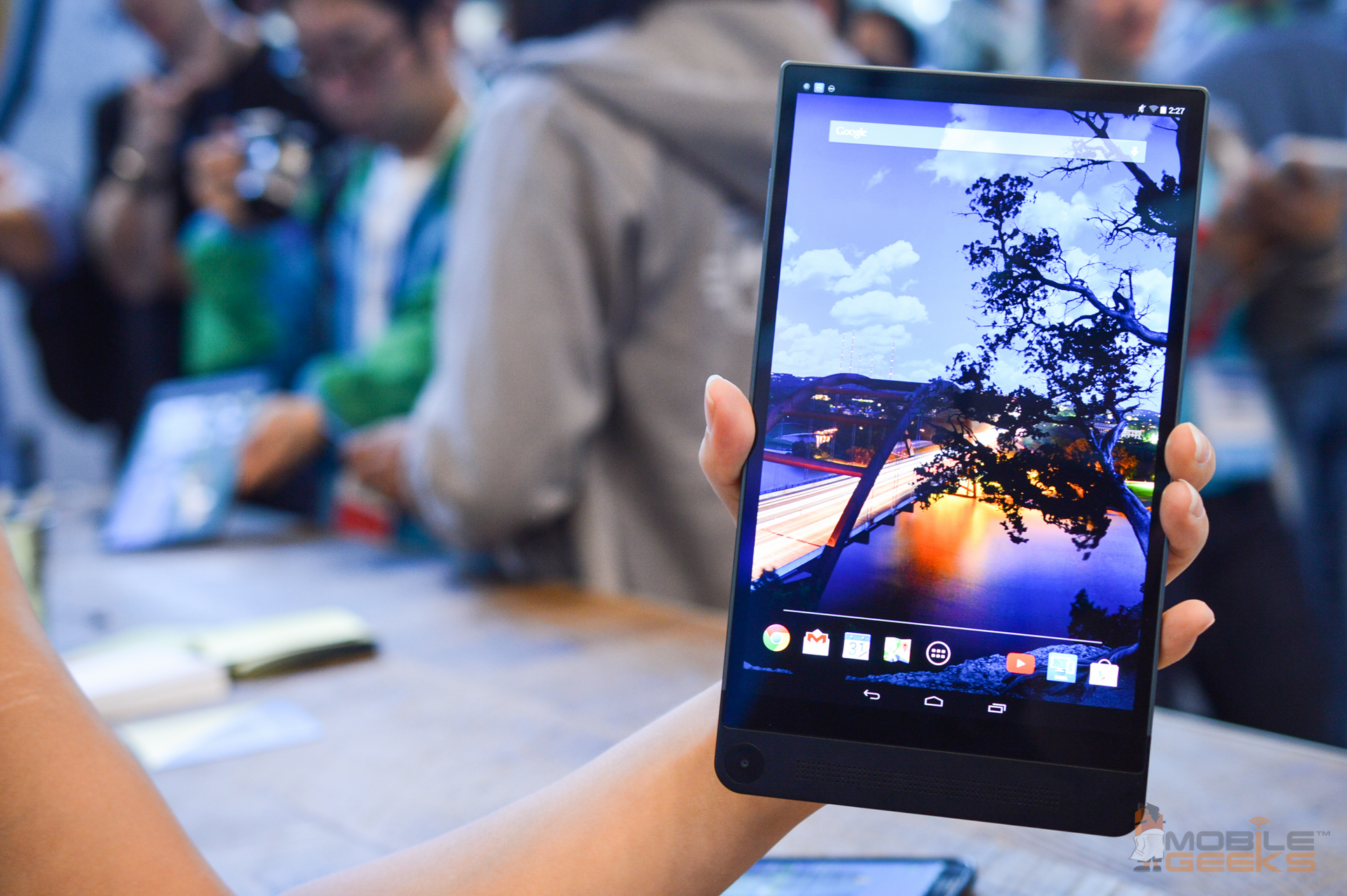
This device simply has all you could ask for. It’s very thin at just 6 mm, has an 8.4 inches high definition display of 2560 x 1600 and is a very powerful device. As a matter of fact, this is our favorite device yet.

The Dell Venue feels extremely solid and is made out of metal, so no worries there.

It has a very powerful Intel Atom processor, 2 GB RAM, 16 GB storage and two cameras with 8MP resolution and 2MP.

This device will be coming soon as it’s planned to launch this December.

Dell Venue 8 7000 Specifications

  • OS: Android OS 4.4.2 KitKat

  • Chipset: Intel Atom Z3500

  • CPU: Quad-core

  • GPU: PowerVR G6430

  • RAM: 2 GB

  • Internal memory: 16 GB

  • Card slot: microSD

  • Display

  • Type: OLED capacitive touchscreen, 16M colors

  • Size: 8.4 inches, 1600 x 2560 pixels (~359 ppi)

  • Camera

  • Primary: 8 MP, 3264 x 2448 pixels, autofocus

  • Secondary: 2 MP

  • Video: Yes

  • Features: Intel RealSense 3D (2 x 720p cameras)

  • WLAN: Yes

  • Bluetooth: Yes

  • GPS: Yes, A-GPS

  • USB: microUSB 2.0

  • Sensors: Accelerometer, proximity, compass

  • Messaging: Email, Push Mail, IM, MMS, SMS

  • Colors: Black

  • Network: GSM / HSPA

BONUS: iPad Mini 2

Five of the Best iPad Mini 3 Alternatives

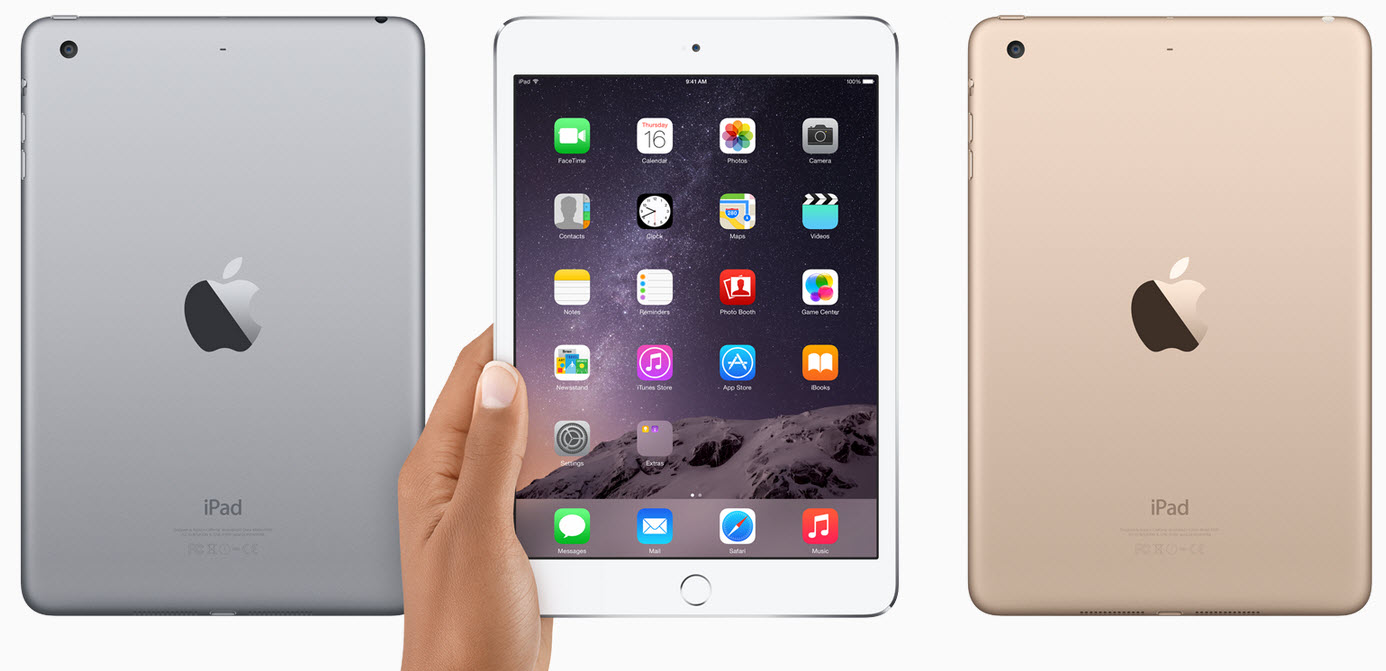
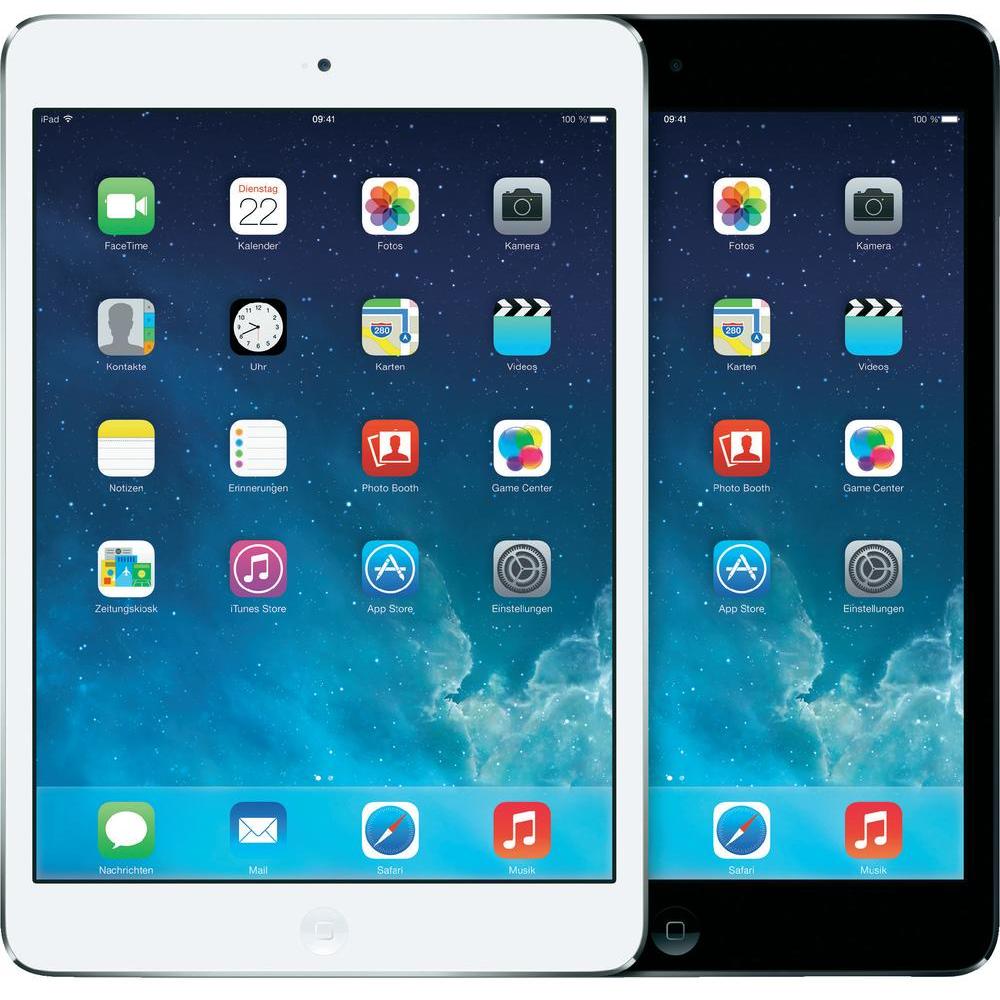
If you’re keen on the Apple operating system and really wish to buy an iDevice but at a lower price, consider purchasing a last generation iPad Mini.

The iPad Mini 2 has an amazing high resolution display that can even compete with the iPad Air display. It has a fast A7 processor and improved Wi-Fi and LTE over the last generations. Also, the iPad’s battery life is one of the best one on the market, even if it is last-gen.

We chose to include the iPad Mini 2 in our list as there are a lot of people who choose Apple devices over other ones as they are still great and powerful tablets. However, if you look at the specifications there isn’t much difference between the two devices, other than the price.

The price of the iPad Mini 2 is still a little bit steep even though it is an old tablet and choosing the LTE model can cost even more.

iPad Mini 2 Specifications

  • OS: iOS 7, upgradable to 7.1.2 and 8+

  • Chipset: Apple A7

  • CPU: Dual-core 1.3 GHz Cyclone (ARM v8-based)

  • GPU: PowerVR G6430 (quad-core graphics)

  • RAM: 1 GB

  • Internal memory: 16/32/64/128 GB

  • Display

  • Type: LED-backlit IPS LCD capacitive touchscreen, 16M colors, Oleophobic coating

  • Size: 7.9 inches, 1536 x 2048 pixels (~324 ppi)

  • Camera

  • Primary: 5 MP, 2592 х 1944 pixels, autofocus

  • Secondary: 1.2 MP, 720p@30fps, face detection, FaceTime over Wi-Fi or Cellular

  • Video: 1080p @ 30fps

  • Features: Geo-tagging, touch focus, face/smile detection, HDR photo

  • Battery

  • Non-removable Li-Po 6470 mAH

  • Use time: Up to 10 hours
  • WLAN: Wi-Fi 802.11 a/b/g/n, dual-band

  • Bluetooth: 4.0, A2DP, EDR

  • GPS: Yes, GLONASS, A-GPS

  • USB: microUSB 2.0

  • Sensors: Accelerometer, gyro, compass

  • Messaging: iMessage, Email, Push Mail, IM

  • Colors: Space Grey / Black, Silver / White

  • Network: GSM / CDMA / HSPA / EVDO / LTE

There you have it. We presented our list of our favorite iPad 3 Mini alternatives. Which device you will choose in the end is entirely your decision.

Image Sources: www.techradar.com, www.forbes.com, www.conrad.com, www.mobilegeeks.com.

Filed Under: Tech & Science Tagged With: iPad Mini 3 alternative, ipad mini 3 alternative tablets, ipad mini 3 tablets, tablets like ipad mini 3, tablets similar to ipad mini 3

10 Must-Have HTC One M8 Accessories for the Ultimate Setup

December 18, 2014 By Roxanne Briean 1 Comment

The HTC One M8 may be one of the most successful smartphones of the year, but this doesn’t mean that it can’t get any better. Because it has been available for the better part of 2014, owners now have the chance to choose from a variety of accessories such as covers, storage, miscellaneous, bluetooth and more.

At the moment, the HTC One M8 is available with most carriers in the United States. It is also possible to purchase Android 5.0.1 Lollipop directly through Google if you want.

HTC One M8 is a stellar phone which has plenty of cool features and functionalities to offer. Some of the most important specs include dual rear cameras, beautiful brushed aluminium design and front facing speakers. Nevertheless, there is always room for improvement. The following 10 accessories, which we believe are worth buying, should definitely offer you a better experience with the HTC One M8 flagship.

In case you didn’t know, HTC hosted a 50% off sale for many of its official accessories last week. Although most of these deals have expired, there are still plenty of retailers that offer some of the best HTC One M8 accessories at a discounted price. The following accessories are not only useful, but also budget friendly.

1. Best HTC One M8 Cases

Let’s kickstart our list with some of the best smartphone covers for your brand new HTC. If we were to list all the great cases that you can apply on your HTC One M8 we would have probably needed to expand the list with more than 20 points. There are literally so many options for budget-priced and premium cases that we have simply decided to list some of the best here.

Screen-Shot-2014-04-15-at-11.11.18-AM

The great news is that if you can’t find something that you like, you only have to wait a few weeks. Developers are constantly releasing new cases to match the needs of customers. If you’d rather not spend more than 40 dollars on a HTC One M8 case, although we believe that this is a small sum as compared to damaging your phone, there are still many budget options.

Here are our top picks for HTC One M8 cases:

  • Case-Mate Naked Tough: Some people view cases as fashion statements. Most simply want to protect their phones from damage without having to hide the design of the phone. For the latter category, the Case-Mate Naked cover is a great option. It features a completely transparent design and it is made from two-ply hard shell plastic pieces. What we love most about this case is the fact that it preserves the slim and sleek design of the HTC One.

Screen-Shot-2014-04-15-at-10.54.29-AM-620x495

  • HTC Dot View: this case is quite unusual due to its dot-matrix design. While some may enjoy it, others will not. However, you should know that the cover, which is still transparent enough to receive alerts and swipe, will protect your phone from nearly any type of damage.
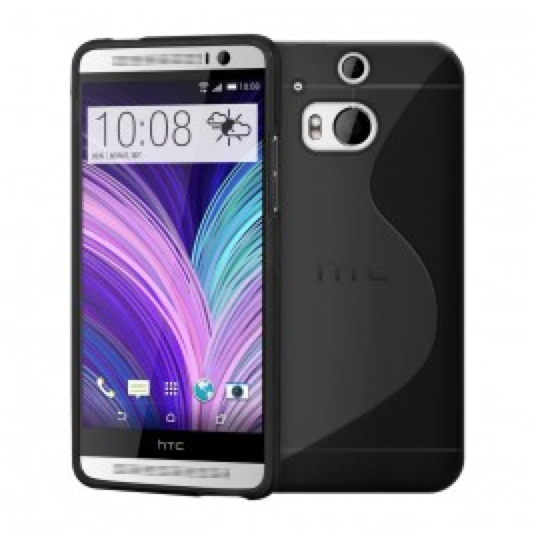
  • Cruzerlite S-Line TPU: this list would be incomplete without the Cruzerlite TPU case. This is the perfect type of cover for people who want to add a little more personality to their smart-phone (as it comes in eight two-tone color options). The selling point of Cruzerlite is undoubtedly the fact that it costs only 5.90$.

HTCM8-leather-pouch-620x609

  • Genuine Leather Pouch: Are you looking for a classic cover? Then the HTC One M8 genuine leather pouch is the ideal choice. You can never go wrong with something as classy as a leather cover.

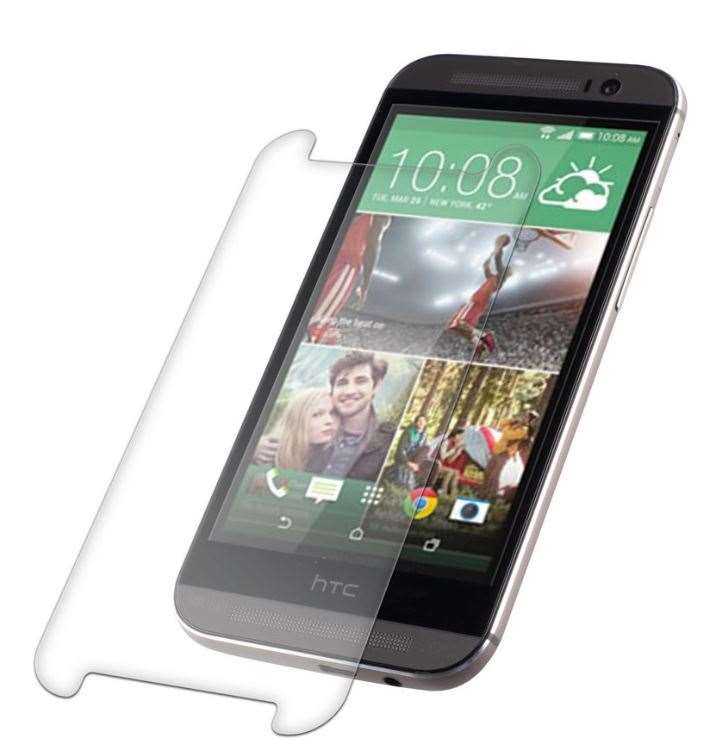
2. Glass Screen Protector

Granted, this may not be necessarily a HTC One M8 accessory, but it is definitely one that you need to buy in order to ensure full protection for your phone. Glass screen protectors do a great job at protecting the screen and they are also cheap. If you are looking for something special you should also check out our review for Zagg Invisible Shield.

zagg-screen-protector-htc-one-m8-htc-iso14-c40

As far as application of glass cover is concerned, this is something that you needn’t do yourself. We advise you to go to a specialized shop and ask them to apply it for you. Most specialists use special oil and anti-dust cloth to avoid bubbles of air.

3. FitBit Flex

Fitbit-Flex

How in the world is FitBit Flex an accessory for the HTC One M8, you might ask. It’s actually quite simple. The two devices have a very special relationship. All you have to do is to snag the FitBit app from the official website, insert your details and start working out. Once you start working out, the Flex will begin to track all the activity you do, the distances that you cover and the calories that you burn. Next, it will proceed to serve you reward badges directly into your HTC’s BlinkFeed social media aggregator. This is a great way of encouraging people to keep up their healthy habits.

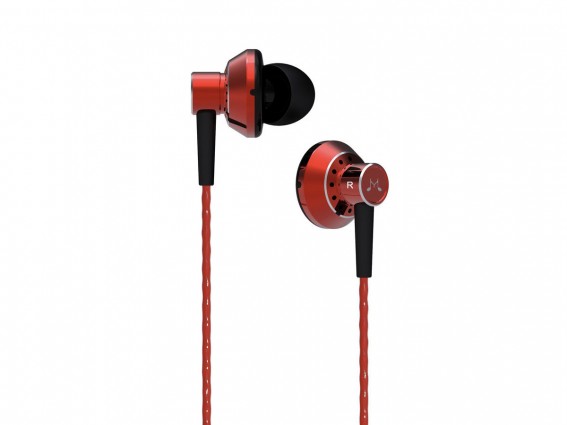
4. SoundMagic ES20

SoundMagic-ES20

We are pretty confident that most people who own smart-phones also enjoy listening to music on it. While M8’s front speakers are excellent, they can’t be used on public transportation or at work. Therefore, you need an equally amazing pair of headphones. The ideal choice would be SoundMagix ES20. Not only are they incredibly cheap (only 25 dollars a pop), but they also offer great sound quality.

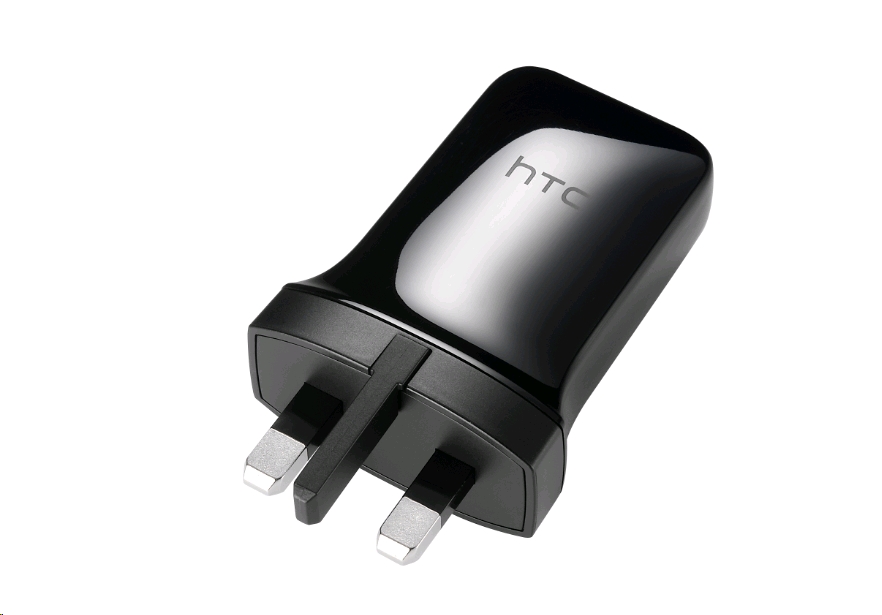
5. Fast Charger 7.5W AC Adaptor

b261982

If waiting for your phone to charge makes you cringe, we might be able to help you. The Fast charger 7.5W AC Adaptor TC P900 comes in a new design with USB port for most HTC devices. For approximately 20 dollars you will be able to charge your phone in less than half the time that you used to allocate at first.

6. TYLT Powerplant Portable Battery

cacacacaca

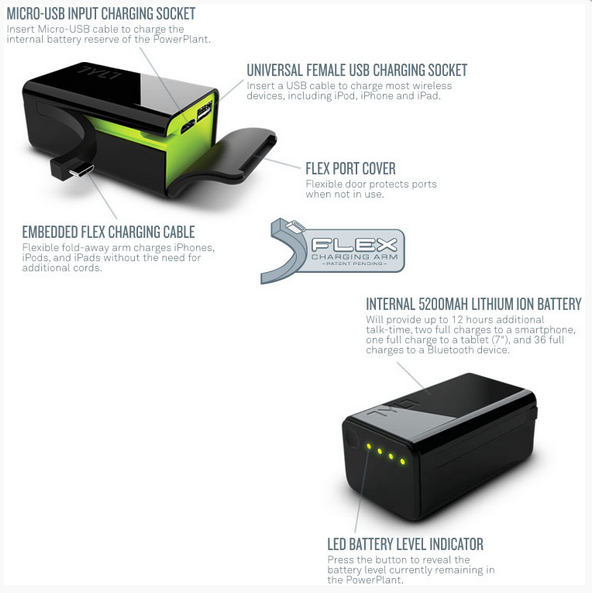
Since we are on the topic of battery, here’s another great HTC One M8 accessory that you should definitely consider purchasing. The POWERPLANT Portable back-up charger will never let you down. This nifty little gadget comes with an inbuilt battery which can provide with approximately two full charges for your smart-phone.

This is the type of accessory designed for power users or individuals who have to travel a lot. The PowerPlant’s features include a 5200mAh battery, a Flex Arm for charging on the go, USB socket for devices, LED battery level indicator etc.

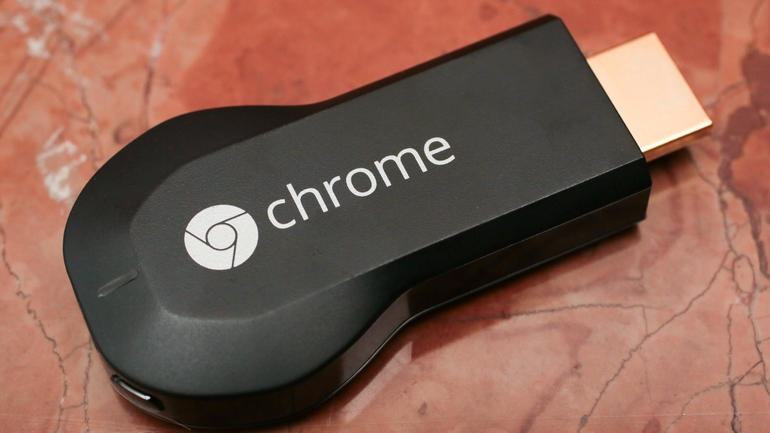
7. Google Chromecast

Google_Chromecast_35823617_06

Now this is a great little gadget that many of you will enjoy. The Google Chromecast, which costs only 35 dollars, can be connected to a HDMI port on the TV. It will then allow the user to install the app on the phone, which will connect directly through Wi-Fi connection. Once installation is complete, the app will send information to Chromecast and the next time you open a video on the smart-phone, it will also be displayed on the TV.

Here are a few key features of the Chromecast: Netflix, Vevo, Pandora, Hulu Plus, HBO Go, AllCast, Google Play Music (movies + TV apps), YouTube, Plex etc.

8. AWOX STRIIMLIGHT SL-B10

light960x360off

Awox Striimlight Sl-B10 is an external speakert hat you can add to your HTC One M8. This accessory suggestion may sound surprising, especially considering that the Android flagship already has superb working speakers. What you may not know is the fact that AwoX also comes with a lighbulb.

Not only is this gadget Bluetooth smart, but it is also HTC Connect certified. This means that it works seamlessly with HTC’s flagship. We believe that this is a great app for cozy nights when you just want to chill to some sweet jams and light up your lounge.

9. HTC Fetch

HTC FETCH

This gadget does exactly what the name suggests: it fetches. There is no feeling more annoying in the world than the one you have after you lost your keys. OK, maybe finding your keys after you changed the lock is worse. Actually, in this day and age, losing your phone is probably the worst scenario because you basically have your entire life recorded there.

With HTC Fetch you never have to misplace your keys again, or anything else for that matter). This great gadget will make your phone ring within 15 meters. All you have to do is attach it to your keys, and use it to help locate your phone (or the other way around). There is even a map function that will let you see when you and your keys / lost objects, were last seen together.

10. Plantronics Voyager PRO

1

The last item on our list is the Plantronics Voyager PRO HD Bluetooth headset, especially designed for smart-phones. While I love my smart-phones, I can’t help but feel that they are a bit too big for talking on the phone.

This is exactly why I decided to start using the Planronics Voyager Bluetooth headset. This gadget is subtle and efficient, you won’t even know it’s there. Granted, it comes at quite a spicey price – roughly 85.00$ dollars, but it will free up your hands a lot.

Key Features:

  • voice alerts for talk time, connection, volume etc
  • ergonomic design
  • tips, tricks and tools for Android phones
  • HD audio streaming capabilities
  • you will never accidentally dial again
  • Ability to stream music and podcasts

This concludes our list of must-have HTC One M8 accessories. Of course, there are plenty of other gadgets that didn’t make it on our list. This doesn’t mean that they’re any less useful. Here are a few other great accessories that we enjoyed, but that didn’t make our list:

  1. HTC One M8 Stand
  2. portable fold-up keyboard
  3. Extra storage with a 64GB Micro-SD card
  4. HTC Media Link HD
  5. 10.000 mAh Portable charger
  6. Car Dock
  7. Case & Armband
  8. Tripod
  9. jambox speaker
  10. HTC Dual Port Charger

Image Sources: www.shopandroid.com, www.stuff.tv & Cnet.com

Filed Under: Tech & Science Tagged With: accessories for HTC One M8, HTC extra accessories, HTC One gadgets, Htc one m8, HTC One M8 accessories, HTC One M8 extra features

15 Most Popular and Loved Watch Faces for Android Wear

December 18, 2014 By Roxanne Briean Leave a Comment

Smartwatches are the not that recent, yet they are still considered pretty new additions in the world of tehnology. Basically, what we’re referring to is a computerized wristwatch that does more than just tell time.

We’re talking about more than just calculations, translations and calendars; we’re talking mobile apps and tiny game platforms held by a strap on your wrist wherever you go. And yes, I guess it also tells time while you’re at it.

That’s where it all started. More recent models also run a mobile operating system and act very close to what you would expect from lower end smartphones – they are just as capable as becoming portable media players, whether we’re talking audio, video or radio, and can replace your music player of choice by connecting a pair of Bluetooth headphones to it.

top-5-smart-watches-2014-cover

Image Source: swide.com

And because that wasn’t enough, some companies have also incorporated a full featured mobile phone capability allowing you to make or receive calls straight through your smartwatch.

Of course, you cannot expect the same performance you would get in a 4GB of RAM, 2.8 GHz processor smartphone because in the end, the smartwatch isn’t here to replace your mobile phone, but it’s a very nifty, albeit situational device. A device that probably got its inspiration from the original fitness trackers (and maybe the iPod Shuffle had something to do with it as well) is now a powerful, upgraded version of it.

Main Features of Smartwatches

Also known as a sport watch, these smartwatches track your physical activity day by day using GPS and other sensors to record your training and exercise sessions. Other features that might be included in a performant smartwatch vary from cameras, SD cards, microphone, modem, all the sensors that you would ever wish for – accelerometer, thermometer, altimeter, barometer, GPS navigation, compass – all accompanied by a touch screen that helps you navigate and make use of the gadget.

A very fun feature of smartwatches is the capability of collecting information both from the outside world through sensors, but also be fed data from other devices such as mobile phones, computers or tablets. Through WiFi and synchronizing capabilities you can turn your smartwatch into a remote system to control other aspects of your tech-blessed life. All these really make it feel like the future is happening already.

5

Many mobile device manufacturers have already started building up reputation on this market, propelling the development of smartwatches forward at an impressive rate. Giants such as Apple, Samsung, LG and Sony are not skipping on the new trends and improving the hardware in the tiny contraptions day after day.

For example, the latest Samsung smartwatch production and part of the Android Wear line, Samsung Gear S – announced on August 28th this year – is by all means a small mobile phone by itself, featuring a dual-core 1 GHz processor, 512 MB of RAM and packing a nano-SIM in its core which, unsurprisingly, has 3G capabilities.

So now that we have a more ample overview of the milestones smartwatches have reached up until the end of 2014, let’s move on to a more select subject of attention.

Android Wear – Frighteningly Smart

If you decide to watch Google’s Android Wear promotional video you’ll be introduced to just how powerful the operating system Android Wear is offering you in less than 50 words. If schedules could talk and acted like a careful butler that is literally following you around all day to appeal to all your needs, even give out the occasional advice without you asking for it, his name would probably be Android Wear.

The software is amazingly intuitive and picks up on your surroundings perpetually, always ready to answer any question you would think of asking. The Android Wear will help you get a cab when you’re in a hurry, point you in the right direction or even tell you when you have to get off the bus when you’re heading somewhere.

You can make more of your life by always knowing how long travelling to your destinations will take, how much spare time you have left until that important meeting and even what chores or other scheduled activities you can fit in until then. Leaving your city has never been safer before, because the GPS-gifted smartwatch is now letting you know what to pack according to weather, special events or phenomena, giving you directions when you need them and packing your flight tickets and passes inside well-kept QR codes.

0816-smartwatch-630x420

Image Source: bwbx.io

Keeping in touch with media, sending texts to your contacts, recognizing tunes in your vicinity and even remotely controlling connected devices are all possible through simple voice commands. Your smartwatch would wake up as soon as it heard the key phrase “Ok Google” and would swiftly respond to your queries.

Right now, the Android Wear is present on 6 models of smartwatches, including the G Watch, Gear Live, Moto 360, G Watch R, SmartWatch 3 and the ASUS ZenWatch. Thankfully, the Android software that make these devices so incredibly useful is not restricted to a single type of screen, and can work just as well on both round or rectangular ones. But let’s not get to the point where we forget the original idea that gave birth to these wonderful contraptions.

They are still watches; and just like any other watch, over the years it has lost some of its utility, becoming more of a fashion statement rather than a useful tool for the simple telling of time. Smartwatches aren’t backing off in that respect the slightest, proving that they can also look beautiful, elegant and fashionable while still being one of the smallest and useful gadgets you can pack into your daily routine.

Android Lollipop 5.0 is Rolling Out for Android Wear

The Android 5.0 Lollipop for the Android Wear platform has started rolling out and be made available on all compatible smartwatches on December 10th and will be free to download and apply to your device, regardless of model, by the end of this week. This particular update is bringing us a big number of Android Wear Watch Faces, besides the additions in terms of user experience and the watch’s utility – if what we just described didn’t feel like it was enough.

Google has made these Watch Faces available in the Google Play Store so anyone with the latest Android 5.0 Lollipop update on their smartwatch can grab them and enjoy the new faces of technology, easily changeable when you feel the need for a fresh look.

We have compiled a list of 15 of the most popular and loved Watch Faces so far, so let’s see where this takes us.

#1 Watch Face – Minimal & Elegant

1

This particular watch face works on both round and square displays and gives off a very stylish way of displaying the time and date as you take a glance at your wrist. It was developed by Studio eXtreme and is highly configurable in terms of color patterns and custom text, also including a feature that allows you to schedule dynamic color changes, making it a very stylish and clean design for your smartwatch.

#2 Pujie Black

2

Designed by Pujie, features a customizable animated black watch face with battery, date and weather indicators. Also customizable, including several settings and color, the watch face contains an optional digital clock – both 24h and 12h formats, optional analog clock hands, weather indicator, optional circular indications of the time of day, battery indicator, dimmed state and animations from dimmed state to visible state. It has over 5,000 downloads up to date and recently just received its Android 5.0 Lollipop update.

#3 Aviator Watch Face

3

Developed by German company Zuhanden and designed by Florian Cordier, the Aviator Watch face turns your Android Wear device into an advanced pilot watch. Basing its concept of watches used in the pioneering days of aviation, this watch face prides itself with legibility, accuracy and reliability, while also giving off a spectacular look. The features of the Aviator Watch Face include pilot watch face with superb readability, a battery indicator, date and day of the week, weather conditions, all combined in an advanced and luxurious design.

#4 Weather Wear Watch Face

weather wear

This one definitely places a focus on your local weather; besides the time and date indicators on the screen, it includes a 3 day forecast – along with pressure and humidity – to keep a look on and a battery percentage indicator. All its weather information is gathered from Yahoo and OpenWeather, and gives you the ability to set the weather refresh interval and several settings that determine when your watch should vibrate to alert you of weather updates.

#5 Minimus360

4

Minimus360 is a very clean, very minimal watch face that incorporates style in accents of color – turning it in a very refined feeling watch. It includes a dim screen mode but not that much optimization when it comes to colors. It maintains its originally thought out design with a dark background, dark gray indicators, along with the white watch hands. The hues of red used on the sides and for various indicators give the smartwatch a solemn, dignified and professional look.

#6 Stealth360

5

Developed by the same company as Minimus360 – FlyingRhinoCMG – this one incorporates the same basic idea as the previous: a minimalistic look, dark backgrounds with an electric blue accent to make it stand out. The watch face features date and month along with a smooth second watch hand.

#7 Numeral Watch Face

6

Continuing the trend of minimal elegance, the numeral design is a beautiful, elegant digital watch with the same few-color idea that the FlyingRhinoCMG Company seems to utilize in most of their watch faces. The latest updates include a quick view status of the time, date and day, but also settings panel, color options, battery indicator and percentage, smooth second on / off option, second hand fade in after wake, European date format option, weather along with a weather sync frequency, Celsius/Fahrenheit unit options.

 #8 Speeds Watch Face

7

The look offered by the Speeds Watch Face turns your smartwatch into a sporty time machine, uniting classic sportive design with modern smartwatch functionality. It features an iconic custom watchface with suporb readability, easy to use speedometer application, “adventurous spirit and explosive design”, and luckily works on both round and squared watches. The watch face functions are classic wear watch face, battery level indicator, numerical date and day of the week.

#9 Roto 360

8

Developed by Krishna Prajapati, the Roto 360 is a beautiful rotating dial watch face for Android Wear that comes in two themes – light and dark. The concept behind it was putting the minutes on a dial to match the current hour and give you a quick, intuitive way to read the time. It is a very wild idea to be applied to watch faces, and also features the date and day of the week in the center of the dial.

#10 Pure Watch Face

9

Brought to you by Zuhanden, Pure is a free watch face designated for rectangular smartwatches that can switch between digital and analog. It has a puristic design and turns your Android Wear smartwatch into a delightful time piece in a minimal, extremely clean manner.

#11 Rich Watch face: Theme Concrete

10

One of the more elaborate watch faces currently on the market and relatively popular as well is CollamoApp’s Rich Watchface. It can be downloaded and used on both round and squared watches and it allows you to set two different timezones for sub-watches. It has a multitude of color themes the white, green and dark-green coming for free, and the other being made available for either purchasing a color or a set. It also involves an energy safe theme, allowing the watch to turn to dim mode to save on battery.

#12 Planets Watch face

11 a

Zuhanden’s Planets Watchface brings the solar system to your wrist. The tiny planetarium will display rotating planets, mimicking the movement of the planets in our solar system in real time, the center of the watch representing the sun.

#13 Golden Beauty Watch Face

11

Elegance with a nuance of steampunk arrive on your smartwatch through the Golden Beauty Watch Face displaying gears and a steam-powered-like look to your device, displaying the time in either analog or digital format. The watch face also includes several set colors.

#14 Binary Watch Face

13

A watch face for the clever and awesome with a trickier to figure out way to read the clock. It has customizable color patterns, vertical or horizontal layouts and a backup digital clock to teach you how to read time in binary.

#15 Matrix

14

A very neat and simple theme for the Matrix series fans that will display time in a cascade of symbols and digits just like the featured program in the movies.

Image Sources: GooglePlay

Filed Under: Tech & Science Tagged With: android wear, smart watches apps, smart watches faces, technology news, watch faces for android wear, watch faces for smart watches

In Depth Look at the New Nexus 9 – Cases, Covers, Tech Specs and 2015 Rumors

December 18, 2014 By Roxanne Briean 1 Comment

Most people choose to protect their tablet and phones with covers and cases. The proponents of the case and cover for gadgets say that using them will help increase the lifespan of their device and keep them looking good for a longer period of time. The opponents, on the other side, say that a plastic case won’t do much to protect an electronic device and it simply adds weight and bulk to it. On which side do you place yourself?

If you, like us, believe it’s very important for your Nexus 9 tablet to be protected, then this article is for you! Today, we’re going to take a look at the brand-new Nexus 9 tablet, we’re going to discover some Nexus 9 cases and covers and we’re going to give you a few tips and tricks on how to choose a tablet case and cover that will best satisfy your needs.

About Google Nexus

Google Nexus is a line of smartphones, tablets and set-tops boxes that run Android. Google is in charge of the marketing, development, design and support, but the manufacturing is carried out by OEMs (original equipment manufacturers). The current line includes the Nexus 5 smartphone which is made in partnership with LG, the Nexus 6 smartphone (with Motorola Mobility), the Nexus 9 tablet (with HTC) and the Nexus Player (made in partnership with Asus). At first it may seem a bit confusing, the naming of the devices and the fact that the manufacturers keep changing from year to year, but if you are a fan of Google and Android, you won’t be too bothered by this.

Nexus 9 Tech Specs

Google Nexus 9 was released in November 2014. The 8.9-inch tablet is the first tablet from Google to run Android Lollipop and it is available in white, gold and black. So what’s new in Lolllipop? Well, you’ve got interactive lock screen notifications, new apps functions and a brand-new quick setting menu. The whole operating system got boosted and it is definitely superior to the previous OS.

As for the design, the Nexus 9 has rounded corners which makes it really comfortable to hold in your hands, especially in landscape position. What makes it so nice to hold is the fact that the metal frame that wraps around its body is wide enough for your fingers to rest on, without touching the screen and icons.

The tech specs are very impressive, as they should be on a flagship Google device: the Google Nexus 9 has a 2.3 GHz dual-core Denver CPU and a 192-core Kepler DX1 GPU. It’s also got Bluetooth 4.1, 802.11ac Wi-Fi and NFC (Near Field Communication). The Nexus 9 does not include a microSD card expansion slot, which is going to upset many, but Google is putting all their faith in their cloud-based services.

The Google Nexus comes in two internal size models: the 16GB and the 32GB and it has 2GB of RAM. The display boasts 2,048×1,536 pixels and the HTC BoomSound speakers are clear and loud with the perfect amount of bass. The 8MP rear camera takes surprisingly good photos for a tablet camera and the 360-degree Photo Sphere function is pretty cool.

The Google Nexys 9 can be bought directly from Google and the starting price for the 16GB model is $399. The 32GB model will set you back $479 and the 4G LTE 32GB model costs $599.

In conclusion, the Google Nexus 9 tablet is a steady and fine tablet. The first one to run Android Lollipop, it performs very well with many apps open, but unfortunately, not all apps run smooth on this new OS. Also, another big minus for this tablet is the fact that the largest capacity offered is 32GB and you cannot increase that with the help of an SD card, because there is no slot!

How to Choose a Tablet Case and Cover

When choosing a tablet case or cover, you need to keep in mind a lot of things, such as: will it protect my tablet well enough? Is it cool enough or does it offer any additional accessories. The main purpose of a tablet cover and case is to protect your tablet from scratches and shocks. But you’ll want your cover/case to also reflect your personal style and even bring additional accessories, such as a keyboard. All this is irrelevant without a price tag that you can afford, naturally.

A case is hard encasing, where you put your tablet to be protected against shocks, dust and even harsh direct light. The main pros of using a case is that it will indeed prolong the life of your tablet, while keeping it in better shape, but the majority of them will also make your tablet heavier. A case can be made out of many different materials, including plastic or silicone. Silicone ones are very popular and are made to stretch and take the shape of the tablet, protecting the back and the edges. There are plenty of brands and styles to choose from and we’re going to take a look at the most popular ones soon.

A cover, on the other side, is usually soft and will protect against scratches, but not against shocks. Let’s take a look at the three different types of covers and cases and how they can protect your tablet and make it the coolest tablet on the block:

  • A skin will protect your tablet from dirt and scratches. They are available in a plethora of colors and styles, so if you’re the type of person who gets bored easily, then we recommend you get different types of skins for different occasions. A nice Christmas-theme skin would look fabulous during this time of year.
  • A sleeve will offer protection as long as the tablet is paced inside it, but if you want to use your tablet, you need to take it out of it. It’s very handy when travelling and are usually made out of neoprene with soft interiors, such as flannel.
  • A folio will pretty much make your tablet look like a book. It will make it easier to be held, but it will also make your tablet weigh just a little bit more.

Now that you know the basic styles of covers and cases, which one do you need or want?

Cool Nexus 9 Cases and Covers

Whether you’re looking to buy a case or cover for yourself, or plant to give a Nexus 9 case and cover to your friends and family as a Christmas gift, here are the most popular and awesome Nexus 9 cases and covers!

HTC Magic CoverHTC Magic Cover

Our first choice, which should be your first choice to if you can afford it, is the HTC Magic Cover, the only official accessory for the Nexus 9, if you don’t include the keyboard case. We’re saying that it should be your first choice, because it truly is the best cover for your Nexus 9. It’s also quite expensive, $39.99.

The HTC Magic Cover is actually a magnetic attachment cover that can be put on both the front and the back of the tablet. The cover can fold into two standing positions, low for typing and upright for viewing.  With the help of the HTC Magic Cover, you’ve got automatic screen sleep and wakeup when the cover is removed. Another cool trick that this case is able to perform is that the camera app is launched when the flap folds away. The only other downside of this cover, aside from the steep price is that it is only available in four colors: Mint Indigo Green, Black, Coral and Limestone.

Poetic Revolution Nexus 9 CasePoetic Revolution Nexus 9 Case

This case from Poetic is part of their revolution series. The hardshell of this Case will protect your Nexus 9 tablet from pretty much all the elements, as it makes your Nexus 9 water resistant and dustproof. The TPU skin will help absorb shocks and prevent the tablet from scratching. Because the case will make your tablet water resistant, all the ports are sealed and it comes with a built-in screen protector. It comes in four basic colors: Black, White, Red and Blue. The Poetic Revolution Nexus 9 Case is available on Amazon for $14.95!

CeoCase Nexus 9 SleeveCeoCase Nexus 9 Case

This simple and affordable sleeve is made from PU leather and is available in Brown, Black and Dark Red. If you’re not into magnetic covers or bulky cases, we recommend this cute little sleeve which even has the Nexus logo printed on it. The CeoCase Nexus 9 Sleeve is only $9.99!

Kayscase TPU CoverKayscase TPU Cover

The Kayscase TPU Cover is made from, as the name implies, TPU material and it features a minimalistic design, which doesn’t keep it from protecting your Nexus 9 tablet. While this particular cover is made for the Nexus 7, the fact that the material is made from is very soft and malleable, it is perfect for Nexus 9. You can get the Kayscase TPU Cover from Amazon, for the price of $11.95.

Poetic Bumper Casepoetic bumper case

Poetic is one of the most popular case manufacturers in the US and the Bumper Turtle Skin series is the most eagerly-awaited line of tablet cases at the moment. The series won’t be launched until December 22nd, so make sure you’re on the lookout when the time comes. The Poetic Bumper Case will feature a slim silicon case with slots for the speaker grills. One function that makes this case pretty impressive is a speaker amplification for better sound. The Poetic Bumper Case is available on Amazon for the price of $14.99, not too bad for a case with a three year guarantee!

SupCase Heavy Duty SeriesSupCase Heavy Duty Series

This is not your regular slim case or folio! It’s a heavy duty case that will protect your precious Google Nexus 9 against dust and shocks, thanks to the layer of polycarbonate shell. It also features a built-in screen protector. One case from the SupCase Heavy Duty Series will set you back around $40.

Moko Smart CoverMoko Smart Cover

If you can’t see yourself spending $40 on the HTC Magic Cover, then we recommend this very similar, yet cheaper smart cover, from Moko. It comes in 6 colors and it features the exact same magnetic mechanism of closing and the same wake/sleep feature that the HTC Magic Cover does. It is made from a durable PU leather and the inside features a soft lining that will protect the display. It can also be folded just like the official case from HTC, which makes this copy-cat case, the second best Google Nexus 9 cover available today! The Moko Smart Cover costs $10.98 on Amazon.

Evecase Google Nexus 9 Leather Folio CaseEvecase Google Nexus 9 Leather Folio Case

The Evecase Leather Folio Case is probably the cheapest leather case you’ll find online! It is available in 6 different colors and has a built-in stylus holder, in case you’re passionate about those. This case costs $9.89 and you can get it on Amazon.

Bear Motion Folio Case for Google Nexus 9Bear Motion Folio Case for Google Nexus 9

The Bear Motion Folio Case is made from premium PU leather and it also functions as a stand with multiple viewing angles. PU leather is also known as bicast leather and is a material made with split leather backing that is covered a layer of polyurethane. The Bear Motion Folio Case for Google Nexus 9 costs $15.99 and is available on Amazon.

Fintie Slim Fit Folio Cover for HTC Google Nexus 9Fintie Slim Fit Folio Cover for HTC Google Nexus 9

The greatest thing about this affordable folio is that it is available in 11 colors. It’s going to protect your Nexus 9 and it’s going to look fabulous doing it! Buy the Fintie Slim Fir Folio Cover for $8.99.

Other popular case and cover brands are:

  • Moleskine – this classic brand may be famous for their high-quality journals and schedulers, but of late, Moleskine has been making tablet cases and they’re incredibly popular and well-made. Any choice of model and pattern from this company will ensure that your Nexus 9 is looking sharp, while being well-taken care of.moleskine case
  • Samsonite – this company is new on the tablet case market. Having launched its first case in May of 2014, Samsonite will give you the best in the business, especially after at the beginning of this year, it acquired famous US-based distributor and designer of protective cases, Speck Products.
  • Vera Bradley – if wild and vivid colors is what you’re after, then Vera Bradley is the way to go!vera bradley case

2015 Nexus Tablet Rumors

A rumor concerning the fate of the Google line of devices surfaced at the beginning of this year. According to Russian blogger, Eldar Murtazin, Google is planning to kill its line of Nexus devices and introduce instead Google Play products.

To be honest, if you think about it, the rumors make a lot of sense. The Google Play devices, the Moto G, Samsung Galaxy S5 and HTC One, are the flagship Androids right now, and if the companies that produce them manage to release software updates in time, there is no reason to have a Nexus line. But on the other hand, we have a hard time imagining that Google will simply kill a line it has spent six years developing.

This rumor is almost a year old and a new rumor has just surfaced about the fate of the Nexus tablets. According to a recent report, there is a new Google Nexus tablet in the works and it will bear the HTC brand, again!

The device is expected to be launched in 2015 and it is expected to be a high-end gadget. The Nexus 9 is the first tablet HTC has released in three years, and it makes sense for the company to only focus on high-end devices.

Only time will tell if that Google will discontinue the Nexus line of tablets in 2015 or if we can expect a new Nexus tablet from HTC. We believe that some changes will indeed be made to the line, maybe even some serious ones, such as killing one of two products, but for Google to discontinue entire line of Google Nexus, we strongly doubt it. What are your thoughts about this?


Filed Under: Tech & Science Tagged With: Google Nexus 9, Google Nexus rumors, HTC, nexus 8 case, Nexus 9 cover

Zagg Invisible Shield Glass Review

December 18, 2014 By Roxanne Briean Leave a Comment

As the value included in our smartphones and other mobile devices increases, so does our necessity to keep them safe and unspoiled. We all know that one person who accidentally dropped, scratched or managed to crack their screen inside the first month of life in their possession and it is definitely not a good feeling.

While the technology in smartphone screens is improving and mobile device manufacturers are finding out and switching to new kinds of molds and materials to keep your gadgets safe, until they manage to come up with an impossible to break, transparent kryptonite surface (or at least the sapphire screens that have been rumored so much in the past months), this will remain a danger to all of us.

4

A scratch in your phone’s display is not only an extremely unpleasant thing to have to stare at as you’re trying to decipher what is going on on your screen, but also a problematic thing to deal with in terms of phone usage.

Considering mobile phone control has transitioned from buttons to touch screen interaction years ago, if your display is not responding in any portion or degree, no matter how small, you should probably be looking at an exchange as soon as possible – whether it’s just your screen or a new device altogether.

Overview of Zagg Invisible Shield Glass

mUvk4nRYi_naK9RZTncEYCgBut here’s a point where companies like ZAGG come in and try to make our lives easier. Even if they won’t be giving us that kryptonite shield that we’re wishing for, they are giving us the next big thing that comes sort of close to it in a way. ZAGG’s most impressive, and currently flagship product, the Invisible Shield is one of a kind.

It won’t make your screen unbreakable, but it will, in essence, place a second glass screen on your phone just like the thin plastic covers we’ve been getting used to over the past years, just this time around we would be looking at a much more solid protection. This isn’t replacing your need of a case but it doesn’t hinder your chances at placing one on your phone either.

So what is the Invisible Shield? It’s a 0.4 millimeter thin layer of glass that presents an adhesive side to attach to your phone display safely and an oil resistant nano-coating on the other side to reduce smudging and dust buildup. It’s not the exact same material or construction that you will be seeing on your Apple phone, but comes the closest you can get.

While the layer is incredibly thin, on a device such as the iPhone 6 for example, a phone that sports curved edges, it won’t pass by unnoticed since it doesn’t fully cover the entire surface, off to the very edge. But the design is still made in such a way that it won’t bother you with a sharp edge or have things catch in it accidentally.

So instead of having your phone’s screen subjected to dings, dents, scratches and cracks, the Invisible Shield is there is take the brunt of the impact, making the potential unfortunate happening less cringe worthy as the shield is easily replaceable and will give you the guarantee that no crack will be passing through it to directly affect your phone.

Sure, there’s only so much a screen and protective screen can take, and you shouldn’t be expecting an indestructible surface that will save your phone from collisions with car tires or 10 story drops, but it surely make the stress of having your phone in your pocket or bag along with keys or other objects lesser than usual.

Zagg Invisible Shield Glass Installation

The thing that would normally have me go all the way to a store and plead with the employees there to have them do it for me was always applying regular plastic screen protectors. No matter how efficient the aids in the package they give you are, I was never, ever able to apply one of those layers and removing all of the air bubbles underneath.

Occasionally I would actually end up destroying the screen protector, or at least giving it a handful of scratches on the first day while applying it and battling the annoying bumps.

maxresdefault

Image Source: ytimg.com

While air bubbles can still make their way underneath the glass shield when applying it, removing them is a lot easier and unlike the regular plastic screen protectors, it won’t gather dust particles as you’re trying to apply it, thus increasing the chance of air sticking below the glass surface.

The Zagg InvisibleShield only requires you to clean your phone or tablet of choice with the included cloth and wipe the screen to remove possible dirt and smudges. Aligning the Invisible Shield on the phone surface is marginally easier considering you don’t have to deal with a bendy layer of plastic and matching the protector’s predesigned gaps for the home buttons is not as tricky. With the help of two yellow tabs on each side of the protective screen, centering and placing it on top of your phone’s display becomes almost impossible to fail. By simply pressing on the center of the Invisible Shield, any existent air bubbles automatically move towards the edge and immediately disappear with no further hassle. Pull off the yellow layer after positioning and mission complete.

Effect & Protection

User reviews suggest that the protection that Zagg InvisibleShield offers seems to handle a lot of situations where your phone’s wellbeing is put in peril. There have been stories of phones covered by the screen protector falling, hitting edges, or having things drop on top of them. In most cases, the shield did not even register scratching, but in all the other scenarios, the protector took all the damage, leaving the phone unscathed.

Along with a plastic or rubber bumper, I’m sure the phone receiving the Zagg’s screen protector could withstand most light to medium impacts and won’t have your heart racing if you drop your phone from a standing height onto flat surfaces. In fact there are several fan made YouTube videos travelling around that demonstrate how much a smartphone can take while being protected by this particular product and the results we are shown are pretty encouraging.

img_0082

Image Source: gigaom

Being 0.4mm thin, the Zagg InvisibleShield does not add to your phone’s weight or general bulk, leaving things looking almost the same way as always. Thanks to the fact that the glass shield doesn’t extend all the way to the edges in most if not all models supported leaves you with enough space to fit a case or bumper on your phone to add up to the safety of your device.

Depending on which kind of case or back protector you go for, do note that your smartphone’s edges would still be subjected to risk of damage due to their construction.

People using the invisible shield on numerous models have not made any complaints to the visibility, clarity or detail that their devices showcase when the shield is applied. Where regular, plastic screen protectors would make a phone’s display look or feel slightly different, depending on case, the glass panel that Zagg offers really doesn’t change a thing.

There is literally no change to the visibility of your screen, looking at your display from an angle is just as clear as it would be on a regular display and touch controls are not phased or dragged down the slightest by the fact that there’s a 0.4mm extra layer of glass laying on top of your display. Most of the time you won’t even be able to tell there’s a screen protector sitting on your phone.

Zagg Offers & Warranty

In comparison to regular, plastic screen protectors, Zagg’s glass protector will come at a slightly spicier price – $34.99. However, one purchase of the product will earn you a life-time long warranty and, as proven above, way more advantages than the plastic versions that you would end up changing every other few weeks or months regardless.

The Zagg InvisibleShield product family comes with 3 different types of screen protectors: the original Premium Protection, the HDX HD Clarity + Extreme Shatter Protection or the Glass version, highlighting maximum clarity and ultra smooth protection.

4

The Premium Protection version offers the most powerful scratch protection, featuring self-healing which will make minor scratches disappear in a matter of a day or two. It has a medium protection against shattering and doesn’t put that much of an effort into imitating a glass-like surface, yet still scored a 93% on image clarity after applying it.

The Glass version has a self healing capability that will kick in in up to 9 hours and nearly perfect scratch protection. Shattering risks are reduced considerably as well, but in this case the surface does receive a lot more focus: the surface is smooth tempered and will show off perfect clarity at the cost of some shattering protection. Otherwise, it’s the best visual clarity you can get, making it virtually invisible.

Lastly, the HDX HD option seems to be the most balanced version, offering both scratch and shatter protection, with a 99% clarity glass-like surface.

Zagg is particularly confident regarding their products, and to show that off to their customers, they offer lifetime long warranty on their invisible shield. All of these variants above are covered by the warranty, stating that if your InvisibleShield glass protector shows signs of wear or scratches, they will replace it with no questions asked.

zagg_invisibleshield_glass-1

Image Source: the gadgeteer


The procedure is relatively simple: if your glass protector requires replacing, all you have to do is log into your Zagg account, fill in a form concerning the nature of the incident that damaged the product and provide your address and credit card information. As long as you return the damaged product within 60 days of receiving your replacement (and do note that the ordeal does cost you approximately $6 for postage), you can get as many new Invisible Shields as you would ever need for your device.

To me, that sounds like a great deal that solves both your trouble of damaged equipment and keeps the company clear of abuse while still offering a great deal for its customers. If you don’t return the damaged protector you might be subjected to additional charges for the full retail price of the product.

Here is a list of popular devices that Zagg has turned their protective gaze on and offer their InvisibleShield Glass for:

  • Apple: iPad 1 / 2 / 3, iPhone 3G / 3GS, iPhone 4 / 4s, iPhone 5 / 5s, iPhone 6, iPhone 6 Plus, iPad Air 2, iPad Air, iPad mini 3, iPad mini, Apple iPod touch 4th generation, iPod Nano 1st through 6th generations;
  • Samsung: Samsung Galaxy Note 4, Samsung Galaxy Note 3, Samsung Galaxy S II, Samsung Galaxy S3, Samsung Galaxy S4, Samsung Galaxy S5, Samsung Galaxy Tab 10.1, Samsung Galaxy Tab 2 10.1, Samsung Galaxy Nexus;
  • HTC: HTC EVO 4G, HTC One classic and S / X / VL / VX / SV, HTC Desire C, HTC 7, HTC Sensation 4G;
  • LG: LG Optimus L9 / G, LG Nexus 4 E960, LG 290CM, LG 4650, LG 500G, LG 8360;
  • Motorola: Motorola Droid RAZR HD/RA / M / MAXX, Motorola Defy XT / Mini XT320, Motorola Photon Q 4G, Motorola Atrix 2 / 4G / HD, Motorola Admiral;
  • Sony: Sony Xperia J / T / Z / V / Z / ZL / X10 Mini / Ion, Sony Alpha A580 / DSLR A350 / DSLR A700 / DSLR A850, Sony Vaio VGN-NW125J / VGN-CR590 / E14 / Duo 11.

For a complete list of supported devices, including a search engine to help you find your exact device model and particular offers, including purchases and other accessories provided to Zagg, you can visit their official InvisibleSHIELD Glass website here: https://www.zagg.com/invisibleshield/index.php

Filed Under: Tech & Science Tagged With: screen shield smartphones, zagg invisible shield, Zagg invisible shield glass, zagg protection for smart-phones, zagg smartphone cover

  • « Previous Page
  • 1
  • …
  • 61
  • 62
  • 63
  • 64
  • 65
  • …
  • 114
  • Next Page »

Subscribe to Blog via Email

Enter your email address to subscribe to this blog and receive notifications of new posts by email.

Join 11 other subscribers

Recent Articles

police handcuffs man

German Man Probed In Poisoning That Killed 21 Employees Since 2000

June 29, 2018 By Kenneth Scott Leave a Comment

Chicken wings bar

Intoxicated South Carolina Man Punches Waitress Who Refused to Serve Him Alcohol

June 29, 2018 By Karen Jackson Leave a Comment

gaming

New Zealand gamer Who Flew Halfway Across The World for Virginia Teen Gets Shots By Her Mother

June 28, 2018 By Cristopher Hall Leave a Comment

party

Former Virginia Tech Freshman Sentenced to 50 Years in Prison for Stabbing a Girl to Death

June 28, 2018 By Roxanne Briean Leave a Comment

bonfire

British Couple Sentenced to Life in Prison for Torturing and Murdering French Nanny

June 27, 2018 By Deborah Campbell Leave a Comment

pay phone

Texas Father of Girl Disappeared in the 80s Ignored by Authorities

June 26, 2018 By Cristopher Hall Leave a Comment

bottled water

San Francisco Woman Threatened to Call Police on Girl Who Sold Ice Water for Disneyland Trip

June 25, 2018 By Roxanne Briean Leave a Comment

Maplewood Park

Missouri Man Robbed by Date and Accomplice in Park

June 22, 2018 By Nancy Young Leave a Comment

coding

New York Man Sentenced in Cyberstalking Former Girlfriend, Mailing Drugs to Her Dorm

June 22, 2018 By Deborah Campbell Leave a Comment

headphones

Bose Poised to Launch Sleepbuds, In-Ear Headphones That Help You Sleep

June 21, 2018 By Nancy Young Leave a Comment

Police light

Intoxicated Female Driver in Custody for Pulling Arresting Officer by the Hair

June 21, 2018 By Kenneth Scott Leave a Comment

kitchen

Restaurant Manager Arrested and Charged in Shooting Death of Co-Worker over Negative Yelp Reviews

June 20, 2018 By Karen Jackson Leave a Comment

plastic container

Pennsylvania Couple Charged in Violent Death of Infant Discovered Buried in Cat Litter

June 19, 2018 By Cristopher Hall Leave a Comment

tailpipe

Minnesota Teen Gets Head Stuck In Oversized Tailpipe Winstock Music Festival

June 18, 2018 By Karen Jackson Leave a Comment

Pages

  • About Us
  • Contact us
  • Privacy Policy
  • Privacy Policy GDPR
  • Staff
  • Terms and Conditions

Recent Posts

  • German Man Probed In Poisoning That Killed 21 Employees Since 2000 June 29, 2018
  • Intoxicated South Carolina Man Punches Waitress Who Refused to Serve Him Alcohol June 29, 2018
  • New Zealand gamer Who Flew Halfway Across The World for Virginia Teen Gets Shots By Her Mother June 28, 2018
  • Former Virginia Tech Freshman Sentenced to 50 Years in Prison for Stabbing a Girl to Death June 28, 2018
  • British Couple Sentenced to Life in Prison for Torturing and Murdering French Nanny June 27, 2018
  • Texas Father of Girl Disappeared in the 80s Ignored by Authorities June 26, 2018
  • San Francisco Woman Threatened to Call Police on Girl Who Sold Ice Water for Disneyland Trip June 25, 2018

Categories

  • Business
  • Entertainment
  • Finance
  • Headlines
  • Health
  • Life
  • Nature
  • Science
  • Sports
  • Tech & Science
  • Travel
  • Uncategorized
  • United States
  • World

Copyright © 2026 ArgyllFreePress.com
About · Privacy Policy · Terms of Use · Contact