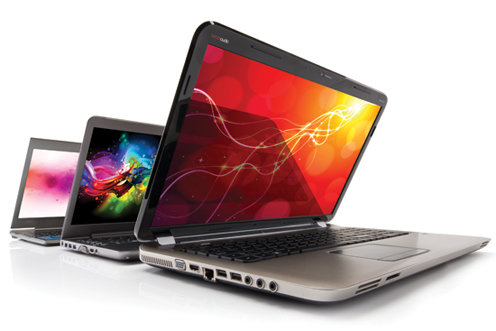
Whether you’re a student, a stay at home mom or just looking for affordable laptops you’ve come to the right place!
It’s not easy scouring the internet and reading review after review, searching for the most okay laptop that also fits in your budget. Some of us have taken to searching in stores, meddling with its physical state before deciding on whether we want to buy it or not, but I am also aware of the fact that we don’t all have this luxury – the luxury of free time.
Let’s break the ice with:
Affordable Laptops #1 – HP Chromebook 11


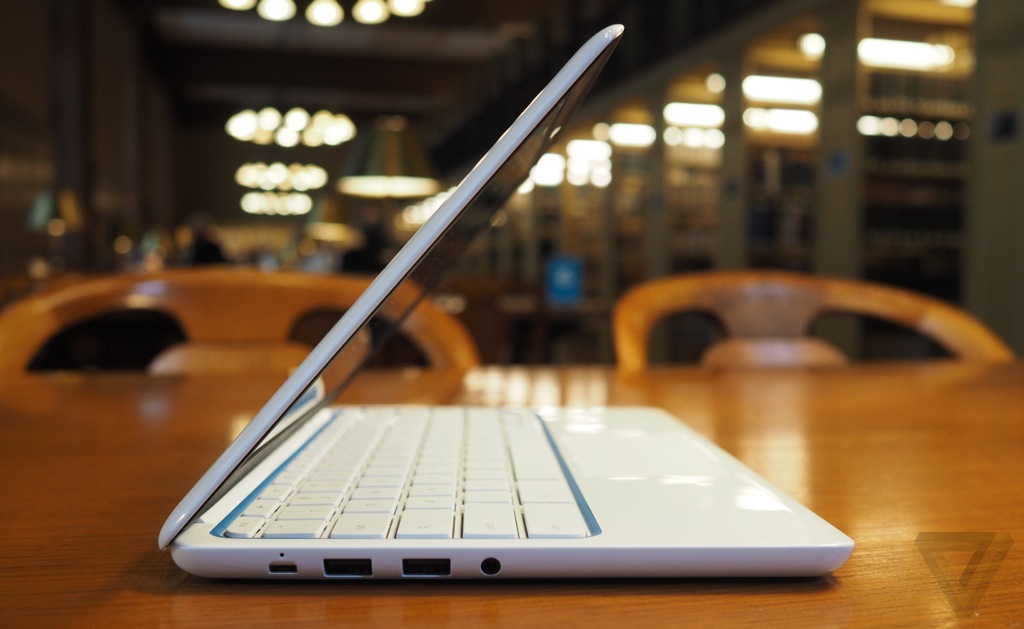
It goes for $299, and it’s already available in stores – so no need to wait for it to be released. It sports a slim and stylish design, with an 11-inch IPS display that stands at a resolution of 1366×768 – and it makes the Chromebook feel like a premium laptop.
The killer feature that I want to start this mini review with is that HP has built into its laptop a 4G LTE modem that frees it from the tight grip, and limitations, of WiFi coverage. It’s shocking that not all laptops come bundled with the 4G LTE modem, and its more shocking that we don’t see a trend starting. A shame really.
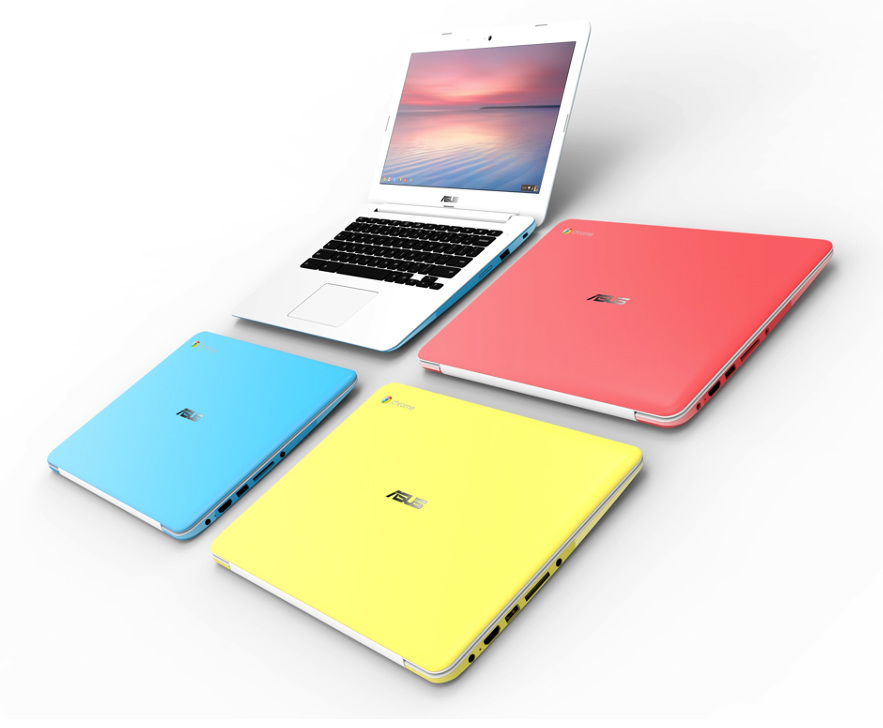
Moving on, the Chromebook is built from a magnesium alloy frame clad enveloped in glossy white plastic. It doesn’t look tacky, or cheap, but when you put your hands on it you can feel the low quality builds – it’s not a deal breaker, but it’s something worth noting. You can also have it in blue, red, yellow and green, but to be honest, white is more good looking.
The keyboard is slightly smaller due to the laptop being small in size, but the keys aren’t cramped together, and you can easily type all day without stressing yourself. Because it uses Chrome OS, you’ll see Chrome specific keys function keys on the top of the keyboard – a dedicated search key where caps lock used to be, and of course no Windows key. The multitouch trackpad doesn’t excel in any way, and if you used a trackpad before, there’s nothing new to it – this doesn’t mean it’s faulty, or falls down in this department, it’s quite a nifty piece that keeps the laptop feeling premium.
It makes use of a great, and unique feature that involves the power charger – it uses a microUSB connector like the majority of smartphones and tablets. Besides the power charger port, it is also equipped with 2 USB 2.0 ports, a 2-in-1 microphone and headphone jack and that’s about it. No, unfortunately it doesn’t have a HDMI port, but the microUSB connector supports SlimPort and you can use an adapter to output HDMI.
Chromebooks usually don’t have much local storage – this one has only about 16GB – but it comes paired with 100GB of free space on Google Drive.
Performance wise it’s fitted with a 1.7GHz dual-core ARM Samsung Exynos 5250 processor, 2 GB of RAM.
- Pros
Battery life that consists of 10 hours.
4G LTE capabilities
Great IPS display
Cool design
- Cons
Low port selection
Not too much local storage – 16GB
Affordable Laptops #2 – Acer Chromebook C720P-2600


The MSRP price puts it at $299, but the lowest price I’ve seen it sell was about $310 – not that big of a difference, but when you’re on a budget everything counts.
Made out of a polycarbonate chassis, and sporting a similar style like the previous discussed Chromebook 11, it stands out as a sleek design laptop that you can’t be ashamed with. The keyboard ain’t really that bad – it’s easy and comfortable; and the trackpad isn’t small, but it isn’t what you’re most likely used to on flag-ship devices.
Sporting a 11.6-inch, 1366×768 resolution, and a 10-point touch screen, it feels like a new kind of beast comparing it to its predecessors. You don’t have to worry about not seeing the screen while using the laptop in a darkened room, nor one filled with light, because glare control is fully present, and blended with the system’s IPS screen makes it a hard foe to keep down.
Regarding local storage, you don’t have much – only 32GB. But you can add more storage by adding an SD card – although I don’t recommend keeping it plugged throughout the day, because users have reported problems with it. The card slot is poorly made, and the SD card will stick out of your laptop making it a huge inconvenience. You get 100GB of free storage place on Google Drive – but it’s only free for your first two years.
Port wise you get 1 USB 2.0, 1 USB 3.0, a HDMI port, and that’s about it. Nothing else in this department.
I can’t say I’m excited about it’s performance capabilities, but for $299 I don’t expect much. A Haswell-based Intel Celeron 2955U processor, and 2GB of DDR3L RAM. Its just perfect for surfing the web, and you can also watch 720p and 1080p movies without a hitch.
Battery life isn’t really that great, and it can only last you about 7 hours and 30 minutes.
- Pros
Quick boot time
Great anti-glare display
Weighs under 3 pounds
- Cons
No 4G/LTE option
Low battery life
SD card sticks annoyingly out of the laptop
Affordable Laptops #3 – HP Stream 13


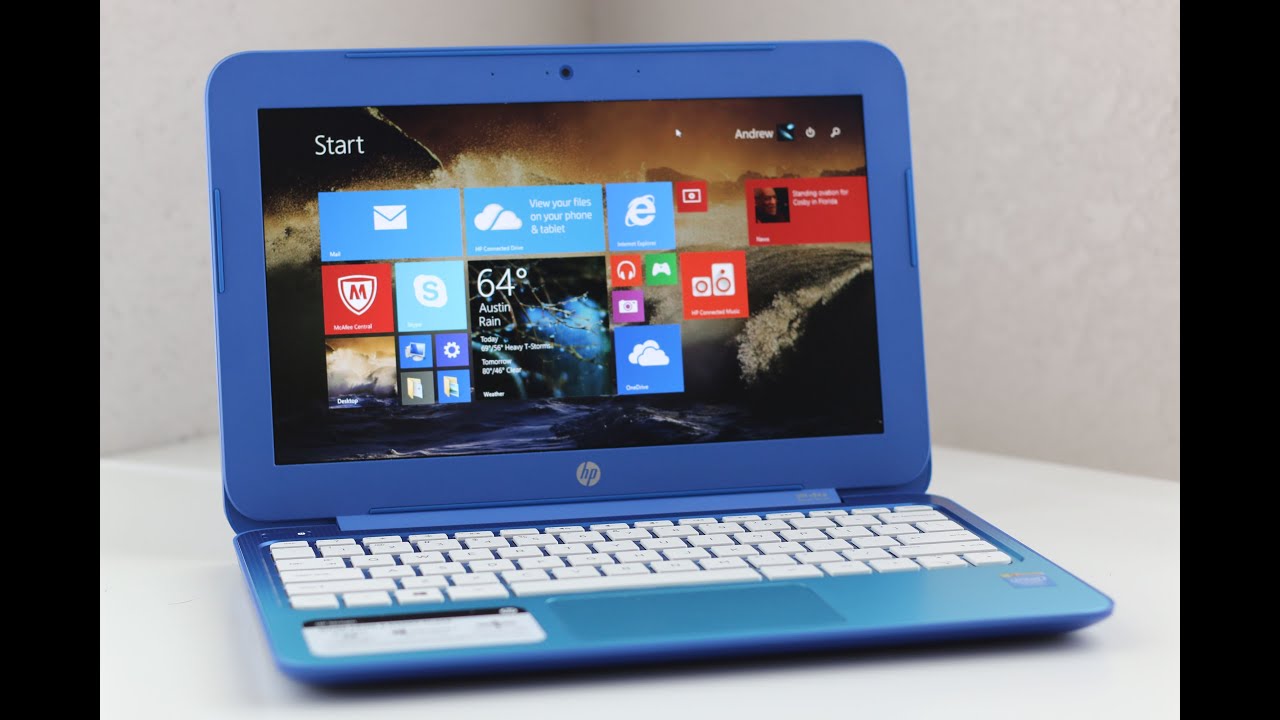
HP’s laptop is being sold at the shockingly low price of $229, and it’s meant to compete with Chromebooks. It’s a perfect choice for those who can’t stand browser based laptops, and want something on that price range – it fully supports Windows 8.1.
It weighs about 3.3 pounds, and measuring about 0.77 by 13.25 by 9 inches, it perfectly fits your airplane, or bus tray, making it even more desirable.
Its design is quite handsome, but you can clearly distinguish it as a cheaper laptop, even though at first touch the plastic feels of a higher quality. The standard model sports, what HP loves to call, Horizon Blue – it also comes in Orchid Magenta. The one-piece touchpad is fully responsive, and the keyboard is pretty great constructed and it won’t bring you to the brink of throwing it out the window like some cheaper models have the tendency to do – also a tendency to bring out our hidden rage.
The 13.3-inch display handles a 1366×768 resolution and its just enough for usage in a normal lit room. I have encountered a couple of minor problems when the room had more than average lighting, and also some viewing angles are just awkward, and narrow – would not recommend watching movie marathons on it, unless you keep it near you.
The IPS screen is the the same one as the Chromebook 11, but somehow, while watching the screen from its sides or too far vertically speaking, the colors seem washed out or just simply put dark – of course, the text isn’t that fine and smooth.
Its tiny speakers are kind of low quality to be honest. They are good if you are in a slightly small room, but don’t expect anything to be heard if there are people talking in the room.
Storage space isn’t overwhelming and it stands at 32GB – but don’t fret, you can add more storage space by using a USB drive, or the system’s microSD card slot. If that doesn’t say anything to you, wait until you hear this. HP offers 1TB of online cloud storage with Microsoft’s OneDrive – available for free only in the first year. Besides having a microSD card slot it also sports a HDMI port, a headset jack, two USB 2.0 ports, and single USB 3.0.
HP’s laptop isn’t the best high-performance laptop out there, but it does its job well. A 2.16GHz Intel Celeron N2480 processor with integrated Intel HD graphics isn’t something gamers want to hear, but the system’s SSD helps things run more faster, and better.
Battery life is somewhat on the margins of greatness – 9 hours and 9 minutes.
- Pros
Really cheap for what it offers
Kinda great battery life
Free 1 TB OneDrive storage for a year
- Cons
Viewing angles are somewhat of a deal breaker
Tiny speakers that are simply not enough
Affordable Laptops #4 – Asus Chromebook C300


The MSRP price puts it at $249, but I’ve seen it at the low price of $199. It has a larger screen than the Chromebook 11, but with almost the same performance capabilities.
The 13-inch laptop sports a quite beautiful and nice textured design, enveloping the polycarbonate top lid and keyboard deck. Unfortunately the plastic looks cheap, and it shines giving it a tacky look, but if you don’t mind this factor, then by all means it’s kinda great.
Let’s talk ports. You get a HDMI port, headset jack, AC power adapter, SD card reader, single USB 2.0 port, or USB 3.0 port.
Keyboard isn’t half bad either, and it feels comfortable typing hours on it, and the touchpad supports multitouch – two fingers swipes aren’t problematic, and the touchpad does its job well.
Google offers are also include with your purchase. Free two year subscription to 100GB of storage on Google Drive, and and a 60-Day Google Play All Access subscription.
Cloud storage is a must when we’re talking about Chromebook. It’s local storage is a measly 16GB – you can add more storage with a SD Card though.
The 13-inch Asus Chromebook has a resolution of 1366×768. Even though the LCD display is top notch, it doesn’t reach the standards of an IPS screen. Trying to see what’s going on on the screen from the sides, or even vertically, isn’t going to accomplish you anything.
Performance wise it comes with an Intel Celeron N2830 dual-core processor with Intel HD Graphics, and 2GB of RAM. Not at all for gaming, but browser based games run smoothly.
Battery life is really great – 11 hours of pure joy surfing the interwebz, watching movies, listening to music, or just playing Angry Birds.
- Pros
Pretty large screen for a Chromebook
Great battery life
Comfortable keyboard and touchpad
- Cons
The plastic looks tacky and cheap
Can’t add more RAM to the existing 2GB
Affordable Laptops #5 – Acer Aspire E3-111-C1BW


Selling at $300, this Acer Aspire is one of the best laptops that supports Windows at the $200-$400 price range – that is dominated by Chromebooks. It has a really great design, and colour scheme that some people will absolutely love, while others will hate.
Acer calls the colours Rhodonite Pink – it would scream pink out of it lungs, if it had any. This is one major problem with the laptop. While it has been proven that some shoppers are quite fond of strong colors like Pink, others seems to run away. I for one fall in the latter part of the group – it’s not just the fact that I can’t stand pink because I see it as really tacky; it’s because I would rather prefer white, a cyan-blue, or a dark-red laptop.
The plastic laptop weighs about 2.84 pounds making it super easy to pick and go – more so if you live a hectic day to day life.
It has a 11.6-inch display that holds a resolution of 1366×768. It’s not that great to be honest, as it doesn’t even have a touch screen, but at this price, it’s pretty okay. The speakers on the Acer while do providing a mediocre quality, output low volume and absolutely no bass whatsoever.
Surprisingly the keyboard is really great, and your fingers won’t go numb typing away that report that is due in 2 hours – and it also looks apart combined with the Rhodonite Pink. The touchpad is quite big 4.1 inches across – and it also fully supports Windows 8.1 gestures.
It comes packed with 3 USB ports – 1 USB 3.0, and 2 USB 2.0; a SD card reader, an HDMI-out port, and a 2-in-1 headphone, and microphone jack. Also, you have a Kensington lock slot.
Now, regarding its storage space it is the big daddy of this round-up. It has a 500GB hard drive, at 5,400 rpm. Even though Acer bundles in a couple of software, you won’t feel like storage space is taken away from you – you’ll get 30 day trials for McAfee LiveSafe Security Suite and Microsoft Office 365, also apps like Amazon Kindle Reader, Netflix, HuluPlus, AccuWeather. Plus a collection of game samples from WildTangent.
Now if we take a look at its performance capabilities the Acer Aspire E3 offers an Intel Celeron N2930 processor and 4GB of RAM. Like all budget laptops, this one ain’t for gaming, but it does good if you want to write a paper on it, watch a movie, stream something, and surf the internet. But you’ll indeed notice that it’s technical capabilities are lacking – slow performance all around will most likely frustrate you to smithereens.
Battery life ranks up to 5 hours – yikes!
- Pros
Some people love Rhodonite Pink, and the laptop’s design
Tiny size that can fit anything
- Cons
Some people definitely hate Rhodonite Pink, and the laptop’s design
Low battery life
Weak performance
No touch screen
Affordable Laptops #6 – HP Stream 11


At #3 we talked about the HP Stream 13 and its capabilities. Now it’s time for the Stream 11.
Cheaper than its larger brother, the HP Stream 11 is selling for about $175.
It’s another laptop designed specifically to compete with Chromebooks – but unfortunately it falls short in almost every category.
The plastic body screams I’m cheap, buy me for one hour tonight – because that’s probably how much it will take you to try it out, then feel regret and never make eye contact with devices ever again. The standard Orchid Magenta colour is just shockingly ugly on the low quality plastic. It’s somehow similar to the previous Acer we talked about, but without any of its redeeming qualities. Luckily, you can get it in Horizon Blue.
The sound quality of its speakers is somewhat decent – probably due to the fact of the sound being enhanced with DTS Studio Sound. The volume won’t be enough even when watching a movie. This means that listening to music through the laptop’s speakers is out of the question. If I were to give it a rating, I would give it 2 stars out of 5.
Keyboard is exactly like its older brother, but somewhere in the production line, the touchpad was left out, and didn’t get the same treatment. It’s way too over-sensitive, and anything that approaches its edges will make it go berserk and swipe like crazy, and open apps that you had no intention of starting them up in the first place. Turning off edge swipes in the Synaptics control panel will alleviate the problem, but you shouldn’t be doing this at all – you bought a product for its features, not to turn them off due to crazy bugs. You don’t see them in the HP Stream 13, and we hope that with some sort of driver update, the touchpad will work normally.
Don’t expect variety regarding ports, they are fairly basic, like the laptop’s entirety. So we have 2 USB ports – USB 2.0, and USB 3.0; an HDMI port, a headset jack, the power connector and an SD card slot.
Local storage consists of a shy 32GB SSD, and it tries to win you over with its cloud storage offers. 1TB of Microsoft OneDrive cloud storage that will be available for free in the first year.
The HP Stream 11 also comes bundled with free apps for you to enjoy – one free year of Office 365 Personal, Netflix, Skype, and other HP branded apps like HP Connected Drive, HP Connected Photo, and of course HP Connected Music. Everything is connected at HP – even their simplicity in picking names.
The only great thing that seems to come out of this whole ordeal is that it runs Windows 8.1. Now, I said that it runs it. I didn’t specify that it works good, it just works.
Now performance wise, it is fitted with a 2.16GHz Intel Celeron N2840 processor, and 2 GB of memory. Not much. These are borderline low specs.
Now, battery life is incredible – ranks 9 hours and 30 minutes of runtime.
- Pros
Runs Windows 8.1
Great battery life
- Cons
Lacks performance, and lags when surfing webpages
Buggy touchpad
Feels cheap and tacky; not only due to its Rhodonite Pink
Affordable Laptops #7 – Toshiba Satellite Radius 11


The last entry in our quick list of affordable laptops will be held by the Toshiba Satellite Radius 11. Lowest price $330.
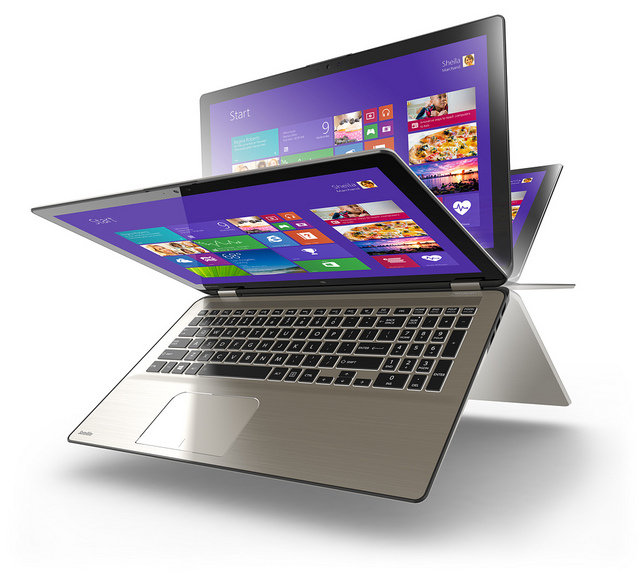
It’s not just a laptop, it’s a hybrid – meaning that it can also turn into a tablet at your will. Its Toshiba’s way of making themselves known in the hybrid market – a place dominated by Lenovo, and Asus.
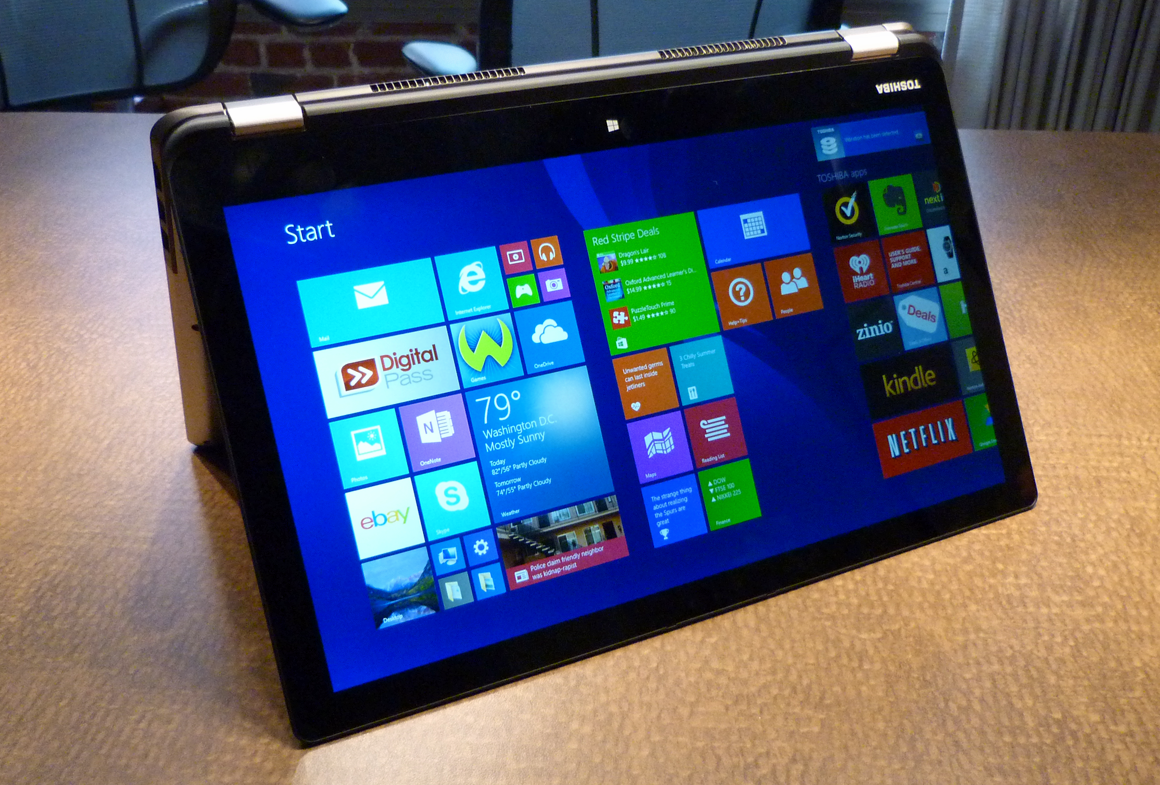
The 2-in-1 design looks crisp and premium. You have 4 modes in which you can use the device – Laptop, Tablet, Tabletop meaning its folded flat, Presentation when it’s propped up like a tent, and Audience when the touch screen shown with keyboard is folded back as a base. Weighing at 2.9 pounds, you won’t have problems carrying it around, and using its 4 modes.
The 11.6-inch screen holds up a resolution of 1366×768 – nothing special if you ask me, but it’s worth noting that it will keep it in Laptop and Tablet mode. It also offers 10-finger touch support and edge-to-edge glass.
The keyboard is comfortable but there is no backlight available – it can be a pain for those who don’t know a keyboard, but it’s definitely not a deal breaker.
It comes outfitted with a USB 2.0 port and a headset jack, along with a Kensington lock slot and physical buttons for volume control, a full-size HDMI-out port, a USB 3.0 port, and an SD card slot, a power connector and an ON/OFF button.
Storage wise, you can also call it one of the top dogs in the list. It boasts a 500GB HDD. Toshiba pre-installs several apps for your enjoyment, of course. 30-day trials of McAfee Live Safe 2014 and Microsoft Office 365, Adobe Reader, Google Drive, Amazon Kindle reader, retail apps like Amazon, and Ebay, Netflix, Hulu Plus, Spotify, iHeart Radio, and sample games from WildTangent.
It does rather well in the performance department with an Intel Celeron N2840 processor and 4GB of RAM. But take this with a grain of salt – it has performance issues, but they are nothing compared with what you can find at this price range.
Battery life doesn’t shine. It doesn’t shine at all. It only lasts up to 5 hours and 10 minutes.
- Pros
Hybrid laptop for $330
Variety regarding ports
More than enough storage space
- Cons
Really short battery life
A ton of pre-installed apps
Hopefully you’ll manage to buy a device that will make you happy. If you have something in mind, whether it is a question regarding one of the devices in our affordable laptops list, or one device that didn’t made the list, feel free to post in the comments section below.
Image Source: 1, 2, 3, 4, 5, 6, 7, 8, 9, 10, 11, 12, 13, 14, 15, 16, 17, 18, 19, 20, 21, 22

Michael Turner







.jpg)
.jpg)