The Roku Streaming Stick is a nifty little device that may help you rekindle your relationship with your big screen TV. It’s not the first of its kind but certainly packs a few things to show for itself.
Television has changed a lot. Forget about the awe that everyone was engulfed by when things like TiVo came out. It really feels like cable TV is becoming a thing of the past.
First, there was online streaming – allowing you to just watch your favorite shows on your computer, without having to wait for, say, 9 PM when they would normally come on. You could just watch them when you felt like it and that was fine.
Then, the online steaming moved onto our smartphones and tablets – finally, we were able to watch shows on the go, straight off of our mobile devices. That was great.
But neither the computer screen nor our tablet can really get the job done the same as the TV in our living room. And with the way things are advancing in the way we handle and access the media available out there, Roku comes as a pretty amazing helping hand and provides us with the freedom to choose what we like, when we like it from over 2,500 apps. Literally.
But Roku isn’t the only gadget that does that and the competition isn’t scarce – Chromecast, Amazon Fire TV Stick, Apple TV and even some of the other Roku streaming products might handle some of your needs better. Let’s take a moment and see where the Roku Streaming Stick shines and where another type of streaming device might do things better.
Roku Streaming Stick – How It Works
Firstly, in case you’re not fully familiar with how streaming media works, and more specifically what is Roku Streaming Stick, here’s a short heads-up. The Roku Streaming Stick is something you might mistake as a larger USB flash drive. Instead of the USB jack however, it has an HDMI plug that you can connect on the back of your TV. The other end of the stick hosts a micro USB slot which will help power the device with the 6-foot cable and adapter that are included in the box of the Roku Streaming Stick. After everything is connected and powered up, the last step is connecting your streaming stick to your WiFi through the interface and you instantly get access to thousands of apps that stream your favorite TV shows and movies.
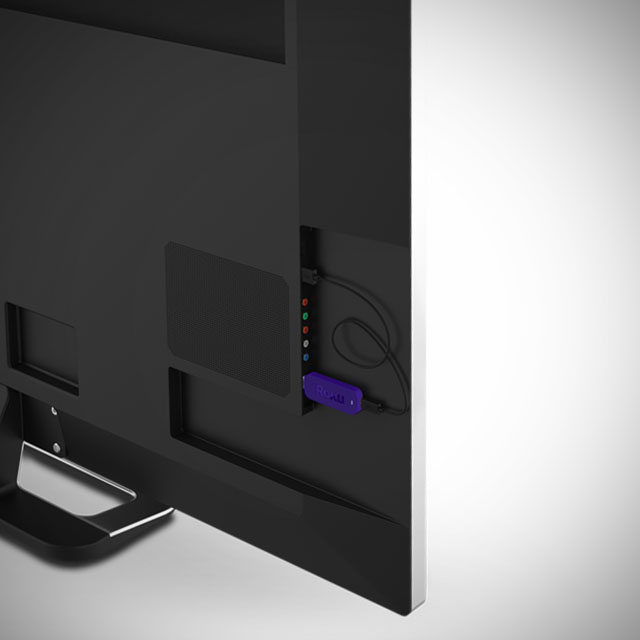
In essence, a streaming device will allow you to do what Smart TVs were meant to but did not convincingly achieve. Having your TV connected to the Internet in the first place seemed like a great idea – you were no longer limited to what your cable company had to offer and could refer to other media services such as Netflix or YouTube to watch your shows and movies. But in reality, that particular functionality of the Smart TVs turned out to be hard to navigate, much slower than your tablet or computer, showcasing complicated user interfaces and rarely-if-ever updated software that was not developed by companies purely specialized in it.
So enter the Roku Streaming Stick and its partners in battle, and you can turn an older TV into a smart one – without having to rely on a messy interface and compatibility issues between the model of your TV and various services.
Roku Streaming Stick Design
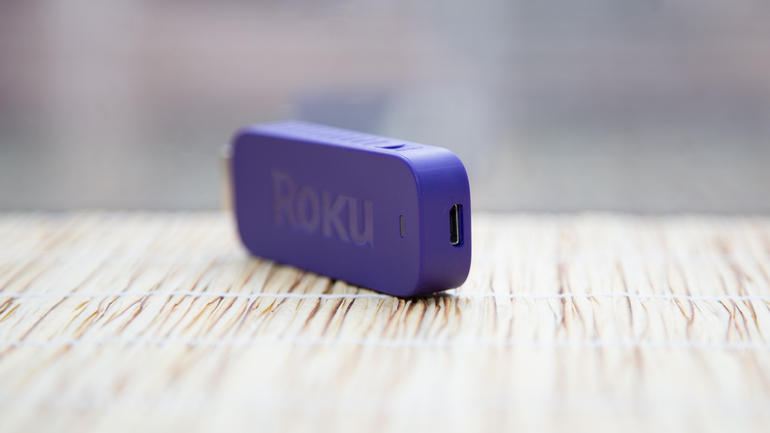
So now that we know what the generic idea behind the Roku stream stick is, let’s discuss it in depth in comparison to other streaming devices. The HDMI dongle is 3.1 x 1.1 x 0.5 inches in size, making it a little larger than Google’s Chromecast, but smaller than the Amazon Fire TV Stick. While there is not much difference in overall size between different models, the problem with streaming sticks in general is being dependent on the HDMI port placement on the back of your TVs.
Streaming sticks were originally designed with two ideas in mind: the former was removing the cable and box clutter than larger streaming devices would come along with; the latter regarded being able to make use of streaming on your TV even if you had a wall-mounted setup and couldn’t make it work without the whole thing ending up aesthetically displeasing.
Now, the Roku Streaming Stick is made to be as small as possible, but you should take into consideration how much space you have on the back of your television set before purchasing it. Sadly, there’s no HDMI extender like the ones you get with Chromecast and Amazon Fire TV Stick.
Its body is wrapped in a purple plastic-based cover that seems a little bulky and has the HDMI end directly stick out of it. This is another reason why you should check to see if your TV could host it – considering that HDMI slots on television sets’ backs were made to shelter cables that flex and are particularly thin – not bulky devices that are few times thicker than the HDMI port itself.

The weight of the Roku stick, while not exceptionally relevant, is only 18 grams – lighter than most other streaming sticks. Given the average, none of the devices would ever pose the threat of damaging or bending the HDMI slots on your TV’s back.
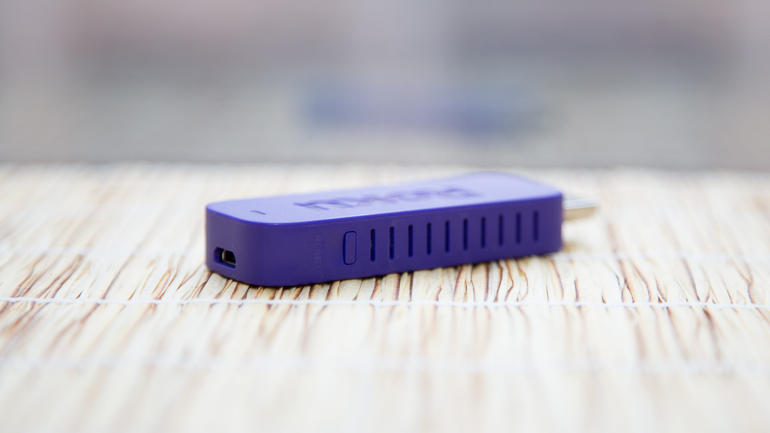
The Roku Streaming Stick does present one aspect that is wildly different from its counterparts. The stick’s body has vents on either side – making it particularly silent and less susceptible to overheating. Just like any other device, overheating is normally associated with low performance – so the Roku Streaming Stick does go the extra mile in that concern. We have also noticed a reset button on the side of Roku – something that is not to be found on the Amazon Fire TV Stick for example.
The Roku connectivity also seems to be better than its counterparts – featuring dual-band wireless N antennas – better than Chromecast’s single-band.
Roku Streaming Stick Applications, Services & Channels
The selling point of the Roku Streaming Stick is the astounding number of apps – known as Roku channels in this case – it has. The website advertises over 2,500 apps and over 300,000 shows and movies put at your disposal. That is completely true: the Roku stick has exponentially more apps that you can access than both the Amazon Fire TV Stick and Chromecast offer. However, in realistic terms, you will probably end up settling on a few dozen of those and never touch the rest.
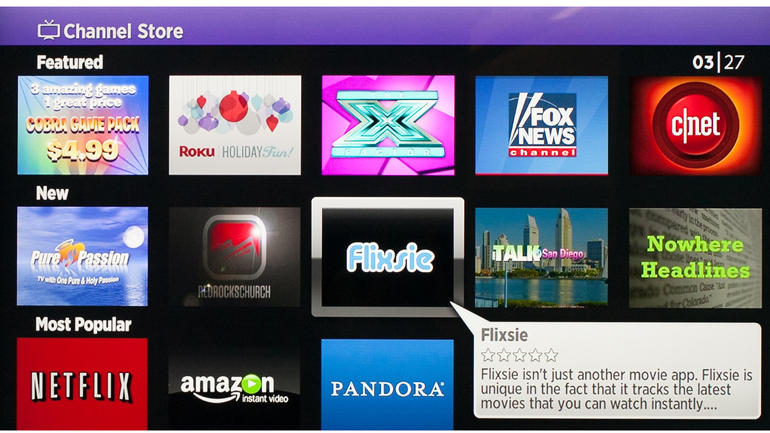
The popular apps, such as Netflix, YouTube, Hulu Plus and HBO Go will more often than not suffice for what you’re looking for. These are apps that you will surely find using any other streaming device so that is not an issue. However, there is a good chance that you will find rarer, more niche content on the Roku than on its counterparts.
Nevertheless, a rather important issue that is not to be omitted is the fact that not all of the apps that you can find on any of the streaming devices out on the market are free – some may incur extra taxes or subscription fees – but this is a generic fact.
You can not only find dozens app for any genre you are looking for – news, science, sports, apps for children and even puzzling channels such as the Pranks one or the baffling Occult Network – but the Roku Streaming Stick doesn’t fall behind on music streaming either. Spotify, Plex, Pandora and many other can be easily accessed via your Roku, just like you would with Chromecast or Amazon Fire TV.
Roku Streaming Stick Remote
Packed alongside the stick and its microUSB adapter you will find a remote. It is marginally bigger than the one that the Amazon Fire TV Stick comes with, but it eases navigating the user interface of the Roku a fair amount. Chromecast, for example, doesn’t even incorporate a native remote but it does allow using your TV’s default one or your mobile device instead.

The remote of the Roku Streaming Stick features a total of 13 buttons: a Home and a Back button, a 4-direction navigational arrow button, Return, Ok, Settings, Rewind, Play/Pause and Fast-Forward buttons, as well as 4 shortcut buttons to popular services – M-Go, Amazon Prime TV, Netflix and Blockbuster. Unfortunately, there’s no way of changing the functionality of the shortcut buttons; you’re stuck with only having those four popular services accessible directly off of the remote. It’s a little upsetting knowing that there is going to be at least one button that you will never touch on your remote when it could’ve had something else bound to it.
The remote feels comfortable when holding it and while the shortcut buttons may not seem like something you would die without, they’re nice to have. If there’s anything that the Roku remote lacks in comparison to Amazon Fire TV is the voice app – even if the voice search is something you only get to purchase separately with the latter, it remains a possibility. If the voice search is something that you would really look forward to when it comes to streaming devices, only the Roku 3 and 4 players offer such feature – but those are much larger and more expensive.
Sadly, the Roku remote for the streaming stick does not support motion control for games – so in the Roku vs Amazon Fire stick comparison, the latter wins the round through the dedicated gamepad sold separately.

While the remote finder doesn’t come as a default feature like in Roku 4’s case, there is an application that you can download on your smartphone or tablet off of Apple Store and Google Play alternatively that will allow you to use your mobile phone or tablet as a replacement remote. It’s certainly not a bad idea considering that it will make for a faster method of searching through content using the full QWERTY keyboard of your smartphone.

Lastly, the Roku Streaming Stick remote unfortunately doesn’t include a digital audio port – a feature that you can find on the Roku 3 and 4 for example – meaning you wouldn’t be able to use a pair of headphones plugged in the remote for late night “private listening” mode and have to rely on your television set’s audio output.
Roku Streaming Stick Interface
With a lot of apps comes the great responsibility of making them easily accessible and simple to browse through the user interface. This is one aspect where the Roku Streaming Stick (along with the other Roku set-top boxes, given that they all use the same interface) will feel superior to other UIs.
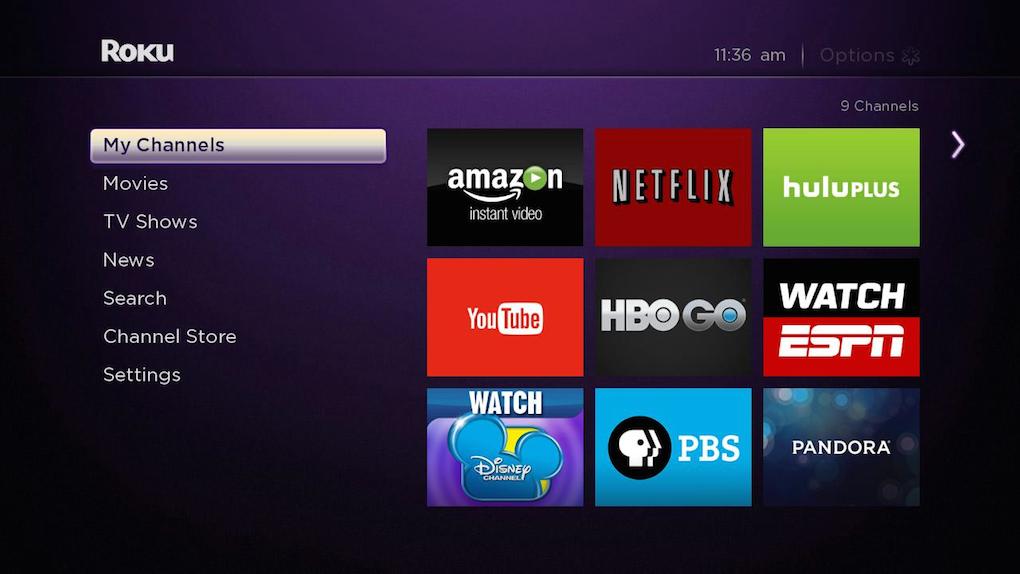
You can personalize your own list of favorites through the My Channels option that will cleanly sort it in a plain grid, according to your preferences. You can shuffle through channel priority and remove the unwanted ones from your list in matters of seconds.
The Movie Store and TV Store sub-menus underneath are short pathways into M-GO’s on-demand service – not an amazing choice for a sub-selection given that you probably won’t ever use it and even forget it’s there, opting for accessing M-GO by quickly searching for it should the need be.
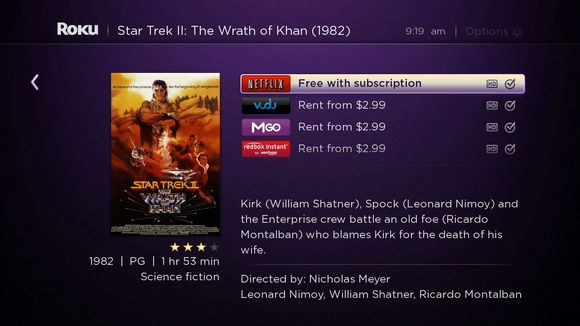
Next up is the search menu – in other words your bread and butter. Once you have installed your favorite apps, the search menu will quickly make an ample exploration of what you typed in the box and return all the results it has found. For example, if you were to type in Inception, it would list all the entries it found, regardless of the app it found it on. Every entry also lists the video quality it is available at and rental price where applicable. The Roku interface allows you to search by movie and TV show title, actor, director and much more.
You can also freely browse all apps available on Roku TV using one of the sub-menus – it will take a while but you never know what you may find.
Lastly, the user interface displays a settings sub-menu that allows you to change your theme and customize a great number of aspects related to the UI.
If put in contrast with Amazon Fire TV interface for example, the Roku UI looks a lot cleaner, airier and less packed than the former.
Roku Streaming Stick Comparisons & Verdict
While the services supported are the same, you might end up realizing that there are a few things that the streaming sticks can’t perform over a set-top box. Take mirroring for example – to some degree you can convince your Roku Stick to mirror your phone screen or computer screen partially, but Chromecast and even Roku 2 and 3 can and will do it better.
Even when it comes to set-top boxes alone, take the Roku 2 vs Roku 3 comparison and you’ll find some great differences and improvements. For example you can’t get voice search unless you opt for a Roku 3 or newer model and 4k Ultra HD option is only available in the latest Roku 4 set-top box. Sure, you can grab the Roku stick, just put it in your backpack and any house and hotel in the world that has a Wi-Fi connection and a TV can feel like home in a jiffy. It’s a lot smaller and easy to transport but the performance of the stick may fall behind the one of a full-fledged Roku player simply because of the hardware that is packed in it.
If we are to compare the Roku Stick to its Amazon Fire TV and Chromecast counterparts in terms of hardware specifications, here’s what we get:
- The processor of the Roku stick is a single-core one, just like Chromecast’s, while the Amazon Fire TV Stick features a dual-core;
- Both the Roku and Chromecast only have 512 MB of memory while the Fire TV stick goes up to 1 GB;
- The flash storage is a losing race for the Roku at its 256 MB – Chromecast offers 512 MB and Amazon Fire TV offers 8 GB of storage space;
- Both the Roku Streaming and Amazon Fire TV sticks feature dual-band antennas, while Chromecast sticks to a more modest single-band.
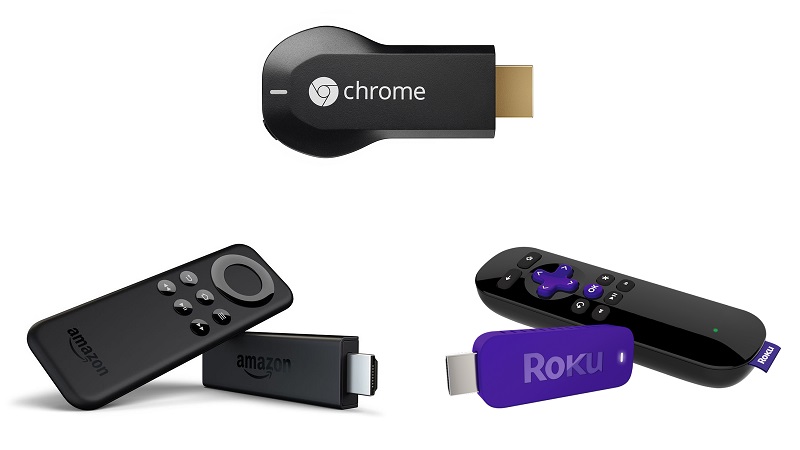
So in essence, what do you get with the Roku Streaming Stick? You get a staggering amount of apps you can choose from, including some that may not be available on other services, such as HBO Go. You get an easier to use and more pleasant interface, a great remote and nearly everything else other comparable devices can do, but at a much smaller price.
What you lose by getting it is a small bit on the performance side, an HDMI extension and gaming support and access to various limited streaming platforms.
Put in perspective, the Roku Streaming Stick is comparable to the Roku 3 – but it’s a lot cheaper: you can get the streaming stick for $49.99 directly off of the Roku website. The more powerful Roku players are available for $99.99 for the Roku 3 and $129.99 for the latest Roku 4.

The Amazon Fire TV Stick will look cheaper at first ($39.99) but many of its features require extra purchases which will spike it up much higher than the Roku Streaming Stick price.
Naturally, all that we tried to accomplish here with the Roku stick review was to weigh the pros and cons – but the final decision lies in your preference.
Image Source: 1, 2, 3, 4, 5, 6, 7, 8, 9, 10, 11, 12, 13

Michael Turner