Argyll Free Press

Growing News Network

Tuesday, May 5, 2026
Log in
  • Business
  • Finance
  • Sports
  • Tech & Science
    • HP Envy 4500 Review
    • LG Optimus 170 Review
    • iPod Touch 6th Generation Review
    • HTC One M8 Accessories Set-up
    • Surrealist Games You Must Play
    • Hisense Sero 8 Review
    • Dell Latitude e7440 Review
    • HP Laserjet 1536dnf mfp Review
    • Garmin Fenix 2 Review
    • Skype Vs Viber
    • Best Video Conferencing Software
    • Sony mdr 1r Headphones Review
    • Canon Rebel t3i Review
    • Sennheiser Momentum 2-0 Review
  • Travel
  • Headlines
  • Health
  • United States

Google Picasa Is Leaving to Make Room for Google Photos

February 13, 2016 By Roxanne Briean Leave a Comment

Google Picasa Is Leaving to Make Room for Google Photos

Apparently the popular photo editor Google Picasa is leaving to make room for Google Photos, the other application made by the same company and released about a year ago. The reason? Google Photos Chief Anil Sabharwal believes that it’s counterproductive for the company to focus on two similar products at the same time, and each for different platforms.

Therefore, Google will give up Picasa and simply focus on developing and improving Google Photos to work better on both desktop and mobile.

While the public was given the date of March 15th 2016 as the day when support for Picasa will be discontinued, Sabharwal did mention that anyone who has been using Picasa on their phone should not feel worried about losing their stored photos or videos in the Picasa online albums. They will be automatically imported from the app and into Google Photos accounts automatically.

The switch from Picasa to Google Photos will most likely not be the best received news that Android users will have to take and accept. The reason behind that is the fact that while Picasa as a standalone app may be easily exchanged with something else, there is a number of other third party apps that link to it and function based on it.

Surely, in due time, the apps in question should be updated to reflect the change in order to not render them unusable for an undetermined amount of time. However, depending on how popular and which developer is behind the apps in question, it may take between days and weeks, if not months for all of the apps to be updated to use Google Pictures instead.

Just like with any other piece of software that is past its time, it won’t simply just vanish off of our devices. The app will continue to exist indefinitely, but it will no longer receive any kind of update or further development. While that may not seem like a problem to some, it may end up exposing users to malware and other similarly malicious types of software as it is easier for attackers to go through older security signatures of software.

Not to mention that users will no longer be able to add pictures to the online album on Picasa anymore. Regardless, the changes and shift to Google Photos will be rolled out gradually and users will be notified to download all their photos from Picasa onto the other service beforehand.

Image Source: 1

Filed Under: Tech & Science Tagged With: Google photo editor, google photos, google picasa, picasa discontinued

Dark Souls 3 Opening Cinematic Was Released on YouTube

February 9, 2016 By Roxanne Briean Leave a Comment

Dark Souls 3 Opening Cinematic Was Released on YouTube

The latest and probably also the last preview video we get before its official release on April 12th, the Dark Souls 3 Opening Cinematic was released on YouTube just yesterday. While the footage shown in it is not much else but a rehashed series of scenes from the previous trailers, it does give off the feeling that it’s finally complete and has a fair amount of fluidity.

Dark Souls 3 has been announced to be the final game of its kind as it completes a very long but very beautiful series that has re-invented the action RPG genre altogether. While some may argue that the ‘spin-off’ titles such as Bloodborne or the very ancestor of the Dark Souls series – Demon’s Souls – should not be taken into account, that would be unfair and incorrect; at least to From Software.

Hidetaka Miyazaki, the man behind the wheel for all of the previous “Souls” games, albeit only on supervision role for Dark Souls 2, returned to develop the third game after being re-inspired by From Software’s latest escapade – Bloodborne.

Because of that, anyone who has played the PS4 exclusive title will recognize the slightly Lovecraftian setting as having made its way into Dark Souls 3 a slight amount. The developers have managed to mix the once lordly halls of a dying kingdom theme into something that reminisces Yharnam of Bloodborne without feeling forced.

It has been announced that this is the last title in the series; maybe not the last action RPG of this sort, but certainly the last Dark Souls, according to the studio. Because of that, you will find a slightly different change of story too. It’s not like the dying Lordran’s quest for you to rekindle and link the fire to extend the life of the world a little longer. It’s not like the vast Drangleic’s mystery and ambiguity that unveils at the same time as you discover the fate of the undead.

In Dark Souls 3, the kingdom of Lothric holds a different kind of mystery as the “Lords of Cinder” awaken when the link of fire is threatened and a bell tolls. The video depicts several of the bosses of the game as they awaken to keep the flame alive. And you, the accursed undead, “unfit even to be cinder” will most likely result in the definite end of the Age of Fire.

The ones who are familiar with the entire “Souls” series, official or not, will notice how this game seems to combine elements from every single previous game – the Abyss will be here, a new Firelink Shrine too, dragons, a creature that looks a lot like the Cleric Beast from Bloodborne and even moments that reminisce Demon’s Souls classics.

Image Source: 1

Filed Under: Tech & Science Tagged With: dark souls 3, dark souls 3 cinematic, dark souls 3 content, dark souls 3 lore

What to Do with Your iPhone When It Breaks

February 5, 2016 By Roxanne Briean Leave a Comment

What to Do with Your iPhone When It Breaks

Apple has never actually been particularly versatile when it came to broken device parts so here’s what to do with your iPhone when it breaks. I’m sure that unless it happened to you, it most certainly happened to a friend: that horrifying moment when you see your iPhone plummeting towards the hard concrete or worse, a body of water.

Unless you’re willing to pay $99 a year for AppleCare+ and you found yourself in the aforementioned scenario, you probably had no other choice but to walk into the nearest service center and hope to get it fixed that way. Things would’ve been even worse when the damage was not repairable and you would literally have no other choice than to rip out few hundred bucks from your wallet in order to get a new phone altogether.

However, good news for iPhone users out there who don’t completely trust themselves to keep their phones safe! Considering that Apple is planning and already in process of revamping its trade-in program, the company is starting to offer up to $250 for damaged iPhones. Of course the amount you receive will be calculated according to the amount of damage the phone has been subjected to.

This is the first move that the company makes in the attempt to expand its trade-in scheme. It is not yet confirmed, but several sources suggest that the new trade-in will include new iPhones on offer, even if your own device has got a damaged screen, camera or home button.

Apparently, the trade-in terms and conditions state that Apple will offer credit for your broken phone as long as it can still function and power on. The entire list of terms can be found in any Apple store or on the Apple website. The program has already been launched in Apple stores across the state and the amount of credit you can get for a broken iPhone 5S is $50, $200 for an iPhone 6 and $250 for an iPhone 6 Plus.

The program may seem like it’s mostly about customer experience with the company but actually tries to achieve more than just that. Apple has stated that the program was designed with the intent of expanding the pool of potential buyers for newer iPhone models. Along with the iPhone Upgrade Program, Apple is trying to draw as much attention as it can to the latest models of the phone.

Image Source: 1

Filed Under: Tech & Science Tagged With: apple trade in, AppleCare+, broken iphone, trade-in program

Google May Expand the Family of Smart Home Appliances

February 4, 2016 By Roxanne Briean Leave a Comment

Google May Expand the Family of Smart Home Appliances

Smart phones, smart cars, smart homes, smart fridges, smart health instruments and now Google may expand the family of smart home appliances too. Nearly every single item you could think of is seeing some digital application of it as a viable thing to add in its construction to make it more useful than before. If you recall some of the craziest CES 2016 gadgets also mentioned a Bluetooth pregnancy test at one point.

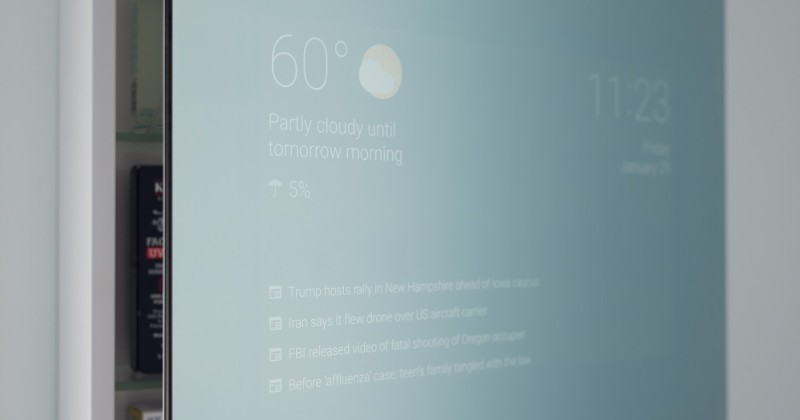
Regardless, Google seems to be interested in more than just a few projects. With news of the tech giant being extremely active in more than just a few fields lately, it should not be found as a surprise when we notice that it’s now rumored to be planning to release a smart, Android-powered bathroom mirror. Even if the original device was created independently by a Google employee. It would appear that the individual in question had searched high and low whether anyone had ever attempted this before he started.

With nobody else to have thought of this before, Google engineer Max Braun built a smart replacement for his own bathroom mirror that is smart in the sense in which it has an inbuilt display. The mirror can thus display programmable notifications and information in different sides of it. That way the smart mirror does things such as display the date and time, the forecast for the day (or more or other days if that is your intent), recent news headlines. Who said you can’t brush your teeth and read the news at the same time?

The way Braun build this smart mirror was by employing a two-way mirror, a 15.6” display panel, a 40-ping LCD controller board as well as a push-to-activate momentary switch and terminals. When everything was said and done, Braun managed to single-handedly create a mirror that can be synced with a mobile device and push data and notifications in your bathroom too.

But this is only the beginning and just one man’s work. Braun said he intends to make it a lot more useful than its first prototype by adopting features that work with Google Now such as reminders, traffic updates and other. Braun has already tried running the smart mirror with devices such as Chromecast, Fire TV Stick and Nexus Player, thinking there may be some applicability there.

There’s no telling if Google itself will attempt to buy the concept from Braun, but chances are someone will. Not to mention the amount of headhunting the engineer will have to put up with in the near future.

Image Source: 1
Filed Under: Tech & Science Tagged With: Android-powered mirror, bluetooth mirror, smart home appliances, smart mirror

Uber Is Not Just Rebranding Its App Icon

February 3, 2016 By Roxanne Briean Leave a Comment

Uber Is Not Just Rebranding Its App Icon

If you happened to take out your app list on your phone recently, you may have noticed something that was a little off about one of your installed apps: it would appear that Uber is not just rebranding its app icon though, as the company seems to be looking to expand its services too.

With the change being a mere day old now, users and others seem to not have a very positive selection of feelings towards the change. Twitter has been booming with angry tweets saying that the change is not the greatest they had ever seen; however, that’s hardly a surprise when it comes to changes made by popular companies or services.

The app’s change log doesn’t say anything new; and on a closer inspection of the app itself after the update there’s hardly anything changed other than the icon and the splash screen that greets you when you turn it on. The former classic U-shaped logo is now a rather abstract form that the company explained in their presentation video.

Uber’s blog received a new entry yesterday, where the company’s CEO Travis Kalanick personally got involved in delivering the new changes to the public. And that is on top of personally getting involved in the entire revamp of the brand. According to his own post, the company feels that the new logo and icon define what the company does a lot better than before. After 4 years of developing as a brand, Kalanick says, they felt it was time to reflect the fact that Uber has matured as a company.

In Kalanick’s vision, Uber is more about connecting and “moving cities and their citizens”. Along with a new website layout, the new logo is gifted with a lot more color and personality than its predecessor. Apparently, the colors chosen for each major city or zone differs.

For example, Ireland’s green to burgundy selection of colors was inspired by lush fields and brick-build houses. Mexico’s bright greens, blues and magenta reminisces the colorful alleyways and streets. China mixes the foggy nature with the bright red traditional decorations. Uber said they are planning to have a theme for each and every city or country that it functions in – accounting for hundreds and hundreds of patterns and color palettes.

The new and rather ambiguous icon takes a step away from the classic look and attempting to open new pathways for the company. As they started as nothing more than a personal driver service, Uber now does a lot more than that – food or goods transport, with self-driving car service and “more” planned to come in the future.

Image Source: 1

Filed Under: Tech & Science Tagged With: uber, uber app, Uber changes, uber logo

The Samsung Browser Does Not Frown on Ad Blockers

February 2, 2016 By Roxanne Briean Leave a Comment

The Samsung Browser Does Not Frown on Ad Blockers

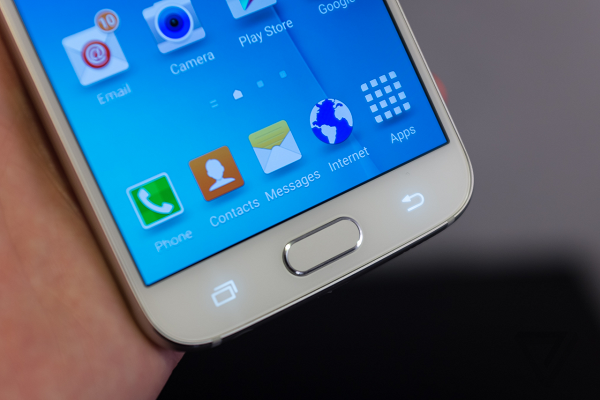
Despite what a sensitive and disputable topic website ads are, it would seem that Apple isn’t the only one who’s willing to turn a blind eye to it: the Samsung Browser does not frown on ad blockers either. This change was done over the weekend and it allows you to download and install ad blocking extensions from Google Play as long as you use the Samsung Internet browser on a Galaxy phone.

The reason ad blockers are one of the largest topics of discussion regarding internet traffic these days is because in more than just a few cases they are the reason website revenue ends up plummeting to the ground. While at the beginning, ad blockers were only regarded as a great addition to browsers as they helped reduce loading times and the sluggishness of heavier websites, they soon became the bane of advertisers.

Recently there have been more and more websites that will not only notify you when they detect ad blockers but some even go to the extent of not providing content, or providing it in limited amounts while you still refuse to disable it. Which is why some of the decisions that phone makers and software developers may seem questionable to some.

Regardless, it would seem that Samsung has always embarked on this path as the company seems to have partner up with Adblock Fast. As a result, users can now freely download the popular Adblock Fast app off of Google Play in order to drastically improve browsing performance of their mobile devices. While the change has yet to attract more app developers to submit their own ad blockers onto the store, it is probably too soon to speak of it.

Statistics show that the Adblock Fast has gained more success than expected in the short time since it has been made available to mobile phones. So far, more than 200,000 users have downloaded it and are actively using it on a variety of platforms. But while this is one of the most popular version of ad blockers out there, it is surely not the only one. The popular iOS Crystal ad blocker has become available for Android devices last weekend too, with its release finally getting a green light from Samsung.

The users that have already hopped onto the ad blocker bandwagon are reporting an improvement is browser speed by more than 50%. But the only reason this is possible is due to the new content blocker extension API that got baked into the latest version of the Samsung browser.

Image Source: 1
Filed Under: Tech & Science Tagged With: adblocker fast, samsung ad blocker, samsung browser, samsung browser ad blocker

Witness 5 of Our Planetary Siblings This Week

February 1, 2016 By Roxanne Briean Leave a Comment

Witness 5 of Our Planetary Siblings This Week

The night sky is the place where you will be able to witness 5 of our planetary siblings this week, stretching from Feburary 1st to about two weeks into the month at least. This is an event that hasn’t been encountered since 2005 and won’t happen again for a while to come. While some of the five celestial bodies are almost always visible form the surface of the Earth, others are not that fond of showing themselves throughout the year.

Mercury, Venus, Mars, Jupiter and Saturn will all have their turn of showing brightly on the night sky. Looking out your window today, as long as you do it about an hour before sunrise, may just grace you with the view of several of them. In order to catch the scenery, you will need to have a good view of the southeast to southwest part of the sky. If you wish to catch Mercury too, you will need to be able to see the horizon as well as it normally only makes a short appearance before being drowned into the sunrise.

Venus has always shown as one of the brightest celestial bodies we get to see during our night sky. At about 6:30 in the morning, you’ll find it shining towards the southeast with Saturn to its right and Mars shining a little higher than the rest of them. Jupiter remains the only lone ‘star’ in the sky as it’s the only one who will be visible towards the southwestern portion.

On February the 2nd, you’ll be able to detect Saturn and Mars easier as they shine to either side of the morning remnant of the moon. On February 3rd, you’ll be able to spot Saturn right below and to the left of the moon. By February 6th, as the moon continues its gradual ascent, it will create a triangle with Mercury and Venus.

But the phenomenon is not going to last as much as we would hope to. With the next occurrence of the alignment not being expected to happen until 2018 the very least, anyone willing to witness it should hurry and visit an observatory or at least the highest building roof they can think of until the 10th of this month. After February 10th, the alignment will be partially spoiled by the slow drift of Mercury on the night sky. As the change occurs, Mercury will be coming too close to the rising Sun and be drowned out in the brightness of the star.

Image Source: 1

Filed Under: Tech & Science Tagged With: February star sighting, night sky, planets in the sky, saturn in the sky

The Best Graphics Cards 2016 Guide – Preparing for A Long Year of Gaming

January 29, 2016 By Roxanne Briean 1 Comment
Best Graphics Cards 2016 Guide

2016 promises to be a year full of title releases that will not only grace our consoles, but our desktops just as well. There is an undeniable trend for video game producers to cease the console exclusive set of beliefs. Plenty of video games in the past years that originally just came out for consoles were soon ported into their PC counterparts – officially or otherwise.

This led developers and studios to the conclusion that there are plenty of users who would love to be able to play numerous titles on their desktops and that emulators are not exactly the kind of fixes they are willing to go for any time. You can also notice this phenomenon looking at games that were usually being released on console first, only to be followed by the PC release a month or more later.

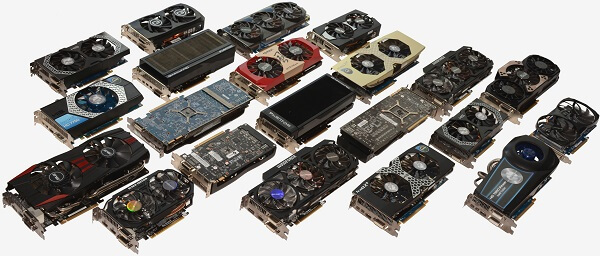
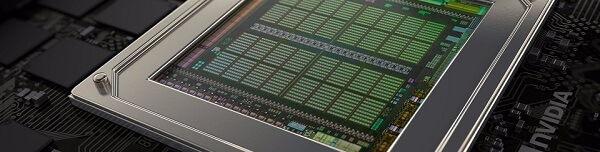
It seems like 2016 is the year when both console and PC gamers can truly unite in both the timing of when they get to play the new titles as well as even play the same game at the same time, from different types of devices. But while consoles can only get as good and don’t exactly offer you space for upgrading, PCs don’t; and while every single component is important to a degree for gaming, most of the brunt of video game performance falls onto the graphics card (GPU).

Best Graphics Cards 2016 Part 1: The guide to GPUs

Best Graphics Cards 2016 – Things to consider before you upgrade

Best Graphics Cards 2016 - Things to consider before you upgrade

In essence, any serious video gaming you’re planning to do will require a potent graphics processing unit. Which brings us to the point of this graphics cards guide – depending on what you’re planning to play, on what your budget is and the numerous technical specifications that may limit your choice of GPUs, you may find choosing one is not that easy.

Unless you’re actually aiming to buy a completely new rig to cater to your gaming needs altogether, upgrading your GPU is most likely the easiest thing to do – right next to getting some more RAM memory. But upgrading RAM is very debatable and can turn out to be more or less necessary, depending on case. You certainly don’t need tons and tons of GB or RAM unless you’re finding yourself being starved of it – usually when multitasking various power hungry applications. Not even when you run extremely heavy games and still keep other apps up, you will surely never hit over about 60% usage on your memory.

If you’re planning to use a non-gaming laptop, it’s good to know that the grand majority of models cannot be upgraded. The reason behind that is the fact that most laptops come with on-board graphics -meaning that you don’t get to access and swap around a physical video card as it’s basically just a chipset embedded in the motherboard that the laptop comes with. Thus an upgrade would entail completely changing your entire motherboard. There are various workarounds that type of issue but they normally end up being more expensive than buying a brand new, decent medium-tier desktop.

Unfortunately, the same goes for Apple computers – both Macbooks and the larger scaled iMacs cannot more upgraded more often than they can; at least not without major hardware changes that turn out to be as expensive as a new PC.

Picking Best Graphics Cards 2016

Before setting yourself on the idea that you want to get a new graphics card, you should first and foremost know exactly what type of gear you already have in your computer. There are various ways of doing that, both ‘official’ and less orthodox methods:

  • Using only Windows utilities – this may, at times, prove difficult to do as you will most likely be able to find different pieces of information in different places. Some are stored in easily accessible locations such as the system settings menu, while others need to be dragged out using less known tools such as Microsoft System Information (usually a file named msinfo32.exe).
  • From your computer’s paperwork – whether you’ve bought your computer as a whole or it was built piece by piece, you can be sure that information regarding its components will be available on the paperwork you received with it; insurance documents or detailed receipts is where you’re most likely to find this information in.
  • Using third party apps – there are several developers who have built extensive tools that can both detect the digital signature of the hardware that is stored in your computer, as well as generate reports about possible issues and help you troubleshoot your PC whenever you encounter issues. e.g. Everest.

Now that you have your entire list of components you will want to find the video cards that are compatible with your system – more specifically your motherboard. You can find a great number of compatibility checkers and lists of devices that are compatible with your motherboard or CPU or any other component on the internet, so your best place to start is Google. Type in your motherboard’s model in there and head out to the producer’s official website.

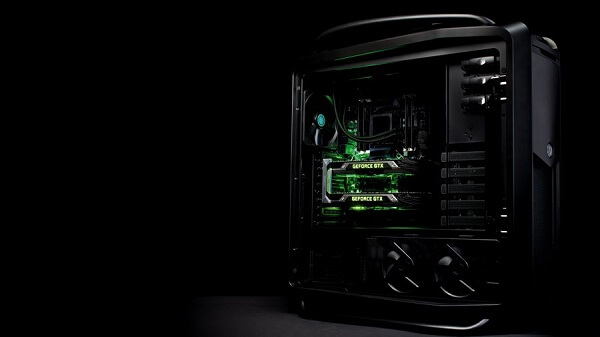
However, if you’re thinking of making a huge leap up the GPU power ladder, you should also consider the fact that the most powerful graphics cards out there require a lot of juice to power up and function properly. In other words, upgrading from a 3 or 4-year old GPU to a brand new state-of-the-art one will most likely force you into purchasing a new power supply as well.

Then there’s also the issue of size. GPUs do also come in different shapes and sizes, even if their connection mechanism is the same type of port. Various models are wider – for example in the case of cards that feature 3 fans over the classic 2 – or thicker that what is currently fit into your computer.

If, for example, you’re using a mini gaming desktop, such as the Alienware X51, you’re surely very tight on space and you will have your freedom of choice cut a little short. In these cases, most mini-gaming desktop users have found themselves having to opt for a regular computer case when they wanted to upgrade – in essence defeating the purpose of mini gaming desktops to begin with.

Best Graphics Cards 2016 – Choosing your video card manufacturer

Best Graphics Cards 2016 - Choosing your video card manufacturer

Unless you’ve been making use of integrated graphics so far, which are basically designed to make use of your processor and RAM in order to become able to render graphics and are a part of your motherboard, you have but two choices in terms of manufacturer.

For many years now, the two major graphics processing unit manufacturers have been AMD and Nvidia – they currently control nearly 100% of the GPU market altogether. They are certainly not the only ones but most definitely the ones you’ll be looking at when looking to purchase a brand new, competitive graphics card. Alternatives would be names such as Intel, Gigabyte Technology, S3, Matrox, etc.

The reason why the margin of sales remains at an almost perfect balance of 1:1 is because both manufacturers create video cards that are very similar in power, capability and specifications. In terms of raw performance, it’s hard to tell one apart from the other as long as they’re compared according to equivalent generations. However, each manufacturer has several perks that they offer as a sort of signature of their brand.
For example, it’s common knowledge that Nvidia does a much better job at developing its drivers, along with constant optimizations of your GPU’s performance in different games. Not to mention that if you look at the numbers up close, you’ll see that Nvidia cards seem to handle power consumption a little better.

AMD Radeon cards, however, do a better job of syncing the framerate of your monitor to the card’s output potential thanks to the AMD Freesync technology, and on way more models of monitors than Nvidia’s equivalent – Nvidia G-Sync – does.

Best Graphics Cards 2016 – How to pick according to price ranges

Best Graphics Cards 2016 - How to pick according to price ranges

Every price range that you’ll opt for in choosing your preferred video card will most likely place one of the two manufacturers on a temporary pedestal. In the end, the choice really falls down to extremely small features and detail. Some well-versed users will most likely place brand loyalty above other reasons, while others will consider a particular model because of certain perks it offers over its immediate alternative (think Nvidia Streaming).

When you look to find yourself a new GPU upgrade, it’s advisable that you don’t jump right in to get the latest, state-of-the-art model out there. Not because it wouldn’t be a great investment or because it’s not worth getting the newest and best out there, but because you may find yourself shocked at the unit’s price.

GPU prices can range from $100-$150 and up or to or even above $1,000 for the latest, innovative models. And even then, you have two things to take into account before making such a huge step:

  1. New models of video cards come out quite often – you should expect a new iteration of the latest generation of GPUs from either company come out every other few months. Naturally, the distinction between them is not gigantic, but it does bring that extra inch of performance.
  2. Video card prices deprecate relatively fast, in tone with new models coming out. So spending $800 for a GPU now may have only cost you about $650 few months later.

If you’re thinking of upgrading your graphics card and you’re certain the rest of your hardware can handle it too, you have two choices.

  • A long-term upgrade: should only be done if your other components are either already high tier or are the ones that can receive an upgrade similarly soon too. In this case, you can consider a mode expensive model that will, in turn ‘last’ you longer in terms of new game releases.
  • A short-term upgrade: the kind of upgrade you do if your old GPU is way too out of date and your only wish is to get on your feet with various, recent titles. You will spend a lot less, most likely, but the card you purchase may not perform that well with the latest titles.

Best Graphics Cards 2016 Part 2: Our Recommendations

After all has been said and done, let’s see what is the final list we have agreed on for our Best Graphics Cards 2016 selection.

Best Graphics Cards 2016 – Low Price Tier

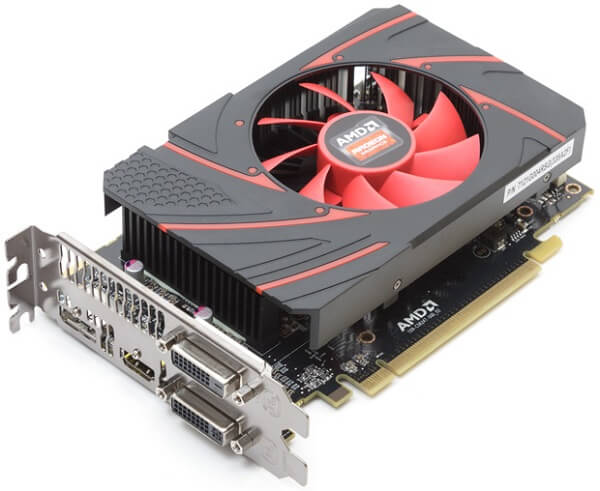
Best Graphics Cards 2016 AMD – Radeon R7 260x

Best Graphics Cards 2016 AMD – Radeon R7 260x

If you find yourself on a budget but are in dire need of a GPU upgrade, AMD brings you a haul up of the previous generation of graphic cards into an affordable, lightweight version. It’s not a different model altogether, as it aims to be the revival of the Radeon HD 7790, brought into the form of a low-cost but capable video card. It brings 2 GB of GDDR5 memory, with 104 GB/sec memory bandwidth and a relatively low power usage (a 450W power supply should suffice).

It’s a small scale card that will fit even in smaller desktops and it’s priced at only $139.

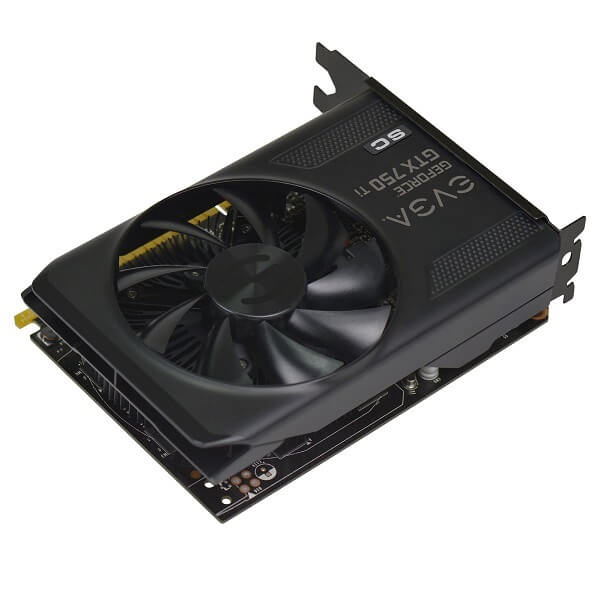
Best Graphics Cards 2016 Nvidia – EVGA GeForce GTX 750Ti SC

Best Graphics Cards 2016 Nvidia - EVGA GeForce GTX 750Ti SC

Even if the regular GTX 750 model is nearly 2 years old and will most likely give you a little trouble with the overall frames per second score in games such as Fallout 4, it is an absolutely marvelous graphics card. It is a small scale GPU, featuring only one fan and 2 GB of GDDR5 memory. It handles 1080p resolutions, however, and the 750Ti model comes with extra shaders and a small hike up in speed. It runs on smaller power supplies (300W) too and is small enough to fit inside mini-gaming desktops as well.

The EVGA GeForce GTX 750Ti SC is one of the most affordable GPUs you can get, being priced at a mere $149.

Best Graphics Cards 2016 – Medium Price Tier

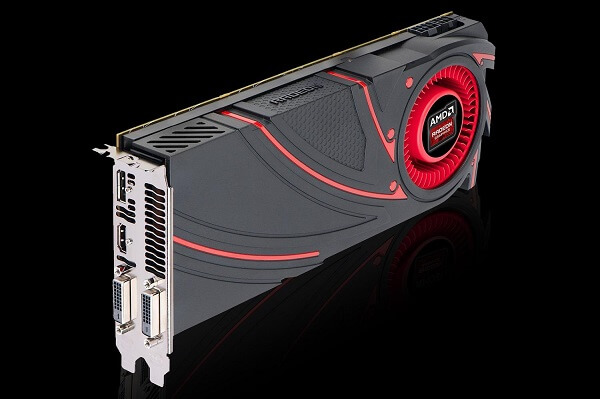
Best Graphics Cards 2016 AMD – Radeon R9 380 4GB

Best Graphics Cards 2016 AMD – Radeon R9 380 4GB

Take it up a notch to medium tier graphic cards and things change by a large margin. The AMD Radeon R9 380 @4GB is a great example in that direction; as you can probably tell from the name itself, the card does come in either 2 GB or 4 GB GDDR5 versions on a 256-bit memory interface. It can withstand resolutions of up to 1440p and has an upgraded base clock rate of 970 MHz. The Radeon R9 380 is probably one of the best choices for you if you’re looking for the FreeSync technology too, not to mention that it’s VR-ready and supports DirectX 12 as well. It is also a smaller sized GPU, meaning it can easily be fit in smaller desktops.

The price of the Radeon R9 380 @4GB is $200.

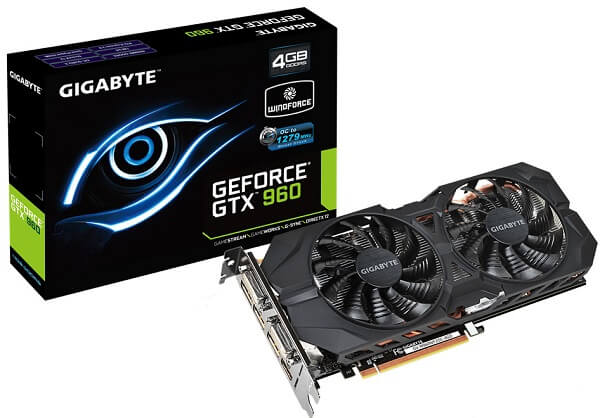
Best Graphics Cards 2016 Nvidia – GeForce GTX 960 4GB

Best Graphics Cards 2016 Nvidia – GeForce GTX 960 4GB

The Nvidia equivalent of the Radeon R9 380, the GTX 960 is probably your best alternative for an Nvidia GPU if you’re planning to limit your expenses to around $200. Although small in scale, the GTX 960 offers a wide variety of newer technologies such as Nvidia’s G-Sync, 4K quality images to 1080p displays (Dynamic Super Resolution) and the Voxel Global Illumination (improved dynamic lighting effects). With a base clock speed of 1127 MHz and a boost clock speed of 1178 MHz, the GTX 960 remains an extremely fast and highly performant GPU – at least as much as you’re planning to put it up to.

The 2 GB version of the GeForce GTX 960 is $180, while the 4 GB version will take you up to a little over $200, depending on the retailer of choice.

Best Graphics Cards 2016 – High Price Tier

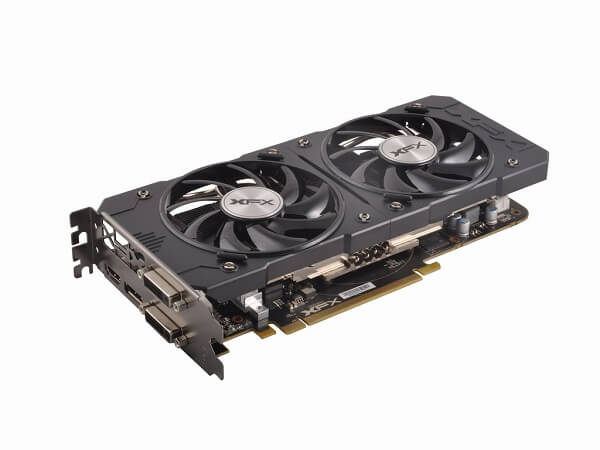
Best Graphics Cards 2016 AMD – Radeon R9 390X

Best Graphics Cards 2016 AMD – Radeon R9 390X

One of the latest high-end GPUs coming from AMD is the power hungry Radeon R9 390X that comes with outstanding performance in video games now and probably a long time in the future. It features the 1440p resolution capability as default and a base clock speed of 1,050 MHz. However, it remains a very taxing piece of equipment, at least in what your power supply is concerned; the average demand of the R9 390X is verging around 300 Watts, making it swift but costly on resources. With a memory speed of 6,000 MHz and a memory bandwidth of 384 GB/s, the 390X is amazingly fast and uses no less than 3 native fans to keep cool.

The price of the AMD Radeon R9 390X is currently situated at about $450.

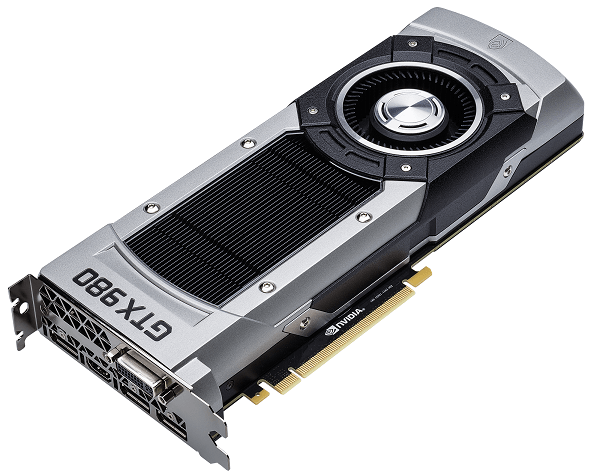
Best Graphics Cards 2016 Nvidia – GeForce GTX 980

Best Graphics Cards 2016 Nvidia – GeForce GTX 980

The head to head competitor of the Radeon R9 390X is one of the latest Nvidia GPU products. Put the two units side by side and it’s really difficult to pick. Both the AMD and the Nvidia graphic cards have immense potential and power, and only manage to win over the other in certain aspects. It also is capable of 4K gaming, it’s VR ready if you’re ever thinking of trying your hand out at the Oculus Rift for example. It has a slightly higher base clock speed of 1126 MHz, and a boost clocking speed of 1216 MHz. The GTX 980 also manages to handle its power consumption a little better than its Radeon counterpart, though you shouldn’t expect a huge amount of difference.

The Nvidia GeForce GTX 980 is priced at $479.99.

Best Graphics Cards 2016 Special Mentions – Fragship Tier GPUs

AMD Radeon R9 Fury X vs Nvidia GeForce GTX Titan X

Both of these models are graphic cards that were designed to revolutionize gaming on desktops and just how far it can be taken these days. Mere months old, both of them are currently considered the flagships and best releases of the companies up to this date (though Nvidia’s Titan Z is glancing at us from right around the corner too). While both GPUs’ capabilities are basically revolving around the same 4K max FPS capability, multiple shader engines and downright 1080p and 1440p overkill, each has its very own personal trait that makes it outstanding.

Radeon for example, opted for a personal water cooling system for its R9 Fury X. Nvidia pushed its GTX Titan X to over 1,400 MHz overclocking speeds and mind-blowing performances. Both models will probably last you a very long time if you opt for them seeing that they are currently exceeding the video game releases’ necessities.

The AMD Radeon R9 Fury X is currently $700 for the 4GB version and nearly $1,000 for the 8GB. Nvidia GeForce GTX Titan X, however, goes all the way up to $1,200 on the 12 GB model.

Image Source: 1, 2, 3, 4, 5, 6, 7, 8, 9, 10, 11

Filed Under: Headlines Tagged With: best GPUs 2016, best graphics cards 2016, best video cards 2016, graphics card guide

DISH vs DirecTV – A Complete Guide to Satellite Television

January 28, 2016 By Roxanne Briean Leave a Comment

DISH vs DirecTV

Services like Netflix and the mere workings of the Internet do not suffice for anyone out there. While some prefer the comfort of watching whatever you feel like whenever you feel like, it is most certainly not the case for every single person out there.

Not to mention that while you do get the comfort and freedom of picking what you watch, opting out of satellite television will remove the good old fun of flipping channels and the chance that you may find something that you had not expected. Not to mention that the largest television providers nowadays actually incorporate on demand television too, so you have even more to win out of it.

The pros and cons of Satellite TV

DISH vs DirecTV

Before you can even consider what provider to go with, it’s not a bad idea to start off knowing exactly what your satellite TV subscription would entail. Just like anything else in today’s society, you’ll find both pros and cons coming as a package, together with your service.

Advantages of satellite TV:

There are more than just a few advantages to satellite TV which a lot of individuals forget about. Mostly because ever since watching our favorite shows and movies on the internet became popular, many of us even forgot our television sets and still live under the impression that it works the way cable TV used to.

DISH vs DirecTV Channel packages

Well, it doesn’t. Television nowadays offers amazingly high-definition video and audio, that will only be even further enhanced by our television sets. On top of that, you can get hundreds of channels to browse through and even personalize your selection according to your preferences, not letting national borders be where the freedom ends.  Not to mention that no matter where you are located, you’ll most likely be able to get service nearly anywhere thanks to satellite broadcasting.

Disadvantages of satellite TV:

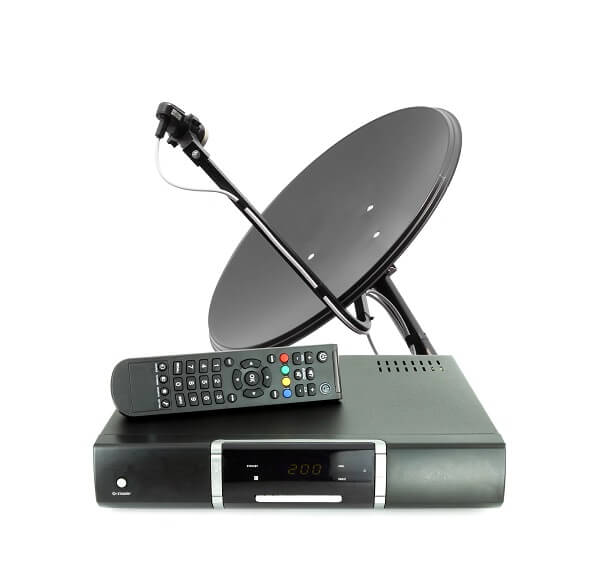
If you’ve not done this before, you may come to realize that installing your satellite dish is not a feat as easy to achieve. Firstly, the equipment will require a specialized team to set up in most cases as you will most certainly not be able to achieve that by yourself. And with a specialized team comes a service fee.

While on the subject of fees, you should know that opting for satellite TV will most likely require you to sacrifice a rather large initial investment; you won’t be paying for the service alone right away, and instead you’ll have to purchase the receiver and the dish itself, items that are no bargain.

Not to mention that if you own and plan to choose more than 1 television set in your home, you will require a receiver for each one you wish to connect, making the installation and initial purchase price a steep and sudden investment.

Picking a Satellite TV Provider

DISH vs DirecTV Choice

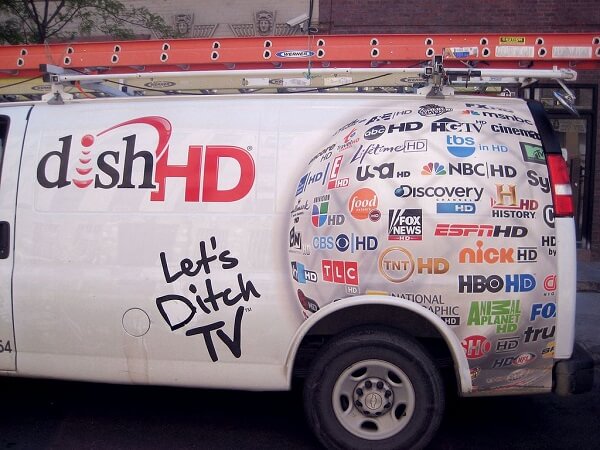
While DISH and Direct TV are not the only providers that you’ll find in the United States, they are most certainly the largest organizations that handle this and the most popular. There is a fairly good reason behind that. So unless you are either in a location where neither of the two manage to reach – albeit hard to believe – or you’re simply not interested in most of their special service offers and prefer to keep expense to a minimum, it would be best if you opted for one of the two.

The two providers don’t distinguish from one another through wildly different offers or packages, but they do stray away from the generics through some things. But making your decision based on that alone will not necessarily guarantee you that you have made the right one.

Instead, the better method of approaching it would be to make a thorough comparison based on the main factors that you should concern yourself with: offered content, native hardware, pricing, coverage and, if you will, promotions. An optional thing to take into account is also the nature and quality of a company’s customer service so if you feel that particular aspect means a lot to you, you should weigh your options well.

DISH vs DirecTV Content Offers

As previously mentioned, the content that you wish to gain access to pretty much falls into your very own preference as most television providers offer a wide variety of packages for you to browse through, for pretty much any price plan you can afford.

That being said, in the DISH vs DirecTV debate, the highest tier of television package you can get will probably earn you pretty much the same amount of channels and services, with a few scattered differences.

DISH vs DirecTV Offers similarities:

  • Over 315 channels to browse through with the top-most tier package (America’s EverythingTM Pack on DISH, PremierTM on DirecTV);
  • Free access to select movie channels – such as HBO, Showtime, Cinemax and Starz for 3 months;
  • Provides access to local broadcast programming (you will have access to both DirecTV local channels as well as the DISH’s own offer of it regardless of which provider you go for);
  • 200 channels available in both regular and high definition format;
  • Optional (and paid) access to personalized packs such as the Sports Pack (offering channels such as NBA League Pass, MILB Extra Innings, ESPN College Football, ESPN Full Court, NHL Center Ice and MLS Direct Kick) or the HD Packs that offer movies, documentaries, music only in high definition video and audio.

Individual perks of DISH vs DirecTV

DISH vs DirecTV Offers

DISH Packages:

  • Overall, DISH always seems to offer a larger number of channels per tier than DirecTV does; the only package that offers about the same number and selection of channels is the most expensive one;
  • DISH also offers free access to HD programming, without asking for a monthly fee, as well as offering you a free subscription to Sirius XM for a number of satellite music channels alongside a built-in Pandora app, directly through the DVR box.

DISH vs DirecTV Comparison

DirecTV Channel Packages:

  • Discount of premium DirecTV channels for the first few months of service;
  • Access to thousands of on demand shows and movies as part of your package, accessible from your TV, computer, laptop, tablet or even cell phone.
  • Ever since DirecTV has become affiliated with AT&T, previously existing customers of the carrier can receive perks and benefits if they opt for DirecTV satellite television: either a $10 monthly discount on your bill or an overall discount for both services if you acquire the All in One Plan ($200/month for 12 months for 4 TVs with HD+DVRs and basic channel package and 4 smartphones with 15 GB of shareable data). This way, you also get access to the Unlimited Data plan that gives you no limit on traffic but throttles the bandwidth at 22 GB per billing cycle.
  • Access to NFL Sunday Ticket Package – although rather expensive, also offers access to SmartMusicTap subscription.

DISH vs DirecTV Hardware

DISH vs DirecTV Hardware

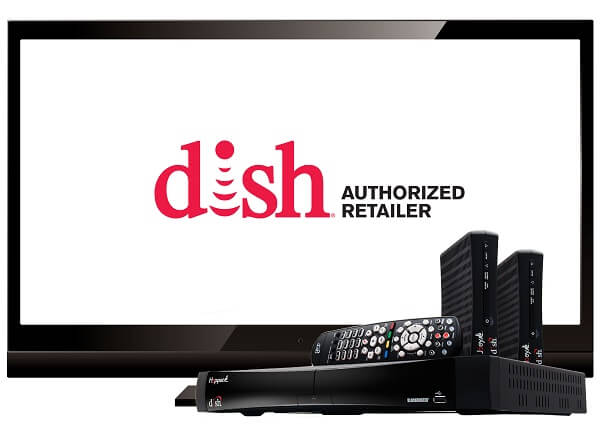
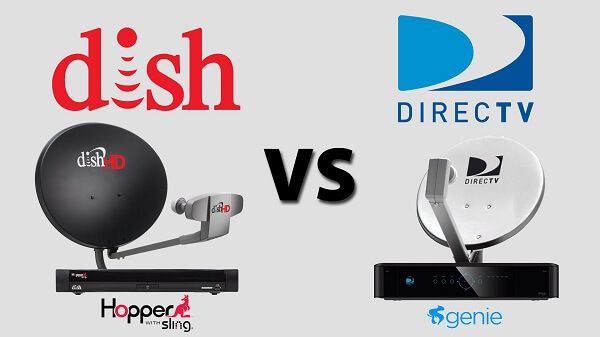
When referring to satellite television hardware, what we refer to is actually the DVR set top box – the Hopper for the DISH and the Genie for DirecTV, respectively. While the sets may not differ so much in terms of capability, the only specification that they seem to be a lot different in is storage space. And even then, that might not even be something you’re necessarily interested in – the amount of space you get to use to record your favorite shows.

In that perspective, it would seem that the DISH Hopper comes out above the Genie as it can record up to 500 hours of HD or 2,000 hours of Standard Definition content, whereas the latter can only go up to 200 hours of HD or 800 hours of SD. Not to mention that the fee you would be paying monthly for each differs: $12 for the Hopper and $15 for the Genie.

DISH vs DirecTV Hardware Options – The Hopper vs The Genie

  • While it is true that the recording capabilities of the set top box of the Hopper are superior to the ones of the Genie, DirecTV offers its customers TiVo integration by default, whereas the former doesn’t;
  • Most mobile devices will be compatible with the Watch Anywhere feature on your set top box, but the DirecTV setup requires extra equipment for it; DISH does not;
  • DISH’s Hopper can do up to 8 simultaneous show recordings, the Genie can only do up to 5;
  • DISH’s Auto Hop feature allows users to watch TV without any ads on non-PrimeTime Anytime shows after 1 AM ET. Recorded PrimeTime Anytime shows will instantly skip commercials.
  • Hopper allows the user to watch recorded programs directly off of their mobile devices for free; DirecTV requires an extra $150 purchase in the form of Nomad in order for you to be able to watch them from your phone or tablet.

DISH vs DirecTV Pricing

DISH vs DirecTV

Pricing for most television providers around is a little strange to say the least; or rather, an easy thing to miss if you’re not paying attention to all the details properly. Both the DISH and DirecTV websites have advertising that one may argue tend to be a little misleading; but then again, that’s advertising to you. It’s safest to know that both providers will charge you different amounts of money for your monthly subscription in the first and second year of your 24-month commitment. The reason behind that is that during your first year of subscription you receive a national rebate that expires starting with the 13th month.

There is a contract that DISH started offering this month where you have guaranteed locked pricing for 3 years. Basically, you agree to a 2 year commitment and your monthly subscription won’t skyrocket starting your second year. Even more so, if you choose to remain with the company afterwards, you still get your 3rd year of discounted pricing.

On top of that, even if it’s not something that you would normally consider when you decide to settle a contract with a provider or carrier of any sort, do take in consideration early termination fees of both your options before you choose. $20/month left on contract is DISH TV’s fee, while DirecTV goes up to $15 + $20/month left on contract. Terminating your contract is, however, still one of the most expensive things you can do, so do choose wisely.

Here’s a chart of the expected prices for all basic packages of the DISH vs DirecTV offer.

  • Tier 1 Packages

DISH: $19.99 / month for the first 12 months, $34.99 / month starting month 13, 55+ channels.

DirecTV: $19.99 / month for the first 12 months, $49.99 / month starting month 13, 145+ channels.

  • Tier 2 Packages

DISH: $19.99 / month for the first 12 months, $34.99 / month starting month 13, 120+ channels.

DirecTV: $24.99 / month for the first 12 months, $59.99 / month starting month 13, 150+ channels.

  • Tier 3 Packages

DISH: $34.99 / month for the first 12 months, $64.99 / month starting month 13, 190+ channels.

DirecTV: $29.99 / month for the first 12 months, $70.99 / month starting month 13, 175+ channels.

  • Tier 4 Packages

DISH: $44.99 / month for the first 12 months, $79.99 / month starting month 13, 240+ channels.

DirecTV: $34.99 / month for the first 12 months, $77.99 / month starting month 13, 220+ channels.

  • Tier 5 Packages

DISH: $49.99 / month for the first 12 months, $89.99 / month starting month 13, 290+ channels.

DirecTV: $39.99 / month for the first 12 months, $86.99 / month starting month 13, 240+ channels.

  • Tier 6 Packages

DISH: $99.99 / month for the first 12 months, $139.99 / month starting month 13, 315+ channels.

DirecTV: $89.99 / month for the first 12 months, $136.99 / month starting month 13, 315+ channels.

DISH vs DirecTV Coverage

DISH vs DirecTV Coverage

Coverage and signal are the kind of elements that should concern you only if you know you are situated somewhere remote enough for that to not be unheard of. Naturally, most urban locations across the United States will not have any problem whatsoever. While coverage is one thing – basically meaning whether the satellites can broadcast the signal in a particular area, signal refers to something slightly different.

Signals sent from the satellites, which are supposed to be captured and received through the outdoor satellite dish and decoded through the receiver (set-top box), may differ in strength due to a number of factors. One of them is the size of the satellite dish, which is more or less within your ability to choose. However, geographical location and even materials used in construction in the zone where you live may turn out to interfere with it.

However, a good signal strength can be guaranteed by correctly orienting the satellite dish towards the provider’s broadcasting satellite. Considering that both DISH and DirecTV use satellites that orbit relatively nearby one another, you should find that the service both providers offer is not that different in strength. However, it is not unheard of for various territorial limitations to prevent some users from using one of the carriers’ services over the alternative.

Since this is a very ambiguous thing to deal with, the only accurate way to determine whether you would encounter any such issues is to directly contact the company of choice and discuss your location with a representative. In addition, you can also request a site survey before signing a contract to ensure that you would receive good signal.

DISH vs DirecTV Customer Service & Promotions

DISH vs DirecTV Customer Service & Promotions

Promotions offered by satellite television providers are rarely an ongoing event that will last a huge amount of time. Depending on shifts or additions in the market, you will most likely always be able to find one or two advantages of picking one company over the other. The offers that both AT&T and DirecTV made since the affiliation are a great example of it.

However, if you’re interested to see what are the most recent offers that both companies have been making, this is what we could find in the DISH vs DirecTV current promotion comparison:

DISH

  • Free Hopper Upgrade if you switch from another provider to DISH
  • $10 discount if you also opt for a satellite internet package
  • Free 3 month trial to HBO, Cinemax, Showtime, Starz and the DISH Movie Pack, which you can cancel after the grace period.

DirecTV

  • Various benefits for existing and potential AT&T customers
  • Discounts for new DirecTV customers
  • Offers the 4K Genie Mini – a device that allows users to view 4K HD content even if their television sets are not 4K ready.

In terms of customer service, the two companies once again come very close to one another in the quality of their services and the attention given to detail. Both DISH and DirecTV offer 24/7 assistance either via telephone or email.

DirecTV customer service can ensure that technical assistance that requires the presence of a technician will be handled the second day the latest. It also offers a device protection plan for all its offered equipment; however, it requires you to pay an extra fee – either $5.99/month for the standard protection service or $19.99/month for the Protection Plan Premier. The DirecTV customer care department is open dailiy from 8 AM to 1 AM EST but you can make use of the automated phone system to handle most inquiries, orders, payments and troubleshooting.

On the other hand, DISH customer service is on a 24/7 offer, where you can have live assistance via phone, email, chat and even Twitter.

DISH vs DirecTV Conclusion

DISH vs DirecTV Conclusion

Choosing the right provider for you is not something that can easily be determined by going through a list of factors. Sure, maybe one company’s offer will seem more affordable for you and yet you’ll find that in the area where you live its services don’t work so great.

Maybe you prefer having your rented equipment under insurance. Maybe it’s more important to you to not have to pay extra for remotely watching TV. Maybe you don’t care about having access to the NFL Sunday Ticket.

The best way you can decide which provider you would go for from the DISH vs DirecTV debate, you should gradually go through all the factors that are important in order for you to be able to pick.

Check coverage and signal strength first with both companies: that will also give you a glimpse of what their customer service is like. Check both of the companies’ channel packages and find one that is right for you; chances are you’ll be able to find everything you would ever wish for on either side of the fence. Then carefully read about all the expenses that you would be expected to make – extra equipment, extra fees, insurance and so on.

Surely, by the end of your search, you will have found the best option from the DISH vs DirecTV satellite TV providers.

Image Source: 1, 2, 3, 4, 5, 6, 7, 8, 9, 10, 11

Filed Under: Headlines Tagged With: DirecTV, DISH, dish vs directv, how to pick a satellite tv provider, satellite television guide

How to Fix Common Windows 10 Issues When Upgrading

January 21, 2016 By Roxanne Briean Leave a Comment

Windows 10 Issues Guide

Unlike some of its predecessors, the latest version of the Microsoft operating system – Windows 10 – seems to have a lot more success. And there are more than just a few reasons behind that. After the unfortunate release that Windows 8 was – for a lack of better wording – and even in spite of its desperate attempts to remedy some of the issues that the original build had created via the major 8.1 update, Microsoft seems to have taken everything from scratch.

Whether the reason behind it was the company’s excellent method of advertising the new release, the fact that Windows 10 finally answered to so much customer feedback or the ease of upgrading itself, statistics say that right now, this OS is installed on more than 220 million computers and devices. And now that Microsoft is shutting down support for Windows 8, the timing couldn’t be better for you to consider upgrading to the latest version of the operating system. Not to mention that the ‘free’ tag on this OS is only available until July 29th 2016.

And yet there are still so many individuals out there who, albeit are willing to upgrade, are still facing difficulties in the process. Whether it’s because this is the first time that Microsoft opts for this method of upgrading or due to the vaguely confusing and sort of unnecessary steps that you have to go through, chances are you may be still struggling to upgrade even now, months after its official release.

Common Windows 10 Issues – Reserving the Free Windows 10 Upgrade

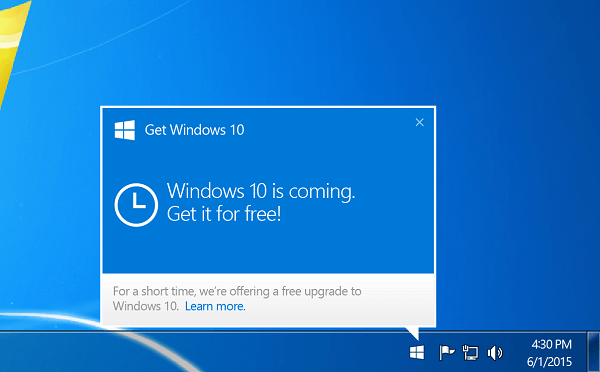
Windows 10 Issues Reservation

I’ve heard of countless cases in which someone was not able to upgrade simply because they never got the notification that Microsoft pushes to devices if they fulfill the prerequisites. I currently own 4 different computers and laptops in the house and that is something that happened on two of them.

However, just for safe measure, first you should make sure that you qualify for the upgrade. According to Microsoft, only genuine Windows 7 and Windows 8 copies are eligible for the free upgrade. However, a detail that ends up being missed many times is the fact that you have to update to the latest Windows 7 Service Pack 1 or Windows 8.1 versions in order for you to receive the prompt to upgrade to Windows 10. You should also make sure your machine has the hardware specifications required for the new operating system.

As you may occasionally encounter a glitch where your device refuses to display the notification even if it’s properly updated, the key is to turn off your automatic updates then turn them back on. After running its updating course (which may require some restarts of your computer), you should soon spot the update flag onto the bottom right task bar of your screen.

Common Windows 10 Issues – Installing your Reservation of the Windows 10 Upgrade

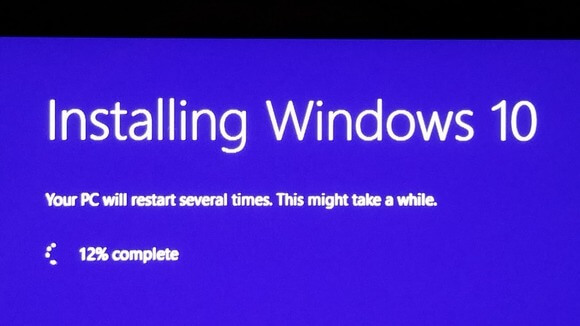
Windows 10 Issues - Installation Phase

This is something else that is not unheard of for users who did reserve their copy of Windows 10 but either postponed it or could literally not find it at all. There are two possible answers to that issue: one could be easily outside of your power as Microsoft is rolling out the upgrade copies in waves; if your reservation was made later than others, there are some chances that your copy will also arrive a little later, though that is not always necessarily the case.

The other option you’re presented with is to try and rush it by grabbing yourself a copy using the Windows 10 Download Tool. That will allow you to create an USB flash drive with the OS on it, also coming with the capability of doing a clean install instead of the default upgrade option that Microsoft offers you.

Common Windows 10 Issues – Getting a Clean Install of the Windows 10 Upgrade

Windows 10 Issues - Doing a Clean Install

If you do things by the book and by the progressive series of steps that Microsoft has designed to make the transition easier for you, you will not at any point get the option to do things such as format your OS’ partition for example. Instead, it will retain all of your already installed programs and documents by replacing the core files needed by Windows 10 while also saving you a backup of the previous operating system just in case.

But that does not do very well with solving registry issues and a lot of underlying malware or adware you may have been subjected to without really knowing. That’s when a clean install is always a neat idea.

While a normal install would just use the kit that you download and do everything by itself without you really needing any manual assistance, a clean install requires you to download the Windows 10 Download Tool. Once you’ve selected your OS’s version and downloaded the image after selecting the ‘Create installation media for another PC’, you can either burn it on a DVD or on an USB Flash device.

After all of the above is done, plug in your USB Flash device or set the DVD you used into the tray and restart your computer. As soon as it’s coming back on, press either F2, F12 or the Delete button (it depends on system) in order to enter BIOS. Set your DVD drive or USB port as your primary booting choice then follow the walkthrough. Select ‘Clean install’ from the options and hit the format button when you select the partition you wish to install your new Windows 10 on before you proceed.

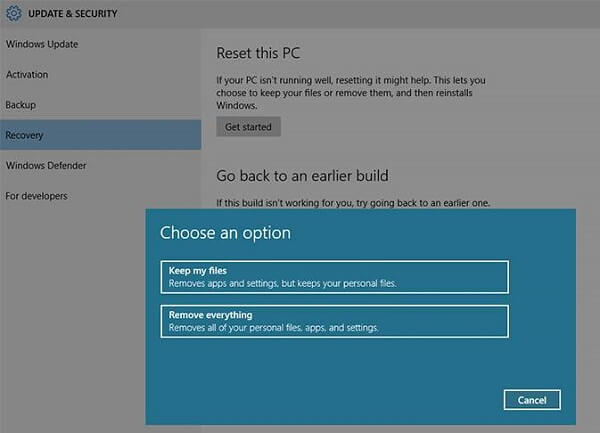
Alternatively, you can very well attempt to use the in-built method of getting a clean install, however it’s safe to know that this method does not allow you to do things like repartition your hard drives for example.

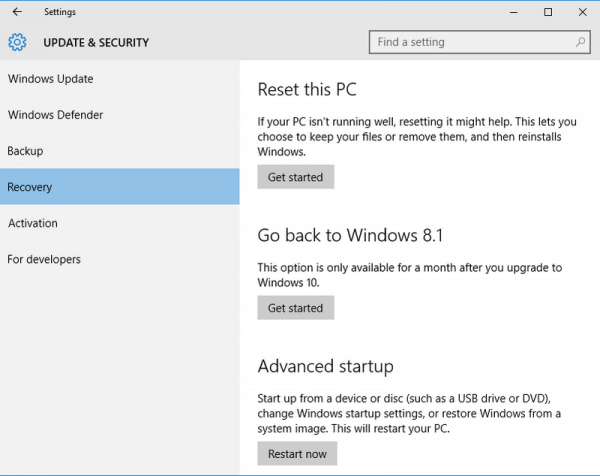
  1. Hit the start button and locate ‘Settings’
  2. Select Update & Security from the list
  3. Hit Recovery
  4. Hit Reset this PC and select the Remove Everything option from the list.

Common Windows 10 Issues – Finding Your Windows Key During the Windows 10 Upgrade

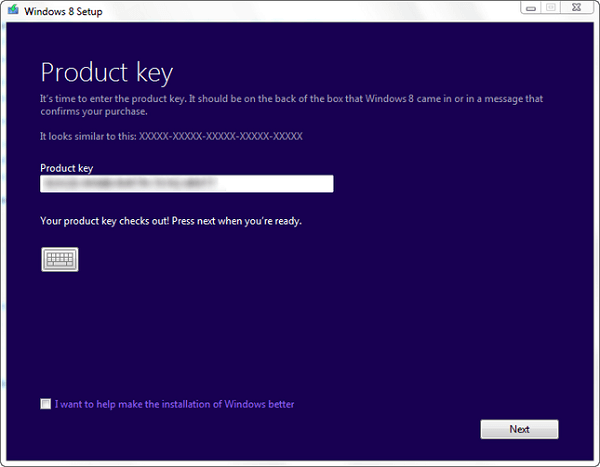
Windows 10 Issues - Need Serial Number

Though during a normal, default install, you will most likely not be prompted to enter in your Windows serial key number, a clean install for example will require that information from you. Ever since Windows 8.1 was released, Microsoft gave up the physical copy of the key idea and instead chose to always maintain it into the system’s BIOS so it can be automatically loaded when you reinstall your OS. At least that is the case with some of the devices that came with the operating system preinstalled.

When upgrading to Windows 10, you will basically be using that exact same key to get your new license. If you bought a physical version of your previous operating system, you will have to whip it out and look for the license key inside the box.

If your device came with an operating system preinstalled, the label containing the key should be placed somewhere onto the device itself: the bottom of your laptop or the back of your desktop’s tower for example.

If you’re using the latest Windows 8.1 version, the key is only embedded into BIOS and even if you manage to extract it, it bugs out and cannot be used in the Windows 10 installation. Sadly, the only method to work around this is to install the Windows 10 upgrade twice like this:

  1. Download the upgrade to Windows 10 kit
  2. Do a normal install so your new Windows 10 key is generated and encrypted into your BIOS. Just follow through the steps, do not make any custom modifications to the installation process.
  3. Follow the steps for a clean install after Step 2 is completed.

Common Windows 10 Issues – Various Obstacles in Getting the Windows 10 Upgrade Going

At any point before or as you’re trying to upgrade your operating system to Windows 10, you may get a number of issues. Here is a list of the most common ones that you could encounter.

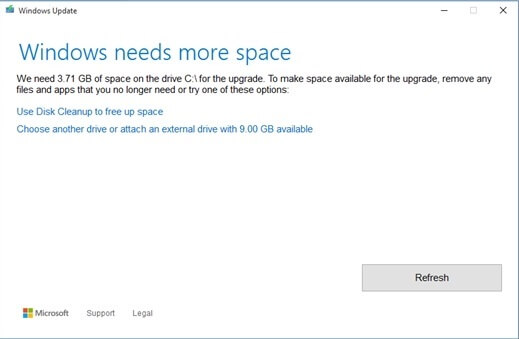
  1. Common Windows 10 Issues – Not enough space for installing the new operating system.

Windows 10 Issues Space Required

Even though the installed version of Windows 10 is smaller than the installed version of Windows 8 for example, you may encounter this issue especially when dealing with small-sized SSD hard drives for example. Even if the installation kit doesn’t take up more than about 3 GB of space by itself, even that small amount may make the difference. It’s best that you use a DVD or flash drive instead, even if you don’t go for a full, clean install.

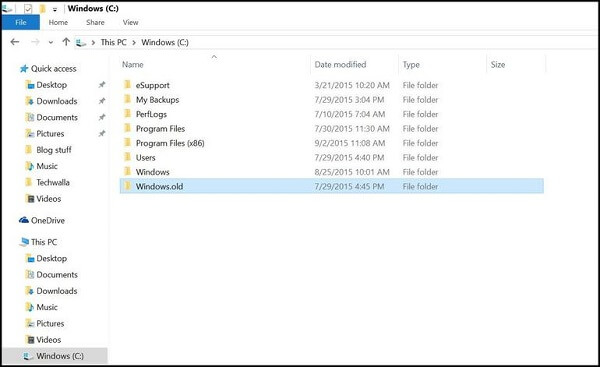
  1. Common Windows 10 Issues – Not enough space after installing Windows 10

Windows 10 Issues - No Space Post-Install

As you may have noticed earlier, it was mentioned that when you upgrade to Windows 10, the installation process also saves up a backup of your previous operating system in a folder called Windows.old. So in case you find yourself struggling with space right after the upgrade, that is most likely why.

Even if you’re certain that you won’t need your backed up version any longer, it’s wise to quickly copy it on an external drive or somewhere else that is safe just in case you run into various issues afterwards. After all that is said and done, you can safely remove the backup from your computer and free up some space.

As a side note, the backup version of your previous operating system is automatically deleted from the system in 30 days.

  1. Common Windows 10 Issues – Windows 10 is not genuine

Windows 10 Issues Genuine

This is an error that occurs when attempting to install the new operating system upgrade through manual workarounds that did not imply you getting the installation kit through traditional means. If you have not used your very own, personal upgrade reservation and/or are not using a genuine version of Windows 7/8/8.1 at the time of installation, chances are you will be getting this error.

Sadly, there’s not much you can do about it without any kind of purchase. As long as you keep getting the error, it means that your copy is illegal or simply a trial version that you won’t be able to enjoy it to its full potential. You can fix that by purchasing a valid key for either of the aforementioned operating system or straight out a brand new Windows 10 key directly from the Microsoft website.

By simply clicking on the notification flag that your Windows is not genuine, you will immediately be guided to where you can purchase a key from.

  1. Common Windows 10 Issues – Reverting to your previous operating system

Windows 10 Issues - Reverting Back to Previous OS

Whether you’re getting compatibility issues or simply aren’t as happy with the Windows 10 upgrade as you expected, you can easily revert to your previous version using the recovery tool. As long as you haven’t exceeded the 30 day period that the automatic backup will survive for, you can dig it out and revert to the way things were before by following these steps:

  1. Hit the start button and locate ‘Settings’
  2. Select Update & Security from the list
  3. Hit Recovery
  4. Press the Go Back button

Do note that if you have opted for a clean install, the system will no longer have access to the automatic backup file and your only chance to revert is if you saved up a copy of it on an external drive. If that is the case, you can load it and use it with the steps mentioned above.

  1. The mysterious king of Windows 10 Issues – the ‘Something happened’ error

Windows 10 Issues - Something Happened Error

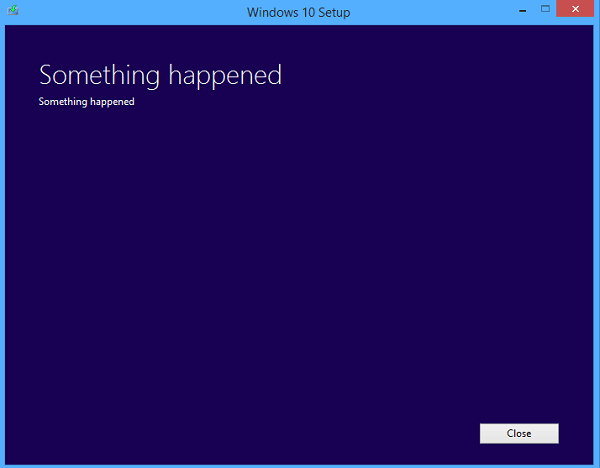
The infamously ambiguous error is difficult to track down and nail because it really holds no other information than literally ‘Something happened’. It’s not very clear why this happens in the first place and you’re most likely to encounter it at the very beginning of the upgrading process. Various people have managed to find these two workarounds it.

Method A: Press Start and go to Control Panel. In the Clock, Language and Region folder, select Region and click on the Administrative tab. In this window, click on the Change System Locale button and set it to English (US). Restart your PC and the installation should now work.

Method B: This method is for the users who have experienced this error when attempting to create the Windows 10 install media. This is usually caused by missing administrator privileges of the account that you’re using to create it.

Download and install the Windows 10 Download tool. Make sure you’re logged in as an administrator if there are multiple accounts on the machine you are doing this on. If you’re unsure whether your account has the administrator status or not, simply restart your PC and log in as administrator.

Hit Start and type in Windows 10 Download directly. Before hitting enter once the system located the needed file, right click on it in the list and select Run as Administrator from the drop-down menu. Then proceed through the installation and media creation wizard normally.

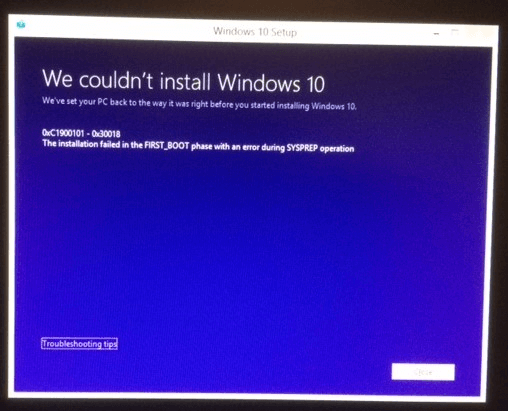
  1. Common Windows 10 Issues – Battling the We Couldn’t Install Windows 10 0xC1900101 – 0x30018 error

Windows 10 Issues - Installation Error

This particular error seems to be popping around whenever a driver or piece of security software is incompatible with what the installation kit is meant to do. If you are encountering it, your best chance of fixing it is to let the computer restore itself to what it was before you started the upgrade then turn off your antivirus, if any, your wireless connection and remove any unnecessary devices you may have plugged in (controllers, extra hard drives, USB flash devices, etc.).

As an extra step you may want to run a quick check in your Command Prompt. Make sure you are using an account with administrator privileges, hit Start and type in ‘cmd’ then open the Command Prompt app. Type sfc /scannow in the new window to make sure that all drivers on your computers are in good state.

If there are any other issues you may be running into when trying to upgrade to Windows 10, let us know in the comments and we’ll try to find you a fix!

Image Source: 1, 2, 3, 4, 5, 6, 7, 8, 9, 10, 11

Filed Under: Headlines Tagged With: windows 10 issues, windows 10 problems, windows 10 upgrade, windows 10 upgrade issues

  • « Previous Page
  • 1
  • …
  • 27
  • 28
  • 29
  • 30
  • 31
  • …
  • 59
  • Next Page »

Subscribe to Blog via Email

Enter your email address to subscribe to this blog and receive notifications of new posts by email.

Join 11 other subscribers

Recent Articles

police handcuffs man

German Man Probed In Poisoning That Killed 21 Employees Since 2000

June 29, 2018 By Kenneth Scott Leave a Comment

Chicken wings bar

Intoxicated South Carolina Man Punches Waitress Who Refused to Serve Him Alcohol

June 29, 2018 By Karen Jackson Leave a Comment

gaming

New Zealand gamer Who Flew Halfway Across The World for Virginia Teen Gets Shots By Her Mother

June 28, 2018 By Cristopher Hall Leave a Comment

party

Former Virginia Tech Freshman Sentenced to 50 Years in Prison for Stabbing a Girl to Death

June 28, 2018 By Roxanne Briean Leave a Comment

bonfire

British Couple Sentenced to Life in Prison for Torturing and Murdering French Nanny

June 27, 2018 By Deborah Campbell Leave a Comment

pay phone

Texas Father of Girl Disappeared in the 80s Ignored by Authorities

June 26, 2018 By Cristopher Hall Leave a Comment

bottled water

San Francisco Woman Threatened to Call Police on Girl Who Sold Ice Water for Disneyland Trip

June 25, 2018 By Roxanne Briean Leave a Comment

Maplewood Park

Missouri Man Robbed by Date and Accomplice in Park

June 22, 2018 By Nancy Young Leave a Comment

coding

New York Man Sentenced in Cyberstalking Former Girlfriend, Mailing Drugs to Her Dorm

June 22, 2018 By Deborah Campbell Leave a Comment

headphones

Bose Poised to Launch Sleepbuds, In-Ear Headphones That Help You Sleep

June 21, 2018 By Nancy Young Leave a Comment

Police light

Intoxicated Female Driver in Custody for Pulling Arresting Officer by the Hair

June 21, 2018 By Kenneth Scott Leave a Comment

kitchen

Restaurant Manager Arrested and Charged in Shooting Death of Co-Worker over Negative Yelp Reviews

June 20, 2018 By Karen Jackson Leave a Comment

plastic container

Pennsylvania Couple Charged in Violent Death of Infant Discovered Buried in Cat Litter

June 19, 2018 By Cristopher Hall Leave a Comment

tailpipe

Minnesota Teen Gets Head Stuck In Oversized Tailpipe Winstock Music Festival

June 18, 2018 By Karen Jackson Leave a Comment

Pages

  • About Us
  • Contact us
  • Privacy Policy
  • Privacy Policy GDPR
  • Staff
  • Terms and Conditions

Recent Posts

  • German Man Probed In Poisoning That Killed 21 Employees Since 2000 June 29, 2018
  • Intoxicated South Carolina Man Punches Waitress Who Refused to Serve Him Alcohol June 29, 2018
  • New Zealand gamer Who Flew Halfway Across The World for Virginia Teen Gets Shots By Her Mother June 28, 2018
  • Former Virginia Tech Freshman Sentenced to 50 Years in Prison for Stabbing a Girl to Death June 28, 2018
  • British Couple Sentenced to Life in Prison for Torturing and Murdering French Nanny June 27, 2018
  • Texas Father of Girl Disappeared in the 80s Ignored by Authorities June 26, 2018
  • San Francisco Woman Threatened to Call Police on Girl Who Sold Ice Water for Disneyland Trip June 25, 2018

Categories

  • Business
  • Entertainment
  • Finance
  • Headlines
  • Health
  • Life
  • Nature
  • Science
  • Sports
  • Tech & Science
  • Travel
  • Uncategorized
  • United States
  • World

Copyright © 2026 ArgyllFreePress.com
About · Privacy Policy · Terms of Use · Contact